
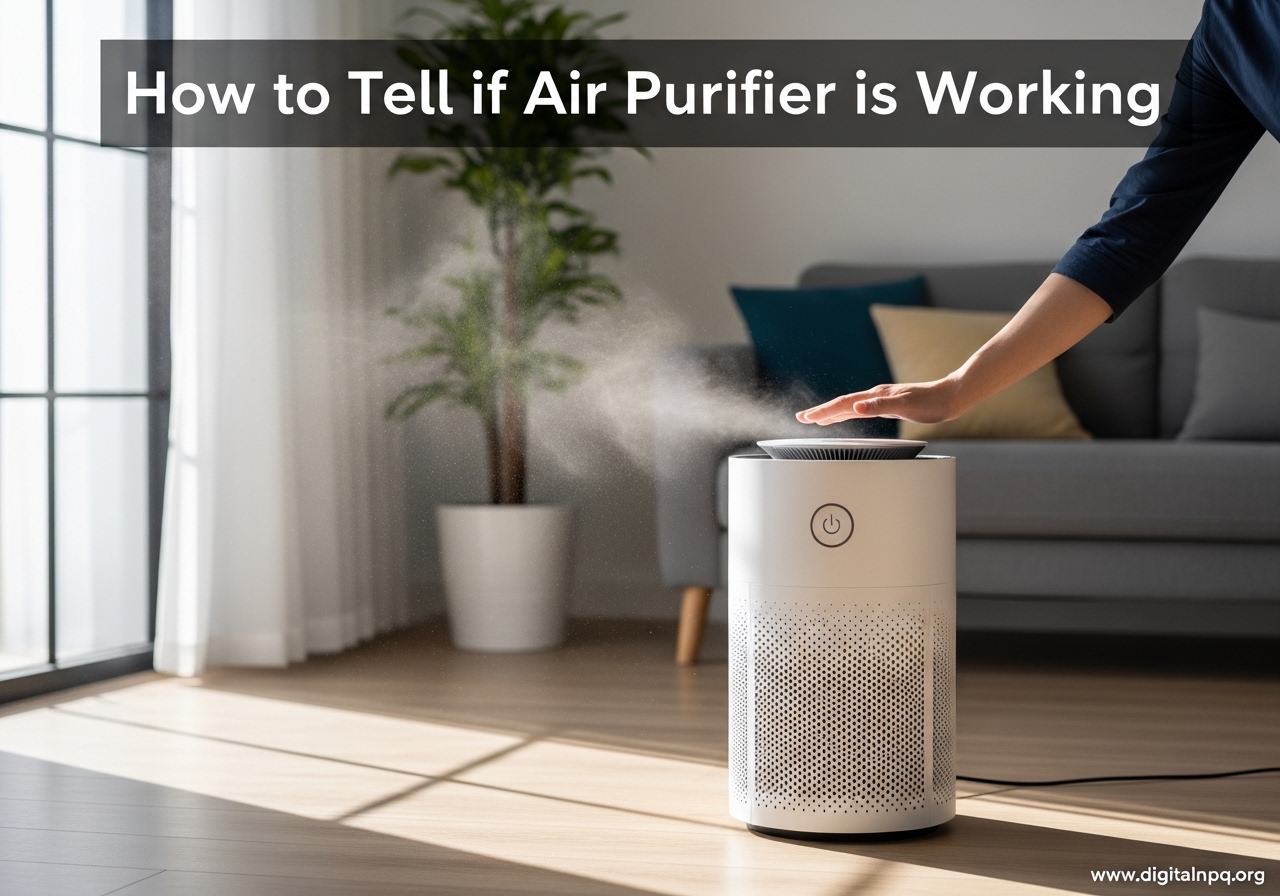
You bought an air purifier to breathe cleaner air, but now you’re wondering if it’s actually doing anything. I’ve been there—staring at a device that hums quietly in the corner, unsure if my investment is paying off or just collecting dust. The good news is there are several reliable ways to verify your air purifier’s performance, and you don’t need expensive equipment to do it. In this guide, I’ll walk you through how to tell if your air purifier is working using five proven methods that real homeowners use every day.
How to Tell if Air Purifier is Working: 5 Proven Methods
Learning how to tell if air purifier is working doesn’t require technical expertise or special tools. These verification methods range from simple hands-on checks to more detailed monitoring approaches, giving you confidence that your device is actually cleaning your indoor air.
Method 1: Physical Airflow Check
The fastest way to verify your air purifier is working involves a simple hand test at the exhaust vent. Place your hand about 6 inches from the output vent and feel for steady, consistent airflow. On low settings, you should feel a gentle stream of air. On turbo or high settings, you should notice a strong, continuous flow pushing away from the unit.
Weak or nonexistent airflow signals a problem. This could indicate a clogged filter blocking intake, a fan malfunction, or improper installation. Users on Reddit’s air purifier community note that turbo mode typically produces the most noticeable airflow—if even that setting feels weak, your unit needs attention.
Also check the intake vents on the sides or back of your purifier. You should feel slight suction when placing your hand near these openings. No suction means air isn’t being pulled through the filter, rendering the device ineffective.
Method 2: Filter Inspection After 1-2 Weeks
Your filter provides visible evidence of your purifier’s work. After running your air purifier for 1-2 weeks, remove the filter and examine it under good lighting. A working purifier will show visible dust, hair, pet dander, and debris trapped in the pre-filter and filter media. This accumulation proves the device is actively capturing airborne particles.
Forum users consistently report that seeing gray dust and debris on their filters after just a week provides tangible proof the purifier works. One user described finding “a layer of dust, hair, and what looked like fabric fibers” after only 10 days of use.
However, a filter that still looks pristine after several weeks of continuous use raises red flags. This suggests either the filter isn’t properly installed, the unit isn’t pulling air through effectively, or your indoor air is remarkably clean. Double-check installation and airflow before assuming the latter.
Method 3: Air Quality Monitor Testing
For objective verification, air quality monitors provide numerical data you can track over time. External monitors measure PM2.5 levels—fine particulate matter your purifier targets—and display readings in real time. Many users run a baseline test: record air quality with the purifier off for an hour, then turn it on and measure again after 24 hours of continuous operation.
You should see a noticeable drop in PM2.5 readings after running your purifier. Quality units can reduce particulate matter by 50-90% depending on room size and initial air quality. If your readings remain unchanged, the purifier isn’t effectively filtering the air.
Built-in sensors offer another verification method, though they’re less precise than external monitors. Most modern purifiers feature LED indicators that change color based on detected air quality. Blue or green typically indicates clean air, while yellow, orange, or red signals pollution. Watch how quickly your purifier’s indicator changes when you introduce contaminants like cooking smoke or spray aerosols—working units should register the pollution spike and gradually return to clean readings within 30-60 minutes.
Method 4: Environmental Signs
Your home environment offers clear evidence of air purifier effectiveness. The most obvious sign is reduced dust accumulation on surfaces. Before I started using an air purifier regularly, I dusted my furniture weekly. After consistent use, I noticed I could stretch that to every two weeks—the purifier was capturing dust before it settled.
Pay attention to odors in your home. Working air purifiers with activated carbon filters absorb smells from cooking, pets, and smoke. Notice how quickly cooking odors dissipate now compared to before you had the purifier. Effective units clear strong smells within 1-2 hours; ineffective ones leave odors lingering much longer.
Air clarity also improves with proper filtration. On sunny days, observe light beams entering your room. Fewer dust particles floating in the light indicates cleaner air. This change happens gradually over 1-2 weeks of continuous use, so compare current conditions to what you noticed before running your purifier.
Method 5: Health Symptom Improvements
Perhaps the most meaningful verification comes from how you feel. People with allergies often notice reduced symptoms within days of running a quality air purifier. Less sneezing, fewer stuffy noses, and decreased eye irritation indicate the device is removing allergens from your air.
Asthma sufferers report fewer attacks and reduced reliance on rescue inhalers when their air purifier effectively removes triggers. Track your symptoms for a week without the purifier, then a week with it running continuously—you should notice measurable differences in breathing comfort and attack frequency.
Sleep quality improvements also signal cleaner air. Many users report sleeping more soundly and waking less congested after adding an air purifier to their bedroom. This happens because purifiers remove irritants that disrupt sleep, allowing your respiratory system to rest and recover overnight.
Keep in mind that health improvements take time to manifest. Most people notice changes within 1-2 weeks of consistent use, though full benefits may take a month or longer as your body adjusts to breathing cleaner air.
Troubleshooting: Why Your Air Purifier Might Not Be Working
When you discover your air purifier isn’t performing as expected, several common culprits could be to blame. Identifying and fixing these issues often restores full functionality without requiring replacement.
Clogged or dirty filters represent the most frequent cause of poor performance. HEPA filters trap particles as air passes through, gradually reducing airflow as debris accumulates. Check your filter every 2-4 weeks initially, then adjust your schedule based on how quickly debris builds up. Most manufacturers recommend filter replacement every 6-12 months, but homes with pets or high pollution may need more frequent changes.
Incorrect placement significantly impacts effectiveness. Air purifiers need unobstructed airflow around all vents to function properly. Units pushed against walls, hidden behind furniture, or placed in corners can’t circulate air efficiently. Leave at least 2-3 feet of clearance on all sides and position the unit away from obstacles that block intake or output vents.
Oversized rooms overwhelm purifiers designed for smaller spaces. Check your unit’s Clean Air Delivery Rate (CADR) and recommended room size. A purifier rated for 200 square feet won’t effectively clean a 500-square-foot living room, regardless of how long it runs. Either move the unit to a properly sized room or upgrade to a more powerful model.
Fan speed settings that are too low limit air circulation. While low or auto settings save energy, they may not provide adequate filtration for your air quality needs. Run your purifier on medium or high settings for several hours each day, especially during peak pollution times like cooking or when pollen counts are high.
Improper filter installation prevents purification even when everything else works correctly. Remove and reseat your filter, ensuring it clicks or locks into place securely. Some models have arrows indicating airflow direction—install filters backward and they won’t capture particles effectively.
Electrical or mechanical issues require professional attention. If your purifier shows no signs of life, makes unusual noises, or produces burning smells, unplug it immediately and contact the manufacturer. These symptoms indicate serious problems that DIY troubleshooting won’t fix.
Maintenance Tips for Optimal Air Purifier Performance
Keeping your air purifier running at peak efficiency requires regular maintenance. These simple habits extend your device’s lifespan and ensure it continues cleaning your air effectively.
Check your pre-filter every 2-4 weeks and clean or replace it as needed. Pre-filters capture larger particles like pet hair and dust before they reach the HEPA filter, extending the main filter’s life. Most pre-filters are washable—rinse them with water and let them dry completely before reinstalling.
Replace HEPA filters according to manufacturer guidelines, typically every 6-12 months depending on usage and air quality. Homes with pets, smokers, or residents with allergies should lean toward more frequent replacement. Mark replacement dates on your calendar and set phone reminders so you don’t forget.
Clean the exterior and vents monthly using a soft brush or vacuum attachment. Dust accumulation on the outside restricts airflow and forces your purifier to work harder. Wipe down the housing with a damp cloth, being careful not to let moisture enter the electronics.
Run your purifier continuously for best results. Air purifiers work most effectively when they maintain consistent air circulation rather than cycling on and off. Most units are designed for 24/7 operation and use minimal electricity on low or auto settings—typically less than a standard light bulb.
Position your unit strategically for maximum effectiveness. Place it near pollution sources like litter boxes, smoking areas, or kitchen stoves to capture contaminants at their origin. In bedrooms, position the purifier 3-6 feet from your bed so clean air reaches you directly while sleeping.
Understanding Air Purifier Performance Metrics
CADR Ratings Explained
Clean Air Delivery Rate (CADR) tells you how quickly an air purifier cleans specific pollutants from your air. This metric, developed by the Association of Home Appliance Manufacturers (AHAM), measures cubic feet per minute (CFM) of air cleaned for three contaminant types: dust, pollen, and smoke.
Higher CADR numbers indicate faster, more effective filtration. For a 200-square-foot room, look for CADR ratings of at least 100. Larger rooms require proportionally higher ratings—a 400-square-foot space needs CADR numbers around 200 or higher. Match your purifier’s CADR to your room size for optimal performance.
The relationship between CADR and room size follows a simple formula: multiply your room’s square footage by 0.75 to find the minimum recommended CADR. A 300-square-foot bedroom, for example, needs a purifier with at least 225 CADR for dust removal. Using this calculation helps ensure you buy adequately sized equipment.
HEPA Filter Efficiency Standards
True HEPA filters represent the gold standard for particulate filtration. These filters capture 99.97% of particles 0.3 microns in diameter—the most penetrating particle size—under standardized testing conditions. This includes dust mites, pollen, mold spores, and most bacteria that trigger allergies and respiratory issues.
Be careful distinguishing True HEPA from HEPA-type or HEPA-like filters. Marketing terms like “HEPA-style” or “99% HEPA” indicate lower filtration efficiency, typically 95-99% for larger particles. These filters cost less but allow more particles to pass through. For genuine air purification, specifically seek products labeled “True HEPA” or certified to meet DOE standards.
HEPA filters work through three mechanisms: interception, impaction, and diffusion. Larger particles crash into filter fibers and stick (impaction), medium-sized particles follow air streams and contact fibers (interception), and the smallest particles bounce around randomly until they hit fibers (diffusion). This combination captures particles much smaller than the 0.3-micron rating suggests.
FAQ
How do I know if my air purifier is actually doing anything?
Check for steady airflow at the exhaust vent, inspect your filter for visible dust after 1-2 weeks, and look for reduced dust on surfaces in your home. You can also use an external air quality monitor to measure PM2.5 levels before and after running your purifier for 24 hours. Working purifiers show measurable improvements in all these areas.
How many hours a day should you have your air purifier on?
Run your air purifier continuously for best results—most units are designed for 24/7 operation. At minimum, keep it running 12 hours daily, including all night in bedrooms. Continuous operation maintains consistent air quality and prevents pollutant buildup. Auto modes adjust fan speed based on detected air quality, balancing effectiveness with energy efficiency.
Do air purifiers dry indoor air?
No, air purifiers do not reduce humidity or dry indoor air. They only filter particulate matter and some gaseous pollutants—they don’t add or remove moisture. If your air feels dry while running a purifier, the cause is likely your HVAC system, low outdoor humidity, or seasonal changes, not the purifier itself.
Will an air purifier help with post nasal drip?
Yes, air purifiers can reduce post nasal drip by removing airborne allergens and irritants that trigger excess mucus production. Pollen, dust mites, pet dander, and mold spores commonly cause post nasal drip in allergy sufferers. True HEPA filters capture these particles, potentially reducing symptoms within 1-2 weeks of consistent use.
Do air filters cause dryness?
Air filters and purifiers do not cause dryness because they don’t affect humidity levels. They simply move air through filtration media to capture particles. If you’re experiencing dry skin, throat, or nasal passages, consider using a humidifier alongside your air purifier to maintain comfortable moisture levels, especially during winter months.
Will an air purifier help my COPD?
Air purifiers can help COPD patients by removing airborne triggers that exacerbate symptoms, including dust, pollen, smoke, and pet dander. Cleaner air may reduce flare-ups and improve breathing comfort. However, air purifiers are not medical treatments—consult your doctor about incorporating one into your COPD management plan alongside prescribed medications and therapies.
Conclusion
Knowing how to tell if your air purifier is working gives you confidence that your investment in cleaner air is paying off. By checking airflow at the vents, inspecting your filter for visible debris, using air quality monitors, watching for environmental changes, and tracking health improvements, you can verify your device is doing its job. Most people notice clear evidence within 1-2 weeks of consistent use—whether it’s dust accumulating on the filter or simply breathing easier at night. If your purifier isn’t showing these signs, work through the troubleshooting steps to identify and fix common issues. With proper maintenance and optimal placement, your air purifier will continue protecting your indoor air quality for years to come.