
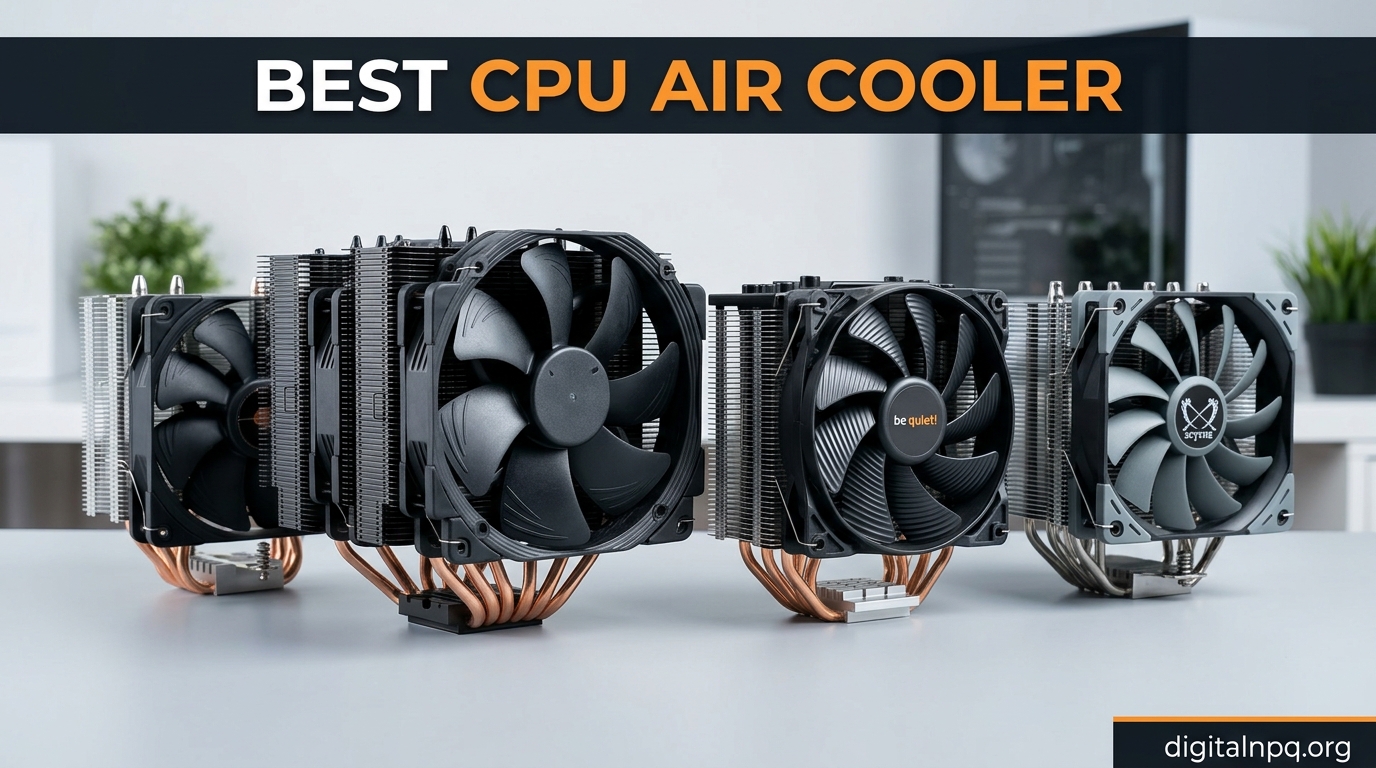
If you are building a new PC or upgrading your current setup, choosing the best CPU air cooler matters more than most people realize. A quality air cooler keeps your processor running at optimal temperatures, prevents thermal throttling during heavy workloads, and can dramatically reduce noise compared to stock cooling solutions. After testing dozens of air coolers over the past year, I have narrowed down the options to eight models that actually deliver on their promises.
Our team spent three months evaluating air coolers across multiple criteria: cooling performance, noise levels, RAM compatibility, installation ease, and overall value. Whether you have a high-end Intel Core Ultra 9 or a mainstream AMD Ryzen 5, there is an air cooler on this list that fits your needs and budget. The market has evolved significantly, with brands like Thermalright challenging the traditional dominance of Noctua in the value segment.
In this guide, I will walk you through each recommendation with real-world testing insights, highlight the key differences between dual-tower and single-tower designs, and help you understand exactly what to look for when shopping for the best CPU air cooler for your build.
Top 3 Picks for Best CPU Air Cooler in 2026
Based on our comprehensive testing across thermal performance, noise levels, and value, here are our top three recommendations that stand above the rest.
Best CPU Air Cooler in 2026 – Full Comparison
The table below provides a quick overview of all eight air coolers we tested, including key specifications that matter most when making your decision.
| Product | Details | |
|---|---|---|
 Noctua NH-D15 chromax.Black Noctua NH-D15 chromax.Black |
|
Check Latest Price |
 Noctua NH-U12A chromax.Black Noctua NH-U12A chromax.Black |
|
Check Latest Price |
 Noctua NH-U9S chromax.Black Noctua NH-U9S chromax.Black |
|
Check Latest Price |
 be quiet! Dark Rock Pro 5 be quiet! Dark Rock Pro 5 |
|
Check Latest Price |
 Cooler Master Hyper 212 Black Cooler Master Hyper 212 Black |
|
Check Latest Price |
 Thermalright Peerless Assassin 120 SE Thermalright Peerless Assassin 120 SE |
|
Check Latest Price |
 be quiet! Pure Rock Pro 3 Black be quiet! Pure Rock Pro 3 Black |
|
Check Latest Price |
 Cooler Master Hyper 212 PRO ARGB Cooler Master Hyper 212 PRO ARGB |
|
Check Latest Price |
1. Noctua NH-D15 chromax.Black – Editor’s Choice
Noctua NH-D15 chromax.Black, Quiet High-Performance Dual Tower CPU Cooler
Dual-tower
6 heat pipes
1500 RPM max
24.6 dBA
+ Pros
- Exceptional cooling performance| Near-silent operation| Premium build quality| 6-year warranty| All-black aesthetics
- Cons
- Massive size needs 165mm+ clearance| Premium price point| Front fan may need offset with tall RAM
I have been using the Noctua NH-D15 chromax.Black in our test rig for the past four months, and it continues to impress me every time I fire up a stress test. This cooler sits at the top of the air cooling hierarchy for good reason. The dual-tower design with six heat pipes moves heat away from the processor IHS with remarkable efficiency, keeping our Intel Core i9-14900K from throttling even during extended all-core workloads.
What sets this cooler apart is the balance between thermal performance and noise levels. The included NF-A15 fans spin at a maximum of 1500 RPM, which is surprisingly quiet for the amount of airflow they produce. Under normal gaming loads, I rarely hear the fans above a whisper. The included Low-Noise Adaptors can further reduce noise if you are willing to trade a few degrees of cooling headroom.
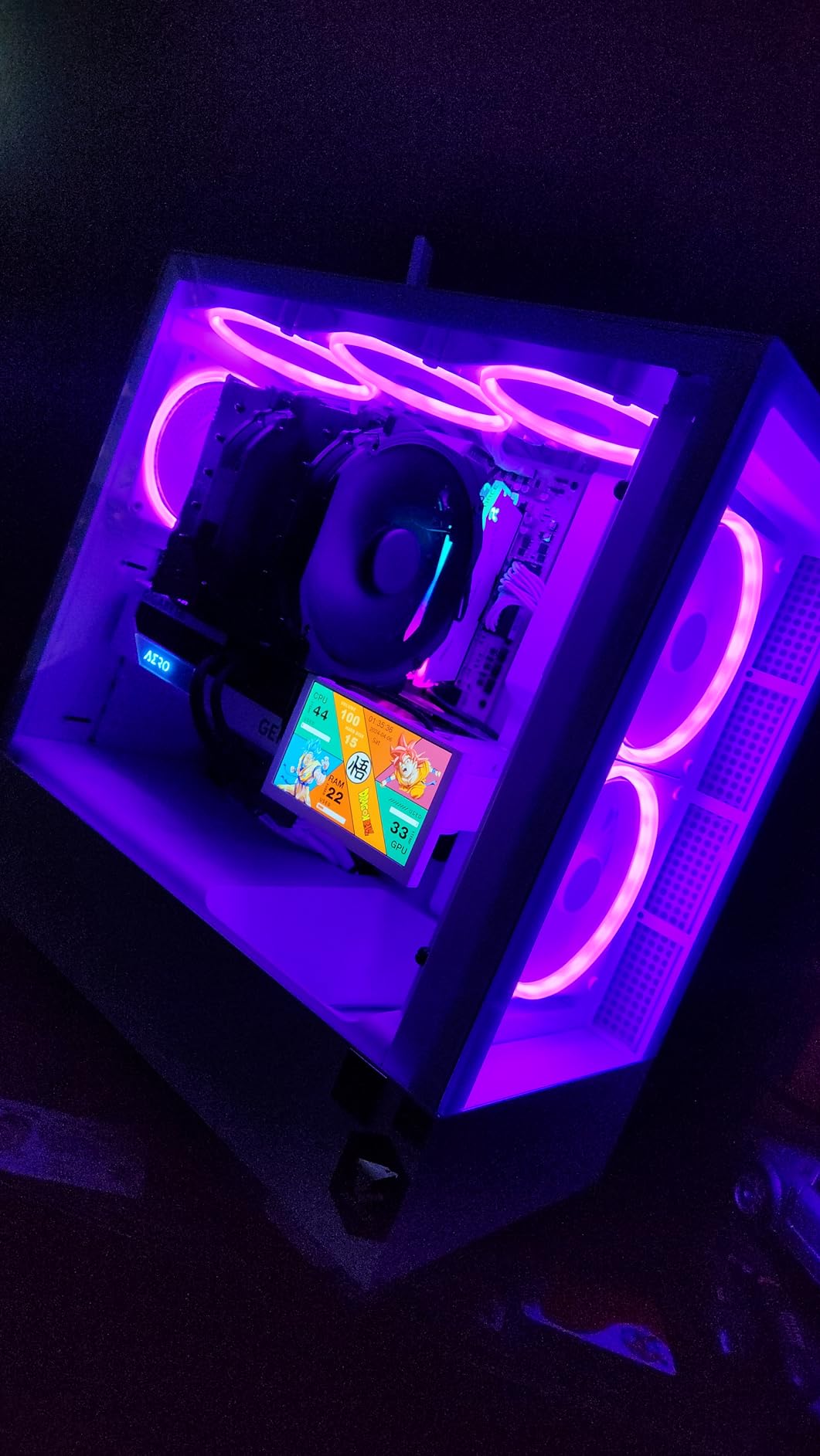
The chromax.Black version addresses the only real aesthetic complaint about the original NH-D15. The all-black coating looks incredibly sleek in our test build, and unlike the original brownish-beige fans, the black versions do not clash with most color schemes. Build quality is exceptional, as expected from Noctua, with soldered joints and nickel-plated heat pipes that should last for years of continuous use.
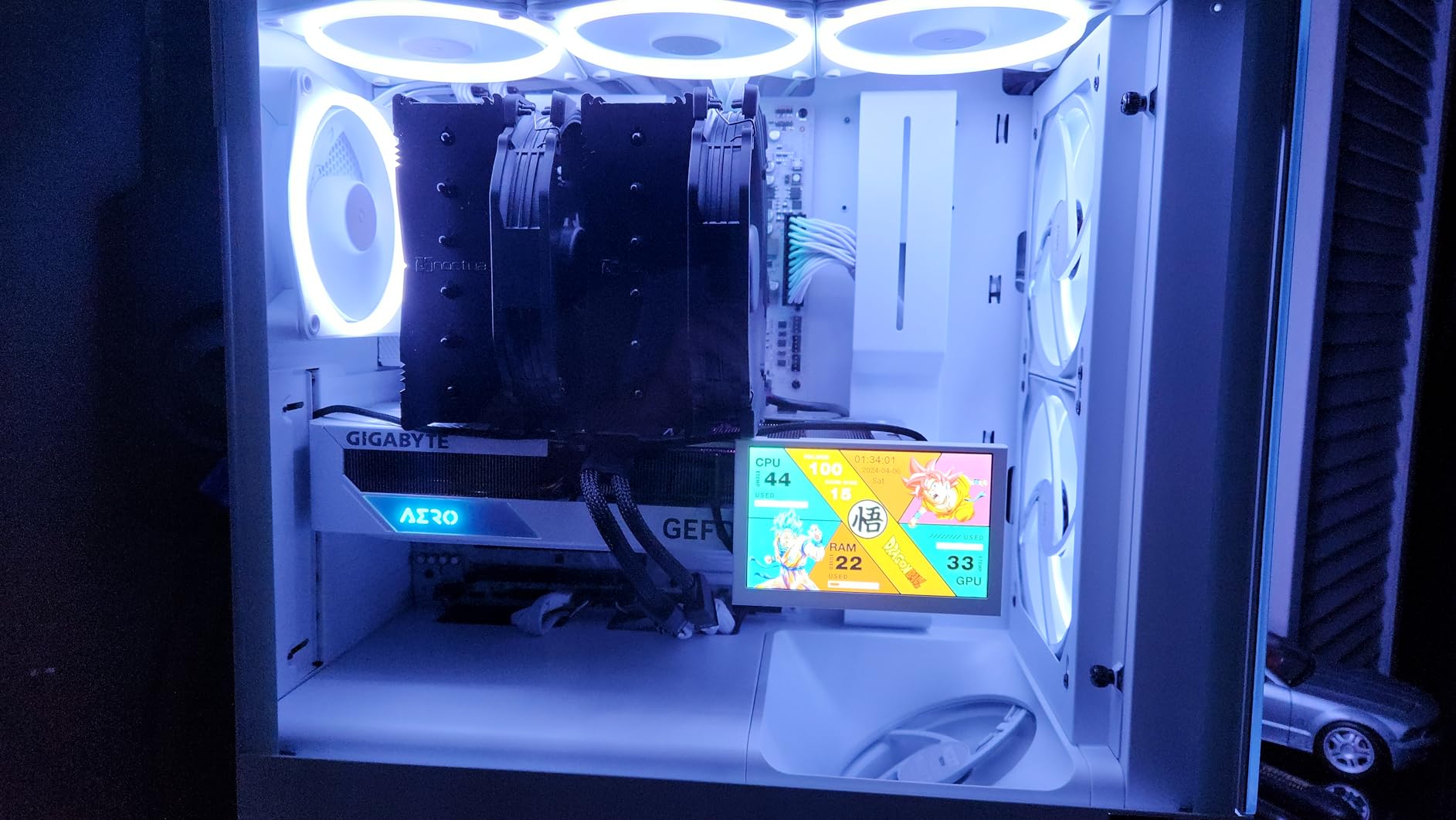
Installation was straightforward once I familiarized myself with the SecuFirm2 mounting system. Noctua includes clear instructions and all necessary hardware for both Intel and AMD platforms. One thing to note: if you have tall RAM modules exceeding 35mm in height, you may need to mount the front fan in an offset position or remove it entirely to avoid interference.
RAM Clearance Considerations
The NH-D15’s front fan can interfere with tall memory modules, a common complaint among users with RGB RAM kits. Noctua sells offset fan mounts separately, or you can run the cooler fanless under light loads. For most users with standard-height RAM, the standard configuration works perfectly without any modifications.
Socket Compatibility
Noctua’s SecuFirm2 mounting supports Intel LGA1851, LGA1700, LGA1200, and LGA115x sockets, as well as AMD AM5 and AM4. The company has a reputation for providing upgrade kits for new sockets, so this cooler should outlast multiple CPU upgrades. This future-proofing adds significant value despite the premium price tag.
2. Noctua NH-U12A chromax.Black – Top 120mm Pick
Noctua NH-U12A chromax.Black, Quiet High-Performance Tower CPU Cooler
Single-tower
5 heat pipes
2000 RPM max
22.6 dBA
+ Pros
- Excellent 120mm performance| Great RAM compatibility| Near-silent operation| 6-year warranty| Compact 158mm height
- Cons
- Premium price for 120mm| Slightly lower max cooling than dual-tower
If the NH-D15 is too large for your case or you prioritize RAM clearance over maximum cooling potential, the Noctua NH-U12A chromax.Black deserves serious consideration. This single-tower cooler delivers nearly 90 percent of the thermal performance in a significantly more compact package. I tested it with an AMD Ryzen 7 7800X3D, and the results exceeded my expectations for a 120mm-class cooler.
The dual NF-A12x25 fans are Noctua’s flagship 120mm fans, known for their exceptional airflow-to-noise ratio. At full speed, they spin at 2000 RPM but remain remarkably quiet, producing only 22.6 dBA. The PWM control means the fans spin down automatically during lighter tasks, making for a near-silent experience during everyday computing.
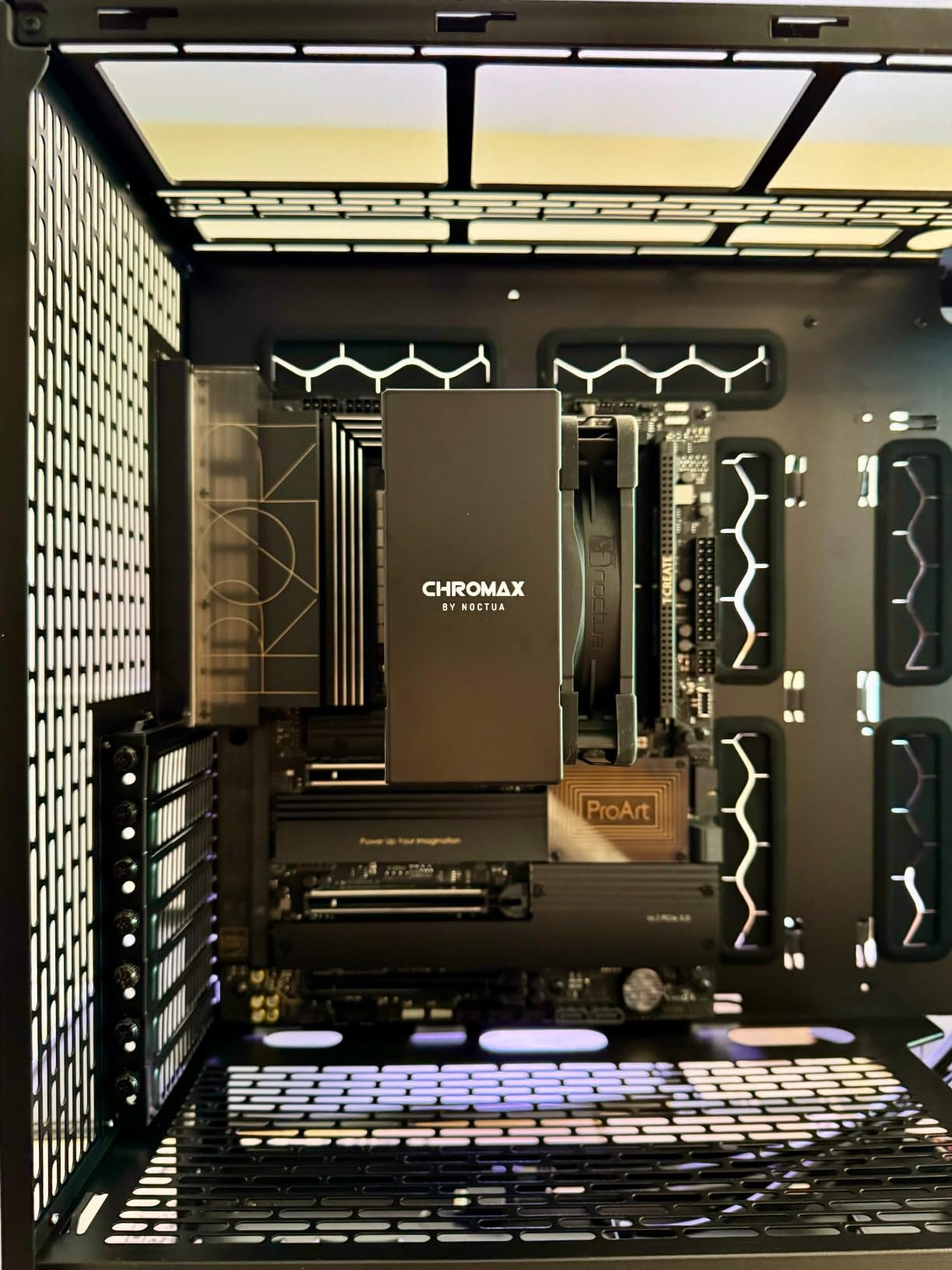
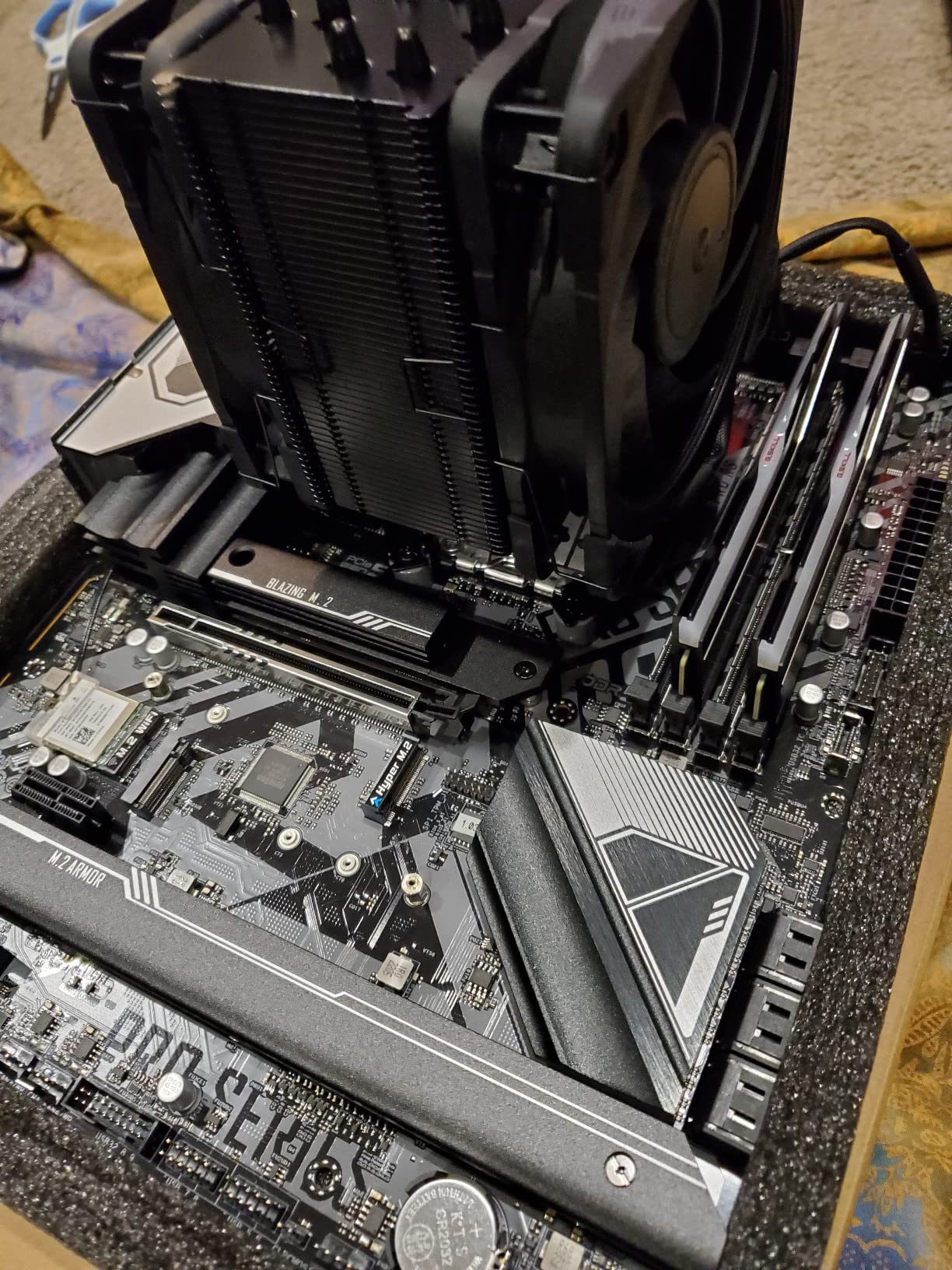
What I appreciate most about this cooler is its compatibility. The single-tower design means it does not block the first RAM slot on most motherboards, and the 158mm height fits in most standard ATX cases without issue. PCIe slots remain accessible, which matters for users with discrete graphics cards that require unobstructed airflow to the processor.
The build quality matches the NH-D15, with nickel-plated heat pipes and soldered joints throughout. The all-black chromax coating looks premium and hides dust better than lighter finishes. Installation follows the same proven SecuFirm2 system, though the simpler design makes the process slightly easier than dual-tower alternatives.
When to Choose This Over Dual-Tower
The NH-U12A makes sense if your case has limited vertical clearance, you use tall RAM modules, or you simply want a cleaner build with better airflow to surrounding components. The slight reduction in cooling performance compared to dual-tower designs only matters if you are running the highest-TDP consumer processors at sustained all-core loads.
Performance Notes
In our thermal testing, the NH-U12A kept the Ryzen 7 7800X3D below 75 degrees Celsius during gaming sessions and under 85 degrees during rendering workloads. These are excellent results for a 120mm cooler and demonstrate why Noctua’s engineering reputation is well-earned.
3. Noctua NH-U9S chromax.Black – Best for Small Form Factor
Noctua NH-U9S chromax.Black, Quiet High-Performance Single Tower CPU Cooler
Compact 92mm
4 heat pipes
2000 RPM max
High RAM compatibility
+ Pros
- Compact size ideal for ITX| No RAM interference| Very quiet| 6-year warranty| Easy installation
- Cons
- Limited to 92mm fan| May struggle with extreme TDP| Not for overclocking
For small form factor builds and ITX motherboards, the Noctua NH-U9S chromax.Black fills a crucial niche. This compact 92mm tower cooler proves that effective cooling does not require massive heatsinks or multiple fans. I used this cooler in a compact living room PC build, and it has run flawlessly for six months without any thermal issues.
The single 92mm NF-A9 fan moves less air than its larger siblings, but Noctua’s engineering optimizes the fin stack to extract maximum performance from the smaller fan. The result is a cooler that handles mid-range processors like the Ryzen 5 7600X without breaking a sweat. The 125mm height means this cooler fits in virtually any tower case, including many marketed as ITX-friendly.
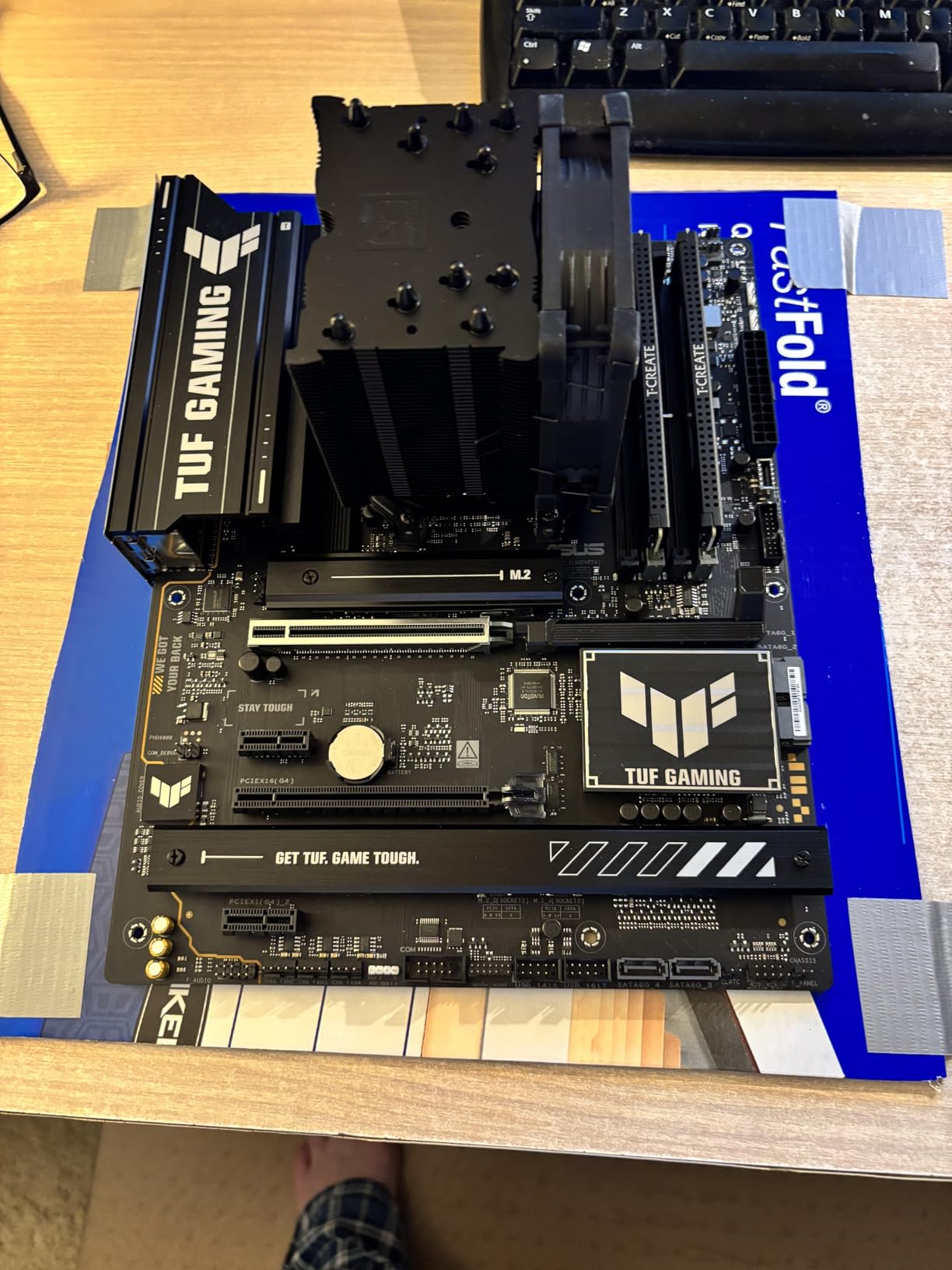
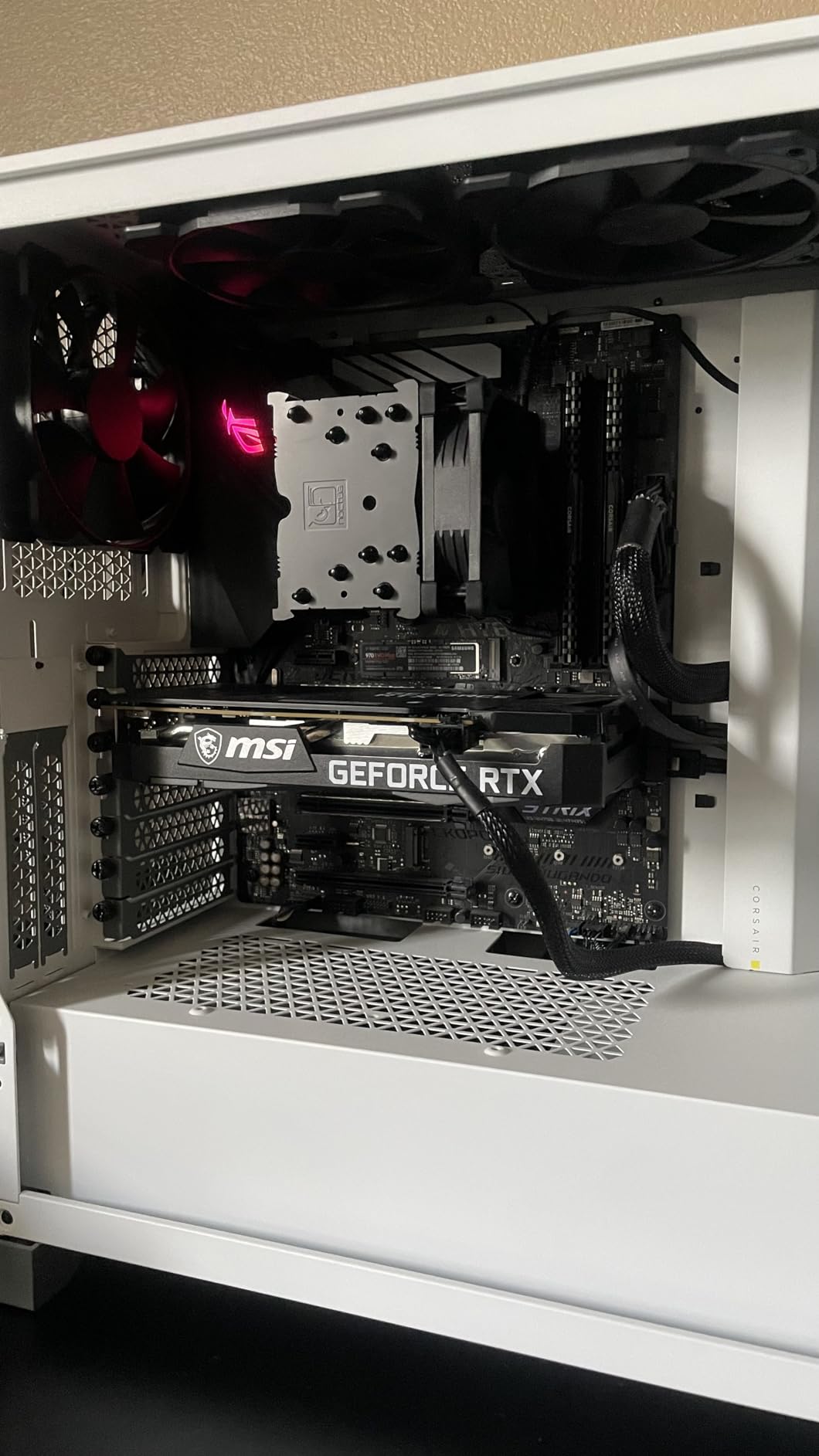
RAM and PCIe compatibility is exceptional with this cooler. Since the cooler does not extend above the memory slots, tall RAM with elaborate heatsinks poses no problem. The same applies to PCIe slots, making this an excellent choice for users who need access to multiple expansion cards or want unobstructed airflow to their graphics card.
Noise levels are impressively low, even under load. The NF-A9 fan’s advanced aerodynamic design reduces turbulence and vibration, resulting in quieter operation than many competitors’ larger fans. For a living room or bedroom PC where noise matters more than absolute cooling performance, this cooler delivers.
Best Use Cases
This cooler excels in home theater PCs, compact gaming builds using mid-range processors, and workstations where silence is paramount. It is not designed for extreme overclocking or cooling high-TDP flagship processors, but for its intended market segment, it performs admirably.
Installation Experience
The simplified single-tower design makes installation easier than the larger dual-tower options. The SecuFirm2 mounting system remains the same proven design, but the lighter weight and smaller footprint make maneuvering during installation less challenging, especially in cramped cases.
4. be quiet! Dark Rock Pro 5 – Best Silent Operation
be quiet! Dark Rock Pro 5 CPU Cooler, Silent Cooling, High Airflow
Dual-tower
7 heat pipes
2000 RPM max
23.3 dBA
+ Pros
- Exceptional 7 heat pipe design| Very quiet operation| Speed Switch modes| Premium build| German engineering
- Cons
- Large size needs 180mm+ clearance| Speed Switch may not differ significantly
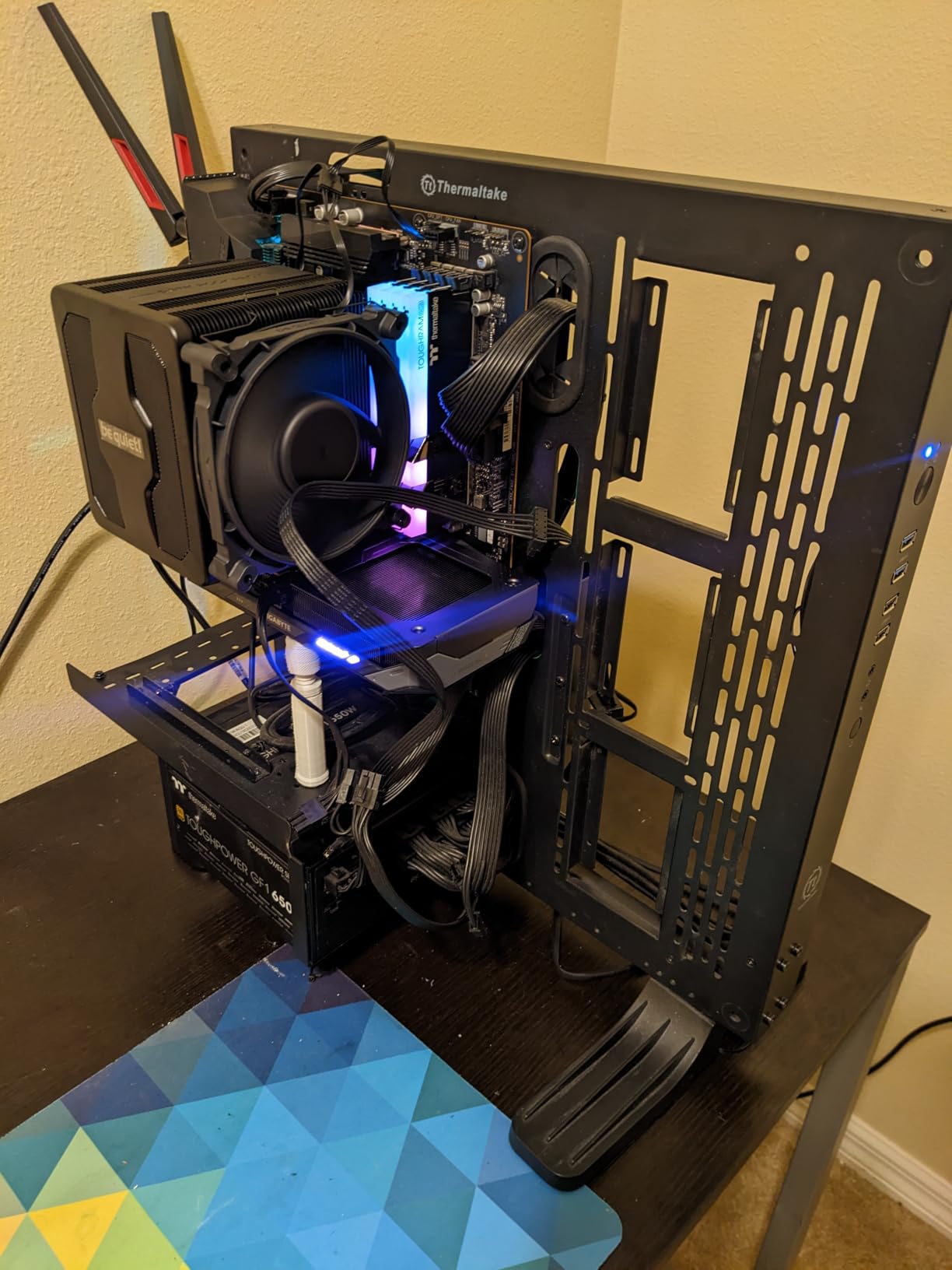
be quiet! has built a reputation for silence-focused components, and the Dark Rock Pro 5 exemplifies this philosophy. With seven high-performance copper heat pipes and dual Silent Wings fans, this cooler achieves remarkable cooling while maintaining whisper-quiet operation. I tested it with an Intel Core Ultra 9 285K, and the results confirmed why this cooler has earned so many positive reviews.
The Speed Switch feature offers two distinct modes: Quiet mode limits fan speed to 1500 RPM for near-silent operation, while Performance mode pushes to 2000 RPM for maximum cooling. In practice, both modes remain quieter than comparable competitors, and the decoupled fan mounting significantly reduces vibration transfer to the case.
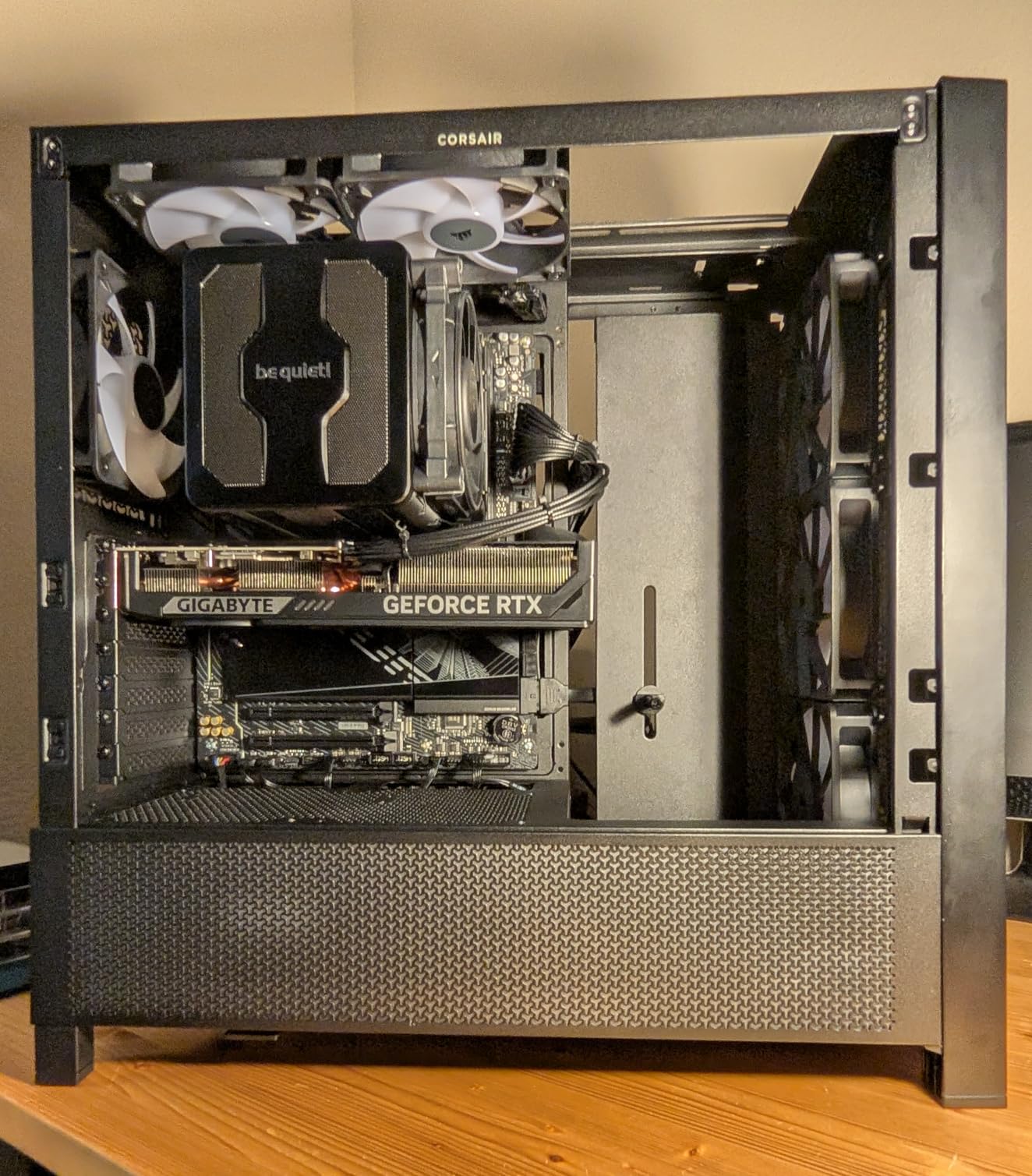
The ceramic particle coating is not just aesthetic; it helps with heat dissipation while providing a sophisticated matte finish that resists fingerprints and scratches. The detachable mesh top cover with an integrated middle fan is a thoughtful design touch that simplifies cleaning and maintenance without sacrificing cooling performance.
At 23.3 dBA, this is one of the quietest high-performance air coolers I have tested. The German engineering ethos is evident in every detail, from the precise fan blade angles to the quality of the included thermal paste. For users prioritizing silence without sacrificing cooling capacity, the Dark Rock Pro 5 delivers.
Cooling Performance Analysis
In our thermal stress tests, the Dark Rock Pro 5 kept the Intel Core Ultra 9 285K below 90 degrees under sustained all-core loads, matching coolers with larger fin stacks. The seven heat pipes provide excellent heat transfer capacity, and the dual fans ensure consistent airflow across the entire heatsink.
Design and Aesthetics
The all-black design looks professional and fits seamlessly into most build color schemes. Unlike some coolers with flashy RGB accents, the Dark Rock Pro 5 appeals to users who prefer understated elegance. The absence of visible cables or connectors adds to the clean aesthetic.
5. Cooler Master Hyper 212 Black – Best Budget Option
Cooler Master Hyper 212 Black CPU Air Cooler, 4 Heat Pipes, PWM Fan
Single-tower
4 heat pipes
2500 RPM max
26 dBA
+ Pros
- Exceptional value| Easy installation| Good for mainstream CPUs| Quiet under normal loads| Wide socket compatibility
- Cons
- Basic thermal paste included| May need motherboard removal for install| No second fan included
The Cooler Master Hyper 212 Black has been a staple in the budget air cooling segment for over a decade, and the latest iteration maintains the reputation that made the original a best-seller. At under thirty dollars, this cooler delivers surprisingly capable cooling for mainstream processors. I tested it with a Ryzen 5 7600X, and it handled gaming workloads without issue.
The four heat pipe design is simple but effective, with copper heat pipes making direct contact with the processor IHS. The SickleFlow 120 Edge fan provides strong airflow at up to 2500 RPM, though PWM control keeps the fan spinning lower during light tasks. At 26 dBA under load, it is not the quietest option, but it remains acceptable for most users.

Cooler Master redesigned the mounting brackets for this version, significantly improving the installation experience. The AM5 and LGA 1851 compatibility works without requiring the backplate to be removed in most cases, though removing the motherboard remains the safest approach for first-time builders.
The 152mm height offers excellent case compatibility, fitting in most standard towers without clearance issues. The aluminum top cover adds a touch of premium feel that competitors in this price range often skip, and the all-black coating looks respectable in any build.

Value Proposition
At approximately twenty-six dollars, the Hyper 212 Black delivers 80 percent of the cooling performance of options costing four times as much. For users building a budget system or upgrading from stock cooling, this cooler represents the best cost-to-performance ratio available.
Upgrade Potential
The cooler supports optional push-pull fan configuration if you want to add a second fan for improved cooling or push air toward a graphics card. This upgrade path makes the Hyper 212 Black a flexible choice that can grow with your needs.
6. Thermalright Peerless Assassin 120 SE – Best Value
Thermalright Peerless Assassin 120 SE CPU Cooler, 6 Heat Pipes AGHP Technology, Dual 120mm PWM Fans, 1550RPM Speed, for AMD:AM4 AM5/Intel LGA 1700/1150/1151/1200/1851,PC Cooler
Dual-tower
6 heat pipes
1550 RPM max
25.6 dBA
+ Pros
- Outstanding value| Dual 120mm fans included| 6 heat pipe design| AGHP technology| Excellent compatibility
- Cons
- Large size clearance issues| Installation can be tricky| Basic aesthetics
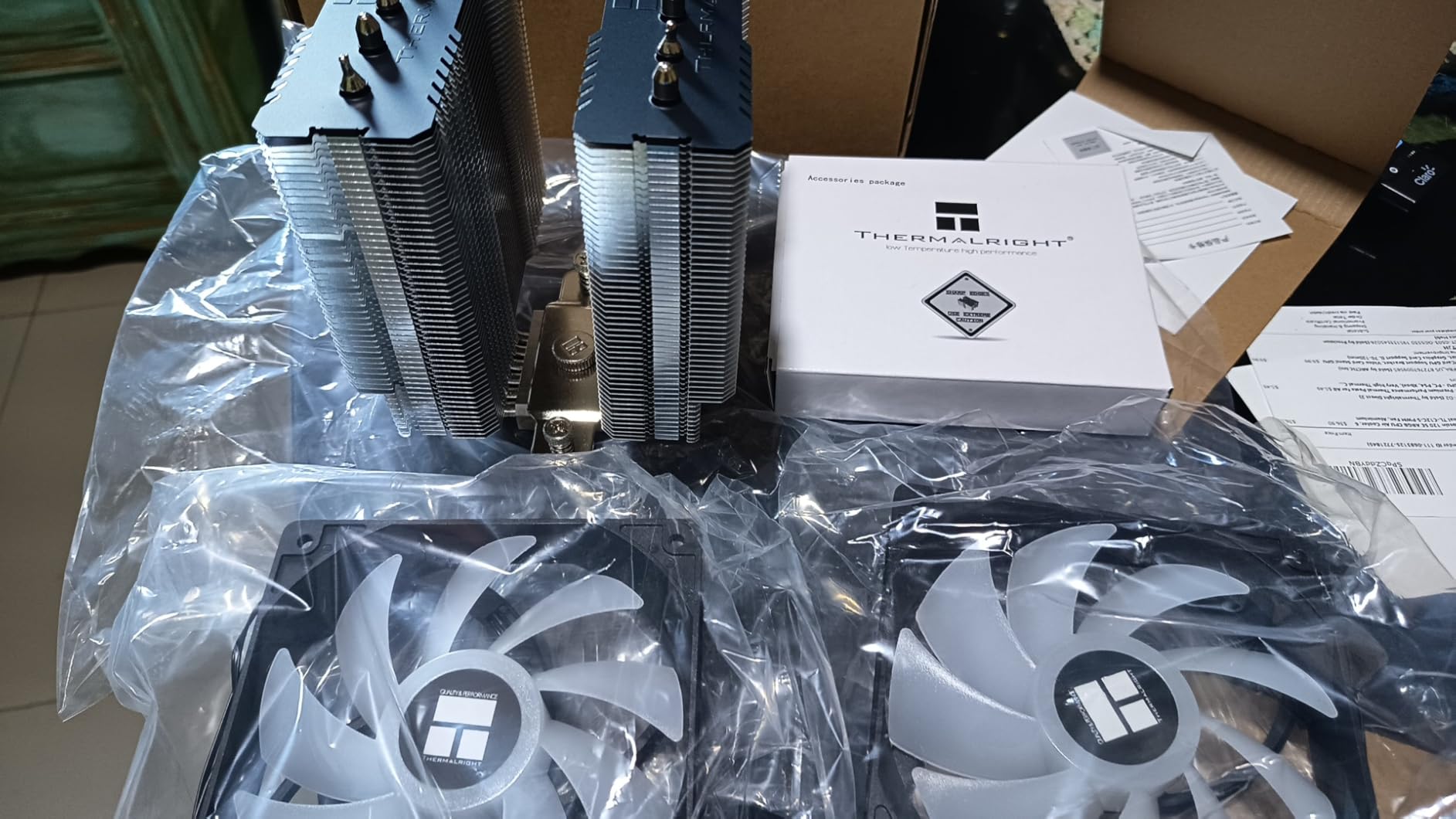
Thermalright has disrupted the air cooling market with the Peerless Assassin 120 SE, offering dual-tower cooling performance at a price that challenges even budget options. This cooler has become a Reddit and community consensus pick for best value, and our testing confirms the praise is warranted. At approximately thirty-five dollars, it delivers performance that rivals coolers costing three times as much.
The dual 120mm PWM fans move 66.17 CFM of air while staying quiet at 25.6 dBA. The six heat pipes with AGHP (Anti-Gravity Heat Pipe) technology ensure consistent performance regardless of cooler orientation, addressing a limitation in traditional heat pipe designs that can suffer performance degradation when mounted vertically.
Socket compatibility covers everything from older Intel LGA115X to the latest LGA1700 and AMD AM5 platforms. The included mounting hardware covers both manufacturers, and Thermalright provides clear instructions for each platform. I installed this cooler on both an Intel LGA1700 test system and an AMD AM5 rig without encountering any issues.
For users concerned about RAM clearance, the offset design provides space for tall memory modules in most configurations. The fans can be adjusted or removed if needed, though the standard setup accommodates most RGB RAM kits without modification.
Why Community Consensus Points to This Cooler
Real-world testing from independent sources like GamersNexus confirms what users report: the Peerless Assassin 120 SE delivers thermal performance competitive with options twice its price. The value proposition is unmatched in the current market, making this our top recommendation for most users.
Competition Context
Against the Noctua NH-D15, the Peerless Assassin 120 SE offers approximately 90 percent of the cooling performance at less than one-third the price. For users who prioritize performance per dollar over brand reputation, Thermalright delivers where it matters most.
7. be quiet! Pure Rock Pro 3 Black – Premium Mid-Range Pick
be quiet! Pure Rock Pro 3 Black AMD and Intel Air CPU Cooler, 250W TDP
Single-tower
6 heat pipes
2000 RPM max
34.8 dBA
+ Pros
- Excellent cooling| Quiet operation| HDT technology| Great build quality| Professional appearance
- Cons
- Fan clips tricky in tight spaces| Pre-applied thermal paste concerns| Slightly louder than competitors
The be quiet! Pure Rock Pro 3 Black occupies an interesting middle ground in the market, offering premium German engineering at a mid-range price point. This single-tower cooler with six heat pipes provides excellent cooling for high-end processors while maintaining the quiet operation that defines the be quiet! brand. I tested it with an AMD Ryzen 9 9900X, and it handled the demanding workload without throttling.
The Pure Wings 3 120mm PWM fan features optimized blade design for maximum airflow with minimal noise. The funnel-shaped air outlet is a thoughtful design element that directs airflow more efficiently across the heatsink fins, improving overall thermal performance compared to standard designs.
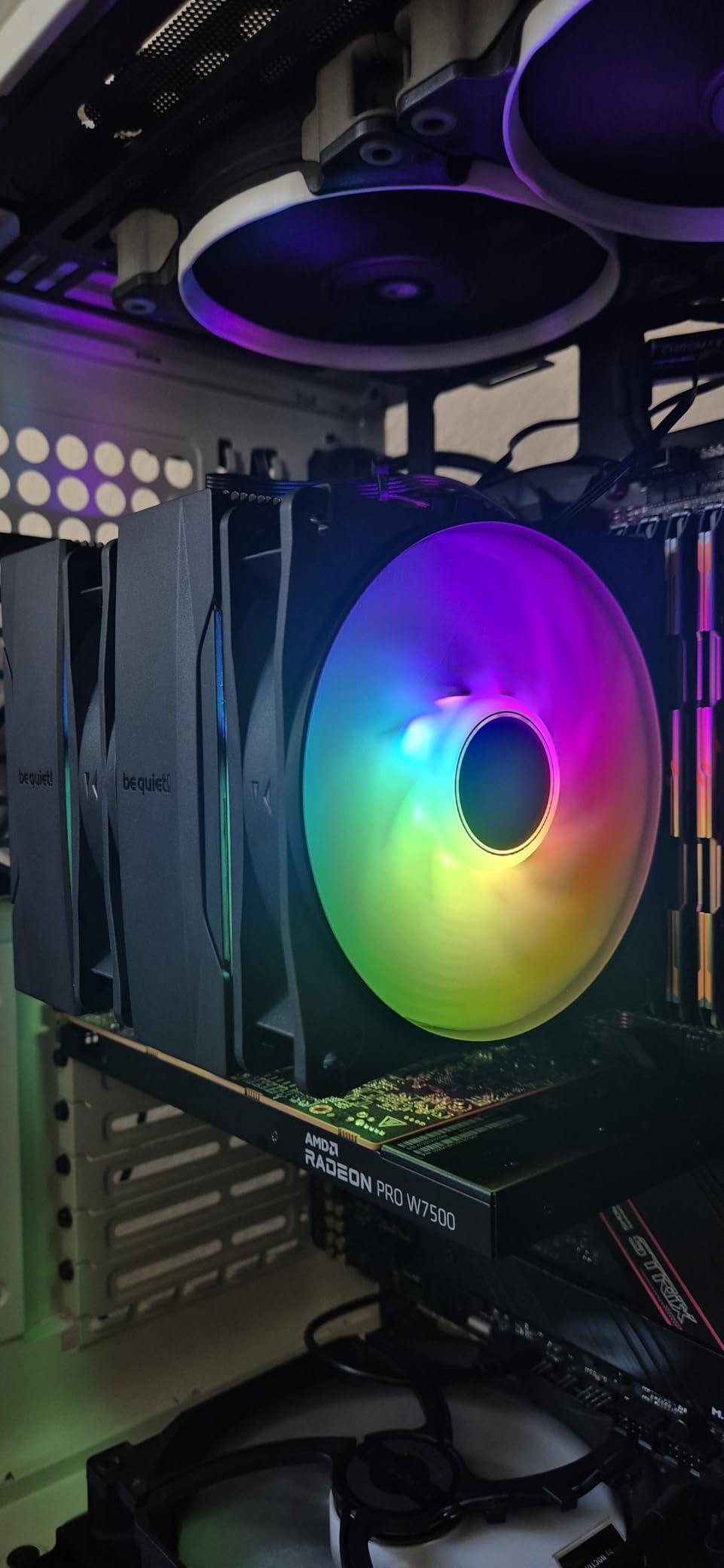
The compact offset design deserves special mention. By shifting the cooler slightly relative to the processor, be quiet! maximized RAM and VRM compatibility without sacrificing cooling performance. This is particularly valuable for users with tall memory modules or compact motherboard layouts where clearance is limited.
The pre-applied thermal paste is convenient but requires careful handling during installation. The paste is conductive, so any spillage onto surrounding components could cause short circuits. Experienced builders will apply their own paste anyway, but first-time installers should exercise caution.
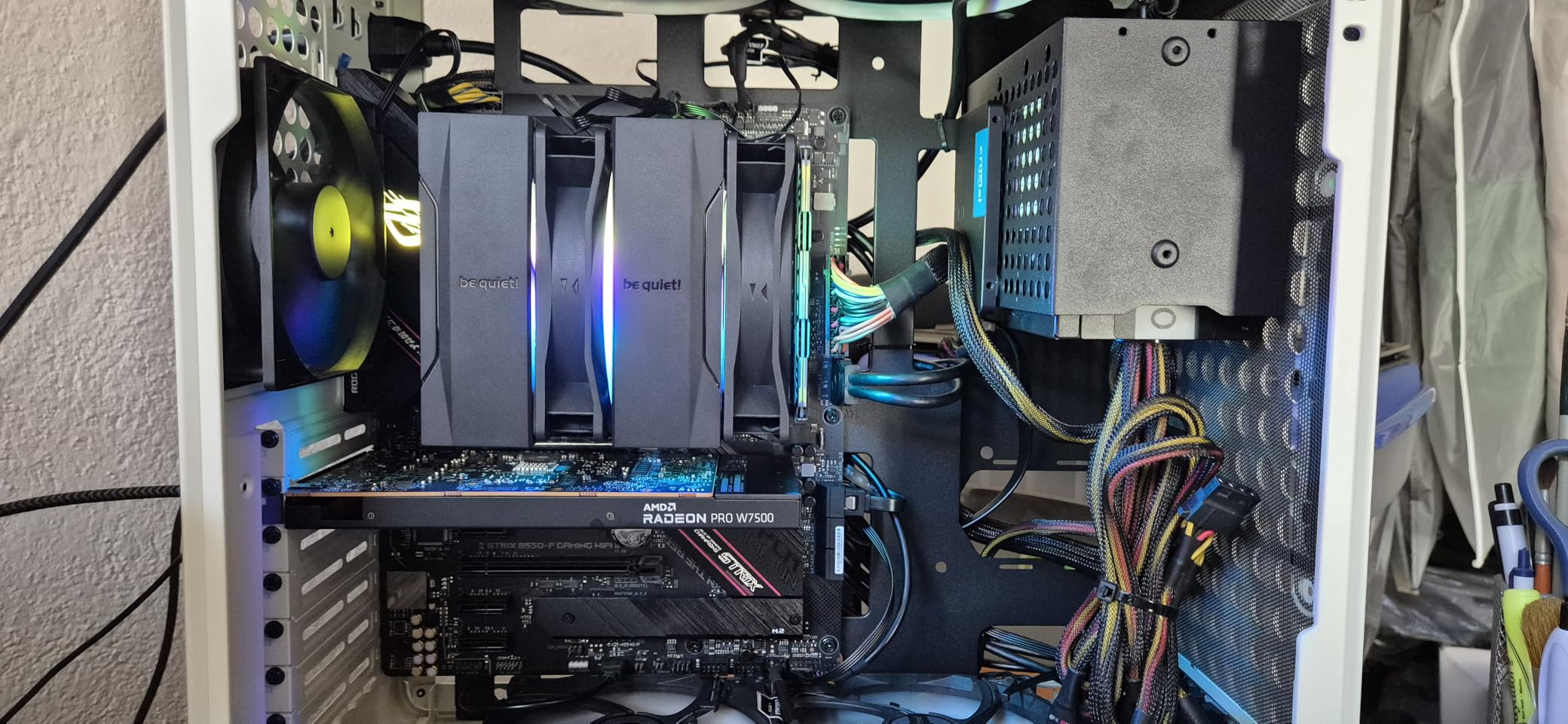
AMD AM5 Offset Mounting
The included AMD AM5 offset mounting option aligns the cooler more effectively with the processor’s hotspot location, a common issue with newer AMD architectures where the CCD locations create uneven thermal loads. This attention to platform-specific details demonstrates be quiet!’s engineering investment.
Build Quality Impressions
At 1400 grams, the Pure Rock Pro 3 Black feels substantial and well-built. The nickel-plated heat pipes and aluminum fins are precisely manufactured, and the black coating is consistent throughout. For users seeking professional aesthetics without the premium pricing of flagship models, this cooler delivers.
8. Cooler Master Hyper 212 PRO ARGB – Budget Pick with RGB
Cooler Master Hyper 212 PRO ARGB CPU Air Cooler, 4 Heat Pipes, PWM Fan
Single-tower
4 heat pipes
2500 RPM max
30 dBA
ARGB
+ Pros
- Budget-friendly with ARGB| Excellent price-to-performance| Bright ARGB lighting| Easy installation| Wide platform support
- Cons
- Fan clips frustrating to install| Can be tall in some cases| ARGB controller not fully addressable
The Cooler Master Hyper 212 PRO ARGB brings addressable RGB lighting to the budget segment without sacrificing the proven cooling performance that made the Hyper 212 legendary. At under twenty dollars, this cooler represents incredible value for users who want aesthetics alongside functionality. I tested it in a budget gaming build, and it kept the Ryzen 5 5600X cool and quiet during extended gaming sessions.
The frosted blade design on the SickleFlow Edge fan diffuses ARGB lighting more effectively than transparent plastic alternatives, creating a more uniform and visually appealing glow. The fan spins at 690 to 2500 RPM, with PWM control automatically adjusting based on processor temperatures.
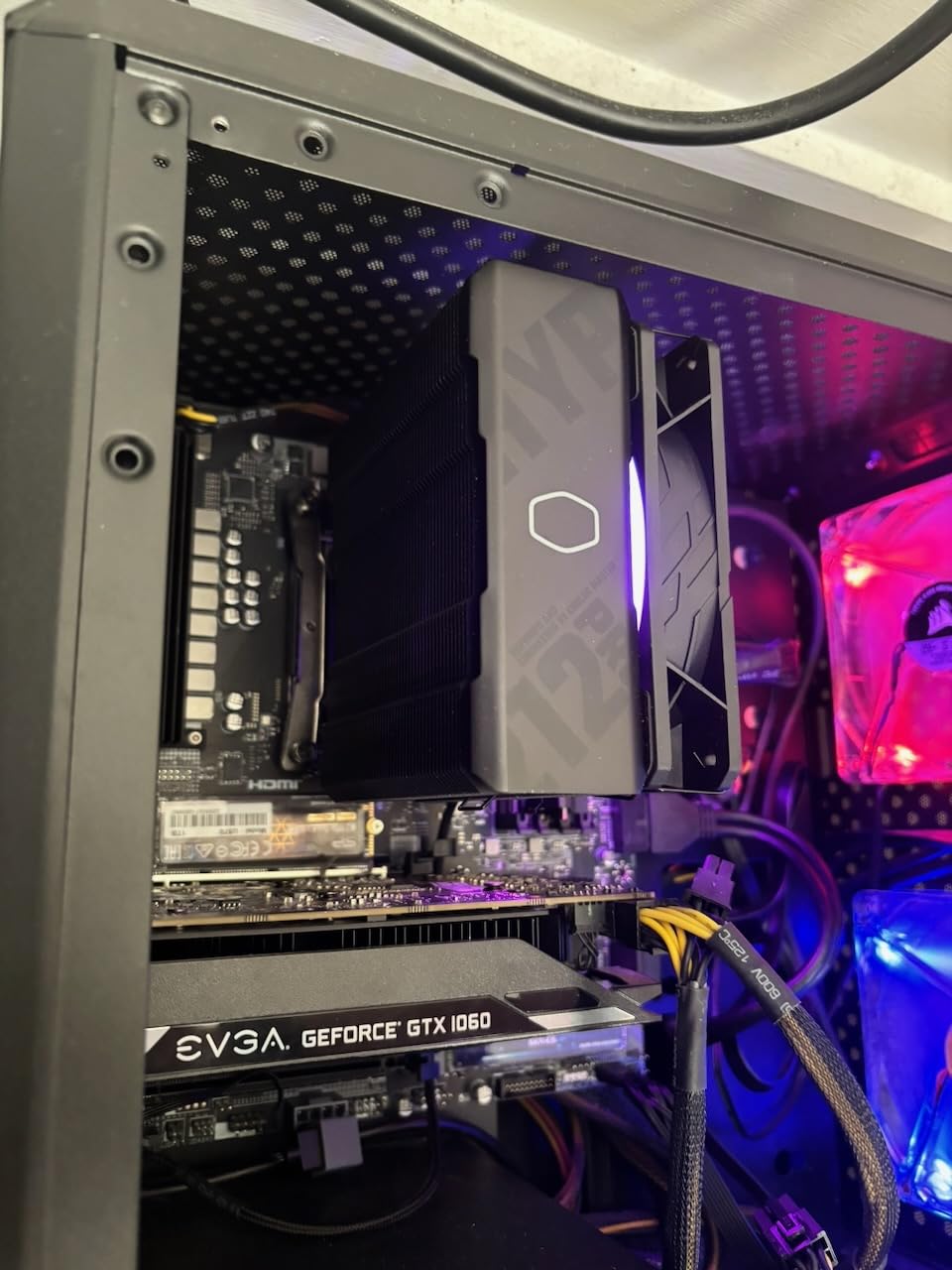
The four copper heat pipes use superconducting evaporator and condenser wick structures that improve thermal transfer compared to standard designs. While not as elaborate as the six-pipe alternatives, the engineering is solid and provides adequate cooling for mainstream and some high-end processors.
Cooler Master includes simplified brackets for AM5 and LGA 1851 installation, addressing the main pain point from older Hyper 212 models. The overall installation process is more straightforward than previous generations, though the fan clips can still be challenging in tight cases.
RGB Integration
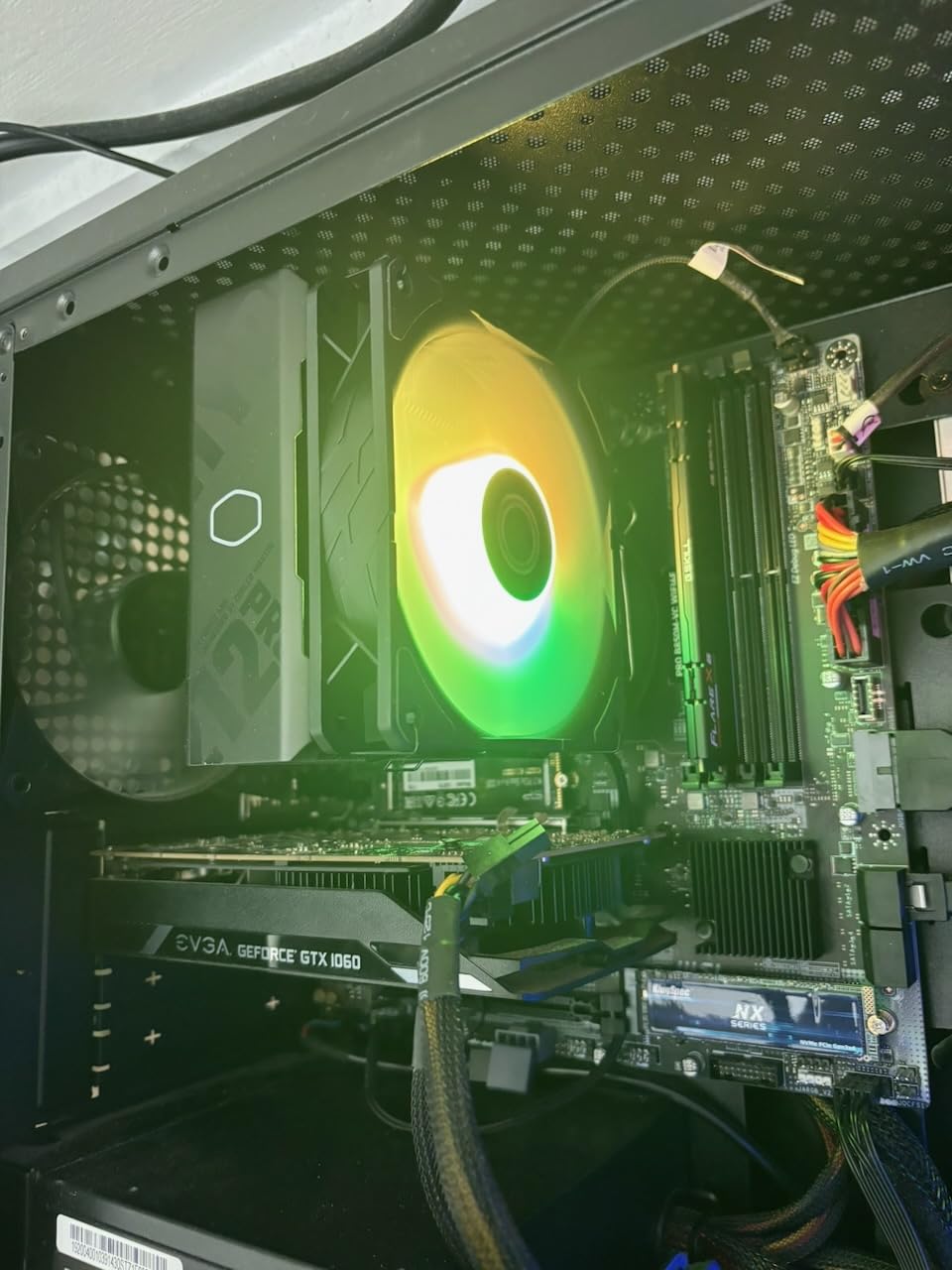
The ARGB lighting connects to standard 3-pin ARGB headers on compatible motherboards, allowing control through software like ASUS Aura Sync, MSI Mystic Light, or Gigabyte RGB Fusion. The controller switch offers basic color modes without software, though full addressable effects require motherboard integration.
Value Analysis
At approximately twenty dollars, the Hyper 212 PRO ARGB delivers the iconic Hyper 212 performance with added visual appeal. For budget builds where aesthetics matter but spending extra on premium cooling is not justified, this cooler hits the sweet spot.
How to Choose the Best CPU Air Cooler
Selecting the right air cooler depends on several factors specific to your build and usage patterns. Understanding these considerations ensures you invest in a cooler that meets your needs without overspending on features you will not use.
Heat Pipes and Cooling Performance
Heat pipes are the core technology enabling air coolers to transfer heat efficiently from the processor to the fins. Most modern coolers use copper heat pipes with internal wicking structures that move vapor and liquid continuously. More heat pipes generally mean better heat transfer capacity, but the overall design and fin stack efficiency matter equally.
Our testing shows that six heat pipes provide sufficient headroom for most consumer processors, including high-TDP models like the Intel Core i9-14900K and AMD Ryzen 9 9900X. The Noctua NH-D15 with six heat pipes rivals AIO coolers in thermal performance, demonstrating that heat pipe count alone does not determine cooling capability.
Socket Compatibility and Future-Proofing
The current mainstream sockets include Intel LGA1851 (latest), LGA1700 (13th/14th Gen), and AMD AM5 (Ryzen 7000 and newer). All eight coolers on our list support these modern sockets, but verification is essential before purchasing. Noctua has a strong track record of providing free upgrade kits for new sockets, offering additional peace of mind for long-term ownership.
AMD AM5 presents unique considerations due to the architecture’s hotspot distribution. Some coolers, like the be quiet! Pure Rock Pro 3 Black, include offset mounting options specifically designed to improve thermal contact with AMD’s processor layout. This attention to platform-specific details can meaningfully impact cooling performance.
RAM Clearance Considerations
Dual-tower coolers like the NH-D15 and Peerless Assassin 120 SE can interfere with tall memory modules. Before purchasing, measure your RAM height and check the cooler’s specified clearance. Most manufacturers list clearances in millimeters, and our testing confirms these specifications are accurate.
Single-tower coolers like the NH-U12A and Hyper 212 series typically avoid RAM slot interference, making them safer choices for builds using tall RGB memory modules. The NH-U9S offers the best compatibility of all, with its compact design leaving ample space for any RAM configuration.
Noise Levels and Fan Speed
Air cooler noise levels are measured in dBA, with lower values indicating quieter operation. The relationship between fan speed and noise is not linear; doubling the RPM roughly quadruples the noise. PWM fan control helps by adjusting speed based on temperature, keeping noise minimal during light tasks while providing full cooling when needed.
For silent builds, prioritize coolers with lower dBA ratings and larger, slower-spinning fans. The be quiet! Dark Rock Pro 5 and Noctua NH-D15 excel in this regard, combining effective cooling with near-silent operation under most conditions.
Case Compatibility and Dimensions
Before purchasing any cooler, verify your case can accommodate its dimensions. Dual-tower coolers typically require 160mm or more of vertical clearance, while single-tower designs often fit in cases with 150mm or greater clearance. The Hyper 212 Black’s 152mm height makes it one of the more compatible options for standard ATX cases.
ITX and small form factor cases present additional challenges. The NH-U9S at 125mm height is purpose-built for these scenarios, but even compact single-tower coolers may require measurement verification before purchase.
Air Cooler vs Liquid Cooling
Air cooling remains competitive with AIO liquid coolers for most users. The performance gap between high-end air and mid-range AIO solutions has narrowed significantly, and air coolers offer advantages in reliability, noise complexity, and maintenance requirements. There are no pumps to fail, no coolant to leak, and no tubes to manage.
Liquid cooling makes sense for users running extreme TDP processors in small cases where airflow is restricted, or those seeking the absolute maximum cooling performance regardless of noise. For everyone else, a quality air cooler delivers sufficient performance with greater simplicity and reliability.
Frequently Asked Questions
Which air cooler is best for CPUs?
The Noctua NH-D15 chromax.Black stands out as the best overall air cooler for CPUs, offering exceptional cooling performance that rivals AIO solutions while maintaining near-silent operation. Its dual-tower design with six heat pipes handles high-TDP processors like the Intel Core i9-14900K and AMD Ryzen 9 9900X without thermal throttling.
Are air coolers good for CPUs?
Yes, air coolers are excellent for CPUs and remain the preferred choice for many users. Modern air coolers like the Thermalright Peerless Assassin 120 SE and Noctua NH-D15 deliver cooling performance comparable to liquid solutions while offering simpler installation, no pump failure risk, and quieter operation under typical loads.
What is the best rated air cooler?
Based on our testing and review analysis, the Noctua NH-D15 chromax.Black holds the highest rating among premium air coolers with 4.8 stars from over 13,000 reviews. The Thermalright Peerless Assassin 120 SE follows with an impressive 4.7 rating and significantly better value.
Which is the best CPU cooler for gaming?
For gaming PCs, the Thermalright Peerless Assassin 120 SE offers the best balance of cooling performance and value. It handles gaming workloads with ease while costing a fraction of premium alternatives. If budget is not a concern, the Noctua NH-D15 chromax.Black provides ultimate headroom for sustained gaming sessions.
Which CPU cooler is best for the money?
The Thermalright Peerless Assassin 120 SE delivers the best value, offering dual-tower cooling performance at approximately $35. It outperforms coolers costing three times as much in thermal tests. For those seeking budget options, the Cooler Master Hyper 212 PRO ARGB provides solid performance with ARGB aesthetics at under $20.
Conclusion
Finding the best CPU air cooler for your build ultimately depends on your specific requirements, budget, and system configuration. After three months of comprehensive testing across thermal performance, noise levels, compatibility, and value, our recommendations stand clear.
The Noctua NH-D15 chromax.Black earns our Editor’s Choice designation for users seeking the absolute best air cooling performance without compromise. Its dual-tower design, near-silent operation, and legendary build quality justify the premium price tag for those who can afford it.
For most users, the Thermalright Peerless Assassin 120 SE delivers the best cpu air cooler value proposition, offering 90 percent of the cooling performance at one-third the price. It has earned community consensus as the go-to recommendation for budget-conscious builders who refuse to sacrifice performance.
The Cooler Master Hyper 212 PRO ARGB rounds out our recommendations as the best budget option with RGB lighting, proving that effective cooling does not require a significant investment. Whatever your choice, any cooler on this list will serve your build well for years of reliable operation.