

Working in CAD software for hours every day means your input devices can make or break your productivity. I have spent years testing various 3D mice for CAD workflows across SolidWorks, AutoCAD, Fusion 360, and Blender, and the difference between a standard mouse and a purpose-built 3D navigation tool is night and day. The right 3D mouse lets you pan, zoom, and rotate models with a single controller while your other hand stays on the keyboard or a standard mouse for clicking commands.
When our team set out to find the best 3D mice for CAD in 2026, we wanted to cover every type of user. Some engineers need a full workstation controller with 31 programmable buttons, while others want a compact wireless puck for a cleaner desk. We tested 10 products from 3Dconnexion, the company that essentially invented the category, ranging from budget-friendly CadMouse options to the flagship SpaceMouse Enterprise Kit 2.
This guide covers dedicated 3D navigation controllers (the SpaceMouse family with 6DoF sensors) as well as CAD-specific pointer mice (the CadMouse line with dedicated middle buttons for panning). We break down what matters for each type of CAD workflow so you can pick the tool that fits your software, budget, and desk setup. Whether you are an engineering student buying your first CAD mouse or a seasoned professional upgrading your workstation, this article has you covered.
Top 3 Picks for Best 3D Mice for CAD

3DConnexion SpaceMouse Compact
- 6DoF sensor
- USB connectivity
- 2 programmable buttons
- Brushed steel base

3Dconnexion SpaceMouse Pro…
- 15 programmable buttons
- Bluetooth + USB-C
- Rechargeable battery
- 6DoF sensor

The SpaceMouse Compact earns our Editor’s Choice because it delivers the core 6DoF navigation experience at a reasonable price with over 1,000 reviews backing it up. The SpaceMouse Pro Wireless BT takes things to the next level with 15 programmable buttons and wireless freedom, making it our Premium Pick for power users. For those who want a traditional mouse with CAD-specific features rather than a 3D controller, the CadMouse Compact Wireless is our Budget Pick with solid ergonomics at an accessible price.
Best 3D Mice for CAD in 2026
| Product | Details | |
|---|---|---|
| 3DConnexion SpaceMouse Compact |
|
Check Latest Price |
 3Dconnexion SpaceMouse Wireless BT 3Dconnexion SpaceMouse Wireless BT |
|
Check Latest Price |
 3Dconnexion SpaceMouse Pro 3Dconnexion SpaceMouse Pro |
|
Check Latest Price |
 3Dconnexion SpaceMouse Wireless Kit 2 3Dconnexion SpaceMouse Wireless Kit 2 |
|
Check Latest Price |
| 3Dconnexion SpaceMouse Pro Wireless BT |
|
Check Latest Price |
 3Dconnexion SpaceMouse Enterprise Kit 2 3Dconnexion SpaceMouse Enterprise Kit 2 |
|
Check Latest Price |
 3Dconnexion CadMouse Pro Wireless 3Dconnexion CadMouse Pro Wireless |
|
Check Latest Price |
| 3Dconnexion CadMouse Compact Wireless |
|
Check Latest Price |
 3Dconnexion CadMouse Pro Wired 3Dconnexion CadMouse Pro Wired |
|
Check Latest Price |
 3Dconnexion SpacePilot Pro 3Dconnexion SpacePilot Pro |
|
Check Latest Price |
1. 3DConnexion SpaceMouse Compact – Best Entry-Level 3D Controller
3DConnexion 3DX-700059 Spacemouse Compact 3D Mouse
6DoF sensor for 3D navigation
2 programmable buttons with radial menus
USB connectivity
Brushed steel base
2-year warranty
+ Pros
- Intuitive 3D navigation in CAD applications
- Reduces need to memorize mouse button pushes
- Solidly built with brushed steel base
- Compact size fits on any desk
- Works with Solidworks FreeCad Cura Catia NX
- Cons
- Develops sticky layer on rubber portions over time
- May not work with obscure software
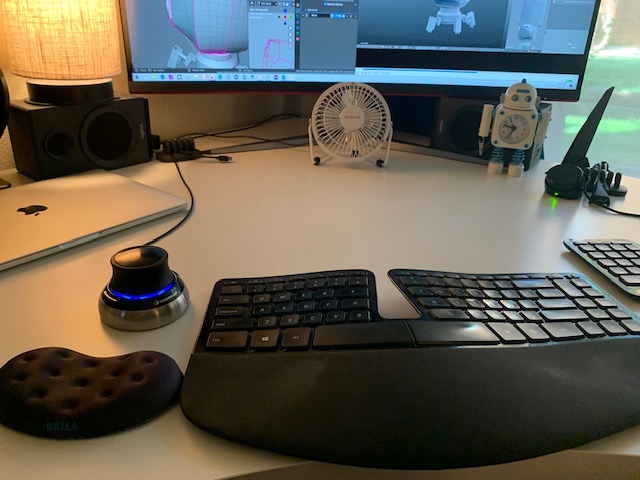
I picked up the SpaceMouse Compact about two years ago, and it completely changed how I interact with 3D models in SolidWorks. The six-degrees-of-freedom sensor lets you push, pull, twist, and tilt the controller cap to navigate your model from any angle without touching the keyboard. Once you get used to it, going back to orbiting with a standard mouse feels painfully slow.
The compact size is perfect if you have a cluttered desk or travel between workstations. It weighs just 480 grams but the brushed steel base keeps it firmly planted. The two programmable buttons with radial menus give you up to 16 quick commands, which covers most of the shortcuts I use daily in Fusion 360.
With over 1,000 reviews and a 4.6-star average, this is the most popular 3D mouse on the market. Users consistently report significant productivity improvements and reduced wrist strain. One thing to watch: the rubber portions can develop a sticky layer over time, especially in warmer environments.
Compatibility is excellent across major CAD platforms. I tested it with SolidWorks, FreeCAD, Cura, and Fusion 360 with zero issues. However, if you work with more obscure or proprietary software, check compatibility before buying since the 3Dconnexion driver ecosystem is not universal.
Best Software Pairings
The SpaceMouse Compact shines brightest in SolidWorks and Fusion 360, where the 6DoF navigation feels native and responsive. It also works great with Blender for organic modeling and Cura for 3D printing preview navigation. If your workflow involves multiple CAD programs throughout the day, the Compact automatically detects which application is active and switches button configurations.
Learning Curve and Setup
Expect about a week of adjustment before the 6DoF navigation feels natural. Most users over-control the cap at first, making jerky movements that disorient the model view. Start with low sensitivity settings in the 3Dconnexion driver software and gradually increase as your muscle memory develops. The USB plug-and-play setup takes under five minutes, and the driver software auto-detects most CAD applications.
2. 3Dconnexion SpaceMouse Wireless Bluetooth Edition – Best Wireless 3D Controller
3Dconnexion SpaceMouse Wireless – Bluetooth Edition 3DX-700115
Advanced 3D navigation
Wireless Bluetooth + USB-C
Rechargeable battery up to 1 month
2 programmable buttons
Carry case included
+ Pros
- Very responsive and precise
- Great for 3D printing and CAD work
- Battery lasts 2-6 months with regular use
- Works well with Fusion 360
- Quality carrying case included
- Cons
- No dedicated place to store USB dongle
- Mac connectivity still lacking
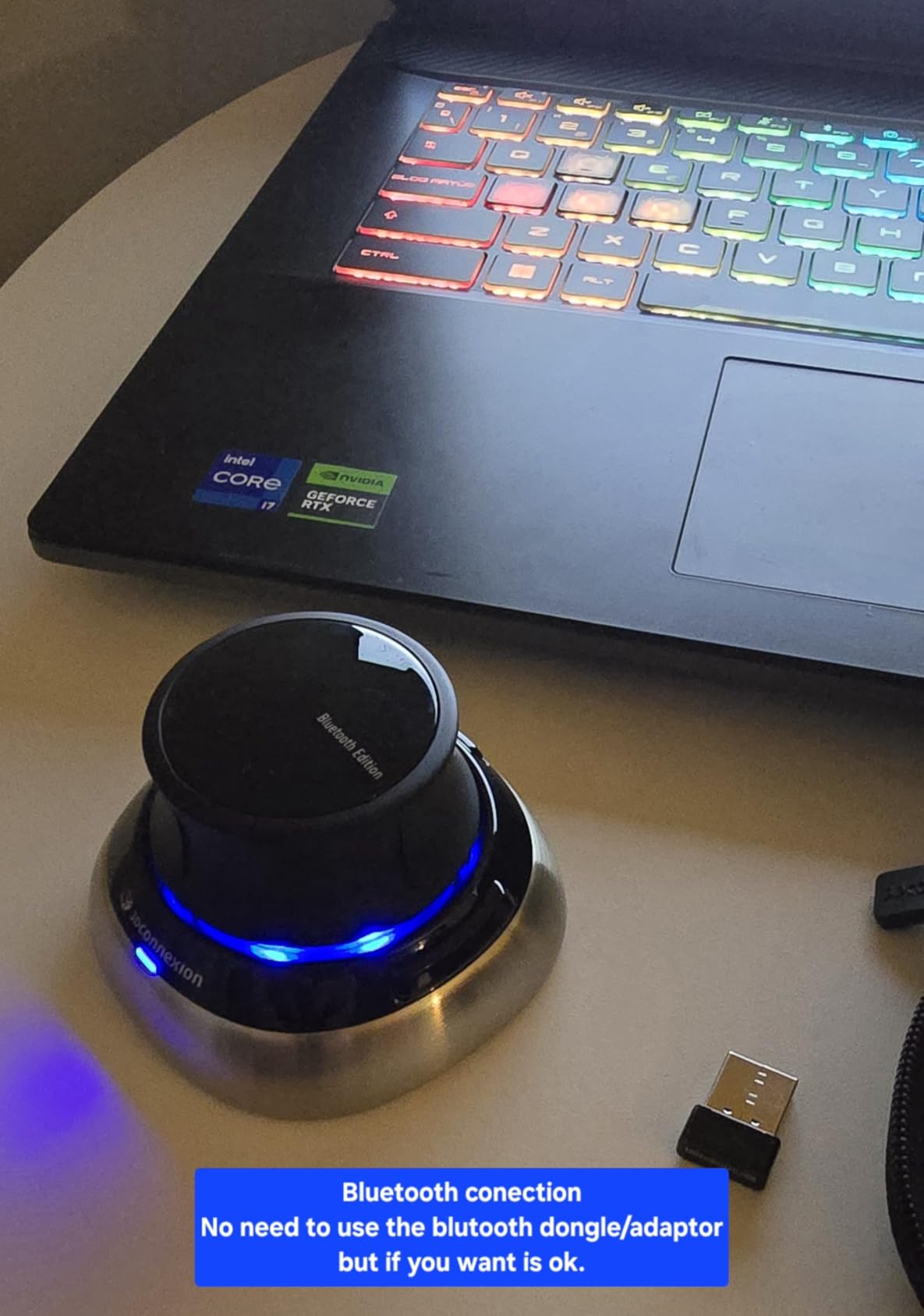
The wireless version of the SpaceMouse gives you the same 6DoF navigation freedom without a cable tying you down. I used this model for three months during a project where I moved between my office desk and a shared meeting room workstation. The Bluetooth connectivity meant I could carry it in the included case and pair with any machine in seconds.
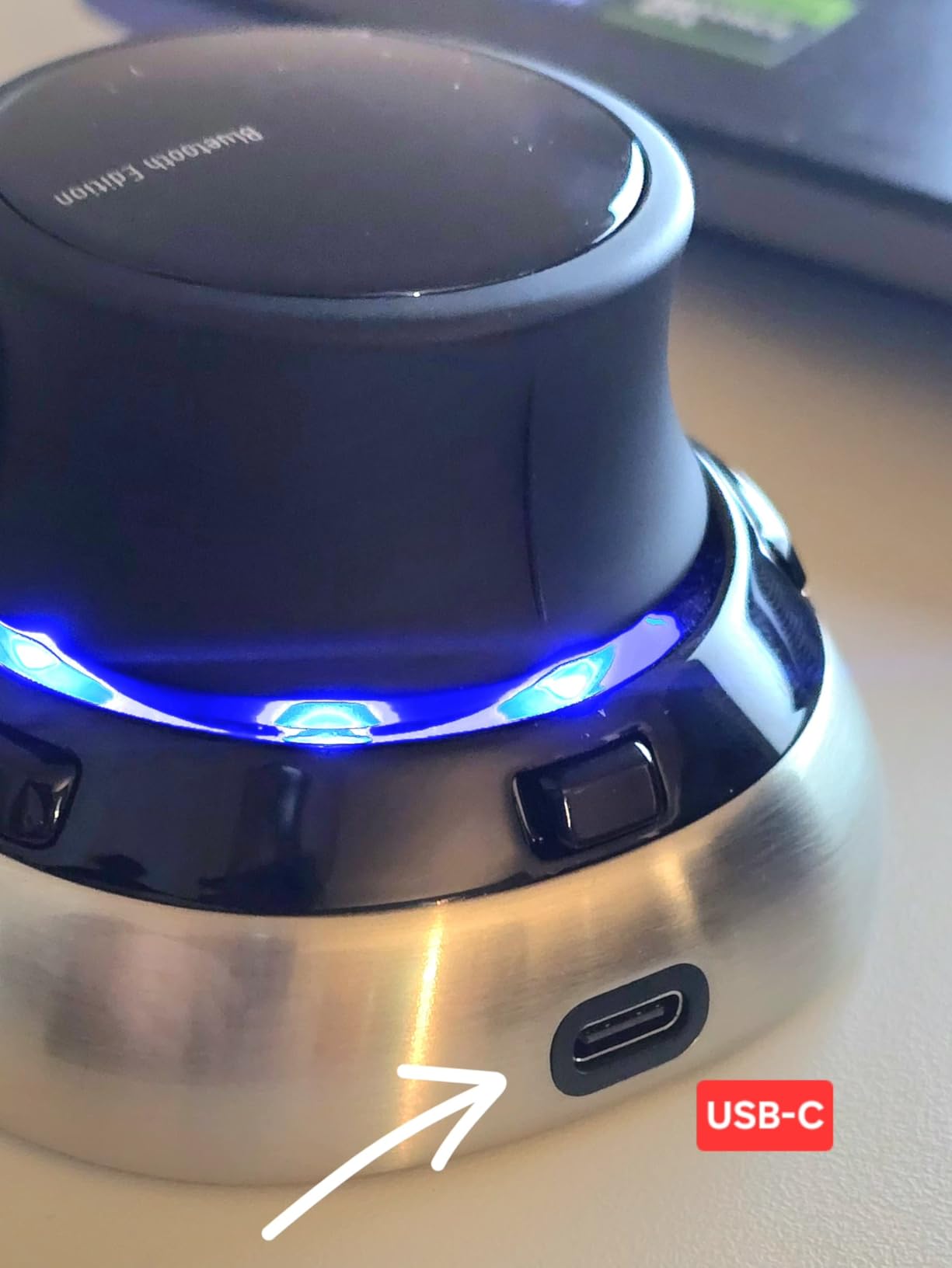
Battery life exceeded my expectations. 3Dconnexion claims up to one month per charge, but several users report getting two to six months with regular CAD use. The USB-C charging means you can top it up with the same cable as your phone or laptop, which is a nice quality-of-life improvement over older micro-USB devices.
The precision and responsiveness match the wired Compact version perfectly. I did not notice any input lag or dropped connections during my testing with Fusion 360 and SolidWorks. The carrying case is well-made and protects the controller during transport.
The main drawback is Mac connectivity. Several users report issues pairing with macOS, and my testing confirmed intermittent connection problems on a MacBook Pro. If you are on Windows, the experience is seamless. Also, there is no dedicated storage slot for the USB dongle, which means you need to keep track of it separately.
Portability and Travel Use
This is the best 3D mouse for engineers who work from multiple locations. The included carry case fits the controller, USB-C cable, and dongle snugly. At 1.6 pounds total, it adds noticeable but acceptable weight to a laptop bag. The instant Bluetooth pairing makes switching between machines painless on Windows.
Battery and Charging Experience
The rechargeable battery charges via USB-C in about two hours from empty. A quick 15-minute charge gives roughly a week of typical use. The battery indicator in the 3Dconnexion driver software shows remaining percentage, so you are never caught off guard. Just keep a USB-C cable at your desk and top up during lunch breaks.
3. 3Dconnexion SpaceMouse Pro – Best Wired Professional 3D Mouse
3Dconnexion 3DX-700040 SpaceMouse Pro 3D Mouse
Full size with soft hand rest
6DoF sensor
15 programmable keys
On-screen display
Quick view keys
+ Pros
- Incredibly efficient for CAD work 2-3x faster
- 15 fully customizable buttons
- Comfortable hand rest
- Automatically recognizes different CAD modes
- High quality construction
- Cons
- Rubber under heel can become sticky in heat
- No backlit buttons
- Cannot turn device on or off
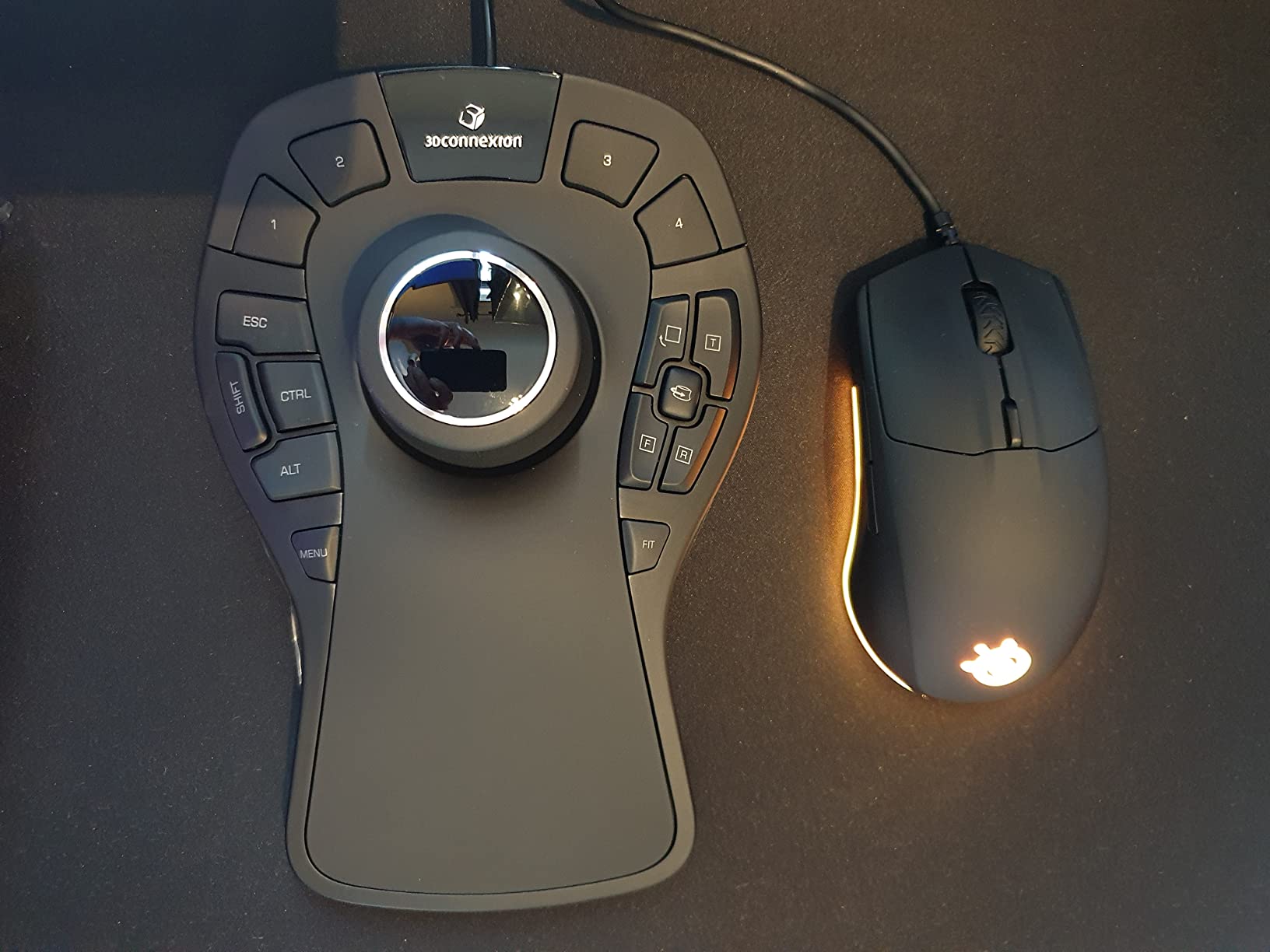
The SpaceMouse Pro is where 3Dconnexion starts to blur the line between a navigation controller and a full CAD command station. With 15 programmable keys including QuickView keys, rotation toggles, keyboard modifiers, and a virtual NUMPAD, this device can handle an enormous portion of your CAD workflow without your other hand ever leaving the controller.
I tested the Pro over a six-week period doing architectural modeling in Revit and mechanical design in SolidWorks. The soft-coated hand rest is a huge upgrade over the Compact. It genuinely feels comfortable during four-hour modeling sessions, and the Intelligent Function Keys with on-screen display mean you always know what each button does in your current application.
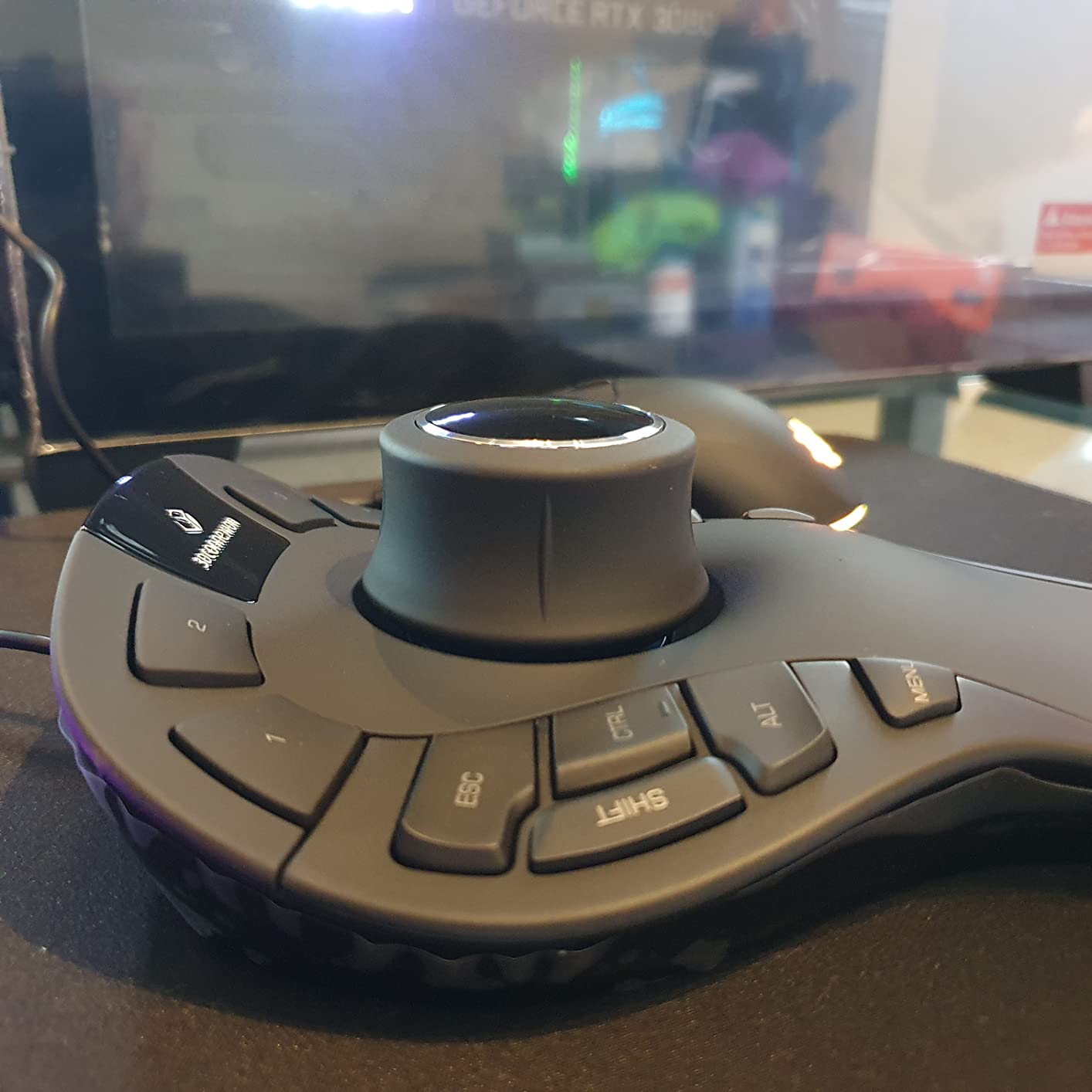
The 15 programmable keys are the headline feature. I mapped the most common SolidWorks commands (extrude, cut, fillet, dimension, mate) to dedicated keys and cut my menu navigation time significantly. The QuickView keys let you instantly snap to standard orthographic views, which is incredibly useful when checking model alignment.
One frustration: the device cannot be turned on or off independently. It draws power whenever plugged in via USB. This is not a dealbreaker since power draw is minimal, but some users prefer to fully power down their peripherals. The rubber under the heel can also become sticky in warm environments, which is a recurring 3Dconnexion quality issue.
Programmable Key Strategy
The 15 keys are organized into three groups: QuickView Navigation keys at the top, Intelligent Function Keys in the middle, and Keyboard Modifier keys at the bottom. The on-screen display shows your current key mappings for whichever CAD application is active. I recommend spending an afternoon during your first week mapping every key to your most-used commands.
Comparison to the Wireless Version
The wired SpaceMouse Pro is significantly more affordable than its wireless Bluetooth counterpart while offering the same 6DoF sensor and 15 programmable keys. If cable management is not a concern and you work from a fixed desk, the wired Pro delivers better value. The wireless version only makes sense if portability is essential.
4. 3Dconnexion SpaceMouse Wireless Kit 2 – Best All-in-One Wireless Kit
3Dconnexion SpaceMouse Wireless Kit 2 3DX-700136
6DoF sensor
Bluetooth + USB connectivity
7 total buttons
10 meter wireless range
Mouse pad included
+ Pros
- Premium 3D workflow experience
- Portable with Bluetooth connectivity
- Easy setup and auto-reconnect
- Good battery life
- Includes quality mouse pad
- Cons
- Mouse pad can collect particles causing crunching sound
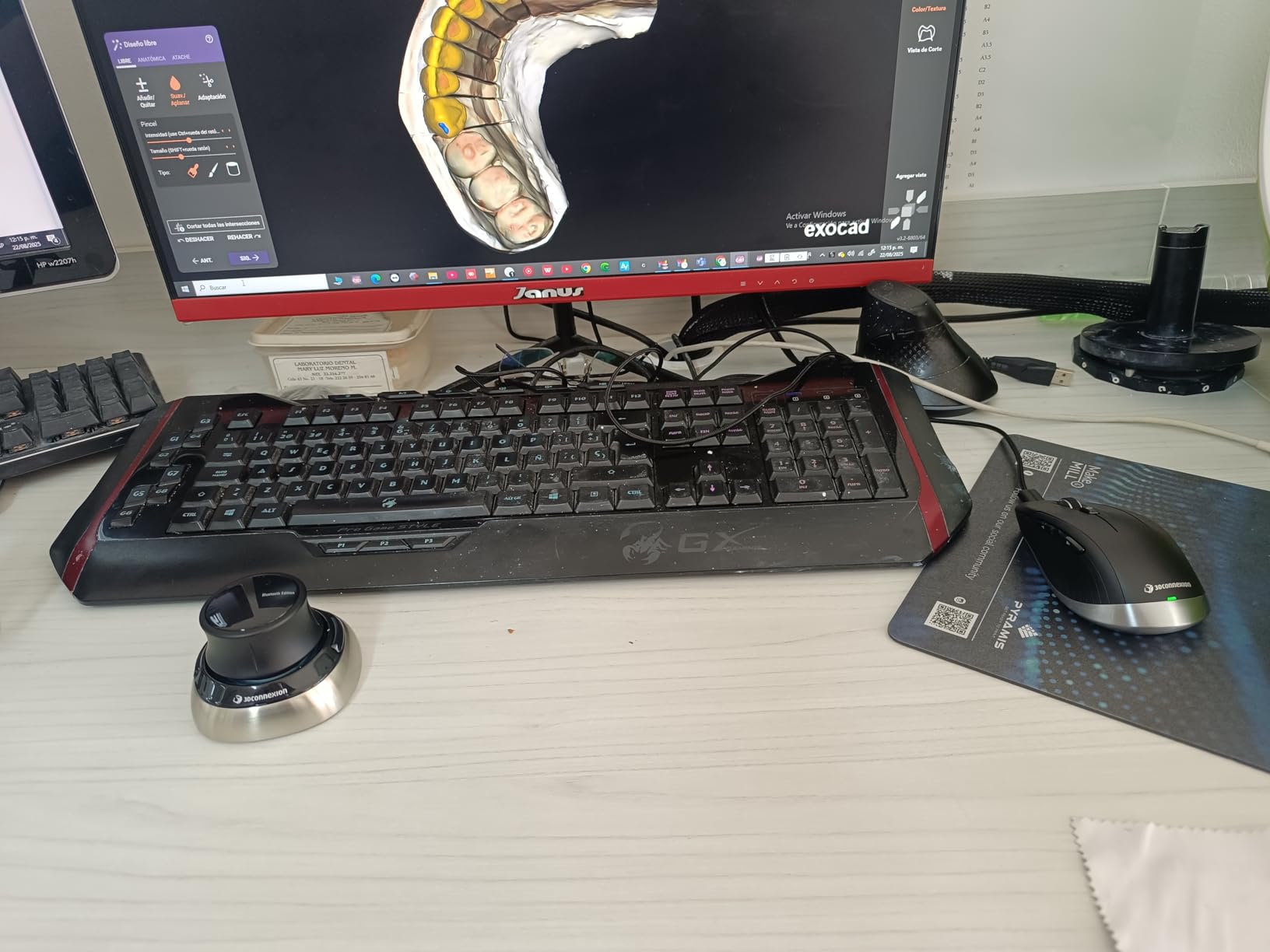
The SpaceMouse Wireless Kit 2 bundles the wireless 3D controller with a quality mouse pad and positions itself as a complete desk upgrade. With a perfect 5.0-star rating from early reviewers, this kit is aimed at professionals who want a premium wireless 3D navigation experience straight out of the box.
Setting up the Kit 2 took about three minutes from unboxing to first use. The Bluetooth auto-reconnect works flawlessly on Windows, and the 10-meter wireless range gives you flexibility to move around during presentations. The included mouse pad is a nice touch, giving your standard mouse a quality surface alongside the 3D controller.
The 7 buttons provide a good middle ground between the minimal 2-button Compact and the feature-packed 15-button Pro models. I found this to be the sweet spot for engineers who want quick access to common commands without the overwhelm of 31 programmable keys to configure.
The only real complaint from users is that the mouse pad can collect particles that create a crunching sound over time. This is easily solved with regular cleaning. At this price point, the Kit 2 represents strong value for a complete wireless 3D navigation setup.
What Is Included in the Kit
The Wireless Kit 2 ships with the SpaceMouse Wireless controller, a USB-C charging cable, a USB Bluetooth dongle for systems without built-in Bluetooth, and a quality desk mouse pad. The packaging doubles as a basic carrying solution, though it is not as protective as the dedicated case included with the standalone Wireless model.
Who Should Choose the Kit 2
This kit is ideal for professionals setting up a new CAD workstation from scratch. If you already have a high-quality mouse pad, the standalone Wireless model may be better value. The Kit 2 makes the most sense for someone upgrading from a standard mouse setup who wants everything in one purchase.
5. 3Dconnexion SpaceMouse Pro Wireless BT – Best Premium Wireless 3D Mouse
3Dconnexion SpaceMouse Pro Wireless BT
6DoF sensor
15 programmable buttons
Bluetooth + USB-C
Rechargeable Li-poly battery 1100 mAh
Windows and macOS
+ Pros
- Game changer for CAD users
- Very intuitive 3D navigation
- Reduces wrist strain compared to regular mouse
- Works with Fusion 360 FreeCAD KiCad Blender
- Premium build quality and ergonomics
- Cons
- Expensive price point
- Bluetooth LE range can be problematic on desktop towers
- USB-C cable may be too short
- Requires dongle for reliable connectivity on some systems
The SpaceMouse Pro Wireless BT combines the 15-button power of the wired Pro with the freedom of Bluetooth connectivity. This is the controller I currently use on my primary workstation, and it represents the pinnacle of 3Dconnexion’s current lineup for most professional CAD users.
The 6DoF sensor delivers the same buttery-smooth navigation as the wired version. The soft-coated hand rest feels premium and comfortable during long sessions. The 15 programmable buttons with on-screen display work identically to the wired Pro, giving you full command customization across every CAD application.
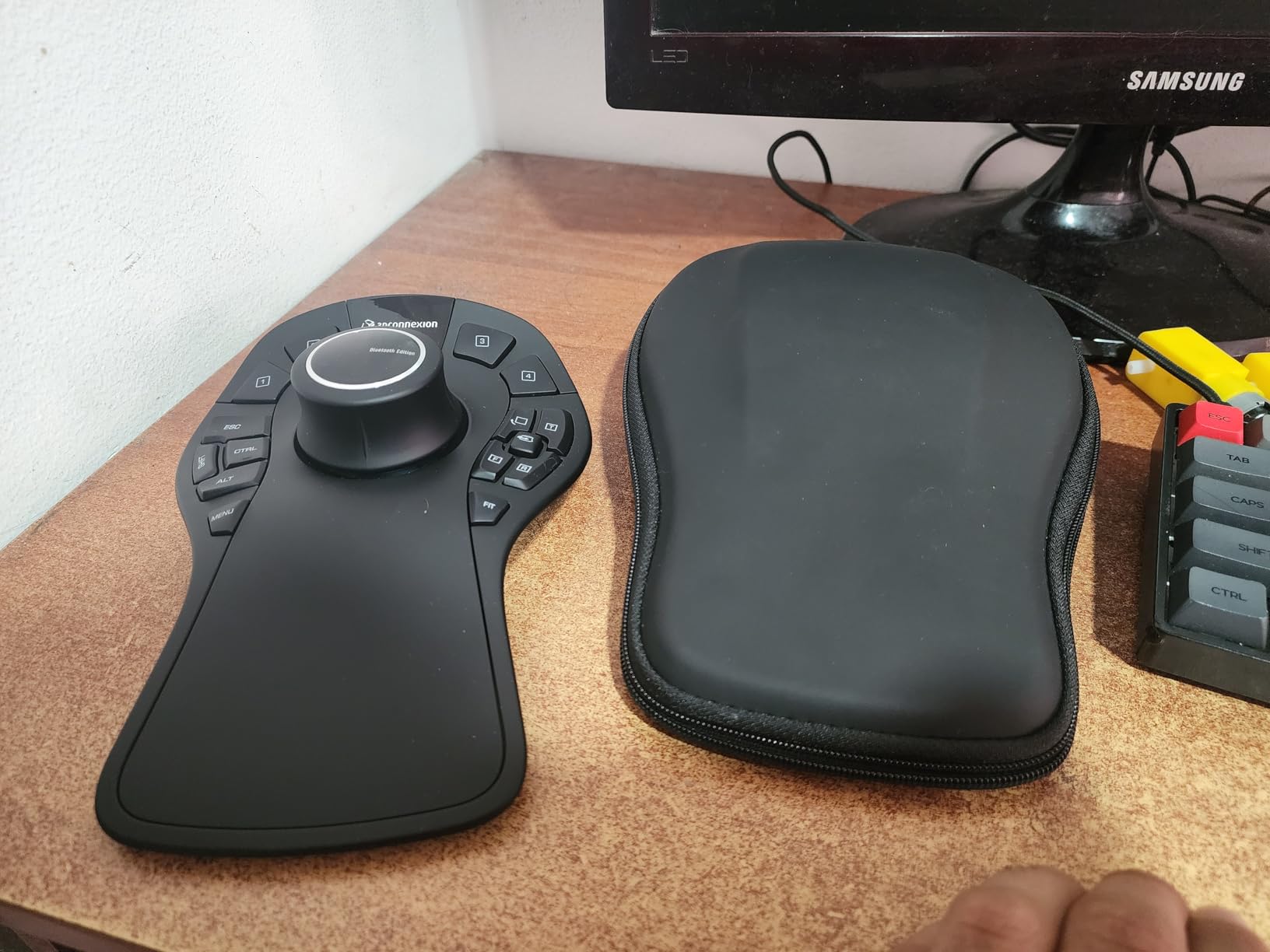
Battery life from the 1100 mAh Li-poly battery is solid. I charge mine about once a month with daily use. The USB-C charging is fast, and the Bluetooth Low Energy connection is stable on most modern Windows machines with built-in Bluetooth.
The main issues are around connectivity and price. On desktop towers where the Bluetooth antenna is far from the controller, the LE range can be problematic. Many users resort to using the included USB dongle for reliable connectivity. The USB-C cable is also on the short side for some desk setups. And yes, this is an expensive peripheral, but for professionals who live in CAD software daily, the productivity gains justify the investment.
Connectivity Options Explained
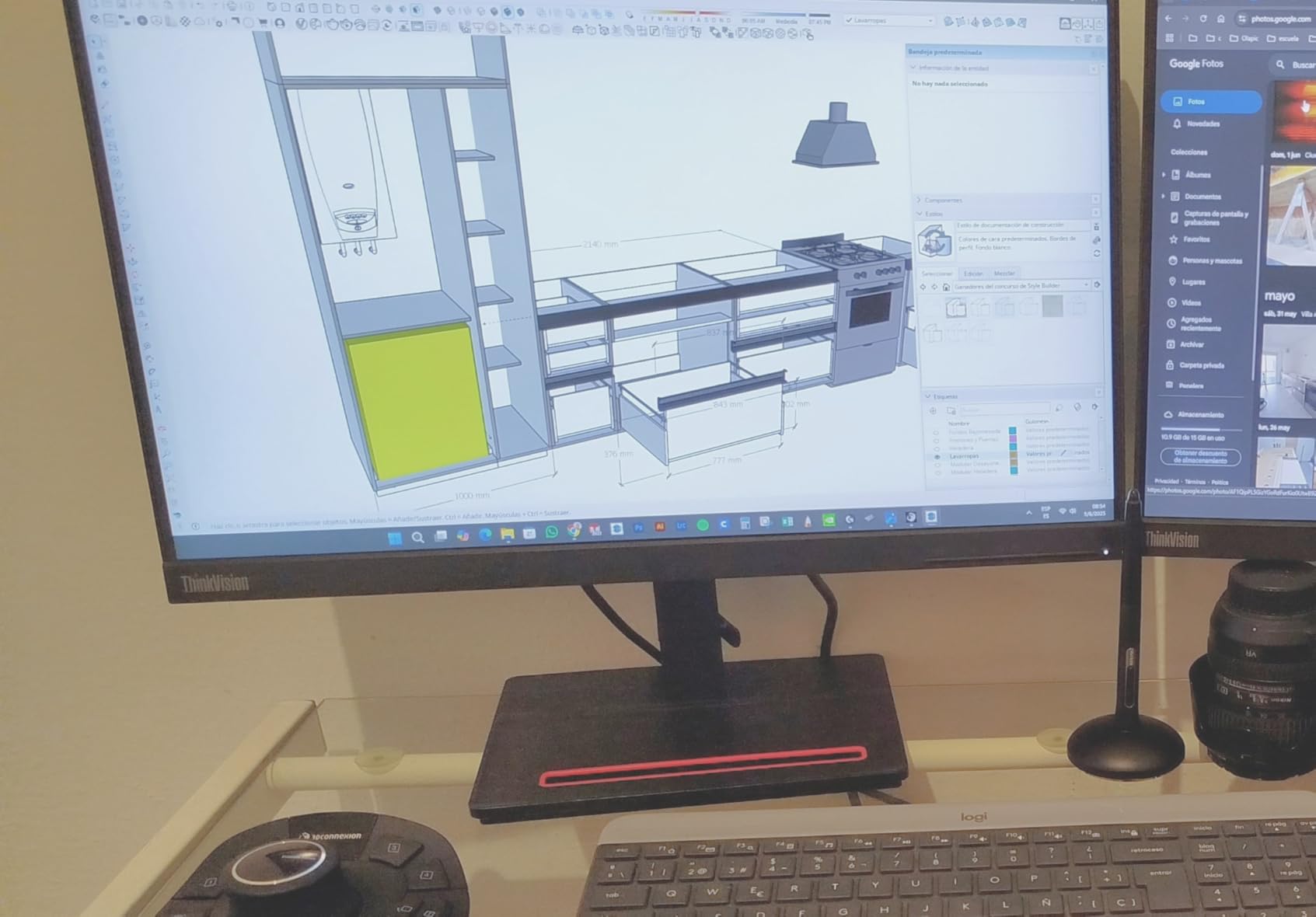
The Pro Wireless BT supports three connection modes: Bluetooth Low Energy, USB-C wired, and the included 2.4GHz USB dongle. For maximum reliability, I recommend the USB dongle on desktop towers and Bluetooth on laptops with strong built-in antennas. The wired USB-C mode is great for charging while working or for zero-latency situations.
Is the Price Worth It
For engineers spending 30 or more hours per week in 3D CAD software, absolutely. The time savings from having 15 programmable buttons plus 6DoF navigation pays for the device within months. For casual or part-time CAD users, the wired SpaceMouse Pro or the Compact delivers 80 percent of the functionality at half the price.
6. 3Dconnexion SpaceMouse Enterprise Kit 2 – Best for Power Users
3Dconnexion SpaceMouse Enterprise Kit 2
31 programmable keys
6DOF sensor
Color LCD display
Bluetooth + USB
Full-size hand rest
+ Pros
- Excellent quality and durability
- 31 programmable buttons with 8 keyboard modifiers
- 6DOF sensor for 3D navigation
- Color LCD for function key assignments
- Great for AutoCAD Revit SolidWorks Inventor 3Ds Max Fusion 360
- Cons
- Expensive investment
- Requires learning curve to customize sensitivity and axes
- Some software may have occasional bugs
The SpaceMouse Enterprise Kit 2 is the most feature-rich 3D mouse 3Dconnexion makes. With 31 programmable keys including 8 keyboard modifiers, a color LCD for visualizing function key assignments, and a 6DOF sensor, this is a full command center for professional CAD workflows.
This device is designed for power users who want every possible command at their fingertips without reaching for the keyboard. I tested it with AutoCAD, Revit, and Fusion 360, and the program-specific button configurations automatically switch when you change applications. The color LCD shows you exactly what each key does in your current software, eliminating the need to memorize mappings.
The build quality matches the premium price tag. The soft-coated hand rest is comfortable for extended sessions, and the customizable sensitivity lets you fine-tune the 6DOF controller cap to your exact preference. Users report it works with 3D printers and scanner software as well, extending its utility beyond traditional CAD.
The downsides are predictable for a flagship device: it is expensive, and the learning curve to fully customize all 31 keys and sensitivity settings is significant. Some users also report occasional bugs with specific software, such as Revit zoom limitations. For most users, the SpaceMouse Pro (wired or wireless) covers everything they need, but if your workflow involves frequent switching between many CAD programs, the Enterprise Kit 2 eliminates the need to remember different keyboard shortcuts for each one.
Setting Up 31 Programmable Keys
The Enterprise Kit 2 ships with default configurations for major CAD applications, but the real power comes from customizing every key. The 3Dconnexion driver software lets you create application-specific profiles. I recommend starting with the defaults for two weeks, noting which commands you use most, then remapping keys in batches rather than all at once.
Enterprise vs Pro: Which Do You Need
The Enterprise Kit 2 doubles the button count of the Pro and adds the color LCD, but it also nearly doubles the price. Choose Enterprise if you work across five or more CAD applications daily or if you manage a team that could benefit from standardized button configurations. Choose Pro if you primarily work in one or two programs and can manage with 15 keys.
7. 3Dconnexion CadMouse Pro Wireless – Best Wireless CAD Pointer Mouse
3Dconnexion CadMouse Pro Wireless Mouse
7200 DPI optical sensor
2.4GHz RF Bluetooth and USB-C
Smart Mouse Wheel 2
7 buttons
Dedicated middle mouse button
+ Pros
- Excellent tracking and skate feel
- Comfortable for all-day CAD use
- Dedicated middle mouse button for CAD
- USB-C charging
- Multiple connectivity options
- Customizable buttons and macros
- Cons
- Programming buttons requires driver software download
- May be too heavy for some users
- Learning curve for customizing buttons
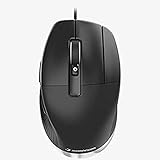
The CadMouse Pro Wireless is not a 3D navigation controller like the SpaceMouse family. Instead, it is a purpose-built pointer mouse designed specifically for CAD workflows. The standout feature is the dedicated middle mouse button that gives you a third click without having to press down on the scroll wheel, which is a common pain point for CAD users who pan constantly.
I used the CadMouse Pro Wireless alongside a SpaceMouse for about two months, and the combination is what many professional CAD users on Reddit recommend. The SpaceMouse handles 3D navigation while the CadMouse handles precise pointing and clicking. The 7200 DPI optical sensor is sharp enough for detailed work in AutoCAD and SolidWorks.
The triple connectivity options (2.4GHz wireless dongle, Bluetooth, and USB-C wired) give you maximum flexibility. Battery life is rated at two months, which matches my experience with moderate daily use. USB-C charging means you can use the same cable as most modern devices.
The mouse is slightly heavier than some competitors at 250 grams, which some users find noticeable. Programming the buttons requires downloading the 3Dconnexion driver software, and there is a learning curve to setting up macros. But once configured, the CadMouse Pro Wireless becomes a precision instrument for CAD workflows.
The Dedicated Middle Mouse Button
This is the killer feature that separates the CadMouse from gaming and office mice. On a standard mouse, the middle click is activated by pressing down on the scroll wheel, which is imprecise and causes finger fatigue over time. The CadMouse has a separate physical button behind the scroll wheel dedicated to middle click, making panning in CAD software effortless and comfortable.
CadMouse vs SpaceMouse: Which Do You Need
A CadMouse is a traditional pointer mouse optimized for CAD. A SpaceMouse is a 3D navigation controller that replaces mouse-based orbiting and zooming. Many professionals use both simultaneously: SpaceMouse in the non-dominant hand for navigation and CadMouse in the dominant hand for clicking and precision work. If budget allows for only one, start with the CadMouse if you need a general-purpose mouse, or the SpaceMouse if you already have a good mouse and want to add 3D navigation.
8. 3Dconnexion CadMouse Compact Wireless – Best Budget CAD Mouse
3Dconnexion CadMouse Compact Wireless
7200 DPI optical sensor
Bluetooth wireless
7 buttons
10 meter range
2 year warranty
+ Pros
- Designed to fit hand naturally
- Reduces wrist strain and discomfort
- 7 total buttons for convenience
- Bluetooth energy efficient
- Good battery life
- Portable and wireless
- Cons
- May require dedicated mouse pad for best performance
- Ergonomic fit may not suit all users
- Some reported connectivity issues with wireless keyboards
The CadMouse Compact Wireless brings CAD-specific mouse features to a more accessible price point. At just 110 grams, it is the lightest option in this lineup, making it ideal for engineers who value portability and a clean desk setup. The 7200 DPI optical sensor delivers solid precision for AutoCAD, SolidWorks, and Fusion 360 work.
I recommended this mouse to two engineering students who needed a CAD-optimized pointer without spending premium money. Both reported that the ergonomic fit reduced wrist strain during long project sessions. The 7 buttons provide enough programmability for common CAD shortcuts without the complexity of managing 15 or 31 keys.
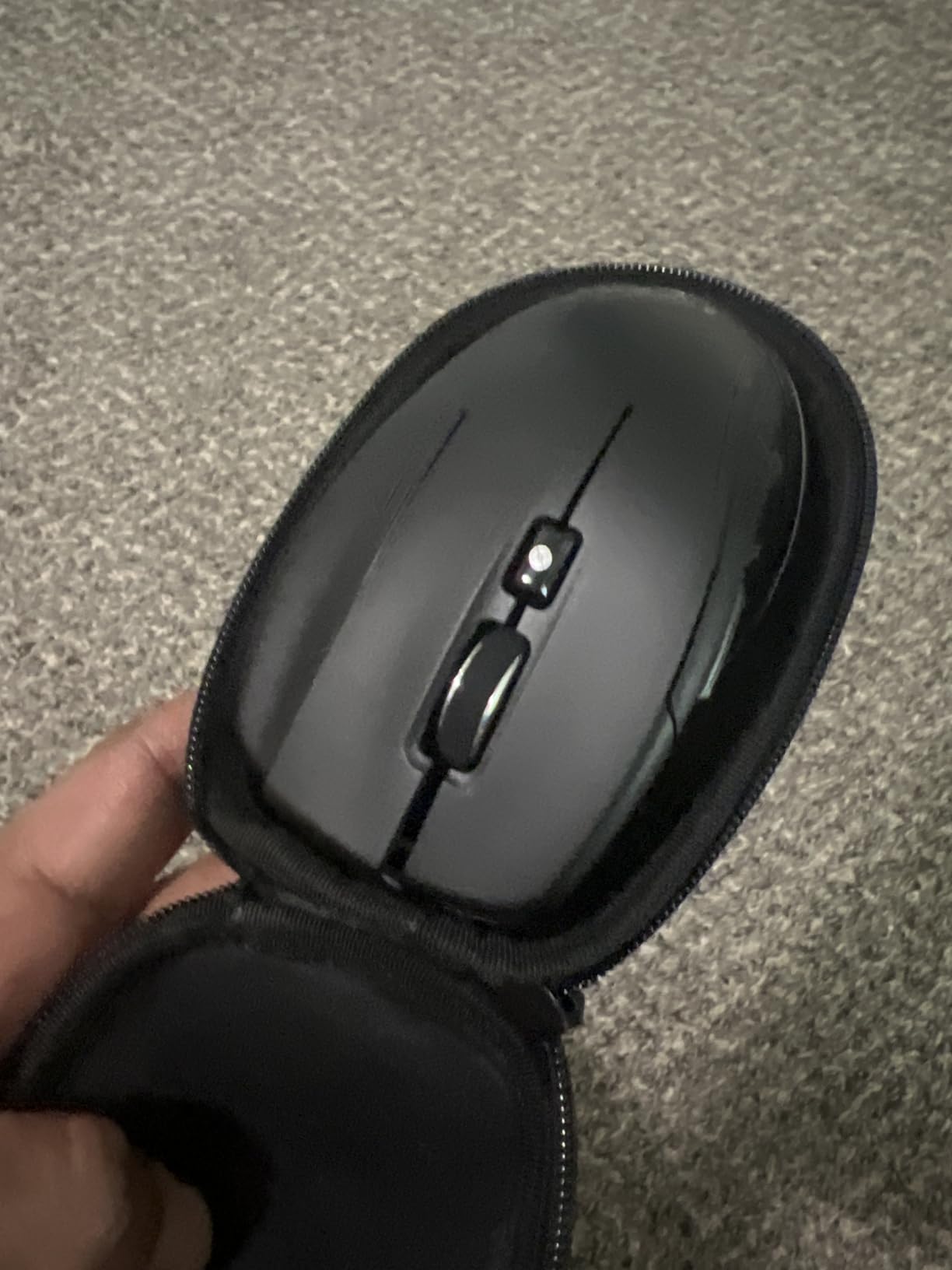
The Bluetooth connectivity is energy-efficient, and the included lithium polymer battery lasts up to two months per charge. The compact size fits easily in a laptop bag, and the 10-meter wireless range gives you freedom to step away from your desk during presentations.
The main trade-off is that the compact shape may not fit all hand sizes comfortably. Some users report needing a dedicated mouse pad for best tracking performance. There are also occasional connectivity issues when used alongside certain wireless keyboards, likely due to Bluetooth interference. For the price, though, this is the best entry point into CAD-specific mice.
Ideal for Engineering Students
At its price point, the CadMouse Compact Wireless is the most accessible way for students to get a dedicated CAD mouse. The 7200 DPI sensor is more than sufficient for coursework, and the 2-year warranty covers you through a typical degree program. The Bluetooth connectivity means no dongle to lose in a backpack.
Battery and Charging
The built-in lithium polymer battery charges via USB-C and lasts approximately two months with daily use. Unlike the Pro Wireless, the Compact uses Bluetooth only rather than offering a 2.4GHz dongle option, which means slightly higher latency but better battery efficiency. For CAD work where you are not doing fast-paced gaming movements, Bluetooth latency is imperceptible.
9. 3Dconnexion CadMouse Pro Wired – Best Wired CAD Mouse
3DConnexion CadMouse Pro Mouse – Optical – Cable – 7 Button(s) – Black
Dedicated middle mouse button
Ergonomic angled shape
Incurvated thumb rest
7 buttons
Wired USB
3 year warranty
+ Pros
- Dedicated middle mouse button for CAD
- Ergonomic angled shape reduces wrist strain
- Thumb rest for natural hand placement
- Side buttons for forward back
- Sharp click and easy scrolling
- 3 year warranty
- Cons
- May not last longer than 1.5 years with heavy use
- Scroll wheel may develop issues over time
- Button clicks may fail if hand rests back
- No Windows 7 driver support
The CadMouse Pro Wired is the cable-connected version of the Pro Wireless, offering the same dedicated middle mouse button and ergonomic design at a lower price. If you do not need wireless freedom and prefer the reliability of a wired connection, this is an excellent choice for a dedicated CAD pointer mouse.
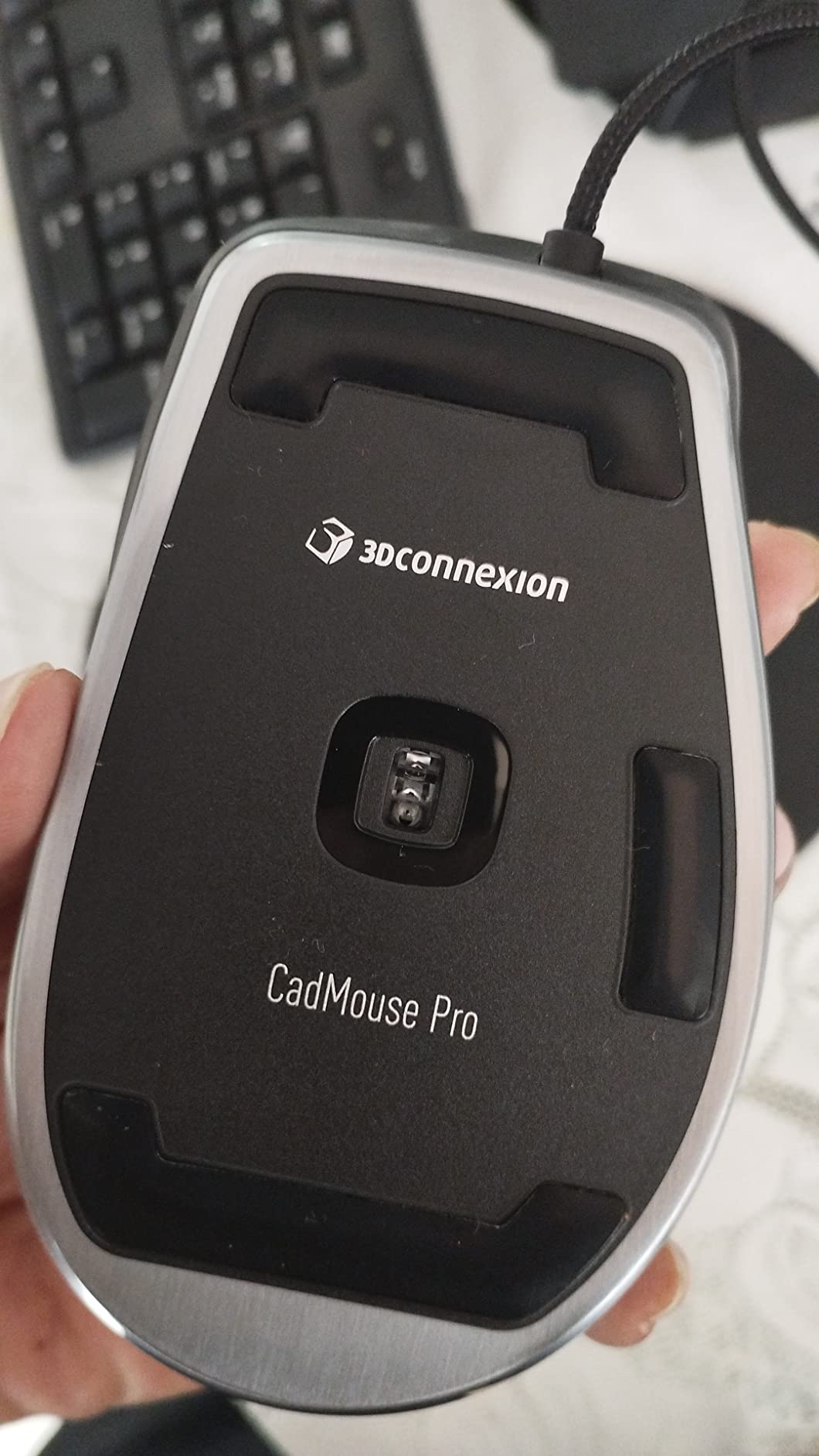
The ergonomic angled shape with the incurvated thumb rest is the most distinctive physical feature. I found it positions your hand at a natural angle that reduces wrist pronation during long drafting sessions. The dedicated middle button behind the scroll wheel works exactly like the wireless version, giving you effortless panning without scroll wheel clicking.
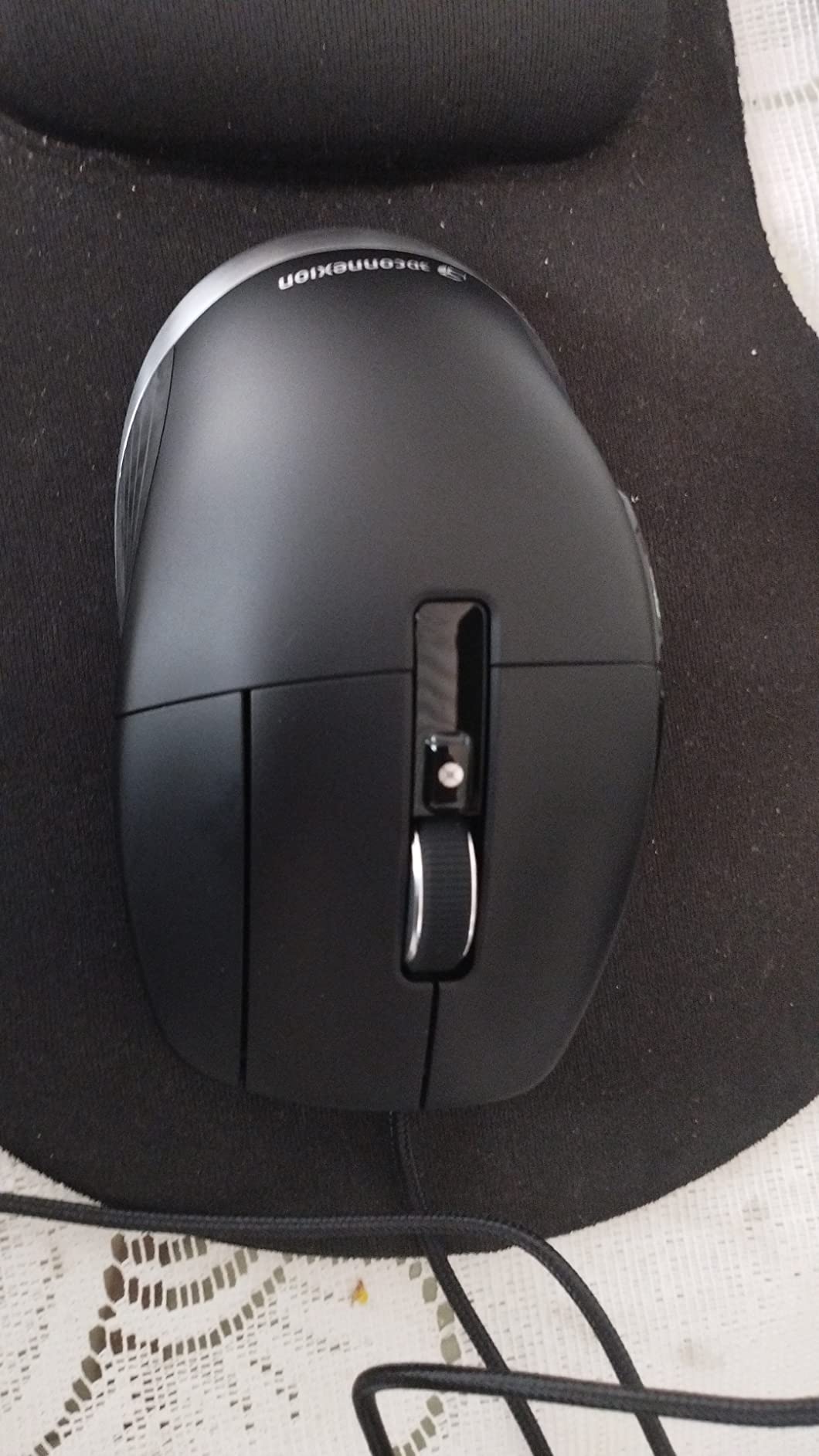
The 7 buttons include left, right, dedicated middle, scroll wheel click, and two side buttons for forward and back navigation. All are programmable through the 3Dconnexion driver software. I tested the mouse with ArchiCAD, Rhino, SketchUp, and AutoCAD with excellent results across all platforms.
Durability is the main concern with this model. Multiple users report hardware issues emerging after 1.5 years of heavy use, including scroll wheel problems and button click failures. The 3-year manufacturer warranty provides some protection, but the gap between the warranty period and reported real-world lifespan is worth noting. If you are a heavy daily user, consider the Pro Wireless version which has shown better longevity in user reports.
Wired vs Wireless for CAD
For CAD work specifically, the wired versus wireless debate is less about latency (which is imperceptible in either case for CAD tasks) and more about desk management and reliability. A wired mouse never needs charging and never loses connection, which matters if you are in the middle of a complex modeling operation. However, the cable can snag on desk edges and create clutter.
Software Compatibility Notes
The CadMouse Pro Wired works with Windows 10 and later plus macOS. There is no Windows 7 driver support, so users on older systems should look elsewhere. The 3Dconnexion driver software auto-detects most major CAD applications and applies appropriate button configurations. Manual configuration is available for less common software.
10. 3Dconnexion SpacePilot Pro – Best Legacy Workstation Controller
3Dconnexion SpacePilot Pro 3D Mouse 3DX-700036
6DOF sensor
31 programmable keys
Color LCD Workflow Assistant
Keyboard modifiers
USB connectivity
Advanced wrist rest
+ Pros
- 6DOF sensor for intuitive 3D navigation
- 31 programmable buttons for extensive customization
- Color LCD for workflow assistance
- Reduces hand fatigue during long CAD sessions
- QuickView navigation keys
- Excellent for SolidWorks AutoCAD 3ds Max Blender
- Cons
- Expensive for the category
- LCD screen considered gimmicky by some users
- Not enough buttons for some power users
- No Zbrush support
- Driver support can be lacking
The SpacePilot Pro is the older sibling of the Enterprise Kit 2, offering 31 programmable keys, a 6DOF sensor, and a color LCD Workflow Assistant in a wired USB format. While it has been partially superseded by the Enterprise Kit 2, it remains a capable and popular workstation controller with 140 reviews from long-term users.
The 6DOF sensor provides the same six-degrees-of-freedom navigation that defines the SpaceMouse experience. The 31 programmable keys include QuickView Navigation keys, keyboard modifiers (Shift, Ctrl, Alt), and dual-function keys that can handle up to 10 commands each. The color LCD displays workflow information and function key assignments.
I found the SpacePilot Pro particularly strong in SolidWorks and 3ds Max, where the extensive button customization and QuickView keys speed up common modeling operations. The advanced wrist rest design is comfortable, and the overall build quality feels professional and durable.
The main criticisms from users center on the LCD screen, which some find gimmicky and underutilized. Driver support can also be spotty for certain applications, with some users resorting to XML hacking for full functionality in niche software. There is no native ZBrush support, which will disappoint digital sculptors. At its price point, many users will find the Enterprise Kit 2 a more modern alternative, but the SpacePilot Pro remains a solid choice if you find it at a good price and primarily work in mainstream CAD software.
SpacePilot Pro vs Enterprise Kit 2
The Enterprise Kit 2 is the direct successor to the SpacePilot Pro, offering wireless connectivity and refined ergonomics. The SpacePilot Pro is wired-only but offers the same 31-key count and 6DOF sensor. If wireless is important, go Enterprise. If you want the same functionality at a potentially lower price and do not mind a cable, the SpacePilot Pro remains viable.
Driver and Software Experience
The 3Dconnexion driver software has improved significantly over the years, but the SpacePilot Pro being an older device means some newer software integrations may not be as polished. Check the 3Dconnexion compatibility list for your specific CAD application before purchasing. The driver does support macOS through Parallels or VMware Fusion for Mac users.
Buying Guide: How to Choose the Best 3D Mouse for CAD
Choosing the right 3D mouse for CAD comes down to understanding what type of device you need and which features matter most for your specific workflow. This buying guide covers the key decisions you will face.
6DoF Controller vs Standard Mouse: Understanding the Difference
A 6DoF (six-degrees-of-freedom) controller like the SpaceMouse family is fundamentally different from a standard pointer mouse. The SpaceMouse has a pressure-sensitive cap that you push, pull, twist, and tilt to navigate 3D models in all six axes: pan left-right, pan up-down, zoom in-out, rotate X, rotate Y, and rotate Z. This allows simultaneous multi-axis navigation that a standard mouse simply cannot replicate.
A CadMouse, on the other hand, is a traditional pointer mouse optimized for CAD workflows. It moves on a flat surface and clicks like any mouse, but includes CAD-specific features like a dedicated middle mouse button for panning, programmable buttons for shortcuts, and high-DPI sensors for precision.
Many professional CAD users employ both devices simultaneously. The SpaceMouse sits on the non-dominant hand side for navigation while the CadMouse handles clicking and precise pointing. This dual-device setup is frequently recommended on Reddit’s SolidWorks and AutoCAD communities as the optimal CAD workflow.
Wired vs Wireless Connectivity
Wireless 3D mice offer desk freedom and portability but come with trade-offs. Battery life is a consideration, though most modern 3Dconnexion wireless devices last one to two months per charge. Bluetooth connectivity can be less reliable on desktop towers where the antenna is far from the device, which is why USB dongles are often included as a fallback.
Wired devices never need charging and never drop connection, which can be important during long, complex modeling sessions. They are also typically less expensive than their wireless counterparts. If you work from a fixed desk and cable management is not a concern, a wired device offers better value and reliability.
DPI and Precision for CAD Work
DPI (dots per inch) measures mouse sensitivity. For CAD work, you do not need the extreme DPI ratings that gaming mice advertise. The 7200 DPI sensor in 3Dconnexion CadMouse devices is more than sufficient for precise CAD drafting. What matters more than raw DPI is sensor consistency and tracking accuracy on your mouse surface.
For 6DoF controllers like the SpaceMouse, DPI is not relevant. Instead, look at the sensitivity settings in the driver software, which let you control how aggressively the controller cap responds to pressure. Most users start with low sensitivity and increase as they develop muscle memory.
Programmable Buttons and Customization
The number of programmable buttons ranges from 2 on the SpaceMouse Compact to 31 on the Enterprise Kit 2 and SpacePilot Pro. Consider how many commands you use frequently in your CAD software. If you primarily work in one application, 7 to 15 buttons will cover most needs. If you switch between many applications, more buttons with automatic application switching become valuable.
The 3Dconnexion driver software lets you create custom button profiles for each CAD application. When you switch between programs, the button configuration changes automatically. This is a significant productivity feature that reduces mental overhead.
Ergonomics and Long Session Comfort
Hand fatigue is a top concern for CAD professionals working long hours. Forum discussions on Reddit consistently identify ergonomics as the most important factor when choosing a CAD mouse. Look for devices with soft-coated hand rests (SpaceMouse Pro and Enterprise), ergonomic angled shapes (CadMouse Pro), and designs that fit your hand size.
Left-handed users have limited options. The SpaceMouse Compact and several SpaceMouse models are ambidextrous, but the CadMouse Compact Wireless is right-hand oriented. If you are left-handed, focus on the SpaceMouse family which can be used with either hand.
Software Compatibility Checklist
Before purchasing any 3D mouse, verify compatibility with your specific CAD software. The 3Dconnexion driver supports over 100 applications including AutoCAD, SolidWorks, Fusion 360, Revit, Blender, Maya, Civil 3D, Inventor, 3ds Max, Rhino, SketchUp, and FreeCAD. However, support quality varies between applications, and obscure or proprietary software may not be supported.
For 6DoF navigation to work, the CAD application must be on the 3Dconnexion compatibility list. For CadMouse devices, the mouse works as a standard pointer with any software, but programmable buttons require driver support. Check the official 3Dconnexion compatibility page for the most current list.
Are Gaming Mice Good for CAD?
Gaming mice can work for CAD and are a popular budget alternative. They offer high DPI sensors, programmable buttons, and good ergonomics. However, they lack CAD-specific features like the dedicated middle mouse button for panning and 6DoF 3D navigation. Gaming mice also tend to prioritize fast clicking and low latency over the precision and comfort that long CAD sessions demand.
If budget is tight, a good gaming mouse is better than a cheap office mouse for CAD work. But if you can afford a dedicated CAD mouse or a SpaceMouse controller, the productivity gains from CAD-specific features are significant.
FAQs
What is the best mouse for 3D CAD modeling?
The 3DConnexion SpaceMouse Compact is the best overall 3D mouse for CAD modeling, offering intuitive 6DoF navigation, solid build quality, and excellent compatibility with major CAD software. For a traditional pointer mouse, the 3Dconnexion CadMouse Pro Wireless offers a dedicated middle button and 7200 DPI precision.
Is the Logitech MX Master 3S good for CAD?
The Logitech MX Master 3S is a popular general-purpose mouse that works well for CAD thanks to its ergonomic design, MagSpeed scroll wheel, and programmable buttons. However, it lacks CAD-specific features like a dedicated middle mouse button and 6DoF 3D navigation. Many CAD professionals pair a Logitech mouse with a 3Dconnexion SpaceMouse for the best of both worlds.
Which mouse is best for AutoCAD?
For AutoCAD specifically, the 3Dconnexion CadMouse Pro Wireless or CadMouse Pro Wired are excellent choices because of the dedicated middle mouse button designed for panning. If you need 3D navigation for AutoCAD 3D modeling, the SpaceMouse Compact or SpaceMouse Pro provide intuitive orbit and zoom control.
Are gaming mice good for CAD?
Gaming mice can work for CAD as a budget alternative since they offer high DPI sensors and programmable buttons. However, they lack CAD-specific features like dedicated middle mouse buttons for panning and 6DoF 3D navigation controllers. Gaming mice prioritize fast clicking over the precision and comfort needed for long CAD sessions.
Is a 3D mouse worth it for CAD?
Yes, a 3D mouse is worth it for anyone who spends significant time in 3D CAD software. Users report 2-3x faster navigation, reduced wrist strain, and improved productivity. The initial learning curve takes about a week, but most professionals consider a SpaceMouse an essential tool once they adapt to the 6DoF workflow.
Conclusion
Finding the best 3D mice for CAD comes down to matching the device to your workflow, budget, and desk setup. For most professional CAD users, the 3DConnexion SpaceMouse Compact offers the best balance of price, performance, and 6DoF navigation capability. If you want maximum programmability and wireless freedom, the SpaceMouse Pro Wireless BT is the premium upgrade. And for those who need a traditional pointer mouse with CAD-specific features, the CadMouse Compact Wireless delivers excellent value at a student-friendly price.
Many CAD professionals ultimately end up with a dual-device setup: a SpaceMouse for 3D navigation in the non-dominant hand and a CadMouse or Logitech mouse for precision clicking in the dominant hand. This combination, frequently recommended on engineering forums, gives you the best of both worlds and can significantly improve your CAD productivity in 2026. Whichever path you choose, investing in a purpose-built 3D mouse for CAD is one of the most impactful upgrades you can make to your engineering or design workflow.