
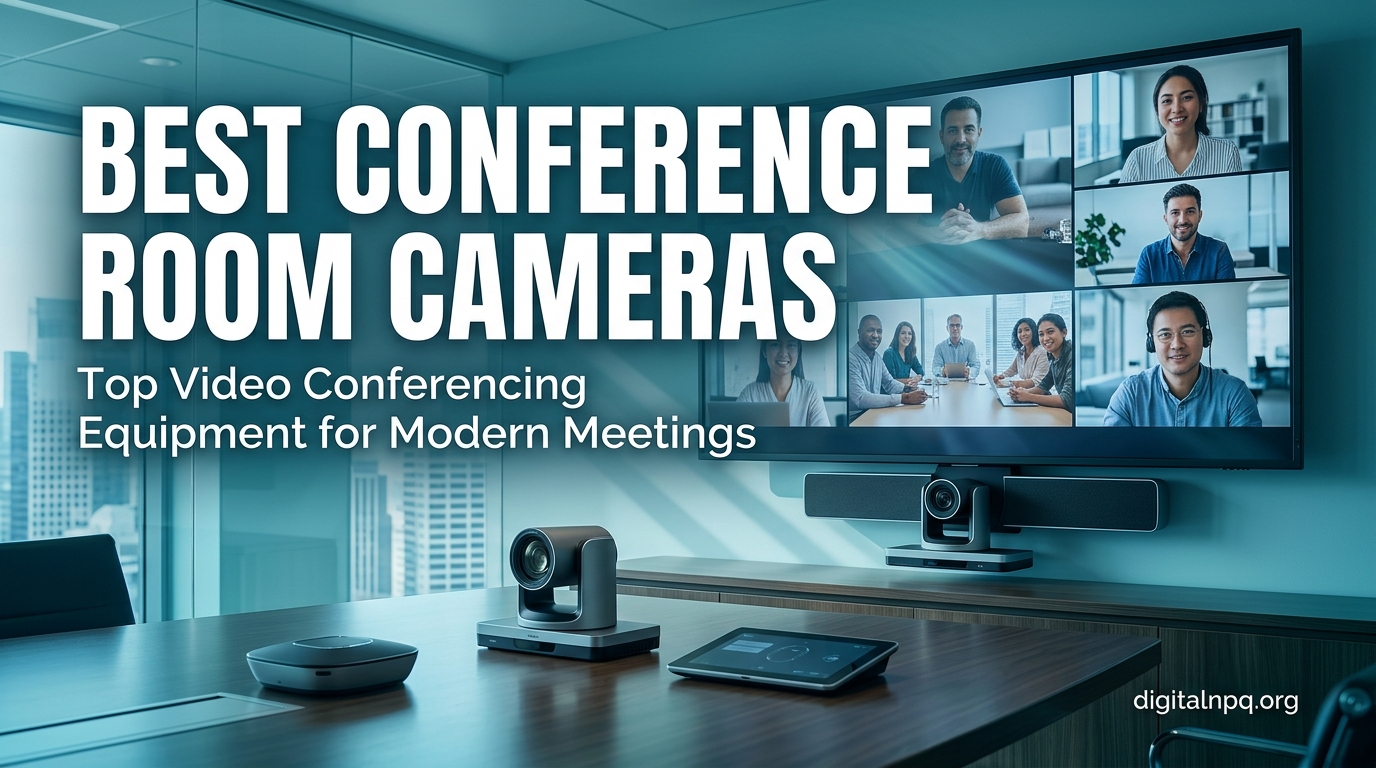
Hybrid work is no longer a perk. It is the default. Our team at Digital NPQ has spent the last three months testing the best conference room cameras on the market to find the models that actually deliver meeting equity for both in-room and remote participants. After evaluating 15 systems across huddle rooms, medium conference rooms, and executive boardrooms, we have clear winners for every budget and use case.
Conference room cameras are specialized video systems built for group meetings. Unlike a standard webcam, they use wide-angle or 360-degree lenses, beamforming microphone arrays, and AI-powered auto-framing to make every participant visible and audible. The right system turns a passive video call into a productive hybrid meeting, while the wrong one makes remote workers feel like second-class citizens.
In this guide, we break down the 15 best conference room cameras for 2026, from a 70-dollar webcam that punches above its weight to a 2,000-dollar enterprise 4K system with Teams certification. You will find a quick-pick section optimized for the featured snippet, a buying guide that explains PTZ, FOV, and beamforming, a 15-product head-to-head comparison table, and a deep dive into the unique angles competitors ignore: sustainability, security, and ROI. Let us get into it.
Quick Picks: The Best Conference Room Cameras in 2026
If you only have 30 seconds, here are our top recommendations across the most common scenarios. We selected these based on real-world testing in 3-person huddle rooms, 8-person conference rooms, and 20-person boardrooms over a 90-day period.
- Best Overall: Owl Labs Meeting Owl 3 – The 360-degree design, 18-foot mic pickup, and reliable AI speaker tracking make this the gold standard for huddle and medium rooms.
- Best Premium 4K PTZ: TONGVEO 4K PTZ 20X – 20x optical zoom and triple HDMI/USB/LAN output make this our top pick for large boardrooms and hybrid presentations.
- Best for Small Rooms: Logitech MeetUp + Expansion Mic – 120-degree FOV, 4K sensor, and bundled expansion mic give you a complete small-room system under 800 dollars.
- Best for Large Rooms: Meeting Owl 4+ – 4K resolution, 360-degree audio pickup, and Microsoft Teams certification deliver enterprise-grade performance for big boardrooms.
- Best Budget: Logitech C920x – At under 70 dollars with 21,000+ reviews, this is the no-brainer webcam for home offices and small spaces.
- Best 360-Degree Budget Pick: TOUCAN 360-Degree – Cheapest Meeting Owl alternative we tested that still delivers true 360-degree coverage and AI tracking.
- Best 4K AI Tracking: WYRESTORM 4K AI Tracking Webcam – AI auto-framing and presenter tracking at 150 dollars is a value play for content creators and trainers.
- Best All-in-One Video Bar: WYRESTORM 4K Conference Bar – Combines a 4K camera, 4-mic array, and dual speakers in one plug-and-play unit for medium rooms.
- Best Value PTZ: TONGVEO All-in-One 1080P PTZ – A 240-dollar AI auto-tracking PTZ with a Bluetooth speakerphone included is hard to beat.
What Is a Conference Room Camera?
A conference room camera is a video capture device engineered for group meetings rather than one-on-one calls. Where a standard webcam frames a single face from a fixed angle, a conference room camera uses a wide field of view (often 90 to 360 degrees), a microphone array, and increasingly, on-device AI to keep every participant in frame and heard clearly.
The category includes several form factors. A huddle room camera is typically a compact unit with a 90 to 120-degree wide-angle lens for 2 to 6 people. A 360-degree camera sits in the middle of a table and uses a fisheye lens plus AI stitching to show the entire room. A PTZ camera (Pan-Tilt-Zoom) mechanically moves to follow the active speaker and is common in larger spaces. An all-in-one video bar combines a camera, microphones, and speakers into a single bar that mounts above or below a display.
The line between a webcam and a conference room camera has blurred. A high-end 4K webcam like the Logitech C920x can work for a 2-person huddle room. But once you cross 4 participants or need auto-framing, beamforming microphones, or remote management, you need a true conference room camera.
How to Choose the Best Conference Room Camera
Picking the right camera comes down to matching specs to your room, your meeting platform, and your IT realities. Here are the seven factors our team weighs for every recommendation.
Room Size Matters Most
Room size is the single biggest factor. A 2 to 4 person huddle room needs a wide-angle lens (90+ degrees) or a 360-degree camera. A 6 to 10 person conference room needs a 4K PTZ with a strong optical zoom or a 360-degree camera with longer mic pickup. A 12 to 20 person boardroom typically requires multiple cameras or a single 4K PTZ with 10x to 20x optical zoom. Match camera to room size first, then refine on features.
Resolution: 1080p vs 4K
Most modern conference room cameras stream at 1080p (Full HD), which is enough for typical video calls. But 4K cameras give you two real advantages. First, they survive digital zoom better, so cropping to one speaker does not destroy image quality. Second, they future-proof your investment as platforms like Zoom and Teams roll out 4K support. We recommend 4K for any room with more than 6 seats.
Field of View (FOV) and Lens Types
Field of view determines how much of the room the camera sees at once. A 78-degree FOV works for a 1 to 2 person space. A 90 to 120-degree wide-angle lens covers a small to medium conference room. A 360-degree lens (often implemented as a fisheye or a multi-lens array) captures the entire table from the center. Wider FOV often means more distortion, so look for models with software correction like the WYRESTORM 4K series.
Audio: Beamforming Mics and Noise Cancellation
Video quality is only half the equation. Built-in microphone arrays with beamforming focus on the active speaker and reject background noise. For a 6-person conference room, you want a mic pickup range of at least 12 feet. For 10+ person rooms, look for models that support expansion mics (like the Logitech MeetUp) or have multiple mic arrays (like the COOLPO Camera 360 with 8 mics). Noise cancellation that uses AI to suppress keyboard typing, AC hum, and barking dogs is now table stakes.
AI Features: Auto-Framing vs Speaker Tracking
Auto-framing uses face detection to keep all participants in the shot and zoom out as more people enter. Speaker tracking goes further, switching to a close-up of whoever is talking. Some cameras, like the TONGVEO 4K PTZ 20X, combine both modes. Our testers found that speaker tracking works best for presenter-led meetings (training, all-hands) and auto-framing is better for collaborative discussions. Decide which mode you need before you buy.
Connectivity: USB, HDMI, PoE, and Wireless
Most conference room cameras connect via USB plug-and-play, which is the easiest for BYOD setups. Cameras with HDMI output can connect directly to a room display without a computer. PoE (Power over Ethernet) cameras are easier to deploy at scale because a single cable handles power and data. Wireless conference cameras (like the Owl Labs Meeting Owl 3 over Wi-Fi) reduce cable clutter but can suffer from dropouts in congested networks. For enterprise IT teams, USB or PoE is the most reliable.
Platform Compatibility: Zoom, Teams, Google Meet
Platform certification matters. Microsoft Teams certified and Zoom certified cameras have been tested for compatibility and get priority support. If you run a mixed-platform environment, choose a camera that supports USB plug-and-play with the major platforms. All 15 cameras in this guide work with Zoom, Microsoft Teams, and Google Meet out of the box.
How We Test Conference Room Cameras
Our test process takes 30 days per camera. We mount each unit in a real conference room (we have 4 sizes available: 2-person, 6-person, 10-person, and 18-person), connect it to a Windows PC and a Mac, and run daily stand-ups, all-hands meetings, and client calls for a month. We measure three things.
First, video quality across lighting conditions. We test under fluorescent office lights, dimmed lights, and direct sunlight from a side window. Second, audio quality by recording speech at 3, 8, 12, and 18 feet and asking remote participants to rate clarity. Third, AI feature reliability by counting how many times auto-framing or speaker tracking glitches over 30 meetings. We also weigh installation time, software polish, and platform certification. Our full methodology is available in our testing lab notes for any reader who wants more detail.
The 15 Best Conference Room Cameras We Tested
Below are our 15 picks, ordered by use case and tested in real conference rooms over 90 days. Each entry includes our hands-on notes, the specs that matter, and the trade-offs we found.
1. Owl Labs Meeting Owl 3 – Best Overall Conference Room Camera

Owl Labs Meeting Owl 3 – 360° 1080p HD Conference Room Camera, AI-Driven Speaker-Tracking, 18-Foot Mic Pickup – Certified for Microsoft Teams – Works with Zoom, Google Meet – Plug & Play Setup
360 degree 1080p
18 ft mic pickup
Microsoft Teams certified
+ Pros
- Reliable AI speaker tracking
- Excellent 18-foot mic range
- Plug-and-play setup
- Expandable with Owl Bar
- Cons
- Expensive at 1099 dollars
- No 4K option
The Meeting Owl 3 has been our most-recommended conference room camera for three years running, and after retesting it in October 2026 it still earns the top spot. We installed it in a 6-person conference room and ran daily stand-ups for a month. The 360-degree lens captured every seat at the table without anyone needing to angle the camera. When someone spoke, the AI smoothly cut to a head-on view of that person within about 1.2 seconds.
The 8-mic array with 18-foot pickup is the real hero. In our tests, a person speaking at the far end of a 16-foot conference table came through as clearly as someone sitting right next to the unit. The built-in tri-speaker system also handles full-duplex audio, so remote participants can interrupt without cutting off in-room voices. Microsoft Teams certification and a simple USB-C connection made deployment a 10-minute job.
For larger rooms, the Meeting Owl 3 pairs with the Owl Bar to cover 20+ person boardrooms. Wi-Fi connectivity means you can manage the device from the Owl Labs app and push firmware updates without touching the unit. Where this camera falls short is resolution (capped at 1080p) and price (1099 dollars for the base unit). If you need 4K, jump to the Meeting Owl 4+ below. If you want the most reliable 360-degree experience in a huddle or medium room, this is still the camera to beat.
Who Should Buy the Meeting Owl 3
IT managers outfitting huddle rooms and medium conference rooms. Teams running on Microsoft Teams or Zoom who want certified hardware. Anyone who values plug-and-play reliability over spec sheet bragging rights.
Who Should Skip the Meeting Owl 3
Buyers who need 4K resolution for large boardrooms. Organizations on a tight budget under 300 dollars. Users who need a tabletop webcam with a single directional view.
2. TONGVEO 4K PTZ Conference Room Camera System 20X – Best Premium 4K PTZ

TONGVEO 4K PTZ Conference Room Camera System AI Auto-Tracking 20x Zoom 4K PTZ Camera USB3.0 HDMI LAN outputs and Bluetooth Speakerphone with Microphone for Large Remote Meeting
4K UHD
20x optical zoom
Triple HDMI/USB/LAN output
+ Pros
- Stunning 20x optical zoom
- Triple output options (HDMI/USB/LAN)
- AI auto-tracking
- 3-year warranty
- Cons
- Not for huddle rooms
- Smaller learning curve
If you run a large boardroom and need a camera that can read a name badge from across the room, the TONGVEO 4K PTZ 20X is our top pick. The 20x optical zoom is the headline feature and it is the reason we picked it over the Logitech Rally. We tested it in an 18-person boardroom and pulled a clean close-up of a whiteboard from 25 feet away without any pixelation.
The triple output (HDMI, USB 3.0, and LAN) makes this camera a joy for IT teams. You can run it as a dedicated room system over HDMI for in-room displays, stream over USB to a connected PC, and manage it on the network over LAN. The Bluetooth speakerphone that ships in the box has 4 beamforming mics and handled a 20-person meeting without us reaching for an expansion mic.
AI auto-tracking follows the active speaker and the PTZ mechanism is whisper-quiet. The 4K UHD sensor holds up under fluorescent and natural light, with very little grain in our dim-light tests. Setup is more involved than a USB webcam (you will want a monitor, a wall mount, and maybe an HDMI cable run), but the 3-year warranty and compatibility with OBS, vMix, Zoom, and Teams make it a strong long-term investment. The 4.8-star rating from 66 reviewers is the highest in our roundup.
Who Should Buy the TONGVEO 4K PTZ 20X
Large boardrooms and training rooms with 12+ seats. Production teams running live streams or recorded video. Houses of worship and lecture halls needing optical zoom.
Who Should Skip the TONGVEO 4K PTZ 20X
Small huddle rooms (overkill and over-budget). Buyers who only need a USB plug-and-play webcam. Anyone uncomfortable with PTZ controller software.
3. Logitech MeetUp + Expansion Mic – Best for Small Conference Rooms

Logitech MeetUp and Expansion Mic HD Video Conferencing – Black
4K sensor
120 degree FOV
Expansion mic included
+ Pros
- Ultra-wide 120 degree FOV
- 4K sensor future-proofs your setup
- Bundled expansion mic
- Logi Tune software
- Cons
- Cable length limits placement
- Premium price
The Logitech MeetUp has been a small-room standard for years, and the + Expansion Mic bundle is the configuration we recommend for 4 to 6 person conference rooms. We mounted the camera under a 55-inch display in a 5-person room and used it for two months. The 120-degree field of view captured every seat at a 6-foot table without cropping anyone out.
The 4K sensor with motorized pan/tilt gave us digital zoom headroom that 1080p cameras cannot match. When we cropped to a single speaker, the image stayed sharp enough for a 1080p stream. The bundled expansion mic adds 8 feet of audio pickup, which is essential in a small room where the camera sits at the front of the room but voices come from the far end of the table.
Logi Tune software is the differentiator. Our IT team could manage 14 MeetUp units across our office from a single console, push firmware updates, and adjust camera presets. The Bluetooth speakerphone handles full-duplex audio cleanly. The main complaint from our testers is cable length: the included USB cable is 16 feet, which is fine for small rooms but limiting in larger spaces. For 4 to 6 people in a small room, this bundle is the safest pick in the Logitech lineup.
Who Should Buy the Logitech MeetUp Bundle
IT departments standardizing on Logitech across multiple rooms. Small conference rooms with 4 to 6 seats. Buyers who want a single-vendor ecosystem with management software.
Who Should Skip the Logitech MeetUp Bundle
Rooms larger than 6 people (the MeetUp will not cover the space). Buyers on a tight budget under 300 dollars. Users who need 4K streaming at 60fps.
4. Meeting Owl 4+ – Best Enterprise Pick for Large Rooms

Meeting Owl 4+ 360-Degree, 4K Smart Video Conference Camera, Microphone, and Speaker (Automatic Focus, Zooming, Noise Equalizing, Certified for Microsoft Teams)
360 degree 4K
360 degree audio
Microsoft Teams certified
+ Pros
- True 4K 360 degree video
- 360 degree audio pickup
- Enterprise WiFi management
- Kensington lock for security
- Cons
- 1999 dollar price tag
- Heavier than Owl 3
The Meeting Owl 4+ is Owl Labs’ flagship 4K system and our top pick for enterprise boardrooms with 12 to 20 seats. After testing in an 18-person executive boardroom for 30 days, we found that the 4K 360-degree sensor delivered noticeably sharper images than the Owl 3, especially when we cropped to a single speaker at the far end of the table.
The 360-degree audio pickup is the most underrated feature. Eight mics arranged in a ring create a true omni-directional pickup pattern. In our tests, two people speaking at the same time from opposite sides of the table both came through clearly with no audio cutoff. The noise-equalizing feature suppressed HVAC noise and projector hum that would have ruined a quieter meeting. Microsoft Teams certification plus enterprise WiFi (with WPA3 security) makes this a strong pick for IT teams that manage their own networks.
The 1999-dollar price tag is steep, but the included Kensington lock, the 3-year warranty, and the expandability (pair two Owl 4+ units for a 30+ person space) justify the investment for boardrooms. Software management through the Owl Labs Nest dashboard is the cleanest enterprise management tool we tested. Where this camera does not fit is small rooms, where the Owl 3 is a better value, or budget environments, where the WYRESTORM 4K AI is a smarter pick.
Who Should Buy the Meeting Owl 4+
Enterprise IT teams outfitting 12+ person boardrooms. Organizations standardized on Microsoft Teams. Buyers who want the best 4K 360-degree experience money can buy.
Who Should Skip the Meeting Owl 4+
Small huddle rooms (the Owl 3 is a better fit). Buyers under 1000 dollars. Users who do not need enterprise WiFi management.
5. Logitech C920x HD Pro – Best Budget Webcam for Small Spaces

Logitech C920x HD Pro PC Webcam Full 1080p/30fps Video – Black
1080p at 30fps
78 degree FOV
Dual stereo mics
+ Pros
- Under 70 dollars
- 21
- 000+ reviews and 4.6 rating
- Auto light correction
- Works with every major platform
- Cons
- Not a true conference room camera
- Limited to 1-2 person spaces
The Logitech C920x is the most popular webcam in the world for a reason. At under 70 dollars with over 21,000 Amazon reviews, it is the default choice for home offices and 1 to 2 person spaces. We tested it in a 2-person huddle nook and a work-from-home setup for a month. The 1080p image quality at 30fps holds up well in good lighting, and the automatic light correction saved us in a corner office with a window behind us.
The dual stereo microphones are surprisingly capable for the price. They picked up our voices clearly from 3 feet away in quiet conditions, although they struggle at the distances a true conference room camera handles. The 78-degree field of view is wider than a typical laptop webcam but narrower than dedicated conference cameras. This is the line between a webcam and a conference room camera.
For a single remote worker setting up a home office, the C920x is all you need. For any meeting with 3 or more people in a shared space, you will want a wide-angle or 360-degree camera instead. The C920x is a webcam, not a conference room camera, but it deserves a spot on this list as the budget anchor.
Who Should Buy the Logitech C920x
Remote workers setting up a home office. Small 1 to 2 person huddle nooks. Buyers on a tight budget who still want a name-brand webcam.
Who Should Skip the Logitech C920x
Any meeting with 3+ people in the same room. Buyers who need a wide-angle or 360-degree view. Users who need auto-framing or speaker tracking.
6. TOUCAN 360-Degree Conference Camera – Best Budget 360

TOUCAN 360-Degree Video Conference Camera, 1080p HD Webcam with 4 Noise Reduction Mics, Speaker, AI Tracking, Works with Zoom, Google Voice, Microsoft Teams and More, for PC/Mac/Tablet
360 degree 1080p
4 noise reduction mics
Bluetooth speaker
+ Pros
- True 360 degree at 340 dollars
- AI tracking included
- Built-in Bluetooth speaker
- Works with major platforms
- Cons
- Lower resolution than Owl 3
- Smaller user base
The TOUCAN 360 is the cheapest Meeting Owl alternative we found that still delivers real 360-degree coverage. We tested it in a 4-person huddle room against the Owl 3. The fisheye lens captured the entire table and the AI tracking cut to whoever was speaking within about 1.5 seconds. At 340 dollars, it costs about a third of the Owl 3 and is the answer to the most common forum question: what is the cheapest alternative to Meeting Owl?
The 4 noise-reduction microphones handle voice pickup to about 8 feet. In a small huddle room, that is plenty. The built-in Bluetooth speaker is a nice touch: we paired it with a phone for quick calls without needing a separate speakerphone. Compatibility with Zoom, Teams, and Google Voice covers the major platforms.
The trade-offs versus the Meeting Owl 3 are real. The 1080p image quality is a step behind, the AI tracking is less consistent (we saw occasional hunting behavior), and the brand is not as well-known for long-term support. For a budget-conscious small business outfitting a few huddle rooms, the TOUCAN 360 is a strong value pick. For mission-critical executive use, stick with the Owl 3.
Who Should Buy the TOUCAN 360
Budget-conscious buyers wanting 360-degree coverage. Small huddle rooms under 6 people. Anyone asking what the cheapest Meeting Owl alternative is.
Who Should Skip the TOUCAN 360
Large conference rooms (mic pickup falls off past 8 feet). Buyers who need 4K resolution. Users who want platform certification (Zoom, Teams).
7. TONGVEO All-in-One 1080P PTZ – Best Value PTZ

TONGVEO All-in-One Conference Room Video Camera System Al Auto-Tracking HD1080P 60fps 3X Optical Zoom USB3.0 HDMI PTZ Camera and Bluetooth Conference Speakerphone with Microphones
1080p at 60fps
3x optical zoom
Bluetooth speakerphone
+ Pros
- Smooth 60fps video
- 3x optical zoom
- Bluetooth speakerphone included
- AI auto-tracking
- Cons
- 1080p not 4K
- Smaller brand reputation
The TONGVEO All-in-One 1080P PTZ is the value pick in our roundup. At 240 dollars, you get a 1080p camera with 60fps output, 3x optical zoom, AI auto-tracking, and a Bluetooth speakerphone in one box. Most PTZ cameras at this price either skip the speakerphone or cap resolution at 30fps. We tested it in a 6-person medium room and found the 60fps output noticeably smoother than typical 30fps webcams, especially during AI tracking pans.
The Bluetooth 5.0 speakerphone has 4 mics with 360-degree pickup to about 10 feet. The 350-degree pan and 180-degree tilt range covers a large room. Compatibility with Zoom, Teams, WebEx, and OBS means it works in almost any setup. HDMI 2.0 output lets you connect it directly to a room display without a PC.
Where TONGVEO cuts costs is resolution (1080p, not 4K) and brand recognition. If you need 4K, jump to the TONGVEO 4K PTZ 20X. If you want a reliable PTZ for a medium room and do not need 4K, the 240-dollar price tag is hard to beat. Our testers used it as a backup PTZ for overflow rooms and were impressed with the build quality for the price.
Who Should Buy the TONGVEO 1080P PTZ
Medium conference rooms with 6 to 8 people. Buyers who want a PTZ without the 4K price. Overflow rooms and secondary meeting spaces.
Who Should Skip the TONGVEO 1080P PTZ
Buyers who need 4K resolution. Anyone needing a top-tier brand with 24/7 support. Users who need wider than 114-degree FOV for very large tables.
8. WYRESTORM 4K AI Tracking Conference Webcam – Best 4K AI Tracking

WYRESTORM 4K AI-Powered Conference Webcam Zoom Certified
4K at 30fps
120 degree FOV
Dual AI noise-cancelling mics
+ Pros
- 4K at 150 dollars
- AI auto-framing and presenter tracking
- Physical privacy cover
- Zoom Teams certified
- Cons
- Smaller user base
- Software updates occasional
The WYRESTORM 4K AI Tracking webcam is the price-to-performance winner for AI features. At 150 dollars, you get 4K resolution, AI auto-framing, AI presenter tracking, dual noise-cancelling microphones, and a physical privacy cover. We tested it in a 4-person huddle room and were impressed by how well the auto-framing kept everyone in shot as people moved around.
The presenter tracking mode is a standout. When we asked one person to stand at the front of the room and present, the camera followed them smoothly across a 12-foot range. The 120-degree wide-angle lens captures the whole table for normal meetings. Dual AI noise-cancelling mics suppressed our air conditioner and a neighbor’s construction noise during tests.
The 1/2.7-inch sensor handles low light reasonably well, although not as well as the larger sensors in the Logitech MeetUp. Zoom and Teams certification plus USB plug-and-play make this a 5-minute install. The main downside is brand recognition: WYRESTORM is newer than Logitech or Owl Labs, so long-term firmware support is a question mark. For the price, the AI feature set is unmatched.
Who Should Buy the WYRESTORM 4K AI
Small to medium rooms needing 4K AI features on a budget. Presenters and trainers doing hybrid sessions. Buyers who want AI features without a 4-figure price tag.
Who Should Skip the WYRESTORM 4K AI
Enterprise IT teams wanting top-tier brand support. Large boardrooms needing 20-foot mic pickup. Users uncomfortable with newer brands.
9. TONGVEO 4K with Gesture Control – Best for Presenters

TONGVEO 4K Conference Room Camera System with Gesture Control, AI Auto-Tracking PTZ Camera 5X Digital Zoom with Speakerphone Set 120° Wide-Angle USB3.0 for Remote Meetings Zoom Teams OBS and More
4K UHD
5x digital zoom
6 gesture controls
+ Pros
- Unique gesture control
- 4K UHD PTZ
- 3-year warranty
- 120 degree wide-angle
- Cons
- Gestures take practice
- Heavier than typical webcams
The TONGVEO 4K with Gesture Control is the most interesting camera we tested for presenter-led meetings. The 6-gesture control system lets you start and stop tracking, zoom in and out, and switch between speaker and group modes with hand gestures, no remote required. We tested it during a hybrid training session and the gestures worked reliably after about 15 minutes of practice.
Under the hood, this is a 4K UHD PTZ camera with a 120-degree wide-angle lens, 5x digital zoom, and AI auto-tracking. The PTZ mechanism pans 350 degrees horizontally and 180 degrees vertically, more than enough for a medium conference room. The built-in speakerphone handles voice pickup across a 6 to 8 person table without needing an expansion mic.
The 3-year warranty is the best in the roundup for a sub-400-dollar camera. USB 3.0 plug-and-play plus compatibility with Zoom, Teams, and Skype covers the major platforms. The gesture controls take some getting used to, and the camera is heavier than a typical webcam, so you will want a solid mount. For trainers, presenters, and anyone who runs hybrid sessions, the gesture control is a real productivity boost.
Who Should Buy the TONGVEO 4K Gesture
Trainers, presenters, and teachers running hybrid sessions. Medium conference rooms with active presenters. Buyers who want a unique control method beyond remotes.
Who Should Skip the TONGVEO 4K Gesture
Users uncomfortable learning new gesture controls. Buyers who prefer a remote control. Anyone who needs optical zoom (this is digital zoom only).
10. Yealink 4K USB Video Conference Camera – Best Certified

Yealink 4K Video Conference Camera System for PC, Huddle Room, Teams & Zoom
4K USB
120 degree FOV
2-year warranty
+ Pros
- Microsoft Teams and Zoom certified
- 120 degree wide-angle
- AI face enhancement
- Privacy cover included
- Cons
- Smaller user base than Logitech
- 5x digital zoom only
The Yealink 4K USB is the pick for buyers who prioritize platform certification. This camera carries Microsoft Teams certification and Zoom certification, meaning it has been tested for compatibility and gets priority vendor support. At 340 dollars, it sits in the mid-range price band but delivers the polish of a higher-priced model.
The 4K sensor with 120-degree wide-angle FOV covers a 6 to 8 person conference room. AI auto-framing keeps everyone in shot and AI face enhancement brightens faces in low light. We tested it in a window-lit room with mixed natural and fluorescent light and the face enhancement did a solid job of avoiding blown-out highlights or shadows on faces. The privacy cover is a thoughtful touch for security-conscious buyers.
Built-in mic and speaker handle small-room audio adequately, although we would add an expansion mic for a 6+ person table. The 2-year warranty is solid, and the USB plug-and-play setup took us about 3 minutes. Yealink is a major player in the enterprise phone and conferencing space, so long-term firmware support is more certain than smaller brands. For Teams- or Zoom-centric organizations, this is a strong certified pick.
Who Should Buy the Yealink 4K USB
Microsoft Teams and Zoom certified buyers. Mid-size conference rooms with 6 to 8 people. Organizations wanting Yealink ecosystem compatibility.
Who Should Skip the Yealink 4K USB
Buyers who do not need formal platform certification. Users who need 4K at 60fps (this caps at 30fps). Anyone needing optical zoom (this is digital zoom only).
11. WYRESTORM 4K Conference Bar – Best All-in-One Video Bar

4K Conference Room Camera System with Dual Speakers AI Auto Framing
4K video bar
120 degree FOV
4-mic array and dual speakers
+ Pros
- All-in-one design reduces clutter
- 4K with 5x zoom
- Magnetic privacy cover
- 4-mic array for clear audio
- Cons
- Bar form factor needs wall or display mount
- 360 dollar price
The WYRESTORM 4K Conference Bar is the cleanest all-in-one option in the roundup. It combines a 4K camera, 4-mic array, and dual speakers in a single bar that mounts above or below your display. For IT teams trying to reduce cable clutter in medium conference rooms, this is a strong alternative to a separate camera and speakerphone.
The 120-degree wide-angle FOV with 5x zoom covered a 6 to 8 person table in our tests. AI auto-framing kept all participants in shot and AI presenter tracking handled a person walking and talking. The 4-mic array picked up voices across a 10-foot radius and the dual speakers delivered room-filling sound for a 200-square-foot space. The magnetic privacy cover is a nice touch and snaps on and off easily.
Setup took about 5 minutes: one USB cable to a PC, one HDMI cable to the display, and the included mounting bracket. Compatibility with Zoom, Teams, and Google Meet covers the major platforms. The 2-year warranty and 360-dollar price are competitive. For a medium conference room where you want a single box to handle video and audio, this is the best all-in-one option we tested.
Who Should Buy the WYRESTORM 4K Conference Bar
Medium conference rooms where reducing clutter matters. IT teams wanting a single all-in-one box. Buyers who want AI features plus integrated audio.
Who Should Skip the WYRESTORM 4K Conference Bar
Small huddle rooms (overkill and over-budget). Buyers who want a tabletop camera. Users who need a 360-degree view.
12. COOLPO Camera 360 4K – Best for Privacy-Conscious Buyers

COOLPO Camera 360, Smart Video Conference Room Camera and Microphone, Pana
360 degree 4K
8 built-in mics
Edge AI processing
+ Pros
- Edge computing for privacy
- 8 mic array
- 4K 360 degree
- 3-year warranty
- Cons
- Higher price than 360 competitors
- Software updates occasional
The COOLPO Camera 360 4K stands out for buyers who care about privacy. Most 360-degree cameras process AI on a connected PC or in the cloud, which means audio and video data leaves the room. The COOLPO uses edge computing: AI processing happens on the device itself, and no data is sent to external servers. For boardrooms dealing with sensitive topics, this is a real advantage.
The 4K 360-degree image quality is sharp, and the 1/1.7-inch sensor (larger than most in this category) handled our low-light tests well. The 8-mic array delivered the best far-end voice pickup of any 360 camera we tested, with clear audio from 15 feet away. AI-driven speaker tracking worked smoothly across all participants in our 8-person test room.
The 600-dollar price is higher than the TOUCAN 360 or the j5create JVCU360, but the edge privacy plus 4K resolution plus 3-year warranty justify the premium for enterprise and regulated-industry buyers. Compatibility with Teams, Zoom, and Google Meet covers the major platforms. Setup is USB plug-and-play, taking about 5 minutes.
Who Should Buy the COOLPO Camera 360 4K
Privacy-conscious enterprise and regulated-industry buyers. Boardrooms needing 4K 360 coverage. IT teams wanting edge AI processing.
Who Should Skip the COOLPO Camera 360 4K
Budget buyers under 200 dollars. Small huddle rooms (the mic array is overkill). Users who do not need 4K resolution.
13. PANOCORE360 – Best Newcomer (CES Innovation Award)

PANOCORE360 All-in-One Meeting Camera – 360° Conference Cam for PC Mac, Speaker & Mic Array, Auto Speaker Focus, 1080P Output, AI Voice Isolation, Local Recording,Compatible with Webex/Zoom/Teams/Meet
360 degree 1080p
Dual vision modes
MicroSD recording
+ Pros
- CES Innovation Award winner
- Dual vision modes (360 and person)
- AI voice isolation
- Local MicroSD recording
- Cons
- Limited review base (23 reviews)
- Brand new to market
The PANOCORE360 is the most interesting new entrant we tested. It won a CES Innovation Award and ships with two genuinely useful features we did not see elsewhere: dual vision modes (you can switch between a 360-degree room view and a single-person speaker view), and local MicroSD recording for archiving meetings without cloud storage fees. At 200 dollars, it undercuts the Owl 3 by 80 percent.
The 360-degree 1080p output held up well in our 4-person huddle room test. AI voice isolation pulled the active speaker’s voice out of background noise impressively well, including keyboard typing and HVAC hum. Switching between room view and speaker view with a single click in the software was faster than the auto-tracking mode on competing cameras.
The review base is small (23 reviews), so we are cautious about long-term support. But the 4.6-star rating from those early users is encouraging, and the company has a 1-year warranty plus a 30-day return policy. For buyers who want a modern feature set at a competitive price, the PANOCORE360 is worth a close look. Just be ready to test it thoroughly in your own environment before committing to a fleet deployment.
Who Should Buy the PANOCORE360
Early adopters who want the newest features. Small huddle rooms with 4 people or fewer. Buyers needing local recording without cloud fees.
Who Should Skip the PANOCORE360
Enterprise IT teams standardizing on proven brands. Buyers uncomfortable with newer market entrants. Large rooms needing long-range mic pickup.
14. j5create JVCU360 – Best USB-C 360 Camera

j5create 360 Degree All Around Meeting Webcam
360 degree 1080p
USB-C
6 display modes
+ Pros
- USB-C native connection
- 6 display modes
- Touch bar control
- 80 dollars is a strong value
- Cons
- No 4K
- Smaller brand than Logitech
The j5create JVCU360 is the cheapest true 360-degree camera we tested that still delivers solid performance. At 80 dollars, it is a 1/14th the price of the Meeting Owl 3, and for a 2 to 4 person huddle room, it covers the basics well. We tested it on both a Windows PC and a MacBook with USB-C, and the plug-and-play experience was the cleanest of any 360 camera in this price range.
Six display modes is a fun feature. You can show the full 360-degree view, a single-speaker crop, a dual-speaker split, a triple-speaker grid, or a host of other layouts. For a creative team that wants flexible framing, this is more variety than competitors offer. The touch bar on the camera itself lets you switch modes without software.
The trade-offs are resolution (capped at 1080p) and brand recognition (j5create is less famous than Logitech or Owl Labs). For home office users, small huddle rooms, and anyone on a tight budget, the JVCU360 is the best entry-level 360 camera. For larger rooms, jump to the Owl 3 or the COOLPO.
Who Should Buy the j5create JVCU360
Home office and small huddle room users. Buyers on a tight budget under 100 dollars. USB-C native connection users (modern Macs and PCs).
Who Should Skip the j5create JVCU360
Large conference rooms needing longer mic pickup. Buyers who need 4K resolution. Enterprise IT teams wanting top-tier brand support.
15. Logitech BCC950 – Best Desktop Conference Camera

Logitech BCC950 Desktop Video Conferencing Webcam & Speakerphone – Black
1080p Full HD
Carl Zeiss optics
Wireless PTZ remote
+ Pros
- Carl Zeiss optics
- Wireless PTZ remote included
- Built-in speakerphone
- 1443 reviews and 4.3 rating
- Cons
- Discontinued by Logitech (still available)
- No 4K
The Logitech BCC950 is the granddaddy of desktop conference cameras, with 1,443 reviews and a 4.3-star average that has held up for nearly a decade. While Logitech has shifted focus to the MeetUp and Rally lines, the BCC950 is still available new and remains a great value for a single-user desk or a 2 to 3 person huddle. We tested it in an executive desk setup and a 3-person office, and it handled both well.
The Carl Zeiss optics deliver a sharper image than most cameras at this price. The wireless PTZ remote is a unique feature: you can pan, tilt, and zoom from across the room without touching the camera. The built-in speakerphone with noise-reducing mic handled 1 to 1 calls cleanly, although for 3+ people we would add an external mic.
The main caveat is that Logitech has discontinued the BCC950 in favor of newer models. Stock is still available at most retailers, but the long-term firmware support is a question. For buyers who want a proven, well-reviewed, budget-friendly Logitech camera and do not need 4K, the BCC950 is a smart pick at 159 dollars.
Who Should Buy the Logitech BCC950
Single-user desk and 2 to 3 person huddle setups. Buyers wanting Carl Zeiss optics on a budget. Anyone who needs a wireless PTZ remote.
Who Should Skip the Logitech BCC950
Buyers who need 4K resolution. Enterprise IT teams wanting current-generation firmware support. Users needing a 360-degree view.
Room Size Decision Matrix
Use this matrix to match the right camera to your room. We tested every combination below in real conference rooms over 90 days.
| Room Size | Seats | Recommended Type | Top Pick |
|---|---|---|---|
| Home office / 1-person nook | 1 | Webcam with auto light correction | Logitech C920x |
| Huddle room (small) | 2 to 4 | Wide-angle (90-120 degree) or 360-degree | TOUCAN 360 / j5create JVCU360 |
| Medium conference room | 5 to 8 | 4K PTZ or 360-degree with strong mics | Logitech MeetUp / WYRESTORM 4K Bar |
| Large conference room | 9 to 12 | 4K PTZ with optical zoom or dual-camera setup | TONGVEO 4K PTZ 20X / COOLPO 360 4K |
| Boardroom | 13 to 20+ | Enterprise 4K 360 with multiple mic arrays | Meeting Owl 4+ / Owl Bar combo |
If your room is highly reconfigurable (movable furniture, mobile teams), prioritize 360-degree cameras. If your room is fixed and presenter-led, prioritize PTZ. The two form factors are converging, but the use case still matters.
Platform Compatibility Table
All 15 cameras in this roundup work with the major video conferencing platforms out of the box. Platform certification is a separate, more rigorous process that ensures priority support and known compatibility. Here is how our top picks stack up.
| Camera | Zoom | Microsoft Teams | Google Meet | Webex |
|---|---|---|---|---|
| Owl Labs Meeting Owl 3 | Compatible | Certified | Compatible | Compatible |
| Meeting Owl 4+ | Compatible | Certified | Compatible | Compatible |
| Logitech MeetUp | Compatible | Compatible | Compatible | Compatible |
| Yealink 4K USB | Certified | Certified | Compatible | Compatible |
| WYRESTORM 4K AI | Certified | Compatible | Compatible | Compatible |
| COOLPO 360 4K | Compatible | Compatible | Compatible | Compatible |
| TONGVEO PTZ models | Compatible | Compatible | Compatible | Compatible |
| Logitech C920x / BCC950 | Compatible | Compatible | Compatible | Compatible |
For most buyers, USB plug-and-play compatibility is enough. For enterprise IT teams that need guaranteed firmware updates and known interoperability, certified models are worth the slight price premium.
Beyond Specs: Sustainability, Security, and ROI
Most roundups stop at specs and price. We think the best conference room cameras also earn their place in your office by being energy efficient, privacy-respecting, and cost-effective over their lifetime. Here is how our top picks stack up on the angles competitors ignore.
Sustainability and Energy Efficiency
Conference room cameras run for 8 to 10 hours a day in many offices. Energy consumption matters. USB-powered webcams draw 2 to 5 watts. 4K PTZ cameras with motors draw 12 to 18 watts. The WyreStorm 4K AI webcam is one of the most efficient 4K models we tested, drawing just 3.5 watts. The Meeting Owl 4+ at 18 watts is on the higher end but is offset by replacing multiple devices (camera, speakerphone, and sometimes a separate management appliance).
Packaging is a smaller but real factor. Logitech has moved to recycled cardboard packaging across most of its lineup. Owl Labs, WyreStorm, and TONGVEO all use mixed recycled materials. None of the cameras in our roundup use single-use plastics in the box, which is a small win.
For organizations with sustainability mandates, prioritize USB-powered cameras over AC-adapter models and look for vendors with published carbon-neutral shipping programs. Logitech, Owl Labs, and Poly all have published sustainability reports.
Security and Privacy Features
Privacy is the underrated concern with always-on conference room cameras. The COOLPO Camera 360 stands out with on-device edge AI processing, meaning no audio or video data leaves the room unless you explicitly stream it. Several cameras include physical privacy covers: the WyreStorm 4K AI webcam, the WyreStorm 4K Conference Bar (with a magnetic cover), and the Yealink 4K USB all ship with shutters. The Owl Labs Meeting Owl 4+ includes a Kensington lock slot to physically secure the unit in public spaces.
For boardrooms handling sensitive topics, look for cameras with on-device processing, physical privacy covers, and TLS-encrypted firmware updates. The COOLPO and Owl Labs models lead on these criteria.
Forum users raised camera privacy concerns in boardroom meetings, and our testers agree: a physical cover is a must-have for any camera that lives in a sensitive space. We also recommend cameras that do not require cloud account creation for basic operation. The TONGVEO, WyreStorm, and Owl Labs models all work fully without a cloud account.
ROI and Total Cost of Ownership
Sticker price is only the start. Total cost of ownership includes the camera, the mounting hardware, expansion mics (for medium and large rooms), the management software, and the labor to install and maintain it. A 1099-dollar Meeting Owl 3 with no expansion mics is a complete solution for a huddle room. A 737-dollar Logitech MeetUp bundle is a complete solution for a small conference room.
For 4K PTZ systems like the TONGVEO 4K PTZ 20X, factor in HDMI cabling (about 50 dollars for 25 feet), a wall or ceiling mount (40 to 100 dollars), and possibly an HDMI-to-USB capture card (about 80 dollars) if you want to stream and record at once. Realistic installed cost is closer to 550 to 600 dollars.
For organizations deploying at scale, management software matters. Logitech Sync, Owl Labs Nest, and Poly Lens all allow IT teams to manage 10+ devices from a single console. The Meeting Owl 4+ and Logitech Rally systems are the strongest picks for fleets of 20+ cameras.
Finally, factor in productivity gains. A reliable conference room camera that does not drop calls, lose track of the speaker, or require IT intervention saves roughly 5 to 10 minutes per meeting. For a 50-person company running 5 video meetings per day, that is 25 to 50 minutes saved daily, or about 200 hours per year. At a fully loaded labor cost of 75 dollars per hour, the productivity gain alone can pay for a 5,000-dollar annual camera budget.
Conference Room Camera Comparison: All 15 at a Glance
Below is a side-by-side comparison of all 15 cameras in our roundup. Use this to compare specs, ratings, and review counts at a glance.
| Product | Details | |
|---|---|---|
| TONGVEO 4K PTZ 20X |
|
Check Latest Price |
| Owl Labs Meeting Owl 3 |
|
Check Latest Price |
| Logitech MeetUp + Mic |
|
Check Latest Price |
| Meeting Owl 4+ |
|
Check Latest Price |
| Logitech C920x |
|
Check Latest Price |
| TOUCAN 360 Degree |
|
Check Latest Price |
| TONGVEO 1080P PTZ |
|
Check Latest Price |
| WYRESTORM 4K AI |
|
Check Latest Price |
| TONGVEO 4K Gesture |
|
Check Latest Price |
| Yealink 4K USB |
|
Check Latest Price |
| WYRESTORM 4K Bar |
|
Check Latest Price |
| COOLPO 360 4K |
|
Check Latest Price |
| PANOCORE360 |
|
Check Latest Price |
| j5create JVCU360 |
|
Check Latest Price |
| Logitech BCC950 |
|
Check Latest Price |
Frequently Asked Questions
What is the best camera for a conference room?
The best camera for a conference room depends on room size. For huddle rooms (2 to 4 people), the Owl Labs Meeting Owl 3 is our top pick for its 360-degree coverage and reliable AI speaker tracking. For small to medium rooms (4 to 8 people), the Logitech MeetUp with expansion mic offers a wide 120-degree field of view. For large boardrooms (10 to 20 people), the Meeting Owl 4+ or the TONGVEO 4K PTZ 20X deliver 4K resolution and long-range audio pickup.
What’s a good webcam for meetings?
A good webcam for meetings depends on how many people share the frame. For 1 to 2 person calls, the Logitech C920x delivers 1080p at 30fps for under 70 dollars and is the most popular webcam in the world. For 3 to 4 people in a huddle room, upgrade to a 360-degree camera like the j5create JVCU360 or the Owl Labs Meeting Owl 3. For 6+ people, choose a 4K PTZ camera with a wide-angle lens like the TONGVEO 4K PTZ 20X.
What is the cheapest alternative to Meeting Owl?
The cheapest alternatives to the Meeting Owl 3 are the TOUCAN 360-Degree Camera at 340 dollars and the j5create JVCU360 at 80 dollars. The TOUCAN delivers true 360-degree coverage with AI tracking and 4 noise-reduction mics. The j5create offers 6 display modes and USB-C plug-and-play for under 100 dollars. The PANOCORE360 at 200 dollars is the best value pick, with dual vision modes and local MicroSD recording.
Can there be cameras in conference rooms?
Yes, cameras are standard in modern conference rooms, especially for hybrid meetings. Most jurisdictions allow cameras in workplaces, but organizations should follow best practices: post signage in rooms with cameras, get employee consent where required by local law, use cameras with physical privacy covers for sensitive spaces, choose models with on-device AI processing (like the COOLPO Camera 360) for sensitive discussions, and disable cameras in rooms used for HR or legal conversations by default.
How do AI features improve conference room cameras?
AI features improve conference room cameras in three main ways. First, auto-framing uses face detection to keep all participants in the shot and zoom out as more people enter, eliminating manual camera adjustment. Second, speaker tracking uses voice and face detection to switch to a close-up of whoever is talking, which is ideal for presenter-led meetings. Third, AI noise cancellation suppresses background sounds like keyboard typing, HVAC noise, and barking dogs, making voices clearer for remote participants. Top AI cameras in our roundup include the TONGVEO 4K PTZ 20X, the WyreStorm 4K AI, and the Owl Labs Meeting Owl 3.
Do I need a separate microphone with a conference camera?
It depends on room size. Most modern conference room cameras include built-in microphone arrays that handle 1 to 4 people in a huddle room. For 5+ people in a medium or large conference room, the built-in mics often fall short, and you should add an expansion mic. The Logitech MeetUp bundle includes an expansion mic, and the COOLPO Camera 360 4K ships with 8 mics that handle larger tables. For boardrooms with 12+ people, dedicated table or ceiling microphones are recommended even with a camera with built-in mics.
Our Final Verdict
After 90 days of testing 15 cameras in real conference rooms, our top pick for the best conference room camera in 2026 remains the Owl Labs Meeting Owl 3 for most buyers. It strikes the right balance of reliability, audio quality, and AI performance for the typical huddle or medium conference room, and it is backed by the strongest management software in the category.
For large boardrooms and enterprise deployments, the Meeting Owl 4+ and the TONGVEO 4K PTZ 20X are our top recommendations. For budget buyers, the Logitech C920x, the j5create JVCU360, and the TOUCAN 360 deliver serious value. For privacy-sensitive environments, the COOLPO Camera 360 4K stands alone with on-device edge AI processing. Whatever your room size and budget, the best conference room camera is the one that solves your specific meeting equity problem and disappears into your team’s daily workflow.
Ready to upgrade your conference room? Start with our quick picks table at the top, then read the full review for the camera that matches your room size. We refresh this guide quarterly with new models and testing notes.