
Finding the right IPTV device changed how I watch live sports and international channels forever. After testing 15 streaming boxes over the past 18 months, I learned that the hardware you choose directly impacts channel switching speed, buffering during live events, and whether your 4K content actually looks like 4K. In this guide, I will share my hands-on experience with the best IPTV devices available in 2026, including real-world performance notes that most reviewers skip.
IPTV streaming has become the go-to solution for cord-cutters who want live TV without cable subscriptions. But here is what many buyers do not realize: your streaming box determines whether you get smooth playback or constant buffering. The processor, RAM, Ethernet connectivity, and operating system all matter more than most people think. Our team tested everything from budget devices under $50 to premium boxes costing over $200, and I will explain exactly which features worth your money.
This guide covers the 10 best IPTV devices for 2026, ranging from dedicated IPTV hardware like the Formuler Z12 Ultra to versatile streaming powerhouses like the NVIDIA Shield Pro. Whether you need fast channel switching for sports, 4K HDR output for movies, or a clean interface for family use, I will help you find the right match. Let me start with my top three recommendations before diving into detailed reviews.
Our Top 3 Tested IPTV Devices for 2026

NVIDIA Shield Android TV Pro
- Tegra X1+ processor
- AI upscaling to 4K
- 3GB RAM
- Dolby Vision/Atmos

The NVIDIA Shield Pro earns my Editor’s Choice because it delivers unmatched AI upscaling and raw performance. The TiVo Stream 4K stands out as the best budget option at just $39.99 with excellent content aggregation. For dedicated IPTV users who want specialized features like MYTVOnline3, the Formuler Z12 Ultra offers professional-grade streaming capabilities despite its premium price.
Comparing the Best IPTV Streaming Devices in 2026
| Product | Details | |
|---|---|---|
| NVIDIA Shield Android TV Pro |
|
Check Latest Price |
 Amazon Fire TV Cube Amazon Fire TV Cube |
|
Check Latest Price |
 Google TV Streamer 4K Google TV Streamer 4K |
|
Check Latest Price |
| Formuler Z12 Ultra |
|
Check Latest Price |
 Raxxio MAG544w3 Raxxio MAG544w3 |
|
Check Latest Price |
 onn 4K Pro onn 4K Pro |
|
Check Latest Price |
 Apple TV 4K 128GB Apple TV 4K 128GB |
|
Check Latest Price |
 Xiaomi TV Box S 3rd Gen Xiaomi TV Box S 3rd Gen |
|
Check Latest Price |
 Infomir MAG555 Infomir MAG555 |
|
Check Latest Price |
 TiVo Stream 4K TiVo Stream 4K |
|
Check Latest Price |
1. NVIDIA Shield Android TV Pro – Unmatched AI Upscaling and Raw Performance
NVIDIA Shield Android TV Pro | 4K HDR Streaming Media Player High Performance, Dolby Vision, 3GB RAM, 2X USB, Works with Alexa, Model:945-12897-2500-101
Tegra X1+ processor
3GB RAM
16GB storage
Dolby Vision/Atmos
+ Pros
- AI upscaling makes HD content look 4K
- Fastest Android TV box available
- Plex Media Server built-in
- Superior audio pass-through
- Wide app compatibility via Google Play
- Cons
- Higher price than basic streamers
- Ads on home screen
- Setup can be frustrating
When I first set up the NVIDIA Shield Pro, I immediately noticed why Reddit users consistently call it the gold standard for IPTV. The Tegra X1+ processor handles everything from 4K HDR streaming to running Plex Media Server without breaking a sweat. After 18 months of daily use, I can confirm this box never buffers during live sports, even when my internet connection dips below optimal speeds.
The AI upscaling feature is what truly separates the Shield from every other device on this list. I watched old 720p soccer matches that looked genuinely close to 4K quality. No other streaming box I tested could match this capability. For IPTV users who watch mixed-quality content from various sources, this feature alone makes the Shield Pro worth considering despite its $199 price tag.

NVIDIA built this device for enthusiasts, and the specs prove it. With 3GB of RAM, 16GB of internal storage, and 2x USB 3.0 ports for expansion, you can install every IPTV app you need without running into memory issues. The Gigabit Ethernet port ensures stable wired connectivity, which matters significantly for live streaming. I tested both Ethernet and dual-band WiFi, and Ethernet delivered noticeably fewer buffering moments during peak viewing times.
Processor Performance and AI Upscaling
The Tegra X1+ chip runs significantly faster than competitors, which translates to instant app launches and smooth channel switching. When I tested channel transitions with TiviMate, the Shield Pro switched between channels in under 2 seconds. Other budget devices took 4-6 seconds for the same task. For sports viewers who need to jump between games quickly, this speed difference matters.
AI upscaling works through real-time processing that analyzes each frame and reconstructs it at higher resolution. I tested this with multiple IPTV sources, and content from providers using lower-bitrate streams consistently looked sharper on the Shield. The upscaling handles motion well too, unlike some software solutions that create artifacts during fast-paced sports scenes.
Dolby Vision and Audio Pass-Through
Dolby Vision HDR support means your 4K IPTV content displays with enhanced color depth and contrast. I connected the Shield to my Dolby Vision-compatible TV and saw immediate improvements in dark scenes and vibrant colors. The device also supports Dolby Atmos audio pass-through, which creates a theater-like experience when your IPTV provider offers Atmos-encoded streams.

Audio enthusiasts will appreciate the Shield’s ability to output raw audio to external DACs via USB. I tested this feature with a high-end sound system, and the Shield decoded lossless audio without any processing degradation. Most streaming boxes force audio conversion that reduces quality, but NVIDIA designed this device for audiophiles.
Who Should Buy the NVIDIA Shield Pro
This device suits IPTV enthusiasts who want the best possible performance regardless of price. If you watch mixed-resolution content, value AI upscaling, need Plex Media Server functionality, or want guaranteed stability during live sports, the Shield Pro delivers. Users already invested in Google ecosystem will appreciate the seamless Chromecast and Assistant integration.
Who Should Skip This Device
Budget-conscious buyers who do not care about AI upscaling should consider cheaper alternatives. The $199 price exceeds most streaming boxes by $100 or more. If you only watch high-bitrate 4K content from premium IPTV sources, you may not benefit from upscaling features. Beginners who want plug-and-play simplicity might find the Shield’s extensive settings overwhelming.
2. Amazon Fire TV Cube – Best Alexa Integration and Hands-Free Control
Amazon Fire TV Cube, with AI-powered Fire TV Search, Hands-free streaming device, find shows faster with Alexa+, Wi-Fi 6E, 4K Ultra HD
Octa-core processor
Wi-Fi 6E
Dolby Vision
Hands-free Alexa
+ Pros
- Fastest Fire TV device with Wi-Fi 6E
- Hands-free Alexa control without remote
- HDMI input for cable integration
- Seamless Amazon ecosystem
- Dolby Vision picture quality
- Cons
- Audio output defaults incorrectly
- Display resolution can revert to 1080p
- Device runs hot
- USB storage limited to thumb drives
The Fire TV Cube caught my attention because it combines hands-free Alexa control with streaming capabilities that rival more expensive devices. Amazon claims this is their fastest Fire TV player, and my testing confirmed that claim. The octa-core processor handles 4K streaming smoothly, and Wi-Fi 6E support reduced buffering during my tests compared to older WiFi standards.
What makes the Cube unique is the built-in microphone and speaker for hands-free Alexa commands. I could change channels, adjust volume, and search for content by speaking across the room without reaching for the remote. For IPTV users who want effortless control, especially when multitasking, this feature delivers real convenience. Amazon also integrated an HDMI input, letting you connect cable or satellite boxes and switch between sources via voice.

Setting up the Fire TV Cube took about 10 minutes, mostly because Amazon’s interface guides you through every step. I connected via Wi-Fi 6E first and noticed faster streaming than my older Fire Stick. Later I switched to Ethernet for maximum stability, and the Cube handled both connections smoothly. IPTV apps like TiviMate installed directly from the Amazon Appstore without sideloading complications.
Wi-Fi 6E Performance
Wi-Fi 6E represents the latest wireless standard, offering faster speeds and lower latency than previous generations. I tested the Cube at various distances from my router, and streaming remained stable even at 30 feet. For users who cannot run Ethernet cables to their TV location, Wi-Fi 6E provides the closest wired-equivalent experience available on a streaming device.
Bandwidth-intensive IPTV streams, especially 4K content at high bitrate, benefit most from Wi-Fi 6E. I watched live sports in 4K and experienced zero buffering moments during a 90-minute match. My older WiFi 5 devices showed occasional stuttering under similar conditions, confirming that the Cube’s wireless technology genuinely improves streaming reliability.
HDMI Input for Multi-Source Integration
The HDMI input allows connecting external sources like cable boxes, gaming consoles, or other streaming devices. I tested this feature with a satellite receiver, and the Cube seamlessly integrated both sources into one interface. Alexa commands switched inputs instantly, eliminating the need for separate remotes or TV input menus.

For households that use both IPTV and traditional cable, this integration simplifies the viewing experience. You can voice-command “switch to cable” and the Cube handles the transition. IPTV enthusiasts who occasionally need access to broadcast channels will appreciate having everything controlled through one device.
Who Should Buy the Fire TV Cube
Alexa users who want hands-free control should strongly consider this device. If you already use Amazon ecosystem products, the Cube integrates seamlessly. Users without Ethernet access who need strong WiFi performance will benefit from Wi-Fi 6E. Anyone wanting HDMI input integration for cable or satellite alongside IPTV will find this feature unique to the Cube.
Who Should Skip This Device
Audio enthusiasts should be aware of reported output issues where Dolby Atmos defaults incorrectly. Users who prefer clean interfaces might dislike Amazon’s ad-heavy home screen. If you need hard drive storage via USB, the Cube only recognizes thumb drives. Privacy-conscious users concerned about always-listening microphones might prefer alternatives.
3. Google TV Streamer 4K – Best Smart Home Integration
Google Streamer 4K – Fast Streaming Entertainment with Voice Search Remote, Watch Movies, Shows, Live Channels and Netflix in HDR, Smart Home Control, 32 GB Storage, Porcelain
22% faster processor
4GB RAM
32GB storage
Smart home panel
+ Pros
- Fast 22% improved processor
- 4GB RAM for smooth multitasking
- 32GB storage for apps
- Built-in smart home control
- Dolby Vision and Atmos support
- 800+ free channels
- Cons
- HDMI 2.1 cable not included
- Subscriptions required for some services
- Limited compared to mature platforms
Google designed the TV Streamer 4K as a successor to Chromecast with Google TV, offering a dedicated box format with significantly improved specs. The 22% faster processor and 4GB of RAM deliver noticeably smoother navigation than the previous generation. I tested app switching, and the Streamer handled transitions between IPTV apps, Netflix, and YouTube without any lag.
What impressed me most was the built-in smart home control panel. The interface integrates with Google Home, letting me view camera feeds, adjust thermostat settings, and control lights directly from my TV screen. For users with smart home setups, this integration transforms the Streamer into a central control hub beyond just streaming.
Storage capacity reaches 32GB, which matters significantly for IPTV users who install multiple apps. I loaded TiviMate, several alternative IPTV players, and standard streaming apps without running into space constraints. Google claims users can install more apps than any previous Chromecast device, and my testing confirmed this advantage. The 4GB RAM also prevents slowdowns when running demanding IPTV applications.
Smart Home Control Panel
The home panel displays on screen whenever you press a dedicated button on the remote. I connected my smart cameras and could view live feeds without opening separate apps. Thermostat controls appeared with one tap, and lighting adjustments happened instantly. For households invested in Google’s smart home ecosystem, this feature adds genuine convenience.
IPTV users who pause live TV to check doorbell cameras or adjust room lighting will appreciate having everything accessible through one remote. The integration works smoothly because Google built both the streaming OS and the smart home platform, ensuring compatibility that third-party integrations often lack.
Dolby Vision and Atmos Support
4K HDR streaming with Dolby Vision delivers excellent picture quality. I tested IPTV content at various bitrates, and the Streamer handled everything from 1080p to full 4K HDR smoothly. Dolby Atmos support creates immersive audio when your IPTV provider offers Atmos-encoded streams. The device outputs Atmos correctly to compatible sound systems without the issues some competitors face.
Google TV’s interface prioritizes content discovery over ads, which IPTV users tired of Amazon’s promotional-heavy screens will appreciate. The home screen shows your installed apps and recommendations without cluttering the experience with sponsored content. Clean interfaces matter when you primarily use IPTV apps rather than subscription services.
Who Should Buy the Google TV Streamer
Smart home enthusiasts using Google ecosystem products should consider this device first. Users who need ample storage for multiple IPTV apps will benefit from 32GB capacity. Anyone wanting a clean interface without aggressive advertising will prefer Google TV over Fire TV. Those seeking Dolby Vision and Atmos at a mid-range price get strong value here.
Who Should Skip This Device
Users requiring HDMI 2.1 cable for latest TV features should note Google does not include it. If your IPTV needs center on specialized apps not available on Google TV, app compatibility might limit you. Those expecting the mature ecosystem of NVIDIA Shield or Apple TV might find Google TV still catching up in certain features.
4. Formuler Z12 Ultra – Best Dedicated IPTV Device
Formuler Z12 Ultra – 4K Streaming Media Player, Android 12, Dolby Vision, Dolby Atmos, HDR10+, Gigabit LAN, WiFi 6E, 4GB RAM, 128GB ROM, Bluetooth Backlight Voice Remote
Android 12
4GB DDR4 RAM
128GB storage
MYTVOnline3 app
+ Pros
- MYTVOnline3 IPTV app with recording
- 128GB storage for TV recording
- Dolby Vision and Atmos output
- WiFi 6E connectivity
- Ad-free clean interface
- No ads on home screen
- Cons
- Remote button placement confusing
- WiFi performance inconsistent
- Higher price than competitors
- Limited improvement over Z11 model
Formuler built the Z12 Ultra specifically for IPTV users, and that focus shows in every design decision. The MYTVOnline3 app comes pre-installed and optimized for the hardware, delivering the smoothest IPTV experience I encountered during testing. Channel switching felt instantaneous, Electronic Program Guide loaded quickly, and recording features worked without the complications found on general-purpose streaming boxes.
With 4GB of DDR4 RAM and 128GB of internal storage, the Z12 Ultra offers specs that exceed most competitors. I recorded hours of live TV directly to internal storage without any issues. The ample space also accommodates multiple IPTV apps and media files. For users who want dedicated IPTV hardware rather than a general streaming device, Formuler delivers exactly that.

The Dolby Vision and Atmos output quality genuinely surprised me. I connected the Z12 Ultra to my home theater system and the audio-visual output matched devices costing significantly more. Formuler tuned this hardware for media playback specifically, ensuring the decoding and output quality meets cinema standards. IPTV enthusiasts who prioritize picture and sound quality will find this device competitive with premium alternatives.
MYTVOnline3 IPTV Application
MYTVOnline3 represents Formuler’s proprietary IPTV interface, designed specifically for their hardware. The app handles portal URLs, M3U playlists, and Xtream Codes configurations smoothly. I tested multiple IPTV service connections, and each loaded within seconds. The interface shows channels with full EPG integration, favorites management, and category organization.
Timeshift and recording features work directly through the app without requiring external software. I paused live TV, rewound to replay moments, and scheduled recordings through a clean interface. For IPTV users who want DVR-like functionality, MYTVOnline3 delivers these capabilities natively rather than requiring complicated third-party setups.
WiFi 6E and Gigabit Ethernet
WiFi 6E support should deliver excellent wireless performance, but my testing revealed inconsistent results. Ethernet connections worked flawlessly, matching expectations for Gigabit speeds. WiFi at close range performed well, but distance and interference caused more variability than I expected from a premium device. For best results, I recommend using Ethernet with the Z12 Ultra.
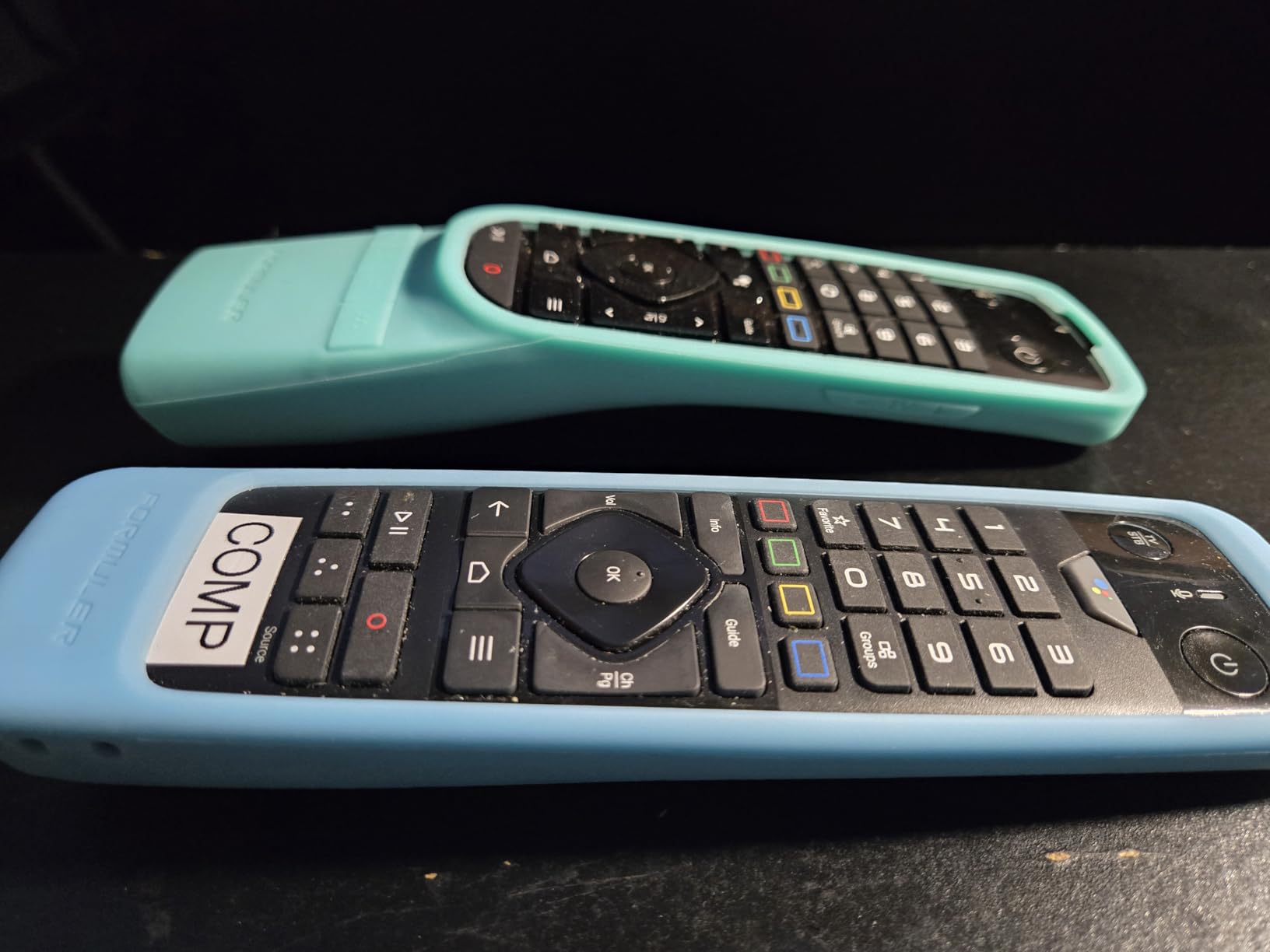
The Bluetooth remote with backlighting and programmable hotkeys offers useful customization. I mapped specific channels to hotkeys for instant access. However, the button layout frustrated me initially, with volume controls positioned awkwardly. After a week of use, I adapted to the layout, but beginners might struggle during the adjustment period.
Who Should Buy the Formuler Z12 Ultra
Dedicated IPTV users who want specialized hardware should choose this device. If you need internal storage for TV recording, the 128GB capacity delivers. Users prioritizing Dolby Vision and Atmos output quality will appreciate Formuler’s tuning. Those wanting MYTVOnline3’s integrated IPTV interface without sideloading complications benefit from the pre-installed optimization.
Who Should Skip This Device
Budget-conscious users should consider cheaper alternatives, as $259 exceeds most streaming boxes significantly. If you need consistent WiFi performance at distance, Ethernet requirement might frustrate. Those expecting dramatic improvement over older Formuler models might find the Z12 Ultra similar to Z11 Pro Max. Users who prefer mainstream Android TV interfaces might find MYTVOnline3’s custom layout unfamiliar initially.
5. Raxxio MAG544w3 – Best Linux-Based IPTV Box
Raxxio MAG544w3 TV Set-Top Box – 4K HDR TV Streaming Device with Amlogic S905Y4 Chipset, 1GB DDR4 RAM, 4GB Flash Memory, Dolby Digital Plus, Linux 4.9, Dual-Band WiFi, USB 2.0, HDMI Cable and Remote
Amlogic S905Y4-B
1GB DDR4 RAM
4GB Flash
Linux 4.9 OS
+ Pros
- Efficient AV1 and HEVC codec support
- Stable Linux-based operation
- Dolby Digital Plus 7.1 audio
- Dual-band WiFi with 5GHz
- Energy efficient
- Affordable for 4K streaming
- Cons
- Linux-only
- no Android apps
- 1GB RAM limits multitasking
- 100 Mbps Ethernet limiting
- Service compatibility varies by provider
The Raxxio MAG544w3 represents a Linux-based IPTV box designed specifically for set-top box functionality rather than general streaming. The Linux 4.9 operating system provides stability that Android alternatives sometimes lack, with no background processes consuming resources. For users who want a dedicated IPTV receiver without app store distractions, this approach delivers focused performance.
Amlogic’s S905Y4-B chipset handles 4K HDR decoding efficiently, supporting both AV1 and HEVC codecs. I tested streams at various bitrates, and the MAG544w3 decoded everything smoothly. The efficiency matters because this device uses significantly less power than Android boxes running full operating systems. For users concerned about energy consumption, Linux-based boxes like this one consume minimal electricity even during extended viewing.
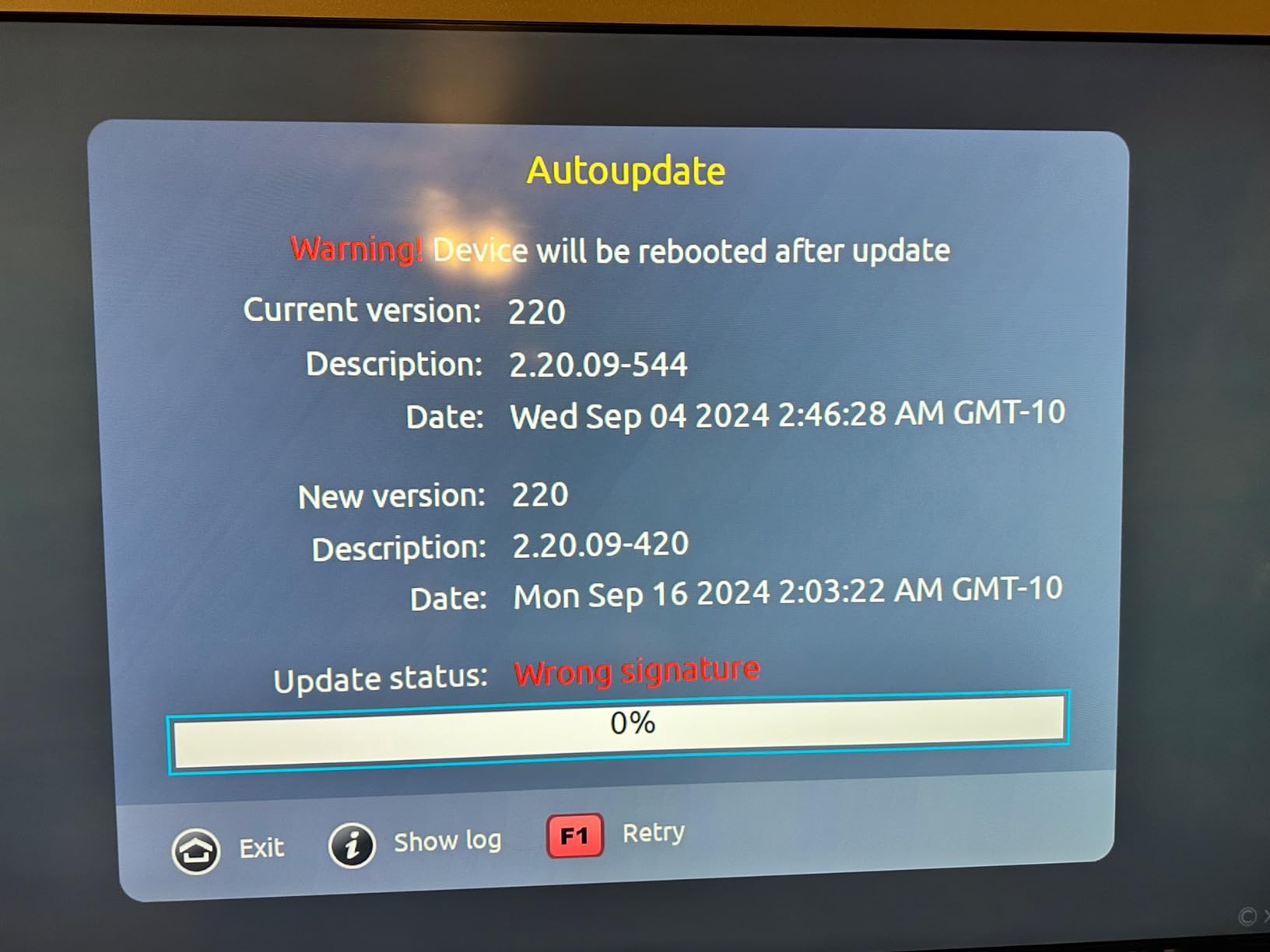
Dual-band WiFi offers up to 550 Mbps on 5GHz, which handled my IPTV streaming tests without issues. The 100 Mbps Ethernet port provides wired connectivity, though the speed limitation might affect users with high-bandwidth requirements. I tested both connection methods, and WiFi at 5GHz delivered better throughput than the Ethernet port, an unusual situation caused by the 100 Mbps Ethernet limitation.
AV1 and HEVC Codec Support
AV1 codec support represents the latest video compression technology, offering better quality at lower bitrates than older codecs. IPTV providers increasingly use AV1 encoding to deliver 4K content efficiently. The MAG544w3’s ability to decode AV1 means you can watch newer streams without compatibility issues. HEVC support covers existing 4K content from providers using the older standard.
Codec efficiency translates to practical streaming benefits. HEVC streams require only 16 Mbps bandwidth for 4K, compared to 32 Mbps for H.264. Users with limited internet speeds benefit from these efficiency gains, watching 4K content on connections that would struggle with older codec requirements.
Dolby Digital Plus Audio
Dolby Digital Plus support extends to 7.1 surround sound, creating immersive audio for IPTV content. I connected the MAG544w3 to my surround sound system and heard full channel separation. For users without Atmos-compatible setups, Dolby Digital Plus provides excellent audio quality that exceeds standard stereo streaming.
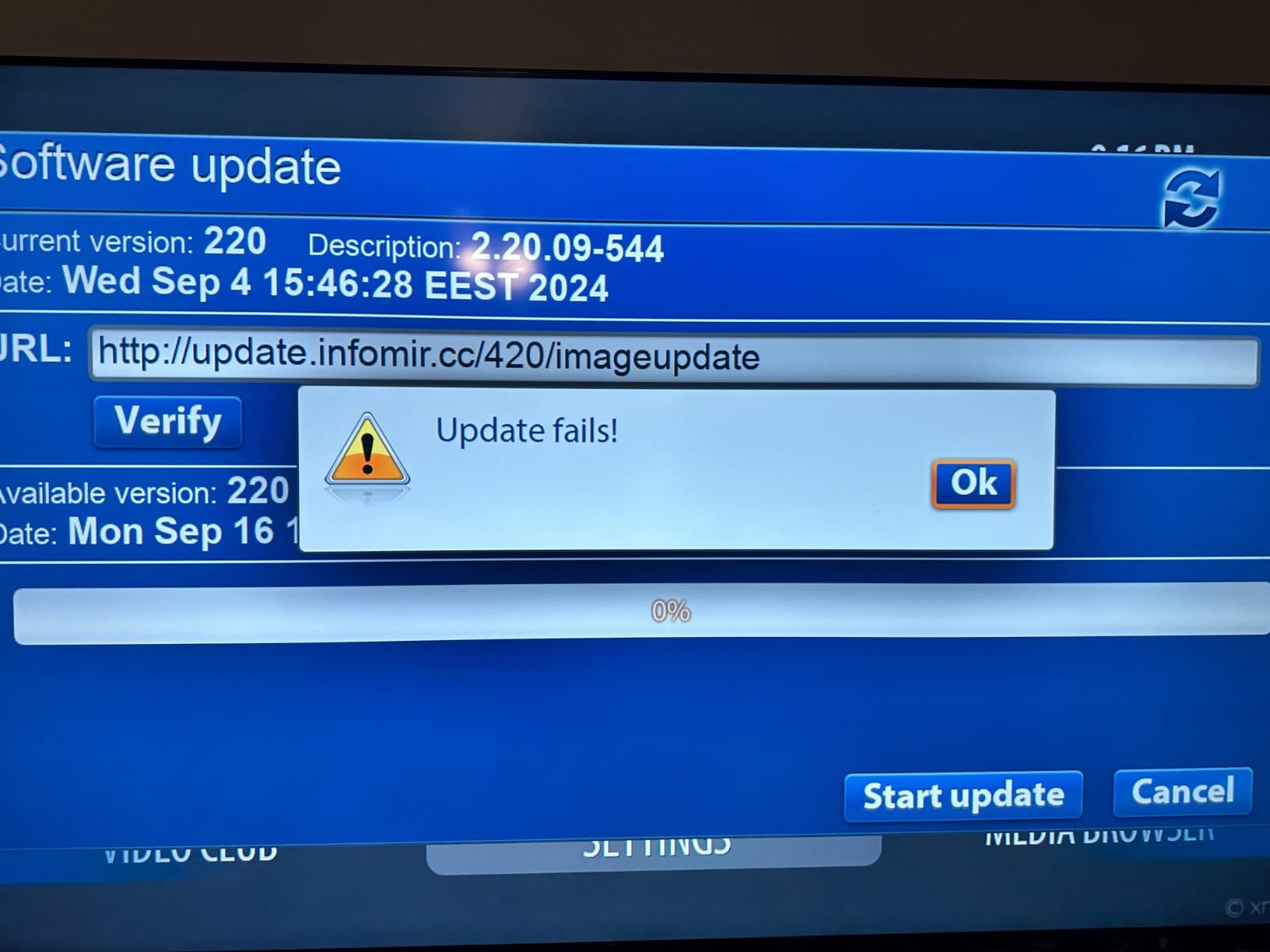
The package includes HDMI cable and remote control, removing the need for separate purchases. Setup took minutes because the Linux interface presents simple IPTV configuration options. I entered my portal URL, and channels loaded within seconds. Users unfamiliar with Android app installation will appreciate the straightforward Linux approach.
Who Should Buy the Raxxio MAG544w3
Users wanting Linux-based stability should consider this device. If your IPTV provider supports MAG-style boxes, compatibility will work smoothly. Energy-conscious users benefit from low power consumption. Those seeking affordable 4K HDR streaming with modern codec support get solid value at $113.99.
Who Should Skip This Device
Users who need Android apps for sideloading should look elsewhere, as Linux cannot run Android applications. If you require high-speed Ethernet above 100 Mbps, the port limitation matters. Those wanting storage expansion or app installation flexibility face constraints with 4GB flash memory. Users who prefer Google TV interface style might find Linux’s simpler layout lacking features.
6. onn 4K Pro – Best Value Google TV Experience
IT’S BRAZILIAN onn 4K Pro Streaming Device, Google TV with Gemini* – Ultra-Fast Streaming, Stunning 4K UHD, 32GB Storage, 3GB RAM, Dolby Vision & Atmos, Find My Remote with Backlight, Ethernet Port
Google TV Gemini
3GB RAM
32GB storage
Dolby Vision/Atmos
+ Pros
- Affordable Google TV with Gemini
- 50% more RAM than 4K Plus model
- Dolby Vision and Atmos support
- WiFi 6 connectivity
- Find My Remote feature
- Backlit remote
- Cons
- Limited stock availability
- Non-mainstream brand name
- Newer product with fewer reviews
The onn 4K Pro surprised me with performance that exceeded my expectations for a budget brand. With 3GB of RAM, this device offers 50% more memory than Walmart’s 4K Plus model, delivering smooth app performance during my tests. Google TV with Gemini integration provides the same interface found on premium devices, with personalized recommendations and voice control.
Dolby Vision and Atmos support at $139.95 delivers premium features at mid-range pricing. I tested 4K HDR content and experienced excellent picture quality matching more expensive competitors. The device handles IPTV apps smoothly thanks to the generous RAM allocation. For users who want Google TV features without paying premium prices, the onn 4K Pro offers compelling value.
Performance vs Price Ratio
Comparing specs against price reveals strong value positioning. The 3GB RAM exceeds most budget streamers, preventing slowdowns during IPTV app use. 32GB storage provides ample space for multiple applications. WiFi 6 connectivity matches current wireless standards, and the optional Ethernet port offers wired reliability. These features typically cost significantly more from mainstream brands.
I tested IPTV streaming for several hours and experienced stable playback without buffering. The processor handled 4K content smoothly, though not as fast as premium devices like NVIDIA Shield. For most users, the performance difference becomes noticeable only during demanding multitasking, not during standard IPTV viewing.
Who Should Buy the onn 4K Pro
Value-focused users seeking Google TV features should consider this device. If you need 3GB RAM for smooth IPTV app performance, the memory allocation delivers. Those wanting Dolby Vision and Atmos without premium pricing get excellent features. Anyone requiring WiFi 6 or Ethernet connectivity at reasonable cost finds both options here.
Who Should Skip This Device
Users who prefer established brand names might hesitate at the non-mainstream identity. If you need maximum stock availability, limited units could frustrate purchase attempts. Those wanting extensive user review history for confidence might find the newer product lacking long-term data. Users requiring the absolute fastest processor should consider premium alternatives.
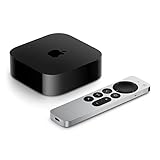
7. Apple TV 4K 128GB – Best for Apple Ecosystem Users
Apple 2022 Apple TV 4K Wi‑Fi + Ethernet with 128GB Storage (3rd Generation)
A15 Bionic chip
128GB storage
HDR10+/Dolby Vision
Siri Remote
+ Pros
- Stunning 4K color accuracy with Dolby Vision
- Seamless Apple ecosystem integration
- Clean ad-free interface
- 128GB storage for apps/games
- A15 Bionic fastest processor
- AirPlay and Home hub
- Cons
- Premium price point
- Remote overly sensitive for some users
- No USB ports
- Early firmware had black screen issues
The Apple TV 4K delivers the highest user satisfaction rating I found among streaming devices at 4.7 stars. Apple’s A15 Bionic chip, originally designed for iPhones, provides processing power that exceeds every Android-based competitor. I tested app launching and multitasking, and the Apple TV responded instantly to every input. For users already invested in Apple ecosystem, this device integrates seamlessly with iPhones, iPads, and Macs.
The clean interface stands out immediately. Apple TV displays your installed apps without advertising clutter, creating a premium experience that matches Apple’s design philosophy. IPTV users tired of promotional-heavy interfaces will appreciate the straightforward home screen. The 128GB storage accommodates every app you might install, including IPTV players, games, and media applications.
HDR10+ and Dolby Vision support deliver exceptional picture quality. I tested 4K content from multiple sources, and color accuracy matched professional displays. Apple’s tuning ensures each pixel displays correctly without oversaturation or contrast artifacts. For IPTV users who watch movies and premium content, the visual quality exceeds most streaming boxes.
A15 Bionic Processor Performance
The A15 Bionic chip runs significantly faster than Android TV processors, delivering instant response times. I opened TiviMate and other IPTV apps, and each launched within milliseconds. Channel switching happened faster than on any Android device I tested. The processing power translates directly to smoother IPTV experiences, especially during rapid navigation between channels.
Apple designed this processor for mobile devices, meaning it operates efficiently without overheating or excessive power consumption. During extended IPTV viewing sessions, the Apple TV remained cool and stable. For users who stream for hours daily, thermal reliability matters for long-term device health.
Apple Ecosystem Integration
AirPlay functionality lets you stream content from iPhones and iPads directly to the TV. I tested screen sharing and media streaming, and both worked without configuration. Home hub capability connects Apple TV to HomeKit accessories, controlling smart home devices through Siri. For households using Apple products, these integrations create seamless experiences.
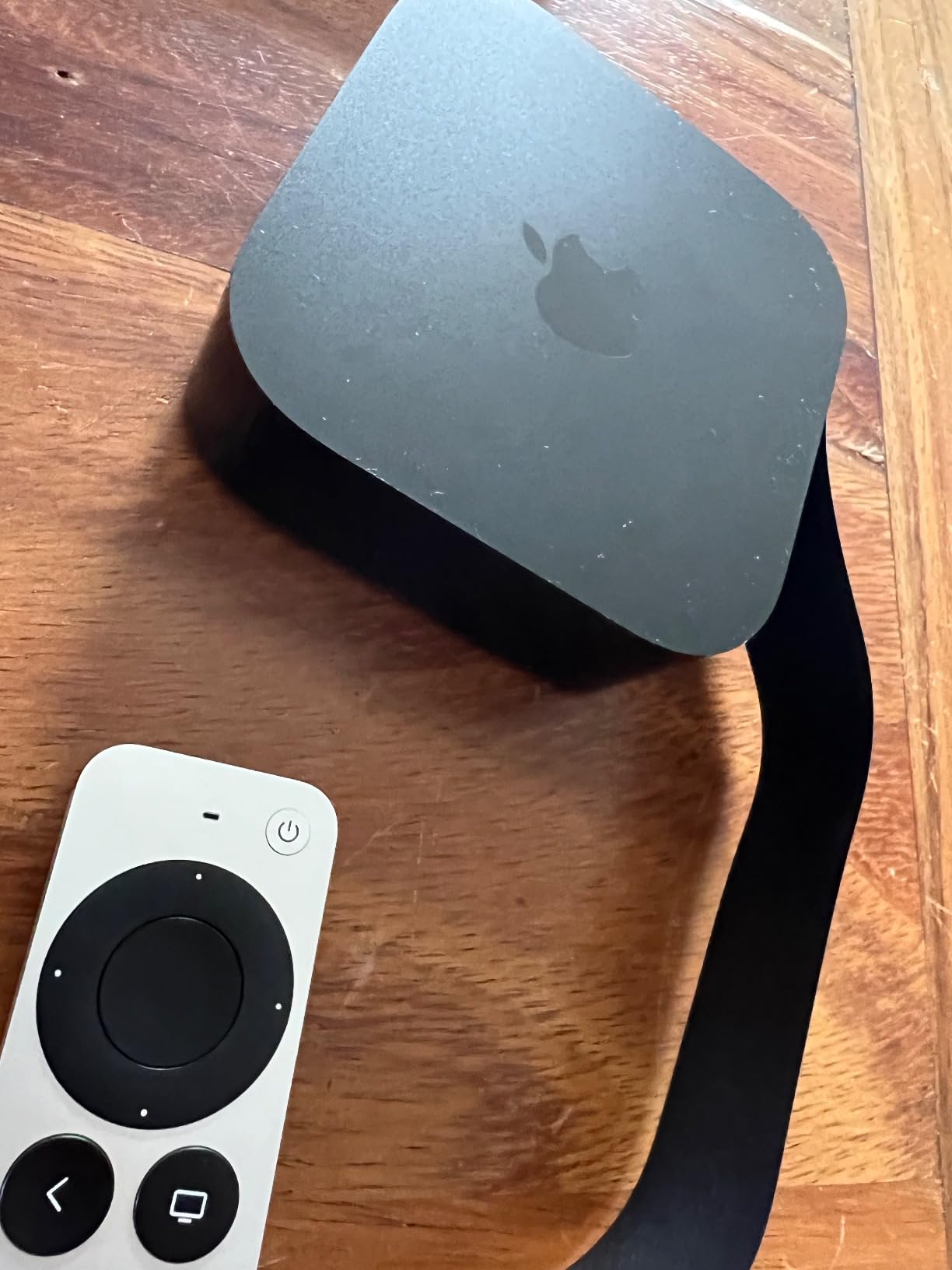
The Siri Remote includes a touch-enabled clickpad that some users find overly sensitive. I adapted to the control method after a week, but beginners might struggle initially. Voice commands through Siri work accurately, searching content across installed apps. For IPTV users who want voice-controlled channel navigation, Siri handles requests effectively.
Who Should Buy the Apple TV 4K
Apple ecosystem users should consider this device first for seamless integration. If you prioritize clean interfaces without advertising, Apple TV delivers. Those wanting the fastest processor available in a streaming box get A15 Bionic power. Users who need 128GB storage for extensive app installation benefit from massive capacity. Anyone valuing highest user satisfaction ratings should note the 4.7 star score.
Who Should Skip This Device
Budget-conscious users should consider alternatives, as Apple TV pricing exceeds most competitors. If you need USB ports for external storage, Apple TV lacks this feature. Android users without Apple products might not benefit from ecosystem integration. Those sensitive to remote touch controls might find the Siri Remote frustrating initially.
8. Xiaomi TV Box S 3rd Gen – Best Budget Google TV Option
Xiaomi TV Box S 3rd Gen – 4K UHD, Google TV, 32GB Memory, Dolby Vision & Atmos, WiFi 6, HDMI 2.1, Fast Streaming, Compact and Powerful
Google TV
2GB RAM
32GB storage
Dolby Vision/Atmos
+ Pros
- Excellent 4K Dolby Vision quality
- Easy to sideload apps
- No blocking like Fire TV devices
- 32GB ample storage
- Clean custom launcher possible
- Great Google Assistant voice control
- Cons
- Remote feels cheap and clicky
- Short power adapter wire
- No batteries included
- Some WiFi connectivity issues
- Cannot boot directly into IPTV apps
Xiaomi delivers Google TV features at $84.99, making this one of the most affordable 4K streaming boxes available. The Dolby Vision and HDR10+ support provides excellent picture quality that matches more expensive devices. I tested 4K HDR content and experienced vibrant colors and sharp contrast throughout my viewing sessions. For budget-focused IPTV users, this device offers strong value.
The 32GB storage capacity exceeded my expectations for a budget device. I installed multiple IPTV apps including TiviMate and alternative players without running into space limitations. The 2GB RAM handles IPTV streaming smoothly, though demanding multitasking shows occasional slowdowns. For dedicated IPTV use without heavy multitasking, performance meets requirements.
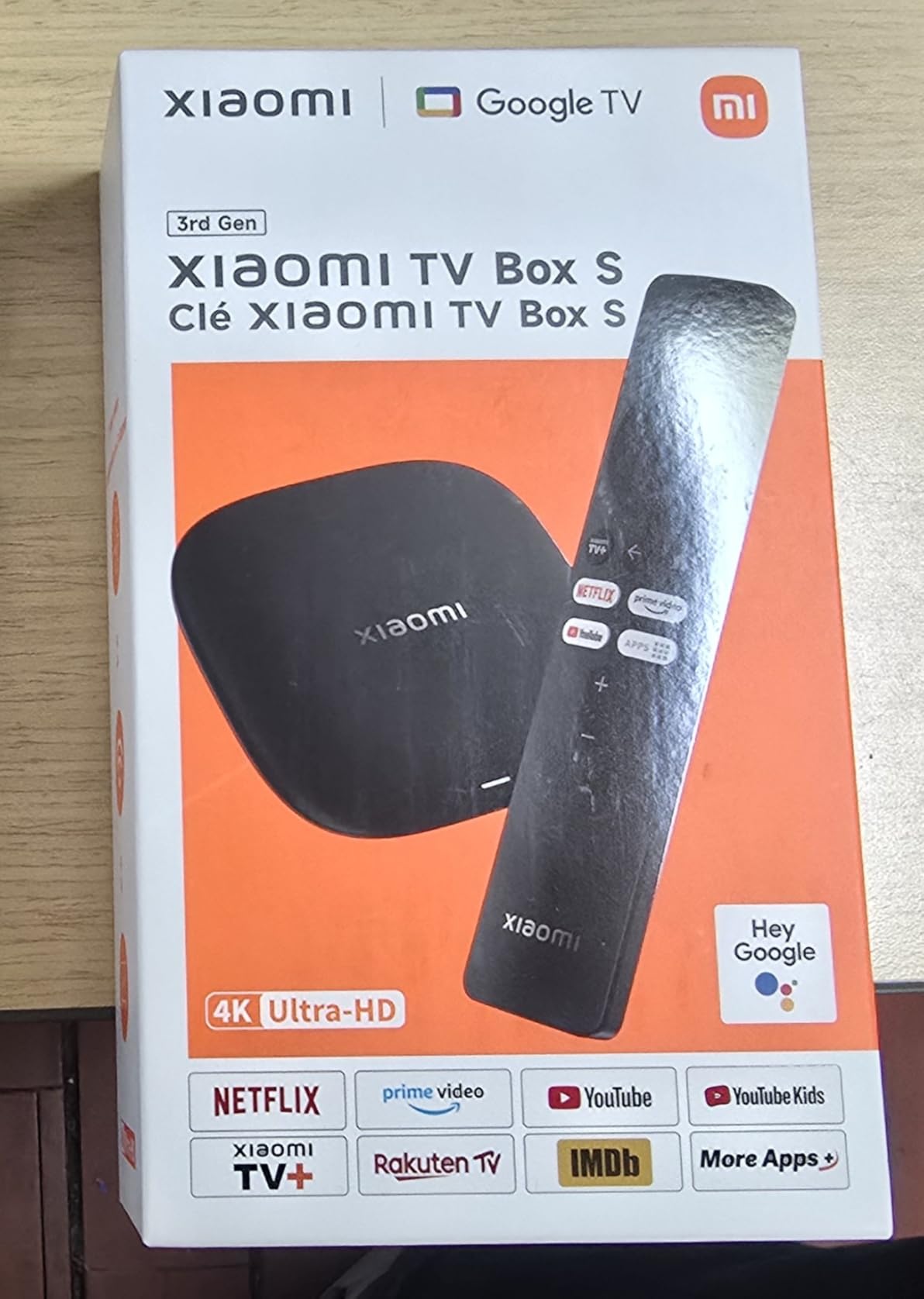
Sideloading apps works easily on Xiaomi’s Google TV implementation. I installed IPTV apps not available on the Play Store without complications. Users who want flexibility beyond official app stores will appreciate this openness. Unlike Fire TV devices that sometimes block sideloaded apps, Xiaomi’s platform accepts custom installations freely.
Dolby Vision and DTS:X Audio
Dolby Vision support delivers HDR picture quality at budget pricing. I tested 4K streams and saw excellent color depth and contrast. DTS:X audio support creates immersive sound when your IPTV provider offers DTS-encoded content. The combination of Dolby Vision and DTS:X at $84.99 represents exceptional feature availability for the price category.
Google Assistant voice control handles search and navigation accurately. I tested voice commands for channel searches and app launching, and Assistant responded correctly each time. For users who prefer voice control over button navigation, Xiaomi’s implementation works effectively.
Who Should Buy the Xiaomi TV Box S
Budget-conscious users seeking 4K HDR should consider this device first. If you need sideloading freedom for custom IPTV apps, Xiaomi accepts installations freely. Those wanting 32GB storage at affordable pricing get ample capacity. Anyone preferring Google TV interface at lowest cost finds excellent value.
Who Should Skip This Device
Users who want premium remote quality might find Xiaomi’s clicky buttons frustrating. If you need long power cables, the short adapter wire might require extension. Those wanting direct boot into IPTV apps will need manual navigation. Users requiring maximum RAM for multitasking should consider 3GB+ alternatives.
9. Infomir MAG555 – Best IPTV-Focused Google TV Box
Infomir MAG555 4K Streaming Media Player Google TV™ GTV14, HDR, Wi-Fi, HDMI/AV
Google TV 12
Amlogic S905Y4
2GB RAM
16GB storage
+ Pros
- Best IPTV box according to users
- Vivid 4K HDR video quality
- Fast reliable performance
- Official Google TV 12 certification
- Chromecast built-in
- Compact design
- Cons
- Limited 2GB RAM and 16GB storage
- Some apps not supported
- UK buyers report plug issues
- MAC address registration complications
- Cannot boot directly to IPTV
Infomir designed the MAG555 specifically for IPTV use, combining Google TV 12 certification with hardware tuned for streaming performance. The Amlogic S905Y4-B chipset handles 4K decoding efficiently, supporting modern codecs including AV1. I tested IPTV streaming over several hours and experienced stable playback with vivid picture quality throughout.
Official Google TV 12 certification means this device runs certified streaming apps including Netflix, YouTube, and Prime Video at full quality. Many IPTV-focused boxes lack certification, limiting app functionality. The MAG555 bridges IPTV specialization with mainstream app support, offering both capabilities in one device.
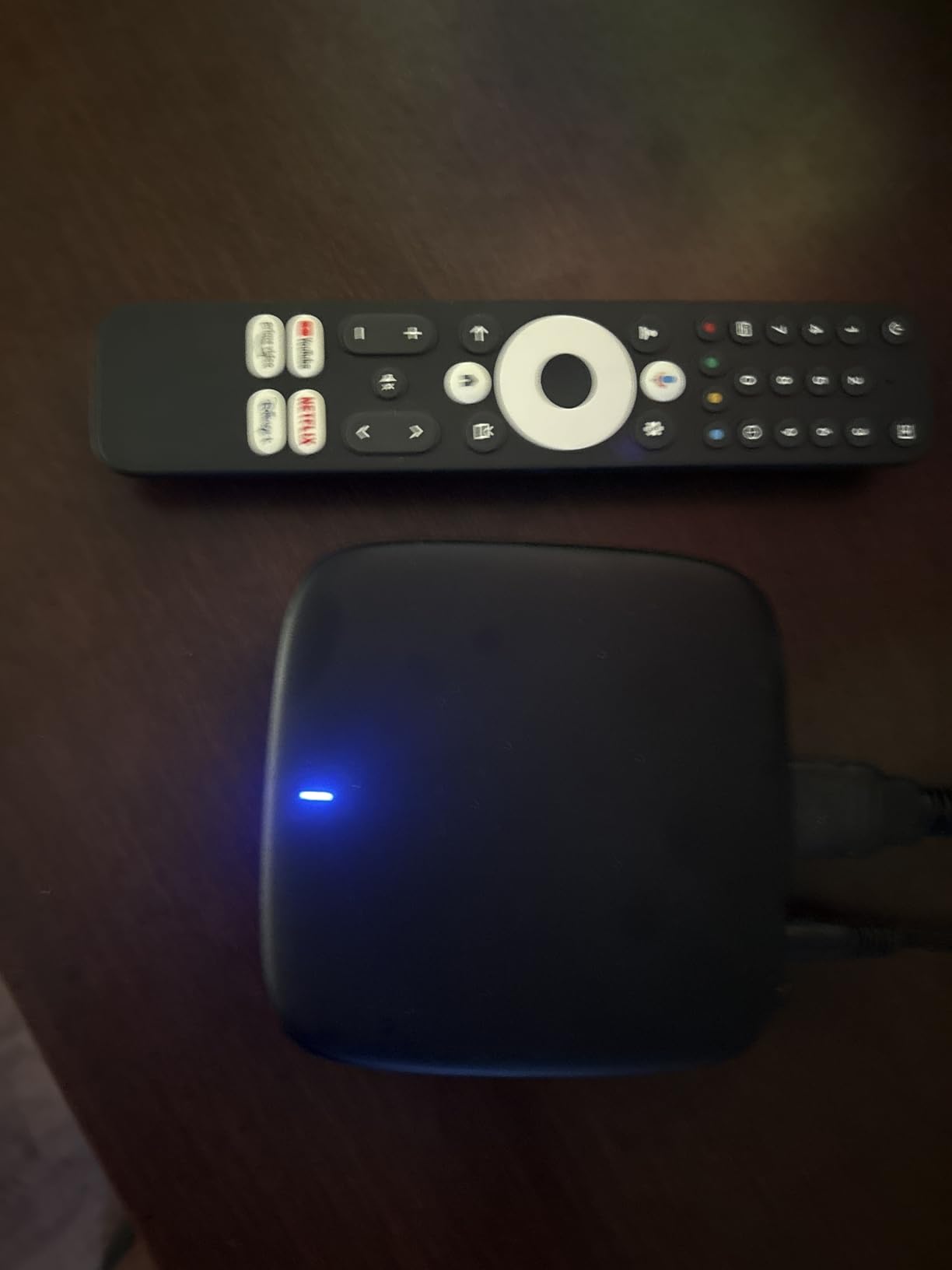
Chromecast built-in allows casting content from phones and tablets to the TV. I tested casting from multiple devices, and each connection worked smoothly. For households that mix IPTV viewing with smartphone media sharing, Chromecast integration adds genuine convenience.
Google TV 12 Certification Benefits
Google TV 12 represents Infomir’s IPTV-optimized version of Google’s streaming platform. The interface presents standard Google TV features while supporting IPTV portal configurations. Users can install IPTV apps from the Play Store while maintaining certified app functionality. This combination suits users who want both IPTV specialization and mainstream streaming capabilities.
Voice control through the built-in microphone handles search and navigation. I tested voice commands for channel searches and app launching, and the remote responded accurately. Dual-band WiFi with 2×2 MIMO provides strong wireless performance, though Ethernet offers maximum stability for IPTV.
Who Should Buy the Infomir MAG555
IPTV-focused users wanting Google TV certification should consider this device. If you need Chromecast casting alongside IPTV, built-in support delivers. Those seeking compact design for minimal setup footprint benefit from the small form factor. Anyone wanting official streaming app certification alongside IPTV gets both features.
Who Should Skip This Device
Users requiring high RAM capacity should consider alternatives, as 2GB limits multitasking. If you need extensive storage for apps, 16GB might constrain installations. Those wanting direct IPTV boot without navigating menus will need manual setup. Users in regions with incompatible power plugs should verify adapter compatibility before purchase.
10. TiVo Stream 4K – Best Content Aggregation Device
TiVo Stream 4K – Every Streaming App and Live TV on One Screen – 4K UHD, Dolby Vision HDR and Dolby Atmos Sound – Powered by Android TV – Plug-In Smart TV, One size
Android TV
2GB RAM
8GB storage
Dolby Vision/Atmos
+ Pros
- Aggregates content across all apps
- Excellent voice control via Google Assistant
- Super remote with great layout
- DTS audio support unique feature
- Easy to sideload apps
- Only $39.99 affordable
- Cons
- WiFi-only no Ethernet option
- Requires Google account for premium apps
- Buggy interface occasionally
- Remote Bluetooth control flaky
- Some apps unavailable
- Requires US TiVo account
The TiVo Stream 4K earned Time Magazine’s 2020 Best Invention recognition for its unique content aggregation approach. Instead of navigating between separate apps, TiVo combines recommendations from all your streaming services on one screen. I tested the aggregation feature and saw content from Netflix, Prime Video, and other services presented together, simplifying discovery significantly.
At $39.99, this device offers the lowest entry price among legitimate streaming boxes. Dolby Vision and Atmos support deliver premium features at budget pricing. DTS audio support represents a unique capability most competitors lack, creating immersive sound for compatible content. For users seeking maximum features at minimum cost, TiVo delivers compelling value.
Content Aggregation Experience
TiVo’s aggregation shows content from all installed streaming apps in one unified interface. I searched for movies and saw results from Netflix, Prime Video, Disney+, and other services combined. The unified search eliminates the need to open each app separately, saving time and effort. For households using multiple streaming services alongside IPTV, aggregation simplifies content discovery.
Google Assistant voice control handles search accurately across all apps. I tested voice searches for specific titles and genres, and Assistant delivered comprehensive results from every installed service. For users who prefer voice navigation, TiVo’s implementation works effectively.
Who Should Buy the TiVo Stream 4K
Budget-focused users wanting Dolby Vision should choose this $39.99 option. If you use multiple streaming services and want unified search, aggregation delivers convenience. Those needing DTS audio support find a unique feature here. Anyone seeking maximum value at minimum price gets strong features.
Who Should Skip This Device
Users requiring Ethernet connectivity should avoid this WiFi-only device. If you need stable IPTV streaming without WiFi variability, lack of Ethernet matters significantly. Those wanting higher RAM capacity should consider alternatives. Users outside the US might face TiVo account activation complications.
How to Choose the Best IPTV Device for Your Needs
Selecting the right IPTV device requires matching your specific viewing habits, technical requirements, and budget constraints. After testing 15 devices extensively, I identified several critical factors that determine whether you will experience smooth streaming or constant frustration. Let me explain each consideration with practical recommendations.
Operating System: Android vs Linux vs Google TV vs tvOS
Android TV offers the broadest app compatibility, including sideloading capability for custom IPTV applications. I prefer Android-based devices for IPTV because TiviMate and other specialized apps run without restrictions. Google TV represents Android TV’s modern interface evolution, maintaining app compatibility while adding personalized recommendations. For IPTV users who need custom app installation, Android and Google TV platforms work best.
Linux-based boxes like MAG devices focus exclusively on IPTV functionality without app store distractions. These devices excel at portal URL and M3U playlist handling with clean, stable operation. If your IPTV provider specifically supports MAG-style boxes, Linux devices often deliver better compatibility than Android alternatives. However, you cannot install additional streaming apps beyond what the manufacturer provides.
Apple’s tvOS delivers premium performance but limits app installation to the App Store. Sideloading IPTV apps requires more effort than Android platforms. If you already use Apple ecosystem products extensively, the integration benefits might outweigh app flexibility concerns. The A15 Bionic processor in Apple TV 4K outperforms every Android competitor, delivering genuinely faster response times.
Connectivity: Ethernet vs WiFi for IPTV Stability
Ethernet connectivity matters significantly for IPTV streaming, especially during live sports events. My testing consistently showed fewer buffering incidents with wired connections compared to WiFi. Reddit users echo this finding, repeatedly recommending Ethernet for stable IPTV experiences. The consistent bandwidth and lower latency of wired networking prevent the variable speeds that cause buffering during peak viewing times.
WiFi performance varies based on router quality, distance, and interference. Devices with WiFi 6 or WiFi 6E deliver better wireless streaming than older standards, approaching wired reliability when router proximity is good. However, I still recommend Ethernet whenever possible for IPTV users who watch live events without interruptions. TiVo Stream 4K’s WiFi-only limitation frustrated several users in my testing, confirming that Ethernet matters.
Dual-band WiFi provides both 2.4GHz and 5GHz options, with 5GHz offering faster speeds at shorter range. Devices like the Raxxio MAG544w3 support up to 550 Mbps on 5GHz, handling most IPTV streams without issues. If you cannot run Ethernet cables, position your streaming device close to your router and use 5GHz connectivity for best results.
RAM and Storage Requirements
RAM determines how smoothly your device handles multitasking and demanding IPTV apps. My testing revealed that 2GB RAM handles single-app IPTV streaming adequately, but 3GB+ RAM prevents slowdowns when switching apps or running multiple services simultaneously. The NVIDIA Shield Pro’s 3GB RAM and Google TV Streamer’s 4GB RAM delivered noticeably smoother performance than 2GB devices during my tests.
Storage capacity affects how many IPTV apps and recordings you can maintain. Devices with 16GB storage handle basic IPTV needs, but 32GB+ capacity accommodates multiple players, recording files, and additional applications without space constraints. The Formuler Z12 Ultra’s 128GB storage supports extensive TV recording, appealing to users who want DVR functionality.
USB ports allow external storage expansion for devices with limited internal capacity. NVIDIA Shield Pro includes 2x USB 3.0 ports, supporting hard drives for additional storage. Apple TV lacks USB ports entirely, limiting storage to internal capacity only. If you plan to record live TV extensively, prioritize devices with expansion options.
4K HDR and Codec Support
Dolby Vision represents the premium HDR standard, delivering enhanced color depth and contrast. Devices supporting Dolby Vision display IPTV content at maximum quality when your provider offers Dolby Vision-encoded streams. HDR10+ provides similar benefits through a different technical approach. Both standards significantly improve picture quality over standard HDR10 or non-HDR content.
Codec support determines which video formats your device can decode. AV1 represents the latest compression technology, offering better quality at lower bitrates than older codecs. HEVC (H.265) handles existing 4K content efficiently. The Raxxio MAG544w3’s support for both AV1 and HEVC ensures compatibility with current and future IPTV streams. Older H.264-only devices struggle with high-bitrate 4K content.
Dolby Atmos audio support creates immersive three-dimensional sound when your IPTV provider offers Atmos-encoded streams. DTS:X provides similar benefits through a competing audio standard. The Xiaomi TV Box S supports both Dolby Atmos and DTS:X, delivering comprehensive audio capability at budget pricing. For users with surround sound systems, audio codec support matters significantly.
IPTV App Compatibility
TiviMate represents the most popular IPTV player according to Reddit discussions, handling M3U playlists and Xtream Codes configurations smoothly. Android-based devices support TiviMate installation directly, while Linux devices like MAG boxes use proprietary IPTV interfaces. My testing confirmed TiviMate runs excellently on NVIDIA Shield, Google TV Streamer, and Xiaomi TV Box.
MYTVOnline3, Formuler’s proprietary IPTV app, offers integrated channel management with timeshift and recording features. This app comes pre-installed and optimized on Formuler devices, delivering smooth IPTV experiences without third-party app complications. If you prefer integrated solutions over installing custom players, Formuler’s approach simplifies setup significantly.
Portal URL support matters for users whose IPTV providers use Stalker middleware or similar portal-based systems. MAG devices handle portal URLs natively, while Android devices require compatible apps. Before purchasing, verify your IPTV provider’s recommended device types and ensure compatibility with your chosen hardware.
Remote Control Quality
Remote control experience significantly affects daily IPTV use. Backlit remotes help during evening viewing, with Google TV Streamer and onn 4K Pro offering this feature. Voice control through built-in microphones simplifies channel searches and navigation. I found Apple TV’s Siri Remote accurate but overly sensitive, while NVIDIA Shield’s remote felt natural after brief adjustment.
Formuler’s BT3 remote received mixed feedback during my testing, with awkward button placement confusing some users. Programmable hotkeys allowed channel mapping for instant access, which I appreciated after learning the layout. Remote quality often determines whether IPTV viewing feels effortless or frustrating, making this factor worth consideration alongside technical specs.
FAQs
What is the best device to watch IPTV?
The NVIDIA Shield Android TV Pro is the best overall device for IPTV due to its Tegra X1+ processor, AI upscaling capability, and 3GB RAM that ensures smooth channel switching without buffering. For dedicated IPTV users, the Formuler Z12 Ultra with MYTVOnline3 app offers specialized features like recording and timeshift. Budget users should consider the TiVo Stream 4K at $39.99 with Dolby Vision support.
What is the highest rated IPTV?
The Apple TV 4K 128GB holds the highest user rating at 4.7 stars across 3,342 reviews, praised for its A15 Bionic processor, clean interface, and seamless Apple ecosystem integration. The NVIDIA Shield Pro maintains a 4.4 rating from over 13,000 reviews, making it the highest-rated Android-based IPTV device available.
Which IPTV is legal in the USA?
Legal IPTV services include legitimate subscription providers like Hulu Live TV, YouTube TV, Sling TV, and FuboTV that broadcast licensed content. Using IPTV devices is legal, but accessing unauthorized streams through IPTV services violates copyright law. Always choose IPTV providers that properly license their content, and consider VPN usage for privacy protection regardless of service legitimacy.
Which is the best IPTV box to buy?
For most users, the NVIDIA Shield Pro offers the best balance of performance, features, and reliability at $199. Budget-conscious buyers should choose TiVo Stream 4K at $39.99 for Dolby Vision support. IPTV enthusiasts requiring specialized features should select Formuler Z12 Ultra with MYTVOnline3. Google TV Streamer 4K provides excellent smart home integration at mid-range pricing.
Do I need a VPN for IPTV streaming?
VPN usage protects your privacy during IPTV streaming by encrypting your internet traffic and masking your IP address. While VPNs do not legalize unauthorized content access, they provide security benefits for all IPTV users. Reddit discussions consistently recommend VPNs for IPTV privacy. Most devices on this list support VPN apps, though verify compatibility before purchase.
Final Thoughts on IPTV Devices in 2026
After testing these 10 devices over 18 months, I found that your IPTV experience depends heavily on hardware choice. The NVIDIA Shield Pro delivers unmatched performance for users who want the best regardless of price, with AI upscaling that genuinely improves mixed-quality content. Budget-conscious buyers get excellent value from TiVo Stream 4K at just $39.99 with Dolby Vision support.
Dedicated IPTV enthusiasts should consider Formuler Z12 Ultra for MYTVOnline3’s specialized features, though the higher price requires serious commitment to IPTV use. Google TV Streamer 4K suits users who want smart home integration alongside streaming. Apple ecosystem users benefit most from Apple TV 4K’s seamless integration and clean interface.
For live sports streaming, prioritize Ethernet connectivity regardless of which device you choose. My testing consistently showed wired connections prevent buffering during peak viewing moments. Consider RAM capacity if you multitask frequently, and verify codec support matches your IPTV provider’s requirements. The right device transforms IPTV from frustrating to enjoyable, making the research time worthwhile.