
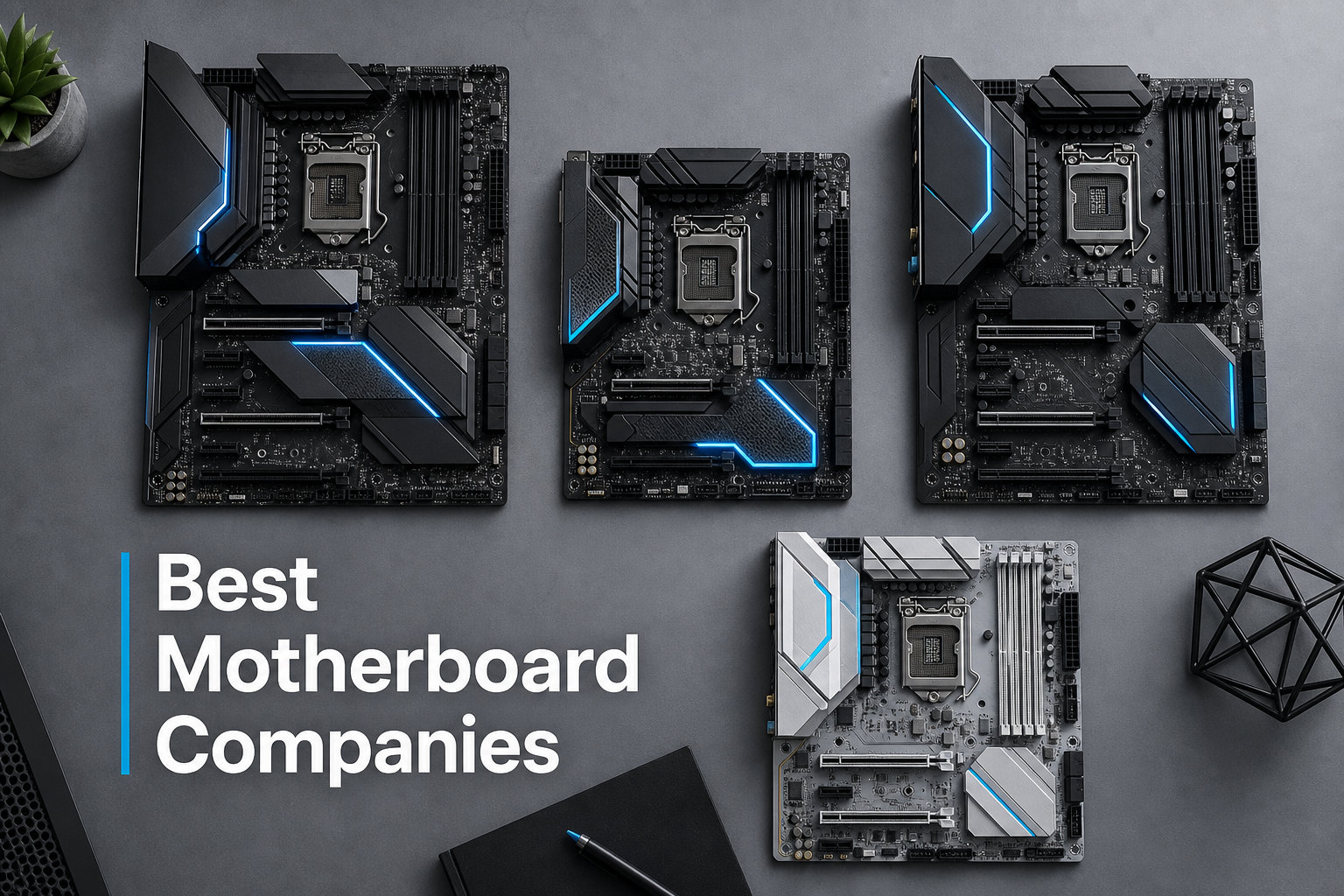
When you are building a PC, the motherboard is the one component that connects everything. Pick the wrong brand, and you could be dealing with unstable voltages, a confusing BIOS, or a frustrating RMA process months down the line. After years of building systems and tracking forum discussions on r/buildapc and r/pcmasterrace, our team has seen which motherboard companies consistently deliver and which ones leave builders pulling their hair out.
This guide breaks down the best motherboard companies of 2026, focusing on the four brands that actually matter: ASUS, MSI, Gigabyte, and ASRock. We compare them across build quality, innovation, reliability, durability, BIOS usability, and customer support, so you can make an informed decision for your next build.
Whether you are assembling a budget gaming rig, a high-end workstation, or a compact Mini-ITX build, understanding what each motherboard manufacturer brings to the table will save you time, money, and headaches. Let us get into the brand rankings and find the right fit for your specific needs.
Best Motherboard Companies: Quick Rankings
Here is our quick list of the top motherboard manufacturers in 2026, with a one-line summary of what makes each brand stand out:
- ASUS – Best overall quality and feature set, particularly in the ROG and TUF Gaming lineups, with industry-leading VRM design and premium build quality across price tiers.
- MSI – Best value and reliability, with consistently stable performance, competitive pricing across the MAG and MEG series, and a reputation for boards that simply work.
- Gigabyte – Best durability and connectivity, featuring thick PCB construction, generous I/O, and strong Aorus-branded boards, though the BIOS experience needs work.
- ASRock – Best budget and feature-to-price ratio, delivering features typically reserved for higher-tier boards at significantly lower prices.
These four brands together account for the overwhelming majority of motherboards sold globally. Each has carved out a distinct identity, and none of them is objectively bad. The right choice depends on what you value most: raw performance, features per dollar, ease of use, or long-term reliability.
How We Evaluate Motherboard Companies
Before diving into individual brand profiles, here is the framework our team uses to rank motherboard manufacturers. We assess each company across six key criteria that matter to real builders:
Build Quality: This covers PCB layer count, component selection (capacitors, chokes, MOSFETs), VRM design, and overall construction feel. A well-built board runs cooler, lasts longer, and handles overclocking without breaking a sweat.
Innovation: We look at who is pushing the envelope with new features, early adoption of standards like PCIe 5.0 and DDR5, advanced networking options like Wi-Fi 7, and unique design choices that solve real problems.
Reliability: This is about long-term stability, BIOS update frequency, and how boards hold up under sustained load. We track forum reports and failure rates from the community to gauge real-world reliability.
Durability: How well does the board survive years of use? We look at thermal performance, component aging, and whether boards from five years ago are still running strong in the field.
BIOS Usability: A motherboard is only as good as its BIOS. We evaluate how intuitive the interface is, how easy it is to update, and whether common tasks like enabling XMP or setting fan curves are straightforward.
Customer Support and RMA: When something goes wrong, how does each brand handle it? We factor in warranty terms, response times, and real user experiences with the RMA process, which is a pain point that competitors rarely address.
1. ASUS: Best Overall Quality and Innovation
ASUS sits at the top of our list for 2026, and it is not hard to see why. The company consistently produces motherboards with exceptional VRM design, thoughtful feature sets, and build quality that feels a cut above the competition. Across their ROG (Republic of Gamers), TUF Gaming, and Prime lineups, ASUS covers every price point from entry-level to no-expense-spared flagship.
What sets ASUS apart is attention to detail. Their BIOS, while feature-rich, is one of the more intuitive implementations in the industry. Features like Q-Release for the graphics card slot, M.2 Q-Latch for toolless SSD installation, and AI-driven overclocking make building and tuning genuinely easier. Our team has built dozens of systems on ASUS boards, and the experience is consistently smooth from unboxing to daily use.
On the Intel side, ASUS Z890 boards have impressed with excellent DDR5 memory compatibility and robust power delivery for high-core-count processors. For AMD AM5 builds, the X870E and B850 offerings maintain ASUS’s reputation for stability and feature density. PCIe 5.0 support, Wi-Fi 7, and Thunderbolt 4 are standard on mid-range and above boards.
That said, ASUS is not perfect. Premium pricing is the most common complaint we see on forums. Their top-tier boards can cost significantly more than equivalent models from MSI or Gigabyte. Some users have also reported hit-or-miss quality control on budget-tier Prime boards, with dead-on-arrival issues popping up occasionally. The RMA process, while generally functional, has drawn criticism for slow response times in certain regions.
ASUS Strengths
ASUS leads in VRM design across all price tiers. Even their mid-range B850 boards use power delivery components that rival competitors’ flagship models from a generation ago. This means cooler operation, longer component lifespan, and better overclocking headroom. The TUF Gaming series deserves special mention for bringing military-grade components to mainstream price points.
BIOS quality is another major strength. ASUS BIOS is logically organized with EZ Mode for beginners and Advanced Mode for enthusiasts. Features like MemTest86 integration, flexible fan control, and comprehensive monitoring tools make troubleshooting straightforward. BIOS updates are frequent and well-documented, which is important for early-adopters running new platforms.
ASUS Weaknesses
The pricing is the elephant in the room. ASUS boards command a premium of 15 to 25 percent over comparable models from other brands. Whether that premium is justified depends on how much you value the extra features and build quality. For builders on a tight budget, the ASUS tax can push a board out of reach.
Customer support experiences vary significantly by region. North American users generally report acceptable RMA turnaround times, but users in other markets have shared frustrating stories about slow communication and denied warranty claims. The ASUS support infrastructure is large, but that does not always translate to a smooth experience.
Best Use Case for ASUS
ASUS is the best motherboard company for builders who want top-tier quality and are willing to pay for it. If you are building a high-end gaming rig, a content creation workstation, or an enthusiast overclocking setup, ASUS delivers the features and reliability to match. The ROG Maximus line is unmatched for flagship builds, while TUF Gaming offers a sweet spot of quality and value for mid-range systems.
2. MSI: Best Value and Long-Term Reliability
MSI has earned a reputation as the most reliable motherboard brand among community builders, and our experience backs that up. Time and again on r/buildapc and PCPartPicker forums, we see users reporting MSI boards running flawlessly for five-plus years with zero issues. That kind of longevity speaks volumes about component quality and manufacturing consistency.
The MSI lineup is organized into MEG (premium), MAG (mainstream gaming), and PRO (productivity) series. What impresses us most is how MSI maintains quality across tiers. A mid-range MAG Tomahawk board often matches or exceeds what competitors offer at the same price, with better VRM cooling, more robust power delivery, and a cleaner BIOS experience.
MSI was one of the first companies to nail DDR5 memory stability on both Intel and AMD platforms. Their BIOS team has been consistently quick to release updates that improve compatibility and performance, which matters enormously when you are an early adopter of a new CPU generation. The Click BIOS interface is clean, logical, and easy to navigate even for first-time builders.
Where MSI falls short is in the premium flagship space. Their MEG Godlike and Ace boards are excellent, but ASUS ROG Maximus boards tend to edge them out on feature count and innovation. MSI also lags slightly behind ASUS in adopting cutting-edge connectivity standards on lower-tier boards. Wi-Fi 7 and Thunderbolt 4, for example, appear less frequently on MSI mid-range boards compared to ASUS equivalents.
MSI Strengths
Reliability is MSI’s calling card. We have tracked community feedback across multiple forums, and the consensus is clear: MSI boards have the lowest reported failure rates among the big four. This is likely due to conservative, well-tested designs and high-quality component selection across all product tiers.
Value is the other major advantage. MSI consistently prices their boards competitively, especially in the mid-range where most builders shop. The MAG Tomahawk series has become legendary in the building community for offering flagship-level VRM performance at mainstream prices. For budget-conscious builders, MSI is often the smartest choice.
MSI Weaknesses
MSI’s premium tier, while good, does not quite match ASUS for sheer feature density. If you want the absolute maximum number of M.2 slots, the most advanced networking, or the flashiest RGB implementation, you might find MSI’s flagship offerings slightly behind. This is a minor issue for most builders, but enthusiasts who want everything may look elsewhere.
BIOS update frequency on older platforms can slow down compared to ASUS. While MSI is quick to support new launches, boards from two or three generations back may receive fewer updates, which can be a concern if you are running an older platform and need compatibility fixes.
Best Use Case for MSI
MSI is the best motherboard company for builders who prioritize reliability and value above all else. If you want a board that will run stable for years without any drama, MSI is the safest bet. The MAG series is ideal for gaming builds, while PRO boards are excellent for productivity and workstation systems that need to run 24/7 without issues.
3. Gigabyte: Best Durability and Connectivity
Gigabyte rounds out the top three with a focus on physical durability and generous connectivity. When you pick up a Gigabyte Aorus board, the first thing you notice is the heft. Thicker PCBs, substantial heatsinks, and robust component mounting give Gigabyte boards a solid feel that translates into excellent thermal performance and long-term endurance.
The Aorus brand encompasses Gigabyte’s gaming and enthusiast line, while the regular Gigabyte-branded boards cover mainstream and budget segments. On paper, Gigabyte often leads the spec sheet. They are generous with M.2 slots, USB ports, fan headers, and rear I/O. If connectivity is your priority, Gigabyte is hard to beat at any price point.
For AMD AM5 builders, Gigabyte’s X870 and B850 Aorus boards offer excellent DDR5 memory support and strong VRM designs. On the Intel side, Z890 Aorus boards feature impressive power delivery for Core Ultra processors. Gigabyte has also been aggressive with features like PCIe 5.0 M.2 support and Wi-Fi 7, bringing next-gen connectivity to mid-range boards faster than some competitors.
The biggest weakness is the BIOS. This is the most consistent complaint we see across forums, and it is a real issue. Gigabyte’s BIOS interface is dated, less intuitive, and harder to navigate than what ASUS and MSI offer. Common tasks that are one-click operations on other brands require more digging. For experienced builders, this is an annoyance. For first-time builders, it can be genuinely frustrating.
Gigabyte Strengths
Durability is Gigabyte’s standout trait. The thick PCB construction and heavy-duty heatsinks result in boards that run cool and quiet even under sustained loads. We have seen Gigabyte boards from five-plus years ago still running strong, which is a testament to the company’s commitment to physical build quality.
Connectivity is another major advantage. Gigabyte boards consistently offer more USB ports, more fan headers, more M.2 slots, and more rear I/O than similarly priced competitors. If you have a lot of peripherals, multiple storage drives, and a complex cooling setup, Gigabyte gives you the most room to expand without needing hubs or adapters.
Gigabyte Weaknesses
The BIOS experience is the number one complaint. Gigabyte’s interface has improved over the years, but it still lags behind ASUS and MSI in terms of intuitiveness and ease of use. The layout is less logical, settings are harder to find, and the visual design feels stuck in the past. This is a solvable problem, but Gigabyte has been slow to address it.
Customer support is also a mixed bag. Forum reports indicate inconsistent RMA experiences, with some users describing smooth, fast replacements and others sharing stories of weeks-long waits and unresponsive support teams. The quality of support seems to vary by region, which makes it hard to give a blanket recommendation.
Best Use Case for Gigabyte
Gigabyte is the best motherboard company for builders who need maximum connectivity and rugged durability. If you are building a workstation with multiple storage drives, extensive cooling, and lots of peripherals, Gigabyte’s generous I/O and solid construction are ideal. The Aorus series is also great for gamers who prioritize thermal performance and want a board that can handle heavy sustained loads.
4. ASRock: Best Budget and Feature-to-Price Ratio
ASRock has undergone a remarkable transformation over the past decade. Once considered a budget afterthought, ASRock now produces boards that genuinely compete with the big three on features and quality, often at significantly lower prices. If you are building on a budget and want the most features per dollar, ASRock should be your first stop.
The ASRock product lineup includes the flagship Taichi series, the gaming-focused Steel Legend and Phantom Gaming lines, and the budget Pro series. What impresses us most is how ASRock packs features into affordable boards. Things that cost extra on ASUS or MSI boards, like built-in Wi-Fi, multiple M.2 slots, and robust VRM designs, often come standard on mid-range ASRock boards.
For AMD AM5 builders, ASRock has been a standout. PC Gamer recently highlighted an ASRock board as the best midrange AM5 motherboard available, and we agree. Their B850 and X870 offerings deliver exceptional value, with feature sets that rival more expensive boards from competitors. ASRock has also been quick to support new AMD platform features, earning praise from the enthusiast community.
One common question is whether ASRock is still owned by ASUS. The answer is no. ASRock was originally spun off from ASUS in 2002 as a budget-oriented subsidiary, but it has been an independent company since 2010. ASRock operates entirely separately, with its own design, engineering, and manufacturing operations. This is a frequent point of confusion that we see in forums.
ASRock Strengths
Value is ASRock’s defining characteristic. Across every price tier, ASRock boards offer more features for less money than equivalent boards from ASUS, MSI, or Gigabyte. Built-in Wi-Fi, Bluetooth, multiple M.2 slots, and decent VRM designs appear on boards that cost significantly less than competitors. For budget builders, this is a game-changer.
The Taichi flagship series has earned real respect in the enthusiast community. These boards feature excellent VRM designs, premium components, and innovative features that justify their price tags. ASRock has proven they can compete at the top end, not just in the budget space.
ASRock Weaknesses
Customer support is ASRock’s weakest link. Forum reports consistently cite slow response times, limited support channels, and frustrating RMA experiences. This is the trade-off for the lower prices. If you get a good board, you are in great shape. If you get a bad one, the support experience can be painful.
BIOS quality is adequate but not exceptional. ASRock’s BIOS is functional and gets the job done, but it lacks the polish and intuitiveness of ASUS or MSI implementations. For experienced builders, this is fine. For newcomers, there is a learning curve to find and configure settings.
Best Use Case for ASRock
ASRock is the best motherboard company for budget-conscious builders who want maximum features per dollar. If you are building a gaming PC under a tight budget, a budget workstation, or a compact Mini-ITX system, ASRock delivers exceptional value. The Steel Legend and Phantom Gaming series are particularly strong for mid-range gaming builds.
BIOS Comparison: Which Brand Has the Best BIOS?
BIOS usability is one of the most common pain points we see in forum discussions, yet it is rarely covered in depth by competitor articles. The BIOS is your primary interface for configuring your system, and a poorly designed one can turn a simple build into a frustrating experience. Let us break down how the four major brands compare.
ASUS BIOS is the gold standard. The interface is clean, logically organized, and features both an EZ Mode for beginners and an Advanced Mode for experienced users. Common tasks like enabling XMP for memory, setting fan curves, and configuring storage are straightforward. ASUS also includes helpful features like an integrated memory tester and AI-based overclocking suggestions. For most builders, ASUS offers the most user-friendly BIOS experience.
MSI Click BIOS comes in a close second. The interface is modern, easy to navigate, and logically structured. MSI excels at making advanced settings accessible without overwhelming less experienced users. Fan control is particularly well-implemented, and the hardware monitoring dashboard is comprehensive. MSI also does a good job of documenting BIOS updates, which makes it easy to know whether you need to update.
Gigabyte BIOS is the most frequently criticized. The interface feels dated, settings are harder to find, and the layout is less intuitive than what ASUS and MSI offer. Simple tasks like enabling XMP or configuring fan curves require more steps than they should. Gigabyte has improved over the years, but there is still a noticeable gap. If you are a first-time builder, the Gigabyte BIOS learning curve can be steep.
ASRock BIOS is functional but basic. It gets the job done, but it lacks the visual polish and user-friendly touches of ASUS and MSI. Settings are organized reasonably well, but the interface feels like it was designed by engineers for engineers. Experienced builders will have no issues, but newcomers may find themselves consulting manuals or forums more often than they would with ASUS or MSI.
RMA and Customer Support Comparison
This is the section that most motherboard articles skip entirely, but it is one of the most important factors in choosing a brand. When you get a dead-on-arrival board or a component fails after a year, the RMA process determines whether you have a minor inconvenience or a weeks-long nightmare. Based on our analysis of forum reports from r/buildapc, PCPartPicker, and HardForum, here is how the brands compare.
ASUS has the most extensive support infrastructure, with RMA centers in multiple regions. North American users generally report acceptable turnaround times of one to two weeks. However, users in other regions have reported longer waits and communication issues. ASUS offers a standard three-year warranty on most boards, which is the industry norm.
MSI receives the most consistently positive feedback for customer support. Users frequently report smooth RMA experiences with reasonable turnaround times. MSI’s support team is described as responsive and helpful, at least in North America. The three-year warranty is standard, and MSI tends to honor warranty claims without excessive pushback.
Gigabyte’s RMA experience is the most inconsistent. We have seen reports ranging from excellent, fast replacements to weeks of silence and denied claims. The quality of support seems to depend heavily on your region and the specific support representative you get. This inconsistency makes Gigabyte a bit of a gamble if you need warranty service.
ASRock has the weakest customer support of the big four. Forum reports consistently cite slow response times, limited support channels, and frustrating RMA experiences. This is the price you pay for ASRock’s lower pricing. If reliability and peace of mind are your top priorities, the support gap is worth considering. If you are comfortable with some risk in exchange for saving money, ASRock’s value proposition is still strong.
How to Choose the Right Motherboard Company for Your Build
Now that we have covered each brand in depth, let us talk about how to choose the right one for your specific situation. The best motherboard company for you depends on your budget, use case, experience level, and priorities. Here is our decision framework.
Match the Brand to Your Build Type
For high-end gaming and enthusiast builds, ASUS is the top pick. Their ROG Maximus and Strix boards offer the best VRM design, feature set, and BIOS experience for demanding use cases. If budget is not a primary concern, ASUS delivers the most complete package.
For mid-range gaming builds, MSI is the sweet spot. The MAG Tomahawk and MAG Mortar series offer flagship-level performance at mainstream prices. You get excellent reliability, a great BIOS, and competitive features without paying a premium.
For workstation and productivity builds, Gigabyte is an excellent choice. Their generous connectivity, robust power delivery, and solid thermal performance make them ideal for systems that need to run reliably under sustained workloads. The Aorus Master series is particularly strong for workstation duty.
For budget builds, ASRock is the value king. Their boards pack features that cost extra from other brands into affordable packages. If every dollar matters and you are willing to accept some support risk, ASRock gives you the most for your money.
Consider VRM and Power Delivery
VRM (Voltage Regulator Module) design is one of the most important factors in motherboard quality, and it varies significantly between brands and price tiers. The VRM delivers clean, stable power to your CPU, and a poor design can lead to instability, thermal throttling, and reduced component lifespan.
ASUS leads in VRM design across all price tiers. Even their mid-range boards use high-quality power stages and robust cooling solutions. MSI is a close second, with consistently strong VRM implementations that handle high-core-count processors without issues. Gigabyte’s VRM designs are solid, particularly on Aorus boards. ASRock has improved significantly in this area, with their mid-range boards now featuring VRM designs that compete with more expensive competitors.
If you plan to overclock or run a high-TDP processor like an AMD Ryzen 9 or Intel Core Ultra 9, pay close attention to VRM quality. All four brands offer boards capable of handling these chips, but the quality of implementation varies at lower price points.
Socket and Chipset Compatibility
Before choosing a brand, make sure you know which CPU platform you are building on. For AMD AM5 builds, all four brands offer excellent X870, X870E, B850, and B650 chipset options. The AM5 platform has been well-supported across the board, and you cannot go wrong with any brand here.
For Intel LGA 1851 builds, ASUS and MSI tend to have the most mature BIOS implementations early in the platform lifecycle. Gigabyte boards are feature-rich, and ASRock offers strong value. If you are building on an older platform like AM4 or LGA 1700, all four brands have mature, well-supported options at attractive prices.
Form factor is another consideration. All four brands offer ATX, Micro-ATX, and Mini-ITX options. ASUS and MSI tend to have the best Mini-ITX implementations, with creative layouts that maximize features in a compact space. Gigabyte’s Mini-ITX boards are solid but less feature-dense. ASRock offers excellent value in the Mini-ITX space.
Warranty Terms Comparison
All four major brands offer a standard three-year warranty on motherboards, which covers manufacturing defects and component failures. The terms are similar across brands, but the execution varies. ASUS and MSI generally have the most reliable warranty service, with established RMA processes and reasonable turnaround times. Gigabyte is inconsistent. ASRock’s warranty service is the weakest, with slower response times and more reported friction in the claims process.
Some brands offer extended warranties or premium support for flagship models. ASUS ROG boards, for example, sometimes include priority support. Check the specific warranty terms for the board you are considering, as they can vary by model and region.
Budget vs Premium: Are Expensive Motherboards Worth It?
This is one of the most frequently asked questions on forums, and the answer is nuanced. Expensive motherboards offer better VRM design, more features, better cooling, and higher-quality components. Whether those improvements matter depends on your use case.
For a budget gaming build with a mid-range CPU, a mid-range board from any of the four brands will serve you well. Spending extra on a flagship board will not meaningfully improve gaming performance. Save the money and put it toward a better GPU or more RAM.
For high-end builds with flagship CPUs, overclocking plans, or professional workloads, premium boards earn their price. Better VRM design means more stable power delivery under load. More features mean more room to expand. Higher-quality components mean longer lifespan and better resale value. In these cases, paying more for a premium board from ASUS, MSI, or Gigabyte is a worthwhile investment.
ASRock disrupts this calculus by offering features typically found on premium boards at mid-range prices. If you are on the fence between a mid-range ASUS or MSI board and a similarly priced ASRock board, the ASRock will likely offer more features. The trade-off is the weaker support experience if something goes wrong.
Frequently Asked Questions About Motherboard Companies
What is the most reliable motherboard company?
MSI is widely regarded as the most reliable motherboard company based on community feedback and long-term failure rate reports. Users on r/buildapc and PCPartPicker consistently report MSI boards running flawlessly for five-plus years. ASUS is a close second for reliability, particularly in their TUF Gaming and ROG lineups. Both brands maintain high component quality standards across all price tiers.
Is ASRock still owned by ASUS?
No, ASRock is not owned by ASUS. ASRock was originally spun off from ASUS in 2002 as a budget-focused subsidiary, but it has been a fully independent company since 2010. ASRock operates its own design, engineering, and manufacturing operations completely separately from ASUS. The two companies compete directly in the motherboard market.
Does motherboard brand really matter?
Yes, motherboard brand matters significantly. Different brands vary in BIOS quality, VRM design, customer support, build quality, and long-term reliability. While a budget board from any brand will function, the overall experience, stability, and support you receive can differ greatly. ASUS and MSI generally offer the best all-around experience, Gigabyte excels in durability and connectivity, and ASRock provides the best value per dollar.
Which brand has the best BIOS?
ASUS has the best BIOS among motherboard companies, featuring an intuitive interface with EZ Mode for beginners and Advanced Mode for enthusiasts. MSI Click BIOS is a close second with excellent navigation and fan control. Gigabyte BIOS is the least user-friendly and frequently cited as difficult by forum users. ASRock BIOS is functional but lacks the polish of ASUS and MSI.
Which motherboard brand has the best customer support?
MSI receives the most consistently positive feedback for customer support and RMA experiences. Users report smooth warranty claims and reasonable turnaround times. ASUS has the most extensive support infrastructure but experiences vary by region. Gigabyte support is inconsistent with mixed reviews. ASRock has the weakest customer support of the major brands, with slower response times and more friction in the RMA process.
Final Thoughts on the Best Motherboard Companies
Choosing among the best motherboard companies comes down to what you value most. ASUS leads in overall quality and innovation, making it the top pick for enthusiasts willing to invest in premium components. MSI offers the best balance of reliability and value, earning our recommendation for most builders. Gigabyte excels in durability and connectivity for workstation-heavy builds. ASRock delivers unbeatable features per dollar for budget-conscious builders.
Whatever brand you choose, focus on getting a board with solid VRM design, the right socket for your CPU, and a feature set that matches your needs. The best motherboard companies of 2026 all make excellent products across price tiers, so you cannot go wrong as long as you pick a board that fits your build requirements and budget.