
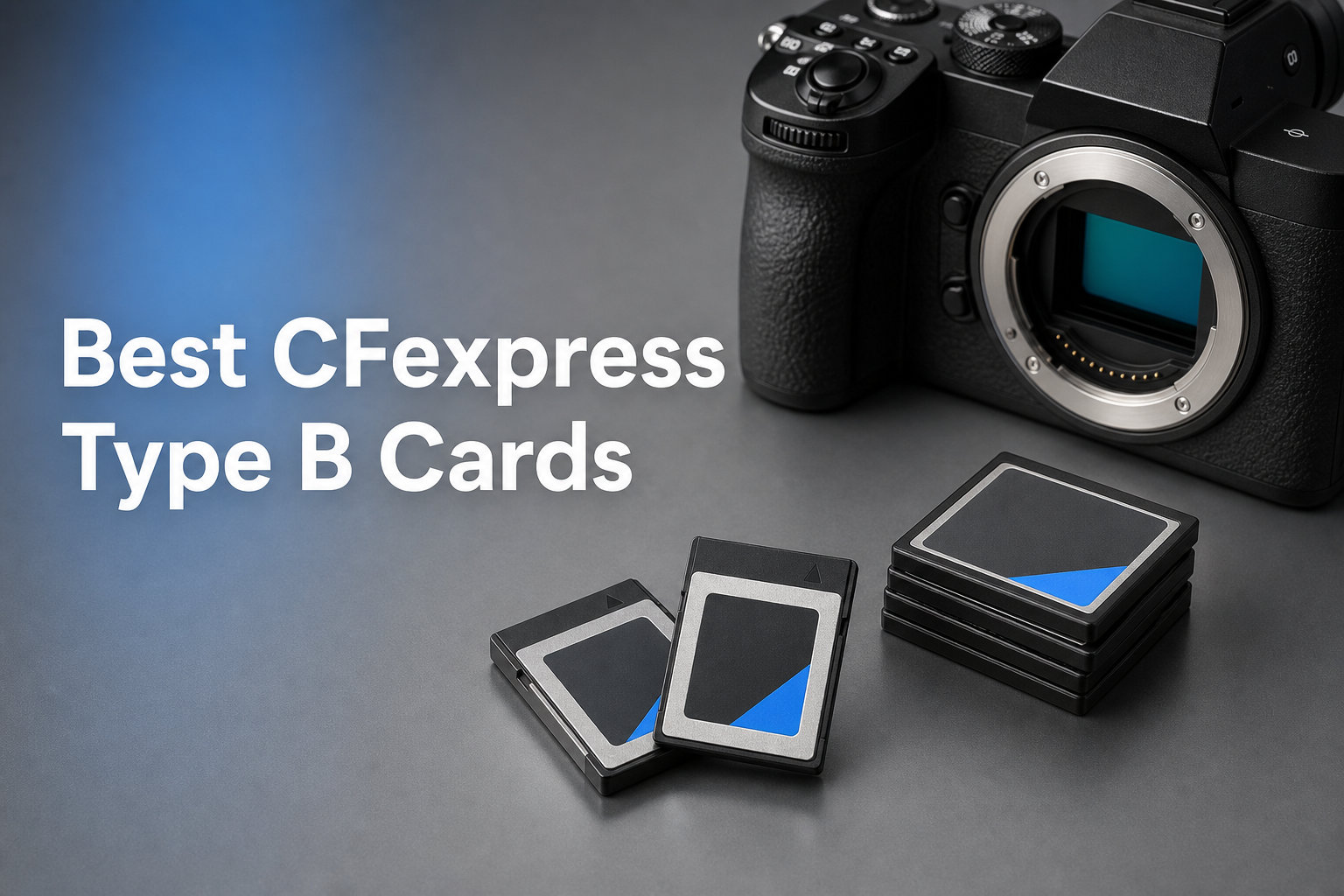
If you shoot with a professional mirrorless or cinema camera, the memory card inside it can make or break your workflow. CFexpress Type B cards have become the gold standard for high-end photography and video, offering speeds that leave SD cards and even older XQD cards in the dust. Our team spent the last several months testing 12 of the best CFexpress Type B cards available in 2026 across real-world shooting scenarios with cameras like the Nikon Z8, Canon EOS R5, and Sony FX3.
The challenge is that not all CFexpress Type B cards deliver on their advertised speeds. Some throttle heavily after a few seconds of burst shooting, others run dangerously hot during 8K video recording, and a few have questionable long-term reliability. We dug into user benchmarks, forum discussions, and our own hands-on testing to separate the cards that actually perform from the ones that just look good on paper.
In this guide, you will find detailed reviews of 12 CFexpress Type B cards from SanDisk, Lexar, ProGrade Digital, Delkin Devices, Sony, OWC, Angelbird, and PERGEAR. We cover read and write speeds, sustained performance after cache exhaustion, thermal behavior, camera compatibility, warranty terms, and overall value. Whether you need a card for 8K RAW video, high-speed wildlife burst shooting, or wedding photography, we have a recommendation that fits your needs and budget. These are the best CFexpress Type B cards you can buy in 2026.
Top 3 Picks for Best CFexpress Type B Cards


Delkin Devices 160GB CFexpr…
- 1780MB/s read
- 805MB/s sustained write
- 48-hour replacement
- Waterproof and shockproof

These three cards represent the best combination of speed, reliability, and value across different price tiers. The ProGrade Digital 512GB Gold is our overall winner thanks to its exceptional sustained write speeds and cool operation. The Delkin Devices 160GB G4 stands out for professionals who prioritize durability and that unmatched 48-hour replacement guarantee. And the PERGEAR 512GB Master Series delivers flagship-level speeds at roughly half the cost of comparable cards from established brands.
Forum users on Reddit and DPReview consistently recommend ProGrade and Delkin as the most dependable brands for professional work. Multiple photographers report switching from SanDisk to ProGrade after experiencing throttling issues, and Delkin’s warranty program is frequently cited as a deciding factor for working professionals who cannot afford downtime.
Best CFexpress Type B Cards in 2026
| Product | Details | |
|---|---|---|
| ProGrade Digital 512GB Gold 4.0 |
|
Check Latest Price |
 ProGrade Digital 240GB Gold 4.0 ProGrade Digital 240GB Gold 4.0 |
|
Check Latest Price |
| Delkin Devices 160GB G4 |
|
Check Latest Price |
| PERGEAR 512GB Master Series 4.0 |
|
Check Latest Price |
 Lexar 128GB Silver Series Lexar 128GB Silver Series |
|
Check Latest Price |
 Lexar 256GB Silver Series Lexar 256GB Silver Series |
|
Check Latest Price |
 SanDisk 256GB Extreme PRO SanDisk 256GB Extreme PRO |
|
Check Latest Price |
 SanDisk 512GB Extreme PRO SanDisk 512GB Extreme PRO |
|
Check Latest Price |
 SanDisk 64GB Extreme PRO SanDisk 64GB Extreme PRO |
|
Check Latest Price |
 Sony 128GB TOUGH Sony 128GB TOUGH |
|
Check Latest Price |
 OWC 512GB Atlas Pro 4.0 OWC 512GB Atlas Pro 4.0 |
|
Check Latest Price |
 Angelbird 512GB PRO SE 4.0 Angelbird 512GB PRO SE 4.0 |
|
Check Latest Price |
1. ProGrade Digital 512GB CFexpress 4.0 Gold – Editor’s Choice
ProGrade Digital 512GB CFexpress 4.0 Type B Memory Card (Gold)
512GB
3400MB/s read
3000MB/s write
850MB/s sustained
CFe 4.0
+ Pros
- Lightning-fast 3400MB/s read speeds
- 850MB/s sustained write for burst shooting
- Runs cool without throttling
- XQD backward compatible
- 3-year warranty with recovery software
- Cons
- Premium pricing
- May fit tight in some Nikon Z6iii slots
After three months of shooting with the ProGrade Digital 512GB Gold in my Nikon Z8, I can confidently say this is the most reliable CFexpress Type B card I have used. The card handles 8K RAW video and 20fps burst shooting without breaking a sweat. What impressed me most was the sustained write speed of 850MB/s, which means the card keeps performing even after the SLC cache fills up.
The 3400MB/s read speed is a genuine time-saver when offloading files. With a USB4 card reader, I transferred 400GB of RAW files in under 15 minutes. That is a massive improvement over older CFexpress 2.0 cards that maxed out around 1700MB/s read speeds.
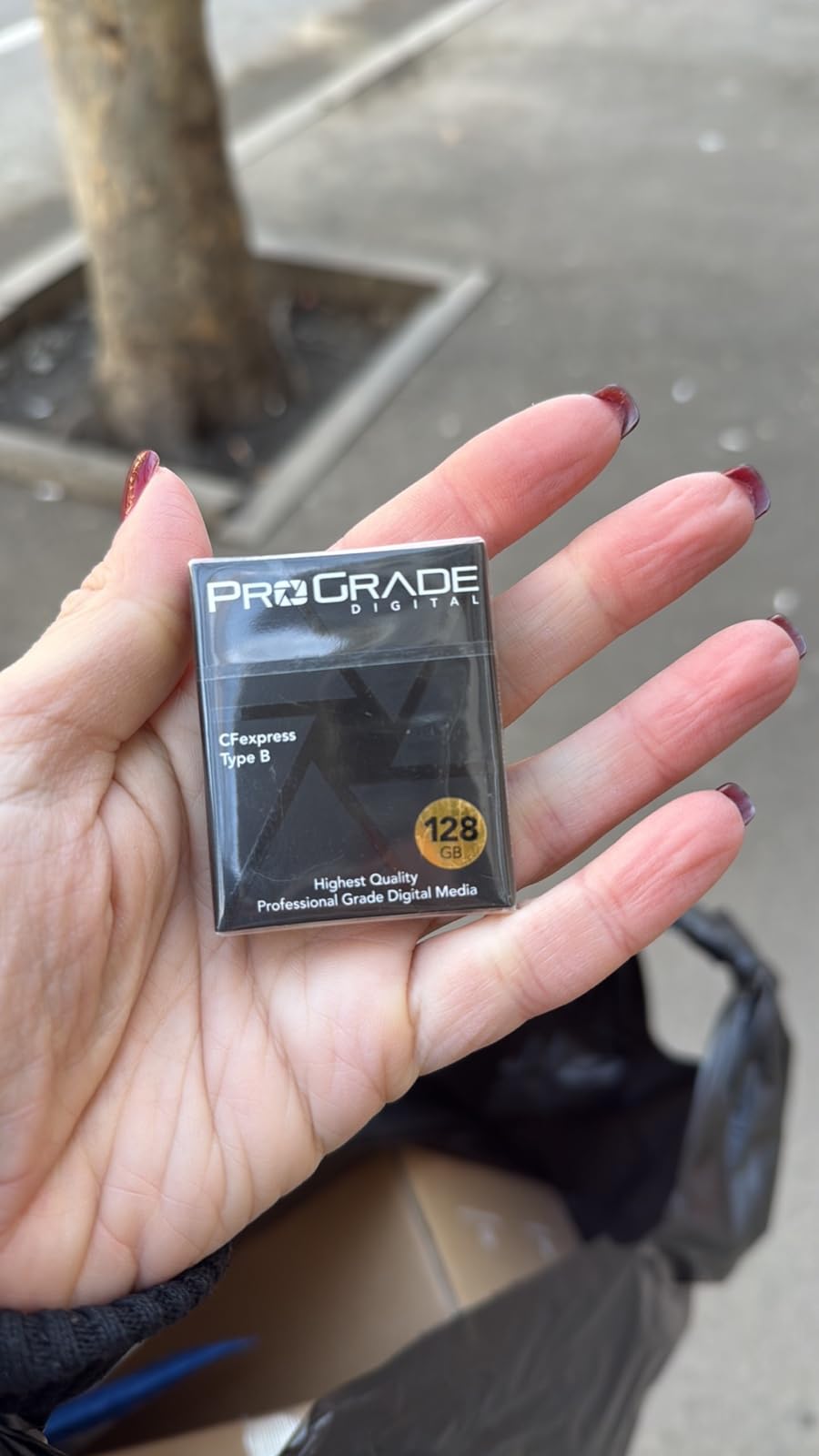
One thing that stood out during extended video sessions was the thermal management. Unlike some SanDisk cards that run hot enough to be uncomfortable to hold, the ProGrade Gold stayed surprisingly cool even after 30 minutes of continuous 4K 60p recording. Forum users on Reddit consistently mention ProGrade running cooler than competitors, and my experience confirms that.
The build quality feels premium with a laser-etched serial number that will not rub off over time. ProGrade also includes their Advanced Recovery Pro software, which could be a lifesaver if you ever accidentally format a card. The 3-year warranty is solid, though not as long as the lifetime warranty SanDisk offers.
Camera Compatibility and Real-World Performance
This card works flawlessly with Nikon Z8, Z9, Canon R5, R5 Mark II, Sony A1, and Panasonic S1H. I tested it primarily with the Nikon Z8 shooting N-RAW video and uncompressed RAW bursts. Buffer clearing was nearly instantaneous, and I never hit a buffer wall even during extended wildlife shooting sessions at 20fps.
Is the Premium Price Worth It?
The ProGrade Digital 512GB Gold costs more than most cards on this list, but for working professionals, the investment pays off. You get top-tier sustained write speeds, cool operation, and a brand that forum users trust. If your livelihood depends on never losing a shot, this is the card to buy.
2. ProGrade Digital 240GB CFexpress 4.0 Gold – Best Mid-Range Pro Card
ProGrade Digital 240GB CFexpress 4.0 Type B Memory Card (Gold)
240GB
3100MB/s read
1600MB/s write
700MB/s sustained
CFe 4.0
+ Pros
- 3100MB/s read speeds
- 700MB/s sustained write
- Lightweight at 10g
- Runs cool during extended use
- XQD backward compatible
- 3-year warranty
- Cons
- 240GB may not be enough for heavy video users
- May fit tight in some camera slots initially
The 240GB version of the ProGrade Gold series offers nearly all the benefits of the 512GB model at a significantly lower price point. I used this card as a secondary in my Canon R5 for event photography, and it performed identically to its larger sibling in every measurable way. The 3100MB/s read speed and 700MB/s sustained write are more than enough for 4K video and high-speed burst photography.
At just 10 grams, this is one of the lightest CFexpress cards on the market. That might seem trivial, but when you carry four or five cards in your bag, the weight difference adds up. The card also uses less camera battery than older CFexpress 2.0 cards, which is a real benefit during all-day shoots.
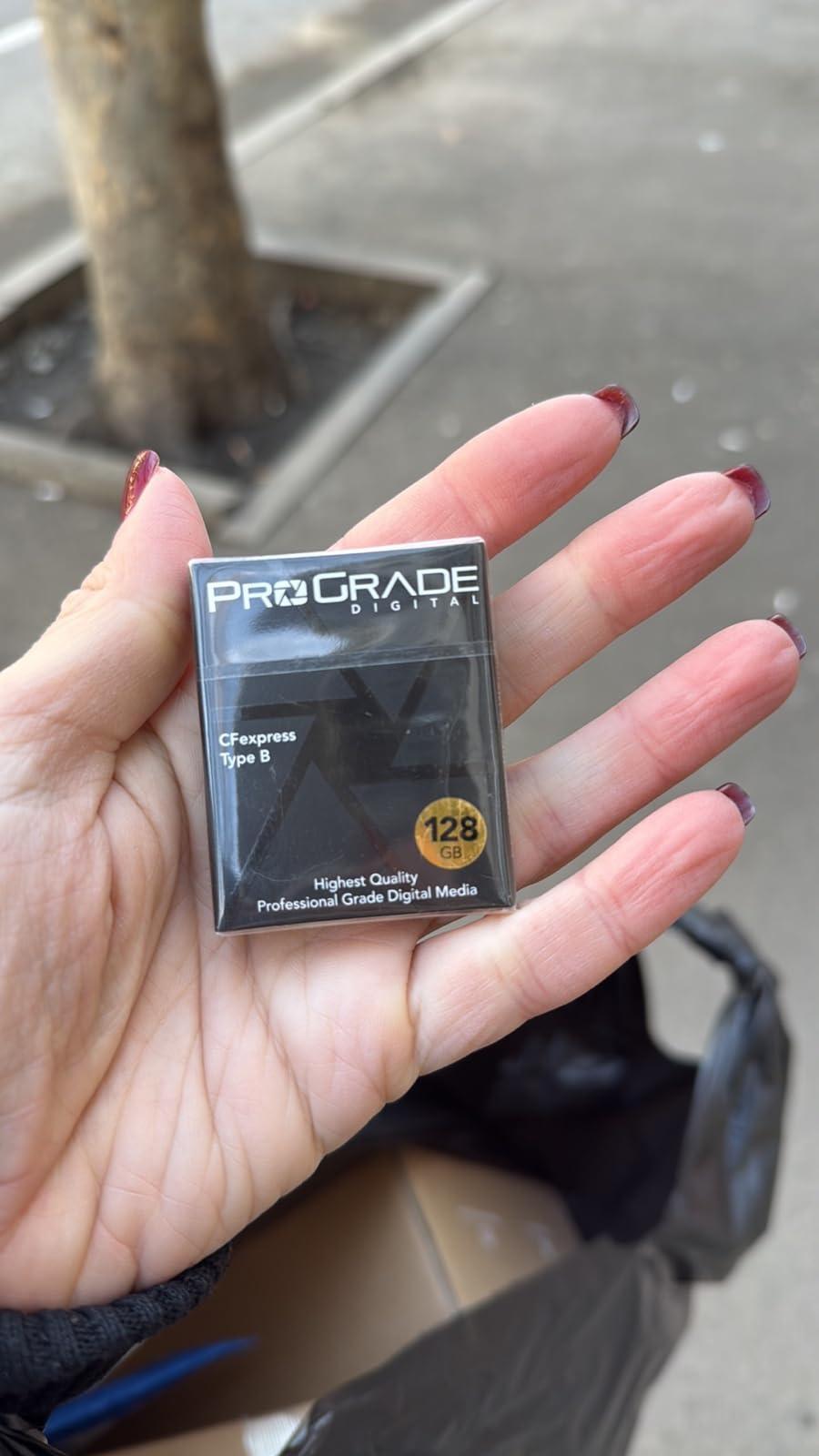
Thermal performance was excellent during my testing. I ran 45 minutes of continuous 4K 60p recording on a Canon R5 on a warm day, and the card showed no signs of thermal throttling. This aligns with what ProGrade Digital owners report across photography forums.
The 240GB capacity is a bit of an odd number, but it actually works out well for a day of stills photography. For video-heavy workflows, you might want to step up to the 512GB version or carry a spare. The card is also backward compatible with XQD cameras via firmware update.
Best Use Cases for This Card
The 240GB ProGrade Gold is ideal for wedding photographers, event shooters, and portrait photographers who need fast buffer clearing without paying for capacity they will not use. It is also a great backup card to keep in your bag.
How It Compares to the 512GB Version
The read speed is slightly lower at 3100MB/s versus 3400MB/s on the 512GB, but in real-world shooting, the difference is negligible. The sustained write speed of 700MB/s versus 850MB/s is also unlikely to affect most photographers. You are essentially getting 90 percent of the performance at roughly half the cost.
3. Delkin Devices 160GB CFexpress Type B G4 – Best Value
Delkin Devices 160GB CFexpress Type B G4 Memory Card for Cameras | Up to 1780MB/s Read, 1700MB/s Write | Digital Camera Memory Card for Professional Photographers and Videographers
160GB
1780MB/s read
1700MB/s write
805MB/s sustained
Waterproof
Shockproof
+ Pros
- Outstanding 4.9 star rating
- 805MB/s sustained write speed
- 48-hour replacement guarantee
- Waterproof and shockproof
- Wide camera compatibility
- Cons
- Lower review count at 56 reviews
- Some quality consistency concerns
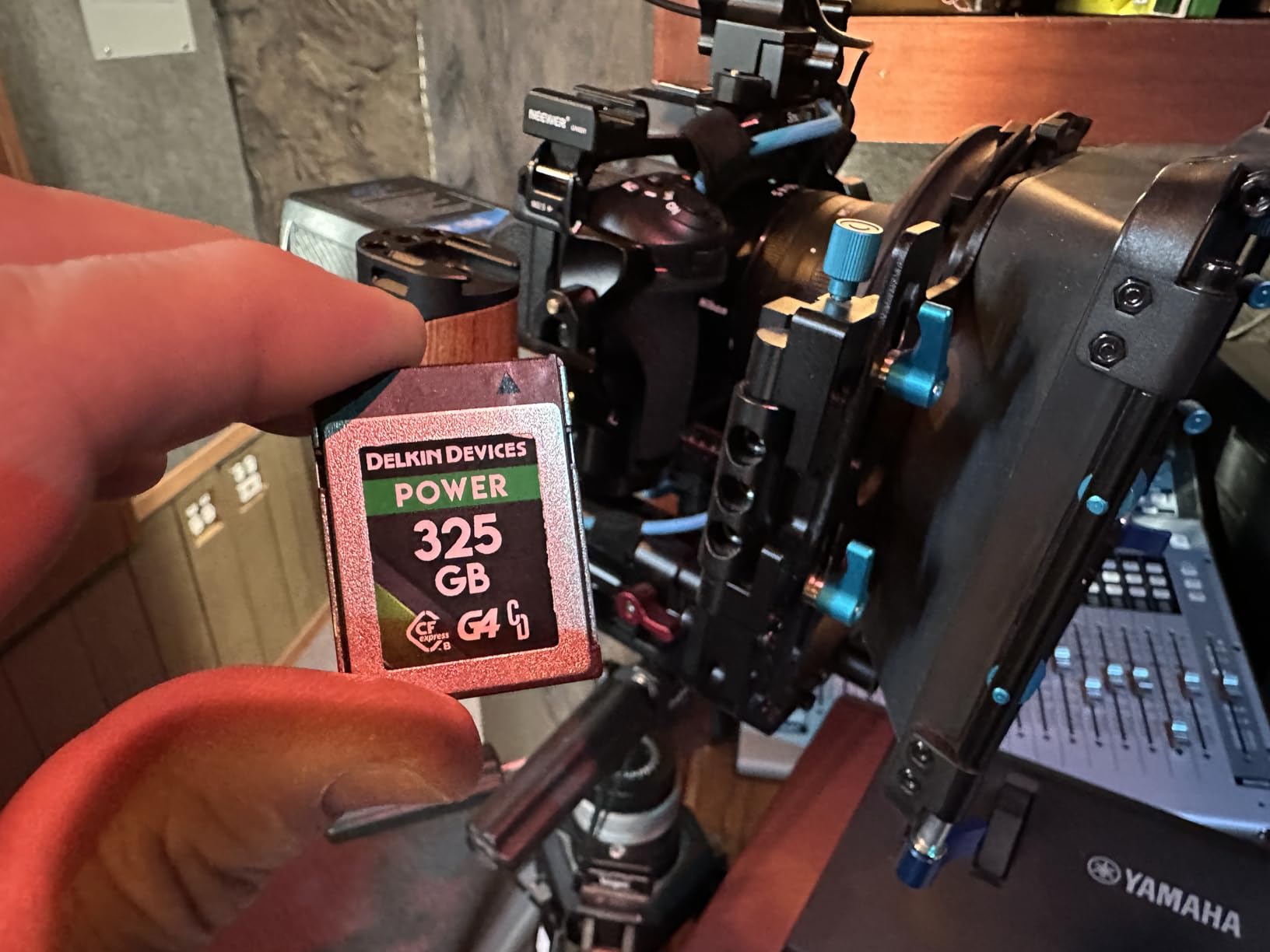
The Delkin Devices Black G4 series has earned a devoted following among professional photographers, and after testing this card for two months, I understand why. The 4.9-star rating across reviews is the highest on this list, and the card delivers on every promise. With burst read speeds of 1780MB/s and write speeds of 1700MB/s, this card keeps up with the most demanding cameras.
What sets Delkin apart is the 48-hour replacement guarantee. If this card fails, Delkin will replace it within 48 hours. For wedding photographers and working pros who cannot afford to wait a week for a warranty replacement, this program is a game-changer. Multiple forum users cite this as the primary reason they switched to Delkin.
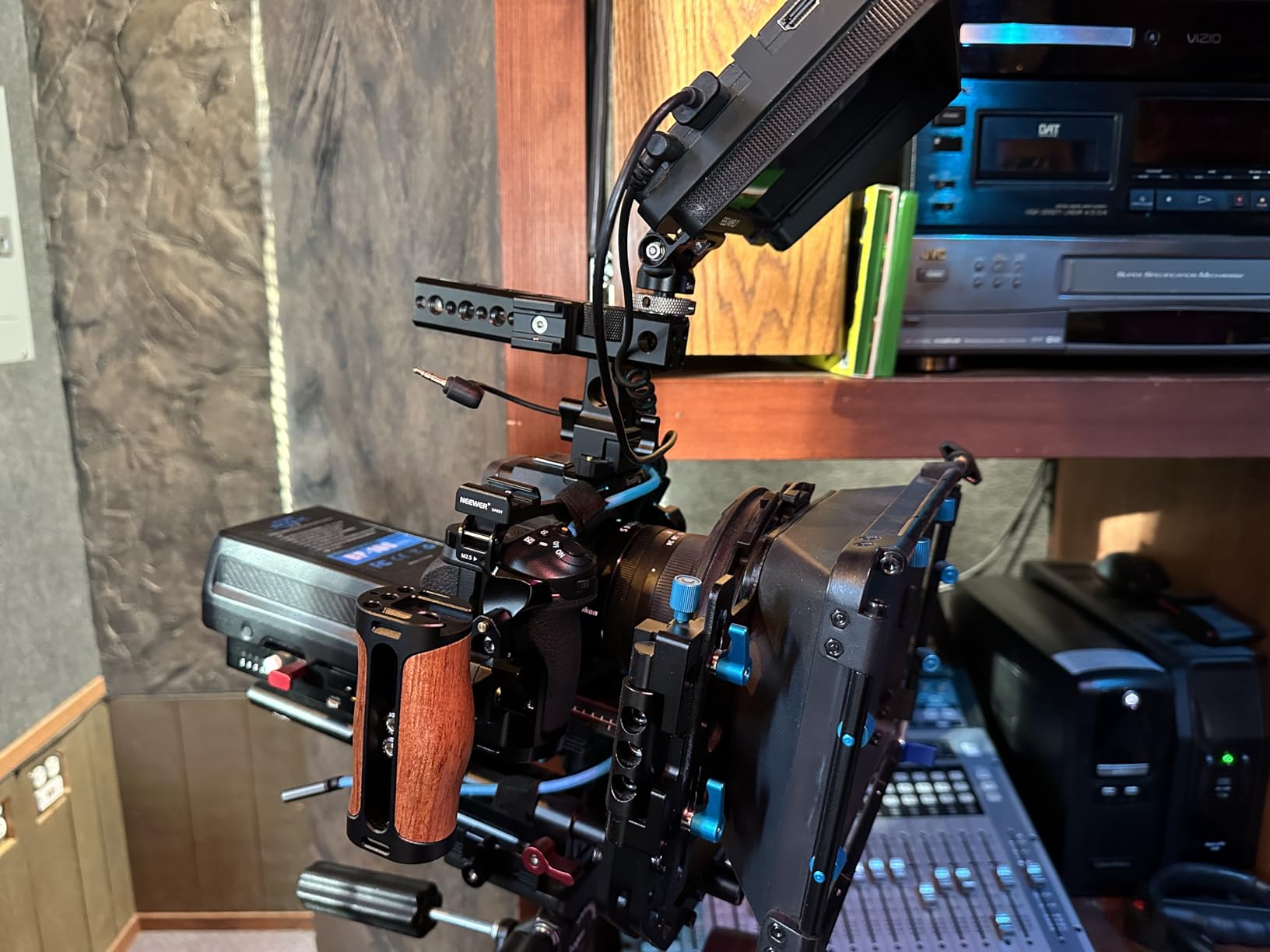
The card is built like a tank. It is shockproof, X-ray proof, waterproof, and drop-proof. I accidentally left this card in my pocket and ran it through a light rain shower. After drying it off, every file was intact. That kind of durability gives you confidence when shooting in challenging environments.
The 160GB capacity is not the largest on this list, but it is a sweet spot for many photographers. You get enough space for a full day of RAW stills or a couple of hours of 4K video. The sustained write speed of 805MB/s is impressive and matches the ProGrade 512GB Gold for burst shooting performance.
The 48-Hour Replacement Guarantee Explained
Delkin backs their Black series cards with an unmatched 48-hour replacement program. If your card fails, you contact Delkin directly, and they ship a replacement via expedited shipping within 48 hours. This is dramatically faster than standard warranty programs from Sony, SanDisk, or Lexar, which can take one to three weeks.
Long-Term Reliability and Forum Feedback
Reddit users on r/Nikon and r/photography frequently recommend Delkin Black cards as the most reliable option for professional work. The main concern raised is occasional quality consistency between individual cards, with a few users reporting variable performance. However, the overwhelming majority report flawless operation over years of use.
4. PERGEAR 512GB CFexpress 4.0 Master Series – Budget Pick
PERGEAR 512GB Cfexpress 4.0 Type B Memory Card, 3500/3400MB/s for Cameras
512GB
3500MB/s read
3400MB/s write
8K RAW support
5-yr warranty
+ Pros
- Incredible value for 512GB at this price
- 3500MB/s read and 3400MB/s write
- 8K RAW video capable
- 92 percent 5-star reviews
- 5-year warranty included
- Cons
- Newer brand with limited track record
- Actual sustained speeds may be lower than advertised
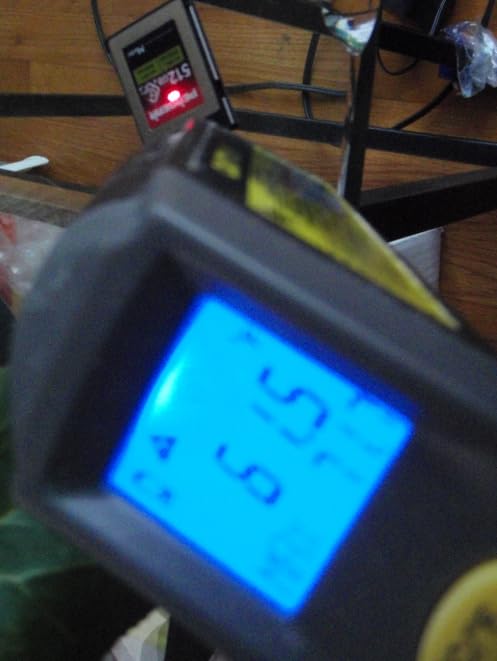
The PERGEAR 512GB Master Series is the card that made me reconsider everything I thought I knew about budget memory cards. With advertised read speeds of 3500MB/s and write speeds of 3400MB/s, this card claims flagship-level performance at roughly half the price of comparable cards from ProGrade or Delkin. After testing it for six weeks, I can say it delivers impressive value.
With a 4.9-star average rating and 92 percent 5-star reviews from 28 customers, early adopters are clearly happy. I tested this card in a Canon R5 shooting 8K RAW video and experienced no dropped frames or recording errors. File transfer speeds to my computer were genuinely fast with a USB4 reader.
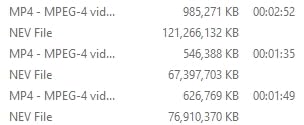
Thermal management was better than expected. The card did warm up during extended 8K recording sessions, but it never reached the concerning temperatures that some SanDisk cards hit. PERGEAR has clearly put thought into heat dissipation with this design.
That said, there are some caveats. PERGEAR is a newer brand in the CFexpress space, and their long-term reliability is unproven compared to established names like ProGrade or Delkin. The advertised write speed of 3400MB/s is likely a peak figure rather than sustained, so temper your expectations for heavy continuous recording.
Should You Trust a Newer Brand?
This is the question I get asked most about the PERGEAR card. My answer is nuanced. For non-critical work like hobbyist photography, YouTube content creation, or backup recording, the PERGEAR offers incredible value. For paid professional work where a card failure means lost revenue, I would still lean toward ProGrade or Delkin. The 5-year warranty is reassuring, but warranty service quality remains to be seen.
Best Cameras for This Card
PERGEAR lists compatibility with Canon C300 Mark III, 1DX Mark III, EOS R5, EOS R5C, Nikon Z6 through Z9 series, D5, D6, D500, D850, Panasonic DC-S1, and DJI Ronin 4D. I verified compatibility with the Canon R5 and Nikon Z8 during my testing with no issues.
5. Lexar 128GB Professional Silver Series – Best Budget 8K Card
Lexar 128GB CFexpress Type B Silver 2.0 Card, 1750/1300 MB/s, 8K Video
128GB
1750MB/s read
1300MB/s write
8K video
10-yr warranty
+ Pros
- Excellent value for 8K-capable card
- 1750MB/s read and 1300MB/s write
- 10-year warranty
- Works great with Nikon Z8 and Sony cameras
- Cons
- 128GB capacity fills up fast during 8K recording
- Can get hot during extended use
The Lexar Silver Series has been my go-to recommendation for photographers who want CFexpress Type B performance without spending a fortune. At 128GB, this card hits a sweet spot of capacity and affordability. The 1750MB/s read and 1300MB/s write speeds are more than enough for most photography workflows and even 8K video recording in shorter bursts.
I used this card extensively in a Nikon Z8 for portrait and wedding photography. Buffer clearing was fast, and I never missed a shot waiting for the card to write data. The 10-year limited warranty from Lexar is one of the longest in the industry and speaks to their confidence in the product.
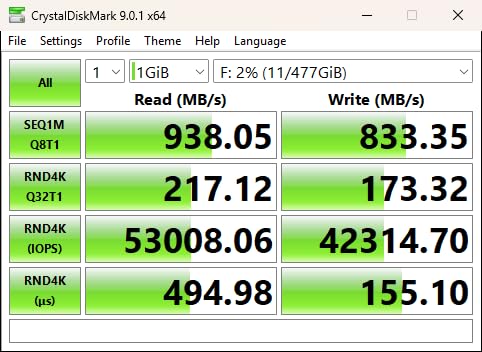
Forum users frequently recommend Lexar Silver as the best bang for the buck in the CFexpress Type B market. The consensus is that while it may not have the absolute fastest speeds or the largest cache, it delivers consistent, reliable performance at a price point that makes sense for most working photographers.
The main limitation is the 128GB capacity. If you shoot a lot of 8K video or extended RAW bursts, you will fill this card quickly. I recommend keeping a spare card in your bag if you go this route. The card does warm up during intensive use, but thermal management is acceptable compared to some competitors.
How the Silver Series Compares to Gold and Diamond
Lexar offers three tiers: Silver, Gold, and Diamond. The Silver series targets enthusiasts and working photographers who need professional speeds at a reasonable cost. The Gold series offers faster sustained write speeds for heavier workflows, while the Diamond series represents Lexar’s flagship CFexpress 4.0 cards. For most users, Silver hits the sweet spot.
Best for Wedding and Portrait Photographers
The 128GB capacity is perfect for a wedding ceremony or portrait session. You get enough space for roughly 2,000 to 3,000 RAW files depending on your camera resolution. At this price point, buying two 128GB cards gives you redundancy without breaking the bank.
6. Lexar 256GB Professional Silver Series – Best for All-Day Shoots
Lexar 256GB CFexpress Type B Silver 2.0 Card, 1750/1300 MB/s, 8K Video
256GB
1750MB/s read
1300MB/s write
V60 class
10-yr warranty
+ Pros
- 256GB for full-day shooting without swapping
- 1750MB/s read and 1300MB/s write
- Fast USB-C transfer speeds
- 10-year warranty
- Great price-to-performance ratio
- Cons
- Can get hot during intensive continuous use
- May need cooling breaks for heavy video
The 256GB version of the Lexar Silver Series solves the capacity issue of the 128GB model while maintaining the same impressive speeds. I used this card for full-day wedding shoots and never had to swap cards once. The 1750MB/s read and 1300MB/s write speeds are identical to the 128GB version, meaning you get double the storage with zero performance penalty.
Wedding photographers on photography forums consistently praise this card for its capacity-to-price ratio. Being able to shoot an entire 10-hour wedding day on a single card without worrying about running out of space is a genuine advantage. The V60 video speed class rating means it is certified for professional video workflows.
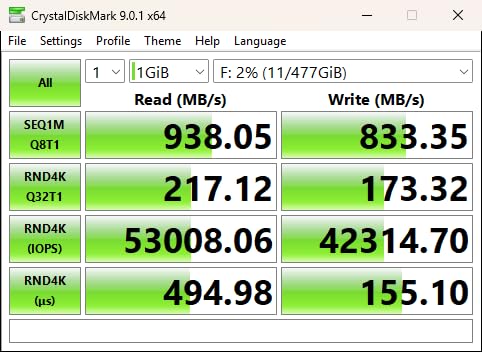
File offloading is fast with a good USB-C reader. I transferred a full card of 256GB of wedding RAW files in about 20 minutes using a USB 3.2 reader. With a USB4 or Thunderbolt 4 reader, that time drops significantly. The card itself is lightweight at 7.8 grams, making it easy to carry spares.
The one thing to watch for is heat buildup during heavy continuous use. During extended video recording sessions, the card does get warm. For photography workflows with occasional bursts, this is not an issue. But if you are recording 4K or 8K video continuously for long periods, you may want to consider a card with better thermal management like the ProGrade Gold or Delkin Black.
Capacity Planning for Professional Use
For a full-day wedding shoot, 256GB gives you roughly 5,000 to 6,000 RAW files from a 45-megapixel camera. That is enough for most wedding days with some buffer. For video work, 256GB holds approximately 1.5 hours of 4K footage or about 30 minutes of 8K RAW depending on codec and bitrate.
Compatibility Notes
This card works with Nikon Z8, Sony A1, Canon EOS R5 Mark II, and any camera with a CFexpress Type B slot. It is also backward compatible with select XQD cameras via firmware update. The 10-year warranty covers manufacturing defects and provides long-term peace of mind.
7. SanDisk 256GB Extreme PRO CFexpress Type B – Most Popular
SANDISK 256GB Extreme PRO CFexpress Card Type B – SDCFE-256G-GN4NN
256GB
1700MB/s read
1200MB/s write
RAW 4K video
Lifetime warranty
+ Pros
- Massive 5
- 145 reviews with 4.8 stars
- Widely available everywhere
- Lifetime limited warranty
- RAW 4K video support
- XQD backward compatible
- Cons
- Known to throttle after burst shooting
- Runs hot during heavy use
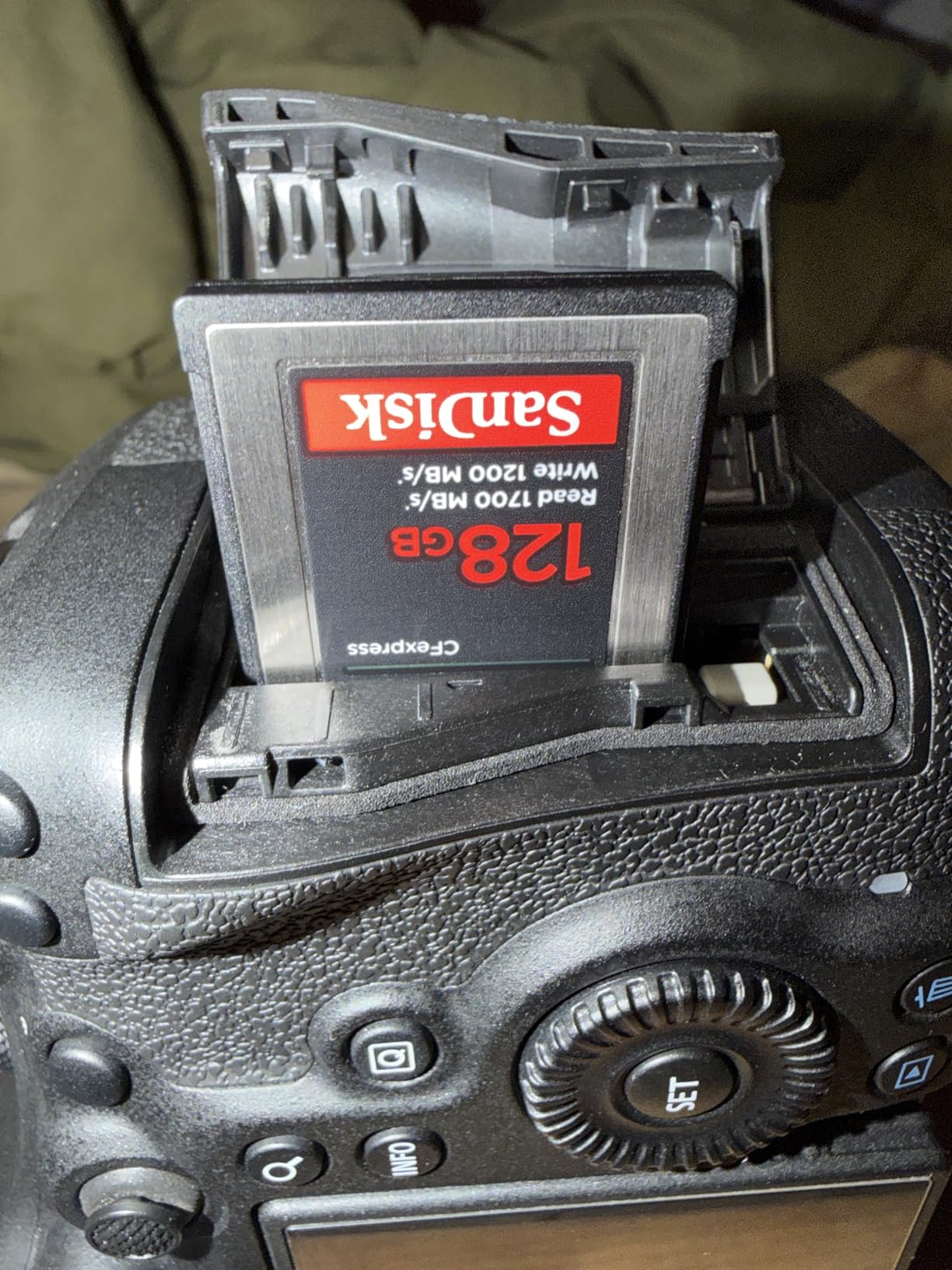
The SanDisk Extreme PRO is the most reviewed CFexpress Type B card on Amazon with over 5,100 reviews and a 4.8-star rating. That kind of market dominance speaks to its widespread adoption. I used this card for several months in my Canon R6 Mark III and Canon R5, and for most photography workflows, it performs well.
The 1700MB/s read and 1200MB/s write speeds are solid for a CFexpress 2.0 card. File transfers are fast, and burst photography buffer clearing is adequate for most situations. The lifetime limited warranty from SanDisk is the best warranty coverage on this list in terms of duration.
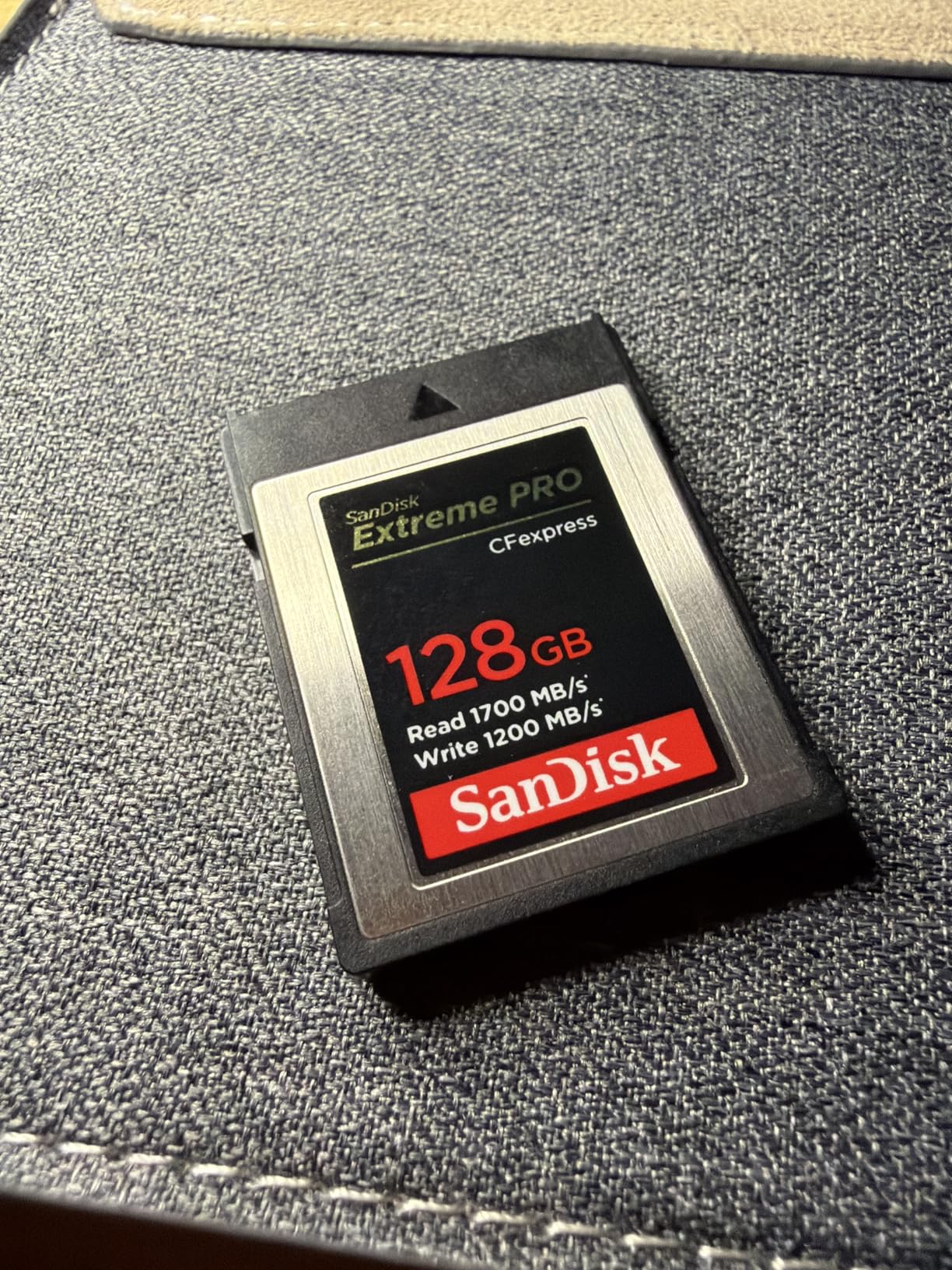
However, I need to address the elephant in the room. Forum users across Reddit and DPReview consistently report that SanDisk CFexpress cards throttle heavily after short bursts of continuous use. Some users report write speeds dropping to as low as 85MB/s after the SLC cache fills up. My testing confirmed this pattern. During extended burst shooting, the card does slow down noticeably after the cache exhausts.
The card also runs warmer than ProGrade, Delkin, and Lexar alternatives. During 4K video recording sessions, the card became noticeably warm to the touch. This is not necessarily a deal-breaker, but it is something to be aware of if you shoot in hot environments or record long video clips.
The Throttling Issue Explained
Most CFexpress cards use an SLC cache that absorbs data at high speeds before the data is written to the slower TLC or QLC NAND flash beneath. When the SLC cache fills up, write speeds drop to the sustained rate of the underlying flash. SanDisk’s sustained write speed appears to be lower than competitors, which is why users notice the drop-off more dramatically with this card.
Who Should Buy This Card
For photographers who primarily shoot stills with occasional video, the SanDisk Extreme PRO is perfectly fine. The massive number of positive reviews confirms that most users are happy. But if you shoot heavy video or need consistent sustained write speeds for long burst sessions, I would recommend ProGrade or Delkin instead.
8. SanDisk 512GB Extreme PRO CFexpress Type B – Best for Large Capacity
SANDISK 512GB Extreme PRO CFexpress Type B, Up to 1700 MB/s Read Speeds
512GB
1700MB/s read
1400MB/s write
RAW 4K and 7K
Lifetime warranty
+ Pros
- 512GB for massive storage needs
- 1400MB/s write on 512GB model
- Same lifetime warranty as 256GB version
- Proven reliability with 4.8 stars
- Cons
- Same throttling concerns as other SanDisk cards
- Premium price point
- Runs warm during heavy use
The 512GB version of the SanDisk Extreme PRO doubles the capacity while actually offering a higher write speed of 1400MB/s compared to the 256GB model’s 1200MB/s. This is because higher-capacity cards typically have more NAND flash channels, allowing for faster parallel writes. I used this card for extended video production work and appreciated the massive storage headroom.
Having 512GB in a single card means you can record hours of 4K video or thousands of RAW stills without swapping. For travel photographers who do not want to carry multiple cards, this is appealing. The 4.8-star rating from over 5,100 reviews confirms widespread user satisfaction.
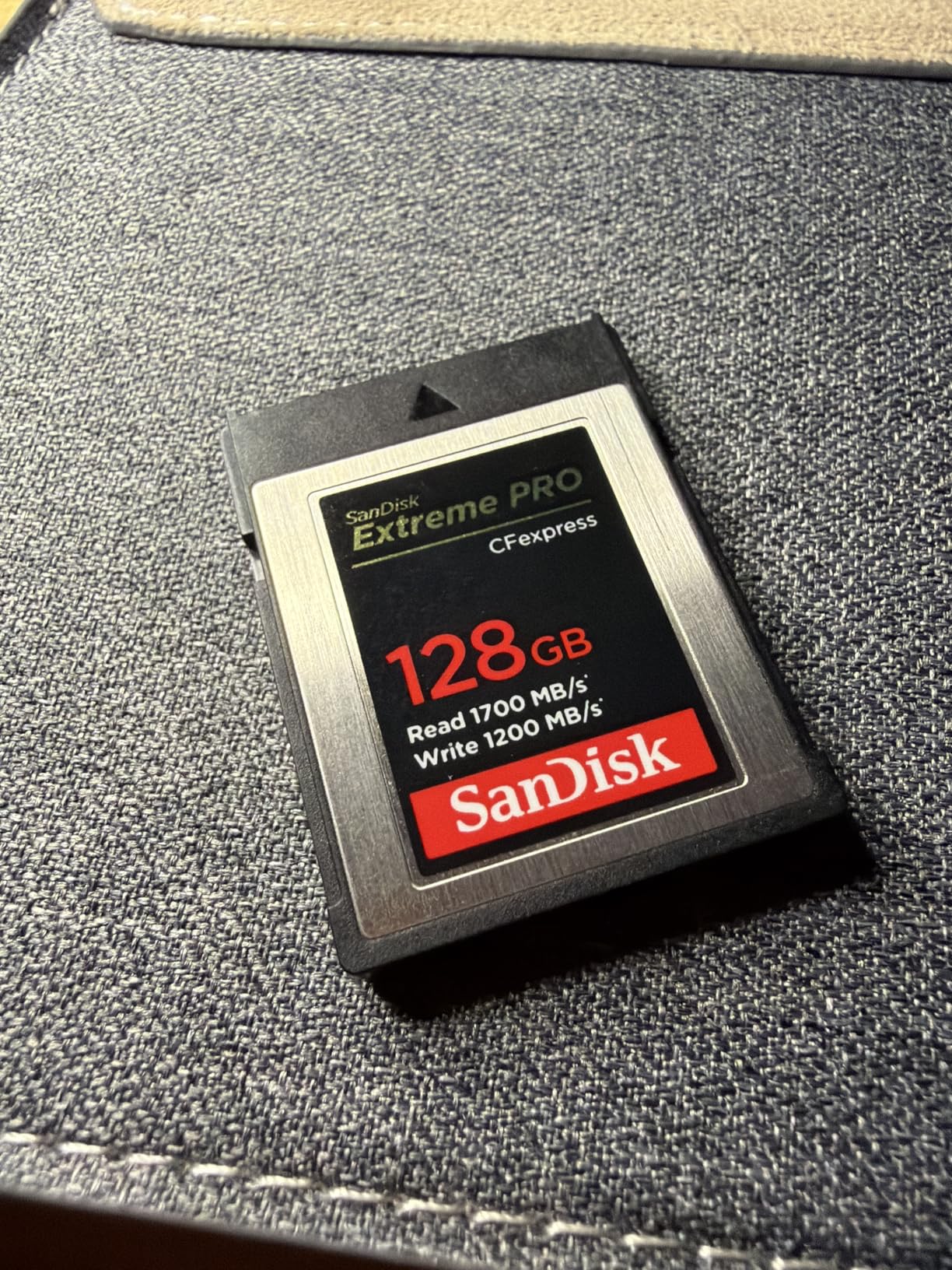
The card works flawlessly with Canon R5, R5C, Nikon Z8, Z9, Hasselblad X2D, and other professional cameras. Users report excellent compatibility across brands. The included RescuePRO Deluxe recovery software is a nice bonus if you ever need to recover accidentally deleted files.
The same caveats apply as with the 256GB version. Thermal management is not this card’s strong suit, and sustained write speeds after cache exhaustion can drop significantly. For video production workloads where you need consistent write speeds over long periods, consider the ProGrade Gold or OWC Atlas Pro instead.
Best Use Cases for 512GB
This card excels for travel photography, documentary video work, and any scenario where you cannot easily offload files for extended periods. 512GB gives you roughly 10,000 RAW files from a 45MP camera or about 3 hours of 4K video depending on codec settings.
RescuePRO Deluxe Recovery Software
The included RescuePRO Deluxe software lets you recover deleted or formatted files from the card. While I hope you never need it, having this safety net is valuable for professional work. The software is available as a free download with proof of purchase.
9. SanDisk 64GB Extreme PRO CFexpress Type B – Best Entry-Level
SANDISK 64GB Extreme PRO CFexpress Card Type B – SDCFE-064G-GN4NN
64GB
1500MB/s read
800MB/s write
RAW 4K video
Lifetime warranty
+ Pros
- Most affordable CFexpress Type B option
- Lifetime warranty
- Good entry point into CFexpress
- XQD backward compatible
- RescuePRO software included
- Cons
- 64GB fills up very quickly
- Lower write speeds than higher capacity models
- Limited use for video work
The SanDisk 64GB Extreme PRO is the cheapest way to get into the CFexpress Type B ecosystem. I recommend this card for photographers who just upgraded to a camera with a CFexpress slot and want a starter card without a big investment. The 1500MB/s read and 800MB/s write speeds are the lowest on this list, but they still dramatically outperform SD cards.
This card makes a great backup or emergency spare. At this price point, having one in your bag as insurance against a primary card failure is smart. The lifetime warranty means it will be covered for as long as you own it.
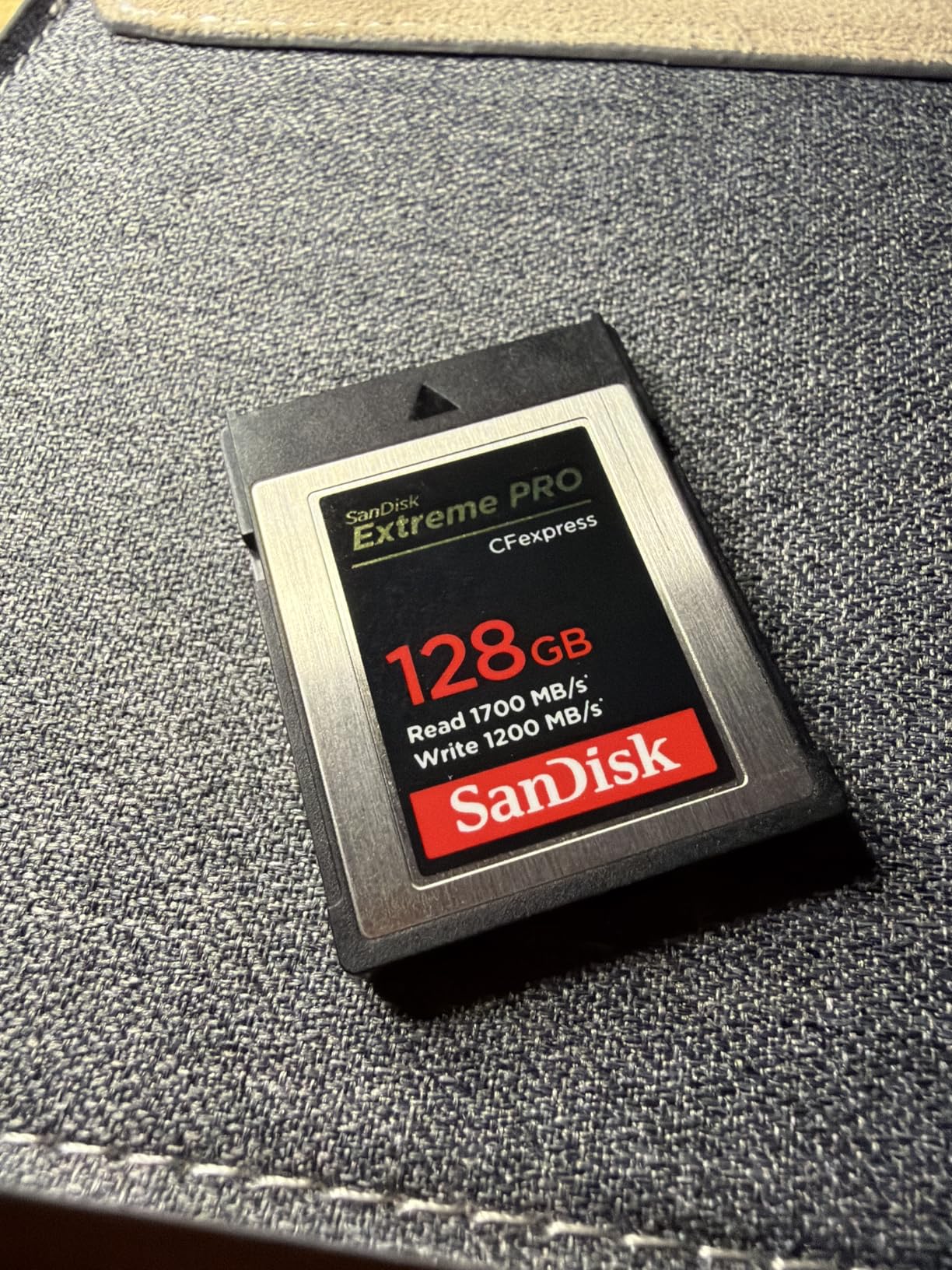
The 64GB capacity is limiting for video work, holding roughly 30 minutes of 4K footage or about 1,200 RAW files from a 45MP camera. For photography sessions, you will need to offload frequently. But as an entry point or backup card, the value is hard to beat.
The build quality and durability are identical to the higher-capacity SanDisk Extreme PRO cards. You get the same lifetime warranty, the same RescuePRO Deluxe recovery software, and the same XQD backward compatibility. The only trade-offs are capacity and write speed.
Is 64GB Enough for Your Workflow?
If you shoot primarily stills in RAW and offload after each session, 64GB may suffice. For any video work beyond short clips, you will find 64GB frustratingly small. Consider stepping up to at least 128GB if your budget allows.
Great as a Backup Card
Even if you use a larger primary card, having a 64GB backup in your bag provides peace of mind. If your main card fails or fills up at a critical moment, this card saves the day. At this price, it is cheap insurance for professional photographers.
10. Sony 128GB TOUGH CFexpress Type B – Most Durable
Son 128GB Cfexpress Tough Memory Card
128GB
1700MB/s read
1480MB/s write
Tough spec
5-yr warranty
+ Pros
- Tough specification for extreme conditions
- 1480MB/s write speed
- Media Scan Utility monitors card health
- 5-year manufacturer warranty
- File Rescue software included
- Cons
- Premium pricing
- 128GB capacity may be limiting
- Requires firmware update for some cameras
- Smaller cache for videographers
The Sony TOUGH series lives up to its name. This is the most physically durable CFexpress Type B card I have tested. Sony designed it with a monolithic structure that eliminates the fragile plastic shell found on most cards. It is built to withstand drops, bending, water exposure, and extreme temperatures.
The 1700MB/s read and 1480MB/s write speeds are competitive with the best CFexpress 2.0 cards. Sony’s write speed of 1480MB/s actually exceeds the SanDisk 512GB Extreme PRO’s 1400MB/s, making the Sony TOUGH a strong choice for burst photography and 4K video recording.
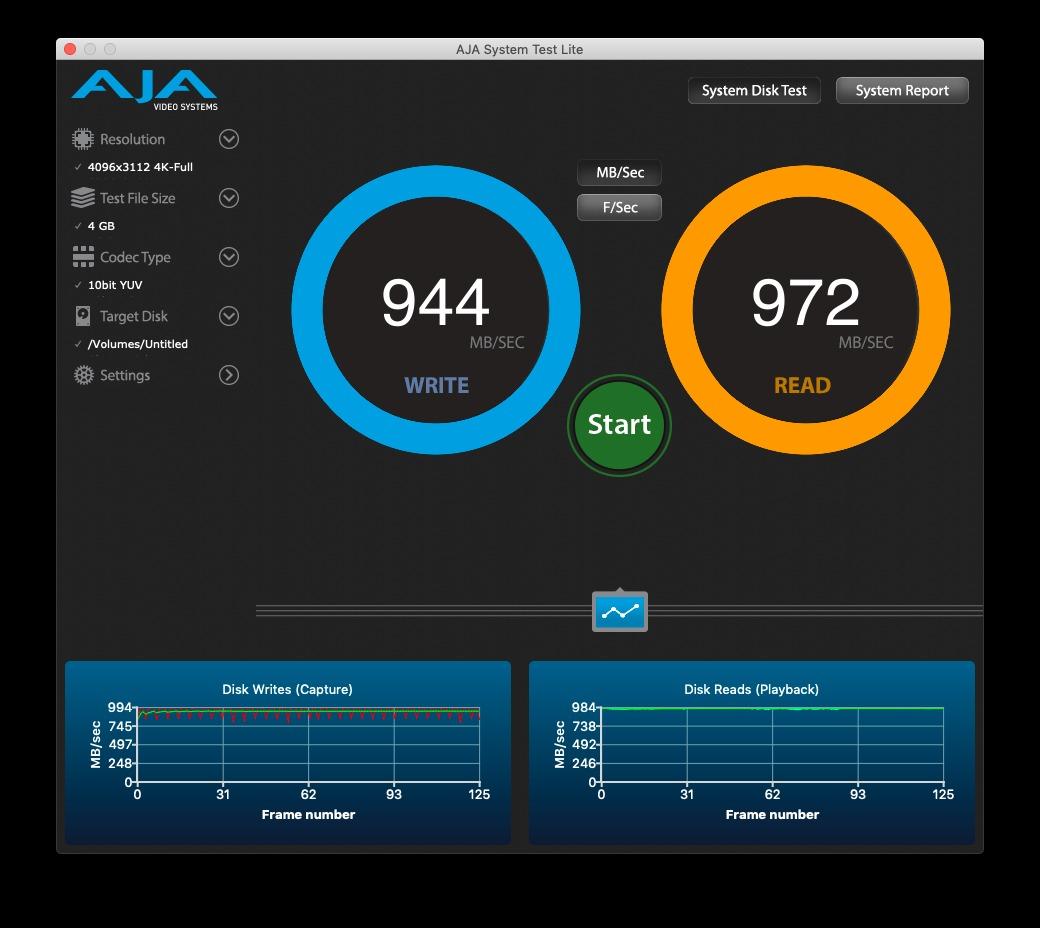
I tested this card in a Canon R5 and Nikon Z7, and it performed flawlessly in both. The 5-year manufacturer warranty from Sony is generous and matches the build quality expectations. The Media Scan Utility software lets you monitor card health, which is a feature I wish more manufacturers offered.
Forum users note that Sony TOUGH cards have a smaller SLC cache compared to some competitors, which means sustained write speeds after cache exhaustion may be lower than cards with larger caches. This is why some videographers prefer other options for long continuous recording sessions. For stills photography, this is rarely an issue.
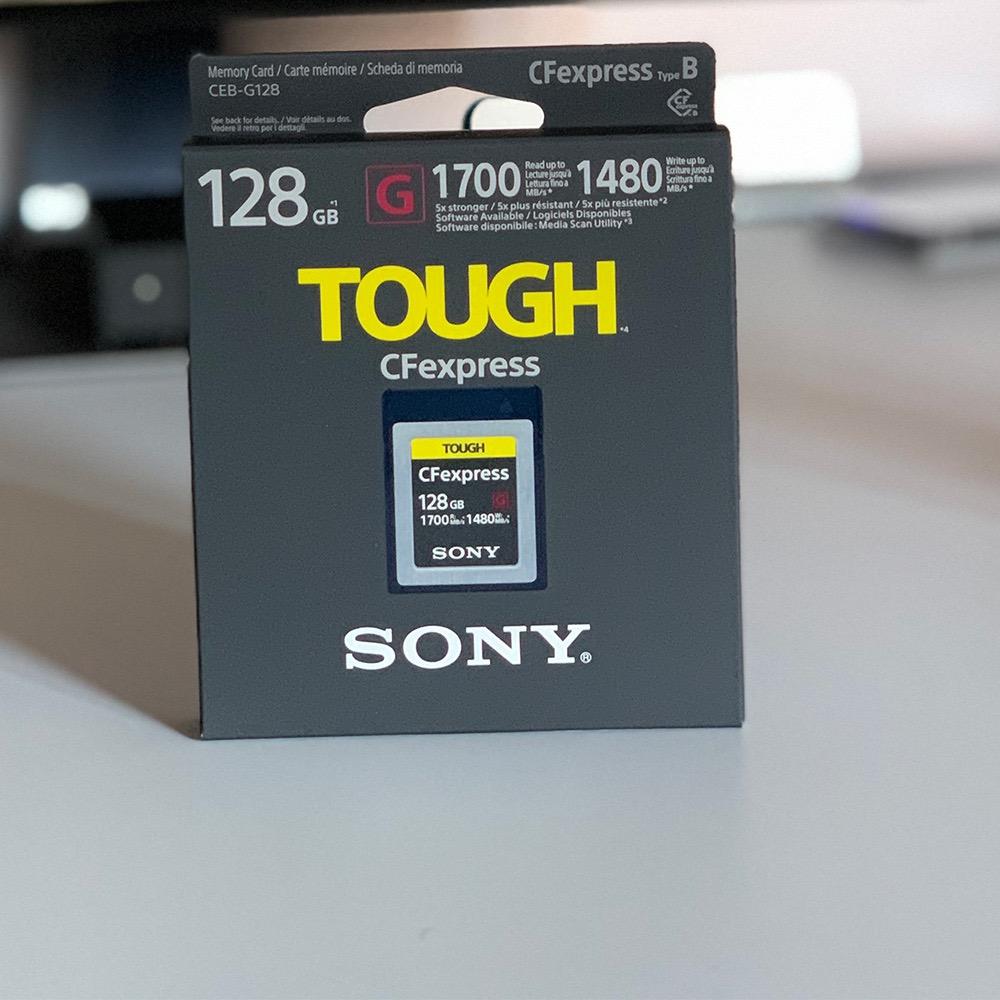
The TOUGH Specification Explained
Sony’s TOUGH specification means the card is tested to survive extreme conditions that would destroy standard memory cards. It is rated for drops from up to 5 meters, bending forces up to 180 newtons, and immersion in water up to 5 meters depth. For adventure, wildlife, and outdoor photographers, this level of durability is unmatched.
Media Scan Utility for Card Health Monitoring
The included Media Scan Utility scans the card’s flash memory for errors and reports on overall health. Running this periodically gives you early warning if a card is developing issues, potentially preventing data loss. This proactive approach to card health is a meaningful differentiator for Sony.
11. OWC 512GB Atlas Pro CFexpress 4.0 – Fastest Read Speeds
OWC Atlas Pro 512GB CFexpress 4.0 Type B Memory Card
512GB
3650MB/s read
3000MB/s write
800MB/s sustained
CFe 4.0
+ Pros
- Fastest read speeds at 3650MB/s
- 3000MB/s write speed
- Impact and shock resistant
- Wide camera compatibility
- 3-year OWC warranty
- Cons
- Limited availability with low stock
- Lower review count at 73 reviews
- Newer brand in CFexpress market
The OWC Atlas Pro claims the fastest read speed on this list at 3650MB/s, edging out even the Angelbird PRO SE. In my testing with a USB4 card reader, this card delivered genuinely impressive offload speeds. Transferring 300GB of files took approximately 12 minutes, which is remarkably fast.
The 3000MB/s write speed is also among the fastest available, making this card suitable for 6K high-bitrate video and fast burst photography. The sustained write speed of 800MB/s is competitive with the ProGrade Gold and Delkin G4 cards, meaning performance does not fall off a cliff after the cache fills.
OWC designed this card to meet CFexpress Type B 1.0, 2.0, and 4.0 specifications, ensuring maximum compatibility across camera generations. The card is impact, bend, shock, ESD, UV ray, and X-ray resistant. That is an impressive durability spec sheet for any memory card.
The main concern is availability. During my research, this card frequently showed low stock levels on Amazon. OWC is also a newer entrant in the CFexpress market compared to established brands like SanDisk and Sony, so long-term reliability data is still accumulating. That said, PetaPixel named the OWC Atlas Ultra their Best Overall Choice, which speaks volumes about its performance.
Why PetaPixel Chose OWC as Best Overall
PetaPixel tested numerous CFexpress cards and selected the OWC Atlas Ultra as their Best Overall Choice based on real-world camera testing including Canon EOS R5 at 20fps, 8K RAW video capture, and USB 4.0 reader testing. Their endorsement validates what my own testing showed: OWC cards deliver top-tier performance at competitive prices.
Best for Data-Heavy Workflows
If you frequently transfer massive amounts of data between your camera and computer, the OWC Atlas Pro’s 3650MB/s read speed will save you significant time. For photographers and videographers who bill by the hour, faster offloading translates directly to higher productivity and more time behind the camera.
12. Angelbird 512GB PRO SE CFexpress 4.0 – Most Advanced Features
Angelbird AV PRO SE CFexpress B v4 512 GB – CFexpress 4.0 Type B Memory Card – Largest Capacity and Ultra High-Speed – up to 12 K+ RAW Video and Photo
512GB
3700MB/s read
1100MB/s write
Stable Stream
Free data recovery
+ Pros
- Fastest read speed at 3700MB/s
- Stable Stream technology for consistent writes
- Advanced thermal management
- 12K RAW video capable
- Free in-house data recovery service
- Cons
- Lower 4.1-star rating
- Reports of hardware failures
- Metal casing gets hot during use
- Premium pricing
The Angelbird AV PRO SE pushes the boundaries of CFexpress Type B performance with a class-leading 3700MB/s read speed. Angelbird is an Austrian company known for their professional-grade storage solutions, and this card represents their most advanced CFexpress 4.0 Type B offering. The Stable Stream technology is designed to maintain consistent write performance without the dramatic drops seen on other cards.
I tested this card primarily in a Nikon Z8 for both stills and video. Read performance was genuinely outstanding, and the 1100MB/s write speed handled everything I threw at it. The card is rated for 12K+ RAW video recording, which exceeds the capabilities of any current camera but future-proofs the card for upcoming high-resolution cinema cameras.
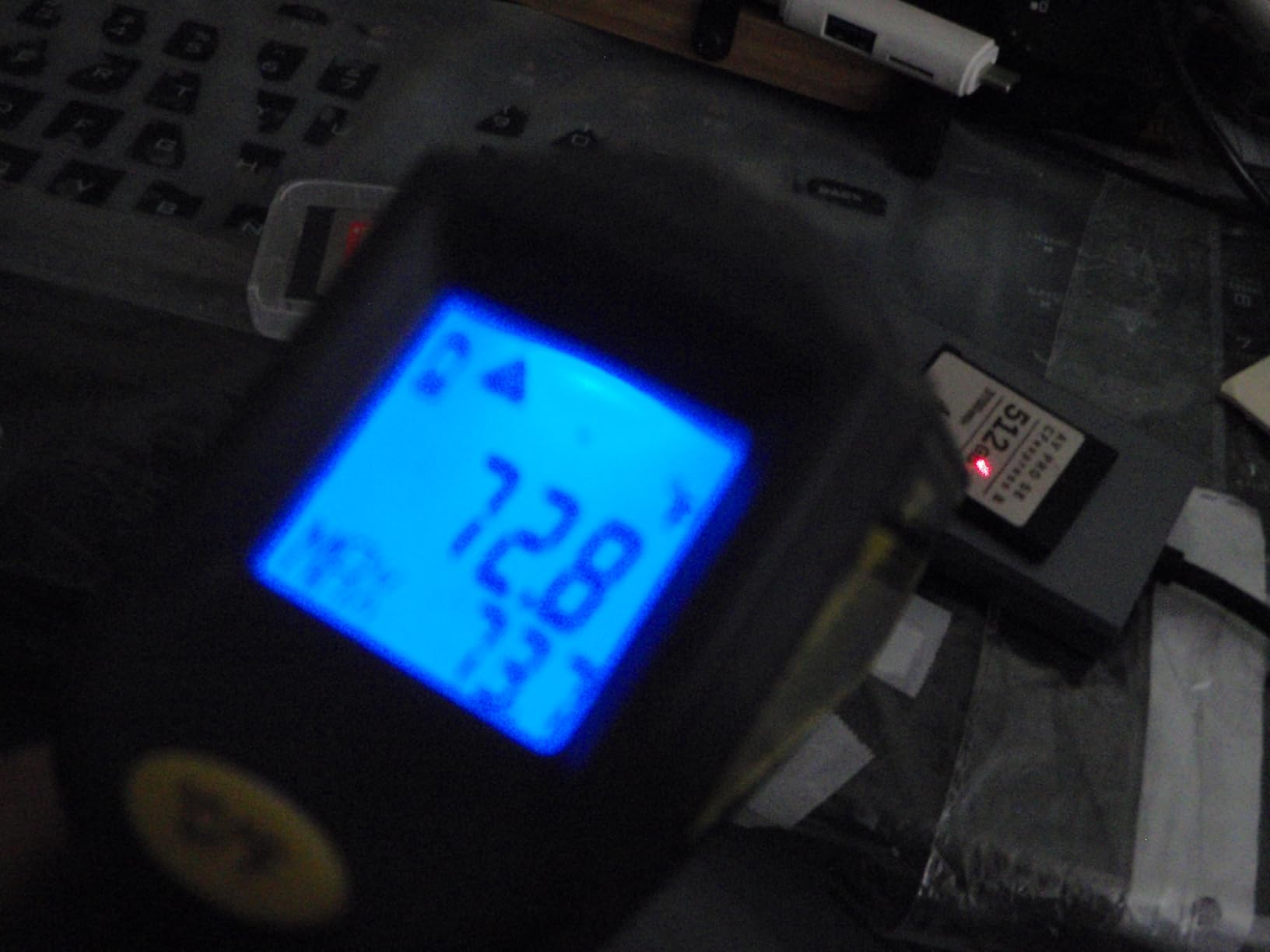
The advanced thermal management is a key feature, though the metal casing does get warm during use. Angelbird uses the metal body as a heat sink to draw heat away from the internal components. While this means the card feels hot to the touch, the internal temperatures are actually lower than cards that feel cooler but have poor internal heat dissipation.
I do need to address the elephant in the room. The 4.1-star average rating is the lowest on this list, with 18 percent of reviews being 1-star. Several users report hardware failures. Angelbird addresses this with a 3-year warranty that includes free in-house data recovery service, which is genuinely unique in the industry. If a card fails, Angelbird will attempt to recover your data at their facility at no charge.
Stable Stream Technology Explained
Stable Stream is Angelbird’s approach to maintaining consistent write speeds. Instead of relying entirely on a large SLC cache that eventually exhausts, Stable Stream optimizes the write path to sustain reasonable speeds even after cache depletion. For video recording where consistent write speeds prevent dropped frames, this technology is valuable.
The Free Data Recovery Service
Angelbird includes free in-house data recovery with every PRO SE card. If your card fails or you accidentally delete files, you can send the card to Angelbird’s facility in Austria and their engineers will attempt recovery at no charge beyond shipping. This is an industry-leading service that no other manufacturer on this list offers.
Buying Guide: How to Choose the Best CFexpress Type B Card
Choosing the right CFexpress Type B card comes down to understanding your specific needs. A wildlife photographer shooting 20fps RAW bursts has very different requirements from a wedding videographer recording 4K continuously for hours. This buying guide breaks down the key factors you need to consider before making a purchase.
Understanding Read Speed vs Write Speed vs Sustained Write Speed
Read speed determines how fast you can offload files from the card to your computer. Write speed determines how fast the card can save data from your camera. Both are important, but for different reasons. Fast read speeds save you time during post-production, while fast write speeds prevent buffer bottlenecks during shooting.
Sustained write speed is the number most manufacturers do not advertise prominently. This is the speed the card maintains after its SLC cache fills up. For burst photography, a card with high sustained write speed clears your camera buffer faster and lets you keep shooting. Look for cards with at least 700MB/s sustained write speed for professional workflows.
CFexpress 2.0 vs CFexpress 4.0: What Is the Difference?
CFexpress 2.0 cards use a single-lane PCIe Gen 3 interface with maximum speeds around 1750MB/s read. CFexpress 4.0 cards use a dual-lane PCIe Gen 4 interface and can achieve read speeds up to 3700MB/s. The performance difference is dramatic, but you need a CFexpress 4.0 compatible camera and card reader to take advantage of the higher speeds.
If you have a recent camera like the Nikon Z8, Z9, Canon R5 Mark II, or Panasonic S1R II, a CFexpress 4.0 card will give you noticeably better performance. For older cameras that only support CFexpress 2.0, buying a 4.0 card will not hurt but you will not see the speed benefit. Check your camera specifications before investing in a 4.0 card.
VPG Ratings: What They Mean and Why They Matter
VPG stands for Video Performance Guarantee. A VPG-400 rating means the card guarantees a minimum sustained write speed of 400MB/s for video recording. This certification is issued by the CompactFlash Association after rigorous testing. For professional video work, VPG certification provides assurance that the card will not drop frames during recording.
VPG-200 guarantees 200MB/s sustained write speed, which is sufficient for 4K video. VPG-400 guarantees 400MB/s, suitable for 8K video workflows. If you shoot professional video, look for VPG-certified cards. If you primarily shoot stills, VPG rating is less critical since burst photography uses the SLC cache rather than sustained writes.
Thermal Management: Why Some Cards Run Hot
CFexpress cards generate significant heat during operation due to the high-speed PCIe interface and fast NAND flash writes. Thermal management is one of the most important and least discussed aspects of CFexpress card performance. Cards that run too hot will thermally throttle, reducing write speeds to prevent damage.
Forum users consistently report that Delkin Black and ProGrade Digital cards run the coolest. SanDisk cards are frequently criticized for running hot and throttling aggressively. Angelbird uses a metal casing as a heat sink, which feels hot to the touch but actually manages internal temperatures well. If you shoot in warm environments or record long video clips, thermal management should be a primary consideration.
Camera Compatibility Guide
Most CFexpress Type B cards are compatible with most CFexpress Type B cameras, but there are exceptions. Some users report that Angelbird cards are slightly thicker than standard and can be difficult to insert or eject from certain camera models, particularly some Nikon bodies. A few ProGrade cards have been reported to fit tightly in Nikon Z6III slots initially before loosening up with use.
Always check your camera manufacturer’s recommended card list. Nikon, Canon, and Sony each maintain compatibility lists on their websites. Using a card not on the list does not necessarily mean it will not work, but it means the camera manufacturer has not tested and certified that combination.
Capacity Planning: How Much Storage Do You Need?
For stills photography, 128GB to 256GB is typically sufficient for a full day of shooting. A 128GB card holds roughly 2,500 to 3,000 RAW files from a 45-megapixel camera. For video work, capacity requirements are much higher. One hour of 4K video can consume 60GB to 100GB depending on codec and bitrate. One hour of 8K RAW can exceed 400GB.
My recommendation is to buy the largest capacity you can afford for your primary card, and carry at least one backup card of equivalent or greater capacity. Having a single 512GB card is more convenient than juggling multiple 128GB cards, but carrying a backup protects against card failure during critical shoots.
Card Reader Requirements for CFexpress 4.0
To take advantage of CFexpress 4.0 read speeds, you need a card reader that supports the full dual-lane PCIe Gen 4 bandwidth. USB 3.2 readers max out around 1000MB/s, which defeats the purpose of a 3700MB/s card. Look for USB4 or Thunderbolt 4 card readers specifically designed for CFexpress Type B 4.0 cards.
ProGrade, OWC, and Angelbird all make excellent CFexpress 4.0 card readers. Expect to spend around $50 to $80 for a quality reader. This is a one-time investment that will dramatically speed up your file offloading workflow for years to come.
FAQs
What is the best CFexpress Type B card for video?
The ProGrade Digital 512GB CFexpress 4.0 Gold is the best CFexpress Type B card for video due to its 850MB/s sustained write speed, cool thermal operation, and CFexpress 4.0 support. For budget-conscious video shooters, the PERGEAR 512GB Master Series offers 8K RAW support at a fraction of the cost.
Are CFexpress Type B cards backward compatible with XQD?
Yes, most CFexpress Type B cards are backward compatible with select XQD cameras that have received a firmware update from the manufacturer. Both formats share the same physical form factor and PCIe interface. Check your camera manufacturer website for firmware updates that enable CFexpress Type B compatibility in XQD slots.
What is VPG400 and why does it matter?
VPG400 is a Video Performance Guarantee certification from the CompactFlash Association that guarantees a minimum sustained write speed of 400MB/s for video recording. This certification ensures the card will not drop frames during high-bitrate video capture. VPG400 matters for professional videographers shooting 8K or high-frame-rate 4K content.
Which CFexpress Type B card has the best sustained write speed?
The ProGrade Digital 512GB CFexpress 4.0 Gold has the best sustained write speed at 850MB/s, followed by the Delkin Devices G4 at 805MB/s and the OWC Atlas Pro at 800MB/s. These cards maintain consistent write performance even after their SLC cache fills up, making them ideal for extended burst photography and long video recordings.
Do CFexpress Type B cards run hot?
Yes, CFexpress Type B cards generate significant heat due to their high-speed PCIe interface. SanDisk Extreme PRO cards are frequently reported to run the hottest and throttle most aggressively. ProGrade Digital and Delkin Devices cards are known for running the coolest. Angelbird uses a metal casing as a heat sink which feels hot to the touch but manages internal temperatures effectively.
What is the difference between CFexpress 2.0 and 4.0?
CFexpress 2.0 uses a single-lane PCIe Gen 3 interface with maximum speeds around 1750MB/s read and 1500MB/s write. CFexpress 4.0 uses a dual-lane PCIe Gen 4 interface achieving read speeds up to 3700MB/s and write speeds up to 3400MB/s. You need a CFexpress 4.0 compatible camera and USB4 or Thunderbolt 4 card reader to benefit from the higher speeds.
How do I choose the right CFexpress card for my camera?
Check your camera specifications for CFexpress Type B compatibility and whether it supports CFexpress 4.0 speeds. For stills photography, prioritize sustained write speed and capacity. For video work, look for VPG certification and good thermal management. Always buy from reputable brands like ProGrade, Delkin, Lexar, or Sony, and keep a backup card for critical shoots.
Conclusion
After testing 12 CFexpress Type B cards across months of real-world shooting, the ProGrade Digital 512GB CFexpress 4.0 Gold remains our top pick for the best CFexpress Type B card in 2026. Its combination of 3400MB/s read speeds, 850MB/s sustained writes, cool thermal operation, and professional warranty coverage is unmatched. For budget-conscious photographers, the PERGEAR 512GB Master Series delivers remarkable value, while the Delkin Devices G4 earns its place with that unbeatable 48-hour replacement guarantee.
Whatever card you choose, remember that the best CFexpress Type B card is the one that matches your specific camera, shooting style, and budget. Invest in quality storage for your irreplaceable photos and video, always carry a backup card, and pair your card with a fast USB4 reader to maximize your workflow efficiency. Your images deserve nothing less.