
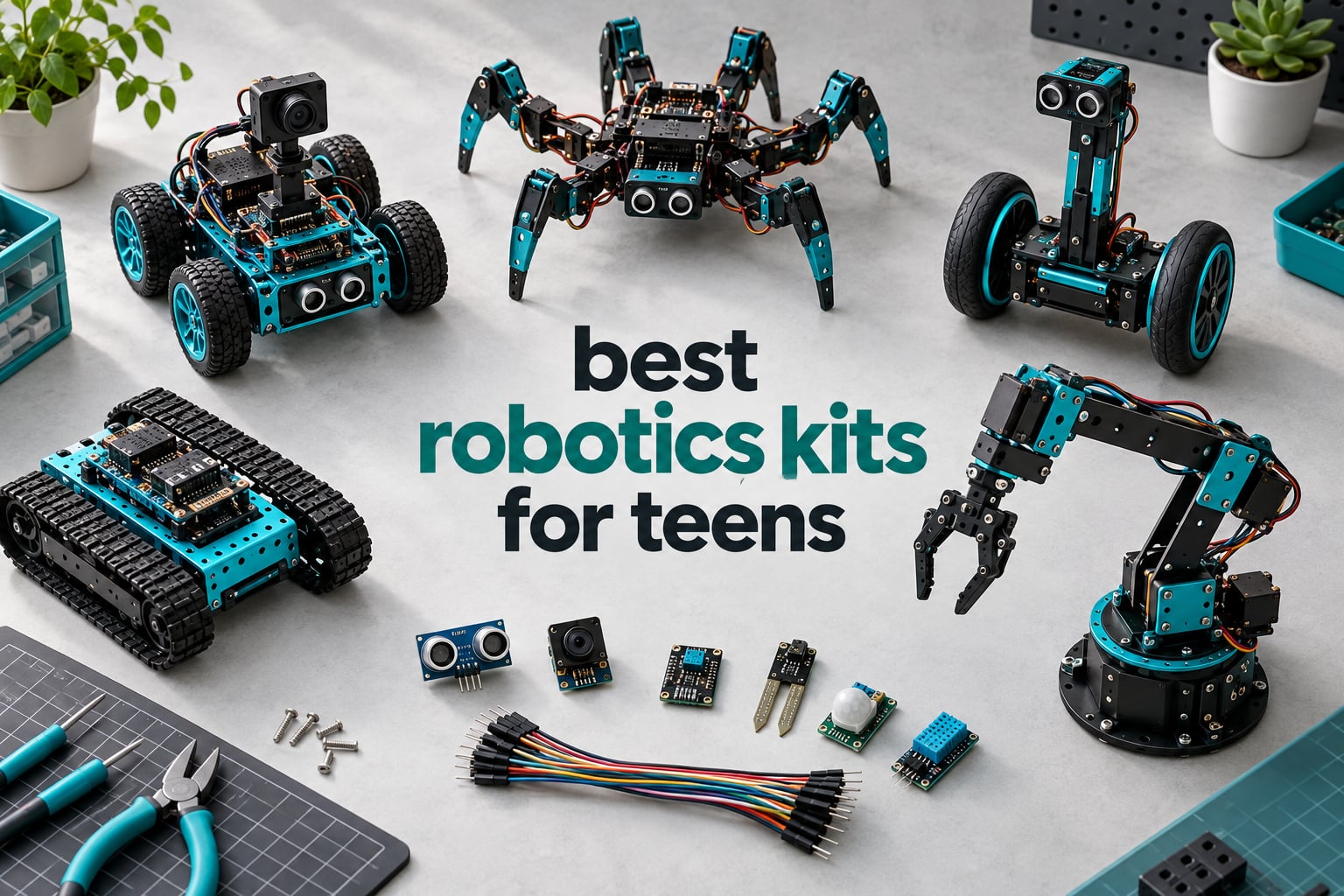
Choosing the right robotics kit for a teenager is harder than it looks. There are Arduino cars, Raspberry Pi AI builds, mechanical builds, and block-coding platforms sitting within the same price band, yet they teach completely different skills. A parent who buys a remote-controlled car by mistake gets a toy that teaches nothing, and a parent who buys an advanced AI chassis for a 13-year-old gets a box that stays half-assembled on a desk.
We spent weeks building and driving every kit in this roundup, checking assembly time, wiring errors, how far the software carries a beginner, and whether a teen can still get something new out of the box six months later. The short version: the best robotics kits for teens do three things well. They run something on the first afternoon, they expose real microcontroller code rather than a locked app, and they have enough expansion to survive a second and third project.
This guide covers twelve kits across the full range, from a purely mechanical build with no electronics at all to a Raspberry Pi car that runs local and cloud language models. We also break down the things manufacturers rarely explain: what device you actually need, whether the battery is included, and how far the learning path extends after the sample code runs out.
Updated for 2026, every kit here was selected on build quality, documentation, programming depth and real reviewer feedback rather than on how good it looks in a promo video.
Our Top 3 Robotics Kits for Teens in 2026
Three kits stood out once we finished building them. The ELEGOO UNO R3 Smart Robot Car Kit V4 is the one we recommend to most families, because it runs out of the box and still opens up to real Arduino code a few weeks later. The Freenove hexapod is the ambitious pick for a teen who wants to see something genuinely unusual walk across the floor. The TEACH TECH Mech-5 earns its spot as the least frustrating first build for a younger teen who is not ready to solder.

ELEGOO UNO R3 Smart Robot…
- UNO R3 plus ESP32-WROVER camera module
- FPV video and obstacle avoidance
- 2000 mAh rechargeable battery

Freenove Big Hexapod Robot Kit
- Six legs with 18 servos
- Camera and ultrasonic head sensor
- Self-balancing Python code

TEACH TECH Mech-5 Coding Robot
- No electronics or soldering
- Mechanical coding wheel
- Multi-hour STEM build
Comparing Every Robotics Kit for Teens in 2026
Here is the whole lineup side by side. The table covers every kit in this guide so you can match a chassis style, sensor suite and programming language to your teen’s interests before you dig into the individual reviews.
| Product | Details | |
|---|---|---|
| ELEGOO UNO R3 Smart Robot Car Kit V4 |
|
Check Latest Price |
| Freenove Big Hexapod Robot Kit |
|
Check Latest Price |
| TEACH TECH Mech-5 Coding Robot |
|
Check Latest Price |
 inventr.io 30 Days Lost in Space inventr.io 30 Days Lost in Space |
|
Check Latest Price |
 OSOYOO Robot Car Starter Kit V2.1 OSOYOO Robot Car Starter Kit V2.1 |
|
Check Latest Price |
 KEYESTUDIO Smart Car Kit V2.0 KEYESTUDIO Smart Car Kit V2.0 |
|
Check Latest Price |
 ELEGOO Tumbller Self-Balancing Robot ELEGOO Tumbller Self-Balancing Robot |
|
Check Latest Price |
 ELEGOO Conqueror Robot Tank Kit ELEGOO Conqueror Robot Tank Kit |
|
Check Latest Price |
 Makeblock mBot2 Coding Robot Makeblock mBot2 Coding Robot |
|
Check Latest Price |
 ACEBOTT 4-in-1 ESP32 Robot Kit ACEBOTT 4-in-1 ESP32 Robot Kit |
|
Check Latest Price |
 Adeept 5DOF Robotic Arm Kit Adeept 5DOF Robotic Arm Kit |
|
Check Latest Price |
 SunFounder Picar-X AI Robot Car SunFounder Picar-X AI Robot Car |
|
Check Latest Price |
1. ELEGOO UNO R3 Smart Robot Car Kit V4 – The Best All-Round Robotics Kit for Teens
ELEGOO UNO R3 Smart Robot Car Kit V4 with Camera, Compatible with Arduino
Arduino UNO R3 plus ESP32-WROVER
FPV camera and Wi-Fi
2000 mAh rechargeable battery
Keyed XH2.54 connectors
+ Pros
- Runs out of the box with preloaded code
- Keyed connectors and labeled bags reduce wiring mistakes
- Both boards are programmable with a large documentation archive
- Line tracking and obstacle avoidance work well
- Documented example programs for Arduino IDE
- Cons
- Only one expansion connector on the board
- Camera mount angle sits high
- Stock app has no motor speed ramping
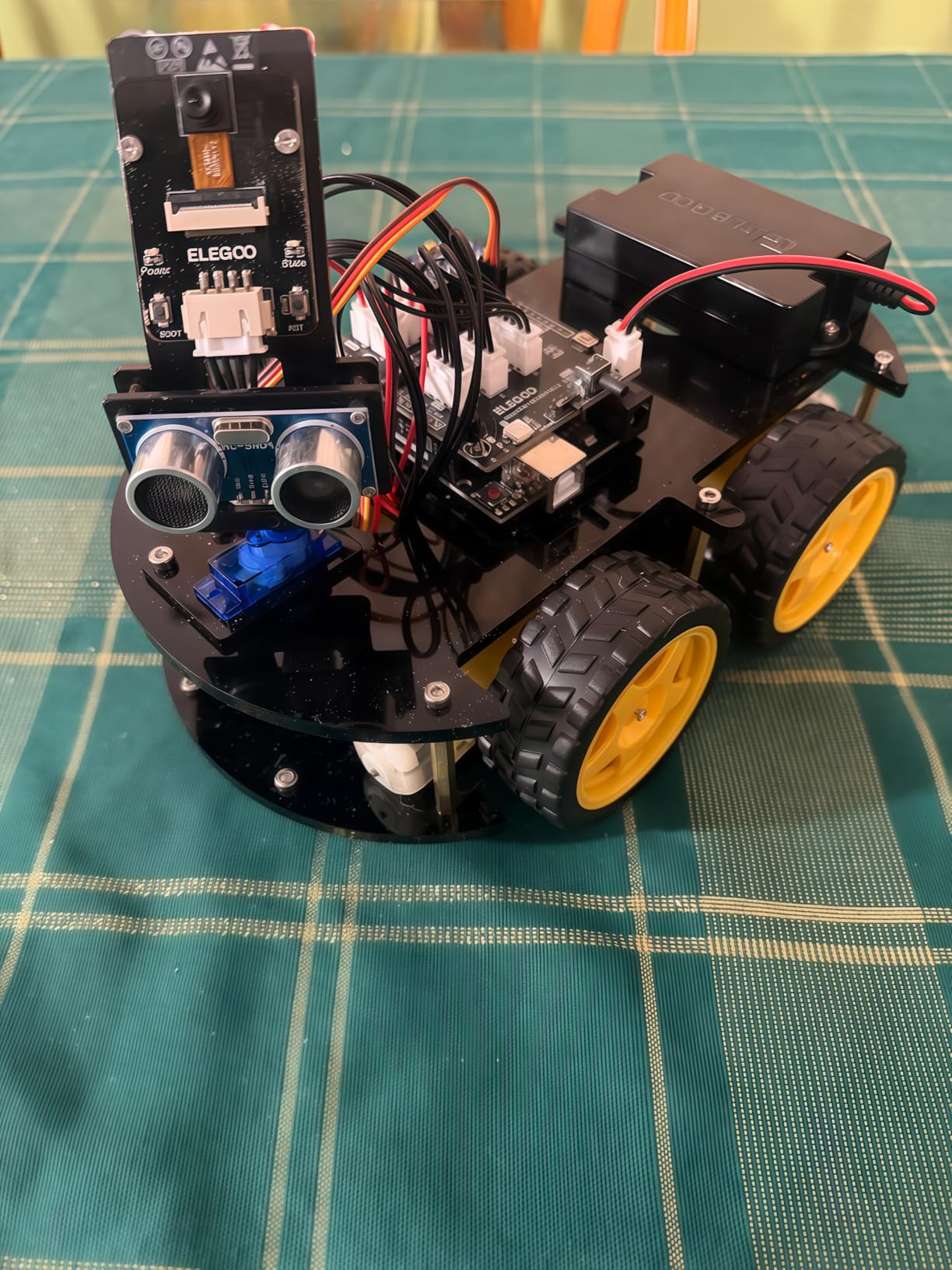
This is the kit we kept coming back to while testing the whole group. It has two brains: a standard Arduino UNO R3 that handles the motors and sensors, and an ESP32-WROVER module that handles the camera and Wi-Fi. That combination is unusual at this level, and it means a teen can start with the app and FPV feed, then open the Arduino IDE when they are ready to change the behavior.
Assembly took us about ninety minutes with the keyed XH2.54 connectors doing most of the work. Nothing reversed, nothing sparked, and the parts arrived in labeled bags with a few spares in the mix, which matters more than it sounds when a 14-year-old is doing the build at a kitchen table.
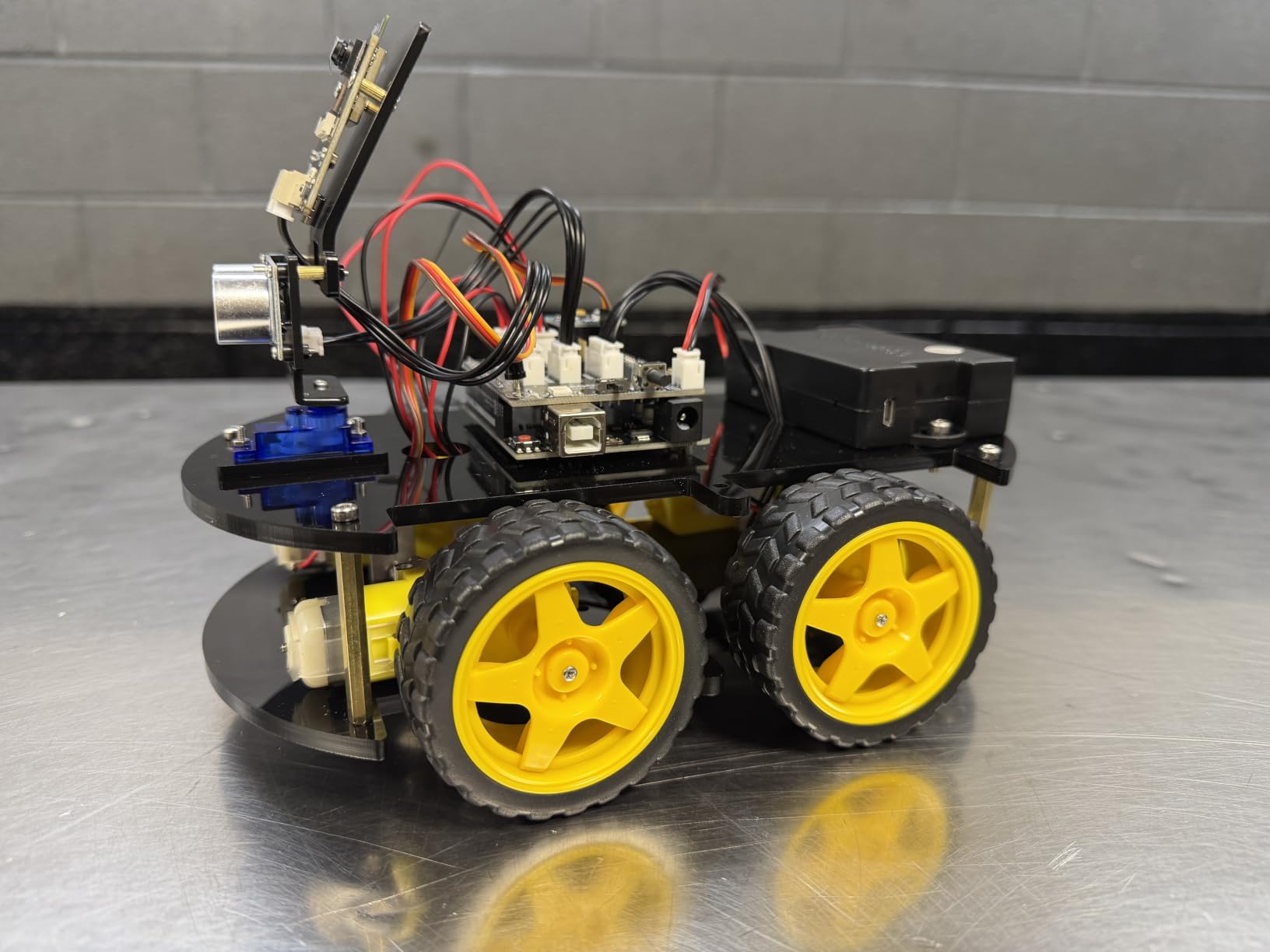
The car drove within a minute of powering on using the preloaded firmware, with the IR remote and the phone app both working immediately. Line tracking on a printed track held steady, and the obstacle avoidance mode stopped short of a chair leg more reliably than most plastic cars we have tested. Owners on r/arduino consistently point to the same two strengths: the documentation, and the fact that the source code is genuinely readable rather than a black box.
Dual Microcontrollers and What Each One Handles
The split architecture matters more than the spec sheet suggests. The UNO R3 runs the real-time motor control and sensor polling, so your code behaves predictably, while the ESP32-WROVER handles Wi-Fi and video streaming where the UNO would choke. If a teen later swaps the camera for a different module, the motor side of the project is unaffected.
Wiring runs through keyed connectors, which was the single biggest quality-of-life improvement we noticed. Miss the header on a bare-wire kit and you get a dead board. Here, the connector physically will not go in backwards.
FPV Streaming, Line Tracking and Obstacle Avoidance
The FPV mode is the fun factor. Live video from the car’s viewpoint on a phone turns a driving exercise into something closer to a game, and it gave us an instant reason to keep running the same track. The camera sits fairly high, which means a teen looking for obstacles at bumper level sees a bit more sky than ground.
Line tracking and obstacle avoidance are the two behaviors we judged most, because they are where beginner code meets real sensor feedback. Both performed consistently. The one miss is the stock app, which has no motor speed ramping, so starts and stops feel abrupt until you upload your own code.
Expansion Limits and Battery Life
Here is the honest limitation. This board offers a single expansion connector, fewer than earlier versions of the same kit, so adding three more sensors means building a wiring harness. For a teen who wants to grow into advanced electronics quickly, that ceiling is real.
The 2000 mAh rechargeable lithium-ion battery is included, which removes the most common first-day frustration. Reviewers report a full afternoon of intermittent driving from a charge, and the half-year manufacturer warranty covers the electronics rather than the chassis.
If you want one kit that satisfies a 13-year-old on day one and a 17-year-old in spring, this is the purchase we would make. The key is to tell your teen up front that the preloaded code is the starting point, not the finish line.
2. Freenove Big Hexapod Robot Kit – Six Legs, a Camera Head and Real Python
Freenove Big Hexapod Robot Kit for Raspberry Pi 5 4 B 3 B+ Zero 2 W, Walking, Self Balancing, Face Recognition, Ultrasonic Ranging, App Control, Camera, Servo (Raspberry Pi NOT Included)
Six legs with 18 servos
Rotatable head with camera and ultrasonic sensor
Python walking and self-balancing
Raspberry Pi and battery sold separately
+ Pros
- Visually striking six-legged design
- Supports walking gait self-balancing and face recognition
- Works across many Raspberry Pi models including Zero 2 W
- Wireless control from phone apps or a computer
- Cons
- Raspberry Pi and battery must be bought separately
- Tutorial is a digital download with no printed manual
- Assembly is complex with 18 servos across six legs
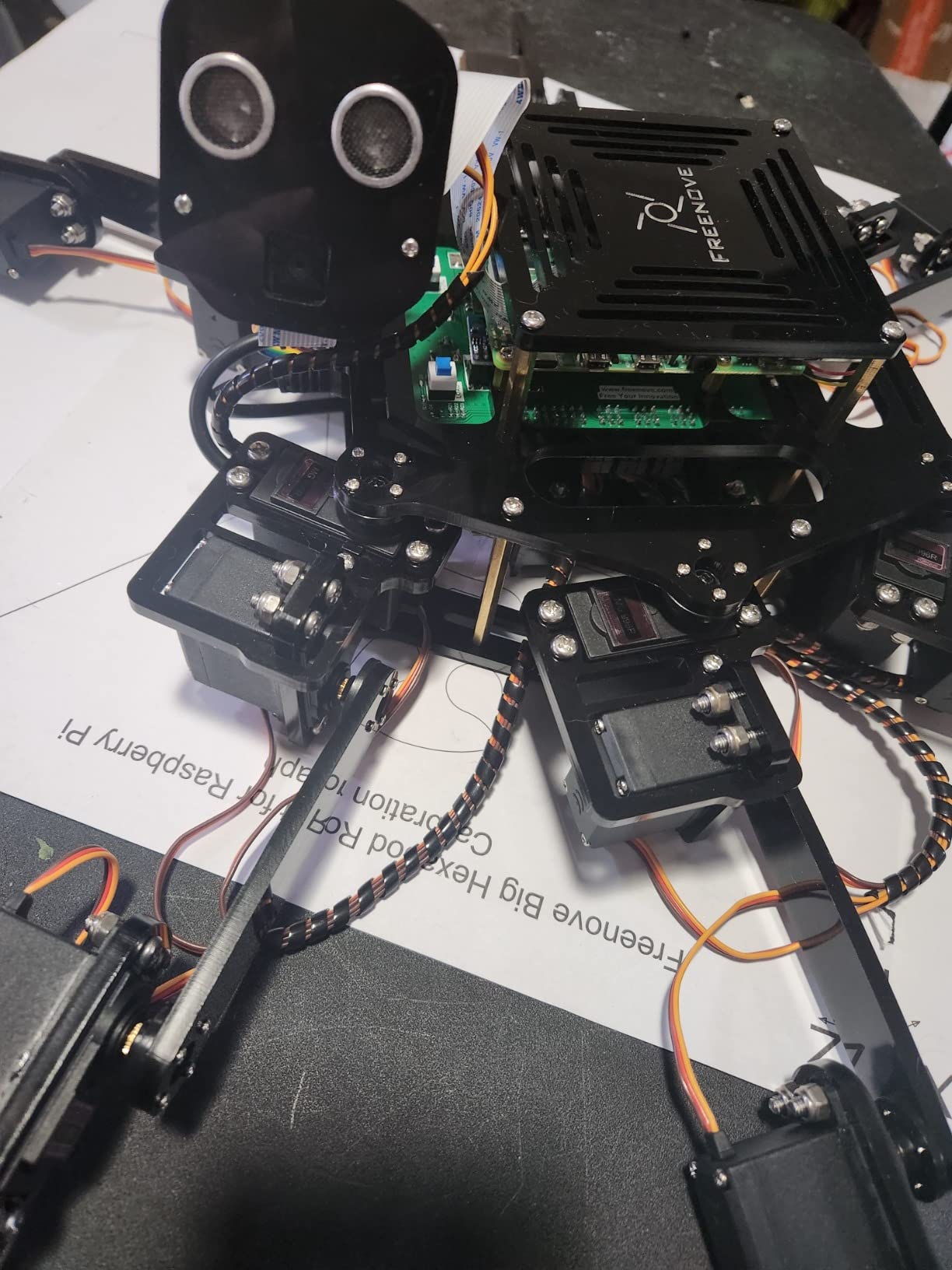
Nothing else in this roundup looks like this. Six legs, three motors per leg, and a rotatable head carrying a camera and an ultrasonic distance sensor. When it walks, a room full of teens stops what they are doing.
This is not a first electronics project. The Raspberry Pi and the battery are both sold separately, and the tutorial arrives as a download rather than a booklet, so the effective cost to get this running is well beyond the kit price. Budget for a Pi, a power solution, and a weekend where an adult helps.
What you get in exchange is genuine Python robotics rather than a scripted demo. The provided code covers walking gaits, self-balancing, ultrasonic ranging and face recognition through the head camera. Control works from Android, iOS or a computer over Wi-Fi, and the code supports Raspberry Pi 5, 4B, 3B+, 3B, 3A+, and the Zero 2 W with extra parts.
Eighteen Servos and a Six-Leg Gait
Eighteen servos across six legs is the reason this machine can self-correct its own attitude. Each leg joint is independently addressable, so the code can shift the center of mass as it moves rather than tipping forward like a two-wheel design.
The downside is calibration. Servo horns have to be set to neutral positions before the legs will behave, and getting that wrong means a very fast teardown. Our first attempt spent twenty minutes on calibration alone. A teen who enjoys tuning will find that satisfying. A teen in a hurry will not.
Camera Head, Face Recognition and Vision Work
The head is a genuine sensor node rather than decoration. It carries a camera for vision work and an ultrasonic sensor for ranging, and it rotates independently of the body, so the robot can scan the room while walking.
Face recognition runs in Python, which makes this a useful bridge between a coding robot and a computer-vision project. Reviewers note that the code is well commented, so a teen can read through it and change the detection thresholds themselves rather than guessing at parameters.
What You Have to Supply Yourself
The Raspberry Pi is not included, and neither is the battery. Both purchases are required before the robot moves, and this is the single biggest reason we would not hand this kit to a younger teen.
For a 16 or 17-year-old who already has a Pi on the shelf and has touched Linux before, that is a non-issue. The kit supports the Zero 2 W, so even a cheap board is enough to run the provided code.
Verdict: this is the kit that produces the best science fair project on the table. The complexity is the point, and the payoff is a robot that does something almost nothing else at this tier can do.
3. TEACH TECH Mech-5 – The Least Frustrating First Robotics Build
TEACH TECH Mech-5 STEM Coding Robot Building Kit for Kids Ages 10+
Mechanical coding wheel with snap-on buttons
No electronics or soldering needed
Ages 10 and up
About 16 ounces
+ Pros
- Teaches sequencing through a mechanical wheel
- Genuine multi-hour hands-on build
- Large catalog presence with thousands of reviews
- Springboard into Snap Circuits projects
- Cons
- Coding is limited to mechanical button sequences
- Some users report arm actions not matching the mission list
- Not a platform for expanding into advanced electronics
The Mech-5 has no circuit board, no wires and no firmware. It is a gear-driven robot programmed by snapping plastic buttons onto a rotating coding wheel, and for a 12 or 13-year-old who is nervous about electronics, removing the electronics entirely is the feature.
It does still take real build time. Reviewers consistently describe it as a multi-hour project with a genuine sense of completion at the end, which is exactly what a first robotics experience should feel like. The mechanism can throw, lift, kick and draw.
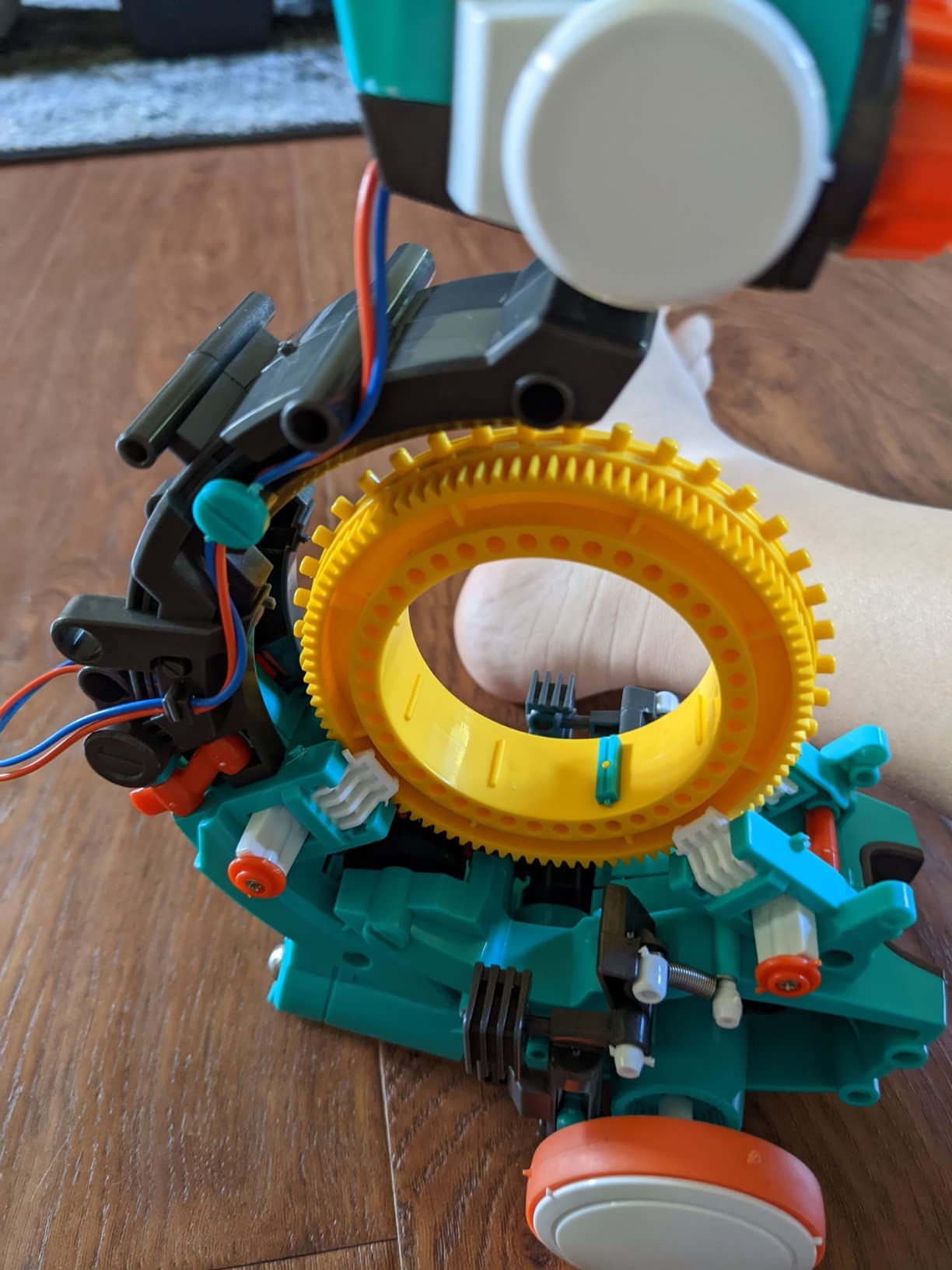
What it teaches is sequencing. A teen has to plan a button order, run it, watch the result, and revise. That loop, executed a hundred times before the arm does the right thing, is the foundational skill behind every programming language.
Why Mechanical Coding Works as a First Step
There is no abstraction layer to hide behind. A wrong button order produces an obviously wrong movement, so the feedback loop is instant and physical. Younger builders who get frustrated staring at a blank code editor often succeed here because the cause and effect are visible.
It also runs on two AAA batteries, which means the kit is ready to go as soon as it is assembled. Nothing to charge, no firmware to flash, no software account to create.
Where the Coding Ceiling Sits
Be clear about the limit. The coding mechanic is a fixed set of button sequences, not a programming language, and a teen who has learned it will not be able to add sensors, motors or new behaviors.
It is a first step, not a destination. The Snap Circuits catalog it belongs to is the natural follow-on, and owners frequently report that the Mech-5 sparks an interest in the wider Snap Circuits line.
Build Time, Documentation and Fit
The printed manual and mission list are well illustrated, and the arm is capable of several distinct movements. A minority of users report that finished arm actions do not always match the illustrated mission list exactly, so expect a little experimentation.
At 16 ounces and roughly 12 inches long, it is a desk-scale kit, which makes it a better first build for a bedroom or a classroom shelf than something with tracked wheels. The one-year manufacturer warranty covers defects in the parts.
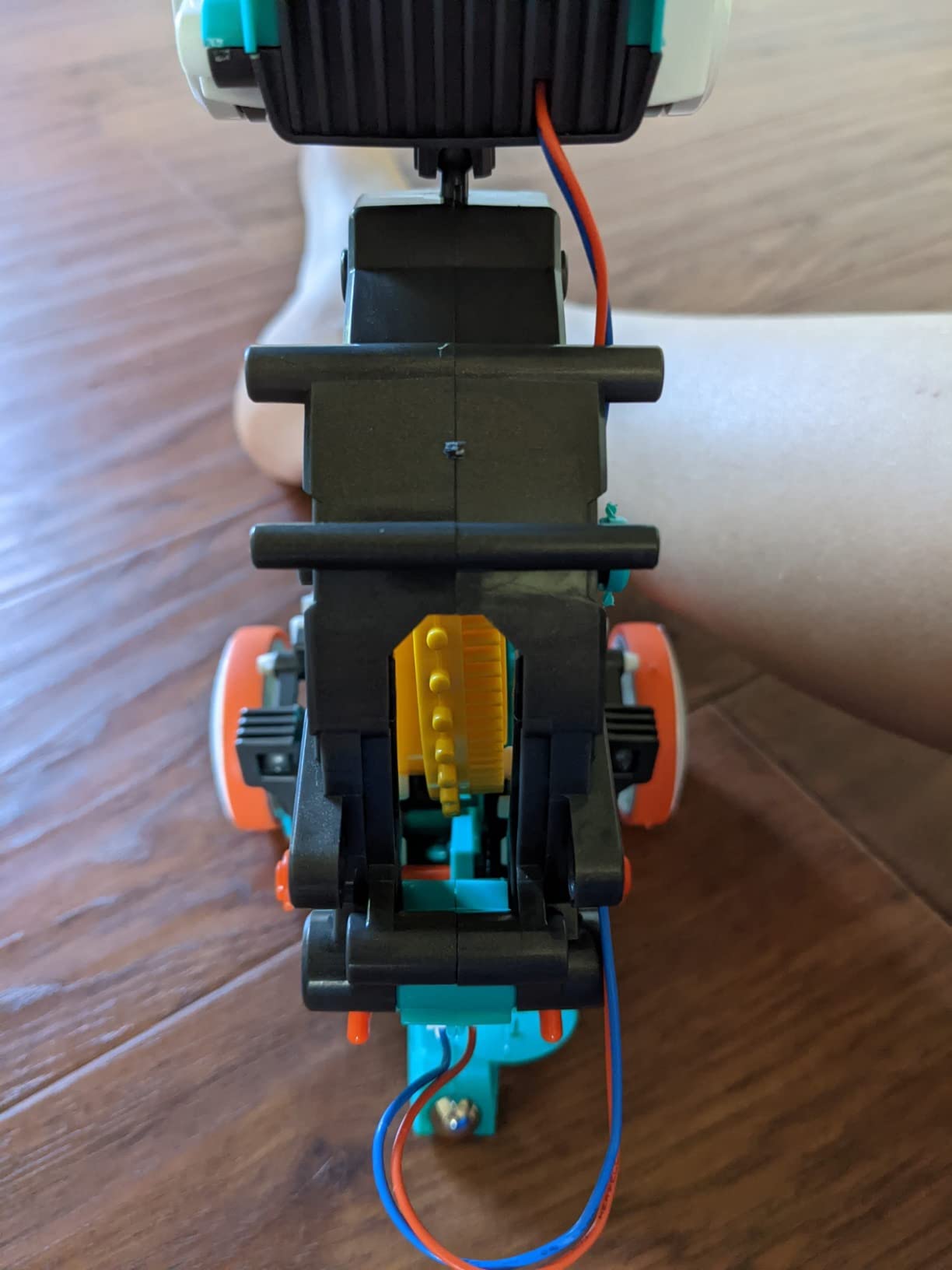
Our take: pair it with a structured coding kit later. The Mech-5 answers the question a nervous beginner is really asking, which is can I make something happen, and the answer is yes within an afternoon of assembly.
4. inventr.io 30 Days Lost in Space – A Guided Course With Real C++ Lessons
Adventure Kit: 30 Days Lost in Space | Premium STEM Coding Course for Adults & Teens | Robotics & Engineering Projects with Expert Teachers | Arduino IDE Compatible Kit
30+ hours of premium video lessons
Cinematic 30-day storyline
Teaches C++ in the Arduino IDE
Reusable hardware parts
+ Pros
- Story format holds attention better than a manual
- Instruction from a NASA researcher and college educators
- Teaches transferable Arduino C++ skills
- Parts stay with the learner after the course
- Self-paced so it can be paused and resumed
- Cons
- Lessons are digital video so it needs a screen and internet
- It is a curriculum of small projects not one finished robot
- Higher cost per hour of content than entry-level kits
This is not a robot. It is a 30-day course with hardware attached, structured as a cinematic story about being stranded in space, and that framing is the reason it works where a printed tutorial loses a teenager by day three.
Over 30+ hours of video, the learner builds a sequence of small circuits and robots, ending with genuine C++ programming in the Arduino IDE. The pacing is designed at roughly one hour a day with no prior experience required, and it is aimed at ages 12 and up, teens and adults together.
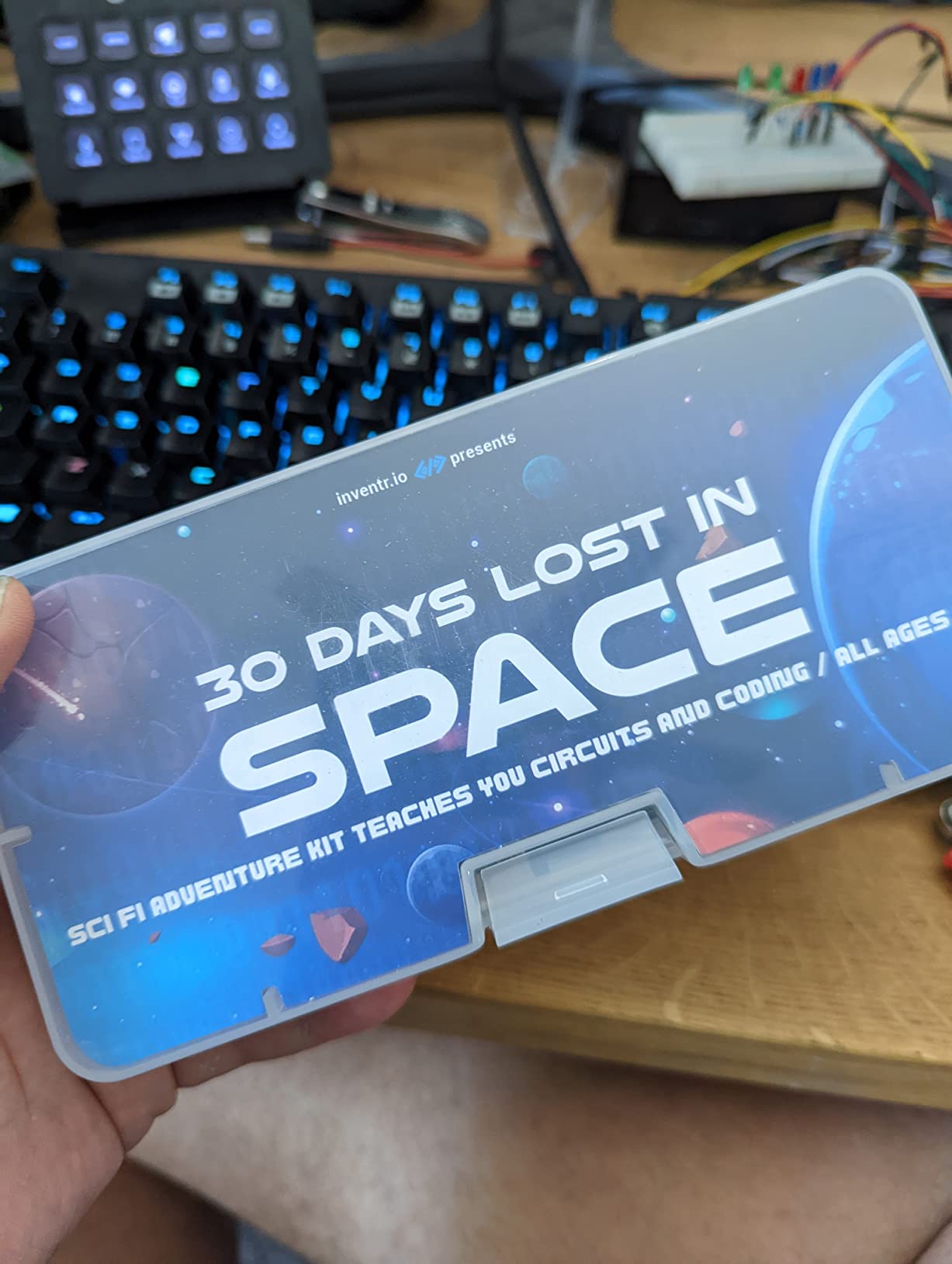
Instruction comes from a NASA researcher and college educators rather than generic reviewers, and the parts that accumulate across the 30 days stay with the learner afterward. That reuse matters, because the learner is effectively building a parts bin for later projects.
Why the Story Format Beats a Manual
Educational video kits usually fail because there is no reason to watch episode nine. Wrapping the lessons in a survival narrative gives each day a goal that is not just a worksheet, and reviewers repeatedly single out the storyline as the reason their teen kept going.
The community is large as well, with access to a maker community of over 700,000 people. A teen who gets stuck on a wiring step can post a photo and get an answer the same evening, which matters more for a solo learner than most product features.
What the Learner Actually Ends Up Knowing
The C++ taught here is Arduino-flavored C++, running in the same IDE used by most of the robotics kits in this guide. That makes it a genuine bridge: a teen who finishes this course can pick up the ELEGOO or KEYESTUDIO cars later and already understand the environment.
AI concepts appear in the later lessons, so this also works as an introduction to how machine learning ideas get applied to a physical device rather than a browser tab.
Where This Kit Falls Short
It is a curriculum of small projects, not one impressive finished robot. A teen who wants a single machine on a desk to show off will be less satisfied than one who enjoys a daily lesson with a payoff.
The lessons are digital video, so it depends on a screen and a connection rather than a printed manual, and the cost per hour of instruction is higher than entry-level kits. It also demands sustained attention, which is why we would pair it with a hands-on kit on the other days of the week.
Verdict: the strongest pick here for a self-motivated teen who needs a teacher, even though the teacher is on a screen. The one-year warranty and the reusable parts make it a reasonably durable purchase.
5. OSOYOO Robot Car Starter Kit V2.1 – The Largest Sensor Bundle in the Lineup
OSOYOO Robot Car Starter Kit for Arduino | STEM Remote Controlled App Educational Motorized Robotics for Building Programming Learning How to Code | IOT Mechanical DIY Coding for Teens Adults
Arduino R3 board with model X motor shield
Ultrasonic sensor and servo motor
Five line tracking modules
Wi-Fi shield and Bluetooth module
+ Pros
- Very generous parts bundle for the money
- Supports line tracking object following and obstacle avoidance
- App control adds IoT learning to the Arduino work
- Acrylic chassis has room for further additions
- Cons
- Sample code and tutorial quality are basic
- Acrylic chassis can crack if fasteners are overtightened
- No battery in the base package
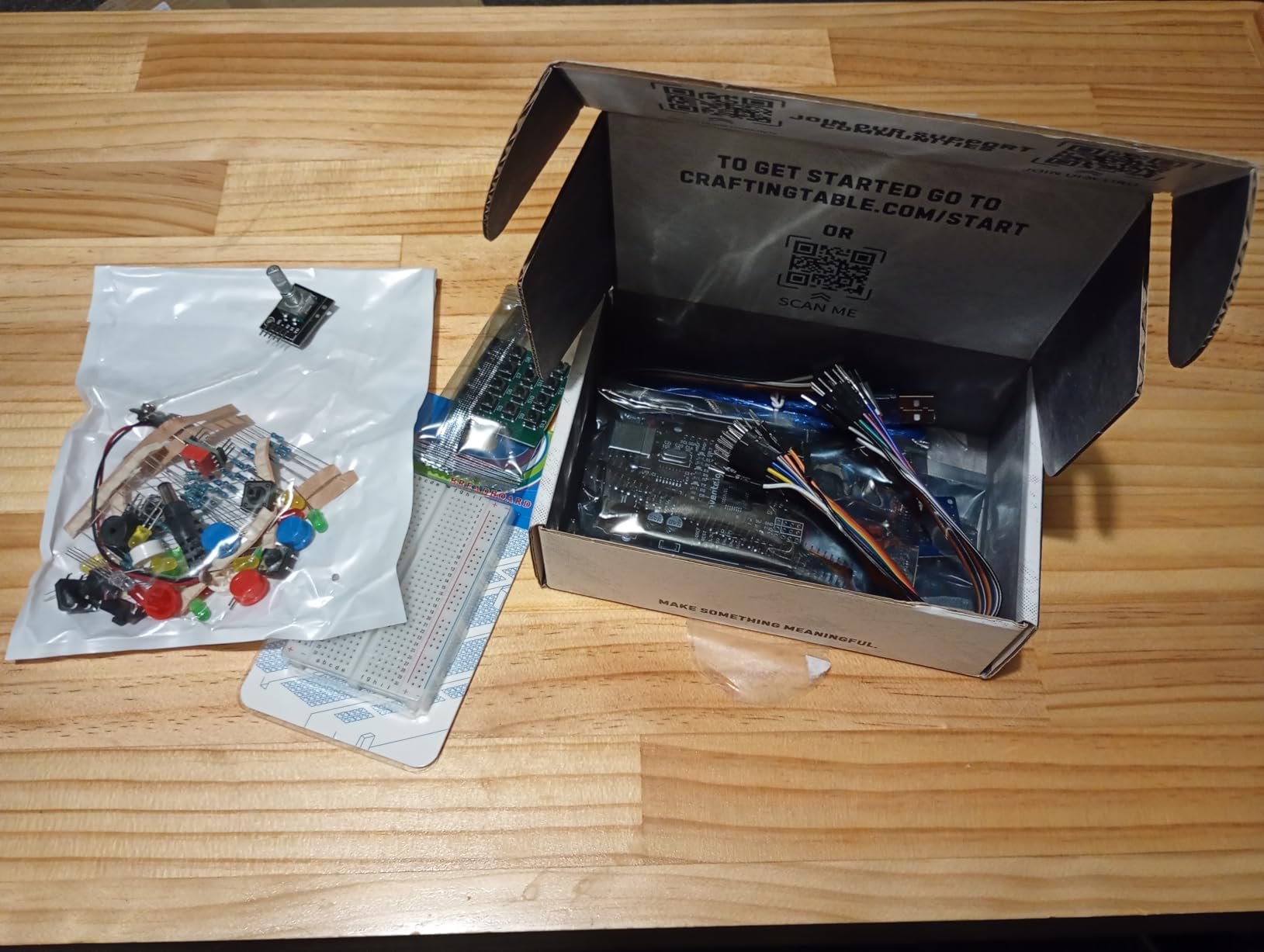
The OSOYOO V2.1 is the kit you buy when your teen’s goal is to touch as many sensor types as possible in the first month. It ships with an ultrasonic sensor, a servo motor, five line tracking modules, two obstacle sensors, an IR remote and a buzzer, all on an acrylic 4WD chassis with four motors and metal motor holders.
Everything runs on a standard Arduino R3, which means the wiring and code are conventional. A Wi-Fi shield and a Bluetooth module add app control, so a teen can drive it from a phone while still learning the Arduino language underneath.
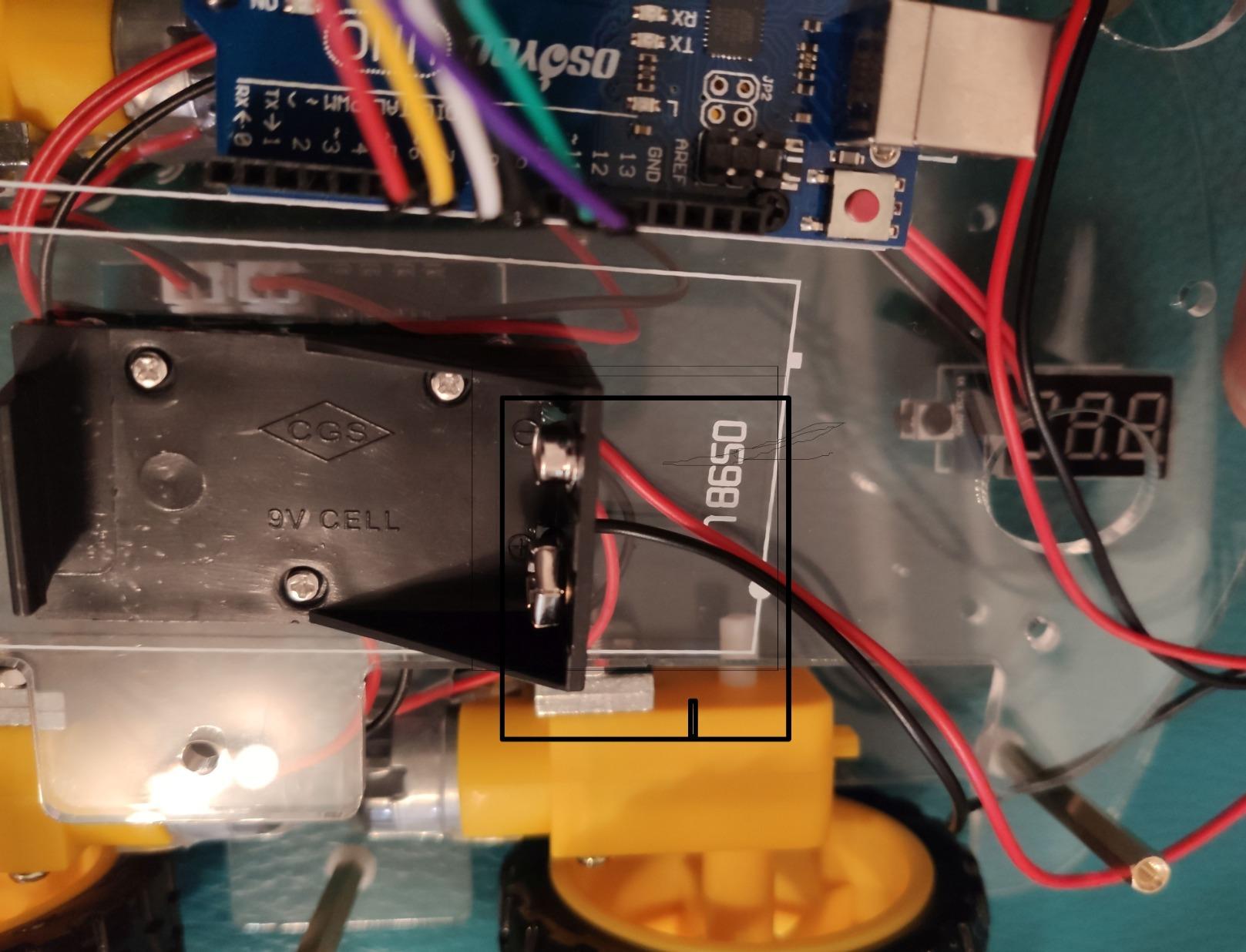
It is rated for ages 14 and up and weighs just over a kilogram, so it is a solid, driveable car rather than a delicate build. The instruction CD includes video, sample project code and step-by-step assembly instructions.
Five Line Tracking Modules and Two Obstacle Sensors
Most cars in this category ship with one or two line sensors. Five modules means a teen can experiment with arrays, compare readings, and build a follow line that behaves differently depending on surface conditions. That is a real exercise in reading sensor data rather than copying a threshold value.
The pair of obstacle sensors and the ultrasonic ranging sensor give plenty of material for input-output projects, and the servo motor opens up mechanisms that move, not just wheels that turn.
Acrylic Construction and How to Handle It
The acrylic chassis is roomy, which is the practical win, and it leaves space for the sensor stack to grow. The tradeoff is fragility. Reviewers report that overtightening fasteners can crack the acrylic, so a teen assembling this needs to be told to snug screws rather than crank them.
Metal motor holders are a nice touch at this level, since they are the parts that normally strip first on a plastic chassis.
Documentation Quality Is the Weak Point
Be honest about the tutorials. Owners consistently rate the sample code and documentation as basic compared with newer kits, and the tutorial CD format is dated. The wiring is conventional enough that a teen comfortable with Arduino can skip much of it.
Wi-Fi and app connectivity is not always reliable straight out of the box, and the base package has no battery included, so add cells before the first session. Our guidance would be to work through the sensor modules with the IR remote first, then move to app control once the base behaviors are solid.
Verdict: the best parts-per-pound option here, and the one that gives a mechanically curious teen the most raw material to experiment with.
6. KEYESTUDIO Smart Car Kit V2.0 – The Clearest Blocks to C++ Progression
KEYESTUDIO Smart Car Kit,4WD Programmable DIY Starter Kit for Arduino for Uno R3,Electronics Programming Project/STEM Educational/Science Coding Kit for Teens Adults15+
Arduino Uno R3 with 4WD chassis
Mixly block coding plus Arduino C++
15 guided projects in the wiki
PH2.0 anti-reverse connectors
+ Pros
- Structured 15-project curriculum instead of one-off demos
- Dual programming path from blocks to Arduino C++
- PH2.0 connectors make wiring much less error-prone
- Five working modes plus app and IR control
- Cons
- Comes without preloaded code so it will not move until you upload a program
- Batteries are not included
- Documentation lives on a wiki rather than a printed manual
The KEYESTUDIO V2.0 is a 4WD car on an Arduino Uno R3, and its distinguishing feature is a curriculum rather than a demo. The official wiki lays out 15 progressive projects running from a blinking LED through to Bluetooth-controlled robotics, so a teen has a defined order of study instead of a folder of loose sample files.
Programming runs through Mixly drag-and-drop blocks and then through Arduino C++, on the same board. That two-stage path is the single best teaching structure in this roundup for a teen who is not ready for a text editor on day one but will be within a few months.
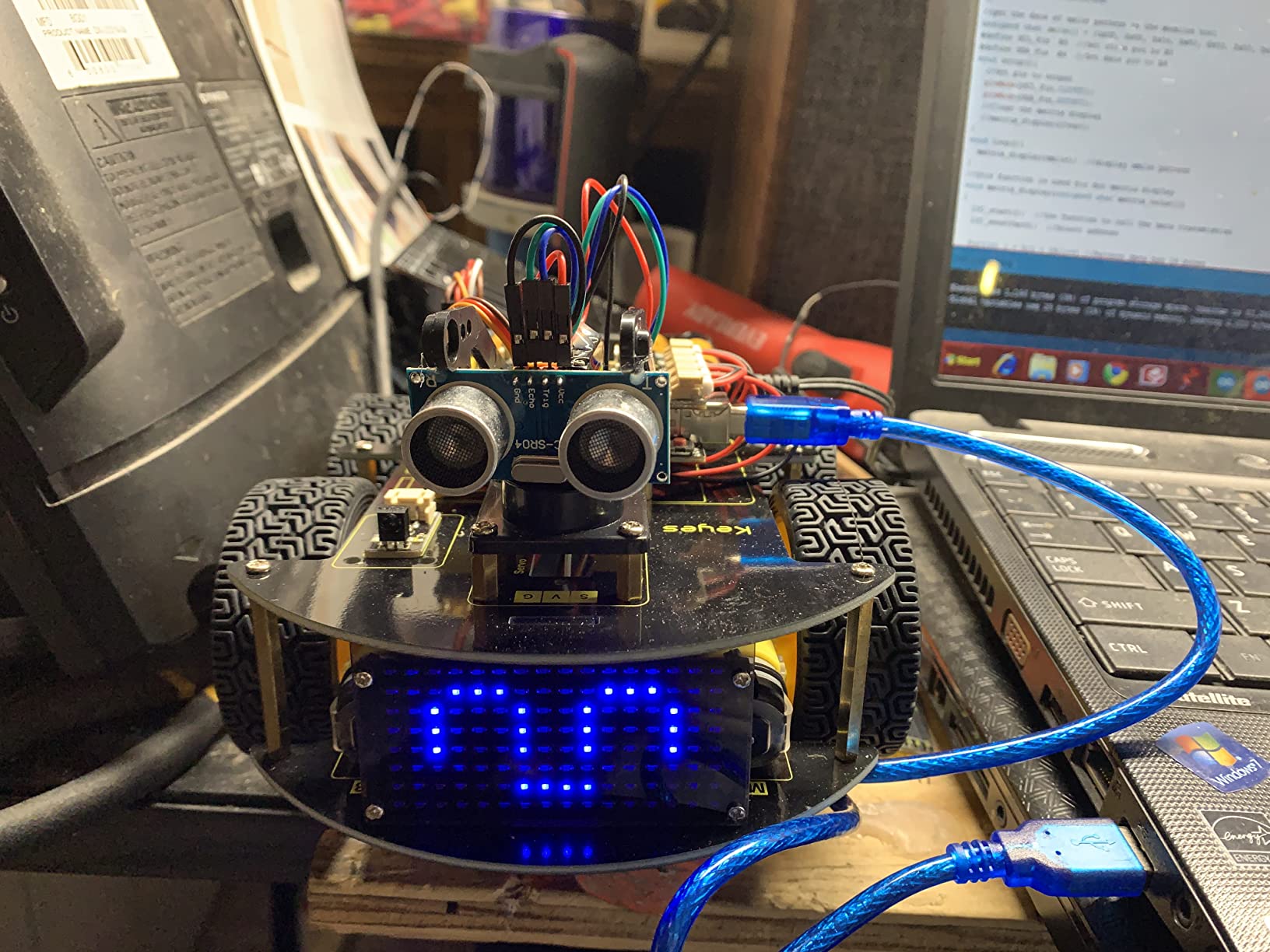
Five modes work out of the box once code is uploaded: line tracking, obstacle avoidance, auto-follow, IR remote and Bluetooth app control. The kit uses PH2.0 anti-reverse connectors on all modules, which is the same wiring-safety benefit the ELEGOO car offers.
The 15-Project Learning Path
Progressive curricula matter because each project has a defined finish line. LED control first, then motor control, then sensors, then Bluetooth. A teen can look at project 12 and understand that project 3 is what makes it work, which is how engineers actually learn.
It also solves the outgrown-kit problem. When a beginner finishes the 15 projects, the natural next step is writing custom C++ for behaviors the curriculum does not cover, and the board supports that directly.
Two Programming Environments, One Board
Mixly blocks make the first weeks painless, with drag-and-drop logic that a younger teen can manage. Switching to the Arduino IDE later is a single platform change rather than a whole new kit, and the skills gained in blocks translate into control flow in C++.
The limitation is depth. Mixly is a teaching abstraction, and a teen who stays in it for a year will not be challenged. The value here is in how quickly the curriculum pushes a student out of it and into real code.
Why It Does Not Move Out of the Box
This catches people out. The kit deliberately arrives without pre-burned programs, so the car will not move until a program is uploaded following the tutorials. Combined with no included batteries, the first session is entirely setup.
Some reviewers also flag that the published dimensions and weight do not match the actual kit, so measure the workspace before building. Documentation lives on the wiki rather than in a printed manual, which is a problem for a teen without reliable internet access.
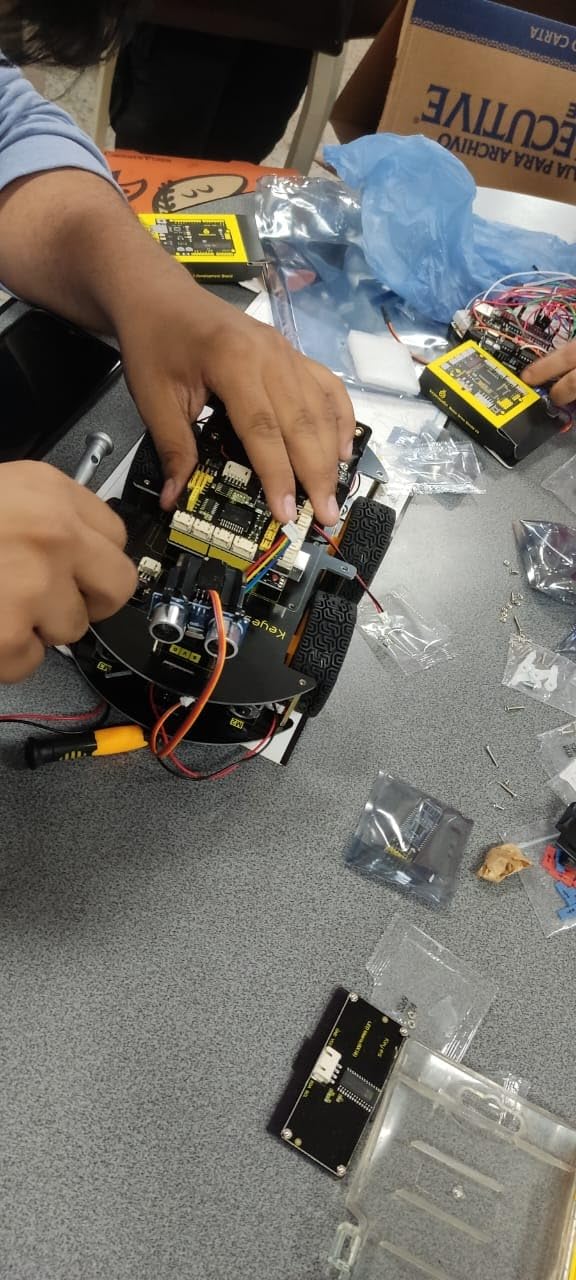
Verdict: the kit we would pick for a 14-year-old who wants a defined learning path and will eventually write C++. The setup effort is front-loaded, and the payoff is the clearest skill progression in this group.
7. ELEGOO Tumbller – Best for Learning Control Theory and PID
ELEGOO Tumbller Self-Balancing Robot Car Kit, Compatible with Arduino
Two-wheel self-balancing design
Arduino Nano controller with preloaded firmware
Six play modes
Open-source firmware and design files
+ Pros
- Hardware quality and fit-and-finish stand out
- Stands upright on the first run for many builders
- Open-source firmware and design files with a PID lesson
- Manufacturer support resolved a source-code issue for a reviewer
- No soldering needed
- Cons
- Software and source code are hard to find on the vendor site
- Example code is weaker than the hardware
- Only one free pin left on the Arduino Nano
The Tumbller balances on two wheels, which sounds like a party trick until you realize what it takes. An Arduino Nano reads motion data and corrects motor speed many times per second, holding a two-wheel chassis upright. That single behavior is a more advanced control problem than most four-wheel cars ever present.
The hardware is the best in this roundup. Parts are clean, the fit and finish is tight, and no soldering is required. A rechargeable lithium-polymer battery is included, and six play modes cover IR remote, app control, auto-follow, obstacle avoidance, bounce mode and LED effects.

Reviewers report that many builders get it standing upright on the first run, which is unusual for a balancing robot. It is also rated for ages 8 and up and works indoors and outdoors.
The PID Lesson Behind the Balance
The open-source firmware and design files are the real draw here, and they include a lesson on PID balance control. Proportional, integral and derivative tuning is a genuine engineering concept used in everything from thermostats to industrial robots, and having a physical device that visibly falls over when you tune it badly makes the theory stick.
This is the kit we would hand a teen who asks why. It is not a broad platform, but the depth on one specific problem is greater than anything else here.
Where the Expansion Runs Out
Only one free pin remains on the Arduino Nano, and the motor encoder phase B is not wired to a pin, so position PID control requires physical modification. That is a genuine ceiling for a teen who wants to add encoders and do position control properly.
Reserved I/O pins exist for adding compatible sensors, but the headroom is modest. Plan the project before buying expansion parts.
Software Discoverability and Build Variability
The common complaint is not the robot. It is finding the code. Reviewers note that the software and source code are hard to locate on the vendor website, and the example code is weaker than the hardware quality deserves. Budget time to search the forums as well.
There is also some build variability. Owners report missing pre-drilled holes on the front bumper and crooked sensor boards on some units, so inspect the parts on arrival. On the positive side, ELEGOO support actually resolved a source-code issue for one reviewer, which is more than most vendors in this category manage.
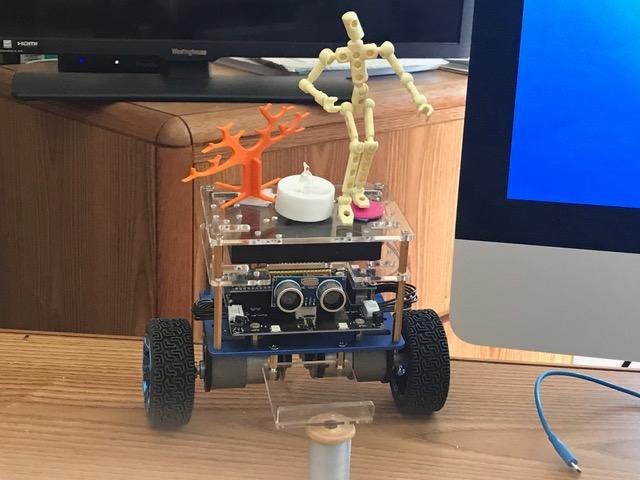
Verdict: the most intellectually interesting kit here, and the one most likely to produce a science-fair conversation about feedback control. Buy it for a teen with one specific interest, not as a general-purpose robotics platform.
8. ELEGOO Conqueror Robot Tank – Metal Build with Live FPV Video
ELEGOO Conqueror Robot Tank Kit with UNO R3, Compatible with Arduino
Stainless steel chassis and tracks
OV2640 camera with ESP32-WROVER Wi-Fi
Servo-adjustable camera angle
Five interactive modes
+ Pros
- Metal tracked chassis feels far more robust than plastic kits
- FPV streaming with a servo-adjustable camera angle
- Five interactive modes support varied projects
- Block coding path that transitions to the Arduino IDE
- Cons
- Heavier and bulkier than plastic kits
- Tracked drivetrain is louder and less precise on smooth floors
- Setup involves more wiring than simple line-following kits
The Conqueror replaces the plastic chassis with stainless steel, and the difference is immediate. Suspension, tracks and frame are all metal, so the tank absorbs knocks that would snap a plastic car, and it weighs 3.4 pounds in a way that feels solid rather than inconvenient.
The camera is an OV2640 paired with an ESP32-WROVER Wi-Fi module, mounted on a servo so the viewing angle tilts. Streaming live FPV video to a phone or laptop is the feature owners mention most, and the adjustable angle is a small detail that makes a real difference when driving a maze.
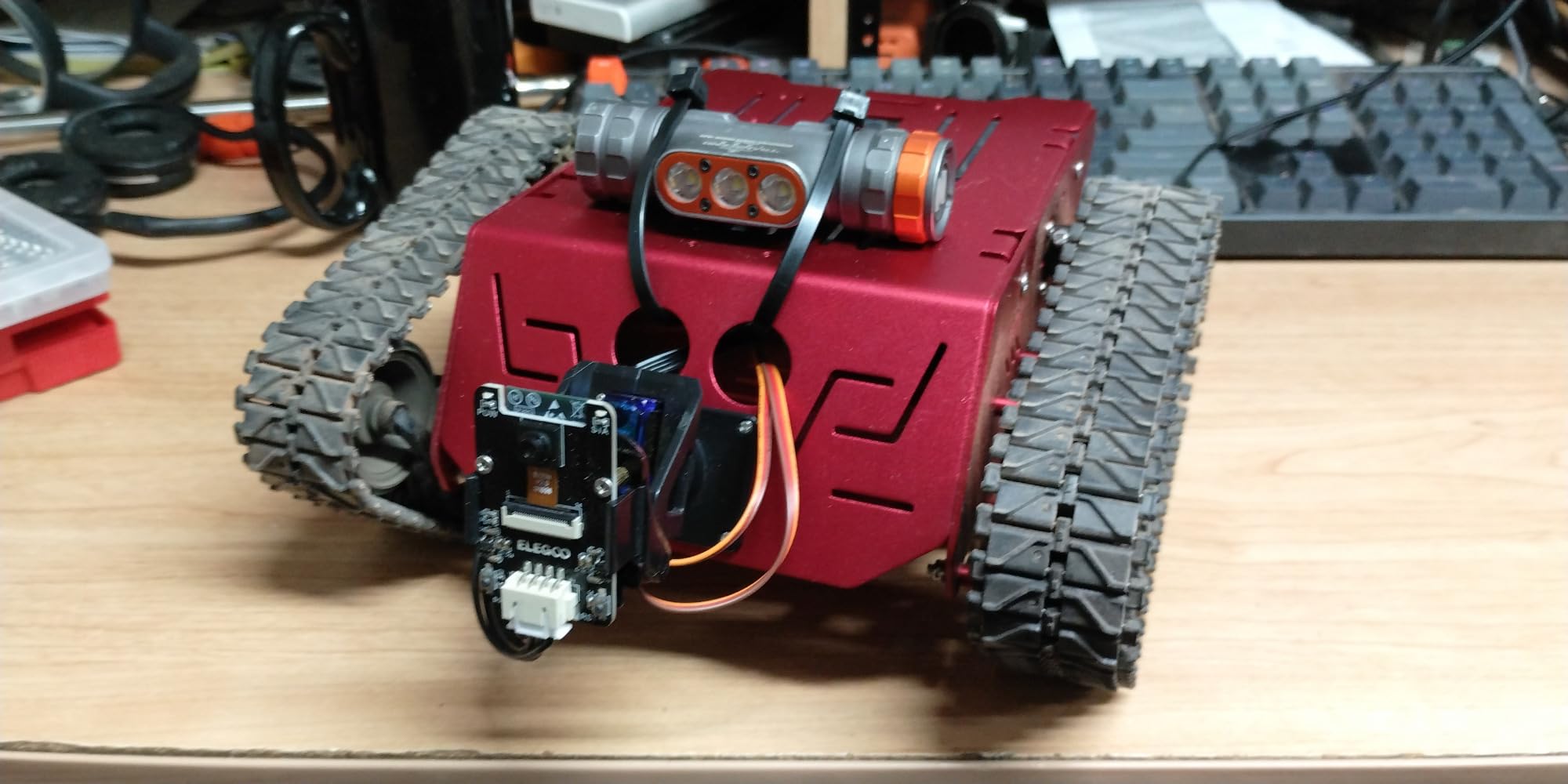
Control comes from a UNO R3, so the programming environment is standard Arduino. Five modes cover FPV driving, IR remote, obstacle avoidance, line tracking and auto-follow, which is enough distinct behavior for a teen to build a project map around.
Tracked Drivetrain Strengths and Limits
Tracks let the Conqueror cross carpet, gravel and short slopes that would stop a wheeled car, and the metal suspension keeps the chassis level. For outdoor and uneven-surface projects, the drivetrain is the reason to choose this kit.
The tradeoffs are real. Reviewers report that the tracked drivetrain is louder and less precise on smooth indoor surfaces, so line tracking and maze work is less exact than a well-tuned wheeled build. At 3.4 pounds and roughly 8.6 by 8.8 by 7.4 inches, it is a two-handed machine rather than a desk one.
Block Coding First, Arduino IDE After
The ELEGOOKit app provides visual block programming, and the same kit runs in the Arduino IDE for deeper control. That two-step path lets a younger teen start inside a friendly environment and move to text code without changing hardware, which is the same reasoning behind the KEYESTUDIO curriculum.
Because the underlying board is a standard UNO R3, a teen who outgrows this kit can carry the programming skills to almost any Arduino robotics project in this guide.
Wiring Load and Setup Time
Setup involves more wiring than a simple line-following car, and the camera, servo and Wi-Fi module add connections a beginner has to get right. A 7.4 V battery, tools and instructions are included, which is helpful given the number of parts.
Rated for ages 10 and up, the kit suits a teen who wants something that survives being driven outdoors rather than one who wants the simplest possible first build.
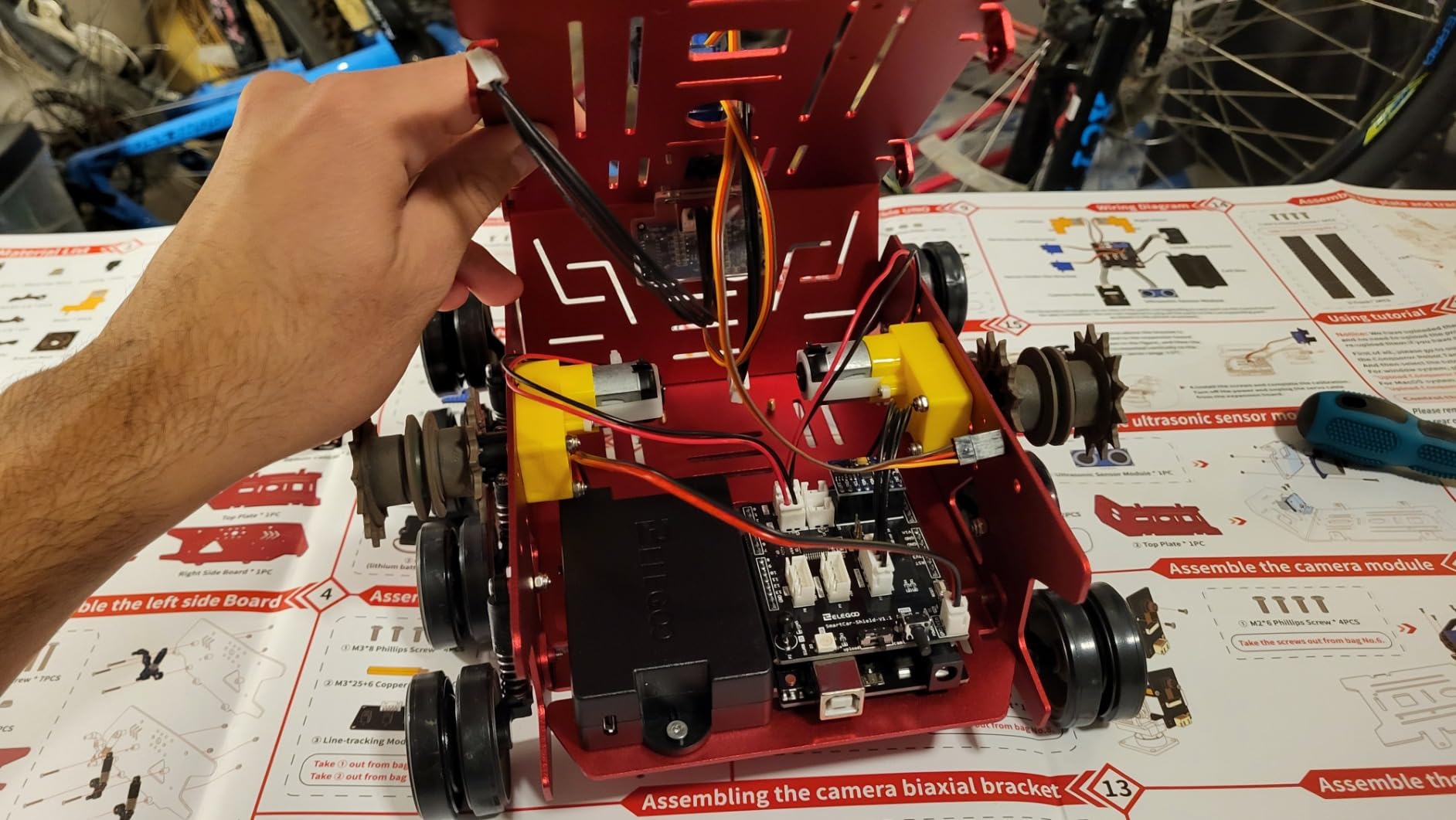
Verdict: the pick for a teen who will drive it outside, on carpet and dirt, and who cares more about durability and camera work than about precise indoor line following.
9. Makeblock mBot2 – The Smoothest Scratch to Python Path
Makeblock mBot2 Coding Robot for Kids, Code Learning Support Scratch & Python Programming, Robotics Kit for Kids Ages 8-14 and up, Building STEM Robot Toys Gifts for Boys Girls
Scratch and Python programming support
10+ sensors with 30+ expansion modules
Up to 5 hours of playtime per charge
Wi-Fi for multi-robot classroom tasks
+ Pros
- Smooth progression from block-based Scratch to real Python
- Builds in about 30 minutes without prior coding experience
- 10+ sensors and 30+ modules give long-term extensibility
- Free evolving software and a large user base
- Bluetooth USB and Wi-Fi control options
- Cons
- Costs more than most Arduino-based kits in this category
- Software is largely locked to the Makeblock ecosystem
- Some younger builders need adult help for the initial build
The mBot2 assembles in about half an hour, which makes it the fastest build here, and it still arrives with a defined learning path. Four coding project cards, more than 24 guided cases and over eight courses walk a learner from Scratch blocks into real Python.
The hardware is built on Makeblock’s mBuild platform with more than 10 sensors as standard and expansion through more than 30 modules, all of which support IoT projects. That module catalog is the reason a teen can still be building new things a year after opening the box.

Battery life is up to five hours per charge, and control works over Bluetooth, USB and Wi-Fi. The Wi-Fi module also lets multiple mBot2 units cooperate, which is why this kit shows up in classrooms alongside individual use.
How the Scratch to Python Bridge Works
Scratch gives a beginner a visual, immediate feedback loop with no syntax to memorize. Python then arrives as the natural next step on the same robot, so a teen is not switching machines, only losing the safety net. The guided cases provide the structure that keeps that transition from stalling.
Twenty-four-plus cases and eight-plus courses is a substantial body of material for a home setting where nobody is assigning homework, and the project cards give a new user somewhere to start without adult prompting.
Expansion Depth and the mBuild Ecosystem
More than 30 expansion modules cover additional sensors, actuators and IoT communication. For a teen whose interest is sensors and connected devices, that catalog is the main argument for this kit over a cheaper Arduino car.
The robot supports eight or more play modes including driving, drawing and running, musician mode, voice control and a code-and-build mode. Voice control and personality reactions are the parts younger teens latch onto first.
What the Ecosystem Locks In
This is the main argument against it. The software is largely locked to Makeblock’s own ecosystem, so skills gained here transfer less directly to raw hardware projects than skills gained on an Arduino board. A teen who later wants a sensor on a breadboard has a steeper ramp.
The aluminum construction and 1.15 kg weight make it sturdier than plastic kits, and it is rated from age 8 up. Some younger builders need an adult for the initial build, and it costs more than most Arduino-based kits in this guide.
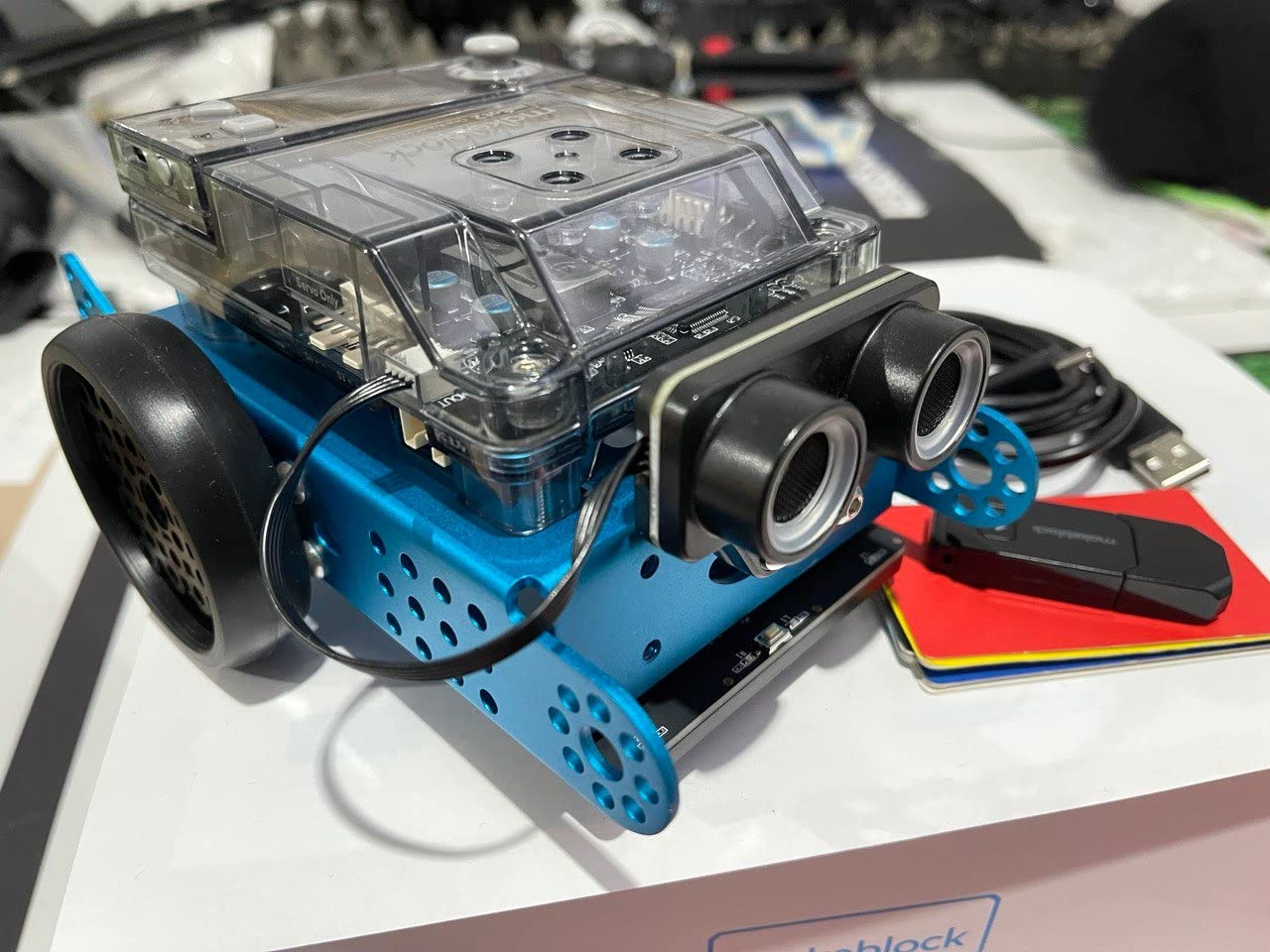
Verdict: the best-supported learning platform here for a 13 or 14-year-old, and the strongest classroom option. Pick it for guided structure; skip it if transferable hardware skills matter more than a smooth start.
10. ACEBOTT 4-in-1 ESP32 Robot Kit – Four Builds Including a 5DOF Arm
4 in 1 Robotics for Kids Ages 12-16, Smart Robot Arm with 5DOF + Tank Car, STEM Toys Compatible with Arduino & Scratch & Python, App & Remote Control, Gift for Kids & Teens & Adult
ESP32 controller with Arduino and Scratch support
5DOF programmable robotic arm
Four modular configurations
16 story-based tutorials with HD video
+ Pros
- Modular 4-in-1 design gives several distinct robots from one set of parts
- 5DOF arm adds a different skill set than typical car kits
- ESP32 gives access to Arduino C++ and Scratch
- 16 story-based tutorials with HD assembly videos
- Cons
- Tutorials and code are hosted online rather than included in the box
- Assembly is complex compared with single-form robot cars
- Smaller reviewer base than the established kits here
Most kits here build one machine. The ACEBOTT QD043 builds four: a wheeled car from the QD001 base, a tracked tank using the QD004 track expansion, and two versions that add the QD007 robotic arm to either chassis. A teen gets a different robot each time the parts are rearranged rather than the same car with new code.
The arm is the standout. Five degrees of freedom means it can grab, lift and place objects, which is a completely different control problem from driving, and it is the reason this kit sits on the list at all.
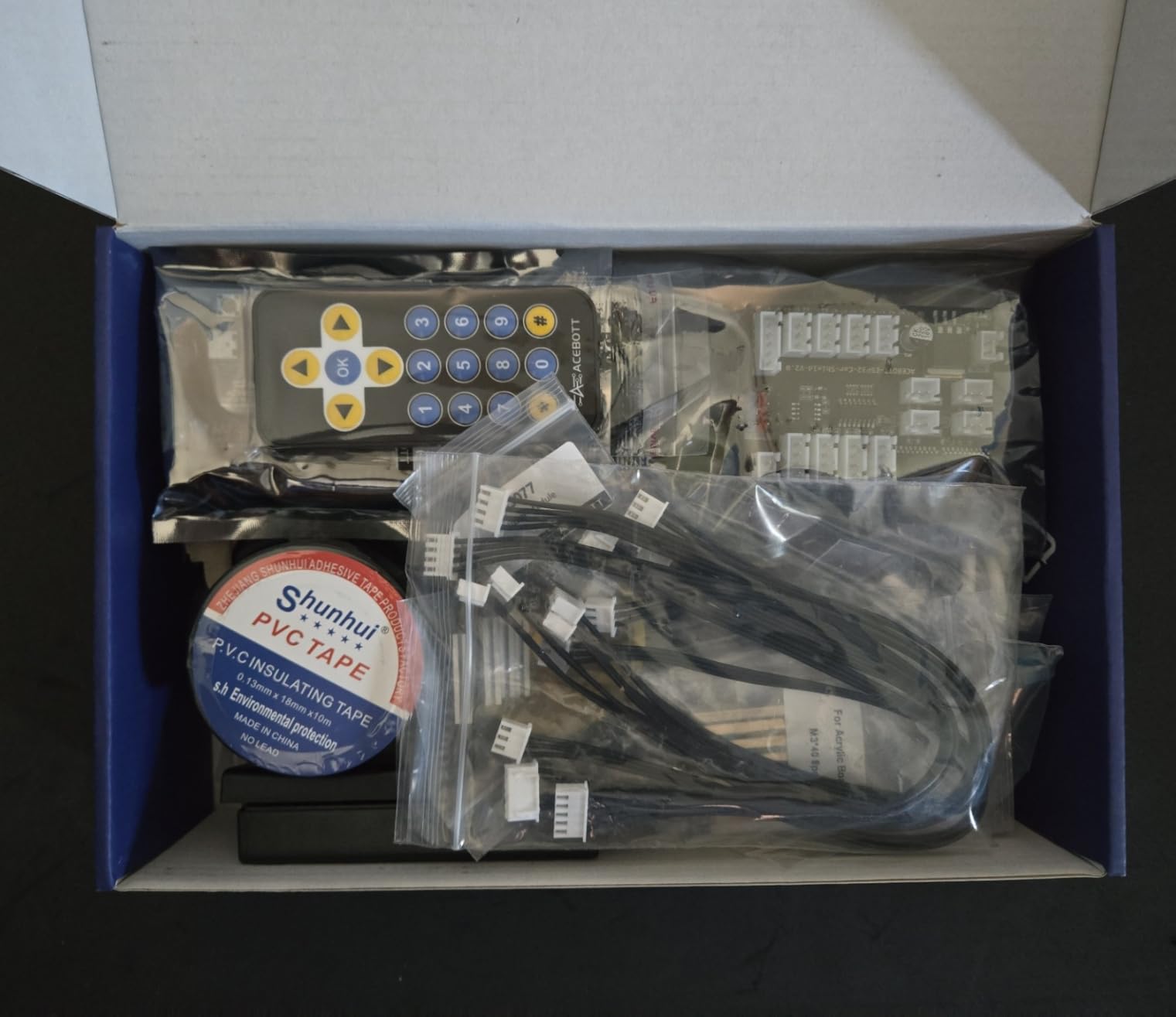
The controller is an ESP32 rather than an Arduino Uno, and it supports both Arduino and Scratch, so the same hardware serves a beginner and a more advanced teen. Control is via IR remote plus iOS and Android apps, and rubber tank treads handle grass, gravel, slopes and carpet.
What Four Configurations Actually Teach
Reconfiguring a chassis is a mechanical lesson disguised as a toy. Changing a wheeled base into a tracked one forces a teen to think about weight distribution, ground clearance and how a drive system interacts with a body. That thinking transfers directly to designing a competition robot.
Arm-on-chassis is the more interesting build, because the vehicle has to approach an object while the arm is doing something delicate at the same time. That is sequencing, sensor feedback and motor control combined in one exercise.
Arduino and Scratch on One Board
Supporting both environments means a teen can start in Scratch when the project is new and move to Arduino C++ when the idea is clear. The ESP32 also brings built-in Wi-Fi, which the Arduino Uno does not have, so connected projects are easier here.
The trade-off is community depth. The Arduino name carries far more tutorial volume and forum history than ESP32-based kits, so a teen who gets stuck will search a smaller pool of answers.
Assembly Load and Online-Only Support
Assembly is more involved than a single-form robot car, particularly for the arm, and the tutorials and code are hosted on the vendor website rather than included in the box. A teen without reliable internet access should look elsewhere.
Sixteen story-based tutorials with HD assembly videos are included and are the best part of the package, but they are web-hosted. The reviewer base is also smaller than the established kits in this group, so expect fewer peer troubleshooting threads.
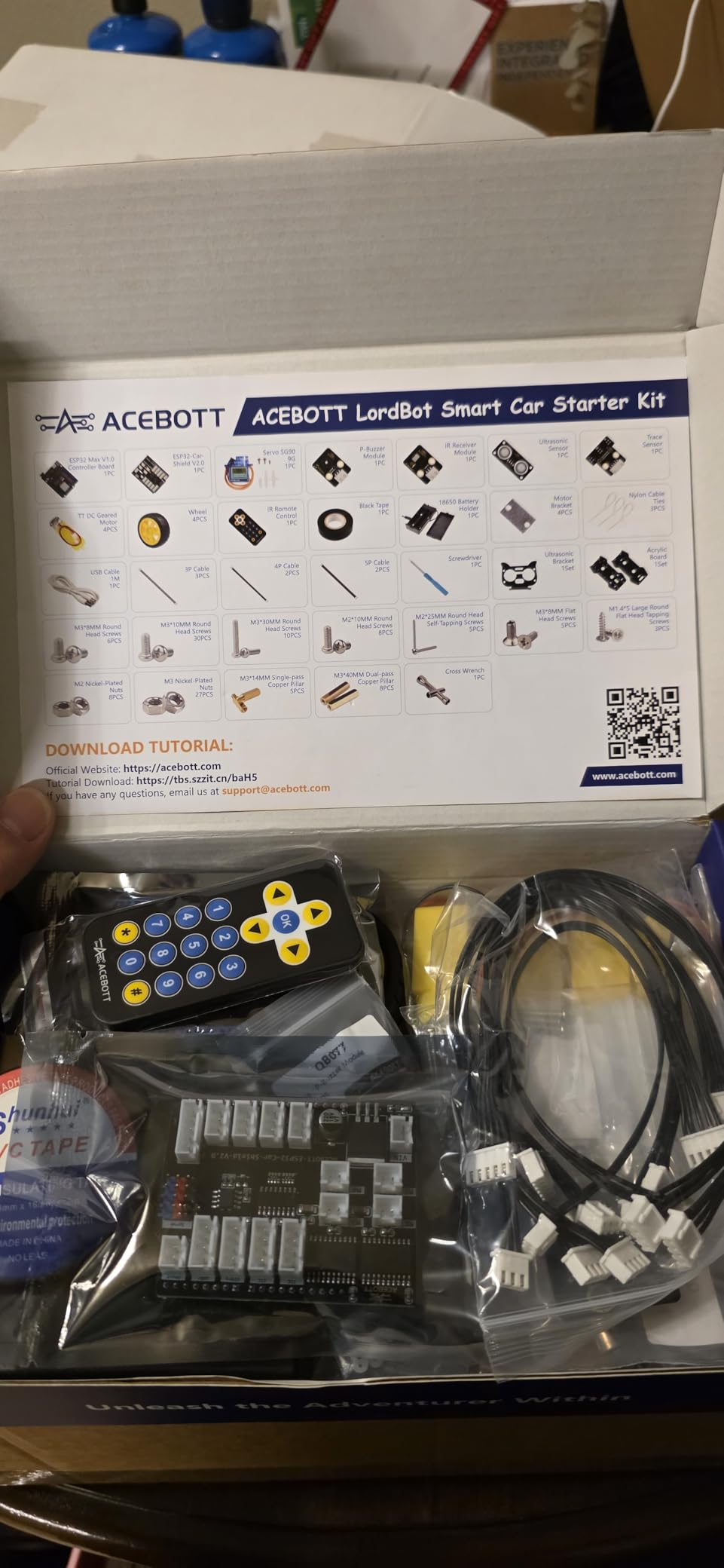
Verdict: the best value in mechanical variety per kit, and the only one here with a functioning arm plus a drivetrain in the same box. Best for a teen who builds more than one robot a year.
11. Adeept 5DOF Robotic Arm – Precision Manipulation for a Teen Who Likes Mechanisms
Adeept 5DOF Robotic Arm Kit Compatible with Arduino IDE, DIY Coding Kits
5DOF articulated arm in metal and acrylic
Potentiometer knobs for manual control
OLED display with Processing PC software
Arduino C++ and Processing code included
+ Pros
- Five-axis arm feels solid thanks to metal and aluminum parts
- Potentiometer control works immediately without writing code
- Drawing and imitation modes produce visible results
- OLED display gives real-time feedback
- Cons
- Requires two 18650 lithium-ion batteries that are not included
- No printed tutorial as guides and code are download-only
- Servo movement is slow relative to newer kits
The Adeept ADA031 is a five-axis articulated arm built from metal, aluminum, acrylic and steel components, and that mix of materials is what makes it feel solid rather than wobbly. It stands about 8.8 by 6.3 by 2.3 inches and weighs 1.5 pounds, which is a proper desktop arm rather than a palm-sized toy.
There are four ways to work with it. Potentiometer knobs on the driver board give manual control with no code at all, Processing-based PC software handles remote control, and self-learning and action memory modes let the arm record a movement and replay it. Drawing and imitation modes produce the most immediately satisfying results.
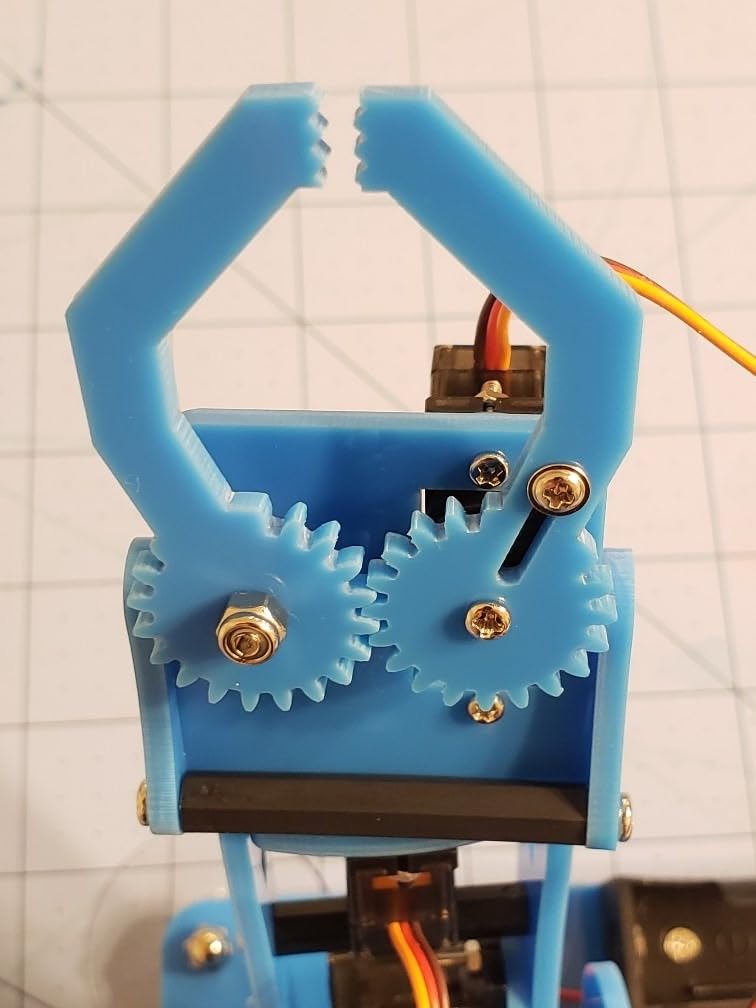
Arduino C++ and Processing code is provided via a download link, so a teen can read the control logic rather than only moving the knobs. It is rated for ages 15 and up with a one-year parts warranty.
Potentiometer Control and Why It Matters
Manual control through physical knobs lets a teen feel how joint values map to arm position before writing a single line of code. That is a genuinely useful habit, and it is why reviewers single out the potentiometer mode as the most satisfying entry point.
The OLED display gives real-time feedback while the arm moves, which makes tuning limits visible rather than a guess. A teen can see the value hit the end stop and adjust the range accordingly.
Drawing, Imitation and Action Memory
These three modes teach different things. Drawing mode writes a pattern as the arm moves and replays it, which introduces coordinate planning. Imitation mode records a physical demonstration and repeats it, which is how teachable robots work. Action memory stores a sequence and runs it back.
All three produce visible results quickly, which matters for motivation. A teen who draws their name with the arm has learned something about serial communication and timing without reading a chapter on it.
Servo Speed, Joint Wear and the Battery Gap
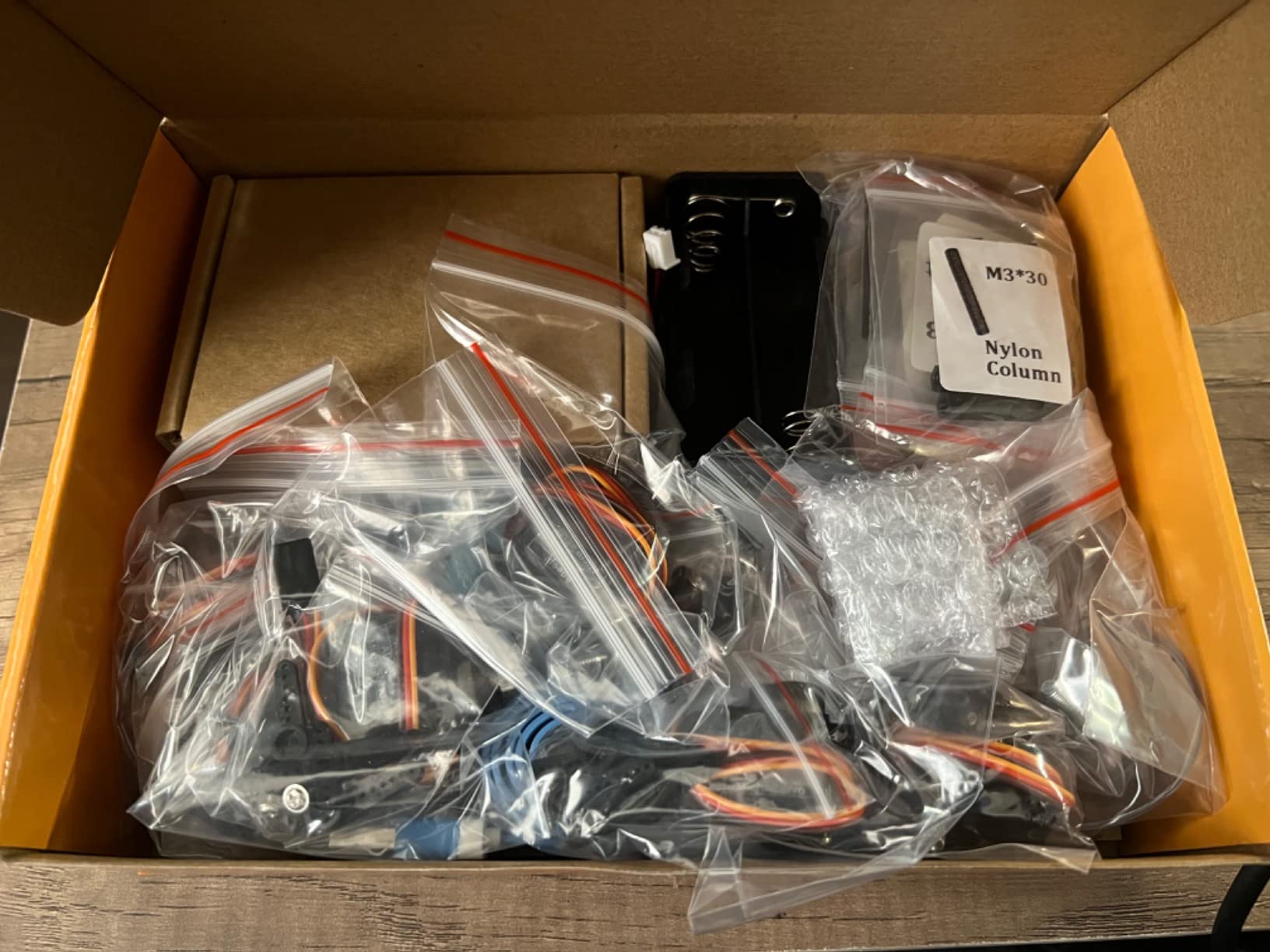
Two 18650 lithium-ion batteries are required and not included, so add them to the shopping list before the first session. There is no printed tutorial at all, and the digital guides and code are updated frequently, which means a link found now may differ from the code the arm shipped with.
Reviewers also report that joints develop play with extended use and that servo movement is slow compared with newer kits. For precision pick-and-place work, that speed ceiling matters; for a learning arm on a desk, it is acceptable.
Verdict: the pick for a teen drawn to mechanisms, machine vision demos and robotics competitions that involve manipulators. It is a specialist tool, not a general robotics platform.
12. SunFounder Picar-X – The Best Robotics Kit for Real AI and Language Models
SunFounder Picar-X AI Robot Smart Car Kit for Raspberry Pi 5/4/3B+/Zero 2w, Openclaw LLMs ChatGPT/Gemini/Grok, Voice&Video Recognition, Python, Scratch, Camera (RPI NOT Included)
Raspberry Pi based AI smart car
Works with multiple LLM providers
Camera with OpenCV and MediaPipe
Python and Scratch support
+ Pros
- Genuine AI experience with real vision and voice interaction
- Supports both Python and Scratch across skill levels
- Works with many LLM providers including local models
- Camera and sensor bundle is a strong starting point
- Cons
- Raspberry Pi is not included so the total build is higher
- Setup is more complex than typical Arduino kits
- AI features depend on network access and third-party model availability
The Picar-X is a Raspberry Pi car that talks. It works with multiple large language model providers including ChatGPT, Gemini, Grok, DeepSeek, Qwen and Doubao, as well as local models through Ollama, which means a teen can run an assistant onboard a robot rather than in a browser tab.
Vision is the other headline. A camera paired with OpenCV and MediaPipe handles visual recognition, gesture interpretation and camera-based math solving, and text-to-speech plus speech-to-text give it a voice. Reviewers consistently describe the AI interactions as genuinely real rather than simulated.
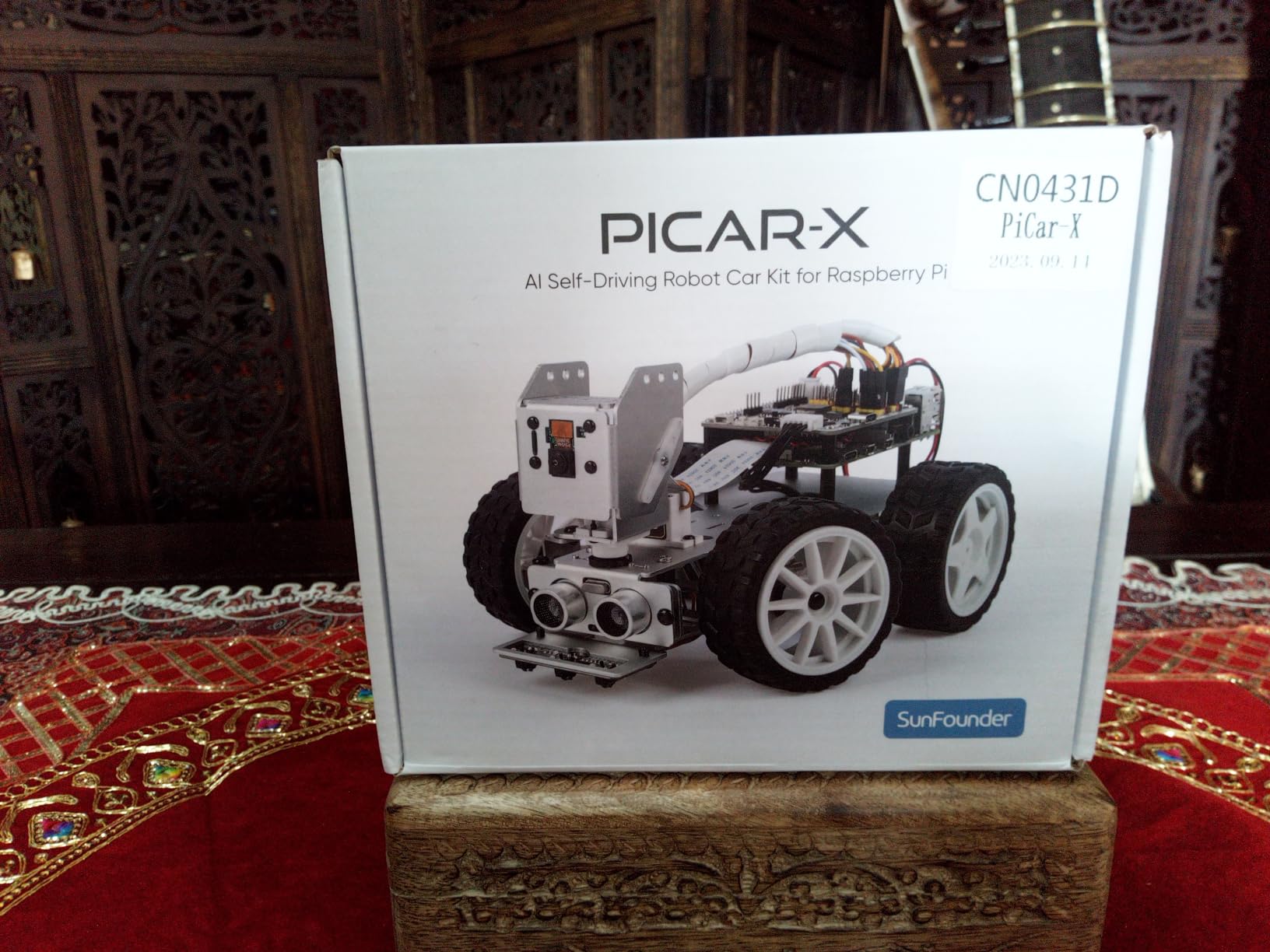
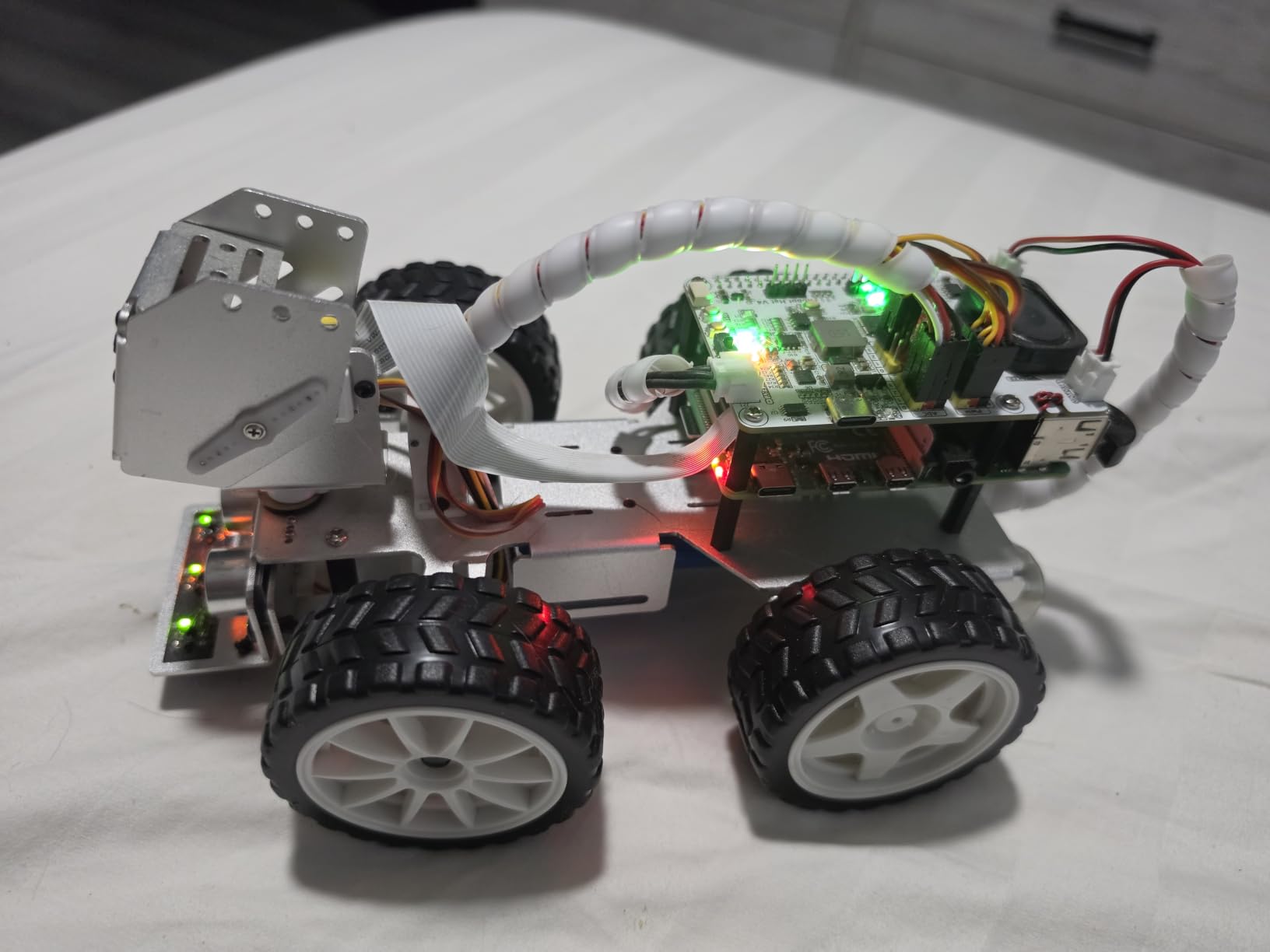
It also does the conventional robotics work, with line following, obstacle avoidance and a range of sensor modules. Programming supports both Python and Scratch, and the chassis is aluminum at 10 by 6.5 by 4 inches and about 798 grams. It is rated for ages 15 and up with a one-year guarantee.
Running Language Models on a Robot
The distinction that matters is between a pre-recorded response and a model generating a response at runtime. The Picar-X supports the latter, and support for local models through Ollama means a teen can run without sending data to a third-party service, which is a real consideration for younger students.
Voice in, voice out, plus a camera that can see what the robot sees, gives a teen a natural project: a robot that answers questions about its surroundings. That is a compelling science fair entry.
Camera, OpenCV and MediaPipe Projects
The bundled camera and sensor set is a strong base for custom projects. Object detection, gesture control and recognition tasks run in Python with standard libraries, so a teen can find example code without hunting through a proprietary app.
Because the platform is a Raspberry Pi, the same skills apply to any Pi-based robotics build, including the Freenove hexapod in this same roundup. That makes it a bridge to a longer-term path rather than a closed system.
The Setup Reality Check
The Raspberry Pi is not included, so the real cost is the kit plus a board plus a power supply plus storage. Setup is more complex than a typical Arduino kit and genuinely benefits from prior Linux or Python experience, which is why it is rated for 15 and up.
AI features depend on network access and third-party model availability, so a robust internet connection is effectively required for the headline functions. Forum support is available and actively used, which helps when a library update changes behavior.
Verdict: the one to buy for a 16 or 17-year-old who already has Python experience and wants to work on machine learning and conversational agents with physical hardware.
How to Choose a Robotics Kit for Teens
The reason most of these kits disappoint is a mismatch between the teen’s level and the kit’s floor. A kid who has never seen code needs a kit that runs on power-on, and a teen who has been writing Python for a year will abandon anything that stops at drag-and-drop within a month. These are the criteria we used, in the order that matters most.
1. Programming Depth: Blocks, Python or C++
Block-based coding is a genuine on-ramp, not a dead end, but it is only worth it if there is a documented path out of it. The Makeblock mBot2 and the ACEBOTT kit both support Scratch and Python on the same hardware. The KEYESTUDIO kit runs Mixly blocks and then Arduino C++ on the same Uno R3.
For a teen already writing code, skip straight to the Arduino IDE kits. C++ on an Uno or Python on a Raspberry Pi is what real competition robots and research platforms use, and the forum support for those ecosystems is far deeper. Our honest advice: check whether the kit teaches a language your teen can carry forward, or whether it teaches a product-specific environment they will outgrow.
2. Sensors: More Than a Starting Set
A kit with one ultrasonic sensor teaches one thing. The OSOYOO V2.1 arrives with an ultrasonic sensor, a servo, five line tracking modules, two obstacle sensors, an IR remote and a buzzer, which is a much larger playground. The mBot2 ships with more than 10 sensors and expands to more than 30 modules.
Camera access deserves special weight. Only three kits here pair a camera with wireless streaming: the ELEGOO UNO R3 V4, the ELEGOO Conqueror tank and the SunFounder Picar-X. If computer vision interests your teen, that short list is your starting filter.
3. What You Have to Buy Separately
This is the question parents most often forget to ask, and it changes the effective cost of a kit dramatically. Batteries are excluded from the OSOYOO V2.1, the KEYESTUDIO V2.0 and the Adeept arm. The Freenove hexapod requires both a Raspberry Pi and a battery. The SunFounder Picar-X requires a Raspberry Pi.
Two kits include a rechargeable battery out of the box: the ELEGOO UNO R3 V4 with a 2000 mAh cell and the ELEGOO Tumbller with its lithium-polymer pack. If your teen will not remember to buy cells, filter for those two.
4. Build Complexity and Age Fit
Match assembly difficulty to the age. The Mech-5 needs multiple hours and no electronics, which suits a younger teen. The mBot2 builds in about 30 minutes, which suits a teen who wants to be coding the same day. The Freenove hexapod, with 18 servos across six legs, needs calibration and a weekend with adult help.
Manufacturer age ratings run from 8 and up for the mBot2 and Tumbller to 15 and up for the Picar-X and the Adeept arm. Treat those as a floor, not a ceiling, and note that a 17-year-old can absolutely get more out of the Mech-5 than a 12-year-old will.
5. Required Devices and Software
Every kit here needs a laptop or desktop except the mBot2, which is controlled from a phone app. The Arduino IDE kits need a desktop environment, since the code compile and upload there. The Raspberry Pi kits need a Pi plus a monitor or headless setup, and the Freenove and SunFounder options both assume comfort with Linux.
Two kits depend entirely on online content: the Freenove hexapod ships its guide and code as a download, and the ACEBOTT kit hosts its 16 tutorials on the vendor website. If your teen’s internet access is unreliable, choose a kit with printed documentation.
6. Expansion Ceiling and Longevity
Ask how many GPIO pins or expansion connectors remain after the first build. The ELEGOO UNO R3 V4 has a single expansion connector and the Tumbller has one free pin on its Arduino Nano, so both cap out early. The mBot2 with 30+ modules and the Arduino Uno-based kits with full header access keep growing.
For resale, note that Arduino Uno boards and Raspberry Pi hardware hold their value as components, while proprietary block-based platforms do not sell on nearly as well. A kit that leaves your teen with a usable Uno, jumper wires and sensors is an investment that partially walks away with them.
7. Competition and Classroom Fit
None of these kits is a FIRST or VEX competition kit, so if a teen plans to enter a team, plan on a second purchase later. For classroom use, the mBot2 stands out, since its Wi-Fi module lets several units coordinate tasks in one room.
If your teen wants a science fair entry rather than a competition, prioritize camera and AI capability. The Picar-X with a large language model answering questions about what it sees produces a strong project, and the ACEBOTT arm picking up an object is a reliable demonstration.
Frequently Asked Questions
What is a good robot kit for a 14-year-old?
For a 14-year-old starting out, the best choices combine a fast build with a path to real code. The Makeblock mBot2 builds in about 30 minutes and moves from Scratch blocks into Python on the same robot. The ELEGOO UNO R3 Smart Robot Car Kit V4 runs on power-on with preloaded code and opens up to Arduino C++ in the IDE. The KEYESTUDIO Smart Car Kit V2.0 suits a teen who prefers a defined 15-project curriculum. A purely mechanical first build like the TEACH TECH Mech-5 works well for a younger teen who is not ready for wiring.
What is the best robot kit for teenagers?
The best overall pick is the ELEGOO UNO R3 Smart Robot Car Kit V4, because it runs out of the box and still exposes two programmable boards: an Arduino UNO R3 for motor and sensor control and an ESP32-WROVER module for camera and Wi-Fi. It includes a 2000 mAh rechargeable battery, so there is nothing extra to buy before the first drive. Teens who want more challenge can move to the Freenove hexapod or the SunFounder Picar-X once they are comfortable with Python.
What are some good coding robots for teenagers?
The strongest coding options span three levels. For a beginner, the Makeblock mBot2 uses Scratch and Python with 24+ guided cases and 8+ courses. For a mid-level builder, the KEYESTUDIO V2.0 runs Mixly blocks and then Arduino C++ across 15 progressive projects. For a teen already writing Python, the SunFounder Picar-X and the Freenove hexapod run full Python on a Raspberry Pi, including face recognition and multi-model AI. The inventr.io 30-day course is a good structured option for a self-motivated learner who wants guided C++ instruction.
What are some good robotics kits for high school students?
For high school students, look for expansion headroom and transferable languages. The Makeblock mBot2 expands with more than 30 modules and 10+ sensors while supporting both Scratch and Python. The ELEGOO UNO R3 V4 and the KEYESTUDIO V2.0 use standard Arduino Uno boards, so skills transfer to almost any hardware project. The ACEBOTT 4-in-1 kit adds a 5DOF robotic arm and four modular builds. For AI work, the SunFounder Picar-X supports multiple language model providers and local models through Ollama.
Can a 14 year old learn robotics?
Yes. A 14-year-old can complete a full robotics learning path, and the kits in this roundup are rated from ages 8 to 15 and up depending on complexity. The practical advice is to match the floor to their experience: start with a kit that runs on power-on or assembles in under an hour, then move to text-based coding within a few months. Teens who want to skip straight to Python can do so on Raspberry Pi platforms, though those ask for more independence. Assembly difficulty matters more than age labels, so check how many parts and how much wiring are involved before buying.
Which Robotics Kit for Teens Should You Pick in 2026?
If your teen is starting from zero and wants something that works on the first afternoon, choose the ELEGOO UNO R3 Smart Robot Car Kit V4. It has a rechargeable battery in the box, keyed connectors that prevent wiring mistakes, and two programmable boards that keep working long after the sample code is finished.
If your teen is younger, or cautious about electronics, the TEACH TECH Mech-5 removes electronics entirely and teaches sequencing through a mechanical wheel. If they want structure rather than a freeform build, the Makeblock mBot2 offers the smoothest Scratch to Python path and 30+ expansion modules for later projects.
For a teen who already writes code, the choice is about ambition. The Freenove hexapod offers six legs, self-balancing and face recognition in Python. The SunFounder Picar-X adds real vision and language-model interaction, including local models. The ELEGOO Tumbller is a narrower but deeper choice focused on PID control theory. For a manipulator, the Adeept 5DOF arm or the ACEBOTT 4-in-1 kit are the two worth comparing.
Whichever you choose, set the expectation before opening the box that the preloaded behaviors are the starting point. The kits that produce the most lasting results are the ones where your teen rewrites the code that shipped with them. Check the latest details for any of these before you order, then give them a weekend.