
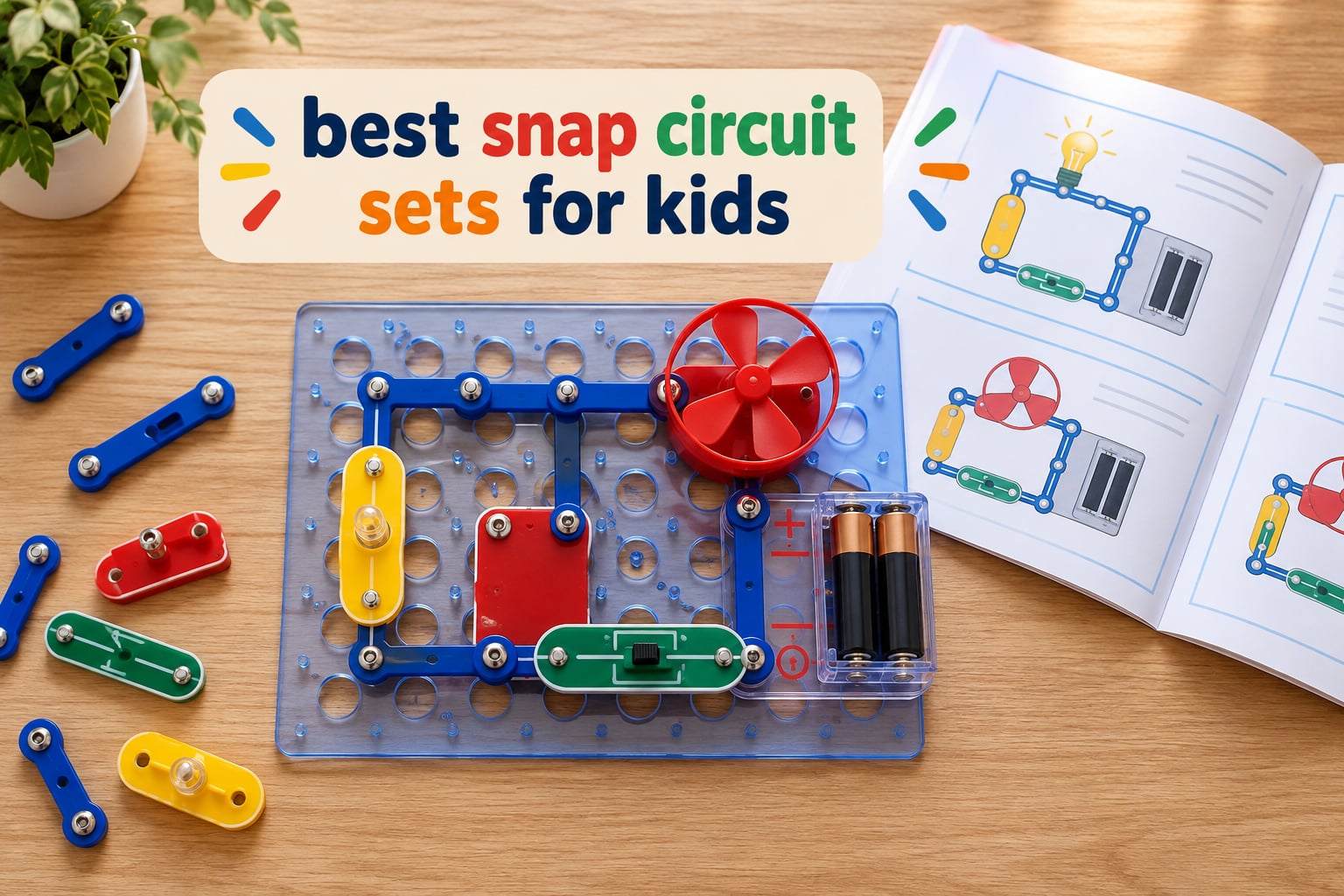
Snap circuit sets for kids are the rare STEM toy where a child gets a visible, working result within minutes of opening the box, and I put ten of them through their paces to find the ones worth a spot on your playroom floor. Every kit below is a snap-together electronics set from Elenco or Educational Insights, meaning no soldering iron, no tools, and nothing that needs an adult who actually understands electronics.
I chose these ten based on what a parent can realistically buy and use: a stated age range, a real project library rather than a handful of demos, parts that survive a determined eight-year-old, and a build experience that teaches something a child can explain back to you. I also weighed the two things buyers complain about most: missing or dead components on arrival, and the point at which a kit goes cold on the shelf.
What follows is a head-to-head comparison of the best snap circuit sets for kids available now, followed by the buying guide I wish someone had written when my own kid was five and I had no idea which of these near-identically named boxes to buy first. Elenco builds the Snap Circuits line, and the naming makes it genuinely hard to tell the sets apart at a glance, so consider this the map that was missing when you started searching.
What Are Snap Circuits, and How Do They Work?
Snap Circuits are screen-free electronics building kits made of snap-together components, including lights, switches, buzzers, motors, sensors and wire pieces, that a child connects on a plastic base grid to build working electrical circuits. No soldering and no tools are required. Snap Circuits Jr. is the entry-level Elenco set for younger children, while the larger Snap Circuits kits add microchips, meters and motors for ages eight and up.
Each component has metal contact strips on its underside, and pressing two components together on the grid completes an electrical contact. Current only flows when there is a complete path from the battery, through the components, and back again, which is why a break anywhere in that loop means nothing happens. That single fact is the whole lesson, and it is why troubleshooting a dead circuit is a genuine learning moment rather than a bug.
What “soldering-free” means for a parent
Traditional electronics kits use a hot iron to join wires to a board, which burns fingers and needs ventilation. Snap-together kits replace the solder joint with a mechanical contact, so a five-year-old can build a working light with no adult standing over them. The tradeoff is that the parts are plastic and mechanical rather than a permanent circuit, so connections loosen if a build gets knocked, and you can take a project apart and rebuild it with different parts the same afternoon.
The pieces a child will actually meet
An LED is a light that only works if current flows in the right direction, which makes it the first polarity lesson most kids get. A switch opens or closes a path on demand, a buzzer or speaker makes sound, a motor turns electrical energy into movement, and a resistor limits how much current reaches a component so it does not burn out. A photo resistor reacts to light, a motion detector reacts to movement, and a microchip is a small decision-maker that lets a project run a sequence rather than one single action.
Our Top 3 Snap Circuit Sets for 2026
The Extreme 750 wins on library depth, the Beginner SCB-20 wins on being the right first kit, and the Light 175+ wins on doing something no other kit in this group does. Here is the short version before the full reviews.

Snap Circuits Extreme 750
- 750+ experiments from 82 components|No soldering or tools needed|PC-interface cable and software|Ages 8 and up

Snap Circuits Beginner SCB-20
- 21 guided projects for ages 5-9|Extra childproofing on circuits|Color-changing lighted fan|No tools or soldering

Snap Circuits Light 175+
- 175+ projects from 55+ parts|Fiber optic light shows|Smartphone music-reactive color organ|Ages 8 and up
Comparing the Best Snap Circuit Sets for Kids in 2026
The shortlist for most families is the Beginner SCB-20 for a first kit, the Extreme 750 for a child who will work through a big manual, and the Light 175+ for a kid who cares about light and sound. The table below carries the details that decide it: project count, part count, age range, and what each kit is actually good at.
| Product | Details | |
|---|---|---|
| Snap Circuits Extreme 750 |
|
Check Latest Price |
| Snap Circuits Light 175+ |
|
Check Latest Price |
 Snap Circuits Arcade 200 Snap Circuits Arcade 200 |
|
Check Latest Price |
| Snap Circuits Beginner SCB-20 |
|
Check Latest Price |
 Snap Circuits BRIC Structures Snap Circuits BRIC Structures |
|
Check Latest Price |
 Snap Circuits Motion 165+ Snap Circuits Motion 165+ |
|
Check Latest Price |
 Snap Circuits R/C Snap Rover Snap Circuits R/C Snap Rover |
|
Check Latest Price |
 Snap Circuits STEM Radio Snap Circuits STEM Radio |
|
Check Latest Price |
 Circuit Explorer Rover Circuit Explorer Rover |
|
Check Latest Price |
 Snap Circuits My Home Snap Circuits My Home |
|
Check Latest Price |
1. Snap Circuits Extreme 750 – The Deepest Project Library in the Range
SNAP CIRCUITS Extreme SC-750 STEM Electronics Kit for Kids Ages 8+
82 components on a plastic snap-grid
750+ experiments
Software and PC-interface cable
Ages 8 and up
+ Pros
- Widest project library of any kit here
- No tools or soldering needed
- PC-interface software shows waveforms and frequencies
- Manual keeps a motivated child busy for months
- Cons
- Largest and most demanding kit in the lineup
- Advanced parts such as the analog meter and variable capacitor suit older children
This is the kit I recommend when a child has already proved they will sit down and follow an illustrated manual rather than abandon a build after two circuits. The Extreme SC-750 packs 82 electrical components onto a plastic snap-grid and backs them with five project manuals plus software and a PC-interface cable, and the breadth is genuinely unusual for a children’s toy.
The projects escalate rather than repeat. Early builds are simple lights and sound circuits, then you move into a sound-activated switch, a lie detector, an adjustable light controller and an AM radio, and by the end you are reading waveforms and frequencies on a computer while a sensor you built feeds the signal. For an eight-year-old who has outgrown the beginner box, that progression is the reason to stretch up to this one.
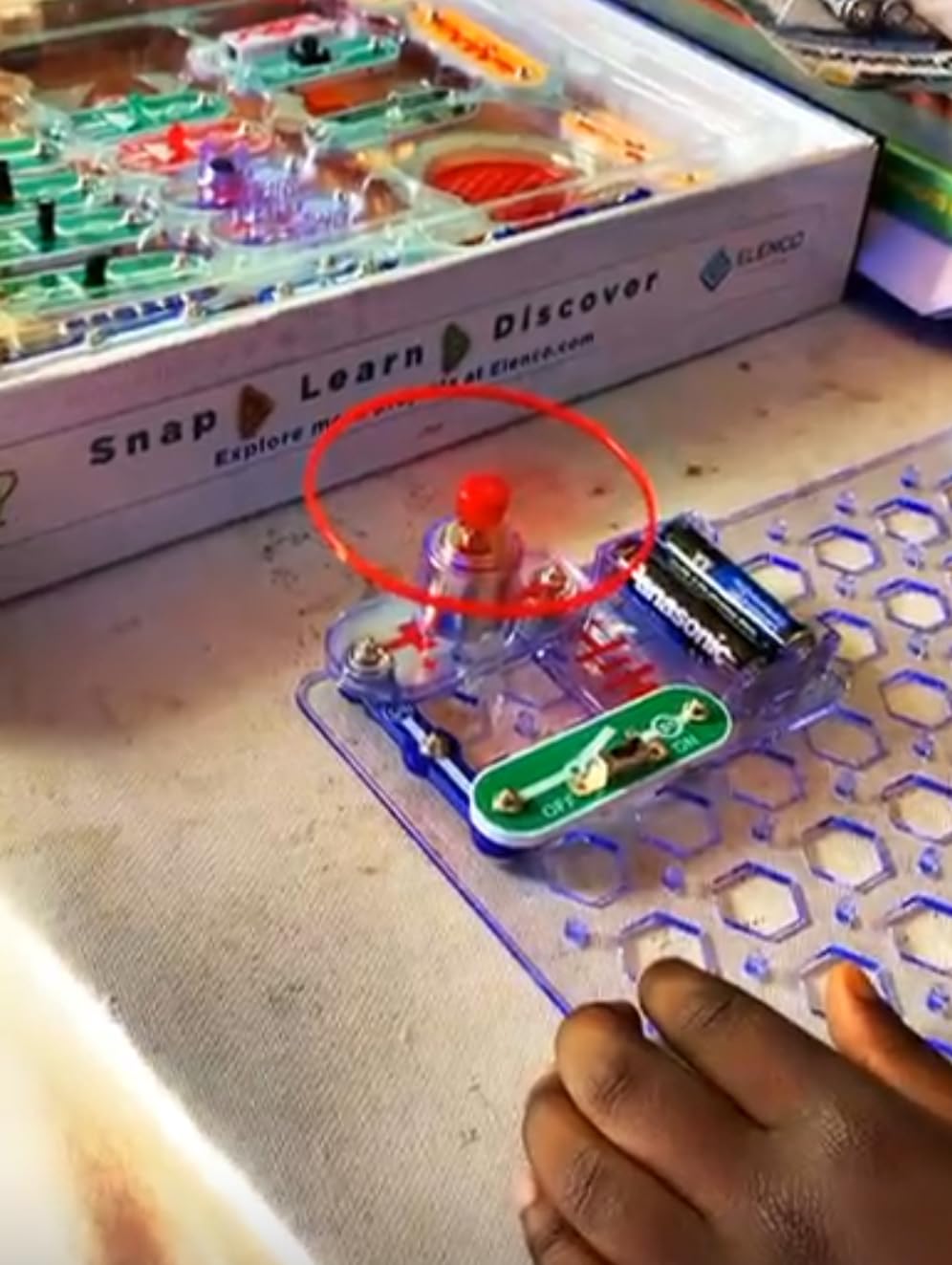
The physical design is the reason parts stay connected. The grid holds modules in a fixed position, so a circuit that works keeps working even when a nine-year-old leans on the table. The box measures 4.5 by 15.6 by 20.3 inches and weighs 4.3 pounds, which is the largest footprint in this roundup and worth thinking about if storage is tight.
What 750 experiments actually looks like in practice
Not every one of those numbered projects is a masterpiece, and a few are variations on a lamp or a siren. What matters is that the component list drives the variety: a photo resistor, a power amplifier, a variable capacitor, an analog meter and a solar cell mean the projects span light sensing, amplification, tuning and measurement rather than thirty variations of a switch. A child who gets stuck on a concept usually has another part in the box that illustrates it a different way.
The PC interface is the underrated feature
The included cable and software let a kid send real signals to a computer screen. That is a meaningful bridge for a child heading toward coding, because the same input-output thinking shows up later in programming. It is also the clearest answer I have found to parents who worry these kits are just plastic toys, because a waveform on a monitor is real measurement.
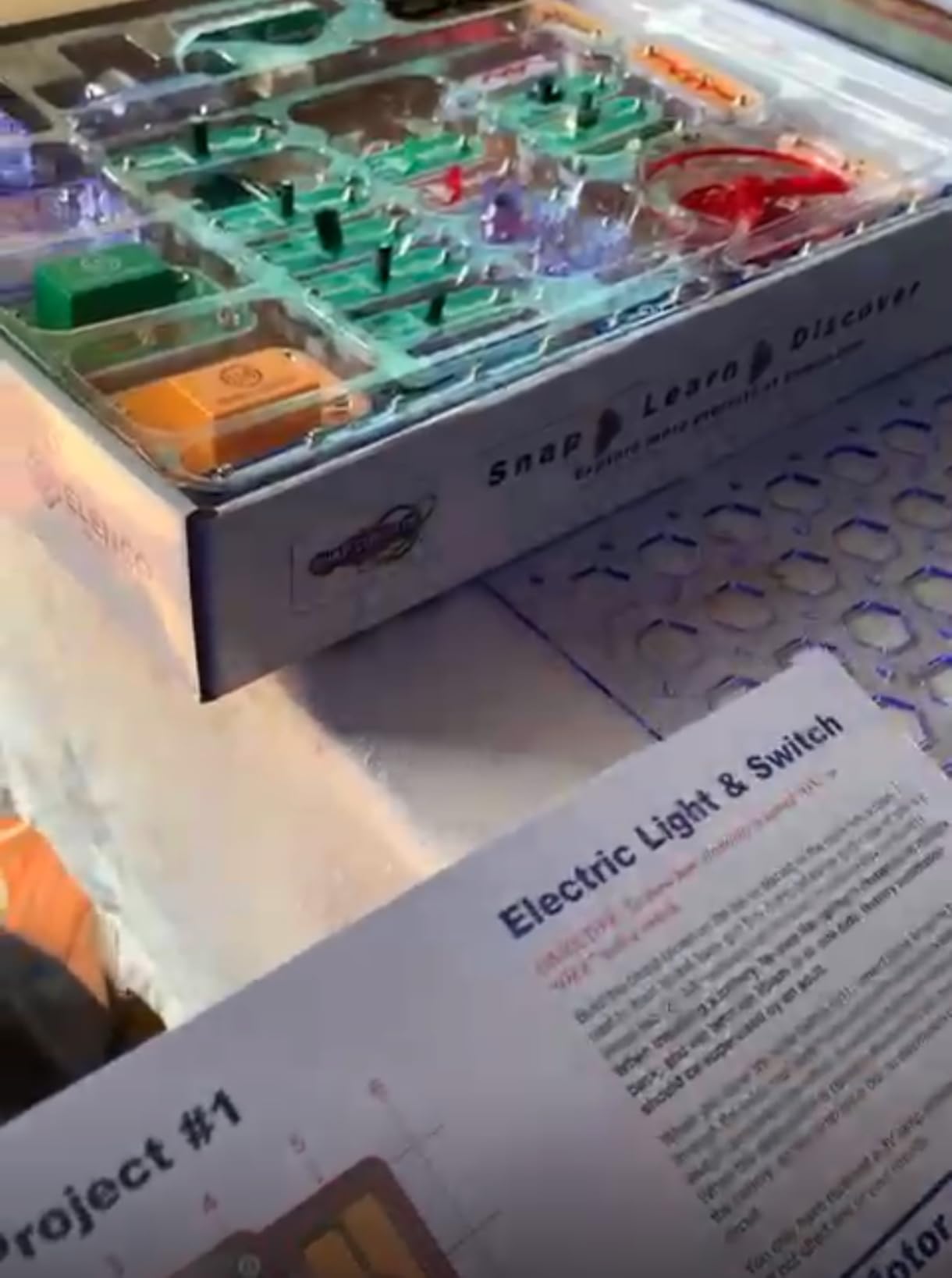
Where it falls short
The advanced components are genuinely advanced. A variable capacitor or an analog meter is not a satisfying toy to a six-year-old, and the manual’s later sections assume a child who can follow denser diagrams. This is an eight-and-up kit in practice even though the box is often presented as a family set, and the size and weight make it a kit to keep on a shelf rather than pull into the car.
Who should skip it
Skip this one if your child is five or six, or if you are buying a first kit and are not sure the manual-driven approach will hold their attention. The Beginner SCB-20 is a far better first purchase for a younger child, and pairing the two later is a proven path because the components are the same snap-together standard. Check the full parts list before buying, because reviews of this line do include reports of units running hot and missing pieces on arrival.
2. Snap Circuits Light 175+ – Fiber Optics and a Music-Reactive Color Organ
SNAP CIRCUITS Light STEM Electronics Kit, 175+ Projects, Ages 8+
55+ snap modules on a color-coded board
175+ light and sound projects
Fiber optic components
Ages 8 and up
+ Pros
- Light and sound focus gives 175+ distinct builds
- Fiber optic and strobe projects feel advanced
- Sports and music projects connect to a phone
- Parts match other Snap Circuits kits
- Cons
- Some projects need a phone or MP3 player that is not included
- Listed item weight looks inconsistent with kit size
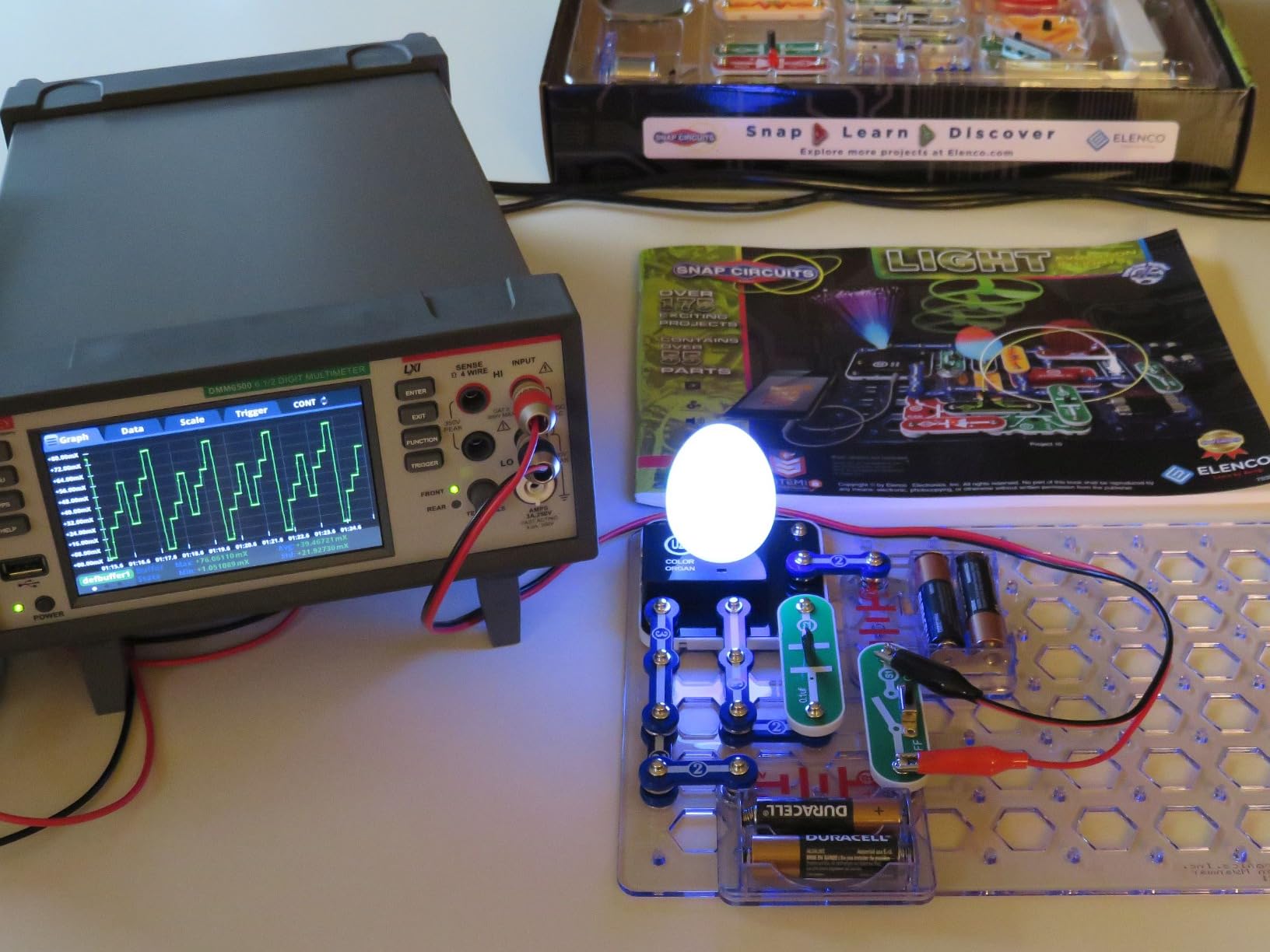
Most circuit kits teach you to switch something on. The Snap Circuits Light SCL-175 teaches you to change what the current is doing, and that is why the 175+ project count here feels less repetitive than the raw number suggests. Every project is built around light, sound, or a sensor reacting to one of the two.
The color organ is the feature parents write home about. Attach a smartphone or MP3 player and the lights track the beat, and combined with the fiber optic pieces and a strobe you get the kind of project a child puts on show for friends rather than a box of blinking LEDs on a bedroom shelf. It is the most immediately entertaining kit in this group for a kid who likes anything visual or musical.
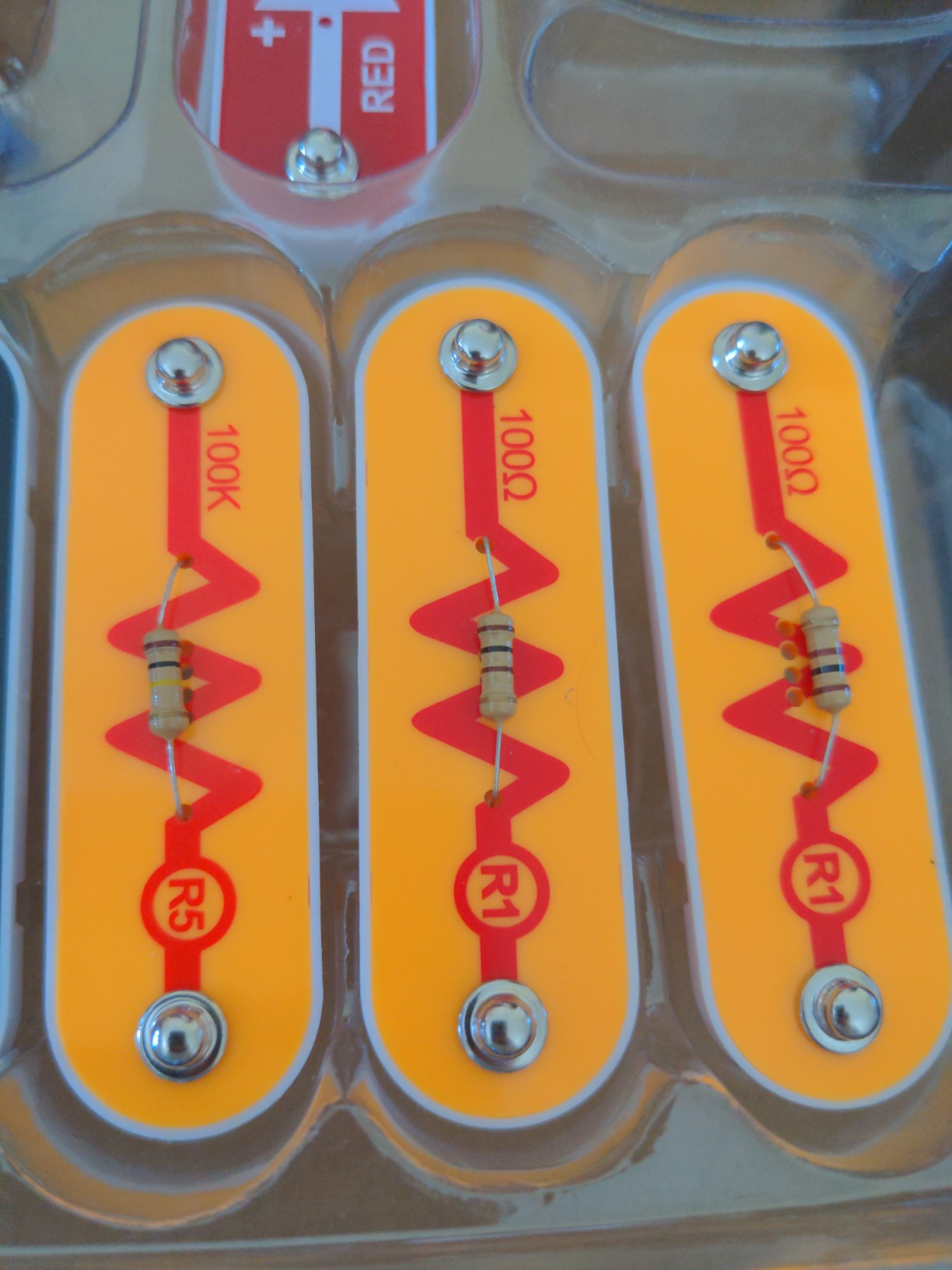
Construction is the same rock-solid snap grid as the rest of the range, here with color coding that helps a younger builder match modules to diagrams. The manual is full color, and the line has been recognized by Dr. Toy, Good Housekeeping and the STEM.org Trustmark, which matters if you are buying for a classroom rather than a living room.
Why light and sound is a better theme than generic circuits
Light is a feedback signal children already understand intuitively. When a photo resistor makes a lamp come on in the dark, the cause and effect is visible in a way that a resistor value is not, and the strobe and color organ projects turn that relationship into play. It also spreads the projects out, because a kit built around a switch tends to produce many similar builds, while a kit built around light and sound produces many different ones.
Pairing with a phone without a subscription
Worth knowing up front: the music-reactive projects need a device you already own. There is no app purchase and no account, which is unusual in this category and a genuine advantage over kits that unlock content behind a subscription. If your household avoids screens during the week, the non-phone projects in the manual stand on their own, and the fiber optic builds in particular are entirely device-free.
Who it suits and who it does not
This suits an eight-and-up child who has already done a beginner kit and wants something dramatic. It does not suit a child who wants to build a vehicle or a robot, because there is nothing mechanical in the box, and it is a worse first purchase than the Beginner SCB-20 because 175 projects with denser diagrams rewards a reader rather than a preschooler. The listed item weight in the specifications looks inconsistent with a kit this size, so judge the physical size from the manual rather than that number.
3. Snap Circuits Arcade 200 – Twenty Playable Games From 36 Pieces
SNAP CIRCUITS Arcade SCA-200 STEM Electronics Kit for Kids Ages 8+
36-piece kit building 200+ projects
20+ playable arcade-style games
Spinning LED message board
Lifetime warranty
+ Pros
- Games kids can actually play rather than only build
- 36 pieces deliver 200+ projects
- Spinning LED message board is a personal payoff
- Lifetime warranty against manufacturer defects
- Cons
- Fewer advanced electronics than the Extreme or Motion kits
- Most of the 200 builds are variations on a smaller component set
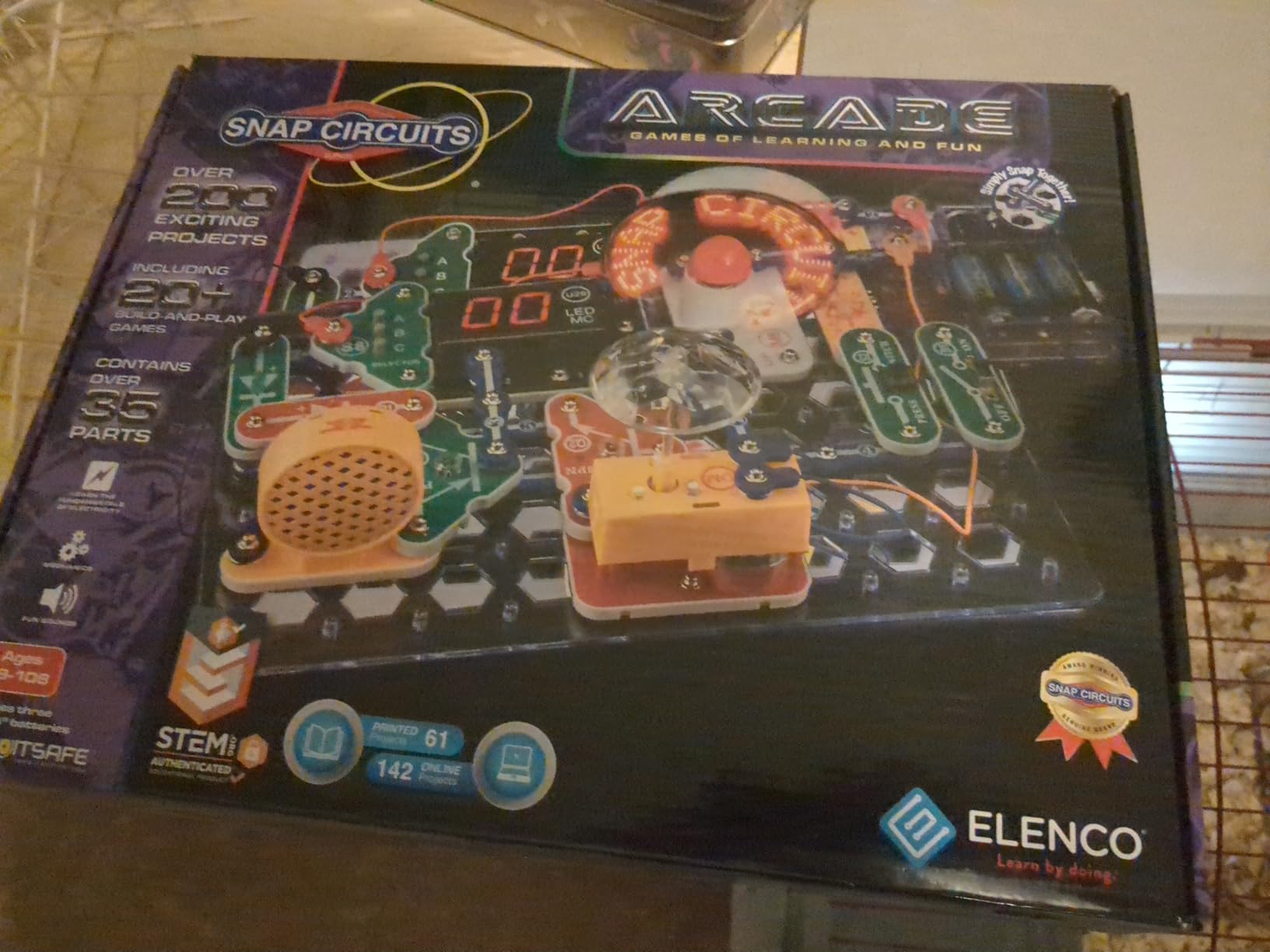
The Arcade SCA-200 solves a specific problem: a child builds a circuit, it works, and then there is nothing to do with it. This kit has 20 playable arcade-style games with sounds and lights, so the payoff is a game the child operates rather than a static model that switches on once. That is why it converts builders into repeaters better than most kits at this size.
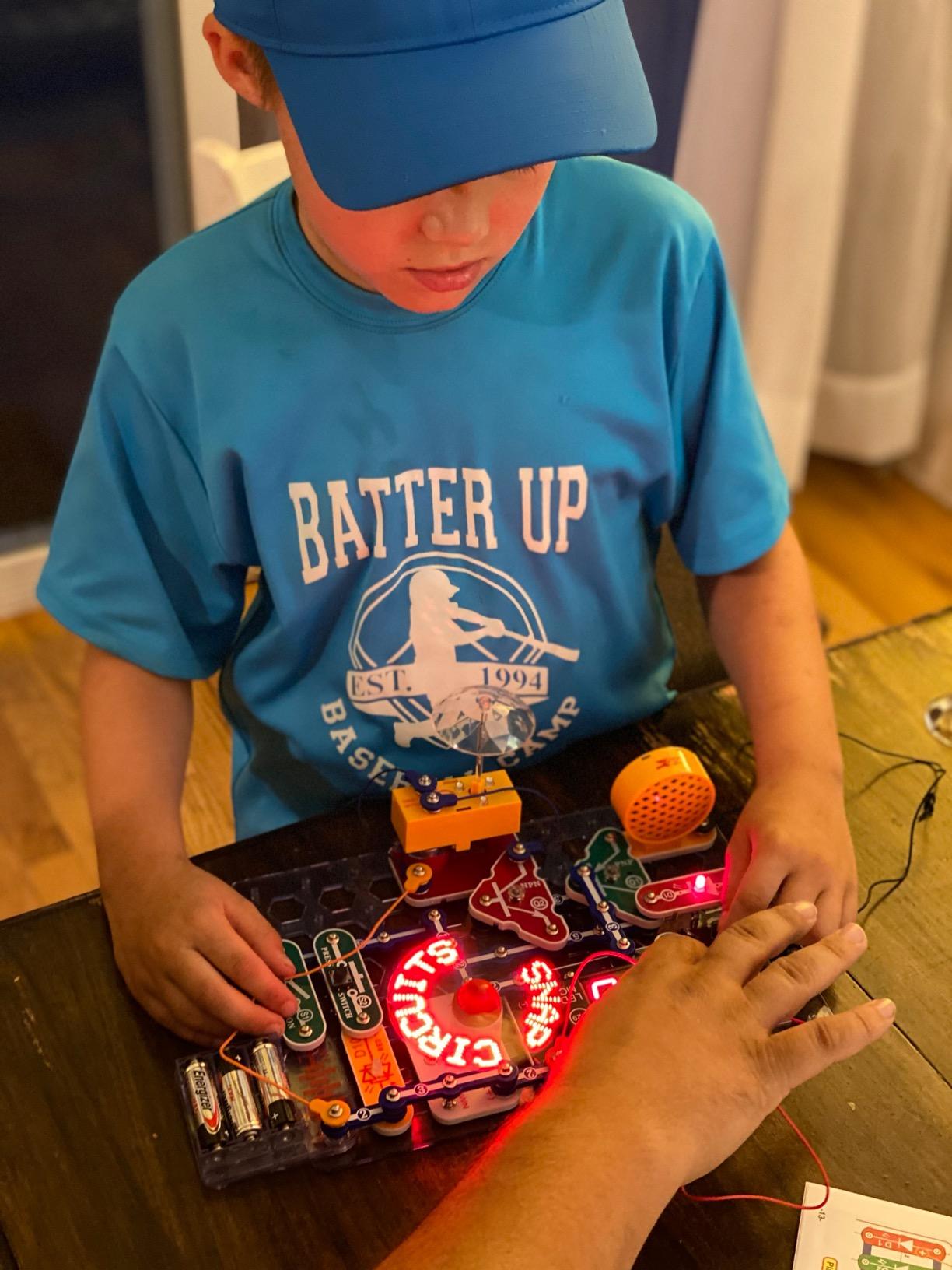
It is also the best ratio in the roundup for a first real step up from a beginner set. Thirty-six components sound thin until you look at the project count, because the same parts recombine into 200+ builds, and the spinning LED message board gives a child a way to write their own name or a score in lights. Reviewers repeatedly call this the kit that keeps getting played months later.
Games as a teaching device
Each game needs a working circuit before it can be played, and several need sound, which means the child has to get the loop right or the game simply does not start. That is a far better lesson than asking a child to verify success with an adult. A guessing game or a reaction game also introduces score, timing and probability, which quietly adds math on top of the electronics.
What the smaller component count means
Thirty-six pieces cannot include the analog meter, variable capacitor or multi-circuit chips found in the larger kits, so an older child will eventually want more than this box offers. The trade-off is speed: fewer parts means a shorter build, less to lose, and a shorter gap between opening the box and playing. The lifetime warranty against manufacturer defects is also worth more here than it would be on a bigger kit, because small parts are easier to lose than to replace.
Who it suits
Pick this for a child aged eight and up who plays more than they tinker, and for anyone who has watched a sibling lose interest in circuits after the third build. The tradeoff is depth of electronics knowledge, so a family that wants a long structured curriculum should pair this with something larger later rather than buying it as the only kit. Two AA batteries are required and not always included, so check the box on arrival before the first session.
4. Snap Circuits Beginner SCB-20 – The Right First Kit for Ages 5 to 9
SNAP CIRCUITS Beginner SCB-20 STEM Electronics Toy for Kids Ages 5-9
21 guided projects for ages 5-9
Extra childproofing on the circuits
Color-changing lighted fan
13.6 ounces, compact box
+ Pros
- The natural first step in the Snap Circuits ladder
- Extra childproofing makes it safe for ages 5+
- Illustrated manual a young child can follow alone
- Projects progress in difficulty as skills build
- Cons
- Only 21 projects
- so it is finished quickly by a fast learner
- Reports of a missing bulb or a failed light module
- Replacement-parts requests can be slow
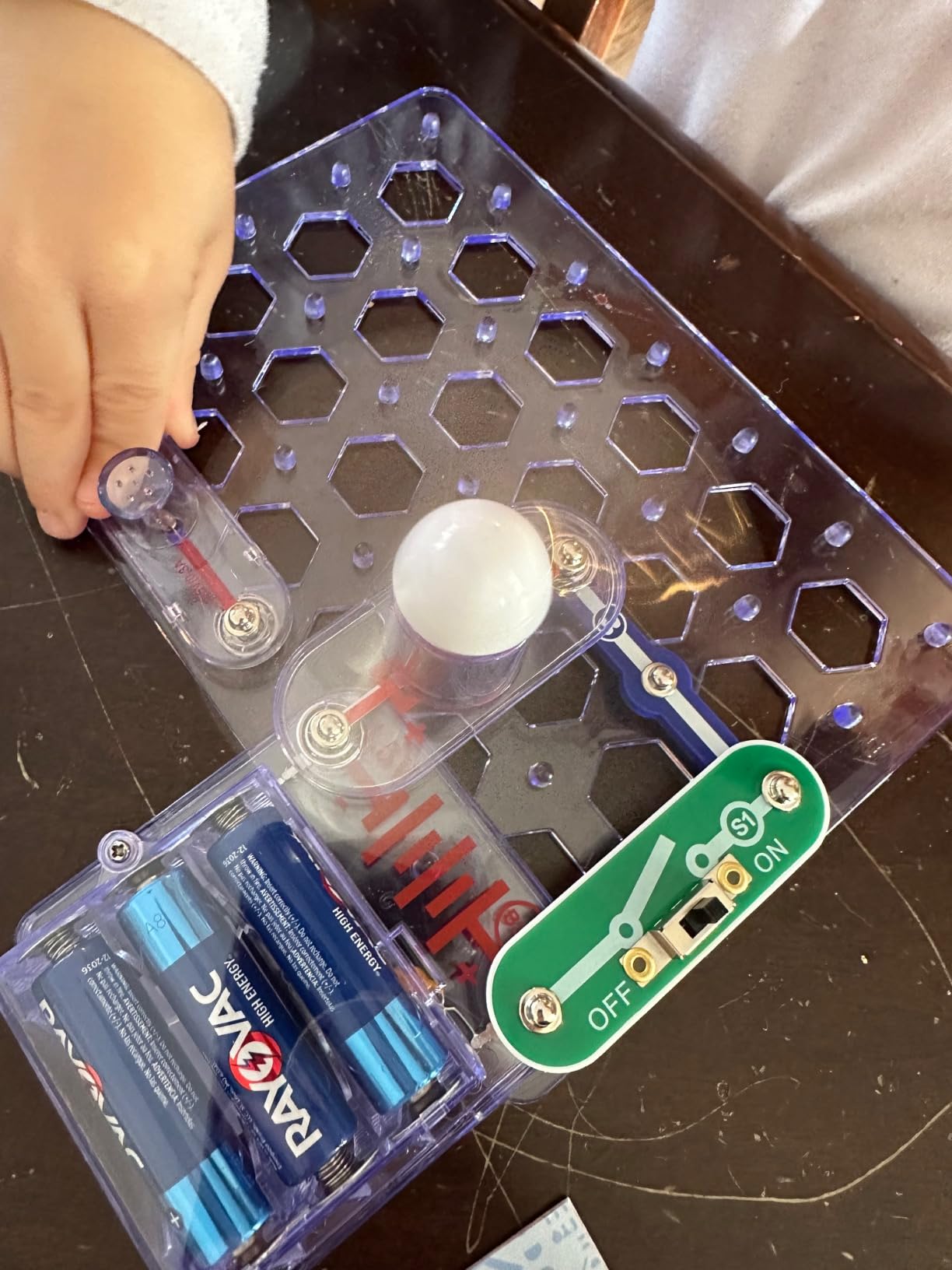
Twenty-one projects sounds modest until you realize this kit is designed for a child who cannot yet read a dense diagram. Each page of the illustrated manual shows a layout in color with large, simple steps, and the projects deliberately increase in difficulty so a six-year-old starts with a switch-and-light build and works up to something that needs planning. Parents and grandparents single out exactly that when they review it.
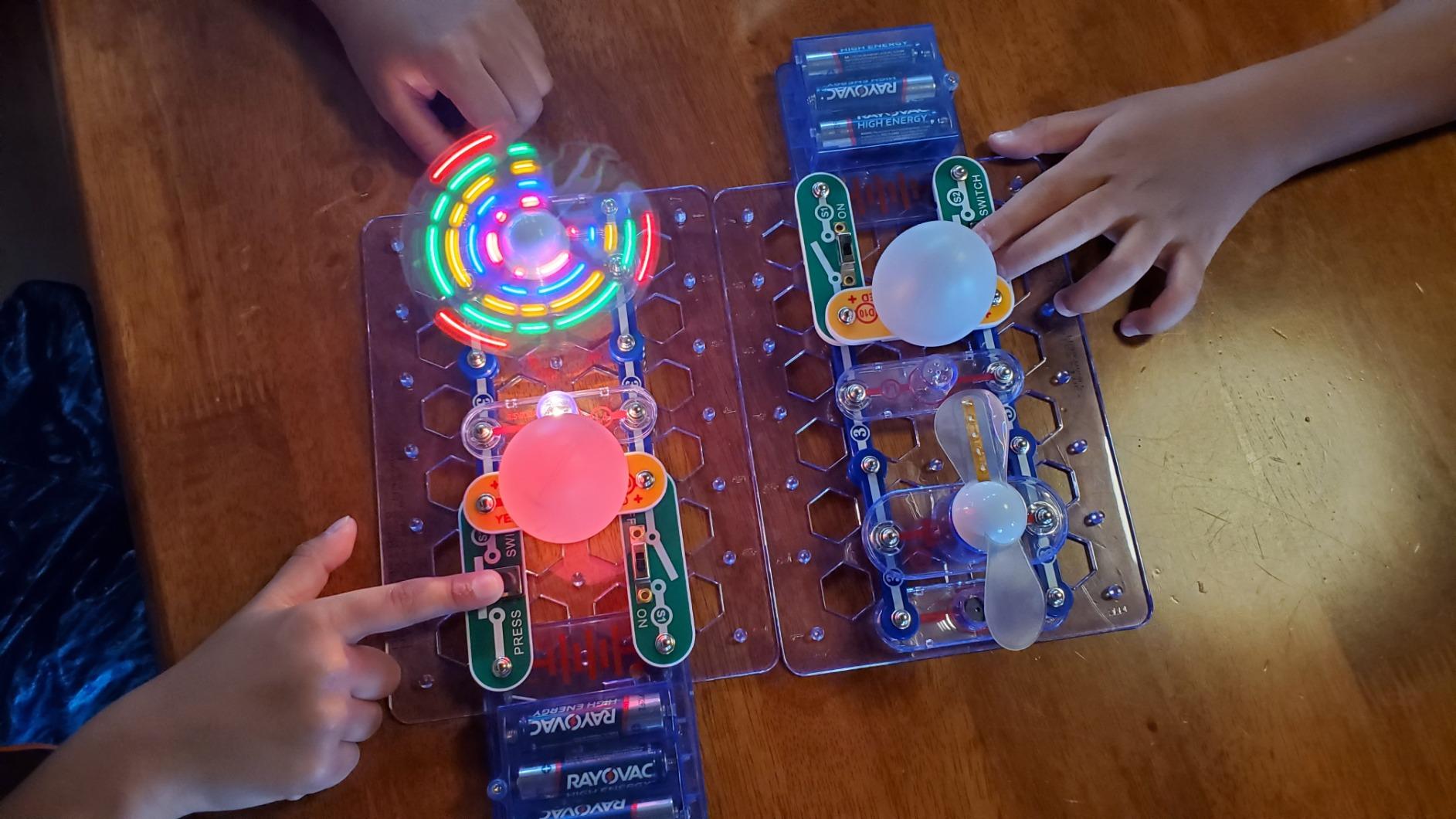
The extra childproofing is the detail that separates this from a scaled-down version of a bigger kit. The circuits are built with small parts treated so a younger child is safer around them, which is why the box is graded for ages five and up rather than three and up. The lighted color-changing fan is the first build most children finish and the one they show off, and the whole package weighs just 13.6 ounces.
Why starting small actually works better
Beginners do not fail because they lack ability, they fail because too many parts mean too many wrong answers. A small box makes every failure legible: if the fan does not spin, there are only a few pieces to check, and the child learns the debugging habit before the projects get complicated. By the time they move to a larger kit they already know that a circuit needs a complete path, which is the single most useful thing to carry forward.
The quality-control note you should read first
Reviews of this kit contain a recurring thread about a missing incandescent bulb or a light module that stopped working, and a separate thread about replacement-parts requests that were slow to answer. That is worth knowing before you buy, because the fix is easy: count the modules against the manual’s parts list on the day it arrives, and test every light before the first proper session. Two AA batteries are required, and the manual is the best guide to what should be in the box.
Who it suits and when to move on
It suits a first-time builder, a five-year-old, a child who is easily overwhelmed, and a gift-giver who wants a safe bet. Move up once your child can build a project without an adult translating the diagrams, usually somewhere between seven and nine. Because the parts share the same snap-together standard as the rest of the line, nothing is wasted, and this makes a natural first step toward the Extreme 750 or the Light 175+.
5. Snap Circuits BRIC Structures – Circuits Mounted on Building Bricks
SNAP CIRCUITS BRIC Structures STEM Building & Electronics Kit, Ages 8+
139 bricks, 20 snap modules, 75 adapters
Over 20 engineering projects
Ages 8-15
Remover tool included
+ Pros
- Hybrid brick and circuit format supports open-ended building
- 139 bricks and 75 adapters give real construction range
- BRIC remover tool makes disassembly painless
- Good coverage of engineering ideas per part
- Cons
- Fewer dedicated circuit projects than the pure electronics kits
- Grade runs to 15 but project count may not hold older kids
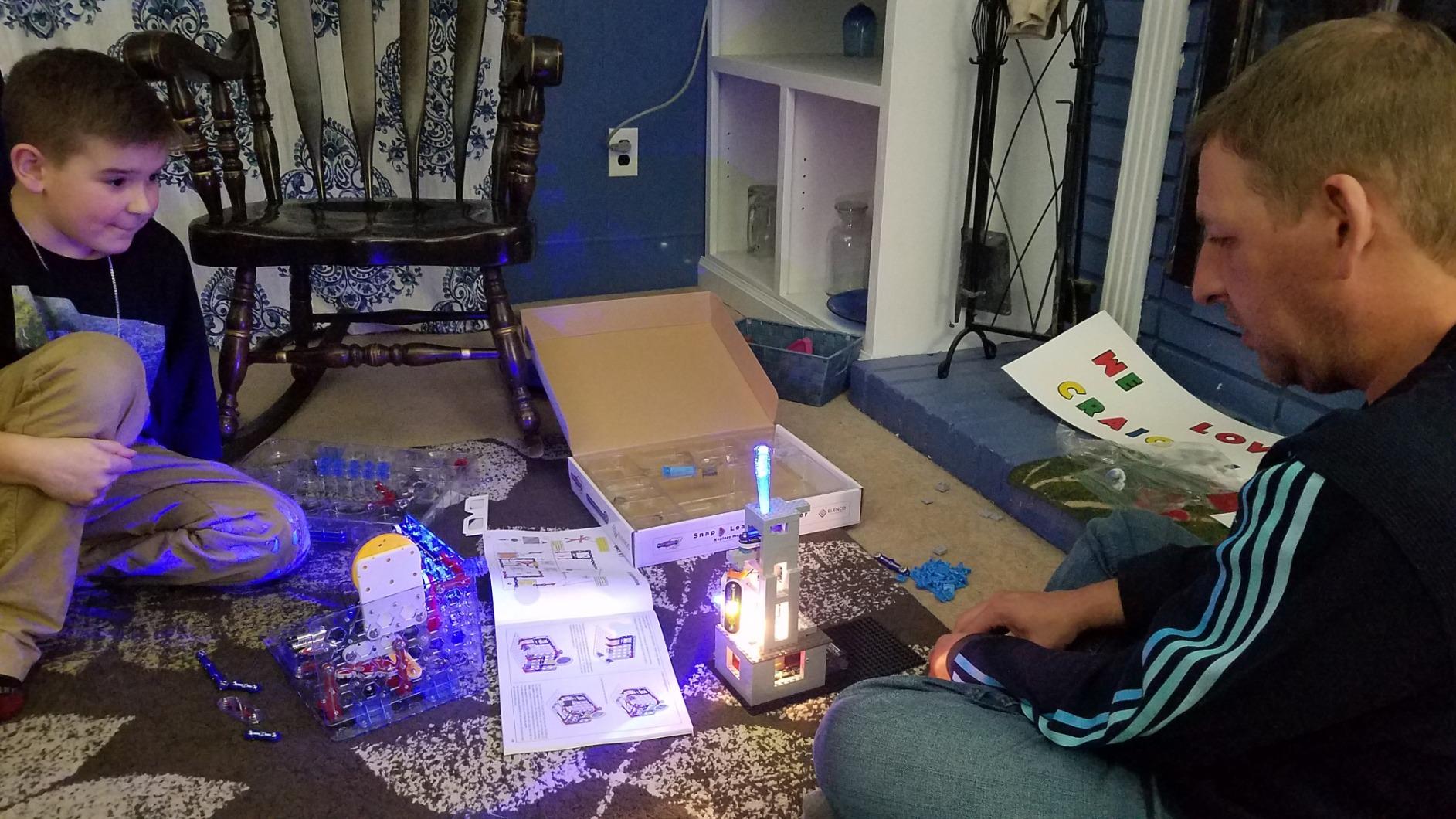
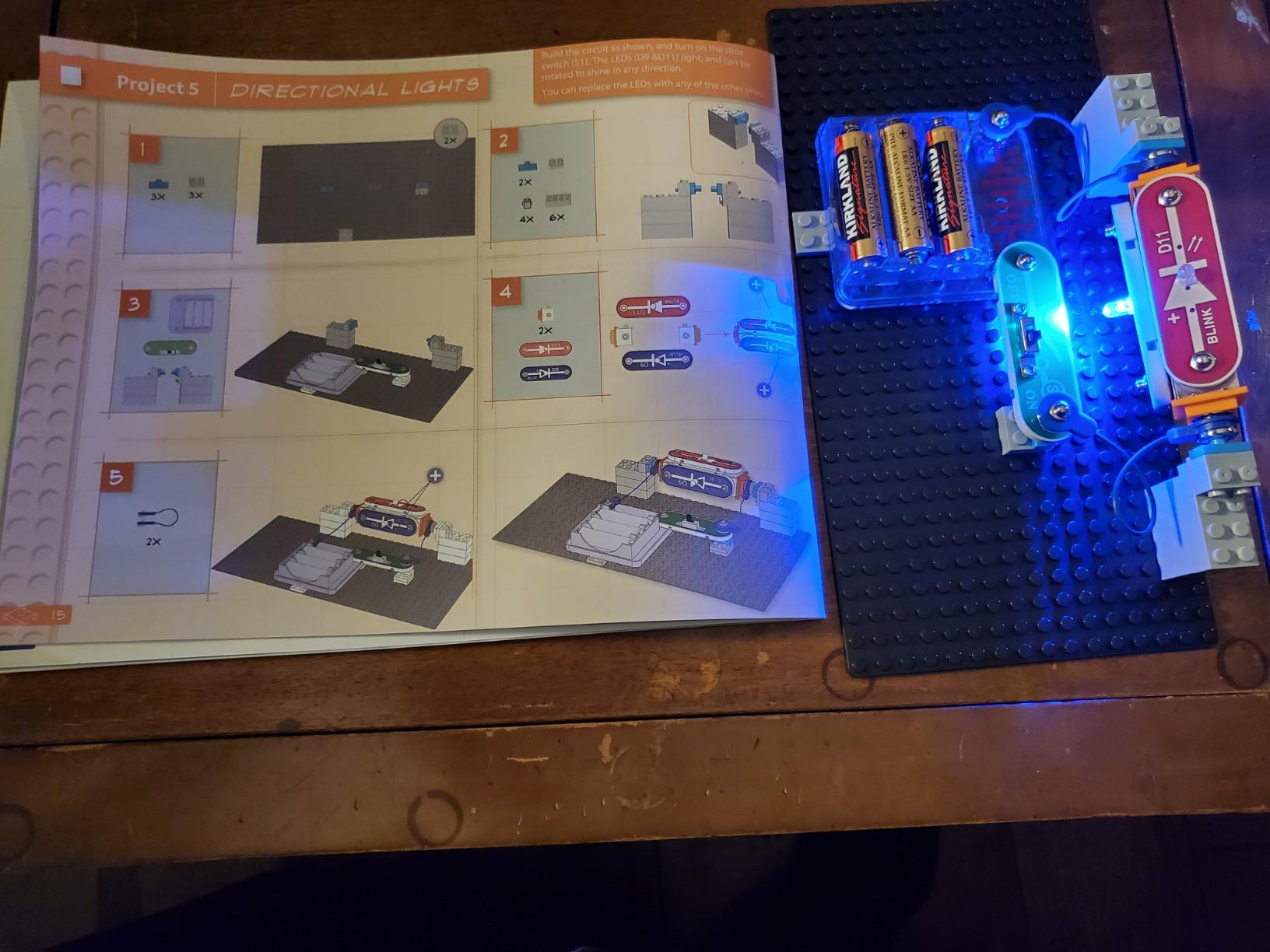
Every kit so far mounts components to a flat grid. The BRIC Structures set changes the geometry entirely, using adapters that let snap-together modules attach to standard building bricks, so circuits get built into walls, towers and vehicles rather than sitting on a board. For a child who already plays with construction toys, that shift is often the thing that makes circuits click.
The box holds 139 assorted bricks, 20 snap modules, 75 snap-to-brick adapters and a removal tool, and the adapters are the real innovation here. A child can build a structure first and light it, sound it or motorise it second, which turns a single fixed circuit into an open-ended system that keeps expanding as the brick collection grows.
Why the adapters matter more than the modules
Seventy-five adapters against twenty modules is a deliberate balance, and it tells you the designers expect the bricks to be the main event. Structures need stability, and a snap module on its own is a small component that benefits from being mounted to something solid. It also means a child who is good at building gets to be good at building, rather than feeling like an electronics lesson got in the way of their real interest.
What the engineering concepts teach
Mounting a working circuit to a moving structure introduces the idea that current needs a path regardless of what shape the thing around it is, and combining a motor with a brick-built arm or wheel is a first taste of transmission and gearing. The manual covers more than 20 projects, which is fewer than the pure electronics kits, so it is best treated as a creative system with a tutorial rather than a curriculum with a finish line.
Who it suits
Pick this for a child whose instinct is to take things apart and see how they work, and for a family already stocked with building bricks they can use alongside it. The listed age range runs from eight to fifteen, but the 20-plus project count will not hold a determined fourteen-year-old for long, so older children should treat it as a component library. Three AA batteries are required for the powered pieces.
6. Snap Circuits Motion 165+ – Gears, Pulleys and a Working Air Fountain
SNAP CIRCUITS Motion STEM Electronics Kit for Kids Ages 8+
50+ parts and 165+ motion projects
Gear ratios pulleys and propellor planes
Air fountain and motion detector
Ages 8 and up
+ Pros
- Concrete physics content with gear ratios and pulleys
- Large color illustrations suit a wide reading range
- Individual replacement parts available from the manufacturer
- Consistently the kit kids return to
- Cons
- Some units arrived with sheared screw heads and no spare hardware
- Isolated reports of fan lights failing within days
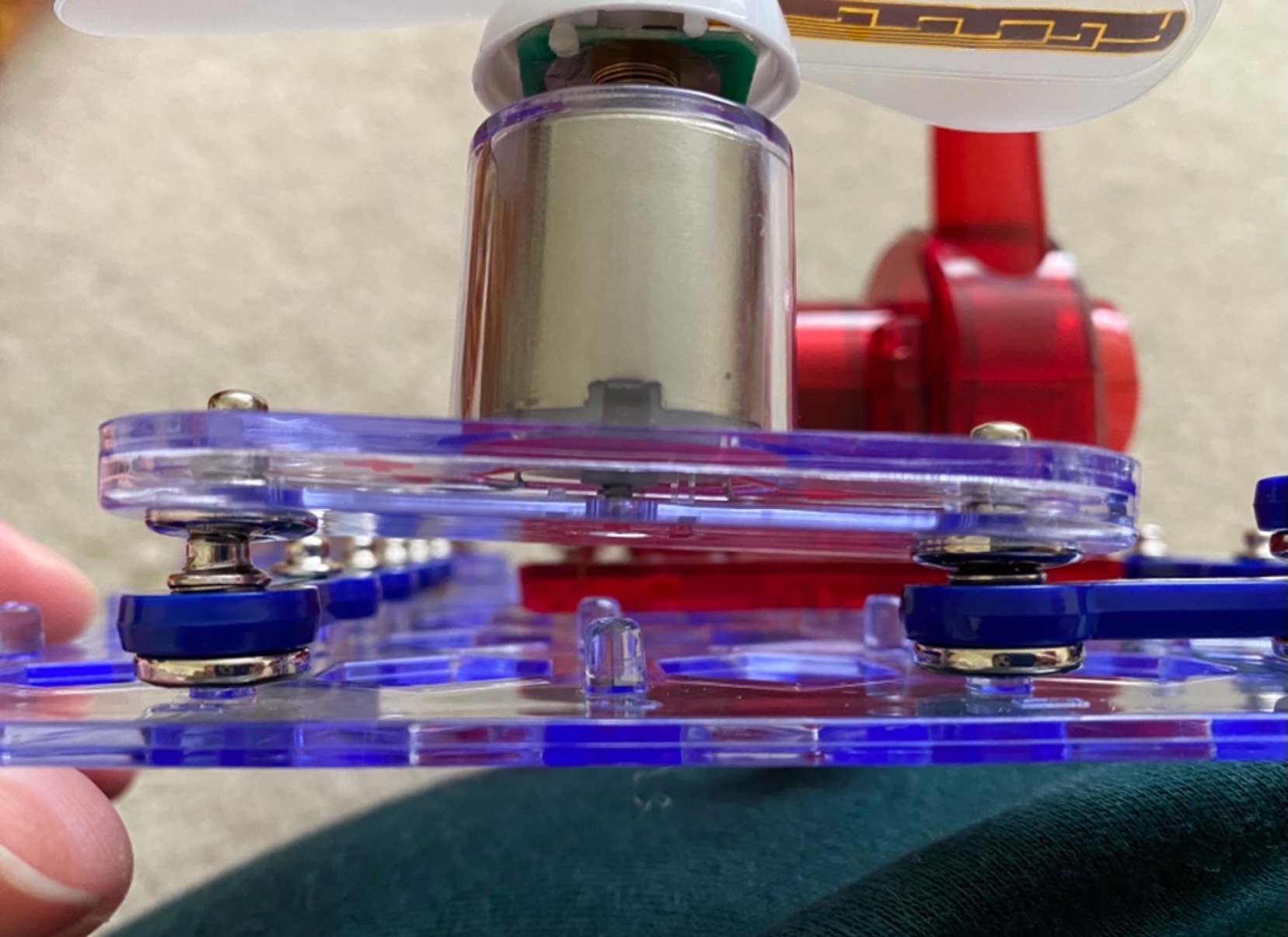
Where most circuit kits treat the motor as a finishing touch, the Motion SCM-165 makes movement the subject. Fifty parts drive 165+ projects built around gears, pulleys, propellors and sensors, and a child who works through the progression genuinely ends up understanding why a bigger gear turns slower and why a small gear with a motor spins fast.
The headline builds are memorable. An air fountain, a propellor plane, a motion detector and a color-changing lighted fan give a child four very different results from the same grid, and they are the projects other children ask to see. The manual uses large color illustrations, which means an eight-year-old can often start without an adult reading every line.

Gear ratios are the part children remember
A gear ratio is one of the few abstract ideas in the catalogue that a child can feel rather than memorize. Snap a small gear to the motor and a large gear to a wheel and the wheel turns slowly with real torque; reverse them and the wheel spins. Parents report this is the moment a child stops treating the kit as a toy and starts asking what else could be driven, which is exactly the behaviour you want from a STEM set.
Durability and replacement parts
One practical advantage here: individual replacement parts are available directly from the manufacturer, so a lost or broken module is a small replacement rather than a lost kit. That matters more than usual for a set with a motor and moving parts, and it partly offsets the reports of missing assembly hardware. Check for the small screws and fixings on arrival, since a few units arrived without spares and there is no spare in the box.
Who it suits
Choose this for a child who asks why things move, dismantles appliances, or likes machines. It is a poor match for a child who wants to play rather than build, and it pairs naturally with the Arcade kit, which supplies games, while this one supplies mechanisms. Four AA batteries are required, and the box measures 19.75 by 13.5 by 2.5 inches, so give it a shelf of its own.
7. Snap Circuits R/C Snap Rover – Build It, Then Drive It
Snap Circuits R/C Snap Rover STEM Electronics & Robotics Kit, Ages 8+
37 electronic components plus rover body
Wireless remote with left-right turning
Up to 3 rovers can run at once
Ages 8 and up
+ Pros
- Kids build the vehicle and then actually drive it
- Manual doubles as a fault-finding reference
- Manufacturer has a strong replacement-parts record
- Three rovers can run together for group play
- Cons
- Moves slowly and is realistically indoor-only
- Battery doors are hard to open and no batteries are included
- Reports of short jumper wires and a broken wheel shaft
- Leaving power on can damage the motor control unit
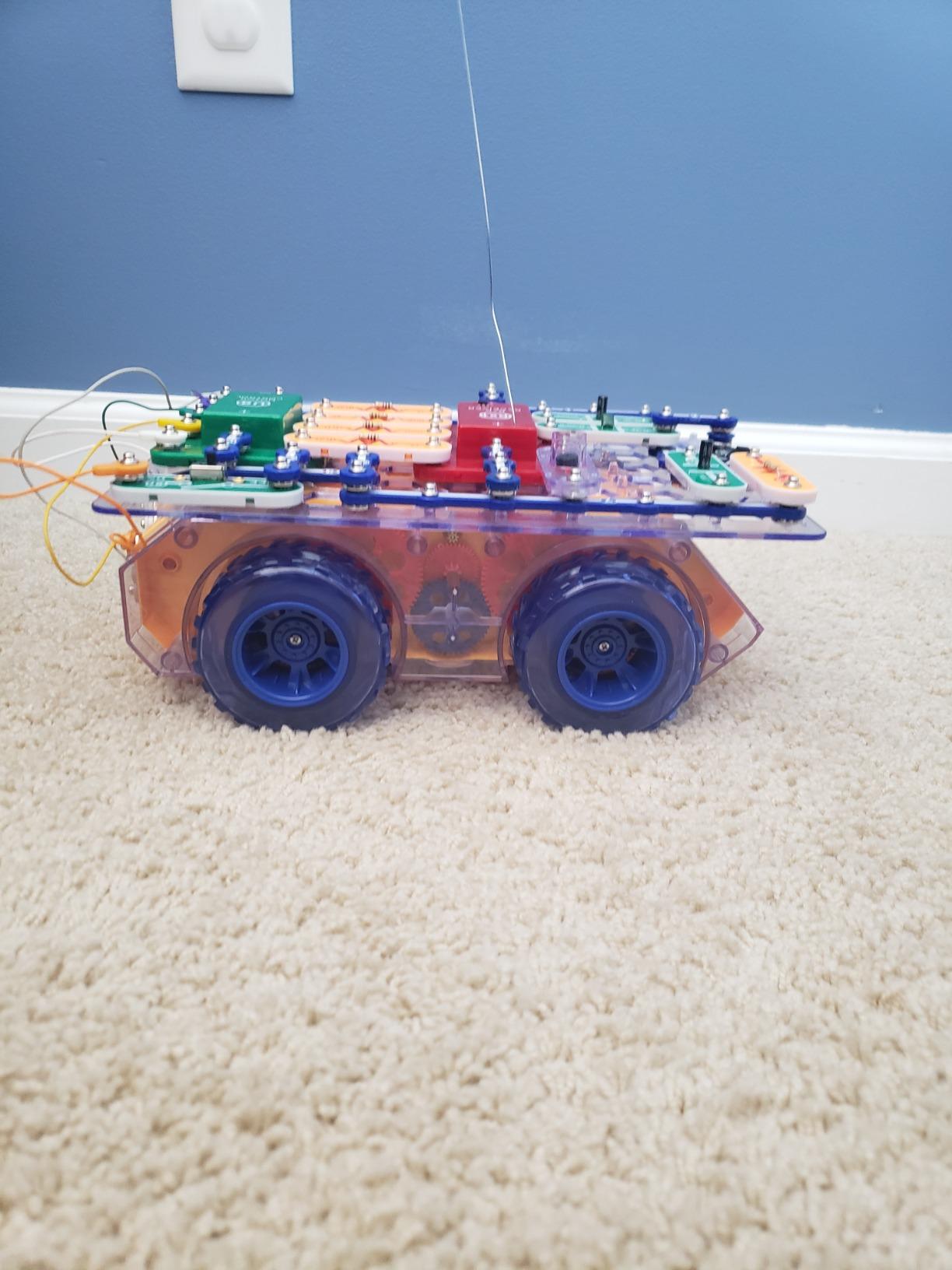
The R/C Snap Rover is the rare kit where the child assembles a working vehicle and then gets to drive it across a floor, which converts a build session into an active one. Thirty-seven components, a rover body and a multi-function wireless remote with left and right turning give a genuine sense of control, and up to three rovers can run at the same time for siblings and friends.
The robotics content is real. A child who wants to know how a remote signal becomes wheel rotation has to build the receiver and motor circuit themselves, and the project manual is clear enough to serve as a diagnostic reference when something does not respond. Elenco’s replacement-parts service is one of the better ones in this category, which matters on a kit with this many small mechanical pieces.
Expect an indoor rover, not a racing car
This is the most important expectation to set before a child opens the box. The rover moves slowly and is meant for indoor floors, so a kid expecting a fast remote-controlled car will be disappointed, and that mismatch is the most common complaint in reviews. Frame it as a rover that has to navigate a course rather than a car that has to go fast, and the same slow movement becomes the point.
Handle the power carefully
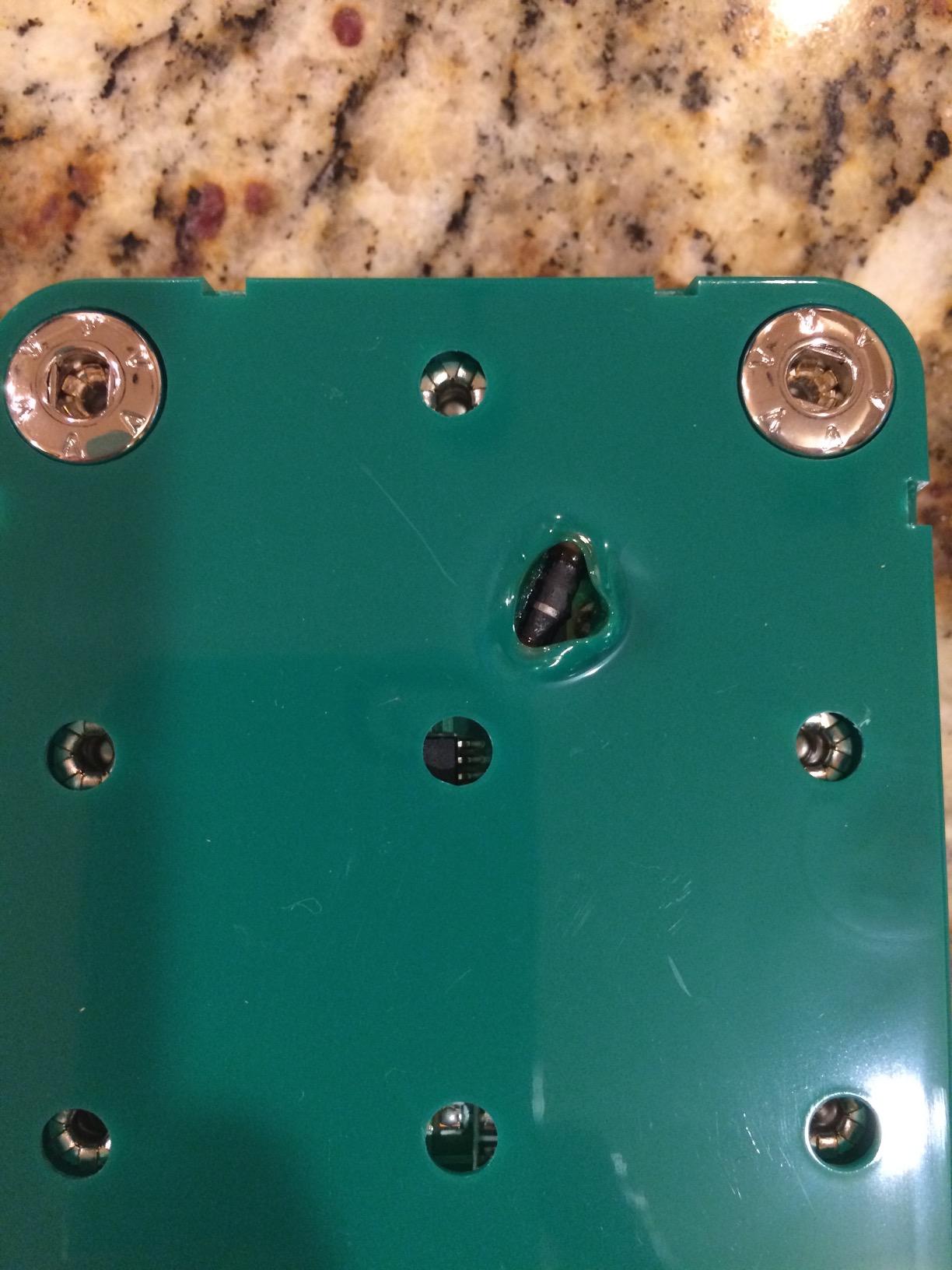
Two things to know on day one. The battery compartment doors are genuinely difficult to open and need six AA plus one 9V battery, none of which are included, so budget for those before the first session. And leaving the power on can burn out the motor control unit and melt the plastic, so teach the child to switch off as soon as a build or drive is finished.
Who it suits
Pick this for a child who wants a driving payoff and is ready to be trusted with a build that has real moving parts. It is the weakest value proposition in this group on project count, because only some of the 23 advertised STEM projects use the rover itself and many are generic circuits you would find in another kit, so buyers should weigh the drive experience rather than the number. Inspect the jumper wires and wheel shaft on arrival, since short wires and a broken shaft are both reported.
8. Snap Circuits STEM Radio – A Working FM Radio From 12 Parts
SNAP CIRCUITS STEM Radio Kit, Build an Electronic Radio, Kids Ages 8+
Working FM radio from 12 components
Three extra circuits from the same parts
Compact 8 x 7.5 x 2.5 inch box
Ages 8 and up
+ Pros
- A genuinely working FM radio is an audible result kids are proud of
- Some children finish the build in a couple of minutes
- Comes apart and reassembles cleanly for repeat play
- Compact enough to pack for travel
- Cons
- Only 12 components
- the fewest in the range
- Secondary projects are written-only with no diagrams
- Base board is described as flimsy beside the larger kits
There is no cleverer way to teach a child that electricity can carry a voice. This kit builds an actual FM radio from twelve components, and when a station comes out of the speaker, the abstract idea of a circuit becomes something a child can hold and take seriously. It is one of the most reliable first electronics builds in existence.
Speed is the underrated feature. Some children complete the radio in a few minutes, which is exactly what you want from a first kit, and the same twelve parts rebuild into three additional circuits, so the box is not a one-shot project. At 8 by 7.5 by 2.5 inches it is the smallest kit here and the easiest to pack for a long car trip or a waiting room.
What a working radio teaches
To make sound come out, every piece has to be in the right place, including the parts a child cannot see. That forces real attention to a closed loop, and tuning adds a second lesson on top, because a circuit that is complete can still produce the wrong result until a dial is adjusted. It is an early taste of the difference between a circuit that works and a system that works properly.
Read the extra projects carefully
The documented weakness here is the writing. The three secondary projects are printed as text with no diagrams, and reviewers report that the directions are hard to follow, so treat the radio as the main event and the extras as a solvable puzzle rather than instructions. The base board is also described as flimsier than the larger kits, which matters for storage since bending the grid makes snap connections unreliable.
Who it suits
It suits a child aged eight and up, a travel bag, a grandparent gift, or anyone who wants one guaranteed win before buying a bigger kit. It does not suit a family hoping for long play, because twelve components is very few and there is no motor, no sensor and no robotics. Three AA batteries are required and are not included, so have them ready before the build. One isolated report of a defective supplied component suggests testing the full radio before the first session.
9. Educational Insights Circuit Explorer Rover – Snap Circuits Style Play for Ages 6 to 10
Educational Insights Circuit Explorer Rover Snap Together STEM Kit
38 pieces with figures and stickers
Communication Station and Power Station
Two rovers with light-up headlights
Ages 6-10
+ Pros
- Light-up rover vehicles give an immediate wow factor
- The charging station teaches how a vehicle gets powered
- Parts work with other Circuit Explorer sets
- Durable pieces that survive repeated assembly
- Cons
- Snap connections described as a little flimsy
- Reports of a broken piece and slow replacement service
- Instructions sometimes show a part in the wrong color
- Teaches circuitry less rigorously than Elenco kits
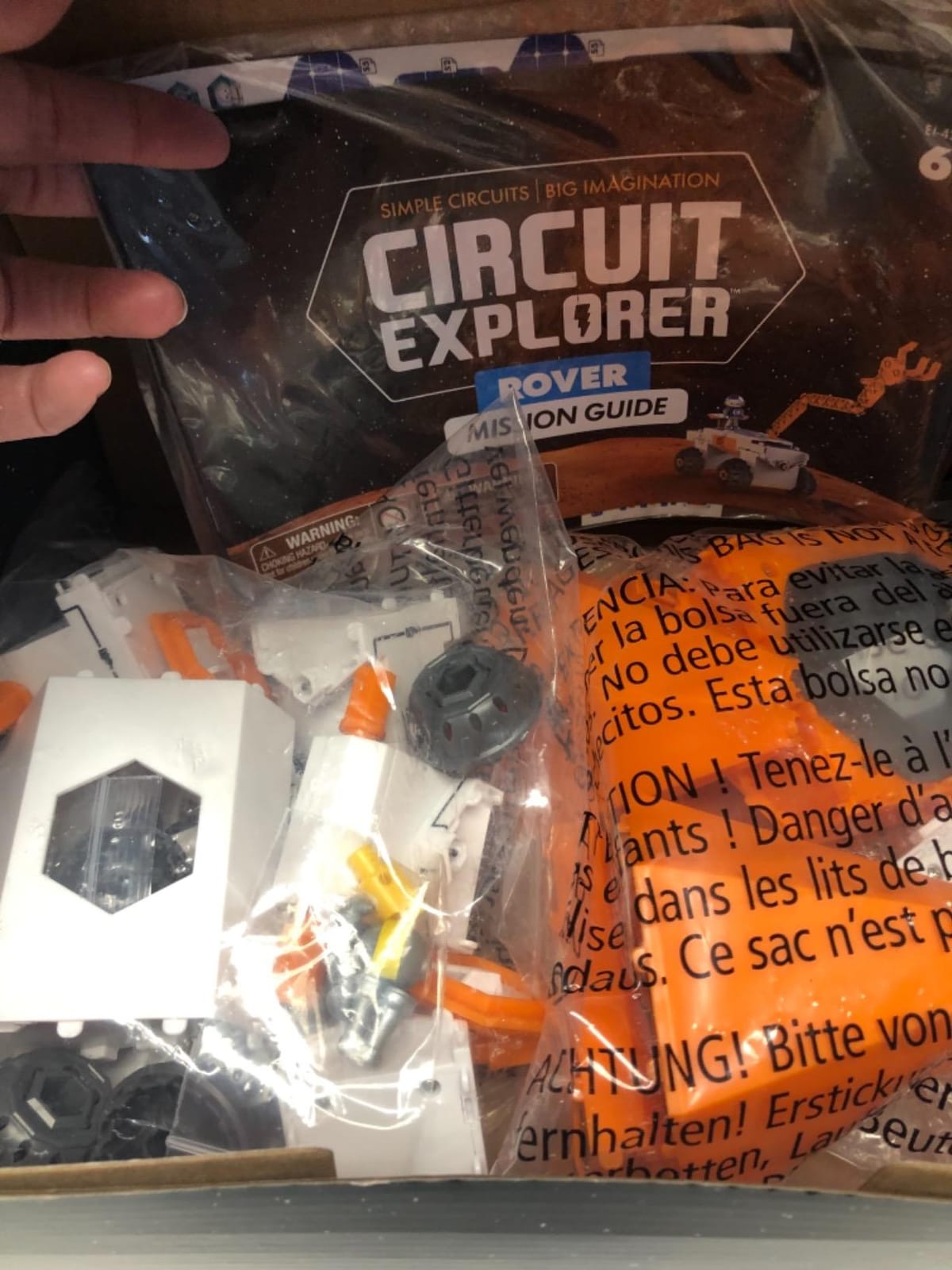
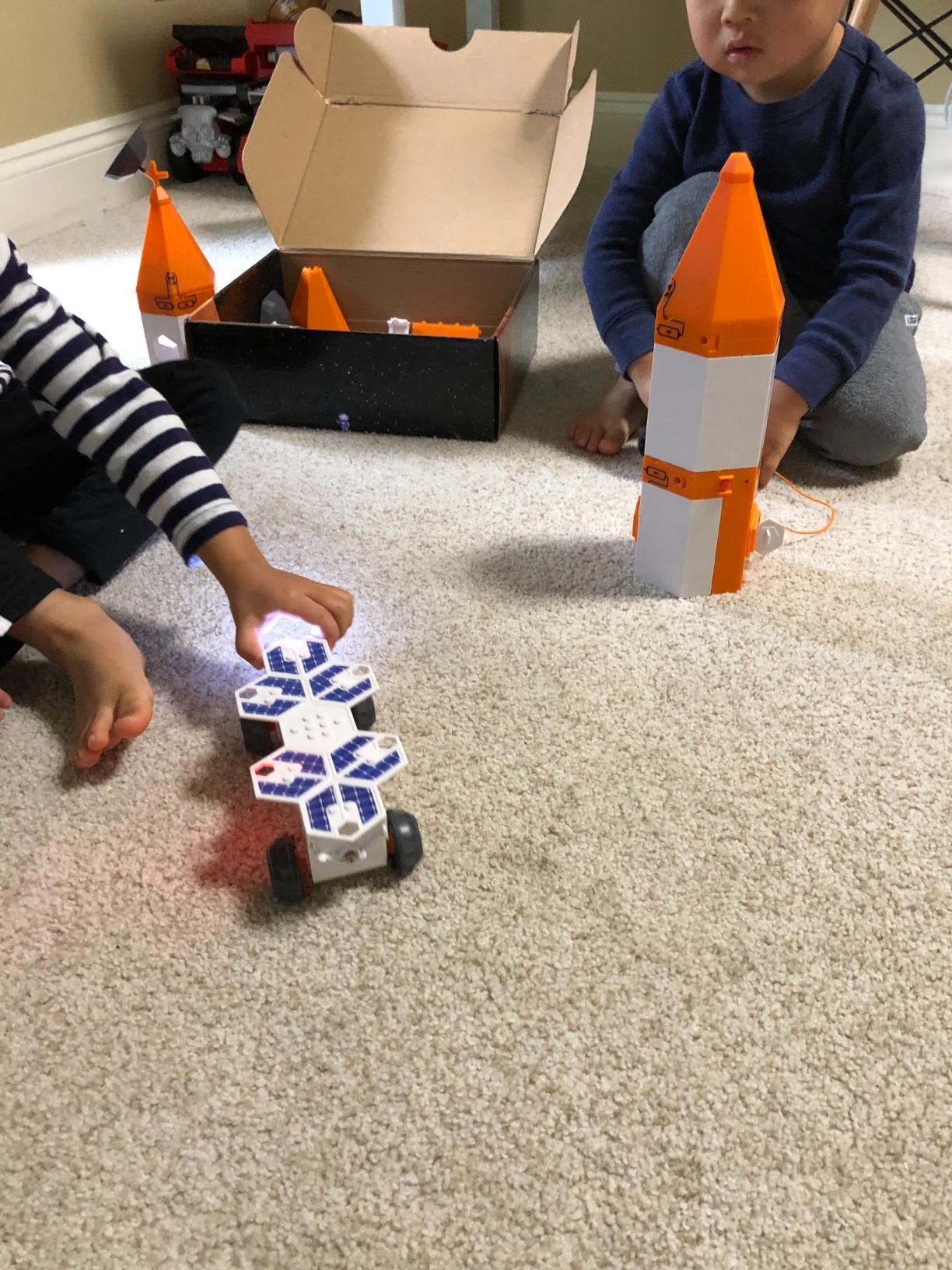
This is the one non-Elenco kit in the roundup, and it belongs here because parents regularly compare the two systems. The Circuit Explorer set uses the same snap-together idea but builds a themed scene: a Communication Station with a rotating radar dish, a Power Station that charges the rovers, and two rovers with light-up headlights, one powered and one free-wheeling. Astronaut and robot figures and a sticker sheet add pretend play on top.
The graded range of six to ten makes it a genuine alternative for a younger child who finds the Snap Circuits manuals dense. And because the pieces are system-ready, collecting more Circuit Explorer sets expands the same scene rather than starting a new one, which is the same compatibility logic that makes the Elenco line worth combining.
The charging station is the clever part
Rolling the rover into a Power Station and seeing it light up teaches a real concept about energy transfer, and it does it in a way a six-year-old can repeat with a grown-up watching. The rotating radar dish on the Communication Station is a motor demo in disguise, and the headlights are a simple closed loop a beginner can diagnose on their own. For a child aged six to eight, that sequence of firsts is well judged.
Where it falls behind Elenco
Two honest limits. Some reviewers consider it primarily play rather than rigorous circuit instruction, and the snap connections are described as a little flimsy under rough handling, which is a fair reason to supervise younger children more closely. Instructions sometimes depict a part in the wrong color, which confuses new builders, and a broken piece with a slow replacement service has been reported, so count the pieces on arrival.
Who it suits
Buy it for a child who loves vehicles and space, is between six and ten, and wants a themed scene they can keep adding to rather than a project manual they will race through. It pairs well with the R/C Snap Rover if one child builds a remote rover and the other plays with a charging station, though the two part systems are not interchangeable. Nine AAA batteries are needed across the station and both rovers, and none are included, which is worth budgeting for.
10. Snap Circuits My Home – Home Security, Overhead Lights and Infrared Control
SNAP CIRCUITS My Home STEM Electronics Building Kit for Kids Ages 8+
34 home-based STEM projects
Infrared controlled lighting system
Meter motor recording and melody modules
Ages 8 and up
+ Pros
- Home theme feels different from every other kit in the range
- Broad component list supports genuinely varied builds
- An electrician reviewer confirms it teaches real DC theory
- Parts combine with other Snap Circuits kits
- Cons
- Only 34 projects
- the fewest of the larger sets here
- Smallest review base in the group
- Three AA alkaline batteries sold separately
Every other kit in this roundup builds generic circuits. The My Home set builds the systems a child already knows from their own house, which turns an abstract topic into something immediately legible: overhead lights, a home security circuit, and an infrared-controlled lighting system that switches on when a beam is broken.
The component list is the reason it is worth a second look despite the modest project count. Alongside the slide and press switches, jumper wires, resistor, capacitor, LEDs, lamp and motor, you get a meter, a recording module, a melody module, a microphone and a motion detector. One reviewer with electrical training confirmed it teaches real DC theory rather than pretend science, and 88 percent of its ratings are five stars, the highest share in the group.
Thirty-four projects, unusually good ones
Thirty-four is fewer than most of the larger kits here, so treat this as a focused course rather than a library. The trade-off is coherence: because every project lives in a house, each one reinforces the same mental model of how current reaches a room, a lamp or an alarm. For a child who benefits from a themed project line, that is worth more than a scattered two hundred experiments.
Recording and melody modules are the standout parts
Modules that record a message and play back a tune are unusual in kits at this level and give a child something personal to build, which is the same reason the Arcade kit works so well. A sound module, microphone and speaker together let a child build something that responds to a voice, and those are the projects that end up on the fridge door rather than back in the box.
Who it suits
It suits an eight-and-up child who is interested in houses, home safety or anything technical around the house, and it pairs well with the Beginner kit because the two have almost no component overlap. The smaller review base means less long-term feedback than the flagship sets, so buy it for the theme rather than expecting the world’s best-reviewed kit, and note that three AA alkaline batteries are sold separately.
How to Choose a Snap Circuit Set for Your Child
The catalogue is full of near-identical names, so a structured comparison beats scrolling product pages. Six questions separate a kit your child will still be building in six months from one that becomes shelf furniture in three weeks, and the answers are almost always visible in the manual rather than in the marketing.
Match the kit to the age band, not the number
There are four real bands in this category, and almost every kit name is a riddle until you place it. Ages five to seven want the Beginner SCB-20, where the diagrams are large, the part count is low and the circuits carry extra childproofing. Ages eight to ten cover most of the catalogue, from the Arcade kit through Motion, Light and My Home. Ages ten and up are where the Extreme 750 and the R/C rover earn their keep, and nothing in the preschool range should be bought for an eight-year-old who will dismiss it on sight.
Treat the printed age as a safety floor rather than a promise of independence. A well-built six-year-old can work through a beginner manual alone, while a nervous ten-year-old may still need an adult alongside for the first three projects. Ask whether the diagrams can be read independently, because that predicts independence better than the number does.
Judge the project library by what the parts can do
A project count on its own is marketing. Eighty-two components supporting 750 experiments means the parts recombine in many configurations, while 36 pieces supporting 200 projects means the same kit is more likely to produce variations. The useful question is whether the component list spans distinct functions: sensors, motors, sound output, meters and chips produce genuinely different builds, and a kit with only lights, wires and switches does not.
Second question: is there a result your child can operate rather than only observe? A playable game, a driven rover, a radio or a recorded message is what turns a build into a reason to build again. Parents tell us repeatedly that the kits kids go back to are the ones with a payoff, not the ones with the biggest manuals.
Check the power source and the hidden running costs
Nearly every kit in this roundup runs on AA or AAA alkaline batteries, and several do not include them. The R/C Snap Rover needs six AA plus one 9V, the Circuit Explorer set needs nine AAA across the station and both rovers, and the My Home and STEM Radio kits need three AA each that you supply yourself. That is a real ongoing cost, and for a kit meant to be used constantly it is worth counting before you commit.
Solar and green-energy kits exist and are worth a look if you want a project that does not touch batteries, though the catalog here is built around battery-powered modules. Either way, teach the child to switch power off when a session ends, because leaving a circuit energised is the most common cause of the overheating complaints in this product line.
Parts compatibility and the upgrade path
This is the question parents ask most and almost no article answers, so here is the direct version. Elenco designs the whole Snap Circuits range around one snap-together standard, which means components from separate Elenco sets share a base grid and connect to each other. Parents in community discussions describe exactly this as the feature that makes the range worth buying twice, and a homeschool parent put it plainly: combining sets lets you invent circuits that no manual covers.
The practical upgrade path runs like this. Start with the Beginner SCB-20 at five to seven. At eight, add the kit that matches your child’s temperament, the Arcade for play, Motion for physics or Light for music and visuals. At ten and up, the Extreme 750 pulls in the advanced parts, the meter and the software. Buying along that path means no kit is wasted, whereas buying the biggest box first for a six-year-old usually means a box that sits unopened.
Two caveats worth stating. The Circuit Explorer system from Educational Insights is a separate system whose parts combine with other Circuit Explorer sets but not with Elenco Snap Circuits, so treat the two brands as parallel tracks rather than one ecosystem. And combining sets is a genuine but modest upgrade: two kits give you more parts, not more project instructions, so the real gain is the ability to design your own circuits.
Five checks when a new set arrives
Do these on the day the box is opened, not the first time a project fails. First, count every module against the parts list in the manual, since missing bulbs and light modules are the most reported arrival problem. Second, lay out the parts and check for damaged or greying plastic, which shows up as a cracked or sheared connector. Third, test every light and sound module on a simple battery-and-switch build. Fourth, confirm the screw fixings and small hardware are all present, which matters most on the Motion and rover kits. Fifth, insert fresh batteries and run the first project before the manual’s later stages can hide a fault.
A note on overheating. Reviews across this range include a small number of reports of units running hot or the plastic softening. In most cases that traces back to a mis-snapped connection that partially completes a circuit, or to power left on for long stretches, so if a module gets warm, switch off immediately and check the seating of every connection rather than continuing to play.
Keeping small parts from disappearing
Small parts are the single most common complaint in this category, and the fix is boring and effective. Give the kit a labelled storage box with a lid, keep it in the same place every time, and make returning parts part of the routine rather than a chore you do at the end. A container with separate compartments for modules, wires and bricks saves a lot of searching, and it also means a missing part is noticed within a session instead of after a month.
For a household with a younger sibling, this matters more than the price of the kit. Many small components are not suitable for a child under three, and a single open box on a shared floor is a real risk, so store the kit high and keep the manual in the box so projects are re-creatable from the start.
When to look at a different brand entirely
Snap Circuits is the right default for real circuit theory, but it is not the right answer for every child. If your child wants to build a robot they program rather than a circuit they design, a coding robot kit is a better fit. If your child is four or five and mostly wants cause and effect with minimal reading, a wooden or magnetic circuit set is faster and safer. If the child is drawn to construction, the BRIC Structures set inside this roundup bridges the gap. And if they want to make music and art, a kit built around speakers and light suits better than one built around meters.
The honest limit of this category is that most children plateau once they have built everything the manual offers. That is why the compatibility and the upgrade path matter more than the project count on the box, and why buying the small kit first and adding to it beats buying the largest one early.
Frequently Asked Questions
Are snap circuit sets good for kids?
Yes, for most children aged five and up. Snap Circuits are soldering-free and tool-free, so a child gets a working result within minutes and builds real troubleshooting habits. The two honest caveats: small parts need storing away from younger siblings, and a child can lose interest once the manual projects run out.
What is the best circuit kit for kids?
For a first kit, the Snap Circuits Beginner SCB-20 is the safest choice for ages five to nine, with 21 illustrated projects and extra childproofing. For a child aged eight and up, the Arcade kit supplies playable games and the Motion kit supplies real physics. For the widest library, the Extreme 750 builds 750+ experiments from 82 parts.
What age is appropriate for snap circuit sets?
Five and up for the Beginner SCB-20, which is graded for ages five to nine with childproofed circuits. Eight and up covers most of the range, including Light, Arcade, Motion, My Home and the STEM Radio. Ten and up suits the Extreme 750 and the R/C Snap Rover. Below three, small parts make these kits unsuitable.
How can I explain circuits to kids in a simple way?
Say a circuit only works when the electricity has a complete path, like a circle that never breaks. Put a battery, a light and a wire in a loop and the light turns on. Now lift one end of the wire off and the light goes out, because the circle is broken. That single demonstration explains more than a definition.
Do snap circuit kits need batteries, and can you combine two sets?
Yes, most need AA or AAA alkaline batteries, and several do not include them, so check the listing. Components from separate Elenco Snap Circuits sets share one snap-together standard and combine on the same base grid. The Circuit Explorer system from Educational Insights is separate and does not mix with Elenco parts.
Which Snap Circuit Set Should You Buy?
If your child is five to seven or this is a first electronics kit, buy the Snap Circuits Beginner SCB-20. Its illustrated manual, childproofed circuits and 21 stepped projects are the reason it works at that age, and everything you buy later connects to the same pieces. If your child is eight and wants something they can play with, the Arcade 200 turns building into a game, and the Motion 165+ is the pick for a child who asks how things move. The Light 175+ wins for anything musical or visual, and the STEM Radio gives one guaranteed win from twelve parts.
For a child who wants to drive something, choose the R/C Snap Rover and set expectations that it is an indoor rover rather than a racing car, and for a house-themed project line with the widest component variety, the My Home set is the one parents underrate. The Circuit Explorer Rover is the alternative track if your child is six to ten and prefers vehicles and imaginative play over a manual. And our Editor’s Choice, the Snap Circuits Extreme 750, is the answer when a child is eight or older and will work through a large illustrated manual, because 82 components, five manuals and a PC interface leave almost nothing unexplored.
Whichever you pick, buy the small kit first, add to it as your child ages, and check every part on the day it arrives. That approach keeps the best snap circuit sets for kids in 2026 a progression rather than a one-off purchase, and it is the reason families tend to end up with three kits and no shelf furniture.