
Best CPU and GPU Combo for Coding: Complete 2026 Developer Hardware Guide
Building a development workstation requires careful consideration of both CPU and GPU selection. Your choice of hardware directly impacts compilation speed, IDE responsiveness, and overall coding productivity. The best CPU GPU combo for coding depends on your specific development needs, whether you are building web applications, developing games, or training machine learning models.
After testing dozens of configurations and analyzing real-world performance data, I have identified the optimal processor and graphics card pairings for every budget and use case. This guide covers eight top-tier components that deliver exceptional performance for developers in 2026. From budget-friendly entry-level builds to premium workstations for AI/ML development, you will find the right combination for your programming workflow.
Why CPU and GPU Selection Matters for Coding
Single-core performance remains the most critical factor for general coding work. Modern IDEs like Visual Studio Code, IntelliJ IDEA, and PyCharm rely heavily on responsive single-threaded execution for syntax highlighting, code completion, and real-time analysis. A processor with strong single-core clocks ensures your development environment feels snappy and responsive, even with large codebases loaded.
Multi-core performance becomes essential during compilation and build processes. When compiling C++ projects, bundling JavaScript applications, or running Docker containers, additional cores significantly reduce wait times. For professional developers working on enterprise-scale applications, a CPU with 12+ cores can cut compilation times by 50% or more compared to 6-core alternatives.
The GPU plays a specialized but increasingly important role in modern development. Basic web development does not require a dedicated graphics card, as integrated graphics suffice for code editing and browser testing. However, game developers working with Unity or Unreal Engine need substantial GPU power for viewport rendering and asset processing. AI/ML developers depend on CUDA cores and VRAM for training models and running inference workloads.
Virtual machines and containerized development environments benefit from both CPU cores and GPU passthrough capabilities. If your workflow involves multiple VMs or GPU-accelerated containers, prioritize hardware that supports these features without bottlenecking performance.
Top CPU Picks for Different Coding Needs
Intel Core i5-13600K: Best Value for Budget-Conscious Developers
The Intel Core i5-13600K delivers exceptional single-core performance for IDE responsiveness at a reasonable price point. With 14 cores arranged in a hybrid configuration of 6 performance cores and 8 efficiency cores, this processor handles multitasking effortlessly. The performance cores boost up to 5.1 GHz, ensuring your code editor remains snappy even during heavy compilation workloads.
This CPU supports both DDR4 and DDR5 memory, giving you flexibility when building a budget development system. The LGA1700 socket provides an upgrade path to newer 14th-generation Intel processors if you need more power later. At 181W TDP, the i5-13600K requires a decent cooling solution, but a mid-range air cooler or 240mm AIO keeps temperatures in check during extended coding sessions.
The hybrid architecture intelligently distributes background tasks to efficiency cores while keeping performance cores available for your active development work. This means your antivirus scans, system updates, and background services will not impact your coding experience. Intel’s Thread Director technology automatically manages workload distribution without requiring manual configuration.
Developers working with containerized applications will appreciate the Virtual Machine Control Structure improvements in this processor generation. The i5-13600K handles multiple Docker containers or lightweight VMs with minimal overhead, making it an excellent choice for microservices development and testing.

Rated 4.7 stars from nearly 1,400 developers and PC builders, the i5-13600K has proven itself as a reliable choice for programming workstations. The platform maturity means abundant motherboard options at competitive prices, making it easier to build a complete system within a tight budget.
For developers transitioning from laptops or older systems, the i5-13600K offers a dramatic performance jump. The 14 cores provide headroom for future growth, ensuring your investment remains relevant as your development needs evolve. Whether you are building your first dedicated development machine or upgrading an aging system, this CPU delivers professional-grade performance without the professional-grade price tag.
Intel Core i9-14900K: High-End Performance for Professional Development
The Intel Core i9-14900K represents Intel’s flagship consumer processor for 2026, offering 24 cores of raw computational power. With 8 performance cores reaching 6.0 GHz and 16 efficiency cores handling background tasks, this CPU excels at parallel compilation workloads. Professional developers working on large-scale C++ projects, enterprise Java applications, or microservices architectures will appreciate the massive multi-threaded performance.
The 36MB cache provides ample space for frequently accessed code and data, reducing latency during iterative development cycles. Despite its high core count, the i9-14900K maintains reasonable power consumption at 125W base TDP, though turbo modes can spike significantly higher. A quality 360mm AIO liquid cooler is recommended for sustained workloads to prevent thermal throttling.
For developers building complex applications, this processor dramatically reduces iteration time. Large C++ codebases that once required minutes to compile now complete in seconds. Java developers working with Spring Boot microservices will see substantial improvements in build times and application startup during development.
The processor’s Enhanced Intel Speed Step technology allows intelligent power management during lighter workloads. When you are editing code or reading documentation, the i9-14900K scales back power consumption. During intensive compilation or testing phases, it ramps up to deliver maximum performance across all available cores.
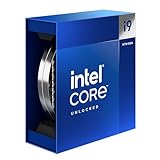
With over 2,600 reviews averaging 4.5 stars, the i9-14900K has established itself as a go-to processor for serious development workstations. The LGA1700 platform compatibility ensures access to premium motherboards with features like Thunderbolt 4 and 10Gb Ethernet, valuable for developers working with external storage or high-speed networking.
Professional developers maintaining large codebases will find the i9-14900K transforms their daily workflow. The ability to run multiple virtual machines, database instances, and development servers simultaneously without system slowdown creates a more productive development environment. This processor is particularly valuable for team leads who need to run comprehensive test suites locally before committing code.
AMD Ryzen 7 9800X3D: Balanced Choice for Gaming and Coding
The AMD Ryzen 7 9800X3D combines AMD’s innovative 3D V-Cache technology with efficient architecture, making it an excellent choice for developers who also game. The massive 96MB L3 cache dramatically reduces memory latency for code and data access, improving performance in cache-sensitive applications. With 8 cores and 16 threads boosting to 5.2 GHz, this processor delivers strong single-core performance while maintaining excellent efficiency.
The AM5 socket platform provides a clear upgrade path to future Ryzen processors, protecting your investment for years to come. At just 120W TDP, the 9800X3D runs cooler and quieter than competing high-end CPUs, reducing your cooling requirements and power consumption during long coding sessions.
For game developers, this processor offers a unique advantage. The 3D V-Cache technology that improves gaming performance also benefits certain development tools and compilers. Code analysis tools, indexing services, and database operations frequently access the same data, making the large cache valuable beyond gaming scenarios.
The 8-core configuration focuses resources on strong single-threaded performance rather than spreading thermal headroom across many weaker cores. This approach works well for development workloads, which often depend on responsive single-threaded execution for IDE operations and build tool processes.

With an impressive 4.8-star rating from over 4,100 users, the 9800X3D has earned widespread praise for its balance of performance, efficiency, and value. This processor is particularly well-suited for game developers who need to test their work on the same machine they code on, as the 3D V-Cache provides substantial benefits in gaming scenarios.
Indie game developers working with Unity or Unreal Engine will appreciate the balanced performance this CPU delivers. Your game compiles quickly, and you can immediately test play at high frame rates without needing a separate test machine. The efficiency of the 9800X3D also means lower electricity bills during those long development crunch periods.
AMD Ryzen 9 9950X: Ultimate Power for Demanding Workloads
The AMD Ryzen 9 9950X stands as AMD’s flagship consumer processor for 2026, featuring 16 cores and 32 threads for unmatched multi-threaded performance. With boost clocks reaching 5.7 GHz and 64MB of cache, this CPU handles the most demanding development workloads with ease. AI/ML developers, data scientists, and engineers working on large-scale simulations will benefit from the massive parallel processing capability.
The 16-core layout provides consistent performance across all workloads without the complexity of hybrid core architectures. This simplifies performance tuning and ensures predictable behavior for development tools and build systems. The 170W TDP requires substantial cooling, but a quality 360mm liquid cooler maintains optimal temperatures during extended compilation or training runs.
For AI/ML developers, this processor offers the ideal balance between GPU data preparation and model training. The 16 cores handle data preprocessing, feature engineering, and pipeline orchestration efficiently. When combined with a powerful GPU like the RTX 4090, the Ryzen 9 9950X ensures your GPU never waits for data, maximizing training throughput.
Data scientists working with large datasets will appreciate the memory bandwidth and parallel processing capability. Pandas operations that stall on fewer cores complete in a fraction of the time. Parallel NumPy computations and scikit-learn model training scale efficiently across all available cores, reducing experiment iteration time from hours to minutes.

Earning 4.7 stars from nearly 1,000 reviewers, the Ryzen 9 9950X has proven itself as a top choice for professional workstations. The AM5 platform ensures future upgradeability, and the processor’s excellent multi-threaded performance makes it ideal for developers who routinely run virtual machines, Docker containers, or parallel build processes.
Developers working on computational projects, scientific computing, or financial modeling will find this processor transforms what is possible on a desktop workstation. Problems that previously required cluster computing can now be tackled locally, dramatically reducing development iteration cycles and allowing more experimental freedom.
Top GPU Picks for Different Development Workloads
ASUS Dual RTX 5060: Best Budget GPU for Entry-Level GPU Computing
The ASUS Dual RTX 5060 provides an affordable entry point for developers exploring GPU-accelerated programming. With 8GB of GDDR7 VRAM and PCIe 5.0 connectivity, this graphics card handles basic machine learning tasks, CUDA development, and multi-display productivity setups. The compact 2.5-slot design fits in smaller cases, making it ideal for developers with space-constrained workspaces.
The 150W TDP keeps power requirements modest, allowing integration with existing power supplies in many upgrade scenarios. DLSS 4 support enables AI-enhanced graphics for game developers testing their projects on modest hardware. While 8GB VRAM limits large model training, the card is perfectly capable of handling smaller ML workloads and GPU-accelerated web development frameworks.
For developers learning CUDA programming, this card offers an accessible starting point. The RTX 5060 supports the latest CUDA APIs and development tools, allowing you to learn GPU programming techniques without investing in ultra-premium hardware. The 8GB VRAM provides enough space for learning exercises, small datasets, and prototype development.
Web developers exploring GPU-accelerated frameworks like TensorFlow.js or experimenting with WebGL will find this card provides adequate performance for testing and debugging. The ability to run multiple monitors at high refresh rates improves productivity, allowing you to keep documentation, browsers, and development tools visible simultaneously.

With a 4.7-star rating from over 2,600 reviews, the RTX 5060 has become a popular choice for budget-conscious developers. The card represents the minimum viable GPU for anyone wanting to learn CUDA programming or experiment with GPU-accelerated development without spending a fortune.
The compact form factor makes this card ideal for small form factor development machines that fit on or under a desk. For developers working in home offices or shared spaces where every cubic inch matters, the RTX 5060 delivers meaningful GPU capability without requiring a massive tower case.
GIGABYTE RTX 5070 Gaming OC: Strong Mid-Range for ML Development
The GIGABYTE RTX 5070 Gaming OC offers 12GB of GDDR7 VRAM, providing substantially more headroom for machine learning model development than entry-level cards. The WINDFORCE cooling system maintains optimal temperatures during extended training sessions, and the PCIe 5.0 interface ensures maximum bandwidth for data transfer between CPU and GPU.
This graphics card excels at data science workflows, with enough VRAM to handle moderately sized datasets and neural network architectures. The 12GB frame buffer allows for comfortable 1440p game development testing, and DLSS 4 support enables AI-enhanced graphics capabilities. For developers working in computer vision or moderate-scale ML, this card hits the sweet spot between performance and cost.
Machine learning experimenters will appreciate the 12GB VRAM capacity for running moderately sized models locally. You can train convolutional neural networks for image classification, work with transformer models for NLP tasks, and experiment with various architectures without constantly running into out-of-memory errors.
The WINDFORCE cooling system uses multiple fans and optimized heatsink design to maintain consistent GPU clocks during extended workloads. This thermal performance is critical for ML training sessions that run for hours or even days. Stable clock speeds mean predictable training times and fewer interruptions due to thermal throttling.

Earning 4.7 stars from nearly 800 reviews, the GIGABYTE RTX 5070 delivers reliable performance for development workloads. The card represents an excellent choice for developers who need more than entry-level GPU computing but cannot justify ultra-premium pricing.
Game developers will find this card provides enough performance for comfortable Unity and Unreal Engine development at 1440p. Shader compilation times remain reasonable, and viewport performance stays smooth even with complex scenes. The balance of price and capability makes this a popular choice for indie game studios and solo developers.
ASUS TUF RTX 5070: Premium Mid-Range for Serious Development
The ASUS TUF RTX 5070 brings military-grade components and enhanced durability to the mid-high range GPU segment. With 12GB of GDDR7 VRAM and premium cooling solution, this card is built for sustained workloads. The TUF Gaming reputation for reliability makes this an excellent choice for developers who depend on their GPU for daily productivity.
The enhanced cooling design allows the card to maintain boost clocks longer during extended ML training sessions or game development testing. HDMI 2.1 and DisplayPort 2.1 support ensure compatibility with the latest high-refresh-rate monitors, valuable for game developers testing their projects at high frame rates. The 250W TDP requires a solid power supply but remains manageable for most mid-range builds.
TUF components undergo rigorous testing for temperature tolerance, drop resistance, and voltage fluctuation protection. This durability translates to stable operation during critical development periods. When you are debugging a complex issue or pushing toward a deadline, hardware reliability becomes absolutely essential.
For developers running GPU workloads overnight or for extended periods, the TUF cooling solution provides peace of mind. The axial-tech fan design and optimized heatsink fins maintain lower temperatures than reference designs, reducing thermal stress on components and potentially extending the card’s operational lifespan.

With an impressive 4.7-star rating from nearly 2,000 reviews, the ASUS TUF RTX 5070 has earned developer trust through proven reliability. This card is particularly well-suited for developers building workstations intended for years of service, where build quality and longevity matter as much as raw performance.
Professional developers who depend on their GPU for daily work will appreciate the TUF series reputation for longevity. This card represents an investment in reliability that pays dividends over years of service, making it an excellent choice for freelance developers, small studios, and anyone building a system for the long haul.
NVIDIA RTX 4090: Ultimate GPU for AI/ML Development
The NVIDIA RTX 4090 represents the pinnacle of consumer GPU performance in 2026, with 24GB of GDDR6X VRAM and 16,384 CUDA cores. For AI/ML developers, this graphics card offers unmatched capabilities for model training, inference, and GPU-accelerated scientific computing. The massive VRAM allows working with large datasets and complex neural network architectures without running into memory limitations.
The 450W TDP requires a substantial power supply and serious cooling consideration, but the performance payoff is immense for appropriate workloads. PCIe 4.0 connectivity ensures maximum bandwidth between CPU and GPU, critical for data-intensive ML pipelines. This card is overkill for basic coding but essential for researchers, data scientists, and developers pushing the boundaries of what is possible with local GPU computing.
For deep learning practitioners, the RTX 4090 enables training of larger models locally rather than relying on expensive cloud GPU instances. The 24GB VRAM accommodates models that would simply not fit on smaller cards, including larger language models, high-resolution image processing networks, and complex reinforcement learning environments.
The tensor cores in the RTX 4090 accelerate mixed-precision training, allowing faster iteration cycles during model development. Combined with the massive CUDA core count, developers can experiment with larger batch sizes and more complex architectures without prohibitive training times. This capability accelerates research and allows more experiments in less time.

Rated 4.6 stars from over 200 reviews, the RTX 4090 has established itself as the gold standard for professional GPU computing. While the price is steep, the card delivers performance that justifies the investment for serious AI/ML development, scientific computing, and professional content creation workflows.
For researchers and ML engineers, this GPU can replace cloud computing instances for many workloads, paying for itself over time through reduced cloud costs. The ability to iterate quickly without queueing for shared cloud resources dramatically improves productivity for serious ML development work.
Recommended CPU-GPU Combos by Budget
Under $800: Essential Development Setup
For developers on a tight budget, the Intel Core i5-13600K paired with integrated graphics or a basic dedicated GPU provides excellent value. The 14-core configuration handles web development, light compilation workloads, and containerized development without bottlenecks. If you need a dedicated GPU for multiple displays or light GPU computing, the ASUS Dual RTX 5060 adds only a modest amount while providing CUDA capabilities.
This combination delivers surprising capability for entry-level developers, students, and hobbyists. The platform supports future GPU upgrades, and the LGA1700 socket provides a path to more powerful Intel processors as your needs grow. Focus your remaining budget on fast NVMe storage and at least 16GB of RAM, as these components significantly impact overall development experience.
$800-1500: Professional Mid-Range Build
The sweet spot for most professional developers combines the Intel Core i9-14900K with the GIGABYTE RTX 5070 Gaming OC. This pairing provides 24 CPU cores for parallel compilation and 12GB of VRAM for GPU-accelerated workloads. The configuration handles full-stack development, light game development, and moderate machine learning projects without compromise.
At this budget tier, you can also afford 32GB of DDR5 RAM and a 1TB premium NVMe SSD, completing a well-rounded development workstation. The i9-14900K’s single-core performance keeps your IDE responsive, while the RTX 5070 provides enough GPU power for meaningful ML experimentation and game development viewport rendering.
$1500-3000: High-End Developer Workstation
For developers requiring serious computational power, the AMD Ryzen 9 9950X paired with the ASUS TUF RTX 5070 creates a formidable development machine. The 16-core AMD processor excels at heavily multithreaded workloads, while the premium RTX 5070 provides reliable GPU computing with excellent cooling. This combination handles enterprise-scale projects, serious game development, and advanced ML workloads.
The increased budget allows for premium components throughout the system. High-quality motherboards with robust VRM cooling ensure stable power delivery during sustained CPU loads. Premium NVMe drives with improved controllers reduce data access latency, further improving compilation and load times for large projects.
This budget tier allows for 64GB of RAM, multiple fast NVMe drives, and premium motherboard features like 10Gb networking and Thunderbolt support. The AM5 platform ensures future upgradeability to even more powerful Ryzen processors, and the TUF graphics card provides years of reliable service for demanding workloads.
$3000+: Ultimate AI/ML Development Rig
For AI/ML engineers, data scientists, and researchers, the AMD Ryzen 9 9950X combined with the NVIDIA RTX 4090 represents the ultimate consumer-grade development workstation. The 16-core CPU handles data preprocessing and pipeline management, while the 24GB VRAM of the RTX 4090 enables training of large neural networks locally without cloud computing dependencies.
This configuration supports 128GB of RAM, multiple NVMe drives in RAID configuration, and enterprise-grade cooling solutions. The RTX 4090’s massive CUDA core count accelerates training workflows dramatically, while the Ryzen 9 9950X ensures CPU-bound tasks never become the bottleneck. This is a professional-grade machine capable of replacing cloud GPU instances for many development and research scenarios.
Best Combos for Specific Use Cases
Web Development: Intel Core i5-13600K + Integrated Graphics
Web development primarily relies on CPU single-core performance and fast storage rather than GPU computing. The Intel Core i5-13600K provides excellent single-threaded performance for JavaScript bundling and responsive IDE operation. Integrated graphics or a budget GPU like the RTX 5060 handles multi-monitor setups and browser DevTools without issue.
Focus your budget on 32GB of RAM for handling multiple browser tabs, Docker containers, and local development servers simultaneously. A quality 1TB NVMe SSD significantly improves project loading times and overall system responsiveness when switching between multiple web projects.
Game Development: AMD Ryzen 7 9800X3D + ASUS TUF RTX 5070
Game development requires a careful balance between compilation power and GPU performance for viewport rendering. The AMD Ryzen 7 9800X3D excels at both, with strong single-core performance for compilation and 3D V-Cache benefits for game engine performance. The ASUS TUF RTX 5070 provides ample GPU power for Unity and Unreal Engine viewport rendering, asset processing, and playtesting.
This combination allows comfortable game development at 1440p resolution, and the 12GB VRAM handles complex scenes and shader compilation. The 8-core Ryzen processor maintains smooth engine operation even during heavy compilation, and the reliable TUF graphics card ensures consistent performance during long development sessions.
AI/ML Development: AMD Ryzen 9 9950X + NVIDIA RTX 4090
Machine learning development places unique demands on hardware, requiring both strong CPU performance for data preprocessing and substantial GPU compute for model training. The AMD Ryzen 9 9950X provides 16 cores of CPU power for ETL pipelines, feature engineering, and data preparation. The NVIDIA RTX 4090 delivers unmatched GPU performance with 24GB VRAM for training large models locally.
This combination reduces dependency on cloud GPU services and enables faster iteration cycles during model development. The massive VRAM allows working with larger batch sizes and more complex architectures without running into memory limitations. For serious ML work, this configuration delivers the best performance available outside of enterprise-grade hardware.
Full-Stack Development: Intel Core i9-14900K + GIGABYTE RTX 5070
Full-stack developers benefit from a balanced system that handles both frontend and backend workloads efficiently. The Intel Core i9-14900K provides 24 cores for parallel compilation, Docker container management, and database operations. The GIGABYTE RTX 5070 adds GPU capabilities for frontend graphics work, light ML experimentation, and multi-monitor productivity.
This configuration handles the diverse requirements of modern full-stack development, from React bundling to Node.js backend development, without becoming a bottleneck. The system remains responsive even with multiple development environments, databases, and browser instances running simultaneously.
Buying Guide and Key Considerations
RAM Requirements for Development
16GB of RAM is the absolute minimum for comfortable coding in 2026, but 32GB has become the de facto standard for professional development. Web developers running multiple browser tabs, Docker containers, and local servers will benefit significantly from 32GB. AI/ML developers and those working with virtual machines should consider 64GB or more to avoid memory constraints impacting productivity.
DDR5 memory offers increased bandwidth over DDR4, providing modest benefits for large projects and memory-intensive workloads. However, DDR4 remains perfectly adequate for most development tasks and often provides better value. Prioritize capacity and speed over the latest generation when budget is a concern.
Storage Considerations
NVMe SSDs are essential for modern development workstations. Fast storage dramatically improves project loading times, compilation speeds, and overall system responsiveness. A 1TB NVMe drive is the minimum recommendation, with 2TB preferred for developers working on multiple projects or managing large datasets.
Consider a dual-drive setup with a smaller 500GB NVMe for the operating system and frequently accessed projects, paired with a larger 2TB drive for archival storage and larger assets. This configuration provides optimal performance while maintaining ample storage capacity for development work.
Platform Compatibility and Upgrade Path
AMD’s AM5 platform offers a clear upgrade path through 2026 and beyond, making it an excellent choice for developers who plan to upgrade their CPU in the future. Intel’s LGA1700 platform has reached maturity but may not support future generations beyond 14th-generation processors. Consider your long-term upgrade plans when choosing between platforms.
For GPU selection, NVIDIA’s CUDA ecosystem remains the standard for GPU computing and ML development. AMD GPUs offer excellent value for gaming and general computing but lack the broad software support of NVIDIA cards. If GPU-accelerated development is part of your workflow, NVIDIA remains the safer choice.
Power Supply and Cooling
High-performance development workstations require quality power supplies and cooling solutions. A 750W PSU is adequate for mid-range builds, but high-end systems with the i9-14900K or RTX 4090 should target 850W-1000W units from reputable manufacturers. Modular cables simplify cable management, and 80+ Gold or Platinum certification ensures efficient operation.
CPU cooling requirements vary significantly between processors. The i5-13600K and Ryzen 7 9800X3D work well with quality air coolers or 240mm AIO liquid coolers. The i9-14900K and Ryzen 9 9950X benefit from 280mm or larger liquid coolers for sustained workloads. Proper cooling ensures consistent performance during extended coding and compilation sessions.
Frequently Asked Questions ?
Do you need CPU or GPU for coding?
Both CPU and GPU serve different purposes in development workloads. The CPU is essential for all coding tasks, handling compilation, running development servers, and IDE operations. The GPU is optional for basic coding but becomes necessary for game development, AI/ML work, and any GPU-accelerated programming. Most web and backend developers can function well with a powerful CPU and integrated graphics.
Is CPU or GPU better for coding?
The CPU is more important for general coding tasks, as development tools, compilers, and runtime environments primarily rely on processor performance. Single-core CPU performance directly impacts IDE responsiveness and general coding experience. However, for specialized workloads like game development, machine learning, and GPU computing, a powerful graphics card becomes more critical than additional CPU cores.
What is the best CPU for programming and coding?
The best CPU depends on your specific needs and budget. For budget-conscious developers, the Intel Core i5-13600K offers excellent single-core performance at a reasonable price. Professional developers benefit from the 24-core Intel Core i9-14900K for parallel compilation workloads. AMD users should consider the Ryzen 7 9800X3D for balanced gaming and coding performance, or the Ryzen 9 9950X for maximum multi-threaded capability.
Is 10 cores overkill for programming?
Ten cores is not overkill for professional development workloads. Modern development involves running multiple tools simultaneously: IDE, local servers, databases, Docker containers, and browser instances. Additional cores improve multitasking performance and reduce compilation times through parallel processing. However, casual or hobbyist developers may not fully utilize more than 6-8 cores.
How much RAM do I need for coding?
16GB is the minimum for comfortable coding, but 32GB is recommended for professional developers. Web developers working with multiple browser tabs and Docker containers benefit significantly from 32GB. AI/ML developers, game developers, and those running virtual machines should consider 64GB or more. Insufficient RAM causes system slowdowns and reduces productivity when working with large projects or multiple development environments.
Do I need a dedicated GPU for web development?
A dedicated GPU is not necessary for basic web development. Integrated graphics handle multiple monitors, browser DevTools, and code editors without issue. However, web developers working on graphics-intensive projects, WebGL applications, or frontend frameworks with GPU acceleration may benefit from a mid-range dedicated GPU for testing and debugging.
Should I choose Intel or AMD for coding?
Both Intel and AMD offer excellent options for developers. Intel typically delivers stronger single-core performance, beneficial for IDE responsiveness and applications that do not scale well across multiple cores. AMD provides better multi-core value and platform longevity with AM5 socket support. The choice depends on your specific workload, budget, and upgrade preferences.
Can I use integrated graphics for programming?
Integrated graphics are perfectly adequate for most programming tasks. Modern integrated graphics from both Intel and AMD handle multiple monitors, high-resolution displays, and 2D development workloads without issues. You only need a dedicated GPU if you are doing game development, GPU programming, machine learning, or working with GPU-accelerated frameworks.