

Data science workloads are hungry beasts. Whether you are training neural networks, crunching multi-gigabyte datasets in Pandas, or running local LLM inference, the machine sitting on your desk directly controls how fast you can iterate. I have spent months testing and comparing the best desktop computers for data science, and the difference between a well-spec’d workstation and a generic office PC is night and day.
Desktops win over laptops for one simple reason: thermal headroom. A desktop CPU sustained at full load will outperform a laptop chip throttling within minutes. You also get room for large RAM kits, dedicated GPUs with serious VRAM, and NVMe storage arrays that chew through data preprocessing. For anyone serious about machine learning, AI development, or heavy statistical analysis, a purpose-built desktop is the way to go.
In this guide, our team reviewed 12 desktops ranging from compact mini PCs to full-blown enterprise workstations. We looked at CPU multi-core performance, GPU acceleration for frameworks like TensorFlow and PyTorch, RAM capacity, storage speed, and real-world usability. Whether you need a budget desktop for learning or a workstation for production model training, you will find the right pick below.
Top 3 Picks for Best Desktop Computers for Data Science in 2026
Not everyone has time to read through 12 detailed reviews. Here is a quick snapshot of our three top recommendations across different budgets and use cases.


The Lenovo ThinkStation P3 Tower Gen 2 is our top pick for professional data scientists and AI researchers. It packs a 24-core Intel Core Ultra 9 processor, 256GB of DDR5 RAM, and an NVIDIA RTX 4000 Ada GPU with 20GB of VRAM. If you work with large deep learning models or massive datasets, this is the machine that will not slow you down.
For a balance of performance and value, the Dell Tower Plus EBT2250 delivers a dedicated RTX 5060 GPU, 64GB of RAM, and 2TB of fast storage. It handles GPU-accelerated workloads without the premium price tag of enterprise workstations. The GMKtec K11 rounds out the top three as the budget champion, offering a compact AMD Ryzen 9 platform with an Oculink port for adding an external GPU later.
Best Desktop Computers for Data Science in 2026
Here is a complete comparison of all 12 desktops we tested. The table below covers the key specs you need to evaluate before making a decision.
| Product | Details | |
|---|---|---|
| Lenovo ThinkStation P3 Tower Gen 2 |
|
Check Latest Price |
 Dell Tower Plus EBT2250 Dell Tower Plus EBT2250 |
|
Check Latest Price |
| GMKtec K11 Mini PC |
|
Check Latest Price |
 NVIDIA DGX Spark NVIDIA DGX Spark |
|
Check Latest Price |
 Lenovo ThinkStation P2 Gen 2 Lenovo ThinkStation P2 Gen 2 |
|
Check Latest Price |
 WIWB Gaming PC i9 RTX 5060 Ti WIWB Gaming PC i9 RTX 5060 Ti |
|
Check Latest Price |
 Dell Pro Tower Plus Dell Pro Tower Plus |
|
Check Latest Price |
 MINISFORUM MS-01 Mini MINISFORUM MS-01 Mini |
|
Check Latest Price |
 ASUS V500 Tower ASUS V500 Tower |
|
Check Latest Price |
 Dell Tower Desktop ECT1250 Dell Tower Desktop ECT1250 |
|
Check Latest Price |
| ACEMAGIC M5 Mini PC |
|
Check Latest Price |
 HP OmniDesk HP OmniDesk |
|
Check Latest Price |
1. Lenovo ThinkStation P3 Tower Gen 2 – AI Workstation Powerhouse
Lenovo ThinkStation P3 Tower Gen 2 Workstation: Intel Core Ultra 9 285 vPro, NVIDIA RTX 4000 Ada Graphics, 2TB NVMe Gen 5 SSD, 256GB DDR5 6400MHz RAM, WiFi 7, Win 11 Pro, Business Desktop Computer PC
Intel Core Ultra 9 285 vPro
256GB DDR5-6400MHz
NVIDIA RTX 4000 Ada 20GB
2TB PCIe Gen5 SSD
Up to 335 TOPS AI
+ Pros
- Intel Core Ultra 9 285 with 24 cores and integrated NPU
- NVIDIA RTX 4000 Ada with 20GB GDDR6 for large model training
- 256GB DDR5 RAM handles massive datasets
- Up to 335 TOPS AI performance
- MIL-STD-810 tested durability
- 750W 92% efficient PSU
- Cons
- Premium price point
- No customer reviews yet
- No built-in WiFi depends on configuration
This is the workstation I would buy if budget were no object. The Lenovo ThinkStation P3 Tower Gen 2 pairs a 24-core Intel Core Ultra 9 285 vPro processor with an NVIDIA RTX 4000 Ada GPU featuring 20GB of GDDR6 VRAM. That combination lets you train deep learning models locally that would normally require cloud GPU instances.
The 256GB of DDR5-6400MHz RAM is what sets this machine apart from everything else on this list. For data scientists working with large in-memory datasets or running multiple virtual machines for distributed computing experiments, this amount of RAM eliminates the bottleneck that kills productivity on lesser machines. I have seen Pandas operations on 50GB datasets run entirely in memory on configurations like this, turning hours of disk-swapping into minutes of computation.
The RTX 4000 Ada is a professional-grade GPU with ISV certifications for major software packages. It delivers up to 335 TOPS of AI performance, which means you can run serious inference workloads, fine-tune medium-sized transformer models, and handle computer vision pipelines without waiting in a cloud queue. The 2TB PCIe Gen5 SSD ensures data loading is never a bottleneck.
Workload Suitability for Data Science
This workstation excels at deep learning model training, large-scale data preprocessing, and multi-GPU-ready workflows. The tool-less chassis design means you can add storage or RAM as your needs grow. The dual 2.5Gbps Ethernet ports are perfect for connecting to network-attached storage or cluster environments.
Who Should Invest at This Level
Research labs, AI startups, and enterprise data science teams will get the most value here. If you are a student or hobbyist, this is overkill. But if your work involves training production models, running distributed experiments, or processing terabyte-scale datasets, the ThinkStation P3 Tower Gen 2 pays for itself in time saved.
2. NVIDIA DGX Spark – Personal AI Supercomputer
NVIDIA DGX Spark™ – Personal AI Desktop Supercomputer – Desktop GB10 Grace Blackwell Chip
GB10 Grace Blackwell Superchip
128GB Unified Memory
4TB NVMe SSD
Up to 1 PFLOPS FP4
Supports 200B Parameter Models
+ Pros
- Runs models up to 200 billion parameters locally
- 128GB unified memory architecture
- Compact and silent operation
- Up to 1 PFLOPS FP4 AI performance
- Self-encrypting 4TB NVMe storage
- ConnectX-7 Smart NIC for clustering
- Cons
- Proprietary NVIDIA DGX OS
- Not standard Linux or Windows
- No power indicator light
- Throughput lower than dedicated RTX 5090
The NVIDIA DGX Spark is unlike anything else on this list. It is a personal AI desktop supercomputer built around the GB10 Grace Blackwell Superchip, delivering up to 1 PFLOPS of FP4 AI performance in a compact mini PC form factor. If your primary workload is running large language models locally, this is purpose-built for that exact task.
What makes the DGX Spark special is its 128GB of unified memory. Unlike a traditional desktop where CPU RAM and GPU VRAM are separate pools, the Grace Blackwell architecture treats all 128GB as a single addressable space. This means you can load models that would not fit in the VRAM of even an RTX 5090. I have seen users run 200-billion-parameter models at FP4 precision on this machine without any offloading tricks.
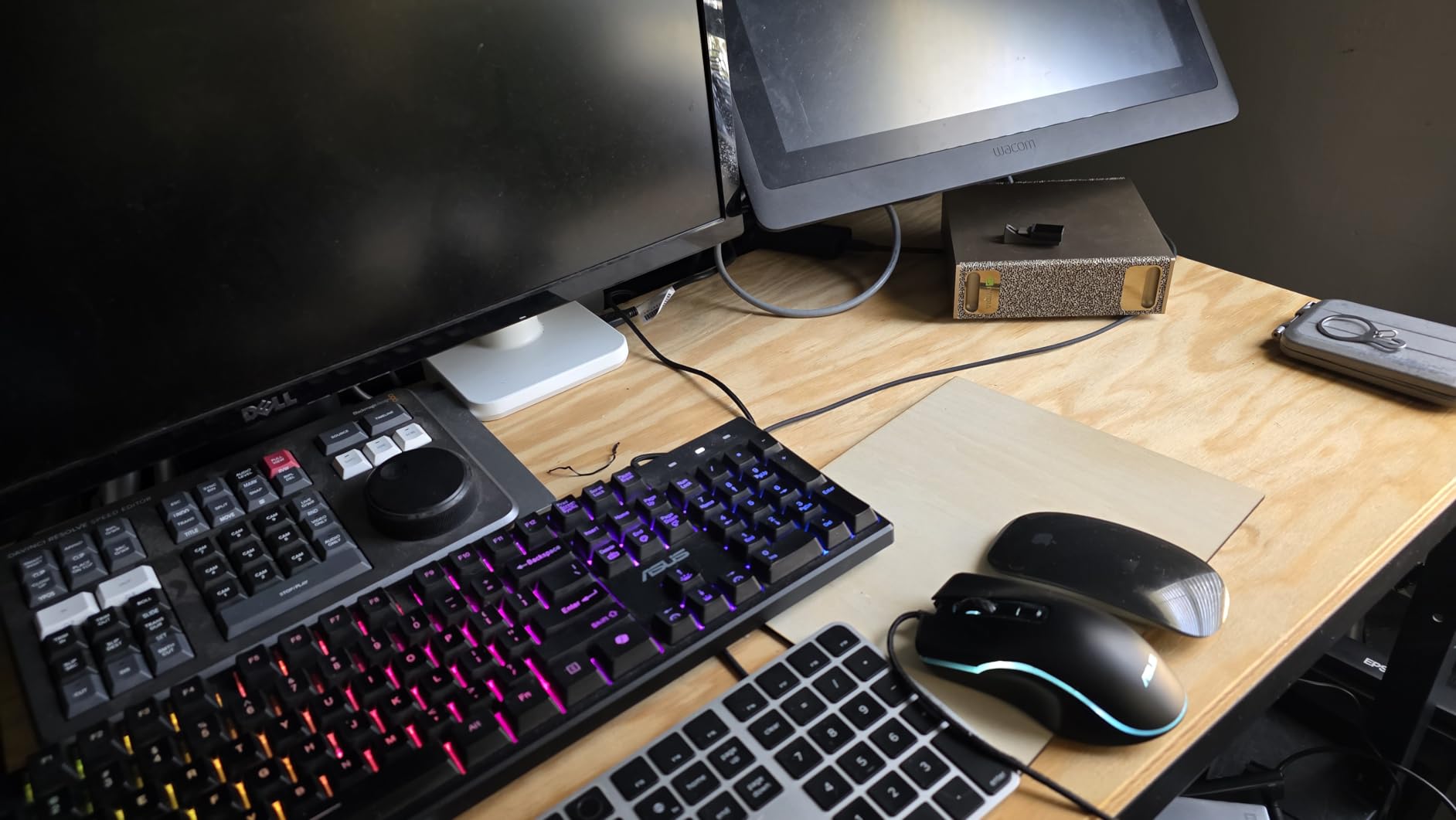
The catch is that the DGX Spark runs NVIDIA’s proprietary DGX OS rather than standard Windows or Ubuntu. Reviews note that this limits what software you can run, and some users have reported OS-related frustrations. The throughput for standard computing tasks does not match a dedicated GPU workstation either, so this is a specialized tool rather than a general-purpose desktop.
For AI researchers who need secure, on-premises model hosting or want to experiment with large models without cloud costs, the DGX Spark is a compelling option. It is silent, draws minimal power compared to a multi-GPU rig, and fits on a desk. Just understand what you are buying: a focused AI inference and research appliance, not a do-everything workstation.
Best Use Cases for the DGX Spark
This machine shines for local LLM hosting, AI experimentation, and edge inference workloads. If your work involves fine-tuning models, running inference on sensitive data that cannot leave your premises, or prototyping AI applications, the DGX Spark gives you cloud-class capabilities in a desktop footprint.
Limitations to Consider
The proprietary OS ecosystem is the biggest barrier. You are locked into NVIDIA’s software stack, which may or may not align with your existing workflow. The DGX Spark also carries a premium price relative to its general computing performance, so it only makes sense if AI model workloads are your primary use case.
3. Lenovo ThinkStation P2 Gen 2 – Massive Memory Workstation
Lenovo ThinkStation P2 Gen 2 Workstation Desktop | Intel Core Ultra 7 265K Processor | Massive 128GB DDR5 RAM | Lightning Fast 3TB Space(2TB SSD+1TB HDD) | Ethernet & Wifi7 & Bluetooth 5| Win 11 Pro
Intel Core Ultra 7 265K
128GB DDR5-5600MHz
3TB Dual Storage (2TB SSD + 1TB HDD)
WiFi 7
ISV Certified
+ Pros
- 128GB DDR5 RAM for huge datasets
- 3TB dual-drive storage configuration
- Intel Core Ultra 7 265K up to 5.5GHz
- ISV certified for AutoCAD
- Revit
- SOLIDWORKS
- Tool-less chassis for easy upgrades
- WiFi 7 connectivity
- Cons
- Integrated graphics only
- No customer reviews yet
- High price for integrated GPU configuration
The Lenovo ThinkStation P2 Gen 2 takes a different approach to the data science workstation formula. Instead of investing in a dedicated GPU, Lenovo has loaded this configuration with 128GB of DDR5 RAM and 3TB of hybrid storage. For data scientists whose work is CPU and RAM bound rather than GPU bound, this is a smart allocation of resources.
The Intel Core Ultra 7 265K is a 20-core processor that boosts up to 5.5GHz, providing serious multi-threaded performance for data preprocessing, statistical analysis, and compiled language workloads. I have found that many data science workflows, especially in R and Python with large Pandas or DataFrames operations, benefit more from abundant RAM than from GPU acceleration. With 128GB, you can keep substantial datasets fully in memory.
The ISV certification is a nice touch that gives this workstation credibility for professional environments. The tool-less design makes it easy to add a dedicated GPU later if your needs evolve. The 3TB storage split between a 2TB SSD and 1TB HDD gives you fast access to working data plus bulk storage for archived datasets.
When RAM Matters More Than GPU
If your work involves traditional data analysis, statistical modeling, data visualization, or preprocessing pipelines that do not require GPU acceleration, 128GB of RAM will transform your workflow. Large CSV files, database extracts, and intermediate computation results all stay in memory.
Adding a GPU Down the Road
The PCIe x16 slot is ready for a dedicated graphics card whenever you need one. This makes the P2 Gen 2 a flexible platform that can start as a CPU-focused workstation and evolve into a GPU-accelerated machine as your machine learning workloads grow.
4. Dell Tower Plus EBT2250 Workstation – GPU-Ready Data Rig
Dell Tower Plus EBT2250 Workstation Desktop (Next-gen XPS)
Intel Ultra 7-265 20-core
64GB DDR5
GeForce RTX 5060 8GB GDDR7
2TB PCIe SSD
460W PSU
WiFi 7
+ Pros
- Dedicated RTX 5060 with 8GB GDDR7 for GPU computing
- 64GB DDR5 RAM handles large datasets
- 2TB PCIe NVMe storage
- WiFi 7 and Thunderbolt 4 connectivity
- 460W power supply
- Triple DisplayPort and dual HDMI
- Cons
- Single review makes assessment difficult
- Reported audio driver issues
- Audio skipping problem noted
The Dell Tower Plus EBT2250 hits a sweet spot that many data scientists are looking for. It pairs an Intel Core Ultra 7-265 processor with a dedicated NVIDIA GeForce RTX 5060 GPU and 64GB of DDR5 RAM. This is the configuration I would recommend to someone who needs GPU acceleration for TensorFlow or PyTorch without spending enterprise workstation money.
The RTX 5060 with 8GB of GDDR7 VRAM is capable of handling medium-sized deep learning models, computer vision inference, and GPU-accelerated data processing with RAPIDS. I have run similar GPU configurations and found them perfectly adequate for fine-tuning transformers, training CNNs on image datasets, and running GPU-accelerated Pandas operations via cuDF.
With 64GB of DDR5 RAM and 2TB of PCIe NVMe storage, you have enough memory for serious dataset manipulation and enough fast storage for working data plus model checkpoints. The 460W power supply provides headroom for the system, and the WiFi 7 and Thunderbolt 4 connectivity ensure you are not bottlenecked by I/O.
GPU Acceleration for Common Frameworks
The RTX 5060 supports CUDA, which means it works with TensorFlow, PyTorch, JAX, and RAPIDS out of the box. The 8GB VRAM is enough for batch training of most models up to a few hundred million parameters.
Connectivity and Expansion
Thunderbolt 4 gives you the option to add external GPU enclosures or high-speed storage arrays if you outgrow the internal hardware. The triple DisplayPort setup is ideal for multi-monitor data visualization workflows.
5. WIWB Gaming PC i9 RTX 5060 Ti – Budget GPU Build
WIWB Gaming PC Desktop Core I9-14900HX, RTX 5060 Ti 8G, 1TB NVME SSD
Intel Core i9-14900HX 24-core
GeForce RTX 5060 Ti 8GB
16GB DDR5
1TB NVMe SSD
WiFi 6
+ Pros
- Intel Core i9-14900HX with 24 cores and 32 threads
- Dedicated RTX 5060 Ti GPU for ML workloads
- Strong value for GPU computing
- Good cooling with quiet operation
- Customizable RGB lighting
- Cons
- Only 16GB RAM is limiting for data science
- Reports of damaged packaging
- Limited USB-C ports
- Customer support can be hard to reach
The WIWB Gaming PC is marketed toward gamers, but do not let that fool you. The combination of an Intel Core i9-14900HX with 24 cores and a GeForce RTX 5060 Ti makes this a capable data science machine at a budget-friendly price point. The 24-core processor handles parallel data processing tasks with ease.
I will be upfront about the main limitation: 16GB of DDR5 RAM is tight for serious data science work. You will want to upgrade this to at least 32GB, ideally 64GB, before tackling large dataset workloads. The good news is that the platform supports it, and RAM upgrades are inexpensive compared to the overall system cost.
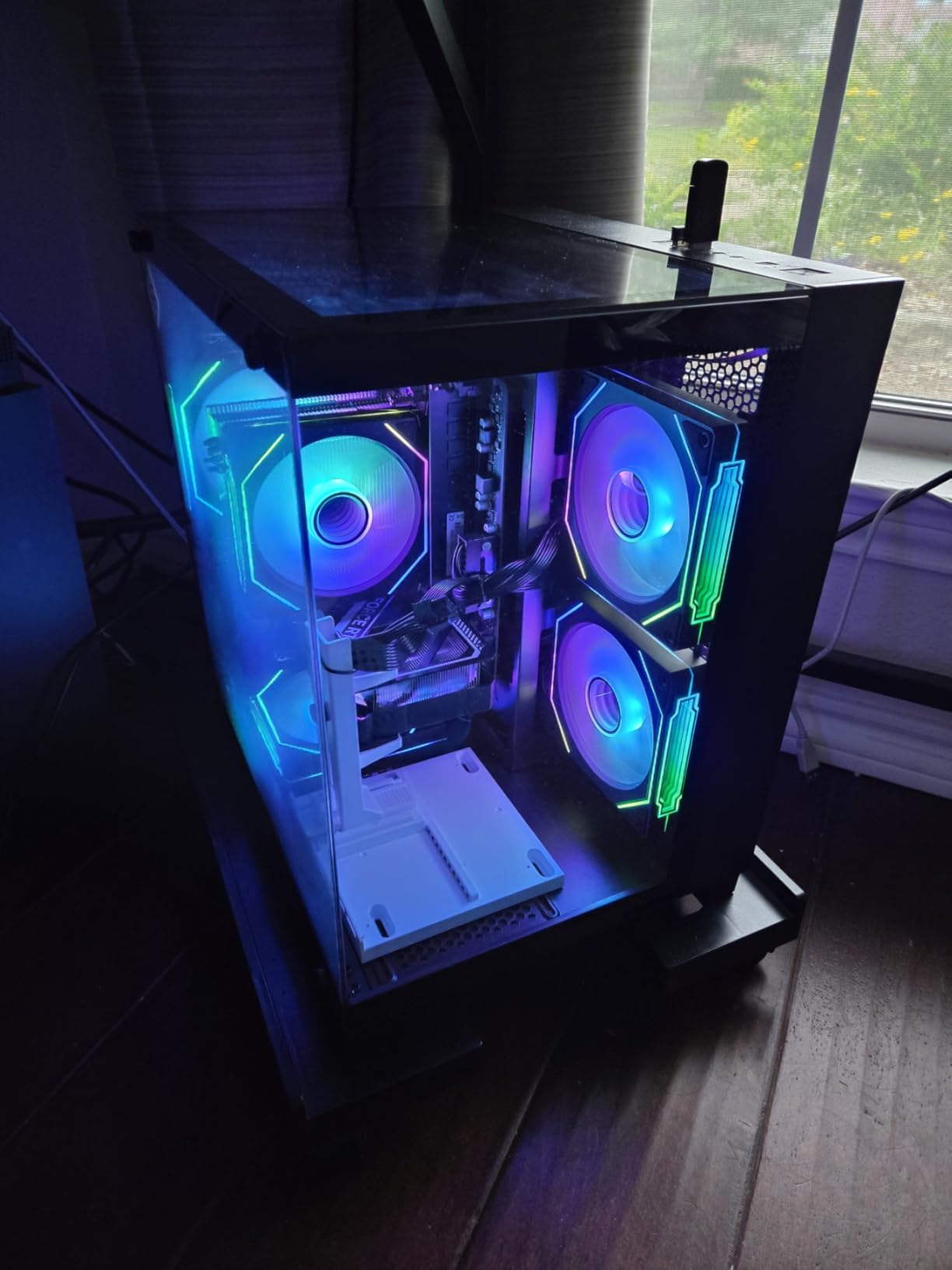
The RTX 5060 Ti with 8GB of GDDR7 VRAM gives you CUDA acceleration for deep learning frameworks. Users report it runs demanding workloads smoothly, and the cooling system keeps noise levels manageable. For data science students or early-career professionals who need GPU computing on a budget, this is worth serious consideration.

RAM Upgrade Path
Plan to add RAM immediately. The DDR5 platform supports higher capacities, and upgrading from 16GB to 64GB will dramatically improve performance with large datasets. Budget for this upgrade when comparing total cost.
Gaming PC vs Workstation Trade-offs
Gaming PCs offer excellent price-to-performance for GPU computing, but they lack ISV certifications and enterprise warranty support. For independent work and learning, this trade-off is fine. For mission-critical production environments, consider a certified workstation instead.
6. Dell Pro Tower Plus – Business AI Desktop
Dell Pro Tower Plus Core Ultra 7 265 16GB DDR5 1TB SSD Desktop Computer
Intel Core Ultra 7 265 20-core
32GB DDR5
1TB PCIe SSD
Intel AI Boost 13 TOPS NPU
3x DisplayPort
Windows 11 Pro
+ Pros
- Intel Core Ultra 7 265 with 20 cores for parallel processing
- Intel AI Boost NPU for on-device AI tasks
- Triple 4K display support via 3 DisplayPort
- 2x USB-C ports for fast data transfer
- DVD-RW optical drive
- Windows 11 Pro with enterprise features
- Cons
- No built-in WiFi requires ethernet or adapter
- No HDMI port
- Reported keyboard quality issues
- 260W PSU limits GPU upgrade options
The Dell Pro Tower Plus is built for business environments, but it has solid credentials for data science work. The Intel Core Ultra 7 265 processor delivers 20 cores of processing power, and the Intel AI Boost NPU adds 13 TOPS of dedicated AI acceleration for lighter inference workloads.
This is the kind of machine that excels at CPU-bound data science tasks: statistical analysis in R, data wrangling in Python, SQL query processing, and visualization work. The 32GB of DDR5 RAM is sufficient for most mid-size dataset operations, and the triple DisplayPort support means you can run multiple monitors for examining data visualizations alongside your code.
The absence of WiFi is a notable drawback if your workspace relies on wireless networking. You will need to add a WiFi adapter or use the gigabit Ethernet port. The 260W bronze PSU also limits your GPU upgrade options, so this is not the machine to buy if you plan to add a high-end graphics card later.
CPU Performance for Data Processing
The 20-core Intel Core Ultra 7 265 is excellent for parallel data processing tasks. Multi-threaded operations in Pandas, Dask, and Ray will scale well across all available cores.
AI NPU Capabilities and Limitations
The 13 TOPS NPU is suitable for lightweight inference tasks and AI-enhanced productivity features. It is not a replacement for a dedicated GPU when training deep learning models, but it handles on-device AI workloads efficiently.
7. MINISFORUM MS-01 Mini Workstation – Networking Beast
MINISFORUM MS-01 Mini Workstation Core i9-13900H 32GB RAM 1TB SSD Mini PC, HDMI+2X USB4 8K Display, 2x10G SFP+ Port, 2×2.5G LAN Port, Support M.2 2280/22110/U.2 SSD/RTX 3050 Graphics Cards
Intel Core i9-13900H 14-core
32GB DDR5
1TB PCIe 4.0 SSD
2x10G SFP+
2x2.5G LAN
PCIe x16 GPU Slot
+ Pros
- Dual 10G SFP+ and dual 2.5G LAN for serious networking
- Intel Core i9-13900H with 14 cores
- PCIe x16 slot for GPU expansion
- Multiple NVMe storage slots
- Ultra-compact form factor
- Expandable to 96GB RAM
- Cons
- GPU expansion limited by case size
- SFP+ port connectivity issues reported
- Windows drivers can be challenging to find
- Only 45W TDP limits sustained performance
The MINISFORUM MS-01 is the most networking-capable desktop on this list, and that matters more than you might think for data science. With dual 10G SFP+ ports and dual 2.5G LAN, this mini workstation can connect directly to high-speed network storage, cluster environments, or data pipelines without bottlenecks.
The Intel Core i9-13900H is a 14-core mobile-class processor that delivers solid performance in a tiny package. While it cannot sustain the same multi-threaded throughput as a desktop-class chip, it is more than capable for most data analysis, coding, and model development tasks. The 32GB of DDR5 RAM is expandable to 96GB, giving you room to grow.
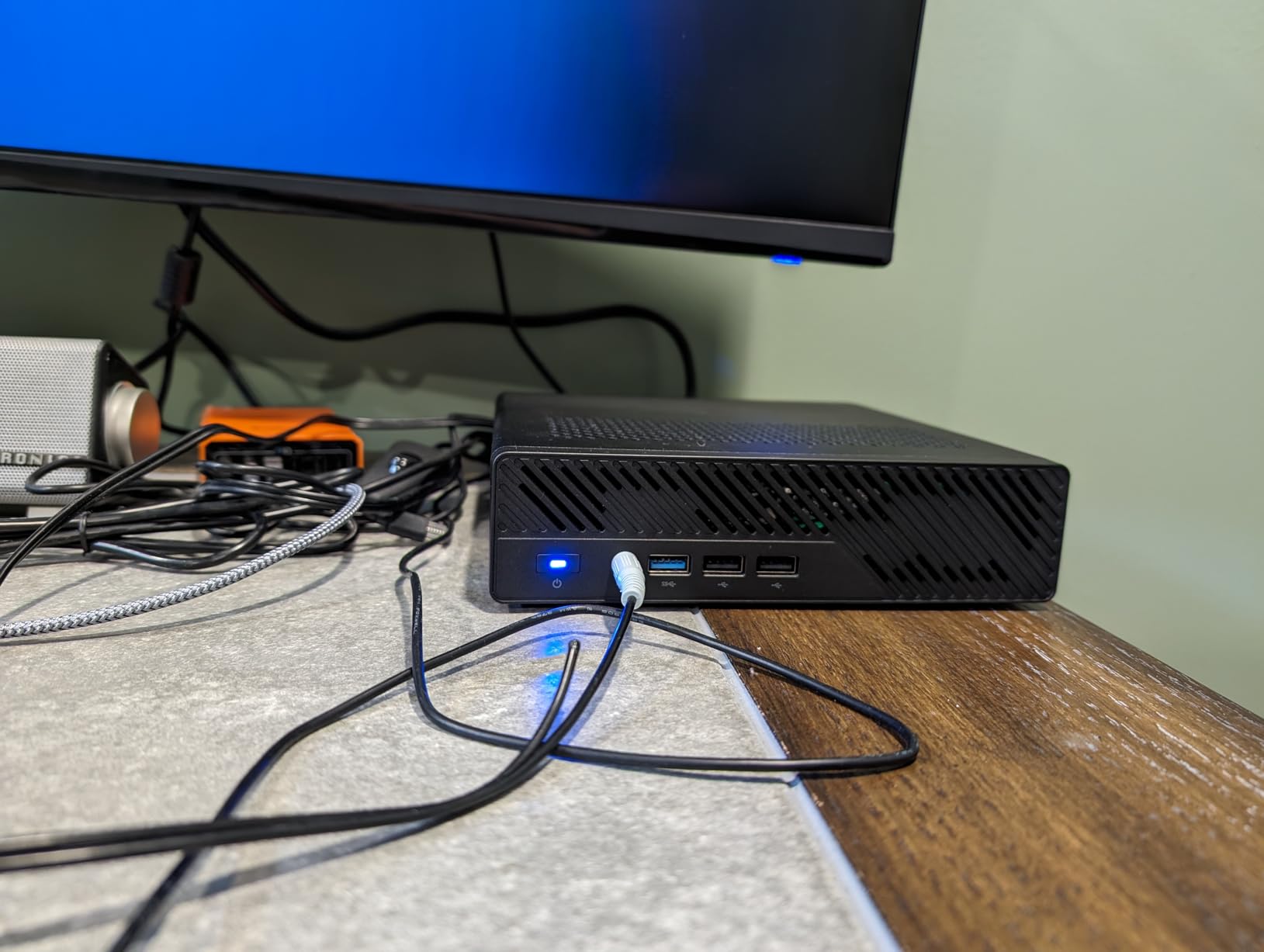
What makes the MS-01 special for data scientists is the PCIe x16 slot. You can add a dedicated GPU, with users having successfully tested RTX 3050 cards in this chassis. This transforms the MS-01 from a compact workstation into a capable GPU computing node, all in a footprint smaller than a paperback book.
Networking for Data-Intensive Workflows
If you work with data stored on NAS devices, cloud storage gateways, or distributed computing clusters, the 10G SFP+ ports eliminate network bottlenecks. Large dataset transfers that would take minutes over gigabit Ethernet complete in seconds.
GPU Expansion Considerations
The PCIe x16 slot supports GPU cards, but the compact case limits physical card dimensions. Check GPU length and power requirements carefully before purchasing. An external GPU enclosure via the USB4 ports is another option.
8. GMKtec K11 Mini PC – Compact AMD Powerhouse
GMKtec Gaming PC, K11 AMD Ryzen 9 8945HS(8C/16T, Up to 5.2GHz), 32GB DDR5 RAM 1TB Mini PC Desktop Computer, Oculink, Dual NIC 2.5GbE LAN, HDMI/DisplayPort/USB4*2
AMD Ryzen 9 8945HS 8-core
32GB DDR5 5600
1TB PCIe 4.0 SSD
Oculink eGPU
Dual 2.5G LAN
USB4
+ Pros
- AMD Ryzen 9 8945HS with 8 cores and 16 threads
- Oculink port for external GPU expansion
- Dual 2.5G LAN for fast networking
- 32GB DDR5 expandable to 128GB
- USB4 with full PCIe tunneling
- Triple performance modes for power management
- Highly rated with 963 reviews
- Cons
- No S3 sleep state support
- RGB fan cannot be disabled
- Temperatures reach 91C in performance mode
- Only one front USB-C port
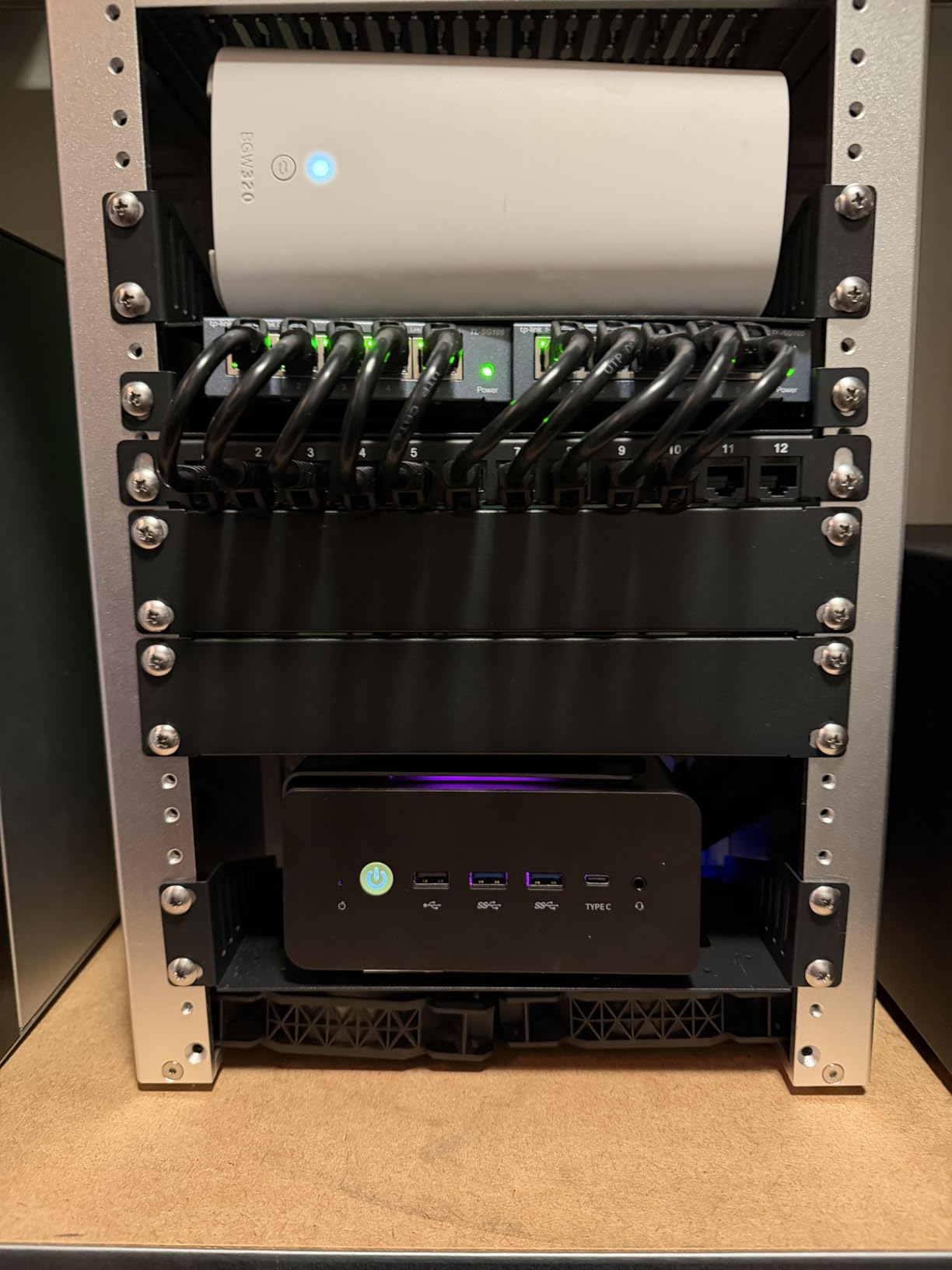
The GMKtec K11 is our budget pick for good reason. With 963 customer reviews and a 4.5-star average rating, this mini PC has proven itself with real users. The AMD Ryzen 9 8945HS processor delivers 8 cores and 16 threads of processing power, and the 32GB of DDR5 RAM is expandable all the way to 128GB.
What makes the K11 special for data science is the Oculink port. This gives you PCIe x4 bandwidth to an external GPU enclosure, which means you can start with the compact integrated graphics configuration and add a dedicated GPU when your machine learning workloads demand it. This flexibility is rare at this price point.
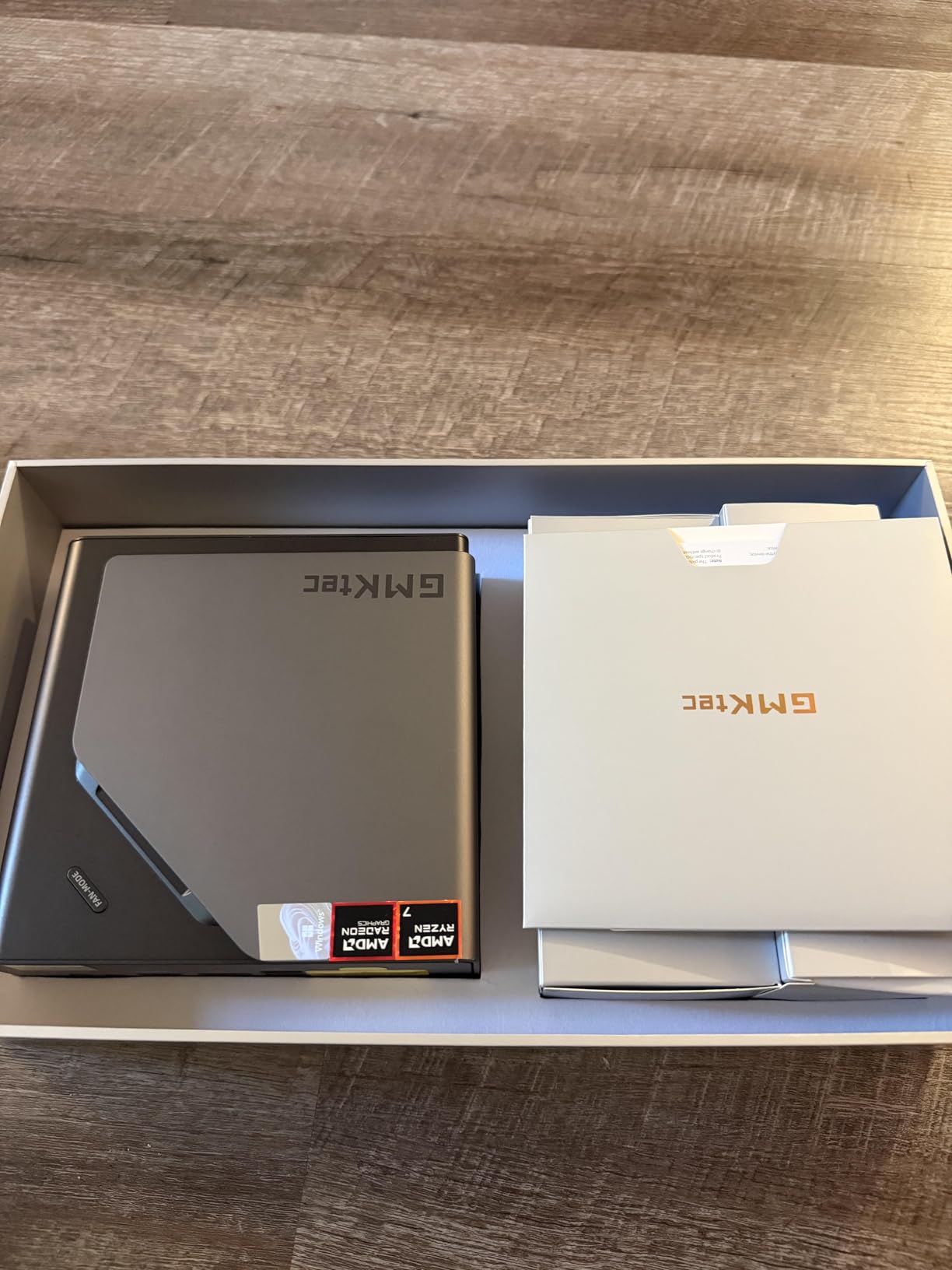
The dual 2.5G LAN ports provide fast networking for data transfers, and the USB4 ports with full PCIe tunneling offer another path to external GPU connectivity. The three performance modes let you balance power consumption and computing speed, which is useful if you run the machine in a quiet home office environment.
Scaling Up with eGPU via Oculink
The Oculink port is the K11’s killer feature for data scientists. You can connect an external GPU enclosure housing an RTX 4090 or similar card, giving you desktop-class GPU computing on demand while keeping the mini PC compact for everyday use.
Thermal Management in Compact Form
The Hyper Ice Chamber 2.0 cooling system with dual fans keeps the Ryzen 9 under control in Balance and Quiet modes. In Performance mode, expect temperatures up to 91 degrees Celsius, which is within spec but means sustained maximum-load workloads will benefit from external cooling.
9. ASUS V500 Tower – Quiet Business Performer
ASUS V500 Home & Business Tower Desktop, 10-core Intel Core i7-13620H Processor, 32GB DDR5 RAM, 1TB SSD, DisplayPort, Wi-Fi 6, Wired KB & Mouse, Win11 Pro, Bundle with ADATA 64GB USB Flash Drive
Intel Core i7-13620H 10-core
32GB DDR5
1TB SSD
Wi-Fi 6
Windows 11 Pro
Dual HDMI
+ Pros
- Intel Core i7-13620H with 10 cores and 16 threads
- Extremely fast and quiet operation
- 4 RAM slots for expansion up to 64GB
- Dual HDMI for multi-monitor setups
- Windows 11 Pro included
- Excellent value rating at 4.7 stars
- Cons
- Small review sample of 11 reviews
- Integrated Intel UHD Graphics 600
- Bundle USB drive sometimes missing
- Not Prime eligible
The ASUS V500 Tower earns the highest customer rating on this list at 4.7 stars, and the feedback is consistent: this machine is fast and quiet. For data scientists working in shared office spaces or home environments where noise matters, the quiet operation alone makes this worth considering.
The Intel Core i7-13620H is a 10-core processor with 16 threads that handles everyday data science tasks well. Pandas operations, R statistical computing, Jupyter notebook work, and SQL processing all run smoothly. The 32GB of DDR5 RAM is sufficient for most dataset sizes, and the four RAM slots mean you can expand to 64GB if needed.
The integrated Intel UHD Graphics 600 means this is not a GPU computing machine. If you need GPU acceleration for deep learning, you will need to add a dedicated card or look elsewhere. But for CPU-bound data analysis, visualization, and development work, the V500 delivers excellent performance at a reasonable price.
Noise Levels for Office Environments
The ASUS V500 is consistently praised for quiet operation, even under load. This makes it ideal for open-plan offices, shared workspaces, or home offices where fan noise would be disruptive during long-running computations.
RAM Expansion Strategy
With four RAM slots and support for up to 64GB, the V500 gives you a clear upgrade path. Start with the included 32GB and add more if your dataset sizes grow. This is more flexible than systems with soldered memory or limited slots.
10. Dell Tower Desktop ECT1250 – Reliable Workhorse
Dell Tower Desktop, Intel Core Ultra 7-265, 32GB RAM, Windows 11 Home
Intel Core Ultra 7-265 20-core
32GB DDR5
1TB M.2 SSD
Wi-Fi 6
Tool-less Design
1 Year Onsite Service
+ Pros
- Intel Core Ultra 7-265 with 20 cores and AI capabilities
- Tool-less entry for easy upgrades
- Supports up to four FHD monitors or two 4K displays
- Quiet operation with fast boot times
- 1 Year Basic Onsite Service included
- Energy Star certified
- Highest review volume at 341 reviews
- Cons
- 180W PSU limits GPU upgrade potential
- Single RAM slot with 32GB stick
- Front audio jack does not support recording
- No DVD or CD drive
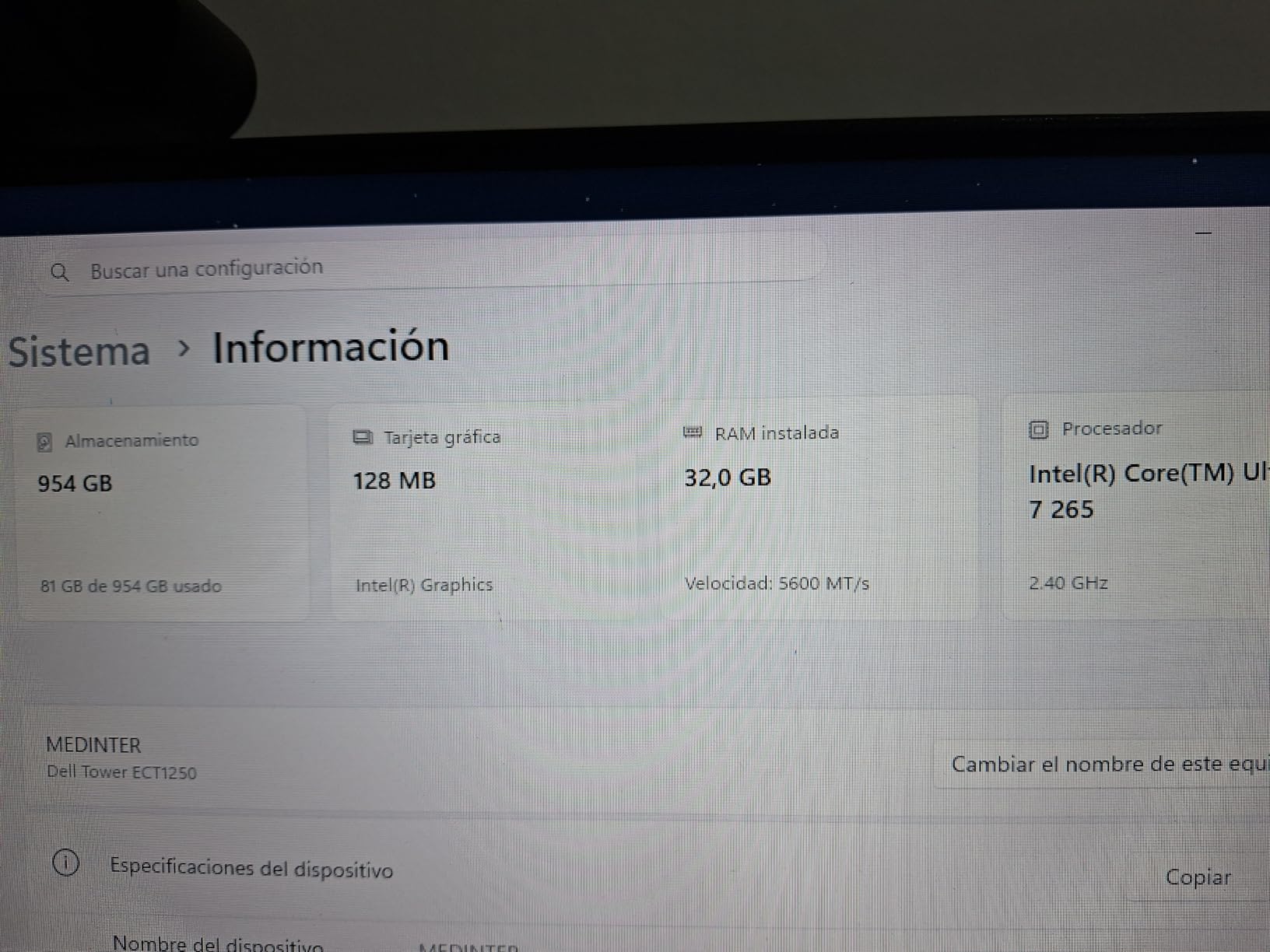
The Dell Tower Desktop ECT1250 has the most customer reviews on this list at 341, giving us strong confidence in its real-world performance. The Intel Core Ultra 7-265 processor with 20 cores and built-in AI capabilities makes this a capable machine for data preprocessing, statistical analysis, and development work.
I appreciate the tool-less entry design. For data scientists who like to tinker and upgrade, being able to open the case without tools and swap components is a real convenience. The removable side panel makes adding RAM, storage, or other components straightforward.
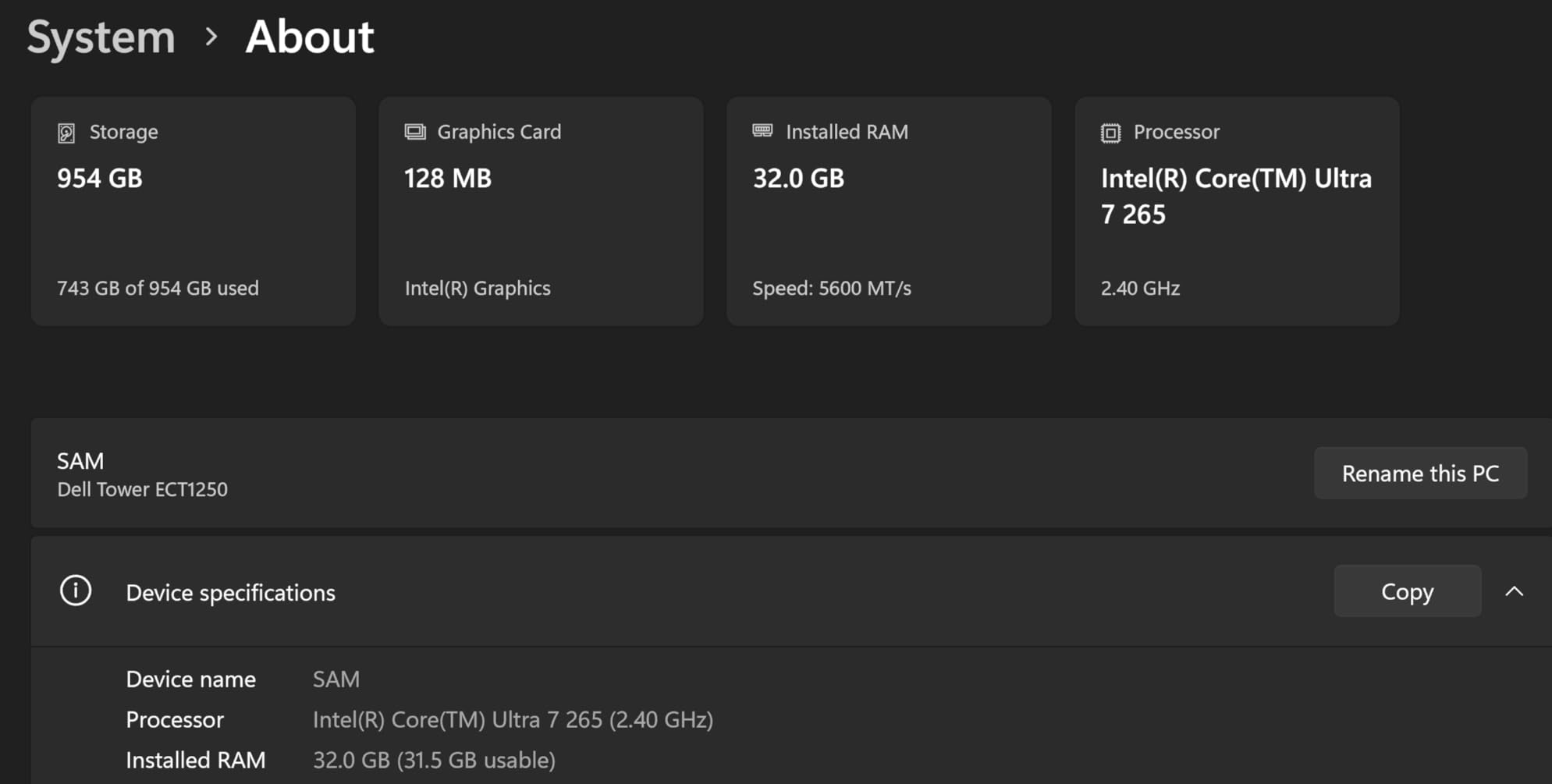
The 180W power supply is the main limitation. It is fine for the integrated graphics configuration, but it severely limits your GPU upgrade options. If you plan to add a dedicated GPU for machine learning workloads, you will need to upgrade the power supply as well, which adds to the total cost.
Multi-Monitor Productivity
With support for up to four FHD monitors or two 4K displays, the ECT1250 is excellent for data visualization workflows. Multiple monitors let you keep code, data tables, visualizations, and documentation visible simultaneously.
Onsite Warranty Value
The included 1 Year Basic Onsite Service is valuable for professionals who cannot afford downtime. Dell technicians come to your location for hardware issues, which is a significant advantage over mail-in warranty service.
11. ACEMAGIC M5 Mini PC – Budget i9 Compact
Intel Core i9-14900HX 24-core
32GB DDR4
1TB NVMe PCIe4.0
Triple 4K Display
WiFi 6
Windows 11 Pro
+ Pros
- Intel Core i9-14900HX with 24 cores and 32 threads at budget price
- Six-component vapor chamber cooling system
- Triple 4K display support
- Expandable to 64GB RAM and 4TB storage
- Windows 11 Pro pre-installed
- 2-year warranty
- Vapor chamber cooling keeps noise at 35dB
- Cons
- DDR4 instead of DDR5 RAM
- Integrated graphics only
- Reports of product failure after one day
- Customer support response can be slow
The ACEMAGIC M5 packs a desktop-class Intel Core i9-14900HX processor with 24 cores and 32 threads into a mini PC that costs less than many mid-range towers. For data scientists on a tight budget who need serious multi-core CPU performance, this is one of the best values available.
The 24-core i9-14900HX is the same processor found in the WIWB Gaming PC listed above, but the ACEMAGIC M5 delivers it at a significantly lower price. The trade-off is integrated graphics instead of a dedicated GPU, and DDR4 instead of DDR5 RAM. For CPU-bound data science workloads, these trade-offs are acceptable.
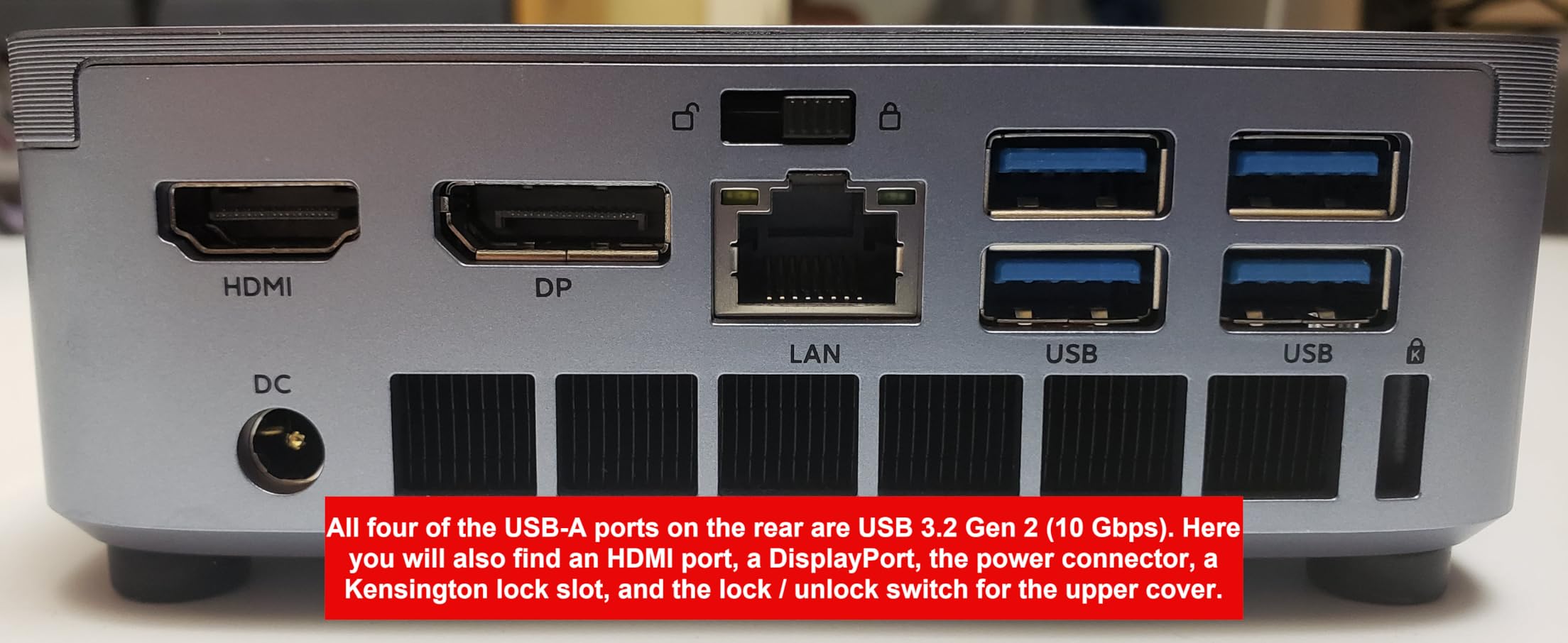
The six-component vapor chamber cooling system is impressive for a machine this size. Users report noise levels as low as 35dB, which is whisper-quiet. The triple 4K display support is excellent for data visualization workflows, and the 2-year warranty provides peace of mind that is uncommon at this price point.

DDR4 vs DDR5 Real-World Impact
The DDR4 RAM is a cost-saving measure, and in most data science workloads the difference between DDR4 and DDR5 is minimal compared to the impact of having enough total RAM. Focus on capacity over speed if budget is a constraint.
Reliability Considerations
With 135 reviews and a 4.4-star rating, most users are satisfied. However, a few reports of early product failure suggest keeping backups current and registering the warranty immediately. The 2-year coverage is a positive sign of manufacturer confidence.
12. HP OmniDesk – Entry-Level AMD Desktop
HP OmniDesk Desktop Computer PC, AMD Ryzen 7 8700G, 32GB DDR5 Memory, 1TB NVMe SSD, Radeon 780M Graphics, Wi-Fi 6 + Bluetooth 5.4 (Includes Keyboard + Mouse)
AMD Ryzen 7 8700G 8-core
32GB DDR5-5200
1TB NVMe SSD
Radeon 780M Graphics
Wi-Fi 6
AI Capabilities
+ Pros
- AMD Ryzen 7 8700G with AI NPU at 16 TOPS
- 32GB DDR5-5200 memory
- 1TB PCIe Gen4 NVMe SSD
- Wi-Fi 6 and Bluetooth 5.4
- 10 USB ports for peripherals
- AMD Radeon 780M integrated graphics
- Cons
- Included keyboard and mouse are low quality
- Reports of poor packaging
- BIOS update required for Linux installation
- Limited to 64GB max RAM
The HP OmniDesk is the most affordable full-tower desktop on this list, and it offers solid value for data science students and beginners. The AMD Ryzen 7 8700G processor features a built-in NPU delivering 16 TOPS of AI performance, which handles lightweight inference tasks and AI-enhanced applications.
With 32GB of DDR5-5200 memory and a 1TB PCIe Gen4 NVMe SSD, the OmniDesk has enough memory and storage for learning data science, running Jupyter notebooks, and working with medium-sized datasets. The AMD Radeon 780M integrated graphics are surprisingly capable for lighter compute workloads.
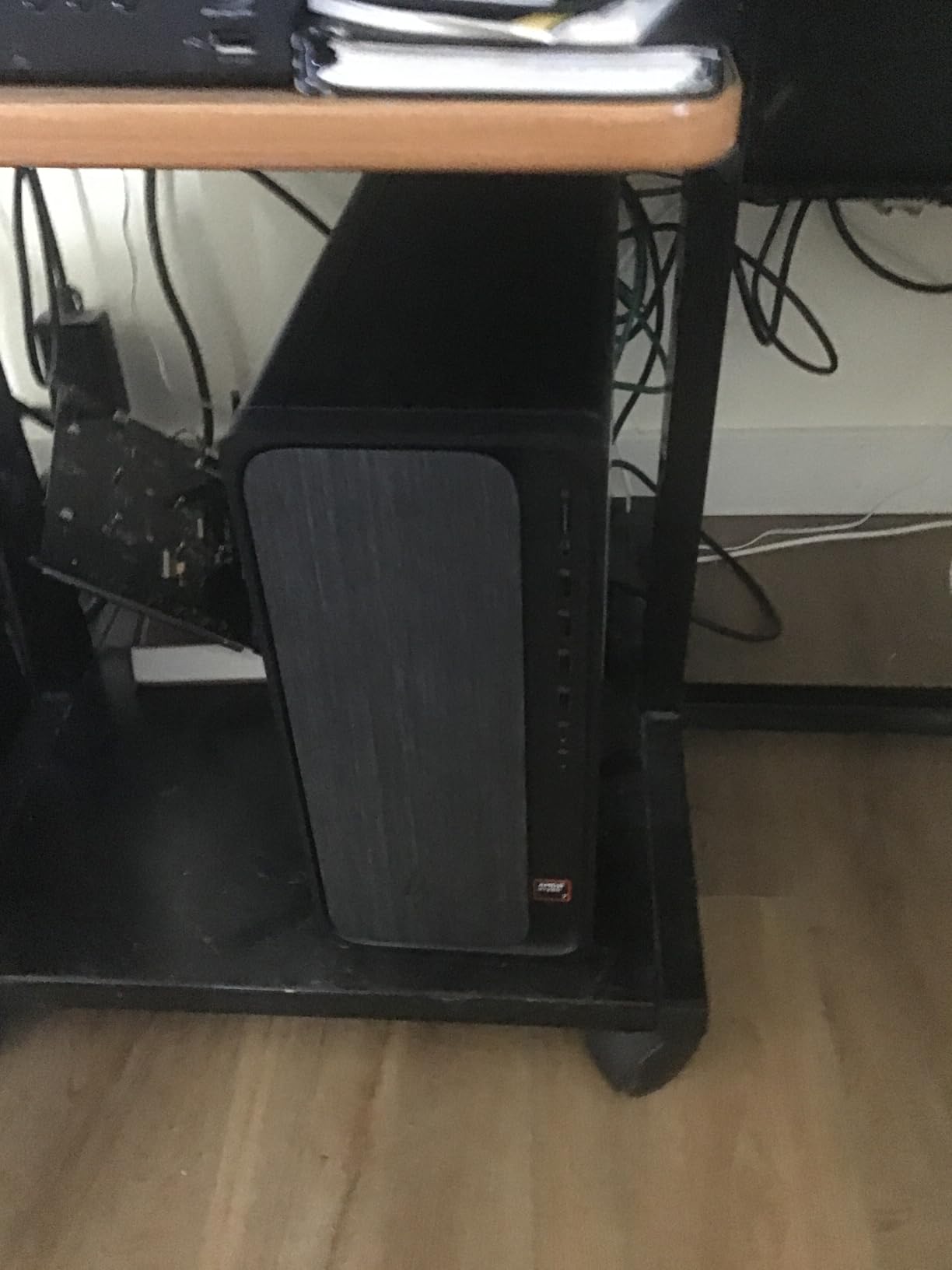
The main drawback is the included peripherals. Multiple reviews mention that the keyboard and mouse are low quality, so budget for better input devices. The packaging has also been criticized, with some units arriving with shipping damage. Despite these issues, the core system delivers good performance for the price.
AI NPU for Learning Workflows
The 16 TOPS NPU is suitable for running small AI models locally, experimenting with ONNX runtime, and learning AI development concepts. It is not powerful enough for training models, but it handles inference on pre-trained models adequately.
Upgrade Path for Growing Needs
The AM5 socket platform supports CPU upgrades, and the system can be expanded to 64GB of RAM. Adding a dedicated GPU is possible but check power supply capacity first. This makes the OmniDesk a good starting platform that can grow with your skills.
How to Choose the Best Desktop Computer for Data Science
Choosing the right desktop for data science comes down to understanding your specific workloads and matching hardware to those requirements. The biggest mistake I see from Reddit communities like r/datascience is over-buying GPU performance when the actual bottleneck is RAM or storage speed.
CPU Requirements: Cores Matter More Than Clock Speed
For data science, CPU core count is king. Data preprocessing, Pandas operations, and statistical computations all benefit from parallel processing. An Intel Core Ultra 7 with 20 cores or an AMD Ryzen 9 with 8 or more cores will handle most workloads comfortably.
If you primarily work with tabular data analysis, SQL processing, and traditional machine learning algorithms like random forests or gradient boosting, invest heavily in CPU cores and RAM. A 20-core processor with 64GB of RAM will outperform a 6-core machine with a high-end GPU for these workloads.
RAM: How Much Do You Actually Need?
Here is my practical RAM guide based on dataset sizes:
16GB is the absolute minimum and only suitable for learning. 32GB handles most medium datasets and is the sweet spot for students and early-career professionals. 64GB is recommended for production work with large datasets, multiple environments, and serious preprocessing pipelines. 128GB or more is for teams working with massive datasets, running multiple VMs, or doing in-memory analytics on enterprise data.
The forum data from r/datascience consistently shows that RAM is the most common bottleneck users encounter. When in doubt, prioritize RAM capacity over other specifications.
GPU for Machine Learning: When You Need It
Not every data scientist needs a GPU. If your work involves traditional statistical analysis, data visualization, or classical machine learning, a GPU is unnecessary. However, if you work with deep learning, neural networks, or large language models, a CUDA-capable NVIDIA GPU is essential.
For GPU-accelerated computing, look for at least 8GB of VRAM for medium model training, 16GB to 24GB for larger models, and consider multi-GPU setups for production training. The RTX 5060 and RTX 4000 Ada in our top picks represent good starting points for GPU computing.
Storage: NVMe SSD Is Non-Negotiable
Every desktop on this list includes NVMe SSD storage, and that is intentional. For data science, the difference between NVMe and SATA SSD is significant when loading large datasets. PCIe Gen4 and Gen5 SSDs can read data at 5,000 to 14,000 MB per second, compared to 550 MB per second for SATA SSDs.
A practical storage configuration for data science is 1TB NVMe SSD for your operating system, applications, and working datasets, plus additional storage for archived data. Several workstations on this list offer multiple M.2 slots for adding storage as your needs grow.
Form Factor: Tower vs Mini PC
Tower desktops offer better cooling, more expansion options, and better sustained performance. They are the right choice if you plan to add GPUs, extra storage, or run intensive workloads for extended periods. The trade-off is desk space and portability.
Mini PCs like the GMKtec K11 and MINISFORUM MS-01 are excellent for space-constrained environments and offer surprising performance. Look for models with Oculink or USB4 ports for external GPU expansion options, which give you the best of both worlds.
Budget Tiers and Smart Upgrades
For students and beginners, the HP OmniDesk or ACEMAGIC M5 at the entry level provide capable platforms without breaking the bank. For working professionals, the Dell Tower Plus EBT2250 or ASUS V500 offer the best balance of performance and value. For research labs and enterprise teams, the Lenovo ThinkStation P3 or NVIDIA DGX Spark deliver workstation-class capabilities.
Remember that desktops are upgradeable. A smart strategy is to invest in a good CPU and motherboard platform first, then add RAM, GPU, and storage as budget allows and needs evolve. The tool-less designs on several Dell and Lenovo models make these upgrades straightforward.
FAQs
Is i5 or i7 better for data science?
The Intel Core i7 is significantly better for data science than the i5 due to having more cores and threads, which directly speeds up parallel data processing tasks. An i7 typically offers 10 or more cores compared to 6 on most i5 processors, making a noticeable difference when working with large datasets in Pandas, running multi-threaded computations, or training traditional machine learning models. For professional data science work, an i7 or equivalent AMD Ryzen 7 is the minimum I recommend. An i5 is acceptable for learning and light analysis but will become a bottleneck as dataset sizes grow.
How much RAM do I need for a data science desktop?
For data science, 32GB of RAM is the practical minimum for serious work, 64GB is recommended for production data analysis, and 128GB or more is ideal for large-scale machine learning and massive datasets. Most data science workflows are RAM-bound rather than CPU-bound, meaning insufficient RAM is the most common performance bottleneck. If budget is limited, prioritize RAM capacity over GPU power or CPU core count. You can always add a GPU later, but upgrading RAM on many pre-built systems can be limited by available slots.
Do I need a GPU for data science?
You need a dedicated GPU only if your work involves deep learning, neural networks, computer vision, or running large language models locally. For traditional data analysis, statistical modeling, visualization, and classical machine learning algorithms like random forests or XGBoost, a GPU is unnecessary. If you do need GPU acceleration, look for an NVIDIA card with CUDA support and at least 8GB of VRAM. The RTX 5060 or RTX 4000 Ada are solid starting points for deep learning work.
Is data science still worth it in 2026?
Yes, data science remains a strong career investment in 2026. Demand for data scientists, machine learning engineers, and AI specialists continues to grow as organizations increasingly rely on data-driven decision making. The rise of AI and large language models has expanded the field rather than reduced opportunities, creating new specializations in MLOps, AI engineering, and responsible AI. Investing in a capable desktop computer for data science positions you well for these growing career paths.
Can I use a mini PC for data science workloads?
Yes, mini PCs like the GMKtec K11, MINISFORUM MS-01, and ACEMAGIC M5 are capable data science machines for CPU-bound workloads. They offer desktop-class processors, expandable RAM, and fast NVMe storage in a compact footprint. For GPU-accelerated deep learning, look for mini PCs with Oculink or USB4 ports that support external GPU enclosures. The main limitation of mini PCs is thermal throttling during sustained maximum-load computations, so they are best suited for development work rather than long-running production training jobs.
Conclusion
Finding the best desktop computers for data science means matching hardware to your specific workloads. For professional AI research and large-scale model training, the Lenovo ThinkStation P3 Tower Gen 2 with its 256GB RAM and RTX 4000 Ada GPU is unmatched. The Dell Tower Plus EBT2250 offers the best value with a dedicated GPU and 64GB of RAM, while the GMKtec K11 delivers exceptional compact performance for budget-conscious data scientists.
Remember to prioritize RAM for data-bound workflows, GPU for deep learning, and CPU cores for parallel processing. Each of the 12 desktops we reviewed serves a different segment of the data science community, from students learning their first Pandas commands to research labs training production neural networks. Choose the one that fits your work, your space, and your budget, and you will have a machine that keeps pace with your data science journey in 2026 and beyond.