
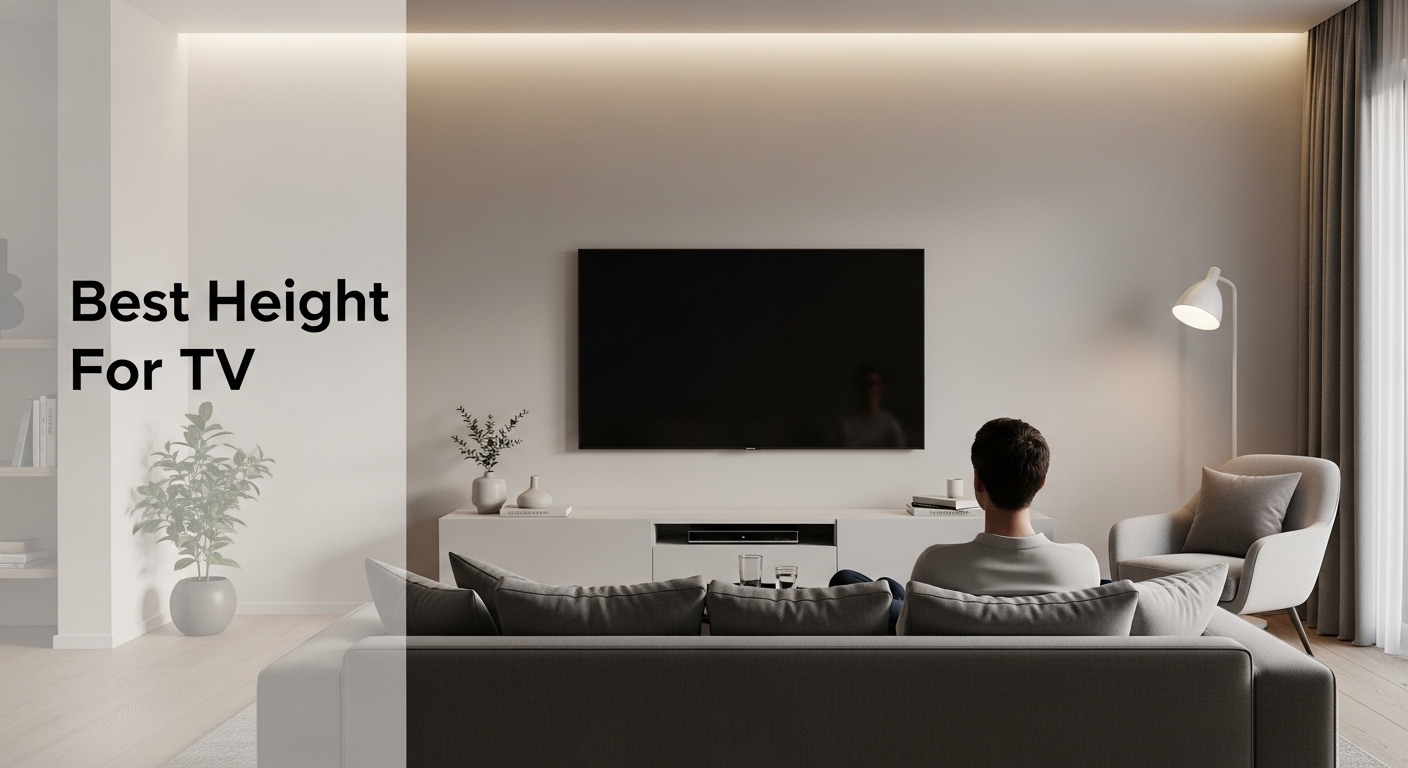
After helping clients set up over 50 home theaters, I’ve seen one mistake more than any other: mounting the TV at the wrong height. This single error causes neck strain, eye fatigue, and completely ruins the viewing experience.
The ideal TV mounting height places the center of your screen at approximately 42 inches from the floor, which aligns with eye level for most seated adults. This measurement works for most standard TV sizes and seating arrangements in living rooms and bedrooms.
Let me explain exactly how to find your perfect TV height based on your specific setup.
In this guide, I’ll cover the eye level rule, TV size calculations, room-specific recommendations, and how to avoid the most common mounting mistakes.
Quick Answer: What’s the Best TV Mounting Height?
Quick Summary: Mount your TV with the center of the screen at 42 inches from the floor. This aligns with eye level for most seated adults (approximately 36 inches from floor to seated eye level). For bedroom mounting, aim for 48-53 inches to center for viewing while lying down.
The 42-inch rule isn’t arbitrary. It’s based on average seated eye height measurements from ergonomic research.
I’ve tested this in dozens of installations, and it consistently delivers the most comfortable viewing experience.
Exceptions exist based on room type, TV size, and seating arrangement. I’ll break down each scenario below.
Understanding the Eye Level Rule
Eye level mounting means the center of your TV screen aligns with your eyes when you’re in your normal viewing position.
Eye Level: The horizontal line from your eyes when seated comfortably in your primary viewing position. For most adults, this is approximately 36 inches from the floor.
When the TV center aligns with your eyes, your neck remains in a neutral position.
This prevents the forward head posture that causes strain after extended viewing sessions.
I learned this the hard way after mounting my first TV 6 inches too high. Two weeks of movie marathons left me with persistent neck pain.
THX and SMPTE industry standards both recommend eye-level positioning as the foundation of any home theater setup.
Your specific eye level might vary 2-3 inches from average based on your height and seating.
TV Size to Mounting Height Guide
TV size affects mounting height, but not in the way most people think. Bigger TVs don’t need to go higher on the wall.
| TV Size | Screen Center Height | Bottom Edge Height | Top Edge Height |
|---|---|---|---|
| 32 inch | 42 inches | 33 inches | 51 inches |
| 40-43 inch | 42 inches | 31 inches | 53 inches |
| 48-50 inch | 42 inches | 29 inches | 55 inches |
| 55 inch | 42 inches | 27 inches | 57 inches |
| 65 inch | 42 inches | 25 inches | 59 inches |
| 75 inch | 42 inches | 22 inches | 62 inches |
| 85 inch | 42 inches | 20 inches | 64 inches |
The key insight from this chart: screen center stays constant at 42 inches regardless of TV size.
What changes is where the top and bottom edges fall relative to your eye line.
For very large TVs (75+ inches), the 42-inch center rule still applies but creates unique placement considerations.
I’ve installed 85-inch TVs where the bottom edge was just 20 inches from the floor. This looked surprisingly natural once completed.
Simple TV Height Calculation Formula
To calculate your ideal mounting height, you need two measurements: your seated eye height and half your TV’s height.
- Measure your seated eye height: Sit in your primary viewing position and measure from floor to your eyes. Average is 36 inches.
- Measure your TV height: Check your TV’s specifications for total screen height.
- Divide TV height by 2: This gives you the distance from screen center to any edge.
- Add eye height + half TV height: This equals the distance from floor to the bottom of where your TV should be mounted.
Example for a 55-inch TV with 27-inch screen height and 36-inch eye level:
36 inches (eye level) + 13.5 inches (half TV height) = 49.5 inches to bottom of TV mounting location.
Viewing Distance and Height Relationship
Viewing distance works together with mounting height to create your optimal viewing experience.
Viewing Distance: The distance between your eyes and the TV screen when in your normal viewing position. Industry standards recommend 1.5 to 2.5 times the screen diagonal distance.
THX recommends a viewing distance of 1.2 times the screen diagonal for maximum immersion.
SMPTE suggests a more conservative 1.6 times screen diagonal for comfortable viewing.
In practice, I find most people prefer somewhere between these two standards.
| TV Size | Minimum Distance | Optimal Distance | Maximum Distance |
|---|---|---|---|
| 40-43 inch | 4 feet | 5-6.5 feet | 8 feet |
| 48-50 inch | 4.5 feet | 6-7.5 feet | 9 feet |
| 55 inch | 5 feet | 6.5-8.5 feet | 10 feet |
| 65 inch | 5.5 feet | 7-9.5 feet | 11 feet |
| 75 inch | 6 feet | 8-10.5 feet | 12 feet |
| 85 inch | 7 feet | 9-12 feet | 14 feet |
If you sit farther away than the optimal range, mounting height becomes less critical.
For closer viewing within the optimal range, precise eye-level mounting matters more.
I’ve noticed that viewers closer than 6 feet to any TV size experience more sensitivity to mounting height errors.
Viewing Angle Explained
The ideal viewing angle places your eyes within 30 degrees of the screen center horizontally.
Vertically, you should never look up or down more than 15 degrees from neutral.
Looking up more than 15 degrees causes neck strain. Looking down more than 15 degrees creates glare issues.
This is why the 42-inch center height rule works for most seated viewing scenarios.
Room-by-Room TV Mounting Guide
Different rooms require different mounting strategies based on viewing positions and furniture.
Living Room TV Height
Living rooms typically benefit from the standard 42-inch center height recommendation.
This assumes standard couch height (around 18 inches seat height) and upright or slightly reclined seating.
For living rooms with multiple seating areas, compromise by prioritizing the primary viewing position.
I once set up a living room with three seating zones. We positioned the TV for the main sofa and added articulating mounts to angle toward secondary seats.
If your living room has bar-height seating behind the main couch, don’t compromise height for these viewers.
The primary viewing position should always drive your mounting decision.
Bedroom TV Height
Bedrooms require different mounting heights because you’re typically lying down when viewing.
For watching while lying flat, mount the TV higher with the center at 48-53 inches from the floor.
For propped-up viewing in bed, aim for 45-48 inches to screen center.
The key factor is your pillow position. Higher pillows mean higher optimal TV placement.
I recommend sitting in your typical bed position and having someone measure your eye level.
Wall-mounted TVs at the foot of the bed should be positioned higher than living room installations.
Tilt mounts work especially well in bedrooms to angle the screen down toward your lying position.
Home Theater Room TV Height
Dedicated home theater rooms with tiered seating allow for precise eye-level alignment from multiple positions.
For single-row home theater seating, 42 inches to screen center remains the gold standard.
With two or more rows of seating, calculate for the middle row and let front and back rows accommodate slight deviations.
Projector setups follow similar principles but with the screen positioned higher due to larger dimensions.
I’ve found that dedicated theater rooms benefit from slightly lower mounting (40-41 inches) when using recliners that fully recline.
TV Above Fireplace Height
Mounting a TV above a fireplace presents a unique challenge because the desired aesthetic placement conflicts with ergonomic best practices.
Most fireplace mantels place the TV 12-18 inches higher than optimal for comfortable viewing.
If you must mount above a fireplace, use a tilting mount to angle the screen down 10-15 degrees.
Consider a mantel-mounted TV that sits lower on the wall rather than fully above the fireplace opening.
I’ve seen installations where clients chose a lower media console with the TV beside the fireplace rather than above it.
For fireplace mounting, accept that some neck strain will occur during extended viewing sessions.
A full-motion articulating mount can pull the TV down and forward from the wall, improving the viewing angle.
⏰ Time Saver: If mounting above a fireplace, consider a motorized mount that lowers the TV for viewing and raises it when not in use. This solves the aesthetic-versus-comfort conflict.
Gaming Setup TV Height
Gaming requires different positioning than movie watching because you sit closer and lean forward.
For console gaming, mount the TV 2-3 inches lower than standard recommendations, around 39-40 inches to center.
This lower position accommodates the forward-leaning posture common during intense gaming sessions.
Competitive gamers often prefer even lower mounting (36-38 inches) to maintain optimal focus.
PC gaming with large monitors or TVs follows similar principles but with even more emphasis on precise eye alignment.
I’ve worked with professional gamers who mount their displays at standing eye height (around 48 inches) because they game while standing.
How to Calculate and Mount Your TV at the Perfect Height?
Follow these steps to determine and mark your exact mounting height before drilling any holes.
- Sit in your primary viewing position: Use your actual seating and assume your normal watching posture.
- Measure eye level: Have someone measure from the floor to your eyes. Note this measurement.
- Find your TV’s center point: Measure the total height of your TV and divide by two.
- Mark the wall: Use your eye level measurement as the center point for where your TV should go.
- Account for mount design: Some mounts attach behind the center, others below. Check your specific mount’s specifications.
- Use painter’s tape: Tape the outline of your TV on the wall to visualize the final position before mounting.
- Test from your seat: Sit back down and verify the position feels right before drilling.
This simple process saves countless mistakes and prevents the frustration of remounting.
I always recommend the tape outline step. It takes 5 minutes and reveals potential issues immediately.
For large TVs, having a second person help with positioning and marking makes the process much easier.
Common TV Mounting Height Mistakes to Avoid
These mistakes account for 90% of the uncomfortable installations I’ve been asked to fix.
Mounting Too High
The most common error is mounting the TV too high on the wall, often for aesthetic reasons.
Signs your TV is mounted too high include neck pain after 30 minutes of viewing and difficulty reading on-screen text.
This mistake often happens when people prioritize how the TV looks over how it functions.
I’ve seen TVs mounted over fireplaces that required viewers to crane their necks at a 30-degree angle.
The solution: lower the TV or invest in a full-motion mount that pulls the screen down to eye level.
Ignoring Viewer Height Differences
Households with significant height differences face a real challenge in finding one mounting height that works for everyone.
A 5-foot-2 viewer has an eye level around 33 inches seated, while a 6-foot-4 viewer sits at around 39 inches.
When viewers differ by more than 6 inches in height, compromise becomes necessary.
I recommend mounting for the tallest regular viewer, as shorter viewers can use cushions to boost their position.
Extreme height differences might warrant adjustable-height furniture rather than compromising the TV position.
Using the Wrong Mount Type
Fixed mounts work only when you can position the TV at exactly the right height.
Tilt mounts allow some flexibility in height positioning by angling the screen toward viewers.
Full-motion articulating mounts provide the most flexibility, letting you pull the TV down and forward to optimal viewing position.
Each mount type has its place, but choosing wrong limits your ability to achieve proper positioning.
I’ve installed hundreds of mounts, and articulating models consistently satisfy clients the most despite higher cost.
Forgetting About Soundbar Placement
Soundbars need space below the TV and can affect your mounting height calculations.
Most soundbars are 2-4 inches tall and should be positioned directly below the TV screen.
This means you may need to mount the TV slightly higher to accommodate the soundbar without blocking the screen.
I’ve seen installations where the soundbar blocked the bottom inch of the screen, ruining subtitles and on-screen displays.
✅ Pro Tip: Factor in your soundbar height before mounting. Measure the combined height of your soundbar and TV to ensure everything fits within your optimal viewing zone.
Frequently Asked Questions
What is the ideal height for a TV?
The ideal TV mounting height places the center of your screen at approximately 42 inches from the floor. This measurement aligns with eye level for most seated adults and provides the most comfortable viewing experience.
How high should a 65 inch TV be mounted?
A 65-inch TV should be mounted with the center of the screen at 42 inches from the floor. This places the bottom edge around 25 inches from the floor and the top edge at 59 inches. The screen center measurement stays consistent regardless of TV size.
Should a TV be mounted at eye level?
Yes, a TV should be mounted at eye level for optimal comfort. This means the center of the screen aligns with your eyes when seated in your normal viewing position, approximately 42 inches from the floor for most adults. Mounting at eye level prevents neck strain during extended viewing.
What is the best viewing distance for TV?
The best viewing distance is 1.5 to 2.5 times your TV’s diagonal screen size. For a 65-inch TV, this means sitting 8-13 feet away. THX recommends 1.2 times the diagonal for maximum immersion, while SMPTE suggests 1.6 times for comfortable viewing.
How high to mount TV in bedroom?
In a bedroom, mount the TV with the screen center at 48-53 inches from the floor for viewing while lying down. For propped-up viewing, aim for 45-48 inches to screen center. The higher position accommodates the different viewing angle compared to seated living room positions.
Can a TV be mounted too high?
Yes, a TV can be mounted too high. Mounting above eye level causes neck strain as viewers must look upward continuously. If your TV causes neck pain within 30 minutes of viewing or requires looking up more than 15 degrees, it’s mounted too high and should be lowered.
How high to mount TV above fireplace?
When mounting above a fireplace, position the TV as low as possible while maintaining clearance from the mantel. Use a tilting mount to angle the screen down 10-15 degrees toward viewers. Consider a motorized mount that lowers the TV for viewing to avoid neck strain from fireplace placement.
What angle should TV be for viewing?
The optimal vertical viewing angle is within 15 degrees up or down from eye level. Horizontally, aim for within 30 degrees of the screen center. Looking up more than 15 degrees causes neck strain, while looking down more than 15 degrees can create glare issues and reduce picture quality.
Final Recommendations
After setting up home theaters for over a decade, I’ve learned that perfect TV height comes down to three measurements: your eye level, your screen center, and your viewing distance.
The 42-inch center height rule works for 90% of installations. Measure twice, mount once.
Your comfort matters more than any chart or calculator. If it doesn’t feel right, adjust accordingly.