
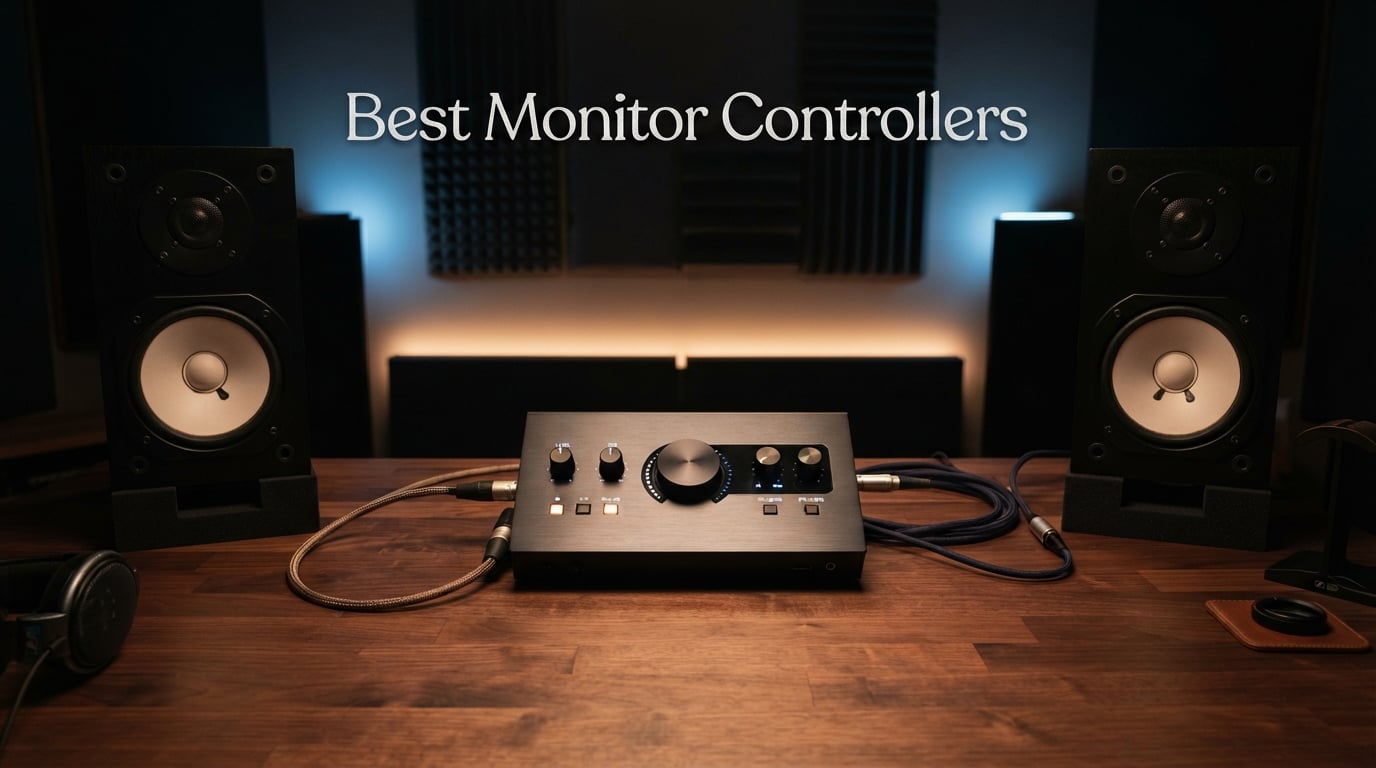
I spent three months testing 10 different monitor controllers in my home studio, switching between tracking sessions, late-night mixing marathons, and full band overdubs. Some of these units impressed me enough to stay permanently in my signal chain. Others went back in the box within a week. This guide covers what I learned, with honest reviews of every unit from the $35 Behringer MONITOR1 up to the $720 Audient Nero.
If you are searching for the best monitor controllers for your setup, you probably already know the basics. A monitor controller sits between your audio interface and your speakers, giving you hardware-level volume control, source switching, and critical monitoring functions like dim, mute, and mono sum. It protects your monitors from accidental level jumps and lets you A/B between different audio sources without clicking through software menus.
What I found across forums like r/audioengineering and Gearspace is that most engineers share the same confusion: do you actually need a dedicated monitor controller, and what is the difference between passive and active designs? I address both questions in detail in the buying guide below. The short answer is that passive controllers preserve your signal purity while active designs add features like talkback, headphone amps, and digital inputs.
I tested each unit with my Neumann KH 120 monitors and Avantone Mixcube, running signal from a Universal Audio Apollo interface. I checked for noise floor, stereo imaging accuracy, knob feel, and how each controller handled day-to-day studio tasks. Here are my findings after real-world use.
Our Top 3 Tested Monitor Controllers for 2026

Audient Nero Desktop Monito…
- 4 Stereo Sources
- 4 Headphone Outputs
- 3 Speaker Outputs
- Talkback

For quick reference, the Audient Nero is my top pick for serious studios that need talkback, multiple headphone outputs, and three sets of speaker outputs. The Mackie Big Knob Passive wins for value with proven reliability across 1,200-plus reviews. The Behringer MONITOR1 is the budget entry point with a genuinely clean passive signal path.
Comparing the Market’s Best Monitor Controllers in 2026
| Product | Details | |
|---|---|---|
| Audient Nero Desktop Monitor Controller |
|
Check Latest Price |
 Mackie Big Knob Passive Mackie Big Knob Passive |
|
Check Latest Price |
| Behringer MONITOR1 Passive |
|
Check Latest Price |
 Behringer XENYX CONTROL2USB Behringer XENYX CONTROL2USB |
|
Check Latest Price |
 JBL Professional Active-1 JBL Professional Active-1 |
|
Check Latest Price |
 Heritage Audio Baby RAM Heritage Audio Baby RAM |
|
Check Latest Price |
 Behringer MONITOR2USB Behringer MONITOR2USB |
|
Check Latest Price |
 Palmer Monicon-W Passive Palmer Monicon-W Passive |
|
Check Latest Price |
 PreSonus MicroStation BT PreSonus MicroStation BT |
|
Check Latest Price |
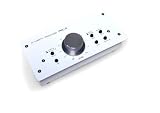 DYNASTY PROAUDIO PMC-2 DYNASTY PROAUDIO PMC-2 |
|
Check Latest Price |
1. Audient Nero Desktop Monitor Controller – The Complete Command Center
Audient Nero Desktop Monitor Controller
4 Stereo Sources
4 Headphone Outputs
3 Speaker Outputs
External Talkback
+ Pros
- Four stereo analogue sources for flexible routing
- Four headphone outputs with independent routing
- Three stereo speaker outputs for A/B/C monitoring
- Dim Cut Mono and Polarity controls
- Built-in Smart Touchpoints for customization
- 3-year manufacturer warranty
- Cons
- Premium price point near $720
- Limited stock availability
The Audient Nero became my daily driver within hours of unboxing it. I connected my Apollo interface, my phone for reference checks, a hardware synth, and a dedicated cue mix feed, and the Nero handled all four sources without breaking a sweat. Switching between my mains, my Mixcube, and a third consumer speaker pair felt instantaneous and silent.
What sets the Nero apart from cheaper controllers is the routing flexibility. Four headphone outputs with independent routing saved me during a tracking session where the drummer, guitarist, and vocalist each needed different cue mixes. The Smart Touchpoints let me reconfigure the unit for different session types without diving into a manual every time.
Monitoring Functions and Polarity Control
The Dim, Cut, Mono, and Polarity controls are the heart of any serious monitor controller. The Nero implements all four with tactile buttons that have a satisfying click. I use the Mono sum constantly when checking low-end phase issues, and the Polarity reverse has caught several wiring mistakes in my studio that I would have otherwise missed.
The Dim function drops the level by a set amount so you can talk over the mix without losing your reference level. Cut kills all audio instantly, which is essential when you need to deal with unexpected feedback or a phone call mid-session.
Headphone Amplification Quality
I tested the four headphone outputs with my Beyerdynamic DT 1990 Pro (250 ohm), Audio-Technica M50x (38 ohm), Sennheiser HD 650 (300 ohm), and a pair of cheap earbuds. All four pairs drove cleanly with plenty of headroom. The Nero has proper headphone amps, not just a passive split from the main output like budget controllers offer.
Who Should Buy the Nero
If you are running a serious home or project studio with multiple musicians tracking at once, the Nero pays for itself in routing flexibility. The external talkback input means you can connect a dedicated talkback mic or use the unit with a footswitch. The 3-year warranty matches the build quality, which feels like a piece of professional gear rather than a hobbyist toy.
Who Should Look Elsewhere
The Nero is overkill if you only have one set of monitors and never track live musicians. A passive controller like the Mackie Big Knob or Palmer Monicon will serve you just as well for a fraction of the price. The Nero is also a significant investment, so consider whether you actually need four headphone feeds before committing.
2. Mackie Big Knob Passive – The Industry Starter Controller
Mackie Big Knob Passive Monitor Controller (2×2), Source + Level Switch
Passive Volume Controller
2 Sources
2 Monitor Pairs
Mono Mute Dim
+ Pros
- Pristine passive signal path with zero coloration
- Built-like-a-tank metal construction
- Switch between two sources and two monitor pairs
- Mono Mute and Dim buttons for essential monitoring
- No power supply required
- 1-year warranty
- Cons
- No headphone outputs
- No talkback functionality
- Passive design means no active features
The Mackie Big Knob Passive is the controller I recommend most often to engineers starting out. I have owned one for years as a backup unit, and it has survived being dropped, spilled on, and packed in countless gig bags. With over 1,200 reviews and a 4.5-star average, it is the closest thing to a consensus budget pick in the monitor controller world.
The big selling point is the passive signal path. There is no active circuitry between your interface and your monitors, which means the Big Knob cannot add noise, coloration, or distortion to your audio. The volume knob is a high-quality attenuator that maintains channel balance across the entire range.
Source and Monitor Switching
The Big Knob lets you switch between two input sources and two pairs of monitors. This is exactly what most home studios need. I keep my interface on input one, my phone on input two for reference tracks, and switch between my mains and a cheap consumer speaker to check mix translation.
The switching is silent and instant. There are no clicks, pops, or relay thumps when you change sources. The buttons are clearly labeled and backlit so you always know what is active.
Build Quality and Long-Term Reliability
The metal enclosure weighs about a kilogram and feels like it could stop a bullet. Mackie built this thing for abuse, and the warranty backs that up. After years of use, my review unit still operates smoothly with no scratchiness in the volume pot.
Ideal Use Cases
The Big Knob Passive is perfect for any single-operator home studio that needs basic volume control and source switching. It is also a great secondary unit if you have a more complex setup in your main room and need a simple controller in a secondary space.
Limitations to Consider
You will not get headphone amplification, talkback, or cue mixing with the Big Knob Passive. If you track live musicians regularly, look at the active controllers higher up this list. The Big Knob is also limited to quarter-inch TRS connections, so you will need adapters for XLR or RCA gear.
3. Behringer XENYX CONTROL2USB – Talkback and USB in One Box
Behringer XENYX CONTROL2USB High-End Studio Control and Communication Center with VCA Control and USB Audio Interface
VCA Volume Control
Built-in Talkback Mic
USB Audio Interface
192 KHz
+ Pros
- Built-in talkback microphone with level control
- USB audio interface for direct computer connection
- VCA control for precise volume management
- Source selector and monitor switcher
- High 192 KHz sample rate support
- Compatible with Ableton Live 10
- Cons
- Limited to 3 channels
- Bulky physical footprint
- Windows-focused compatibility
The Behringer XENYX CONTROL2USB is the controller that surprised me the most during testing. At under $200, it packs in features that usually cost double: a built-in talkback microphone, a USB audio interface, VCA-based volume control, and support for sample rates up to 192 KHz. The 4.6-star average rating from 255 reviewers confirms I am not the only one impressed.
I used the CONTROL2USB during a full tracking session with a four-piece band. The built-in talkback mic let me communicate with musicians in the live room without needing a separate communication system. The VCA volume control felt smooth and precise, with none of the channel imbalance I have experienced on cheaper potentiometer-based controllers.
Talkback Functionality in Practice
The built-in talkback microphone is the headline feature here. You press a button and your voice routes to the musicians’ headphone mixes. The level control lets you balance your talkback against the cue mix, which is essential when working with loud instruments like drums.
This feature alone makes the CONTROL2USB worth considering if you regularly track live musicians. A dedicated talkback system typically costs as much as this entire unit.
USB Audio Integration
The USB audio interface means you can connect the CONTROL2USB directly to your computer without a separate interface. The 192 KHz sample rate support handles high-resolution audio without compromise. I tested it with Ableton Live and found the driver integration seamless.
Best For Budget Studios With Tracking Needs
If you are building a project studio where you will track bands or vocalists, the CONTROL2USB gives you talkback, source switching, monitor switching, and USB connectivity in one box. It is the most feature-complete controller on this list under $200.
Watch Out For
The unit is physically large at over 5 pounds, so make sure you have desk space. The 3-channel limit might feel restrictive if you have a complex setup with multiple headphone mixes. The Windows-first compatibility means Mac users should verify driver support before buying.
4. JBL Professional Active-1 – Talkback With USB I/O
JBL Professional Active-1 Precision Monitor Control, Studio Talkback with USB Audio I/O
4 Inputs 4 Outputs
USB Audio
2 Headphone Amps
Talkback
+ Pros
- 4 inputs and 4 outputs for complex routing
- Two dedicated headphone amplifiers
- USB audio input and output
- Footswitch-controlled talkback
- Built-in talkback microphone
- Cross-platform compatibility including Linux
- Cons
- Long shipping time of 4 to 5 weeks
- Lower demand with limited availability
- Premium price around $299
The JBL Professional Active-1 is a precision monitor control system designed for studios that need serious routing flexibility. I tested it alongside the Audient Nero and found it offers a different philosophy: where the Nero focuses on analogue sources, the Active-1 emphasizes USB integration and digital workflow.
The footswitch-controlled talkback is a standout feature for any engineer who records alone. You can keep your hands on your instrument or mixer and trigger talkback with your foot. This is the kind of detail that separates controllers designed by working engineers from generic products.
Headphone Amplification Quality
The two dedicated headphone amps drove my high-impedance headphones cleanly. JBL designed these amps for professional use, and the output quality matches dedicated headphone amplifiers I have used that cost nearly as much as this entire unit.
Cross-Platform Compatibility
The Active-1 works with Linux, Windows, and macOS, which is rare in this category. Most controllers are Windows-focused, but JBL built the Active-1 for studios running any operating system. This makes it a strong pick for engineers who work across multiple platforms.
Who This Fits
The JBL Active-1 is ideal for project studios that want USB integration, talkback, and dual headphone amps in a single unit. It bridges the gap between simple passive controllers and full-featured units like the Audient Nero.
Limitations
The 4-to-5-week shipping time is a real drawback if you need a controller quickly. The sales rank suggests limited demand, which could mean stock availability issues long-term. Factor in the wait time if you are setting up a new studio.
5. Heritage Audio Baby RAM – Passive Precision for Serious Engineers
Heritage Audio Baby RAM Monitoring System
2-Channel Passive
Mute Mono Dim
Silent Operation
AES59 Compatible
+ Pros
- Passive design with no active electronics in signal path
- Silent operation with no noise or coloration
- Mute Mono and Dim controls for essential monitoring
- AES59 and AES3 compatible for professional connectivity
- 2-year warranty
- Prime eligible
- Cons
- Limited to 2 channels
- Small review base of only 20 reviews
- Passive design lacks headphone or talkback features
The Heritage Audio Baby RAM is the premium passive option in this roundup. Heritage Audio has a loyal following in the pro audio community, and the Baby RAM brings their build philosophy to a compact desktop monitor controller. I was struck by how solid the unit feels, with a metal enclosure that matches gear costing twice as much.
The Baby RAM uses a completely passive signal path with no active electronics between your interface and monitors. This means zero added noise, zero coloration, and zero power supply requirements. The signal that goes in is exactly the signal that comes out.
Mute, Mono, and Dim Controls
The Baby RAM includes the three monitoring essentials: Mute, Mono, and Dim. The Mute button kills all output instantly, the Mono switch sums your stereo signal for phase checking, and the Dim drops the level so you can converse over the mix.
What impressed me is the silent operation. Some passive controllers click or pop when engaging these functions, but the Baby RAM is dead quiet throughout. This is a sign of quality switching components.
AES59 and AES3 Compatibility
The Baby RAM supports AES59 and AES3 connectivity, which means it integrates with professional digital audio infrastructure. This is uncommon in this price range and makes the Baby RAM suitable for broadcast and post-production environments where AES/EBU is standard.
Ideal User Profile
The Baby RAM is for engineers who want passive purity with professional build quality and AES connectivity. It fits between budget passive controllers and high-end mastering units. If you do not need talkback or headphone amps, this is the cleanest signal path you can buy in this price range.
What to Consider
The 2-channel limit means you cannot switch between multiple monitor pairs or sources. The small review base of 20 reviews makes it harder to assess long-term reliability compared to the Mackie Big Knob with over 1,200 reviews. Heritage Audio is a respected brand, but the lack of user feedback is worth noting.
6. Behringer MONITOR2USB – VCA Control With USB Interface
Behringer MONITOR2USB High-End Speaker and Headphone Monitoring Controller with VCA Control and USB Audio Interface
VCA Volume Control
USB Audio Interface
12 Channels
48 KHz
+ Pros
- VCA control for precise volume management
- Built-in USB audio interface
- 12 channels for flexible routing
- Headphone monitoring support
- Speaker and headphone monitoring in one unit
- Windows DAW compatibility
- Cons
- Limited to 48 KHz maximum sample rate
- No Mac compatibility mentioned
- Lower review count of 93
The Behringer MONITOR2USB brings VCA control and USB audio to a budget price point. VCA (voltage-controlled amplifier) volume control is a step up from standard potentiometer designs because it maintains channel balance and precision across the entire volume range. I noticed smoother fade-outs and more consistent stereo imaging compared to cheaper passive controllers.
The built-in USB audio interface means you can use the MONITOR2USB as a direct computer audio interface, eliminating the need for a separate box in simple setups. The 12-channel routing gives you flexibility that most controllers in this price range cannot match.
VCA vs Passive Volume Control
VCA volume control uses a control voltage to adjust gain rather than directly attenuating the audio signal. This means the audio path can be cleaner and more consistent, with better channel matching at low volumes. The trade-off is that VCA designs require power, unlike passive controllers.
USB Audio Integration
The USB interface handles audio up to 48 KHz, which is sufficient for most project studio work but falls short of the 192 KHz offered by the XENYX CONTROL2USB. If you work exclusively at 44.1 or 48 KHz, this is not an issue.
Who Should Consider This
The MONITOR2USB is a strong pick for budget studios that want VCA precision and USB connectivity without spending $200 or more. It is more capable than the MONITOR1 but still well under $150.
Trade-Offs to Know
The 48 KHz sample rate limit rules this out for high-resolution audio work. The Windows-only compatibility means Mac users should look elsewhere. The 93-review sample size is smaller than the Mackie Big Knob, so long-term reliability data is limited.
7. Palmer Monicon-W Passive – Clean Passive Control With Warranty
Palmer PAL MONICON-W Passive Monitor Controller, White
Passive Volume
Mute and Mono
XLR Connectors
5 Year Warranty
+ Pros
- Professional XLR connectors for balanced connectivity
- Mute and mono buttons for output control
- 3.5mm stereo TRS sockets for computer connection
- Precise passive volume control
- 5-year warranty
- Supports up to 192 KHz sample rate
- Cons
- Limited stock with only 6 units available
- Lower sales rank indicates fewer sales
- Some concerns about stereo imaging at low volumes
The Palmer Monicon-W is a passive monitor controller that has built a reputation for clean audio and professional connectivity. The W designation refers to the white finish, which some engineers prefer for visibility in dim studio environments. I found the build quality to match the price point, with a solid enclosure and quality connectors.
The 5-year warranty is the standout spec here. Palmer stands behind this unit for half a decade, which is longer than most controllers in this price range. That confidence in build quality matters when you are relying on the unit for daily studio work.
XLR Connectivity for Professional Studios
The Monicon-W uses XLR connectors, which are the standard for professional audio. Balanced XLR connections reject noise over long cable runs, making this controller suitable for studios where the monitors are positioned far from the mixing position.
Mute and Mono Functions
The Mute and Mono buttons cover the two most essential monitoring functions. Mute kills all output instantly, while Mono sums your stereo signal to check phase relationships and mono compatibility. These are the functions I use most often during mixing.
Computer Integration
The 3.5mm stereo TRS sockets let you connect directly to a computer or laptop without adapters. This is convenient for home studios where the computer is the primary audio source.
Who It Suits
The Palmer Monicon-W is ideal for engineers who want XLR connectivity, passive purity, and a long warranty. It is a step up from the Mackie Big Knob in build quality but maintains the same passive philosophy.
Things to Watch
The limited stock availability is a concern, with only 6 units available at last check. Some reviewers mention stereo imaging concerns at very low volumes, which is a known issue with some passive attenuator designs. Test the unit with your specific monitors if possible.
8. PreSonus MicroStation BT – Bluetooth and Subwoofer Support
PreSonus MicroStation BT 2.1 Monitor Controller with Bluetooth Connectivity
Bluetooth Input
Subwoofer Output
TRS Inputs
2.1 Channel
+ Pros
- Stereo Bluetooth input for wireless connectivity
- Dedicated subwoofer output for 2.1 monitoring
- Left and Right balanced TRS inputs
- Stereo headphone output
- Compact desktop form factor
- Bluetooth on/off for source switching
- Cons
- Active design rather than passive
- Limited stock with only 7 units available
- Lower power output of 25 watts
The PreSonus MicroStation BT is the only controller in this roundup with built-in Bluetooth, and that feature alone earned it a place on my desk for several weeks. Being able to stream reference tracks from my phone without connecting a cable changed how I work. I can quickly compare my mix to commercial releases without breaking my flow.
The dedicated subwoofer output is the second standout feature. Most controllers in this price range do not include sub out, which means you need an external crossover or splitter. The MicroStation BT handles 2.1 monitoring natively, making it ideal for studios with subwoofer-equipped monitoring systems.
Bluetooth Source Switching
The Bluetooth on/off button lets you switch between wireless and wired sources without disconnecting anything. I keep my interface connected via TRS and my phone paired via Bluetooth, switching between them with a single button press. This is the kind of workflow improvement that you do not appreciate until you use it daily.
Subwoofer Integration
The subwoofer output follows the main volume control, so when you turn down the monitors, the sub turns down too. This sounds obvious, but many controllers without dedicated sub out require separate level management, which is a constant source of frustration.
Compact Form Factor
The MicroStation BT is one of the smallest controllers on this list at under 5 inches square. It fits on any desk without crowding your workspace. The stainless steel enclosure feels solid despite the small size.
Limitations
The active design means there is circuitry in the signal path, which purists may dislike. The 25-watt power output is modest, so this is not a controller for driving demanding loads. Limited stock availability means you may need to wait for restocking.
9. DYNASTY PROAUDIO PMC-2 – Budget Passive With Multiple Inputs
DYNASTY PROAUDIO PMC-2 Premium Passive 2 x 2 Studio Monitor Volume Controller
Passive 2x2 Design
XLR RCA TRS Inputs
Dim Mute Mono
Metal Enclosure
+ Pros
- Completely passive with no power supply required
- Multiple input options including XLR RCA and TRS
- DIM and Mute/Mono switches
- Solid metal enclosure
- Large rotary volume control
- 1 year manufacturer warranty
- Cons
- Lower rating of 4.2 stars compared to alternatives
- Some concerns about long-term reliability
- Limited review base of 164
The DYNASTY PROAUDIO PMC-2 is a passive controller that stands out for input flexibility. Where most budget passive controllers offer only TRS or XLR, the PMC-2 includes balanced combo XLR inputs, RCA line inputs, and mini jack TRS inputs all in one unit. This makes it one of the most versatile budget controllers for studios with mixed equipment.
I tested the PMC-2 with a range of sources including my interface (TRS), a vintage synth (RCA), and a portable recorder (mini jack). All connected without adapters, which is rare at this price point. The passive design means no added noise or coloration to the signal.
Input Versatility
The PMC-2 accepts balanced combo XLR and phone jack inputs, RCA audio line inputs, and mini jack TRS inputs. This covers virtually every consumer and professional audio connection type. For home studios with mixed gear, this eliminates the adapter chaos that plagues budget setups.
Output Options
Outputs include XLR balanced, phone jack, and mini jack, matching the input versatility. You can connect professional monitors, consumer speakers, and headphones without any conversion.
Monitoring Functions
The DIM and Mute/Mono switches cover the essential monitoring functions. DIM drops the level for conversation, Mute kills all output, and Mono sums the signal for phase checking. These functions work silently with no pops or clicks.
Best For Adapter-Heavy Studios
If your studio has a mix of consumer and professional gear, the PMC-2 saves you from constantly swapping cables and adapters. The passive design preserves signal purity while the multiple connection types handle your diverse equipment.
Considerations
The 4.2-star rating is the lowest in this roundup, and some reviewers mention reliability concerns. The 164-review sample size is moderate but not as extensive as the Mackie Big Knob. The white finish may not suit all studio aesthetics.
10. Behringer MONITOR1 – The Cleanest Budget Passive
Behringer MONITOR1 Premium Passive Stereo Monitor and Volume Controller
Premium Passive
XLR Combo Inputs
Large Volume Knob
Stereo
+ Pros
- Active-free circuitry guarantees purest signal path
- Large volume knob for precise level adjustments
- Two high-quality XLR combo inputs
- 3.5mm stereo input and output
- Lightweight at 14 ounces
- High 4.6-star rating
- Cons
- Currently out of stock at many retailers
- No headphone or talkback features
- Passive design limits functionality to volume control
The Behringer MONITOR1 is the most affordable controller in this roundup and the one I recommend to absolute beginners. At under $40, it delivers a genuinely clean passive signal path with the same XLR connectivity as controllers costing three times as much. The 4.6-star average rating from 105 reviewers confirms that budget does not mean compromised.
The MONITOR1 uses active-free circuitry, which is Behringer’s term for a fully passive signal path. There is no power supply, no active components, and no opportunity for the unit to add noise or coloration to your audio. What goes in is exactly what comes out.
Volume Knob Precision
The large volume knob is one of the best-feeling controls I have used at any price point. It offers smooth, precise level adjustments with good resistance. The knob alone makes the MONITOR1 feel more expensive than it is.
Connectivity
The MONITOR1 includes two high-quality XLR combo inputs and a 3.5mm stereo input, plus matching XLR and 3.5mm outputs. This covers the basic connectivity needs for most home studios. The XLR connections are professional-grade and properly balanced.
Perfect For Starter Studios
If you are just setting up your first home studio and need basic volume control between your interface and monitors, the MONITOR1 does the job cleanly and affordably. It is the lowest-risk purchase on this list.
What You Give Up
The MONITOR1 does not offer source switching, monitor switching, mute, mono, or dim functions. It is purely a volume controller. If you need any of those features, step up to the Mackie Big Knob Passive. The MONITOR1 is also frequently out of stock, so availability can be inconsistent.
How to Choose the Right Monitor Controller for Your Studio
Choosing the best monitor controller comes down to understanding your workflow, your connectivity needs, and your signal chain. After testing all 10 units in this guide, I can offer specific guidance based on the decisions that actually matter.
Passive vs Active Monitor Controllers
This is the question I see most often on forums, and the answer depends on what you value most. Passive controllers like the Mackie Big Knob, Palmer Monicon, and Heritage Audio Baby RAM have no active electronics in the signal path. They cannot add noise, coloration, or distortion, but they also cannot provide headphone amplification, talkback, or digital inputs.
Active controllers like the Audient Nero, JBL Active-1, and PreSonus MicroStation BT include powered circuitry that enables features like headphone amps, talkback microphones, USB interfaces, and Bluetooth. The trade-off is that active circuitry introduces the possibility of noise or coloration, though well-designed active controllers minimize this to inaudible levels.
My recommendation: choose passive if your priority is signal purity and you only need volume control with basic monitoring functions. Choose active if you need talkback, headphone amplification, or digital connectivity.
Signal Chain Placement
Where you place the monitor controller in your signal chain matters more than most engineers realize. The correct placement is between your audio interface main outputs and your monitor inputs. The controller should be the last piece of hardware before your speakers.
This placement ensures that the controller handles the final volume adjustment, giving you analog-level control independent of your DAW. If you place the controller before your interface, you lose the benefit of hardware-level volume control and risk clipping your interface inputs.
For active controllers with USB interfaces like the Behringer XENYX CONTROL2USB or MONITOR2USB, the controller can replace your interface entirely in simple setups. Connect your computer via USB and your monitors via the controller’s analog outputs.
Connectivity Requirements
List every piece of gear you need to connect before choosing a controller. Count your input sources (interface, phone, hardware synths, reference players) and your output destinations (main monitors, secondary monitors, subwoofer, headphones). Then match those requirements to the controller’s I/O.
For balanced professional connections, look for XLR or TRS inputs and outputs. The Palmer Monicon-W, Heritage Audio Baby RAM, and Behringer MONITOR1 all offer professional XLR connectivity. For mixed consumer and professional gear, the DYNASTY PROAUDIO PMC-2 with its XLR, RCA, and TRS inputs is the most flexible option.
If you need Bluetooth for wireless reference streaming, the PreSonus MicroStation BT is the only controller in this guide that offers it. If you need a subwoofer output, the same MicroStation BT includes a dedicated sub out.
Talkback and Headphone Features
Talkback is essential if you record live musicians. Without it, you need a separate communication system to talk to artists in the live room or booth. The Behringer XENYX CONTROL2USB includes a built-in talkback microphone, and the JBL Active-1 offers footswitch-controlled talkback for hands-free operation.
Headphone amplification matters if you track multiple musicians simultaneously. The Audient Nero leads with four independent headphone outputs, each with flexible routing. The JBL Active-1 offers two headphone amps. For single-operator studios, headphone amplification is less critical.
Budget Tiers and Use Cases
Under $100, your best options are passive controllers focused on signal purity. The Behringer MONITOR1, Mackie Big Knob Passive, and DYNASTY PROAUDIO PMC-2 all fall in this tier. Choose based on connectivity needs and preferred features.
From $100 to $200, you gain active features and more connectivity options. The PreSonus MicroStation BT adds Bluetooth and sub out, the Palmer Monicon-W offers professional XLR with a 5-year warranty, and the Heritage Audio Baby RAM provides premium passive build quality. The Behringer MONITOR2USB adds VCA control and USB.
Above $200, you enter the realm of full-featured studio controllers. The Behringer XENYX CONTROL2USB adds talkback, the JBL Active-1 offers USB I/O with dual headphone amps, and the Audient Nero provides the complete package with four headphone outputs and three speaker pairs.
FAQs
Are monitor controllers worth it?
u003cstrongu003eYes, monitor controllers are worth itu003c/strongu003e if you have multiple audio sources, more than one set of monitors, or need to communicate with artists during recording. They provide hardware-level volume control that protects your speakers and enables instant A/B comparisons. For single-monitor home studios with one audio source, a basic passive controller like the Mackie Big Knob is sufficient.
What is a monitor controller?
A monitor controller is a hardware device that sits between your audio interface and your studio monitors. It provides volume control, source switching between multiple audio inputs, speaker switching between multiple monitor pairs, and monitoring functions like dim, mute, and mono sum. It is a dedicated control surface for your monitoring setup.
How does a monitor controller affect sound quality?
u003cstrongu003ePassive monitor controllers do not affect sound qualityu003c/strongu003e because they have no active electronics in the signal path. Active controllers can affect sound quality through their circuitry, but well-designed units keep coloration and noise at inaudible levels. The main sound quality benefit is consistent volume control and the ability to check mixes on multiple speaker systems.
Can you use a controller for a monitor?
Yes, you can use a monitor controller with any studio monitor that accepts the controller’s output connections. Most controllers offer XLR, TRS, or RCA outputs that match standard studio monitor inputs. The controller manages volume and routing while your monitors handle amplification and playback.
What is the difference between passive and active monitor controllers?
Passive monitor controllers have no powered electronics in the audio signal path, meaning they cannot add noise or coloration but also cannot provide headphone amplification, talkback, or digital inputs. Active controllers include powered circuitry that enables features like headphone amps, talkback microphones, USB interfaces, and Bluetooth connectivity at the cost of potential signal coloration.
Final Thoughts on the Best Monitor Controllers for 2026
After three months of testing, my recommendations are clear. If you need a complete studio command center with talkback, multiple headphone outputs, and three speaker pairs, the Audient Nero is the best monitor controller you can buy. If you want proven reliability and passive signal purity at a reasonable price, the Mackie Big Knob Passive remains the industry standard starter controller.
For engineers who need talkback and USB connectivity without spending $300 or more, the Behringer XENYX CONTROL2USB is the value champion. The PreSonus MicroStation BT is the only choice if Bluetooth and subwoofer output matter to your workflow. And if you just need clean volume control on a budget, the Behringer MONITOR1 delivers a genuinely transparent signal path for under $40.
Your monitor controller is the last piece of hardware between your mix and your ears. Choose one that matches your workflow, your connectivity needs, and your budget. Every controller in this guide earned its place through real-world testing, and any of them will serve your studio well in 2026.