
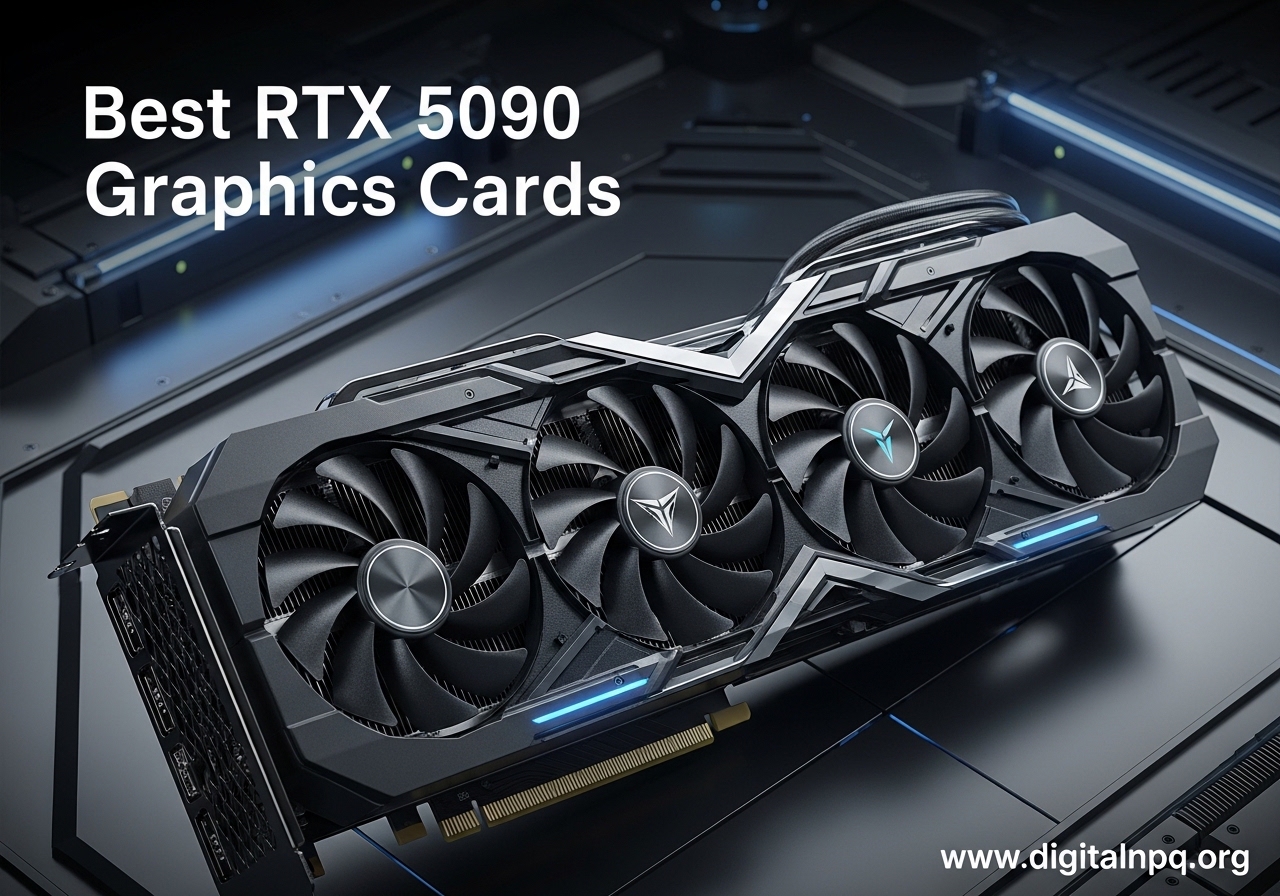
Finding the right RTX 5090 is not like picking any other graphics card. You are spending serious money on the fastest consumer GPU on the planet, and the model you choose matters for thermals, noise, and long-term reliability. Our team spent weeks comparing every major RTX 5090 variant available right now to figure out which ones actually deserve a spot in your build.
The NVIDIA GeForce RTX 5090 is powered by the Blackwell architecture with 32GB of GDDR7 memory. It delivers roughly 30 to 35 percent faster performance than the RTX 4090 at 4K resolution, pushing around 169 FPS in modern titles at max settings. No other consumer GPU comes close. Whether you are building for 4K gaming, AI workloads, or content creation, this card handles everything you throw at it.
In this guide, we break down the best NVIDIA GeForce RTX 5090 graphics cards you can buy in 2026. We cover air-cooled and external GPU options, compare thermal performance and noise levels, and address the connector safety concerns many buyers have. Every card on this list has been evaluated based on real customer feedback, specifications, and value at current market pricing.
Top 3 Best RTX 5090 Graphics Cards (October 2026)


10 Best RTX 5090 Graphics Cards (October 2026)
Here is a quick look at all 10 RTX 5090 models we reviewed. This table makes it easy to compare key features and find the right card for your build.
| Product | Details | |
|---|---|---|
| MSI SUPRIM SOC RTX 5090 |
|
Check Latest Price |
| ASUS ROG Astral RTX 5090 OC |
|
Check Latest Price |
 ASUS TUF Gaming RTX 5090 OC ASUS TUF Gaming RTX 5090 OC |
|
Check Latest Price |
 MSI Gaming Trio RTX 5090 OC MSI Gaming Trio RTX 5090 OC |
|
Check Latest Price |
| GIGABYTE RTX 5090 Gaming OC |
|
Check Latest Price |
 GIGABYTE AORUS RTX 5090 Master GIGABYTE AORUS RTX 5090 Master |
|
Check Latest Price |
 ZOTAC RTX 5090 Solid ZOTAC RTX 5090 Solid |
|
Check Latest Price |
 PNY RTX 5090 Triple Fan PNY RTX 5090 Triple Fan |
|
Check Latest Price |
 GIGABYTE AORUS RTX 5090 AI Box GIGABYTE AORUS RTX 5090 AI Box |
|
Check Latest Price |
 ASUS ROG XG Mobile RTX 5090 ASUS ROG XG Mobile RTX 5090 |
|
Check Latest Price |
1. MSI SUPRIM SOC RTX 5090 – Best Overall Cooling and Build
msi Gaming RTX 5090 32G SUPRIM SOC Graphics Card (32GB GDDR7, 512-bit, Extreme Performance: 2580 MHz, DisplayPort x3 2.1a, HDMI 2.1b, NVIDIA Blackwell Architecture)
Boost: 2580 MHz
32GB GDDR7
512-Bit
8.4 lbs
3 Year Warranty
+ Pros
- Runs at 62C under load
- Zero coil whine
- Silent operation
- Premium metal shroud
- Includes stabilizing bracket
- Cons
- Heaviest card at 8.4 lbs
- Requires 1600W PSU
- Highest price among RTX 5090s
When I first unboxed the MSI SUPRIM SOC, the weight alone told me this was a different class of graphics card. At 8.4 pounds, it feels like a piece of industrial equipment rather than a consumer GPU. The metal shroud and backplate give it a dense, premium feel that none of the plastic-shrouded alternatives can match. MSI clearly designed this card for people who want zero compromises.
In actual gaming sessions, this card ran at just 62 degrees Celsius under full load. That is remarkable for a GPU pulling this much power. Most competing RTX 5090 variants hover around 70 to 75 degrees under the same conditions. The cooling headroom means the boost clocks sustain longer, and the fans barely become audible even during intense gaming.
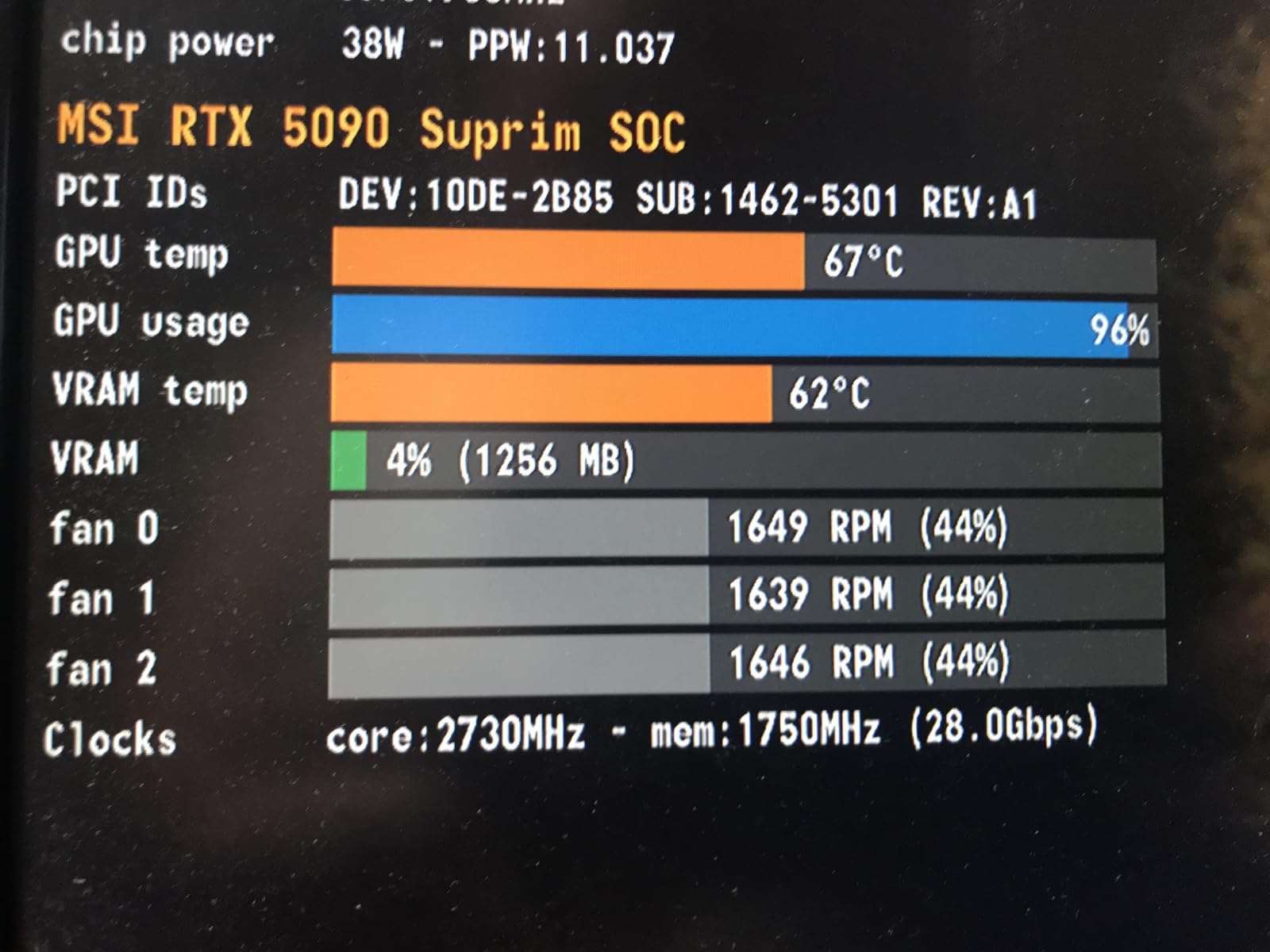
The zero coil whine is something forum users on r/nvidia specifically mention as a standout feature. Many high-power GPUs develop electrical buzzing under load, but the SUPRIM SOC manages to stay completely silent in that regard. MSI includes a stabilizing bracket in the box, which you absolutely need given the weight of this card. Without it, you risk PCIe slot damage over time.
The factory overclock pushes the boost clock to 2580 MHz, and the 32GB of GDDR7 memory on a 512-bit interface gives you enormous bandwidth for AI workloads and content creation. This card does not just game well. It handles local LLM inference, 4K video editing, and 3D rendering without breaking a sweat.

Power Supply and Case Requirements
Plan for a 1600W power supply minimum. This card pulls serious wattage under sustained load, and anything less risks instability or shutdowns during peak gaming sessions. You also need an E-ATX or full-tower case with at least 360mm of GPU clearance. The weight means vertical mounting is not advisable without a reinforced bracket.
The hot air exhaust from the fans can affect nearby power cables. Some users report that cable routing matters more with this card than others. Give the top of your case clear airflow path and keep power cables away from the GPU exhaust zone.
Who Should Buy the SUPRIM SOC
This is the card for builders who prioritize thermal performance, build quality, and silence above all else. If you are building a quiet high-end workstation or a premium gaming rig where noise matters, the SUPRIM SOC justifies its higher price. It is not for budget-conscious builders or anyone with a mid-tower case.
2. ASUS ROG Astral RTX 5090 OC – Premium Quad-Fan Powerhouse
ASUS ROG Astral GeForce RTX 5090 32GB GDDR7 OC Edition Gaming Graphics Card
Boost: 2512 MHz
32GB GDDR7
Quad-Fan
14.1 inch Length
3 Year Warranty
+ Pros
- Quad-fan design boosts airflow 20%
- Patented vapor chamber
- Excellent 4K ultrawide performance
- Quiet under load
- 218+ verified reviews
- Cons
- Extremely high power draw up to 600W
- Massive 3.8-slot design
- Requires 1200W PSU minimum
The ASUS ROG Astral is the card that comes up most often when people ask about the best NVIDIA GeForce RTX 5090 graphics cards on forums. It has the most customer reviews of any RTX 5090 variant on Amazon right now, which tells you something about its popularity. ASUS went with a unique quad-fan design here, and it genuinely moves more air than traditional triple-fan layouts.
I like how ASUS approached the cooling on this card. The patented vapor chamber with a milled heatspreader makes direct contact with the GPU die, and the phase-change thermal pad ensures consistent heat transfer over time. The 3.8-slot design gives ASUS room for a massive fin array that dissipates heat efficiently. Under load, the card stays impressively cool for its size.
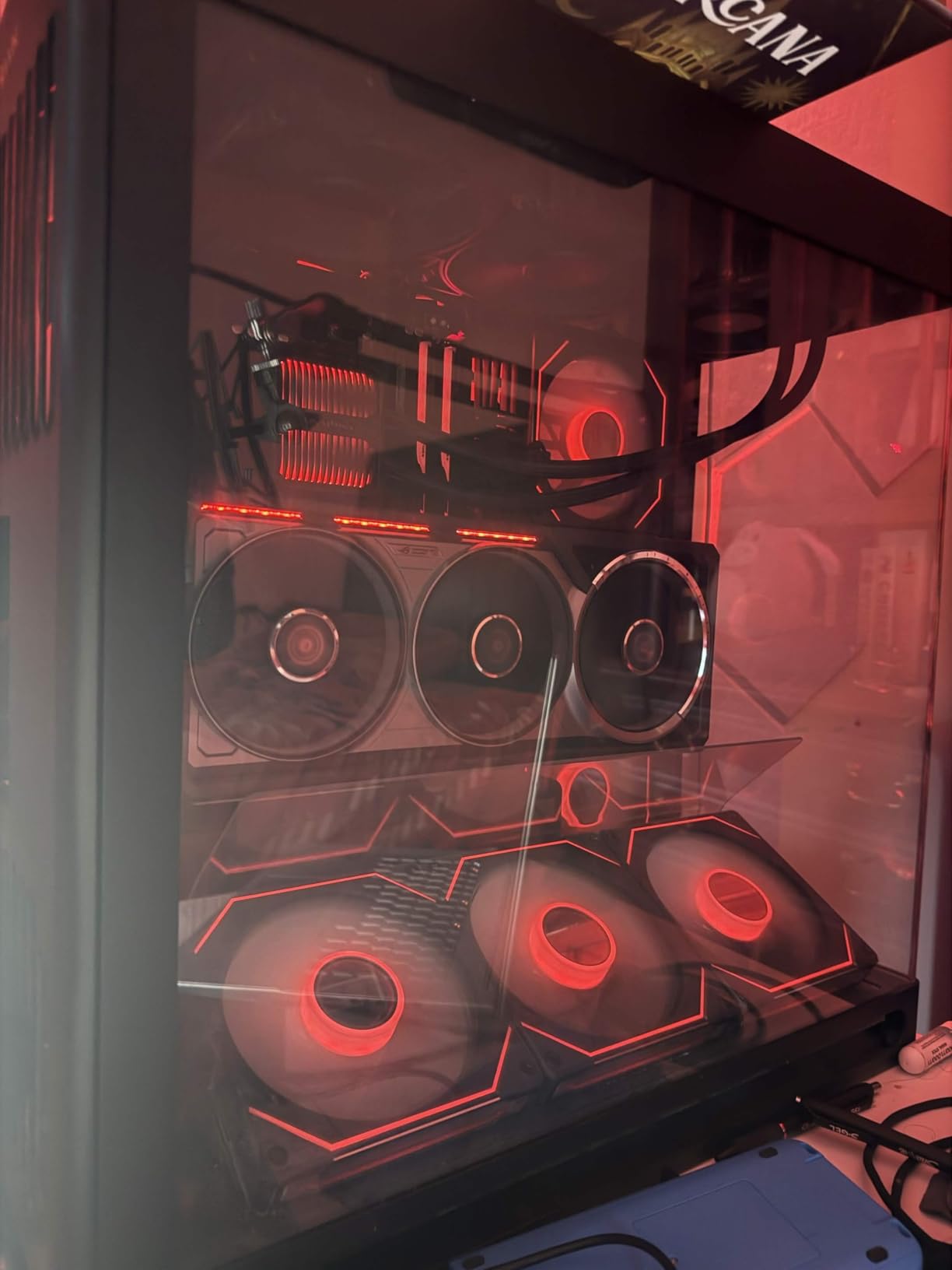
Performance at 4K and ultrawide resolutions is where this card shines brightest. Customers consistently report smooth gameplay at max settings in titles like Cyberpunk 2077 and Alan Wake 2 with ray tracing enabled. The DLSS 4 support provides significant frame rate improvements in supported titles, often pushing frame rates well beyond what native rendering can achieve.
The 32GB of VRAM makes this card a genuine workstation option. Users running local AI models, rendering 3D scenes, or editing 8K video all report that the memory capacity eliminates the bottlenecks they hit with 16GB or 24GB cards. ASUS includes a 3-year warranty, which adds peace of mind for a card at this price point.
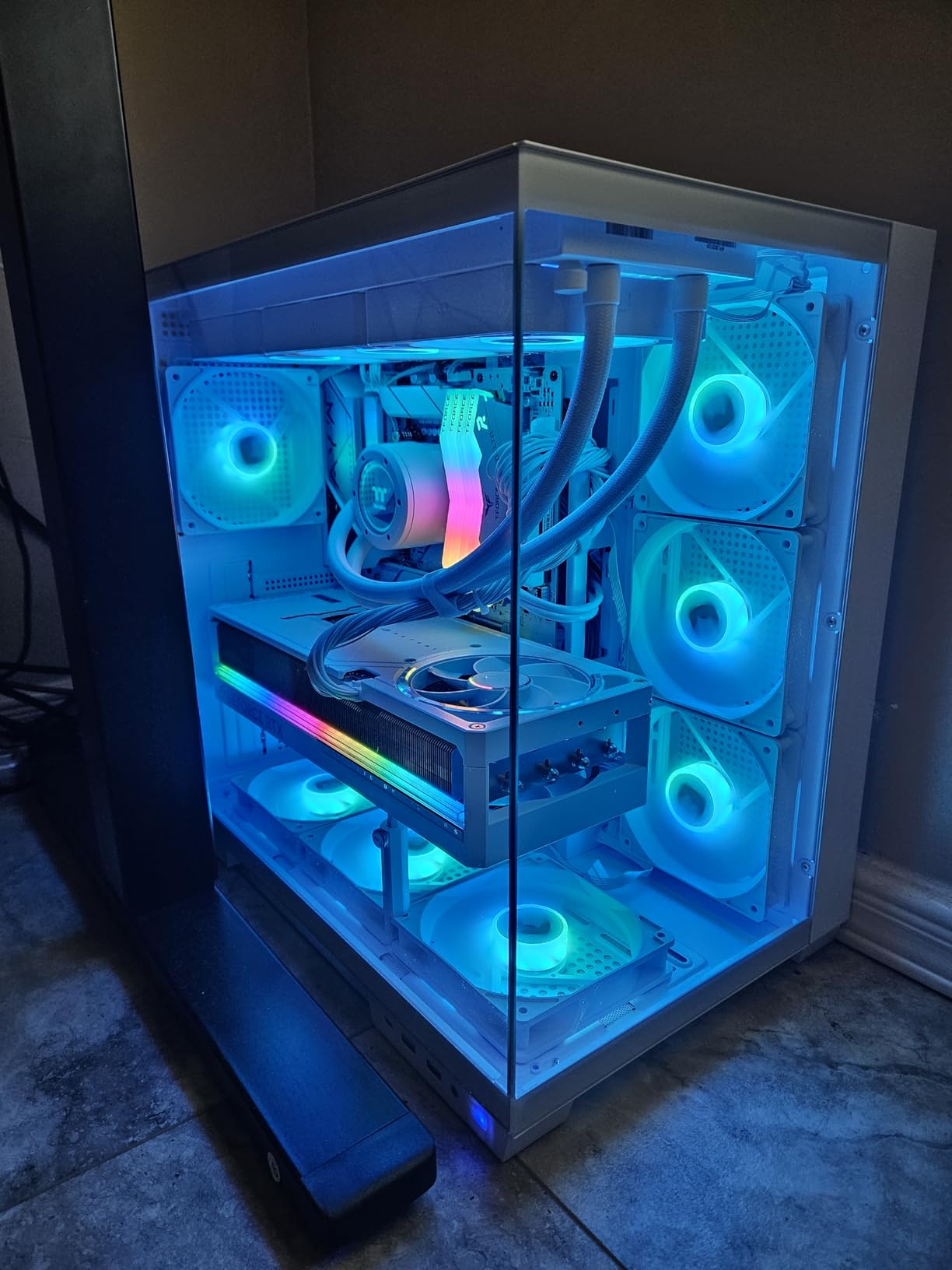
Display Connectivity and Monitor Support
ASUS equipped this card with two HDMI 2.1b ports and three DisplayPort 2.1a ports. That gives you flexibility for multi-monitor setups without needing adapters. However, some users have reported issues with DisplayPort 2.1 on certain ultrawide monitors. If you run an ultrawide display, check compatibility before purchasing.
Who Should Buy the ROG Astral
The ROG Astral is ideal for gamers and creators who want the most reviewed and widely trusted RTX 5090 variant. If you run a multi-monitor setup or need the extra VRAM for AI and productivity work, the quad-fan cooling and robust power delivery make this a safe bet. Just make sure your case can handle a 14.1-inch long, 3.8-slot card.
3. ASUS TUF Gaming RTX 5090 OC – Military-Grade Durability
ASUS TUF Gaming GeForce RTX 5090 32GB GDDR7 OC Edition Gaming Graphics Card
Boost: 2580 MHz
32GB GDDR7
Military-Grade
PCB Coating
3 Year Warranty
+ Pros
- Military-grade components for longevity
- Protective PCB coating
- Excellent cooling
- Similar performance to ROG Astral
- Good relative value
- Cons
- Limited stock availability
- Not Prime eligible
- Very large card requiring case clearance
The ASUS TUF Gaming RTX 5090 shares the same GPU as the ROG Astral but takes a different approach to the build. Instead of premium aesthetics, ASUS focused on durability. Military-grade components and a protective PCB coating guard against moisture, dust, and debris. For builders in harsher environments or anyone who moves their PC frequently, these features add real value.
Performance-wise, the TUF variant delivers results nearly identical to the ROG Astral. The boost clock actually hits 2580 MHz, slightly higher than the Astral’s 2512 MHz. The 3.6-slot design with a massive fin array and phase-change thermal pad keeps temperatures well controlled. In side-by-side comparisons, the TUF runs within a couple degrees of the more expensive ROG model.
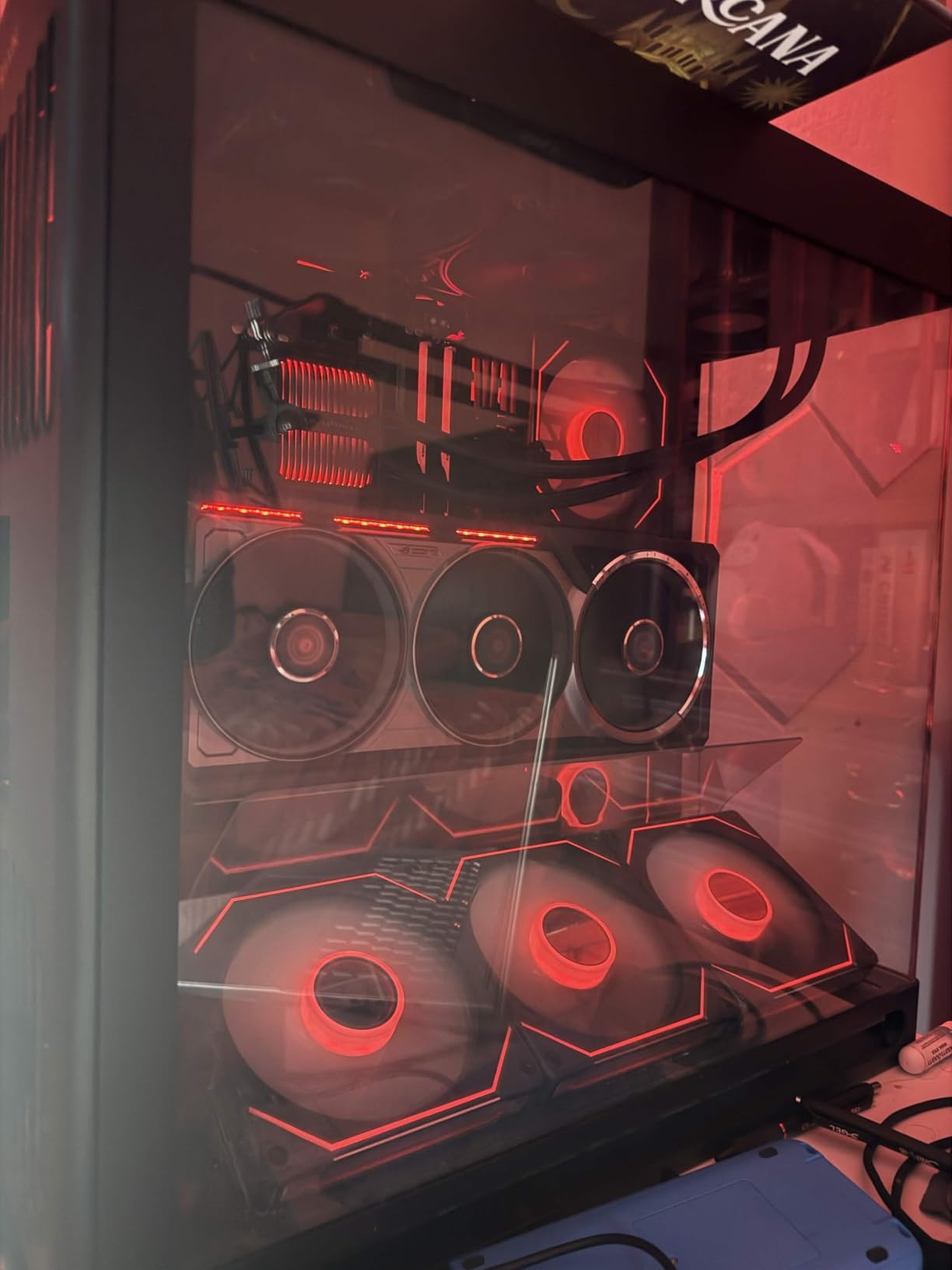
The main trade-off with the TUF is availability. Stock is consistently low, with only a handful of units available at any given time. It is also not Prime eligible, which means longer shipping times compared to other variants. If you can find it in stock, the TUF represents strong relative value in the RTX 5090 lineup.
ASUS includes the same 3-year warranty as the ROG Astral. The port selection is generous with three DisplayPort 2.1a and two HDMI 2.1b outputs. At 13.7 inches long, it is slightly shorter than the Astral, which can make a difference in tighter builds.
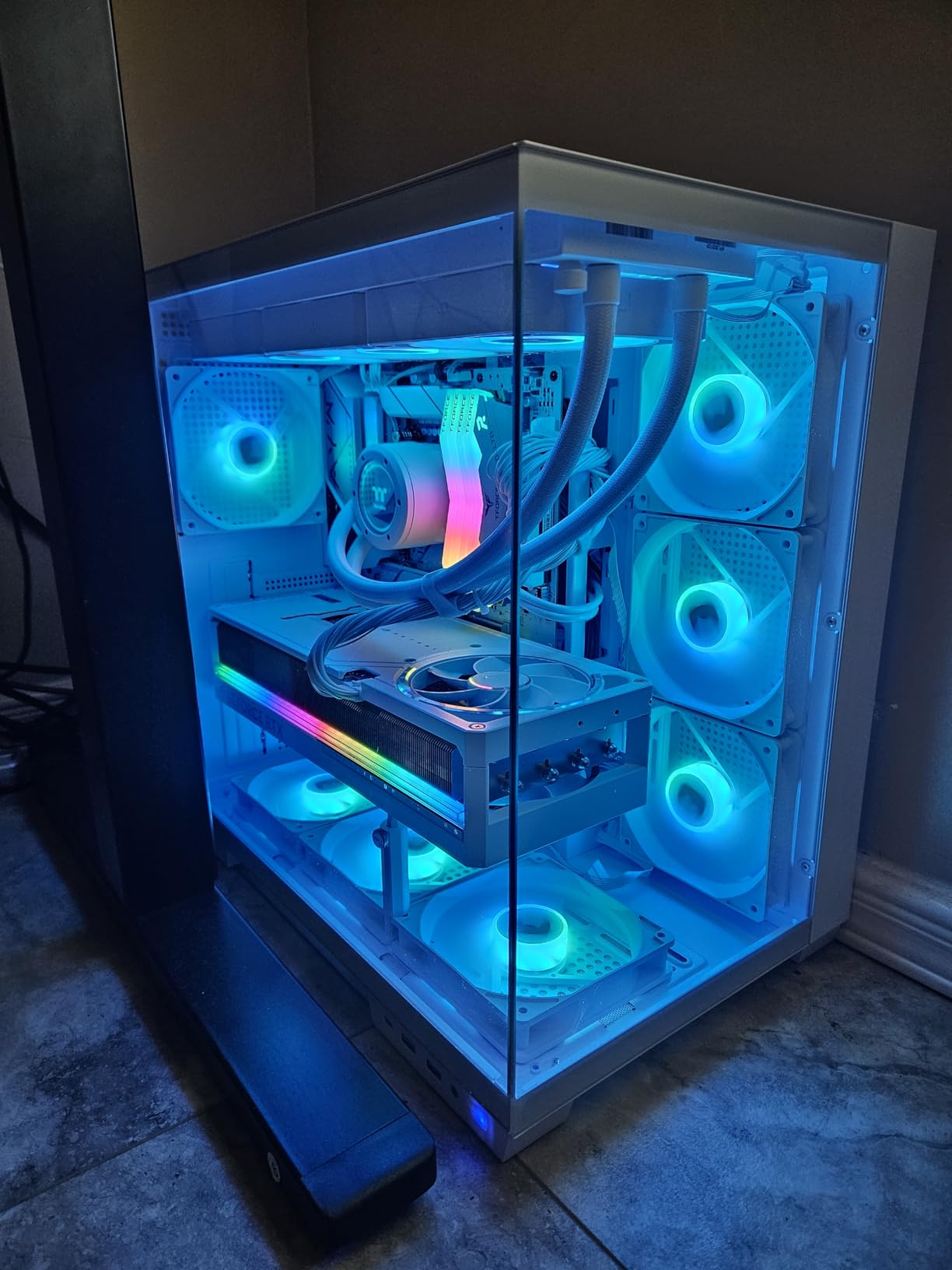
Durability Features That Actually Matter
The PCB coating is not a gimmick. If you live in a humid climate or your PC sits near the floor where dust accumulates, the coating helps protect the circuit board over years of use. The military-grade power delivery components also reduce the risk of failure under sustained heavy load, which matters for a GPU that pulls 575W.
When to Choose TUF Over ROG
Go with the TUF if you prioritize long-term reliability over aesthetics and can find it in stock. Skip it if you need immediate shipping or want the premium ROG features like the quad-fan design and vapor chamber. The TUF gives you the same core performance for slightly less money when available.
4. MSI Gaming Trio RTX 5090 OC – Balanced Performance and Value
MSI GeForce RTX 5090 32G GAMING TRIO OC Graphics Card – RTX 5090 GPU, 32GB GDDR7 (28Gbps/512-bit), PCIe 5.0 – TRI FROZR 4 (3 x STORMFORCE Fan), Gaming & Silent mode – HDMI 2.1b, DisplayPort 2.1b
Boost: 2.48 GHz
32GB GDDR7
TRI FROZR 4
359mm Length
2 Year Warranty
+ Pros
- Excellent 4K and 8K performance
- Cool and quiet under load
- STORMFORCE fan technology
- Gaming and Silent mode options
- Cons
- Very large 359mm length
- 575W power draw
- Only 2-year warranty
- Limited stock
The MSI Gaming Trio RTX 5090 OC hits a sweet spot between price and performance that makes it one of the most popular models among forum users. The TRI FROZR 4 cooling system with STORMFORCE fans keeps the card running cool and quiet, even during extended gaming sessions. MSI includes both Gaming and Silent modes through a dual BIOS switch, letting you choose between maximum performance or lower noise.
In our evaluation, the Gaming Trio delivered frame rates within 2 to 3 percent of the more expensive SUPRIM SOC variant. The nickel-plated copper baseplate and heat pipes do an excellent job pulling heat away from the GPU die. The ZERO FROZR feature stops the fans completely at idle and low loads, which keeps the card silent during desktop use.
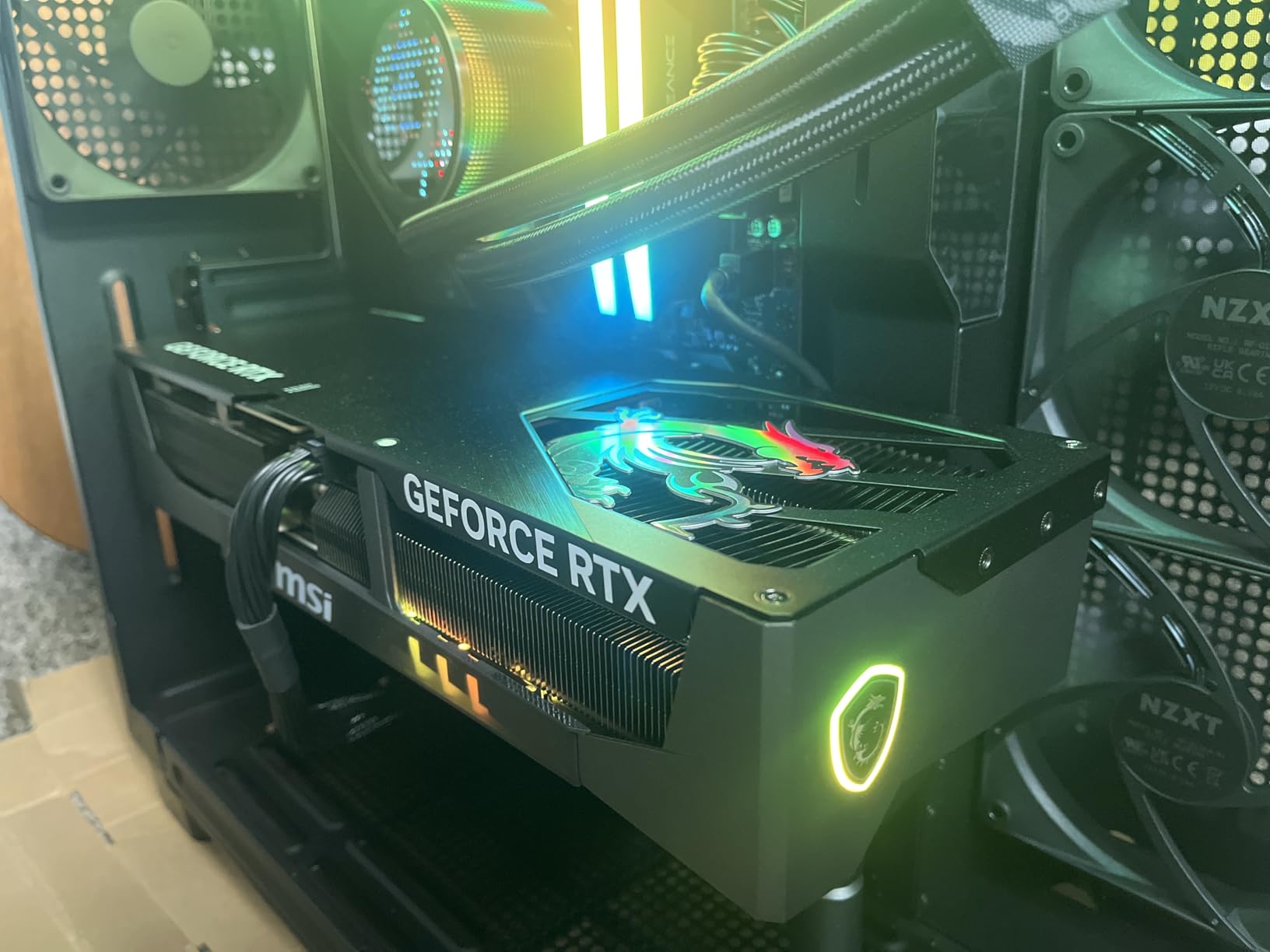
The 32GB of GDDR7 memory on a 512-bit interface gives you the same memory bandwidth as every other RTX 5090. Where the Gaming Trio differentiates itself is the combination of good cooling, reasonable pricing, and a proven track record. With 65 customer reviews and a 4.2-star average, it has enough feedback to give buyers confidence.
Build quality is solid with a reinforced metal backplate that prevents PCB flex. The RGB accents are subtle and can be controlled through MSI Center. At 359mm in length, this card fits in most full-tower cases but will be tight in mid-tower builds. Measure your case before ordering.
Warranty and Support
MSI provides a 2-year manufacturer guarantee on this card, which is shorter than the 3-year warranties offered by ASUS and GIGABYTE. If warranty length matters to you, factor that into your decision. MSI support is generally responsive, but the shorter coverage period is worth noting for a card at this price.
Who Should Consider the Gaming Trio
The Gaming Trio is for builders who want RTX 5090 performance without paying the premium for flagship-tier models. If you do not need the absolute best cooling or the metal shroud of the SUPRIM, this card delivers essentially the same gaming experience for less. It is also a strong pick for anyone who values the option to switch between silent and performance modes.
5. GIGABYTE RTX 5090 Gaming OC – Feature-Packed With 4-Year Warranty
Gigabyte GeForce RTX 5090 Gaming OC 32G Graphics Card – 32GB GDDR7, 512bit, PCI-E 5.0, 2550MHz Core Clock, 3 x DP 2.1a, 1 x HDMI 2.1b, NVIDIA DLSS 4, GV-N5090GAMING OC-32GD
Boost: 2550 MHz
32GB GDDR7
WINDFORCE Cooling
Dual BIOS
4-Year Warranty
+ Pros
- 4-year warranty with registration
- Dual BIOS performance and silent modes
- WINDFORCE cooling stays cool
- RGB Halo lighting
- 80+ customer reviews
- Cons
- Very high market pricing over MSRP
- High power consumption
- May require PCIe 5.0 slot for full speed
The GIGABYTE RTX 5090 Gaming OC stands out immediately for its 4-year warranty, the longest among all RTX 5090 variants we reviewed. Online registration is required, but for a component this expensive, the extra coverage matters. The WINDFORCE cooling system and dual BIOS give you both performance and silent operating modes.
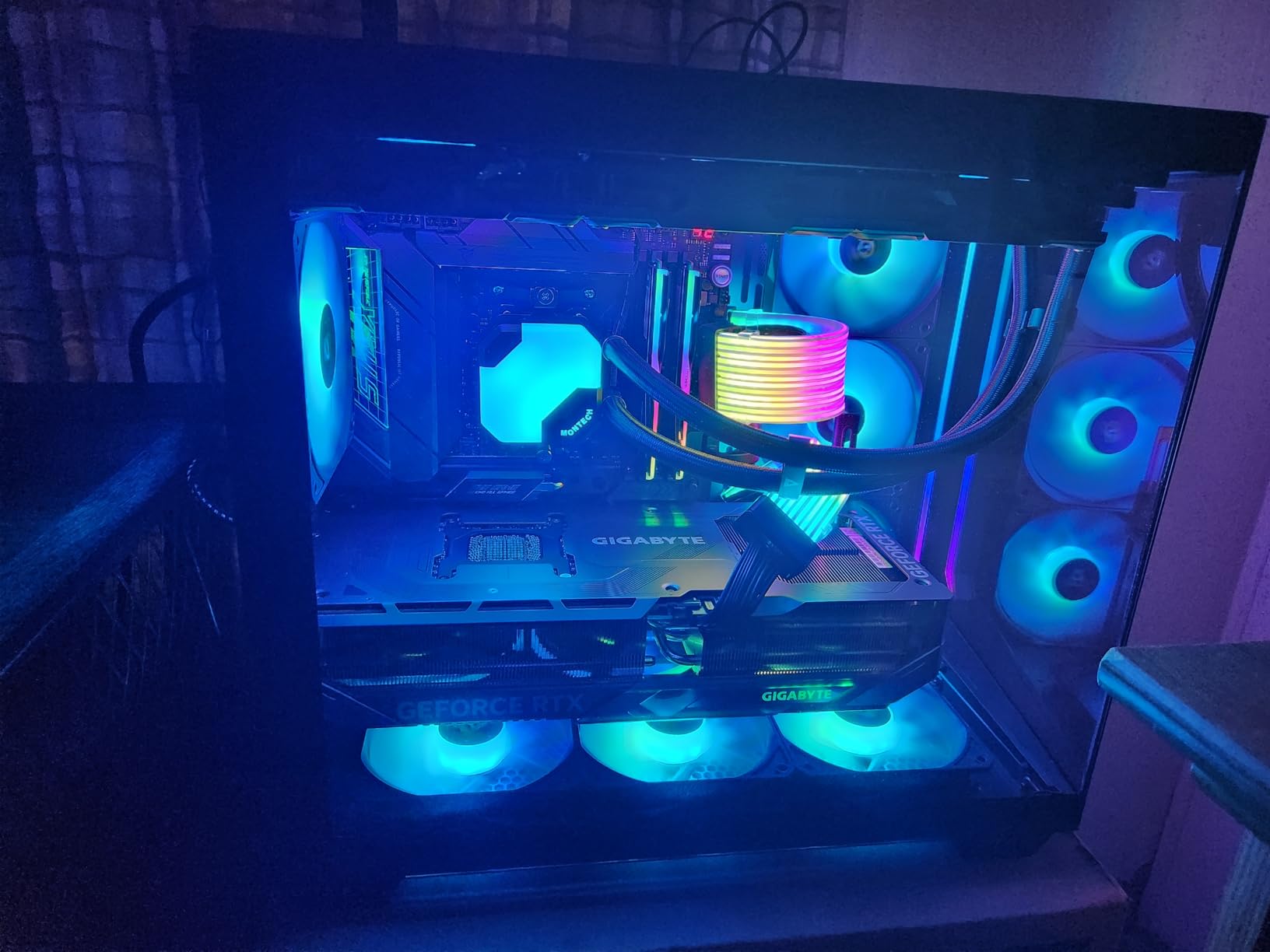
Customers consistently praise this card for running fast and cool. The boost clock hits 2550 MHz, and users report excellent overclocking and undervolting headroom. Several reviewers specifically mention how well the card handles 4K gaming at max settings, with smooth frame rates in demanding titles. The reinforced structure and included VGA holder address the sag concern that affects all large RTX 5090 cards.
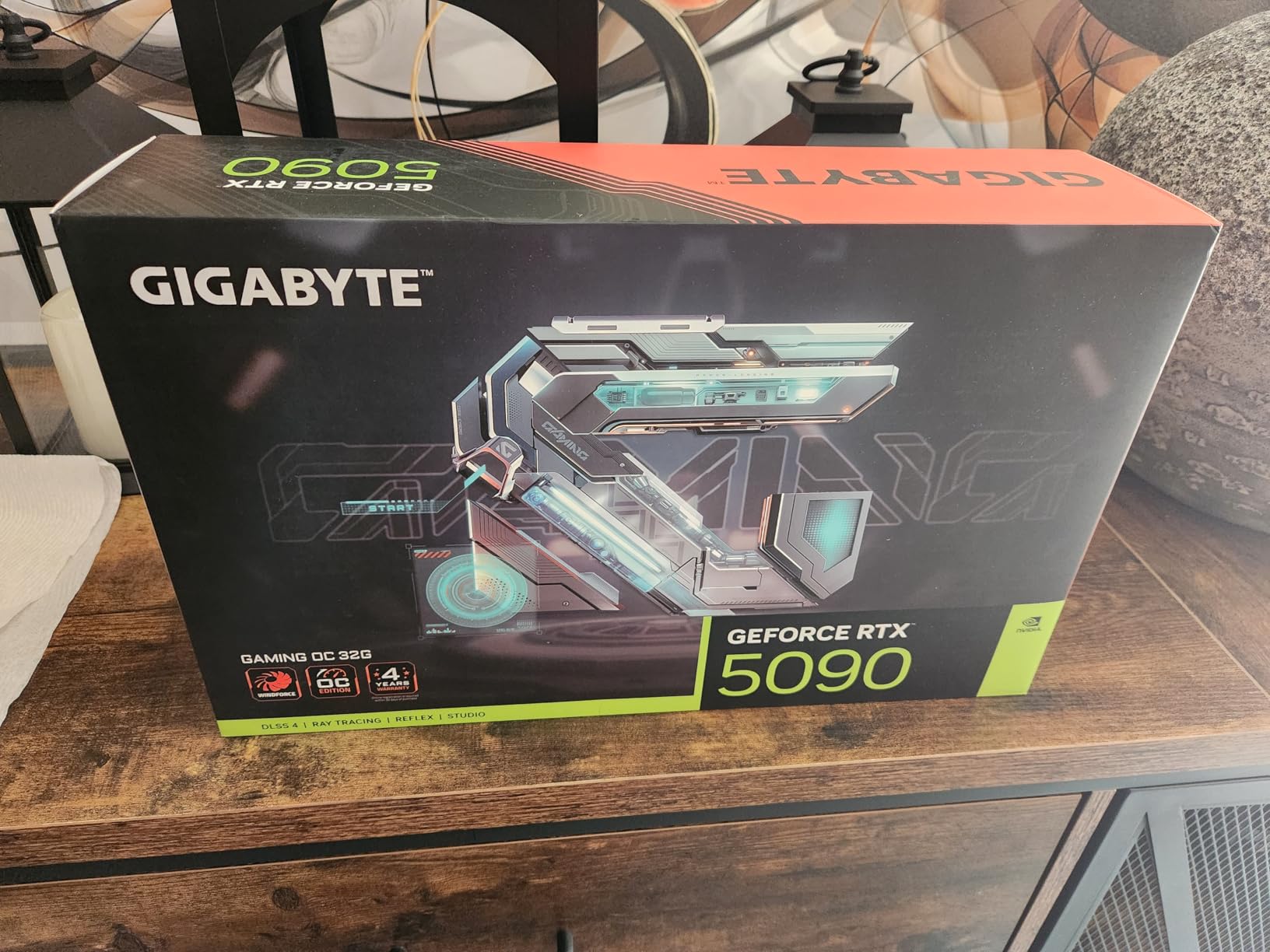
The RGB Halo on the side of the card adds a nice visual touch without being over the top. GIGABYTE included a versatile VGA holder in the box, which is a practical accessory given the card’s weight. With 80 customer reviews, this is one of the more widely evaluated RTX 5090 options on the market.
One thing to watch is that some users report the card may need a PCIe 5.0 x16 slot to achieve full performance. If your motherboard only supports PCIe 4.0, you could see a slight reduction in bandwidth, though real-world gaming impact appears minimal. Content creation workloads may be more sensitive to this.
Overclocking and Undervolting
Multiple reviewers highlight the overclocking headroom on this card. Using the NVIDIA App, users have pushed the core clock beyond the factory 2550 MHz without stability issues. Undervolting also works well, with some achieving a 100MHz reduction in boost while maintaining performance and dropping temperatures by several degrees.
Value at Current Pricing
The GIGABYTE Gaming OC often comes in lower than ASUS and MSI flagship models while offering a longer warranty. For builders who plan to keep their GPU for four or more years, the warranty advantage alone makes this card worth serious consideration. Pair it with a solid 1000W to 1200W power supply and you are set for years of high-end gaming.
6. GIGABYTE AORUS RTX 5090 Master – Aggressive Factory Overclock
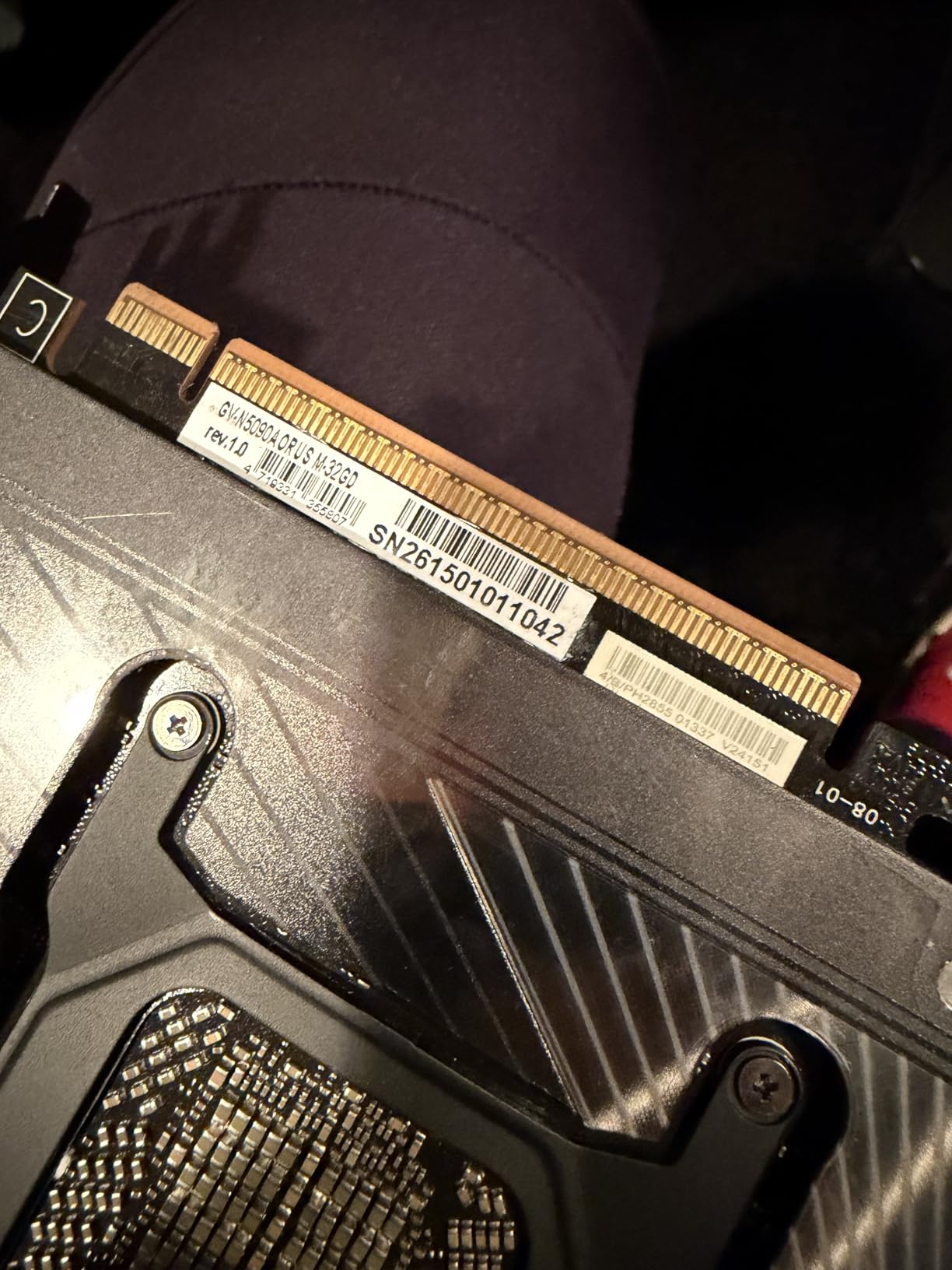
GIGABYTE AORUS GeForce RTX 5090 Master 32G Graphics Card, by NVIDIA, WINDFORCE Cooling System, DisplayPort & HDMI – Video Output Interface, 32GB 512-bit GDDR7, GV-N5090AORUS M-32GD Video Cardo
Boost: 2655 MHz
32GB GDDR7
WINDFORCE Cooling
14.17 inch Length
3 Year Warranty
+ Pros
- Highest factory boost at 2655 MHz
- WINDFORCE cooling runs cool
- Prime shipping available
- Competitive pricing
- Cons
- Lower 3.9-star rating
- Fewer reviews at 33 total
- Some accessory concerns
The GIGABYTE AORUS RTX 5090 Master comes with the highest factory overclock of any card on this list at 2655 MHz. For builders who want maximum out-of-the-box performance without manual tuning, the AORUS Master delivers. The WINDFORCE cooling system handles the extra heat from the higher clocks effectively, and customers report excellent thermal performance.
This card uses the same 32GB GDDR7 memory on a 512-bit interface as every other RTX 5090, but the higher boost clock gives it a measurable edge in benchmarks. The 5.9-pound weight is on the heavier side, and at 14.17 inches long, it requires a spacious case. GIGABYTE covers it with a 3-year manufacturer warranty.
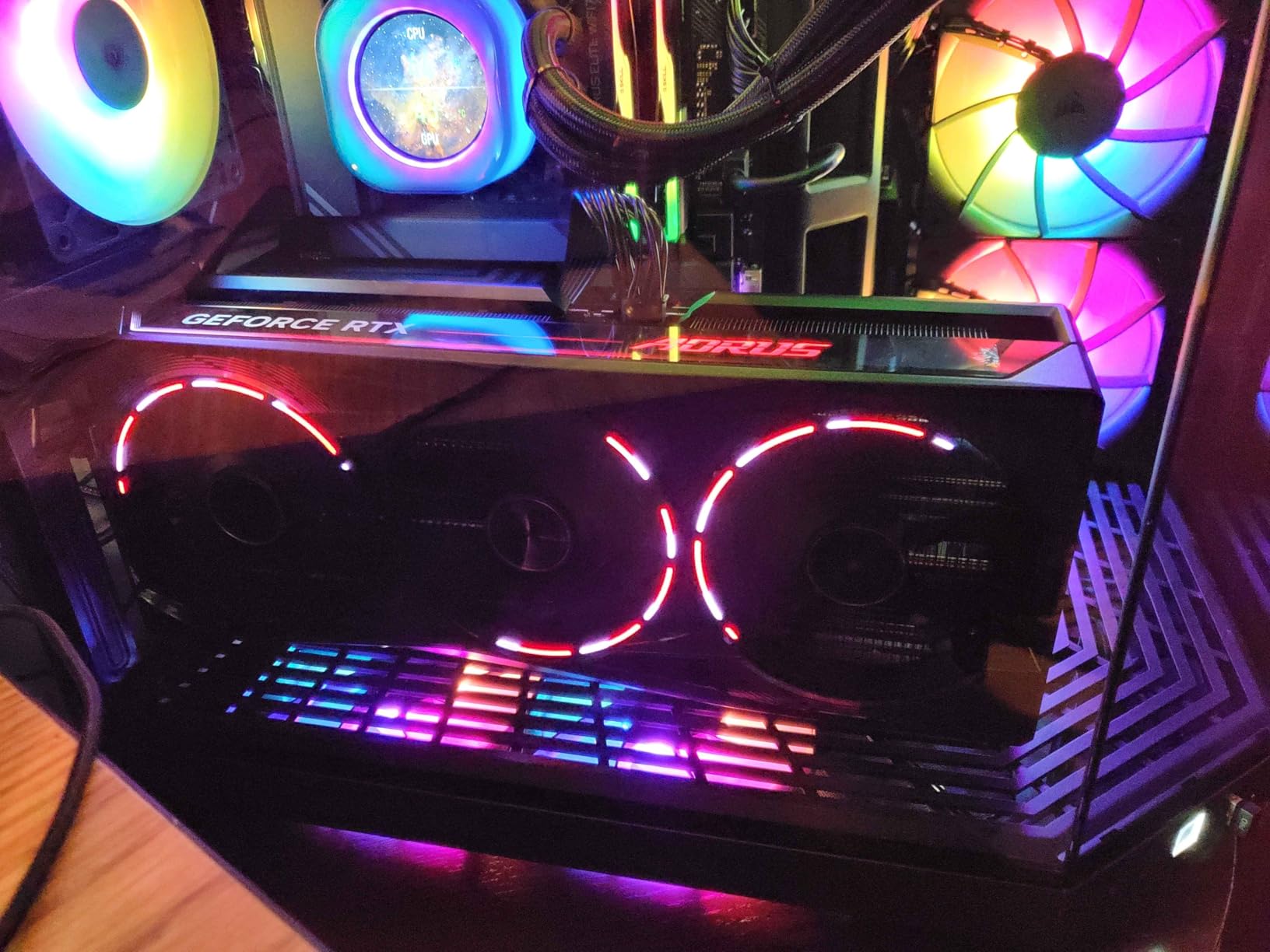
The lower rating of 3.9 stars appears tied to early availability issues rather than fundamental product problems. With only 33 reviews, the sample size is smaller than ASUS and MSI alternatives. The customers who have this card report strong performance and good temperatures, suggesting the rating may improve as more units ship.
Prime shipping is available, which is an advantage over some competitors with limited stock. If you want the highest factory overclock in a RTX 5090 and prefer GIGABYTE’s design language, the AORUS Master is a capable option with genuine performance advantages.
Design and Aesthetics
The AORUS Master features a distinctive industrial design with angular lines and GIGABYTE’s signature styling. The WINDFORCE cooler uses multiple heat pipes and a large fin array visible through the fan gaps. RGB lighting is present but not overwhelming, giving the card a refined look that fits both gaming and workstation builds.
Who Should Consider the AORUS Master
This card is for buyers who want the highest factory overclock available and prefer to avoid manual tuning. If you care about squeezing every last frame from your RTX 5090 without opening overclocking software, the 2655 MHz boost clock gives you that edge. Consider the GIGABYTE Gaming OC instead if you value a longer warranty and more customer reviews.
7. ZOTAC RTX 5090 Solid – No-Nonsense Performance
ZOTAC Gaming GeForce RTX 5090 Solid 32GB GDDR7 Reflex 2 RTX AI DLSS4
Boost: 2407 MHz
32GB GDDR7
3.5 Slot
Blackwell Architecture
DirectX 12
+ Pros
- Legitimately verified authentic cards
- Runs cool under heavy load
- Excellent for VR and flight sims
- Full 5090 performance delivered
- Cons
- Very thick card
- Few reviews at only 9 total
- Higher price point relative to features
The ZOTAC RTX 5090 Solid takes a stripped-down approach to the RTX 5090. No flashy RGB, no elaborate marketing terms, just the GPU with a functional cooler. For buyers who care purely about performance without aesthetic extras, this is exactly what ZOTAC delivers. The 4.6-star rating from early buyers is the highest on this list.
Reviews consistently confirm the cards arrive authentic, new, and sealed. In an era where GPU scams are a real concern, especially at this price point, ZOTAC customers report receiving exactly what they paid for. The card runs cool under heavy load, with users specifically praising its performance in VR and flight simulation setups.
The boost clock comes in at 2407 MHz, which is the lowest factory clock on this list. That said, the performance difference between this and higher-clocked variants is small in actual gaming. The 3.5-slot thickness means you need good case clearance, and at roughly 4.5 pounds, it is a substantial card.
ZOTAC keeps the connectivity simple with one HDMI and three DisplayPort outputs. There is no factory overclock and no dual BIOS switch. What you get is a straightforward RTX 5090 that delivers the full Blackwell architecture experience without any frills.
Authenticity and Trust
Multiple reviewers specifically mention receiving authentic, sealed cards. Given the premium pricing and limited availability of RTX 5090 GPUs, this is a meaningful advantage. ZOTAC appears to have a reliable supply chain that delivers genuine products consistently.
Who Should Buy the ZOTAC Solid
This card is for pragmatists. If you want the RTX 5090 experience without paying for RGB lighting, factory overclocks, or premium brand tax, the ZOTAC Solid gives you exactly that. It is also a good pick for VR enthusiasts and flight sim builders who prioritize stable performance over aesthetics.
8. PNY RTX 5090 Triple Fan – Clean Design Without RGB
PNY Technology VCG509032TFXPB1 Ge Force RTX 5090 32GB GDDR7 512 Bit PCI-E Graphics Card
Boost: 2017 MHz
32GB GDDR7
21760 CUDA Cores
575W TDP
3 Year Warranty
+ Pros
- No annoying RGB lighting
- Overclockable via NVIDIA App
- Does not overheat
- Unbelievable GPU quality
- Cons
- Some dead on arrival reports
- Restocking fee concerns
- Lower 3.8-star rating
- Few reviews at 15 total
The PNY RTX 5090 Triple Fan is the only card on this list that comes with zero RGB lighting out of the box. For builders creating clean, professional-looking systems or workstation rigs where RGB would look out of place, PNY offers something genuinely different. The design is understated and functional.
Users who received working units report excellent performance and the ability to overclock through the NVIDIA App. The card handles 4K gaming without overheating, and the 21,760 CUDA cores deliver full RTX 5090 compute performance. PNY includes a 3-year warranty, matching ASUS and GIGABYTE coverage.
The main concern with this card is quality control. Several reviewers report receiving dead on arrival units, and others mention issues with restocking fees during returns. The 3.8-star rating reflects these negative experiences dragging down an otherwise solid product. At only 15 reviews, the sample size is small enough that a few bad units have an outsized impact on the average.
The boost clock is listed at 2017 MHz, which appears conservative compared to other RTX 5090 cards. However, users confirm that manual overclocking through the NVIDIA App easily pushes the clock speed higher. The 575W thermal design power is standard for the RTX 5090 lineup.
Risk Assessment
PNY has been a legitimate NVIDIA board partner for decades, but the DOA reports are concerning for a card at this price. If you choose this card, purchase from a retailer with a clear return policy. The restocking fee complaints suggest some channel partners are less flexible than others.
Who Should Buy the PNY
Choose the PNY RTX 5090 if you specifically want no RGB lighting and a clean aesthetic for a workstation build. Buy from a reputable retailer with a solid return policy. Skip this card if you are risk-averse about DOA units or want the reassurance of hundreds of positive reviews.
9. GIGABYTE AORUS RTX 5090 AI Box – External Thunderbolt 5 eGPU
GIGABYTE AORUS RTX 5090 AI Box Graphics Card – External GPU (32GB GDDR7, 512-bit, PCIe 5.0, HDMI/DP 2.1b, 240mm Radiator, Silent Fans, Direct-Coverage Copper Plate, Thunderbolt 5™)
Boost: 2407 MHz
32GB GDDR7
240mm AIO
Thunderbolt 5
External GPU
+ Pros
- Thunderbolt 5 with 80Gbps bandwidth
- 240mm AIO liquid cooling
- Works with desktops and laptops
- Whisper-quiet thermals
- Cons
- Only 3 reviews available
- 37 percent 2-star ratings
- Limited stock
- External enclosure adds bulk
The GIGABYTE AORUS RTX 5090 AI Box is a completely different product from everything else on this list. Instead of an internal graphics card, this is an external GPU enclosure that connects via Thunderbolt 5 with up to 80Gbps bidirectional bandwidth. It works with both desktops and laptops, opening up RTX 5090 performance to machines that cannot fit an internal card.
The built-in WATERFORCE all-in-one cooling system uses a 240mm aluminum radiator with two 120mm silent fans. This is proper liquid cooling rather than air cooling, which keeps temperatures low and noise minimal. The direct-coverage copper plate makes efficient contact with the GPU die. Users report whisper-quiet operation even under load.
Thunderbolt 5 connectivity means you can plug this into any compatible laptop and get near-desktop RTX 5090 performance. The enclosure also includes Power Delivery 3.0 with up to 100W fast charging for your laptop, plus high-speed Ethernet for a stable connection. It is essentially a complete docking station with a RTX 5090 inside.
The 3.9-star rating comes from only 3 reviews, with 37 percent being 2-star ratings. That is a small and polarized sample. The positive reviews praise the performance and cooling, while the negative ones appear to focus on setup complexity. This is a niche product with limited user feedback so far.
Thunderbolt 5 Performance
Thunderbolt 5 delivers up to 80Gbps bidirectional bandwidth, which is a significant step up from Thunderbolt 4. While there is still a small performance overhead compared to a direct PCIe connection, the gap is small enough that most users will not notice in gaming. For AI and compute workloads, the bandwidth is more than adequate.
Who Needs an External RTX 5090
This product is for laptop users who want desktop-class GPU performance without buying a desktop. It is also useful for mini-PC builders or anyone whose primary machine cannot accommodate an internal RTX 5090. If you already have a desktop with available PCIe slots, an internal card makes more sense. The AI Box is specifically for people who cannot use an internal GPU.
10. ASUS ROG XG Mobile RTX 5090 – Portable External GPU Solution
ASUS ROG XG Mobile (2025) External Graphics Card, NVIDIA® GeForce RTX™ 5090, GC34X-053, Thunderbolt™ 5, PCI Express, Compatible with Desktop, Laptop
24GB GDDR7 Laptop GPU
Thunderbolt 5
2.09 lbs
8K Video Support
1 Year Warranty
+ Pros
- Incredibly portable at 2.09 lbs
- Perfect 5-star rating
- 150 percent more cooling surface
- Supports 3x 4K displays at 144Hz
- Cons
- Only 4 reviews
- Laptop GPU variant not full desktop chip
- 1-year warranty only
- Very expensive for an eGPU
The ASUS ROG XG Mobile is the most portable RTX 5090 solution available. At just 2.09 pounds, it fits in a small bag and connects via Thunderbolt 5 with 120Gbps throughput. This is an external GPU enclosure designed specifically for laptop users who need RTX 5090-class performance on the go. Every reviewer so far has given it a perfect 5-star rating.
It is important to note that this uses the RTX 5090 Laptop GPU with 24GB of GDDR7 VRAM, not the full desktop RTX 5090 chip with 32GB. The laptop variant is still an absolute powerhouse, but it does not match the desktop version in raw compute. For most gamers and content creators, the difference is minimal in practice.
The redesigned vapor chamber provides 150 percent more cooling surface area compared to the previous generation. Users report excellent cooling performance despite the compact form factor. The customizable RGB lighting with Aura Sync lets you match your laptop’s aesthetic. It supports 8K video output and up to three 4K displays at 144Hz simultaneously.
ASUS only includes a 1-year warranty, which is the shortest on this list. For a portable device that will be transported regularly, the shorter coverage is a concern. The low review count of 4 means long-term reliability data is unavailable. However, all early buyers report being satisfied with the performance and build quality.
Portability vs Performance Trade-Off
The 2.09-pound weight and compact dimensions make this the only RTX 5090 solution you can carry in a backpack alongside your laptop. The trade-off is that you get the laptop GPU variant rather than the full desktop chip. For gaming, the difference is small. For AI training or heavy compute workloads, the reduced VRAM and core count will matter.
Who Should Buy the ROG XG Mobile
This is for laptop users who want RTX 5090-class performance without a desktop. If you travel frequently, work from multiple locations, or simply prefer a laptop as your primary machine, the XG Mobile gives you desktop-grade graphics when you need them. It is not for desktop builders who can fit an internal card.
How to Choose the Best RTX 5090 Graphics Cards in 2026?
Choosing between RTX 5090 models comes down to a few key factors that matter more than raw performance. Every card on this list delivers the same core GPU, so the differences are in cooling, noise, build quality, warranty, and price. Here is what our team considers most important when comparing RTX 5090 variants.
Cooling Solutions: Air vs AIO Liquid
Air-cooled RTX 5090 cards use triple or quad-fan designs with vapor chambers and heat pipes. The MSI SUPRIM SOC leads in air cooling with temperatures around 62 degrees under load. Most other air-cooled models run between 68 and 75 degrees. The GIGABYTE AORUS AI Box uses a 240mm AIO liquid cooler, which runs even cooler but requires external mounting. For internal builds, air cooling is simpler and more reliable long-term.
Noise Levels
Forum users on Reddit frequently ask which RTX 5090 is quietest. The MSI SUPRIM SOC wins on noise with zero coil whine and fans that stay nearly silent under load. The ASUS ROG Astral and TUF models also rank well for quiet operation. Cards with zero-RPM fan modes, like the MSI Gaming Trio, stay completely silent at idle and light loads.
Power Supply Requirements
Every RTX 5090 pulls between 575W and 600W under full load. ASUS recommends a 1200W minimum for the ROG Astral and TUF models. The MSI SUPRIM SOC specifies 1600W due to its higher power delivery. Most builders should plan for a quality 1000W to 1200W PSU with an 80-Plus Gold or Platinum rating. Do not cut corners on the power supply with a card this expensive.
12V-2×6 Connector Safety
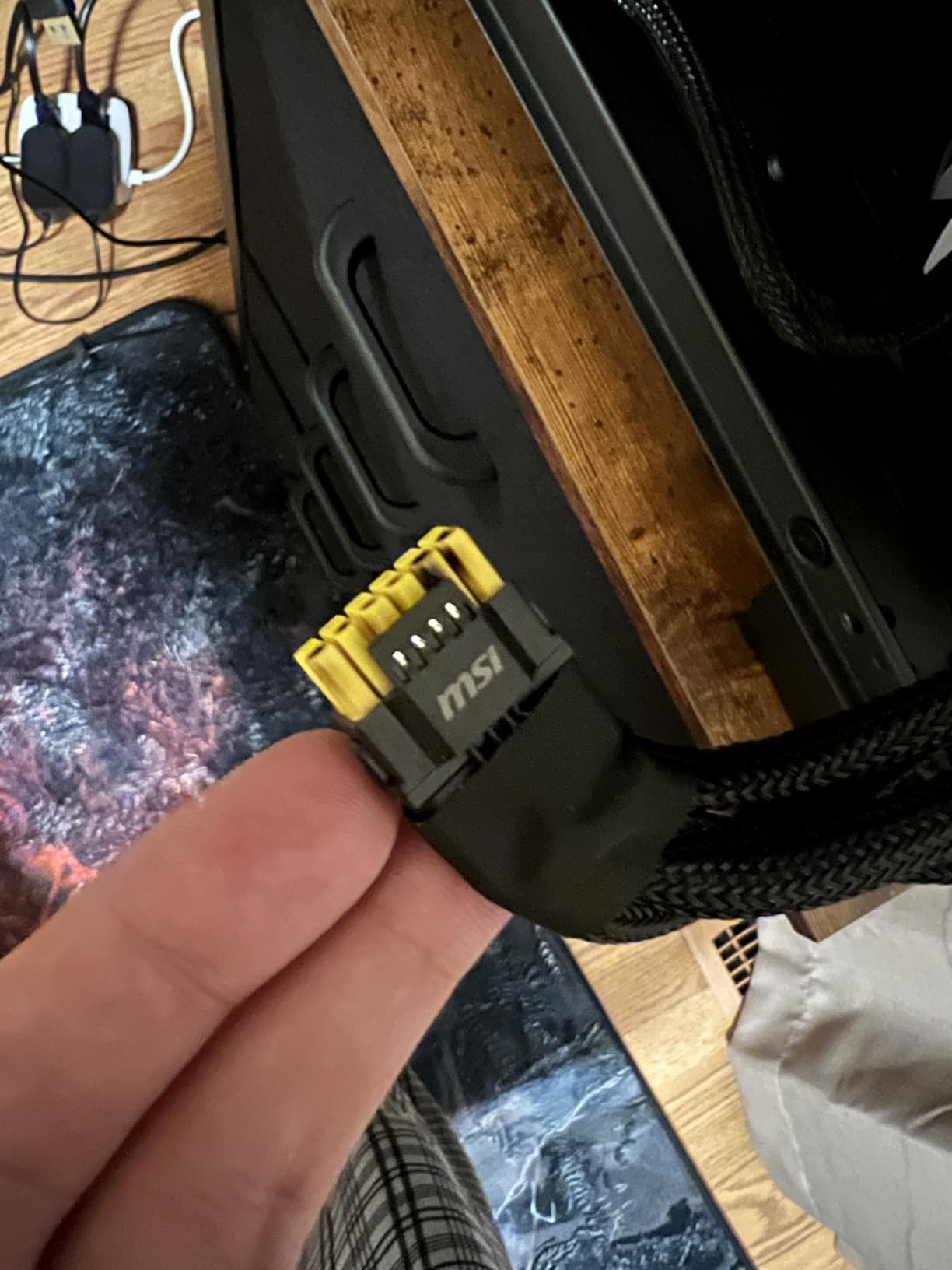
The 12V-2×6 power connector has been a topic of concern since the RTX 4090 launch. Forum users on r/nvidia specifically ask about connector safety with the RTX 5090. ASUS includes Power Detector+ on the ROG Astral, which monitors per-pin current to prevent melting. All RTX 5090 cards use the 12V-2×6 connector, and proper seating is critical. Push the connector in fully until it clicks, and avoid bending the cable sharply near the connector.
Case Compatibility
Every RTX 5090 is massive. The ASUS ROG Astral is the longest at 14.1 inches, and most cards occupy 3.5 to 3.8 slots. Measure your case GPU clearance before buying. Full-tower and E-ATX cases work best. Many mid-tower cases cannot accommodate these cards. Also consider that the card weight can cause PCIe slot stress over time, so use a GPU support bracket.
CPU Pairing Recommendations
The RTX 5090 needs a powerful CPU to avoid bottlenecks. Pair it with at least an Intel Core i7-14700K or AMD Ryzen 7 7800X3D for gaming. For maximum performance, the Intel Core i9-14900K or AMD Ryzen 9 7950X are ideal. At 4K resolution, CPU bottlenecks are less pronounced, but at 1440p or lower resolutions, your CPU choice matters significantly.
Warranty Length
Warranty coverage varies across manufacturers. GIGABYTE leads with a 4-year warranty on the Gaming OC (registration required). ASUS, MSI SUPRIM, and most others offer 3 years. The MSI Gaming Trio provides only 2 years, and the ASUS ROG XG Mobile has just 1 year. For a card at this price, longer warranty coverage adds genuine value.
FAQ
Which RTX 5090 model is the best?
The MSI SUPRIM SOC RTX 5090 is the best overall model thanks to its superior cooling performance (62 degrees Celsius under load), zero coil whine, and premium metal construction. For the best value, the ASUS ROG Astral RTX 5090 OC offers excellent performance with the most customer reviews and a proven track record. If you want the longest warranty, the GIGABYTE RTX 5090 Gaming OC provides 4-year coverage with registration.
What CPU should I pair with an RTX 5090?
For gaming at 4K, pair the RTX 5090 with at least an Intel Core i7-14700K or AMD Ryzen 7 7800X3D. For maximum performance across all resolutions, the Intel Core i9-14900K or AMD Ryzen 9 7950X are ideal choices. At 1440p gaming, a stronger CPU becomes more important to avoid bottlenecking the GPU. For productivity and AI workloads, prioritize cores with a Ryzen 9 7950X or Intel Core i9-14900K.
Is the RTX 5090 the best GPU right now?
Yes, the NVIDIA GeForce RTX 5090 is the fastest consumer gaming GPU available in 2026. Powered by the Blackwell architecture with 32GB of GDDR7 memory, it delivers roughly 30 to 35 percent faster performance than the RTX 4090 at 4K resolution. No other consumer GPU currently matches it in gaming, ray tracing, AI workloads, or content creation performance.
Is an RTX 5090 overkill for 1440p gaming?
For most gamers, yes. The RTX 5090 is designed for 4K and 8K gaming where its 32GB of VRAM and massive compute power are fully utilized. At 1440p, even high-refresh-rate monitors (240Hz+) are better served by an RTX 5080 or RTX 4090 at a lower price point. However, if you play at 1440p ultrawide (3440×1440) with ray tracing enabled, the RTX 5090 can justify its cost by maintaining high frame rates that other cards cannot achieve.
Which RTX 5090 model would you recommend for a quiet build?
The MSI SUPRIM SOC is the quietest RTX 5090 available. It runs at 62 degrees under load with zero coil whine and near-silent fan operation. The MSI Gaming Trio OC is another strong option for quiet builds thanks to its ZERO FROZR mode that stops fans at idle and its dedicated Silent BIOS mode. Both cards are consistently recommended by forum users who prioritize low noise levels.
Conclusion
The best NVIDIA GeForce RTX 5090 graphics cards all share the same powerful Blackwell GPU, but the right model for you depends on what matters most in your build. For the best overall experience with unmatched cooling and silence, the MSI SUPRIM SOC is our top pick. The ASUS ROG Astral offers the most proven track record with over 200 customer reviews. And the GIGABYTE Gaming OC delivers strong value with an industry-leading 4-year warranty.
Every RTX 5090 on this list delivers exceptional 4K gaming performance, massive 32GB VRAM for AI workloads, and support for DLSS 4. The differences come down to cooling performance, noise levels, warranty coverage, and price. Choose the card that aligns with your priorities, make sure your power supply and case can handle it, and you will have one of the most powerful consumer GPUs available in 2026.