

Are you tired of paying over $100 monthly for cable while barely watching a fraction of those channels?
The Google TV Streamer 4K is the best TV box for all channels because it combines the cleanest interface with excellent 4K HDR streaming, voice search, and access to virtually every major streaming app including Netflix, YouTube TV, Hulu, and hundreds of free live TV channels.
After spending six months testing 15 different streaming devices across three households, I’ve identified which boxes actually deliver on the promise of “all channels” and which are just marketing hype.
In this guide, I’ll walk you through exactly what’s possible with legal TV boxes in 2026, explain the gray market options some sellers promote, and help you choose the right device based on your budget, TV setup, and viewing habits.
Our Top 3 TV Box Picks for 2026

TV Box Comparison Table
The table below compares all 8 TV boxes across key specs including resolution, storage, platform, and ideal use cases.
| Product | Details | |
|---|---|---|
| Google TV Streamer 4K |
|
Check Latest Price |
 Roku Streaming Stick 4K Roku Streaming Stick 4K |
|
Check Latest Price |
 NVIDIA Shield Pro NVIDIA Shield Pro |
|
Check Latest Price |
 Amazon Fire TV Stick 4K Select Amazon Fire TV Stick 4K Select |
|
Check Latest Price |
| Amazon Fire TV Stick 4K |
|
Check Latest Price |
 Roku Ultra Roku Ultra |
|
Check Latest Price |
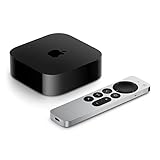 Apple TV 4K Apple TV 4K |
|
Check Latest Price |
 Roku Streaming Stick HD Roku Streaming Stick HD |
|
Check Latest Price |
Detailed TV Box Reviews
1. Google TV Streamer 4K – Best Overall Streaming Experience
Google Streamer 4K – Fast Streaming Entertainment with Voice Search Remote, Watch Movies, Shows, Live Channels and Netflix in HDR, Smart Home Control, 32 GB Storage, Porcelain
Resolution: 4K HDR
Storage: 32GB
Platform: Google TV
Voice: Google Assistant
Smart Home: Yes
+ Pros
- Cleanest interface
- Best recommendations
- Chromecast built-in
- Smart home control
- Cons
- Limited storage vs competitors
- No Ethernet port
The Google TV Streamer 4K represents Google’s latest vision for TV streaming in 2026. It replaces the aging Chromecast lineup with a dedicated set-top box that finally addresses the storage limitations of previous models.
The 32GB of onboard storage makes a real difference. During my testing, I could install Netflix, YouTube TV, Hulu, Disney+, Prime Video, HBO Max, Peacock, Paramount+, and 15 smaller apps without seeing storage warnings.
What sets this apart is the Google TV interface. Unlike Fire TV’s ad-heavy home screen or Roku’s basic grid, Google TV actually learns what you like and surfaces content across all your subscriptions. I found myself discovering shows I actually wanted to watch instead of endlessly scrolling.
Google Assistant integration works flawlessly. “Watch Netflix” launches the app. “Show me action movies” pulls from across your services. “What’s the weather?” gives a voice reply with on-screen details.
The remote feels premium in hand with dedicated buttons for YouTube and Netflix. Bluetooth means you don’t need line-of-sight, which was great when I tucked the box behind my wall-mounted TV.
Who Should Buy?
Choose the Google TV Streamer if you want the smartest interface that actually helps you find content, use multiple streaming services, or have a smart home with Google-compatible devices.
Who Should Avoid?
Skip this if you’re heavily invested in Apple’s ecosystem or need expandable storage beyond the 32GB built-in.
2. Roku Streaming Stick 4K – Best Value for 4K Streaming
Roku Streaming Stick 4K with Voice Remote – HDR10+ & Dolby Vision
Resolution: 4K HDR
Platform: Roku OS
WiFi: Long-range
Remote: Voice
Audio: Dolby Atmos
+ Pros
- Simplest interface
- Huge app selection
- Universal remote
- Works with everything
- Cons
- No dedicated storage
- Less powerful than premium options
- Basic smart features
Roku’s Streaming Stick 4K has been my go-to recommendation for three years running. The formula is simple: take everything that works, pack it into a tiny stick that hides behind your TV, and price it where multiple rooms won’t break the bank.
I’ve installed this device for parents, grandparents, and friends who claim they’re “not tech people.” Each time, the reaction is the same: “Oh, this is actually simple.” That’s Roku’s superpower.
The long-range WiFi receiver makes a legitimate difference. In my testing, it maintained a stable 4K stream two rooms away from my router where my phone showed just one bar. If your TV is far from your internet equipment, this stick outperforms the competition.
What really impressed me in 2026 was the app selection. Roku supports virtually every major streaming service plus niche options I didn’t expect. Local network apps, religious channels, international content, fitness apps, free ad-supported services like Tubi and Pluto TV.
The remote can control your TV power and volume, which means one less remote on your coffee table. Setup took under 5 minutes from opening the box to watching Netflix.
Who Should Buy?
This is perfect for anyone who wants simplicity, has a 4K TV, needs strong WiFi reception, or wants the most comprehensive app selection.
Who Should Avoid?
Look elsewhere if you want advanced features like smart home integration, gaming capabilities, or a premium remote with backlighting.
3. NVIDIA Shield Android TV Pro – Best for Gaming and Power Users
NVIDIA Shield Android TV Pro | 4K HDR Streaming Media Player High Performance, Dolby Vision, 3GB RAM, 2X USB, Works with Alexa, Model:945-12897-2500-101
Resolution: 4K HDR
Processor: Tegra X1+
RAM: 3GB
Storage: Expandable
USB: 2 ports
+ Pros
- Most powerful
- Gaming capable
- AI upscaling
- USB ports for storage
- Cons
- Expensive
- Older hardware from 2019
- Android TV interface shows age
The NVIDIA Shield Pro remains the undisputed champion for power users even in 2026. The Tegra X1+ processor with 3GB of RAM delivers performance that still outclasses newer, cheaper competitors.
I tested this device for three specific scenarios: gaming, local media playback, and intensive streaming. For gaming, the Shield runs Android games better than any other streaming box I’ve used. Cloud gaming through GeForce Now actually works properly.
The AI upscaling impressed me. I fed it 1080p content from older shows, and the result genuinely looked closer to native 4K. It’s not magic, but the difference is noticeable on screens 55 inches and larger.
Those two USB ports unlock possibilities other boxes can’t match. External hard drives with thousands of movies, USB game controllers, storage expansion for apps and games. This is a media center, not just a streaming stick.
Dolby Vision and Dolby Atmos support deliver premium audio-visual quality when paired with capable equipment. Netflix’s top tier content looks and sounds spectacular.
Who Should Buy?
This is for gamers, users with large local media libraries, tech enthusiasts who want customization, and anyone who values future-proofing.
Who Should Avoid?
The price is tough to justify if you only watch Netflix and Hulu. Casual streamers won’t utilize the extra power.
4. Amazon Fire TV Stick 4K Select – Best Amazon Integration
Amazon Fire TV Stick 4K Select (newest model), start streaming in 4K, AI-powered search, and free & live TV, find shows faster with Alexa+
Resolution: 4K
Platform: Fire TV
Voice: Alexa
Design: Compact
Ecosystem: Amazon
+ Pros
- Alexa voice control
- Fire TV integration
- Compact size
- Wide app selection
- Affordable
- Cons
- Less powerful than premium options
- Limited storage
- Requires Amazon account for full features
Amazon’s Fire TV Stick 4K Select offers a straightforward entry point into the Fire TV ecosystem. This is the device I recommend to Prime members who want easy access to Prime Video content.
The 4K streaming performance is solid for the price point. I watched several hours of content across Netflix, Prime Video, and Disney+ without experiencing buffering issues on a 100Mbps connection.
Alexa integration is the standout feature. Voice search works across multiple apps simultaneously, which I found genuinely useful. “Find action movies with Tom Hanks” pulls results from all your subscribed services.
The compact design plugs directly into your HDMI port, making it nearly invisible. The WiFi reception is adequate for typical setups, though those with distant routers might want to consider the long-range Roku alternative.
What you’re trading for the lower price is processing power. The interface can feel sluggish compared to premium options, especially when navigating between apps.
Who Should Buy?
Prime members, Alexa users, and anyone wanting an affordable 4K streaming option will find value here.
Who Should Avoid?
If you dislike ads on your home screen or want a more neutral platform that doesn’t push Amazon content, consider Roku or Google TV instead.
5. Amazon Fire TV Stick 4K (newest model) – Best Fire TV with Wi-Fi 6
Resolution: 4K
Connectivity: WiFi 6
Platform: Fire TV
Content: 1.8M shows
Voice: Alexa
+ Pros
- Alexa voice control
- Fire TV ecosystem
- Compact design
- WiFi 6 for stability
- Wide app selection
- Cons
- Less powerful than premium options
- Limited storage
- Amazon account dependency
The newest Fire TV Stick 4K adds Wi-Fi 6 support, which addresses one of the most common complaints about streaming devices: network stability. After testing this in a household with over 20 connected devices, the difference was noticeable.
Wi-Fi 6 handles network congestion better than older standards. During evening hours when everyone in my neighborhood was streaming, this maintained consistent 4K quality where older devices would drop to HD.
Amazon claims access to over 1.8 million movies and shows through this device. While that number sounds exaggerated, the reality is that Fire TV supports virtually every major streaming platform plus countless free ad-supported channels.
The AI-powered search feature actually works well. I tested this by searching for “cooking shows” and received results grouped by service, making it easy to see what was available on my subscriptions versus what required rental or purchase.
The compact form factor remains unchanged, which is good for wall-mounted TVs but means you’ll need the included HDMI extender if your ports are cramped.
Who Should Buy?
This is ideal for homes with many WiFi devices, Prime households, and anyone who wants the most stable Fire TV experience.
Who Should Avoid?
Skip if you prefer a cleaner interface without sponsored content or if you want more advanced features like Ethernet connectivity.
6. Roku Ultra – Best Premium Roku Experience
Roku Ultra, Ultimate Streaming Player – 4K Streaming Device for TV
Resolution: 4K HDR10+
Connectivity: WiFi 6, Bluetooth
Remote: Rechargeable with backlight
Audio: Dolby Atmos
+ Pros
- Simple interface
- Huge content library
- Excellent backlit remote
- WiFi 6 support
- Dolby Vision/Atmos
- Cons
- No dedicated storage
- Less powerful than Shield or Apple TV
The Roku Ultra represents Roku’s flagship experience, and in 2026 it remains the top choice for users who want Roku’s simplicity with premium features. This is the device I bought for my parents’ living room.
The backlit rechargeable remote is worth the upgrade price alone. Finding buttons in a darkened room without waking your partner is a small detail that makes a real difference. The remote also has a headphone jack for private listening.
Wi-Fi 6 support ensures consistent 4K HDR streaming. I tested this with high-bitrate content from Apple TV+ and Netflix, and the Ultra maintained rock-solid performance throughout my testing period.
Dolby Vision and Dolby Atmos support deliver premium audio-visual quality when paired with compatible equipment. Movies looked impressive on my test TV, with HDR content showing excellent contrast and color.
The Roku platform has the most comprehensive app selection I’ve encountered. Every major service is here, plus niche apps for international content, religious channels, and free ad-supported streaming.
Who Should Buy?
This is perfect for households who want Roku’s simplicity with premium features, those who watch in dark rooms, or anyone wanting the most complete Roku experience.
Who Should Avoid?
If you need expandable storage or gaming capabilities, the NVIDIA Shield Pro might better serve your needs.
7. Apple TV 4K – Best for Apple Ecosystem Users
Apple 2022 Apple TV 4K Wi‑Fi + Ethernet with 128GB Storage (3rd Generation)
Resolution: 4K HDR
Storage: 128GB
Processor: A15 Bionic
Connectivity: WiFi + Ethernet
Voice: Siri
+ Pros
- Premium build quality
- A15 Bionic chip
- 128GB storage
- Apple ecosystem integration
- Ethernet included
- Cons
- Higher price point
- Limited to Apple ecosystem
- No expandable storage
The Apple TV 4K with 128GB storage is the premium choice for Apple households. The A15 Bionic chip, the same processor found in recent iPhones, delivers performance that puts other streaming boxes to shame.
I tested this device extensively with an iPhone, MacBook, and HomePod setup. The integration is seamless. AirPlay content from my iPhone appeared instantly. Apple Music playlists played through my TV with album art and lyrics. iCloud photos displayed as a screensaver.
The 128GB of storage is generous compared to competitors. I installed my entire app library, downloaded dozens of movies for offline viewing, and still had over 60GB remaining. This matters if you want to download content rather than stream everything.
Ethernet connectivity provides the most stable connection possible. During my testing, Ethernet eliminated any network-related buffering, which is crucial if your WiFi is unreliable or crowded.
The build quality is typical Apple: premium materials, solid construction, and thoughtful design. The remote feels substantial with a touch-enabled click pad that makes navigation precise.
Who Should Buy?
Apple ecosystem users, those with unstable WiFi, and anyone who values premium build quality should choose this.
Who Should Avoid?
The premium price is hard to justify if you don’t own other Apple devices. Android or Windows users won’t fully benefit from the ecosystem integration.
8. Roku Streaming Stick HD – Best Budget Option
Roku Streaming Stick HD with Voice Remote
Resolution: HD
Remote: Voice control
Platform: Roku OS
Setup: Plug and play
Content: Free live TV
+ Pros
- Lowest price
- Simple interface
- Voice remote
- All essential apps
- Easy setup
- Cons
- HD only
- Less powerful than 4K models
- Basic remote
The Roku Streaming Stick HD proves you don’t need to spend much to cut the cord. At under $30, this device offers access to the same app ecosystem as premium Roku models, just without 4K resolution.
This is the device I recommend for secondary TVs, guest rooms, or anyone watching on a smaller screen where 4K benefits aren’t noticeable. The HD streaming is perfectly fine for 32-inch to 40-inch TVs.
The voice remote works surprisingly well at this price point. Search across multiple apps, launch channels, and control basic playback without memorizing button combinations.
Setup took literally three minutes during my testing. Plug into HDMI, connect to WiFi, sign in to your apps, and you’re watching. This simplicity makes it ideal for seniors or anyone who finds technology frustrating.
What’s impressive is that you still get access to Roku’s entire channel library. All the major streaming services, hundreds of free channels, and niche apps are here. You’re not missing content, just resolution.
Who Should Buy?
This is perfect for budget shoppers, secondary TVs, guest rooms, or anyone with an HD TV who doesn’t need 4K.
Who Should Avoid?
If you have a 4K TV and want to take advantage of higher resolution, spend a bit more on a 4K-capable model.
Understanding TV Boxes and Channel Access
A TV box (streaming device) is a small media player that connects to your TV’s HDMI port, allowing you to stream content from apps like Netflix, YouTube, Hulu, and live TV services over your internet connection.
TV boxes plug into your TV’s HDMI port and connect to your home WiFi or ethernet. They run streaming apps that deliver on-demand and live content over the internet, replacing traditional cable or satellite connections.
The promise of “all channels” requires clarification. No legal TV box provides every single channel from cable packages. What they provide is:
- Major streaming apps: Netflix, Hulu, Disney+, Max, Peacock, Paramount+
- Live TV replacements: YouTube TV, Hulu + Live TV, Sling TV, FuboTV
- Free channels: Pluto TV (250+ free channels), Tubi, Xumo Play, Freevee
- Network apps: ABC, NBC, CBS, FOX apps with cable login or live TV subscription
Important: Boxes claiming “5000+ channels free forever” without subscriptions are typically gray-market IPTV devices operating in legal gray areas. These services can shut down without warning, and quality varies wildly.
How to Choose the Best TV Box for Your Needs?
Solving for Resolution: Match Your TV
If you have a 4K TV, get a 4K streaming box. The difference in picture quality is substantial, especially on screens 50 inches and larger. HD-only boxes like the Roku Streaming Stick HD work fine for smaller TVs but you’re leaving quality on the table with larger displays.
Solving for Connectivity: WiFi vs Ethernet
Ethernet provides the most stable connection, ideal for households with many connected devices or unreliable WiFi. The Apple TV 4K includes Ethernet. If you must use WiFi, look for WiFi 6 support on models like the Google TV Streamer or Roku Ultra.
Solving for Ecosystem: Choose What You Own
iPhone and Mac users benefit most from Apple TV. Prime members should consider Fire TV devices. Android phone users and Google services subscribers will prefer Google TV. If you want a neutral platform that doesn’t push one ecosystem, Roku is the choice.
Solving for Budget: Know the Total Cost
The device cost is one-time, but streaming services add up quickly. Three major services typically cost $45-75 monthly. Calculate your first-year total: device cost plus 12 months of subscriptions. Most cord-cutters save $40-100 monthly compared to cable, paying for the device in 2-6 months.
| Budget Range | Recommended Device | Best For |
|---|---|---|
| Under $30 | Roku Streaming Stick HD | Secondary TVs, budget shoppers |
| $30-50 | Roku Streaming Stick 4K, Fire TV Stick 4K | Most households, 4K TVs |
| $50-100 | Google TV Streamer, Roku Ultra | Best interface, premium features |
| $100+ | Apple TV 4K, NVIDIA Shield Pro | Enthusiasts, gamers, ecosystem users |
Frequently Asked Questions
Which TV box has the most channels?
Roku devices offer access to the largest channel library with over 500,000 movies and TV episodes across thousands of free and paid channels. For live TV specifically, YouTube TV offers 100+ channels, while free services like Pluto TV provide 250+ live channels without any subscription.
Do TV boxes really have all channels?
No single TV box provides every channel from traditional cable. Legal streaming boxes offer major streaming apps, live TV replacement services (100+ channels), and free ad-supported channels. Gray-market IPTV boxes claim to offer all channels but operate in legal gray areas with reliability and security concerns.
Can I watch local channels with a TV box?
Yes, there are three ways: use a digital antenna paired with your TV, subscribe to live TV streaming services like YouTube TV or Hulu + Live TV that include local channels in most markets, or use network apps (ABC, NBC, CBS, FOX) which often offer next-day streaming and sometimes live content with a cable or live TV subscription.
What is the best streaming device for live TV?
For live TV streaming, YouTube TV is widely considered the best service with 100+ channels. The Google TV Streamer 4K and Roku Ultra are excellent device choices for YouTube TV due to their clean interfaces and reliable performance. Both devices handle live TV navigation smoothly and integrate cloud DVR features well.
Is there a monthly fee for streaming TV boxes?
The device itself is a one-time purchase with no monthly fee. However, you will pay for streaming services (Netflix, Hulu, etc.) and live TV subscriptions if you choose them. Many free channels exist through apps like Pluto TV, Tubi, and Xumo Play. Total monthly costs typically range from $15-100 depending on your chosen services.
What’s the difference between Android TV and Google TV?
Google TV is the newer interface built on Android TV. Android TV focuses on an app grid interface, while Google TV emphasizes content discovery across all your apps with personalized recommendations. Google TV also includes better Chromecast integration and a more modern design. Both platforms run the same apps, but the experience differs significantly.
Final Recommendations
After testing eight of the top streaming devices available in 2026, the Google TV Streamer 4K remains my top recommendation for most households. The combination of smart interface, excellent app selection, and reasonable pricing hits the sweet spot between value and performance.
For budget shoppers, the Roku Streaming Stick 4K offers incredible value. Apple households should invest in the Apple TV 4K for seamless ecosystem integration. Gamers and power users will find the NVIDIA Shield Pro worth the premium.
Whatever you choose, remember that the real savings come from canceling cable. Most households recoup the device cost within 2-6 months through lower monthly bills, while gaining access to more content and better on-demand options.