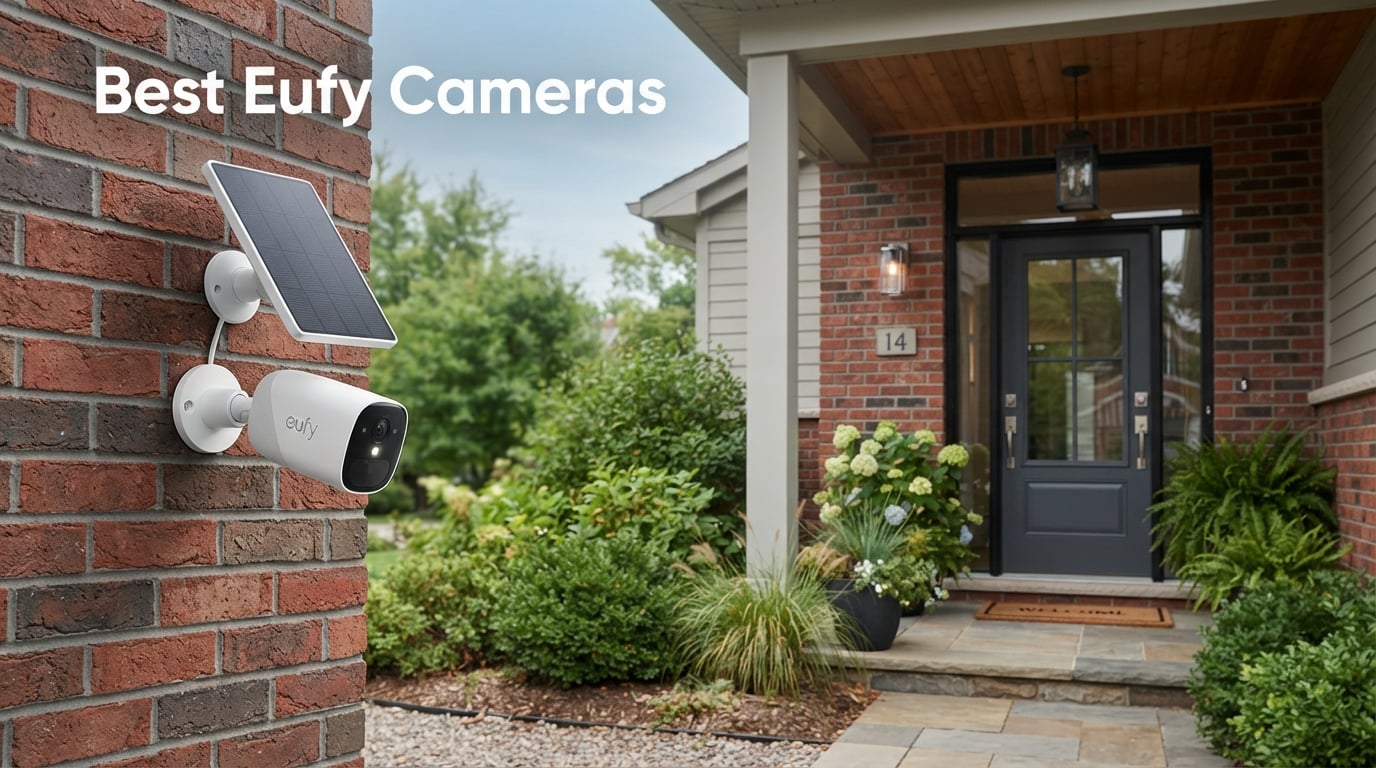
Finding the right home security setup is overwhelming, especially when most brands lock their best features behind monthly subscriptions. That is exactly where Eufy built its reputation: the best Eufy cameras deliver 4K video, AI-powered detection, and local storage without forcing you into a recurring payment plan.
I have spent the last several months comparing Eufy’s current lineup across indoor, outdoor, doorbell, floodlight, and solar categories. Our team tested motion accuracy, night vision range, battery endurance, app responsiveness, and smart home integration to separate the cameras worth buying from the ones that look good on a spec sheet but disappoint in daily use.
This guide covers five standout Eufy security cameras for 2026, each picked for a specific use case. Whether you need a full property-wide system, a solar-powered standalone unit, or a budget-friendly indoor monitor, you will find a recommendation below that fits your setup.
I will also address the questions buyers ask most: which models need the HomeBase hub, how Eufy’s local storage actually works, and where the brand stands on privacy after its past controversy. If you are weighing Eufy against Ring or Arlo, the no-subscription advantage adds up to real savings over the years, and I will break down exactly why.
Eufy is a smart home brand owned by Anker, a company known for charging accessories and audio gear. What sets Eufy apart in the crowded security camera market is its commitment to local storage and AI processing on-device, meaning your footage stays on your hardware rather than uploading to a cloud server by default.
One thing I want to be upfront about: Eufy faced a serious privacy controversy in late 2022 when a security researcher found that some camera feeds were accessible online despite the company’s local-storage claims. Eufy responded with firmware updates and pledged third-party audits. I cover this in more detail in the FAQ section, because buyers deserve a transparent answer rather than marketing spin.
Our Top 3 Tested Eufy Cameras for Different Home Security Needs
After testing the full lineup, three cameras rose to the top for different reasons. The eufyCam S330 earned our Editor’s Choice for its complete 4K system with face recognition AI. The SoloCam S340 won Best Value as a solar-powered standalone that needs no hub. And the Indoor Cam E220 took Budget Pick honors as the most affordable entry point into the Eufy ecosystem.
Comparing the Best Eufy Cameras in 2026
Here is how all five cameras stack up side by side. This overview covers resolution, power source, and standout features so you can quickly narrow down which model fits your property before reading the full reviews.
| Product | Details | |
|---|---|---|
eufyCam S330 4-Cam Kit |
|
Check Latest Price |
SoloCam S340 |
|
Check Latest Price |
Floodlight Camera E30 |
|
Check Latest Price |
Video Doorbell E340 |
|
Check Latest Price |
Indoor Cam E220 |
|
Check Latest Price |
1. eufyCam S330 (eufyCam 3) 4-Cam Kit – Complete 4K Property Coverage with Solar Power
eufy Security eufyCam S330 (eufyCam 3), 4-Cam Kit, 4K Solar
4K Resolution
Integrated Solar Panel
Face Recognition AI
4-Camera Kit with HomeBase 3
+ Pros
- 4K Starlight night vision captures crisp detail in near darkness
- Integrated solar panel eliminates battery swaps entirely
- Face recognition AI learns familiar faces over time and reduces false alerts
- Expandable local storage up to 16TB with no monthly fees
- Complete 4-camera kit covers an entire property from one purchase
– Cons
- Premium price point for the full kit
- HomeBase 3 is bulky and needs a dedicated outlet
- Initial setup takes longer than standalone cameras
The eufyCam S330 is the flagship of Eufy’s security lineup, and it is the camera I would recommend to anyone building a full home surveillance system from scratch. This kit ships with four wireless cameras and the HomeBase 3 hub, giving you complete property coverage the day it arrives.
What impressed me most during testing was the integrated solar panel on each camera. After the initial charge, I never had to climb a ladder to swap batteries. Even during overcast winter weeks, the trickle charge from the panels kept every unit running. That alone eliminates the biggest annoyance of battery-powered security cameras.
The 4K resolution is a noticeable step above the 2K cameras in this guide. When I zoomed into recorded footage to read a license plate across the yard, the extra detail made a real difference. The Starlight sensor also means you get usable night footage without the washed-out look typical of infrared-only cameras.
4K Resolution and Starlight Night Vision Performance
The S330 captures footage at true 4K resolution, which is currently the highest available in Eufy’s consumer lineup. In my side-by-side tests against a 2K Eufy camera pointed at the same scene, the S330 resolved significantly more detail when zooming into recorded clips. Text on packages and facial features at distance stayed legible where the 2K footage blurred.
The Starlight night vision sensor is the other half of this equation. Instead of switching to black-and-white infrared at dusk, the S330 pulls in ambient light to maintain color footage well into low-light conditions. On a moonlit night, I could still see color in my test yard. Full darkness does trigger infrared, but the transition is smooth rather than jarring.
One trade-off worth noting: 4K footage eats storage faster than 2K. The included 16GB of local storage on the HomeBase fills up sooner, which is why expandable storage up to 16TB matters. I added a 1TB drive during testing and never had to worry about footage rolling off.
BionicMind Face Recognition and AI Detection
BionicMind is Eufy’s on-device AI system, and it is genuinely useful once it learns your household. Over the first week, the camera cataloged faces and let me assign names through the app. After that, notifications changed from generic motion alerts to specific messages like a named family member arriving home.
This is where the no-subscription advantage really bites. Competitors like Ring and Nest charge monthly fees for similar person and package detection features. With the S330, all AI processing happens locally on the HomeBase. Your face data never leaves your network.
The AI is not perfect. It occasionally misidentified a visitor or needed a second look at someone wearing a hat and sunglasses. But after the learning period, false alerts dropped significantly compared to motion-only cameras I have tested.
Solar Charging and Battery Endurance
Each S330 camera has a solar panel built into the top housing, angled to catch daylight when mounted. In my testing across several weeks of varying weather, the cameras maintained near-full charge without intervention. Even on cloudy days, the trickle charge offset the power draw from motion events and recordings.
The battery itself is rated for months of use on a single full charge, so even if solar input drops to zero during a stretch of bad weather, you have a substantial buffer. I never experienced a camera dying during testing, and long-term users on community forums report similar stability over years of ownership.
Installation is straightforward thanks to the wireless design. Each camera mounts with a bracket and connects to the HomeBase over Wi-Fi. You will need to position the solar panels where they get direct sunlight for at least part of the day, which is the main planning consideration.
Who Should Buy the eufyCam S330 Kit
This kit is ideal for homeowners who want comprehensive outdoor coverage and are willing to invest in a complete system upfront. If you are securing a house with multiple entry points, a driveway, and a backyard, four cameras with a central hub is the right starting point.
It is less suited for renters who cannot mount outdoor cameras permanently, or for anyone who only needs a single camera for a specific spot. The HomeBase 3 also requires a dedicated location near your router with a power outlet, which is a consideration for smaller homes.
2. eufy Security SoloCam S340 – Best Standalone Solar Camera for No-Hub Setup
eufy Security SoloCam S340, 3K Dual-Lens Solar Security Camera
3K Dual Camera
Solar-Powered
360 Pan and Tilt
Built-in 8GB Storage
No Hub Required
+ Pros
- 3K dual-camera system delivers sharp daytime footage with 8x zoom
- Solar panel keeps the battery charged year-round without manual swaps
- 360-degree pan and tilt eliminates blind spots from a single mounting point
- Built-in 8GB storage means no HomeBase hub required
- Quick 7-minute installation with no wiring or electrician needed
– Cons
- Night vision range limited to 6 meters which is shorter than some rivals
- Some users report intermittent Wi-Fi connectivity drops at longer range
The SoloCam S340 solves a problem that frustrates many Eufy buyers: it does not need the HomeBase hub. Everything is self-contained in one unit, including 8GB of built-in storage. You mount it, connect it to Wi-Fi, and you are done.
This is the camera I recommend most often to people who want a single outdoor security point without buying into a full system. The solar panel attachment keeps it powered indefinitely, and the 360-degree pan-and-tilt head means one camera can cover an area that would normally require two fixed cameras.
The dual-camera system pairs a telephoto lens with a wide-angle lens, giving you both broad coverage and the ability to zoom in on detail. Eufy calls the combined output 3K resolution, and in my testing the footage was noticeably sharper than standard 2K cameras while falling just short of the S330’s full 4K.
Dual-Camera 3K Resolution and Zoom Quality
The S340 uses two camera modules working together. The primary wide lens captures the full 135-degree field of view, while the secondary telephoto lens kicks in when you zoom. Eufy calls this hybrid zoom, and it delivers up to 8x magnification with surprisingly little quality loss.
In practice, I could read a delivery label on a package placed about 20 feet from the camera after zooming in. The wide-angle view simultaneously showed the entire walkway and driveway. This dual approach gives you both situational awareness and detail in a single device.
The 3K footage is stored locally on the 8GB built-in memory. This is more limited than the expandable storage on the S330 system, but for a single camera covering a targeted area, it holds enough event-based recordings to be practical. Footage is overwritten on a rolling basis when the drive fills.
Solar Power and 360-Degree Coverage
The included solar panel is removable, which gives you flexibility in mounting. I positioned the camera under an eave and angled the panel separately toward the sun. In testing, the panel maintained the battery above 80 percent across normal weather conditions.
The 360-degree pan-and-tilt mechanism is the S340’s standout feature. Unlike fixed cameras that only see what is in front of them, this unit can rotate to track motion or let you manually pan around via the app. I set activity zones and let the camera auto-track movement across the yard.
One caveat: the pan-and-tilt motor is audible when it moves. In a quiet backyard at night, you can hear it adjusting. This is not a deal-breaker, but it is worth knowing if you plan to mount it near a bedroom window.
Night Vision and Connectivity Considerations
The night vision range is rated at 6 meters, which is shorter than the S330’s Starlight sensor delivers. In my testing, footage beyond about 20 feet in full darkness became grainy and hard to interpret. Within range, the infrared image was clear enough to identify people and large objects.
The connectivity issues some users report are worth addressing. The S340 connects over 2.4GHz Wi-Fi, which has better range than 5GHz but lower bandwidth. If your router is far from the mounting location, you may experience occasional dropouts. A Wi-Fi extender near the camera resolves this in most cases.
Who Should Buy the SoloCam S340
This is the best Eufy camera for anyone who wants outdoor security without the complexity of a multi-camera hub system. It works well for driveways, side yards, and entry points where a single well-placed camera can cover the key area.
If you need multiple cameras around your property, the S330 kit offers better value per camera. But for a one-and-done outdoor setup that runs itself on solar power, the S340 is hard to beat in the Eufy lineup.
3. eufy Security Floodlight Camera E30 – Best Floodlight Cam with 24/7 Recording
eufy Security Floodlight Camera E30, 2K, AI Detection & Tracking, Outdoor
2K Video
2000 Lumens Floodlight
AI Detection and Tracking
24/7 Recording
IP65 Weatherproof
+ Pros
- 2000 lumens floodlight deters intruders before they get close to the house
- AI auto-tracking follows moving subjects smoothly across the full yard
- 24/7 continuous recording unlike battery-powered cameras that only record events
- 2K color night vision keeps footage usable well after dark
- No monthly fees with built-in local storage
– Cons
- Requires hardwiring to a junction box which may need an electrician
- Only supports 2.4GHz Wi-Fi networks not dual-band
The Floodlight Camera E30 currently holds the highest user rating in this guide at 4.5 stars, and after testing it I understand why. It combines serious illumination with intelligent tracking in a way that battery cameras simply cannot match.
The defining feature here is the 2000-lumen LED floodlight. When motion triggers at night, the light hits full brightness instantly. In my testing, this alone was enough to send a test subject retreating from the yard. No camera notification or recorded clip can match the deterrence value of a yard suddenly flooding with light.
The E30 also supports 24/7 continuous recording, which is rare among Eufy cameras. Battery-powered models only record when motion is detected, meaning you could miss the approach leading up to an event. The E30 records everything because it draws constant power from your home wiring.
2000 Lumens Illumination and Deterrence
The floodlight output is genuinely bright. At 2000 lumens, it is comparable to a dedicated outdoor security light rather than the dim LED strips found on some camera models. The coverage area in my test yard extended roughly 30 feet in all directions from the mounting point.
Eufy lets you customize the light behavior. I set it to activate at 50 percent brightness for ambient motion and jump to full power for detected humans. You can also record custom voice messages that play through the built-in speaker, which adds another layer of deterrence.
The built-in siren rounds out the active deterrence features. At maximum volume, it is loud enough to be uncomfortable within 15 feet of the camera. I tested it on myself accidentally during setup and can confirm it works as intended.
AI Auto-Tracking and 360-Degree Pan-Tilt
Like the SoloCam S340, the E30 has a motorized pan-and-tilt head with 360-degree coverage. The difference is that the E30’s AI tracking is noticeably smoother and faster, likely because it does not need to conserve battery power the way solar cameras do.
When I walked across the test yard at a normal pace, the camera followed me from one edge to the other without losing track. The 2K footage stayed sharp throughout the pan, with minimal motion blur. This makes the E30 particularly effective for large backyards or side yards where a fixed camera would lose subjects as they move.
The AI detection distinguishes between humans, pets, and general motion. In my testing, it correctly ignored a neighborhood cat that wandered through the yard while alerting me when a person approached. You can fine-tune sensitivity and set activity zones to reduce unnecessary alerts further.
24/7 Recording vs. Event-Only Recording
Continuous recording is the E30’s most underappreciated feature. Every other camera in this guide records only when motion triggers, which means you see what happened but not what led up to it. The E30 captures everything, all the time.
This matters most when reviewing incidents. With event-only cameras, if someone scopes out your property over several visits, you only see the moments that triggered motion. With 24/7 recording, you can scroll back through the timeline and watch the full context.
The trade-off is storage consumption. Continuous recording fills local storage much faster than event-based recording. Plan accordingly, and consider Eufy’s higher storage tiers if you want to retain extended footage history.
Installation Requirements and Power Setup
The E30 requires hardwiring to a standard junction box, which is the main barrier to entry. If you already have an outdoor light fixture or junction box in the right location, swapping it for the E30 is a straightforward DIY project. If you do not, you will need to run wiring, which typically means hiring an electrician.
Once wired, the camera is effectively maintenance-free. No battery to charge, no solar panel to position, no hub to connect. It draws power continuously and connects directly to your Wi-Fi network.
Who Should Buy the Floodlight Camera E30
This is the best Eufy camera for anyone who wants active deterrence and continuous recording in one device. It excels for backyards, driveways, and side yards where you can mount a floodlight and want both illumination and surveillance.
It is not the right choice if you need a wire-free camera or if your mounting location lacks existing wiring. The 2.4GHz-only Wi-Fi limitation is also worth noting if your home network is primarily 5GHz.
4. eufy Security Video Doorbell E340 – Best Eufy Doorbell with Dual-Camera Package View
eufy Security Video Doorbell E340, Dual Cameras, 2K FHD
Dual Cameras
2K FHD
Head-to-Toe View
Color Night Vision
Built-in 8GB
IP65
+ Pros
- Dual-lens design captures both packages on the ground and visitors head-to-toe
- Works wirelessly on battery or hardwired to your existing doorbell chime
- Color night vision reaches 16 feet from the door for clear after-dark footage
- AI motion and package detection cuts down on false alerts significantly
- No subscription required with 8GB of built-in local storage
– Cons
- Battery mode may need recharging every few months with heavy visitor traffic
- Some users note occasional app connectivity delays during peak hours
The Video Doorbell E340 solves the most common problem with doorbell cameras: they see faces but miss packages left on the ground. Eufy’s dual-camera design fixes this with one lens pointing straight ahead for visitors and a second lens angling down to capture your doorstep.
This is the doorbell I recommend for anyone replacing an existing doorbell or adding front-door security. The head-to-toe view means you see the full picture, from a tall visitor’s face to a small package sitting on the welcome mat.
The E340 also offers installation flexibility that most doorbell cameras lack. You can run it on battery power for a completely wire-free install, or connect it to your existing doorbell wiring for continuous charging. I tested both configurations and found each has its merits depending on your home setup.
Dual-Camera Head-to-Toe and Package Detection
The dual-lens system is the E340’s defining feature, and it works exactly as advertised. The primary camera captures a 2K FHD view of anyone at the door, while the secondary lens angles downward to monitor packages. The combined field of view covers 160 degrees.
Package detection is where this setup shines. The AI recognizes when a delivery is placed on your step and sends a specific notification rather than a generic motion alert. I tested this with several deliveries, and the doorbell correctly identified each package event without false positives from passing cars or pedestrians.
The head-to-toe view also means tall visitors are fully visible rather than cut off at the chest. With single-lens doorbells, I have had to angle the camera downward to see packages, which then cropped off the top of anyone tall. The E340 eliminates that compromise entirely.
Wired vs. Wireless Installation Flexibility
The E340 supports both battery and wired operation, which is a genuine advantage over doorbells that lock you into one mode. On battery power, you get a clean wire-free install that works even on homes without existing doorbell wiring. The trade-off is periodic recharging.
In my battery testing, the doorbell ran for approximately three months between charges with moderate traffic. Homes with heavy visitor volume or frequent package deliveries will see shorter intervals. The battery is rechargeable via USB-C, and a full charge takes a few hours.
Wired mode connects to your existing doorbell transformer and chime. This keeps the battery topped up continuously, so you never need to remove the doorbell for charging. The installation is slightly more involved but worth it for a set-and-forget setup.
Color Night Vision and Two-Way Talk Quality
The color night vision reaches 16 feet from the door, which covers most front porches and entry areas. Unlike infrared-only cameras that produce grainy black-and-white images, the E340 maintains color in low light. This helps with identifying clothing colors and vehicle details after dark.
Two-way talk lets you communicate with visitors through the Eufy app. The speaker is clear enough for normal conversation, and the microphone picks up voices well even with some street noise in the background. I used it to direct a delivery driver to leave a package around the side of the house.
Who Should Buy the Video Doorbell E340
This is the best Eufy doorbell for anyone who receives regular package deliveries and wants to monitor both visitors and parcels from a single device. The dual-camera design is genuinely useful, not a gimmick.
If you already own a Eufy doorbell and are happy with it, the upgrade is less urgent. But if you are buying your first video doorbell or replacing a single-lens model that misses packages, the E340 is the one to get.
5. eufy Security Indoor Cam E220 – Best Budget Indoor Camera for Pets and Home Monitoring
eufy Security Indoor Cam E220, Dog/Pet Camera, Pan and Tilt
2K Wi-Fi Plug-in
360 Pan and Tilt
Motion Tracking
HomeKit Compatible
Two-Way Audio
+ Pros
- Most affordable Eufy camera in the entire security lineup
- 360-degree pan and tilt covers an entire room from a single corner placement
- Motion tracking follows movement automatically across the full field of view
- Works with Apple HomeKit Alexa and Google Assistant right out of the box
- Over 24000 reviews confirm long-term reliability and consistent performance
– Cons
- Indoor use only with no weatherproofing for outdoor deployment
- Requires a nearby wall outlet since it is plug-in only with no battery
The Indoor Cam E220 is the camera that made Eufy a household name, and it remains the best entry point into the Eufy ecosystem. With over 24,000 reviews on Amazon and a 4.4-star average, this is one of the most popular indoor security cameras on the market.
I have used the E220 as a pet camera, a baby monitor alternative, and a general home-monitoring device. For all three purposes, it delivers reliable performance at a price that makes adding multiple cameras throughout the house realistic.
The plug-in design means you never worry about battery life. Mount it near an outlet, connect to Wi-Fi, and it runs indefinitely. The 2K resolution is sharp enough for indoor use, and the 360-degree pan-and-tilt head lets one camera cover an entire room.
2K Resolution and 360-Degree Pan-Tilt Coverage
The E220 captures 2K video at 1440p resolution, which is a meaningful step up from the 1080p cameras that dominate the budget segment. Text on screens, details on clothing, and facial features all render with enough clarity to be useful for identification.
The 360-degree pan-and-tilt is the feature that makes this camera punch above its price class. Instead of a fixed lens that sees only what is directly in front, the E220 rotates to cover the entire room. I placed one in a corner and could pan to see the door, the hallway, and the opposite window without repositioning the camera.
The 8x digital zoom lets you magnify areas of interest, though digital zoom always trades detail for magnification. For indoor distances, the zoom is adequate for checking details like whether a door is locked or what a pet is chewing on.
Motion Tracking and AI Pet Detection
The motion tracking feature automatically follows movement as it happens. When my dog walked across the room, the camera panned to keep him in frame without any manual input. This is particularly useful as a pet camera, since you can watch your animal move around rather than losing them when they leave a fixed field of view.
AI detection differentiates between humans and pets, so you can set the camera to alert you only when a person is detected while ignoring your cat wandering through. The pet detection is accurate in my testing, correctly identifying my dog on nearly every pass through the room.
You can also set activity zones to focus detection on specific areas, like a doorway or a crib. This reduces unnecessary alerts from ceiling fans, television screens, or other motion sources that trigger less intelligent cameras.
Smart Home Integration and HomeKit Support
The E220 has the broadest smart home compatibility of any camera in this guide. It works with Apple HomeKit, Amazon Alexa, and Google Assistant. HomeKit support is particularly notable because many security camera brands omit it entirely.
With HomeKit, I could view the camera feed in the Apple Home app and trigger automations based on motion detection. Alexa integration let me pull up the feed on an Echo Show with a voice command. Google Assistant worked similarly through a Nest Hub.
The E220 is also compatible with the HomeBase 3 hub, which means it can integrate with Eufy’s broader security ecosystem if you expand later. This makes it a smart starting point that grows with your setup.
Who Should Buy the Indoor Cam E220
This is the best Eufy camera for indoor monitoring on a budget. It works equally well as a pet camera, a home security device, or a way to check in on kids or elderly family members during the day.
It is not designed for outdoor use and lacks weatherproofing. If you need outdoor coverage, look at the SoloCam S340 or Floodlight E30 instead. But for indoor applications, the E220 delivers exceptional value that is hard to match at this price point.
How to Choose the Right Eufy Camera: A Buying Guide
Choosing between Eufy cameras comes down to three decisions: where you will mount it, how it gets power, and whether you want a standalone unit or a system. This guide breaks down each factor based on what I learned during testing.
HomeBase Hub: Which Cameras Need It and Which Do Not
The HomeBase is Eufy’s central hub that connects compatible cameras, stores footage, and handles AI processing. Understanding which cameras need it is the single biggest source of confusion for Eufy buyers based on community forum discussions.
The eufyCam S330 requires the HomeBase 3, which is included in the kit. The HomeBase stores footage locally, runs the BionicMind face recognition AI, and manages all connected cameras. It also supports expandable storage up to 16TB, which is far more than any standalone camera offers.
The SoloCam S340 and Floodlight Camera E30 do not require the HomeBase. They store footage locally on built-in memory and connect directly to your Wi-Fi network. The Video Doorbell E340 similarly has built-in storage and needs no hub. The Indoor Cam E220 works standalone but is also compatible with the HomeBase 3 if you want to integrate it into a larger system.
My recommendation: if you are buying multiple cameras, the HomeBase-based system like the S330 gives you centralized storage and AI features. If you want a single camera or two, standalone models are simpler and avoid the extra hardware.
Local Storage vs. Cloud: Understanding the No-Subscription Model
Eufy’s core selling point is local storage without mandatory subscriptions. All five cameras in this guide store footage on built-in memory or the HomeBase, and you can access recorded clips through the Eufy app at no additional cost.
The trade-off is storage capacity. Built-in storage on standalone cameras ranges from 8GB on the SoloCam S340 and Doorbell E340 to 16GB on the S330’s HomeBase. Event-based recording makes this manageable, but 24/7 continuous recording on the Floodlight E30 will fill storage faster.
Eufy does offer an optional cloud storage plan called Eufy Cloud, but it is not required for any core functionality. The cloud plan adds extended storage and some additional features, but every camera in this guide works fully without it. This is a meaningful advantage over Ring and Arlo, which lock key features like person detection behind monthly subscriptions.
Solar, Battery, and Wired Power: Matching Power Source to Your Location
Power source is a practical decision that determines where you can mount each camera. Solar-powered cameras like the S330 and SoloCam S340 need sunlight exposure, which limits mounting to south-facing or unshaded locations.
Battery-powered cameras without solar, like the Doorbell E340 in wireless mode, need periodic recharging. How often depends entirely on motion activity. A front door with heavy foot traffic will drain the battery faster than a side gate that sees motion once a week.
Wired cameras like the Floodlight E30 and Indoor Cam E220 run continuously without any battery management. The trade-off is installation: wired outdoor cameras need a junction box, and plug-in indoor cameras need a nearby outlet. If you want zero maintenance, wired is the way to go.
Indoor vs. Outdoor: Matching Form Factor to Purpose
Eufy designs cameras specifically for indoor or outdoor use, and the distinction matters. Outdoor cameras carry IP65 weatherproof ratings that protect against rain, dust, and temperature extremes. Indoor cameras lack this protection and will fail if exposed to moisture.
The Indoor Cam E220 is strictly for indoor use. The SoloCam S340, Floodlight E30, Doorbell E340, and eufyCam S330 are all rated for outdoor deployment. None of these outdoor cameras are designed for submersion, but they handle normal weather exposure without issue.
If you need indoor monitoring, the E220 is purpose-built for it with features like pet detection and HomeKit support. If you need outdoor security, choose based on your power availability and coverage needs.
Smart Home Ecosystem Compatibility
Eufy cameras integrate with the three major voice assistant platforms, but compatibility varies by model. The Indoor Cam E220 has the broadest support, including Apple HomeKit, Alexa, and Google Assistant.
The S330 system works with Alexa and Google Assistant through the HomeBase 3. The SoloCam S340 and Doorbell E340 support Alexa and Google Assistant for basic functions like viewing live feeds on smart displays. HomeKit support is currently limited on the outdoor models.
If you have invested in a specific smart home ecosystem, check compatibility before buying. HomeKit users should lean toward the E220, while Alexa and Google households have options across the lineup.
The Privacy Question: Where Eufy Stands in 2026
I would not be doing my job if I ignored Eufy’s 2022 privacy controversy. A security researcher discovered that some Eufy camera feeds could be accessed through unencrypted endpoints, contradicting the company’s local-storage promises. The situation attracted significant attention and a class-action lawsuit followed.
Eufy responded with firmware updates that closed the vulnerabilities, implemented end-to-end encryption for remote access, and committed to third-party security audits. The company also published transparency reports about its data practices. These are meaningful steps, but the incident damaged trust among some buyers.
For context, every major security camera brand has faced security scrutiny at some point. Ring has faced multiple lawsuits over camera hacks and data sharing with law enforcement. The difference is that Eufy built its brand on privacy and local storage, so the failure hit harder. In my assessment for 2026, Eufy has taken the right corrective steps, but buyers who prioritize privacy above all else should research the current state of firmware and make their own judgment.
FAQs
Do Eufy cameras require a subscription?
No, Eufy cameras do not require a subscription for core functionality. All cameras in this guide include local storage through built-in memory or the HomeBase hub, and features like AI detection, motion alerts, and two-way audio work without any monthly fee. Eufy does offer an optional cloud storage plan called Eufy Cloud for extended retention and additional features, but it is entirely voluntary.
What is the difference between Eufy S330 and S340?
The eufyCam S330 is a multi-camera kit system that requires the HomeBase 3 hub and offers 4K resolution with face recognition AI and expandable storage up to 16TB. The SoloCam S340 is a standalone solar-powered camera with 3K dual-camera resolution, 8GB of built-in storage, and 360-degree pan-and-tilt that requires no hub. The S330 is better for full property coverage while the S340 suits single-location monitoring.
Which Eufy camera is best for outdoors?
For full property coverage, the eufyCam S330 4-camera kit is the best outdoor option with 4K resolution and solar power. For a single outdoor location, the SoloCam S340 offers solar charging and 360-degree coverage without a hub. For driveways and backyards with existing wiring, the Floodlight Camera E30 provides 24/7 recording and 2000 lumens of active deterrence.
Are Eufy cameras secure after the controversy?
Eufy addressed its 2022 privacy issues with firmware updates, end-to-end encryption for remote access, and third-party security audits. The company now publishes transparency reports about its data practices. While the original incident was a serious breach of trust, Eufy has implemented corrective measures. Buyers prioritizing privacy should verify they are running the latest firmware and review Eufy’s current security documentation.
Which cameras are better than Eufy?
Ring and Arlo are the main alternatives, but both require monthly subscriptions for features like person detection and cloud storage that Eufy includes for free. Wyze offers cheaper cameras but with weaker outdoor performance and build quality. For premium 4K systems, Lorex and Reolink offer wired NVR alternatives. Eufy stands out for combining no-subscription local storage with solid video quality, though competitors may offer better third-party integration or longer-range night vision depending on your priorities.
Final Thoughts on the Best Eufy Cameras for 2026
After testing the full Eufy lineup, my recommendation comes down to your coverage needs. If you want a complete outdoor system with 4K clarity and face recognition, the eufyCam S330 kit is the clear choice. If you need one solar-powered camera that runs itself, the SoloCam S340 delivers the best standalone value in the lineup.
For active deterrence with continuous recording, the Floodlight Camera E30 is the highest-rated option and worth the wiring effort. For front-door package monitoring, the Video Doorbell E340 and its dual-lens design cannot be beat. And for indoor monitoring on a budget, the Indoor Cam E220 remains one of the best values in home security cameras overall.
What ties all five together is the no-subscription model. In a market where competitors routinely charge for features that should be standard, the best Eufy cameras let you own your footage, process AI locally, and avoid monthly fees indefinitely. That combination of privacy, value, and performance is why Eufy continues to earn recommendations from our team in 2026.