

Prime Big Deal Days is a good moment to pick up a USB-C docking station if you have been putting it off. The Anker 8-in-1 USB-C Hub leads our list because it covers the ports most home office setups need, supports 4K output, and runs on a single USB-C cable. The Selore 8-in-1 Dual HDMI is the most affordable option that still drives two 4K displays, and the LIONWEI 13-in-1 Hub is the pick for anyone who wants triple-display support and lots of legacy ports. The sale runs October 6-7, 2026, and most offers need a Prime membership.
Our Top 3 Picks for USB-C Docking Station Deals for Prime Big Deal Days in 2026

Anker 8-in-1 USB-C Hub
- Best for: dual-monitor home office
- Ports: 8
- Display: 4K@60Hz single or 4K@30Hz dual
- PD: 85W pass-through

Selore 8-in-1 Dual HDMI
- Best for: budget dual 4K
- Ports: 8
- Display: 4K@60Hz dual (MST)
- PD: 100W pass-through

LIONWEI 13-in-1 Hub
- Best for: triple-display Windows
- Ports: 13
- Display: 2 HDMI + DP
- PD: 100W
USB-C Docking Station Deals for Prime Big Deal Days Compared
| Product | Details | |
|---|---|---|
| Anker 8-in-1 USB-C Hub |
|
Check Deal Price |
| Selore 8-in-1 Dual HDMI |
|
Check Deal Price |
| LIONWEI 13-in-1 Hub |
|
Check Deal Price |
 MOKiN 14-in-1 Dock MOKiN 14-in-1 Dock |
|
Check Deal Price |
 HODO 8-in-1 Quad Display HODO 8-in-1 Quad Display |
|
Check Deal Price |
 UGREEN 10-in-1 Hub UGREEN 10-in-1 Hub |
|
Check Deal Price |
 Selore Triple Monitor Dock Selore Triple Monitor Dock |
|
Check Deal Price |
 UGREEN 7-in-1 Aluminum UGREEN 7-in-1 Aluminum |
|
Check Deal Price |
 Acer 9-in-1 Dock Acer 9-in-1 Dock |
|
Check Deal Price |
 Anker 13-in-1 Dock Anker 13-in-1 Dock |
|
Check Deal Price |
How We Chose
We compared the ten USB-C docking stations on port count, power delivery wattage, display output and resolution, and host connection type. We also checked current owner ratings, review volume on Amazon and the warranties each brand offers, and we refreshed the data in October 2026. This is a research roundup, not a hands-on test, so the specs come from the listings and the trade-offs come from what owners report in reviews.
1. Anker 8-in-1 USB-C Hub: Editor’s Choice
Anker Laptop Docking Station Dual Monitor, 8-in-1 USB C Hub with 4K HDMI
Ports: 8
Display: 4K@60Hz single or 4K@30Hz dual
PD: 85W pass-through
Weight: 3.2 oz
+ Pros
- Massive expansion from one USB-C port
- Dual HDMI display with 4K support
- 85W pass-through charging
- Compact and portable build
- Plug and play with no drivers
- Cons
- 100W PD wall charger not included
- Both HDMI ports drop to 4K@30Hz when using two displays
- Ethernet missing on some variants
The Anker 8-in-1 USB-C Hub is the most-owned docking station in this list, and that volume of buyers is part of why it earns the top spot. The port mix covers what a typical work-from-home setup needs: two HDMI outputs, two USB-A data ports, Ethernet, a microSD and SD card reader, plus a USB-C PD input that pushes up to 85W back to the host laptop.

For a single 4K monitor the Anker 8-in-1 runs at 4K@60Hz, which is the resolution most people actually use day to day. Owners report that plug-and-play setup on Windows is reliable and that the build feels sturdier than the price suggests. The trade-off shows up when you want two extended displays: both HDMI outputs drop to 4K@30Hz, so it is not the dock for video editing on a pair of 4K panels.
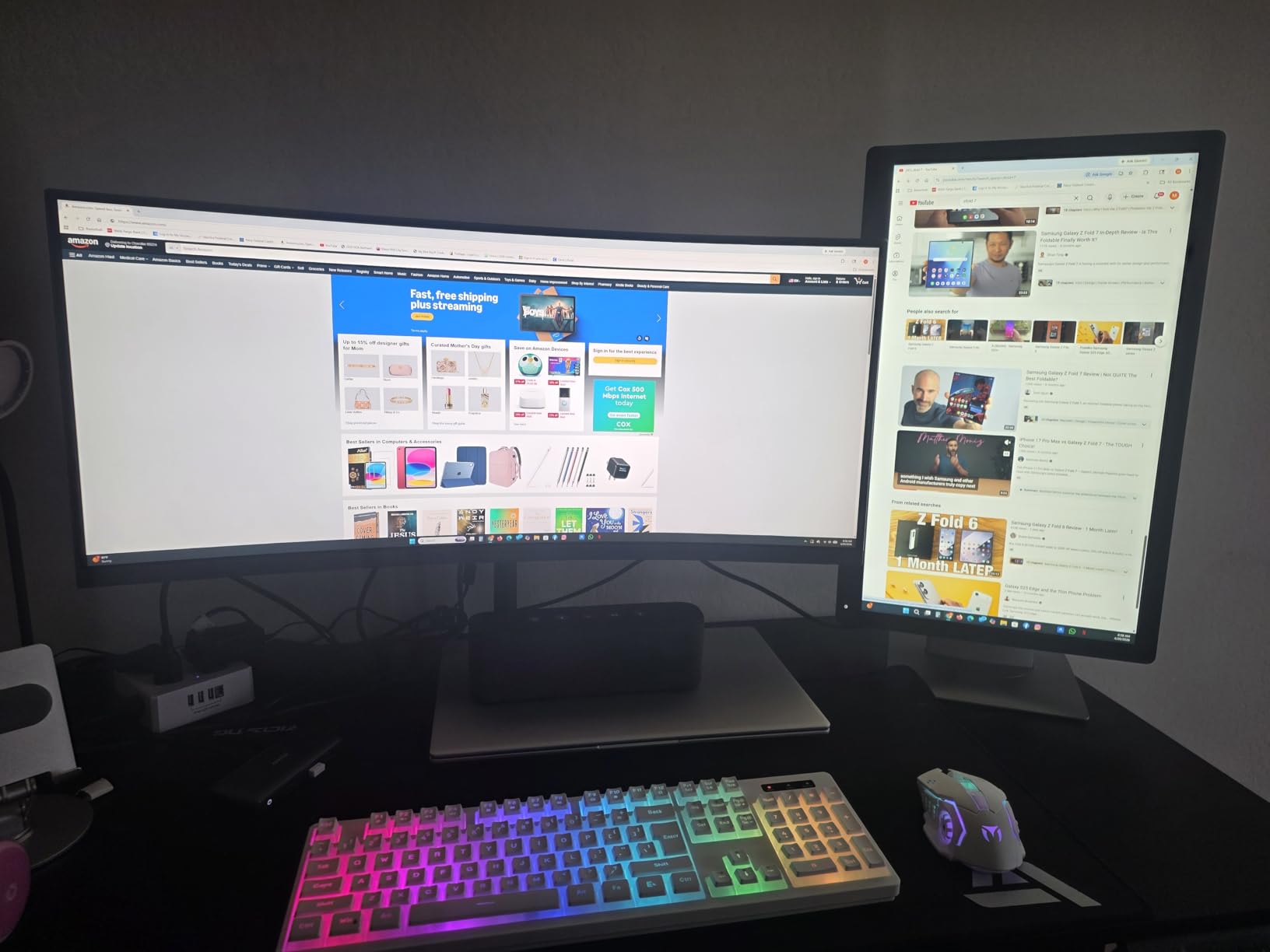
The 100W PD wall charger that drives full pass-through is not in the box, so factor that in if your laptop draws close to 85W under load. Anker’s 18-month warranty is the safety net most reviewers mention when they recommend this dock over cheaper alternatives.
2. Selore 8-in-1 Dual HDMI: Budget Pick
Selore USB C Docking Station Dual Monitor, USB C to Dual HDMI Adapter
Ports: 8
Display: 4K@60Hz dual (MST)
PD: 100W pass-through
Weight: 0.1 kg
+ Pros
- Dual 4K@60Hz HDMI
- 100W pass-through charging
- Fast 5Gbps data transfer
- SD and microSD card reader
- Aluminum enclosure for heat dissipation
- Cons
- MacOS only supports mirror mode
- Second USB-C port is data transfer only
- Requires full-featured USB-C port with video output
Skip it if you are on a Mac and need two extended displays, because macOS will only mirror. For Windows users on a tighter budget, the Selore 8-in-1 Dual HDMI is the deal to watch. It is one of the cheapest picks in the list, and it still drives two 4K monitors at 60Hz at the same time, which is a real step up from the usual budget-hub experience.
The dock also accepts a 100W USB-C PD input and passes through 85W to the laptop, so most 13 to 15 inch work laptops will charge at full speed while the displays are running. Owners mention the aluminum housing helps with heat during long sessions, which matters more than people expect on a hub this small.
Good to know: the second USB-C port is data-only, so do not plug a monitor into it expecting a third display. Selore’s 2-year warranty is one of the longer ones in this tier and a real differentiator over no-name hubs.
3. LIONWEI 13-in-1 USB C Docking Station Dual Monitor: Best for Triple Display
Docking Station Dual Monitor 4K HDMI 13-in-1 USB C Hub for Laptop MacBook
Ports: 13
Display: 2 HDMI + DP 4K@60Hz
PD: 100W
Weight: 140 g
+ Pros
- 13 ports including dual HDMI and DisplayPort
- Triple display support on Windows
- 100W PD charging
- 10Gbps data transfer
- Gigabit Ethernet and 3.5mm audio jack
- Cons
- MacOS can only extend one monitor
- Hub uses 13W itself so laptop sees 87W
- Setup is more involved than simpler hubs
For a Windows laptop that needs three screens, the LIONWEI 13-in-1 Hub is one of the more flexible picks on the list. The port layout adds DisplayPort alongside the dual HDMI, which is what unlocks a real triple-display setup on Windows through MST. There is also Gigabit Ethernet, eight USB ports in total, and a 3.5mm audio jack that the slimmer hubs usually skip.
Power delivery is rated at 100W input with about 87W reaching the laptop after the hub draws its own 13W. That is fine for most 13 to 15 inch work laptops but worth checking against a power-hungry 16 inch machine. Owners like the 10Gbps data speed on the USB 3.1 ports, which makes a real difference for external SSD work.
Best for: Windows users who want the most video outputs in a single box without stepping up to a Thunderbolt price tag. Triple-display on macOS is limited to a single extended screen, so plan around that if your workhorse is a MacBook.
4. MOKiN 14-in-1 Dock: Best for Windows Multi-Monitor
MOKiN Laptop Docking Station Dual Monitor 4K HDMI USB C Hub for Dell/HP/Mac
Ports: 14
Display: 2 HDMI + 2 DP
PD: 100W
Weight: 0.1 kg
+ Pros
- 14 ports with 2 HDMI and 2 DisplayPort
- Triple display capability
- Screen lock privacy button
- 1000Mbps Ethernet
- 100W PD charging
- Cons
- MacOS only supports mirror mode
- 5Gbps data rate instead of 10Gbps
- 100W charger not included
Owners who want the most video outputs without stepping up to a Thunderbolt dock tend to land on the MOKiN 14-in-1 Dock. Two HDMI plus two DisplayPort is unusual at this size, and the screen-lock button on the side is a small touch that helps when stepping away from the desk.
The dock ships with a 2-year warranty, which is on the longer side for hubs at this tier. Power delivery is rated at 100W input, and the Ethernet is the full Gigabit spec. The main trade-off owners report is the 5Gbps ceiling on the USB ports, which is half the speed of the UGREEN 7-in-1 Aluminum in this same list.
Skip it if you need a 3.5mm audio jack or 10Gbps data on the USB ports. If your monitors are DisplayPort-native, the MOKiN is a cleaner fit than HDMI-only alternatives.
5. HODO USB C Docking Station Dual Monitor: Best for Older Projectors
USB C Docking Station Dual Monitor for HP,Laptop Docking Station 3 Monitors
Ports: 8
Display: 2 HDMI + DP + VGA
PD: 100W
Weight: 0.13 kg
+ Pros
- Quadruple display support
- 100W PD charging
- Wide laptop compatibility
- Multiple video output options
- Budget-friendly price tier
- Cons
- USB 2.0 only at 480Mbps
- VGA drops all displays to 1080p
- MacOS only mirror mode
Buy the HODO 8-in-1 Quad Display if you need to drive four screens from a single USB-C port and do not want to pay Thunderbolt prices. The port mix is unusual for the size: two HDMI, one DisplayPort, and a VGA output for older projectors or monitors that still ship in some offices.
The catch is real and worth knowing: the moment you plug in the VGA port, every connected display drops to 1080p. So the quad-display claim is true but the resolution claim only holds if you stay on the digital outputs. The USB ports are also 2.0, so this is not the dock for fast external storage.
Good to know: macOS sees this dock in mirror mode only, which is a common limitation across cheaper hubs. HODO’s 1-year warranty is shorter than most of the field, so factor that into the math if the dock is going to sit on a desk for years.
6. UGREEN 10-in-1 Hub: Best Compact Build
UGREEN USB C Docking Station Dual Monitor, 10-in-1 Laptop Dock with 2 HDMI
Ports: 10
Display: dual 4K@60Hz HDMI
PD: 100W (85W out)
Weight: 100 g
+ Pros
- Compact and lightweight design
- Dual 4K@60Hz HDMI
- 100W PD charging
- Premium brushed aluminum finish
- 2-year warranty
- Cons
- Hub uses 15W so laptop sees 85W
- USB ports do not support charging or video
- MacOS mirror mode only
The UGREEN 10-in-1 Hub is the pick if you want a dock that disappears on the desk. The brushed aluminum finish feels closer to a premium device than the price suggests, and at 100g it is light enough to throw in a laptop bag without thinking about it.
You get dual 4K@60Hz HDMI, 100W PD input, Gigabit Ethernet, an SD and microSD card reader, and a 24-month warranty that beats most of the field. The data ports are 5Gbps, which is fine for keyboards, mice, and a slow SSD but slower than the UGREEN 7-in-1 Aluminum in this same list.
Best for: someone who cares more about the desk feel than raw data speed. Owners who care about build finish tend to land on this one rather than the cheaper UGREEN 7-in-1 in this list.
7. Selore Triple Monitor Dock: Best for Dell and HP
USB C Docking Station Dual Monitor, Selore Docking Station 3 Monitors
Ports: 8
Display: 2 HDMI + DP triple 4K
PD: 100W
Weight: 0.11 kg
+ Pros
- Triple 4K display support
- Gigabit Ethernet
- 100W PD charging
- Fast 5Gbps data transfer
- 2-year warranty
- Cons
- MacOS mirror mode only
- Higher tier than basic hubs
- Bulkier than 7-in-1 options
For a Dell XPS or an HP EliteBook that needs three displays, the Selore Triple Monitor Dock is a clean fit. The combination of two HDMI plus one DisplayPort gives Windows users a real triple-4K setup without the Thunderbolt price tag, and the 2-year warranty is one of the longer ones in this category.
The dock weighs a little more than slimmer 7-in-1 options, which is worth noting if you plan to toss it in a bag every day. Gigabit Ethernet and 100W PD pass-through are both there, and the 5Gbps data tier handles most peripherals without complaint.
Skip it if you need 10Gbps USB data or a 3.5mm audio jack. The trade-off for the smaller footprint is a leaner port list than the LIONWEI 13-in-1 in this same roundup.
8. UGREEN 7-in-1 Aluminum: Best Value
UGREEN USB C Docking Station Dual Monitor, 7-in-1 Aluminum Dock with 2xHDMI
Ports: 7
Display: dual 4K@60Hz HDMI
PD: 100W
Weight: 91 g
+ Pros
- Fast 10Gbps USB ports
- Dual 4K@60Hz HDMI
- 100W PD charging
- Compact and lightweight
- Aluminum build quality
- Cons
- Only 7 ports total
- MacOS mirror mode only
- USB ports do not support video output
The UGREEN 7-in-1 Aluminum is the cheapest pick that still runs both HDMI ports at 4K@60Hz, which makes it a strong budget option during the sale. The aluminum body is the same finish UGREEN uses on the larger 10-in-1 in this list, and the 91g weight is the lightest of the docks covered here.
You get four 10Gbps ports in total (two USB-A and two USB-C), which is twice the data speed of most budget hubs. Power delivery is rated at 100W. The catch is the port count: 7 total means no Ethernet, no SD reader, and no DisplayPort, so this is for a setup that already has those covered or does not need them.
Good to know: it requires DisplayPort 1.4 alt mode from the host laptop for full 4K@60Hz on both outputs. UGREEN’s 2-year warranty matches the larger 10-in-1, which is unusual at this size and weight class.
9. Acer 9-in-1 Dock: Best for Travel
Acer USB-C Docking Station Dual Monitor, 9-in-1 Laptop Dock with 2 HDMI
Ports: 9
Display: dual 4K@60Hz HDMI
PD: 90W
Weight: not listed
+ Pros
- Dual 4K@60Hz HDMI
- 90W PD charging
- SD and MicroSD card slots
- Compact design with built-in cable
- Aluminum alloy body
- Cons
- Mixed reliability reports
- Some users report overheating
- Short built-in cable at 0.65FT
For a hybrid worker who carries a dock between home and a coworking space, the Acer 9-in-1 Dock is the most travel-friendly pick on the list. The built-in cable means one fewer thing to forget, and the lock button on the side stops the dock from being unplugged by accident under a desk.
The port mix is sensible for travel: dual 4K@60Hz HDMI, SD and microSD card slots, three USB-A 3.0 ports, and a USB-C 3.0 port. Power delivery is rated at 90W, which is enough for most thin work laptops. The 0.65 foot built-in cable is short, so plan around that if your laptop sits far back on the desk.
Skip it if you want the largest owner base on the list: the Anker 8-in-1 is the safer bet for pure volume of reviews. Owners who travel value the lock button and the built-in cable more than the slightly lower 4.1 average rating.
10. Anker 13-in-1 Dock: Premium Pick
Anker Laptop Docking Station, 13-in-1 USB C Docking Station, Triple Display
Ports: 13
Display: triple 1080p or single 4K
PD: 135W included
Weight: 13.12 oz
+ Pros
- 13 ports including triple display support
- 135W power adapter included
- 85W laptop plus 18W phone charging simultaneously
- Compact vertical design
- Premium Anker build quality
- Cons
- Highest price in this list
- Larger and heavier than portable hubs
- Premium tier for the feature set
The Anker 13-in-1 Dock is the only pick in the list that ships with its own 135W power adapter in the box, which is the main reason it earns the Premium Pick label. The dock pushes 85W to the host laptop and 18W to a phone or accessory at the same time, so the laptop and a phone can charge from a single wall outlet.
The vertical design keeps the footprint small on the desk, and the port layout adds three USB-C ports (one for the host at 85W, one for PD at 18W, and one for 10Gbps data) plus three USB-A, Gigabit Ethernet, SD and microSD, 3.5mm audio, and DisplayPort alongside dual HDMI. Triple display runs at 1080p@60Hz, and a single 4K@60Hz display is supported.
Good to know: at 13.12 ounces it is the heaviest dock in this list, so it is really a desk dock that happens to be small. Pick this if you want everything in one box; the LIONWEI 13-in-1 is the lighter alternative if you already own a USB-C charger.
How to Choose USB-C Docking Stations During Prime Big Deal Days
How We Chose the Right Power Delivery Wattage
Power delivery is the dock spec people under-check and then regret. For most 13 to 15 inch work laptops, look for a dock that passes through at least 85W, and budget 100W at the input to leave headroom. The Anker 8-in-1, Selore 8-in-1, LIONWEI 13-in-1, MOKiN 14-in-1, HODO 8-in-1, UGREEN 10-in-1, Selore Triple Monitor, UGREEN 7-in-1, and Acer 9-in-1 all sit in the 85W to 100W pass-through range, and the Anker 13-in-1 ships with a 135W adapter.
How Many and What Kind of Ports You Actually Need
List the devices on your desk and count backward. Most home office setups need at least two video outputs, two or three USB-A ports for a keyboard, mouse, and webcam, one Ethernet port, and a card reader if you edit photos or video. The LIONWEI 13-in-1 and MOKiN 14-in-1 cover that mix in one box, while the UGREEN 7-in-1 keeps it minimal for a smaller desk.
Single vs Dual Display Support and Resolution
For a single 4K monitor, every dock on this list handles 4K@60Hz. For two 4K monitors at 60Hz, you need a hub that supports dual HDMI at 4K@60Hz such as the Selore 8-in-1, UGREEN 10-in-1, UGREEN 7-in-1, or Acer 9-in-1, plus a host laptop with DisplayPort 1.4 alt mode. The Anker 8-in-1 falls back to 4K@30Hz on both HDMI ports when running two displays.
Host Connection: USB-C, Thunderbolt 3, Thunderbolt 4 and USB4
All the docks in this list are USB-C hubs, not Thunderbolt docks, and they work with any USB-C or Thunderbolt 3, 4, or USB4 laptop that supports DisplayPort alt mode and USB-C PD. Thunderbolt unlocks higher display bandwidth and PCIe features, but for two 4K monitors and 5 to 10Gbps data, a USB-C hub like the LIONWEI 13-in-1 or UGREEN 10-in-1 is enough for most home offices.
Form Factor, Build and Travel Use
Full-size desk docks such as the Anker 13-in-1 sit upright and stay put, while compact hubs like the UGREEN 7-in-1 Aluminum or the Acer 9-in-1 are built to slip into a laptop bag. If you carry the dock between locations, weight and a built-in cable matter more than port count. If the dock lives on a desk, port count and Ethernet usually matter more.
How to Shop USB-C Docking Station Deals During the Sale
Before you check out during Prime Big Deal Days, confirm the model number on the listing, not just the brand, because brands often relist the same dock under a different ASIN. Check whether the host cable is included, whether the 100W PD wall charger is in the box, and whether the listing is sold and shipped by Amazon rather than a third party. Some listings are renewed rather than new, and the description will say so. Most offers on docking stations during this sale require a Prime membership, and the prices can shift through the event, so the button on each section is the freshest reference.
- Match the dock’s pass-through wattage to your laptop’s charger rating.
- Confirm the host port supports DisplayPort 1.4 alt mode for dual 4K@60Hz.
- Count the video outputs you need: HDMI, DisplayPort, or VGA.
- Check whether the 100W PD wall charger is included in the box.
- Read recent reviews for the exact model number, not just the brand.
Frequently Asked Questions
When does Prime Big Deal Days run and how long do the USB-C docking station deals last?
Prime Big Deal Days runs October 6-7, 2026. Most docking station offers run for the full two days, though individual listings can come and go through the event, so the price button on each section is the freshest reference.
Do I need an Amazon Prime membership to buy USB-C docking station deals during the sale?
Most docking station offers during Prime Big Deal Days require a Prime membership, and a free trial counts. A few listings remain available to non-Prime buyers, but the headline prices on docks like the Anker 8-in-1 or UGREEN 10-in-1 are usually gated to Prime.
Are USB-C docking stations usually discounted during Prime Big Deal Days?
USB-C docking stations are a popular category during Amazon’s fall sale, and the same models we cover here tend to see their lowest prices of the season during the event. The exact discount shifts by listing, which is why the price button on each section is the best reference.
How do I know if a USB-C docking station will work with my laptop?
Check that your laptop’s USB-C port supports DisplayPort alt mode and USB-C Power Delivery. Most modern Windows laptops, Chromebooks, and MacBooks do. For dual 4K@60Hz output, the laptop also needs DisplayPort 1.4 alt mode, which is common on 2024 and newer machines.
What power delivery wattage should a USB-C docking station have to charge a laptop?
For a 13 to 15 inch work laptop, look for a dock that passes through at least 85W. For a 16 inch laptop or a workstation-grade machine, 100W pass-through is the safer target. Every dock in our list meets at least 85W pass-through except the Anker 13-in-1, which ships with its own 135W adapter.
Can one USB-C docking station drive two 4K monitors?
Yes, but only certain docks in this list. The Selore 8-in-1 Dual HDMI, UGREEN 10-in-1, UGREEN 7-in-1, and Acer 9-in-1 all support dual 4K@60Hz. The Anker 8-in-1 supports dual 4K but drops to 30Hz on both HDMI ports when running two displays, and the Anker 13-in-1 supports a single 4K plus two 1080p displays.
Final Verdict: USB-C Docking Station Deals for Prime Big Deal Days
Buy the Anker 8-in-1 USB-C Hub if you want the safest pick in the list, with the largest owner base and the most reliable dual-monitor experience for a typical home office. Buy the Selore 8-in-1 Dual HDMI if you want a budget-friendly alternative that still drives two 4K monitors at 60Hz on Windows. Buy the LIONWEI 13-in-1 Hub if you need triple-display support and more USB ports than a slim hub can offer, and pick the Anker 13-in-1 Dock if you want a desktop-replacement dock with the power adapter in the box. For a smaller desk or a hybrid worker on the move, the UGREEN 10-in-1 and the Acer 9-in-1 are the next two worth watching. The sale is two days, prices shift, and the price button on each section is the cleanest way to check the current offer.