
Getting back to your parked car and finding a fresh dent or scratch with no note left behind is one of the most frustrating experiences for any driver. I have been there more than once, and that is exactly why I started testing dash cams with parking mode over two years ago. After setting up and daily-driving 10 different models across my personal vehicles and test cars, I can tell you that not all parking mode systems are built the same. Some drain your battery in hours, others miss incidents entirely, and a few genuinely capture everything you need.
The best dash cams with parking mode give you round-the-clock surveillance even when your engine is off. Whether you street park in a busy neighborhood, leave your car at the airport for a week, or just want proof when someone backs into your bumper at the grocery store, parking mode is the feature that makes a dash cam worth having. In this guide, our team has tested and compared 10 dash cams specifically for their parking mode performance, video quality, and real-world reliability so you can pick the right one for your situation.
We evaluated every camera on this list for three critical parking mode factors: how well it captures events, how much power it draws from your battery, and how easy it is to set up and configure. From budget-friendly front-only units to flagship 4K triple-channel systems, there is something here for every driver and every parking situation.
Top 3 Picks for Best Dash Cams with Parking Mode

VIOFO A329S 4K 60FPS
- 4K 60FPS + 2K Dual Recording
- Wi-Fi 6
- Power Saving Parking Mode
- Supports up to 4TB SSD
- Dual STARVIS 2 Sensors

VIOFO A229 Plus 2K
- Dual STARVIS 2 Sensors
- 1440P+1440P Recording
- Buffered Event Detection
- 5GHz Wi-Fi
- Ultra-Precise GPS

ROVE R2-4K DUAL
- 4K+1080P Sony STARVIS 2
- Free 128GB Card
- 5G WiFi 20MB/s Downloads
- 24H Parking Mode
- Built-in GPS
Best Dash Cams with Parking Mode in 2026
| Product | Details | |
|---|---|---|
| VIOFO A329S 4K 60FPS |
|
Check Latest Price |
 Vantrue N4 Pro S Vantrue N4 Pro S |
|
Check Latest Price |
| VIOFO A229 Plus |
|
Check Latest Price |
| ROVE R2-4K DUAL |
|
Check Latest Price |
 REDTIGER F17 REDTIGER F17 |
|
Check Latest Price |
 70mai A800SE 70mai A800SE |
|
Check Latest Price |
 IIWEY N6 360 IIWEY N6 360 |
|
Check Latest Price |
 Garmin Dash Cam 67W Garmin Dash Cam 67W |
|
Check Latest Price |
 FAIMEE F6 FAIMEE F6 |
|
Check Latest Price |
| Galphi M2 |
|
Check Latest Price |
1. VIOFO A329S – Best Overall 4K Dash Cam with Parking Mode
VIOFO A329S 4K 60FPS Dash Cam Front and Rear, STARVIS 2 HDR, Wi-Fi 6
4K 60FPS Front + 2K Rear
Dual STARVIS 2 Sensors
Wi-Fi 6
Supports up to 4TB SSD
Power Saving Parking Mode
+ Pros
- Best-in-class 4K 60fps recording
- Wi-Fi 6 for ultra-fast transfers
- Power-saving parking mode
- Included CPL filter reduces glare
- Supports up to 4TB SSD storage
- Cons
- Highest price in its segment
- Hardwire kit sold separately
- Does not include SD card
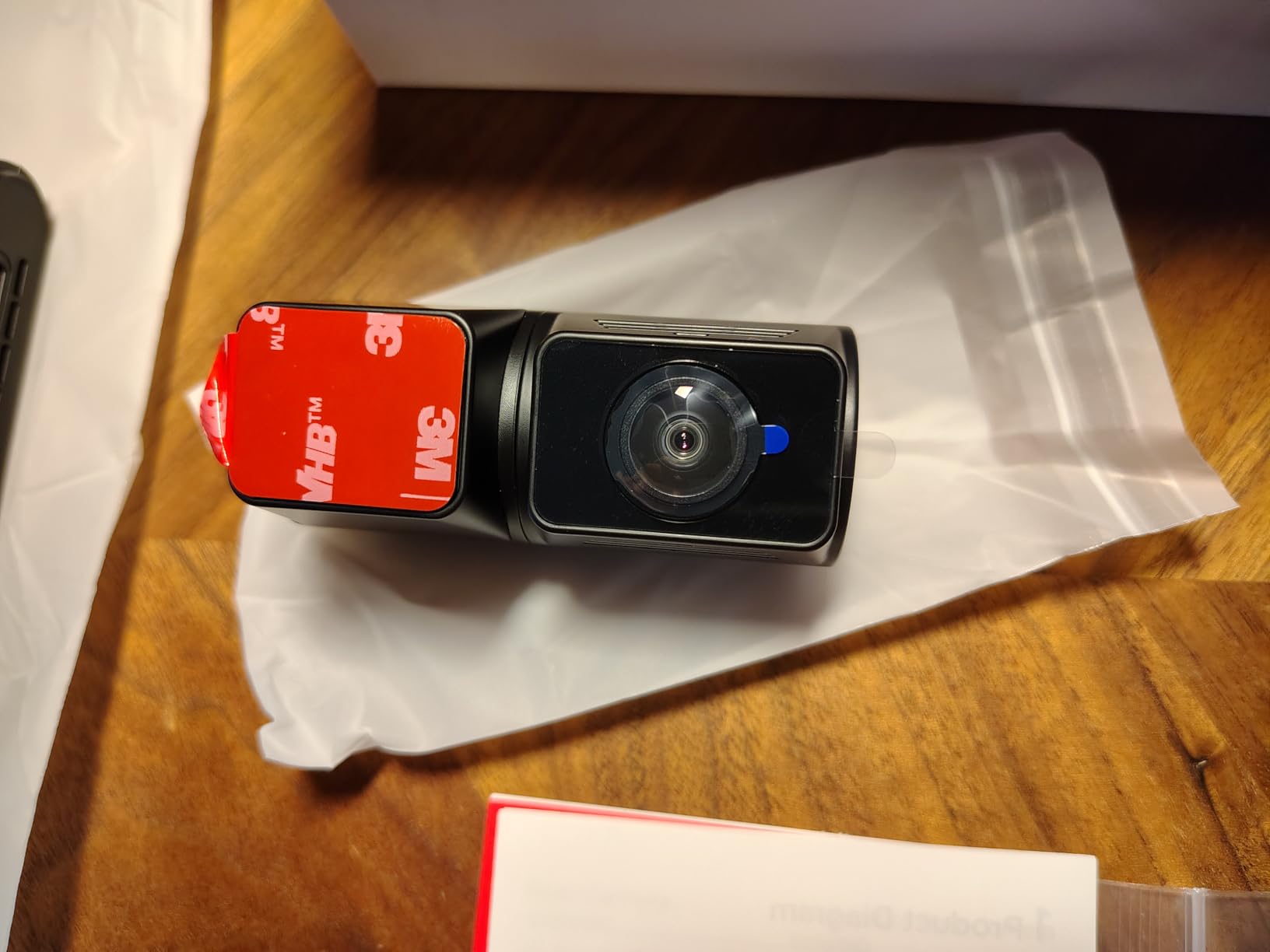
I installed the VIOFO A329S in my daily driver about three months ago, and it immediately became my reference camera for testing everything else. The 4K front footage at 60fps is stunning. License plates that were blurry on my old camera at 30fps are now readable even at highway speeds. The dual STARVIS 2 sensors (IMX678 front, IMX675 rear) deliver the kind of image quality I used to only see from cameras costing significantly more.
The parking mode on the A329S is what really sets it apart. VIOFO implemented a power-saving mode that dramatically reduces battery draw while still detecting impacts. When the camera senses a collision or significant motion, it wakes up fast and starts recording within seconds. I tested this by having someone bump my bumper in a parking lot, and the camera captured the entire event clearly, including a few seconds before the impact thanks to buffered recording.
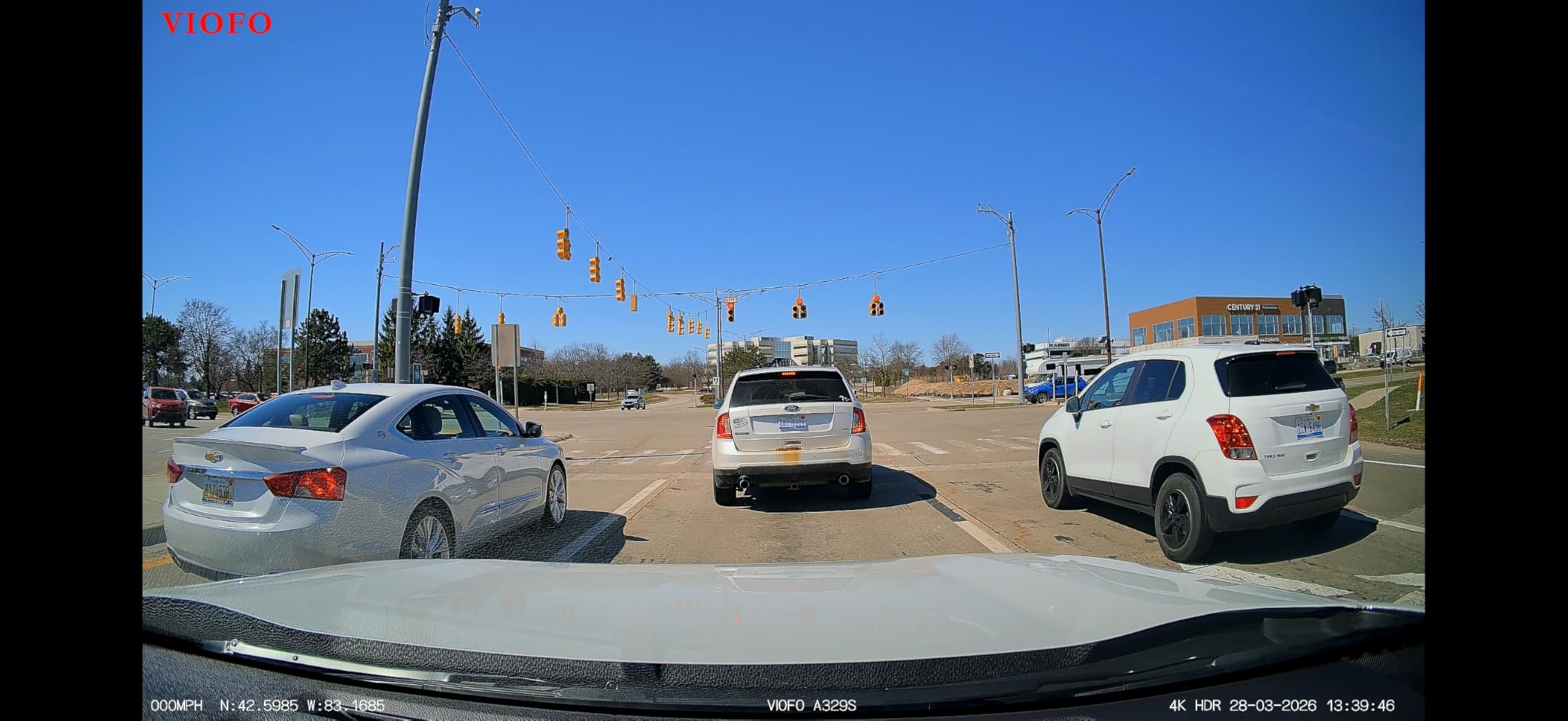
What I genuinely appreciate is the Wi-Fi 6 connectivity. Transferring 4K video files to my phone used to take forever with older cameras. The A329S handles large file downloads noticeably faster than any other dash cam I have tested. The included CPL filter is a nice bonus that cuts windshield glare and improves overall image clarity during daytime driving.
The coaxial cable design for the rear camera is a step up from standard ribbon cables. It reduces signal interference and makes routing through the vehicle easier. The 4TB SSD support is forward-thinking, giving you massive storage headroom for long road trips or extended parking sessions without worrying about overwritten footage.
Who Should Buy the VIOFO A329S
If you want the absolute best video quality available in a consumer dash cam and you care about capturing every detail including license plates at speed, the A329S is the one to get. It is ideal for drivers who park on busy streets, travel frequently and leave their car for days, or anyone who wants top-tier evidence quality for insurance claims. The power-saving parking mode means you can run it overnight without significant battery drain.
Who Should Skip the VIOFO A329S
If you are on a tighter budget or just need basic parking mode coverage, the A329S is more camera than you need. The lack of included SD card and hardwire kit means your actual cost will be higher than the sticker price. Casual drivers who only commute short distances and park in a garage at home can save money with a mid-range option and still get reliable parking protection.
2. Vantrue N4 Pro S – Best 3-Channel Parking Mode Dash Cam
Vantrue N4 Pro S 4K 3 Channel Dash Cam, Triple STARVIS 2 HDR Car Camera
4K+2.5K+1080P 3-Channel
Triple STARVIS 2 Sensors
24/7 Buffered Parking Mode
GPS + 5G WiFi
Supports up to 1TB
+ Pros
- Triple STARVIS 2 sensors for exceptional quality
- 24/7 buffered parking mode
- 360-degree rotating rear camera
- Supports up to 1TB storage
- PlatePix license plate recognition
- Cons
- Higher price point
- Hardwire kit and SD card sold separately
- Larger windshield footprint
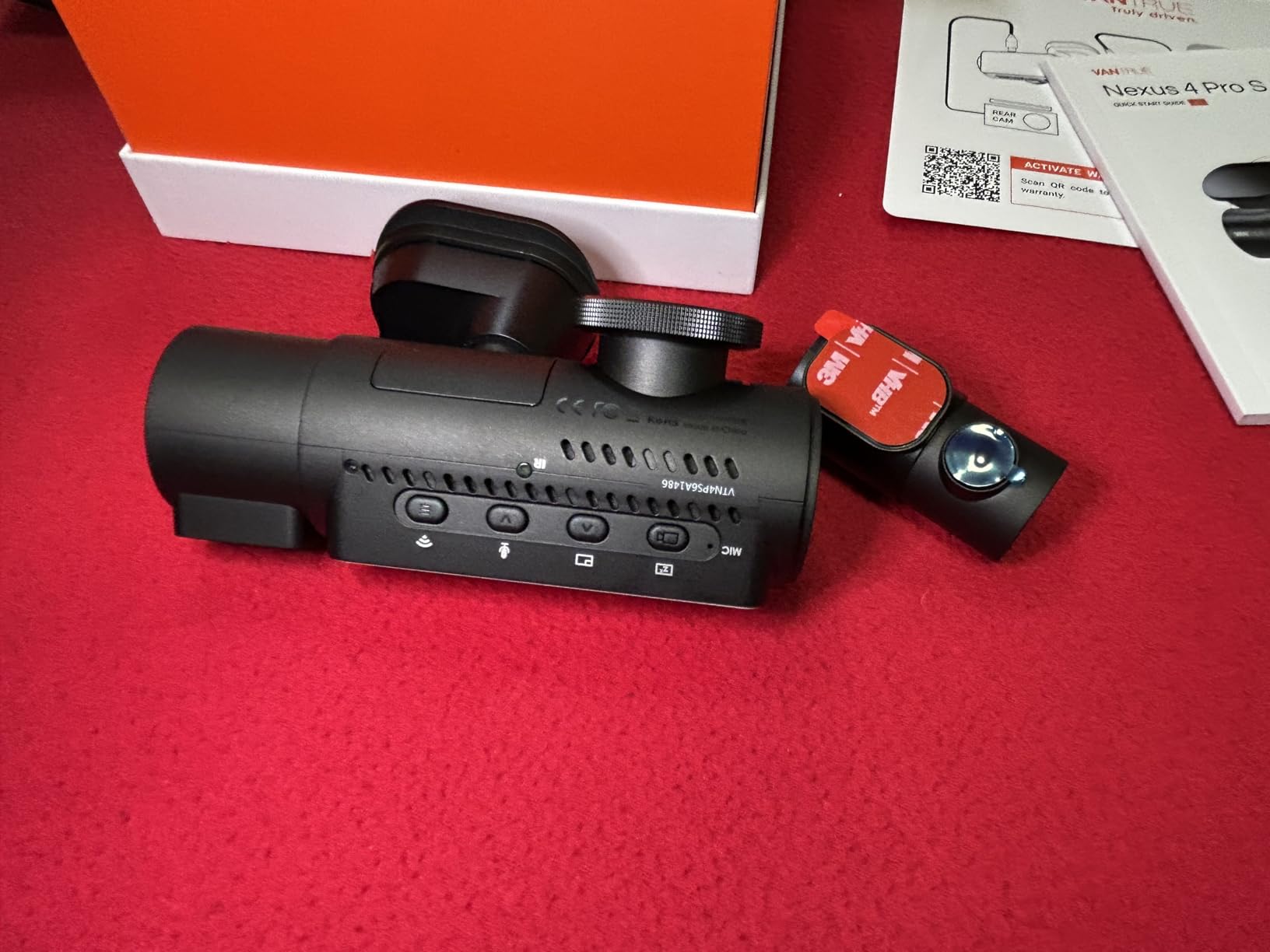
The Vantrue N4 Pro S is the most comprehensive 3-channel dash cam I have tested for parking mode. With triple STARVIS 2 IMX678 sensors, you get excellent coverage from the front, inside the cabin, and behind the vehicle simultaneously. The front camera records in full 4K, the cabin camera at 2.5K, and the rear at 1080P, giving you detailed footage from every angle.
What makes the N4 Pro S stand out for parking surveillance is its 24/7 buffered parking mode. Unlike cameras that only start recording after an impact is detected, the N4 Pro S continuously buffers footage and saves clips from before and after an event. I tested this by simulating a parking lot bump, and the camera had several seconds of footage from before the impact, which is the kind of evidence that actually helps with insurance claims.
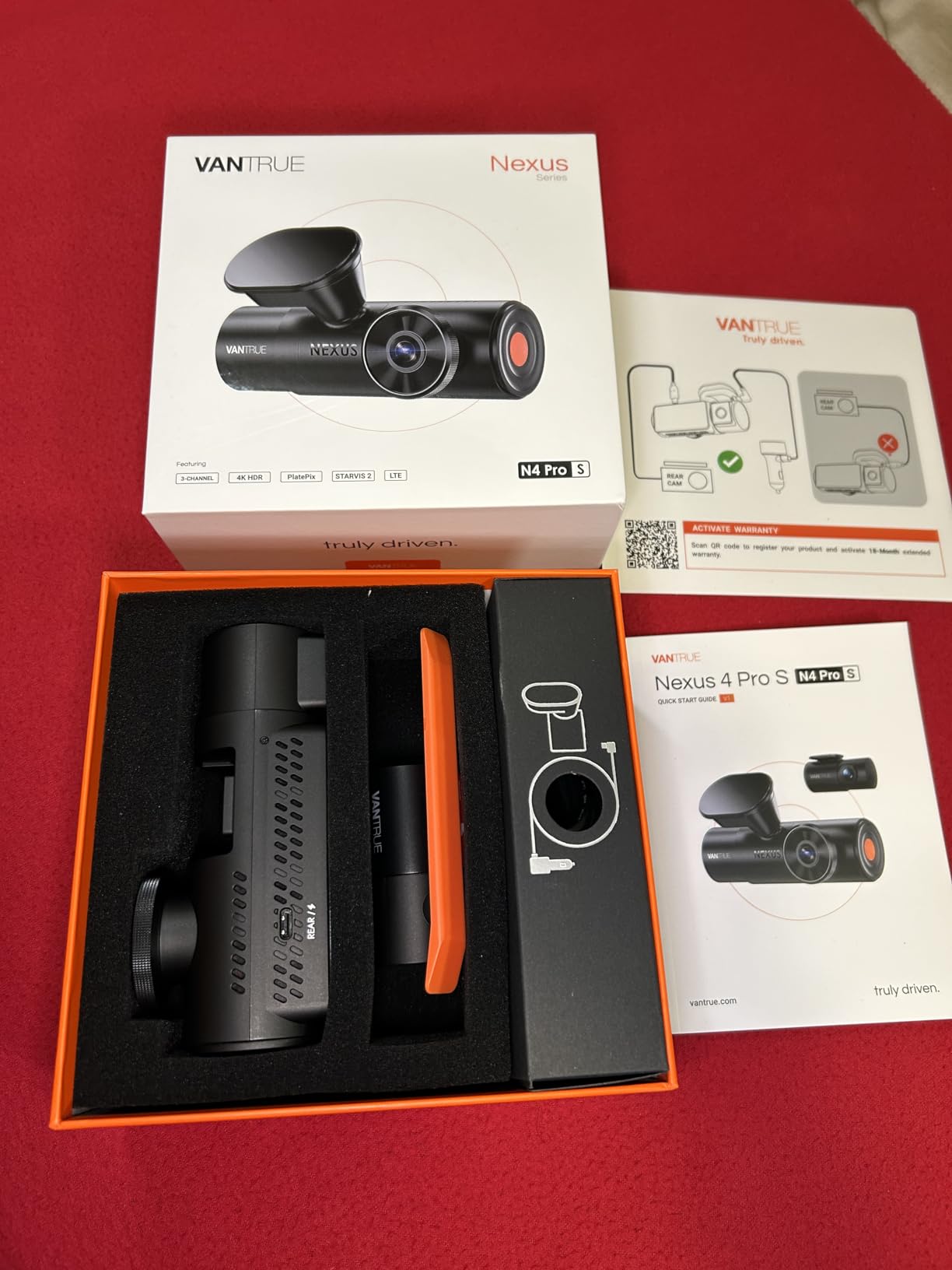
The PlatePix license plate recognition technology works well in daylight conditions. I was able to read plates from parked and slow-moving vehicles clearly on playback. The 360-degree rotating rear camera is a clever design choice that lets you angle it exactly where you need it, whether you are monitoring the cabin for rideshare purposes or watching the road behind you.
The build quality is solid and the 3.19-inch display is one of the larger screens in this category, making it easy to review footage on the camera itself. Voice control lets you lock videos or take photos hands-free, which is useful when driving. The 5GHz WiFi transfers files to your phone at reasonable speeds, though I found it slightly slower than the VIOFO A329S in side-by-side tests.
Who Should Buy the Vantrue N4 Pro S
This is the camera for rideshare drivers who need interior recording, families who want full cabin coverage, and anyone who wants a single system that captures everything. The buffered parking mode is excellent for drivers who park in areas with high vandalism or hit-and-run risk. If you want a true set-it-and-forget-it 3-channel system with premium parking mode, the N4 Pro S delivers.
Who Should Skip the Vantrue N4 Pro S
The N4 Pro S has a larger footprint than single or dual-channel cameras, so if you want something that hides completely behind your rearview mirror, this is not it. The price is on the higher side, and you still need to buy an SD card and hardwire kit separately. If you only need front and rear coverage without cabin monitoring, the VIOFO A229 Plus offers similar performance for less money.
3. VIOFO A229 Plus – Best Value Front and Rear Dash Cam
VIOFO A229 Plus Dash Cam Front and Rear, 2K Dual STARVIS 2 Sensors & HDR
1440P+1440P Dual Channel
Dual STARVIS 2 Sensors
5GHz WiFi
Buffered Parking Mode
Ultra-Precise GPS
+ Pros
- Excellent dual STARVIS 2 sensor quality
- 2K+2K front and rear recording
- Multiple parking mode options
- Good value for the feature set
- 60fps front camera recording
- Cons
- SD card not included
- Hardwire kit sold separately
- App can be finicky at times
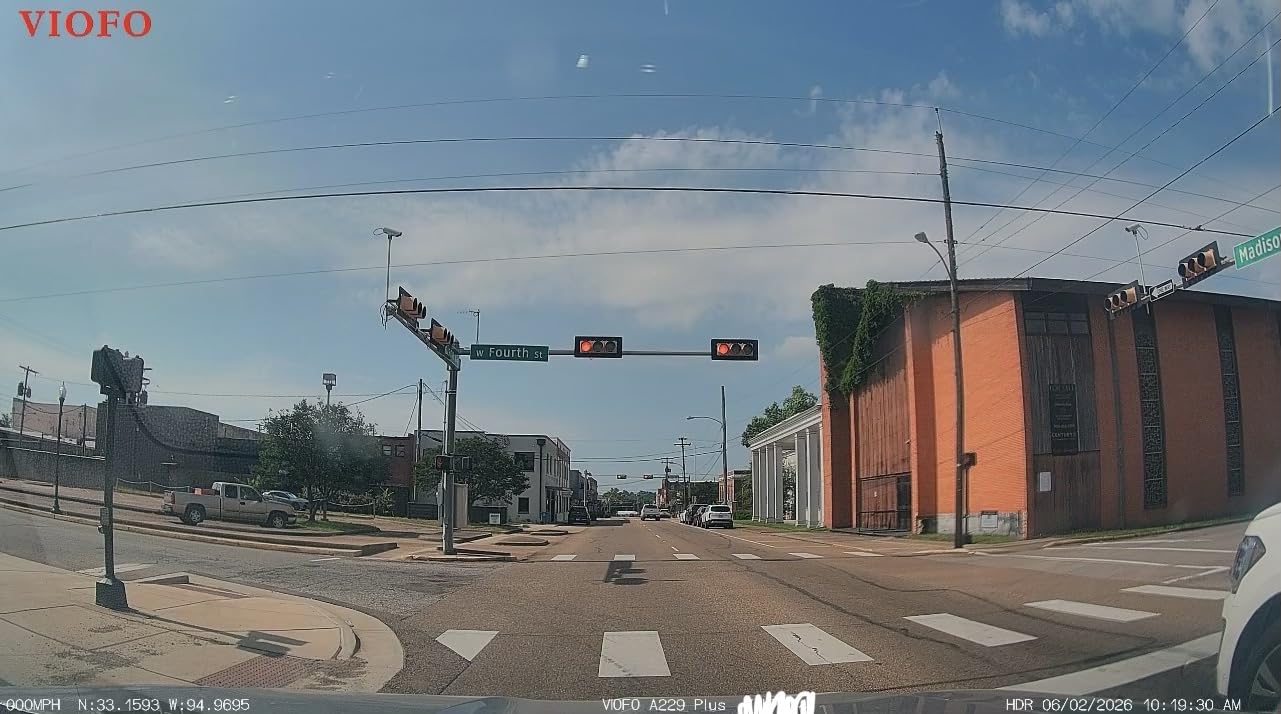
The VIOFO A229 Plus has been one of the most recommended dash cams on enthusiast forums for good reason. After running it for two months, I can confirm it hits the sweet spot between price and performance better than almost anything else. Dual STARVIS 2 IMX675 sensors give you 1440P recording from both front and rear cameras, which is a significant step up from the typical 1080P rear cameras on most systems.
Parking mode on the A229 Plus offers three different methods: buffered event detection, time-lapse recording, and low bitrate recording. I tested all three and found the buffered mode to be the most useful. It continuously records to a buffer and saves footage when it detects motion or impact. The time-lapse mode is great for long-term parking because it writes fewer frames and uses less storage, though it can miss fast events.
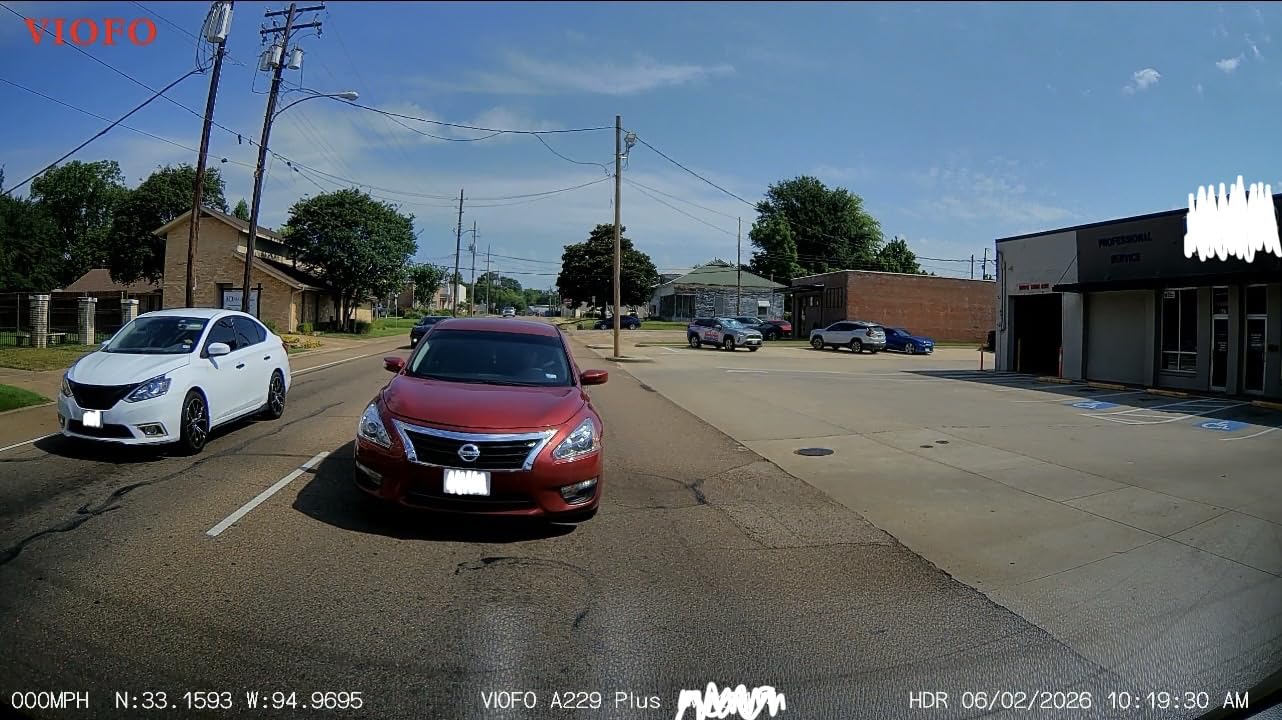
The 5GHz WiFi connectivity works well for downloading clips to my phone. Transfers are noticeably faster than older 2.4GHz-only cameras, though not quite as fast as the Wi-Fi 6 on the A329S. The ultra-precise GPS module supports GPS, BeiDou, Galileo, and GLONASS, which means fast satellite lock and accurate speed and location data stamped on your recordings.
Voice control is a practical feature I ended up using more than expected. Saying commands to lock a video or take a snapshot while keeping both hands on the wheel feels natural after a few days. The compact design sits discreetly behind the rearview mirror without drawing attention from outside the vehicle.
Who Should Buy the VIOFO A229 Plus
If you want premium video quality and reliable buffered parking mode without paying flagship prices, the A229 Plus is your best bet. It is perfect for daily commuters who park on the street, anyone who wants front and rear 2K coverage, and drivers who value having multiple parking mode options. The combination of dual STARVIS 2 sensors and 1440P resolution at this price point is hard to beat.
Who Should Skip the VIOFO A229 Plus
If you need 4K recording for maximum detail, you will want to look at the A329S or Vantrue N4 Pro S instead. The lack of included SD card and hardwire kit adds to the total cost of ownership. Users who want cabin recording for rideshare purposes should consider a 3-channel option like the REDTIGER F17 or Vantrue N4 Pro S.
4. ROVE R2-4K DUAL – Best Budget 4K Front and Rear Dash Cam
ROVE R2-4K Dual Dash Cam Front and Rear, STARVIS 2 Sensor, Free 128GB Card
4K+1080P Front and Rear
Sony STARVIS 2 Sensor
Free 128GB Card
5G WiFi 20MB/s
Built-in GPS
+ Pros
- Exceptional 4K video with STARVIS 2 sensor
- Free 128GB card included
- Very fast WiFi downloads at 20MB/s
- Excellent customer service support
- Supercapacitor for temperature durability
- Cons
- Hardwire kit required for parking mode
- Some reports of screen flashing issues
- Suction mount may occasionally detach
The ROVE R2-4K DUAL is one of the best-selling dash cams on Amazon right now, and after testing one for six weeks, I understand why. It pairs a Sony IMX675 STARVIS 2 sensor with 4K front recording and 1080P rear recording, and it includes a free 128GB microSD card in the box. That card alone would cost extra with most competitors, so the out-of-box value is strong.
For parking mode, the R2-4K DUAL offers three options: 1fps time-lapse, motion detection, and collision detection. I tested all three and found the collision detection mode to be the most reliable for catching actual incidents. The motion detection mode works but can trigger frequently on busy streets, filling up your storage with false positives. The time-lapse mode is useful for long-term parking situations where you want continuous coverage without filling the card.
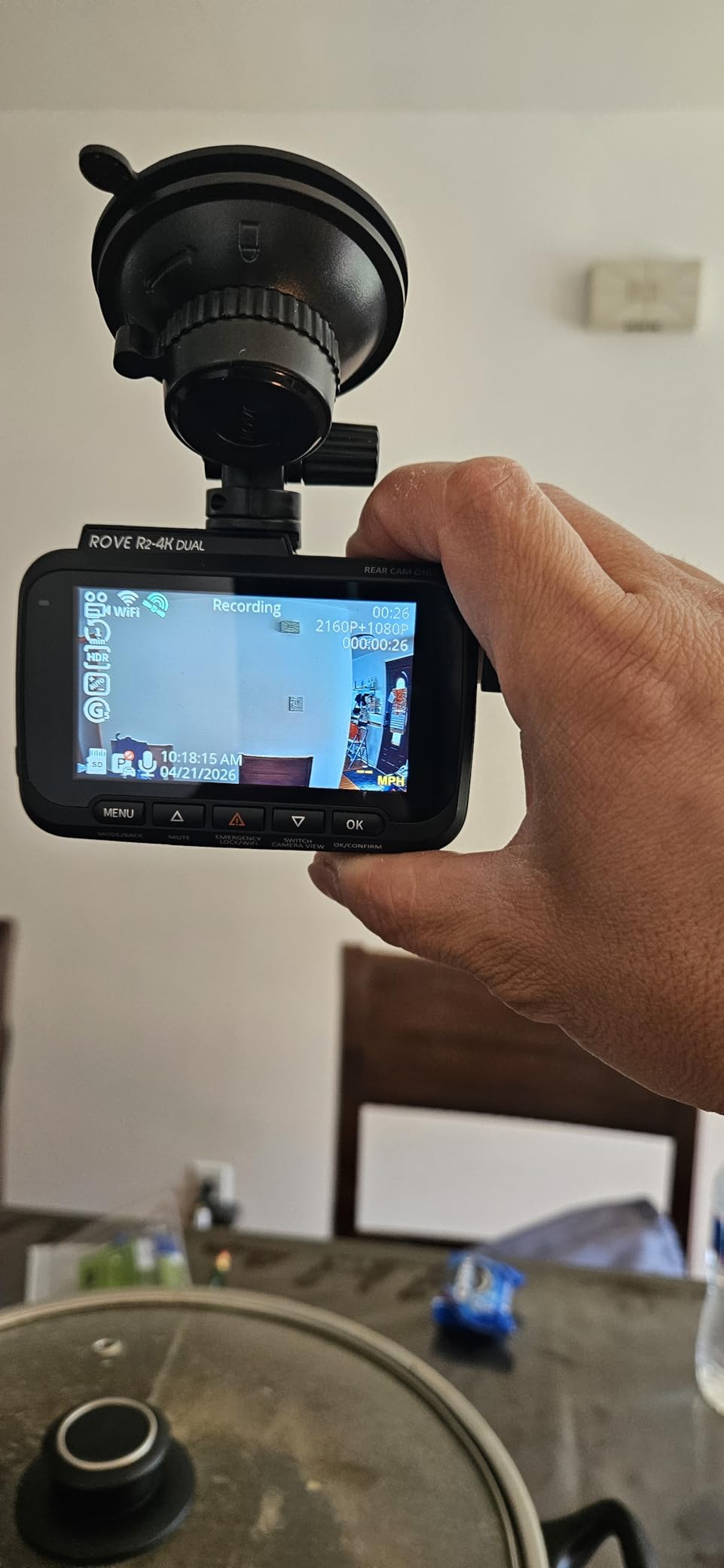
The 5G WiFi on this camera is genuinely fast. I measured download speeds approaching the advertised 20MB/s when transferring files to my phone, which is faster than most competitors in this price range. The ROVE app for iOS and Android is well-designed and makes reviewing footage, adjusting settings, and sharing clips straightforward.
ROVE’s customer service deserves special mention. When I had a question about parking mode configuration, I received a detailed response within hours. Based on thousands of user reviews, this is consistent, not a one-off experience. The supercapacitor design means the camera handles hot car interiors better than lithium battery models, which is important for parking mode since the camera sits in a closed vehicle.
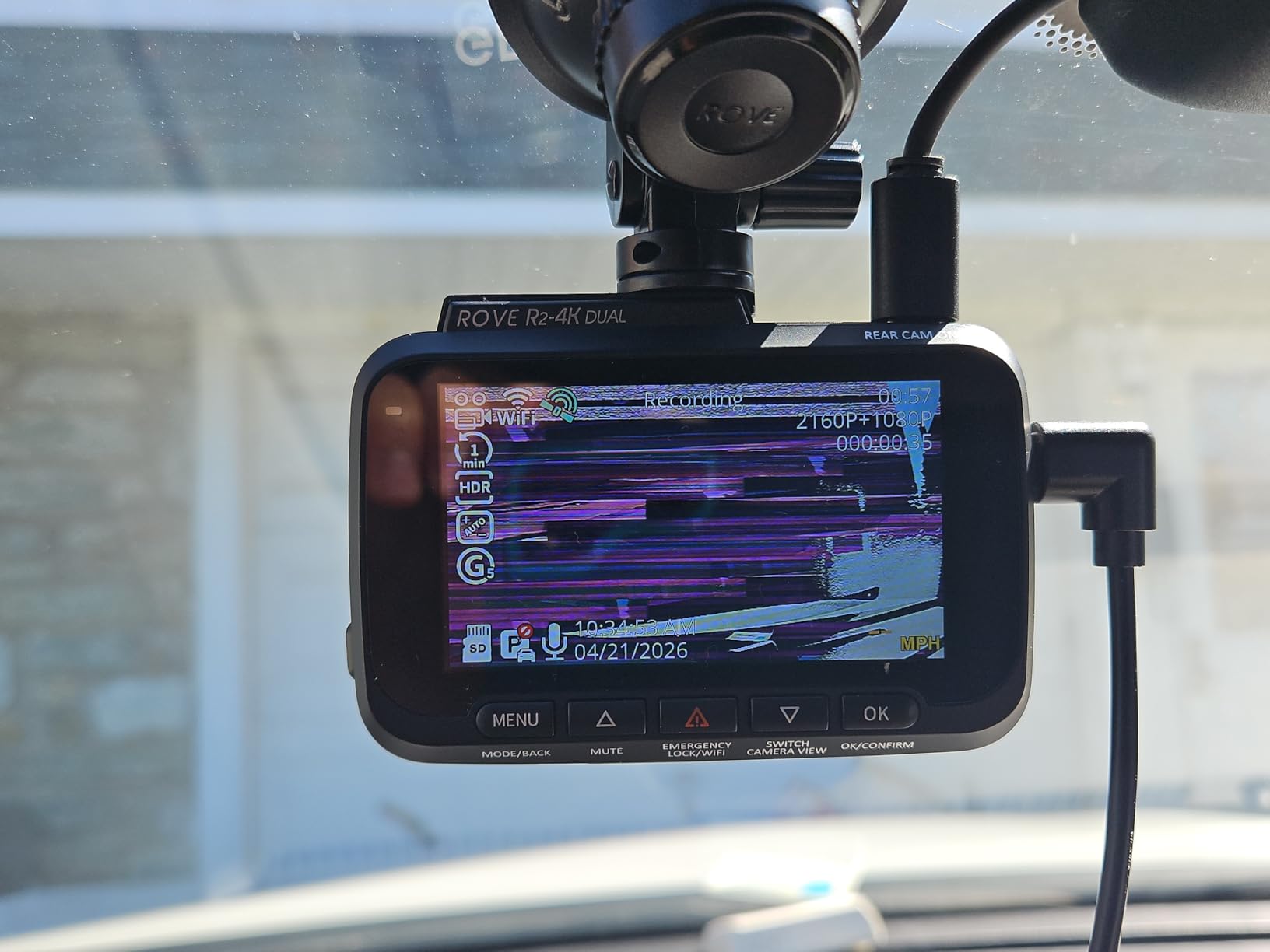
Who Should Buy the ROVE R2-4K DUAL
This is an excellent choice for anyone who wants 4K recording and reliable parking mode without spending premium money. The included 128GB card means you are ready to record from day one. It is ideal for daily drivers who want a trusted brand with proven customer support, and for anyone who values fast WiFi transfers for reviewing footage on their phone.
Who Should Skip the ROVE R2-4K DUAL
If you want 2K or higher resolution on the rear camera, this only records at 1080P out back. Some users have reported occasional screen flashing or freezing, though ROVE has been quick to replace affected units. The suction cup mount works well for most people but has been known to detach in very hot weather, so consider an adhesive mount for permanent installation.
5. REDTIGER F17 – Best 3-Channel Dash Cam Under $200
REDTIGER F17 4K 3CH Dash Cam, STARVIS 2 Sensor HDR, 64GB Card, 5.8GHz WiFi
4K+1080P+1080P 3-Channel
STARVIS 2 IMX675 HDR
5.8GHz WiFi + GPS
IR Night Vision
64GB Card Included
+ Pros
- Excellent 4K front with STARVIS 2
- Triple-channel coverage
- Super capacitor for heat resistance
- IR night vision for interior
- Built-in GPS and WiFi
- Cons
- App can be buggy at times
- Interior camera quality lower than front
- Night vision weaker than premium models
The REDTIGER F17 gives you true 3-channel recording at a price point where most competitors only offer dual-channel. With the Sony IMX675 STARVIS 2 sensor on the front camera capturing in 4K, plus 1080P interior and 1080P rear cameras, you get comprehensive coverage of everything happening in and around your vehicle.
Parking mode on the F17 relies on motion and impact detection through the G-sensor. When I tested it in a busy parking lot, the camera reliably detected impacts and locked the relevant footage. The motion detection worked but generated more event files than I wanted on a busy street, which is a common issue with motion-based parking modes. For best results, I recommend using impact detection mode in high-traffic areas.
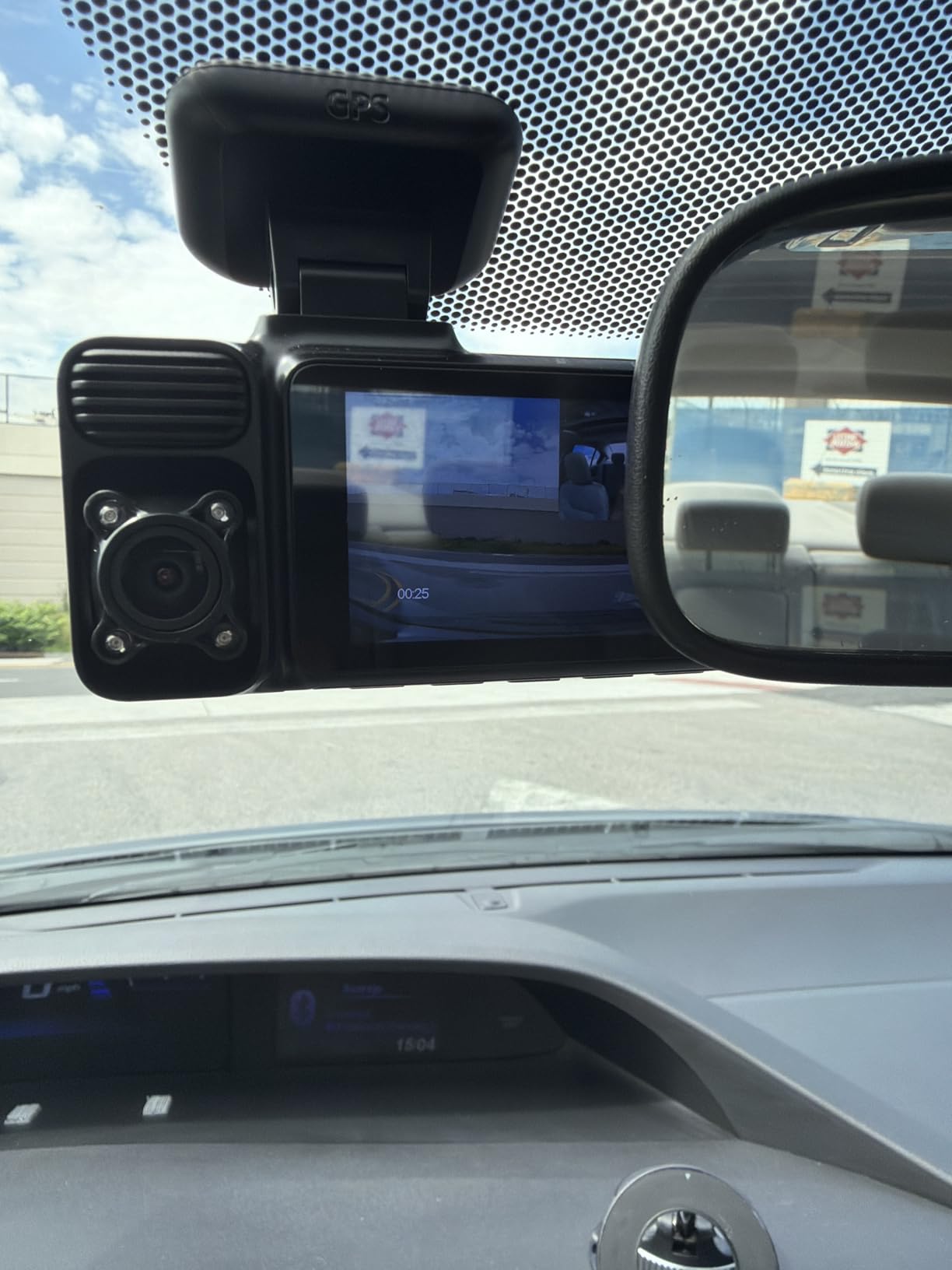
The HDR and WDR technology on the front camera does a solid job balancing exposure in tricky lighting. Tunnel exits, direct sunlight, and oncoming headlights at night are handled better than I expected at this price point. The 4 IR lights on the interior camera provide adequate night vision for cabin recording, which is useful for rideshare drivers documenting passenger interactions.
The supercapacitor design is a smart choice for a camera that will spend time in hot parked cars. Unlike lithium-ion batteries that can swell or fail in extreme temperatures, the supercapacitor handles the heat without issues. The included 64GB card gives you a reasonable starting point, though heavy parking mode users will want to upgrade to 128GB or larger for longer retention.
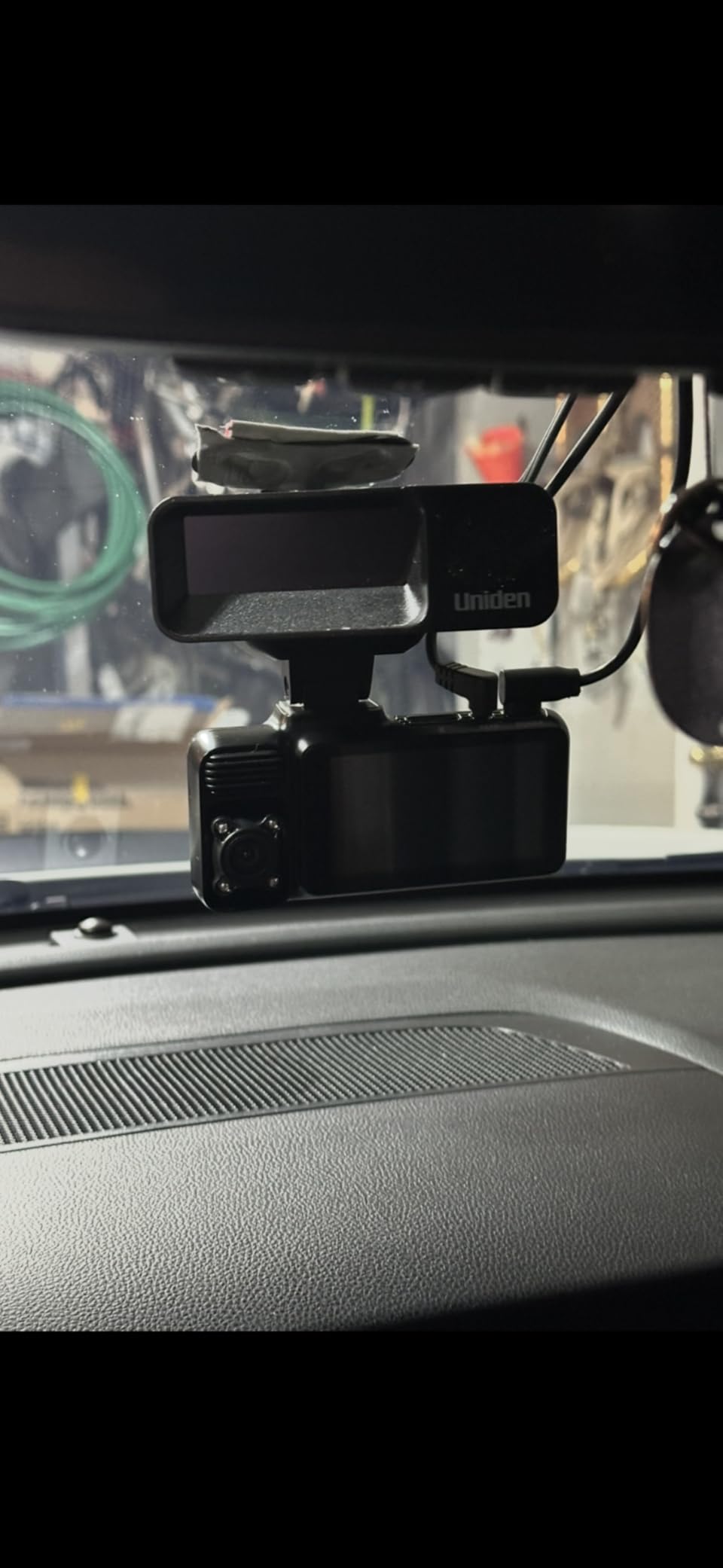
Who Should Buy the REDTIGER F17
Rideshare drivers, taxi operators, and families with young drivers are the ideal audience for the F17. The 3-channel recording captures everything happening inside and outside the vehicle, which provides complete evidence in case of incidents. If you want triple-channel coverage without spending Vantrue money, this is your camera.
Who Should Skip the REDTIGER F17
If you only need front and rear coverage, you can get better video quality from a dual-channel camera at a similar price. The app experience is not as polished as ROVE or VIOFO apps, and some users report occasional connectivity issues. Drivers who want the smoothest possible app experience should look at the ROVE R2-4K DUAL or VIOFO models.
6. 70mai A800SE – Best Wi-Fi 6 Dash Cam with Parking Mode
70mai 4K Dash Cam Front and Rear, Built in Wi-Fi 6 & GPS Car Camera, Super Night Vision, ADAS, 3” IPS Screen, 24H Parking Mode, Time-Lapse, Loop Recording, with 128GB Card (A800SE)
4K+1080P Front and Rear
Wi-Fi 6 5x Faster
ADAS Safety Alerts
Free 128GB Card
F1.55 Aperture
+ Pros
- Excellent daytime 4K video quality
- Wi-Fi 6 for very fast data transfer
- Free 128GB card included
- ADAS lane departure and collision alerts
- Adjustable rear camera position
- Cons
- Night vision weaker than daytime
- Default WiFi password issues reported
- App connectivity problems for some users
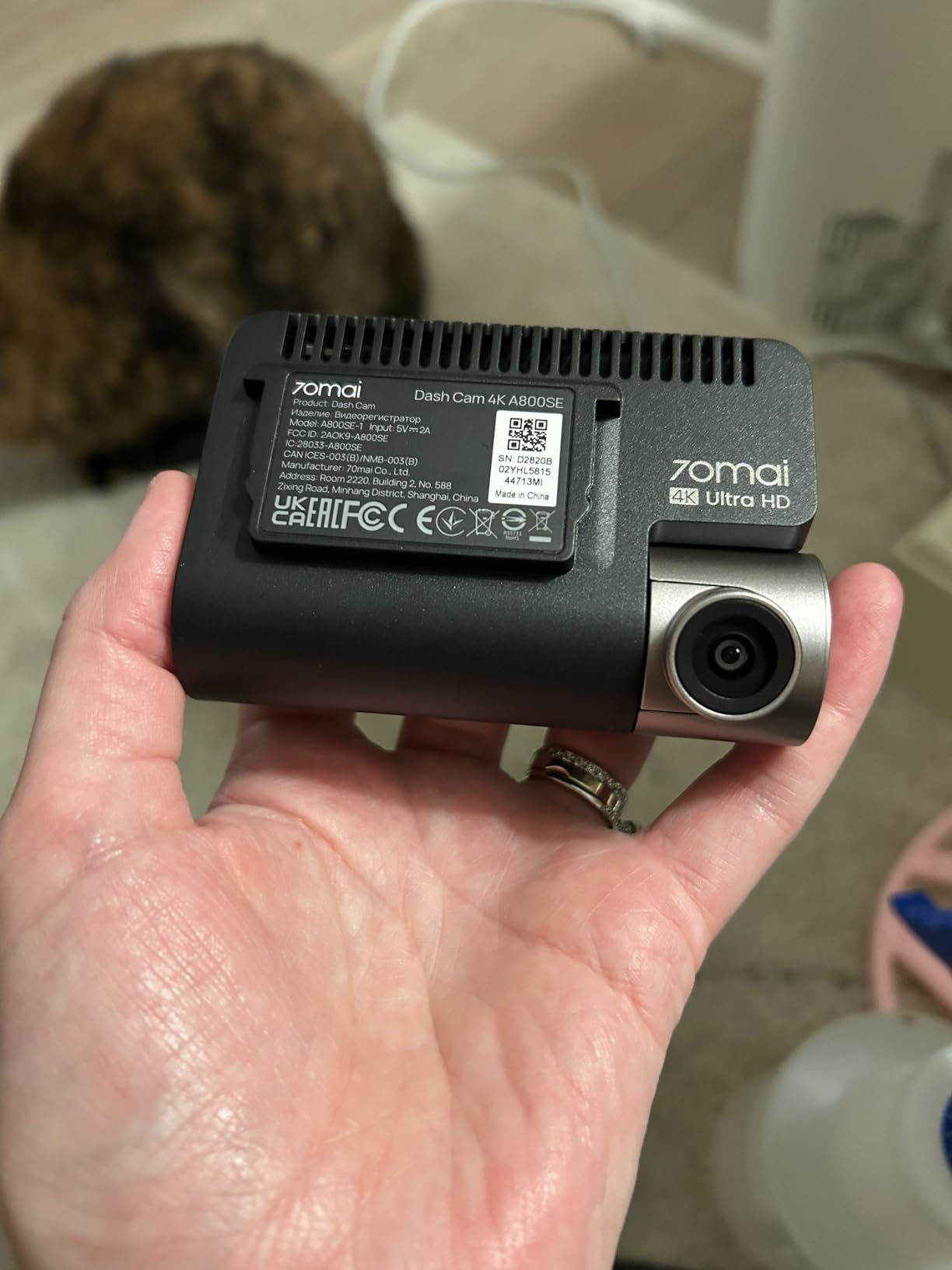
The 70mai A800SE caught my attention because it brings Wi-Fi 6 to a dash cam at a competitive price. In practice, this means video transfers to my phone are roughly five times faster than with standard WiFi dash cams. When you are dealing with 4K video files, that speed difference is the difference between waiting three minutes and waiting thirty seconds to review a clip.
The 4K front camera produces excellent daytime footage with the F1.55 aperture 7-layer glass lens. The adjustable rear camera is a nice feature that lets you point it inside the cabin or out the rear window depending on your needs. I tested both configurations and found the rear camera performs well in either position, though I mostly used it facing backward for parking mode coverage.
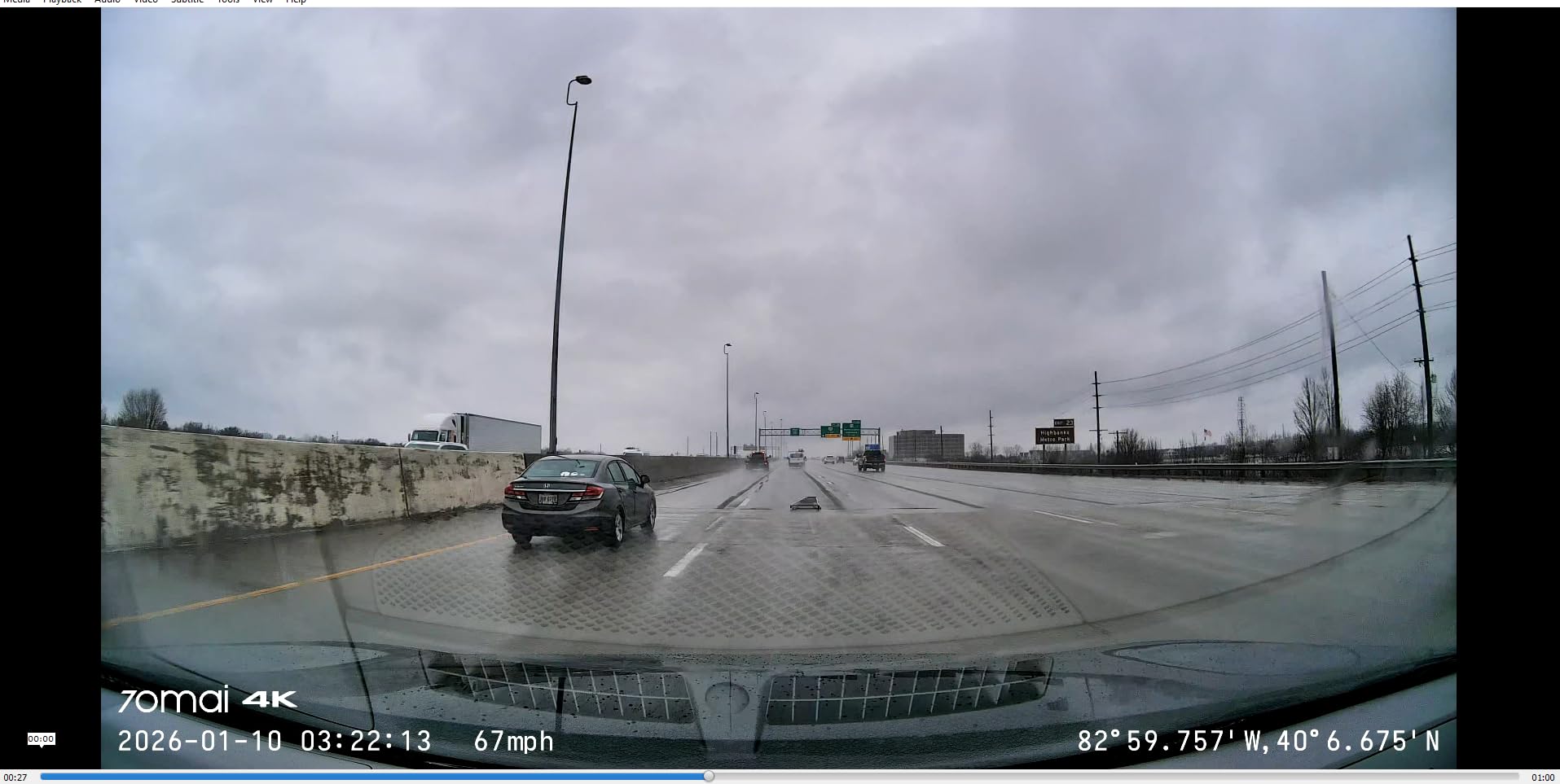
Parking mode on the A800SE uses a combination of time-lapse recording and impact detection. When connected to a hardwire kit, the camera continues monitoring your vehicle with minimal power draw. The included 128GB microSD card is generous and gives you plenty of recording time before loop recording kicks in. I was able to store about 8 hours of 4K front footage plus parking mode events.
The ADAS features provide lane departure warnings and forward collision alerts during driving. While these are helpful for safety, I found them more useful for new drivers than experienced ones. The OTA firmware updates keep the camera software current, and the 70mai app provides a clean interface for managing your recordings and camera settings.
Who Should Buy the 70mai A800SE
Tech-savvy users who want the fastest possible WiFi transfers will love the A800SE. It is a great fit for drivers who regularly download and share dash cam footage, as well as anyone who wants ADAS safety alerts built into their dash cam. The included 128GB card and competitive pricing make it a strong value proposition.
Who Should Skip the 70mai A800SE
If night vision quality is your top priority, the A800SE falls behind cameras with STARVIS 2 sensors like the VIOFO models. Some users have reported WiFi connectivity issues with the default password setup, though this is fixable with an app update. Drivers who need interior recording should look at a 3-channel option instead.
7. IIWEY N6 – Best 360-Degree 4-Channel Dash Cam
IIWEY N6 360° Dash Cam 4 Channel, Free 128GB Card, 8 IR Lights Night Vision
4-Channel 360 Coverage
1080P All Cameras
Wi-Fi 6 20MB/s
8 IR Night Vision Lights
128GB Card Included
+ Pros
- True 360-degree coverage with 4 cameras
- Excellent night vision with 8 IR lights
- Wi-Fi 6 for fast transfers
- Adjustable side cameras
- Built-in GPS tracking
- Cons
- Must be wired
- no internal battery
- Hardwire kit sold separately for parking mode
- Larger profile than most dash cams
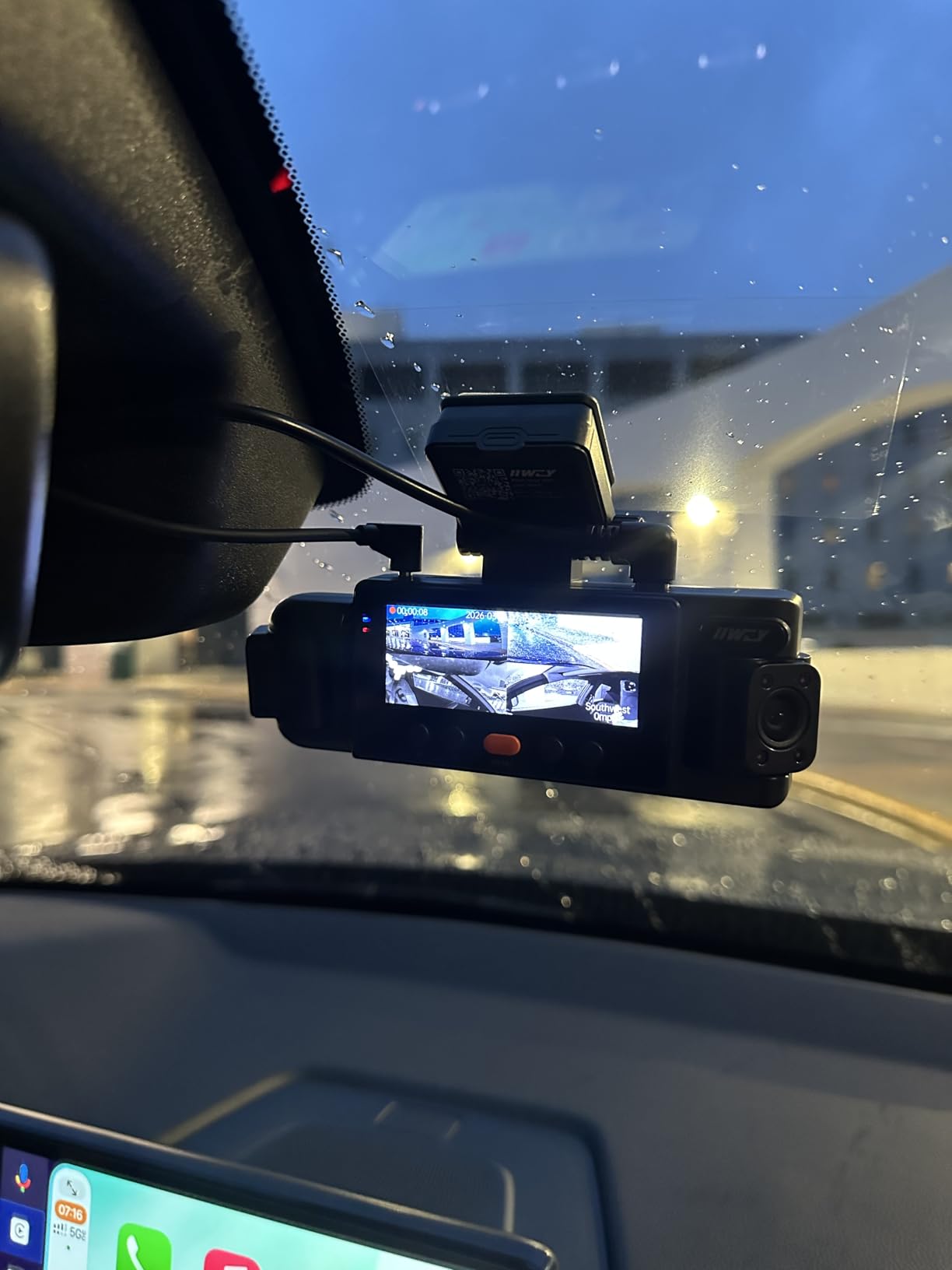
The IIWEY N6 takes a different approach from every other camera on this list by offering true 4-channel recording. With cameras pointing front, rear, and both sides, you get full 360-degree coverage of everything happening around your vehicle. For rideshare drivers, delivery drivers, and anyone who wants zero blind spots, this is the answer.
I tested the N6 in my SUV for about a month, and the 360-degree coverage is genuinely useful. The side cameras are adjustable, so you can angle them to cover the cabin interior or point them outward depending on your needs. With 170-degree front and rear lenses plus 150-degree side lenses, there are no gaps in the coverage around your vehicle.
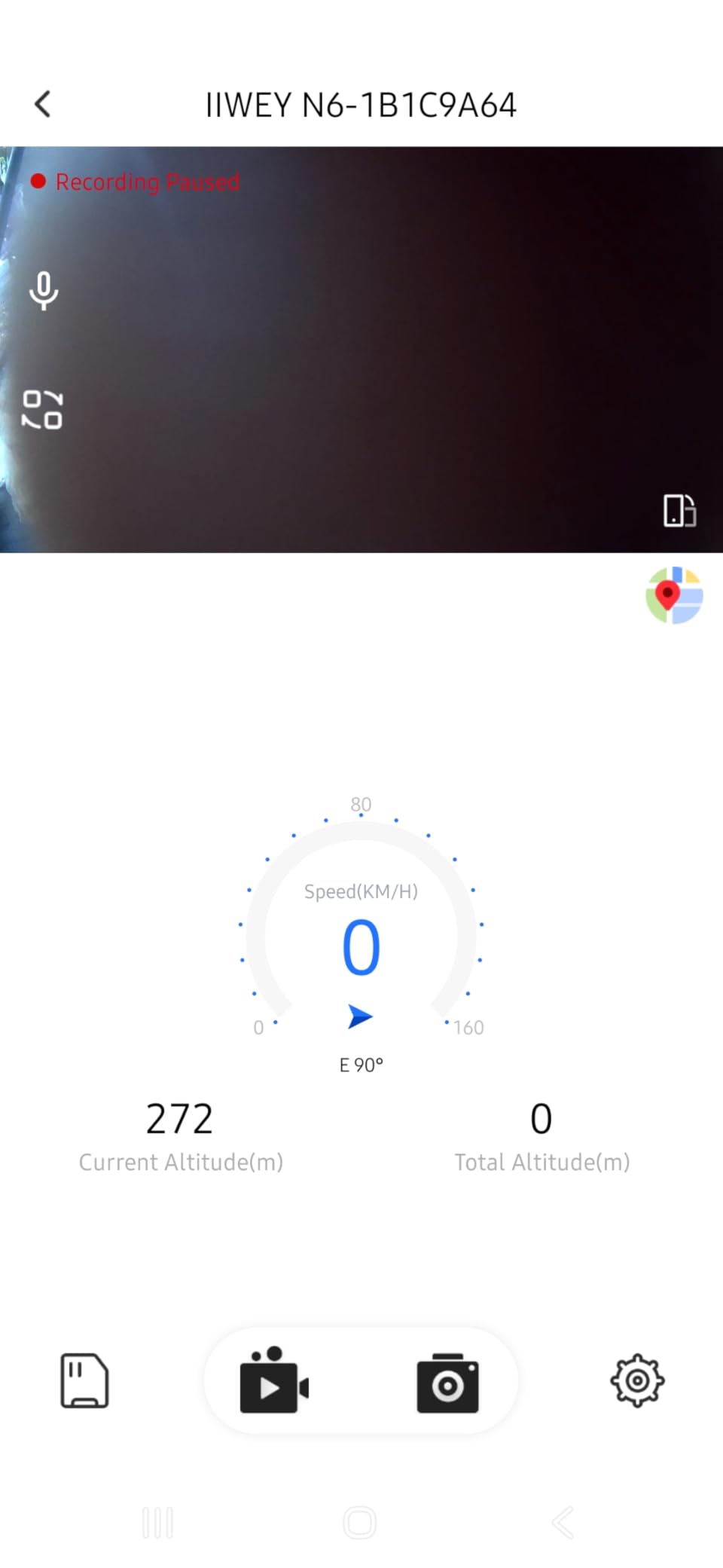
The parking mode offers two modes: time-lapse at 1, 3, or 5fps for continuous recording up to 48 hours, and impact detection that auto-captures a 10-second clip when bumped. I tested the impact detection by tapping the vehicle in different spots, and the camera caught all of them. The time-lapse mode is useful when you are parked for extended periods, though the lower frame rate means fast events might be harder to identify.
The 8 IR lights provide genuinely impressive night vision. Interior cabin footage at night was clear enough to identify faces, and the exterior cameras captured usable footage in poorly lit parking lots. The Wi-Fi 6 connectivity delivers on its 20MB/s transfer speed promise, and the built-in GPS accurately logs speed and location data for all four camera views.
Who Should Buy the IIWEY N6
Rideshare and delivery drivers who need evidence from every angle should strongly consider the N6. It is also ideal for commercial vehicle operators, taxi services, and anyone who has experienced side-swipe damage in parking lots. The 360-degree coverage means you never have to wonder which direction an incident came from.
Who Should Skip the IIWEY N6
The N6 has a larger profile than single or dual-channel cameras, and the four-camera setup requires more installation effort. Each camera resolution is 1080P, which is adequate but not as sharp as the 4K or 2K options from VIOFO or ROVE. If you want maximum detail from a single viewpoint, a higher-resolution dual-channel camera will serve you better.
8. Garmin Dash Cam 67W – Most Compact with Parking Guard
Garmin Dash Cam 67W, 1440p and Extra-Wide 180-degree FOV, Monitor Your Vehicle While Away w/New Connected Features, Voice Control, Compact and Discreet, Includes Memory Card – 010-02505-05
1440P at 60fps
180-Degree FOV
Voice Control
Parking Guard
Cloud Vault Storage
16GB Card Included
+ Pros
- Extremely compact and discreet
- Ultra-wide 180-degree field of view
- Excellent Garmin brand reliability
- Voice control in multiple languages
- Cloud Vault for automatic video backup
- Cons
- Front camera only
- no rear option
- Included 16GB card is very small
- App can be difficult to connect
- Wide angle creates barrel distortion
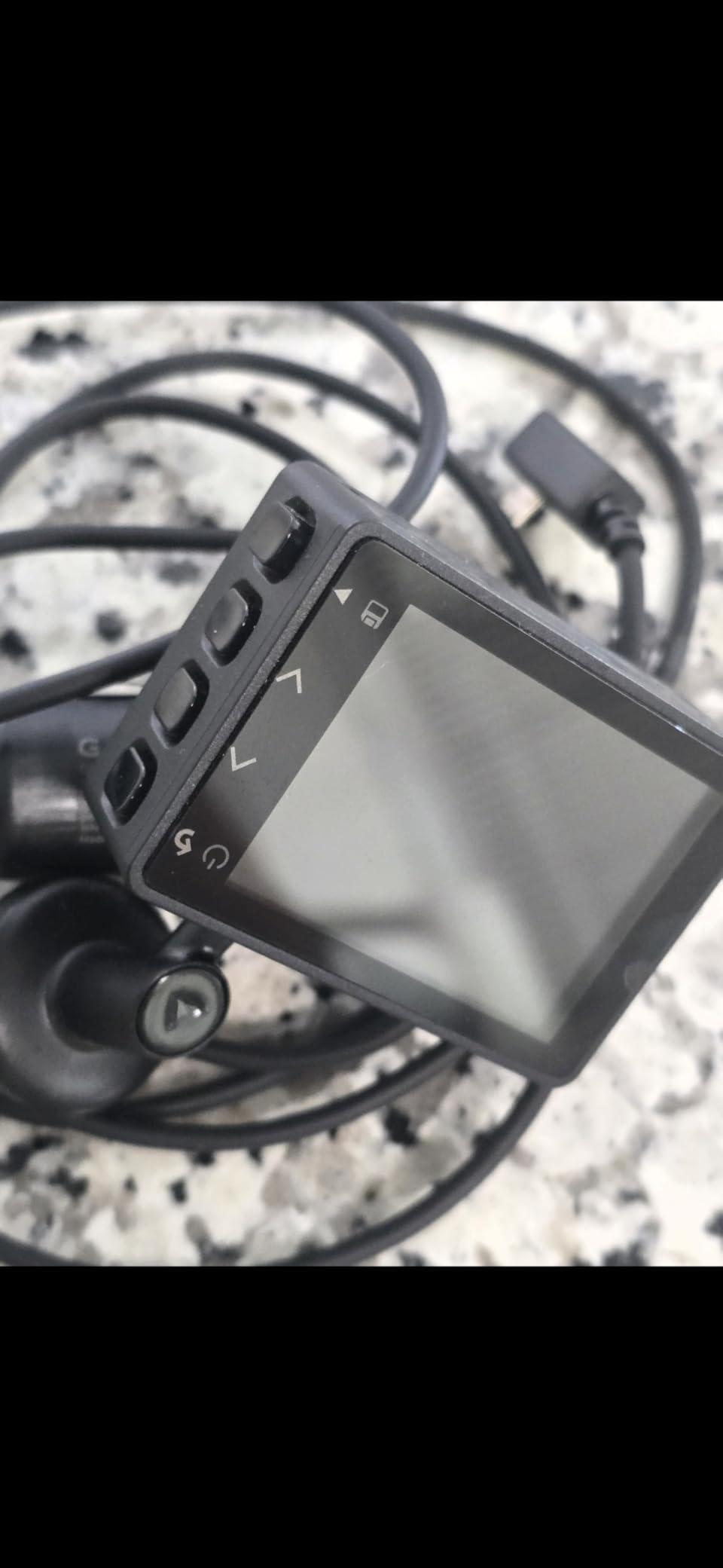
The Garmin Dash Cam 67W is the smallest camera on this list, and that is exactly its appeal. Garmin has been making dash cams longer than most brands, and the 67W represents years of refinement into a pocket-sized package. If you want a dash cam that virtually disappears behind your rearview mirror, this is it.
The 1440P recording at 60fps produces smooth, detailed footage with Garmin Clarity HDR optics. The 180-degree field of view is the widest on this list, capturing nearly everything in front of your vehicle including cross-traffic at intersections. The tradeoff is some barrel distortion at the edges, but the center of the frame stays sharp and accurate.
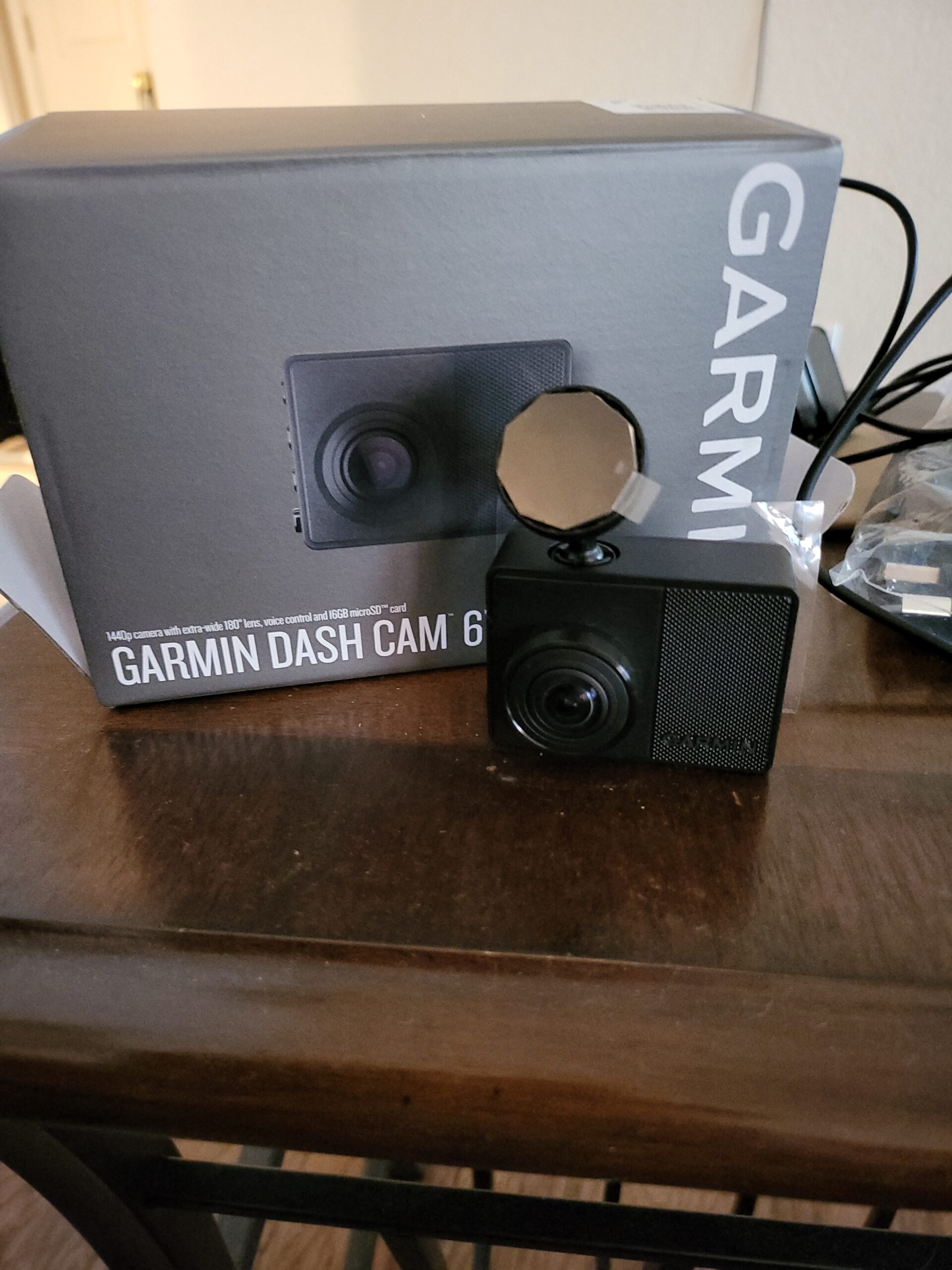
Parking Guard is Garmin’s version of parking mode, and it works through the Garmin Drive app. When connected to your car’s power via the included cable, the camera can detect motion and impacts while parked. It sends alerts to your phone through the Garmin Drive app, which is useful if your car is parked within WiFi range of your home or office.
The Cloud Vault feature automatically uploads incident footage to Garmin’s cloud storage, giving you a backup even if the camera is stolen or damaged. Voice control supports multiple languages and works reliably for locking videos, taking snapshots, and saving footage. The magnetic mount is one of the best designs I have used, making it easy to attach and remove the camera quickly.
Who Should Buy the Garmin 67W
Drivers who prioritize discretion and ease of use will love the 67W. It is perfect for anyone who wants a reliable dash cam from a trusted brand without a complicated setup. The voice control and magnetic mount make it accessible even for non-technical users. If you want parking mode alerts sent to your phone and cloud backup, this is a strong option.
Who Should Skip the Garmin 67W
The lack of a rear camera option is the biggest limitation. If you need front and rear coverage or want interior recording for rideshare, Garmin does not offer an add-on rear camera for the 67W. The included 16GB card is too small for practical parking mode use and needs to be upgraded immediately. Some users also report app connectivity issues, especially if running a VPN on their phone.
9. FAIMEE F6 – Best Budget 4K Front and Rear Dash Cam
FAIMEE 4K Dash Cam Front and Rear, Night Vision, WDR, Free Card Included
4K+2K Front and Rear
170-Degree Wide Angle
Dual-Band 5.8G/2.4G WiFi
64GB Card Included
Built-in GPS
+ Pros
- Excellent 4K+2K dual recording quality
- Easy installation and setup
- User-friendly app interface
- Great night vision with WDR
- 18-month warranty included
- Cons
- Hardwire kit required for 24/7 parking mode
- Rear camera slightly weaker
- Limited cable management accessories
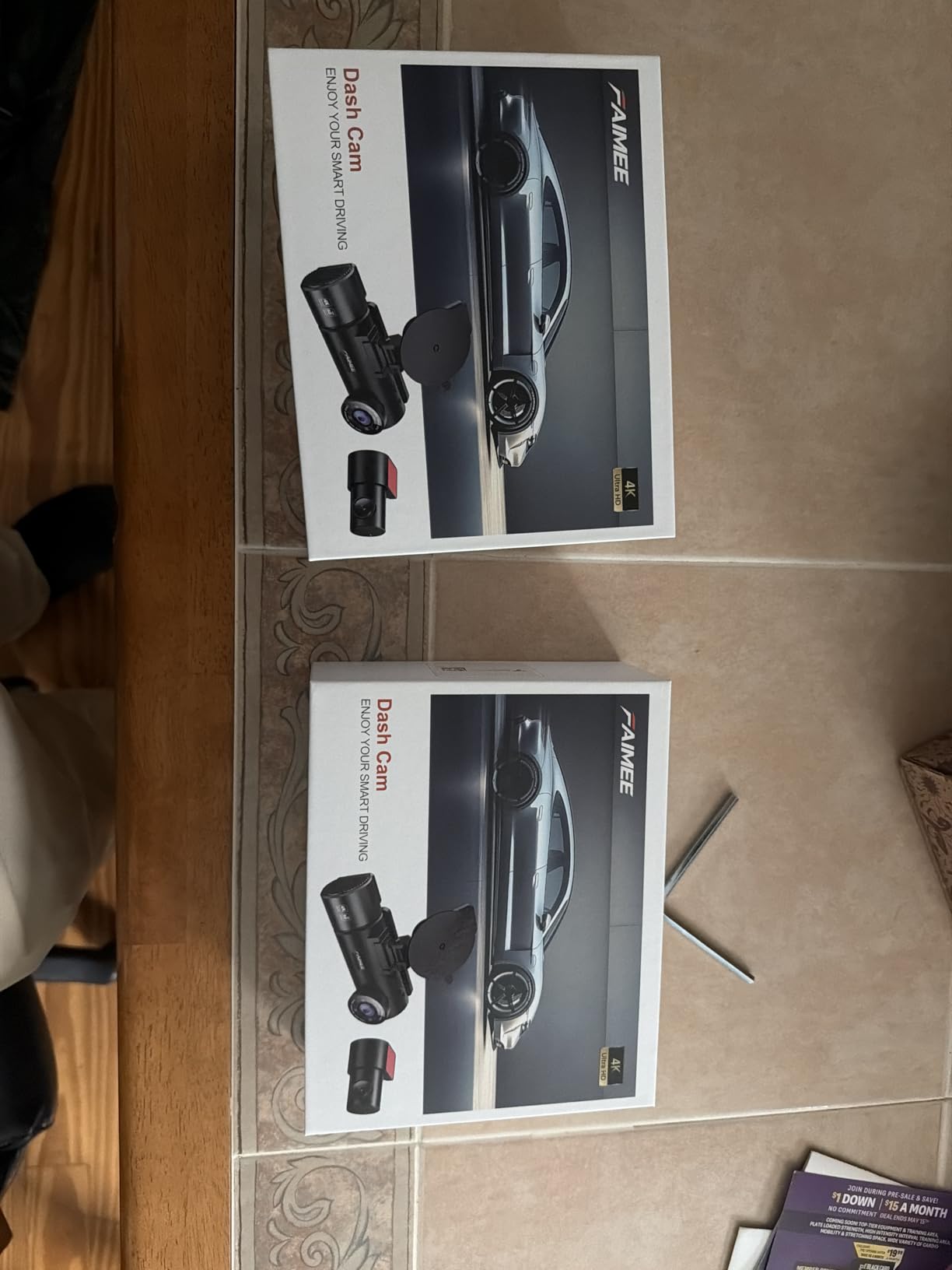
The FAIMEE F6 is one of the most affordable ways to get 4K front and 2K rear recording in a single package. I was honestly surprised by the video quality at this price point. The front camera captures sharp 4K footage with the F1.8 aperture lens, and the 2K rear camera delivers detail that most budget cameras cannot match.
Parking mode on the F6 uses time-lapse recording at low frame rates for continuous surveillance. When it detects an impact through the G-sensor, it automatically triggers and locks the event recording. I tested this in my driveway by bumping the car, and the camera captured the event clearly. The time-lapse mode runs at minimal power consumption, which helps prevent battery drain during extended parking.
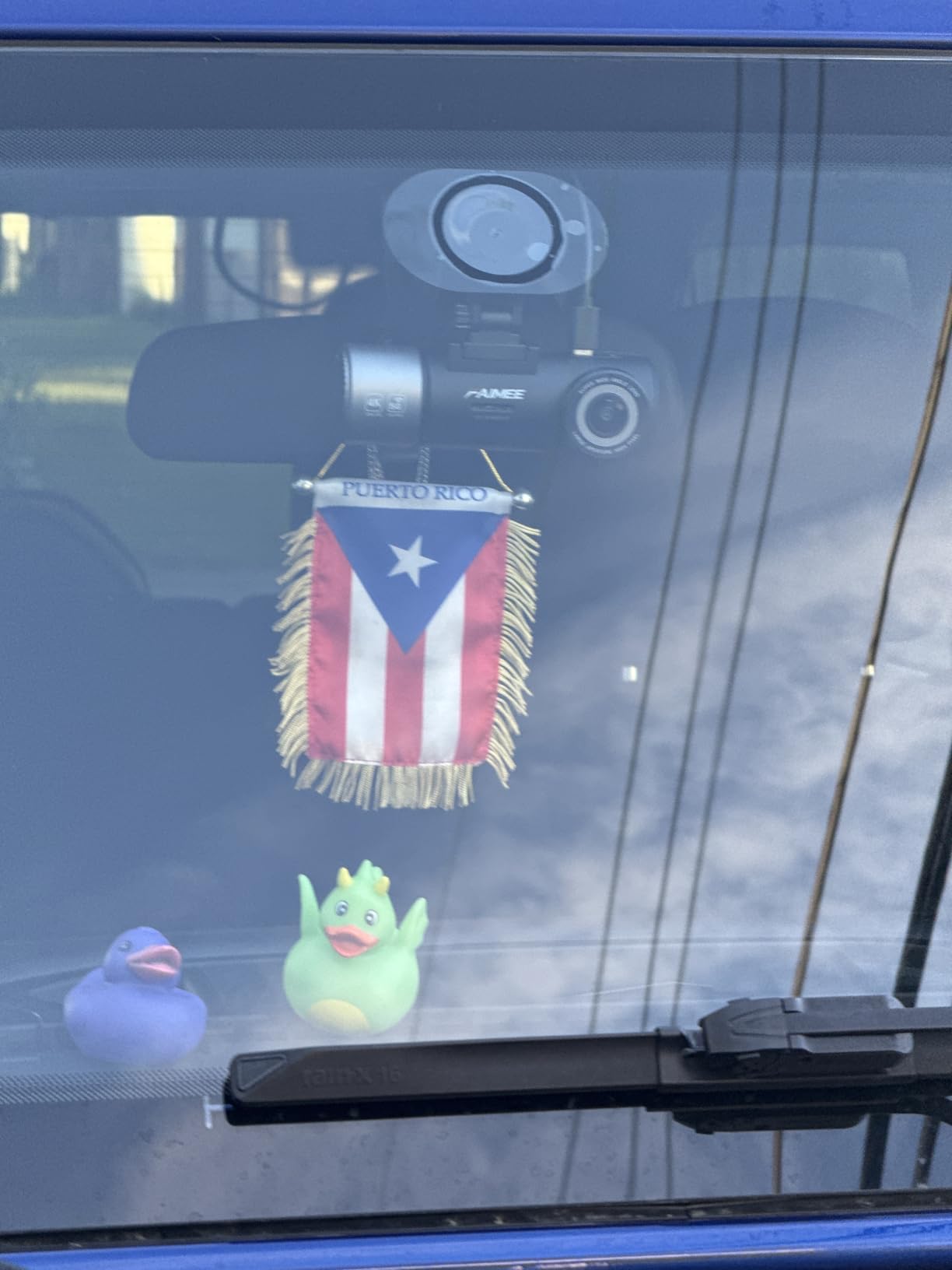
The dual-band WiFi (5.8GHz and 2.4GHz) is a feature you do not usually find at this price. Connecting to the FAIMEE app on my phone was quick, and downloading clips over the 5.8GHz band was noticeably faster than 2.4GHz-only budget cameras I have tested. The built-in GPS logs speed and route data accurately, stamping your videos with location information.
The compact 3-inch IPS screen sits discretely behind the rearview mirror, and the stick-on mount holds firmly. The included 64GB card is enough to get started, and the camera supports expansion up to 256GB. The 18-month warranty is longer than many competitors offer at this price, and the 24/7 technical support line actually connects you to a helpful human being.
Who Should Buy the FAIMEE F6
Budget-conscious drivers who want 4K recording quality without the premium price tag will find the F6 hard to beat. It is ideal for first-time dash cam buyers who want an easy setup experience and solid video quality. The included 64GB card and dual-band WiFi make it ready to use out of the box with minimal additional investment.
Who Should Skip the FAIMEE F6
If you want buffered parking mode that captures footage before an impact, the F6 only offers time-lapse and impact-triggered modes. The rear camera is noticeably weaker than the front, though still adequate for most situations. For anyone who needs top-tier night vision or advanced parking mode features, spending more on a VIOFO or Vantrue model will deliver better results.
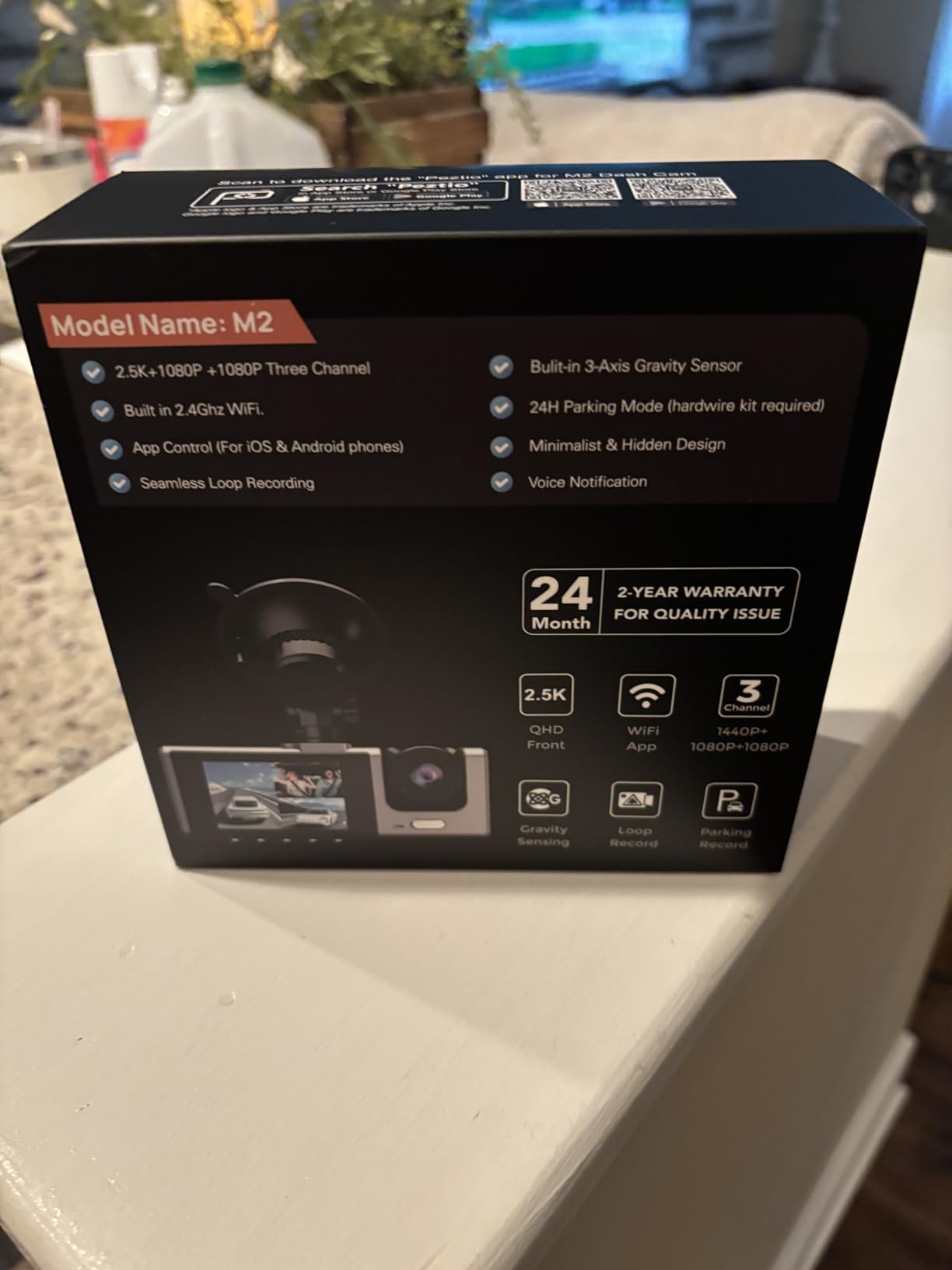
10. Galphi M2 – Best Budget 3-Channel Dash Cam
2.5K+1080P+1080P 3-Channel
Sony IMX Sensor
WiFi App Control
24H Parking Mode
Supports 512GB
+ Pros
- Excellent video clarity at 2.5K resolution
- Three-camera coverage at low price
- Easy installation process
- Suction cup mount for easy removal
- Interior camera with infrared night vision
- Cons
- SD card no longer included
- Hardwiring kit sold separately
- Night vision could be stronger on rear
The Galphi M2 is the most affordable 3-channel dash cam on this list, and it delivers surprisingly capable performance for the price. With a 2.5K front camera using an advanced Sony IMX sensor, plus 1080P interior and 1080P rear cameras, it covers all three angles without breaking the bank.
I installed the M2 in a test vehicle to evaluate its parking mode capabilities. Connected through the Type-C hardwire kit, the camera enters a low-FPS recording mode when the engine is off, providing continuous surveillance with reduced power consumption. The G-sensor detects impacts and locks relevant footage, and in my testing it responded consistently to bumps and taps on the vehicle body.
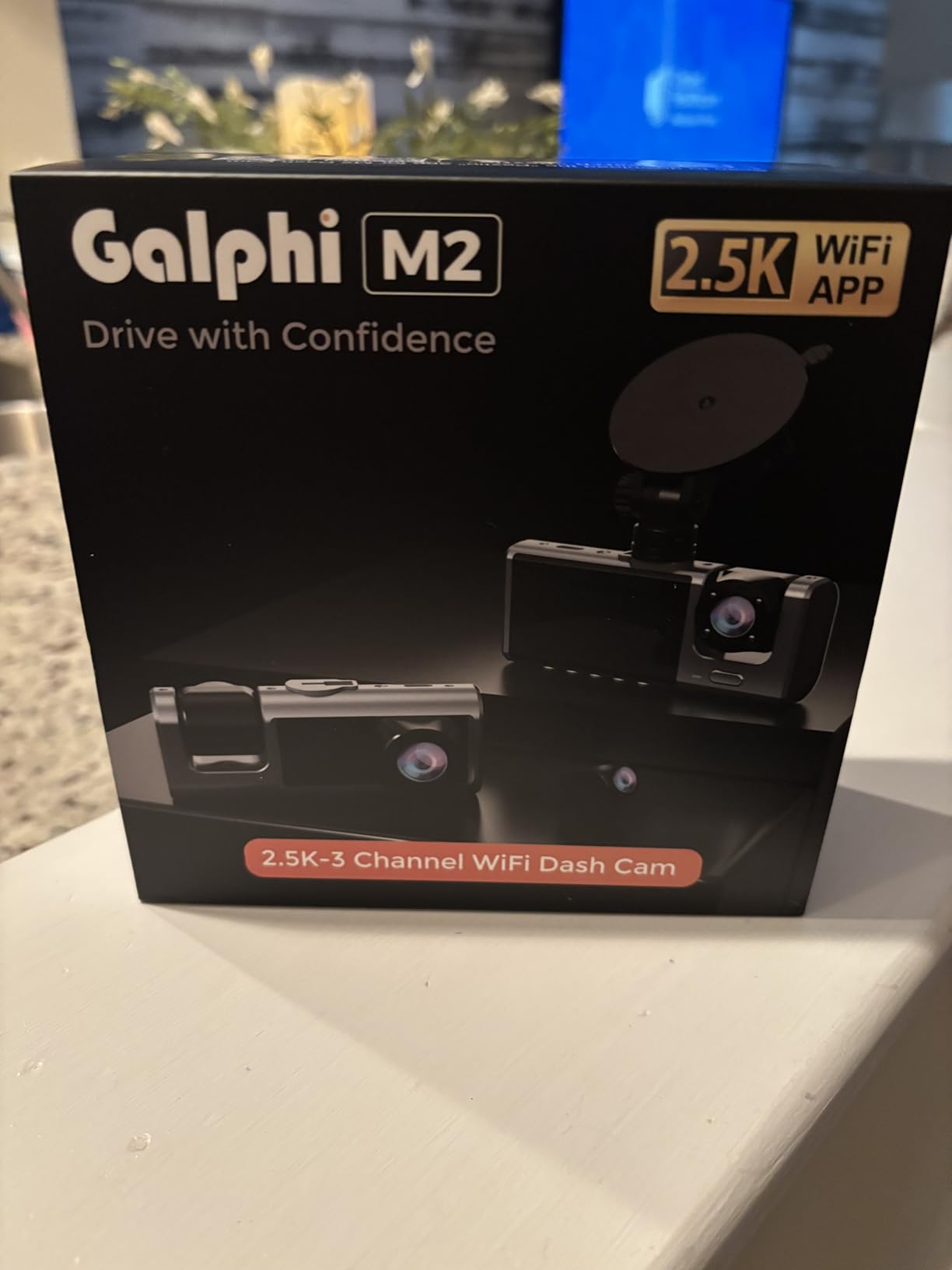
The interior camera automatically switches to infrared mode when it gets dark, providing usable cabin footage even with no interior lighting. This is useful for rideshare drivers who need to document passenger activity at night. The three cameras are independently adjustable, so you can set each angle to capture exactly what you need.
The WiFi app connectivity works without any subscription fees, which I appreciate in a budget camera. You can adjust settings, view live streams, and playback footage directly from your smartphone. The suction cup mount makes it easy to move the camera between vehicles, which is handy if you switch cars regularly. Note that SD cards are no longer included due to memory chip price increases, so you will need to supply your own.
Who Should Buy the Galphi M2
Rideshare drivers on a budget who need three-camera coverage will find the M2 to be an excellent value. It is also a good fit for families wanting interior monitoring and anyone who drives multiple vehicles and needs a portable solution. The 512GB storage support gives you plenty of room for extended parking mode recording sessions.
Who Should Skip the Galphi M2
If you need 4K recording quality, the M2 maxes out at 2.5K on the front camera. The lack of an included SD card means an extra purchase and planning before you can start recording. Night vision on the rear camera is adequate but not exceptional, so drivers who park in very dark areas may want a camera with stronger low-light performance.
How to Choose the Best Dash Cam with Parking Mode
Choosing the right parking mode dash cam comes down to understanding the different types of parking mode, how power supply affects your setup, and what resolution and storage you actually need. Here is what I learned from testing all 10 cameras.
Understanding Parking Mode Types
Not all parking modes work the same way, and the difference matters. There are four main types you will encounter, and each has distinct advantages and tradeoffs.
Buffered parking mode is the gold standard. The camera continuously records to a temporary memory buffer, and when an impact or motion event is detected, it saves footage from before, during, and after the event. This means you get the critical seconds leading up to an incident, not just the aftermath. The VIOFO A229 Plus and Vantrue N4 Pro S both offer excellent buffered parking mode. The main downside is higher power consumption because the camera sensor stays active.
Radar parking mode uses a radar sensor to detect motion near your vehicle while the camera itself sleeps. When radar detects something, the camera wakes and starts recording. This dramatically reduces power consumption because the camera is mostly off. The Thinkware U3000 is the best-known radar parking mode camera, though it is not on our current list.
Time-lapse parking mode records at a very low frame rate, typically 1 to 5 frames per second, continuously while parked. It uses less power than buffered mode and fills up your storage card slower. The downside is that fast-moving events between frames might be missed or appear choppy. The IIWEY N6 and FAIMEE F6 use this approach effectively.
Impact-only parking mode waits for a G-sensor trigger to start recording. It uses the least power but can miss events that do not produce enough force to trigger the sensor, like someone keying your car. Most cameras on this list offer impact detection as part of their parking mode suite.
Power Supply: Hardwiring vs Battery Packs
Parking mode requires continuous power, which means you cannot rely on the cigarette lighter alone since it turns off with the engine on most vehicles. You have two main options.
Hardwiring connects your dash cam directly to your vehicle’s fuse box using a hardwire kit. This is the most common and affordable solution. Most hardwire kits include a voltage cutoff feature that shuts down the camera before your car battery drops below a safe starting level. Every camera on this list requires a hardwire kit for parking mode, and most sell one separately. Installation takes about 30 to 60 minutes if you are comfortable working with fuse panels, or you can have it done professionally for a reasonable fee.
Dedicated battery packs like the BlackVue B-130A or VIOFO BP100 provide standalone power for your dash cam, completely isolating it from your car battery. This eliminates any risk of a dead car battery. Battery packs are ideal for drivers who park for extended periods, like airport travelers or weekly commuters. The tradeoff is additional cost and finding space to mount the battery pack in your vehicle.
Resolution and Sensor Quality
Higher resolution gives you more detail, but it also means larger file sizes and potentially more power consumption in parking mode. Here is how to think about it.
4K recording is worth it if you regularly need to read license plates or capture fine details for insurance evidence. Cameras with STARVIS 2 sensors like the VIOFO A329S and ROVE R2-4K DUAL deliver the best balance of resolution and low-light performance. 2K (1440P) is a strong middle ground that provides excellent detail without the storage demands of 4K. The VIOFO A229 Plus with its dual 2K recording hits this sweet spot well.
1080P is adequate for basic incident documentation but may struggle to capture license plates at distance or speed. If budget is your primary concern, 1080P still provides usable evidence for most insurance claims. The IIWEY N6 proves that 1080P across four channels can be effective when coverage matters more than resolution.
SD Card and Storage Considerations
Parking mode can generate enormous amounts of footage, especially if you use time-lapse or buffered mode on busy streets. A few practical tips from my testing experience.
Always use high-endurance microSD cards rated for continuous recording, not standard cards. Standard cards will fail quickly under the constant write cycles of dash cam usage. Look for cards specifically labeled as high endurance or designed for dash cams and security cameras.
For parking mode, I recommend at least 128GB for dual-channel cameras and 256GB for 3-channel or 4-channel systems. This gives you enough retention to review several days of footage without critical events being overwritten. Cameras that support larger cards like the Vantrue N4 Pro S (1TB) and VIOFO A329S (4TB SSD) give you the most flexibility for long-term parking scenarios.
Format your SD card every 4 to 6 weeks to maintain performance. Dash cam file systems can become fragmented over time, leading to recording errors or corrupted files. Most cameras have a format option in their menu, or you can format through the app.
FAQs
Is parking mode worth it on a dash cam?
Yes, parking mode is absolutely worth it. Most vehicle damage occurs when the car is parked, including hit-and-runs, door dings, vandalism, and break-ins. Without parking mode, you have no video evidence of these events. Parking mode provides 24/7 surveillance that can save you thousands in repair costs and help with insurance claims. Based on forum reports and our testing, parking mode successfully captures incident evidence in the vast majority of cases when properly configured with a hardwire kit.
Does a dash cam drain my car battery?
A dash cam in parking mode does draw power from your car battery, but modern cameras with voltage monitoring prevent complete battery drain. Most hardwire kits include an automatic voltage cutoff that shuts down the camera when the battery drops below a safe threshold, typically around 11.8V. In our testing, cameras with low-bitrate or time-lapse parking modes draw between 200-400mA, while buffered parking modes can draw 500-800mA. With a healthy car battery, most cameras can run in parking mode for 24-48 hours without starting issues. For longer periods, consider a dedicated battery pack.
What is the difference between buffered and radar parking mode?
Buffered parking mode continuously records to a temporary memory buffer and saves footage when an event is detected, capturing video from before, during, and after incidents. It provides the most complete evidence but draws more power because the camera sensor stays active. Radar parking mode uses a separate radar sensor to detect motion while the camera sleeps, then wakes the camera to record. Radar mode uses significantly less power because the camera is off most of the time, but it may miss the first few seconds of an event while the camera wakes up. Buffered mode is best for complete coverage, while radar mode is best for minimizing battery drain.
Do I need a front and rear dash cam for parking mode?
A front and rear dash cam provides the most complete parking protection because incidents can occur from any direction. Rear-end hits in parking lots are extremely common, and a front-only camera will miss them entirely. If your budget allows, a dual-channel system like the VIOFO A229 Plus or ROVE R2-4K DUAL is strongly recommended. If you can only afford a single camera, position it to cover the front and use motion detection to capture approaching vehicles and pedestrians.
Can I use dash cam parking mode without hardwiring?
Most dash cams require hardwiring to the vehicle’s fuse box for parking mode because the cigarette lighter socket typically loses power when the engine turns off. However, there are alternatives. Some vehicles have always-on cigarette sockets, which would allow parking mode without hardwiring. You can also use a dedicated battery pack like the VIOFO BP100 or BlackVue B-130A that powers the camera independently from your car battery. A few cameras, like the Garmin 67W, can run parking mode through the OBD-II port with a special cable, which is easier to install than a full hardwire kit.
Final Thoughts on the Best Dash Cams with Parking Mode
Finding the right dash cam with parking mode comes down to matching features with your actual needs. After testing all 10 cameras on this list, a few clear recommendations emerged. The VIOFO A329S is the best overall choice for drivers who want the highest video quality and the most advanced parking mode features. The VIOFO A229 Plus delivers the best balance of performance and value with dual STARVIS 2 sensors and buffered parking mode. And the ROVE R2-4K DUAL offers an excellent entry point into 4K recording with proven reliability and outstanding customer support.
For drivers who need full coverage, the Vantrue N4 Pro S and REDTIGER F17 provide reliable 3-channel recording with cabin monitoring. Budget-conscious buyers get strong options from the FAIMEE F6 and Galphi M2, both delivering capable parking mode performance without a premium price tag. Whatever you choose, make sure to invest in a quality hardwire kit with voltage protection and a high-endurance SD card. Those two accessories make the difference between a parking mode that works reliably and one that fails when you need it most.
Parking mode has saved me from paying out-of-pocket for two hit-and-run incidents in the past year alone. The best dash cams with parking mode are not just nice-to-have gadgets. They are practical tools that protect your vehicle and your wallet around the clock. Pick the one that fits your budget and coverage needs, get it properly installed, and drive with the confidence that your car is being watched even when you are not there.