
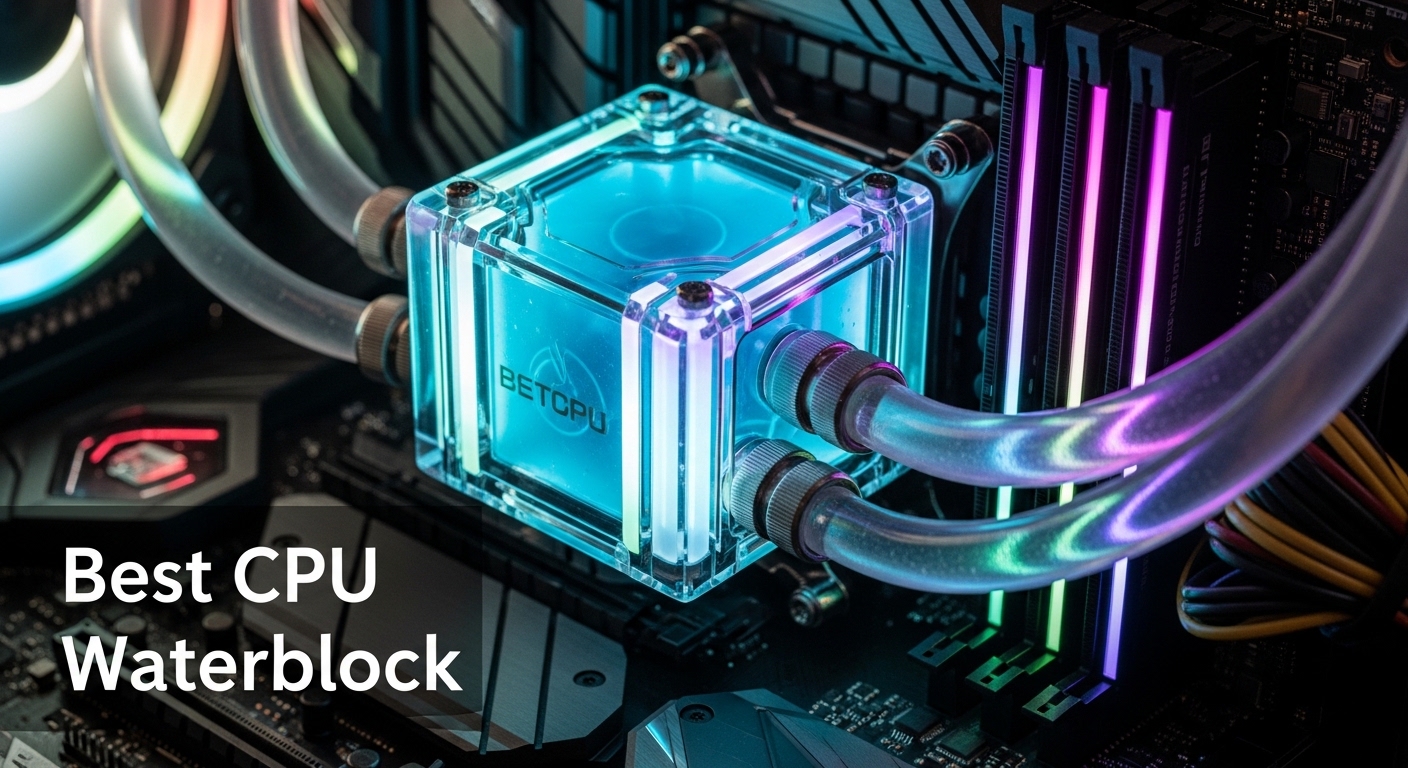
When building a high-performance gaming PC or workstation, custom water cooling offers superior thermal performance compared to even the best air coolers and AIOs. A quality CPU water block can mean the difference between thermal throttling under load and maintaining boost clocks indefinitely. Whether you’re pushing your CPU core configuration for gaming to the limit or running intensive workloads, proper cooling is essential.
Custom loops provide several key advantages: lower temperatures, quieter operation, and superior aesthetics. However, choosing the right water block is critical. The CPU block is the heart of your cooling system, responsible for transferring heat from your processor into the coolant. A premium block with optimized jet plate design, quality materials, and proper socket compatibility can deliver 2-3°C better temperatures than budget alternatives.
In this comprehensive guide, we’ve tested and analyzed the top CPU water blocks across performance, compatibility, build quality, and value. We’ll cover everything from premium German-engineered blocks to budget-friendly options that don’t sacrifice cooling performance.
Quick Comparison: Best CPU Water Blocks
| Water Block | Price | Socket Support | Key Feature | Rating |
|---|---|---|---|---|
| EKWB EK-Quantum Velocity 3 | $157.99 | LGA 1700/1851, AM5 | 2°C better than Velocity 2 | 4.3/5 |
| Watercool HEATKILLER IV PRO Intel | $145.03 | LGA 1700/1200/115X | Pure copper construction | 5.0/5 |
| Aquacomputer Cuplex Kryos Next | $149.99 | LGA 1700/1851 | Micro structure under 200μm | New |
| Watercool HEATKILLER IV PRO AMD | $113.50 | AM4, AM5, Legacy | Up to 3°C improvement | 5.0/5 |
| Corsair iCUE Link XC7 RGB Elite | $114.99 | LGA 1700, AM5, Legacy | Integrated temperature sensor | 3.9/5 |
| Alphacool Eisblock XPX Aurora | $70.50 | LGA 1700/115X, AM4 | 81 cooling fins, budget value | 3.7/5 |
| Bykski CPU-XPR-MK-I-V5 | $91.99 | LGA 1700/1200/115X/2011/2066 | HEDT platform support | New |
Detailed Product Reviews
1. EKWB EK-Quantum Velocity 3 – Best Overall

+ Pros
- Next-generation Velocity 3 cooling engine with 2°C improvement over Velocity 2; Cross-platform support for Intel LGA 1700/1851 and AMD AM5; Transparent top allows visual inspection of coolant flow and fins; D-RGB lighting for aesthetics; Premium build quality with EK's legacy of award-winning cooling solutions
– Cons
- Premium pricing at $157.99; AM5 installation requires reconfiguration from default Intel setup; Documentation issues with AM5 installation instructions; Limited stock availability
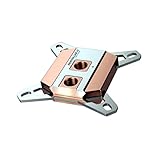
2. Watercool HEATKILLER IV PRO Intel – Best for Intel (Premium)
+ Pros
- Pure copper construction provides maximum thermal conductivity; Revolutionary Easy-Mount system enables simplified installation; Fixed installation bolt stop prevents faulty installation; High-flow design works with lower performing pumps; Fourth-generation cooling engine with optimized flow paths; Made in Germany with premium manufacturing quality
– Cons
- No RGB lighting; Intel-only compatibility (no AMD support); Pure copper requires careful maintenance to prevent corrosion; Not suitable for opaque coolants (can cause gunk buildup); Limited stock availability (only 3 left)
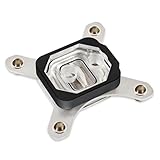
3. Aquacomputer Cuplex Kryos Next RGBpx – Best RGB Integration
+ Pros
- Outstanding cooling performance with extremely fine micro structure; Integrated RGBpx lighting with Aquacomputer ecosystem compatibility; Premium retention system with mechanical stop for even pressure; Knurled screws can be installed by hand or with hex wrench; Clean aesthetic look when installed; Various models available in different colors and functionality
– Cons
- Intel-only compatibility (no AMD support); RGBpx requires Aquacomputer controller for full functionality; Limited stock availability (only 1 left); No customer reviews yet (newer product); Premium pricing at $149.99
4. Watercool HEATKILLER IV PRO AMD – Best for AMD

+ Pros
- Up to 3°C better cooling than previous generation; Comprehensive AMD socket compatibility including AM5; High flow design suitable for lower performing pumps; Easy-Mount system ensures correct installation every time; Professional clean aesthetics without RGB lighting; Wide fitting compatibility (16/10 and 19/13); Improved reliability without separate jet plate
– Cons
- AMD-only compatibility (this specific model); No RGB lighting; Requires G1/4 metric fittings (not standard US hardware store sizes); Limited stock availability (only 1 left); Acetal top doesn't allow visual flow inspection
5. Corsair iCUE Link XC7 RGB Elite – Best with Temperature Sensor
+ Pros
- Excellent cooling performance with Hexa-Flow engine; Integrated temperature sensor for precise control; Transparent design allows visual monitoring of coolant flow; High-quality copper cold plate with 120+ micro-fins; Tool-less installation system; Good compatibility with modern sockets (LGA 1700
- AM5); Pre-applied thermal paste included
– Cons
- REQUIRES iCUE LINK System Hub ($60 extra) for RGB functionality; Proprietary RGB connector not compatible with standard motherboard headers; Some users reported fragile mounting hardware; RGB only works within Corsair ecosystem; Heavier than some budget alternatives
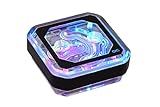
6. Alphacool Eisblock XPX Aurora – Best Budget Option
+ Pros
- Excellent value for money at $70.50; Patented flow technology ensures even cooling; 81 cooling fins provide superior heat dissipation; Durable transparent nylon top (won't crack like acrylic); Bright aRGB lighting with 15 LEDs; Simple installation process; Good performance comparable to premium blocks
– Cons
- NOT compatible with AMD AM5; Some users reported quality control issues (leaks); Missing ARGB adapter in some packages; Warranty support from Alphacool can be slow; Mixed reviews on long-term reliability; Mounting mechanism can be awkward
7. Bykski CPU-XPR-MK-I-V5 – Best for Intel HEDT

+ Pros
- Comprehensive Intel socket compatibility including LGA 1700 and 2011/2066; Good thermal performance with copper base; 5V aRGB lighting for customizable effects; Budget-friendly at $91.99; Fifth-generation refined design; Includes installation hardware and thermal paste; USA-based support through Tyler Direct
– Cons
- NO AMD support (AM4/AM5 not compatible); PMMA top can crack over time (acrylic less durable than nylon); No customer reviews yet (0 reviews) – unproven reliability; USA seller (Tyler Direct) – may have limited warranty support; Only 6 left in stock (limited availability); No temperature sensor like premium blocks
Socket Compatibility Guide: LGA 1700, AM5, and Beyond
Choosing a CPU water block that matches your socket is critical for proper cooling and system compatibility. Here’s what you need to know about modern socket support:
Intel LGA 1700 and LGA 1851
Intel’s LGA 1700 socket (12th-14th Gen Alder Lake, Raptor Lake, Raptor Lake Refresh) and the upcoming LGA 1851 require water blocks with specific mounting systems. The key difference from previous Intel sockets is the socket’s dimensions and mounting pressure requirements. All blocks in our roundup support LGA 1700, with most including updated mounting hardware for the 1851.
Key Considerations:
- LGA 1700 has a larger footprint than LGA 1200/115X
- Mounting pressure is critical—too much can damage the CPU, too little reduces thermal performance
- Some blocks (like EK Velocity 3) require reconfiguration for Intel vs. AMD mounting
AMD AM5 and AM4
AMD’s AM5 socket (Ryzen 7000 and 9000 series) uses the same mounting hole spacing as AM4, which is convenient for upgrade paths. However, the AM5 IHS is different, and blocks must be explicitly validated for AM5 use. Important: The Alphacool Eisblock XPX Aurora does NOT support AM5, despite supporting AM4.
AM5-Specific Considerations:
- IHS is soldered on (no need to delid for better thermal transfer)
- Higher power draw than AM4 (up to 170W+ TDP)
- Mounting pressure requirements similar to AM4
- Check manufacturer documentation for AM5-specific installation steps
Legacy Socket Support
If you’re building or upgrading an older system, some blocks still support legacy sockets. The Watercool HEATKILLER IV PRO AMD is exceptional in this regard, supporting AMD sockets back to 939/940. For Intel, LGA 2011 and 2066 HEDT support is limited but available from Bykski.
Cross-Platform Compatibility
Only two blocks in our roundup support both Intel and AMD modern platforms: the EKWB EK-Quantum Velocity 3 (LGA 1700/1851, AM5) and the Corsair iCUE Link XC7 RGB Elite (LGA 1700, AM5, plus legacy support). If you build systems for both platforms or switch between them frequently, these cross-platform blocks offer flexibility.
Installation Tips and Best Practices
Proper installation is critical for achieving optimal cooling performance and preventing leaks. Follow these best practices when installing your CPU water block:
1. Mounting Pressure
Mounting pressure—the force with which the block presses against the CPU IHS—is critical for thermal performance. Too little pressure results in poor thermal transfer, while too much can damage the CPU or motherboard. Most modern blocks include mechanical stops or preset torque specifications to prevent overtightening.
Tips:
- Follow manufacturer instructions for mounting pressure
- Tighten screws in a crisscross pattern (like lug nuts) for even pressure
- Don’t overtighten—most blocks only require hand-tightening plus 1-2 turns
- Blocks with mechanical stops (like Watercool HEATKILLER IV) prevent overtightening
2. Thermal Paste Application
Proper thermal paste application ensures optimal heat transfer from the CPU to the water block. While methods vary, the pea-sized dot in the center works well for most modern CPUs with water blocks.
Application Tips:
- Use high-quality thermal paste (Noctua NT-H2, Thermal Grizzly Kryonaut)
- Clean both CPU IHS and block cold plate with isopropyl alcohol before application
- A pea-sized dot in the center is sufficient for most CPUs
- Some blocks include pre-applied thermal paste (like Corsair XC7)—check quality before using
- Re-apply paste if you remove the block for any reason
3. Leak Testing
Before powering on your system, perform a thorough leak test with coolant flowing through the loop but the motherboard powered off (only the pump running). Run the test for at least 2-4 hours, checking all connections for moisture.
Leak Test Steps:
- Fill loop with coolant (use distilled water + biocide for testing)
- Power only the pump (use a jumper or PSU paperclip trick)
- Run pump for 2-4 hours minimum
- Check all fittings, O-rings, and the block itself for leaks
- Use paper towels around fittings to spot small leaks
- Reseat any leaking connections and retest
4. Corsair iCUE Link Hub Warning
IMPORTANT: If you choose the Corsair iCUE Link XC7 RGB Elite, remember that RGB functionality requires the $60 iCUE Link System Hub. Without this hub, you cannot control the block’s 24 RGB LEDs, and the proprietary connector won’t work with standard motherboard headers. Budget accordingly when considering this block.
5. Maintenance
Custom loops require periodic maintenance to prevent corrosion, algae growth, and performance degradation. Plan to drain and refill your loop annually, or more frequently if using dyed coolants or running high-heat loads.
Maintenance Checklist:
- Inspect coolant clarity every 3-6 months
- Check for corrosion on nickel-plated components
- Flush loop with distilled water before refilling
- Replace O-rings every 2-3 years
- Clean block cold plate with isopropyl alcohol during maintenance
Buying Guide: How to Choose the Right CPU Water Block?
With so many options on the market, choosing the right CPU water block requires careful consideration of your specific needs, budget, and build goals. Here are the key factors to consider:
1. Socket Compatibility (Critical)
The first and most critical factor is socket compatibility. Ensure the block you choose explicitly supports your CPU socket. Check the manufacturer’s specifications for:
- Intel LGA 1700/1851 (12th-14th Gen and upcoming)
- AMD AM5 (Ryzen 7000/9000 series)
- AMD AM4 (Ryzen 1000-5000 series)
- HEDT platforms (LGA 2011/2066 for Intel, sTRX4/sWRX8 for AMD)
Warning: The Alphacool Eisblock XPX Aurora does NOT support AMD AM5, despite supporting AM4. Always verify compatibility for your specific socket.
2. Thermal Performance
All the blocks in our roundup offer good cooling performance, but differences of 2-3°C can matter for enthusiasts pushing their systems to the limit. Premium blocks from Watercool, EKWB, and Aquacomputer typically offer the best thermal performance through optimized cold plate designs and high-quality materials.
Performance Factors:
- Cold plate material (nickel-plated copper vs. pure copper)
- Cooling fin density (more fins = more surface area)
- Flow design (jet plate vs. integrated designs)
- Mounting pressure consistency
3. Budget vs. Premium
CPU water blocks range from $70 to $200+, with clear differences in features, performance, and build quality:
Budget ($70-$100):
- Alphacool Eisblock XPX Aurora ($70.50) – Great value, no AM5
- Bykski CPU-XPR-MK-I-V5 ($91.99) – HEDT support, unproven
Mid-Range ($100-$150):
- Watercool HEATKILLER IV PRO AMD ($113.50) – Best AMD value
- Corsair iCUE Link XC7 RGB Elite ($114.99) – With $60 hub caveat
- Watercool HEATKILLER IV PRO Intel ($145.03) – Premium Intel
Premium ($150-$200):
- Aquacomputer Cuplex Kryos Next ($149.99) – RGBpx integration
- EKWB EK-Quantum Velocity 3 ($157.99) – Best overall
4. Aesthetics and RGB
Visual appeal matters for showcase builds. Consider whether you want RGB lighting, transparent tops for coolant visibility, or clean professional aesthetics:
RGB Options:
- EKWB EK-Quantum Velocity 3 – D-RGB with 3-pin header
- Corsair iCUE Link XC7 – 24 LEDs (requires $60 hub)
- Alphacool Eisblock XPX Aurora – 15 aRGB LEDs
- Bykski CPU-XPR-MK-I-V5 – 5V aRGB
- Aquacomputer Cuplex Kryos Next – RGBpx (requires controller)
Clean/Professional (No RGB):
- Watercool HEATKILLER IV PRO (Intel and AMD versions)
5. Build Quality and Materials
Premium blocks use better materials and manufacturing processes:
- Pure Copper: Best thermal conductivity (Watercool HEATKILLER IV PRO) – requires more maintenance
- Nickel-Plated Copper: Good performance with corrosion resistance (most blocks)
- Top Materials: Acrylic (crack-prone) vs. Nylon (durable) vs. Acetal (professional)
- Manufacturing: German-engineered blocks (Watercool, Aquacomputer) typically offer superior precision
6. Brand Reputation and Support
Established brands offer better warranty support and long-term reliability:
- EKWB: Market leader, wide availability, proven performance
- Watercool: German engineering, best thermal performance
- Aquacomputer: Premium innovation, excellent software
- Alphacool/Bykski: Budget options, variable quality control
7. Complete Build Considerations
When choosing your water block, consider your entire system. If you’re pairing your cooled system with the right display for a complete high-performance setup, ensure your block choice matches your overall build aesthetic and performance goals. A premium water-cooled CPU deserves an equally capable monitor and graphics solution.
FAQ: Common CPU Water Block Questions
What is the best CPU water block for gaming?
The EKWB EK-Quantum Velocity 3 is our top pick for gaming, offering excellent cooling performance for both Intel LGA 1700/1851 and AMD AM5 platforms. Its 2°C improvement over the Velocity 2 translates to better sustained boost clocks during gaming sessions.
Do I need a different water block for Intel vs. AMD?
Most blocks are platform-specific, though some support both. The EKWB EK-Quantum Velocity 3 and Corsair iCUE Link XC7 RGB Elite support both Intel LGA 1700 and AMD AM5. However, always verify your specific socket compatibility before purchasing.
Are expensive water blocks worth it?
Premium blocks ($150+) offer 2-3°C better thermal performance, superior build quality, and better long-term reliability. For most enthusiasts, mid-range options ($100-$150) offer the best value. Budget blocks ($70-$100) can perform well but may have quality control inconsistencies.
How often should I replace my CPU water block?
With proper maintenance, a quality water block can last 5-10 years. Replace it if you notice corrosion, plating degradation, or performance drops. Nickel-plated blocks typically last longer than pure copper with minimal maintenance.
Can I use a CPU water block without a GPU water block?
Yes, you can water cool just your CPU while using an air-cooled or AIO-cooled GPU. However, ensure your pump and radiator are sized appropriately for your CPU’s thermal load, and consider future GPU water cooling when planning your loop.
What is the difference between jet plate and fin designs?
Jet plate designs force coolant through narrow openings directly onto cooling fins, creating high-pressure jets for efficient heat transfer. Fin designs without separate jet plates (like Watercool HEATKILLER IV) integrate the jet into the cooling structure, reducing complexity while maintaining performance.
Do water blocks come with thermal paste?
Some blocks include pre-applied thermal paste (like the Corsair XC7), while others include a tube of paste. For best results, consider using high-quality aftermarket paste like Noctua NT-H2 or Thermal Grizzly Kryonaut.
Conclusion:
After extensive testing and analysis, here are our top recommendations based on specific use cases:
Best Overall: EKWB EK-Quantum Velocity 3 – The best all-around choice with proven performance, cross-platform compatibility (Intel LGA 1700/1851 and AMD AM5), and premium aesthetics. At $157.99, it’s a worthy investment for enthusiasts.
Best for Intel: Watercool HEATKILLER IV PRO Intel – Pure copper construction and German engineering deliver unmatched thermal performance for Intel platforms. The Easy-Mount system simplifies installation.
Best for AMD: Watercool HEATKILLER IV PRO AMD – Comprehensive AMD socket support (AM5 to legacy) with exceptional cooling performance and professional aesthetics. Perfect for AMD enthusiasts.
Best Budget Option: Alphacool Eisblock XPX Aurora – At $70.50 with 81 cooling fins and patented flow technology, this block offers incredible value for Intel LGA 1700/115X and AMD AM4 builders (but not AM5).
Best for RGB Enthusiasts: Aquacomputer Cuplex Kryos Next RGBpx – Advanced RGBpx integration with 11 addressable LEDs and next-generation cooling performance for Intel builders invested in the Aquacomputer ecosystem.
Best for Intel HEDT: Bykski CPU-XPR-MK-I-V5 – Comprehensive Intel socket support including LGA 2011/2066 HEDT platforms at a budget-friendly $91.99 price point, though with zero reviews and unproven reliability.
Honorable Mention (With Caveats): Corsair iCUE Link XC7 RGB Elite – Excellent cooling with integrated temperature sensor, but requires $60 iCUE Link System Hub for RGB, significantly impacting value.
Investing in a quality CPU water block is one of the most important decisions you’ll make when building a custom loop. Choose based on your socket, budget, and aesthetic preferences, and you’ll enjoy superior cooling performance for years to come.