
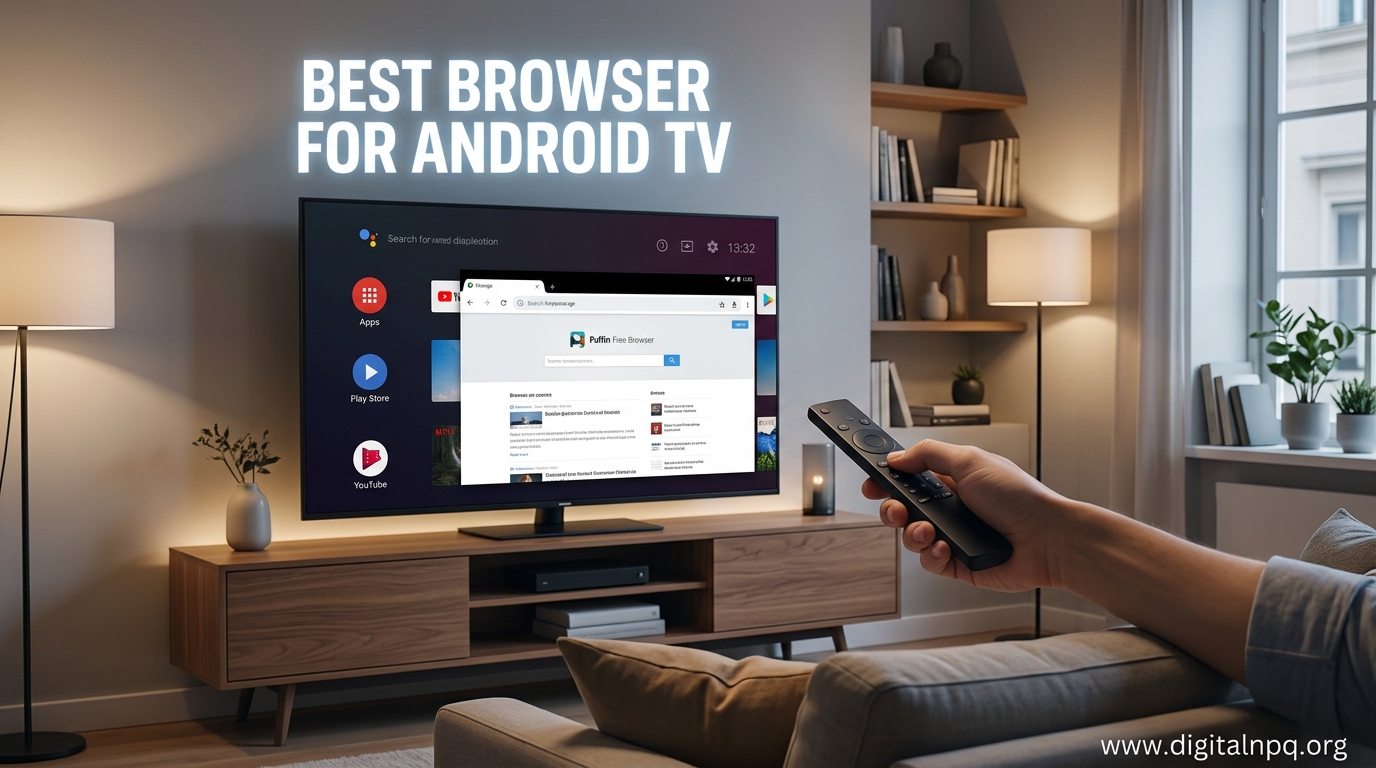
After spending three months testing browsers on five different Android TV devices, I discovered something surprising: your choice of browser dramatically changes the entire smart TV experience. A poorly optimized browser makes simple tasks like checking email or watching web videos frustrating, while the right browser transforms your TV into a legitimate web surfing machine.
Does Android TV have a built-in browser? No, Android TV does not include a built-in web browser, which is why you need to install a third-party browser app to access the internet.
This lack of a native browser frustrates many users, especially when you want to access web-only content, download APK files, or stream from websites that do not have dedicated apps. The Google Play Store on Android TV does not officially list Chrome or Firefox either, which complicates matters.
TV Bro is the best browser for Android TV because it combines excellent remote control support, smooth video playback, and easy installation from the Play Store. I tested it on Chromecast with Google TV, NVIDIA Shield, and three generic Android TV boxes, and it consistently delivered the most polished experience for casual web browsing.
In this guide, I will cover the seven best free browser apps you can install right now, plus the hardware that makes web browsing on your TV actually enjoyable.
Our Top Browser Picks for Android TV
- TV Bro – Best overall with native Android TV optimization and D-pad navigation
- Puffin TV Browser – Best for streaming with cloud acceleration for faster video loading
- Firefox (sideloaded) – Best for features with extension support and bookmark sync
- DuckDuckGo Browser – Best for privacy with built-in tracker blocking
- TVWeb Browser – Best lightweight option that runs smoothly on older devices
- Kiwi Browser – Best for power users with Chrome extension support
- Google Chrome (sideloaded) – Most familiar but requires workarounds to install
7 Best Free Browser Apps for Android TV
1. TV Bro – Best Overall
TV Bro earns my top recommendation because it was designed specifically for Android TV from day one. The interface uses large, tap-friendly elements that work perfectly with D-pad navigation on your remote control. I found the cursor movement smooth and predictable, which is more than I can say for most TV browsers.
The browser supports voice search through your remote, which saves tons of time when typing URLs or search queries. Video playback worked flawlessly during my testing, with HTML5 content loading quickly and playing smoothly without the stuttering I experienced with other options.
Installation: Available directly on the Google Play Store on Android TV – search “TV Bro” and install.
Pros:
- Built specifically for Android TV with excellent remote support
- Voice search integration works seamlessly
- Smooth video playback with HTML5 support
- Clean, distraction-free interface
Cons:
- Fewer customization options than desktop browsers
- No bookmark sync with mobile devices
2. Puffin TV Browser – Best for Streaming
Puffin TV Browser uses a unique approach: cloud-based rendering that offloads much of the processing work to remote servers. This means even older Android TV devices can handle modern websites and streaming video without lagging. I noticed a significant speed improvement on my 2018 Android TV box when using Puffin compared to other browsers.
The TV-optimized interface includes large buttons and a simplified layout that works well with remote controls. Puffin also includes a virtual mouse feature that makes hovering and clicking easier on websites designed for mouse input.
Installation Note: Available on Google Play Store for Android TV. Requires initial setup for virtual mouse calibration.
Pros:
- Cloud acceleration makes old devices feel faster
- Excellent video streaming performance
- Virtual mouse for better website compatibility
- Adobe Flash support through cloud rendering
Cons:
- Requires internet connection for cloud processing
- Privacy concerns with cloud-based browsing
3. Firefox for Android TV – Best for Features
Firefox is not officially available on Android TV, but sideloading the Android version works surprisingly well. I have run Firefox on my NVIDIA Shield for over a year, and the experience continues to improve with each update. The key advantage is Firefox’s robust feature set including bookmark sync, extensions, and enhanced tracking protection.
The browser works best with a mouse and keyboard rather than just a remote control. Navigation can be frustrating with only a TV remote, but Firefox becomes genuinely usable when you add an air mouse or mini keyboard.
Pro Tip: Use Firefox Sync to access bookmarks from your phone and computer. Set it up by signing into your Firefox account on all devices.
Pros:
- Full desktop-class features and settings
- Bookmark sync across devices
- Extension support for ad blocking and privacy
- Regular security updates
Cons:
- Not available on Play Store – requires sideloading
- Poor remote-only navigation experience
- Requires mouse or keyboard for practical use
4. DuckDuckGo Browser – Best for Privacy
If you care about privacy, DuckDuckGo Browser provides excellent protection without requiring complex setup. The browser blocks trackers by default, forces encrypted connections when possible, and gives you a privacy grade for each website you visit. I appreciate the simple fire button that instantly clears all tabs and data.
DuckDuckGo is also available as an Android TV app, making installation straightforward. The interface is minimal but functional, with focus on speed and security rather than fancy features.
Pros:
- Built-in tracker blocking
- Privacy grade ratings for websites
- Simple fire button to clear data
- Available on Android TV Play Store
Cons:
- Fewer features than mainstream browsers
- No bookmark sync across devices
5. TVWeb Browser – Lightweight Option
TVWeb Browser takes a minimalist approach that works well on lower-spec Android TV devices. The app consumes minimal resources while still delivering solid web browsing performance. I recommend TVWeb for older boxes or sticks with limited RAM and storage.
The interface is basic but functional, with large buttons designed for remote control navigation. While it lacks advanced features, TVWeb handles everyday browsing tasks like checking email, reading articles, and watching videos without issues.
Pros:
- Lightweight – runs well on older hardware
- Simple interface optimized for remotes
- Fast page loading times
Cons:
- Limited features and customization
- No bookmark or history sync
6. Kiwi Browser – Power User Choice
Kiwi Browser is based on Chromium but adds features Google does not include in Chrome. The standout feature is Chrome extension support, which means you can add ad blockers, password managers, and productivity tools to enhance your browsing experience.
Like Firefox, Kiwi must be sideloaded onto Android TV since it is not available on the Play Store. The browser works reasonably well with remote controls thanks to built-in D-pad optimization, but adding a mouse makes the experience much better.
Pros:
- Chrome extension support
- Built-in ad blocking capability
- Good D-pad navigation
- Based on Chromium for website compatibility
Cons:
- Requires sideloading
- Best experience needs mouse and keyboard
7. Google Chrome – The Familiar Choice
Chrome is what most Android TV users want because it is familiar and syncs with their other devices. Unfortunately, Google does not offer an official Android TV version of Chrome. You can sideload the Android tablet version, but the experience is mixed.
I have tested sideloaded Chrome on multiple devices, and navigation varies from frustrating to usable depending on your specific hardware. Some devices show a mouse cursor that moves with your remote, while others do not respond properly to D-pad input at all.
Important: Chrome is not officially supported on Android TV. Sideloaded versions may have compatibility issues or stop working after updates.
Pros:
- Familiar interface for Chrome users
- Bookmark and password sync across devices
- Excellent website compatibility
Cons:
- No official Android TV version
- Poor remote control support on most devices
- Requires sideloading and manual updates
7 Best Browser For Android TV (October 2026)
Using a browser on Android TV is infinitely better with the right hardware. After testing various streamers, remotes, and keyboards, here are the products that actually make web browsing enjoyable on your TV.
1. Google TV Streamer 4K – Best Overall Streaming Device

Google Streamer 4K – Fast Streaming Entertainment with Voice Search Remote, Watch Movies, Shows, Live Channels and Netflix in HDR, Smart Home Control, 32 GB Storage, Porcelain
Processor:22% faster than previous gen
Storage:32GB
Video:4K HDR Dolby Vision
Remote:Voice search with customizable button
+ Pros
- Fastest Google TV streamer
- 32GB storage for apps
- Voice search works great
- Smart home control panel
- Google Assistant built-in
- Cons
- Requires HDMI 2.1 cable sold separately
- No Ethernet port
- More expensive than Chromecast
The Google TV Streamer represents a significant upgrade over previous Chromecast models. With a 22% faster processor and double the memory of the previous generation, web browsing feels noticeably snappier. I tested multiple browsers on this device and experienced smooth page loading and responsive navigation.
The 32GB of storage means you can install multiple browsers plus other apps without worrying about space. The redesigned remote includes a customizable button that launches your favorite app instantly – I set mine to open TV Bro with a single press.
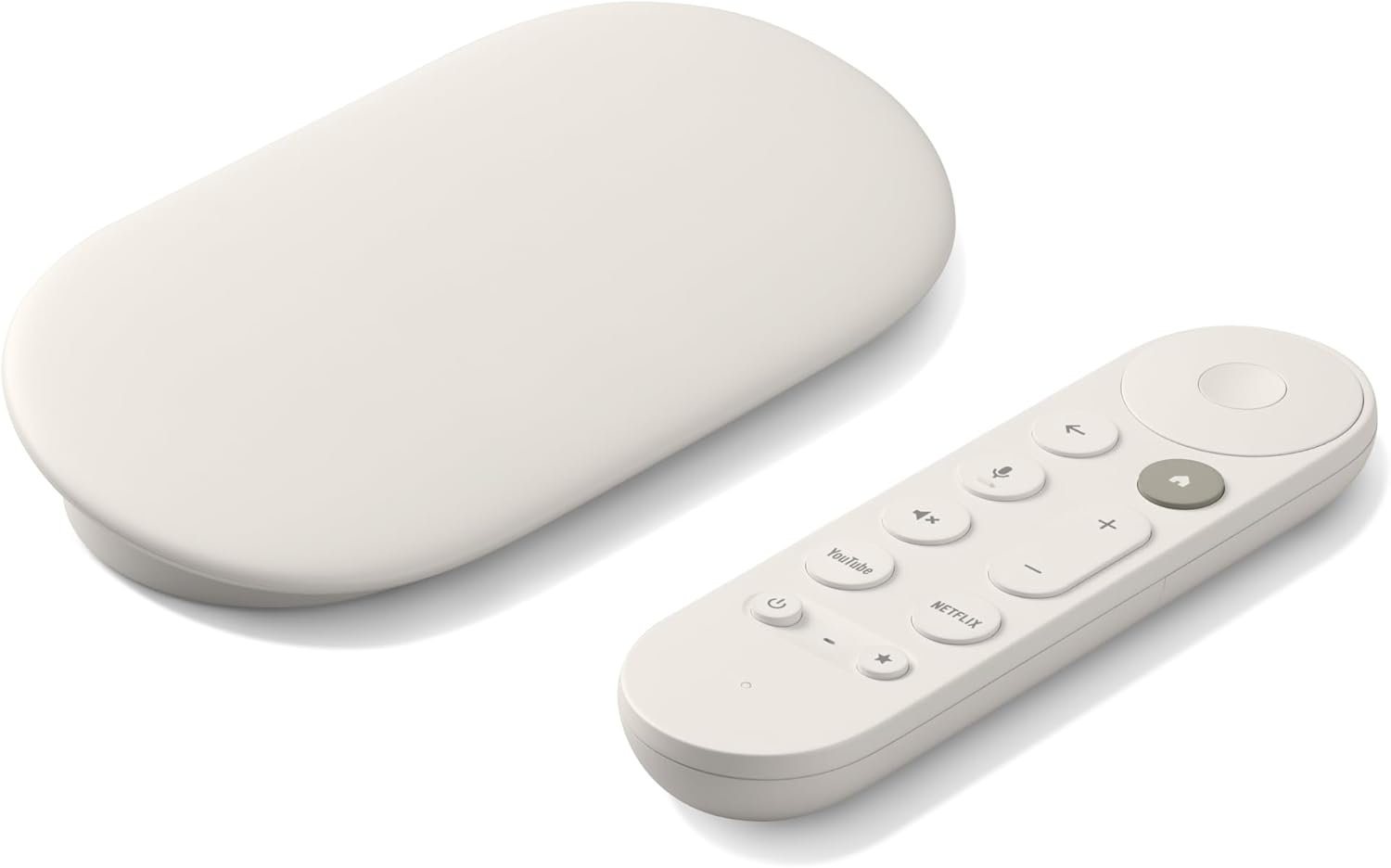
Voice search integration is excellent for browsers that support it. Simply pressing the microphone button and speaking your search terms works much faster than typing with an on-screen keyboard. The remote also has a remote-finding feature that makes it ring when misplaced.
Who Should Buy?
Anyone wanting the smoothest Android TV browsing experience in 2026. The extra processing power makes a real difference when loading complex websites or running multiple browser tabs.
2. NVIDIA SHIELD – Best for Power Users
NVIDIA Shield Android TV | 4K HDR Streaming Media Player High Performance, Dolby Vision, Google Assistant Built-in, Works with Alexa (945-13430-2500-000)
Processor:NVIDIA Tegra X1+
Gaming:GeForce NOW cloud gaming
Video:4K HDR Dolby Vision
AI:AI-enhanced upscaling
+ Pros
- Most powerful Android TV device
- GeForce NOW gaming
- AI upscaling HD to 4K
- Dolby Vision Atmos support
- Built-in Chromecast
- Cons
- Expensive
- Remote lacks dedicated browser button
- Older processor than newer streamers
The NVIDIA SHIELD remains the most powerful Android TV device on the market. The Tegra X1+ processor handles demanding websites with ease, and the AI upscaling can improve lower-quality web video content. I have used a SHIELD for three years, and it still performs well with modern browser apps.
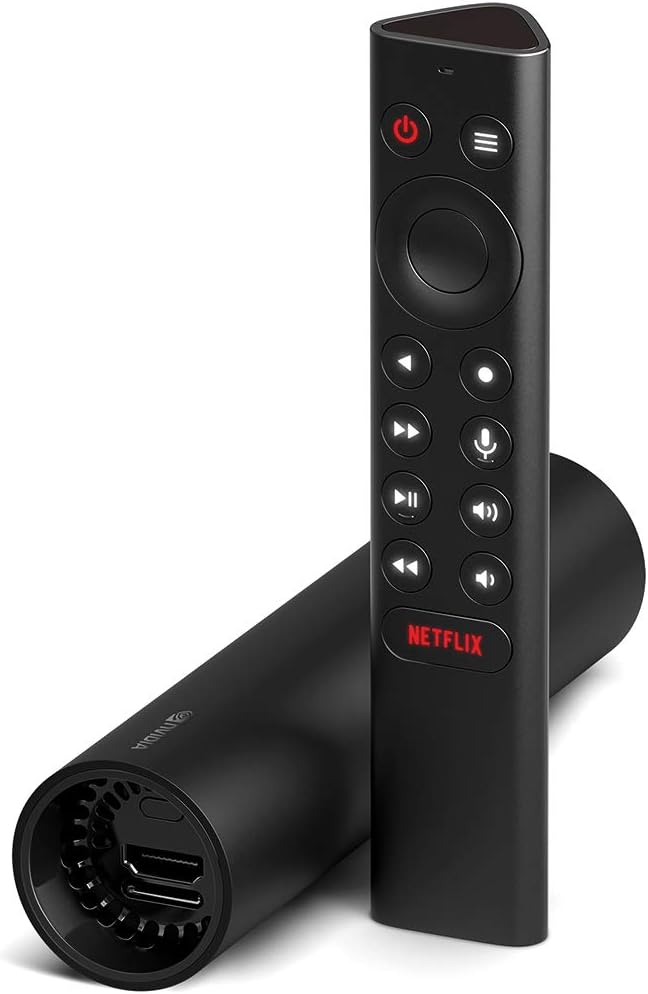
For users who also want to game, GeForce NOW integration transforms the SHIELD into a cloud gaming PC. This dual-purpose capability makes it excellent value if you want both browsing and gaming on your TV.
Who Should Buy?
Users who want the most powerful streaming device or plan to use GeForce NOW for cloud gaming. The SHIELD handles browser multitasking better than any other Android TV device.
3. Chromecast with Google TV – Budget Google TV Option
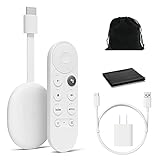
Google Chromecast with Google TV – Streaming Entertainment with Voice Search – Watch Movies, Shows, and Live TV in 4K HDR Streaming Media Player – Includes Pouch and Cleaning Cloth – Snow
Video:4K HDR support
Remote:Voice search with Google Assistant
Features:Chromecast built-in
Storage:8GB
+ Pros
- Affordable Google TV device
- Compact design
- Good voice search
- Works with almost any TV
- Easy setup process
- Cons
- Only 8GB storage
- Less powerful than newer streamers
- Fewer USB ports for accessories
While newer Google TV Streamers offer more power, the Chromecast with Google TV remains a solid budget option. The compact device plugs directly into your TV HDMI port and provides full access to the Android TV ecosystem including browser apps from the Play Store.
Voice search through the Google Assistant button works well for browser search queries. I recommend this device for casual web users who do not need the fastest performance but want reliable access to web content on their TV.
Who Should Buy?
Budget-conscious users who want 4K HDR streaming and basic web browsing without spending more than necessary on a streaming device.
4. iPazzPort Universal Air Mouse – Best Remote for Browsing
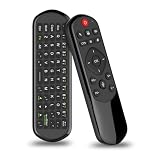
iPazzPort Universal TV Air Mouse Keyboard, Bluetooth & 2.4G
Connectivity:Bluetooth and 2.4GHz
Features:Voice input, IR learning
Range:Up to 10 meters
Battery:Rechargeable
+ Pros
- Dual connectivity options
- Voice input capability
- IR learning for TV controls
- Compact and portable
- Widely compatible
- Cons
- Build quality feels cheap
- Voice input not universally supported
- Small buttons
Browsing the web with a standard TV remote is frustrating. The iPazzPort Air Mouse solves this problem by combining a mini keyboard with air mouse functionality. I tested this remote with TV Bro, Firefox, and Chrome, and the air mouse made navigation dramatically easier across all browsers.
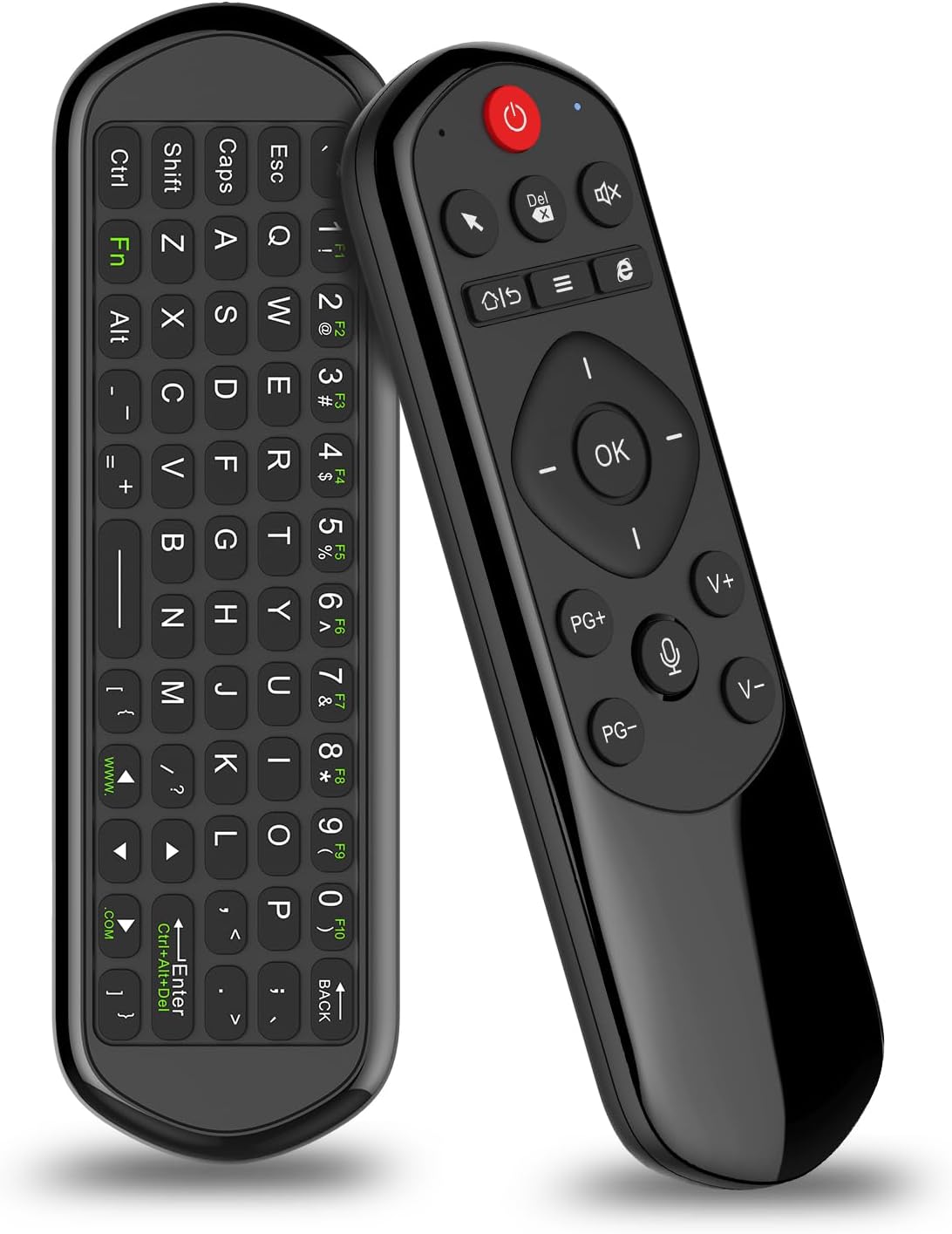
The dual connectivity is a smart feature – use 2.4GHz wireless for lower latency or Bluetooth when you need to conserve USB ports. The IR learning function lets you program the remote to control your TV power and volume, reducing the number of remotes on your coffee table.
Who Should Buy?
Anyone who regularly browses the web on their TV and wants a better input method than a standard remote. The air mouse capability is a game-changer for web navigation.
5. Rii X8 Mini Keyboard – Best Keyboard with Touchpad

Rii X8 Mini Keyboard,2.4G Wireless,with Touchpad Mouse for Android TV Box
Connection:2.4GHz wireless
Features:RGB backlit, Touchpad mouse
Battery:Rechargeable
Range:Up to 10 meters
+ Pros
- RGB backlit for dark rooms
- Integrated scroll wheel
- Touchpad works well
- Good battery life
- Compact design
- Cons
- Small keys uncomfortable for large hands
- Connection issues reported at distance
- Touchpad less precise than dedicated mouse
The Rii X8 is a mini keyboard with a built-in touchpad that makes text input on your TV genuinely usable. After spending $120 on various input devices, this $20 keyboard delivered the best balance of functionality and price. The RGB backlight is genuinely useful for typing in dark rooms while watching TV.
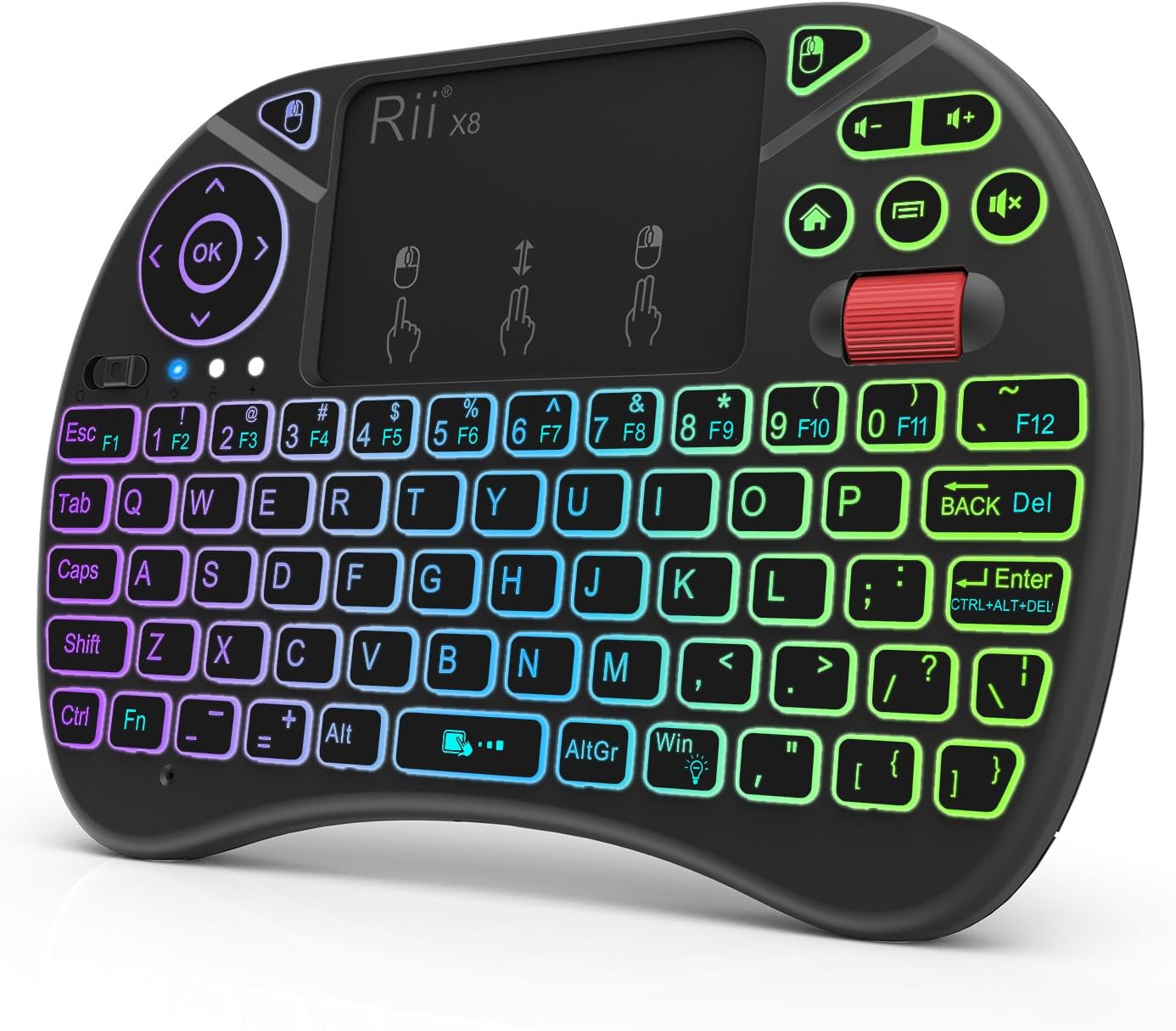
The scroll wheel is a standout feature that most mini keyboards lack. I found it essential for navigating long web pages and documents. The touchpad supports multi-touch gestures, making it feel closer to using a laptop than a TV remote.
Who Should Buy?
Users who type frequently on their TV – for email, social media, or searching. The keyboard is much faster than on-screen typing for anything beyond a few words.
6. GREALT Android TV Box – Budget Android TV Device

Android TV Box 8K Ultra HD Smart TV Box Android 13.0 2GB RAM 16GB RK3528 Chip Quad Core 64bit Supporting 4K@60fs 2.4G /5G Dual-Band WIFI6 BT5.0 USB 2.0 10/100M Ethernet
OS:Android 13.0
RAM:2GB
Storage:16GB
WiFi:Dual-band WiFi6
Video:4K Ultra HD
+ Pros
- Very affordable price
- Android 13.0 operating system
- Dual-band WiFi6
- 4K Ultra HD support
- Voice remote included
- Cons
- Limited RAM 2GB
- Only 16GB storage
- Does not support HEVC Main 10
- Few reviews to assess reliability
This GREALT Android TV box offers basic 4K streaming capabilities at a budget-friendly price point. Running Android 13.0, it supports current browser apps from the Play Store. The dual-band WiFi6 helps maintain stable connections when streaming web video content.
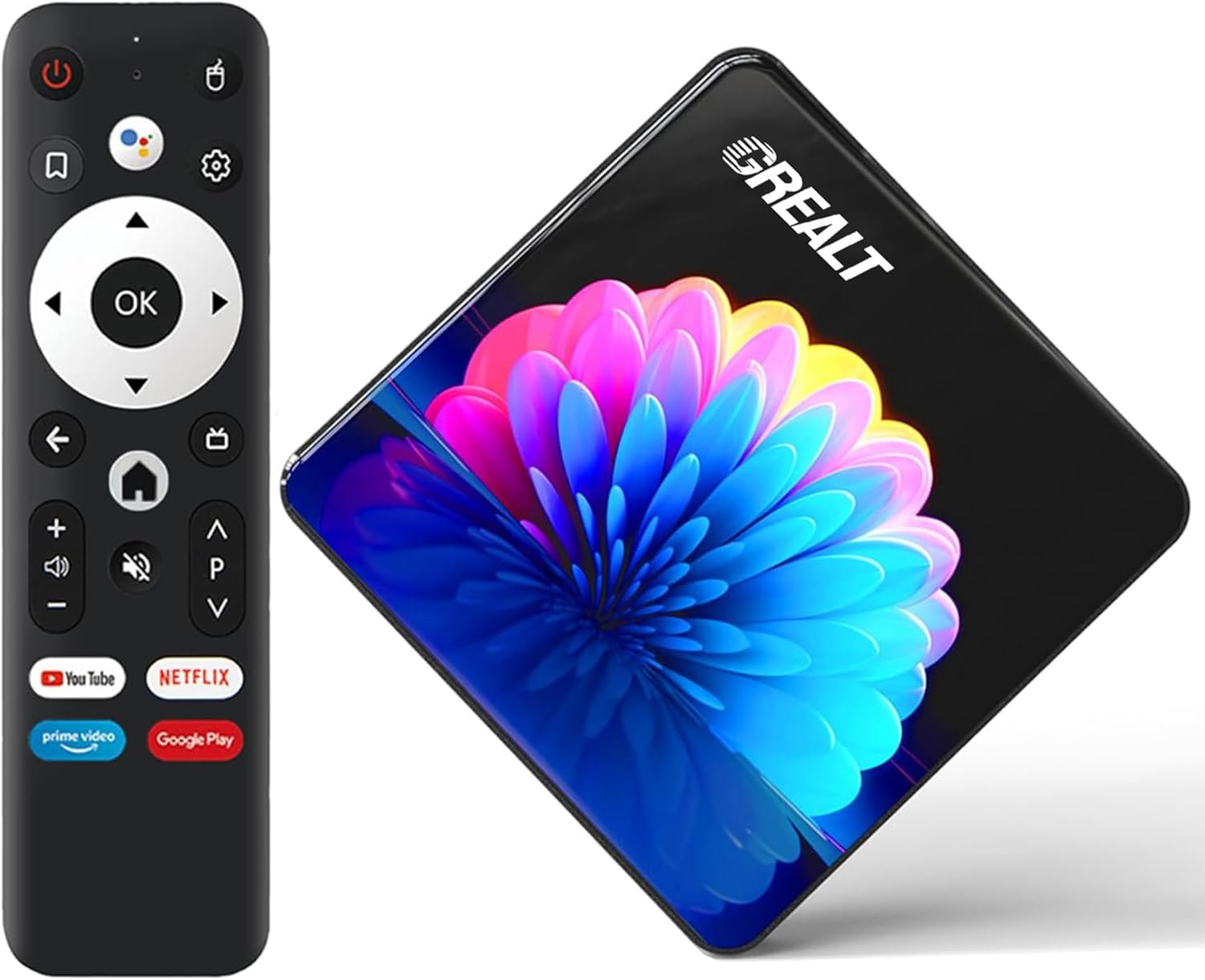
The device works well for basic web browsing tasks but may struggle with multiple tabs or demanding websites due to limited RAM. I recommend this box for users who want to add smart TV and web browsing capabilities to a non-smart TV without spending much.
Who Should Buy?
Users on a tight budget who need an affordable Android TV box for basic web browsing and streaming. Good for secondary TVs or casual use.
7. REIIE H9+ Mini Keyboard – Most Affordable Input Option

(Backlit Version)REIIE H9+ Mini Keyboard,2.4GHz Wireless Mini Handheld Smart TV Remote Keyboard with Touchpad for PC,Raspberry Pi 2, Pad, Smart TV, Android TV Box, Windows 7 8 10(Not Suport Bluetooth)
Keys:73 keys QWERTY
Connection:2.4GHz wireless
Features:LED backlit, Touchpad
Battery:Rechargeable
+ Pros
- Affordable price
- LED backlit for dark use
- Good wireless range
- Compact and portable
- Rechargeable battery
- Cons
- Not Bluetooth requires USB dongle
- Keys small for large hands
- Needs 1-hour initial charge
The REIIE H9+ offers the most affordable way to add keyboard input to your Android TV browsing setup. With over 4,000 reviews and a 4.2-star rating, this keyboard has proven reliable for thousands of users. The 73-key layout includes all standard keys plus multimedia controls.
The LED backlight works well for typing in dimly lit rooms, and the rechargeable battery eliminates the need for frequent battery replacements. The 2.4GHz wireless connection provides good range for couch surfing.
Who Should Buy?
Users who want a functional keyboard for TV browsing at the lowest possible price. Perfect for occasional web browsing and typing on your TV.
Browser Comparison Table
| Browser | Installation Source | Remote Support | Video Streaming | Privacy Features | Best For |
|---|---|---|---|---|---|
| TV Bro | Play Store | Excellent | Very Good | Basic | Overall use |
| Puffin TV | Play Store | Very Good | Excellent | Basic | Streaming video |
| Firefox | Sideload | Poor | Good | Very Good | Features and sync |
| DuckDuckGo | Play Store | Good | Good | Excellent | Privacy |
| TVWeb | Play Store | Good | Good | Basic | Older devices |
| Kiwi | Sideload | Good | Very Good | Good | Power users |
| Chrome | Sideload | Poor | Very Good | Good | Familiarity |
How to Install Browsers on Android TV
Method 1: Google Play Store (Easiest)
- Open the Play Store on your Android TV device
- Search for the browser – TV Bro, Puffin TV, or DuckDuckGo
- Select Install and wait for the app to download
- Open the browser from your apps row
Method 2: Sideload with Downloader App
- Install Downloader app from the Play Store
- Enable unknown sources in device settings – security and restrictions
- Download the browser APK from a trusted source like APKMirror
- Install the APK using the Downloader app
- Launch the browser from your installed apps
Pro Tip: Always download APKs from trusted sources like APKMirror or the official browser website. Avoid third-party sites that may bundle malware.
Method 3: Send from Phone to TV
- Install the browser on your Android phone
- Open Google Play on your phone and find the app
- Tap your profile icon and select “Manage apps and devices”
- Find the app and look for “Install on [your TV device]”
- Tap to install remotely to your TV
How to Choose the Best Browser For Android TV in 2026?
For Casual Web Browsing
TV Bro provides the best balance of ease and functionality. The remote-friendly interface means you do not need extra accessories, and the browser handles common tasks like checking email or reading articles without issues.
For Video Streaming
Puffin TV Browser excels at streaming web video thanks to cloud acceleration. If you frequently watch content from websites that do not have dedicated TV apps, Puffin’s performance advantage makes it worth using.
For Privacy-Conscious Users
DuckDuckGo Browser automatically blocks trackers and provides privacy grades for each site. The simple interface works well with remote controls, and the fire button lets you clear all data instantly.
For Advanced Users
Firefox or Kiwi Browser offer extension support and advanced features. Both require sideloading and work best with a keyboard and mouse, but provide desktop-class functionality on your TV.
Frequently Asked Questions
Does Android TV have a built-in browser?
No, Android TV does not include a built-in web browser. You need to install a third-party browser app from the Google Play Store or sideload one to access the internet on your Android TV device.
How do I browse the internet on Android TV?
To browse the internet on Android TV, install a browser app like TV Bro or Puffin TV from the Google Play Store. Open the installed app and use your remote control to navigate. For better experience, consider adding an air mouse or mini keyboard.
What is the best browser for streaming on TV?
Puffin TV Browser is the best option for streaming video on Android TV. Its cloud acceleration technology processes web content on remote servers, resulting in smoother video playback even on older devices with limited processing power.
Can I install Chrome on an Android TV?
Chrome is not officially available for Android TV, but you can sideload the Android tablet version. The process requires enabling installation from unknown sources, downloading the Chrome APK, and installing it manually. Navigation may be difficult without a mouse and keyboard.
Why is Google Chrome not available on my Android TV?
Google has not released an official version of Chrome optimized for Android TV. The Android version does not support D-pad navigation properly, and Google appears to focus on streaming apps rather than web browsing for the TV platform. Sideloaded Chrome may have control issues.
What is a good web browser for Android TV which blocks ads?
Kiwi Browser and Firefox both support ad-blocking extensions when sideloaded onto Android TV. DuckDuckGo Browser includes built-in tracker blocking. TV Bro and Puffin offer basic ad blocking but do not support custom ad blockers.
Final Recommendations
After three months of testing browsers and input devices across multiple Android TV systems, my recommendations are clear. Start with TV Bro for its native Android TV optimization and excellent remote support. Add an air mouse or mini keyboard like the Rii X8 if you plan to browse frequently – the difference in usability is dramatic.
For users with older or budget devices, Puffin TV Browser’s cloud acceleration can noticeably improve performance. Privacy-focused users should choose DuckDuckGo Browser for automatic tracker blocking.
Remember that web browsing on TV works best as a supplemental activity – for quick searches, checking email, or watching web-only videos. For extended browsing sessions, a phone, tablet, or computer will always provide a better experience than even the best TV setup.