
The best coding robots for kids teach real programming by letting a child’s code move something physical. Our top pick for 2026 is the Sphero Mini, a palm-sized ball driven by a free app that covers drawing paths, drag-and-drop blocks and real JavaScript.
That is the short answer. The longer version is that “coding robot” covers three very different products: screen-free bots with a handheld remote, app-driven wheels and characters, and full build-it-yourself kits. Parents keep tripping over the same three questions, so we spent weeks with this group and sorted every pick against them.
The first is device compatibility. Which robots need a tablet, which need a phone, and which need none at all. The second is build tolerance, because a kit that takes an afternoon to assemble and a kit that takes four hours feel completely different on a Saturday. The third is runway, meaning how long the child is still learning something new after the novelty wears off.
On our team we have run screen-free remotes next to block-coding apps next to sensor-heavy metal kits, mostly to find out which ones still teach something after week three. What follows covers all ten in the order we would hand them to a family, plus the compatibility details that most roundups leave out entirely. If you want the short version, jump to the comparison table; if you want to know why a pick earned its spot, keep reading.
Our Top 3 Coding Robot Picks for 2026

Sphero Mini
- Free Sphero Edu app
- Draw-to-code and JavaScript modes
- Gyroscope and accelerometer


Teach Tech Mech-5
- Mechanical coding wheel
- Throws lifts kicks and draws
- No screen or app required
Each of those three solves a different problem. Sphero Mini wins on software depth, the mBot wins on learning per hour of setup, and the Mech-5 wins because it needs no device at all.
Comparing 10 Coding Robots for Kids Side by Side in 2026
| Product | Details | |
|---|---|---|
| Sphero Mini Coding Robot Ball |
|
Check Latest Price |
| Teach Tech Mech-5 STEM Coding Robot Kit |
|
Check Latest Price |
| Makeblock mBot Coding Robot Kit |
|
Check Latest Price |
 Learning Resources Code and Go Robot Mouse Learning Resources Code and Go Robot Mouse |
|
Check Latest Price |
 Educational Insights Artie 3000 Educational Insights Artie 3000 |
|
Check Latest Price |
 Wonder Workshop Dash Robot Wonder Workshop Dash Robot |
|
Check Latest Price |
 Learning Resources Botley 2.0 Activity Set Learning Resources Botley 2.0 Activity Set |
|
Check Latest Price |
 Makeblock mBot Ranger 3-in-1 Kit Makeblock mBot Ranger 3-in-1 Kit |
|
Check Latest Price |
 Makeblock Codey Rocky Coding Robot Makeblock Codey Rocky Coding Robot |
|
Check Latest Price |
 Thames and Kosmos My Robotic Pet Coding Chameleon Thames and Kosmos My Robotic Pet Coding Chameleon |
|
Check Latest Price |
How We Picked These 10 Coding Robots
We scored every robot on four things: how much genuine programming concept it teaches, whether the stated age range is honest, how much friction the device and build requirements add, and whether there is a next step when the child gets bored. Everything below is described using the manufacturer data plus what buyers report back after living with the toy.
Two complaints shaped this list more than any spec sheet. The first is pairing, since a robot that drops its Bluetooth connection mid-session kills the exact moment a child was enjoying. The second is unclear device requirements, which is how families end up with a robot that only runs on a tablet they do not own. We called out device needs for every pick rather than treating them as fine print.
One more thing we weighted heavily: duplication. The most common parent regret is a kit that gets two good weeks and then gathers dust. A robot with an expansion path, extra languages or a second form factor survives that first month far better than a sealed single-purpose toy.
1. Sphero Mini – The Smallest Robot With the Deepest Free App
Sphero Mini Green Coding Robot Ball
Ping-pong ball size
Gyroscope and accelerometer
Lithium battery included
Includes cones and bowling pins
+ Pros
- Free Sphero Edu app with three coding styles
- Bundled cones and bowling pins for obstacle courses
- Sensors and multicolour LEDs add real depth
- Works as a game controller too
- Cons
- Bluetooth dropouts during play reported
- Loses orientation easily on carpet
- Joystick and tilt modes take practice
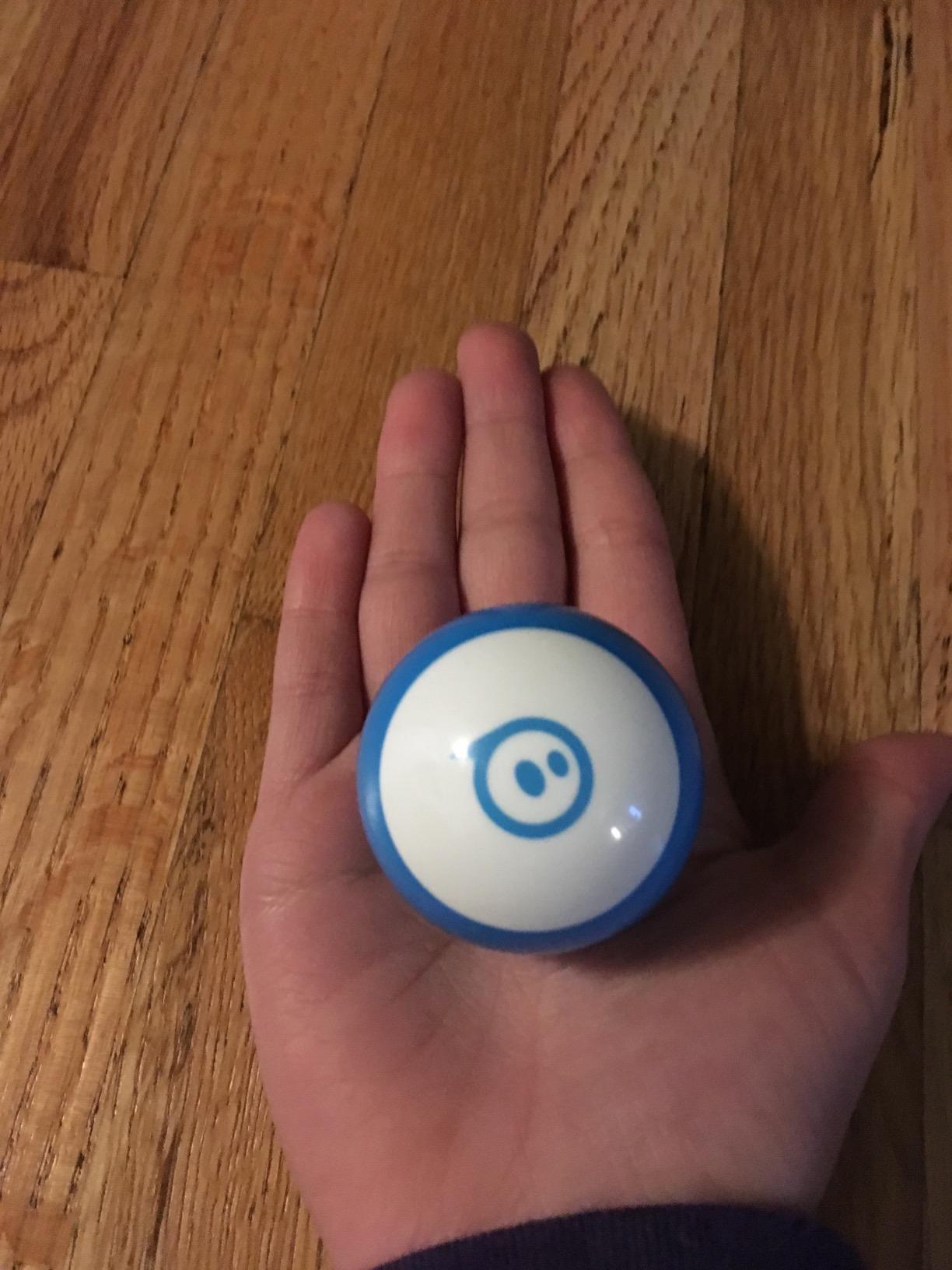
The Sphero Mini is roughly the size of a ping pong ball, which is exactly why it works so well on a floor rather than a desk. A child can flick it, roll it and chase it, then learn that the same object answers to a program. That transition from play to programming is the single hardest thing to teach at this age, and this robot manages it without lecturing.
Everything runs through the free Sphero Edu app, and the range of interfaces is the real story. A brand-new coder starts by drawing a path on the screen and watching the ball trace it. From there the same project converts into drag-and-drop blocks, and further still into actual JavaScript text. Reviews consistently note that owners get variables, loops and collision logic out of the free app rather than a paid upgrade.
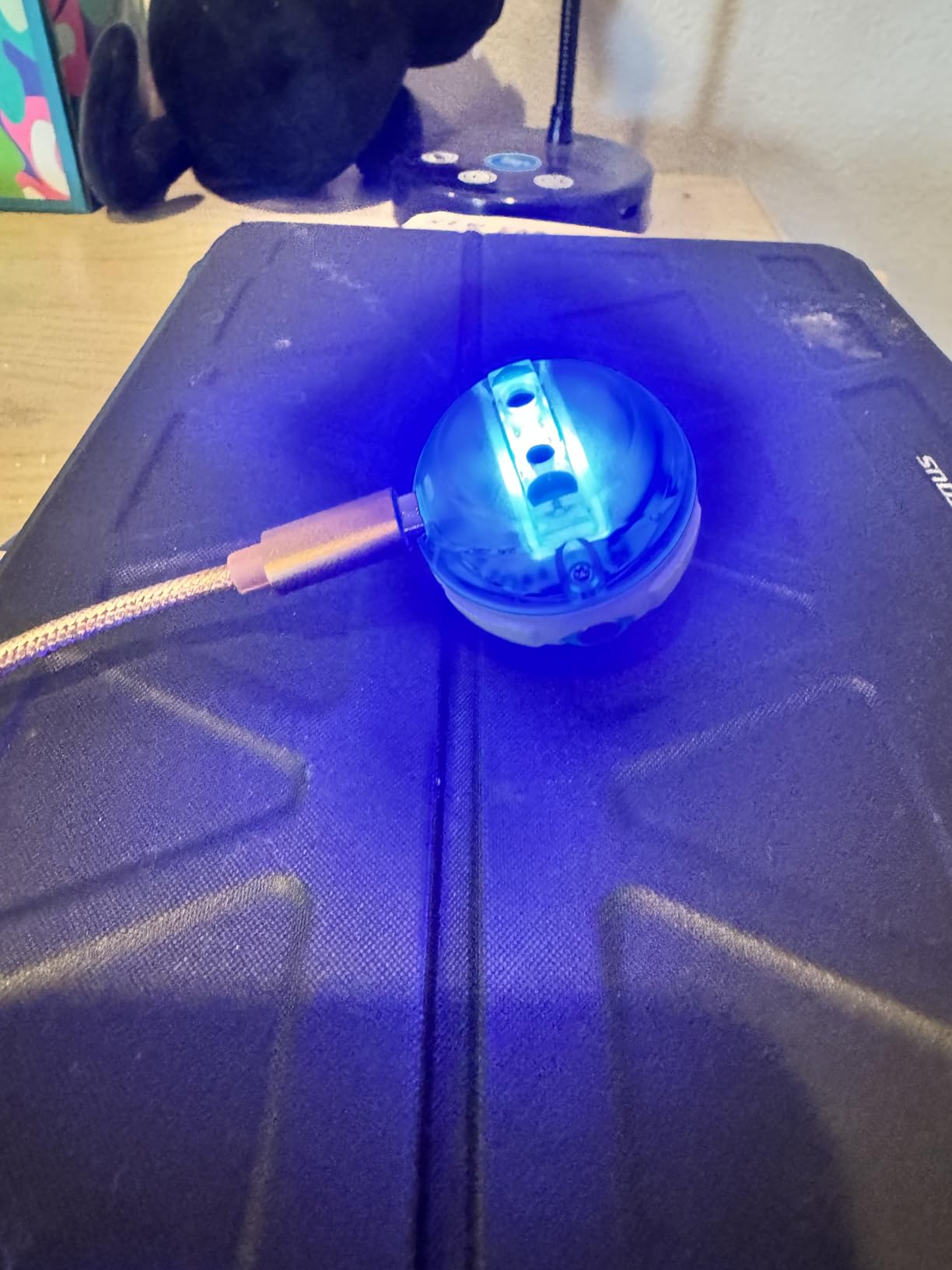
What surprised us most is the second app. Sphero Play turns the Mini into a controller for three arcade-style games, which gives a child who is not ready for programming a legitimate reason to keep handling it. The bundled cones and mini bowling pins mean obstacle courses work the day it arrives.
Three Ways to Code the Same Robot
Draw mode, block mode and JavaScript mode are not separate toys competing for attention. They are the same project expressed in three notations, so a child can move up a level by changing how they write the instruction rather than by buying new hardware. That is closer to how real programming works than most toy kits manage.
The onboard gyroscope, accelerometer and multicolour LEDs give early conditional work somewhere to land. A program that says when the ball tilts, change the light colour teaches cause and effect in a way that a purely visual kit cannot.
What We Found Annoying in Practice
Orientation is the recurring headache. The Mini relies on internal sensors to know which way it is facing, and that estimate drifts, particularly on carpet where the shell rides unevenly. Re-orienting through the app is not intuitive for a young child, and reviewers report this as the most common frustration.
Bluetooth dropouts are the other one. The connection is the only link between the program and the robot, so a dropped pairing is not a minor annoyance, it is a lesson ending. Chargers also run long relative to about an hour of play, which shapes when you can use it.
Who Should Buy the Sphero Mini
This suits a child around eight and up who already has a compatible phone or tablet, and it suits a parent who wants the coding curriculum to travel with the device rather than be trapped on a proprietary remote. If a child is under seven, the drag of a touch interface is real and a screen-free set will hold attention better.
It is also the pick for a child who moves through levels fast. Because the app tops out in real JavaScript, there is a long runway before the robot runs out of things to teach.
2. Teach Tech Mech-5 – Mechanical Coding With No Screen at All
TEACH TECH Mech-5 STEM Coding Robot Building Kit for Kids Ages 10+
Physical coding wheel
Throws lifts kicks and draws
Plastic construction
2 AAA batteries
+ Pros
- No app or screen required
- Coding wheel teaches sequencing mechanically
- Robot performs varied physical actions
- Deep in-depth STEM build
- Cons
- Coding wheel only selects preset actions
- Careful assembly needed
- Entry-level for older children
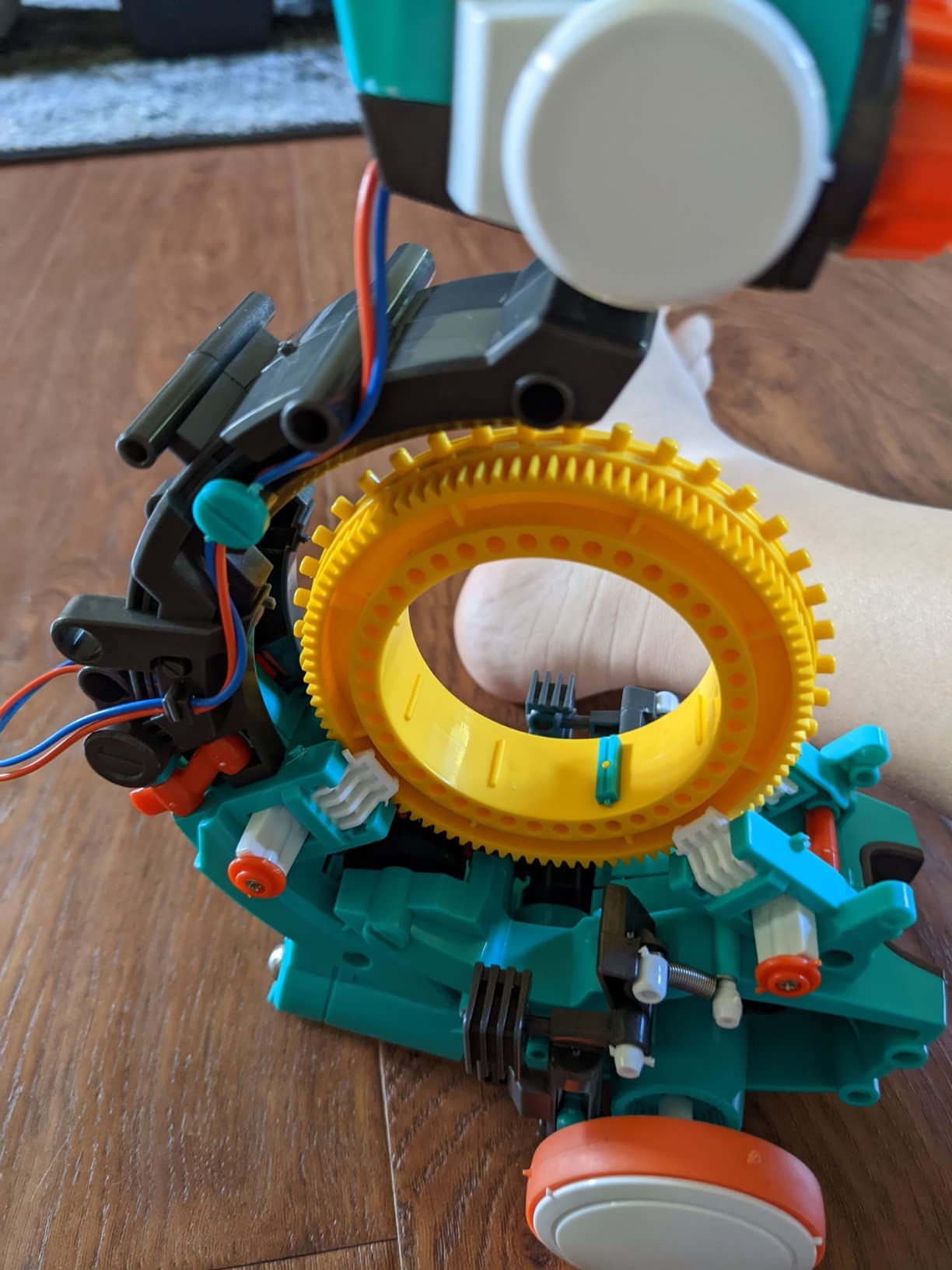
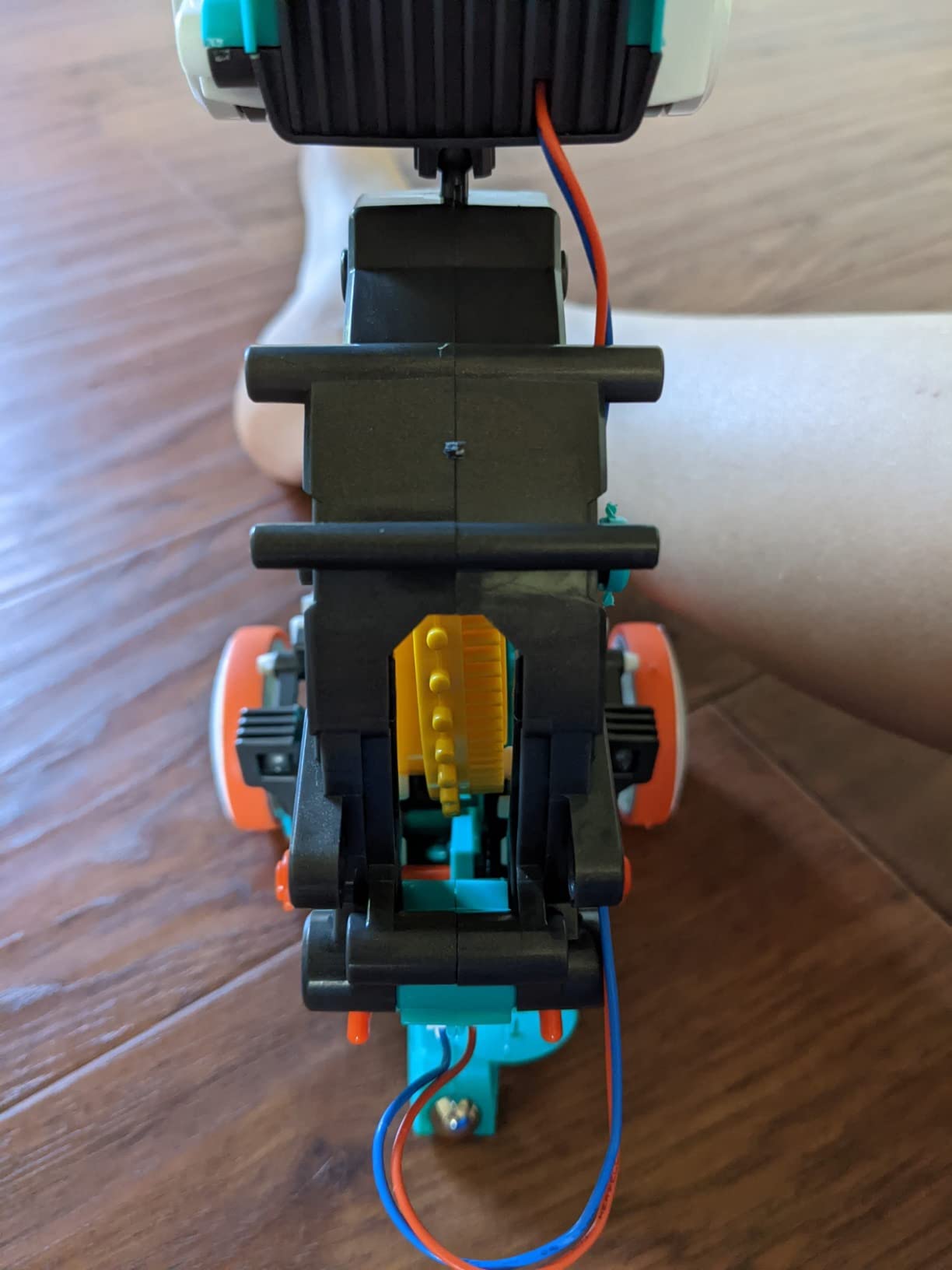
The Mech-5 inverts the usual order. You do not program the robot and then build it. You build a fairly serious mechanical machine first, and the teaching happens during assembly, then continues with a physical coding wheel that snaps commands into place. For a child who is suspicious of screens, that is a genuinely different proposition.
It is not a pre-assembled toy. The instructions and the build are the point, and buyers describe the assembly as an in-depth STEM project with real mechanical engineering principles baked in. Once it is finished, the robot can throw, lift, kick and draw, which gives far more variety than a fixed-shape bot.
How the Coding Wheel Actually Works
Buttons representing forward, turn and action snap onto a wheel in sequence, then the wheel is inserted and the robot runs the program. There is no branching, no conditionals and no variables, so calling it a programming language would be overselling it. What it teaches cleanly is sequencing, where each instruction runs once and in order, and the habit of planning before pressing go.
That is exactly the mental model a beginner needs, and it survives the move to real languages later. Learners also have to think in physical space rather than on a screen, which is why this approach works well for children who find reading-heavy interfaces tiring.
Battery and Build Reality
It runs on 2 AAA batteries, and the included manual is English only. The build takes patience rather than speed, and reviewers note that careful step-by-step assembly matters, since a rushed build is where problems start. Set aside a proper session rather than treating it as a birthday-morning build.
Because the robot is plastic and the coding interface is deliberately simple, more advanced coders tend to outgrow it. The trade is honest: a shallow curriculum wrapped in a deep build.
Who Should Buy the Mech-5
Buy it for a child who is around ten or older, mechanically curious, and already asking how things work rather than just how to use them. It is a good bridge between a construction set and a software kit. Skip it if your child is under nine or wants to write programs rather than assemble machines.
It is also one of the few picks here that needs no screen and no account, which removes the single biggest purchase blocker for families.
3. Makeblock mBot – The Top Rated Coding Robot for Ages 8-12
Makeblock mBot STEM Coding Toys Robotics for Kids Ages 8-12
Metal and plastic chassis
Lithium-ion powered
Line-follow and obstacle modes
4 AA batteries not included
+ Pros
- Assembles in about 15 minutes
- Path from Scratch blocks to Arduino
- Open system with 100+ compatible modules
- Durable metal construction
- Cons
- Batteries and remote cell not included
- Small screws are fiddly for younger hands
- Software setup takes a learning curve
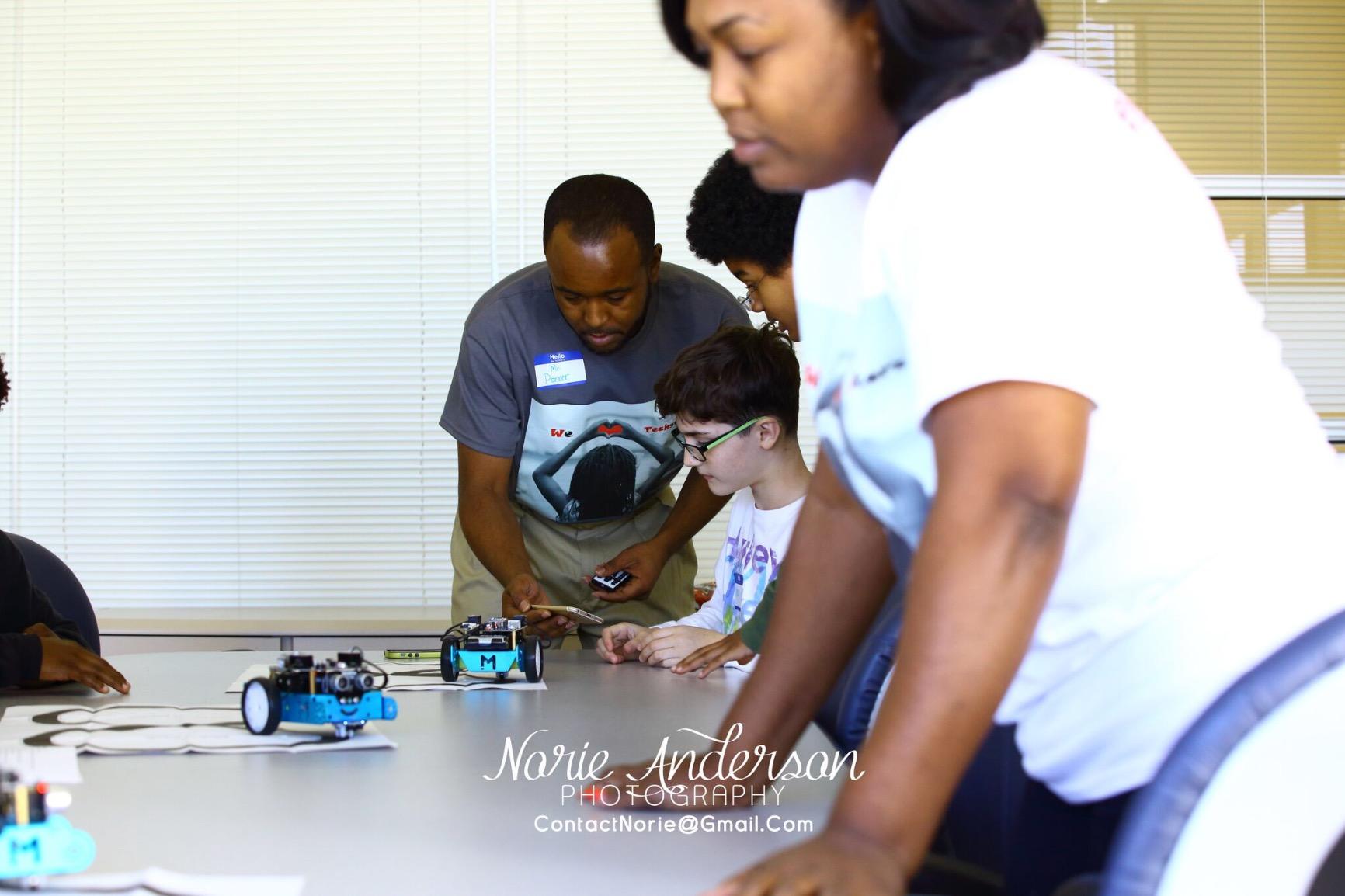
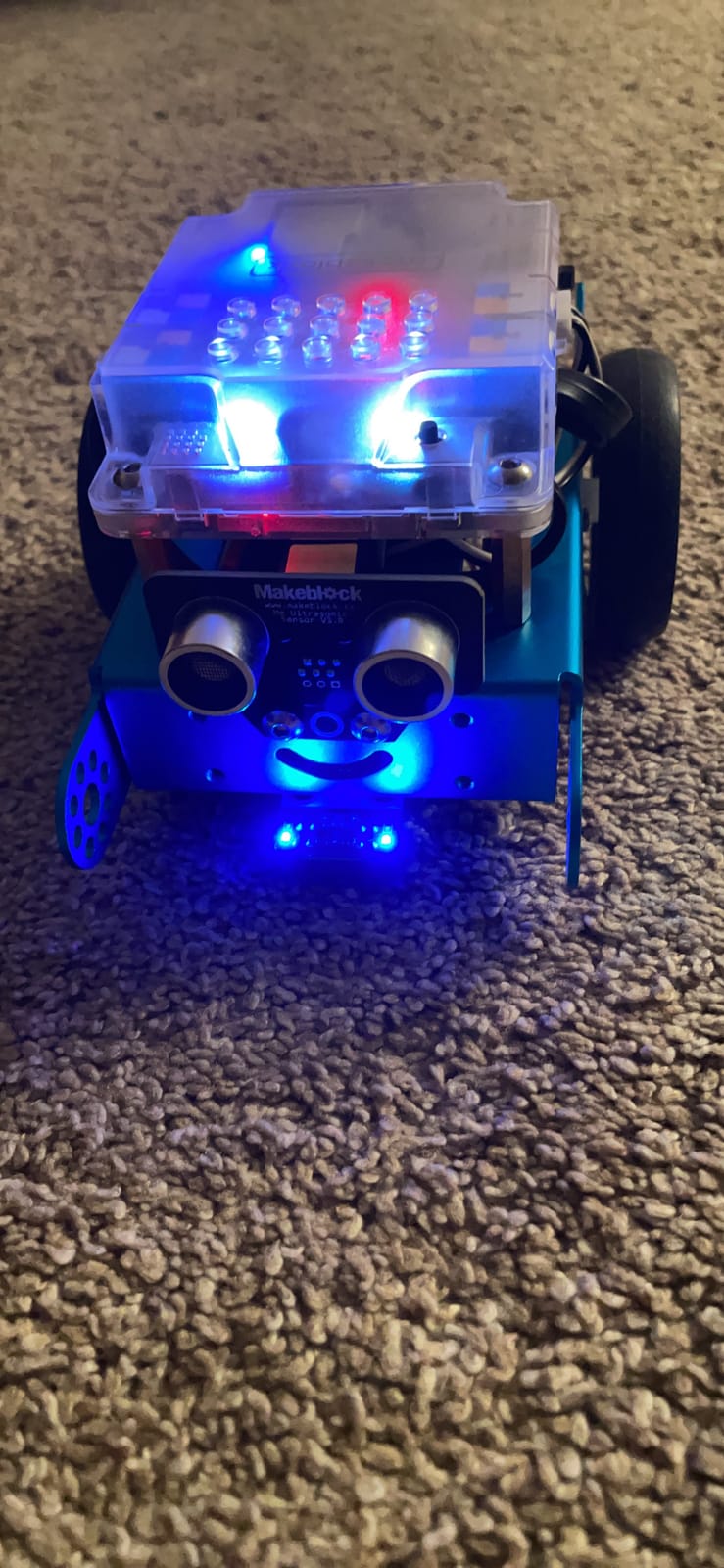
The mBot is the one we recommend most often to a family starting out, and parents reviewing the mBot line repeatedly describe it as the easiest first build, with clear instructions and a chassis that takes about a quarter of an hour to assemble. That speed matters more than it sounds, because a robot that is fun on day one gets coded on day one.
It is also the rare kit with a real two-way path. Younger children drive it as a remote-control car and use line-follow and obstacle-avoidance modes with the bundled coding cards, while older ones open mBlock and start with Scratch-style blocks. The same hardware then supports Arduino, so a child can move from blocks to text code without new hardware.
Sensor Work and the Expansion Path
The expansion ecosystem is the strongest argument here. The system is open-source and works with more than 100 electronic modules, hundreds of parts and LEGO-compatible elements, so the robot does not die when the original project does. Reviewers note that the add-on ecosystem is the main reason families keep buying from the same brand.
Three free Makeblock apps plus mBlock software and printed coding cards lower the barrier for a complete beginner. Three apps is also a mild warning, because reviewers mention a learning curve during software setup on some platforms.
What You Have to Add Yourself
The kit needs 4 AA batteries for the robot and a CR2025 cell for the remote controller, and neither is included. That is a five-minute job on the way home from delivery, but it is the reason some buyers start playing a day later than they expected. Metal and plastic construction holds up well to repeated knocks.
Small screws and connectors are fiddly for younger hands, so an adult should handle the first assembly even though it is quick.
Who Should Buy the mBot
This is the one to buy for a child aged eight to twelve who wants a robot they will still be programming in two years. It suits a family that will tolerate a short software setup in exchange for a much larger ceiling, and it works well in a homeschool setting where the printed coding cards become a repeatable lesson format.
Choose something simpler if the child is under seven or if nobody in the house is willing to help with the first hour of setup.
4. Learning Resources Code and Go – The Screen-Free Starter for Preschoolers
Learning Resources Code & Go Robot Mouse Activity Set
Fully screen-free
30 double-sided coding cards
16 maze grids and 22 walls
3 AAA batteries not included
+ Pros
- No app or device needed at all
- Works for children as young as four
- Extensive maze and wall accessories
- Activity cards suit classroom rotations
- Cons
- 3 AAA batteries not included
- Linear button sequence with no branching
- Maze pieces are easily lost
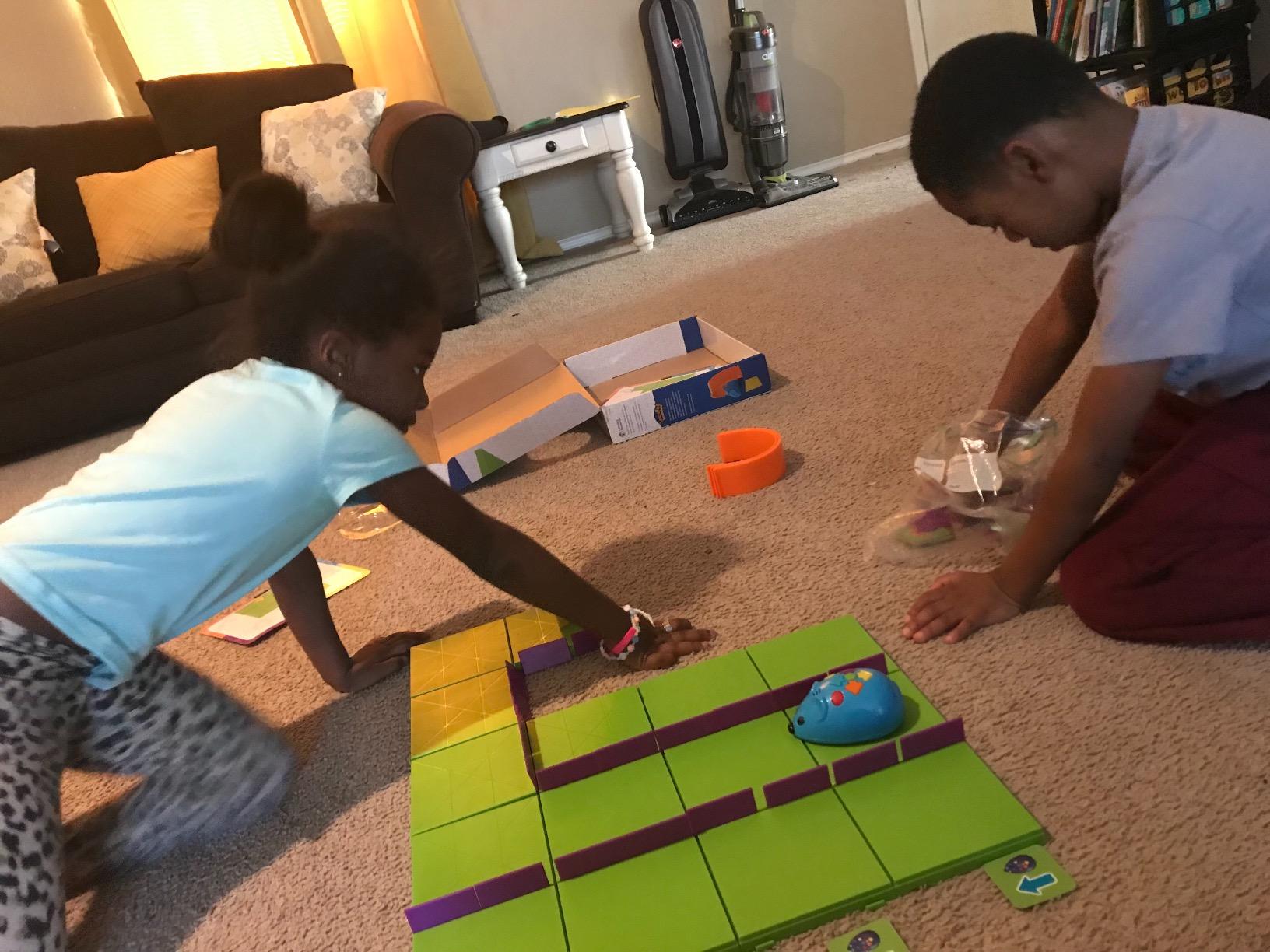
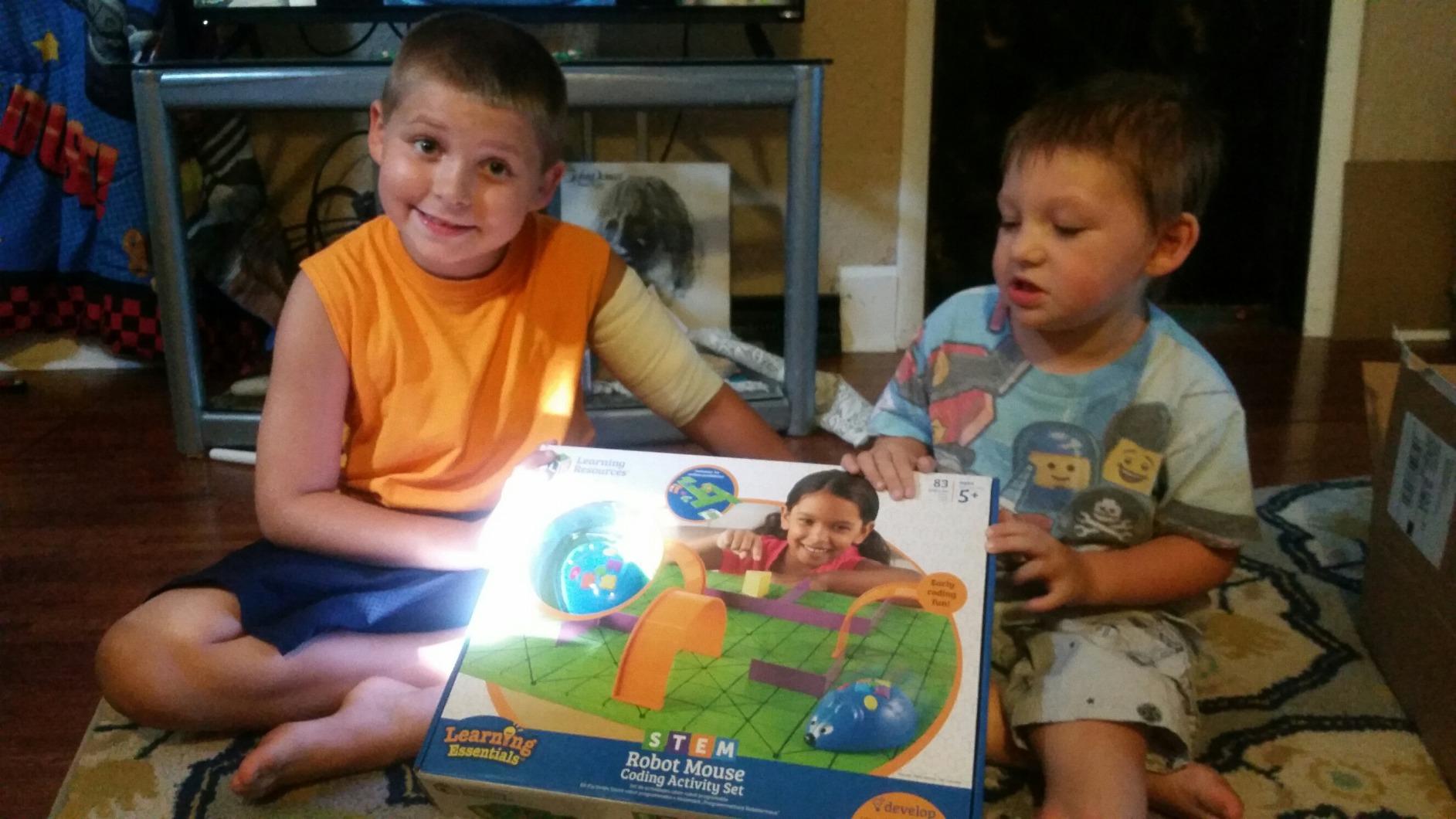
Colby the robot mouse is the earliest starting point in this list, and the reason is simple: a four-year-old can press a sequence of buttons on its back and watch a physical object attempt to follow the plan. There is no device, no account and no screen, which also makes it the easiest to justify to a family with a screen-time rule.
The set is serious about the physical side. You get 16 maze grids, 22 maze walls, 3 tunnels, 30 double-sided coding cards, 10 double-sided activity cards, a cheese wedge and an activity guide. Planning the route on a card before pressing the buttons is the actual learning moment, and it maps directly to sequencing.
Why the Physical Cards Matter
A child lays out coding cards to describe the route, then transfers that plan to the buttons on the mouse. The gap between plan and execution is where debugging lives, because the mouse either reaches the cheese or it does not, and the child has to work out which step was wrong.
That cause-and-effect loop is the reason teachers describe this as one of the easiest on-ramps into coding. It works because the feedback is immediate and unambiguous rather than an error message on a screen.
The Limit of a Single Sequence
Be clear about what the mouse teaches. There is no branching logic, no loop and no conditional, so once a child has mastered routing, this robot is finished as a coding tool and becomes a maze toy. Reviewers note that the coding depth stops at a fixed button sequence.
It needs 3 AAA batteries, which are not included, and the maze pieces are small enough to disappear under a sofa within a week. Budget for a storage tray.
Who Should Buy the Code and Go Mouse
It is built for children aged four and up, for a preschool classroom, or for any family that wants a child’s first exposure to sequencing without adding screen time. Because the activity cards and grid tiles are repeatable, it works well in a STEM centre with rotations.
Do not buy it expecting a programming curriculum. Expect a two-to-three month run of genuinely valuable sequencing practice, then move up to something with branching.
5. Educational Insights Artie 3000 – Coding You Can See on Paper
Educational Insights Artie 3000 the Coding & Drawing Robot
Four coding languages
Local password-protected Wi-Fi
4 washable markers
4 AA batteries not included
+ Pros
- Draw-your-own-code turns programming visible
- Supports Blockly Snap JavaScript and Python
- No internet connection or account needed
- Built-in tutorials for beginners and beyond
- Cons
- Pen alignment and line accuracy need practice
- Markers run dry or smudge
- Setup includes a technical Wi-Fi step
- Lower overall rating
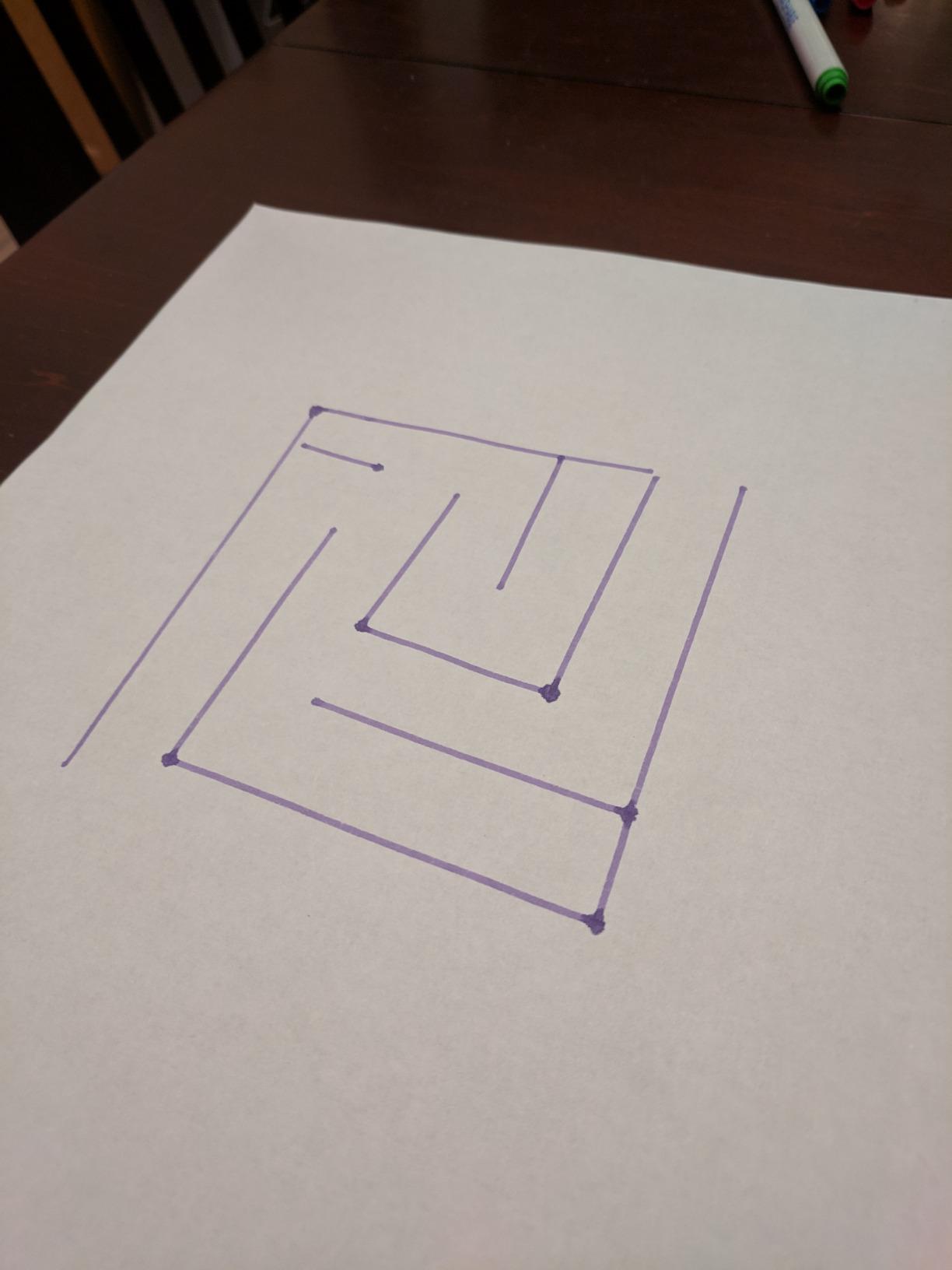
Artie 3000 does something none of the other nine do: it makes the output of a program visible on paper. A child writes a sequence, presses start, and a pen robot draws the result. Reluctant coders who do not want to move a robot often engage instantly with this one, because the artifact is a picture rather than a behaviour.
The language support is unusually broad for a toy in this bracket. Built-in tutorials run from beginner through advanced in Blockly, Snap!, JavaScript and Python, and the robot runs from its own password-protected Wi-Fi with no internet connection, no app store download and no account to create.
Offline Setup Is a Real Feature
The local Wi-Fi approach solves a problem most kits create. There is no cloud account, no subscription and nothing to expire if the manufacturer changes direction, which addresses a genuine long-term worry for parents. It also means the robot keeps working if your internet goes down on a rainy afternoon.
The catch is that joining the robot to its network is a moderately technical step. It is the first thing that stops a first-time user, so budget five minutes and expect to read the quick start guide properly rather than skimming.
Drawing Accuracy and Marker Reliability
This is where the 4.1 average comes from. Pen alignment and line accuracy run off, so a shape a child imagined does not always match the shape on paper until they have practised. Markers are the other weak point; they run dry and smudge quickly, and reviewers report replacing them sooner than expected.
That said, the fix is a lesson rather than a defect. A child who has to re-run a program and adjust a parameter is doing exactly the iteration that coding requires.
Who Should Buy Artie 3000
It suits a child aged seven and up who is artistic, hesitant about driving robots, or interested in the way code produces something you can keep. It is also a strong pick for a family that wants real JavaScript and Python on the table without a laptop.
Skip it if drawing accuracy will read as failure rather than as a puzzle, or if the Wi-Fi setup step will be beyond whoever is supervising. It needs 4 AA batteries, not included.
6. Wonder Workshop Dash – The Robot That Arrives Ready to Run
Wonder Workshop Dash Robot – Coding Robots for Kids 6 and Older
No assembly required
Rechargeable battery included
Five apps for iOS Android and Fire OS
Voice-activated
+ Pros
- Works the day it arrives
- Powerful motors handle rugs and obstacles
- Blockly app with guided paths and a sandbox
- No account or subscription
- Cons
- No printed quick start guide in the box
- Battery wear is the main long-term complaint
- App does not show the underlying code
- Premium price bracket
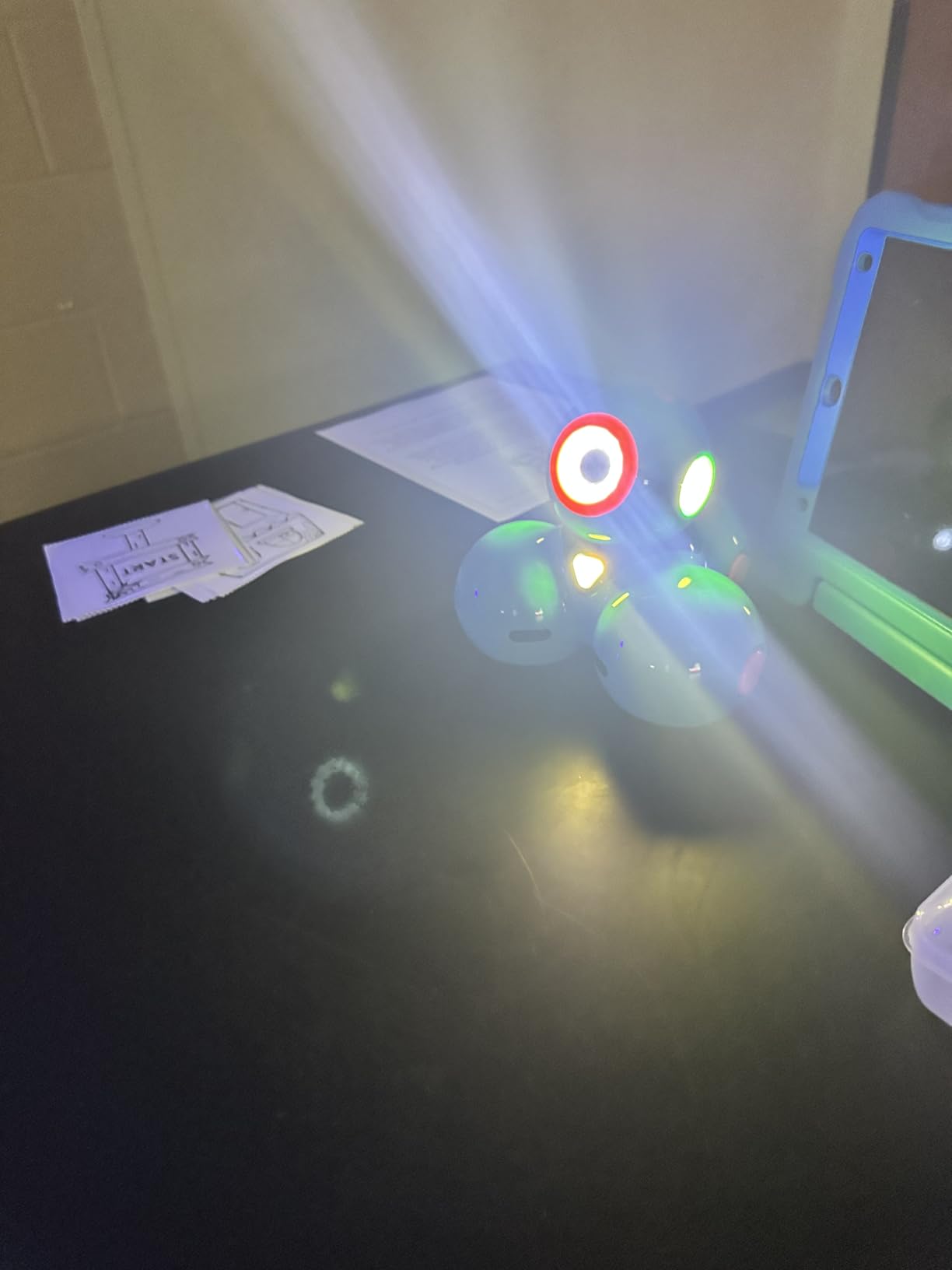
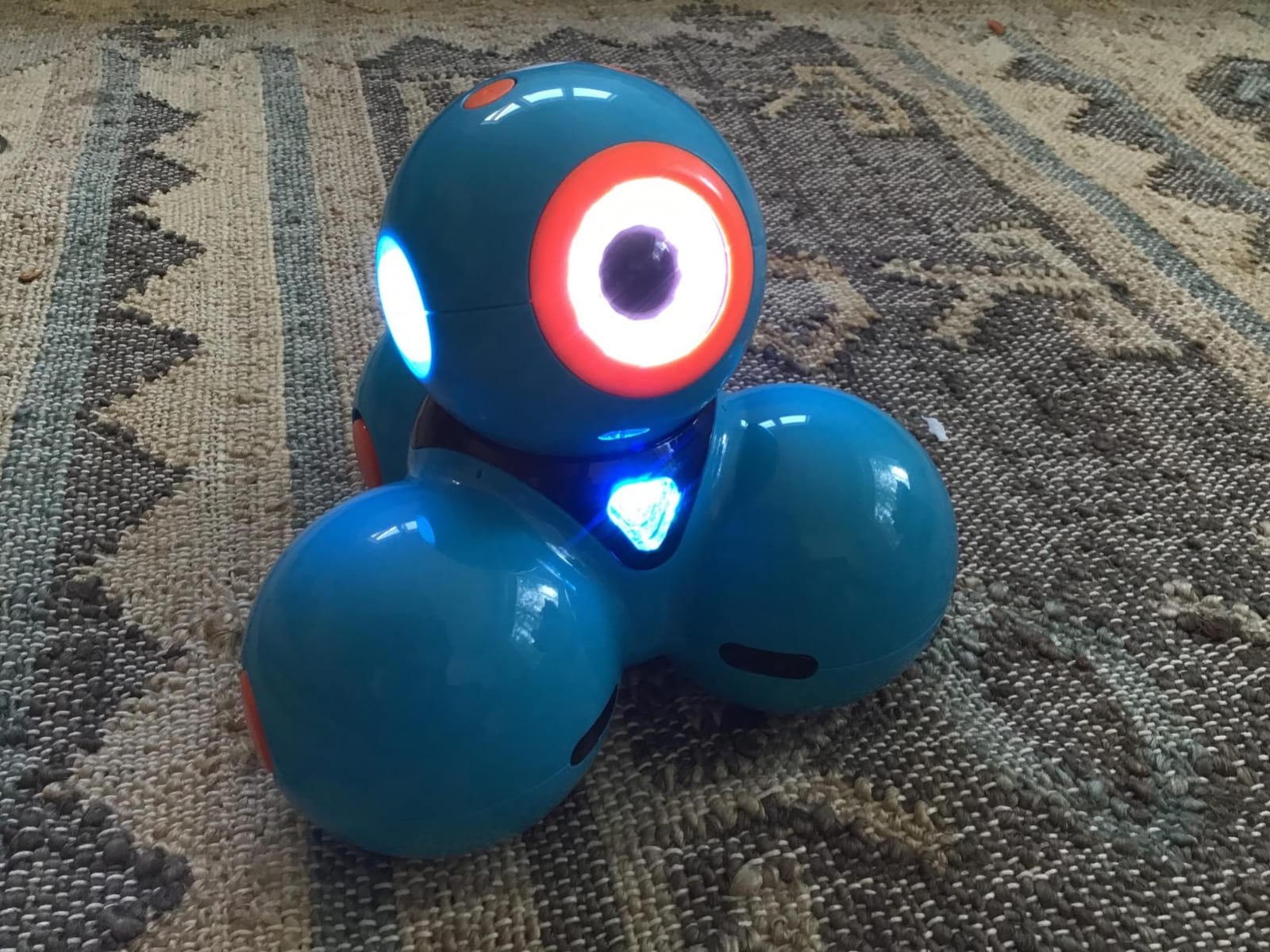
Dash is the only pick here that is genuinely a finished product rather than a kit. It unboxes, charges over USB and plays, which means a gift given on a birthday morning is a gift that works that morning. For busy families, that alone justifies the price bracket.
The app is the standout. Five apps cover iOS, Android and Fire OS, including Blockly, Wonder and Path, and the Blockly experience pairs guided learning paths with a free-form sandbox mode. Reviewers describe children building 50-plus step routines with branching logic within days, and the robot sings, dances, navigates around obstacles and responds to voice commands.
Classroom-Proven Hardware
Wonder Workshop states the robot is used in more than 40,000 schools, and teachers report a decade of reliable use across many classrooms. The motors are the reason: they are smooth and powerful enough to climb rugs and avoid obstacles reliably, which is where cheaper plastic wheels fail.
It is rated for ages six to eleven and includes increased memory with up to five hours of active play on a charge. There is no camera, which some parents appreciate for privacy reasons.
Setup and Longevity Trade-offs
There is no printed quick start guide in the box, so a first-time setup depends on online video tutorials. That is a small thing that decides whether a child gets going alone. The app also does not display the underlying code next to the block layout, so a child cannot yet see the text that the blocks represent.
The most common long-term complaint is battery degradation after roughly a year of use. Manufacturer replacement support is frequently praised, which is worth knowing before you commit.
Who Should Buy Dash
It suits a child aged six to eleven, a family with no interest in assembly, and any classroom that wants a robot that survives daily use. Parents who care about privacy will like the absence of accounts, data collection and subscriptions.
Do not buy it for a child under six who will ignore the app, or for a tween who wants to see real code text. It is also the pick most likely to frustrate a parent hoping to cut screen time.
7. Learning Resources Botley 2.0 – The Full Screen-Free Coding Set
Learning Resources Botley The Coding Robot Activity Set – 77 Pieces, Ages 5+, Screen-Free Coding Robots for Kids, STEM Toys for Kids, Programming for Kids, for Kids
77-piece activity set
Remote programmer
Ages 5 to 16
5 AAA batteries not included
+ Pros
- Completely screen-free with no phone or tablet
- Remote beeps for every button press
- Coding cards let children plan a sequence first
- Object detection and loop function
- Cons
- Batteries not included
- Wheels catch pet hair and tile grout
- Turn commands use the robot's own perspective
- One remote limits sharing
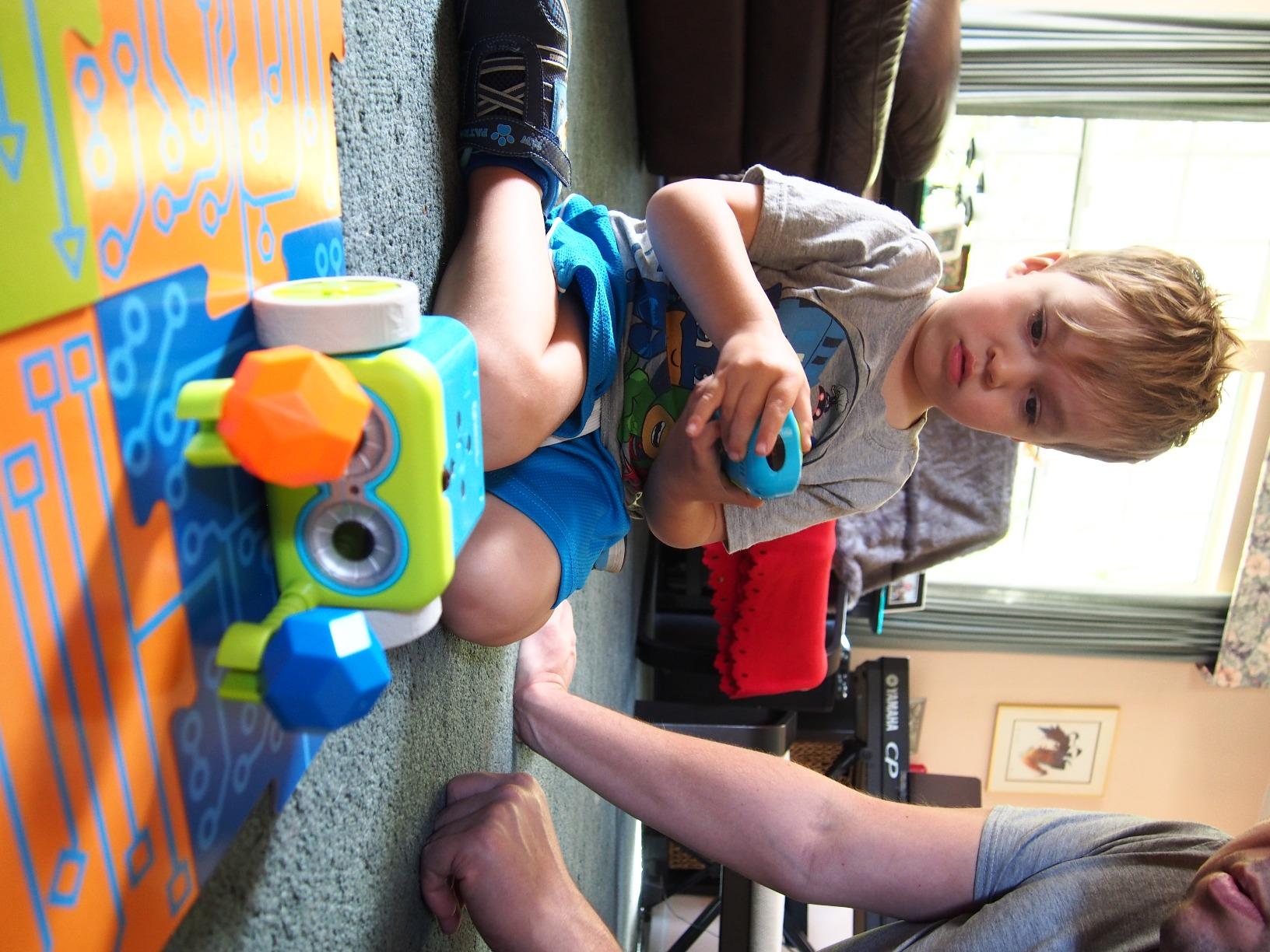
Botley is the screen-free answer for a child old enough to want a real challenge. Parents on Reddit who are deliberately avoiding screen time single it out, and the reason is that the robot only does what the child tells it to do. No recommendations, no feeds, no app updates, just a remote programmer and a machine on the floor.
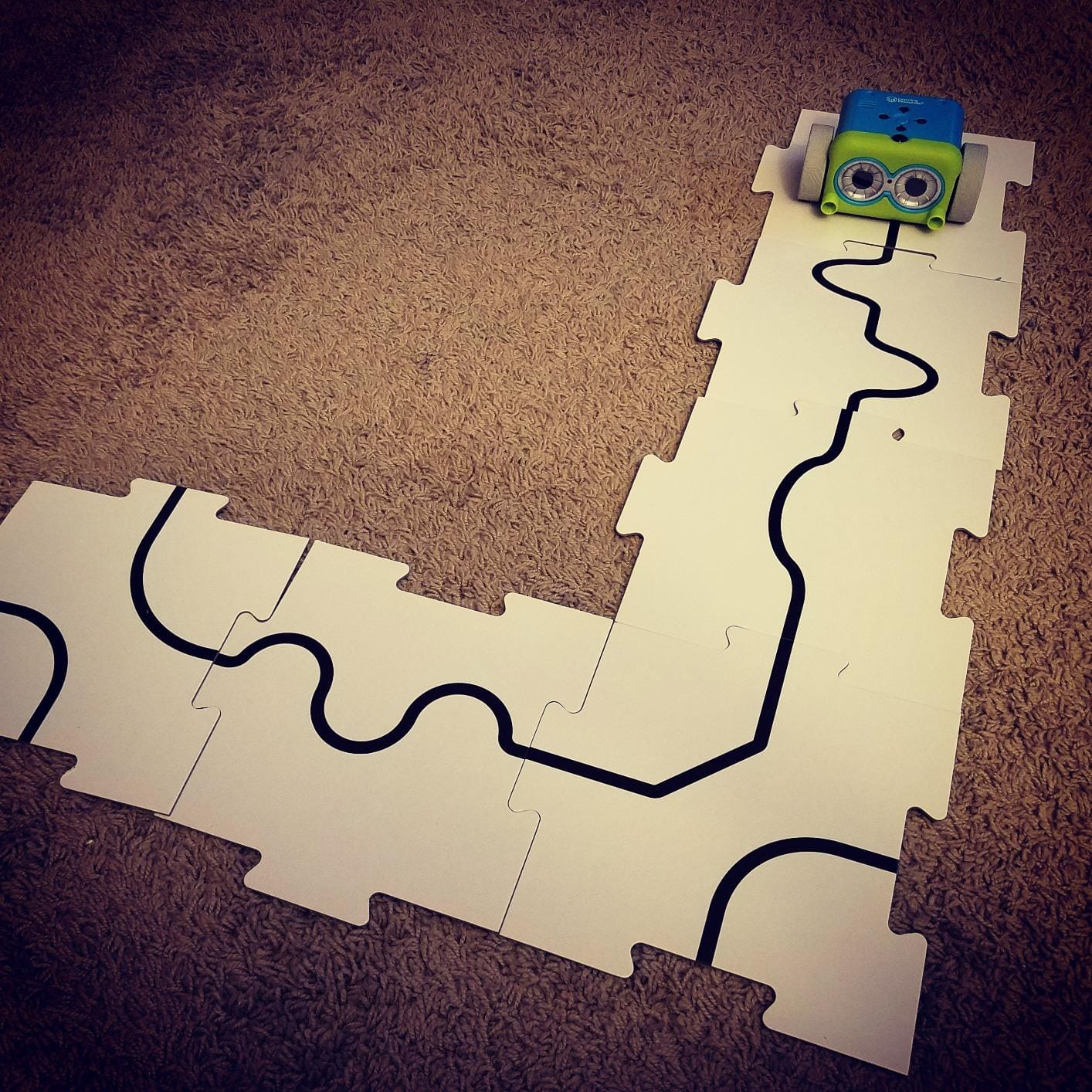
The 77-piece set is generous. You get the robot, a remote programmer, detachable robot arms, 40 coding cards, 6 double-sided tiles, 27 obstacle building pieces and a starter guide with coding challenges graded by difficulty. The manufacturer recommends ages five to sixteen, which is a wide claim that mostly holds for the lower end.
More Logic Than Other Screen-Free Sets
This is the important difference from a simple button robot. Botley detects objects and avoids them, follows a black line, runs loop commands and has hidden features to unlock, so a child is working with sensing and repetition rather than a single linear route. Older children use the loop function to run their own mazes while younger ones plan sequences on the coding cards.
The feedback loop is immediate in a way software cannot match. The remote beeps and lights for each button press, so a child can debug a sequence by listening to it.
Surface and Perspective Problems
Two hardware realities catch families out. The wheels catch pet hair, and tile grout throws the robot off course, so it performs noticeably better on a clear floor or carpet than on a hard-tiled surface. Turn commands are given from Botley’s own point of view, which reliably confuses young children and is the most commonly reported complaint after the missing batteries.
It needs 5 AAA batteries, 3 for Botley and 2 for the remote, and none are included. There is one remote, so sharing between siblings requires taking turns.
Who Should Buy Botley 2.0
Buy it for a screen-free household, a child between five and about nine, and anyone who wants coding practice away from a display. It works well in a classroom rotation with the included challenge cards.
Pass on it if your child already writes code in Scratch or Python, since the ceiling is a screen-free remote and no text. Also check your flooring before you commit.
8. Makeblock mBot Ranger – Three Robots in One Build
Makeblock mBot Ranger 3 in 1 Coding Robot Building Kit for Kids Ages 10+
Three robot configurations
Me Auriga mainboard with sensors
Aluminium parts and grip tracks
6 AA batteries not included
+ Pros
- Land Raider tank plus balancing bird and racer
- Aluminium parts and grip tracks handle rough ground
- Scratch and Arduino through mBlock5
- Large sensor suite for varied projects
- Cons
- More complex build aimed at ages 10 plus
- 6 AA batteries not included
- Transforming between forms tests fine motor skills
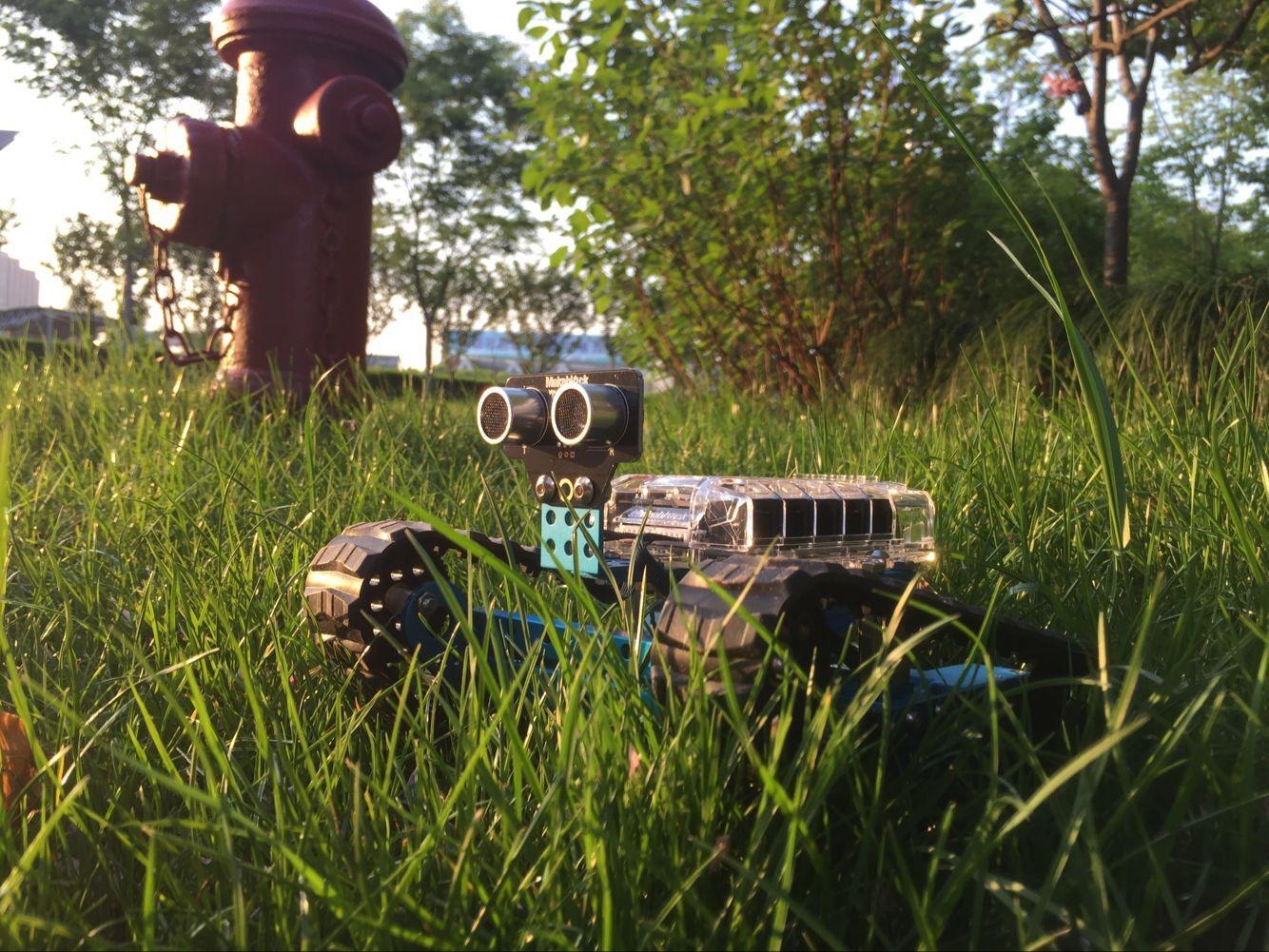
The mBot Ranger is the step up for a child who has already finished the basic mBot and needs a bigger problem. One kit produces three distinct robots: the Land Raider all-terrain tank, a self-balancing Nervous Bird and a three-wheeled Dashing Raptor racer. Each one demands a different program, so the value is in the transformation rather than the count.
Buyers moving up from the entry-level mBot highlight the metal construction and all-terrain grip as the quality jump, along with getting three chassis styles from a single build. It suits a child who wants projects rather than toys.
The Sensor Suite Is the Point
The Me Auriga mainboard carries an ultrasonic sensor, a line-tracking sensor, two light sensors, a gyroscope, 12 RGB LEDs, a buzzer, a temperature sensor and a Bluetooth module. That is enough hardware to write genuinely varied programs, and the temperature sensor in particular tends to motivate a child who has not cared about a robot for weeks.
Programming runs through mBlock5 with both Scratch and Arduino support, so the same project can be written as blocks and then converted to text.
Assembly and Battery Realities
Stated for ages ten and up, and the reviews back that up. Assembly takes longer than the entry-level kits, and the three-in-one transformation is fiddly enough to test fine motor skills, so an adult should handle the first conversion between forms. It needs 6 AA or lithium batteries, which are not included.
Aluminium parts and grip tracks let it run indoors or outdoors, which is a real advantage for a family that wants projects outside rather than another thing on the floor.
Who Should Buy the mBot Ranger
It fits a child of ten or older who is already comfortable with block coding, and it fits a tween who wants to see a project work outside on rough ground. Parents who expect an Arduino-based kit to be beginner-friendly should note that wiring and assembly are more involved here than anywhere else in this list.
If the child is under nine, the basic mBot or Dash is a much better use of the same enthusiasm.
9. Makeblock Codey Rocky – The Robot With a Personality
Makeblock Codey Rocky Interactive Coding Robot for Kids 6-12
Panda robot with dot-matrix face
Scratch then Python
Bluetooth pairing
Lithium polymer battery included
+ Pros
- Works out of the box over simple Bluetooth
- Three modes for driving drawing and coding
- Expressive face that children love
- Progresses from Scratch blocks to Python
- Cons
- Two apps split functions confusingly
- Program uploads can fail without an error message
- Tutorials are limited in number
- Camera and light sensor are basic
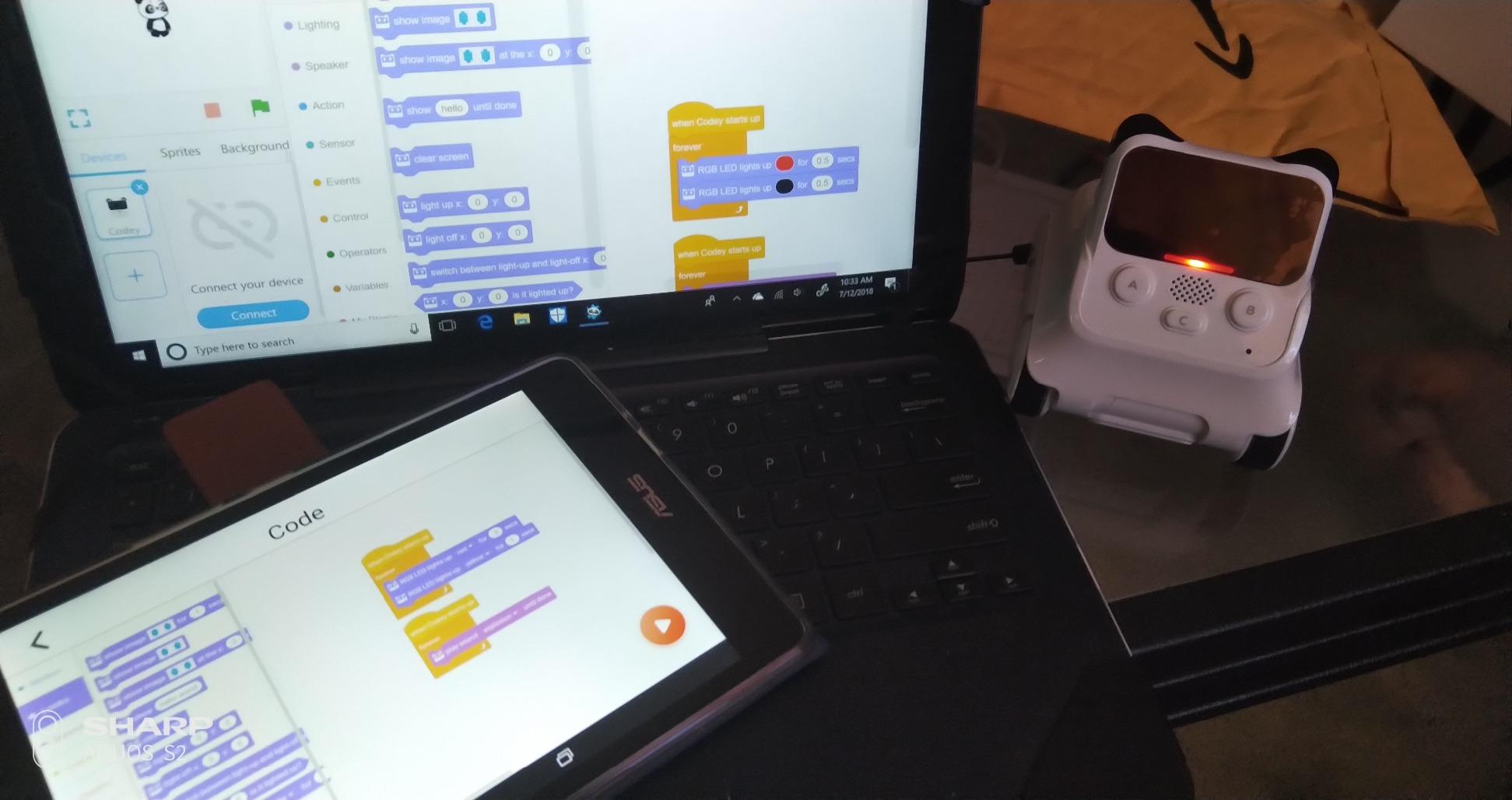
Codey Rocky sells itself on character before it sells coding. It is a panda-shaped robot with a wide dot-matrix face that shows pixel art, expressions and emotions, plus sound effects, and most families treat it as a lovable expressive pet first and a coding platform second. For a child who is not ready for a bare metal chassis, that framing works better than it sounds.
It plays immediately over Bluetooth from a phone or tablet, with three modes that let a child start remote-controlled and move into block coding. The coding path is genuinely progressive, running from Scratch block programming into Python through gamified tasks, and there is no subscription for the software.
Bluetooth Reliability and Battery Life
Reviews consistently praise the connection quality, the strong motors and the long battery life, which is a meaningful contrast with several app-driven robots here. The included lithium polymer battery removes the disposable-battery cost that dogs several other picks.
It is also built for rough use. The manufacturer describes impact-resistant materials designed to survive repeated classroom handling, and the body accepts LEGO Technic pins, which makes it easy to add a small structure or arm.
Where the Software Falls Short
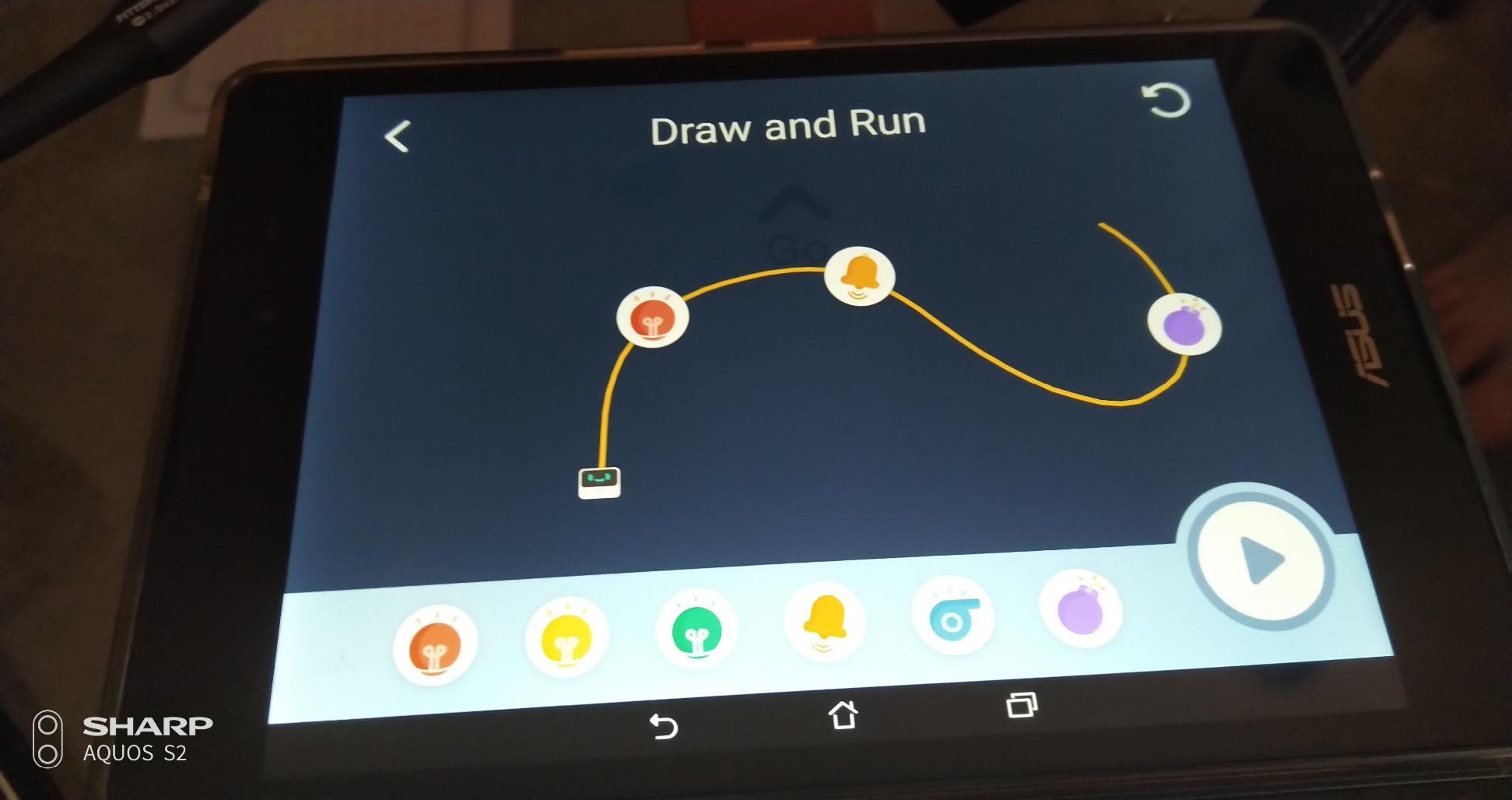
The 4.3 average comes almost entirely from software confusion. The Makeblock and mBlock apps split functions in ways reviewers find unclear, documentation is thin, and program uploads can fail silently when a project lacks a trigger event, with no error message to explain why.
That failure mode is the expensive one, because a child cannot debug a robot that refuses to acknowledge the program. Tutorials are helpful but limited in number, and the colour-detection camera and light sensor are basic compared with larger kits.
Who Should Buy Codey Rocky
It suits a child aged six to twelve who is motivated by a character rather than by a mechanism, and it works well as a first robot before moving to a sensor-heavy build. It is a good fit for a classroom where shared handling is common.
Skip it if your child is already writing Python and wants hardware control, or if nobody can help when an upload fails. The name-free app confusion is the deciding factor for many families.
10. Thames and Kosmos My Robotic Pet – The Cheapest Way Into Unplugged Coding
Thames & Kosmos My Robotic Pet: Coding Chameleon STEM Building & Experiment Kit | Color-Sensing Coding Robot for Boys & Girls Ages 8+, Screen-Free Educational Fun, Robotic Reptile with 3 Play Modes
133 pieces
Life-size 15-inch chameleon
Color and infrared sensors
4 AAA batteries
+ Pros
- Fully unplugged coding with colored action cards
- Three play modes including camouflage and pet mode
- 48-page manual doubles as a design lesson
- Lowest cost in this group
- Cons
- Assembly takes 3.5 to 4 hours with adult help
- Tight tolerances can need filing
- Small gears can break during assembly
- Model tips over and struggles on carpet
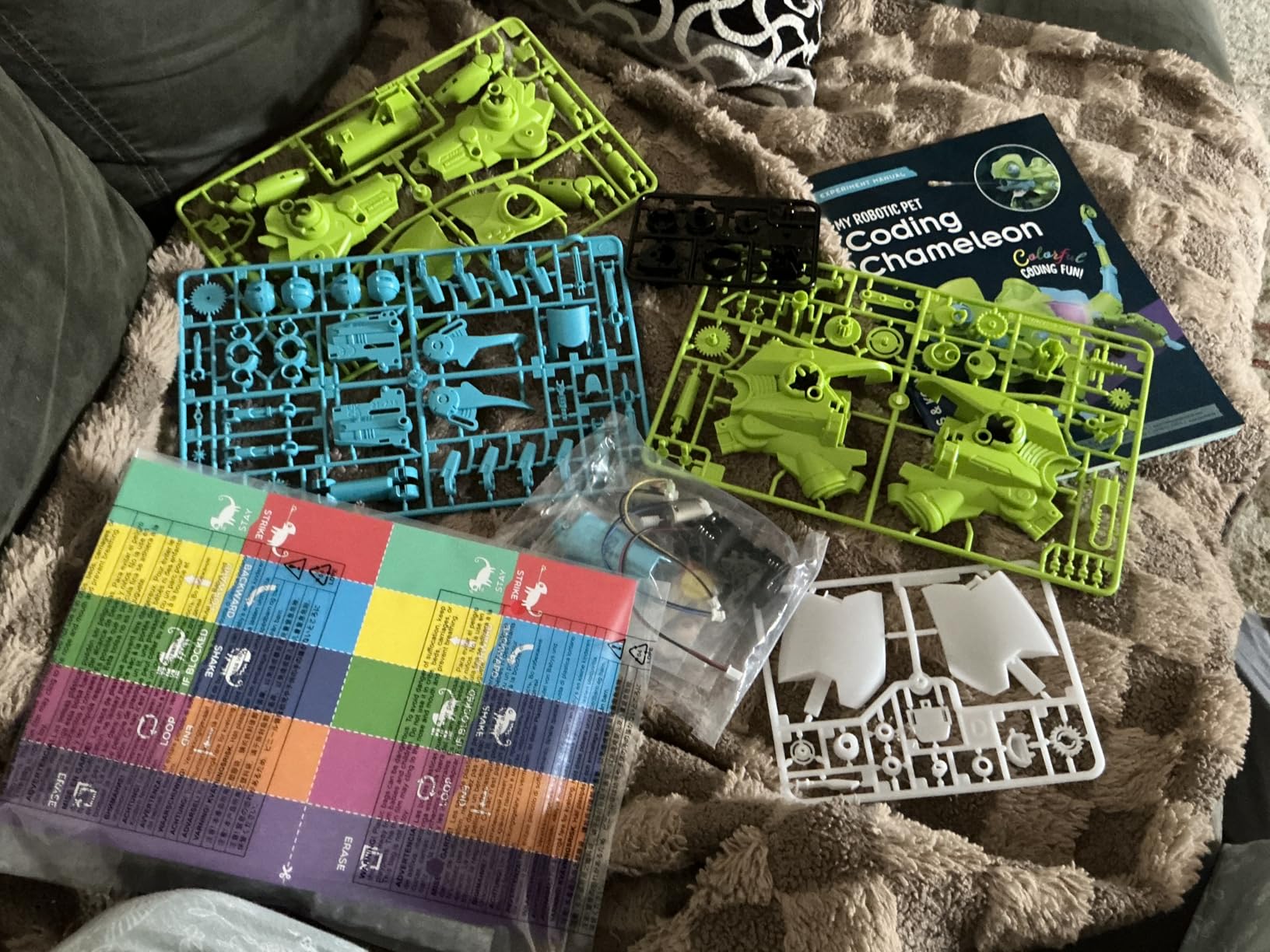
The Coding Chameleon is the most unusual approach here and the least expensive. Coding happens with physical colored action cards read by a color sensor, with no screen, no device and no software at all. A child lays out a card sequence, the chameleon reacts, and the relationship between instruction and outcome is completely physical.
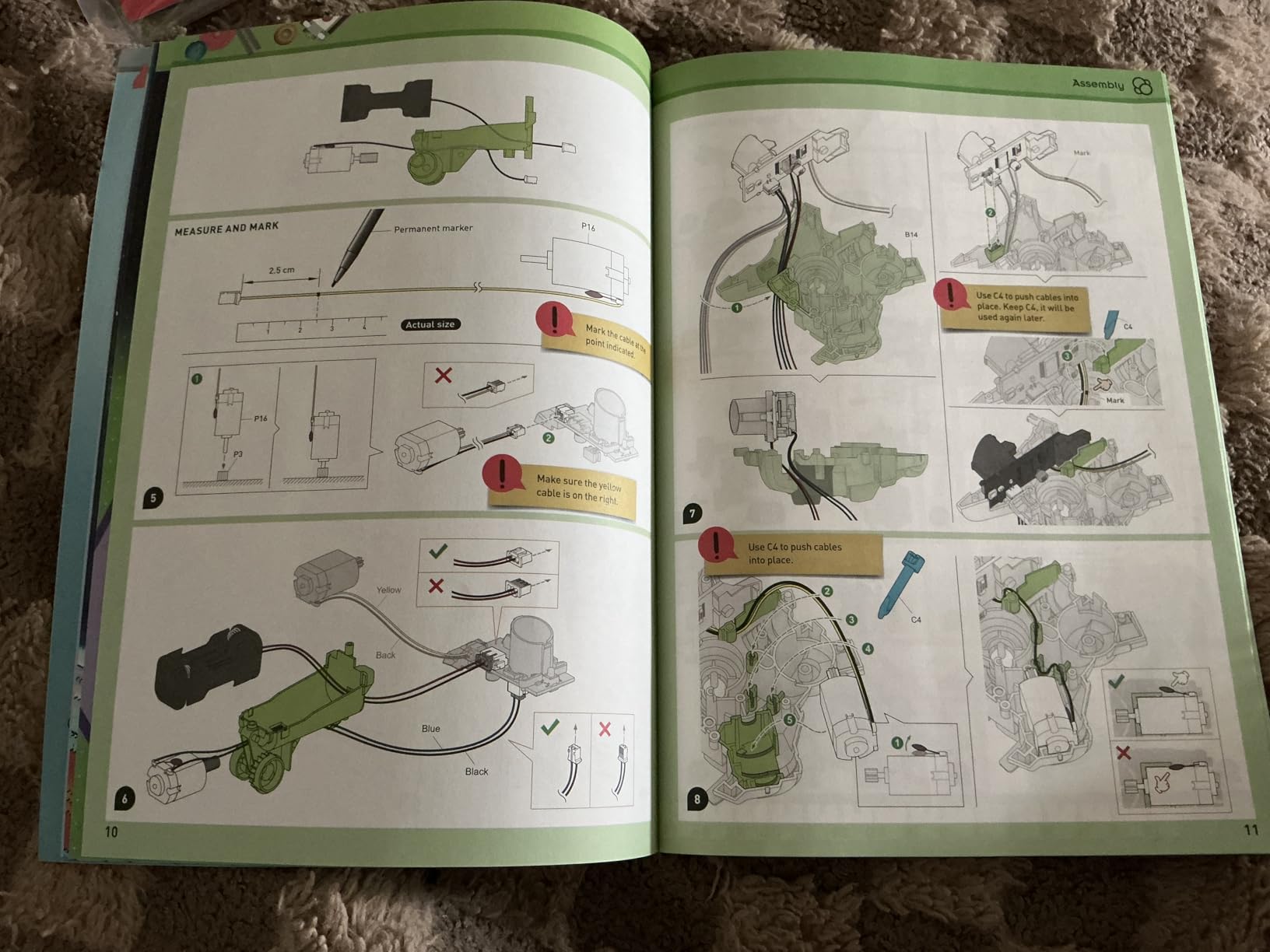
It is a real build, 133 pieces producing a life-size 15-inch chameleon with articulated eyes, torso and leg joints. A 48-page manual covers assembly, robotic components and bio-inspired engineering design, and the kit won an Educational Toy of the Year award.
Three Play Modes Add Runway
Coding Mode runs the action-card programs, Wild Mode turns the robot loose with camouflage behaviour driven by the color sensor and RGB LEDs, and Pet Mode responds to touch. Three modes extend the life of the toy well past the card sequences, which addresses the two-week boredom problem directly.
The infrared sensor and RGB LEDs give the coding a sensory payoff that button-only kits cannot. Stated for ages eight and up with adult help, twelve and up independently.
Build Quality Is the Weak Point
Be honest about assembly. Reviews describe three and a half to four hours of build time, often with adult help, and tight plastic tolerances that mean some parts need filing or sanding before they function properly. Small gears and components break during assembly in a noticeable share of reviews, and the finished model tips over and struggles to walk on carpet.
The 4.1 rating reflects that volume of quality complaints, and it is the reason this sits at the bottom of the list despite the appealing price.
Who Should Buy the Coding Chameleon
It suits a child aged eight to twelve who loves animals, building and screen-free play, and a family that wants a full engineering weekend project rather than an app to open. It is also the simplest build of the sensor-driven kits here.
Do not buy it for a child with limited patience or a household without an adult willing to supervise a multi-hour build. Check that you have working hands for small plastic parts before you start.
How to Choose a Coding Robot for Your Child
Most disappointing purchases in this category are not bad robots. They are right robots bought for the wrong reasons, usually because a video made them look exciting on a birthday morning. These are the questions that avoid that.
Start with Age, Not with Features
Ages four to seven need a physical interface, because touchscreens frustrate before they teach. Screen-free button robots in the Code and Go and Botley mould are the right starting band. Ages eight to twelve do best with block-based app robots such as the Sphero Mini, the mBot and Dash. At ten and above, sensor-heavy kits like the mBot Ranger and the Mech-5 stop being a challenge, which is the failure mode parents report most often.
Decide How Much Screen Time You Will Trade
Screen-free sets such as Botley 2.0, Code and Go, Mech-5 and the Coding Chameleon require no device at all. App-based robots need a phone or tablet, and Dash explicitly supports iOS, Android and Fire OS. Artie 3000 and Codey Rocky run from a local connection rather than a required online account. Decide which trade suits your household before comparing anything else, because it eliminates half the list.
Check the Device and App Requirements First
This is the number one real-world purchase blocker, and the one most listings gloss over. Confirm that the app exists on the specific device you own, check whether a phone screen is large enough, and confirm whether a computer is needed for any part of the flow. Artie 3000’s local Wi-Fi setup is the most technical step in this group, while every screen-free pick removes the question entirely.
Budget Honestly for Build Time and Batteries
Build times here range from about fifteen minutes for the mBot to three and a half to four hours for the Coding Chameleon, and families should protect that time rather than rushing it. On power, only Dash and Codey Rocky include a rechargeable battery. The Sphero Mini includes a lithium cell. Everything else runs on AA or AAA batteries that are not included, and the mBot Ranger needs six of them, which is an ongoing cost rather than a one-time one.
Buy for a Two-Year Runway, Not a Two-Week Toy
The mBot, the Ranger and Sphero all have a clear next step, whether that is expansion modules, a second robot form or a jump from blocks to text. Fixed-purpose sets such as the robot mouse teach one concept well and then plateau. If a child is gifted a robot for a birthday, the expansion path matters more than the headline feature list.
What Actually Transfers to Real Programming
Sequencing is the concept every pick teaches, and it is the foundation of every language. Above that, sensors, object detection and black-line following introduce conditionals and sensing. Loops, which Botley and the Sphero app both support, introduce repetition. Functions and variables appear on the app-based kits, and Python and JavaScript on Sphero Mini, Artie 3000 and Codey Rocky. Debugging is the one every robot teaches for free, because a program that misses the cheese or the wall failed for a reason the child can find.
Frequently Asked Questions
What is the best coding robot for kids overall?
The Sphero Mini is the best all-round coding robot for most families. Its free Sphero Edu app moves a child from drawing paths to drag-and-drop blocks to real JavaScript on the same robot, and the gyroscope, accelerometer and LEDs give early conditional work somewhere to land. It needs a compatible phone or tablet, and buyers do report Bluetooth dropouts and orientation loss on carpet.
What is the best coding robot kit for a 10-year-old?
For a child around ten, the Makeblock mBot is the strongest starting point. It assembles in about fifteen minutes, works as a remote-control car with line-follow and obstacle-avoidance modes, and then supports Scratch-style blocks before moving to Arduino. The mBot Ranger is the step up when block coding stops being a challenge.
Do you need a tablet to use a coding robot?
It depends entirely on the robot. The Mech-5, Botley 2.0, Code and Go robot mouse and the Coding Chameleon need no device at all. Sphero Mini, mBot, mBot Ranger, Dash, Artie 3000 and Codey Rocky all need a phone or tablet to program, with Dash supporting iOS, Android and Fire OS. Artie 3000 and Codey Rocky use a local connection rather than an online account.
Are screen-free coding robots better for kids?
Screen-free sets such as Botley 2.0 and the Code and Go mouse teach sequencing and cause and effect with no display involved, which some parents prefer for younger children or a house with a screen-time rule. The trade is depth. Button-programmed robots usually stop at a linear sequence, while app-based robots add loops, variables and sensor input. Botley 2.0 goes further than most because it detects objects and follows black lines.
What age should kids start learning coding?
Around age four, using a screen-free robot mouse, because sequencing can be taught with physical cards and buttons before a child can read or type. Ages eight to twelve suit block-based app robots such as the Sphero Mini, mBot and Dash. At thirteen and above, Python and JavaScript on Sphero Mini or Artie 3000, and Arduino-based builds, are realistic next steps.
The Verdict: Which Coding Robot Fits Your Kid
If your child is eight or older, already has a tablet and wants a long runway, the Sphero Mini is our pick for 2026 and the reason it holds the Editor’s Choice. The free app covers three coding notations on one robot, which means a child can move from drawing a path to writing JavaScript without new hardware.
If you want the most learning per unit of effort, the Makeblock mBot wins on a fifteen-minute build, a Scratch-to-Arduino path and an expansion system that keeps producing new projects. If you are keeping screens away, the Learning Resources Botley 2.0 is the strongest screen-free set, with object detection and looping that go beyond button sequences, and the Code and Go mouse is the correct start below age five.
If your child needs a character to fall for, Codey Rocky does that better than anything else here, with the caveat that its two-app software setup can confuse adults. If you want a multi-hour building weekend rather than an app, the Mech-5 or the Coding Chameleon will do that, though the Chameleon’s build quality is the weak link.
Check the device requirements before anything else, then pick the robot that matches your child’s age and your household’s screen rules. That one check prevents most of the disappointment we heard about.