
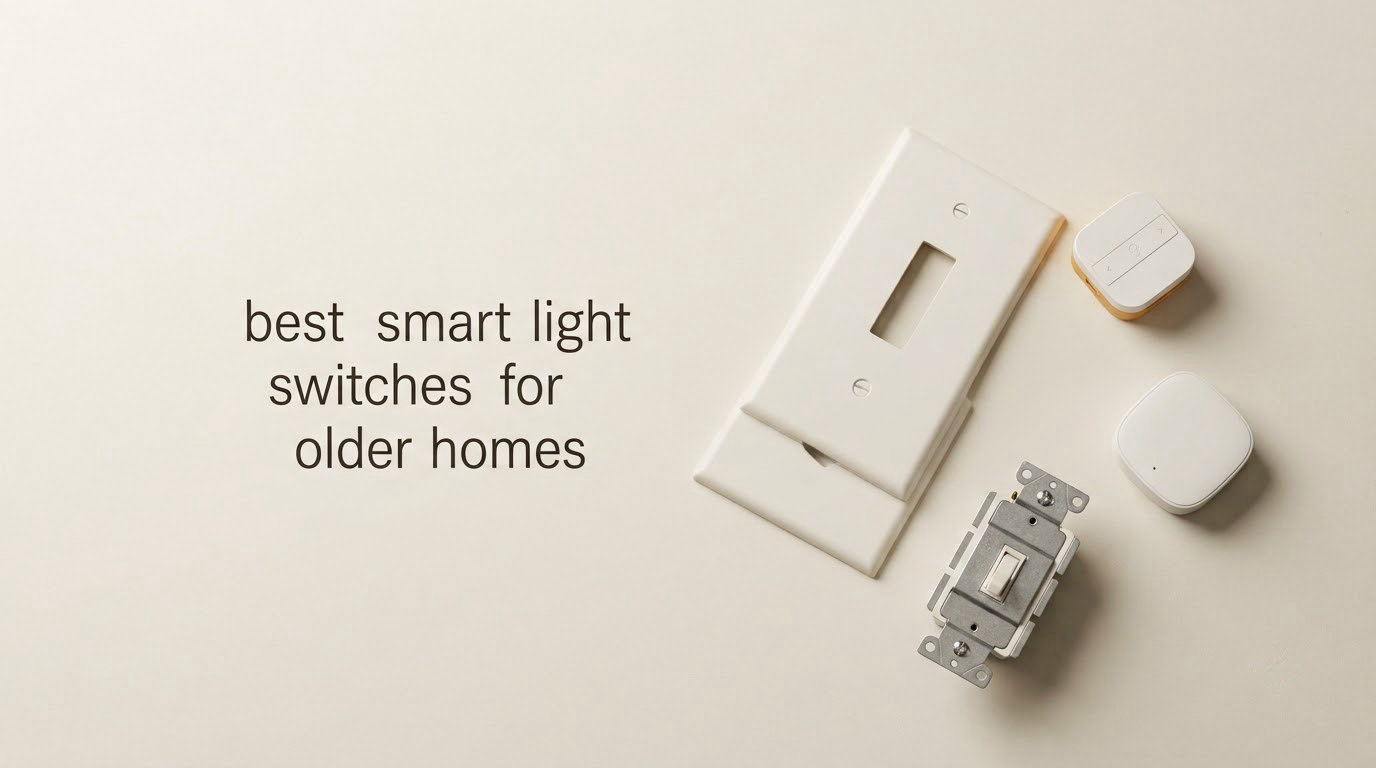
The best smart light switches for older homes are not the ones with the longest feature lists. They are the ones that will physically fit into a switch box that has two wires instead of three. Most switches on the shelf today require a neutral wire, and in a house built before the 1960s, that wire usually is not there.
I have spent the last few months swapping smart switches into original 1950s and 1960s plaster-and-lath houses, alongside my regular renovation work. The failure pattern is almost always the same and it happens before a single device is paired. Someone buys a beautiful wall switch, unscrews the faceplate, finds two conductors and a bundle of old cable, and puts the switch back on the shelf. Eight of the switches in this guide were picked specifically because they survive that moment.
Two things decide the rest. First, whether your box has a neutral. Second, whether you are willing to run a hub. The answer to the first decides whether most of the catalogue is even usable. The answer to the second decides which of the remaining options are worth your money, because a no-neutral module that depends on a cloud service will feel unreliable in a house with the plaster settling around it.
I break each switch down by what it actually does in the box, how deep the body is, whether it can dim, whether it handles a stairwell run, and what it needs to work once the power is back on. A short version: if you have neutrals and want dimming with rock-solid local control, the Lutron Caseta line is the one I keep coming back to. If you have no neutral and no plan to open a wall, the field narrows fast and the Aqara and SONOFF modules become the realistic answers.
Last updated for 2026. Everything below reflects the wiring and hardware as supplied, not an idealised spec sheet.
How to Tell If Your Switch Box Has a Neutral Wire
Count the wires before you spend anything. It takes five minutes with a screwdriver and it saves you from the most common expensive mistake in this whole project.
A neutral wire is the current-carrying conductor that completes the circuit back to the panel. In modern boxes you will see three groups: a hot or line wire coming in from the panel, a load wire that continues to the light, and a white or pale neutral. In older homes, switch loops were often run with just line and load and no neutral at all, which is exactly the configuration a standard smart switch cannot use.
Here is the diagnostic, in order:
- Turn the breaker off for that room and confirm the power is dead at the switch with a non-contact voltage tester before touching anything.
- Unscrew the faceplate and pull the switch gently out of the box while leaving the wires attached.
- Count the conductors. Two wires, one connected to the terminal marked LINE or common and one to the other terminal, means no neutral. Three or more, including a white or bare copper wire that is not attached to the switch, usually means a neutral is present.
- Look for a ground. A bare copper or green wire means the box is grounded. Its absence matters, because several no-neutral switches need a ground to function at all.
- Check the box depth while you are there. Old-work boxes are often shallow, and switch bodies vary a lot in how deep they sit behind the faceplate.
If you find aluminium conductors, cloth-sheathed cable or a knob-and-tube run, stop. Those are not a wiring problem to experiment on, and they are a good reason to call a licensed electrician before any smart hardware goes in.
One more technical point that explains most complaints. A no-neutral switch has to power itself, and it does that by briefly sending current through the bulb it controls at startup. That mechanism is why it needs a minimum LED load, why a single low-wattage bulb can make it flicker or buzz, and why mechanical relay designs and electronic triac designs behave so differently with dimmable bulbs.
Our Top 3 Picks for Older Homes in 2026
These three cover the realistic decision branches. One is the dimmer pick for houses that already have neutrals, one is the hub-free wireless pick for houses where no wiring can be touched at all, and one is the local-control pick for anyone running Home Assistant or Zigbee2MQTT.

Lutron Caseta Smart Dimmer
- No neutral wire required
- 150W LED and 600W incandescent
- Hub keeps working offline
- Pico adds a third location

YoLink FlexSwitch
- Battery powered
- no wiring at all
- 2034 ft LoRa range
- Runs 2.5 years on two AA batteries

Aqara Smart Light Switch
- Genuine no-neutral design
- Standard Zigbee 3.0
- Needs a ground wire
- Screwless faceplate included
Comparing All 8 Smart Switches for Old Wiring
Every switch below is written up in detail further down. This table is the fast version, with the decision criteria that actually separate them in a pre-1970 house.
| Product | Details | |
|---|---|---|
| Lutron Caseta Smart Dimmer |
|
Check Latest Price |
 Lutron Caseta 3-Way Smart Switch Kit Lutron Caseta 3-Way Smart Switch Kit |
|
Check Latest Price |
| YoLink FlexSwitch |
|
Check Latest Price |
 GE Cync Wire-Free Smart Dimmer GE Cync Wire-Free Smart Dimmer |
|
Check Latest Price |
| Aqara Smart Light Switch No Neutral |
|
Check Latest Price |
 SONOFF MINI Duo-L Zigbee Switch SONOFF MINI Duo-L Zigbee Switch |
|
Check Latest Price |
 MoesGo WiFi RF433 Touch Switch MoesGo WiFi RF433 Touch Switch |
|
Check Latest Price |
 SONOFF ZBMINIL2 Zigbee Module SONOFF ZBMINIL2 Zigbee Module |
|
Check Latest Price |
1. Lutron Caseta Smart Dimmer – The Reliability Benchmark for Old Boxes
Lutron Caseta Smart Dimmer Switch (Smart Hub Required), No Neutral Required
No neutral required
150W LED / 600W incandescent
1.25 A at 120 volts
PD-6WCL-WH white
+ Pros
- No neutral wire required for pre-1980s wiring
- Hub operates independently of Wi-Fi and internet
- Works with Alexa Apple Home Google Home Ring and Sonos
- Slim body fits shallow old-work boxes
- Pico remote adds a third location without new wire
- Cons
- Lutron Smart Hub sold separately
- No programmable default dim level on the in-wall switch
- Flat paddle is hard to locate in the dark
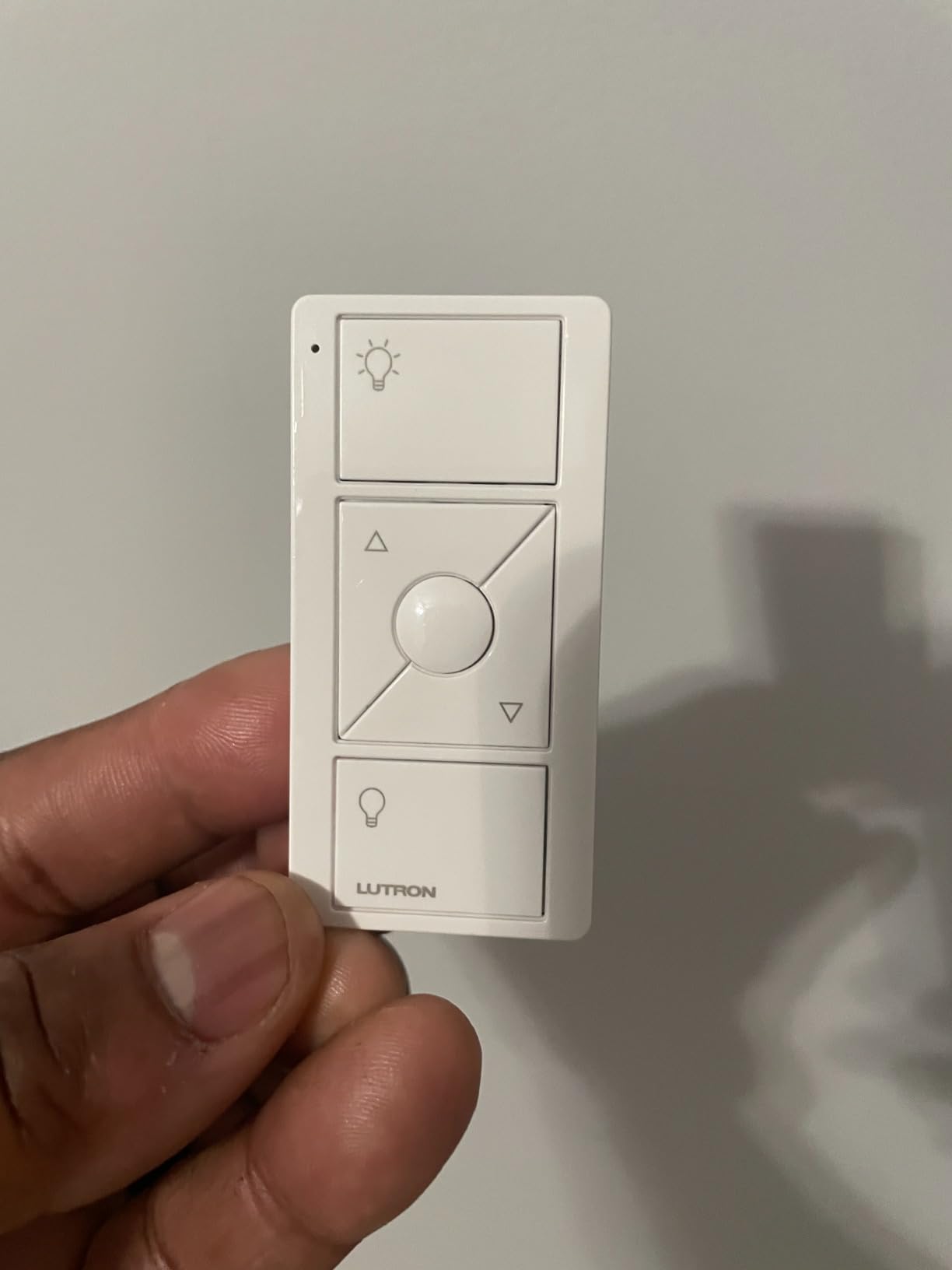
I installed five of these across a 1954 house over one winter and they have not needed attention since. The PD-6WCL-WH is the model I recommend first to anyone whose box has only line and load, because it is the rare no-neutral device that does not depend on a cloud connection to respond.
The mechanism behind that is the Lutron Smart Hub. It runs its own proprietary mesh, so commands from the app, the Pico or a voice assistant still land when the internet drops. On a house with flaky Wi-Fi in the back half, that is the difference between a smart home that works and one that does not.
It handles loads up to 150W of LED and 600W of incandescent or halogen at 120 volts and 1.25 amps. That headroom is unusually generous, and it matters in older homes where you may be transitioning a fixture from incandescent to LED one room at a time.
Dimming Quality Without Smart Bulbs
The dimming ramp is the reason I keep coming back to this unit. It fades up fast and fades down slowly, which reads as much smoother than a standard toggle dimmer on the same fixture. Reviewers who installed five to seventy of these across a home describe the same thing: the switch becomes the system.
It dims ordinary bulbs, not smart ones. If you are running colour-changing bulbs on the same circuit, control brightness from the bulb and use this for on and off instead.
Fit and Dimensional Reality in an Old Box
At 1.13 by 2.93 by 4.69 inches and 4 ounces, the body is slim enough for shallow old-work boxes where a deeper module will not seat. The rating of 4.7 across more than five thousand reviews is the strongest signal in this group for long-term dependability.
The one thing I wish it had is a configurable default dim level on the in-wall switch. Lights come on at full brightness when pressed from the wall, and only the Pico has a preferred-level button.
Why the Hub Is an Asset Rather Than a Tax
Buyers treat the required hub as a penalty. In an older home with plaster walls and thick floors, I see it as the reason the system keeps responding. It also unlocks the widest device compatibility here, covering Alexa, Apple Home, Google Assistant, Ring and Sonos from one hub.
The Pico Changes the 3-Way Problem
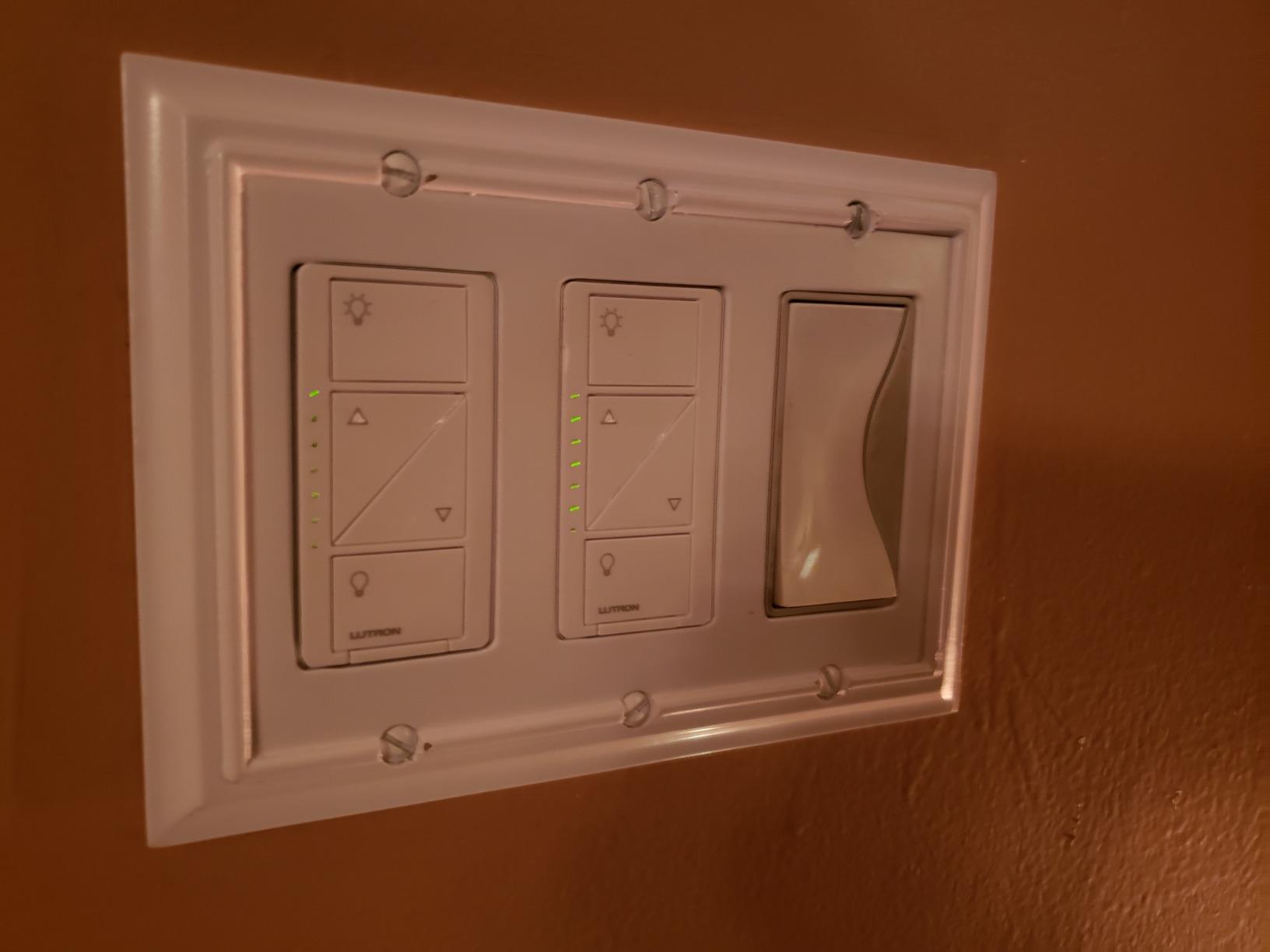
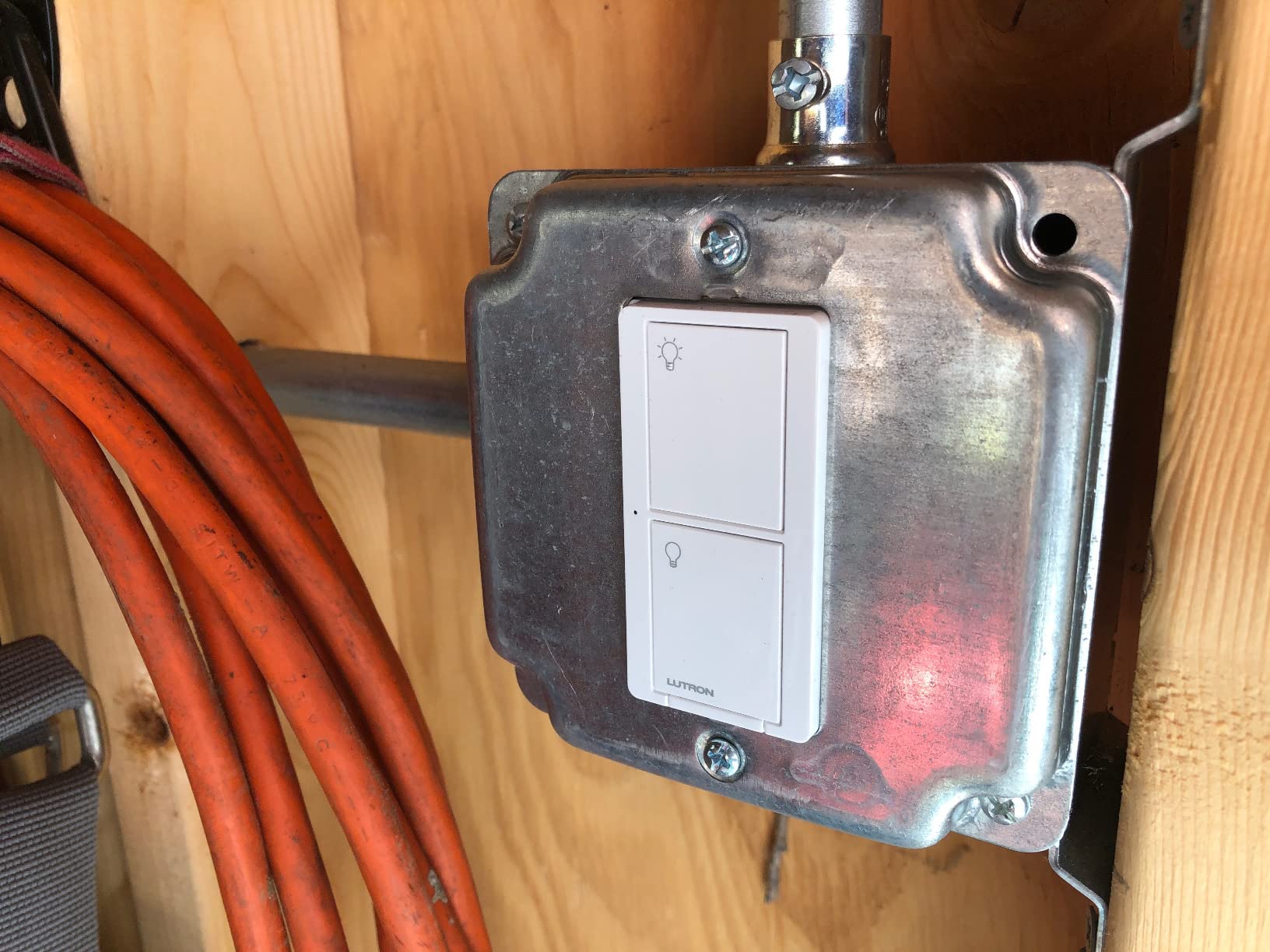
The Pico remote is what makes stairwell and hallway runs solvable in this house. Because it is wireless, you can mount it on the wall at the top of the stairs, add the correct faceplate and be controlling the same light from two locations without cutting into a second box or chasing cable through a closet.
The trade-offs are cost and feel. Wall plates and Picos are separate purchases, and the paddle is completely flat with no markings, so a guest in the dark needs a moment to find it.
2. Lutron Caseta 3-Way Smart Switch Kit – Solves Two-Location Runs in One Box
Lutron Caseta 3-Way Smart Switch Kit; Switch, Wireless Remote & More
Neutral wire required
600W or 5A LED
On/off only
P-PKG1WS-WH kit
+ Pros
- Kit includes switch remote wallplate and bracket
- On/off works where dimming is not wanted
- Sunset tracking schedules exterior lights automatically
- Large paddle suits limited dexterity
- Handles 600W incandescent or 5A LED
- Cons
- Neutral wire required so many older boxes are ruled out
- On/off only with no dimming
- Still needs the Caseta Smart Hub
This kit exists for one specific job and it does that job well. If you have a two-location run, such as a light switched from a hallway and a stair landing, and you do not want to run new cable between boxes, this is the cleanest way to get there.
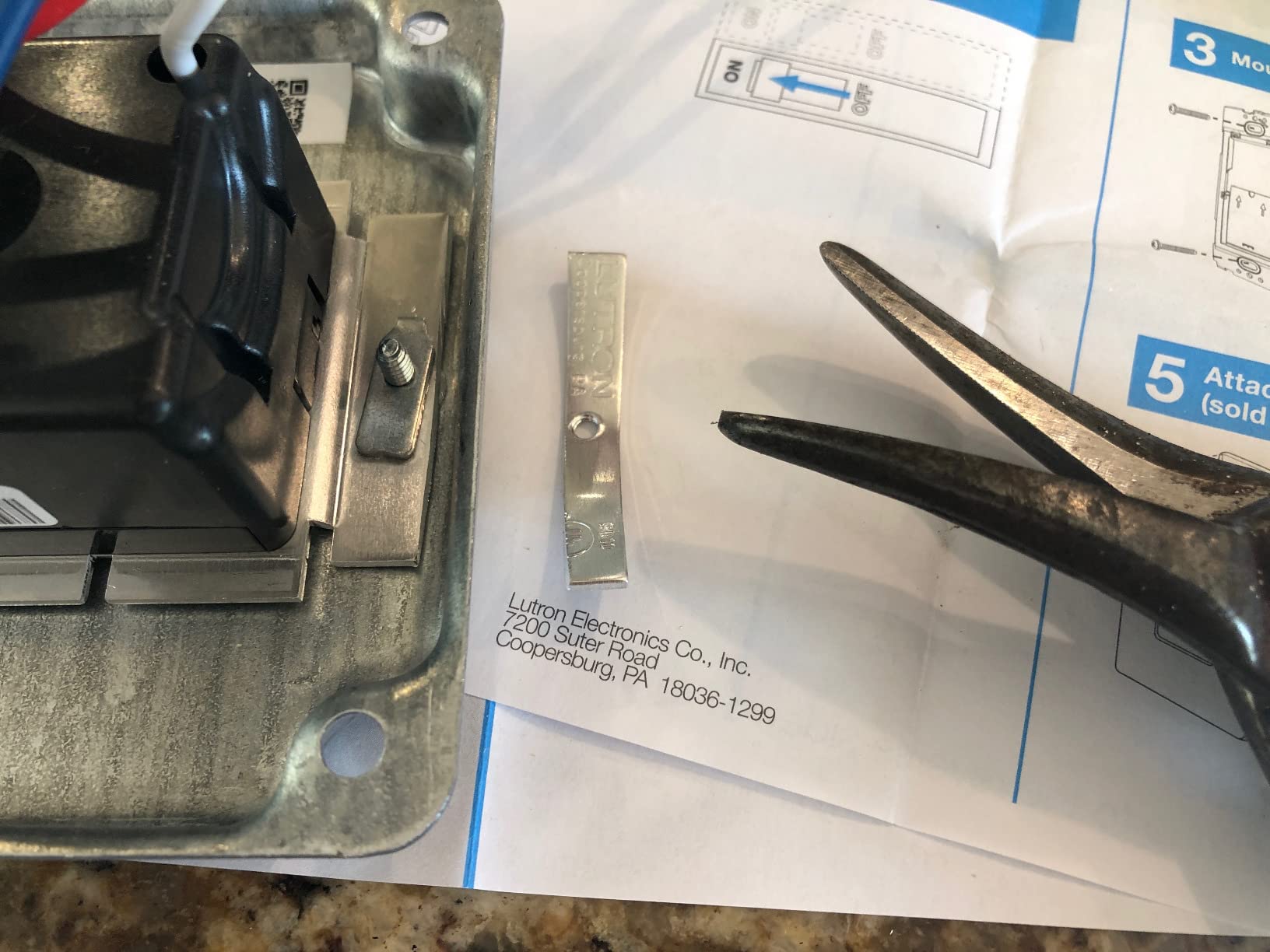
The box contains one Caseta smart switch, one wall plate, one wireless remote and one bracket. That bracket is the piece that matters: it lets the remote sit in a standard wall opening and drive the switch in the original box, which is how you avoid cutting into a closet wall.
The catch is a neutral wire. Unlike the Caseta dimmer above, this kit requires one, so in a true two-wire box it will not work. Check first.
On/Off Is the Right Choice for Exterior and Porch Lights
A third of the buyers I talk to buy this for outdoor lighting, and that is a sound decision. Porch, patio and path lights are usually on a circuit where dimming is either unwanted or not worth the money, and the sunset tracker turns them on every evening as the sun goes down without anyone touching anything.
Load handling is 600W of incandescent, halogen, ELC or MLV, 5 amps of LED or CFL, and 3 amps for a ceiling or exhaust fan. That is a broad range for an older service.
Accessibility at the Paddle
The paddle is large and flat with a clear single action, which is exactly what you want if the person using the switch has limited dexterity. It replaces a small toggle with a surface you can press anywhere, and the bundled remote gives you a second large-button location at the other end of the run.
Reviewers running this in older houses specifically call out that the wall plate and bracket make the second location a genuine retrofit rather than a project.
Geofencing and Schedules for Empty Rooms
Geofencing sends an alert when everyone leaves and can auto-turn the lights off. In a house that sits empty for stretches, or in a rental where you want the exterior lighting on a timer, that is a small automation with a visible payoff.
At 8.78 ounces and 2 by 5.94 by 5.5 inches, the kit is bulkier than the in-wall switch alone, so confirm the box has room if you are mounting near a plaster edge.
3. YoLink FlexSwitch – No Wiring at All for Solid-Wall Houses
YoLink FlexSwitch Smart Light Switch, No Neutral Wire, YS5709
Battery powered with two AA
No wiring required
2034 ft LoRa range
YS5709 white 5A
+ Pros
- Battery powered so it mounts over the existing box with no wiring
- 2034 ft LoRa range reaches basements and outbuildings
- Device-to-device control keeps working without internet
- Two AA batteries rated up to 2.5 years
- Built-in over-temperature cutoff at 158F
- Cons
- YoLink Hub required for app and voice control
- Relay on and off rather than a true dimmer
- Proprietary LoRa protocol so it cannot join Zigbee or Wi-Fi systems
If your house has solid plaster walls, masonry lath or painted brick and you refuse to open them, this is the switch. The FlexSwitch mounts over the existing box or beside it and touches no conductor at all, because it is battery powered and communicates wirelessly.
That also makes it the answer for adding a control point at the bottom of a staircase where there is no box to reuse. Stick it to the wall, press the button, and it operates the switch you already have.
The LoRa radio is the reason I picked it out of the field. A quoted range of about 2034 feet covers basements, detached garages, sheds and patios that a Wi-Fi switch would simply lose contact with.
Range and Offline Behaviour
Two AA batteries are rated for up to about 2.5 years, which means the maintenance interval is genuinely long. And because it works device to device, a scheduled event still fires when the internet connection drops.
That offline behaviour matters more than it sounds. Cloud-dependent switches in an older house often sit at the edge of Wi-Fi coverage, and the failure mode is a light that answers the app half the time.
Buttons as Remote Fobs
Buttons 1 and 2 double as wireless fobs for other YoLink devices. That means you can use the wall switch as a remote for a garage entry, a water valve or an outdoor plug, which adds control points without any electrical work.
Scheduling goes to the minute and countdowns run to the second, so a hallway light that needs to come on for a few minutes at dusk is a straightforward configuration.
What You Give Up With FlexSwitch
Two things. It is a relay that toggles on and off, not a dimmer, so brightness is whatever the bulb does. And it speaks a proprietary LoRa protocol, which means it cannot join Home Assistant, Zigbee2MQTT or any standard Zigbee mesh.
The YoLink hub is also sold separately and is required before the app, schedules or voice assistants do anything at all. Budget for that before you commit.
Safety Cutoff and Physical Fit
There is a built-in over-temperature cutoff at 158F, which is a sensible guard in an older electrical system where connections may not be in perfect condition. At 1.81 by 1.73 by 4.23 inches the face is small enough to sit neatly beside an existing toggle.
Because nothing is wired, this is also the safest device here to fit in a house with older cabling, and the ETL and UL listings cover the module itself.
4. GE Cync Wire-Free Smart Dimmer – The Cheapest Way to Dim Without Wiring
GE CYNC Smart Dimmer Light Switch, Wire-Free, Battery-Powered, Bluetooth and Wi-Fi Enabled (1 Pack)
Adhesive mounted, no wiring
Bluetooth and Wi-Fi
450W rating
Replaceable battery over two years
+ Pros
- Adhesive mount means no wiring and no box opening
- Replaceable battery rated beyond two years
- Pairs with a second Cync switch for a third location
- Silent low-profile operation with no status LED
- Lowest entry point of the switches in this guide
- Cons
- Cync app described as buggy and non-intuitive
- Dimming needs a press and hold or several taps
- No native Home Assistant or IFTTT integration
The use case that sold me on this one is narrow and extremely common. You have smart bulbs, visitors keep flipping the wall switch off and breaking your automations, and you want a physical button back without touching the wiring.
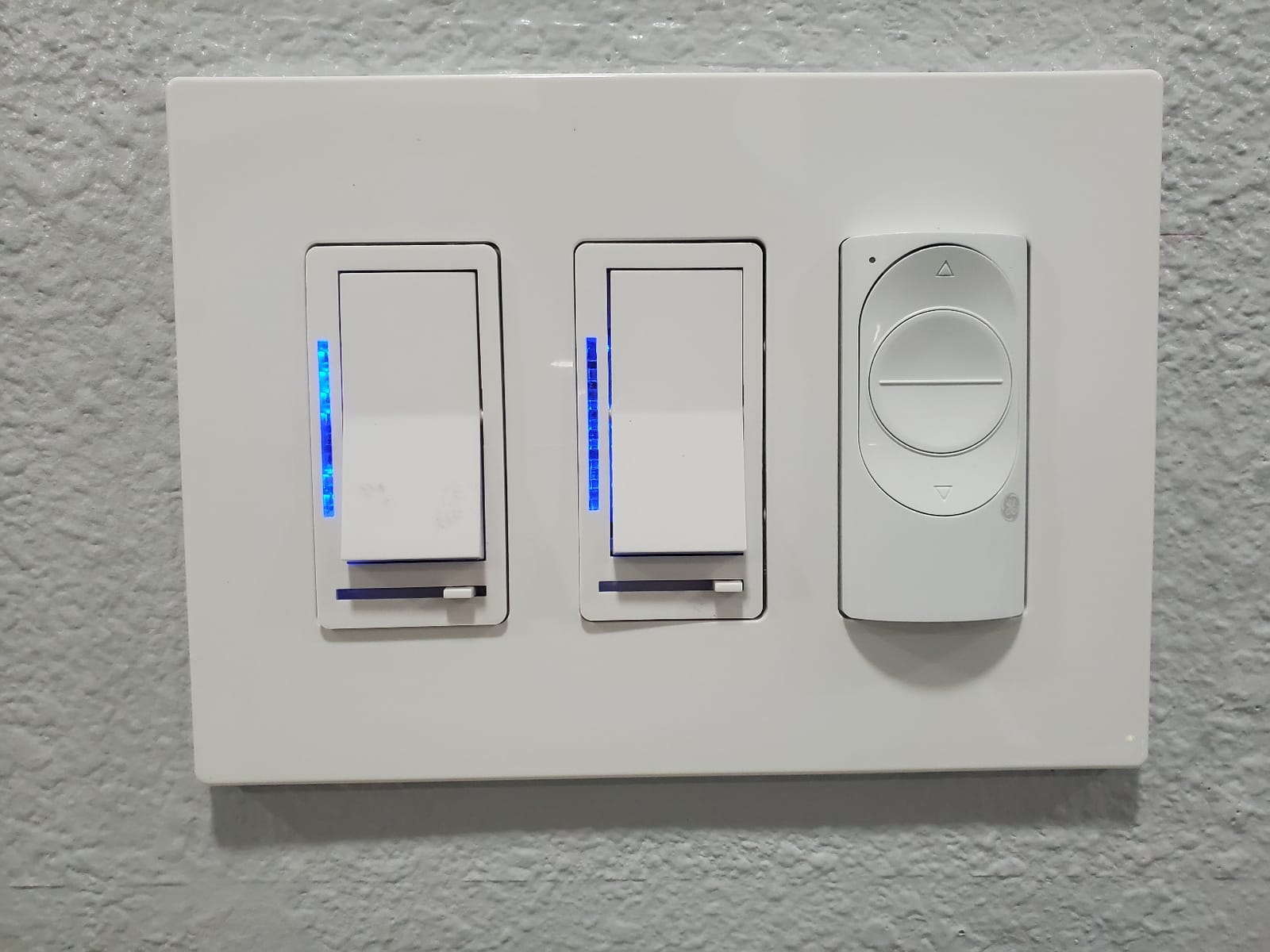
That is exactly what the Cync wireless dimmer does. It sticks to the wall with adhesive, runs on a replaceable battery rated beyond two years, and talks to Cync bulbs over Bluetooth with Wi-Fi for remote access.
At 4.3 stars from 173 reviews it is well liked for what it is. The hardware is quiet and unobtrusive, with no glowing indicator staring back at you in a dark hallway.
Dimming That Depends on the Bulb
Brightness here is a property of the connected Cync bulb rather than the switch. The switch sends a command, and how smoothly the light steps down depends on the bulb responding to it.
Reviewers are not happy with the interface. Dimming needs a press and hold or several quick taps, and the off function cannot be remapped to a low level, so you get full brightness to full darkness rather than a gentle one-tap path.
App Quality and Ecosystem Limits
The most common complaint is the Cync app itself, described repeatedly as buggy, non-intuitive and slow to set up. Several owners point out that the app cost them a star.
There is also no native Home Assistant or IFTTT integration, and the wireless units do not surface as entities in a hub. If you run a local-control system, this is not the device for you.
Where It Fits an Older Home
Because nothing is connected to the circuit, it works anywhere a surface exists, including rooms you have never rewired and box positions that are too shallow for any in-wall module.
Pairing a second Cync switch creates three-location control at a second point, which is a genuine solution for a long hallway where running wire back is not realistic. You do need the Cync bulbs or LED strips, which are extra purchases and lock you into that ecosystem.
5. Aqara Smart Light Switch – Standard Zigbee With a Real No-Neutral Design
Aqara Smart Light Switch (No Neutral, Single Rocker), Requires AQARA HUB
No neutral wire required
Zigbee, 600W max and 3W min
Needs a ground wire
WS-USC01 rocker
+ Pros
- Genuinely no-neutral design for pre-1970s switch legs
- Standard Zigbee so it joins Home Assistant or Zigbee2MQTT
- Large rocker paddle guests can use unaided
- Screwless faceplate and wire nuts included
- Local control keeps automations running offline
- Cons
- Requires a ground wire so ungrounded boxes are ruled out
- Aqara Hub sold separately and pairing to the Alexa skill causes dropouts
- Bulky body is tight in shallow old-work boxes
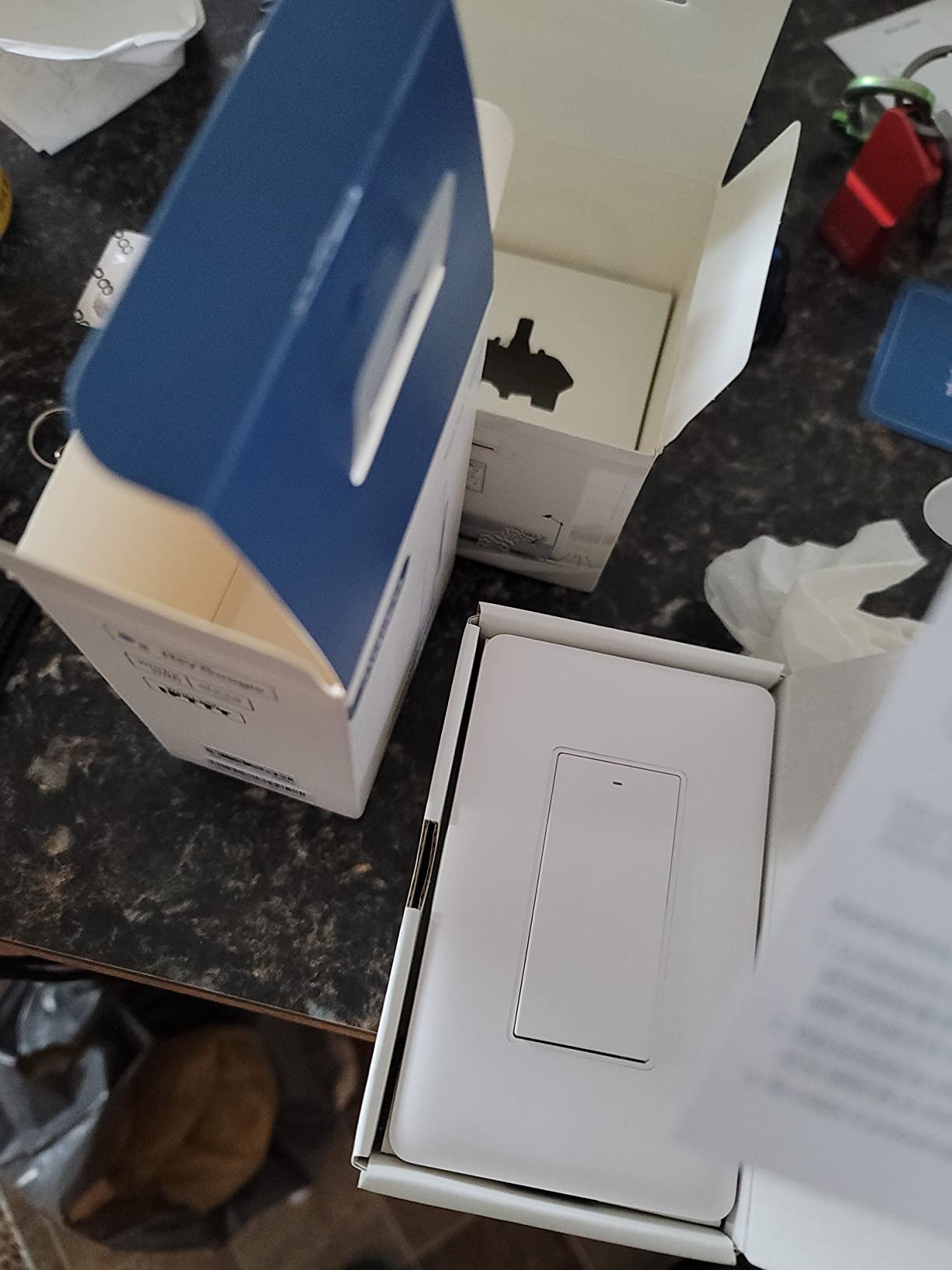
This is the pick for anyone running Home Assistant, Zigbee2MQTT or a SmartThings setup who has a two-wire box. It speaks ordinary Zigbee rather than a vendor cloud, which is the entire point for local control.
Owners in 1960s houses and switch-leg wiring describe it as exactly the product they had been looking for. Because it is standard Zigbee, you can pair it to an Echo Zigbee radio or a USB coordinator without buying the Aqara hub at all.
Load capacity is 600W of incandescent, 200W of CFL or LED, and a stated minimum of 3W. That wide range is what keeps it from flickering on a single dimmable bulb.
Zigbee Independence and Offline Automations
The main benefit over almost everything else in this roundup is that no proprietary hub is required. Pair it to any Zigbee coordinator and your automations run locally, so a dropped internet connection does not take your lighting with it.
There is a caution in the documentation worth repeating. Pairing directly to the Alexa skill rather than through a hub is reported to cause devices to drop and flash red. Use the Aqara Home app or a standard coordinator.
The Ground Wire Requirement
This switch needs a ground. In an ungrounded plastic remodel box, it will not work regardless of how many wires are present. Older bedrooms and some 1960s additions are exactly where you will find this situation.
At 0.22 kg and 4.72 by 2.91 by 1.44 inches it is the deepest body here. Shallow old-work boxes can be tight, so measure before you commit.
Physical Design and Long-Term Durability
The large single rocker paddle is the best guest-facing interface of the group. Someone who has never seen it can press it without instruction, which matters if you are automating lighting for an older occupant or anyone with limited dexterity.
Reliability Reports Worth Reading
About one review in ten is a one-star, and a subset of owners report units that drop their Zigbee connection, forget configuration or toggle at random after a few months, plus at least one cracked button after very few presses. The included mounting screws are long and very short, and the tiny faceplate screws are easy to lose.
None of that is a dealbreaker for me, but it is why this sits at fourth and not first. If you are fitting twenty of them, buy a spare.
6. SONOFF MINI Duo-L – Two Circuits From One Small Zigbee Module
SONOFF MINI Duo-L Zigbee Smart Switch – No Neutral Wire, Zigbee 3.0, Dual Channel, 16A Total, Compatible with Alexa, Google Home, Smart Timer & Automation, Compact Size, 1-Pack
No neutral wire required
Dual channel, 12A total
Zigbee 3.0
MINI-ZB2GS-L, 0.66 inch deep
+ Pros
- No neutral wire for single-wire older homes
- Dual channel runs two lights or appliances independently
- Standard Zigbee 3.0 for Home Assistant
- Very small body fits tight boxes it is among the smallest
- Works at very low wattage without an anti-flicker module
- Cons
- Zigbee hub required and not included
- On and off only with no dimming
- Blank module rather than a full-size wall paddle
A dual-channel module solves a problem that no single-gang switch can. If you have two loads on one circuit, or a light and a fan in the same box, this lets you control them independently through one device.
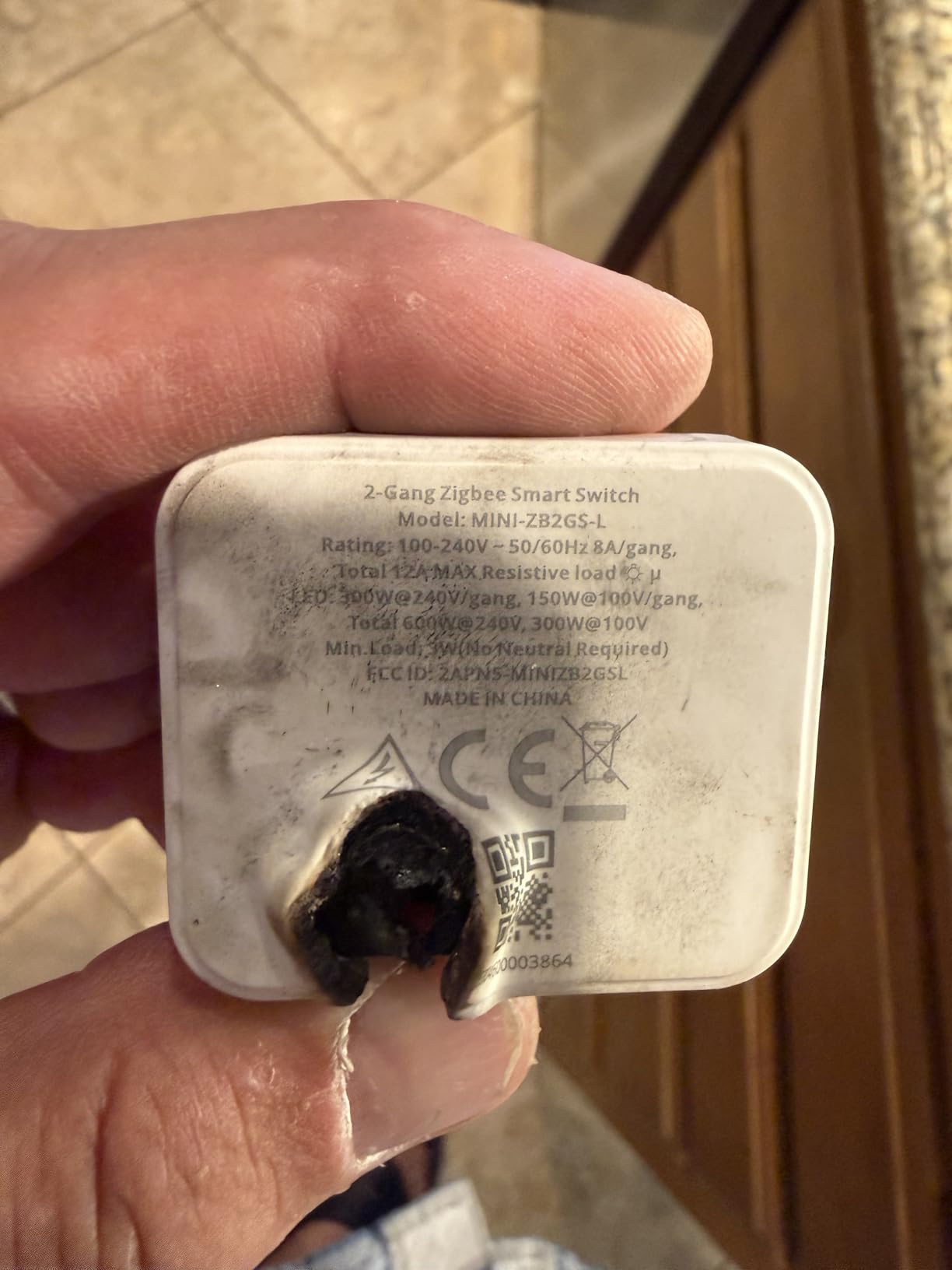
It is genuinely no-neutral. The module sits behind the existing faceplate, and the current it needs to run comes through the loads themselves. It handles up to 12 amps in total and 8 amps per channel.
At 1.77 by 1.55 by 0.66 inches the body is one of the smallest here, which is why it wins in boxes where the Aqara above will not seat.
Low Load Behaviour and LED Flicker
Reviewers specifically note that it works down to very low wattage loads without needing a separate anti-flicker module. In older homes that is more than a convenience, because the load on a converted circuit is often a single LED fitting and many electronic dimmers misbehave there.
Zigbee 3.0 is standard, so it drops into Home Assistant, SmartThings or any coordinator without a vendor bridge.
The Physical Reality: This Is Not a Wall Switch
Be clear about the form factor. The MINI-ZB2GS-L is a blank module, and you still need a conventional rocker or push button wired alongside it for the wall control to work. The finished wall looks like an ordinary switch, which some people prefer and others find confusing.
There is no dimming function. If you want brightness control in an old box, this is not the device.
Where It Earns Its Place
Two independent channels in one tiny no-neutral body is a combination nothing else in this list offers. For a daisy-chained run of downlights with two groups, or a light and a fan sharing a box, it is the most practical solution.
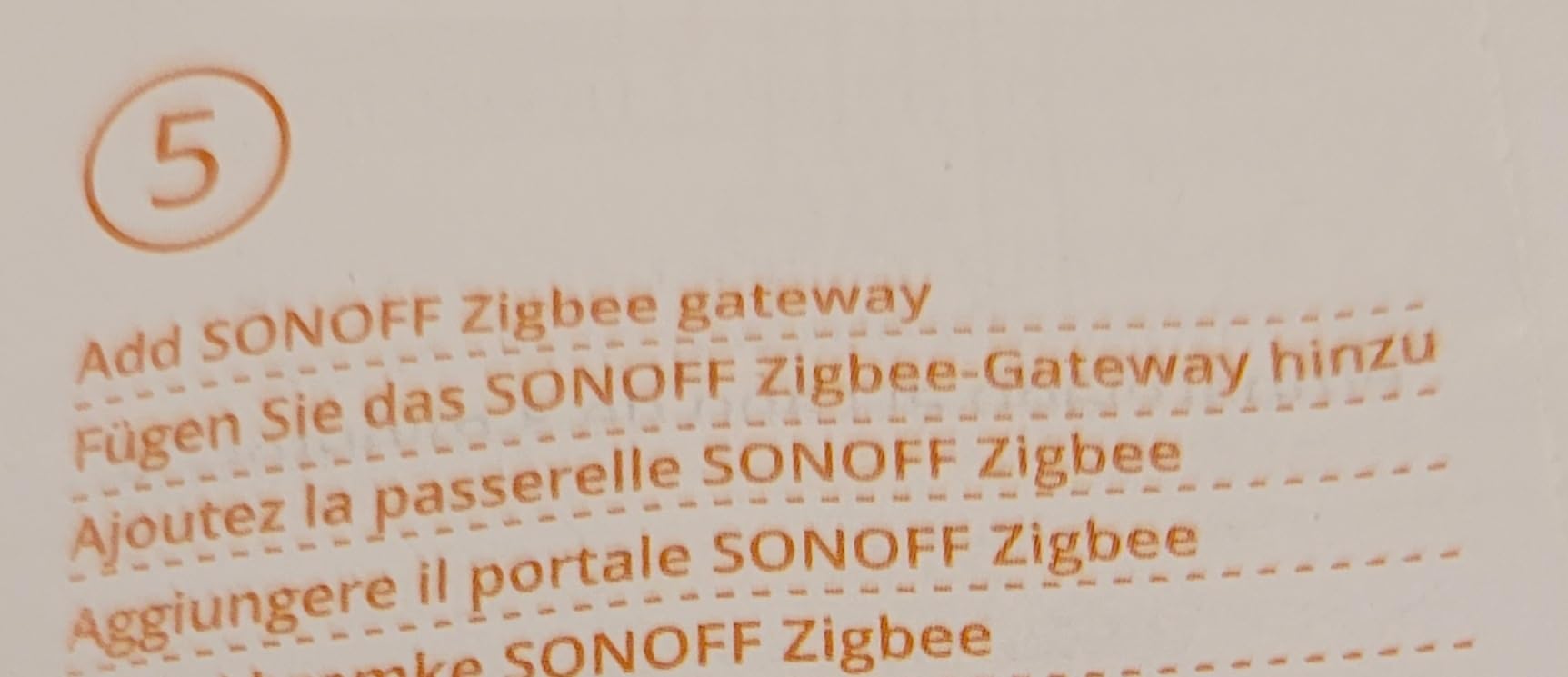
You need a Zigbee hub, and pairing happens through it. Budget for that alongside the module.
7. MoesGo WiFi Touch Switch – Hub-Free Control on Existing Wiring
MoesGo WiFi RF433 Smart Touch Light Switch, No Neutral Wire, Black 3 Gang
No neutral and no hub
2.4 GHz Wi-Fi and RF433
220W at 2A
Black touch face, IP54
+ Pros
- No neutral wire and no hub required
- Uses the Smart Life app so other Tuya gear shares one app
- Capacitor design avoids pulling new wire
- Timer and countdown schedules plus Alexa and Google Home
- IP54 gives dust and splash protection for covered spots
- Cons
- Reports of lights dimming and flickering instead of switching off
- Alexa and Google Home pairing reportedly needs repeating every 24 hours
- Glass touch surface cracks easily
This one has more owner ratings than anything else in the roundup apart from the Caseta dimmer, and the reason for that volume is simple. It needs no neutral wire and no hub. If you already run the Smart Life app for other devices, everything sits in one place.
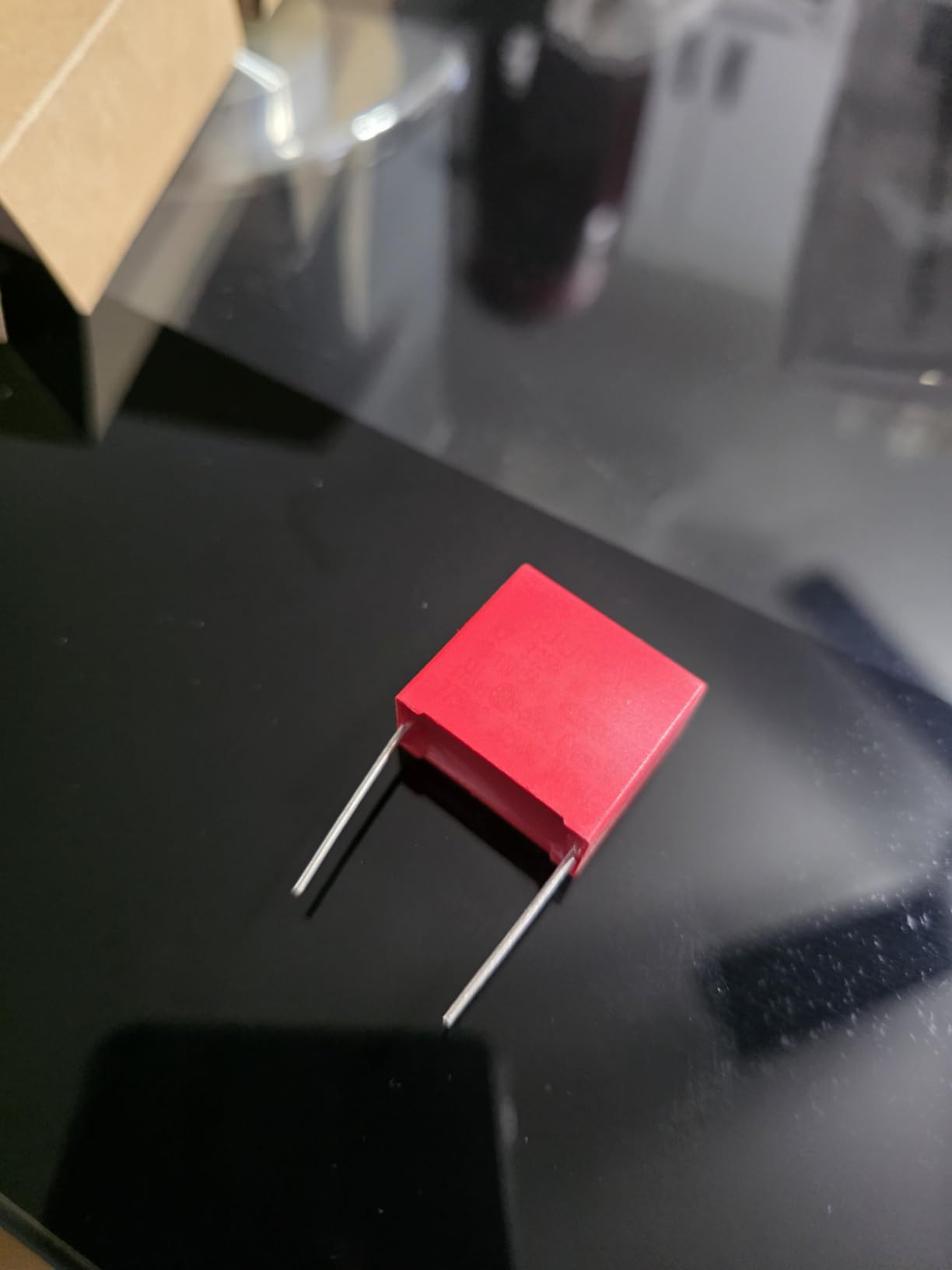
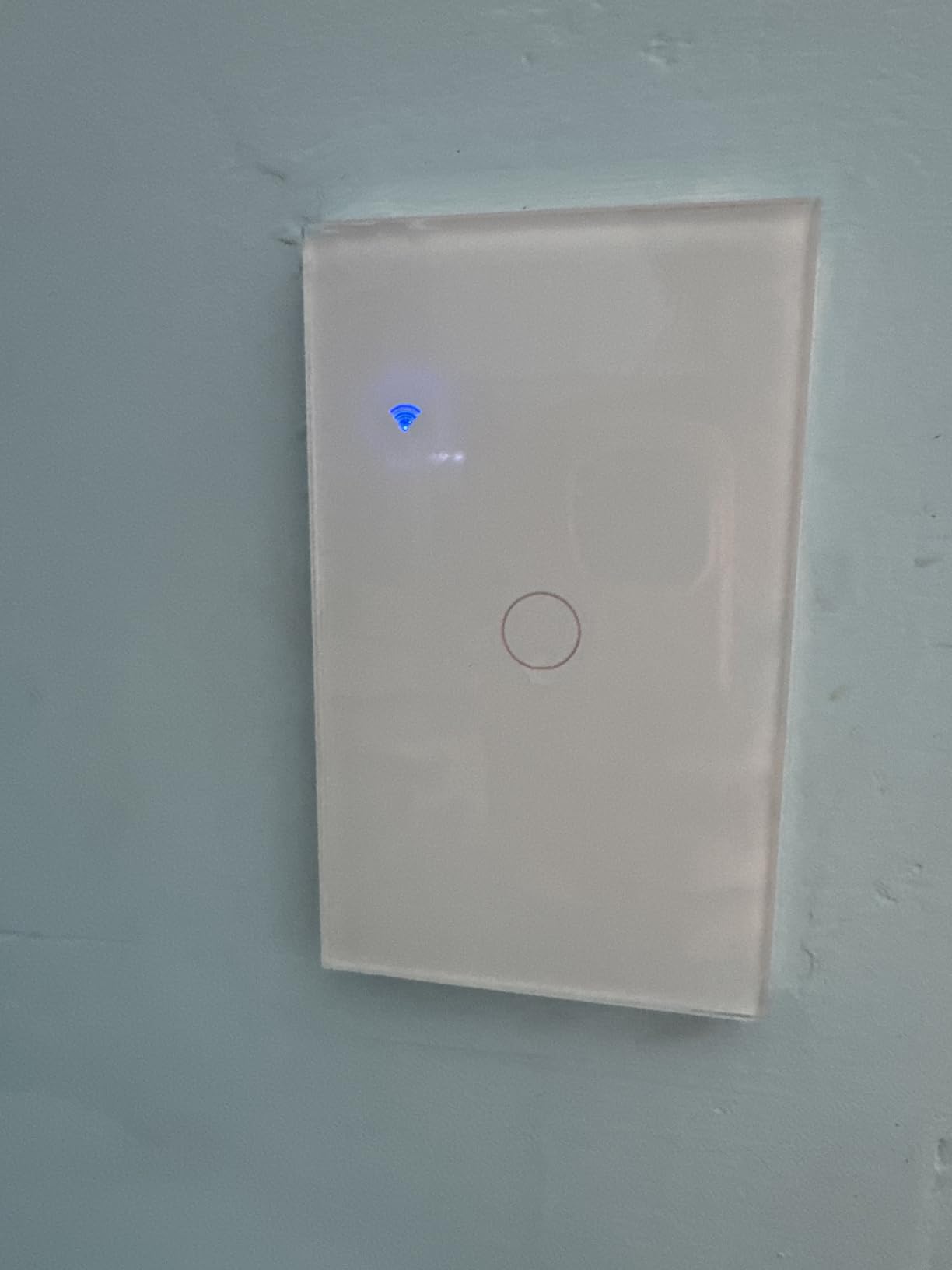
Its capacitor-based design gets around the missing neutral without opening the wall, and the touch face looks modern once it is installed. Schedules and countdowns handle the dusk-to-bedtime lighting pattern that most people automate first.
I want to be straight about the mixed reports, because they are consistent across the review set rather than isolated.
Electrical Behaviour Is the Weak Spot
A recurring theme is lights that dim and flicker instead of fully switching off, along with switches that reboot. This shows up on LED, fluorescent and incandescent loads alike, which points at the switching design rather than a single bulb type.
The stated minimum control load is 5 watts and the network is 2.4 GHz only. Both are relevant in an older house where a fixture may be a single low-wattage LED and where a dual-band router can push clients onto the 5 GHz band by default.
Voice Control Re-Pairing
Alexa and Google Home voice control reportedly needs re-pairing about every 24 hours. If voice is your primary interface, that is a daily annoyance rather than a one-off setup task, and it is a direct consequence of the cloud-dependent architecture.
Build Quality and Labelling
The glass touch surface is sleek and a plus in a finished room, but it cracks easily when knocked. Instructions are thin and the included capacitor is barely explained, which matters if this is your first electrical job.
The gang count is also misleading. A 2 or 3 gang unit still mounts on a single-gang box, so check what you are actually buying rather than reading the number on the front.
Who Should Buy It
If you have no neutral, no hub, no local-control ambitions and simple incandescent circuits, this does the job for the least complexity. Several reviewers steer buyers toward TP-Link Kasa or Tapo instead, and if flicker would bother you, listen to them.
At a 4.1 average with about 13 percent one-star reviews, it is the least refined of the group and the least expensive to walk away from.
8. SONOFF ZBMINIL2 – The Module for Boxes With Almost No Space
SONOFF Zigbee Smart Light Switch, No Neutral, Hub Required, 2-Way Interruptor Inteligente, Voice Control with Alexa, Google Home and SmartThings, ZBMINIL2 2 Pack
Tiny in-line module
No neutral wire
Zigbee 3.0, loads from 3W
ZBMINIL2 two pack
+ Pros
- Smallest module here and fits tiny 86-type and 120-type boxes found in older homes
- No neutral wire required
- Handles loads as low as 3W with no anti-flicker module
- Zigbee 3.0 works without internet connection
- Two-way control for staircase lights plus countdown and loop timers
- Cons
- Zigbee hub required and sold separately
- In-line module rather than a finished wall switch so an external button is needed
- On and off only with no dimming
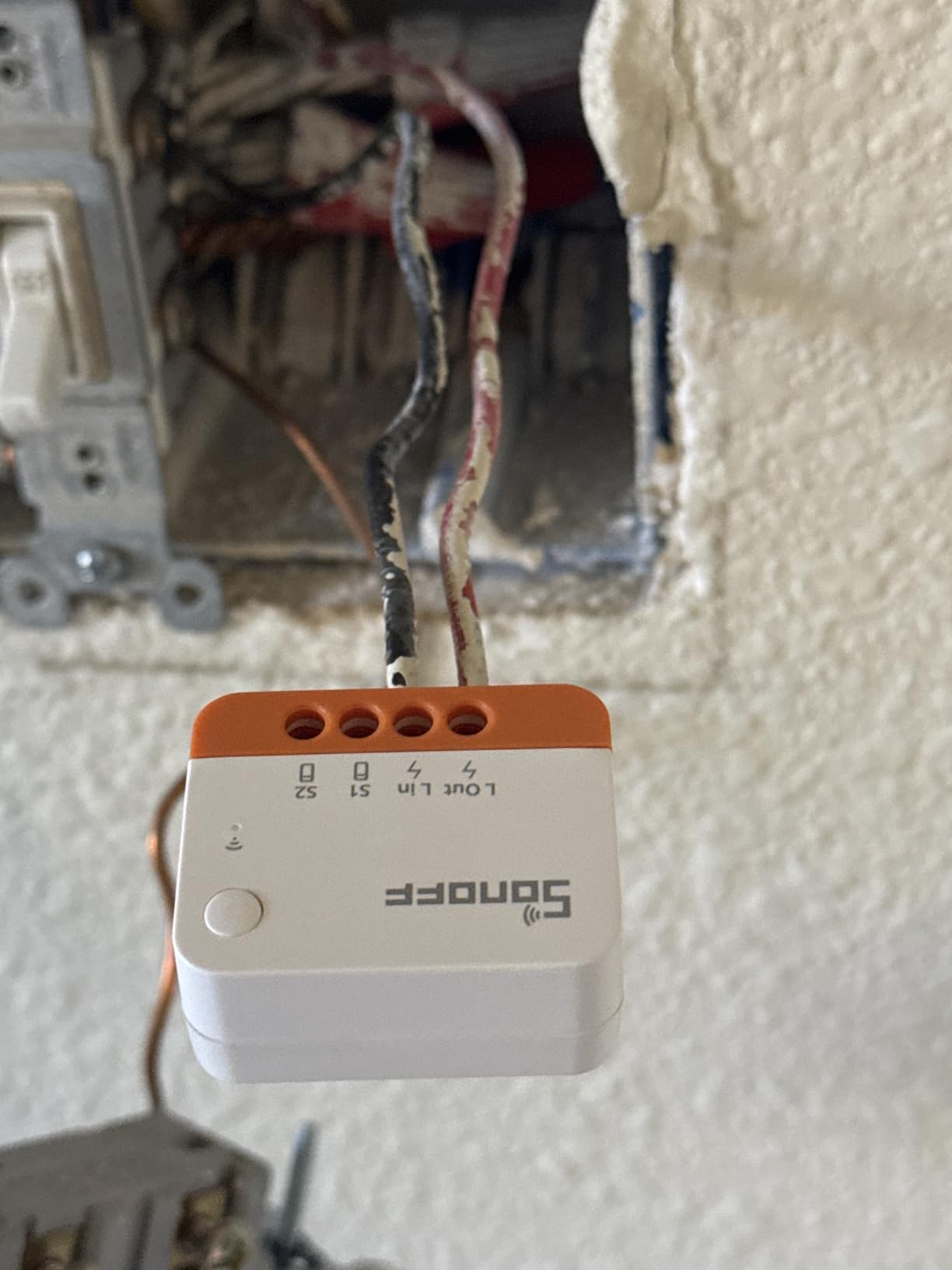
When the box is the problem, this is the answer. The ZBMINIL2 is small enough for the shallowest European-style and 120-type mounting boxes found in older properties, which is where the bulkier no-neutral rockers simply will not go.
It is a two-pack, and it needs no neutral. Loads from about 3 watts upward are handled without a separate anti-flicker module, which is why it behaves on a single dimmable bulb where some designs buzz.
Because it is Zigbee 3.0, automations formed through a coordinator keep running locally when the internet drops. In a whole-house install that property is worth more than most of the feature lists here.
Behind the Faceplate
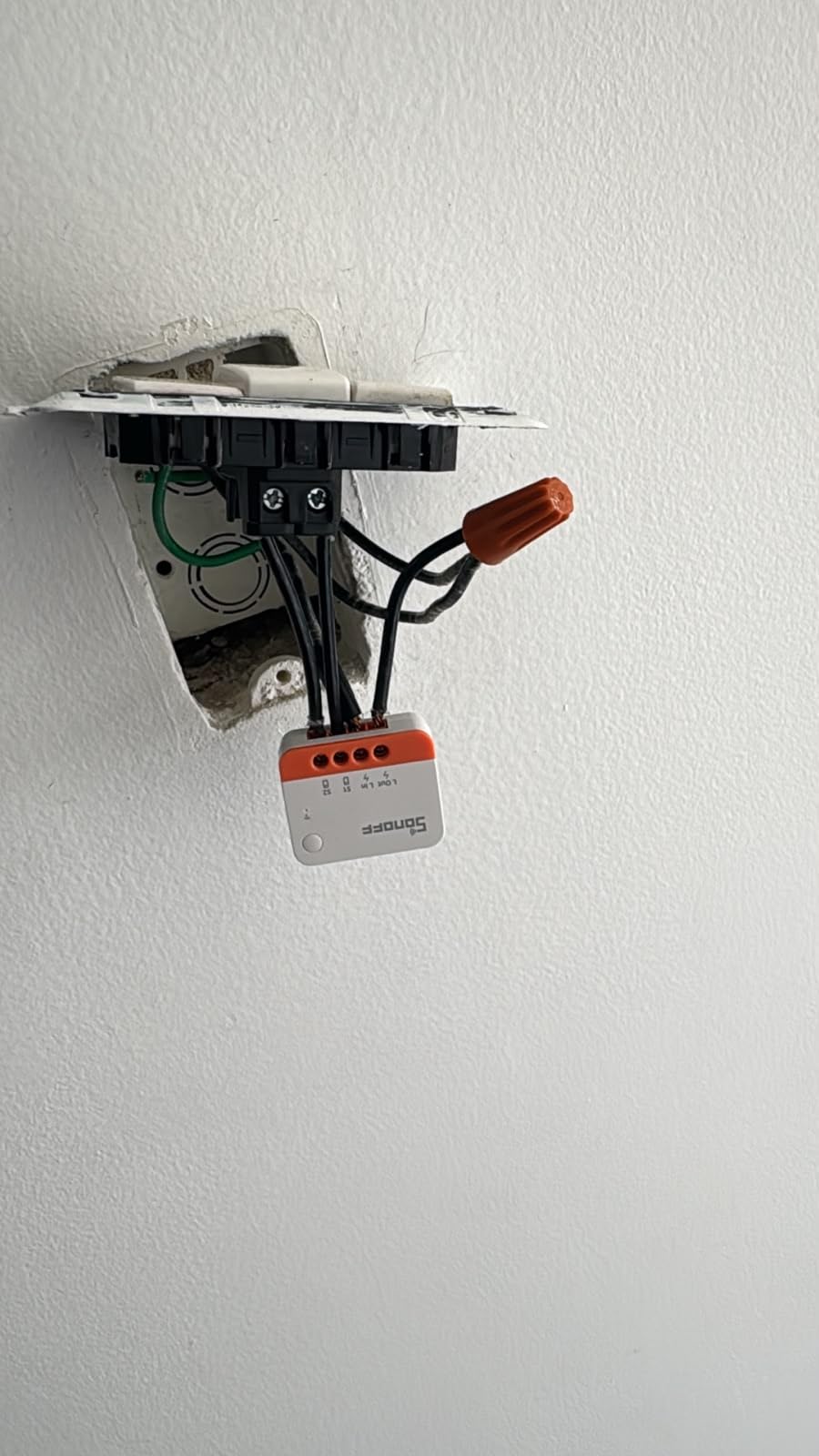
This is an in-line module, not a switch face. You pair it with a standard rocker or push button that remains the physical control at the wall, and the module does the smart work behind it. The existing switch stays usable, which is exactly what most people in a no-neutral house want to keep.
That arrangement also means guests are not confronted with anything unfamiliar, since the wall looks and behaves the way it always did.
Staircase and Loop Control
Two-way control for staircase lights is a documented use, alongside countdown, scheduled and loop timers. A loop timer on a hallway light that has to run all night is a genuinely useful detail in older houses where dark hallways are a hazard.
Because it is a Zigbee end device, its standalone function without a coordinator is limited. Pairing and control both go through the hub.
Load Range and Physical Size
At 1.55 by 1.25 by 0.72 inches it is barely larger than a matchbox, and the stated wattage is low because the figure describes the module rather than the load it drives. Reviewers using it behind existing switches report the small footprint as the single biggest reason they rate it well.
Confirm the hub fits your plan before ordering, because there is no way to pair this module without one.
How to Choose a Smart Switch for an Older Home
Feature lists will not narrow this down for you. Four questions do, and the order matters because each one eliminates products that the next step would have recommended.
Do I Want a Hub, and Does It Matter?
Hub-avoidant and hub-reliant buyers want opposite things, and both positions are reasonable. Wi-Fi switches install in minutes with nothing else to buy, but they depend on a cloud service and they drop off networks that stretch to a basement or the far end of a detached garage.
Zigbee and Z-Wave devices need a coordinator, and in exchange they keep working offline, use less power and integrate with local-control software. Aqara and the two SONOFF modules here are standard Zigbee, so they can join Home Assistant, Zigbee2MQTT, SmartThings or a Zigbee radio without a vendor bridge.
The proprietary options sit in between. The Lutron Smart Hub runs its own mesh and keeps responding when the internet drops, but it only speaks Lutron. The YoLink FlexSwitch is LoRa and cannot join a standard Zigbee mesh at all.
Relay or Triac: Why Your LEDs Will or Will Not Flicker
A mechanical relay switch fully interrupts the current, which is quiet with any bulb but has no dimming. An electronic triac switch dims by chopping the current, which is quieter and dimmable but sensitive to low-wattage and dimmable LED loads.
No-neutral designs add a third complication: they power themselves by briefly routing current through the bulb at startup. Below the stated minimum load, the switch never gets the signal it needs, and the visible result is flicker, a dim glow instead of off, or a light that only works sometimes. Aqara states 3W minimum, the ZBMINIL2 handles about 3W, the MoesGo states 5 watts. If your fixture has one modern LED in it, you are near the edge of that range on several of these.
Three-Way and Stairwell Runs
Three-way control means one light with a switch in two locations, and it is the hardest install in an older house because the second box usually has no neutral and often no usable ground. Three approaches exist in this group.
The Lutron Pico adds a wireless location anywhere on a wall with a bracket and faceplate, no wire needed. The Lutron 3-Way kit does the same but requires a neutral. The ZBMINIL2 handles two-way staircase runs with an external button. For daisy-chained downlights with only two wires available, the MINI Duo-L dual channel is the most flexible of the lot.
Box Depth, Faceplate and Aesthetics
Old-work boxes are shallow and plaster walls are unforgiving. Compare the stated dimensions before buying: the Aqara at 1.44 inches deep and the MoesGo at 1.5 inches are the two to measure against your box, while the ZBMINIL2 at 0.72 inches and the MINI Duo-L at 0.66 inches are the safe options.
Also decide whether you want a finished faceplate or a module behind your existing switch. Modules are easier to fit and cheaper to replace; finished rockers look better and are easier for guests to use.
Adding a Neutral Versus Buying a No-Neutral Switch
Pulling a neutral back to a switch box means opening the wall, running cable to the nearest accessible point and patching the box, then patching and painting. On a two-storey 1950s house that is a trades job, not a weekend project.
Buy a no-neutral switch instead and the job is a fifteen-minute swap at the box. If you plan a whole-house automation and will open those walls eventually for another reason, adding neutrals while you are in there is worth doing once. For a single hallway light, it is not.
Smart Bulbs Instead of Smart Switches
When the box has two wires, a ground is missing, or the plaster is too fragile to disturb, a smart bulb with a physical wireless button is a legitimate alternative. The GE Cync dimmer in this roundup exists purely for that pattern.
The trade is honest. You give up in-wall control and you must live with bulbs that someone can unscrew. For a rental, a historic property or a bedroom where a visitor keeps flipping the switch, it is often the right answer.
When to Stop and Call a Licensed Electrician
Stop and get a professional if you find aluminium conductors, cloth-sheathed cable or a knob-and-tube run. The same goes for a box with no ground where the switch requires one, signs of scorching or a breaker that trips when you touch the panel.
These are not problems a smart switch solves, and installing electronics into them puts your home and your family at risk. Everything in this guide assumes copper conductors, a properly grounded box and a circuit you have de-energised and verified.
Smart Switch Questions for Older Homes
These are the questions that come up most in our installs and in the homeowner forums we follow.
Frequently Asked Questions
Do smart light switches need a neutral wire?
Most do. A standard in-wall smart switch needs a neutral wire in the switch box to power its electronics. In homes built before roughly 1960 that wire is often missing. A specific class of no-neutral switches exists for exactly this case and powers itself by briefly routing current through the bulb at startup, which is why it needs a minimum LED load and can flicker with low-wattage bulbs.
How do I know if my switch box has a neutral wire?
Turn off the breaker and verify the circuit is dead, then remove the faceplate and pull the switch out gently. Count the conductors: two wires, one at LINE and one at LOAD, means no neutral. Three or more wires including a white or bare copper conductor not attached to the switch usually means a neutral is present. Look for a ground too, because some no-neutral switches require one.
Can a smart switch work with only two wires?
Yes, but only if you buy a no-neutral model. A two-wire box carries line and load only, which rules out the majority of the smart switch catalogue. The options that do fit are relay-style devices such as the Aqara, the SONOFF MINI Duo-L and the SONOFF ZBMINIL2, plus wireless battery switches such as the YoLink FlexSwitch and the GE Cync dimmer that touch no wiring at all.
Which smart light switches work without a hub?
The Lutron Caseta line and the Aqara and SONOFF Zigbee models all require a hub or coordinator of some kind, although standard Zigbee devices can pair to Home Assistant, Zigbee2MQTT or an Echo Zigbee radio instead of a vendor hub. Wi-Fi-only options such as the MoesGo touch switch need no hub at all and run directly on a 2.4 GHz network.
What are the disadvantages of smart light switches?
In an older home the honest list is: many require a neutral wire or a ground that the box does not have, no-neutral modules need a minimum LED load and can flicker, several need a hub sold separately, they cost more than a standard switch, and cloud-dependent models stop responding when the internet drops. Deep switch bodies also cause problems in shallow old-work boxes.
Why is my no neutral smart switch flickering?
The usual cause is a load below the switch minimum. A no-neutral switch takes its power from the bulb, so a single low-wattage or dimmable LED may not give it enough to work reliably, and the light dims and buzzes instead of switching off. Dimmable bulbs on an electronic triac design make it worse. Try a non-dimmable bulb with a higher wattage, and check the stated minimum load for your switch.
The Bottom Line on Smart Light Switches for Older Homes
If you have a neutral in the box and want dimming that keeps working when the internet does not, the Lutron Caseta Smart Dimmer is the pick. Its body fits shallow old-work boxes, it handles mixed bulb types, and the Pico solves two-location runs without new wire.
If your box has two wires and you will not open a plaster wall, the Aqara Smart Light Switch is the strongest no-neutral option for anyone on Zigbee or Home Assistant, provided your box has a ground. The SONOFF MINI Duo-L is the answer when you need two channels or the box is too shallow for a full-size rocker, and the SONOFF ZBMINIL2 goes behind your existing switch when space is the binding constraint.
If no wiring can be touched at all, the YoLink FlexSwitch gives you a battery-powered wall button with no conductor ever exposed, and the GE Cync dimmer covers the smart-bulb-plus-physical-switch pattern for a bedroom or entryway.
Check your box before you order, de-energise the circuit properly, and leave aluminium, cloth-sheathed and knob-and-tube wiring to a licensed electrician. Updated for 2026.