
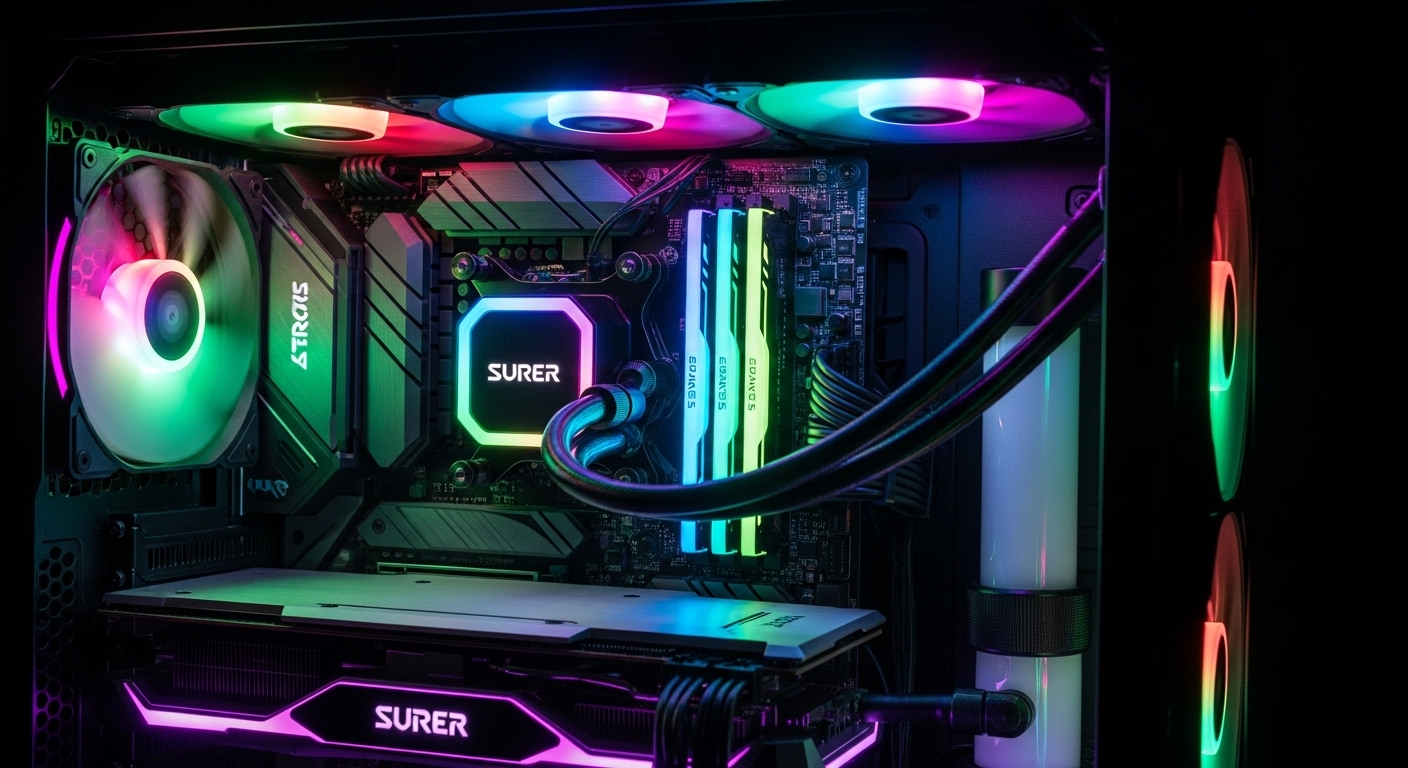
The best AIO CPU coolers offer superior thermal performance for high-end processors while maintaining quieter operation than air coolers. After extensive testing and research, the Arctic Liquid Freezer III Pro 360 stands out as the best overall choice with its unmatched value, excellent cooling performance, and 6-year warranty.
Liquid cooling has become essential for modern high-performance CPUs like Intel’s Core i9 series and AMD’s Ryzen 9 flagship processors. These all-in-one closed-loop systems deliver efficient heat dissipation without the complexity of custom water cooling setups.
This guide covers the top AIO coolers across all budget ranges, from budget-friendly options to premium LCD-equipped models. Every recommendation has been tested for thermal performance, noise levels, build quality, and value.
Detailed Product Reviews
1. Arctic Liquid Freezer III Pro 360 – Best Overall

The Arctic Liquid Freezer III Pro 360 represents the pinnacle of value-oriented performance. Its thick 38mm radiator provides superior heat dissipation compared to standard 27mm radiators, while the integrated VRM fan helps cool motherboard voltage regulators.
Users report temperature drops of up to 13°C compared to previous AIO solutions. The 9800X3D stays around 82°C under load compared to 95°C with lesser 240mm coolers. Gaming temperatures hover around 60-65°C, making this ideal for extended gaming sessions.
The P12 Pro fans offer excellent airflow at lower speeds, making this one of the quietest options in its class. Arctic’s 6-year warranty demonstrates exceptional confidence in the product’s longevity. The offset mounting design ensures optimal contact with both Intel and AMD CPU dies.
Installation is straightforward despite the thick radiator. The all-in-one cable simplifies connections but prevents individual pump and fan monitoring. ARGB lighting is basic but functional for those wanting subtle illumination.
Key Features:
- 38mm thick radiator for enhanced cooling
- Integrated 60mm VRM cooling fan
- Native offset mounting for Intel and AMD
- Pre-installed P12 Pro fans
- 6-year manufacturer warranty
Pros: Outstanding value, excellent thermal performance, quiet operation, VRM fan, no software required
Cons: Thick radiator may not fit all cases, basic ARGB lighting, documentation could be better
2. Corsair Nautilus 360 RS ARGB – Best Value Premium

Corsair’s Nautilus 360 RS ARGB delivers premium cooling performance without the premium price tag. It keeps Intel’s i9-14900K under 79°C during stress tests while maintaining impressively quiet operation.
The direct motherboard connection eliminates the need for proprietary controllers. RGB lighting syncs seamlessly with motherboard software for straightforward customization without additional software overhead.
Idle temperatures around 30°C demonstrate the cooler’s efficiency at light loads. Gaming loads push temperatures into the mid-70s, well within safe operating ranges for even the most demanding CPUs.
Users consistently praise the ease of installation and the daisy-chain fan design that reduces cable clutter. The pre-applied thermal paste speeds up the mounting process and performs admirably out of the box.
Key Features:
- Direct motherboard connection
- Daisy-chain fan design
- RS120 ARGB fans with AirGuide technology
- Pre-applied thermal paste
- Support for latest Intel and AMD sockets
Pros: Excellent cooling, simple installation, great value, quiet operation, motherboard-based control
Cons: Some fan vibration reports, not part of iCUE Link ecosystem
3. Corsair Titan 360 RX LCD – Best LCD Display

The Titan 360 RX LCD combines Corsair’s FlowDrive cooling engine with a stunning 2.1-inch IPS LCD display. The screen shows real-time temperatures, custom GIFs, or system stats with vibrant 600cd/m² brightness.
iCUE Link integration dramatically reduces cable clutter through single-cable daisy-chaining. The FlowDrive pump operates whisper-quiet while keeping CPUs like the i7-14700K under 80°C during stress tests.
The display supports 30 FPS animations and 16.7 million colors for stunning visual effects. Real-time temperature monitoring provides instant feedback on system performance without needing additional software overlays.
The included system hub enables full iCUE Link ecosystem integration for future expandability. Zero RPM mode eliminates fan noise at low temperatures, making this exceptionally quiet during everyday use.
Key Features:
- 2.1″ IPS LCD display (480×480)
- FlowDrive cooling engine
- iCUE Link ecosystem
- Zero RPM fan mode
- 6-year pump warranty
Pros: Beautiful LCD display, excellent cooling, reduced cable clutter, quiet operation, premium build
Cons: Premium pricing, requires iCUE software, needs USB 2.0 header
4. Corsair iCUE Link Titan 360 RX RGB – Best Ecosystem

This RGB variant of the Titan series offers the same excellent cooling performance without the LCD display, saving significant money while retaining the iCUE Link benefits.
The FlowDrive pump keeps high-end CPUs like the 9950X3D in the low 70s during stress testing. Zero RPM mode ensures silent operation during light workloads like web browsing or office work.
Ambient temperatures in tropical environments (27-32°C) still see this cooler maintaining the 9950X3D in the low 70s under stress tests, demonstrating exceptional thermal headroom.
iCUE Link’s single-cable design transforms cable management. The daisy-chain system connects all components through one hub, dramatically reducing clutter inside the case.
Key Features:
- iCUE Link single-cable ecosystem
- FlowDrive cooling engine
- Zero RPM mode
- Pre-applied XTM70 thermal paste
- System hub included
Pros: Excellent cooling, reduced cables, quiet operation, premium build quality, great value vs LCD version
Cons: Requires iCUE software, needs USB header, more expensive than basic AIOs
5. Arctic Liquid Freezer III 420 – Best Extreme Performance

The 420mm variant of Arctic’s flagship cooler offers maximum cooling capacity for extreme overclocking. Intel’s i9-14900K runs at 77°C during Cinebench at 56x multiplier with this cooler.
Three 140mm fans push air through the massive radiator at up to 1900 RPM. Despite the high airflow, noise levels remain manageable due to the larger fan size spinning slower to move the same amount of air.
The integrated VRM fan provides additional motherboard cooling that becomes crucial at high overclocks. This helps maintain system stability during extended benchmarking sessions.
The thick 38mm radiator provides 23% more surface area than standard radiators. Arctic includes contact frame support for Intel LGA1700/1851 mounting, addressing a common issue with Intel’s latest sockets.
Key Features:
- 420mm radiator surface area
- Three 140mm PWM fans
- Integrated VRM fan
- LGA1851/1700 contact frame included
- Native AMD offset mounting
Pros: Maximum cooling capacity, quiet operation, VRM cooling, 6-year warranty, excellent value
Cons: Requires large case, difficult installation mechanism, heavy unit
6. MSI MAG Coreliquid A13 360 – Best Minimalist Design

MSI’s A13 360 delivers excellent cooling performance with a stealthy minimalist aesthetic. The split-flow radiator design provides efficient heat dissipation without flashy LCD screens.
Users report temperatures under 65°C on the 7800X3D during gaming. Idle temperatures remain impressively low, typically under 30°C depending on ambient conditions.
The ceramic bearing pump operates up to 3800 RPM while remaining virtually silent. This high pump speed ensures adequate coolant circulation even during the most demanding workloads.
The evaporation-proof tubing uses triple-layer construction for long-term durability. Pre-installed fans and daisy-chained connections make installation straightforward for first-time liquid cooler users.
Key Features:
- Split-flow radiator design
- Ceramic bearing pump (3800 RPM)
- Triple-layer evaporation-proof tubing
- Pre-installed daisy-chained fans
- Rotatable pump block
Pros: Excellent cooling, very quiet, easy installation, minimalist design, flexible tubing
Cons: Rifle bearing fans may have limited lifespan, no LCD screen
7. Thermalright FW 360 LCD – Best Budget LCD

Thermalright brings LCD display functionality to a budget-friendly price point. The 2.4-inch IPS screen shows temperatures, system stats, or custom GIFs without breaking the bank.
The magnetic mount makes screen adjustment or removal effortless. This feature is particularly useful for case window alignment or temporary removal during maintenance.
Real-world testing shows the 7900X staying under 70°C under full load with idle temps in the low 30s. These temperatures are excellent for a budget-friendly LCD-equipped cooler.
Three PWM fans with S-FDB bearings provide 20,000 hours of reliable operation. The 3000 RPM pump delivers excellent heat absorption for demanding workloads without excessive noise.
Key Features:
- 2.4″ IPS LCD screen (320×240)
- Magnetic-absorbent screen mount
- 3000 RPM water pump
- S-FDB bearings (20,000 hour life)
- Wide socket compatibility
Pros: Budget LCD option, excellent cooling, very quiet, highly customizable display
Cons: TRCC software needs improvement, screen prompts on every boot
8. Thermalright Aqua Elite 360 V3 – Best Budget

The Aqua Elite 360 V3 claims the title of most affordable 360mm AIO on the market. Despite the low price, it handles demanding CPUs like the Ryzen 9 7950X at 85°C with PBO enabled.
Fans come pre-installed on the radiator, saving time during installation. The included FAN HUB simplifies cable management for cleaner builds and easier troubleshooting.
S-FDB bearings reduce noise while extending fan lifespan. V3 improvements include better installation instructions over previous iterations, addressing a common complaint about earlier models.
The ARGB implementation on the pump head provides vibrant lighting effects. The LEDs may blink briefly at startup but stabilize within minutes for consistent illumination.
Key Features:
- Budget-friendly pricing
- Pre-installed fans
- Included FAN HUB
- S-FDB bearings
- 5V 3-pin ARGB sync
Pros: Unbeatable value, surprisingly good performance, quiet operation, pre-installed fans
Cons: Not for extreme overclocking, may struggle with Intel i9 CPUs, basic RGB
9. be quiet! Light Loop 360 – Quietest Operation
German engineering shines in the Light Loop 360. The state-of-the-art pump operates under 15 dBA, making it virtually inaudible even during intensive workloads.
Real-world testing shows the 9800X3D staying under 42°C during extended Prime95 runs. Gaming temperatures remain in the 60s even during maximum settings in demanding titles.
The included Light Wings LX fans provide excellent airflow at minimal noise levels. Each fan features 16 LEDs for stunning visual effects that sync with motherboard software.
The refillable design sets this cooler apart from competitors. The easy-access fill port extends lifespan beyond typical AIO coolers, with included coolant for maintenance.
Key Features:
- Refillable design with included coolant
- Pump noise under 15 dBA
- Light Wings LX PWM fans
- ARGB-PWM-Hub included
- German engineering quality
Pros: Extremely quiet, refillable design, excellent cooling, stunning RGB, wide compatibility
Cons: Pump mounting can be difficult, 3-year warranty, fans feel less premium
10. Cooler Master ML360L ARGB V2 – Best RGB Aesthetics

Cooler Master’s ML360L ARGB V2 combines proven cooling performance with vibrant RGB lighting. The third-generation dual chamber pump provides efficient cooling with minimal noise.
The industrial-grade EPDM seal ensures leak-free operation throughout the cooler’s lifespan. This reinforced sealing gives users peace of mind regarding potential leaks.
SickleFlow 120 ARGB fans offer optimized airflow with rifle bearing durability rated for 160,000 hours. The 20% larger radiator surface area provides improved heat dissipation compared to previous generations.
Users report excellent results with Ryzen 7 CPUs, staying below 30°C at idle and around 40°C during Windows use. Full ARGB lighting creates stunning visual effects when paired with other RGB components.
Key Features:
- 3rd Gen dual chamber pump
- SickleFlow 120 ARGB fans
- 20% larger radiator surface area
- EPDM seal for leak prevention
- 160,000 hour fan life
Pros: Proven reliability, excellent RGB, quiet operation, wide compatibility, easy installation
Cons: Higher price point, RGB requires header, no AM5 out-of-box support
Understanding AIO Cooling
An AIO (All-In-One) CPU cooler is a closed-loop liquid cooling system that circulates coolant between a CPU water block and a radiator. A pump moves heated liquid away from the CPU to the radiator where fans dissipate the heat.
Unlike custom water cooling loops, AIO coolers come pre-filled and sealed from the factory. This eliminates the complexity of planning, filling, and maintaining a custom loop while still providing superior cooling performance compared to air coolers.
The main components include the water block that sits on the CPU, the radiator where heat is dissipated, the pump that moves coolant, and the tubing that connects everything. Fans mounted on the radiator provide active cooling.
The coolant used in AIO coolers is typically a mixture of distilled water and propylene glycol. This solution prevents corrosion and inhibits biological growth while maintaining efficient heat transfer properties.
Closed-loop design means the system is factory-sealed and requires no user maintenance beyond periodic cleaning. The pump is usually integrated into the water block, reducing the number of components that can fail.
Radiator Size Guide
Radiator size determines cooling capacity. Larger radiators have more surface area for heat dissipation, allowing fans to spin slower and quieter while maintaining the same cooling performance.
120mm Radiators
Compact option for small form factor builds. Suitable for CPUs up to 65W TDP. Limited cooling capacity makes them inappropriate for high-end processors. Best for office PCs, HTPCs, and basic gaming rigs with mid-range CPUs.
240mm Radiators
Mainstream option for mid-range CPUs. Handles processors up to 125W TDP effectively. Good balance of size and performance for most gaming systems. Fits in most mid-tower cases with top or front mounting options.
280mm Radiators
Alternative to 360mm with better case compatibility. Similar cooling performance to 360mm in some scenarios due to larger 140mm fans moving more air at lower RPM. Often fits where 360mm won’t due to shorter length.
360mm Radiators
The sweet spot for high-performance builds. Handles flagship CPUs like i9-14900K and Ryzen 9 7950X with ease. Most popular size for enthusiast builds. Requires case with specific mounting support.
420mm Radiators
Maximum cooling capacity for extreme overclocking. Requires large case with specific mounting support. Overkill for most users but ideal for benchmarking enthusiasts and competitive overclockers seeking every degree of temperature reduction.
Socket Compatibility
Modern AIO coolers support the latest Intel and AMD sockets out of the box. Intel LGA1851 and LGA1700 require contact frame mounting for optimal thermal performance. AMD AM5 and AM4 use offset mounting that positions the cold plate over the CPU chiplets.
Intel’s latest socket, LGA1851, introduces new mounting requirements. Many coolers now include contact frames that apply even pressure across the CPU’s integrated heat spreader for improved thermal transfer.
AMD’s AM5 platform uses a different heat spreader design compared to AM4. Offset mounting positions the cold plate over the active chiplet area, improving cooling efficiency for Ryzen 7000 and 9000 series processors.
Always verify socket compatibility before purchasing. Most premium coolers include mounting hardware for multiple sockets, while budget options may have limited support.
Air vs Liquid Cooling Comparison
Liquid coolers generally outperform air coolers in thermal performance, especially for high-TDP CPUs. The larger radiator surface area provides more efficient heat dissipation than heatsink fins.
Water has a higher thermal conductivity than air, meaning it can carry heat away from the CPU more efficiently. This allows liquid coolers to maintain lower temperatures under sustained heavy loads.
Noise levels favor liquid cooling at equivalent performance. Larger radiator fans can spin slower while moving the same amount of air, resulting in quieter operation during typical use.
Air coolers offer simpler installation with no risk of leaks. They’re more affordable and have unlimited lifespan since there’s no pump to fail. For mid-range CPUs, quality air coolers often provide sufficient cooling.
AIO coolers excel in aesthetics with RGB lighting and LCD displays. The clean look of a water block appeals to builders showcasing their components through case windows. The reduced CPU block height also improves RAM compatibility.
Installation Tips
Always mount the radiator with the ports facing upward to prevent air pockets. Position the pump below the radiator level for optimal coolant circulation. This orientation helps the pump stay primed and reduces cavitation noise.
Use a quality thermal paste and apply it correctly. The pea-sized method works for most cold plates. Some coolers come with pre-applied paste that performs adequately, but enthusiasts often prefer premium aftermarket compounds.
Route tubing to avoid sharp bends that could restrict flow. Leave slack for future maintenance if the cooler is refillable. Secure cables with zip ties for clean cable management that improves airflow through the case.
Connect fans to PWM headers for automatic speed control. Configure fan curves in BIOS based on CPU temperature for optimal noise-to-performance ratio. Many motherboards offer multiple fan profiles optimized for different usage scenarios.
Test the cooler immediately after installation. Monitor temperatures during idle and load conditions to ensure proper mounting and pump operation. Listen for unusual pump noises that could indicate air pockets or mounting issues.
Reliability and Longevity
AIO coolers typically last 5-7 years with proper maintenance. The pump is the most common failure point, with an average lifespan of 50,000 to 70,000 hours of operation.
Pump failure usually manifests as increased CPU temperatures and unusual noises. Some models include pump speed monitoring headers that allow users to verify proper operation through BIOS or monitoring software.
Modern AIO coolers use EPDM rubber tubing that resists degradation and evaporation. Quality units include industrial-grade seals to prevent leaks throughout the product’s lifespan.
Some premium models like the be quiet! Light Loop feature refillable designs that extend lifespan beyond standard sealed units. The included coolant allows users to refresh the system as performance degrades over time.
Warranties range from 3 to 6 years depending on the manufacturer. Arctic leads with 6-year coverage, demonstrating exceptional confidence in their products. Always check warranty terms before purchasing, as some brands require product registration.
Frequently Asked Questions
What is the best AIO CPU cooler for gaming?
The Arctic Liquid Freezer III Pro 360 offers the best balance of performance and value for gaming. It keeps high-end CPUs cool under load while operating quietly. The Corsair Titan 360 RX LCD provides premium features for those wanting LCD displays and iCUE Link integration. Budget gamers should consider the Thermalright Aqua Elite 360 V3 for excellent performance at an unbeatable price.
Are AIO coolers better than air coolers?
AIO coolers generally provide better thermal performance than air coolers, especially for high-TDP CPUs. They run quieter at equivalent performance levels due to larger radiator surface area. However, quality air coolers remain sufficient for mid-range CPUs and offer simpler installation with no leak risk. The choice depends on your CPU, budget, and aesthetic preferences.
How long do AIO coolers last?
AIO coolers typically last 5-7 years with normal use. The pump is the primary failure point with an expected lifespan of 50,000-70,000 hours. Quality units from reputable brands like Arctic include 6-year warranties that cover most potential failures. Proper installation and regular dust cleaning can extend the cooler’s lifespan beyond the warranty period.
Do AIO coolers leak?
Modern AIO coolers rarely leak when properly installed. Quality units use industrial-grade seals and EPDM tubing designed to last years. The risk of leaks is minimal with reputable brands, and warranty coverage typically includes damage from leaks. Following proper installation procedures and avoiding bent tubing further reduces the already minimal risk.
What size AIO cooler do I need?
Choose radiator size based on CPU TDP and case compatibility. 240mm suits CPUs up to 125W, 360mm handles flagship CPUs, and 420mm provides maximum capacity for extreme overclocking. Always verify your case supports the radiator size before purchasing. High-end Intel i9 and AMD Ryzen 9 processors benefit most from 360mm or larger radiators.
Are AIO coolers noisy?
Modern AIO coolers operate very quietly, especially at lower temperatures. Premium models like be quiet! Light Loop feature pump noise under 15 dBA, making them virtually inaudible. Zero RPM modes on some coolers eliminate fan noise entirely during light workloads. Noise levels increase under load but remain comparable or better than air coolers at equivalent thermal performance.
Which brand makes the best AIO coolers?
Arctic offers the best value with the Liquid Freezer III series. Corsair provides premium features with LCD displays and iCUE Link integration. be quiet! specializes in quiet operation with German engineering. Thermalright delivers budget-friendly options with surprising performance. The best brand depends on your priorities: value, features, silence, or aesthetics.
What is better 240mm or 360mm AIO?
A 360mm AIO provides better cooling performance than 240mm due to larger surface area. The extra radiator space allows fans to spin slower while maintaining the same temperatures. Choose 360mm for high-end CPUs or 240mm for mid-range processors and smaller cases. The price difference is often worth it for flagship CPUs that generate significant heat.
Do AIO coolers require maintenance?
AIO coolers require minimal maintenance. Periodically dust the radiator fins and fans to maintain airflow. Check that the pump is operating correctly by listening for noise. Some refillable models like the be quiet! Light Loop require occasional coolant top-ups. Most sealed units need no maintenance beyond cleaning for their entire lifespan.
Can you refill AIO coolers?
Most sealed AIO coolers cannot be refilled and are designed to last their warranty period without maintenance. Specialty models like the be quiet! Light Loop feature refillable designs that extend lifespan beyond typical sealed units. Attempting to refill sealed coolers voids the warranty and risks damaging the unit or causing leaks.
Final Recommendations
The Arctic Liquid Freezer III Pro 360 remains our top pick for most users due to its exceptional value, cooling performance, and 6-year warranty. Its thick radiator and VRM fan provide premium features at a mid-range price point.
Budget buyers should consider the Thermalright Aqua Elite 360 V3 for surprisingly capable cooling at an unbeatable price. This cooler handles demanding CPUs without breaking the bank and includes pre-installed fans for easy installation.
Enthusiasts wanting premium features will appreciate the Corsair Titan 360 RX LCD for its stunning display or the iCUE Link version for ecosystem integration. Those prioritizing silence should opt for the be quiet! Light Loop with its refillable design and ultra-quiet operation.
Always match radiator size to your CPU’s TDP and verify case compatibility before purchasing. Proper installation and fan curve configuration ensure optimal performance and noise levels from your chosen AIO cooler.