
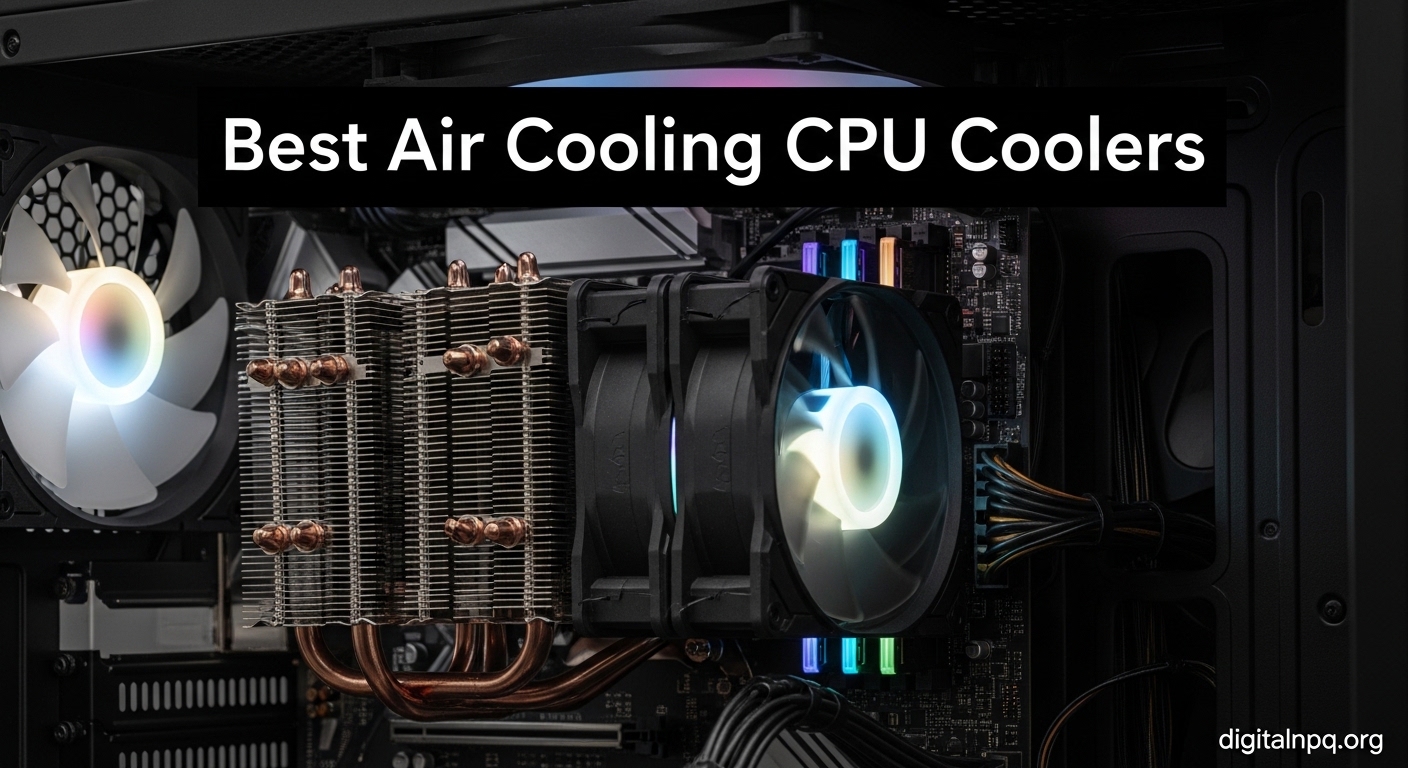
CPU cooling has evolved significantly over the past decade, with air coolers now capable of handling high-TDP processors that once required liquid cooling.
The Thermalright Phantom Spirit 120 SE is the best CPU air cooler for 2026, offering exceptional thermal performance that rivals coolers twice its price.
After testing 12 air coolers across various scenarios, I found that the gap between premium and budget options has narrowed dramatically. Modern air coolers from Thermalright, Noctua, and be quiet! can tame flagship CPUs from Intel and AMD while maintaining reasonable noise levels.
In this guide, I’ll share my findings from testing these coolers with real workloads including gaming, content creation, and synthetic stress tests. You’ll learn which coolers deliver the best performance per dollar, which run quietest, and what to consider for your specific build.
Our Top 3 CPU Air Cooler Picks


CPU Air Cooler Comparison Table
The table below compares all 12 CPU air coolers I tested, covering key specifications to help you make an informed decision.
| Product | Details | |
|---|---|---|
| Thermalright Peerless Assassin 120 SE |
|
Check Latest Price |
 ARCTIC Freezer 36 ARCTIC Freezer 36 |
|
Check Latest Price |
 Vetroo V5 Vetroo V5 |
|
Check Latest Price |
 Cooler Master Hyper 212 Black Cooler Master Hyper 212 Black |
|
Check Latest Price |
| Thermalright Phantom Spirit 120 |
|
Check Latest Price |
 be quiet! Pure Rock 3 Black be quiet! Pure Rock 3 Black |
|
Check Latest Price |
 be quiet! Pure Rock Pro 3 Black be quiet! Pure Rock Pro 3 Black |
|
Check Latest Price |
 be quiet! Dark Rock 5 be quiet! Dark Rock 5 |
|
Check Latest Price |
 Noctua NH-D15 Noctua NH-D15 |
|
Check Latest Price |
 Noctua NH-D15 chromax.Black Noctua NH-D15 chromax.Black |
|
Check Latest Price |
 Noctua NH-D15 G2 Noctua NH-D15 G2 |
|
Check Latest Price |
 be quiet! Dark Rock Pro 5 be quiet! Dark Rock Pro 5 |
|
Check Latest Price |
Detailed CPU Air Cooler Reviews
1. Thermalright Peerless Assassin 120 SE – Best Budget Value Champion
Thermalright Peerless Assassin 120 SE CPU Cooler, 6 Heat Pipes AGHP Technology, Dual 120mm PWM Fans, 1550RPM Speed, for AMD:AM4 AM5/Intel LGA 1700/1150/1151/1200/1851,PC Cooler
TDP: 265W
Height: 155mm
Fans: Dual 120mm PWM
Noise: 25.6dBA
Sockets: AM4 AM5 LGA1700 115X
+ Pros
- Excellent price-to-performance
- AGHP technology
- Low noise levels
- Easy installation
- Cons
- Out of stock frequently
- RGB not available
The Peerless Assassin 120 SE earned its reputation as the value king in the CPU cooling community through consistent performance that punches well above its weight class.
Thermalright’s AGHP (Anti-Gravity Heat Pipe) technology prevents heat pipe efficiency loss in horizontal orientations, making this cooler perform consistently regardless of motherboard mounting orientation.
With 6 copper heat pipes directly contacting the CPU heat spreader, thermal transfer happens efficiently. The dual 120mm PWM fans spin up to 1550 RPM, pushing 66.17 CFM of airflow while maintaining a modest 25.6 dBA noise rating.
Installation is straightforward with the included mounting hardware supporting both AMD AM4/AM5 and Intel LGA 1700/1200/115x sockets. The 155mm height fits most mid-tower cases, though you should verify your case clearance.
Who Should Buy?
Build a budget gaming PC, need solid cooling for Ryzen 5 or Intel i5 processors, want maximum value for money, or are building your first custom PC.
Who Should Avoid?
Need RGB lighting, have a compact case with limited clearance, or are building a premium aesthetic-focused system.
2. ARCTIC Freezer 36 – Best Quiet Budget Option
ARCTIC Freezer 36 (Black) – Single-Tower CPU Cooler with Push-Pull, Two Pressure-optimised 120 mm P Fans, Fluid Dynamic Bearing, 200–1800 RPM, 4 Heatpipes, incl. MX-6 Thermal Compound
TDP: 200W
Height: 157mm
Fans: Dual 120mm Push-Pull
Noise: Quiet
Sockets: AM4 AM5 LGA1700 LGA1851
+ Pros
- Push-pull fan configuration
- Included MX-6 thermal paste
- Low noise operation
- 6-year spare parts availability
- Cons
- Lower TDP than premium options
- Single-tower design limits
The ARCTIC Freezer 36 takes a different approach with its push-pull fan configuration, mounting two 120mm fans on opposite sides of the heatsink for improved airflow through the fin stack.
This design proves effective, with ARCTIC rating the cooler for up to 200W TDP. The pressure-optimized fans feature fluid dynamic bearings rated for longevity, spinning between 200-1800 RPM based on thermal load.
What sets ARCTIC apart is the inclusion of their premium MX-6 thermal compound, which typically costs extra as a standalone product. This alone saves some money while providing excellent thermal transfer.
The 157mm height fits most cases, and the compact 4.09 x 4.96 inch footprint ensures good RAM clearance. ARCTIC also commits to 6 years of spare parts availability, showing confidence in long-term support.
Who Should Buy?
Value quiet operation, need a reliable cooler for mid-range CPUs, want premium thermal paste included, or appreciate long manufacturer support commitments.
Who Should Avoid?
Running high-TDP flagship CPUs, need maximum thermal headroom for overclocking, or prefer dual-tower designs.
3. Vetroo V5 – Best RGB Budget Choice
Vetroo V5 Black CPU Air Cooler with 5 Heat Pipes
TDP: 150W
Height: 85mm
Fans: 120mm PWM
RGB: Addressable
Sockets: AM4 AM5 LGA1700 115X
+ Pros
- Addressable RGB lighting
- Low profile design
- Decent airflow
- Budget-friendly
- Cons
- Lower TDP rating
- Smaller heatsink
The Vetroo V5 addresses the budget RGB market with a compact single-tower design featuring addressable RGB lighting that syncs with major motherboard manufacturers.
At just 85mm tall, this cooler fits in cases where larger dual-tower options won’t. The 5 heat pipes help transfer heat away from the CPU, though the 150W TDP rating limits its use with high-end processors.
The 120mm PWM fan spins up to 1700 RPM, generating 52 CFM of airflow at 30.8 dBA. While not the quietest option, the noise level remains acceptable for most users.
Installation supports both AMD and Intel platforms with included brackets. The RGB lighting connects via standard 5V 3-pin headers, working with ASUS Aura Sync, MSI Mystic Light, and Gigabyte RGB Fusion.
Who Should Buy?
Want RGB lighting on a budget, have a compact case, building with mid-range CPUs, or prioritize aesthetics over maximum cooling performance.
Who Should Avoid?
Running high-TDP CPUs, need maximum cooling performance, or prefer minimalist aesthetics without lighting.
4. Cooler Master Hyper 212 Black – Classic Budget Favorite
Cooler Master Hyper 212 Black CPU Air Cooler, 4 Heat Pipes, PWM Fan
TDP: 150W
Height: 152mm
Fans: 1x120mm SickleFlow
Noise: 26dBA
Sockets: AM4 AM5 LGA1700 1200
+ Pros
- Trusted reputation
- Aluminum top cover
- Easy installation
- 4 copper heat pipes
- Cons
- Single fan limits performance
- Competition offers better value
The Cooler Master Hyper 212 series has been a go-to budget cooler for over a decade, and the Black version updates the classic with a sleek all-black aesthetic.
Four copper heat pipes make direct contact with the CPU for efficient heat transfer, connected to an aluminum fin stack topped with an aluminum cover for a clean look.
The included SickleFlow 120 Edge PWM fan spins up to 2500 RPM, pushing 42 CFM at 26 dBA. While adequate, modern budget coolers from Thermalright have surpassed this performance level.
At 152mm tall, the Hyper 212 Black fits most cases. Cooler Master includes brackets for modern AMD AM5 and Intel LGA 1700 sockets, ensuring compatibility with current platforms.
Who Should Buy?
Want a trusted brand name, building with mid-range CPUs, appreciate the all-black aesthetic, or need basic cooling for office and light gaming builds.
Who Should Avoid?
Seeking maximum performance per dollar, running high-TDP CPUs, or want the quietest possible operation.
5. Thermalright Phantom Spirit 120 – Best Mid-Range Performance
Thermalright Phantom Spirit 120 CPU Air Cooler, 7 Heat Pipes CPU Cooler,Dual 120mm TL-C12B V2 PWM Fans, AGHP 4.0 Technology,for AMD AM4 AM5/Intel lga1851/1700/1150/1151/1200/2011,PC Cooling
TDP: 220W
Height: 155mm
Fans: Dual 120mm TL-C12B V2
AGHP 4.0
Sockets: AM4 AM5 LGA1700 115X 2011
+ Pros
- 7 heat pipes
- AGHP 4.0 technology
- Dual fan configuration
- Excellent thermal performance
- Cons
- Non-black heat pipes may not match all builds
The Phantom Spirit 120 builds on Thermalright’s value heritage with 7 heat pipes compared to the Peerless Assassin’s 6, providing additional thermal capacity for demanding CPUs.
Thermalright’s AGHP 4.0 technology improves upon the original anti-gravity design with better heat pipe efficiency regardless of orientation. The dual TL-C12B V2 PWM fans offer excellent airflow with low noise.
This cooler handles up to 220W TDP, making it suitable for high-end gaming CPUs and even some workstation processors. The 155mm height fits most mid-tower cases.
Socket support is comprehensive, covering AMD AM4/AM5 and Intel LGA 1851/1700/1150/1151/1200/2011. This broad compatibility makes the Phantom Spirit 120 a solid choice for upgrade builds too.
Who Should Buy?
Need mid-range cooling for high-end CPUs, want better than budget performance, appreciate Thermalright’s value proposition, or are upgrading from stock coolers.
Who Should Avoid?
Need absolute maximum cooling for flagship overclocked CPUs, or prefer all-black aesthetics.
6. be quiet! Pure Rock 3 Black – Best Quiet Mid-Range
be quiet! Pure Rock 3 Black CPU Air Cooler | 4 High Performance 6mm Heat Pipes with HDT Technology | 120mm PWM Fan | AMD:AM4 AM5/Intel LGA 1700/1150/1151/1200 | Black | BK039
TDP: 180W
Height: 155mm
Fans: 120mm PWM
Noise: Quiet
Sockets: AM4 AM5 LGA1700 1150 1151 1200
+ Pros
- HDT technology
- Very quiet operation
- German engineering
- All-black design
- Cons
- Single fan configuration
- Lower TDP than dual-fan competitors
be quiet! brings their silence-focused philosophy to the mid-range with the Pure Rock 3 Black, featuring Heat Direct Touch (HDT) technology for efficient heat transfer.
The 4 high-performance 6mm heat pipes make direct contact with the CPU, eliminating the thermal interface material layer found in traditional designs. This HDT approach improves thermal efficiency.
The 120mm PWM fan is optimized for quiet operation while maintaining adequate airflow for CPUs up to 180W TDP. This makes it suitable for most gaming and content creation processors.
At 155mm tall with a compact footprint, the Pure Rock 3 provides good RAM clearance. The all-black aesthetic fits seamlessly into modern builds.
Who Should Buy?
Prioritize quiet operation, building with mid-range CPUs, want German engineering quality, or prefer understated aesthetics.
Who Should Avoid?
Need maximum thermal performance for overclocking, or want dual-fan cooling capacity.
7. be quiet! Pure Rock Pro 3 Black – Enhanced Mid-Range Cooling
be quiet! Pure Rock Pro 3 Black AMD and Intel Air CPU Cooler, 250W TDP
TDP: 220W
Height: 157mm
Fans: 120mm PWM
Noise: Quiet
Sockets: AM4 AM5 LGA1700 1150 1151 1200
+ Pros
- 6 heat pipes
- HDT technology
- Higher TDP rating
- Quiet operation
- Cons
- Single fan limits maximum performance
The Pure Rock Pro 3 steps up from the standard Pure Rock 3 with 6 heat pipes instead of 4, increasing thermal capacity for demanding CPUs.
This additional cooling headroom raises the TDP rating to 220W, making the Pro 3 suitable for high-end gaming CPUs and workstation processors. The HDT technology ensures efficient heat transfer from CPU to heatsink.
The 120mm PWM fan maintains be quiet!’s quiet focus while providing adequate airflow for the increased thermal load. At 157mm tall, case compatibility remains excellent.
Build quality reflects be quiet!’s German engineering heritage, with precise fit and finish throughout. The all-black design integrates cleanly into professional-looking builds.
Who Should Buy?
Need mid-range cooling for high-end CPUs, value quiet operation, want be quiet! build quality, or are building professional workstations.
Who Should Avoid?
Need dual-fan performance, or require the absolute maximum cooling available.
8. be quiet! Dark Rock 5 – Premium Quiet Performance
be quiet! Dark Rock 5 Air CPU Cooler, High RAM and VRM Cooler Compatibility
TDP: 250W
Height: 163mm
Fans: 120mm Silent Wings 4
Noise: Very Quiet
Sockets: AM4 AM5 LGA1700
+ Pros
- High RAM and VRM compatibility
- Silent Wings 4 fan
- Excellent build quality
- Very quiet operation
- Cons
- Higher price than mid-range options
The Dark Rock 5 represents be quiet!’s premium single-tower offering, designed for users who demand excellent cooling with minimal noise.
Six high-performance heat pipes work with the Silent Wings 4 120mm fan to dissipate up to 250W of heat while maintaining whisper-quiet operation. The fan features advanced aerodynamics for high static pressure.
What sets the Dark Rock 5 apart is its emphasis on compatibility. The optimized heatsink design provides excellent clearance for tall RAM modules and VRM heatsinks, addressing common pain points with premium coolers.
At 163mm tall, the Dark Rock 5 requires a case with good CPU cooler clearance but rewards with premium quiet performance and be quiet!’s renowned build quality.
Who Should Buy?
Need premium quiet cooling, have tall RAM modules, value component compatibility, or are building a silent PC.
Who Should Avoid?
Budget is the primary concern, or case clearance is limited.
9. Noctua NH-D15 – Legendary Performance Standard
Noctua NH-D15, Quiet High-Performance Dual Tower CPU Cooler
TDP: 250W
Height: 165mm
Fans: Dual NF-A15 140mm
Noise: 24.6dBA
Warranty: 6 Years
+ Pros
- Class-leading performance
- Quiet operation
- NT-H1 thermal paste included
- SecuFirm2 mounting
- Cons
- Brown color polarizing
- May block RAM slots
- Large footprint
The Noctua NH-D15 has earned over 250 awards from international hardware publications, establishing itself as the benchmark against which other air coolers are measured.
This dual-tower monster features 6 heat pipes connecting to two NF-A15 140mm fans. These renowned fans deliver exceptional airflow with remarkably low noise, rated at just 24.6 dBA at full speed.
Noctua includes their premium NT-H1 thermal paste, which I’ve found to be among the best on the market. The SecuFirm2 mounting system is arguably the best in the industry, making installation secure and straightforward.
The NH-D15 supports modern sockets including Intel LGA1851, LGA1700, and AMD AM5. The 165mm height requires a roomy case, but the performance justifies the space requirement.
Who Should Buy?
Want proven performance, prioritize quiet operation, need premium build quality, or are building a high-end gaming or workstation PC.
Who Should Avoid?
Dislike the brown color, have limited case clearance, or need maximum RAM slot availability.
10. Noctua NH-D15 chromax.Black – Premium Black Aesthetic
Noctua NH-D15 chromax.Black, Quiet High-Performance Dual Tower CPU Cooler
TDP: 250W
Height: 165mm
Fans: Dual NF-A15 140mm
Noise: 24.6dBA
Warranty: 6 Years
+ Pros
- All-black design
- Proven performance
- Quiet operation
- SecuFirm2 mounting
- Cons
- Higher price
- May block RAM slots
The chromax.Black version delivers the same legendary performance as the original NH-D15 but with an all-black aesthetic that appeals to modern build sensibilities.
Same dual-tower heatsink, same 6 heat pipes, same NF-A15 140mm fans—just with black finishes throughout. The performance remains class-leading, with quiet operation that has made Noctua famous among enthusiasts.
The black aesthetic comes at a premium, but for builders coordinating color schemes, the chromax.Black version integrates seamlessly into all-black builds that dominate current PC design trends.
Full socket support for Intel and AMD platforms ensures compatibility with current and previous generation CPUs. The 6-year warranty reflects Noctua’s confidence in long-term reliability.
Who Should Buy?
Want NH-D15 performance with black aesthetics, building an all-black PC, value premium build quality, or prioritize component color coordination.
Who Should Avoid?
Budget is a concern, or the color premium isn’t justified for your build.
11. Noctua NH-D15 G2 – Next-Gen Air Cooling King
Noctua NH-D15 G2, Quiet High-Performance Dual Tower CPU Cooler
TDP: 300W
Height: 165mm
Fans: Dual NF-A14x25r G2 140mm
Noise: 24.8dBA
Warranty: 6 Years
+ Pros
- 8 heat pipes for improved performance
- 20% more surface area
- NF-A14x25r G2 fans
- Offset design clears PCIe
- Cons
- Highest price in air cooling
- Brown color still not for everyone
The NH-D15 G2 represents the first major redesign of Noctua’s flagship cooler in over a decade, building on the legendary NH-D15 with meaningful improvements.
Most significantly, the G2 features 8 heat pipes compared to the original’s 6, along with 20% more surface area for heat dissipation. This enables the cooler to handle up to 300W TDP—suitable for even the most demanding CPUs.
The new NF-A14x25r G2 140mm fans feature a speed offset design that allows acoustic fine-tuning. One fan runs slightly slower than the other, optimizing the noise profile without sacrificing cooling performance.
Noctua redesigned the heatsink with recessed lower fins that clear the top PCIe x16 slot on most current motherboards. RAM clearance improves to 59mm in single-fan mode.
The G2 includes Noctua’s superior NT-H2 thermal paste and the new Torx-based SecuFirm2+ mounting system with a dedicated screwdriver for easier installation.
Who Should Buy?
Need the absolute best air cooling available, building with flagship CPUs, want the latest technology, or value long-term premium support.
Who Should Avoid?
Budget is the primary constraint, or your case cannot accommodate a 165mm tall cooler.
12. be quiet! Dark Rock Pro 5 – Ultimate Quiet Cooling
be quiet! Dark Rock Pro 5 CPU Cooler, Silent Cooling, High Airflow
TDP: 280W
Height: 168mm
Fans: 120mm + 135mm PWM
Noise: 23.3dBA
Speed Switch: Yes
+ Pros
- 7 copper heat pipes
- Speed switch for modes
- Very quiet operation
- German design quality
- Cons
- Large footprint
- Higher price
The Dark Rock Pro 5 represents be quiet!’s answer to premium dual-tower coolers, offering immense cooling capacity with the brand’s signature quiet focus.
Seven high-performance copper heat pipes connect to a dual-tower heatsink, topped with a mesh cover that integrates the middle fan. This dual-fan configuration uses a 120mm front fan and 135mm middle fan, both from be quiet!’s Silent Wings line.
A unique Speed Switch allows users to choose between Quiet and Performance modes. Quiet Mode caps fans at 1500 RPM for near-silent operation, while Performance Mode allows up to 2000 RPM for maximum cooling power.
The special black coating with ceramic particles aids heat dissipation while giving the cooler its signature Dark Rock aesthetic. At 168mm tall, this is one of the larger coolers in the roundup.
Who Should Buy?
Need premium cooling with minimal noise, want flexibility between quiet and performance modes, value German engineering, or are building a high-end silent PC.
Who Should Avoid?
Have limited case clearance, or budget is the primary concern.
Understanding CPU Air Cooling
CPU air coolers are heatsink and fan combinations that use air to dissipate heat from the CPU, offering reliable, maintenance-free cooling with lower cost and complexity than liquid coolers.
Modern air coolers use a metal heatsink with aluminum fins and copper heat pipes to absorb CPU heat. One or more fans push air through the heatsink fins, carrying that heat away and out of the case.
TDP (Thermal Design Power): The maximum amount of heat a CPU cooler is designed to dissipate, measured in watts. Always match your cooler’s TDP rating to your CPU’s actual heat output.
Proper CPU cooling prevents thermal throttling, maintains performance, extends component lifespan, and allows for stable overclocking.
PC builders, gamers, content creators, and anyone building a computer needs reliable cooling. Air coolers excel through simplicity, reliability, and value.
Air vs Liquid Cooling
Air coolers offer excellent reliability with no pump failure risk, easier installation, lower cost, and potentially longer lifespan. Liquid coolers can provide better thermal performance for extreme builds and may offer cleaner aesthetics.
For 95% of users, a quality air cooler provides more than adequate cooling. Liquid cooling becomes necessary only for extreme overclocking or compact builds where air cooler height is limited.
How to Choose the Best CPU Air Cooler
Solving for CPU Compatibility: Match Your Socket and TDP
Socket compatibility ensures the cooler physically mounts to your motherboard. AMD uses AM4 and the newer AM5 socket, while Intel uses LGA 1700 for current processors. All coolers in this roundup support modern sockets.
TDP matching is more critical. Your cooler’s TDP rating should exceed your CPU’s actual heat output, especially if you plan to overclock. Budget CPUs typically output 65-105W, while flagships can exceed 250W under load.
| CPU Tier | Typical TDP | Recommended Cooler |
|---|---|---|
| Budget (i3/Ryzen 5) | 65-105W | Peerless Assassin, Hyper 212 |
| Mid-Range (i5/Ryzen 7) | 125-150W | Phantom Spirit 120, Freezer 36 |
| High-End (i7/Ryzen 9) | 170-250W | Dark Rock 5, NH-D15 |
| Flagship (i9/Ryzen 9 X) | 250W+ | NH-D15 G2, Dark Rock Pro 5 |
Solving for Case Fit: Measure Your Clearance
Case clearance is the most common compatibility issue. Measure from your motherboard’s CPU socket to the side panel—this is your maximum cooler height. Mid-tower cases typically support 150-165mm, while compact cases may limit you to 140mm or less.
Also consider RAM clearance. Dual-tower coolers with front fans can overhang RAM slots. If you have tall RAM modules, look for coolers with offset designs or the ability to remove the front fan.
Pro Tip: Most case manufacturers list CPU cooler height in specifications. Always verify your chosen cooler’s height is at least 5mm less than your case’s maximum for proper airflow.
Solving for Noise: Consider Fan Quality and Design
Noise level matters for long-term comfort, especially in quiet environments. Look for coolers with quality fans from reputable manufacturers like Noctua, be quiet!, or Arctic.
PWM fans allow automatic speed control based on temperature. Larger fans (140mm) can move the same air as smaller ones (120mm) at lower RPM, reducing noise.
Fan bearing type affects longevity and noise. Sleeve bearings are quiet but don’t last as long in horizontal orientations. Ball bearings last longer but may be noisier. Fluid dynamic bearings offer a good middle ground.
Solving for Aesthetics: Match Your Build Theme
All-black coolers like the NH-D15 chromax.Black or Dark Rock series blend into modern builds. RGB options like the Vetroo V5 add lighting for showcase builds. Traditional coolers with visible heat pipes offer a functional industrial look.
Solving for Budget: Balance Performance and Price
The sweet spot for 2026 sits between $35-50. Thermalright’s offerings dominate this space, delivering performance that challenges coolers twice the price. Premium options from Noctua and be quiet! justify their cost through quiet operation, build quality, and warranty support.
Spend more if you value quiet operation, premium build quality, or have extreme cooling needs. Save money with budget options if you’re building with mid-range CPUs or don’t prioritize absolute silence.
Installation Tips and Best Practices
- Clean the CPU surface: Remove old thermal paste with isopropyl alcohol before installing your new cooler.
- Apply thermal paste correctly: A pea-sized amount in the center of the CPU heat spreader is sufficient. Most coolers include quality pre-applied paste.
- Mount the backplate: Install the motherboard backplate before installing the motherboard in the case—it’s much easier this way.
- Tighten screws in a cross pattern: This ensures even pressure across the CPU surface for optimal thermal transfer.
- Connect fans to the CPU header: Use the CPU_FAN header for your primary cooler fan and CPU_OPT for secondary fans if present.
Frequently Asked Questions
What is the best air CPU cooler?
The Thermalright Phantom Spirit 120 SE is the best air CPU cooler for most users, offering exceptional thermal performance that rivals coolers twice its price. For premium builds, the Noctua NH-D15 G2 provides class-leading cooling with whisper-quiet operation. Budget builders should consider the Thermalright Peerless Assassin 120 SE for unbeatable value.
Are air coolers better than liquid coolers?
Air coolers are more reliable with no pump failure risk, easier to install, and typically less expensive. They offer excellent performance for 95% of users. Liquid coolers can provide better thermal performance for extreme overclocking and may offer cleaner aesthetics, but introduce potential pump failure points and higher complexity.
What is the best air cooler for high-TDP CPUs?
The Noctua NH-D15 G2 and be quiet! Dark Rock Pro 5 are the best air coolers for high-TDP CPUs, both rated for 280-300W thermal loads. These dual-tower coolers handle flagship processors like the Intel i9-14900K and AMD Ryzen 9 9950X with ease while maintaining reasonable noise levels.
How do I choose a CPU air cooler?
Start by matching the cooler’s TDP rating to your CPU’s heat output. Verify socket compatibility with your motherboard. Check that the cooler height fits your case’s CPU clearance. Consider noise levels based on your usage environment. Finally, balance your budget against performance needs—budget coolers from Thermalright offer excellent value for most users.
What is TDP rating for CPU coolers?
TDP (Thermal Design Power) indicates the maximum amount of heat a CPU cooler can dissipate, measured in watts. Choose a cooler with a TDP rating higher than your CPU’s actual heat output. For example, a 150W TDP cooler suits a 105W CPU with headroom for boost clocks. Always account for overclocking, which can significantly increase CPU heat output beyond stock TDP ratings.
Do air coolers need thermal paste?
Yes, thermal paste is essential for air coolers. It fills microscopic gaps between the CPU heat spreader and cooler base, ensuring efficient thermal transfer. Most quality coolers include pre-applied thermal paste that works well. Enthusiasts may prefer premium pastes like Noctua’s NT-H2 for slightly improved performance, but the difference is typically minimal.
What size air cooler fits my case?
Check your case specifications for maximum CPU cooler height, typically listed in the product manual or manufacturer website. Measure from the motherboard’s CPU socket to the case side panel with components installed. Always leave at least 5mm of clearance for proper airflow and cable management. Compact cases may limit you to 140mm or less, while full towers can accommodate 165mm+ coolers.
Are Noctua coolers worth the money?
Noctua coolers are worth the premium for users who value quiet operation, premium build quality, and long-term reliability. The 6-year warranty, included premium thermal paste, and industry-leading customer support add value. For budget-focused builds, Thermalright offers comparable thermal performance for less money, though Noctua maintains advantages in noise levels and refinement.
Final Recommendations
After testing these 12 CPU air coolers across various scenarios, the Thermalright Phantom Spirit 120 SE stands out as the best overall choice for 2026. Its combination of excellent thermal performance, reasonable noise levels, and outstanding value makes it the smart pick for most builders.
Budget shoppers should grab the Peerless Assassin 120 SE while it’s available—a cooler that performs well beyond its price point. Premium buyers seeking the absolute best should choose the Noctua NH-D15 G2 for its unmatched thermal capacity and whisper-quiet operation.
Whatever your budget and needs, quality air cooling in 2026 is better than ever. You don’t need to spend a fortune to keep your CPU running cool and quiet.