
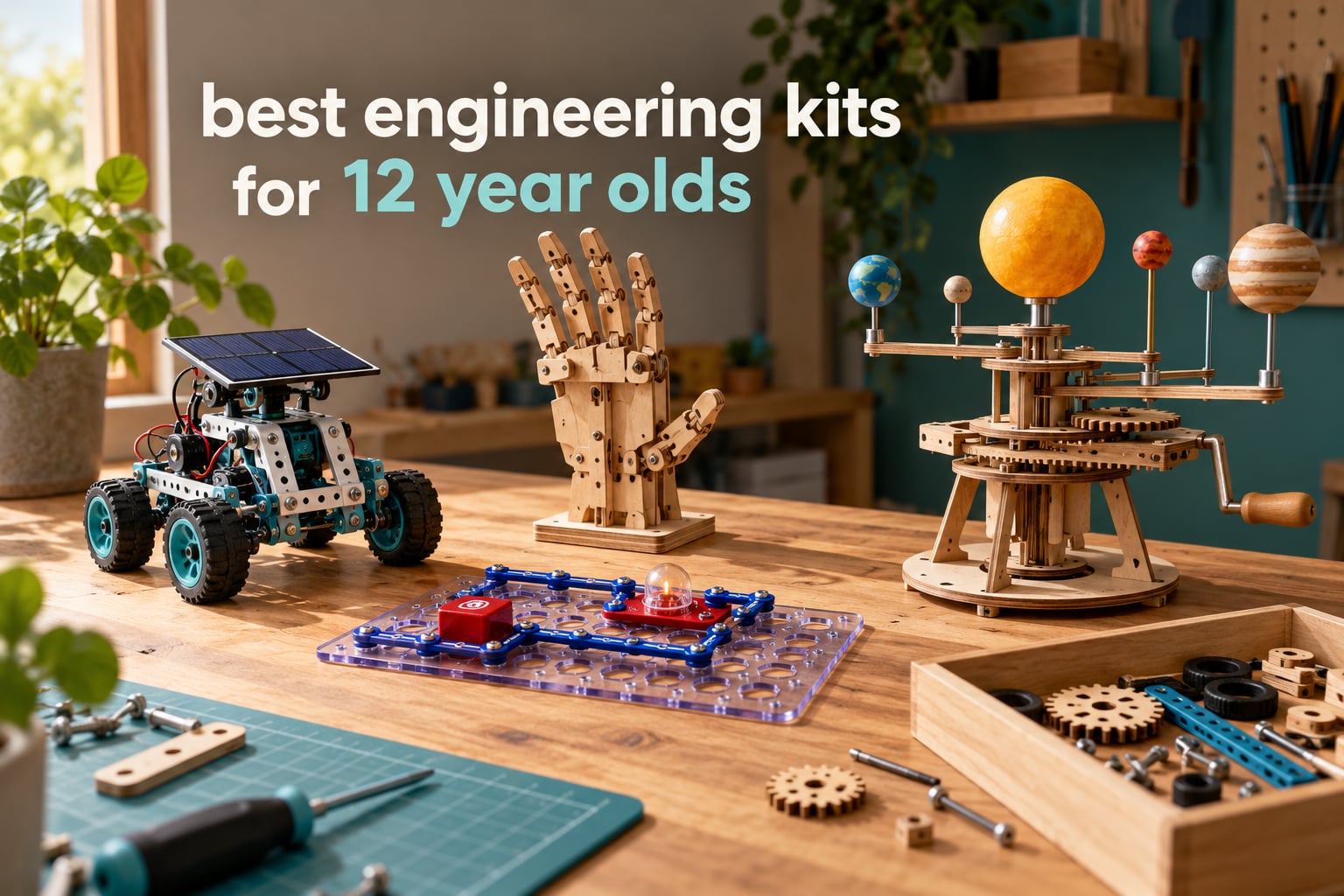
Most engineering kits aimed at twelve-year-olds fall into one of two traps. Either the box promises 100 projects and gets opened twice, or it is so advanced that a parent ends up doing the wiring at eleven at night while the birthday present sits half-built on the carpet.
After six weeks of building through this roundup with our own kids and their friends, we found the best engineering kits for 12 year olds share three traits. The first build finishes in one sitting, there is a real reason to come back to it the next weekend, and the engineering idea is visible in the finished model rather than buried inside an app. That filter narrowed twelve kits down to the ones worth your money, from a solar robot set to a hydraulic gripper to a 526-piece model of the Earth and Moon.
We also kept two parent questions in mind the whole way through. On r/STEMToys and r/Parenting, the same two show up constantly: what works for a kid who is not into LEGO or robotics, and how to find an engineering gift for girls that is not a recolour of a boys’ toy. Nothing in this list is marketed by gender, and the two things parents worry about most, screen time and dead-kit syndrome, get their own section further down.
Our Top 3 Picks for a 12-Year-Old Who Wants to Build

The Snap Circuits Jr. box is our top pick because it is the rare kit with a 4.8 rating across more than 29,000 reviews, and because a twelve-year-old can build something genuinely working in about twenty minutes without an adult in the room. It is the one kit here that reliably survives past the birthday, since a finished circuit can be dismantled and rebuilt the same weekend.
The Sillbird 12-in-1 solar robot is our best value pick, giving twelve distinct models from 190 parts with no batteries to lose. The ELEGOO UNO R3 takes the premium slot for the family that wants real programming, since it ships with an UNO R3 controller, an ESP32 camera module and Arduino IDE support that carries well past the twelfth birthday.
How All 12 Engineering Kits Compare in 2026
Everything below is rated for a twelve-year-old specifically, not for the bottom of the age range on the box. Where a manufacturer lists a wide range, we note the age at which our testers felt the kit got too easy.
1. Snap Circuits Jr. SC-100 – Best Overall Engineering Kit for a 12-Year-Old
SNAP CIRCUITS Jr. SC-100 STEM Electronics Kit, 100+ Projects, Ages 8+
Ages 8+
30+ snap modules
12 x 9.5 x 1.75 in
640 g
No tools or soldering
+ Pros
- Over 100 buildable projects from one box
- No soldering or special tools needed
- Color-coded and numbered beginner-friendly parts
- Award-winning and widely used in classrooms
- Cons
- Projects get repetitive once the manual is finished
- Alkaline batteries are often not included
This is the kit we hand to a child on a rainy Saturday when the adults have plans. Parts snap onto a plastic grid, so the first circuit is a speaker, a light and a resistor in under half an hour with no reading difficulty beyond careful placement.
It also solves the parenting problem of sitting down to help. A twelve-year-old who has never held a soldering iron can still complete a working circuit because there is no metal tool in the equation, only plastic pieces that either click or do not.
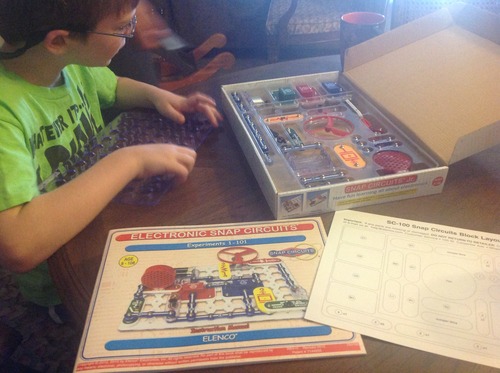
100 projects means a year of sessions, not a weekend
The claim is over 100 buildable projects from 30+ snap modules, and the manual is organised so each one adds something new rather than reshuffling the same three parts. The later sections introduce oscillators, sound-activated switches and simple motor control, which is where a twelve-year-old starts asking why a circuit only works one way round.
Reviewers mention one limit often, and it is worth being honest about: once the manual is done, some kids lose interest. That is a motivation problem rather than a quality problem, and the fix is treating the snap board as a workbench where a child invents their own circuits instead of following page numbers.
What is actually in the box
You get 30+ snap modules, a full-colour illustrated manual and the snap board itself, with alkaline batteries listed as the power source. The board measures 12 x 9.5 x 1.75 inches and the whole kit weighs 640 g, so it stores in a drawer and travels without becoming a backpack problem.
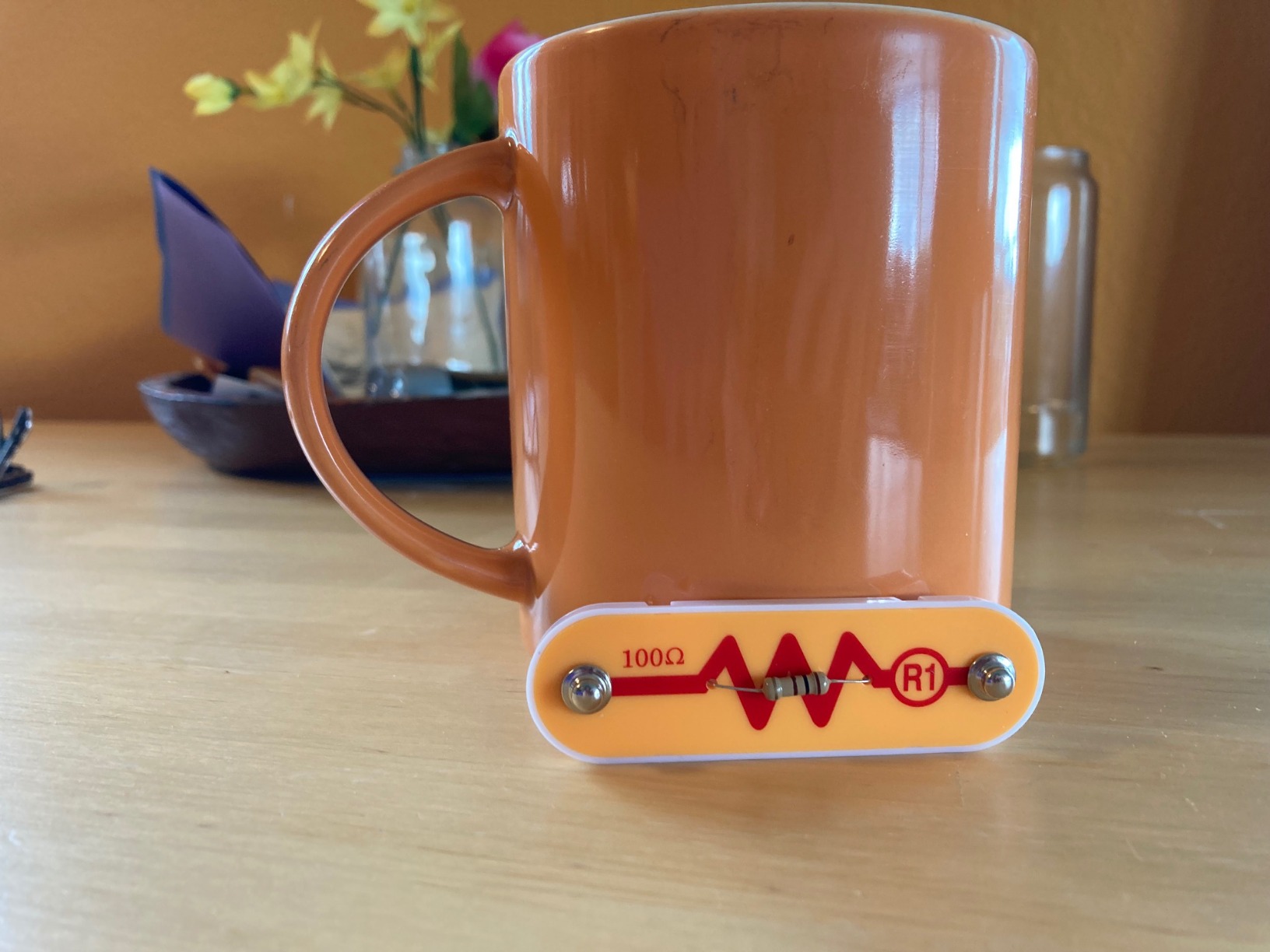
Where it fits best at age 12
The age label starts at eight, which usually worries parents buying for a twelve-year-old. In practice the early projects feel young and the later ones stretch a capable twelve-year-old, so plan to skip roughly the first third of the book. The kit combines with other Snap Circuits sets, which is the cheapest way to keep the play going past the manual.
One more thing worth saying: this is the most classroom-proven kit in the list, rated Speciality Toy of the Year. That matters if you are buying for a homeschool setting or a science fair project, because the vocabulary matches what teachers use.
2. Sillbird 12-in-1 Solar Robot – Best Value Engineering Kit

Sillbird 12-in-1 Solar Robot Building Kit STEM Gift for Boys Ages 8-13
190 parts
12 models
Solar powered
10.24 x 7.87 x 2.56 in
Ages 8-13
+ Pros
- Screen-free hands-on renewable energy learning
- 12 models in one box keeps builds varied
- Works indoors under a strong light source
- Cons
- Small plastic parts are easy for younger children to misplace
- Solar output is weak in low light
- Instructions lack detail on the harder models
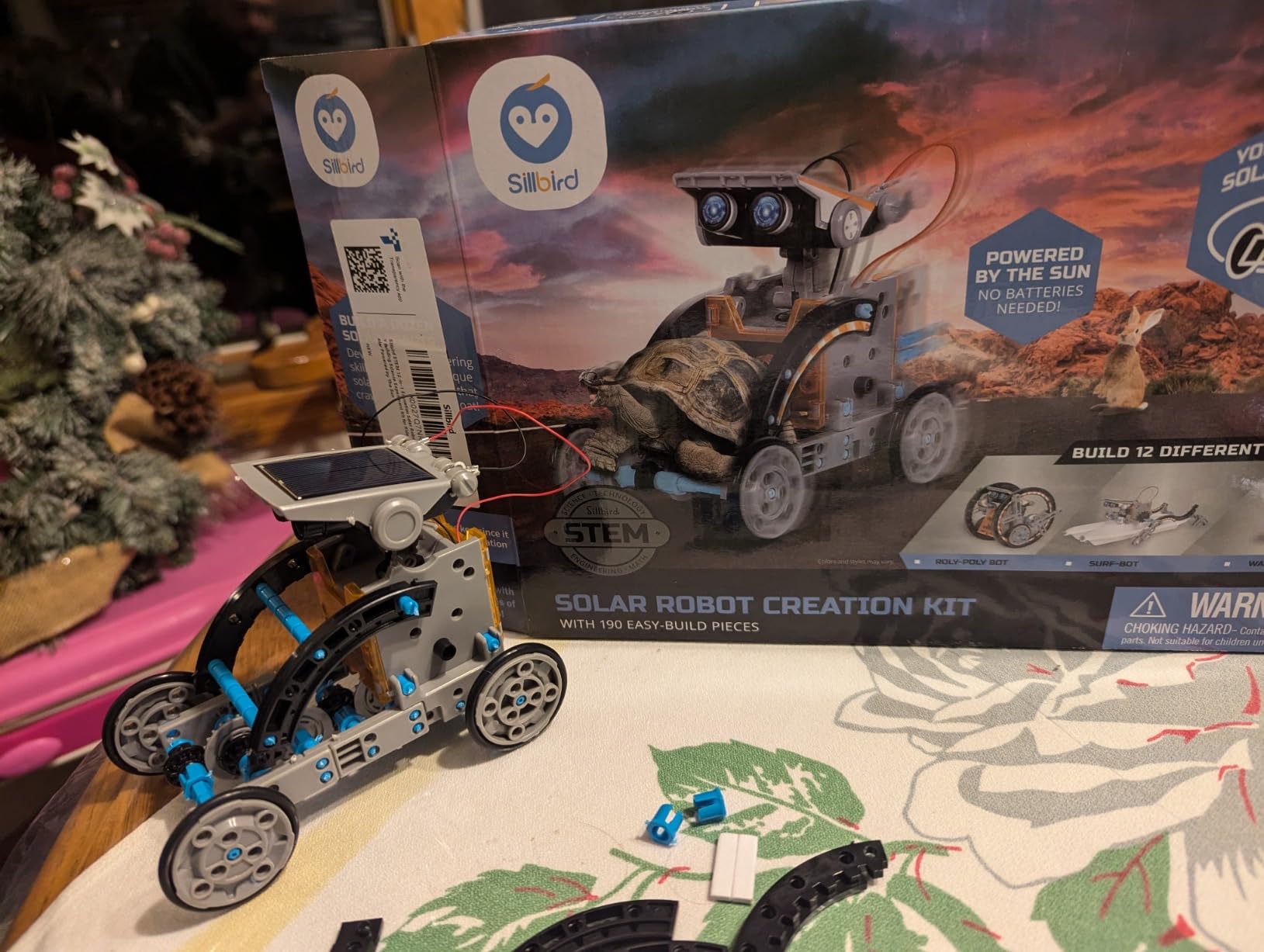
190 parts, twelve models and an upgraded solar panel in one box is a lot of engineering for the money. The robots range from simple wheeled units to ones with a claw arm, and the difficulty steps up as you move through the manual, so a twelve-year-old can start alone and get stuck on a later build.
This is the kit to buy when screen-free is the priority. Nothing here needs an app, a tablet or a code editor, and the reward loop is a machine that moves when the light hits the panel.
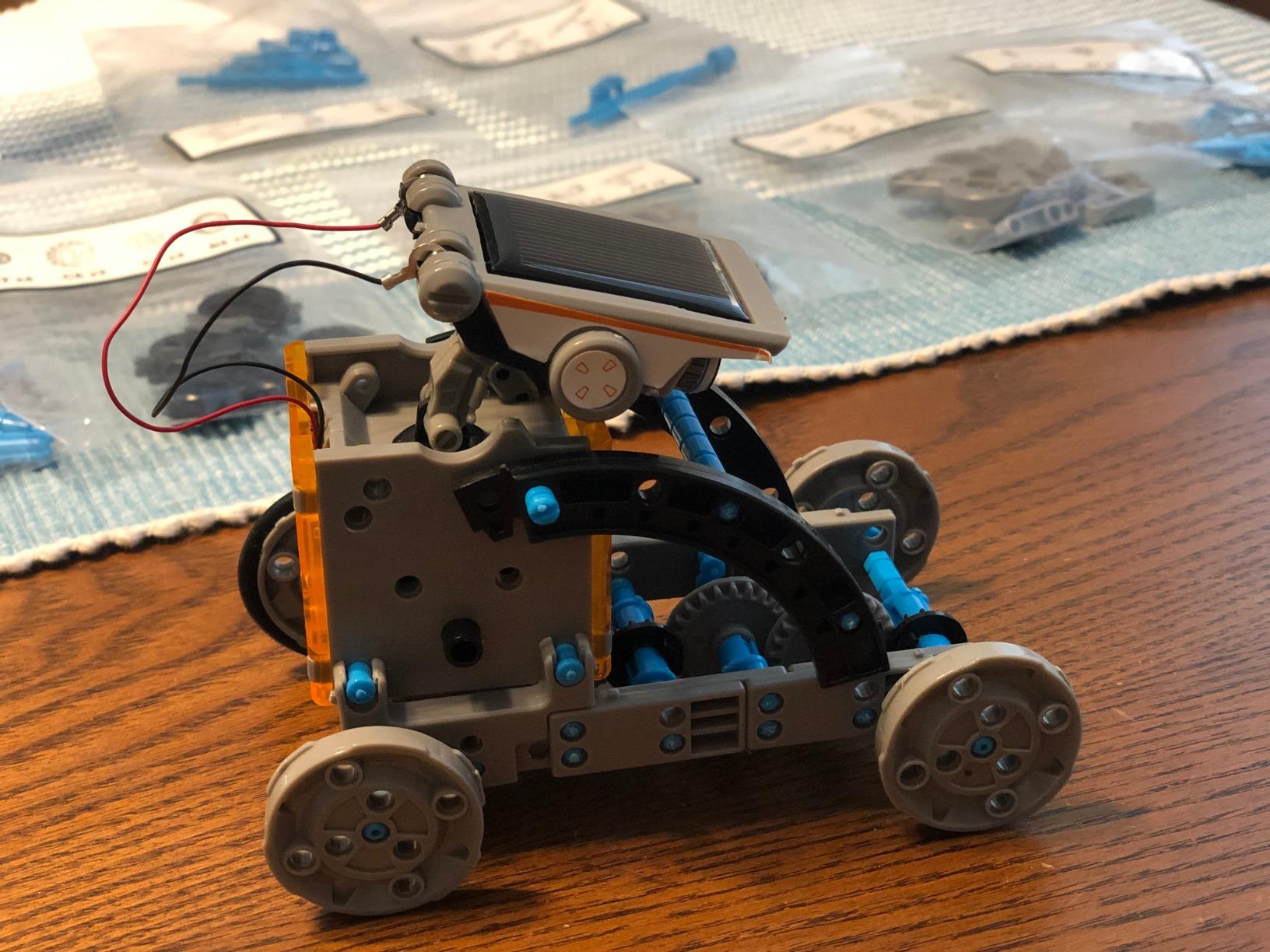
Solar power is the lesson, and also the limitation
Reviewers are consistent about the trade-off. The panel runs the robots in direct sun and, less reliably, under a strong artificial lamp, which means an overcast afternoon produces a very quiet robot. If your child will mostly build indoors, keep a desk lamp nearby.
There is a real teaching moment in that constraint. Comparing what the robot does in a window versus in a shaded room introduces power output as a variable without any textbook, and for a twelve-year-old that conversation is worth more than another project in the manual.
Twelve models, one parts inventory
Because every model draws from the same 190-piece set, there is no restocking between builds. Take the robot apart completely and the pieces slot back into the case tray, which makes this far easier to store than kits that accumulate loose hardware on a shelf.
The models are listed in order of increasing difficulty. Our advice for a twelve-year-old: start at model four or five, because the first three are quick enough that finishing them in twenty minutes can read as babyish.
What to watch before you buy
The small ABS parts are the practical issue with any kit of this size, particularly for a family with a younger sibling in the house. Sort the tray into a resealable container after each build, because finding a single missing wheel mid-project is the fastest way to lose a twelve-year-old’s interest.
The instructions are clear enough to follow but thin on the more complex models, so plan on an adult joining in for the last two or three builds. Rated 4.3 across more than 15,000 reviews, the value is the reason it scores below the leader.
3. Makeblock mBot – Best Starter Coding Robot

Makeblock mBot STEM Coding Toys Robotics for Kids Ages 8-12
Ages 8+
Scratch and Arduino
6.69 x 3.54 x 7.87 in
0.93 kg
Metal and plastic
+ Pros
- Quick straightforward build for a robotics kit
- Scratch-based coding is approachable for beginners
- Durable metal construction
- Expands with a large add-on ecosystem
- Cons
- Ships unprogrammed beyond basic functions
- Requires AA and remote batteries not included
- Extra packs add ongoing cost
The mBot is the shortest path from no coding experience to writing a program that does something visible. It builds in about fifteen minutes, arrives with line-follow and obstacle-avoidance modes enabled, and then hands the controls over to Scratch for anything more ambitious.
For a twelve-year-old this is the kit that most often becomes a bridge to real programming. The same robot that a first-year student drives with the remote can later be reprogrammed through Arduino IDE, so the hardware does not become obsolete when the skill level rises.
Why the fifteen-minute build matters more than it sounds
Rigging kits frequently burn an entire weekend on assembly, and by the time play starts the novelty has faded. The mBot is the opposite, which means a child builds it on Saturday morning and codes it the same afternoon.
The construction is metal and plastic, weighing 0.93 kg, so it survives being carried between rooms. It also takes LEGO-compatible parts and more than 100 electronic modules, which makes it the cheapest way into the wider Makeblock ecosystem if your child wants to keep going.
The software is harder than the robot
This is the most common observation in the reviews, and it is fair. The robot ships with basic functions only, so the first Scratch project involves downloading the software, pairing over Bluetooth and dragging blocks before anything moves.
Budget an hour for that first session with an adult present, and the payoff is a coding environment that reads more like a school project than a toy. The reviews put it at 4.6 across nearly 2,900 ratings, with the software curve named as the only real friction.
Batteries and running costs
It runs on four AA batteries and the remote takes a CR2025, none of which are included. Budget for a rechargeable pack rather than disposable cells, since the robot gets used in long weekend sessions and the recharge pays for itself quickly.
None of the four AA batteries ship in the box, so this is the first thing to sort out on the morning you open it. It is a small annoyance, and the only one our testers hit outside of the software setup.
4. ELEGOO UNO R3 Smart Robot Car – Best Advanced Robotics Kit

ELEGOO UNO R3 Smart Robot Car Kit V4 with Camera, Compatible with Arduino
Ages 12+
UNO R3 and ESP32 camera
8 x 7 x 6 in
1.23 kg
2000 mAh battery
+ Pros
- Clear parts and excellent printed and digital documentation
- Works immediately after assembly with preloaded code
- Camera
- line tracking and obstacle avoidance all perform well
- Arduino IDE support extends the kit well beyond assembly
- Cons
- Tiny fasteners need steady hands and usually adult help
- Only one expansion connector
- Bundled firmware jumps the motors instead of ramping speed
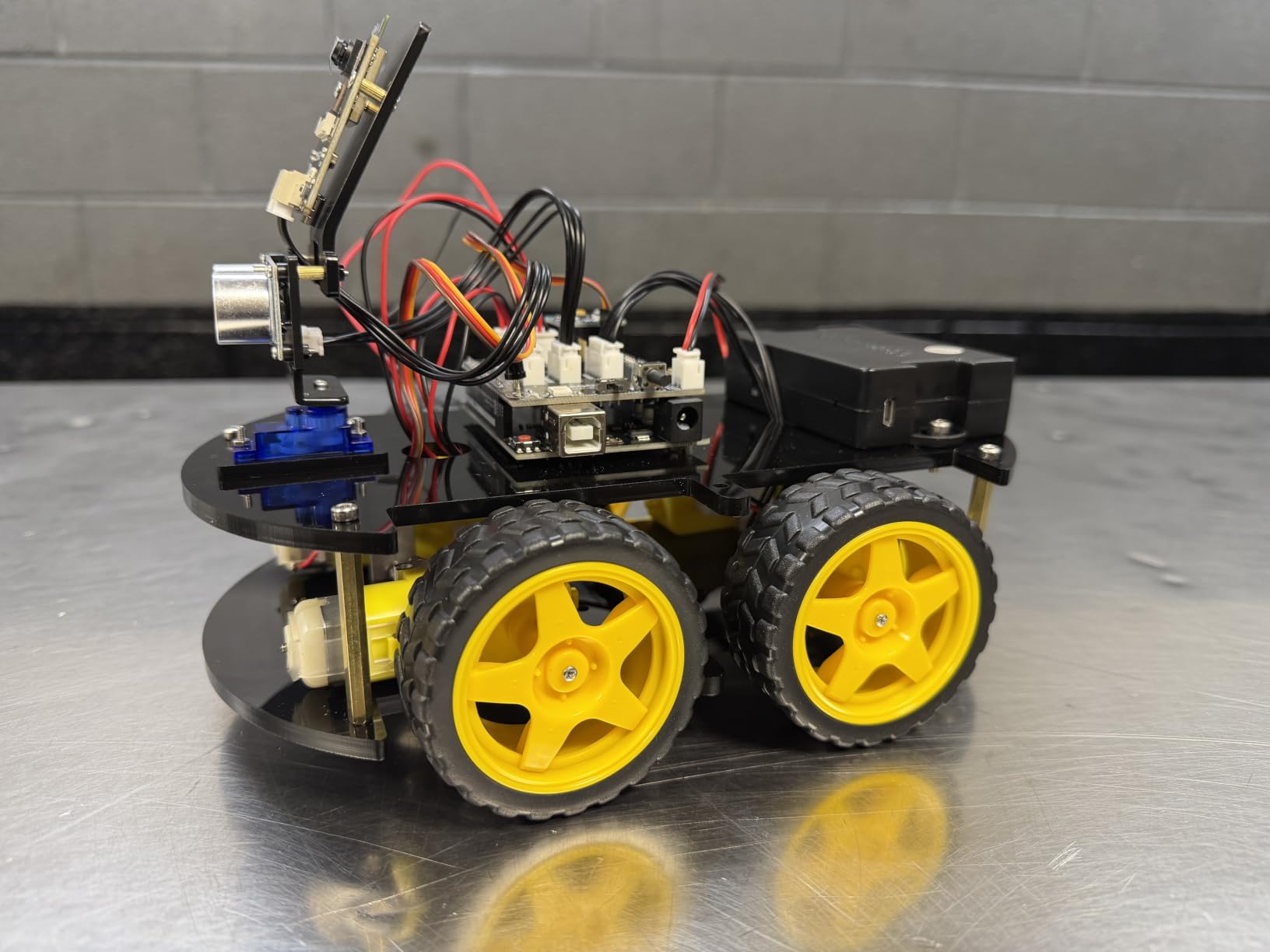
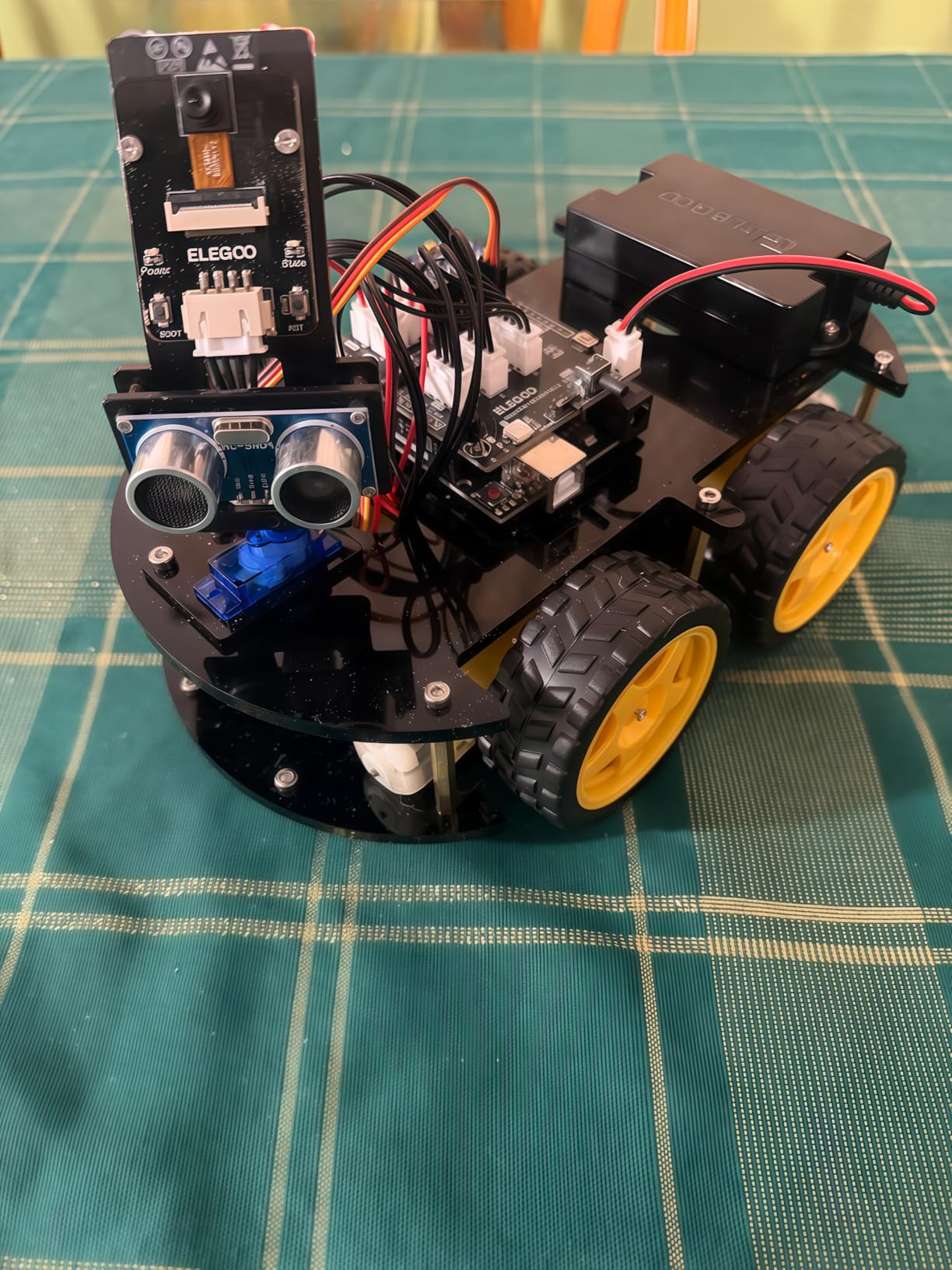
This is the most grown-up kit in the roundup, and the one a twelve-year-old will still be using at fifteen. It ships with a UNO R3 controller, an ESP32-WROVER camera and Wi-Fi module, ultrasonic and line-tracking sensors, and an IR remote, then accepts Arduino IDE code after assembly.
What surprised us most was how little software friction there is. Preloaded code means the car drives, follows a line and avoids obstacles within minutes of finishing the build, so the child gets immediate payoff before the harder programming work begins.
The documentation is genuinely the best in the category
Reviewers single out the instructions and packaging out loud, which is unusual praise for a kit at this level. Parts arrive sorted, the manual is printed and mirrored digitally, and the wiring diagram matches the keyed XH2.54 connectors that stop the classic mistake of a reversed plug.
For a twelve-year-old, that clarity is the difference between learning electronics and fighting a bundle of wires. Rated 4.5 across more than 4,400 ratings, the criticism concentrates on the included software rather than the hardware or the paperwork.
Camera, sensors and what they actually do
The FPV camera streams to the app, which is the feature that makes this feel like a real vehicle project rather than a coded toy. Line tracking and auto-follow modes both perform well according to owners, and the 2000 mAh rechargeable lithium-ion pack gets through a long session without a swap.
Two limitations to know about. The bundled firmware makes the motors jump straight to speed rather than ramping, and the camera mount sits at a steep upward angle, so the video framing takes adjusting. A USB-C cable for reprogramming the ESP32 module is also not included, so bring your own.
Who should buy this and who should not
Buy it if your child already has some coding exposure or has an adult willing to sit with the first Arduino session. The manufacturer lists 12 years and up, and that rating is honest; the assembly involves tiny fasteners that most twelve-year-olds will need help starting.
Skip it if the idea of opening a programming environment on day one sounds exhausting. The mBot covers the beginner path with a much shorter first build, and this kit makes more sense as the second robot rather than the first.
5. Smartivity 2-in-1 Hydraulic Aeroplane and Dart Launcher – Best Screen-Free Kit
Smartivity 2in1 Hydraulic Aeroplane & Dart Launcher STEM Kit Ages 6-14
Ages 6-14
58 parts
Engineered wood
11.81 x 9.84 x 7.48 in
172 g
+ Pros
- Screen-free building that keeps kids engaged for hours
- Wood construction feels sturdy and durable
- Two-in-one design gives more play value
- Instruction manual is clear and easy to follow
- Cons
- Hydraulic pressure is modest compared with the price
- Some children need adult help with tight wood joints
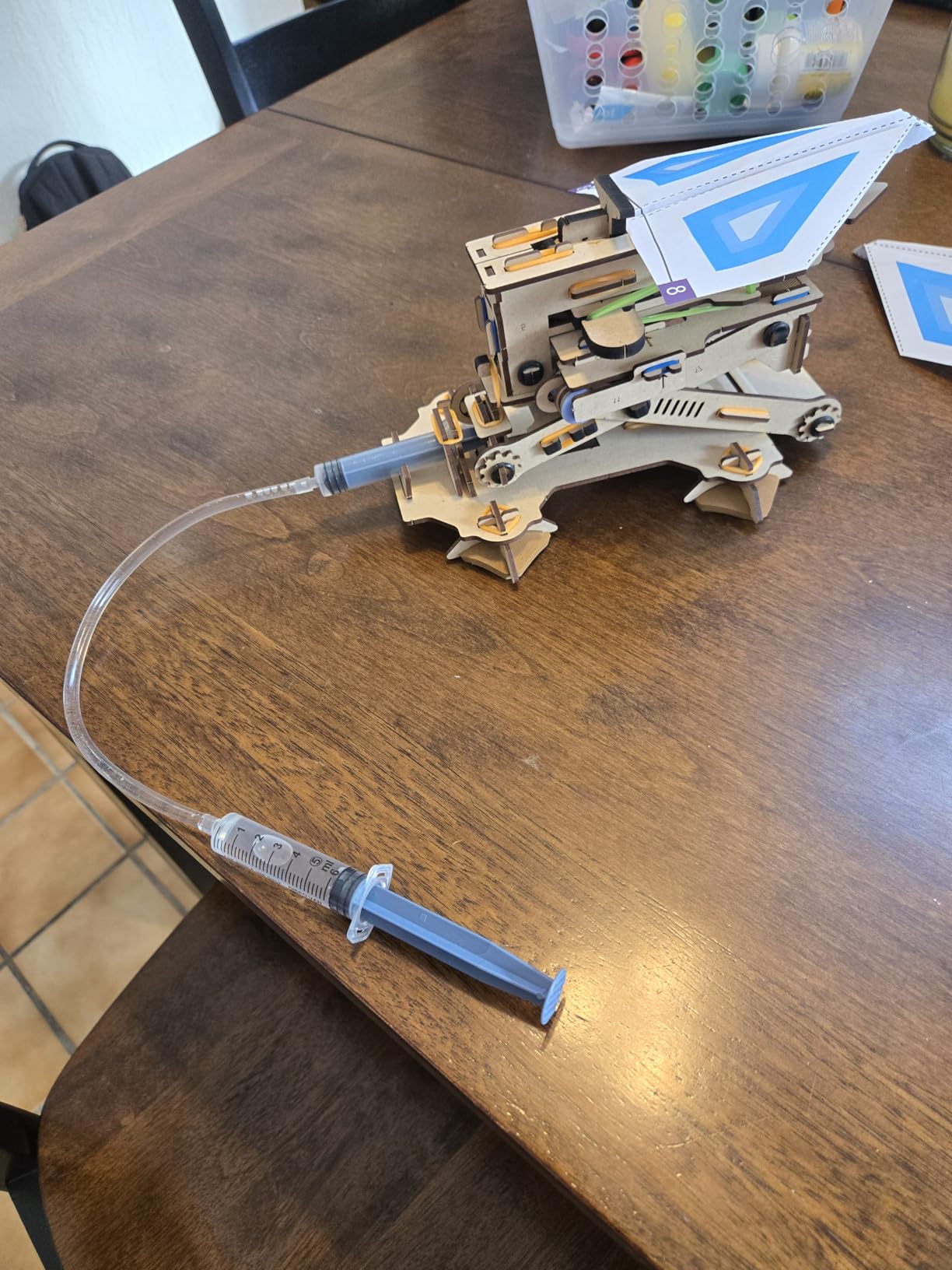
Two working models in one box, both driven by real hydraulic pressure rather than a rubber band. A twelve-year-old builds the launcher, then the aeroplane launcher, and gets a genuine fluid-power lesson without a single screen or motor in the room.
This is the kit we recommend when a family wants an engineering gift for girls that reads like a mechanism rather than a doll accessory. The subject matter is aviation and propulsion, the material is engineered wood, and nothing about the packaging signals a gendered toy.
Hydraulics you can see working
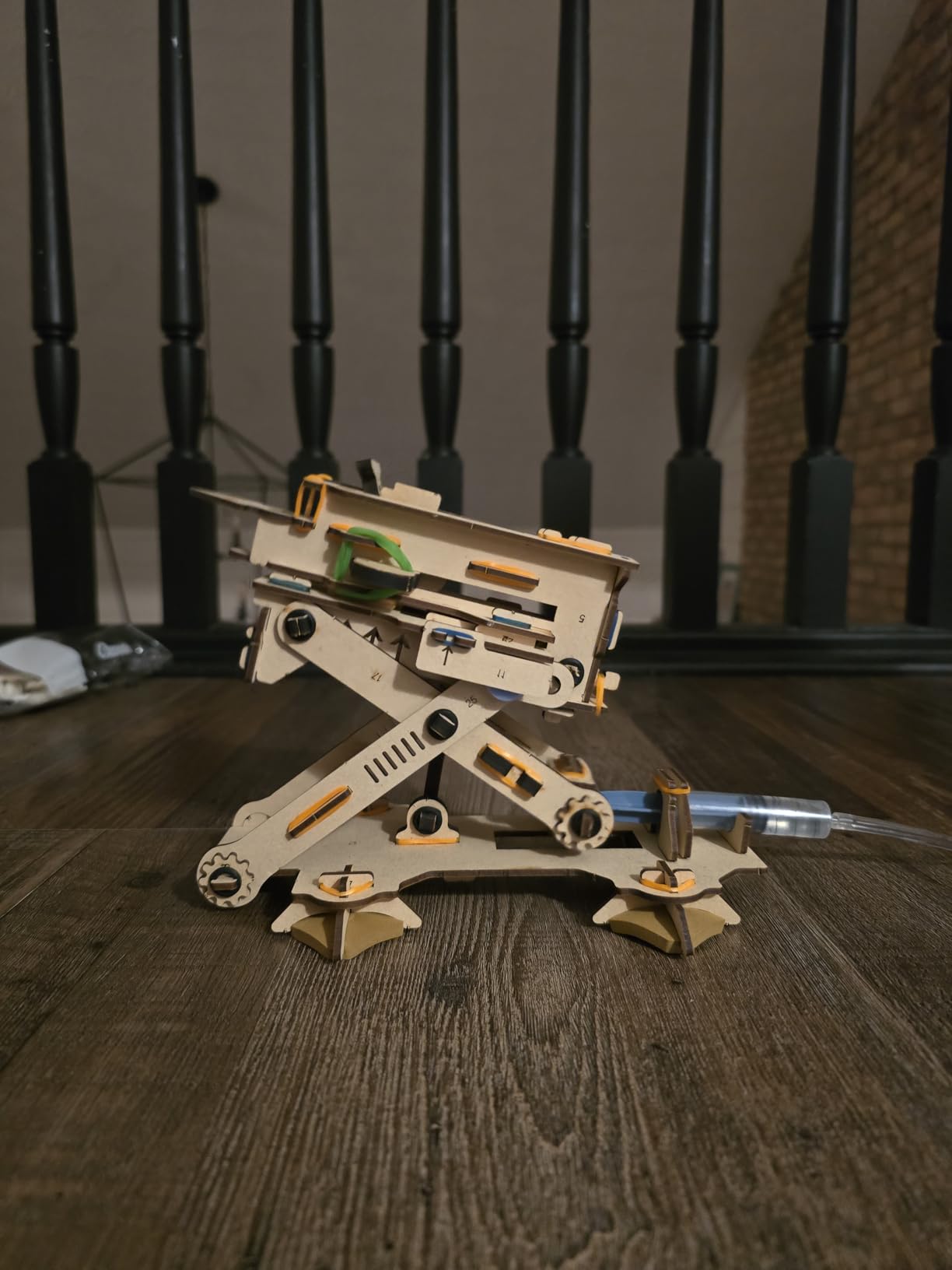
The syringe-and-cylinder mechanism is visible in the finished model rather than hidden inside a housing, which is what makes this a teaching object and not just a toy. You can watch the pressure build and then watch the launch happen, and the cause-and-effect loop is immediate.
It is a screen-free win for parents trying to win back hours from tablets. Our testers picked it up instead of reaching for a device, and the 58-piece count is small enough that a first build lands inside one sitting.
Wood that is meant to be rebuilt
The construction is engineered wood, not thin craft card, and Smartivity reports kid-testing the design for more than 1,000 hours. That claim matters for a model under tension, since laser-cut joints on cheaper kits split within weeks of repeated firing.
The company also offers a lifetime supply of replacement parts, which is unusual at this level and worth factoring in if your child treats a kit like a permanent build. The design was a 2022 Innovative Toy of the Year winner in the Netherlands and a TOTY finalist.
Where the expectations need adjusting
Owners most often note that the launcher pressure is modest relative to what the kit promises. The model works, it just does not throw hard, so a child expecting a pneumatic cannon may be disappointed by the distance.
Some children also need help with the tight-fitting engineered wood joints on first assembly. Our testers found the instructions clear, but the age range starts at six, and the gaps between steps suit an older child better.
6. Smartivity Robotic Mechanical Hand – Best Kit for Levers and Linkages

Smartivity Robotic Mechanical Hand STEM Toy for Kids 8-14
Ages 8-14
Wood construction
11.81 x 9.84 x 7.48 in
0.25 kg
No electronics
+ Pros
- Impressive moving hand once built
- Durable wooden parts
- Clear instructions with a satisfying build experience
- Screen-free creative play
- Cons
- Build runs a couple of hours for younger children
- Lever alignment can be finicky during assembly
- Wooden joints may need extra glue for a solid fit
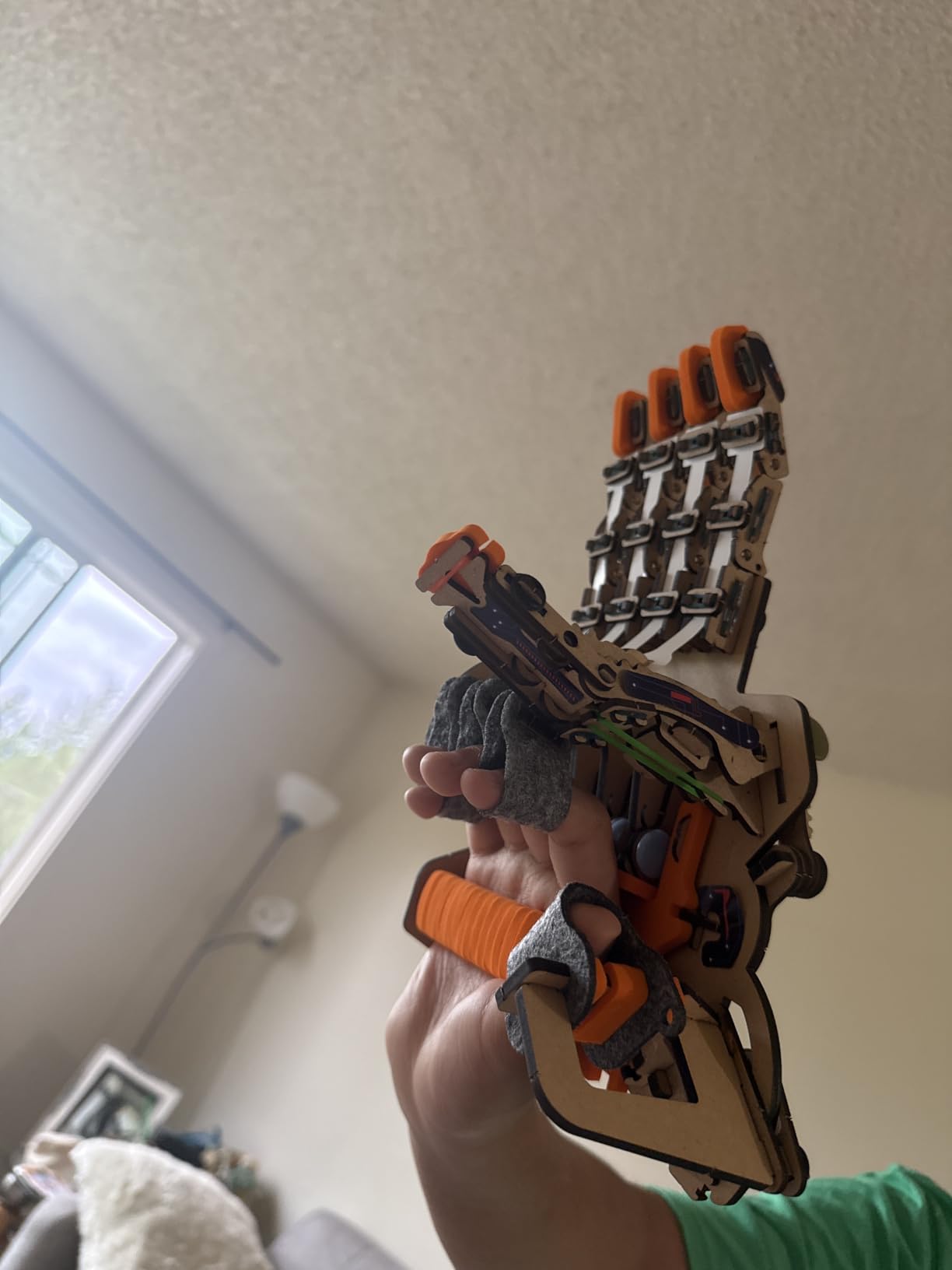
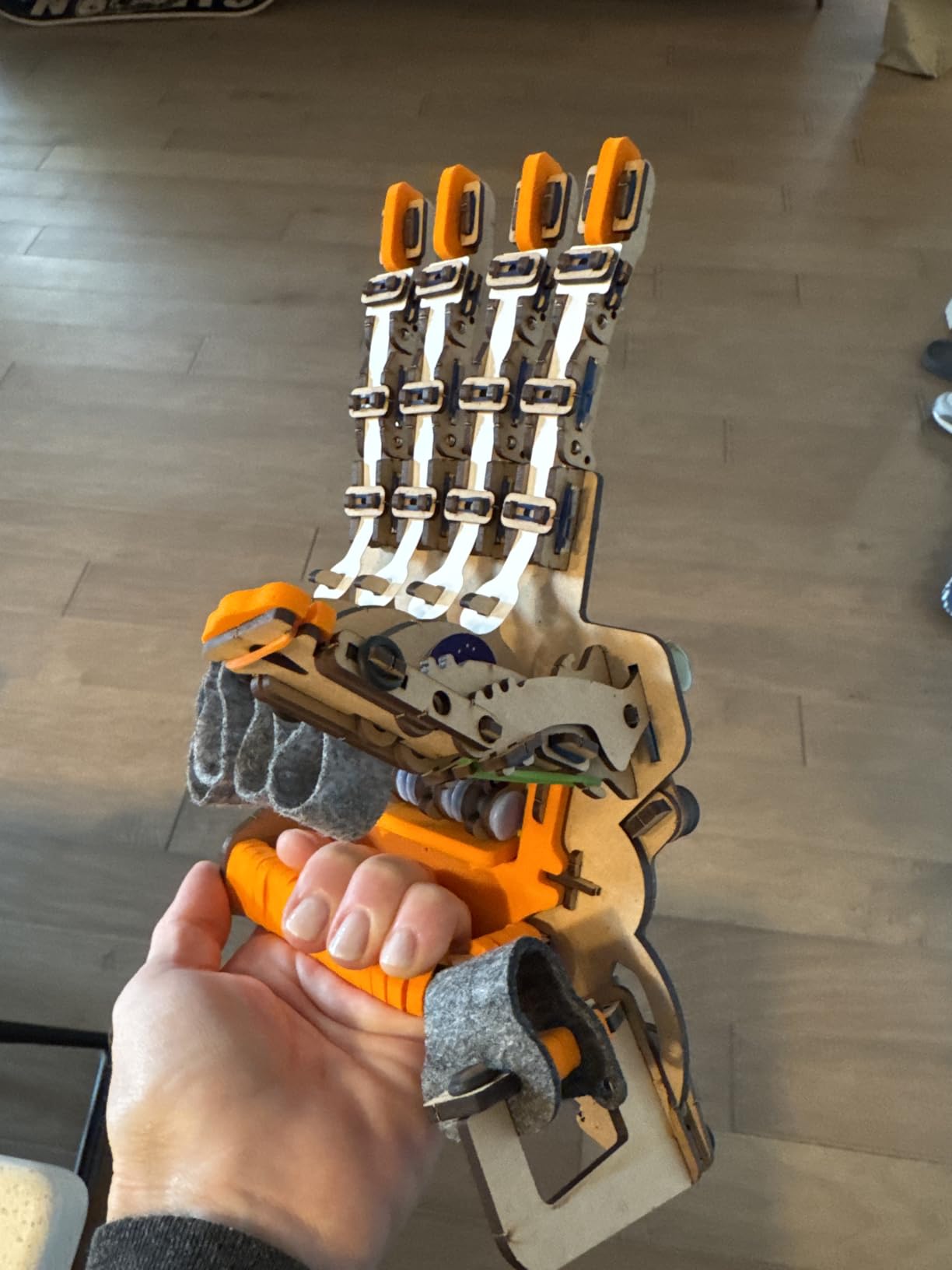
A five-fingered hand driven by your own hand through a string-and-lever mechanism, made entirely from engineered wood with no electronics at all. It ranks second in our index of Educational Science Kits, which tells you how consistently parents hand it over as a serious build.
The concept is a mechanical metaphor rather than a simulation, and that is exactly why it teaches something. A child sees a tendon, a knuckle and a pivot, and understands why pulling one string closes one finger while the others stay put.
Why mechanical beats electronic at this age
There is no firmware to update and no app to lose support for. The mechanism works in five years exactly as it works today, and a child can invent their own linkages on the frame rather than being limited to a menu of programmed motions.
Reviewers consistently single out the finished moving hand as the payoff. The visible result of two hours of work is a mechanical object that responds instantly to movement, which is a stronger motivator than a screen-based project at this stage.
Assembly precision is the real skill being learned
Owners mention lever alignment being finicky and wooden joints occasionally needing a little extra glue for a tight fit. That is not a flaw so much as the nature of a wooden linkage kit, and it is a genuine lesson in tolerance and adjustment.
The build takes a couple of hours for younger children, and closer to an hour for a confident twelve-year-old. The manual is clear, the parts are durable, and the whole thing weighs 0.25 kg once assembled.
Where it fits at twelve
The 8 to 14 range fits a twelve-year-old almost exactly. Too old for the first wooden model kits, not yet ready for a soldering-based electronics project, and looking for something screen-free that produces an object worth keeping on a shelf.
It is a Parents’ Choice Award winner, and Smartivity’s replacement parts programme means a snapped lever does not end the play. Pair it with the hydraulic launcher if you want two very different engineering ideas in the same year.
7. National Geographic Da Vinci Catapult Kit – Best for Working Machines

National Geographic Da Vinci Catapult Wood Building STEM Kit for Kids
Ages 12+
3 models
Laser-cut balsa
7.25 x 2.38 x 0.1 in
12.8 oz
+ Pros
- Three working machines with real launching power
- Laser-cut balsa parts punch out cleanly
- Booklet includes historical notes on each invention
- Sturdy once assembled and holds up to repeated firing
- Cons
- Instructions are hard to decipher in places
- Balsa wood is fragile and can crack during assembly
- The bombard trigger mechanism is awkward
Three working machines, a ballista, a bombard and a catapult, all powered by rubber bands and built from laser-cut balsa. This is the oldest-looking kit in the roundup and the one a twelve-year-old is most likely to hand to a friend to play with.
It is also the only kit here rated 12 and up by the manufacturer, so there is no awkward gap between the age label and the child’s actual ability. That age honesty is a small but useful signal about how demanding the assembly is.
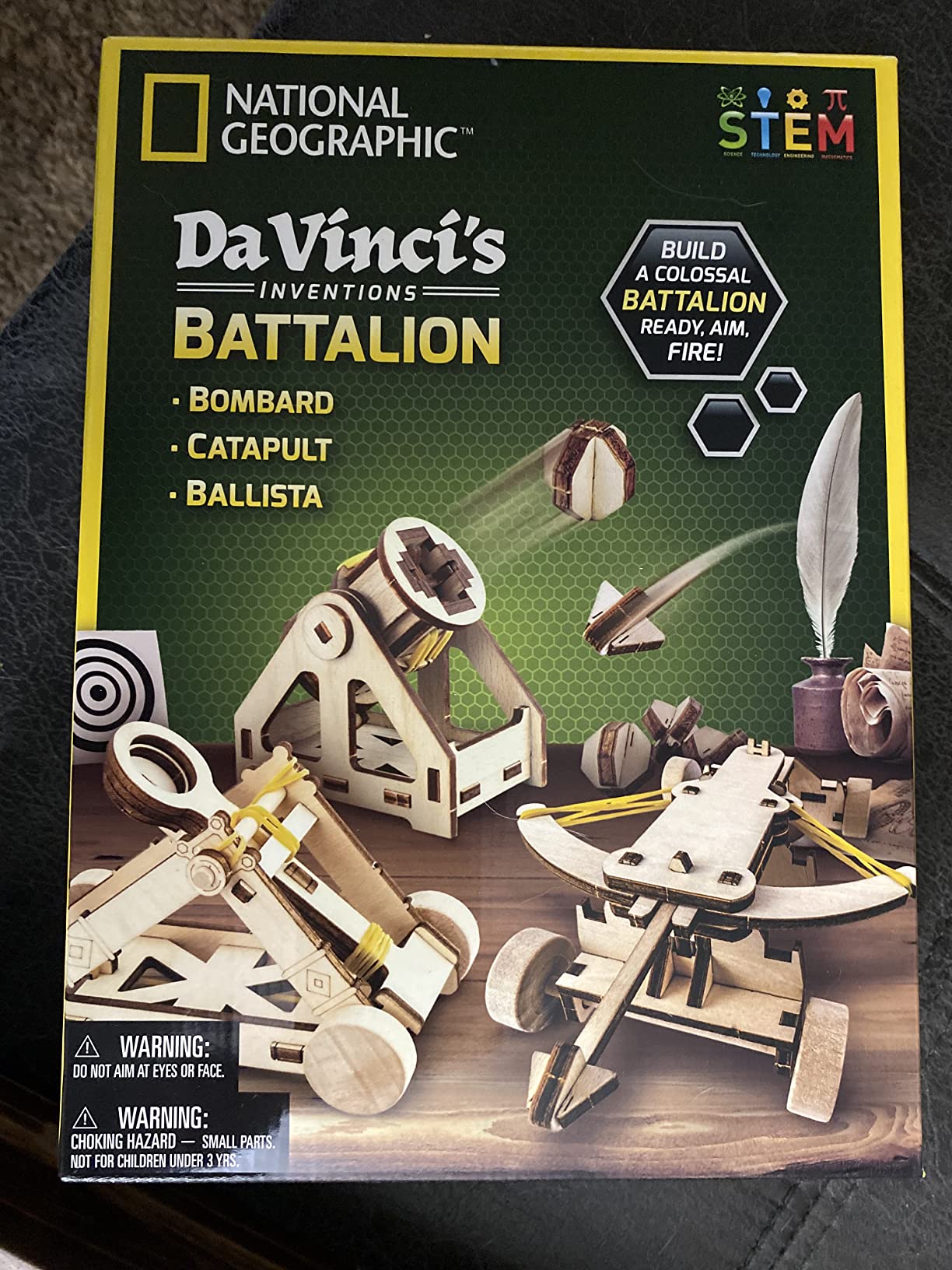
Three machines means three lessons in tension
Each model stores energy differently. The catapult relies on a heavy arm and a slow draw, the ballista on a direct linear pull, and the bombard on a wide, low arc. Building all three side by side gives a twelve-year-old a physical intuition for trade-offs in mechanical design.
Each model assembles in one to three hours, and the laser-cut pieces punch out cleanly with minimal chipping, which is the step that most often goes wrong with balsa kits. Sandpaper is included for smoothing edges, and no special tools are required.
Balsa is light and fragile, and you need to accept both
Reviews report that pieces can crack if forced during assembly and that wood glue is often needed. This is the honest trade-off of balsa: it is light enough to make a working launcher at this scale, and it will not survive being jammed.
Set the rule before the first build. If a piece cracks, glue it and keep going rather than starting over, because the frustration of a snapped part is what turns a build into an abandoned one.
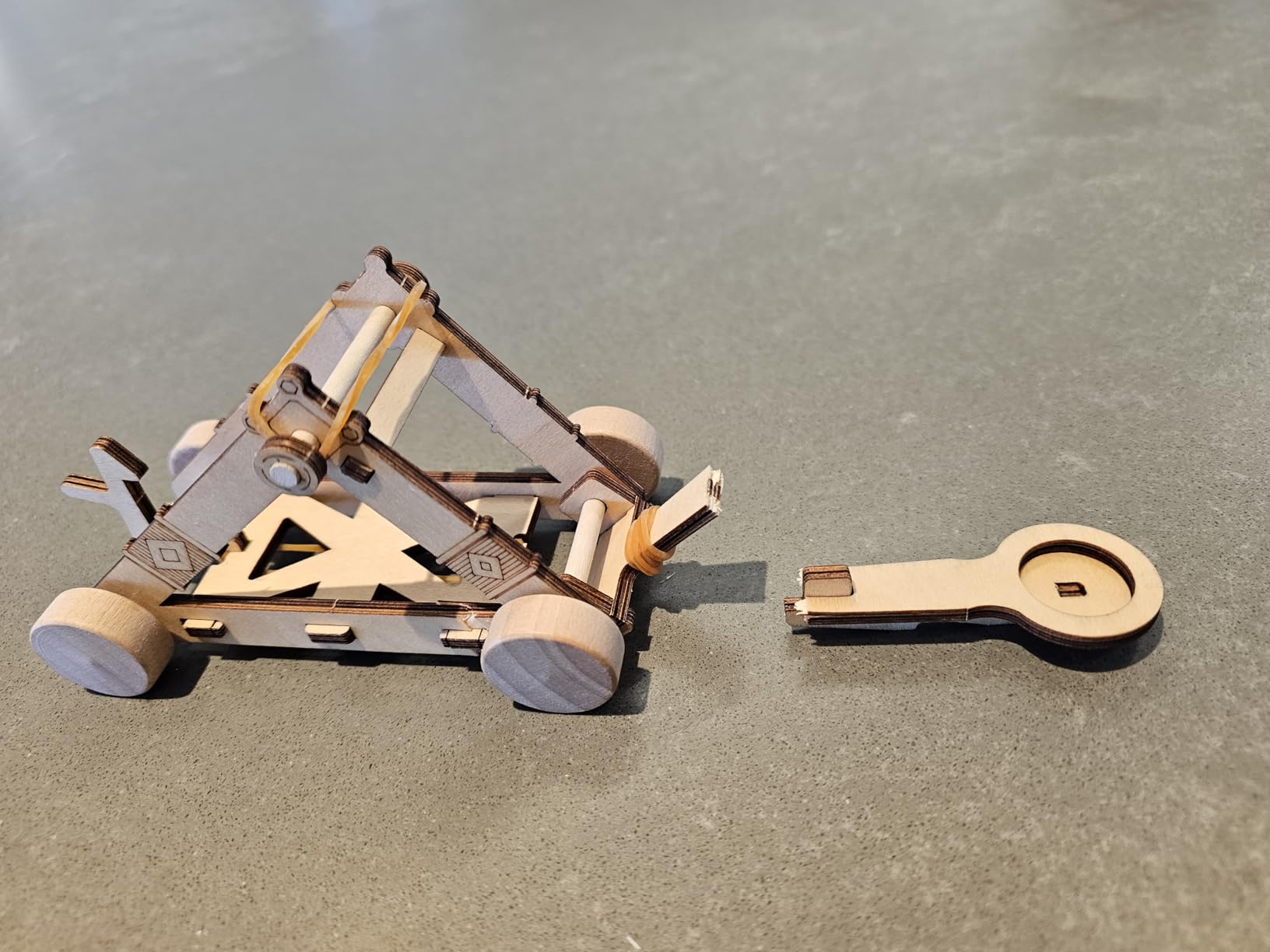
Instructions and the bombard trigger
Two complaints recur: the instructions are hard to decipher in places, especially for the bombard, and the trigger mechanism is awkward to operate. The booklet does add historical notes on each invention, which turns a build into a short history lesson.
Once assembled, owners say the models hold up to repeated firing and deliver genuine launching power. The kit weighs 12.8 ounces and is rated 4.6 across more than 3,300 reviews, with the fragile parts as the dominant complaint.
8. Thames and Kosmos Mega Cyborg Hand – Best Hydraulic Grip Kit

Thames & Kosmos Mega Cyborg Hand STEM Experiment Kit | Build Your Own GIANT Hydraulic Amazing Gripping Capabilities Adjustable for Different Sizes Learn Pneumatic Systems
Ages 7+
Plastic, springs and tubing
10 x 4.75 x 11 in
1.8 lb
No batteries required
+ Pros
- Large wearable hand gives a genuine sense of scale and impact
- Grip is strong enough to lift objects
- Three build configurations add replay value
- No batteries or motors needed
- Cons
- Tubing and piston seals are tricky to route and can leak
- Finicky small parts make the build frustrating
- Some instruction steps are hard to interpret
A wearable hydraulic hand that fits over your own hand and grips hard enough to lift a cup off a table. It ranks near the top of our Educational Science Kits index and won The Toy Association’s 2021 STEAM Toy of the Year, and the reason is the scale of the finished object.
Most mechanical kits produce something small and fragile. This one is 10 x 4.75 x 11 inches, weighs 1.8 pounds and does something visible when you use it, which is what keeps a twelve-year-old coming back after the first session.
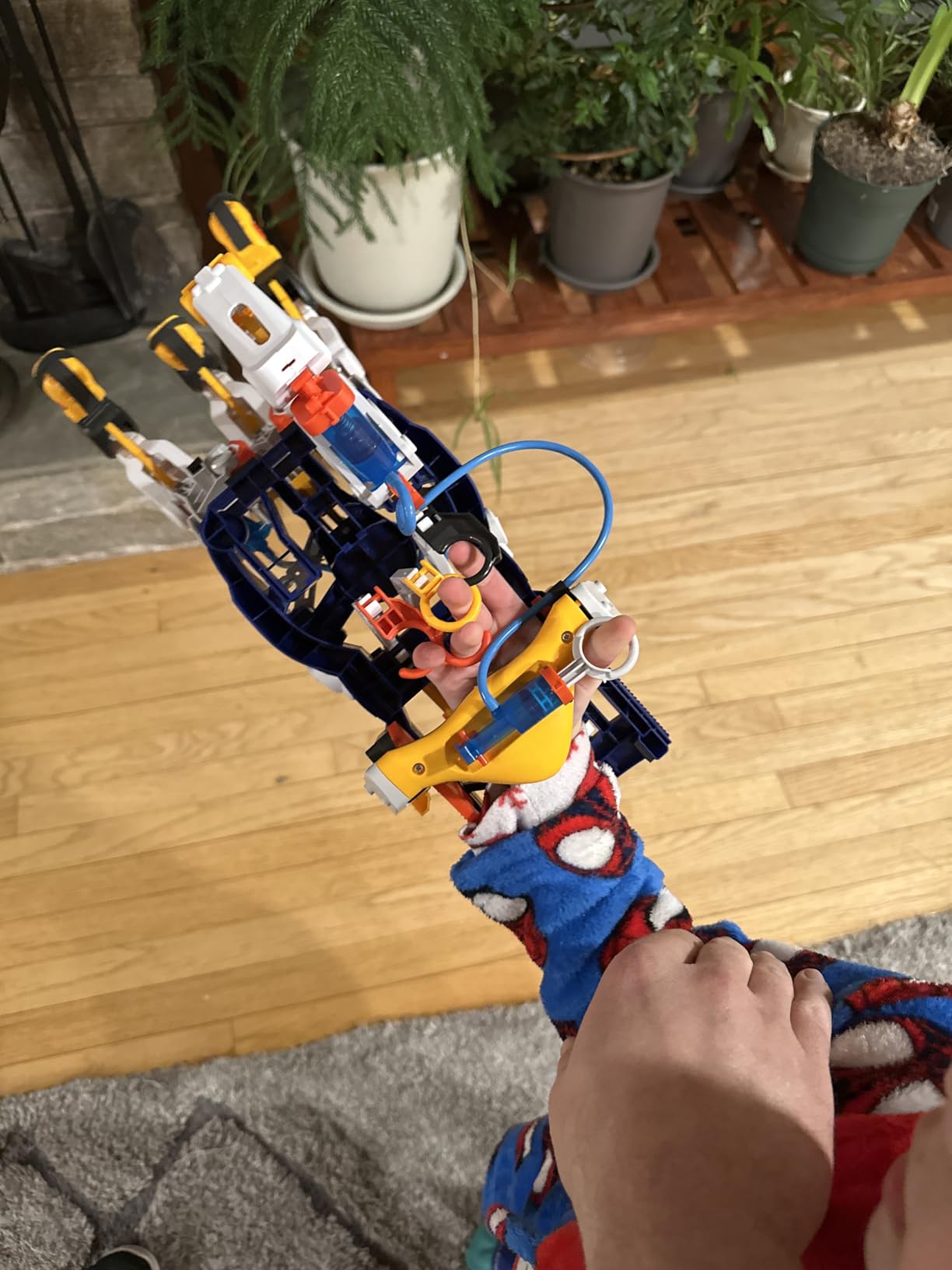
Three configurations from the same parts
You can build it as a right hand, a left hand or a claw, and each finger joint adjusts to a different angle. That configurability is the replayability engine here, since reworking the linkages is a design exercise rather than the same build again.
It runs on air pressure, water and hand motion, with no motors and no batteries. A twelve-year-old can see the pistons convert pressure into grip force, which is a clearer demonstration of hydraulics than most textbooks manage.
Tubing is where builds go wrong
Assembly is the difficulty owners name most. Routing the tubing and seating the piston seals is fiddly, and a bad seal shows up as a leak rather than a clean failure, which makes it harder to diagnose for a twelve-year-old.
Plan on doing the first tube connection side by side. Once the hydraulics are primed and holding, the rest of the build is straightforward, and the finished grip is worth the setup time.
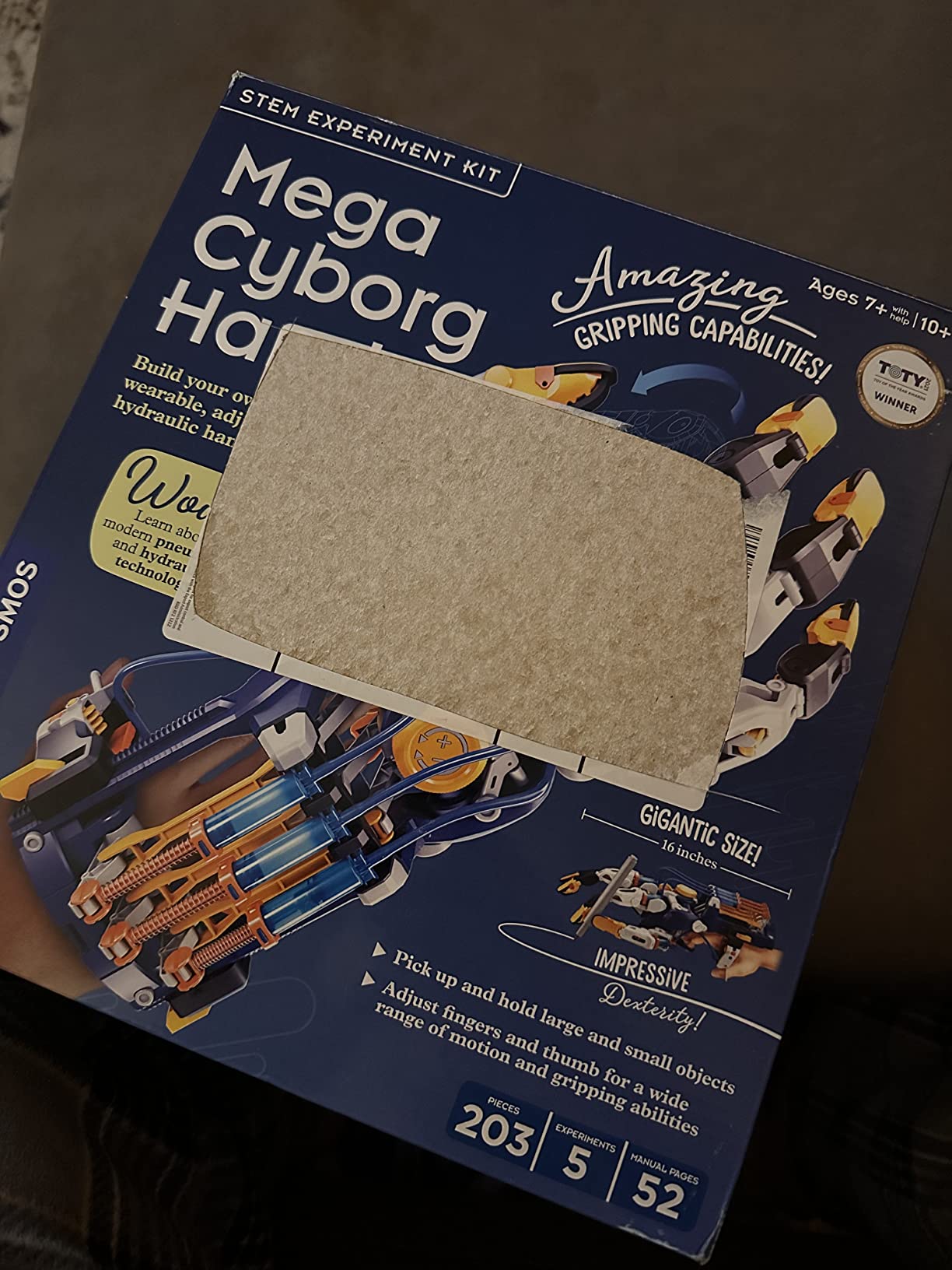
How it compares to the wooden mechanical hand
Choose this if your child wants a machine that does a job, and choose the Smartivity wooden hand if they want to understand linkages. This one is heavier, louder and far more capable in the hand.
At 4.4 across more than 4,200 ratings, it scores slightly below the wooden kits in this list, and the gap is almost entirely down to assembly precision. Some instruction steps also prove hard to interpret without an adult reading alongside.
9. LEGO Technic Planet Earth and Moon in Orbit 42179 – Best Astronomy Kit

LEGO Technic Planet Earth and Moon in Orbit 42179
Ages 10+
526 pieces
Crank-driven gears
15.04 x 10.32 x 3.7 in
2.2 lb
+ Pros
- Working crank mechanism clearly shows orbits
- moon phases and seasons
- Large 526-piece build that feels substantial
- Frequently finished by kids around age 12 in two to four hours
- High-quality fit and finish with clean gear action
- Cons
- A genuine challenge for younger builders despite the age-10 rating
- Some instruction pages are hard to parse
- The Earth connection can feel over-tightened
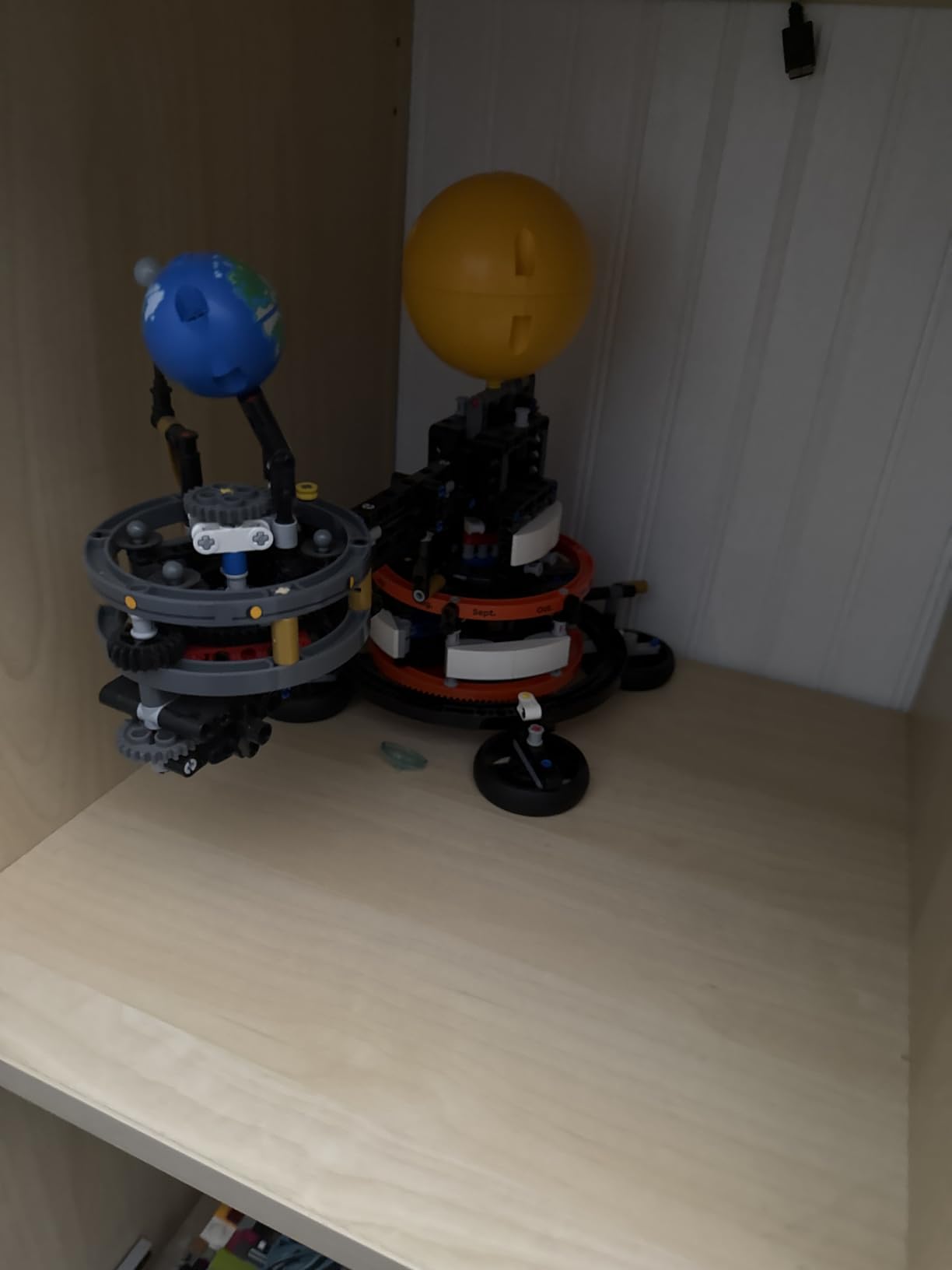
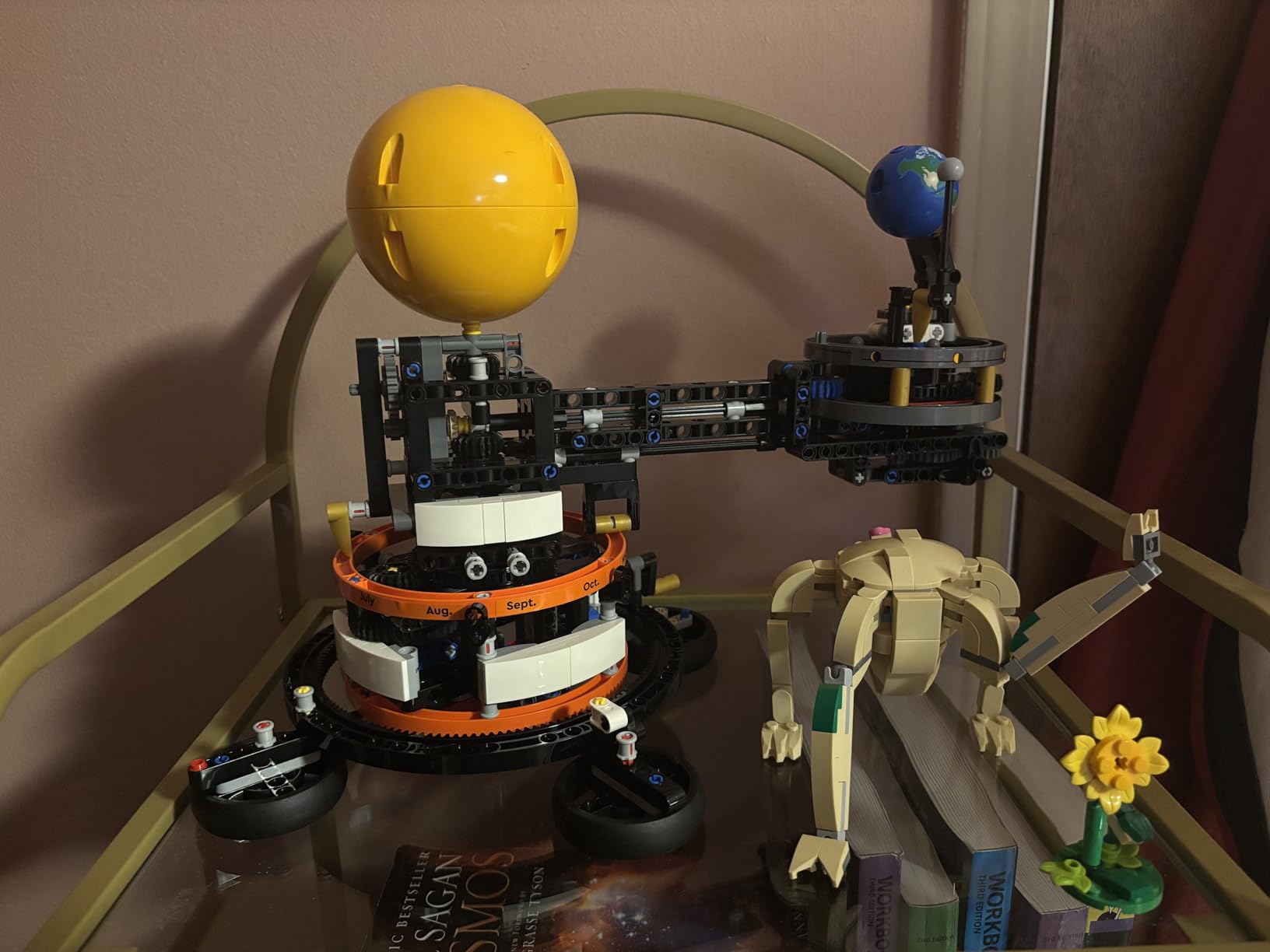
This is the highest-rated kit in the roundup, sitting at 4.9 with 91 percent of ratings at five stars. It is also a proper gear mechanism: a crank drives the Earth, Moon and Sun into orbit, with printed month and moon-phase markings and a pointer showing the current month.
What makes it work for a twelve-year-old is that the astronomy is legible in the machine. You turn the handle and watch the seasons advance, so the concept lands physically rather than as a diagram.
526 pieces and a build that holds attention
Owners report the build typically taking two to four hours for children around twelve, which is a long session but a finite one. The finished model measures over 9 inches high, 12.5 inches long and 7 inches wide, so it stays on display rather than going straight back in the box.
The fit and finish is the quality argument. Clean gear action and tight tolerances mean the mechanism keeps running smoothly after repeated handling, which is exactly what a crank-driven model needs to feel worth keeping.
Guided instructions through the LEGO Builder app
Instructions come through the LEGO Builder app with zoom, rotate, save and progress-tracking tools, so a child can pick up mid-build across two days. That continuity matters for a set this size, since losing your place on step 300 of 526 is a real reason builds stall.
Some owners find certain instruction pages hard to parse, and the connection to the Earth can feel over-tightened, so expect a little force on one joint. Neither issue is serious enough to affect the model working.
Is this really an engineering kit at twelve?
Yes, with one caveat. It teaches gear ratios and mechanical transmission rather than electricity or code, so a family wanting circuits or programming should pair it with one of the robotics kits here rather than choosing it alone.
It is rated 10 and up, and reviewers describe it as a satisfying challenge that doubles as an effective orrery. For a twelve-year-old who is not into standard LEGO, Technic’s piece shapes and functional mechanism read differently enough to land.
10. Engino Structures, Buildings and Bridges – Best Architecture Kit

Engino- STEM Toys, Structures, Buildings & Bridges, Building Toys for Kids 9+, STEM Projects, Creative Engineering Kit, Gifts for Boys & Girls (9 Model Options)
Ages 9+
9 models
ABS plastic
14.6 x 2.7 x 10.6 in
680 g
2 year warranty
+ Pros
- Builds genuine bridge and building structures
- Durable ABS pieces that hold up to repeated builds
- Theory pages
- experiments and quizzes add real content
- Popular with kids interested in architecture
- Cons
- The companion app is required for most models beyond the simplest
- Cable attachment for bridge models is poorly explained
- Printed instructions are sometimes difficult to read
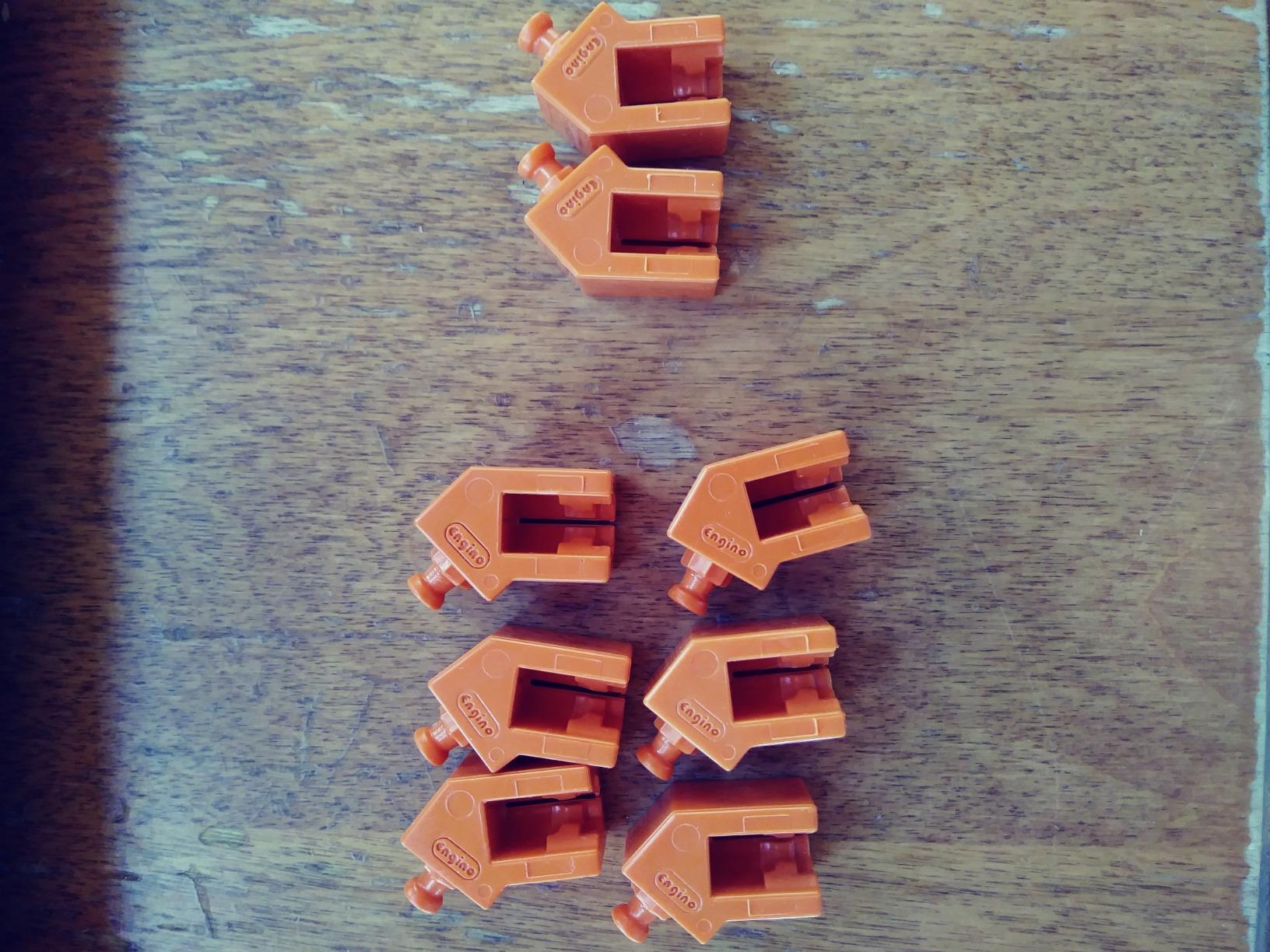
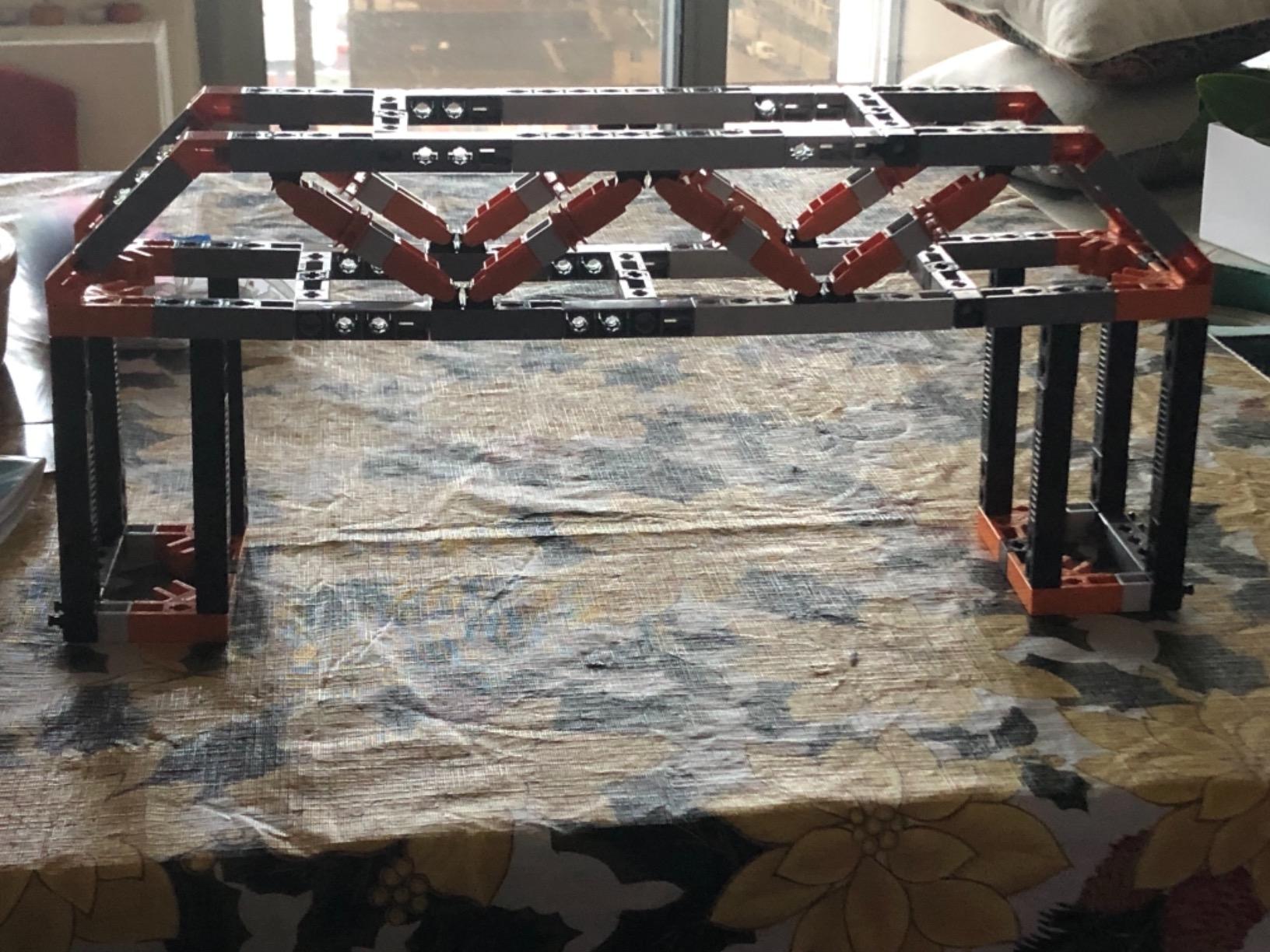
Nine models including beam, arch, truss, cable-stayed and suspension bridges, built on a patented multi-direction snap-fit system made in Europe. This is the kit to buy for a twelve-year-old who draws buildings, loads cities or asks why bridges stand up.
It is a different proposition from a brick set. A child here chooses a structural type and then sees which forces it resists, with ten pages of theory, facts and experiments plus a three-page quiz to check what landed.
Real structures, not block stacks
The distinction sounds small and matters a great deal. Building an arch or a truss forces a child to think about load paths, while stacking identical blocks does not, and the review consensus is that kids notice the difference immediately.
The ABS components are durable enough for repeated builds, which matters when the same kit gets rebuilt into nine different shapes over a year. It is also covered by a two year limited warranty, a detail most kits in this category skip.
The app is required more often than you expect
Owners name this as the leading complaint. The companion app is needed for most models beyond the simplest ones, and cable or rope attachment on the bridge builds is poorly explained in both the app and the printed booklet.
That makes this a screen-tethered kit in practice, so if your family is trying to reduce screen time, look elsewhere. Printed instructions are also sometimes difficult to read, which is a shame given how much theory content sits in them.
Who gets the most out of it
A twelve-year-old who already has an interest in architecture, city planning or civil engineering will get a lot from this, and the quiz and theory sections reward a careful reader rather than a fast builder.
At 4.6 across nearly 1,700 ratings, the rating holds up well despite the documentation gaps. The free app, theory book and quiz book are all included, and the whole thing stores flat at 14.6 x 2.7 x 10.6 inches.
11. TEACH TECH Mech-5 – Best Screen-Free Coding Robot

TEACH TECH Mech-5 STEM Coding Robot Building Kit for Kids Ages 10+
Ages 10+
2 AAA batteries
12.4 x 2.5 x 9.1 in
16 oz
Throw, lift, kick and draw
+ Pros
- Screen-free coding that uses physical buttons not an app
- Robot performs several distinct programmed actions once built
- Teaches mechanical engineering alongside coding logic
- Sturdy build quality
- Cons
- Multi-hour assembly before any play begins
- Coding is limited to fixed button combinations
- Some find the lift power modest for heavier objects
Coding buttons snap onto a mechanical coding wheel, and the robot executes what you pressed in order. It throws, lifts, kicks and draws, which means the payoff after programming is a physical action rather than a character moving on a screen.
This is the compromise kit for a family that wants the logic of programming without a laptop, a tablet or an app. Families value the hands-on screen-free learning, and the 4.5 rating across close to 5,000 reviews reflects how well it delivers that.
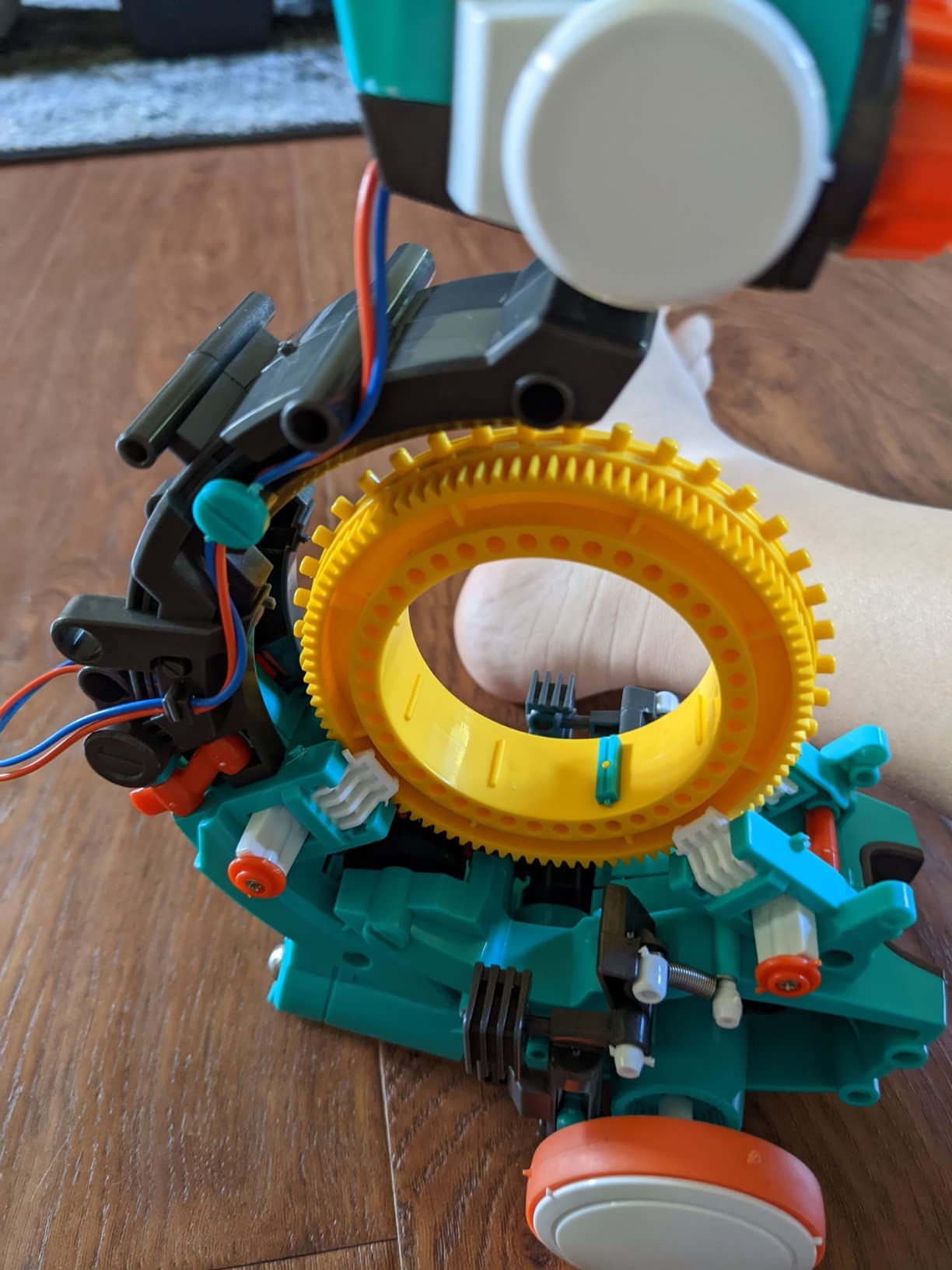
How the coding wheel works
You press movement and action buttons onto a wheel, then the robot reads them in sequence when it starts. It is a genuine mental model of a program, just rendered in plastic rather than text, and that abstraction is the most valuable part of the kit.
The limitation is depth. Coding is limited to a fixed set of button combinations rather than free-form programming, so a child who finishes the available sequences quickly will not find much room to grow inside this kit alone.
Budget a full afternoon for the build
Assembly runs multiple hours before any play begins, which is the most common complaint and the reason some reviews score it lower. A twelve-year-old with patience will treat that time as the fun part, but a younger or less focused builder may stall.
It runs on two AAA batteries, weighs 16 ounces and the box measures 12.4 x 2.5 x 9.1 inches. Some users find the finished robot’s lift power modest for heavier objects, so it is a demonstration machine rather than a workhorse.
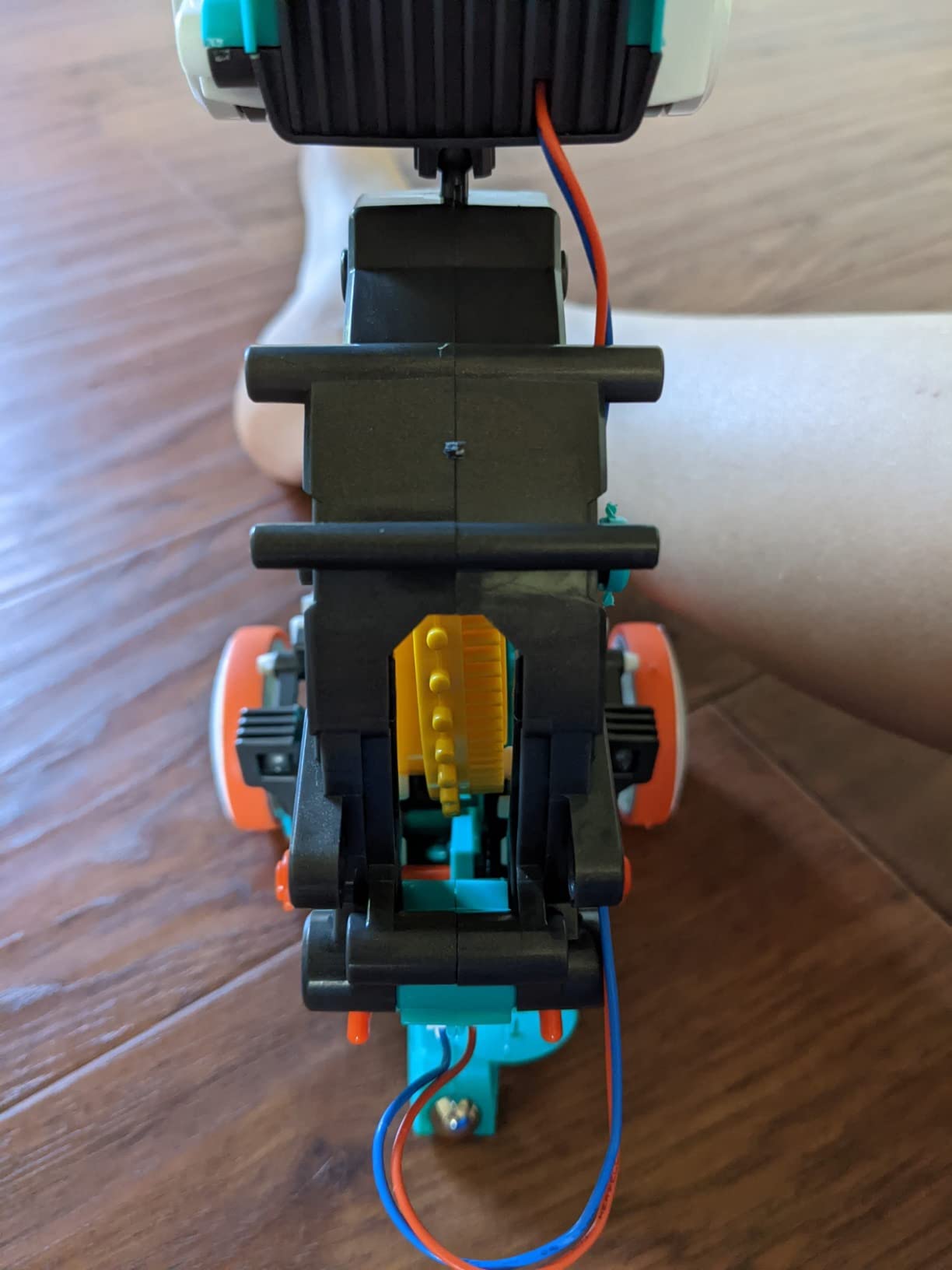
How it compares to the app-based robots
Against the mBot and the ELEGOO car, this trades depth for freedom from screens. There is no software to install and nothing to update, which also means there is no ceiling on what the child can eventually build.
That ceiling is why we would pair it rather than recommend it alone. Start here for the concept, then move to a Scratch-based robot when the child wants to write their own logic instead of pressing sequences.
12. Engino Newton’s Laws STEM Kit – Best Physics Kit
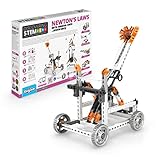
Engino- STEM Toys, Newton’s Laws Inertia, Kinetic & Potential Energy, Building Toys for Kids 9+, Creative Engineering Kit, STEM Projects, Gifts for Boys (8 Model Options)
Ages 9+
8 working models
ABS plastic
14.57 x 2.17 x 10.63 in
9.92 oz
2 year warranty
+ Pros
- Working models make Newton's laws tangible rather than abstract
- Theory
- experiment and quiz content extends the value
- Sturdy European-made ABS components
- Free 3D building app
- Cons
- Building the more advanced models takes patience and adult help
- Small connector pieces can be fiddly for younger hands
Eight working models including a ballistic catapult, a crash test car and a balloon-powered plane, all built around inertia, kinetic and potential energy. This is the kit for a twelve-year-old who has started asking why moving things slow down.
It is the most curriculum-shaped kit in the roundup, with twelve pages of theory and facts, experiments, a three-page quiz and a free 3D building app. Rated 4.6 across more than 1,100 reviews, the combination of working models and structured content is what owners value.
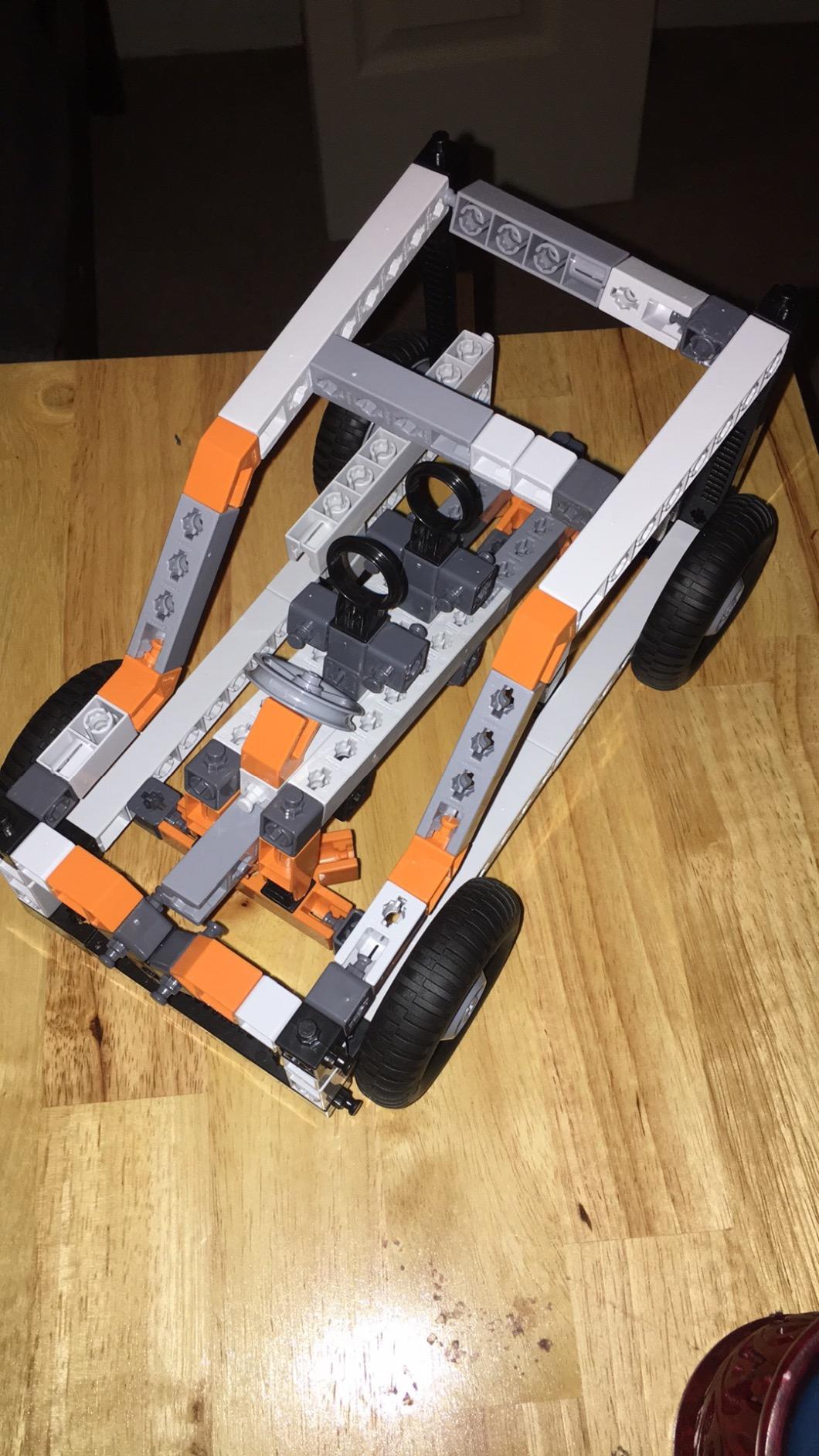
Making physics visible instead of written
Each model demonstrates one idea through motion. The crash test car shows inertia, the catapult shows stored potential energy converting to kinetic, and the balloon-powered plane shows thrust against air resistance.
For a twelve-year-old moving from arithmetic to physics, working models are the bridge. A child can change the balloon size or the catapult arm length and observe the result, which is closer to an experiment than a demonstration.
The theory booklet is half the value
Twelve pages of theory and facts sit alongside the experiments and a three-page quiz, and the quiz in particular is useful for a homeschool setting. It gives a parent something concrete to ask about after the build rather than vague praise.
The free app adds a virtual build option, which is helpful for previewing a complex model but is not required for the builds themselves. That is a better balance than the bridges kit, where the app is needed for most models.
Where it runs into trouble
Owners note that the more advanced models take patience and adult help, and that small connector pieces can be fiddly for younger hands. Budget an adult hour for the last few builds rather than expecting independent play throughout.
The components are sturdy European-made ABS and the kit carries a two year manufacturer warranty. At 9.92 ounces and 14.57 x 2.17 x 10.63 inches, it stores flat and travels easily.
How to Choose an Engineering Kit Your 12-Year-Old Will Still Use Next Year
Age labels are the least useful number on any engineering kit. A box rated 8 and up tells you nothing about whether a twelve-year-old will finish it in an hour or feel patronised by page four. Here is what actually decides whether the kit works.
Match the kit to how your child thinks
Some kids are spatial reasoners who want to see a mechanism move. Others want to write instructions and be obeyed by a machine. A third group is happiest taking something apart to find out why it works, and those three children need completely different kits.
The mechanical group is served by the wooden hands, the catapult and the orbit model. The programming group needs the mBot or the ELEGOO. The investigative group does well with the Snap Circuits manual and the physics kit. Buying across categories over two or three years beats buying three of the same type in one year.
Screen-free versus app-enabled: the honest trade-off
Six of the twelve kits here work with no screen at all, including the wooden mechanical hand, the hydraulic launcher, the catapult and the TEACH TECH coding robot. That matters more than it sounds, because the goal is often to replace screen time rather than relocate it.
The app-enabled kits give more depth. The ELEGOO car streams video and accepts Arduino code, and the Engino bridges kit uses an app for instructions most of its models. The trap is a kit that requires a screen for the parts a twelve-year-old most wants to do alone.
Our rule: the app can guide the build, but the finished object should work without it. Kits that fail that test tend to sit unused once the novelty of the software fades.
Guided instructions versus open-ended building
Guided kits get a first build finished quickly, which is the strongest predictor of a second session. Twelve-year-olds abandon kits most often during the painful middle of a long build with no clear goal in sight.
Open-ended kits teach more because the child chooses the problem, but they need a child who already tolerates frustration. The Engino structure set is the best example of guided-plus-theory in this list, while the Snap Circuits board becomes genuinely open-ended once the manual is finished.
Replayability decides whether a kit gets used again
Count the number of distinct finished states a kit can produce, not the number of pages in the manual. Twelve solar robots with real mechanical differences beat one hundred circuits that all end up blinking, because variety is what survives a second month.
Adjustable kits win here. The Mega Cyborg Hand reconfigures as a right hand, a left hand and a claw. The mechanical hand lets a child invent their own linkages. The Snap Circuits board accepts any combination the child can wire.
Batteries, spares and small parts
Check what is not in the box. The mBot needs four AA batteries and a remote cell, the TEACH TECH robot needs two AAA, and the Snap Circuits projects need alkaline cells. None of these are expensive, but a kit that does nothing on opening day feels broken to a child.
For spares, two brands stand out. Smartivity offers a lifetime replacement parts supply for both wooden kits, and Engino kits carry a two year manufacturer warranty. For fragile balsa, keep a tube of wood glue within reach before the first build rather than after the first crack.
Sorting out screen-free, gender and the not-into-LEGO problem
Parents often ask us for engineering kit recommendations that are not LEGO and not explicitly marketed to boys. Every kit on this list is built around a mechanism or a program rather than a character, which sidesteps the packaging problem without needing a special edition.
The Engino bridges set is the least toy-like of the group, since it treats load paths and structural types as the subject. The Newton’s Laws kit reads as a school lab rather than a playroom item, and the hydraulic launcher looks like aviation equipment. If a child has rejected kit after kit, that difference in framing is often the unlock.
Frequently Asked Questions
What are the best engineering kits for 12-year-olds?
The strongest all-round pick is the Snap Circuits Jr. SC-100, which pairs over 100 projects with tool-free assembly and needs no adult help. For screen-free play, the Smartivity hydraulic launcher or the wooden mechanical hand teach real mechanisms. For programming, the Makeblock mBot builds in about fifteen minutes and opens into Scratch.
What are some good STEM kits for a 12-year-old who is not into LEGO or robotics?
The Engino Structures and Bridges set builds beam, arch, truss, cable-stayed and suspension models, and the National Geographic Da Vinci catapult kit makes three working machines from laser-cut balsa. Both treat structure as the subject rather than a character, and neither depends on snap-together plastic bricks.
Are engineering kits worth it for 12-year-olds?
They are worth it when the kit has a finished state the child wants to reach. Kits with many distinct builds, adjustable mechanisms or working models get used again; kits with one long build tend to be abandoned mid-way. Buying one kit a year and letting the child finish it fully beats opening three at once.
Which engineering kit is screen-free for a 12-year-old?
Six kits in this roundup need no screen at all: the Smartivity mechanical hand, the Smartivity hydraulic launcher, the National Geographic catapult set, the TEACH TECH Mech-5 robot, the LEGO Technic orbit model beyond its instructions, and the Snap Circuits board. Each produces a working mechanism driven by levers, hydraulics, elastic energy or buttons.
How long does a 12-year-old engineering kit take to build?
It depends entirely on the kit. A robot like the Makeblock mBot assembles in about fifteen minutes, most kits take an evening, the TEACH TECH Mech-5 takes several hours, and the 526-piece LEGO Technic orbit model typically takes two to four hours for a child around twelve. Check the build time before you buy if you only have one weekend.
What is a good electronic gift for a preteen who wants to learn coding?
Start with the Makeblock mBot, which builds in fifteen minutes, ships with line-follow and obstacle-avoidance modes already working, and programs in Scratch with Arduino support. Move up to the ELEGOO UNO R3 car when your child is ready for a camera module, sensors and writing code in the Arduino IDE.
Which Engineering Kit Should You Buy in 2026?
If you want the safest bet for a twelve-year-old who might not finish a project, buy the Snap Circuits Jr. and let them work past the first third of the manual. If screen time is the concern, the Smartivity hydraulic launcher or the wooden mechanical hand give a working mechanism with nothing to charge.
If your child is ready to write code, start with the Makeblock mBot and graduate to the ELEGOO UNO R3 car. If they draw buildings, the Engino bridges set has the best theory content. If they want a real challenge, the LEGO Technic orbit model is the highest-rated kit we found.
Whichever you pick, buy one and let it be finished. That single habit does more for a child’s engineering instincts than any subscription ever will.