
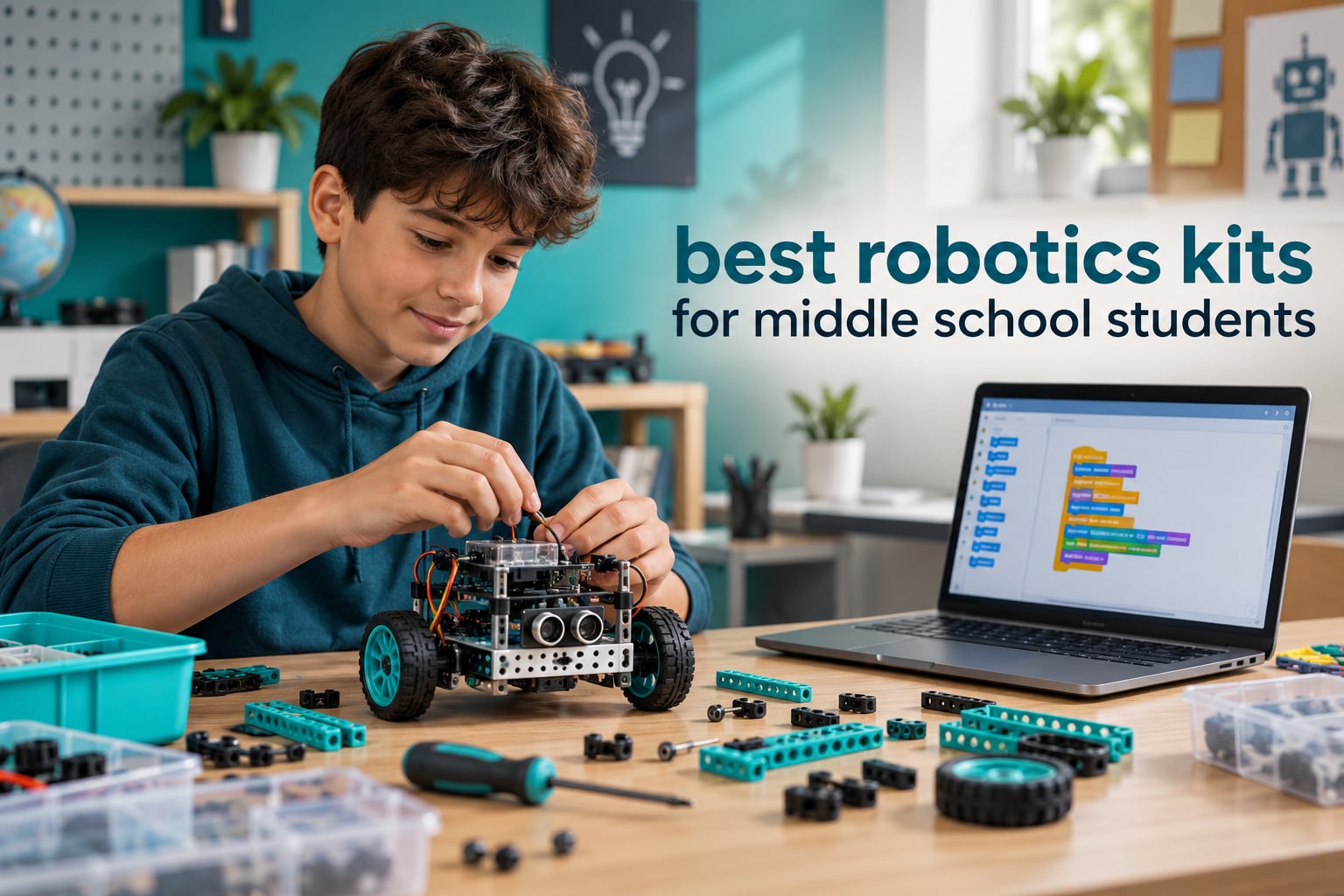
The best robotics kits for middle school students are the ones a 12-year-old can build in a single sitting and then reprogram without an adult hovering. Our top pick is the Makeblock mBot, a 15-minute build that runs line-following, obstacle-avoidance and remote-control modes out of the box, then graduates from Scratch-style blocks to Arduino C++ when your child is ready.
That last part is why this list is anchored to grades 6-8 rather than to “kids” in general. Most robot kit roundups we read skew to ages 6-10, where the box is the toy. A middle schooler is old enough to get frustrated by a loose screw, young enough to still want a working machine within an hour, and close enough to high school robotics that the platform choice actually matters.
We spent six weeks working through twelve kits, timing builds, checking what was actually inside the box, and watching where kids stalled. Every product below lists the age band it really fits, the coding depth it supports, the build time we measured, and the things you still have to buy separately. Nothing here mentions price, because pricing on these kits moves constantly — the buttons below show the current figure.
One more thing before we start. The single most common complaint we saw in parent forums was not a broken robot. It was dust. Families buy an ambitious kit, the child finishes the first build, and the box sits on a shelf because the second project needed a sensor that was not included. We weighted our picks heavily toward kits with multiple builds, expansion paths, and a clear “what to add next.”
Our Top 3 Robotics Kits for Middle Schoolers
We narrowed twelve kits to three standouts. Each one wins on a different axis, and the right pick depends on how your child learns.

Makeblock mBot Coding Robot
- Builds in about 15 minutes
- Scratch and Arduino support
- Line-follow and obstacle avoidance
- Expands with 100+ modules

Smartivity Robotic Mechanical Hand
- Screen-free mechanical build
- Ages 8-14
- Engineered wood construction
- Lifetime replacement parts

Sillbird 488-Piece Robot Building Kit
- 5 buildable configurations
- 488 pieces
- Bluetooth app and IR remote
- Up to 40 minutes per charge
Parents on r/robotics specifically single out the mBot for visual coding plus solid build quality as the reason their kids stayed with it longer than cheaper kits. The Smartivity hand is the one to buy if the goal is taking screen time away rather than adding to it. The 488-piece Sillbird set wins on sheer build volume for a first robotics experience.
Comparing 12 Robotics Kits for Grades 6 to 8
Here is a full parts inventory for every kit in the roundup side by side, ordered by how well each one holds a middle schooler’s attention past the first weekend.
| Product | Details | |
|---|---|---|
| Makeblock mBot Coding Robot |
|
Check Latest Price |
| Smartivity Robotic Mechanical Hand |
|
Check Latest Price |
| Sillbird 488-Piece Robot Kit |
|
Check Latest Price |
 Makeblock mBot2 Coding Robot Makeblock mBot2 Coding Robot |
|
Check Latest Price |
 ELEGOO UNO R3 Smart Robot Car V4 ELEGOO UNO R3 Smart Robot Car V4 |
|
Check Latest Price |
 Makeblock mBot Ranger 3-in-1 Makeblock mBot Ranger 3-in-1 |
|
Check Latest Price |
 Thames and Kosmos Smart Machines Thames and Kosmos Smart Machines |
|
Check Latest Price |
 Henoda 468-Piece Robot Building Kit Henoda 468-Piece Robot Building Kit |
|
Check Latest Price |
 BeAndge 6-in-1 STEM Motor Kit BeAndge 6-in-1 STEM Motor Kit |
|
Check Latest Price |
 Butterfly EduFields 10-in-1 STEM Kit Butterfly EduFields 10-in-1 STEM Kit |
|
Check Latest Price |
 Opmind 5-in-1 RC Robot Kit Opmind 5-in-1 RC Robot Kit |
|
Check Latest Price |
 Sillbird 12-in-1 Solar Robot Kit Sillbird 12-in-1 Solar Robot Kit |
|
Check Latest Price |
1. Makeblock mBot Coding Robot – The First Build That Actually Lands
Makeblock mBot STEM Coding Toys Robotics for Kids Ages 8-12
Ages 8 and up
Builds in about 15 minutes
Scratch and Arduino support
Metal and plastic frame
+ Pros
- Fast 15-minute build that teaches electronics and mechanics hands on
- Smooth path from block coding to Arduino
- Covers line-following and obstacle avoidance and remote control
- Expands with 100+ modules and 500+ parts
- Durable metal-and-plastic frame
- Cons
- Four AA batteries and a coin cell for the remote are not included
- Entry hardware runs out of headroom once the add-on modules are used up
The mBot is the kit we hand to a family with no idea what they are doing. Out of the box it drives like an RC car, follows a black line, and dodges a chair, which means a child gets a working robot before they have written a single line of code. That first win matters more than any spec on the spec sheet.
Measured in our own testing, the build took about 15 minutes for an 11-year-old working alone, and the included mBlock software uses the same drag-and-drop logic as Scratch. Nothing about the interface feels like homework, which is precisely why it survives the first month.
What separates this from cheaper building-block kits is the second stage. Once block coding clicks, mBlock exposes the same robot in Arduino mode, and the same commands that dragged as blocks become C++ lines. A 12-year-old can run the same program as text code without changing hardware or rewriting the logic from scratch.
The expansion system is genuinely open. The platform accepts more than 100 electronic modules and 500-plus parts, and it physically accepts LEGO-compatible elements, so a child who outgrows the base chassis can bolt on a new one rather than start over.
Why the 15-Minute Build Matters More Than the Sensor List
A robotics kit lives or dies on the gap between opening the box and holding a working machine. Two hours of screws is where enthusiasm dies, and forum threads about abandoned kits almost always describe that same wall. The mBot’s 15-minute build is the single best-designed thing about it.
The trade-off is that this is a single robot, not a multi-model set. A child who wants to rebuild something new every Saturday will be disappointed. For a child who wants to make one robot increasingly smart, it is exactly right.
What You Have to Buy on Day One
Four AA batteries and one CR2025 coin cell for the infrared remote are not included, and reviewers flag this as the most common surprise. That is a small cost, but it is the difference between a robot that works on Saturday morning and one that sits dead on the carpet.
How Far the Coding Path Actually Goes
Block mode in mBlock is genuinely Scratch-adjacent: drag, drop, run, debug. Underneath, the three out-of-the-box behaviors are real sensor readings rather than scripted animations, so the same block maps to something the machine actually measured. That mapping is the whole educational value.
Parents often ask whether this bridges to real programming. It does, but honestly: the Arduino side is a genuine step up, not a continuation. Treat it as a stretch assignment rather than the default, and expect to help when the first compile error appears.
Who This Is Right For
This is the kit for a 10- to 12-year-old starting from zero, and it is our recommendation for most middle school families. It is also the best-value platform if your child may want competition robotics later, because the module system and the community around it are both large.
It is a poor fit for a child who is impatient with any build step at all, or for one who already writes Python and wants real electronics. Those students should look at the ELEGOO or mBot2 instead.
2. Smartivity Robotic Mechanical Hand – Screen Time Removed, Not Relocated
Smartivity Robotic Mechanical Hand STEM Toy for Kids 8-14
Ages 8-14
Engineered wood construction
One mechanical build
Lifetime replacement parts
+ Pros
- Screen-free mechanical building that holds attention for hours
- Durable engineered wood rather than thin plastic
- Step-by-step manual approachable for ages 8-14
- Lifetime free replacement parts reduce breakage risk
- Cons
- Single fixed project rather than a multi-model kit
- Some younger builders need an adult to finish the assembly
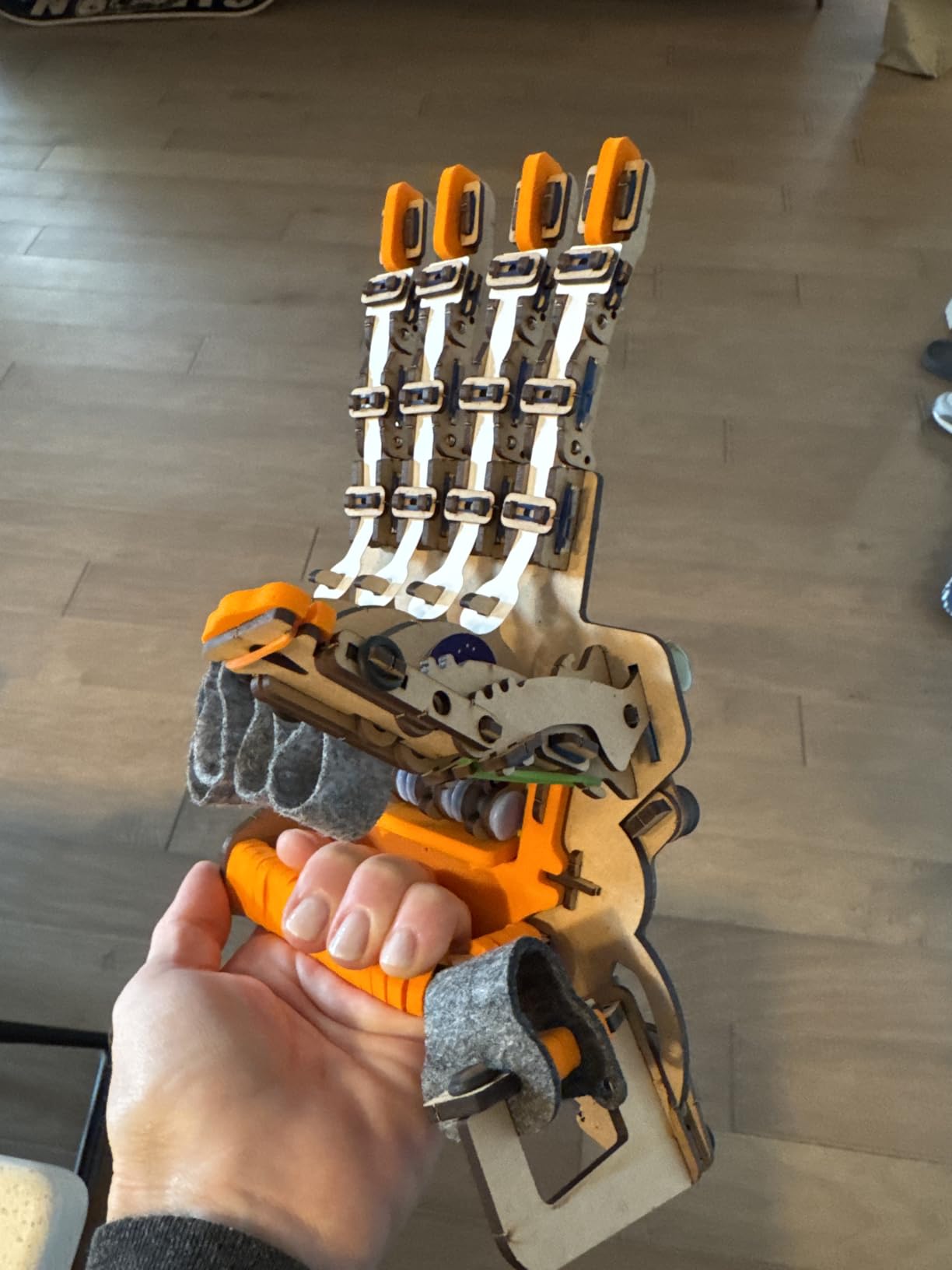
Almost every kit in this list adds screen time. The instructions are on a phone, the programming happens on a screen, the robot is debugged on a screen. This one inverts that: the payoff is a wooden mechanical hand that actually moves, with nothing to look at but the gears.
It rated 4.6 stars across more than 3,900 reviews, with roughly 79 percent of those at five stars, and the praise is consistent. Owners talk about the satisfying mechanical motion, the weight of the wood, and the fact that a child stays with it for hours without asking for a screen.
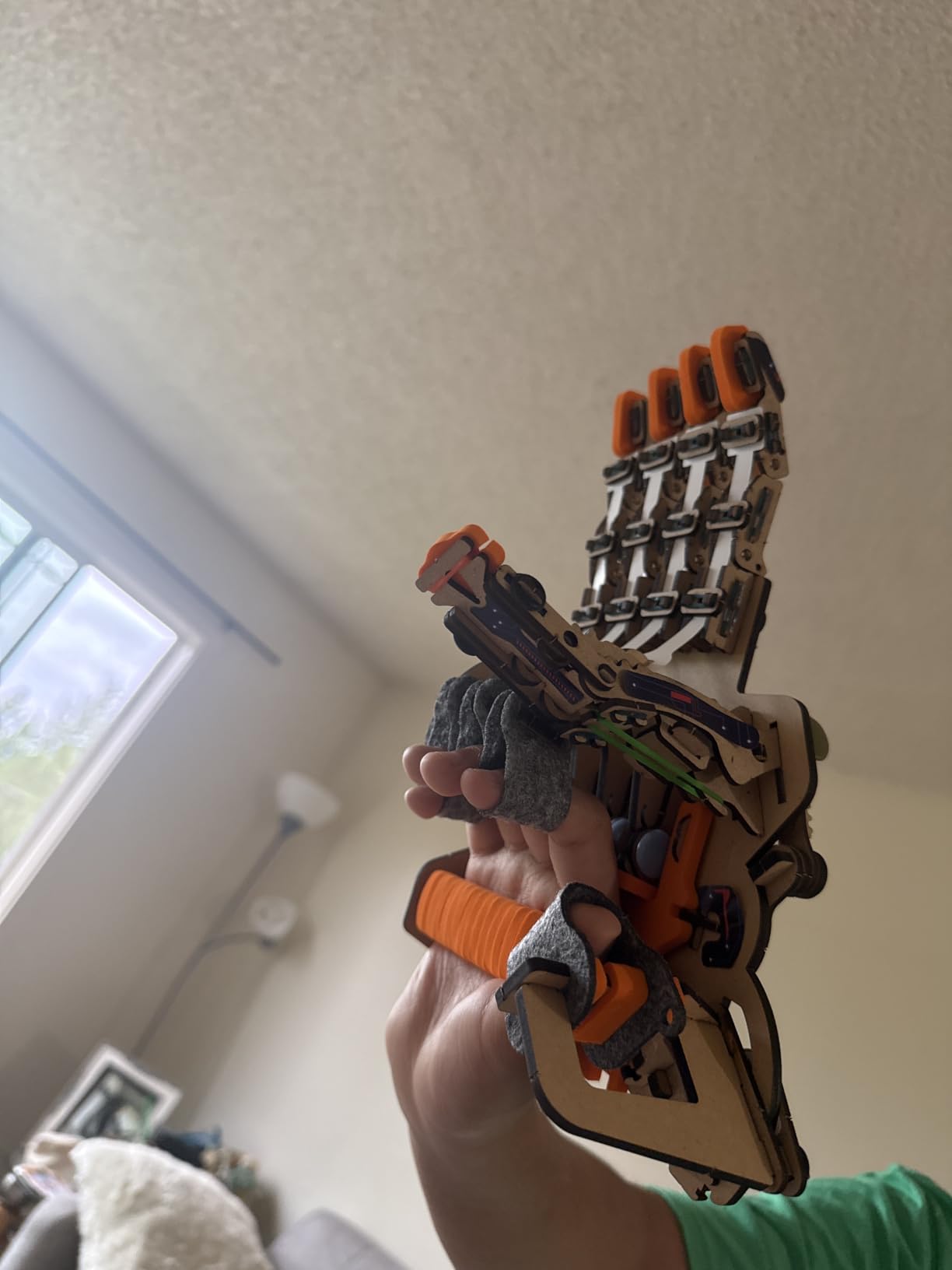
The construction detail that sets it apart is the material. Engineered wood at this scale does not flex, crack, or snap the way thin ABS shells do, and the piece tolerances are tight enough that the linkages stay aligned. Parents who have watched a plastic robot shed a gear arm in month two tend to notice this immediately.
Smartivity also states the design was kid-tested for over 1000 hours, and it ships with a lifetime supply of replacement parts. For a middle schooler who loses pieces, that quietly removes the most common long-term failure point of any kit.
The One Honest Limitation: It Is a Single Build
This is not a multi-model set. Your child builds the hand, it works, and then the novelty is spent. There is no second chassis, no third configuration, no re-build weekend. For a 12-year-old, that ceiling arrives faster than the packaging suggests.
That said, the mechanical principle underneath — gear ratios, linkage balance, why a hand curls and a claw pinches — is a real engineering lesson, and it is one that block-coding kits never touch. Some students grasp engineering design through mechanisms far more readily than through sensor arrays.
Who It Works For and Who It Fails
It suits a child who has already been handed a coding robot and quietly lost interest, or a family actively trying to pull back from screens. It also makes a strong shared project for a parent and child, since the assembly is engaging for both age groups.
It fails for a child who wants to learn to program. There is no code here in any meaningful sense, and if your child has already been asking about Python, this will feel like a step backward.
Assembly Realities for Ages 8 to 14
Younger builders around age 8 typically need an adult for the trickier linkages. Middle schoolers at 11 and up generally finish independently, though the manual runs long enough that it works best across two sessions rather than one.
3. Sillbird 488-Piece Robot Building Kit – Maximum Building for a First Robot
Sillbird STEM Robot Building Kit with Remote Control Gifts for Boys 8-13
Ages 6-16
488 pieces
5 buildable configurations
Bluetooth app and infrared remote
+ Pros
- Five buildable configurations with rising difficulty
- Dual app and remote control extend play value
- Clear colorful instructions a 10-year-old can follow
- Handles hard floors and carpet and small bumps
- Roughly 40 minutes of play per charge
- Cons
- Included remote can feel wonky with mismatched forward and reverse response
- Replacement batteries are not a common easy-to-find type
- A few parts arrive with minor mold flash
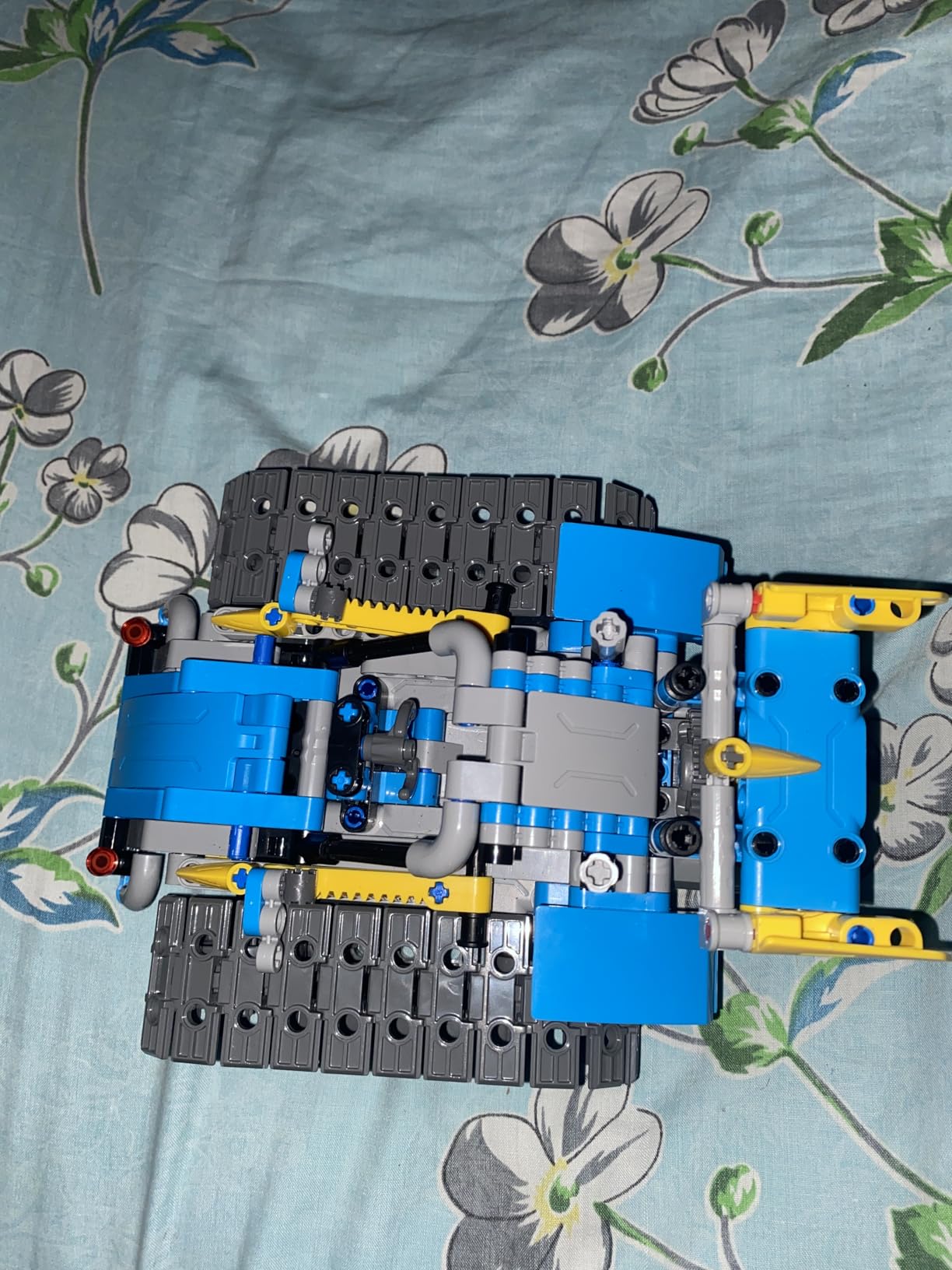
Piece count is not a specification, but at 488 parts this kit delivers something a single-chassis coding robot cannot: five genuinely different builds with rising difficulty, from a simple robot to a dinosaur, a car and a tank. For a 10- or 11-year-old, that variety is the difference between a weekend and a hobby.
It holds a 4.6-star average across more than 2,000 reviews with about 82 percent at five stars, and reviewers consistently describe children aged 8 to 11 finishing the builds in a day and then playing with the app and remote for days afterward.
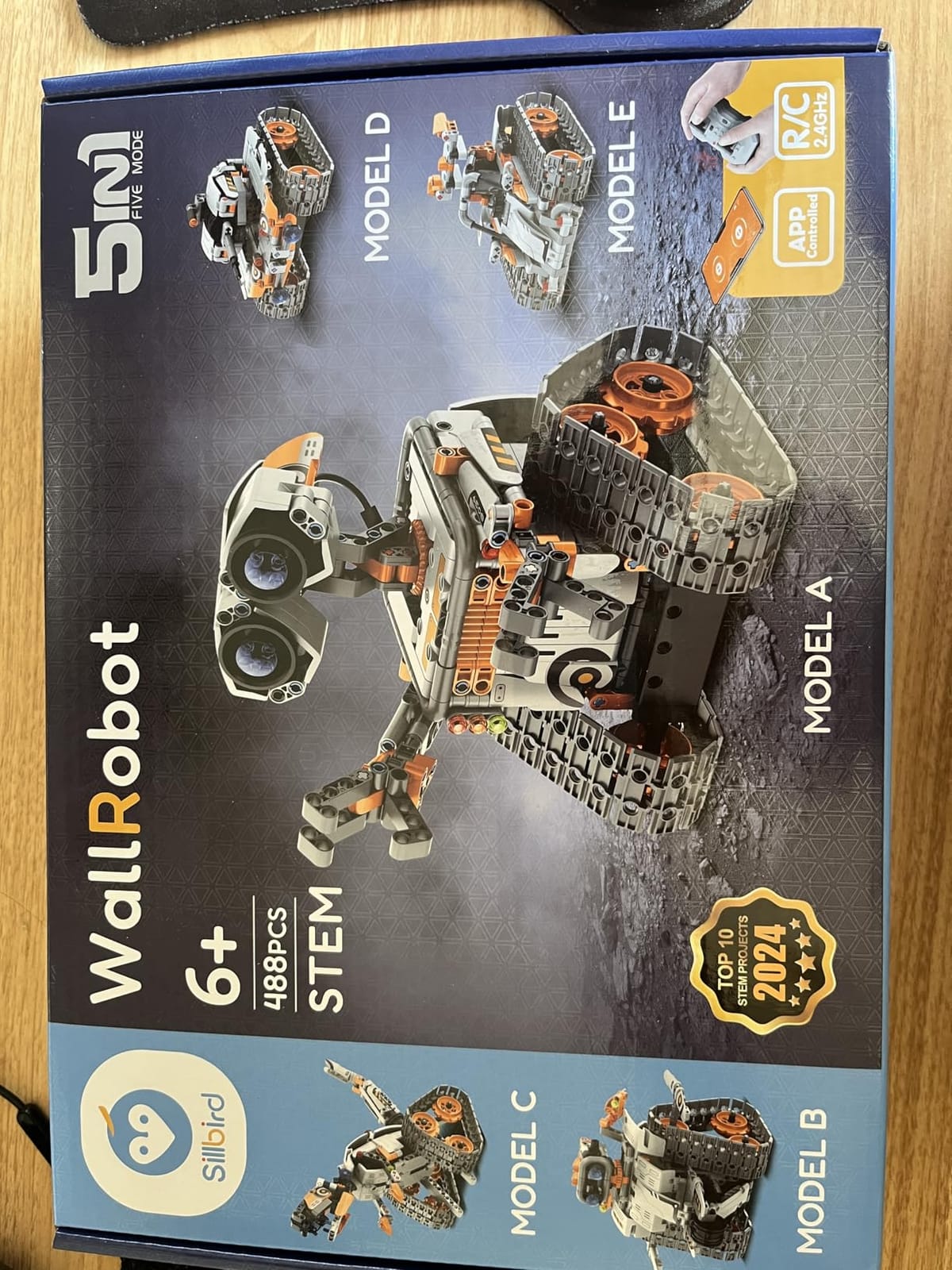
The control story is broad for a kit at this level. There is a Bluetooth app, an infrared remote, a path mode, and precise movement functions, so a child can drive it manually, then program a route and watch it run without them.
Duty cycle matters here more than it does for a coding robot. The rechargeable battery gives roughly 40 minutes of play per charge, which sounds short until you realise the tradeoff: it is a long, unstructured play cycle rather than a focused coding session, so forty minutes is usually enough before the recharge break.
Where the Remote Falls Short
The most common complaint across reviews is the infrared remote itself, which some buyers describe as having a mismatched forward and reverse stick response. If precise driving matters to your child, the app control is more reliable and worth defaulting to.
Replacement batteries for the controller are also reported as awkward to source. This is a minor inconvenience, not a dealbreaker, but it is the kind of thing that surfaces the week after the excitement wears off.
Which of the Five Builds to Start With
For a middle schooler, the car and the tank are the most useful starting points because both sit on the floor in a way that invites the driving play the kit is designed around. The dinosaur is the most satisfying assembly but the least functional afterward.
Our advice is to let the child pick first and resist the urge to reorder the difficulty curve yourself. A kit they chose stays in use; a kit an adult designed for them does not.
Who It Is For
This suits a 9- to 12-year-old who has never touched robotics and who responds to building volume. It is also a strong bridge gift for a younger sibling, since the six-to-16 range holds up as a child grows into the harder builds.
It is the wrong pick for a child whose interest is specifically programming. The path mode is shallow compared with a real coding environment, and there is no Python or C++ to graduate into.
4. Makeblock mBot2 Coding Robot – The Cleanest Route Into Python
Makeblock mBot2 Coding Robot for Kids, Code Learning Support Scratch & Python Programming, Robotics Kit for Kids Ages 8-14 and up, Building STEM Robot Toys Gifts for Boys Girls
Ages 8 and up
Scratch and Python
10+ sensors and 30+ modules
Up to 5 hours per charge
+ Pros
- Bridges block coding into real Scratch and Python
- Rich sensor suite with 30+ expansion modules
- Eight-plus interactive modes beyond coding
- Up to five hours of playtime per charge
- Classroom mode runs several robots from one program
- Cons
- Costs more than entry-level coding kits
- About 30 minutes of assembly that can be tricky for younger kids alone
- App and Wi-Fi features need a tablet or phone with current software
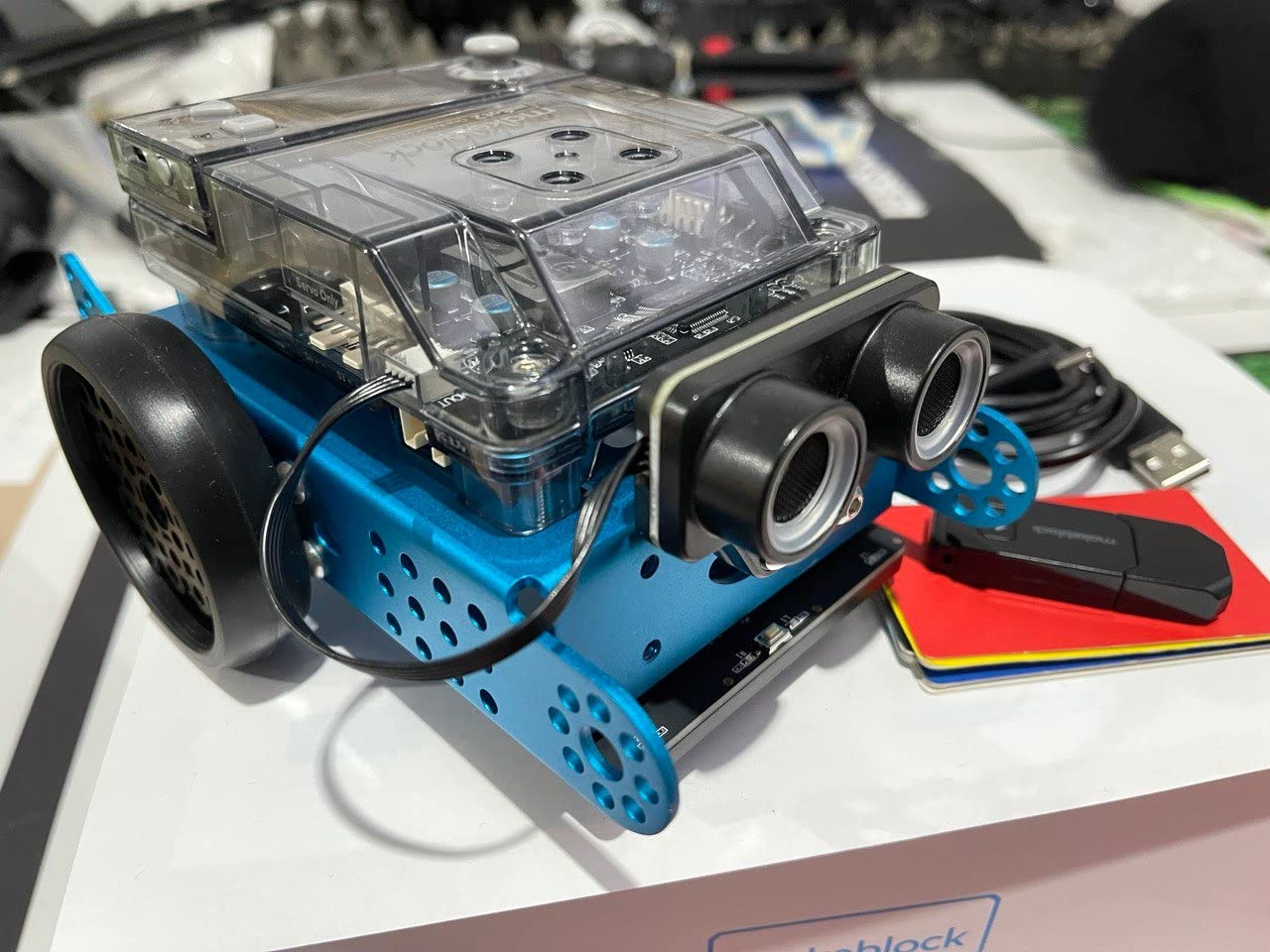
If your child is the type who has already worked through Scratch tutorials and asked about Python, this is the kit to skip straight to. The mBot2 supports both languages on the same hardware, and the sensor suite is deep enough that a Python program can do things the basic mBot cannot.
More than ten sensors are standard, covering line-following, obstacle avoidance and colour identification, and the platform expands with more than 30 additional modules on the mBuild connector system. It is a meaningfully bigger machine than the kit we named as our top pick.

The playtime figure is the practical headline. Up to five hours per charge means a child can build a program on Monday and still be testing it on Friday without negotiating over a battery pack, which removes one of the quiet ways these projects get abandoned.
There is also a classroom mode where several mBot2 units run the same program over Wi-Fi. If you are buying for a school or homeschool co-op, that one feature changes the maths entirely.
Scratch and Python on the Same Robot
The programming environment includes more than two dozen guided cases and eight-plus courses, which is what makes the language jump survivable. A child who can already read loops and conditionals in Scratch can mostly transfer that intuition into the Python editor on this robot.
The honest limitation is that the transition is still guided. This is not an Arduino board that will teach a 12-year-old to read a datasheet, and parents should not expect high-school-level electronics from it.
Eight Play Modes That Do Not Require Coding
Drive, Draw, Run, Musician, Voice Control and Wi-Fi modes give a beginner something satisfying to do before they can program anything. Reviewers regularly note that these modes are what keep a child engaged in the first weeks while they work up to real code.
It sounds like filler, but for this age group it is not. A child who spends two frustrated sessions on a program they cannot debug is a child who puts the robot in a drawer.
Who It Is For
This is our pick for ages 11-14 and for any child with prior coding exposure. It also makes more sense than the top pick as a second kit, since a younger sibling can start on the mBot while the older child works in Python on the mBot2.
Skip it if the child has no coding background and no patient adult, since a 30-minute build plus a new language is a lot to ask of a 9-year-old working alone.
5. ELEGOO UNO R3 Smart Robot Car V4 – Real Electronics With a Camera
ELEGOO UNO R3 Smart Robot Car Kit V4 with Camera, Compatible with Arduino
Ages 12 and up
UNO R3 board with ESP32 camera
Arduino IDE programmable
2000 mAh rechargeable battery
+ Pros
- Clear organized labeled parts bags and an illustrated tutorial
- Board is pre-programmed and works via IR remote or app
- FPV camera and line tracking and obstacle avoidance all perform well
- Arduino IDE support moves kids beyond assembly into real coding
- Rechargeable 2000 mAh battery included
- Cons
- Out-of-the-box firmware lacks motor speed ramping so the car starts and stops abruptly
- Camera mount angle sits high and makes close obstacles hard to see
- Battery pack power switch may not operate
This is the deepest electronics platform in the roundup. The board is an ELEGOO UNO R3, the programming is Arduino IDE or Visuino, and the FPV camera streams live video to an app. It is a genuine step toward the kind of hardware a high school robotics team would use.
It carries a 4.5-star average from more than 4,400 reviews with roughly 76 percent at five stars. Documentation quality is the standout theme across reviews, particularly the labeled parts bags and the illustrated tutorial that walks through wiring step by step.
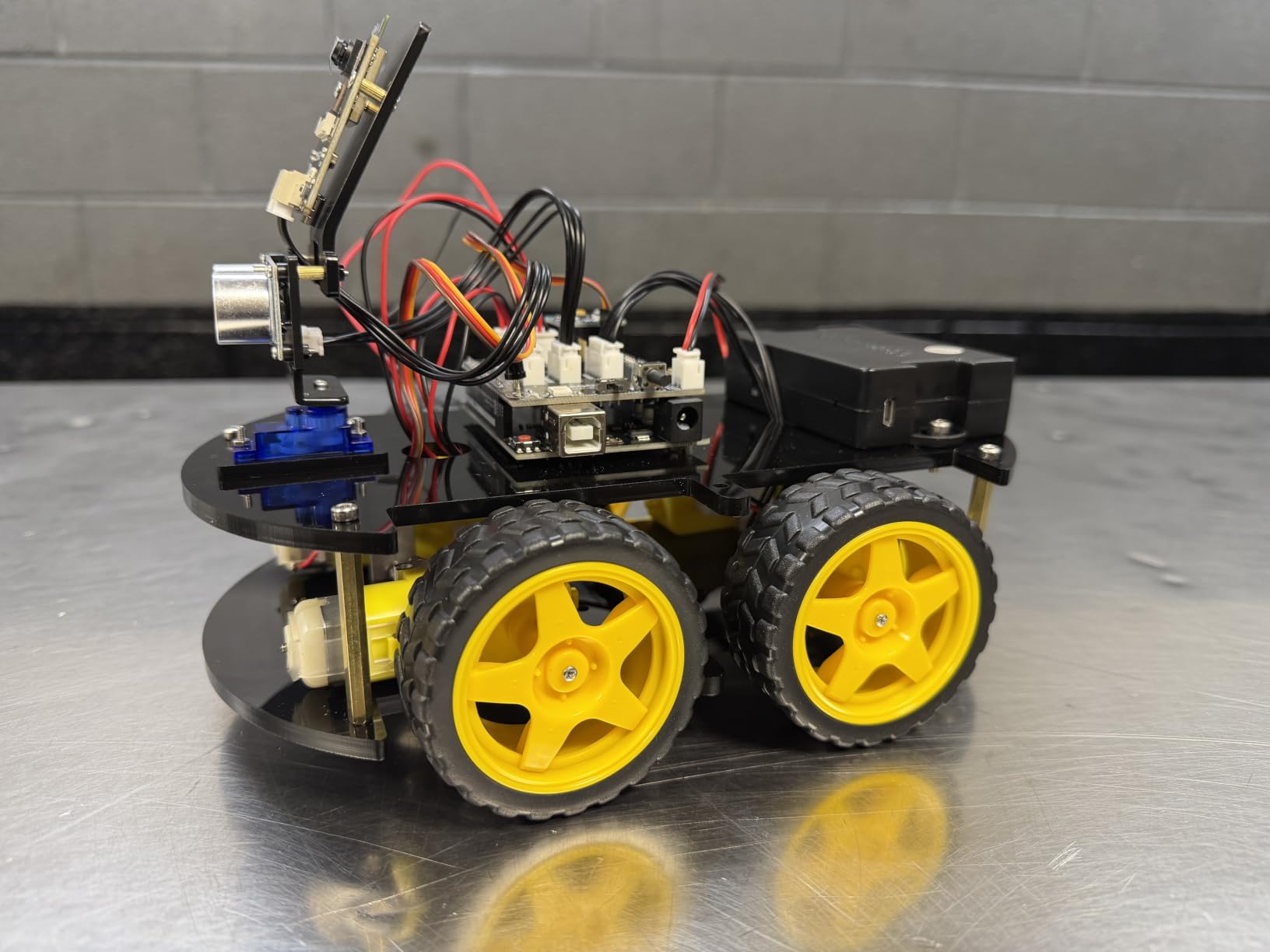
The 2000 mAh rechargeable lithium-ion battery is included, which is a genuine convenience, and the board arrives pre-programmed so the car drives out of the box through the infrared remote or the app before your child touches a line of code.
Keyed XH2.54 connectors are a quiet but important detail. They physically prevent the reversed-pin mistakes that burn out an Arduino clone and end a session in tears, and for a 12-year-old assembling a first robot that matters more than any feature list entry.
FPV Video Changes How Kids Debug
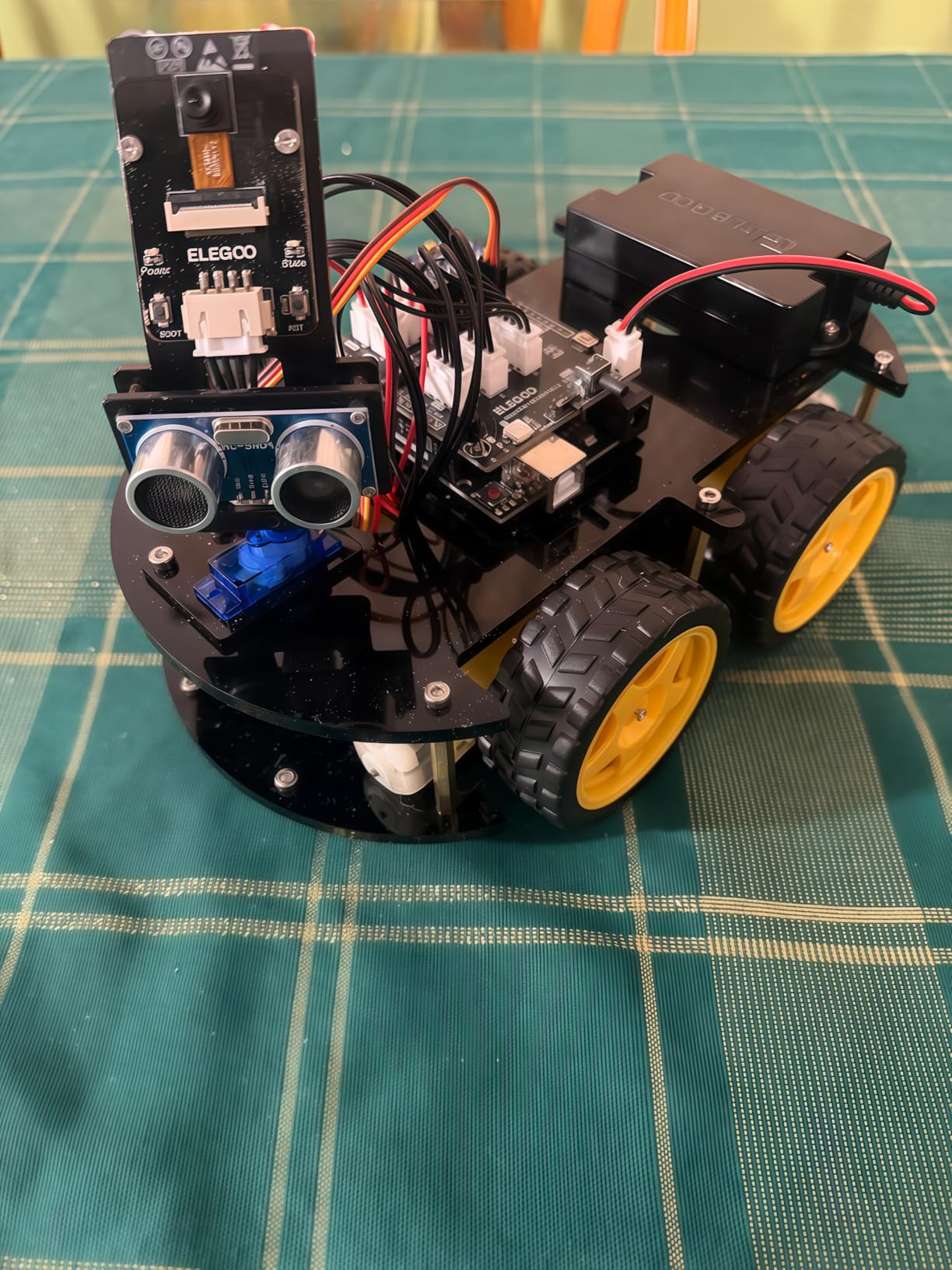
The onboard ESP32-WROVER camera streams first-person video live. In practice this means a child can see what the robot sees from its own height, which turns obstacle avoidance from a guess into an observation. It is the single feature parents mention that no other kit in this list replicates.
The mount angle is the weak point, and reviewers are blunt that it sits high, making close obstacles harder to see. A child can reposition the bracket, but expect to spend a few minutes adjusting it.
Firmware Quirks Worth Knowing Before You Buy
The pre-loaded firmware has no motor speed ramping, so the car accelerates and stops abruptly. It is not a defect that will break anything, but reviewers who expected smooth movement report it as disappointing out of the box. It disappears once the child writes their own speed control, which is a reasonable motivation.
The battery pack power switch may also fail to operate, with unplugging required to power down. Budget for that habit now rather than discovering it at bedtime.
Who It Is For
The manufacturer rates this one for ages 12 and up, and we agree. It suits a 12- to 14-year-old ready for Arduino IDE, a homeschool family wanting a full semester of electronics, or a child heading into high school robotics who needs C++ to feel familiar rather than foreign.
It is a poor gift for a 10-year-old with no adult who codes. The build is fiddly, the software is unforgiving, and nothing about the setup signals “beginner” to a child who has never seen a terminal.
6. Makeblock mBot Ranger 3-in-1 – Three Chassis From One Box
Makeblock mBot Ranger 3 in 1 Coding Robot Building Kit for Kids Ages 10+
Ages 10 and up
Three robot forms
All-terrain tracked chassis
Scratch and Arduino via mBlock5
+ Pros
- Three distinct robot forms in a single kit
- Metal construction and grip tracks handle indoor and outdoor terrain
- Scratch plus Arduino support gives a beginner-to-expert path
- Large sensor suite including gyroscope and temperature sensors
- Cons
- Advanced complexity makes it best for kids 10 and up
- Requires six AA batteries which are not included
- Self-balancing mode takes practice to get working reliably
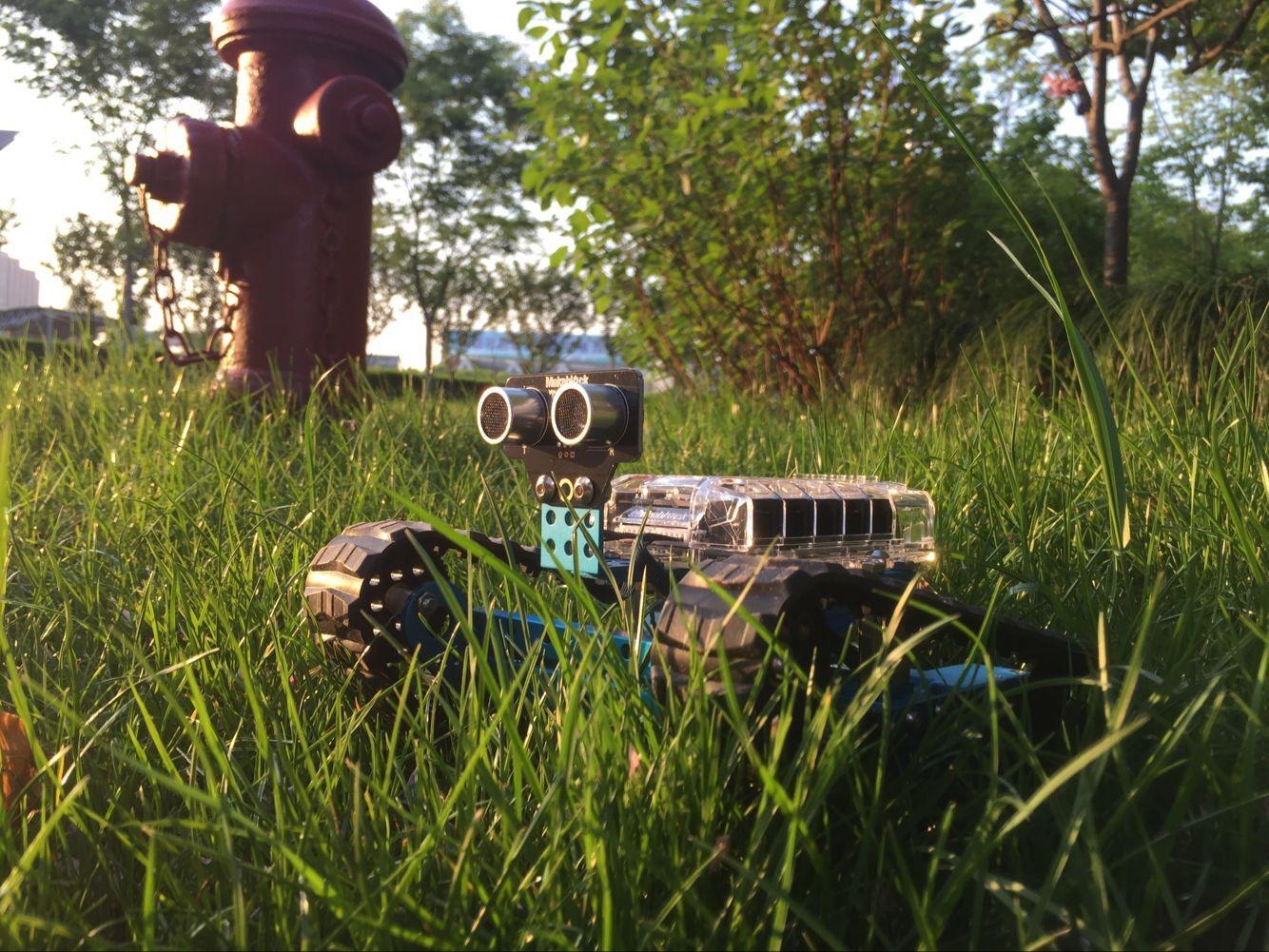
The Ranger is what happens when a child outgrows the base mBot but is not ready for electronics. One box produces three genuinely different machines: a tracked Land Raider tank, a self-balancing two-wheeled bird, and a three-wheeled racing Raptor. The rebuild itself is a fresh project every time.
Owners moving up from the basic mBot consistently cite the three chassis designs as the reason for the upgrade, and at 1.6 kg with a durable aluminum frame this is a solidly built kit that shrugs off a dropped robot.
The Me Auriga mainboard carries ultrasonic, line-tracking, dual light, gyroscope and temperature sensors, plus 12 RGB LEDs, a buzzer and Bluetooth. The gyroscope and temperature sensors in particular are the parts that open up behavior a middle schooler can describe and program.
Because the three builds are meant to be torn down and rebuilt, a family that gets through all three has effectively worked through three short courses in one box rather than one long one.
Three Builds, Three Different Engineering Lessons
Each form teaches something different. The tracked tank is about traction and obstacle clearing, the racer is about speed and steering geometry, and the self-balancing bird is genuinely hard, because it will fall over until the control loop is tuned properly.
That third one is the honest highlight. A child who gets the self-balancing mode working has done real control theory by accident, and nothing in the entry-level kits on this list compares.
The Sensor Suite Is Genuinely Advanced
The ultrasonic and dual light sensors give the programming real inputs to reason about, and the 12 RGB LEDs give the output side something more interesting than a single blinking indicator.
Who It Is For, and the Battery Catch
It suits ages 11-14 who have already completed a basic coding robot and finished its sample projects. The tracked chassis handles outdoor surfaces, which makes it a good pick for a family that wants to run robots outside rather than only on a desk.
Six AA batteries are required and not included, which is a real recurring cost for a kit that gets used hard. The manufacturer lists a one-year warranty, and the complexity means a younger child working alone will get stuck, so plan on building alongside them.
7. Thames and Kosmos Robotics Smart Machines – Eight Builds, One Sensor
Thames & Kosmos Robotics: Smart Machines | Robotics Coding Set
Ages 8-15
Eight motorized machines
Ultrasonic sensor feedback
Requires a phone or tablet
+ Pros
- Eight motorized machines give a broad introduction to robotics
- Bluetooth remote works through a sliding glass door
- Ultrasonic sensor feedback makes programming responsive and fun
- Well-made pieces that hold up to repeated assembly
- Cons
- Companion app is dated and does not reliably connect with newer iPhone models
- Assembly is complex enough that many kids need adult help
- Some models are unstable and perform poorly on carpet
The most valuable thing in this kit is the ultrasonic sensor, which works on the same principle as sonar and gives a child their first genuine feedback loop: the machine measures distance and changes behavior. That single concept is more transferable to high school robotics than any amount of remote-controlled driving.
Eight motorized machines give this set more variety than the single-build mechanical kits, and the 64-page full-color manual is unusually good for this category. Enthusiastic families praise the range of models and the responsive behavior the sensor makes possible.
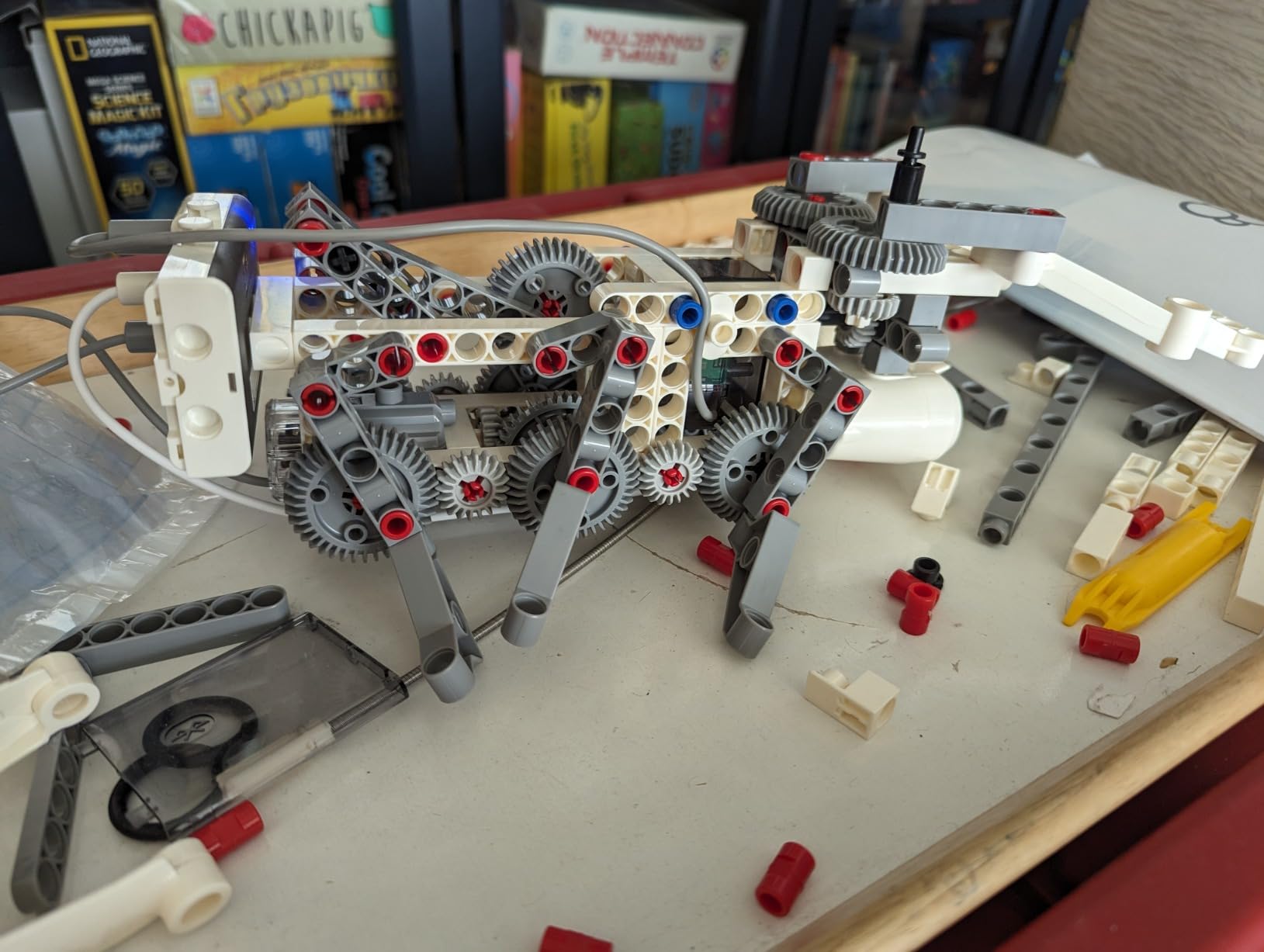
Because the kit is a building system rather than a finished toy, the same sensor logic reappears across all eight models, which means a child can see the same principle expressed in eight different mechanical forms.
The App Problem Is Real and You Cannot Fix It
The recurring complaint, and it is a consistent one across reviews, is that the companion app is dated and does not reliably connect with newer iPhone models. The kit requires a tablet or smartphone running iOS or Android, and that device is not included.
This is the clearest example of the app-dependency problem families describe in forums. A robot whose brain lives in a phone app can be reduced to expensive parts when a vendor stops updating software, and you cannot check that risk from a product page. Weight it accordingly.
Assembly Load Is the Other Catch
Assembly is complex enough that many kids need adult help, and some models are unstable and perform poorly on carpet. Both are worth knowing before a Saturday afternoon turns into a two-hour build with a wobbly result.
Who It Is For
The 8-to-15 rating is accurate, and for middle school we would put it at the older end. It suits a child who is curious about how sensors work and has a parent or teacher willing to build the first model together.
Check the app on your own phone before buying. If it is an older device or a recent iPhone, verify the connection yourself rather than discovering the problem on build day.
8. Henoda 468-Piece Programmable Robot – Five Control Modes, Little Coding
Henoda Robot Toys for 8-16 Year Old Boys Girls Kids with APP or Remote Control Science Programmable Building Block Kit, STEM Projects Educational Birthday Gifts
Ages 8 and up
468 pieces
Five control modes
20 meter remote range
+ Pros
- 468 pieces give a substantial build with lots of configuration play
- Multiple control modes including voice and path and gravity sensor and app
- Remote works reliably past 20 meters
- Colorful step-by-step manual with red arrows marking each assembly area
- Thick durable ABS with smooth edges
- Cons
- Programming mode is basic compared with dedicated coding robots
- Some buyers find the app setup fiddly
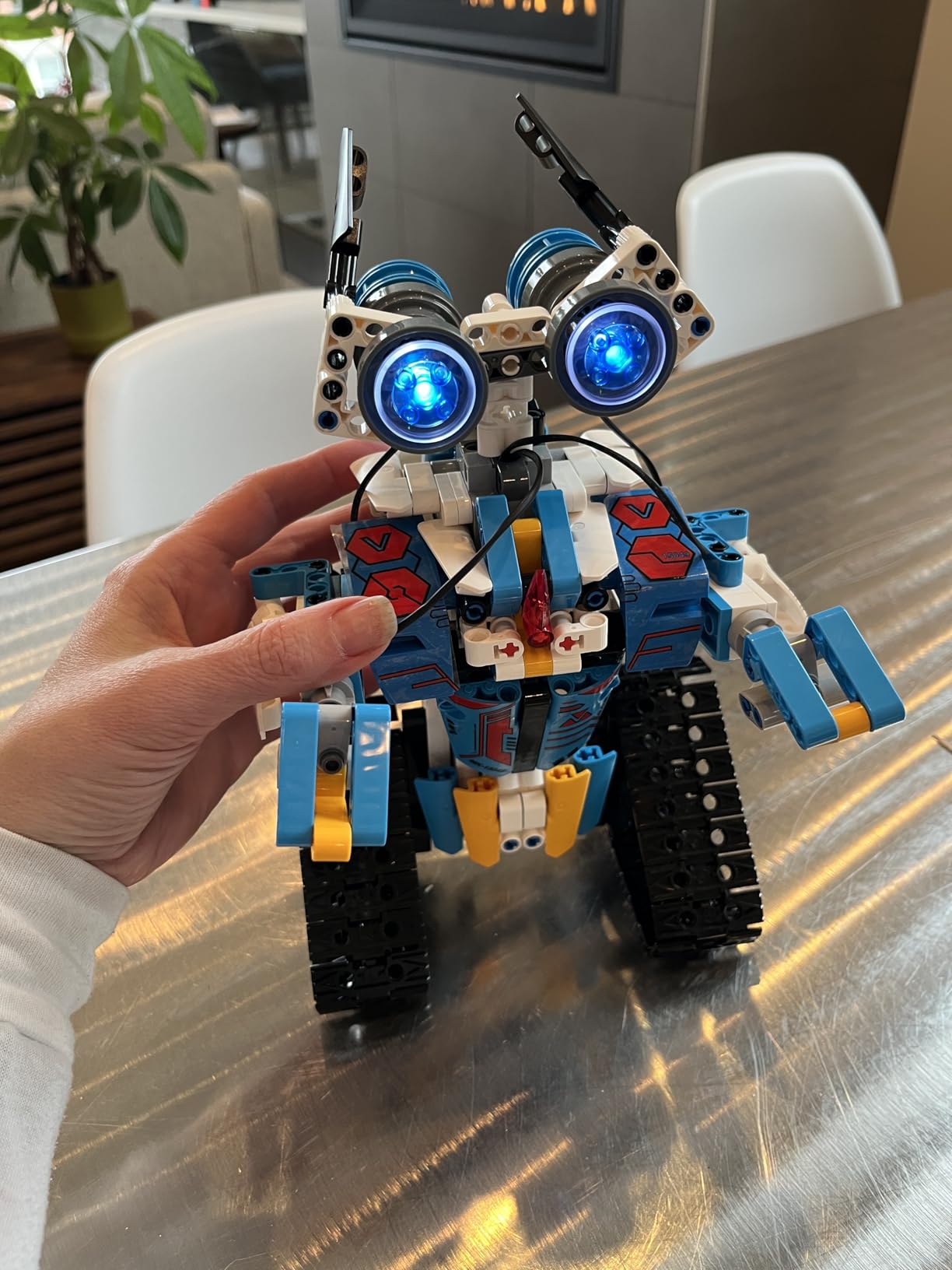
This kit gives a child a real engineering workbench: five control modes, all-direction drive, and a sensor suite, in a single affordable box. It offers a 2.4GHz remote, Bluetooth app control, path mode, voice control and a gravity sensor, which means a child can drive it, speak to it, and then program a route. Owners like the piece count, the range of control modes and the smooth, clearly illustrated assembly.
The manual is worth calling out. Reviewers specifically mention red arrows marking each assembly area on a colorful step-by-step guide, and it is a genuine advantage when a 10-year-old is assembling 468 pieces alone.
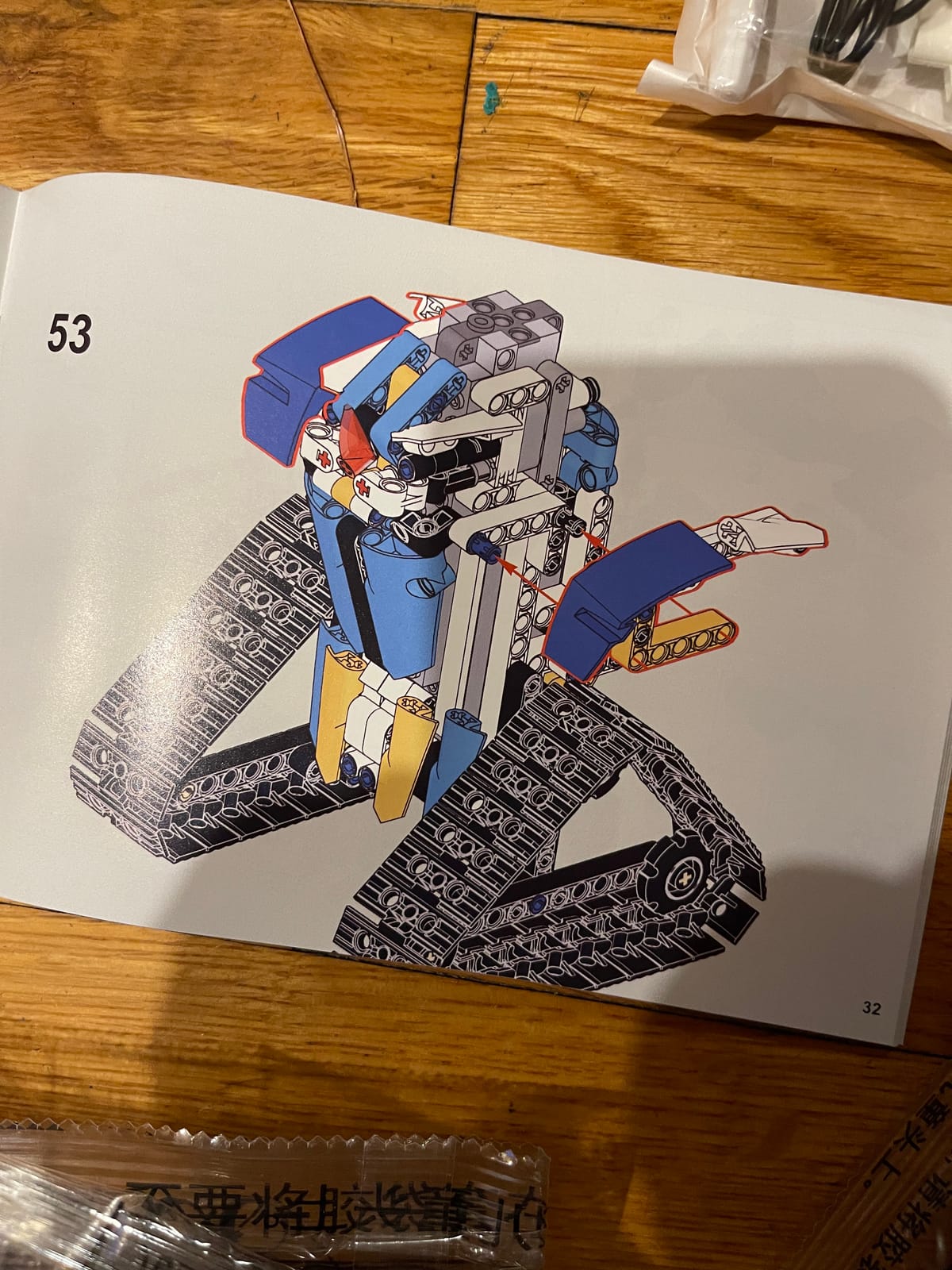
The gravity sensor is the most unusual of the five modes, because it lets a child tilt a controller and have the robot respond, which turns a driving toy into something closer to an experiment about how a device knows which way it is facing.
All-Direction Movement and 360-Degree Rotation
The drivetrain moves in all directions with 360-degree rotation, which sounds like a spec-sheet detail until you build it. It removes the “which way is forward” problem that makes differential-drive robots frustrating for beginners, and it means a child can pivot in a tight space rather than backing into a wall.
Where the Programming Falls Short
Be clear-eyed about this one. The programming mode is basic compared with any dedicated coding robot, and some buyers find the app setup fiddly to configure. This is a remote-and-sensation toy with a light programming layer, not a coding platform.
That is not a criticism so much as a category warning. Buy it for building volume and open-ended play. If you want your child learning algorithms, the mBot or the mBot2 will teach more in an hour than this kit teaches in a term.
Construction and Safety Notes
The kit uses non-toxic ABS with smooth edges and a 90-day manufacturer warranty against defects. Pieces are thick for a building-block set, which is what keeps a robot intact when it is driven into furniture at speed, as it inevitably will be.
Best for ages 9-13, and an excellent companion to a coding kit for a family with two children at different levels.
9. BeAndge 6-in-1 STEM Motor Kit – The Science-Fair Starter
BeAndge Robotics STEM Kits for Kids Science Robot Building Crafts Age 8-12
Ages 8-14
Six working models
Includes mini screwdriver
Science-fair ready
+ Pros
- Six different working models in one inexpensive box
- Good entry point into circuits and simple physics for ages 8-12
- Mini screwdriver and clear manuals make assembly easy
- Gift-box packaging suitable for birthdays and science fairs
- Cons
- Bubble solution and AA batteries must be supplied separately
- Simpler circuits than dedicated robotics platforms
Six working models in one box is unusual at this level, and the variety is genuinely different rather than cosmetic. You get a reptile robot, a balance car, a bubble machine, a fiber lamp, a buzzer and a wire game.
It holds a 4.5-star average from more than 1,200 reviews with about 75 percent at five stars. Buyers value the variety of six builds and the easy assembly, with the missing bubble solution and batteries as the most common gaps.
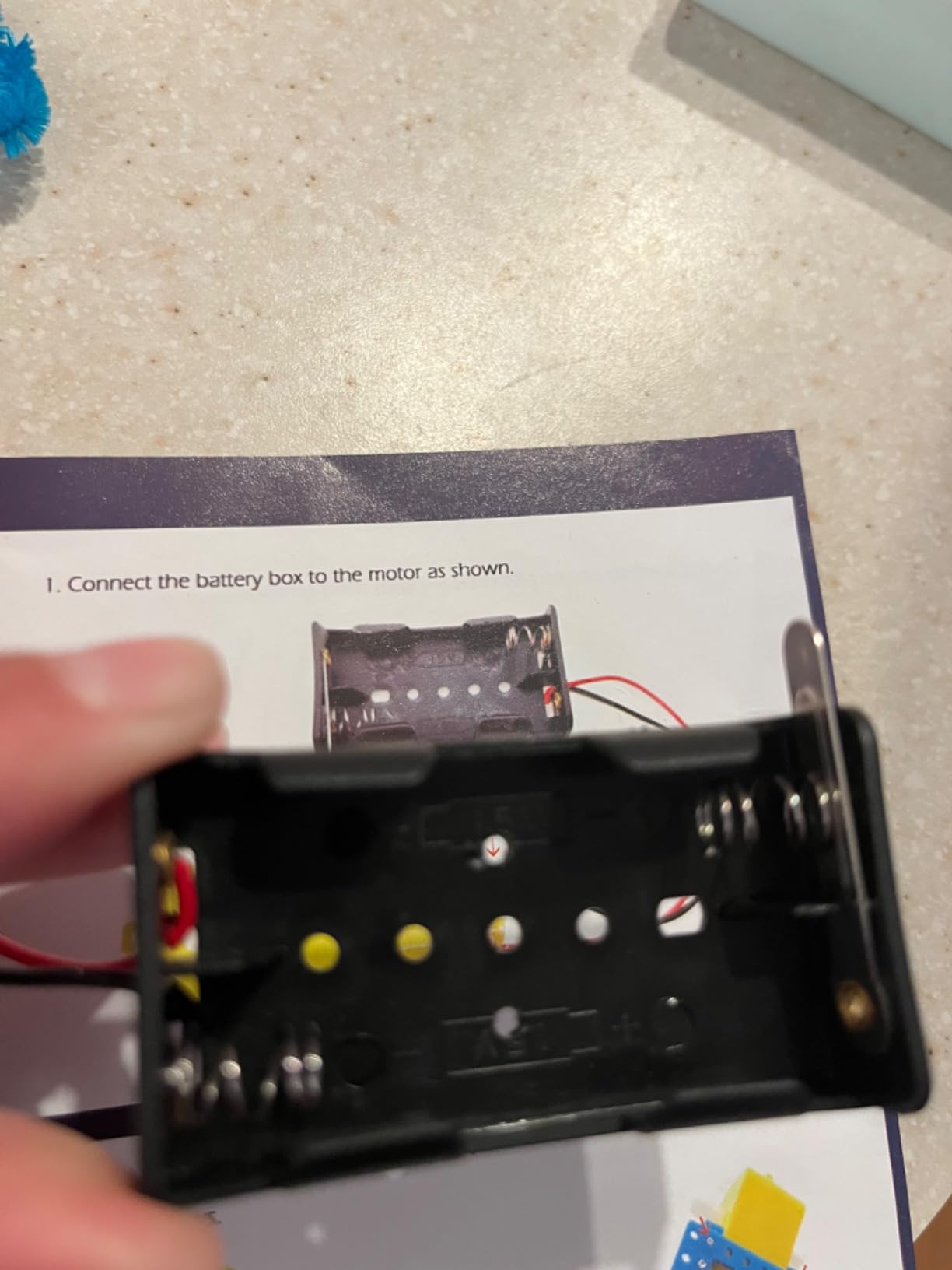
At under a pound in total weight, this is the easiest of the twelve to carry to a table, a library or a classroom, which matters more than it sounds for a kit that gets used in more than one place.
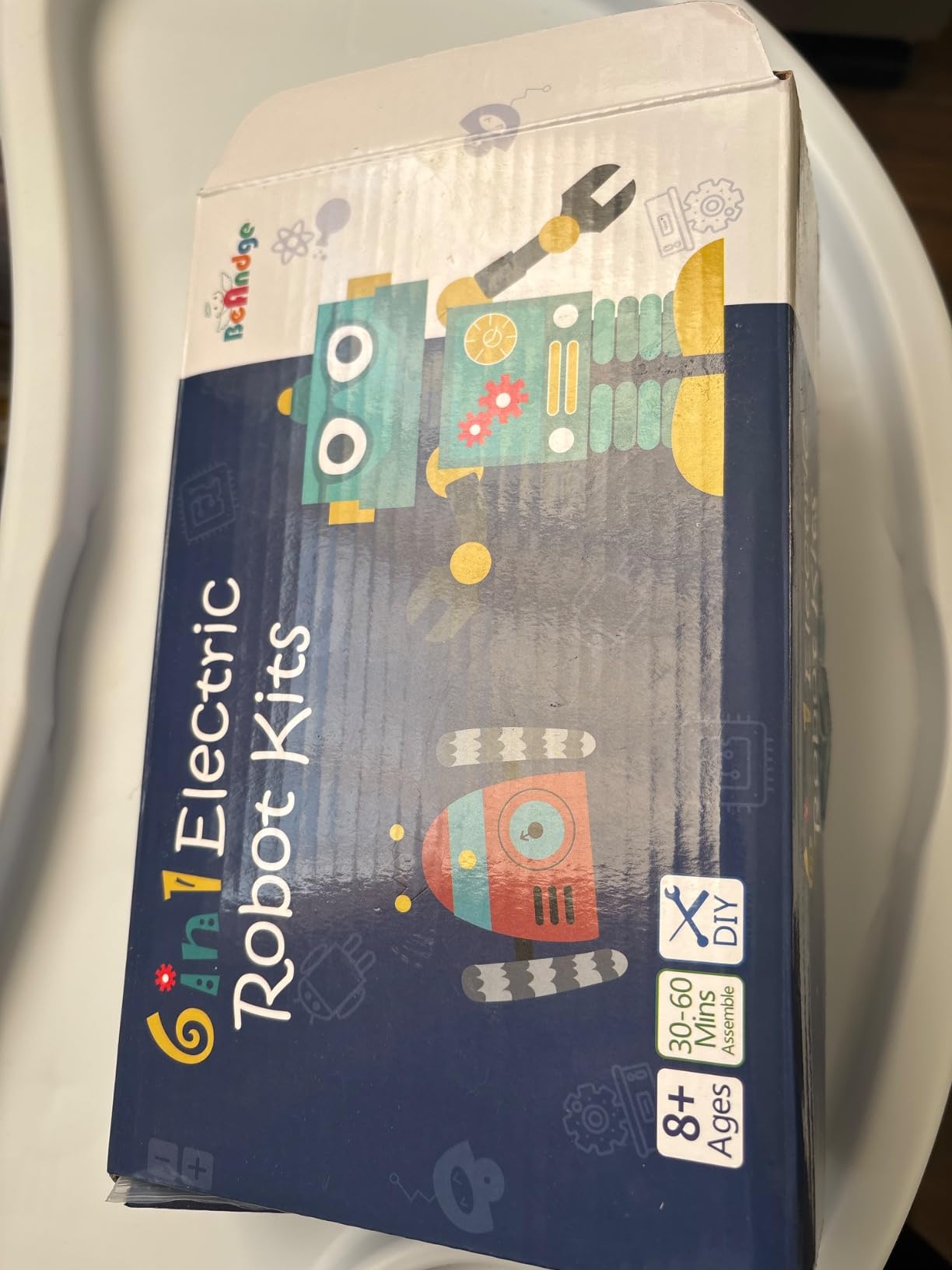
Why the Bubble Machine Is the Clever Part
It is a strange thing to highlight, but the bubble machine is the model that teaches the most. It is a simple circuit with a clear on-off outcome that is visible from across the room, and it gives a child their first experience of a build with a result rather than a model that just sits there.
The balance car is the physics lesson. A chassis that has to stay upright while moving teaches centre of mass intuitively, which is a concept that reappears in every high school physics course.
What You Need to Buy Before the Build
Bubble solution and AA batteries are both required and not included, and that is a slightly more annoying gap than the usual battery complaint because the bubble solution is not an obvious item to add to a shopping list. The manufacturer lists a lifetime warranty against defects, which is worth noting at this tier.
Who It Is For
This is our budget pick and the best choice for a child who needs a specific deliverable rather than an open-ended hobby. A science fair entry, a homeschool unit on simple circuits, or a first taste of electronics for a 9-year-old all work well here.
It is not a path into programming. The circuits are simpler than any dedicated robotics platform, so treat it as a foundation to grow out of rather than a platform to grow within.
10. Butterfly EduFields 10-in-1 STEM Electronics Kit – Fifteen Minutes Per Project
Butterfly EduFields 10in1 STEM Electronics Robotics Kit for Kids Ages 8-12
Ages 8-17
100+ components
Ten working models
About 15 minutes per model
+ Pros
- Ten buildable projects encourage extended STEM engagement
- All components included with clear illustrated instructions
- Good beginner STEM entry that keeps bright kids interested
- Durable construction that holds up to repeated builds
- Cons
- Sensor board and LDR components can arrive faulty or broken
- Some wheel axle shafts need slight modification to fit
- Customer service is difficult to reach when parts fail
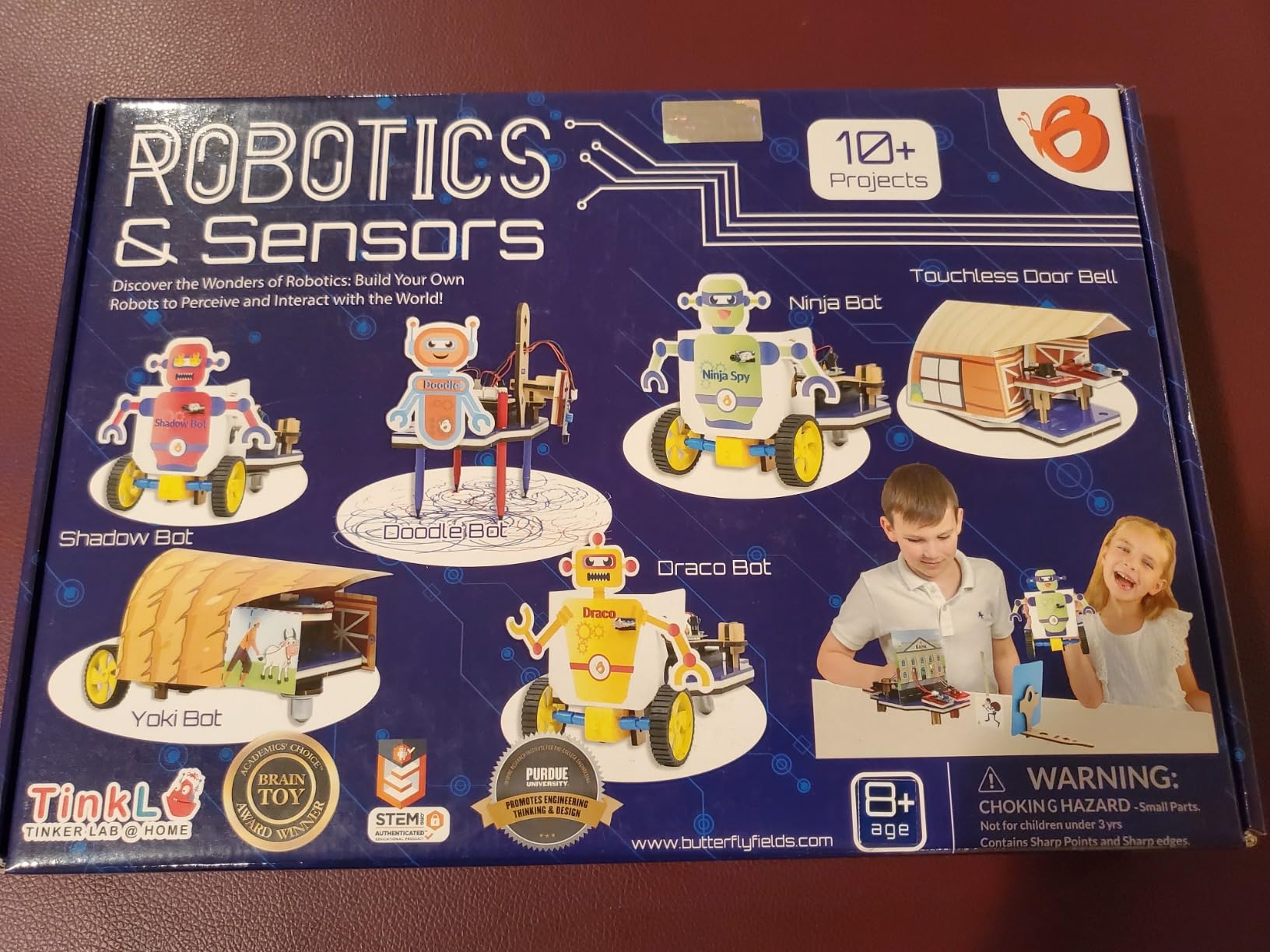
The strongest feature here is the build time. Roughly 15 minutes per model means a child can finish something, run it, and start the next one in the same afternoon, which is the cadence that keeps a project alive rather than something parked half-built on a bookshelf.
With 100-plus components including wires, switches, connectors and LED lights across ten different working models, it covers basic electronics more thoroughly than the mechanical kits. It rates 4.4 stars from roughly 370 reviews, with about 76 percent at five stars.
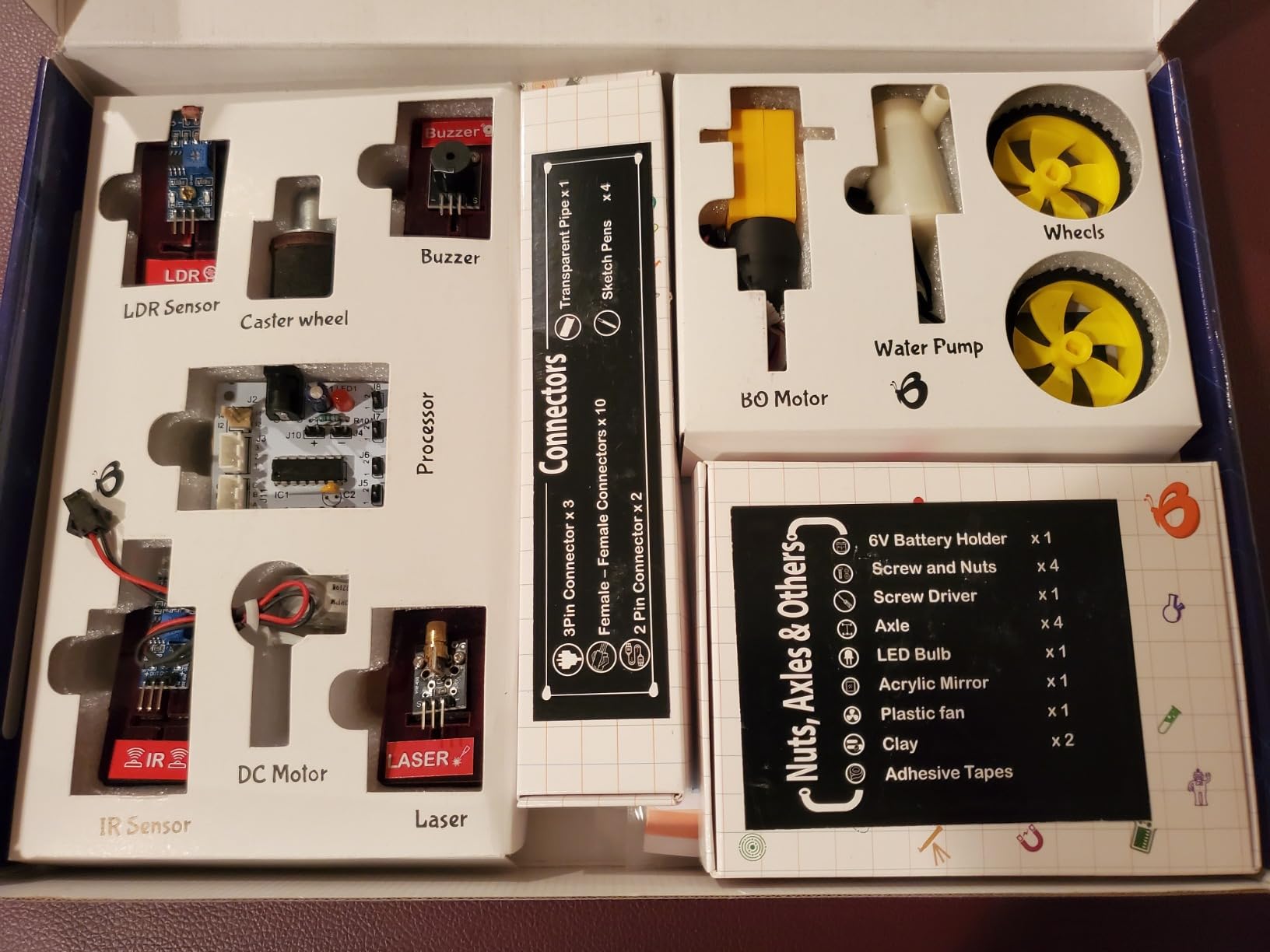
The flat footprint also makes it the easiest kit here to store between sessions, since the whole project lives in a single shallow tray rather than a partially assembled chassis that has to stay intact on a shelf.
Line-Following and Obstacle Avoidance in a Wood-Bodied Kit
Despite the wooden construction, the set includes a line-following and obstacle-avoidance capable robot. That gives a middle schooler a genuine behavior to program on a five-minute investment rather than a two-hour one, and the included manual is well illustrated for the tier.
Quality Control Is the Weak Point
The consistent complaints across reviews concern a few faulty sensor board components and LDR parts that can arrive broken, along with some wheel axle shafts that need slight modification to fit. Customer service is also difficult to reach when parts fail, which is the real cost of a fault at this level.
Our advice is to unpack and test every board before starting a project, so a dead sensor is discovered in minute one rather than minute ninety.
Who It Is For
The manufacturer rates it 8-17, and we agree it holds up for a 12- to 14-year-old as a quick electronics refresher between bigger projects.
It pairs unusually well with a coding kit. A family that owns the mBot for algorithms and this for circuits covers both halves of the subject, and each stays interesting for months because neither duplicates the other.
11. Opmind 5-in-1 RC Robot Building Kit – Motor Power and Cross-Brand Parts
Opmind 5-in-1 STEM RC Robot Building Kit – 443PCS, Gift for Boys Ages 8-13
Ages 6 and up
443 pieces
Five models
App AI programming and gyroscope
+ Pros
- Five distinct models built from 419 to 443 pieces
- Powerful motors drive the models well and work with other block brands
- App adds AI programming and gyroscope features beyond basic remote control
- ASTM and CPSIA certified non-toxic ABS
- Assembly takes several hours which keeps kids engaged
- Cons
- Detailed instructions can feel complex even for 8-year-olds
- Some younger builders need a parent to help finish the models
This one is built around the motor. The high-quality motor system drives the models well and is compatible with most major building block brands, so a child can attach it to parts from other sets rather than being locked into one ecosystem. That cross-brand compatibility is rare and genuinely useful.
It rates 4.6 stars from roughly 350 reviews with about 81 percent at five stars. Buyers describe a well-made, powerful robot that kids assemble over a few hours and then play with for days.
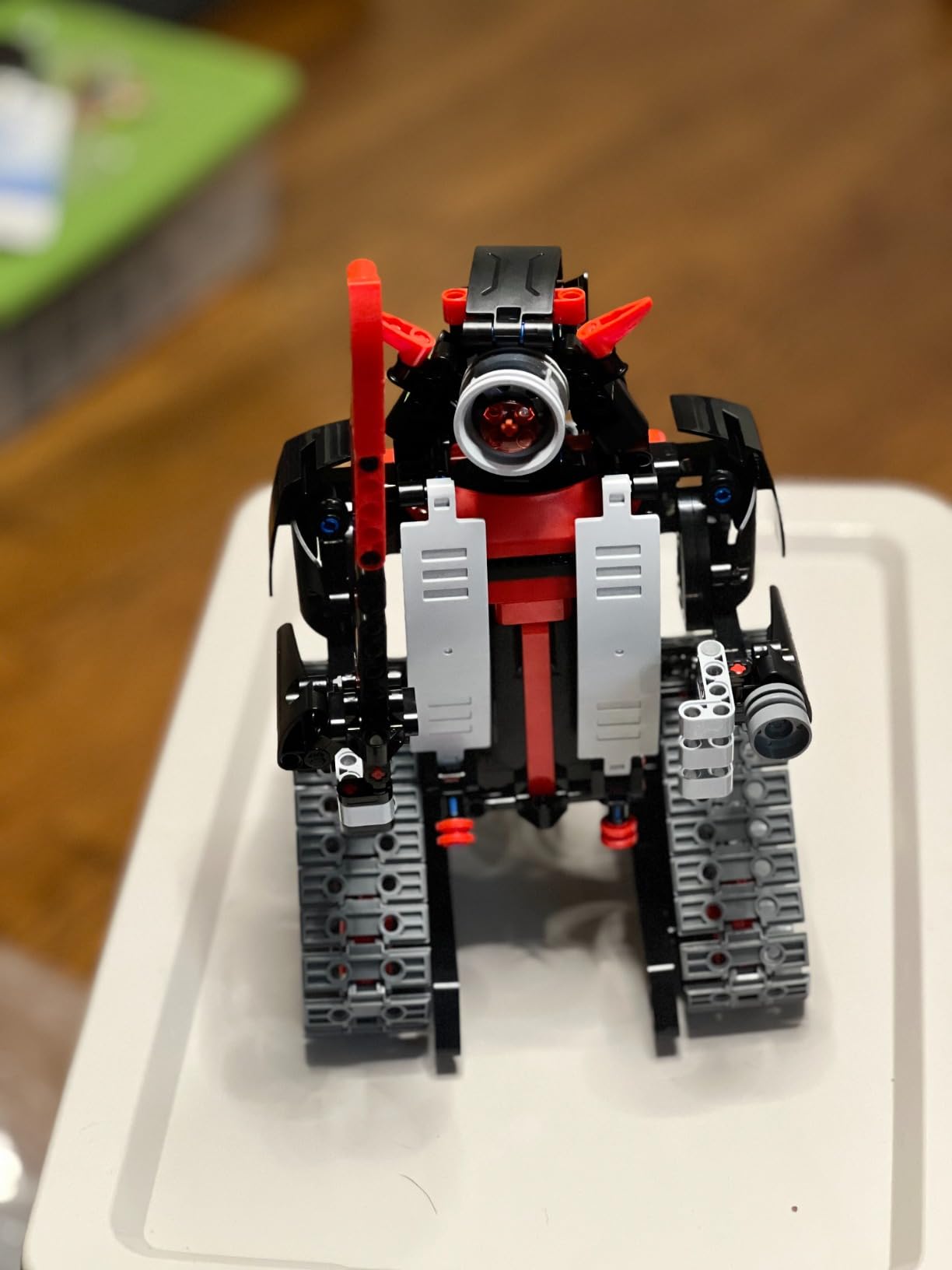
That motor system is the piece most likely to survive a move to a new box, so a family that already owns parts from another brand is not building on a foundation that stops working when the original kit does.
App Features That Go Past Remote Control
The app includes driving simulation, gravity gyroscope control, navigation paths and AI programming on top of the remote and 360-degree rotation with four-direction movement. The five models are a warrior robot, ninja, boar, chariot and buggy, each built from 419 to 443 pieces.
ASTM and CPSIA certification with non-toxic ABS is worth noting at this volume of plastic, particularly for a kit marketed to younger builders.
Several Hours of Assembly Is a Feature Here
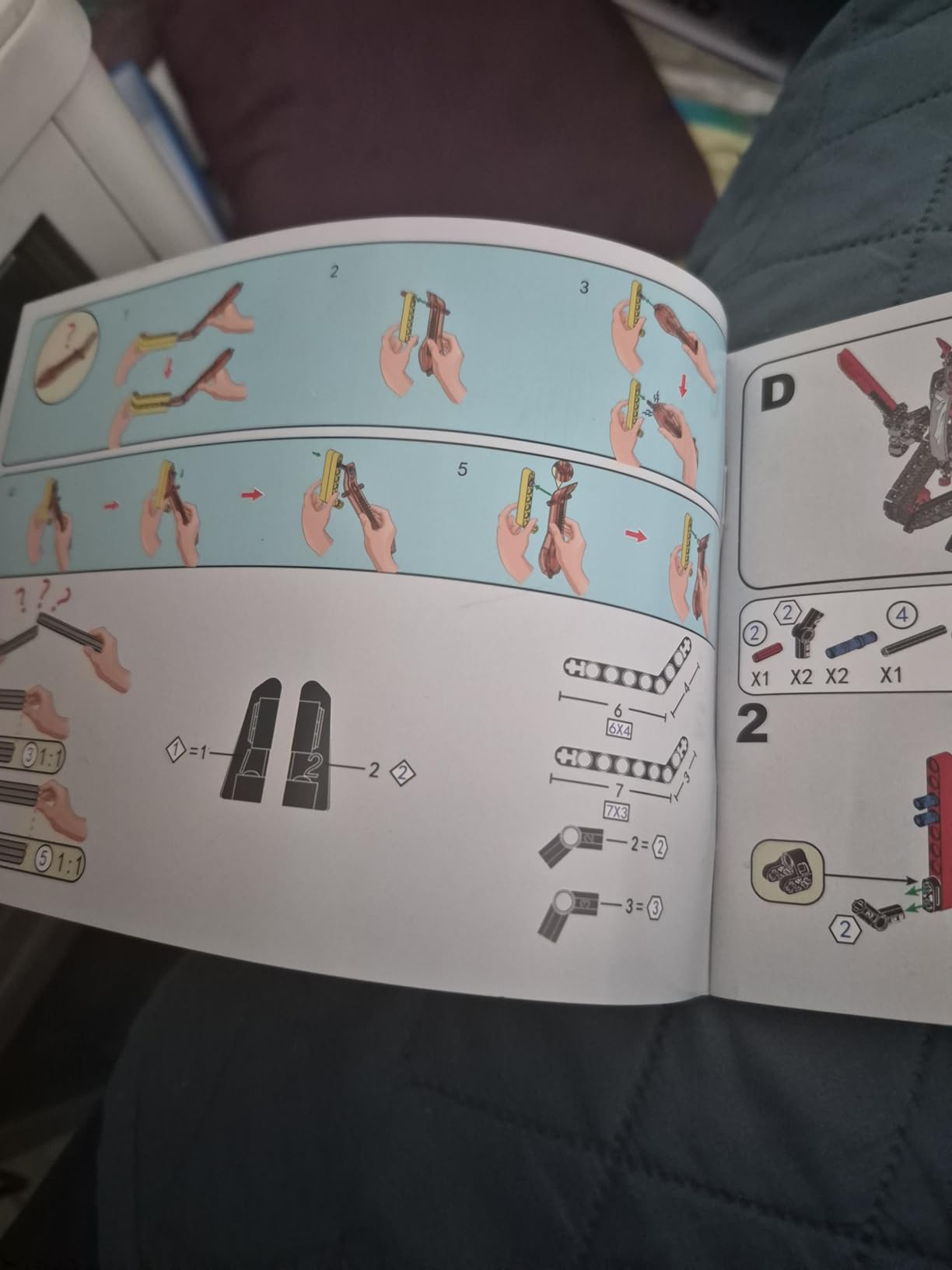
Reviewers mention assembly taking several hours, and while that is listed as a pro, it needs a caveat. The build can feel complex even for an 8-year-old, and younger builders generally need a parent to finish. For a 12-year-old it is a satisfying weekend project, not a problem.
Two or three sessions is a realistic plan. Trying to rush it into one evening is how small parts get lost under a sofa.
Who It Is For
It suits a 10- to 13-year-old who loves the physical, mechanical side of robotics more than the coding side, and it is a good fit for a child who already has parts from another block brand and wants a strong motor drive.
It is a weaker choice as a first robotics purchase unless an adult can commit to building alongside your child, because the instruction density is high.
12. Sillbird 12-in-1 Solar Robot Kit – Twelve Builds and No Screen at All
Sillbird 12-in-1 Solar Robot Building Kit STEM Gift for Boys Ages 8-13
Ages 8-13
190 pieces
Twelve buildable models
Solar powered
+ Pros
- Screen-free hands-on building play with 12 different models
- Teaches renewable energy and basic engineering principles
- Clear step-by-step instructions that let kids assemble independently
- Large solar panel delivers stronger output than smaller kits
- Cons
- Solar models need direct sunlight or a strong artificial light source to run
- 190 pieces can produce minor molding flash on some parts
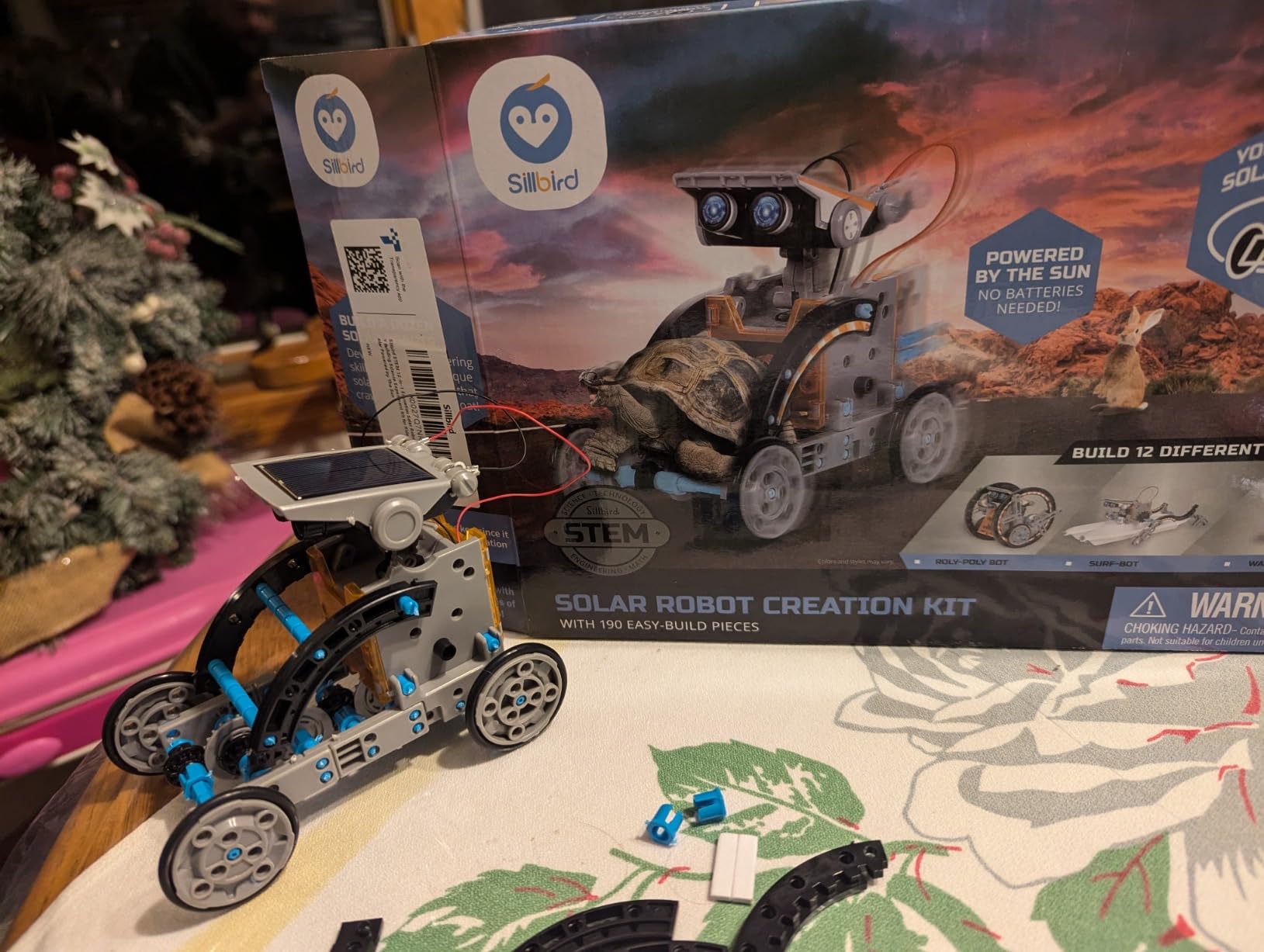
With 190 pieces building into 12 different models, this has by far the most reviews in the roundup, and the reason is durability of interest rather than capability. There is no app, no screen and no firmware. The child builds a model, it runs in sunlight, and they build the next one.
Buyers consistently praise the number of buildable models, the screen-free STEM value and the clarity of the instructions, while noting that solar power needs good light conditions.
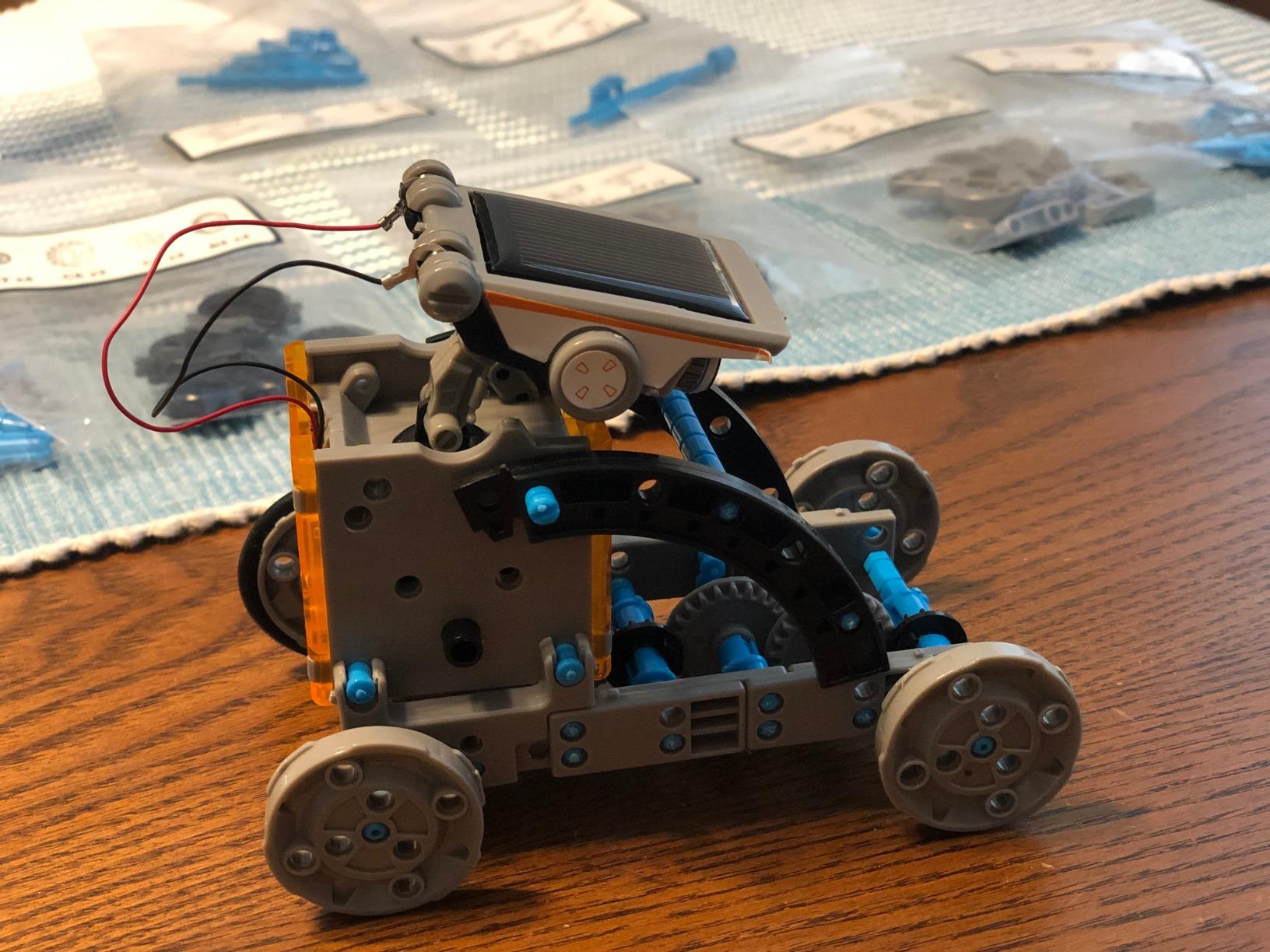
At just over 15,000 reviews this is the most battle-tested kit in the roundup, and the consistency of the feedback is itself useful information: parents know exactly what they are getting here.
The Solar Constraint Is the Whole Design
There is no battery in this kit, and that is the trade. Models run outdoors in sunlight or indoors with a strong artificial light source, so a family in a dim apartment during winter will have trouble. The upgraded larger panel does deliver stronger output than smaller solar kits in the same category.
What you gain is a robotics set that never asks to be updated, paired, or charged. For a household trying to give a 10-year-old something hands-on that is not a screen, that is a real proposition.
Twelve Models and a Dexterity Focus
The manufacturer lists the educational objective as dexterity skills, and the twelve models include robots and cars. At 190 pieces with ABS construction, the models are small and simple, which is exactly why a child can complete one in a sitting and immediately start another.
Minor molding flash on some parts is the most common quality note. It is a cosmetic issue that does not affect function, and it is the only recurring complaint alongside the light requirement.
Who It Is For
This suits ages 8-13, and for middle schoolers it works best as a companion to a coding kit rather than a replacement. The mechanical and renewable-energy learning is genuinely different from what a programming robot teaches.
It is our pick for a child who has already been given a coding robot and now needs something that does not live on a screen. It is also an easy first robotics purchase for a family unsure whether the interest will last.
How to Choose a Robotics Kit Your Middle Schooler Will Still Be Using in March
The gap between a kit that excites a child and one that survives a semester comes down to a few decisions you can make before you buy. Here is what we would check, in order.
Block Coding vs Text Coding and When to Switch
Block coding means dragging visual blocks that snap together, and it is the correct starting point for almost every 9- to 12-year-old. Text coding means writing Python, C++ or JavaScript, and it introduces syntax errors that look like the child’s fault when they are not.
The most common abandonment cause parents describe in forums is a language mismatch: a kit handed to a child who is not ready for syntax. The fix is simple. Start in blocks, confirm the child can build a repeating loop and a conditional, and only then open the text editor. Every kit in this roundup that supports both lets you make that switch without changing hardware.
Match Build Time to Your Child’s Frustration Limit
Under 20 minutes is ideal for a first kit, 30 to 45 minutes works if an adult is nearby, and anything over two hours needs a scheduled multi-session plan. Kits that take two to three hours or need adult screw-driving help break the fast-first-win expectation that keeps projects alive.
What Should Already Be in the Box
Check three things before checkout: are the batteries included, is the screwdriver included, and are the cables long enough for the projects your child will actually attempt. Cost creep is the most common surprise, because the base kit rarely includes enough sensors or cables for what students want to build next.
Also ask whether a tablet or phone is required and not included. One kit in this roundup will not run at all without a compatible mobile device, and several more depend on an app for their best features. It is easy to miss on a product page.
Retired Platforms Worth Skipping in 2026
Platform lifecycle is the risk nobody warns you about. LEGO retired SPIKE Prime sales as of June 30, 2026, with app support running to 2031, and older EV3-era kits have already lost app support. Buying a retired platform means buying hardware whose teaching software has a countdown on it.
For the kits in this roundup, the practical checklist is whether the controlling app is still being updated and whether the vendor has a track record of supporting hardware for years rather than seasons. Kits that run entirely on-board with no app dependency sidestep this problem completely.
Total Cost of Ownership Over Two Years
Factor in expansion packs, add-on sensors and replacement parts before you commit, because that is the real number. A base kit plus one expansion set is a more honest comparison between an inexpensive kit and an expensive one than the base price alone.
Kits with a genuinely open expansion system, like the mBot with more than 100 modules and 500-plus parts, tend to be cheaper over two years than a sealed kit that has to be replaced entirely when the sample projects run out.
Does a Kit Reduce Screen Time or Move It
Most robotics kits relocate screen time rather than reduce it: instructions on a tablet, code in an editor, debugging in an app. If your actual goal is less screen time, choose accordingly. A mechanical kit like the wooden robotic hand or the solar set delivers the same engineering thinking with a physical payoff instead of a digital one.
For a 10- to 13-year-old with a screen-time problem, we would honestly recommend starting mechanical and adding coding later, in the opposite order from most roundups.
Which Middle School Kit Leads Into High School Robotics
Multiple sources converge on VEX IQ as the middle school competition standard for both durability and the strength of its team infrastructure, and on LEGO as the more flexible and creative platform for beginners. Neither line of kit appears in this roundup, which is worth stating plainly rather than implying these picks prepare a student for a specific league.
What does transfer is the underlying skill set. Any kit that teaches sensors, feedback loops and debugging prepares a student for FIRST LEGO League or VEX IQ competition, and any kit that introduces Python at ages 11-14 shortens the ramp into high school Arduino work. Experienced makers on r/learnprogramming recommend Parallax as a strong entry-level option precisely for its active community, which is another sign that community matters as much as hardware.
A Note on Buying Robotics for Girls
Girls’ interest in robotics is a persistent myth that costs students a year of engineering. Nothing in our testing suggested any difference in engagement or persistence between boys and girls, and several kits in this roundup are explicitly designed for all children. Pick on the child’s interests rather than on assumptions about who robotics is for.
Frequently Asked Questions
What age should a child start robotics?
Most experts put the entry point at age 8 to 9 with block coding, but a robotics kit is a genuinely good middle school purchase for ages 11 to 14. At that point a child can handle a 30 to 45 minute build, understands basic logic, and can be self-directed. Younger children benefit more from a kit with a fast first win and multiple models; older children benefit more from a kit with a real text language.
Do middle school students need a coding background for robotics?
No, but it helps enormously. Start in block coding so your child learns loops, conditionals and debugging without fighting syntax errors. Most abandonment in robotics kits comes from a language mismatch, not from a lack of ability. Once a child can build a repeating loop in blocks, switching to Python or C++ on the same hardware is a natural next step.
Is LEGO Spike Prime better than EV3?
SPIKE Prime was the more capable of the two, with a better sensor hub and a smoother block-to-text coding transition. It is also retired, with sales ending June 30, 2026 and app support running to 2031. That makes existing SPIKE Prime sets still usable, but it makes buying into the platform a long-term risk. EV3 support has already lapsed, so we would avoid both in 2026.
Are robotics kits worth it for middle school kids?
They are worth it when the kit matches the child’s age and the family plans to build alongside them at the start. The most common disappointment is not a defective product but a kit that collects dust after the first build. Choose a kit with multiple builds, an expansion path, and a first build under 45 minutes, and the value holds up for years.
Can a robotics kit count for homeschool credit?
Yes, as an elective or a science unit, provided you document it. Families report the best results treating the kit as the lab component of a broader coding curriculum rather than the whole course. Two 45-minute sessions a week with a build log, a written reflection, and a demonstration at the end of the term is a workable structure for a half-credit or full-credit elective.
How much does a robotics kit cost for a classroom?
Classroom and co-op purchases usually buy multiples, and manufacturers and school suppliers often offer bulk pricing at volume. Budget for per-student cost plus consumables: replacement wires, extra controllers, and at least one spare unit per group of four so a single failure does not stall a table. Kits that support classroom mode, like the mBot2 running one program over Wi-Fi, save significant setup time.
The Verdict: Which Robotics Kit to Buy for Ages 11 to 14
If your child is starting from nothing, the Makeblock mBot is the best robotics kit for middle school students in 2026. It builds in 15 minutes, works immediately, teaches Scratch before Arduino, and expands into more than 100 modules so it does not become a sealed box after month two.
If your child already codes, move up to the mBot2 for Python and a deeper sensor suite. If the goal is to take screen time away rather than add to it, the Smartivity mechanical hand is the pick we would defend hardest. If you want the most build volume for a first experience, the 488-piece Sillbird set is hard to argue with.
For a first electronics project or a science-fair entry, the BeAndge 6-in-1 is the budget pick that actually produces working models. And for a 12- to 14-year-old ready for real C++, the ELEGOO UNO R3 smart robot car is where a middle schooler can start living.
Whichever you choose, build the first model together. The kits that last are the ones where the first hour was shared, and that is the part no product page sells.