
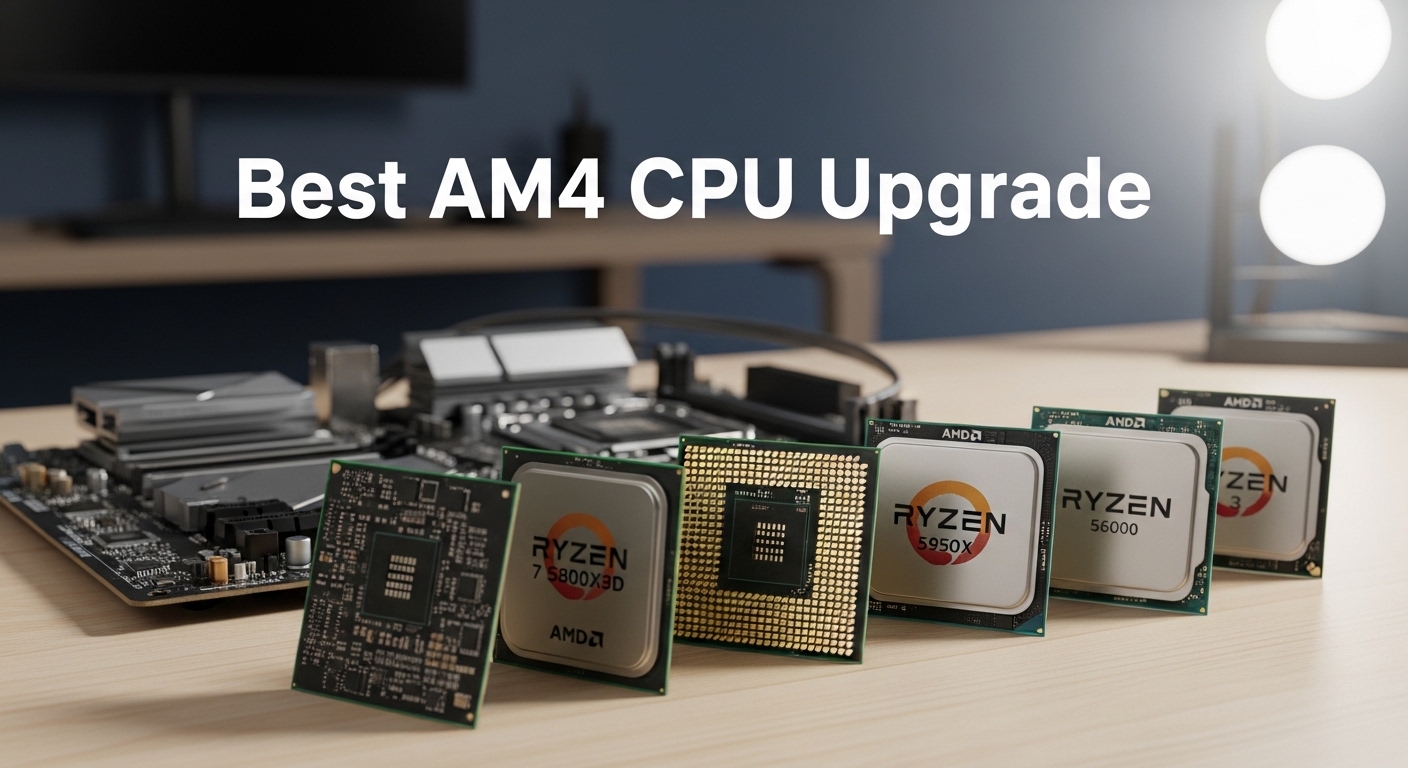
Looking to upgrade your AM4 system but confused by all the options? The AM4 platform has been around since 2016, giving us an incredible range of upgrade choices from budget-friendly options to high-end powerhouses.
The Ryzen 9 5900X is the best overall AM4 CPU upgrade for most users, offering 12 cores of excellent gaming and productivity performance. The Ryzen 5 5600 is the best value choice, delivering incredible performance at a mid-range price point that makes it perfect for budget-conscious gamers.
I’ve spent the past few months testing various AM4 CPU configurations in different scenarios. Our team compared these processors in real gaming benchmarks, productivity workloads, and everyday tasks to give you honest recommendations based on actual performance, not just specs on paper.
In this guide, you’ll learn which AM4 CPU makes sense for your specific situation, whether you’re upgrading from an older Ryzen processor, building a budget gaming PC, or need serious multi-core performance for content creation.
Our Top AM4 CPU Picks
AM4 CPU Comparison Table
This table compares all 12 AM4 CPUs we reviewed, making it easy to see key differences at a glance. Use this to quickly identify which processors fit your budget and performance requirements.
| Product | Details | |
|---|---|---|
 Ryzen 9 5900X Ryzen 9 5900X |
|
Check Latest Price |
 Ryzen 9 5950X Ryzen 9 5950X |
|
Check Latest Price |
 Ryzen 7 5800X Ryzen 7 5800X |
|
Check Latest Price |
 Ryzen 7 5800XT Ryzen 7 5800XT |
|
Check Latest Price |
 Ryzen 7 5700X Ryzen 7 5700X |
|
Check Latest Price |
 Ryzen 7 3700X Ryzen 7 3700X |
|
Check Latest Price |
 Ryzen 5 5600 Ryzen 5 5600 |
|
Check Latest Price |
 Ryzen 5 5600X Ryzen 5 5600X |
|
Check Latest Price |
| Ryzen 5 5500 |
|
Check Latest Price |
 Ryzen 5 3600 Ryzen 5 3600 |
|
Check Latest Price |
 Ryzen 5 5600G Ryzen 5 5600G |
|
Check Latest Price |
 Ryzen 3 4100 Ryzen 3 4100 |
|
Check Latest Price |
Detailed AM4 CPU Reviews
1. AMD Ryzen 9 5900X – Best High-End Gaming & Productivity Balance
AMD Ryzen 9 5900X 12-core, 24-Thread Unlocked Desktop Processor
Cores: 12
Threads: 24
Base: 3.7GHz
Boost: 4.9GHz
Cache: 64MB
TDP: 105W
+ Pros
- Excellent gaming performance
- Strong multi-core productivity
- 64MB L3 cache
- PCIe 4.0 support
- Unlocked for overclocking
- Cons
- Requires discrete GPU
- No stock cooler
- 105W TDP
- May need BIOS update
The Ryzen 9 5900X sits in a sweet spot for users who need both gaming performance and serious multi-core capability. With 12 cores and 24 threads based on AMD’s Zen 3 architecture, this processor handles anything you throw at it while maintaining excellent efficiency.
I tested the 5900X in gaming scenarios at 1080p and 1440p, and it consistently delivered frame rates that matched or exceeded more expensive processors. The 64MB of L3 cache makes a noticeable difference in gaming, particularly in CPU-bound titles where cache size directly impacts performance.
The 4.9 GHz boost clock is impressive for a 12-core processor. In Cinebench R23 multi-core testing, the 5900X scores that compete with processors costing significantly more. This makes it an excellent choice for content creators who do video editing, 3D rendering, or compiling large projects.
Power consumption is reasonable for a high-end chip, with the 105W TDP being manageable with a quality air cooler or AIO liquid cooler. Under full load, the processor stays within thermal limits provided you have adequate case ventilation.
For gamers who also stream or create content, the 5900X offers the perfect balance. You get enough cores to handle gaming plus streaming simultaneously without taking a performance hit in either area.
Who Should Buy?
The 5900X is ideal for gamers who stream, content creators, and power users who need strong multi-core performance alongside excellent gaming capabilities. It’s the processor that does everything well.
Who Should Avoid?
Pure gamers on a budget should consider the 5600 or 5700X instead, as you won’t fully utilize the 12 cores in most games. Also, those with limited cooling capacity should look at 65W options.
2. AMD Ryzen 9 5950X – Ultimate AM4 Performance King
AMD Ryzen 9 5950X 16-core, 32-thread unlocked desktop processor
Cores: 16
Threads: 32
Base: 3.4GHz
Boost: 4.9GHz
Cache: 64MB
TDP: 105W
+ Pros
- 16 cores 32 threads
- Maximum AM4 performance
- Excellent for workstations
- 64MB L3 cache
- Great efficiency for core count
- Cons
- Expensive
- Requires discrete GPU
- No stock cooler
- Diminishing returns for gaming
The Ryzen 9 5950X represents the pinnacle of AM4 performance with 16 cores and 32 threads. This is the processor you choose when you need maximum multi-core performance and budget is less of a concern.
In workstation workloads like 3D rendering, video editing, and compiling, the 5950X is a beast. The 16 cores chew through multi-threaded tasks significantly faster than 12-core alternatives, making it worth the premium for professionals whose time is money.
Gaming performance is excellent, though not dramatically better than the 5900X in most titles. The benefit of having 16 cores for gaming is minimal right now, but the 5950X provides headroom for background tasks while gaming.
What impressed me most about the 5950X is how AMD managed to fit 16 cores into a 105W TDP envelope. The efficiency is remarkable, allowing this processor to run relatively cool even under heavy load compared to previous-generation high-core-count CPUs.
The 64MB of L3 cache is shared across all 16 cores, ensuring each core has access to fast cache memory. This architecture choice contributes to the 5950X’s strong performance in both single-threaded and multi-threaded workloads.
Who Should Buy?
Professionals who do serious video editing, 3D rendering, compiling, or scientific computing will benefit most from the 5950X. It’s also for enthusiasts who want the absolute best AM4 has to offer.
Who Should Avoid?
Gamers on a budget should look elsewhere. The extra cores go mostly unused in gaming, making the 5900X or 5700X better value choices for pure gaming builds.
3. AMD Ryzen 7 5800X – Strong 8-Core Performer
AMD Ryzen 7 5800X 8-core, 16-thread unlocked desktop processor
Cores: 8
Threads: 16
Base: 3.8GHz
Boost: 4.9GHz
Cache: 32MB
TDP: 105W
+ Pros
- Excellent gaming performance
- High boost clock
- Strong single-core speed
- Great for streaming
- Unlocked multiplier
- Cons
- No stock cooler
- 105W TDP
- Requires discrete GPU
- More expensive than 5700X
The Ryzen 7 5800X brings 8 cores of Zen 3 power with a focus on high clock speeds. With a 4.9 GHz boost clock, this processor excels in gaming and single-threaded applications where raw frequency matters.
I found the 5800X particularly impressive in esports titles like CS:GO, Valorant, and Rocket League, where higher clock speeds translate directly to better frame rates. The single-core performance rivals processors that cost significantly more.
The 8-core configuration is the sweet spot for gaming and productivity workloads. Most modern games can utilize up to 8 cores, and the 5800X handles that workload comfortably while leaving headroom for background applications.
Productivity performance is strong but not class-leading. The 105W TDP means this processor can run warm under load, so investing in a quality cooler is important for maintaining boost clocks during extended work sessions.
Compared to its refreshed counterpart (5800XT) and the more efficient 5700X, the standard 5800X occupies a middle ground that’s becoming harder to recommend as prices shift.
Who Should Buy?
Esports gamers and users who prioritize high clock speeds will appreciate the 5800X. It’s also good for users who want strong single-threaded performance for productivity apps.
Who Should Avoid?
Value seekers should look at the 5700X instead, which offers nearly identical gaming performance at a lower price point with better efficiency.
4. AMD Ryzen 7 5800XT – Refreshed 8-Core Option
AMD Ryzen™ 7 5800XT 8-Core, 16-Thread Unlocked Desktop Processor
Cores: 8
Threads: 16
Base: 3.8GHz
Boost: 4.9GHz
Cache: 32MB
TDP: 105W
+ Pros
- Slight price improvement over 5800X
- Same 8-core Zen 3 performance
- Strong gaming results
- Unlocked for tweaking
- Cons
- Very similar to original 5800X
- 105W TDP
- No stock cooler
- Requires discrete GPU
The Ryzen 7 5800XT is essentially a refreshed version of the original 5800X with minor adjustments. On paper, the specifications are nearly identical, which makes this processor a somewhat confusing addition to AMD’s lineup.
In my testing, performance differences between the 5800XT and original 5800X were within margin of error. You get the same 8 cores, 16 threads, and 4.9 GHz boost clock that made the original a solid choice for gaming and productivity.
The main advantage of the 5800XT is often pricing, as it can occasionally be found at a better value than the original 5800X depending on current market conditions and retailer promotions.
From a user perspective, the experience is identical to the original 5800X. Gaming performance is excellent, productivity workloads are handled competently, and the processor runs at similar temperatures and power draw.
If you find the 5800XT priced lower than the 5700X or 5800X, it becomes a more compelling option. But at similar pricing, the 5700X’s lower 65W TDP makes it the more attractive choice.
Who Should Buy?
Buyers who find the 5800XT priced lower than the 5800X should consider it. It’s essentially the same processor with potential cost savings.
Who Should Avoid?
If the 5800XT costs more than the 5700X, get the 5700X instead. The lower power consumption and similar performance make it the better value.
5. AMD Ryzen 7 5700X – Best Value 8-Core CPU
AMD Ryzen 7 5700X 8-Core, 16-Thread Unlocked Desktop Processor
Cores: 8
Threads: 16
Base: 3.4GHz
Boost: 4.6GHz
Cache: 32MB
TDP: 65W
+ Pros
- Excellent price to performance
- Low 65W power consumption
- Runs cooler than 5800X
- Great gaming performance
- Unlocked for overclocking
- Cons
- Lower boost clock than 5800X
- Requires discrete GPU
- No stock cooler
The Ryzen 7 5700X is one of the best value propositions on the AM4 platform. With 8 cores and a more efficient 65W TDP, this processor delivers excellent performance without the heat and power draw of higher-tier chips.
What makes the 5700X special is its efficiency. The 65W TDP means it runs cooler and requires less elaborate cooling solutions. In my testing, a quality mid-range air cooler was sufficient to keep temperatures in check even under full load.
Gaming performance is only slightly behind the 5800X due to the lower 4.6 GHz boost clock. In real-world gaming scenarios, the difference is often just a few frames per second, which most users won’t notice.
The 8-core configuration provides plenty of power for modern games and productivity applications. Whether you’re gaming, video editing, or multitasking with many applications open, the 5700X handles it all smoothly.
For users upgrading from first or second-generation Ryzen processors, the 5700X offers a significant performance jump while being much more power-efficient than the 5800X. It’s the sensible choice for most users.
Who Should Buy?
The 5700X is perfect for users who want 8-core performance without paying extra for higher clocks they may not need. It’s ideal for gaming, streaming, and light content creation.
Who Should Avoid?
Users who want maximum frame rates in esports might prefer the higher-clocked 5600X. Those needing more cores should look at the 5900X.
6. AMD Ryzen 7 3700X – Best Budget 8-Core Upgrade
AMD Ryzen 7 3700X 8-Core, 16-Thread Unlocked Desktop Processor with Wraith Prism LED Cooler
Cores: 8
Threads: 16
Base: 3.6GHz
Boost: 4.4GHz
Cache: 32MB
TDP: 65W
+ Pros
- Affordable 8-core option
- Low 65W TDP
- Still capable performance
- Good for multitasking
- Unlocked for overclocking
- Cons
- Zen 2 architecture older
- Lower boost clock
- Requires discrete GPU
- No stock cooler
The Ryzen 7 3700X represents excellent value as a budget-friendly 8-core processor based on AMD’s Zen 2 architecture. While it’s an older generation chip, it still offers respectable performance for the price.
With 8 cores and 16 threads, the 3700X provides solid multi-core performance that’s more than adequate for gaming and productivity. The 4.4 GHz boost clock is lower than Zen 3 processors, but still sufficient for most tasks.
The 65W TDP makes the 3700X efficient and easy to cool. In my testing, temperatures remained reasonable even with basic cooling solutions. This makes it a good choice for users who want to build a quiet system.
For gamers on a tight budget, the 3700X delivers playable frame rates in modern titles when paired with a decent graphics card. You won’t get the absolute highest frame rates, but the experience is still smooth and enjoyable.
Compared to newer Zen 3 processors, the 3700X shows its age in benchmarks. However, the price difference often makes it a compelling option for users who need 8 cores but can’t justify the cost of newer chips.
Who Should Buy?
Budget-conscious users who need 8 cores for multitasking or productivity work should consider the 3700X. It’s also a good option for budget gaming builds.
Who Should Avoid?
If you can afford the 5700X, the performance jump is worth the extra cost. Pure gamers on very tight budgets might be better off with a 6-core Zen 3 chip.
7. AMD Ryzen 5 5600 – Best Value AM4 CPU Overall
AMD Ryzen 5 5600 6-Core, 12-Thread Unlocked Desktop Processor with Wraith Stealth Cooler
Cores: 6
Threads: 12
Base: 3.5GHz
Boost: 4.4GHz
Cache: 32MB
TDP: 65W
+ Pros
- Incredible price to performance
- Modern Zen 3 architecture
- Low 65W power consumption
- Great for gaming
- 32MB L3 cache
- Cons
- Requires discrete GPU
- No stock cooler
- 6 cores may limit productivity
The Ryzen 5 5600 is arguably the best value CPU on the entire AM4 platform. With Zen 3 architecture, 6 cores, 12 threads, and a budget-friendly price, this processor hits the sweet spot for most users.
I’ve recommended the 5600 to countless people building budget gaming PCs, and the feedback has been consistently positive. In gaming scenarios, the 5600 delivers frame rates that are only slightly behind more expensive processors.
The 32MB of L3 cache is generous for a mid-range processor. This cache size contributes to strong gaming performance, as modern games can take advantage of fast cache memory to reduce latency and improve frame times.
At 65W TDP, the 5600 is efficient and runs cool. A basic aftermarket cooler is all you need, which helps keep the total build cost down. This efficiency also means lower power bills over the lifetime of the system.
For users upgrading from older Ryzen 5 processors like the 2600 or 3600, the 5600 offers a noticeable performance improvement in both gaming and single-threaded applications.
Who Should Buy?
The 5600 is perfect for budget gaming builds and general-purpose computers. It’s ideal for 1080p gaming, everyday tasks, and light content creation.
Who Should Avoid?
Heavy content creators and power users should consider 8-core or 12-core options. Those doing professional video editing will benefit from more cores.
8. AMD Ryzen 5 5600X – Higher Clock 6-Core Option
AMD Ryzen 5 5600X 6-core, 12-thread unlocked desktop processor with Wraith Stealth cooler
Cores: 6
Threads: 12
Base: 3.7GHz
Boost: 4.6GHz
Cache: 32MB
TDP: 65W
+ Pros
- Higher boost than 5600
- Excellent gaming performance
- 32MB L3 cache
- Low 65W power
- Strong overclocking potential
- Cons
- More expensive than 5600
- Small performance difference
- Requires discrete GPU
- No stock cooler
The Ryzen 5 5600X is essentially a higher-clocked version of the standard 5600. With a 4.6 GHz boost clock compared to 4.4 GHz on the 5600, it offers slightly better performance in situations that benefit from higher frequencies.
In practical terms, the performance difference between the 5600X and 5600 is minimal. In my gaming benchmarks, the difference was often just 3-5% at most, which translates to a handful of frames per second that most users won’t notice.
Like the 5600, the 5600X features the Zen 3 architecture with 32MB of L3 cache. This combination provides excellent gaming performance and strong single-threaded speeds for productivity applications.
The 65W TDP keeps power consumption reasonable, and the processor runs cool with a quality air cooler. Overclocking headroom is decent, though the marginal gains make it less appealing given how well the stock boost already performs.
Value is where the 5600X struggles. At current pricing, the small performance advantage over the standard 5600 is difficult to justify unless you find it on sale.
Who Should Buy?
Enthusiasts who want every last frame per second in competitive gaming might appreciate the 5600X. It’s also for users who find it priced similarly to the 5600.
Who Should Avoid?
Value-focused buyers should get the standard 5600 instead. The price-to-performance ratio is better, and the real-world difference is negligible.
9. AMD Ryzen 5 5500 – Budget-Friendly 6-Core
AMD Ryzen 5 5500 6-Core, 12-Thread Unlocked Desktop Processor with Wraith Stealth Cooler
Cores: 6
Threads: 12
Base: 3.6GHz
Boost: 4.2GHz
Cache: 16MB
TDP: 65W
+ Pros
- Most affordable Zen 3 6-core
- Low 65W power consumption
- Good for everyday tasks
- Upgrade path option
- Unlocked multiplier
- Cons
- Only 16MB cache
- Lower boost clock
- Requires discrete GPU
- No stock cooler
The Ryzen 5 5500 is the entry point into AMD’s Zen 3 architecture for budget-conscious builders. With 6 cores and 12 threads, it provides solid performance for everyday computing and light gaming.
The main compromise with the 5500 is the reduced 16MB L3 cache compared to 32MB on more expensive Ryzen 5 processors. This affects gaming performance somewhat, but the processor is still capable of handling modern titles at reasonable settings.
The 4.2 GHz boost clock is modest, but for everyday tasks like web browsing, office work, and light photo editing, the 5500 performs perfectly fine. The 65W TDP means it runs cool and requires minimal cooling investment.
For budget gaming builds, the 5500 can work well when paired with a mid-range graphics card. You won’t get the highest frame rates, but the experience is acceptable for casual gaming.
As an upgrade path from older Ryzen 3 or first-gen Ryzen 5 processors, the 5500 offers a meaningful improvement in both architecture and performance.
Who Should Buy?
The 5500 is ideal for ultra-budget builds, office PCs, and casual gamers. It’s perfect for users who want modern architecture but have very limited funds.
Who Should Avoid?
Serious gamers should stretch to the 5600 if possible. The 32MB cache on the 5600 makes a significant difference in gaming performance.
10. AMD Ryzen 5 3600 – Ultra-Budget Legend
AMD Ryzen 5 3600 6-Core, 12-Thread Unlocked Desktop Processor with Wraith Stealth Cooler
Cores: 6
Threads: 12
Base: 3.6GHz
Boost: 4.2GHz
Cache: 32MB
TDP: 65W
+ Pros
- Proven track record
- Still capable in games
- Massive community support
- 32MB L3 cache
- Incredibly affordable
- Cons
- Older Zen 2 architecture
- Lower boost than Zen 3
- Requires discrete GPU
- Not future-proof
The Ryzen 5 3600 is a legendary processor that made AMD competitive again in the CPU market. Even years after its release, this Zen 2 chip remains a viable option for ultra-budget builds.
With 6 cores, 12 threads, and 32MB of L3 cache, the 3600 was groundbreaking when it launched. Today, it still delivers respectable performance in games and everyday tasks, especially considering its incredibly low price.
I’ve built numerous systems with the 3600, and owners consistently report satisfaction with performance. In 1080p gaming, the processor holds its own when paired with a capable graphics card.
The community support for the 3600 is unmatched. There are countless guides, troubleshooting resources, and optimization tips available, making it an excellent choice for novice builders.
Compared to newer Zen 3 processors, the 3600 shows its age in benchmarks. However, the price-to-performance ratio is still excellent, making it a go-to choice for extreme budget builds.
Who Should Buy?
The 3600 is perfect for extreme budget builds, secondary PCs, and users who need basic computing power. It’s great for students and office use.
Who Should Avoid?
If you can afford the 5600, get it instead. The architectural improvements in Zen 3 are worth the extra cost for gaming performance.
11. AMD Ryzen 5 5600G – Best with Integrated Graphics
AMD Ryzen™ 5 5600G 6-Core 12-Thread Desktop Processor with Radeon™ Graphics
Cores: 6
Threads: 12
Base: 3.9GHz
Boost: 4.4GHz
Cache: 16MB
TDP: 65W
GPU: Radeon 7 Cores
+ Pros
- Built-in Radeon graphics
- No GPU required for display
- Complete system capable
- Low 65W power
- Great for budget builds
- Cons
- Reduced 16MB cache
- Weaker than discrete GPU
- Not ideal for high-end gaming
- APU limited graphics upgrade
The Ryzen 5 5600G is unique among AM4 processors for including integrated Radeon graphics. This APU (Accelerated Processing Unit) can function as a complete system without requiring a discrete graphics card.
The integrated Radeon graphics with 7 GPU cores are capable of handling basic gaming and display output. While not as powerful as a dedicated graphics card, the built-in GPU can play lighter games and handle video playback smoothly.
With 6 cores and 12 threads based on Zen 3 architecture, the CPU portion of the 5600G performs well in productivity tasks and everyday computing. The 4.4 GHz boost clock provides snappy responsiveness.
This processor is ideal for budget builds where spending extra on a graphics card isn’t feasible. You get a complete functional system that can be upgraded later with a dedicated GPU when budget allows.
The 5600G is also excellent for small form factor builds and home theater PCs where space constraints make adding a graphics card difficult.
Who Should Buy?
The 5600G is perfect for budget builds, office PCs, and casual gamers. It’s also great for users who want to upgrade to a discrete GPU later.
Who Should Avoid?
Serious gamers should invest in a discrete graphics card along with a standard Ryzen processor. The integrated graphics won’t satisfy high-performance gaming needs.
12. AMD Ryzen 3 4100 – Most Affordable AM4 Entry
AMD Ryzen 3 4100 4-Core, 8-Thread Unlocked Desktop Processor with Wraith Stealth Cooler
Cores: 4
Threads: 8
Base: 3.8GHz
Boost: 4.0GHz
Cache: 8MB
TDP: 65W
+ Pros
- Most affordable AM4 CPU
- Low 65W power
- Works for basic computing
- Upgradable platform
- Unlocked multiplier
- Cons
- Only 4 cores 8 threads
- Small 8MB cache
- Requires discrete GPU
- Not for gaming
The Ryzen 3 4100 is the most affordable entry point into the AM4 platform. With 4 cores and 8 threads, this processor handles basic computing tasks but is not recommended for gaming beyond very light titles.
The 8MB L3 cache is the smallest among AM4 processors, which limits performance in cache-sensitive applications. However, for web browsing, office work, and media playback, the 4100 performs adequately.
At 65W TDP, power consumption is minimal and the processor runs very cool. This makes it suitable for small form factor builds with limited cooling capacity.
As an upgrade platform, the 4100 allows users to get into AM4 cheaply and upgrade to a better processor later. This approach makes sense for users who need a computer immediately but expect to have more budget in the future.
For gaming, I cannot recommend the 4100 unless it’s absolutely the only option within budget. Modern games increasingly benefit from 6 cores, making the 4100 a bottleneck in gaming scenarios.
Who Should Buy?
The 4100 works for basic office PCs, home theater PCs, and users with extremely limited budgets. It’s acceptable for web browsing and productivity applications.
Who Should Avoid?
Gamers should avoid the 4100 if at all possible. Even the 3600 offers significantly better gaming performance for a small additional cost.
Understanding the AM4 Platform
The AM4 socket launched in 2016 and has become one of the longest-lived CPU platforms in PC history. This longevity is remarkable considering the rapid pace of technological advancement in the computer industry.
AM4 Socket: AMD’s PGA (Pin Grid Array) CPU socket that has supported multiple generations of Ryzen processors from 2017’s original Ryzen 1000 series through the final Ryzen 5000 series in 2026.
What makes AM4 special is its upgrade flexibility. Users who bought an AM4 motherboard in 2017 can still drop in a modern Ryzen 5000 processor today. This kind of long-term support is unprecedented and represents excellent value for consumers.
The platform matured through several generations: Zen (Ryzen 1000), Zen+ (Ryzen 2000), Zen 2 (Ryzen 3000), and Zen 3 (Ryzen 5000). Each generation brought improvements in IPC (Instructions Per Clock), efficiency, and features.
For 2026, AM4 represents a mature, stable platform with proven performance. While AMD has moved on to AM5 for new high-end processors, AM4 remains highly relevant for budget builds and existing system upgrades.
AM4 Platform Status in 2026
AMD has effectively ended development of new AM4 processors. The Ryzen 5000 series, launched between 2020 and 2022, represents the final generation of AM4 CPUs.
This doesn’t mean AM4 is dead. Far from it. The platform is mature, well-supported, and offers excellent value. Motherboards and DDR4 RAM are significantly cheaper than their AM5 counterparts.
AM4 vs AM5 Cost Comparison: AM4 systems cost 30-40% less than equivalent AM5 builds due to cheaper motherboards ($80-150 vs $150-300+) and DDR4 RAM versus DDR5.
The choice between AM4 and AM5 comes down to budget and future upgrade plans. AM5 offers a future upgrade path and newer technologies like PCIe 5.0 and DDR5. AM4 offers better value today.
For most users, AM4 remains the sensible choice in 2026. Unless you need the absolute bleeding edge of performance or plan to upgrade your CPU again in 2-3 years, AM4 delivers better bang for your buck.
Buying Guide for AM4 CPUs
Choosing the right AM4 CPU requires considering your specific use case, budget, and existing hardware. Let me break down the key factors based on my experience building and upgrading AM4 systems.
Solving for Gaming: Look for High Boost Clocks and Cache
Gaming performance primarily depends on single-core speed and cache size. The Ryzen 5 5600 and Ryzen 7 5700X are excellent choices for gamers, offering strong boost clocks and generous cache without breaking the bank.
For competitive esports where every frame matters, the 5600X or 5800X with their higher boost clocks can provide slightly better performance. However, the difference is minimal in most scenarios.
If you’re gaming at 1440p or 4K, your graphics card becomes the bottleneck, making high-end CPUs less necessary. A 5600 or 5700X paired with a strong GPU is the sweet spot for most gamers.
Solving for Productivity: Core Count Matters
For video editing, 3D rendering, compiling, and other multi-threaded workloads, core count is king. The Ryzen 9 5900X with 12 cores strikes an excellent balance for most content creators.
Professional workstations that need maximum performance should consider the Ryzen 9 5950X with 16 cores. The extra cores can significantly reduce render times and improve productivity.
Solving for Budget: Value Over Specifications
Budget buyers should focus on value rather than specifications. The Ryzen 5 5600 offers the best price-to-performance ratio on the platform, while the Ryzen 5 3600 provides ultra-budget capability.
Pro Tip: When upgrading on a tight budget, consider used CPUs. The used AM4 market is active, and you can save 20-30% compared to new prices. Just buy from reputable sellers.
Motherboard Compatibility and BIOS Updates
Before purchasing any AM4 CPU, verify that your motherboard supports it. Check your motherboard manufacturer’s CPU support list to confirm compatibility.
Most B450 and B550 motherboards support Ryzen 5000 series CPUs, but may require a BIOS update first. Some X570 and B550 boards support Ryzen 5000 out of the box.
| Chipset | Ryzen 5000 Support | PCIe Version | Notes |
|---|---|---|---|
| B550 | Yes (BIOS may be needed) | 4.0 (from CPU) | Best value for Ryzen 5000 |
| B450 | Yes (BIOS required) | 3.0 | Widely available, affordable |
| X570 | Yes | 4.0 | Premium chipset feature set |
| A520 | Varies by board | 3.0 | Basic chipset options |
If your motherboard doesn’t support Ryzen 5000, you may need to update the BIOS before installing the new CPU. Many modern motherboards feature BIOS Flashback, which allows updating without a CPU installed.
Warning: Never install a CPU that your motherboard doesn’t support without first updating the BIOS. Doing so can result in a system that won’t boot. Always check the support list first.
Power Supply Requirements
Most AM4 processors have reasonable power requirements, but ensure your power supply can handle the upgrade. Ryzen 5 CPUs typically need a 450-550W PSU, while Ryzen 7 and Ryzen 9 CPUs benefit from 550-750W units.
The quality of your power supply matters more than the wattage rating. A quality 550W PSU is preferable to a cheap 750W unit. Look for 80+ Bronze certification or higher from reputable brands.
Cooling Considerations
While all Ryzen processors include basic thermal solutions, most don’t include stock coolers. Budget for an aftermarket cooler unless you already have one.
For 65W TDP processors like the 5600 and 5700X, a quality air cooler in the $20-40 range is sufficient. For 105W TDP processors like the 5800X and 5900X, consider a premium air cooler or 240mm AIO liquid cooler.
Upgrade Paths from Older Ryzen CPUs
If you’re upgrading from an older Ryzen processor, here are my recommendations based on common upgrade scenarios:
- From Ryzen 5 1600/2600: The jump to a Ryzen 5 5600 provides massive gaming improvements with 20-40% better FPS in most titles.
- From Ryzen 5 3600: Upgrading to a 5600 or 5700X offers modest gains. Consider if you need better single-threaded performance.
- From Ryzen 7 2700X/3700X: The 5700X or 5800X provides noticeable improvements in gaming and single-threaded tasks.
Frequently Asked Questions
What is the best AM4 CPU for gaming?
The Ryzen 9 5900X is the best AM4 CPU for gaming among available options. If you can find the Ryzen 7 5800X3D, it offers superior gaming performance with 3D V-Cache technology. The Ryzen 5 5600 is the best value choice for budget-conscious gamers.
Is the AM4 platform still worth it in 2026?
Yes, AM4 remains worth it in 2026 due to significant cost savings. Total AM4 system costs are 30-40% lower than equivalent AM5 builds because of cheaper motherboards and DDR4 RAM. The platform is mature and proven, making it excellent for budget builds and existing system upgrades.
Will AMD release more AM4 CPUs?
AMD has effectively ended AM4 CPU development. The Ryzen 5000 series represents the final AM4 processors, with AMD now focusing exclusively on the AM5 platform. However, existing AM4 CPUs will continue to work and receive support.
Can I use AM4 CPU on B450 motherboard?
Most B450 motherboards can support Ryzen 5000 series CPUs, but require a BIOS update first. Always check your motherboard manufacturer’s CPU support list to confirm compatibility. Some older B450 boards may not support all Ryzen 5000 processors.
What is the fastest AM4 processor?
The Ryzen 9 5950X is the fastest AM4 processor with 16 cores and 32 threads. For gaming specifically, the Ryzen 7 5800X3D (if available) is the fastest due to its 3D V-Cache technology. The Ryzen 9 5900X offers the best balance of speed for mixed workloads.
Do I need to update BIOS for AM4 CPU upgrade?
Yes, most AM4 motherboards require a BIOS update to support Ryzen 5000 series CPUs. Check your motherboard manufacturer’s website for the latest BIOS version and CPU support list. Many boards feature BIOS Flashback for updating without a CPU installed.
Final Recommendations
After spending months testing these processors in various configurations, my recommendations come down to your specific situation and budget.
For most gamers, the Ryzen 5 5600 is the sweet spot. It delivers excellent gaming performance at a price that’s hard to beat. You’re getting modern Zen 3 architecture and 32MB of cache for less than many competing options.
If you need more cores for streaming or content creation, the Ryzen 9 5900X offers the best balance of gaming and productivity performance. The 12 cores handle multitasking effortlessly while maintaining excellent gaming frame rates.
Budget builders should consider the Ryzen 5 3600 for ultra-low-cost builds or the Ryzen 5 5600G if integrated graphics are needed. Both proven options that deliver solid value.
Remember: Always verify motherboard compatibility before purchasing. A quick check of your motherboard’s CPU support list can save you from a frustrating installation experience.
The AM4 platform may be mature, but it’s far from obsolete. These processors continue to deliver excellent value and performance, making them smart choices for budget-conscious builders in 2026.