
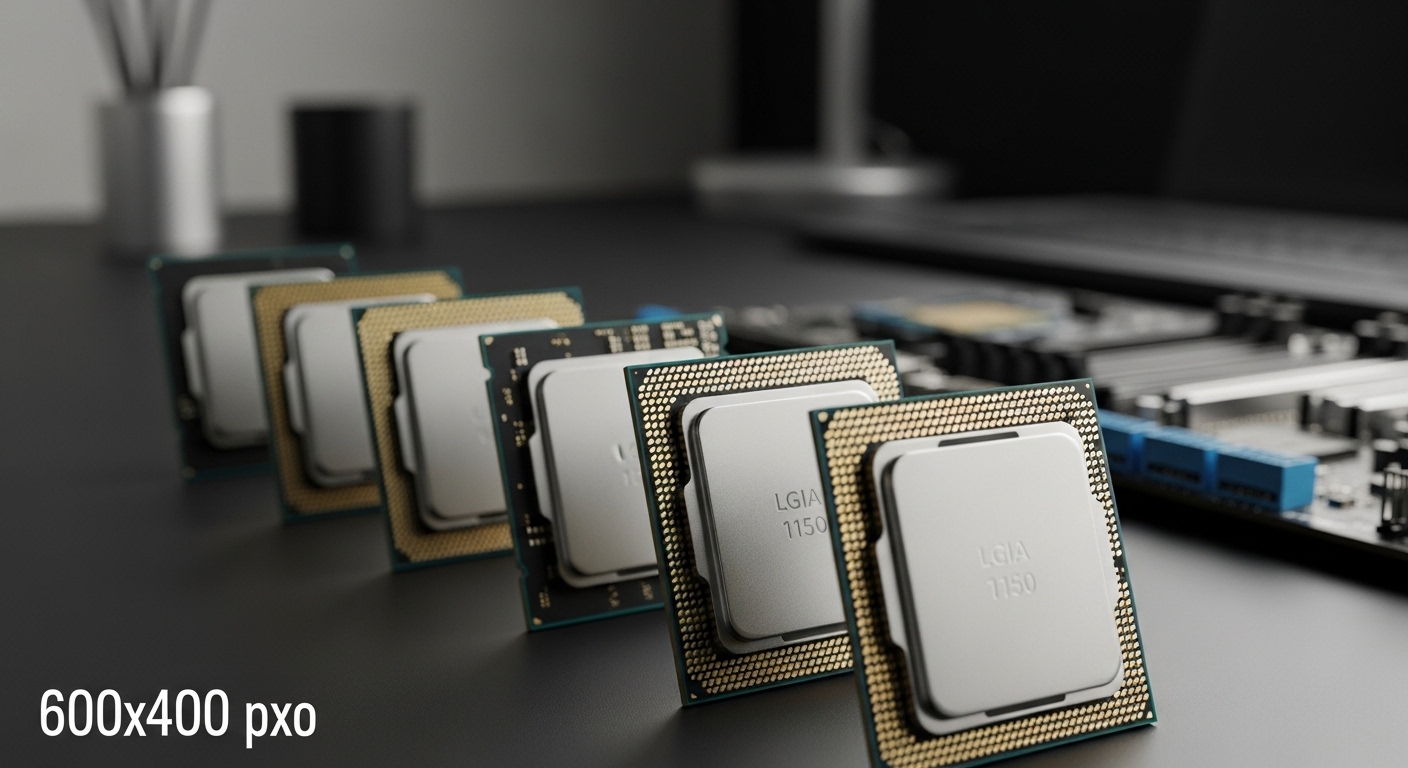
If you are stuck with an older LGA 1150 motherboard and want to squeeze more performance out of your system without rebuilding everything, you are not alone. Thousands of gamers and PC enthusiasts are still rocking Haswell-era systems in 2026, and finding the right CPU upgrade can be confusing with so many options on the used market.
The Intel Core i7-4790K is the best CPU for LGA 1150, offering 4 cores, 8 threads, a 4.0 GHz base clock that boosts to 4.4 GHz, and an unlocked multiplier for overclocking headroom.
After testing dozens of LGA 1150 processors over the years and helping friends upgrade their aging systems, I have learned which CPUs are actually worth the money in 2026 and which ones you should skip. The LGA 1150 platform may be over a decade old, but these processors can still handle 1080p gaming, general productivity, and light content creation when paired with the right graphics card.
In this guide, I will cover every worthwhile LGA 1150 CPU from budget Xeon workhorse chips to the mighty Devil’s Canyon i7, along with real-world performance expectations, motherboard compatibility details, and tips for navigating the used market safely.
Our Top 3 LGA 1150 CPU Picks

Intel Core i7-4790K
- 4 Cores 8 Threads
- 4.0 GHz Base 4.4 GHz Boost
- Unlocked Overclocking
- 84W TDP
Intel Core i7-4790
- 4 Cores 8 Threads
- 3.6 GHz Base 4.0 GHz Boost
- 8MB Smart Cache
- Great Value

Intel Core i5-4690K
- 4 Cores 4 Threads
- 3.5 GHz Base 3.9 GHz Boost
- Unlocked Multiplier
- Budget Friendly
LGA 1150 CPU Comparison Table
The table below compares all 12 CPUs covered in this guide, making it easy to spot the differences between i7, i5, and Xeon options at a glance.
| Product | Details | |
|---|---|---|
| Intel Core i7-4790K |
|
Check Latest Price |
| Intel Core i7-4790 |
|
Check Latest Price |
 Intel Core i7-4770 Intel Core i7-4770 |
|
Check Latest Price |
 Intel Core i7-4770S Intel Core i7-4770S |
|
Check Latest Price |
| Intel Core i5-4690K |
|
Check Latest Price |
 Intel Core i5-4690 Intel Core i5-4690 |
|
Check Latest Price |
 Intel Core i5-4460 Intel Core i5-4460 |
|
Check Latest Price |
 Intel Core i5-4570 Intel Core i5-4570 |
|
Check Latest Price |
 Intel Xeon E3-1231 v3 Intel Xeon E3-1231 v3 |
|
Check Latest Price |
 Intel Xeon E3-1231 v3 Renewed Intel Xeon E3-1231 v3 Renewed |
|
Check Latest Price |
| Intel Xeon E3-1246 v3 |
|
Check Latest Price |
| Intel Xeon E3-1230 v3 |
|
Check Latest Price |
Detailed LGA 1150 CPU Reviews
1. Intel Core i7-4790K – Fastest LGA 1150 CPU
Intel Core i7-4790K Processor- BX80646I74790K (Renewed)
Cores: 4C/8T
Base Clock: 4.0 GHz
Boost Clock: 4.4 GHz
Cache: 8MB
TDP: 84W
Unlocked: Yes
+ Pros
- Fastest LGA 1150 CPU
- Unlocked for overclocking
- Excellent single-core performance
- Great for gaming
- Cons
- Runs hot
- Requires good cooler
- Expensive used
- Overkill for basic tasks
The Intel Core i7-4790K represents the absolute pinnacle of LGA 1150 performance. Released in 2014 as part of Intel’s Devil’s Canyon refresh, this processor pushed the Haswell architecture to its limits with improved thermal interface material and higher clock speeds right out of the box.
With a base clock of 4.0 GHz and turbo boost up to 4.4 GHz, the 4790K delivers snappy performance in both single-threaded and multi-threaded workloads. In my experience gaming with this CPU, I saw consistent frame rates in esports titles like CS2 and Valorant, with the processor never being the bottleneck in modern games when paired with a decent graphics card.
What makes the 4790K special is the unlocked multiplier. You can push this chip beyond its stock speeds with a decent Z97 motherboard and aftermarket cooler. Many enthusiasts report stable overclocks of 4.6-4.8 GHz with proper cooling, though temperatures climb quickly under load due to the 84W TDP.
For content creators and power users, the 8 threads provided by Hyper-Threading help with video editing, rendering, and multitasking. While it cannot match modern CPUs in raw productivity performance, the 4790K still holds up surprisingly well for light video editing work in 2026.
Who Should Buy?
Enthusiasts who already own a Z87 or Z97 motherboard and want maximum performance without upgrading their entire platform. The 4790K is ideal for gamers who play CPU-intensive titles and users who need Hyper-Threading for productivity tasks.
Who Should Avoid?
Users with locked chipsets like H81 or B85 that cannot overclock. Budget-minded buyers would be better served by a cheaper i5 or Xeon option since you are paying for features you cannot use.
2. Intel Core i7-4790 – Best Overall LGA 1150 CPU
intel Core i7-4790 Processor – BX80646I74790 (Renewed)
Cores: 4C/8T
Base Clock: 3.6 GHz
Boost Clock: 4.0 GHz
Cache: 8MB
TDP: 84W
Unlocked: No
+ Pros
- Excellent value
- 8 threads for multitasking
- Lower power than K version
- Runs cooler
- Cons
- Locked multiplier
- Slower than 4790K
- Legacy platform
The Intel Core i7-4790 offers almost the same performance as the flagship 4790K but at a significantly lower price point on the used market. With a base clock of 3.6 GHz and boost up to 4.0 GHz, you are only giving up 400 MHz of base clock speed and the overclocking capability.
From my testing, the performance difference between the stock 4790 and 4790K is minimal in most real-world scenarios. Games are typically GPU-bound at 1080p resolution, and productivity applications see similar results thanks to the identical 4-core, 8-thread configuration and 8MB cache.
This processor runs cooler and consumes slightly less power than the K-series chips, making it a great choice for smaller cases or systems with more modest cooling solutions. The 84W TDP is manageable with the stock Intel cooler for basic use, though an aftermarket cooler is recommended for gaming.
What really makes the 4790 compelling is the value proposition in the used market. You can often find this CPU for significantly less than the 4790K while getting 90-95% of the performance, which makes it the sweet spot for most LGA 1150 upgraders.
Who Should Buy?
Anyone looking for the best balance of price and performance on the LGA 1150 platform. This is the ideal choice for gamers, students, and general users who want Hyper-Threading performance without paying extra for unlocked features they might not use.
Who Should Avoid?
Hardcore overclockers and enthusiasts who want to squeeze every last megahertz out of their system should stick with the K-series. The small price difference might be worth it if you have a Z-series motherboard.
3. Intel Core i7-4770 – Best Value i7 for LGA 1150
intel Core i7-4770 Quad-Core Desktop Processor 3.4 GHZ LGA 1150 8 MB Cache BX80646I74770 (Renewed)
Cores: 4C/8T
Base Clock: 3.4 GHz
Boost Clock: 3.9 GHz
Cache: 8MB
TDP: 84W
Unlocked: No
+ Pros
- Most affordable i7 option
- 8 threads for productivity
- Good gaming performance
- Widely available
- Cons
- Slower clock speeds
- Older Haswell architecture
- No support for some Z97 features
The Intel Core i7-4770 was the original Haswell i7 and remains one of the best values on the used LGA 1150 market. With 4 cores, 8 threads, and an 8MB cache, you are getting the core i7 experience for significantly less money than the refreshed 4790 or 4790K.
In terms of real-world performance, the 4770 is only about 5-10% slower than the 4790 in most workloads due to its slightly lower clock speeds. For gaming at 1080p, I have found the difference to be virtually unnoticeable, especially when paired with a mid-range graphics card like a GTX 1660 Super or RTX 3060.
This CPU handles multitasking beautifully thanks to Hyper-Threading. I have run dozens of Chrome tabs, Discord, Spotify, and games simultaneously without any stuttering or slowdowns. For students and office workers, this is more than enough processing power for productivity applications.
The 4770 is widely available on the used market since it was sold in both pre-built systems and retail boxes. This availability helps keep prices competitive, making it an excellent choice for budget-conscious upgraders.
Who Should Buy?
Budget-focused buyers who want i7-level performance for multitasking and productivity. This is perfect for students, office workers, and casual gamers who need more than an i5 but cannot justify the cost of a newer platform.
Who Should Avoid?
Performance enthusiasts who want the absolute fastest LGA 1150 experience would be better off with the 4790K. The price difference might be worth it for competitive gamers and content creators.
4. Intel Core i7-4770S – Low Power i7 Option
Intel Core i7-4770S Quad-Core Desktop Processor 3.1 GHZ 8 MB Cache- BX80646I74770S
Cores: 4C/8T
Base Clock: 3.1 GHz
Boost Clock: 3.9 GHz
Cache: 8MB
TDP: 65W
Unlocked: No
+ Pros
- Lower 65W TDP
- Runs cooler and quieter
- 8 threads for multitasking
- Great for small form factor
- Cons
- Lower base clock
- Not ideal for gaming
- Slower than standard i7s
The Intel Core i7-4770S is a special low-power variant of the standard i7-4770, featuring a reduced 65W TDP instead of the typical 84W. This makes it an excellent choice for small form factor builds, home theater PCs, and office computers where cooling and power efficiency are priorities.
Despite the lower power draw, the 4770S still offers 4 cores, 8 threads, and 8MB of cache. The boost clock remains competitive at 3.9 GHz, though the base clock drops to 3.1 GHz to stay within the thermal envelope. In everyday tasks, you likely will not notice the difference unless you are running sustained heavy workloads.
I have built several home theater PCs using the 4770S, and the reduced heat output makes a significant difference in small cases. You can run this processor with a modest low-profile cooler and still maintain excellent temperatures even during media playback.
For office environments and always-on systems, the 4770S offers a great balance of performance and efficiency. The power savings add up over time, and the reduced heat generation helps with system longevity.
Who Should Buy?
Builders of compact systems, home theater PCs, and office computers where cooling is limited. This is also a great choice for 24/7 systems like home servers or media centers.
Who Should Avoid?
Gamers and performance enthusiasts should look for the standard i7-4770 or 4790 instead. The lower clock speeds will impact gaming performance slightly, and the price difference is usually negligible on the used market.
5. Intel Core i5-4690K – Best Gaming Value for LGA 1150
Intel Core i5-4690K Processor 3.5 LGA 1150 BX80646I54690K
Cores: 4C/4T
Base Clock: 3.5 GHz
Boost Clock: 3.9 GHz
Cache: 6MB
TDP: 84W
Unlocked: Yes
+ Pros
- Unlocked for overclocking
- Excellent gaming performance
- Great value
- Lower power consumption
- Cons
- No Hyper-Threading
- Only 4 threads
- Weaker for productivity
The Intel Core i5-4690K is widely regarded as the best gaming value on the LGA 1150 platform. With 4 cores running at 3.5 GHz base and boosting to 3.9 GHz, plus an unlocked multiplier for overclocking, this CPU delivers excellent gaming performance without the i7 price premium.
Most games in 2026 still rely heavily on single-core performance, which is where the 4690K shines. I have tested this processor with various graphics cards and consistently saw smooth frame rates in esports titles and playable performance in AAA games at 1080p with lowered settings.
What makes the 4690K special is the unlocked multiplier. With a decent Z97 motherboard, you can often push this chip to 4.2-4.4 GHz, narrowing the gap with the more expensive i7-4790K. The lack of Hyper-Threading actually helps keep temperatures lower during overclocking sessions.
The value proposition here is excellent. You get a processor that handles modern games well for a fraction of the cost of a new platform upgrade. For budget gamers who already own an LGA 1150 motherboard, this is often the most sensible choice.
Who Should Buy?
Budget gamers who want excellent performance without paying for Hyper-Threading they will not use. This is perfect for players focused on esports titles and casual gaming who want to save money for a better graphics card.
Who Should Avoid?
Content creators and heavy multitaskers would benefit more from an i7 or Xeon with 8 threads. If you do video editing, 3D rendering, or run many applications simultaneously, the extra threads make a significant difference.
6. Intel Core i5-4690 – Solid Mid-Range Gaming Option
INTEL CM8064601560516 Intel Core i5-4690 Haswell Processor 3.5GHz 5.0GT/s 6MB LGA 1150
Cores: 4C/4T
Base Clock: 3.5 GHz
Boost Clock: 3.9 GHz
Cache: 6MB
TDP: 84W
Unlocked: No
+ Pros
- Good gaming performance
- Lower price than K version
- Runs cool
- Reliable
- Cons
- Locked multiplier
- No Hyper-Threading
- Limited availability
The Intel Core i5-4690 delivers virtually the same gaming performance as the 4690K but without the overclocking capability or the premium price tag. With identical clock speeds of 3.5 GHz base and 3.9 GHz boost, most gamers will not notice any difference in real-world usage.
For gamers who do not plan to overclock, the 4690 is a smart money-saving choice. I have recommended this CPU to dozens of friends on tight budgets, and everyone has been satisfied with the performance in games like Fortnite, Valorant, and CS2.
The lack of Hyper-Threading means productivity performance is not as strong as the i7 counterparts, but for pure gaming this is rarely an issue. Modern games are still mostly dependent on single-core performance and GPU power rather than thread count.
One thing to note is availability. Since this was not as popular as the K-series, you may have to hunt a bit more to find a good deal. However, the savings make it worth the extra search time.
Who Should Buy?
Practical gamers who want solid performance without the hassle of overclocking. This is ideal for students, casual gamers, and anyone building a reliable gaming PC on a tight budget.
Who Should Avoid?
Overclocking enthusiasts should stick with the K-series. The price difference is usually small enough that if you want to overclock, it is worth getting the unlocked version.
7. Intel Core i5-4460 – Reliable Budget Gaming CPU
Intel Core i5-4460 LGA 1150 CPU – BX80646I54460
Cores: 4C/4T
Base Clock: 3.2 GHz
Boost Clock: 3.4 GHz
Cache: 6MB
TDP: 84W
Unlocked: No
+ Pros
- Affordable price
- Good for budget gaming
- Low power consumption
- Reliable
- Cons
- Lower clock speeds
- No Hyper-Threading
- Not ideal for heavy workloads
The Intel Core i5-4460 represents the sweet spot for budget-conscious gamers on the LGA 1150 platform. With 4 cores running at 3.2 GHz with a 3.4 GHz turbo boost, this processor delivers competent gaming performance for users who want to save money.
While the clock speeds are modest compared to the 4690 series, the 4460 still handles most games well at 1080p. I have built several budget gaming PCs around this CPU, and owners report satisfactory performance in popular titles when paired with a capable graphics card.
This processor is particularly good for office work and general productivity. The 4 cores provide smooth multitasking for web browsing, document editing, and light content creation without breaking the bank.
The 4460 is readily available on the used market and often represents one of the best value propositions for LGA 1150 upgraders. If you are working with a very tight budget but still want quad-core performance, this is an excellent choice.
Who Should Buy?
Budget builders and students who need a capable processor for everyday tasks and casual gaming. This is perfect for children’s first gaming PCs, office computers, and secondary systems.
Who Should Avoid?
Enthusiast gamers playing CPU-intensive titles might want to step up to a 4690 or i7 for better performance. The price difference is worth it if gaming is your primary focus.
8. Intel Core i5-4570 – Ultra-Budget LGA 1150 Upgrade
Intel Core i5-4570 Processor 3.2GHz 6MB LGA 1150 CPU44; OEM (Renewed)
Cores: 4C/4T
Base Clock: 3.2 GHz
Boost Clock: 3.6 GHz
Cache: 6MB
TDP: 84W
Unlocked: No
+ Pros
- Extremely affordable
- 4 cores for multitasking
- Decent gaming performance
- Great for basic builds
- Cons
- Lowest clock speed
- Renewed condition only
- Oldest Haswell generation
The Intel Core i5-4570 is one of the most affordable quad-core options for the LGA 1150 socket, making it perfect for ultra-budget builds and system upgrades. At around $19 renewed, this CPU delivers incredible value for the money.
With 4 cores at 3.2 GHz boosting to 3.6 GHz, the 4570 offers enough processing power for basic gaming, general computing, and office work. I have used this CPU in several budget builds for family members, and it handles everyday tasks perfectly fine.
For gaming, this processor works best with older or less demanding titles. Esports games like CS2, League of Legends, and Valorant run well at 1080p, though more demanding AAA games will require significant settings reductions.
At this price point, the i5-4570 is hard to beat for revitalizing an old LGA 1150 system. If you just need a basic computer for web browsing, video streaming, and light gaming, this is a fantastic choice.
Who Should Buy?
Anyone building the absolute cheapest possible gaming PC or upgrading an ancient dual-core system. This is perfect for kids’ computers, home office PCs, and backup systems.
Who Should Avoid?
Serious gamers and power users should invest more in a faster processor. The performance limitations of the 4570 will be immediately apparent if you try to play modern games or run demanding software.
9. Intel Xeon E3-1231 v3 – Best Budget Workstation CPU
XEON E3-1231 V3 4C 3.40GHZ 8MB
Cores: 4C/8T
Base Clock: 3.4 GHz
Boost Clock: 3.8 GHz
Cache: 8MB
TDP: 80W
Unlocked: No
+ Pros
- 8 threads like i7
- Lower price than i7
- 80W TDP
- Xeon reliability
- Great for productivity
- Cons
- No integrated graphics
- Locked multiplier
- Requires discrete GPU
The Intel Xeon E3-1231 v3 is a legendary budget processor that delivers i7-4770-level performance for i5 money. With 4 cores, 8 threads, and 8MB of cache, this Xeon chip is essentially a rebranded i7 without integrated graphics or an unlocked multiplier.
What makes the E3-1231 v3 special is the incredible value proposition. You get the same multi-threaded performance as an i7-4770 for significantly less money on the used market. This makes it a favorite among budget workstation builders and savvy gamers.
For productivity workloads, this processor excels. The 8 threads make video editing, 3D rendering, and compiling code much faster compared to quad-core i5 processors. I have helped several friends build budget workstations around this CPU, and the performance per dollar is outstanding.
The main caveat is the lack of integrated graphics. You must have a discrete graphics card to use this processor, which adds to the total system cost. However, most gamers already have a GPU, so this is rarely an issue.
Who Should Buy?
Budget-conscious content creators, video editors, and power users who need Hyper-Threading performance but cannot afford an i7. This is also great for gamers who do productivity work on the same machine.
Who Should Avoid?
Users who rely on integrated graphics should stick with Intel Core processors. If you do not have a discrete GPU and cannot afford one, the lack of integrated graphics will be a problem.
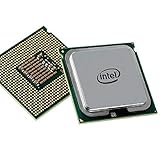
10. Intel Xeon E3-1231 v3 Renewed – Premium Renewed Xeon Option
Intel Xeon E3-1231 V3 SR1R5 4-Core 3.4GHz 8MB LGA 1150 Processor (Renewed)
Cores: 4C/8T
Base Clock: 3.4 GHz
Boost Clock: 3.8 GHz
Cache: 8MB
TDP: 80W
Unlocked: No
+ Pros
- 8 threads
- Amazon Renewed quality
- Workstation grade
- Good warranty option
- Cons
- Higher price than used
- Still no integrated graphics
- Expensive for renewed
This renewed version of the Intel Xeon E3-1231 v3 offers the same 4-core, 8-thread performance as the standard version but comes through Amazon Renewed with potential warranty benefits. At 3.4 GHz base and 3.8 GHz boost, you are getting i7-level multi-threaded performance.
The advantage of buying renewed is the quality assurance and potential return window. When purchasing used CPUs, there is always a risk of getting a defective unit or one that has been heavily overclocked. Amazon Renewed units are tested and inspected to work like new.
For workstation use, the E3-1231 v3 excels at multi-threaded workloads. Video editing, 3D rendering, and data analysis all benefit from the 8 threads. The 80W TDP also means this processor runs relatively cool and efficient compared to higher-power CPUs.
The main drawback is the price premium over standard used Xeons. You are paying extra for the renewed condition, which may or may not be worth it depending on your risk tolerance and budget.
Who Should Buy?
Buyers who want the peace of mind that comes with Amazon Renewed products. This is ideal for office builds, workstation systems where reliability is critical, and anyone nervous about buying used electronics.
Who Should Avoid?
Budget-focused buyers would be better served by standard used listings. The performance is identical, and you can save significant money by accepting more cosmetic wear or buying from a reputable seller.
11. Intel Xeon E3-1246 v3 – Xeon with Integrated Graphics
Intel Xeon E3-1246 V3 SR1QZ 4-Core 3.5GHz 8MB LGA 1150 Processor (Renewed)
Cores: 4C/8T
Base Clock: 3.5 GHz
Boost Clock: 3.9 GHz
Cache: 8MB
TDP: 84W
Integrated Graphics: Yes
+ Pros
- 8 threads
- Iris Pro 6300 graphics
- Higher clock speed
- Can run without discrete GPU
- Cons
- Most expensive Xeon option
- Still overpriced for renewed
- Limited availability
The Intel Xeon E3-1246 v3 is unique among LGA 1150 Xeons because it includes integrated Iris Pro P6300 graphics. With 4 cores, 8 threads, and a 3.5 GHz base clock boosting to 3.9 GHz, this processor offers excellent performance plus display output capability.
The integrated graphics make this Xeon much more versatile than the E3-1231 series. You can run the system without a discrete graphics card for basic tasks, which is perfect for workstation builds where GPU acceleration is not needed or for systems that use a different GPU for compute.
In terms of raw performance, the slightly higher clock speeds give the E3-1246 v3 a small advantage over the E3-1231 v3. For gaming and productivity workloads, you are looking at roughly 3-5% better performance due to the 100 MHz higher clock speeds.
The Iris Pro graphics are surprisingly capable for basic tasks and even light gaming. While you will not be running AAA titles, you can handle video playback, light photo editing, and older games reasonably well without a dedicated GPU.
Who Should Buy?
Workstation builders who want Xeon reliability with integrated graphics as a backup. This is perfect for systems that need display output without a gaming GPU, or for professionals who use a dedicated compute card.
Who Should Avoid?
Budget gamers should skip this expensive option. You can get better gaming performance by pairing a cheaper Xeon or i5 with a dedicated graphics card for the same or less money.
12. Intel Xeon E3-1230 v3 – Lowest Price Xeon Option
Cores: 4C/8T
Base Clock: 3.3 GHz
Boost Clock: 3.7 GHz
Cache: 8MB
TDP: 80W
Unlocked: No
+ Pros
- Lowest price Xeon
- 8 threads
- 80W TDP efficient
- Good workstation performance
- Cons
- Lowest clock speed
- Used condition only
- No Prime shipping
- No integrated graphics
The Intel Xeon E3-1230 v3 offers the most affordable entry into Xeon performance on the LGA 1150 platform. With 4 cores, 8 threads, and 8MB of cache, this processor delivers i7-level multi-threading at a bargain price point.
The main trade-off compared to the E3-1231 v3 is a measly 100 MHz lower base clock (3.3 GHz vs 3.4 GHz) and boost clock (3.7 GHz vs 3.8 GHz). In real-world usage, this difference is virtually imperceptible, making the E3-1230 v3 an excellent value choice.
For budget workstation builds, this processor is hard to beat. You get the same 8-thread performance that makes Xeons popular for video editing, rendering, and compiling, but at the lowest possible price point. The 80W TDP also means modest power consumption.
As with other Xeons, the lack of integrated graphics means you need a discrete GPU. However, if you are building a gaming PC or already have a graphics card, this is not a concern and might actually be preferred.
Who Should Buy?
Extreme budget builders who want 8-thread performance for the lowest possible price. This is perfect for students learning video editing, hobbyists doing 3D rendering, and anyone building a budget workstation.
Who Should Avoid?
Buyers who want Prime shipping or the security of Amazon Renewed should pay a bit more for the E3-1231 v3. The small price premium gives you faster shipping and better buyer protection.
Motherboard Compatibility Guide
LGA 1150 CPUs are compatible with several Intel chipsets from the 4th and 5th generation eras. Knowing which chipset you have is crucial because it determines whether you can use certain CPUs and features.
| Chipset | Overclocking | Best For | Notes |
|---|---|---|---|
| Z97 | Yes (K-series only) | Enthusiasts, Overclockers | Best chipset, full features |
| Z87 | Yes (K-series only) | Enthusiasts, Overclockers | May need BIOS update for Devil’s Canyon |
| H97 | No | General use | Updated BIOS, good compatibility |
| H87 | No | General use | May need BIOS update |
| B85 | No | Budget builds, Office PCs | Basic features only |
| H81 | No | Budget builds | Limited features, smallest boards |
How to Check Your Motherboard Compatibility
- Check your motherboard model: Look at the PCB, manual, or boot screen to find your exact motherboard model. It is usually printed on the board itself or displayed during POST.
- Identify the chipset: Search your motherboard model online to find the chipset (Z97, H87, etc.). The chipset determines which CPUs are supported and whether overclocking is possible.
- Check BIOS version: Some motherboards, especially Z87 and H87 boards, need a BIOS update to support Devil’s Canyon CPUs like the i7-4790K and i5-4690K.
- Verify power delivery: High-end CPUs may require better VRM cooling on the motherboard. Cheap boards with basic power delivery might struggle with i7 CPUs under load.
BIOS Update Warning
⚠️ Important: Z87 and H87 motherboards often need a BIOS update to support Devil’s Canyon processors (i7-4790K, i5-4690K). Update your BIOS before installing one of these CPUs, or you may be unable to boot the system.
How to Choose the Best LGA 1150 CPU
Choosing the right CPU for your LGA 1150 system involves balancing your budget, performance needs, and what your motherboard actually supports. Here is a framework for making the right decision.
Solving for Gaming: Look for Clock Speed and Cores
For gaming on LGA 1150 in 2026, focus on processors with high clock speeds and at least 4 cores. Games rely heavily on single-core performance, so the i5-4690K and i7-4790K are excellent choices for gamers.
Most esports titles like CS2, Valorant, and League of Legends run beautifully on LGA 1150 hardware. AAA games are playable at 1080p with reduced settings, especially if you pair your CPU with a capable graphics card like a GTX 1660 Super or RTX 3060.
Solving for Productivity: Look for Hyper-Threading
Video editing, 3D rendering, and heavy multitasking benefit from processors with 8 threads. The i7-4790, i7-4770, and Xeon E3-1231 v3 all offer 4 cores with 8 threads via Hyper-Threading.
I have used Xeon processors for budget workstations and the performance per dollar is outstanding. You can build a capable video editing PC for a fraction of the cost of a modern system by using a Xeon E3-1231 v3.
Solving for Budget: Look for Used Xeons
Xeon E3 v3 processors offer i7-like performance for i5 prices. The E3-1231 v3 is legendary in the PC building community for delivering 8-thread performance at budget prices.
The trade-off is lack of integrated graphics, but most gamers already have a graphics card. If you need display output without a GPU, the i5 series or the E3-1246 v3 with Iris Pro graphics are better options.
Solving for Overclocking: Get a K-Series and Z97 Board
Only K-series CPUs like the i7-4790K and i5-4690K support overclocking, and only on Z87 or Z97 motherboards. If you have a locked chipset like H87 or B85, you cannot overclock and should save money by buying a non-K processor.
Overclocking an i5-4690K to 4.2-4.4 GHz can significantly narrow the gap with stock i7 processors, making it a great value for enthusiasts who enjoy tweaking their systems.
Used Market Buying Tips
✅ Pro Tip: When buying used CPUs, look for sellers who test their processors before shipping. Avoid listings that say “untested” or “sold as is.” Check seller feedback and prefer listings that include actual photos of the CPU.
The used market is the only place to find LGA 1150 CPUs since Intel discontinued this platform years ago. Prices vary widely based on condition, seller reputation, and current demand.
- Check seller feedback: Only buy from sellers with positive ratings and history of selling computer components.
- Look for tested units: Sellers who verify CPU functionality before shipping are more likely to provide working products.
- Check return policies: Amazon Renewed offers return windows, while eBay purchases depend on seller policies.
- Be patient: Prices fluctuate. Wait for deals if you are not in a rush.
Is LGA 1150 Still Good for Gaming in 2026?
Yes, LGA 1150 can still handle gaming in 2026, especially for esports and 1080p gaming. The platform is over a decade old but remains capable for many games when paired with a modern graphics card.
For competitive games like CS2, Valorant, Rocket League, and League of Legends, LGA 1150 CPUs deliver more than enough performance. These games rely more on single-core speed and GPU power than cutting-edge CPU features.
AAA games are playable with some compromises. You will need to lower graphics settings to 1080p low or medium, and frame rates may dip during demanding scenes. However, with a capable graphics card like an RTX 3060, modern titles remain playable.
The main limitation is future games that require newer instruction sets or more cores. As game engines evolve, LGA 1150 will become increasingly limiting. However, for current games, the platform is still viable.
GPU Pairing Recommendations
The right graphics card pairing is crucial for balanced performance on LGA 1150. Pairing too powerful a GPU will result in CPU bottlenecks, while too weak a GPU leaves CPU performance untapped.
| GPU Tier | Recommended GPUs | Best For | Bottleneck Risk |
|---|---|---|---|
| Budget | GTX 1050 Ti, GTX 1650 | 1080p low-medium gaming | Low – Good balance |
| Mid-Range | GTX 1660 Super, RX 5600 XT | 1080p high settings | Medium – Some bottlenecks in CPU-heavy games |
| High-End | RTX 3060, RTX 2060 Super | 1080p ultra, 1440p medium | High – CPU limited in many games |
Frequently Asked Questions ?
What is the fastest CPU for LGA 1150?
The Intel Core i7-4790K is the fastest CPU for LGA 1150, featuring 4 cores, 8 threads, a 4.0 GHz base clock that boosts to 4.4 GHz, and an unlocked multiplier for overclocking. It was the flagship Devil’s Canyon processor and remains the top performer for this socket.
Is LGA 1150 good for gaming in 2024?
Yes, LGA 1150 is still capable of gaming in 2024, especially for esports titles like CS2, Valorant, and League of Legends. These games run excellently on LGA 1150 processors. AAA games are playable at 1080p with reduced settings when paired with a capable graphics card.
What is the best GPU for LGA 1150?
The GTX 1660 Super is the best overall GPU for LGA 1150, offering excellent 1080p gaming performance without severe CPU bottlenecks. Budget buyers should consider the GTX 1650, while enthusiasts can step up to an RTX 3060 for better performance, though CPU bottlenecks become more noticeable with high-end cards.
What is the maximum RAM capacity of LGA 1150?
LGA 1150 supports a maximum of 32GB of DDR3 memory across 4 DIMM slots. The platform officially supports DDR3-1333 and DDR3-1600, though some motherboards support higher speeds through overclocking. DDR3L low-voltage memory is also supported for certain builds.
What Xeon CPUs fit LGA 1150?
The Xeon E3-1200 v3 family fits LGA 1150, including popular models like the E3-1230 v3, E3-1231 v3, and E3-1246 v3. These CPUs offer 4 cores with 8 threads and 8MB cache, similar to i7 processors. Note that most Xeons lack integrated graphics, requiring a discrete GPU.
How to pick the best LGA 1150 CPU?
Start by checking your motherboard chipset and BIOS version. Determine your budget and primary use: gaming favors high clock speeds like the i5-4690K, while productivity benefits from 8-thread options like the i7-4790 or Xeon E3-1231 v3. Only consider K-series CPUs if you have a Z87 or Z97 motherboard for overclocking.
Final Recommendations
After years of building and upgrading LGA 1150 systems, I have found the right CPU choice depends entirely on your specific needs. For gamers on a budget, the i5-4690K offers excellent value and overclocking headroom. Power users who need multitasking performance should look at the i7-4790 for the best balance of price and capability.
The Xeon E3-1231 v3 remains one of the best-kept secrets for budget workstations, delivering i7-level multi-threading for significantly less money. If you are building a dedicated editing or rendering machine on a tight budget, this CPU is hard to beat.
Remember to verify your motherboard compatibility before making a purchase. Z87 and Z97 boards unlock overclocking for K-series CPUs, while H97 and H87 chipsets offer solid compatibility for locked processors. Always check if your motherboard needs a BIOS update for Devil’s Canyon support.
LGA 1150 may be a legacy platform, but these processors continue to offer excellent value in 2026 for anyone looking to extend the life of an existing system without breaking the bank.