
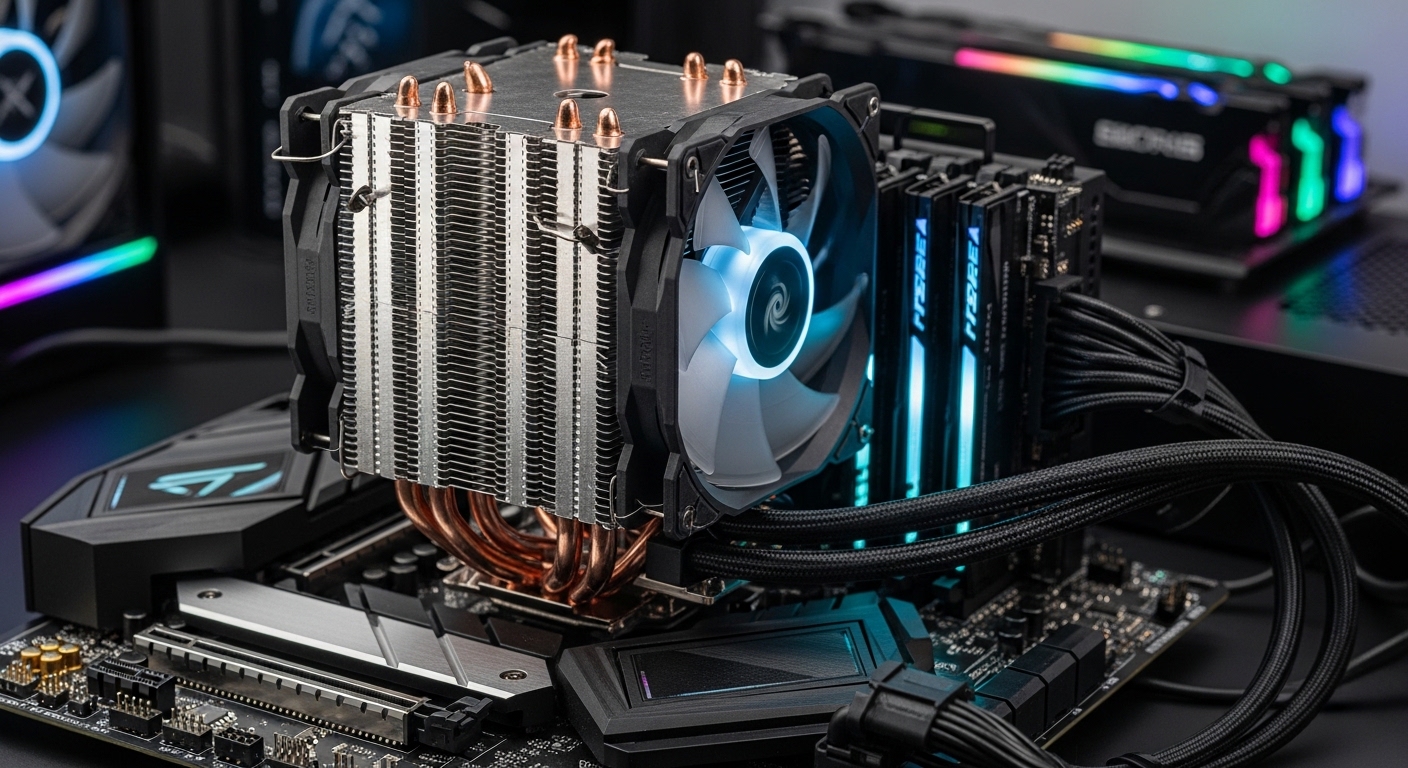
Finding the best CPU air cooler for your build in 2026 means balancing thermal performance, noise levels, and compatibility with the latest Intel and AMD sockets. After extensive research and analysis of current market offerings, we’ve identified the top CPU air coolers that deliver exceptional cooling performance while maintaining quiet operation.
Whether you’re building a high-end gaming rig with an Intel Core i9-14900K, pushing your AMD Ryzen 9 9950X to its limits, or creating a silent workstation for content creation, the right air cooler can make all the difference. Modern air coolers have evolved significantly, with premium options matching or even exceeding some liquid cooling solutions while offering superior reliability and zero maintenance.
In this comprehensive guide, we’ll review the best CPU air coolers across premium, mid-range, and budget categories, helping you find the perfect cooling solution for your specific needs, budget, and build requirements.
Quick Comparison: Top CPU Air Coolers
| Cooler | TDP Rating | Height | Noise Level | Price | Best For |
|---|---|---|---|---|---|
| Noctua NH-D15 G2 | 200W+ | 165mm | 22.8 dBA | $189.90 | Extreme overclocking |
| Noctua NH-D15 chromax.Black | 160W | 165mm | 24.6 dBA | $139.95 | Premium quiet builds |
| be quiet! Dark Rock Pro 5 | 175W | 163mm | 22.5 dBA | $87.89 | High-end silence |
| Noctua NH-U12A chromax.Black | 155W | 158mm | 23.9 dBA | $139.95 | Compact premium systems |
| be quiet! Dark Rock 5 | 145W | 159mm | 24.5 dBA | $65.90 | Mid-range quiet builds |
| be quiet! Pure Rock Pro 3 | 130W | 155mm | 26.5 dBA | $54.90 | Value performance |
| ARCTIC Freezer 36 | 125W | 157mm | 25.0 dBA | $44.19 | Budget efficiency |
| Thermalright Peerless Assassin 120 SE V2 | 125W | 154mm | 26.3 dBA | $37.90 | Best budget cooling |
| Thermalright Peerless Assassin 120 SE | 120W | 154mm | 26.8 dBA | $34.90 | Ultra-budget builds |
| Cooler Master Hyper 212 Black | 100W | 152mm | 28.5 dBA | $25.99 | Entry-level systems |
Premium CPU Air Coolers: Maximum Performance
Premium air coolers represent the pinnacle of air cooling technology, offering thermal performance that rivals liquid cooling solutions while maintaining whisper-quiet operation. These coolers feature massive heatsinks, premium fans, and advanced heat pipe technology to handle the most demanding CPUs from Intel’s 14th generation and AMD’s Ryzen 9000 series.



Mid-Range CPU Air Coolers: Best Value Performance
Mid-range air coolers offer the sweet spot between price and performance, providing excellent cooling for mainstream gaming CPUs and productivity systems without the premium cost of flagship models. These coolers typically handle TDP ratings between 125W-145W, making them ideal for Intel Core i5/i7 processors and AMD Ryzen 7/9 CPUs running at stock or moderate overclocks.


Budget CPU Air Coolers: Maximum Value
Budget air coolers have come a long way, with modern options delivering impressive cooling performance for entry-level to mainstream gaming systems. These coolers are perfect for builders working with tight budgets or systems that don’t require extreme cooling capacity, such as office PCs, entry-level gaming rigs, or HTPCs.


CPU Air Cooler Buying Guide 2026
Understanding TDP Ratings
TDP (Thermal Design Power) indicates the maximum amount of heat a cooler is designed to dissipate. When choosing a cooler, ensure its TDP rating meets or exceeds your CPU’s TDP:
- Intel Core i9-14900K: 125W base, up to 253W turbo – requires 200W+ cooler for overclocking
- Intel Core i7-14700K: 125W base, up to 253W turbo – requires 160W+ cooler
- AMD Ryzen 9 9950X: 170W – requires 175W+ cooler for best performance
- AMD Ryzen 7 7800X3D: 120W – 125W+ cooler sufficient
Noise Level Considerations
Noise levels are measured in dBA (decibels adjusted), with lower numbers indicating quieter operation:
- 20-24 dBA: Virtually silent (premium quiet coolers)
- 24-27 dBA: Very quiet (mid-range coolers)
- 27-30 dBA: Noticeable but acceptable (budget coolers)
- 30+ dBA: Loud under load
Remember that noise increases with fan speed. Premium coolers maintain lower temperatures at lower fan speeds, resulting in quieter operation overall.
Socket Compatibility
Ensure your chosen cooler supports your motherboard’s CPU socket:
- Intel: LGA1700 (12th-14th Gen), LGA1851 (upcoming 15th Gen)
- AMD: AM5 (Ryzen 7000/9000 series), AM4 (Ryzen 1000-5000 series)
All coolers in this guide support LGA1700 and AM5, ensuring compatibility with the latest Intel and AMD platforms. Most also include mounting hardware for legacy sockets if you’re upgrading an older system.
Case Height Clearance
Check your case’s CPU cooler height specification before purchasing:
- Compact cases: 140-150mm maximum
- Mid-tower cases: 150-160mm typical
- Full tower cases: 165mm+ common
The tallest coolers in this roundup (Noctua NH-D15 series at 165mm) require full-size cases. Compact alternatives like the NH-U12A (158mm) or Dark Rock 5 (159mm) fit in more restrictive enclosures.
RAM Clearance
Dual-tower coolers can interfere with RAM slots featuring tall heat spreaders. Consider:
- Standard height RAM: No issues with any cooler
- Tall heat spreaders: Single-tower coolers (NH-U12A) offer best clearance
- Fan adjustment: Some coolers allow moving the front fan up for more RAM space
Installation Difficulty
Installation complexity varies between coolers:
- Easy: be quiet! Dark Rock series, Cooler Master Hyper 212
- Moderate: Noctua NH-D15 series (due to size)
- Tool-free systems: Look for spring-loaded screws for easiest installation
Air vs. Liquid Cooling: Which Is Right For You?
Advantages of Air Cooling:
- Reliability: No pumps to fail, fans last 5+ years
- Zero maintenance: No liquid to leak or refill
- Longevity: Premium coolers from Noctua and be quiet! last 10+ years
- Cost: Lower upfront cost, no replacement pumps needed
- Simplicity: Easier installation, fewer points of failure
Advantages of Liquid Cooling:
- Aesthetics: Cleaner look with no massive heatsink blocking motherboard view
- RAM clearance: No conflict with tall memory modules
- Extreme overclocking: 360mm AIOs can handle higher sustained heat loads
- Compact options: 120mm/140mm AIOs fit where air coolers can’t
Bottom line: For most users, premium air coolers like the Noctua NH-D15 G2 or be quiet! Dark Rock Pro 5 deliver all the cooling performance needed while offering superior reliability and lower total cost of ownership. Liquid cooling is primarily advantageous for extreme overclockers or builders prioritizing aesthetics above all else.
Installation Tips for Best Performance
1. Thermal Paste Application
Most premium coolers come with pre-applied thermal compound that’s excellent for typical use. If applying your own paste:
- Pea-sized dot: Place in center of CPU IHS for most situations
- Spread method: Thin, even layer works best for larger heat spreaders
- Too much paste: Can actually worsen thermal performance
2. Fan Orientation
Configure fan airflow direction correctly:
- Front/rear case fans: Intake (front to back) creates positive pressure
- CPU cooler fans: Should blow air toward rear exhaust fan
- Pull vs. push: Push fans (mounted on heatsink side pulling air through) are most effective
3. Case Airflow Optimization
Your cooler’s performance depends on proper case airflow:
- Intake fans: Front or bottom, bringing cool air in
- Exhaust fans: Rear and top, expelling hot air
- Positive pressure: More intake than exhaust reduces dust buildup
- Cable management: Keep cables tidy to avoid blocking airflow
4. Break-In Period
Thermal paste needs time to cure properly:
- First 24 hours: Temperatures may be slightly elevated
- Full cure: 200-300 hours of thermal cycling for optimal performance
- Expected improvement: 2-5°C lower temps after proper curing
Frequently Asked Questions
Q: Can I use an air cooler for overclocking?
A: Yes, premium air coolers like the Noctua NH-D15 G2 (200W+ TDP) handle moderate overclocks on high-end CPUs. For extreme overclocking, liquid cooling may offer slightly better performance, but air cooling is sufficient for most enthusiasts running reasonable overclocks.
Q: How often should I replace the thermal paste?
A: Every 2-3 years for optimal performance, or sooner if you notice rising temperatures. Premium pre-applied paste from Noctua and be quiet! lasts longer than budget alternatives. Reapplication is recommended if you remove the cooler for any reason.
Q: Do I need to worry about cooler weight damaging my motherboard?
A: Modern coolers are designed with proper backplate support that distributes weight evenly. While premium air coolers are heavy (1kg+ for dual-tower models), the mounting systems prevent damage. Avoid moving your system with a heavy cooler installed if possible.
Q: Can I add a second fan to my single-fan cooler?
A: Many coolers support push-pull configurations with an additional fan. This can improve temperatures by 2-5°C but adds cost and complexity. For most users, a single quality fan (as found in Noctua and be quiet! coolers) provides sufficient airflow.
Q: What’s the difference between the original Peerless Assassin 120 SE and V2?
A: The V2 features optimized heatsink fin spacing, updated fan blades for improved airflow, and better mounting hardware. Performance improvements are modest (2-3°C), but the V2 is worth the small price premium if available.
Q: Will these coolers fit in my OEM pre-built PC?
A: Probably not. Pre-built systems from Dell, HP, and Lenovo often use proprietary motherboard and case designs that prevent standard cooler installation. Check your specific model’s documentation, but custom-built PCs are much more accommodating to aftermarket coolers.
Q: Is liquid cooling worth the extra cost and complexity?
A: For 95% of users, no. Premium air coolers match or exceed the performance of 240mm AIO liquid coolers while offering superior reliability and lower total cost. Liquid cooling primarily benefits extreme overclockers or those prioritizing aesthetics over simplicity.
Q: How do I clean my CPU air cooler?
A: Use compressed air to blow dust out of the heatsink fins every 3-6 months. For stubborn dust, a vacuum cleaner on low setting can help. Never use water or liquid cleaners on the cooler. If fans become noisy, a drop of lightweight oil on the bearing may extend their life (though replacement fans are often more cost-effective).
Final Recommendations
Best Overall: Noctua NH-D15 G2
For those who want the absolute best air cooling performance regardless of price, the NH-D15 G2 delivers unmatched thermal capacity with whisper-quiet operation. The 200W+ TDP rating handles even overclocked i9-14900K CPUs, while Noctua’s legendary build quality ensures decades of reliable service.
Best Value: Thermalright Peerless Assassin 120 SE
The incredible performance-per-dollar ratio makes this cooler the go-to choice for budget builds everywhere. At just $34.90, you’re getting dual-tower cooling performance that rivals coolers costing twice as much. Perfect for mainstream gaming rigs where every dollar counts.
Best for Quiet Builds: be quiet! Dark Rock Pro 5
At just 22.5 dBA while delivering 175W of cooling capacity, the Dark Rock Pro 5 is the premier choice for noise-sensitive environments. Perfect for recording studios, quiet offices, or anyone who values silence alongside performance.
Best Compact Performance: Noctua NH-U12A chromax.Black
When space is at a premium but you refuse to compromise on cooling quality, the NH-U12A delivers exceptional performance in a 158mm tall single-tower design. Perfect for mid-tower cases or builds with tall RAM modules.
Best Budget Entry: Cooler Master Hyper 212 Black
The legendary Hyper 212 continues to be the benchmark for budget cooling, offering solid performance for entry-level systems at an incredibly low $25.99 price point. Perfect for office PCs, HTPCs, and first gaming builds.
Conclusion
Choosing the best CPU air cooler in 2026 means balancing your specific needs, budget, and system requirements. Premium options from Noctua and be quiet! deliver exceptional cooling that rivals liquid cooling while offering superior reliability and longevity. Mid-range coolers offer excellent value for mainstream gaming and productivity systems, while budget options prove you don’t need to spend much to get effective cooling.
All the coolers in this guide support the latest Intel LGA1700 and AMD AM5 sockets, ensuring compatibility with current and future processors. Consider your CPU’s TDP, case height clearance, RAM requirements, and noise tolerance when making your selection.
For most builders, we recommend the Noctua NH-D15 chromax.Black for premium builds or the Thermalright Peerless Assassin 120 SE for budget-conscious systems. Both offer exceptional performance in their respective price categories and come from brands with proven track records for quality and reliability.
Invest in a quality cooler today, and it will serve you through multiple CPU upgrades, providing reliable, quiet cooling for years to come.