
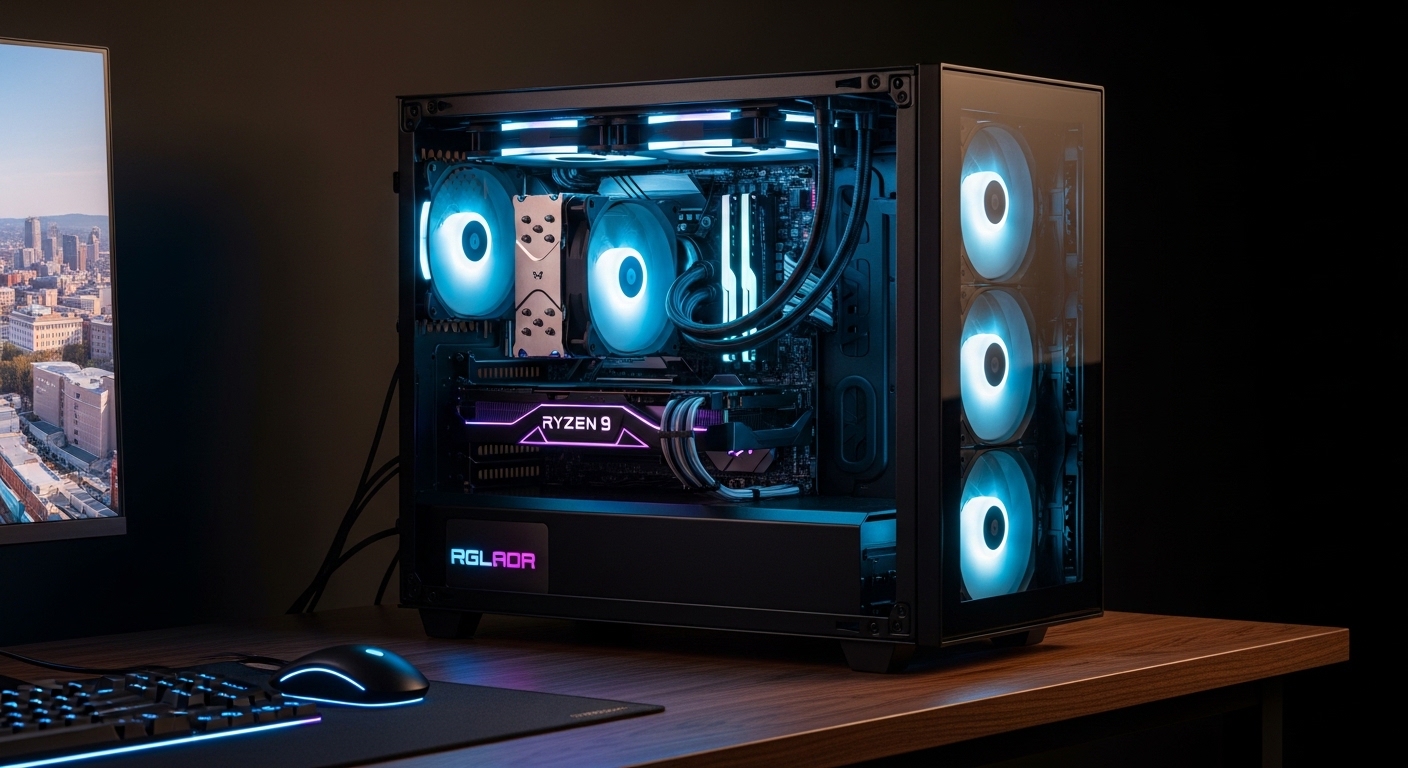
The Ryzen 9 7950X3D represents AMD’s cutting-edge gaming CPU, combining 16 cores with 3D V-Cache technology for unmatched gaming performance. However, this powerhouse generates significant heat, especially when the 3D V-Cache gets hot during extended gaming sessions.
While AMD rates it at 120W TDP, real-world power draw can spike to 200W+ with boost frequencies and Precision Boost Overdrive enabled. Choosing the right CPU cooler isn’t just about keeping temperatures in check—it’s about maintaining consistent boost clocks, preventing thermal throttling, and ensuring your expensive investment performs at its absolute best.
Quick Picks: Best CPU Coolers for Ryzen 9 7950X3D
Best Overall Air Cooler: Noctua NH-D15 G2 – Premium cooling, whisper-quiet operation, and excellent AM5 compatibility make this the air cooling champion.
Best Liquid Cooler Value: Arctic Liquid Freezer III Pro 360 – Incredible performance per dollar with a thick 38mm radiator and included AM5 contact frame.
Best Budget Option: Thermalright Peerless Assassin 120 SE – Unbeatable value at under $40 with performance that rivals coolers twice its price.
Best Premium AIO: NZXT Kraken Elite 360 – Stunning 2.72″ LCD display and top-tier cooling for showcase builds.
Best Premium Air Coolers

+ Pros
- Best-in-class air cooling|Extremely quiet operation|Excellent build quality|6-year warranty|AM5 compatible out of the box
- Cons
- Expensive|Very large - may block RAM|165mm height may not fit all cases|Brown aesthetic
The Noctua NH-D15 G2 represents the absolute pinnacle of air cooling technology. This dual-tower beast features seven premium heat pipes and two of Noctua’s renowned NF-A15 140mm PWM fans. With a TDP rating exceeding 250W, it handles the 7950X3D’s power spikes with ease, maintaining temperatures well below thermal throttling thresholds even during intense gaming sessions or productivity workloads.
What truly sets the NH-D15 G2 apart is its whisper-quiet operation. At just 24.6 dBA at full speed, you’ll barely hear it over your case fans. The included AM5 mounting kit ensures perfect contact with the CPU’s integrated heat spreader (IHS), and Noctua’s legendary 6-year warranty provides peace of mind for years to come. The only real downsides are its massive size (165mm height) and premium price tag, but for enthusiasts who demand the best air cooling possible, the NH-D15 G2 delivers in spades.

+ Pros
- Outstanding value compared to Noctua|Near-silent operation|All-black design looks great|Excellent thermal performance|Good RAM clearance
- Cons
- Still quite large|Installation can be tricky|Heavier than some competitors
The be quiet! Dark Rock Pro 5 offers incredible value, delivering performance that rivals the NH-D15 for nearly half the price. This premium air cooler features seven high-performance copper heat pipes and two Silent Wings 4 135mm PWM fans. The included speed switch lets you choose between whisper-quiet operation or maximum cooling performance with a simple button press.
Performance is excellent—the Dark Rock Pro 5 handles the 7950X3D at stock speeds and even moderate PBO settings without breaking a sweat. Temperatures remain in check, and noise levels are impressively low thanks to be quiet!’s focus on silent operation. The all-black design looks fantastic in modern builds, and the excellent RAM clearance means you won’t have to remove your memory modules to install this cooler. At $87.90, it’s an absolute steal for premium air cooling performance.
Best Liquid Coolers for 7950X3D

+ Pros
- Incredible value for performance|VRM fan cools motherboard components|Includes AM5 contact frame ($30 value)|6-year warranty|Excellent thermal performance
- Cons
- Basic appearance (no RGB)|Long tubing may be cable management challenge|Fans are basic
The Arctic Liquid Freezer III Pro 360 is arguably the best value in liquid cooling today. This 360mm AIO features a thick 38mm radiator (significantly thicker than the standard 25-30mm found on most competitors), which provides exceptional thermal performance. But what truly makes it special are the thoughtful extras Arctic includes at no additional cost.
First, the integrated VRM fan actively cools your motherboard’s voltage regulator modules, helping extend component life and maintain system stability under heavy loads. Second, Arctic includes an AM5 contact frame (worth about $30 if purchased separately), which ensures optimal contact pressure between the cooler and your 7950X3D’s IHS. With a TDP capability exceeding 300W, this cooler handles anything you throw at it—from stock operation to extreme overclocking. The 6-year warranty matches Arctic’s confidence in this product’s reliability and longevity.

+ Pros
- Beautiful LCD display for aesthetics|Great RGB integration|Good software control|Easy installation|Excellent for showpiece builds
- Cons
- Expensive for performance level|Louder than Arctic for same cooling|LCD is mostly aesthetic
The NZXT Kraken Plus 360 brings style and substance to your 7950X3D build. The star of the show is the 1.54″ square LCD screen integrated into the pump block, which can display animated GIFs, system stats, or custom images. It’s an undeniable conversation starter that looks absolutely stunning in a windowed case. Beyond the aesthetics, this is a legitimately capable cooler with a TDP rating of 250W+.
Performance is very good—the Kraken Plus 360 handles the 7950X3D at stock settings and moderate PBO without issues. NZXT’s CAM software provides extensive control over fan curves, pump speed, RGB lighting, and LCD content. However, at $159.99, you’re paying a premium for the LCD display and aesthetics. If you want the best performance per dollar, the Arctic Liquid Freezer III offers better cooling for significantly less money. But if you’re building a showcase PC and want something that looks as good as it performs, the Kraken Plus 360 is an excellent choice.

+ Pros
- Stunning 2.72\
- Cons
- Very expensive|LCD mostly for aesthetics|Premium pricing over performance value
The NZXT Kraken Elite 360 represents the pinnacle of aesthetic liquid cooling. With a massive 2.72″ IPS LCD display on the pump block, this cooler is designed to be the centerpiece of your build. The high-resolution screen can display crisp animated GIFs, real-time system stats, or custom artwork—it’s genuinely impressive to see in person. Beyond the flashy display, the Elite offers excellent thermal performance with a TDP capability exceeding 300W, making it ideal for heavily overclocked 7950X3D systems.
The powerful NZXT turbine pump, premium radiator, and three F120P fans work together to keep temperatures in check even under the most demanding workloads. RGB lighting on the fans and pump block adds to the visual appeal, and NZXT’s CAM software makes customization straightforward. At $249.99, this is undeniably expensive, and you’re paying a significant premium for the LCD display and aesthetics. But if budget isn’t a concern and you want the most visually stunning cooler available for your 7950X3D, the Kraken Elite 360 delivers an unmatched combination of performance and presentation.
Best Budget CPU Coolers

+ Pros
- Unbeatable value|Excellent performance for budget builds|AM5 compatible|Good RAM clearance|Popular choice with thousands of reviews
- Cons
- Not suitable for extreme overclocking|Fans are average quality|May struggle with sustained 200W+ loads
The Thermalright Peerless Assassin 120 SE has taken the PC building community by storm, and for good reason. At just $34.90, this dual-tower air cooler offers performance that rivals coolers costing twice as much. It features six heat pipes with AGHP (Anti-Gravity Heatpipe) technology, which ensures optimal heat transfer regardless of cooler orientation. Two TL-C12C PWM fans provide excellent airflow while maintaining reasonable noise levels.
For the 7950X3D running at stock speeds, the Peerless Assassin 120 SE performs admirably. It keeps temperatures in check during gaming and moderate workloads without breaking the bank. The included AM5 mounting kit makes installation straightforward, and at 155mm tall, it fits in most mid-tower cases. However, this cooler isn’t designed for extreme overclocking. If you plan to run aggressive PBO settings or push your 7950X3D to its limits, you’ll want a more capable cooler. But for budget-conscious builders or those running stock speeds, the Peerless Assassin 120 SE is unbeatable value.

+ Pros
- Legendary budget cooler|Great availability worldwide|AM5 compatible|Fits almost any case|18
- 000+ reviews prove reliability
- Cons
- Outperformed by newer budget coolers|Not suitable for PBO or overclocking|4 heat pipes vs 6 on competitors|Basic aesthetics
The Cooler Master Hyper 212 is a legendary budget cooler that has cooled countless CPUs over the years. The Black version brings updated aesthetics with an anodized gun-metal finish that looks much more modern than the original’s silver and blue color scheme. For just $25.99, you get four copper heat pipes, a 120mm SickleFlow PWM fan, and compatibility with AM5 thanks to the included mounting brackets.
The Hyper 212 Black is adequate for the 7950X3D at stock speeds, but it’s clearly showing its age against newer budget competitors. With only four heat pipes (compared to six on the Peerless Assassin), it simply can’t compete on thermal performance. It will keep your 7950X3D from thermal throttling during normal use, but don’t expect to run any serious PBO settings. At 152mm tall, it fits in virtually any case, which is a significant advantage for compact builds. If you need the absolute cheapest cooling solution that will work, the Hyper 212 Black gets the job done. But if you can spend just $10 more, the Peerless Assassin 120 SE offers dramatically better performance.
More Great Options

+ Pros
- Most affordable 360mm AIO|Good performance for the price|RGB included|Easy installation|Good for first liquid cooling experience
- Cons
- Not for extreme overclocking|Pump can be audible|Average build quality|Basic software support
For builders who want the aesthetics of liquid cooling without breaking the bank, the Cooler Master MasterLiquid 360L Core is an excellent entry point. At $57.99, it’s the most affordable 360mm AIO on the market, offering the look of liquid cooling with RGB lighting and a sleek design. The Gen S cold plate pump provides decent thermal performance, handling the 7950X3D at stock speeds without issues.
Three 120mm ARGB fans provide good airflow and customizable lighting that can sync with your motherboard’s RGB software. Installation is straightforward, making this a great choice for first-time liquid cooler users. However, the MasterLiquid 360L Core isn’t designed for extreme overclocking—the pump is audible under load, and the overall build quality reflects the budget price point. If you want the best performance under $100, the Arctic Liquid Freezer III 240 is a better choice. But for budget builds focused on aesthetics, this cooler delivers the 360mm AIO look without the 360mm AIO price tag.
+ Pros
- 240mm fits more cases than 360mm|Thick radiator for better cooling|VRM fan included|Contact frame included|Great for compact builds
- Cons
- Limited availability|240mm can't match 360mm extreme cooling|Basic aesthetics
The Arctic Liquid Freezer III Pro 240 is a unique option that bridges the gap between compact cases and high-performance cooling. Unlike typical 240mm AIOs with standard 25-30mm radiators, this cooler features a thick 38mm radiator that provides thermal performance rivaling many 360mm AIOs. The integrated VRM fan and included AM5 contact frame are premium touches that add significant value.
This cooler is ideal for compact builds where a 360mm radiator won’t fit. With a 200W TDP rating, it handles the 7950X3D at stock speeds and moderate PBO settings with ease. The thick radiator means you get excellent thermal performance in a smaller package, making it perfect for mATX or compact ATX builds. Availability can be spotty due to high demand, but if you can find it in stock, the Liquid Freezer III Pro 240 offers an excellent balance of size, performance, and value.

+ Pros
- Excellent mid-range performance|Very quiet operation|Great aesthetics|Good RAM clearance|6-year warranty
- Cons
- Single tower less effective than dual tower|Not for extreme overclocking|Installation slightly more complex
The be quiet! Pure Rock Pro 3 Black occupies the sweet spot between budget coolers and premium dual-tower monsters. This single-tower air cooler features six high-performance heat pipes with HDT (Heat pipe Direct Touch) technology, which provides excellent thermal conductivity by placing the heat pipes directly in contact with the CPU’s IHS. A single 120mm Silent Wings PWM fan delivers very quiet operation while maintaining solid cooling performance.
With a TDP rating of 180W, the Pure Rock Pro 3 Black handles the 7950X3D at stock speeds and light PBO settings without issue. The all-black design looks fantastic in modern builds, and the single-tower form factor provides better RAM clearance than dual-tower alternatives. Installation is slightly more complex than some competitors, but be quiet!’s 6-year warranty provides long-term peace of mind. If you want reliable, quiet cooling without the massive size or premium price of dual-tower coolers, the Pure Rock Pro 3 Black is an excellent choice.
Buying Guide: Choosing the Right Cooler for 7950X3D
Understanding 7950X3D Thermal Characteristics
The Ryzen 9 7950X3D presents unique cooling challenges that go beyond its 120W TDP rating. The 3D V-Cache technology, while incredible for gaming performance, runs significantly hotter than the CPU cores themselves. Under load, you’ll often see CCD temperatures 10-15°C higher than core temperatures. This means your cooler needs to handle sustained heat output, not just brief spikes. When you enable Precision Boost Overdrive (PBO), power draw can exceed 200W during all-core workloads, demanding substantial cooling capacity.
Another consideration is the AM5 socket’s integrated heat spreader (IHS). Unlike AM4, AM5 CPUs don’t have a heat spreader lid soldered to the die—instead, they use thermal paste between the die and IHS. This means mounting pressure is critical. Too little pressure results in poor thermal transfer, while too much pressure risks damaging the delicate CPU die. This is why many 7950X3D owners use contact frames, which apply more even pressure than the stock AM5 mounting system.
Air vs. Liquid Cooling for 7950X3D
The choice between air and liquid cooling comes down to your specific needs, budget, and aesthetic preferences. Air coolers offer several advantages: they’re typically less expensive, more reliable (no pump to fail), quieter at equivalent performance levels, and easier to install. Premium air coolers like the Noctua NH-D15 G2 can match or beat many 360mm AIOs in thermal performance while running virtually silent. They also have the advantage of longevity—a good air cooler can easily last 10+ years with minimal maintenance.
Liquid coolers, particularly 360mm AIOs, excel in thermal capacity and aesthetics. They can handle higher sustained heat loads, making them ideal for extreme overclocking or compact cases where a large air cooler won’t fit. The visual appeal of liquid cooling, with RGB fans and tubing, is undeniable for showcase builds. However, AIOs have more points of failure—the pump can fail, leaks can develop (rare but possible), and performance typically degrades after 3-5 years as the pump wears out. For most 7950X3D users, a premium air cooler is the better long-term investment, but liquid cooling makes sense for compact builds or those prioritizing aesthetics.
TDP Ratings: What They Mean in Practice
Manufacturer TDP ratings provide a general guideline for cooling capacity, but they don’t tell the whole story. A cooler rated for 150W might handle a 200W CPU with acceptable temperatures but will run loud and struggle to maintain boost clocks. Conversely, a 250W-rated cooler running a 120W CPU can run slower and quieter while maintaining excellent temperatures.
For the 7950X3D specifically, aim for a cooler with at least a 200W TDP rating if you plan to use PBO or do any overclocking. For stock operation, 150W is adequate, but having headroom never hurts. Remember that real-world power draw can exceed manufacturer ratings—especially with the 7950X3D’s aggressive boost behavior—and it’s always better to have more cooling capacity than you need than to be running at your cooler’s limit.
Noise Considerations
Noise levels vary dramatically between coolers, even at similar performance levels. Premium coolers from Noctua and be quiet! prioritize whisper-quiet operation, often staying under 25 dBA even at full speed. Budget coolers may run 30-35 dBA under load, which is noticeably louder in a quiet room. Liquid coolers add another variable: pump noise. While most modern pumps are relatively quiet, they can produce an audible whine, especially at higher speeds.
When shopping, look for coolers with PWM fans, which can slow down when the CPU isn’t under heavy load. A cooler that runs its fans at 800 RPM during light loads and 1500+ RPM only during gaming or all-core workloads will be much more pleasant to live with than one that runs flat-out all the time. Also consider fan size—larger 140mm fans can move the same amount of air as smaller 120mm fans while spinning slower and running quieter.
Case Compatibility and Clearance
Before purchasing any cooler, verify it will fit in your case. For air coolers, check the CPU cooler height limit specified in your case documentation. Premium dual-tower coolers like the NH-D15 G2 are 165mm tall and won’t fit in many compact cases. Mid-tower cases typically support coolers up to 155-160mm, while full towers can usually accommodate anything. Also consider RAM clearance—tall dual-tower coolers may block memory modules with tall heatsinks.
For liquid coolers, verify radiator support. Does your case have mounting points for a 240mm or 360mm radiator? Where are they located (top, front, side)? Top-mounted radiators can exhaust hot air directly out of the case, which is ideal for CPU temperatures but means heat passes over your other components first. Front-mounted radiators pull in cool air from outside, which is great for CPU temperatures but can warm up your GPU and other components with the heated exhaust.
The AM5 Contact Frame Debate
One controversial topic in the AM5 cooling community is contact frames. The stock AM5 mounting system applies pressure unevenly across the CPU’s IHS, which can lead to higher temperatures, especially on CCDs (the chiplets containing CPU cores). Contact frames replace the stock mounting system with a metal frame that applies more even pressure, often resulting in 5-10°C lower temperatures.
For the 7950X3D, a contact frame can make a meaningful difference, especially if you’re pushing the CPU with PBO. However, they add cost ($25-40), installation complexity, and a small amount of risk (you’re removing the stock retention mechanism from your motherboard). The Arctic Liquid Freezer III series includes a contact frame in the box, which is excellent value. If your cooler doesn’t include one, consider it an optional upgrade—you’ll see benefit, especially if you’re experiencing high CCD temperatures.
Frequently Asked Questions
What cooler do I need for Ryzen 9 7950X3D?
For stock operation, any quality cooler with a 150W+ TDP rating will work well. This includes options like the Thermalright Peerless Assassin 120 SE or be quiet! Pure Rock Pro 3. If you plan to use PBO or do any overclocking, aim for a cooler with 200W+ capacity, such as the Noctua NH-D15 G2, be quiet! Dark Rock Pro 5, or Arctic Liquid Freezer III Pro 360. The 7950X3D’s 3D V-Cache runs hot, so having extra cooling capacity helps maintain consistent boost clocks.
Is the 7950X3D hot?
The 7950X3D runs warmer than equivalent non-X3D chips, particularly in CCD (cache) temperature. However, this doesn’t necessarily mean it’s overheating. CCD temperatures up to 90-95°C are considered safe for AM5 chips. What matters is whether thermal throttling occurs—if your CPU is maintaining boost clocks without throttling, your cooler is doing its job. That said, keeping temperatures below 80°C under load provides some thermal headroom and may extend component lifespan.
Do I need liquid cooling for 7950X3D?
No, liquid cooling isn’t required for the 7950X3D. Premium air coolers like the Noctua NH-D15 G2 or be quiet! Dark Rock Pro 5 provide excellent cooling and often run quieter than AIOs. Liquid cooling makes sense for compact builds where a large air cooler won’t fit, or for showcase builds where the aesthetic appeal of liquid cooling is desired. For most users, a high-quality air cooler is actually the better long-term choice due to reliability and lower cost.
What TDP cooler for 7950X3D?
For stock operation, aim for a cooler rated for at least 150W TDP. This will handle the 7950X3D’s typical 120W power draw with some headroom for boost spikes. If you plan to use PBO or overclock, target 200W+ TDP rating. Extreme overclocking or heavy productivity workloads benefit from 250W+ coolers. Remember that manufacturer TDP ratings are conservative—a quality 200W cooler can often handle higher loads in practice, especially with good case airflow.
Best budget cooler for 7950X3D?
The Thermalright Peerless Assassin 120 SE is the best budget cooler for the 7950X3D, offering incredible performance at just $34.90. It handles stock speeds without issue and provides solid thermal performance for light PBO. If you have even less to spend, the Cooler Master Hyper 212 Black at $25.99 works for stock operation but can’t match the Peerless Assassin’s performance. For liquid cooling on a budget, the Cooler Master MasterLiquid 360L Core at $57.99 provides the 360mm AIO look at an affordable price point.
Should I use a contact frame with 7950X3D?
Contact frames can lower CCD temperatures by 5-10°C, which helps maintain boost clocks and provides thermal headroom. They’re especially beneficial if you’re using PBO or seeing CCD temperatures above 85°C. However, they add cost ($25-40) and installation complexity, and there’s a small risk of damage if installed incorrectly. The Arctic Liquid Freezer III series includes a contact frame, which is excellent value. If you’re experiencing high CCD temperatures or want to squeeze every degree of performance out of your 7950X3D, a contact frame is worth considering.
Can I use the stock AMD cooler for 7950X3D?
The 7950X3D doesn’t include a stock cooler in the box, so you’ll need to purchase an aftermarket cooler regardless. While you could potentially use a Wraith Prism or Wraith Stealth cooler from a previous AMD CPU, these aren’t recommended for the 7950X3D. They lack the thermal capacity to handle the 7950X3D’s heat output, especially during extended gaming sessions or productivity workloads. You’ll experience thermal throttling and reduced performance. Investing in a proper aftermarket cooler is essential for getting the most out of your 7950X3D.
Conclusion: Finding Your Perfect 7950X3D Cooler
The Ryzen 9 7950X3D is an incredible gaming CPU that deserves quality cooling to perform at its best. Whether you choose a premium air cooler like the Noctua NH-D15 G2 for whisper-quiet operation, a value-focused option like the Arctic Liquid Freezer III Pro 360 for unmatched thermal performance per dollar, or a budget-friendly choice like the Thermalright Peerless Assassin 120 SE, the key is matching the cooler to your specific needs and use case.
For stock operation and light PBO, mid-range coolers in the $50-90 range offer an excellent balance of performance and value. If you’re pushing your 7950X3D with aggressive PBO or productivity workloads, invest in a premium cooler with 200W+ TDP capacity. And remember that cooling is about more than just temperatures—the right cooler keeps your system quiet, reliable, and looking great for years to come.