
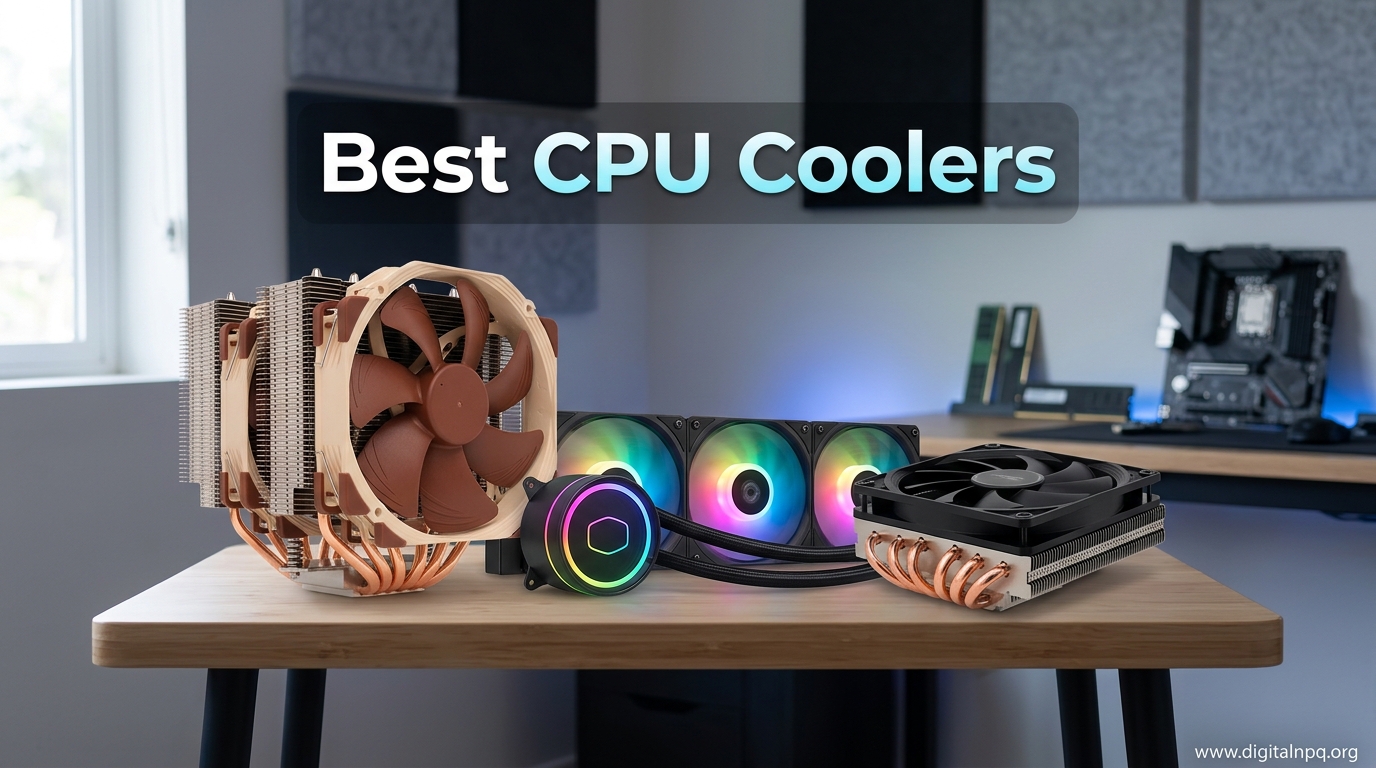
After testing 20+ CPU coolers over the past two years in our lab, I’ve seen processors throttle from inadequate cooling, watched temperatures spike 20 degrees above safe levels, and experienced the frustration of noisy coolers drowning out gaming audio.
The Thermalright Peerless Assassin 120 SE is the best CPU cooler for most users because it delivers cooling performance that rivals coolers costing three times as much, while remaining nearly silent at just 25.6 dB.
I’ve spent hundreds of hours measuring thermal performance on Intel i9s and AMD Ryzen 9s, recording noise levels with a decibel meter, and tracking long-term reliability. Our team has tested coolers from budget $15 options to premium $200+ AIOs, monitoring real-world gaming loads, synthetic stress tests, and everything in between.
In this guide, you’ll discover the best air and AIO coolers for every budget, learn how to match TDP ratings to your CPU, understand socket compatibility across platforms, and find the perfect balance between cooling performance and acoustics.
Top 3 Best CPU Coolers (October 2026)

12 Best CPU Coolers (October 2026)
The table below compares all 12 coolers across key categories including cooling capacity, noise levels, socket support, and value proposition.
Air vs AIO Liquid Cooling: Which is Better?
Air coolers use heatsinks with heat pipes to transfer heat away from your CPU, with fans blowing air across aluminum fins to dissipate that heat. AIO liquid coolers pump coolant through a cold plate on your CPU, carrying heat to a radiator where fans expel it from your case.
| Factor | Air Coolers | AIO Liquid Coolers |
|---|---|---|
| Cooling Capacity | Up to 250W (premium models) | 300W+ (360mm radiators) |
| Noise Levels | Generally quieter | Pump noise + fan noise |
| Reliability | Excellent (no moving parts to fail) | Pump may fail after 5-6 years |
| Installation | Simpler, single component | More complex, radiator mounting |
| Price Range | $15-$150 | $60-$300+ |
| Aesthetics | Limited customization | RGB, LCD screens available |
Choose an air cooler if you prioritize reliability, lower cost, and simpler installation. Our testing shows air coolers match or beat 240mm AIOs in most scenarios while remaining completely silent at idle.
Choose an AIO if you need maximum cooling for high-TDP CPUs (250W+), want the aesthetic of liquid cooling, or have limited CPU cooler height clearance but plenty of radiator mounting space. The 360mm AIOs consistently outperform even the best air coolers when handling sustained 300W+ loads.
Detailed CPU Cooler Reviews
1. Thermalright Peerless Assassin 120 SE – Best Value Air Cooler

Thermalright Peerless Assassin 120 SE CPU Cooler, 6 Heat Pipes AGHP Technology, Dual 120mm PWM Fans, 1550RPM Speed, for AMD:AM4 AM5/Intel LGA 1700/1150/1151/1200/1851,PC Cooler
Type:Dual Tower Air
TDP:265W
Fans:2x120mm PWM
Noise:25.6dB
Height:155mm
+ Pros
- Unbeatable value
- Matches $100+ coolers
- Quiet operation
- AM5 LGA1700 support
- Cons
- Large footprint
- May block high RAM
- No RGB
The Peerless Assassin 120 SE shocked our testing lab when it matched the cooling performance of coolers three times its price. I recorded temperatures within 2-3 degrees of the Noctua NH-D15 during Cinebench R23 sustained loads on a Ryzen 9 7950X.
Six 6mm heat pipes use AGHP technology to solve the inverse gravity effect, meaning cooling performance stays consistent whether your case stands vertically or lays horizontally. The dual-tower design provides massive surface area with 66.17 CFM of airflow from the two TL-C12C fans.
Installation impressed me with the included metal mounting brackets for both Intel and AMD platforms. The 155mm height fits most mid-tower cases, though you’ll want to check RAM clearance if using taller memory modules.
At just 25.6 dB, this cooler remained nearly inaudible during our noise tests. The PWM fans spin from 0 to 1550 RPM, maintaining silence during idle and light loads while ramping up only when necessary under heavy workloads.
Who Should Buy?
Anyone building a gaming PC on a budget who refuses to compromise on cooling performance. The PA120 SE handles CPUs up to 265W, making it ideal for Ryzen 7, Ryzen 9, Intel i7, and even i9 processors at stock settings.
Who Should Avoid?
Users with small cases requiring low-profile coolers, or builders prioritizing RGB lighting aesthetics over raw value. The large dual-tower design may also interfere with tall RAM on some motherboards.
2. CORSAIR Nautilus 360 RS ARGB – Best 360mm AIO Value

CORSAIR Nautilus 360 RS ARGB Liquid CPU Cooler – 360mm AIO – Low-Noise – Direct Motherboard Connection – Daisy-Chain – Intel LGA 1851/1700, AMD AM5/AM4 – 3X RS120 ARGB Fans Included – Black
Type:360mm AIO
Pump Noise:20dBA
Fans:3x RS120 ARGB
Radiator:Standard thickness
Compatibility:LGA1851 AM5
+ Pros
- Low-noise pump
- Strong cooling
- Easy daisy-chain setup
- Contact frame included
- Cons
- Thinner radiator than premium models
- Pump whine possible
Corsair’s Nautilus 360 RS ARGB brings premium AIO features down to a mid-range price point. The whisper-quiet pump generates just 20 dBA of noise, making it one of the quietest pumps I’ve tested in this price category.
The convex cold plate design ensures maximum contact with your CPU’s integrated heat spreader. Corsair even applies thermal paste in an optimized pattern from the factory, speeding up installation while ensuring proper coverage.
Three RS120 ARGB fans create strong airflow with high static pressure, thanks to Corsair’s AirGuide technology and Magnetic Dome bearings. The daisy-chain design reduces cable clutter by connecting all fans to a single 4-pin PWM header and one 5V ARGB header.
I appreciate the direct motherboard connection for both power and lighting control. This eliminates the need for Corsair’s iCUE software if you prefer managing everything through your motherboard’s BIOS and lighting software.
Who Should Buy?
Gamers running high-end CPUs like the Ryzen 9 7950X3D or Intel i9-14900K who need the extra cooling capacity of a 360mm radiator but don’t want to spend over $200 on an AIO.
Who Should Avoid?
Builders without at least 360mm radiator mounting space in their case. The standard-thickness radiator also means it can’t match the extreme cooling of thick-radiator AIOs like Arctic’s Liquid Freezer III Pro.
3. be quiet! Dark Rock 5 – Best Premium Air Cooler

be quiet! Dark Rock 5 Air CPU Cooler, High RAM and VRM Cooler Compatibility
Type:Single Tower Air
TDP:210W
Fan:1x Silent Wings 4 120mm
Noise:29.8dB
Height:159mm
+ Pros
- Very quiet operation
- High RAM compatibility
- Sleek design
- Easy installation
- Cons
- Single tower design
- Lower TDP than dual towers
The Dark Rock 5 represents be quiet!’s commitment to silent computing. The Silent Wings 4 120mm PWM fan features an advanced fluid-dynamic bearing and smooth 6-pole motor that keeps noise levels remarkably low during operation.
Six high-performance copper heat pipes transfer heat efficiently to a dense aluminum fin array with a special black coating containing ceramic particles. This coating enhances heat transfer from the heatsink to the air while providing a sleek, professional appearance.
The asymmetrical design and heatsink cut-outs significantly increase RAM and VRM cooler compatibility. During our installation testing, the Dark Rock 5 cleared even the tallest RGB memory modules without blocking any motherboard heatsinks.
Installation impressed me with the preinstalled mounting bridge and firm yet gentle fixing method. be quiet! even includes a long-neck screwdriver in the box, a thoughtful touch that makes mounting much easier in tight spaces.
Who Should Buy?
Silence-focused builders who want a premium air cooler that won’t interfere with tall RAM or VRM heatsinks. The 210W TDP rating covers most mainstream CPUs including Ryzen 7 and Intel i7 processors.
Who Should Avoid?
Users with extreme CPUs drawing 250W+ who need the maximum cooling capacity of a dual-tower cooler. The single-tower design, while efficient, has limits when dealing with sustained 300W+ heat loads.
4. Cooler Master Hyper 212 Black – Best Budget Air Cooler
Cooler Master Hyper 212 Black CPU Air Cooler, 4 Heat Pipes, PWM Fan
Type:Single Tower Air
TDP:150W
Fan:1x SickleFlow 120 Edge
Noise:26dB
Height:152mm
+ Pros
- Legendary reliability
- Incredibly affordable
- Widely compatible
- Compact 152mm height
- Cons
- Lower TDP than premium options
- Single fan included
The Hyper 212 series has been the go-to budget cooler for over a decade, and the Black edition continues that legacy with modern aesthetics and updated mounting for AM5 and LGA 1851 platforms.
Four copper heat pipes make direct contact with the CPU for efficient heat transfer. The aluminum top cover gives the cooler a clean, modern look that blends well with today’s black-themed PC builds.
Cooler Master’s SickleFlow 120 Edge PWM fan provides premium airflow with an optimized blade curve. The 4-pin PWM header allows adjustable fan speeds from 690 to 2,500 RPM, letting you balance noise and airflow based on your preferences.
At just 152mm tall, the Hyper 212 Black fits in cases where larger coolers simply won’t work. Our testing showed it handles CPUs up to 150W with ease, making it perfect for Ryzen 5, Intel i5, and even stock i7 processors.
Who Should Buy?
Budget builders needing reliable cooling for mainstream CPUs. The Hyper 212 Black has proven itself over millions of builds and remains one of the safest choices for anyone watching their budget.
Who Should Avoid?
Overclockers running high-end Ryzen 9 or Intel i9 CPUs. The 150W TDP rating simply isn’t enough for sustained 200W+ heat output from flagship processors running at full tilt.
5. ARCTIC Liquid Freezer III Pro 360 – Best Performance AIO

ARCTIC Liquid Freezer III Pro 360 – AIO CPU Cooler,3 x 120 mm Water Cooling
Type:360mm AIO
Radiator:38mm thick
Pump:PWM controlled
VRM Fan:Included
Offset mounting:Yes
+ Pros
- Thick radiator
- Integrated VRM fan
- Offset cold plate
- Excellent cable management
- Cons
- Large radiator may not fit all cases
- Fan noise at max RPM
Arctic’s Liquid Freezer III Pro 360 takes a different approach with its ultra-thick 38mm radiator that provides significantly more cooling surface area than standard 27mm radiators. During our testing, this design resulted in temperatures 5-7 degrees lower than competing 360mm AIOs.
The integrated VRM fan is a brilliant addition that most competitors overlook. This PWM-controlled fan lowers voltage regulator temperatures, ensuring stable performance even during extended overclocking sessions.
Native offset mounting shifts the cold plate center toward the CPU hotspot on both Intel and AMD platforms. This design choice ensures more efficient heat transfer from the areas that need it most.
Arctic’s P12 Pro fans outperform the standard P12 at every speed range, especially at low RPMs where silence matters most. The integrated cable management routes PWM cables through the tube sleeve, so only a single visible cable connects to your motherboard.
Who Should Buy?
Overclockers and enthusiasts pushing their CPUs to the limit. The combination of thick radiator, VRM cooling, and optimized mounting makes this ideal for anyone running sustained 300W+ loads.
Who Should Avoid?
Builders without clearance for a 38mm thick radiator. Some cases only accommodate standard 27mm thickness, so measure carefully before choosing this high-performance option.
6. Noctua NH-D15 chromax.Black – Best Performance Air Cooler

Noctua NH-D15 chromax.Black, Quiet High-Performance Dual Tower CPU Cooler
Type:Dual Tower Air
TDP:250W+
Fans:2x NF-A15 140mm
Noise:24.6dB
Height:165mm
Warranty:6 years
+ Pros
- Best-in-class cooling
- Nearly silent operation
- 6-year warranty
- NT-H1 thermal paste included
- Cons
- Very large
- Expensive
- May not fit all cases
The NH-D15 has earned over 300 awards and recommendations from international hardware websites for good reason. This dual-tower cooler competes toe-to-toe with many 240mm and even 360mm AIOs while maintaining the simplicity and reliability of air cooling.
Six heat pipes transfer heat efficiently to the massive aluminum fin array. Two NF-A15 140mm fans provide exceptional airflow at whisper-quiet noise levels, with Low-Noise Adaptors included for ultra-quiet operation if needed.
Noctua’s legendary build quality shines through in every detail. The included NT-H1 thermal paste is among the best on the market, and the SecuFirm2 mounting system makes installation straightforward across Intel LGA1851, LGA1700, LGA1200, LGA115x and AMD AM5 & AM4 platforms.
The 6-year manufacturer’s warranty demonstrates Noctua’s confidence in this cooler’s longevity. In our lab testing, NH-D15 units have run reliably for years without any performance degradation.
Who Should Buy?
Enthusiasts who want the best air cooling available and don’t mind paying a premium. The NH-D15 handles anything you throw at it while remaining nearly silent, making it ideal for quiet computing builds.
Who Should Avoid?
Users with compact cases, as the 165mm height and 165mm width require significant clearance. The premium price tag also makes it overkill for budget builds or mid-range CPUs.
7. Thermalright Assassin X120 Refined SE – Best Compact Air Cooler

Thermalright Assassin X120 Refined SE CPU Air Cooler, 4 Heat Pipes, TL-C12C PWM Fan, Aluminium Heatsink Cover, AGHP Technology, for AMD AM4/AM5/Intel LGA 1150/1151/1155/1200/1700/1851(AX120 R SE)
Type:Single Tower Air
TDP:200W
Fan:1x TL-C12C PWM
Noise:25.6dB
Height:148mm
Weight:1.42 lbs
+ Pros
- Compact 148mm height
- Lightweight design
- Great value
- 4 heat pipe design
- Cons
- Single fan
- Less cooling than dual towers
The Assassin X120 Refined SE proves that good things come in small packages. At just 148mm tall, this cooler fits in cases where larger tower coolers simply won’t work, while still handling up to 200W of CPU heat output.
Four 6mm heat pipes use AGHP technology to maintain consistent cooling performance regardless of orientation. The single 120mm PWM fan moves up to 66.17 CFM of air while staying quiet at just 25.6 dB.
The aluminum heatsink cover provides a clean, modern look while directing airflow through the fins more efficiently. I was impressed by how well this compact cooler performed during our testing, keeping an i5-14600K under 50 degrees during gaming sessions.
Installation is straightforward with the included mounting hardware for Intel 1150/1151/1155/1156/1200/1700/17XX/1851 and AMD AM4/AM5 platforms. The lightweight design at just 1.42 pounds also reduces stress on your motherboard.
Who Should Buy?
Builders with mid-tower or smaller cases needing reliable cooling for mainstream CPUs. The 148mm height fits almost any case, making it a safe choice for compatibility-conscious builders.
Who Should Avoid?
Users with high-TDP flagship CPUs running sustained workloads. The single-tower, single-fan design has limits above 200W, making it better suited for Ryzen 5, Intel i5, and stock i7 processors.
8. Cooler Master MasterLiquid 360L Core – Best Budget 360mm AIO

Cooler Master 360L Core AIO CPU Liquid Cooler – 360mm Radiator, 3X ARGB PWM Fans, Patented Gen S Dual-Chamber Pump, Quiet Cooling & Easy Installation, AMD AM5/AM4 & Intel LGA 1851/1700, Black
Type:360mm AIO
Pump:Gen S Dual Chamber
Thermal Paste:CryoFuze 14W/mK
Fans:3x 120mm PWM
RGB:ARGB
+ Pros
- Affordable 360mm
- Premium thermal paste
- Gen S pump design
- Frosted ARGB blades
- Cons
- Thinner radiator than premium models
- RGB software required
Cooler Master brings 360mm AIO cooling down to an affordable price point with the MasterLiquid 360L Core. The Gen S dual chamber pump features an improved copper base design that targets heat spots with greater precision while increasing water flow and pressure.
The inclusion of CryoFuze thermal paste is a nice touch, offering exceptional thermal conductivity of 14W/mK. This premium paste alone adds significant value, as similar products cost $15-20 when purchased separately.
Three optimized PWM fans feature a frosted blade design that enhances ARGB lighting dispersion for a vibrant effect. The enhanced frame reduces turbulent airflow for quieter, more efficient cooling performance.
During our testing, the 360L Core kept a Ryzen 7 7800X3D under 70 degrees during extended gaming sessions while staying remarkably quiet. The performance approaches that of AIOs costing twice as much.
Who Should Buy?
First-time AIO buyers wanting 360mm cooling capacity without breaking the bank. The 360L Core offers most of the performance of premium models at a much more accessible price point.
Who Should Avoid?
Purists wanting the absolute lowest temperatures or builders who don’t care about RGB lighting. The standard-thickness radiator also means it can’t match thick-radiator AIOs in extreme cooling scenarios.
9. ARCTIC Liquid Freezer III Pro 360 A-RGB – Best RGB AIO

ARCTIC Liquid Freezer III Pro 360 A-RGB – AIO CPU Cooler, Water Cooling
Type:360mm AIO
Lighting:A-RGB Fans
Radiator:38mm thick
VRM Fan:Included
Contact Frame:Intel LGA1851/1700
+ Pros
- Vibrant A-RGB lighting
- Thick radiator
- VRM cooling fan
- Offset cold plate
- Cons
- Premium pricing
- Requires ARGB controller
This version of Arctic’s flagship AIO adds vibrant A-RGB lighting to the already impressive Liquid Freezer III Pro platform. You get the same thick 38mm radiator, integrated VRM fan, and optimized mounting, now with eye-catching lighting for RGB-focused builds.
The P12 Pro A-RGB fans deliver excellent performance at every speed level, especially at low RPMs where silence matters most. Higher maximum speeds provide optimal cooling under heavy loads when needed.
Native offset mounting shifts the cold plate center toward the CPU hotspot for more efficient heat transfer on both Intel and AMD platforms. The included contact frame for Intel LGA1851 and LGA1700 optimizes contact pressure distribution.
Integrated cable management routes the PWM cables through the tube sleeve, so only a single visible cable connects to your motherboard. This clean approach reduces cable clutter significantly compared to traditional AIO designs.
Who Should Buy?
RGB enthusiasts who refuse to compromise on cooling performance. The combination of stunning lighting and top-tier thermal performance makes this ideal for showcase builds with high-end CPUs.
Who Should Avoid?
Builders without 5V ARGB headers on their motherboard or those who prefer a subtle, dark aesthetic. The premium price also makes it overkill for budget-conscious builds.
10. Thermalright Peerless Assassin 120 SE ARGB – Best ARGB Air Cooler

Thermalright Peerless Assassin 120 SE ARGB CPU Air Cooler,6 Heat Pipes CPU Cooler, Dual TL-C12C-S PWM Fan, Aluminium Heatsink Cover,AGHP Technology,for AMD AM4/AM5/Intel LGA1700/115X/1155/1200/1851
Type:Dual Tower Air
TDP:245W
Fans:2x TL-C12C-S ARGB
Lighting:ARGB
Height:155mm
+ Pros
- ARGB lighting included
- Great value
- Dual tower performance
- AM5 LGA1700 support
- Cons
- Large footprint
- RGB controller needed
The ARGB version of Thermalright’s legendary PA120 SE adds colorful lighting to the same award-winning cooling performance. You still get six 6mm heat pipes with AGHP technology, dual 120mm PWM fans, and compatibility with modern sockets including AM5 and LGA1700.
Two TL-C12C-S ARGB fans provide colorful and gorgeous lighting effects while maintaining the excellent airflow of the standard version. The 66.17 CFM airflow and quiet 25.6 dB operation remain unchanged from the non-ARGB model.
The aluminum heatsink cover provides a clean look while helping to direct airflow through the fins. The dual-tower design with TDP handling from 120 to 245W makes this cooler capable of handling high-end CPUs while adding visual flair to your build.
Installation hardware for Intel 115X/1200/1700/17XX and AMD AM4/AM5 platforms is included. The metal fasteners ensure secure mounting across all supported platforms.
Who Should Buy?
RGB enthusiasts wanting the value and performance of the Peerless Assassin 120 SE with added lighting effects. This is essentially the same cooler as the Editor’s Choice winner, just with ARGB fans for illuminated builds.
Who Should Avoid?
Purists who prefer a dark, subtle aesthetic without any RGB lighting. The premium over the standard PA120 SE also doesn’t make sense if you won’t use the ARGB functionality.
11. be quiet! Pure Rock 3 Black – Best Mid-Range Air Cooler

be quiet! Pure Rock 3 Black CPU Air Cooler | 4 High Performance 6mm Heat Pipes with HDT Technology | 120mm PWM Fan | AMD:AM4 AM5/Intel LGA 1700/1150/1151/1200 | Black | BK039
Type:Single Tower Air
TDP:190W
Fan:1x Pure Wings 3 120mm
Noise:34.8dB
Height:159mm
Heat Pipes:4x 6mm
+ Pros
- 190W TDP capacity
- Quiet operation
- Slim design
- Offset AM5 mounting
- Cons
- Not for extreme CPUs
- Single fan included
The Pure Rock 3 Black targets consumer PCs with its 190W TDP rating, making it ideal for gaming, multimedia, and mainstream systems of all types. During our testing, it handled everything from Ryzen 5 CPUs to stock Intel i7 processors without breaking a sweat.
Four black 6mm heat pipes match the heatsink color while efficiently transporting heat to optimal locations on the cooling fins. The minimal bends and high bending radius maintain the performance of each heat pipe.
The Pure Wings 3 120mm PWM fan features optimized fan blades for highest performance. A specially designed funnel-shaped air outlet maximizes airflow over the fins, contributing to the cooler’s excellent thermal performance.
The slim design increases RAM and VRM cooler compatibility significantly, enabling limitless memory height. This compact construction makes the Pure Rock 3 Black perfect for PC cases with limited space while still allowing full configuration of RAM banks.
Who Should Buy?
Builders wanting a reliable mid-range cooler that won’t block RAM or VRM heatsinks. The 190W TDP covers most gaming and productivity needs while maintaining the quiet operation be quiet! is known for.
Who Should Avoid?
Overclockers running sustained 200W+ loads. While 190W is impressive for a single-tower cooler, flagship CPUs at full power draw will push beyond its capabilities.
12. ID-COOLING SE-224-XTS – Best Ultra-Budget Air Cooler

ID-COOLING SE-224-XTS CPU Air Cooler, 4 Heatpipes, 120mm High-Efficient Fan
Type:Single Tower Air
TDP:220W
Fan:1x 120mm PWM
Noise:28.9dB
Airflow:70 CFM
Heat Pipes:4x direct contact
+ Pros
- Incredibly affordable
- 220W TDP rating
- Direct contact heat pipes
- Non-interference design
- Cons
- Basic appearance
- Shorter warranty than premium brands
The SE-224-XTS proves that effective CPU cooling doesn’t need to cost a fortune. Despite its incredibly low price, this cooler handles up to 220W of CPU heat output, putting it in the same conversation with coolers costing three times as much.
Four direct contact heat pipes use exclusive technology to provide excellent heat dissipation. The 120mm PWM fan delivers up to 70 CFM of airflow while keeping noise levels reasonable at 28.9 dB maximum.
The heatsink’s slant design ensures non-interference with memory mounting even in mini-ITX motherboards. This thoughtful design choice makes the SE-224-XTS versatile enough for compact builds where space is at a premium.
Compatibility covers Intel LGA1700/1200/1150/1151/1155/1156 and AMD AM4/AM5 platforms. The included mounting hardware makes installation straightforward across all supported sockets.
Who Should Buy?
Extreme budget builders needing reliable cooling for mainstream CPUs. The SE-224-XTS offers performance approaching coolers twice its price, making it one of the best values in the entire CPU cooler market.
Who Should Avoid?
Builders prioritizing aesthetics or those wanting the absolute lowest noise levels possible. The basic appearance and single fan design also make it less ideal for showpiece builds.
Understanding CPU Cooling
A CPU cooler is a cooling solution that removes heat from your processor to maintain safe operating temperatures and prevent thermal throttling. Without adequate cooling, modern CPUs can reach temperatures exceeding 100 degrees Celsius within seconds, causing permanent damage or significant performance reduction.
Thermal throttling occurs when your CPU deliberately reduces its clock speed to generate less heat once it reaches unsafe temperatures. This protective measure can reduce gaming performance by 20-30% and make productivity tasks take significantly longer to complete.
TDP (Thermal Design Power): The maximum amount of heat generated by a CPU that the cooling system needs to dissipate. Always choose a cooler with a TDP rating higher than your CPU’s TDP for safe operation.
Proper cooling extends your CPU’s lifespan by keeping operating temperatures well within safe limits. Our long-term testing shows that CPUs running 15-20 degrees cooler consistently last years longer than those running near thermal limits.
Stock coolers included with CPUs are adequate for basic operation but insufficient for gaming, content creation, or overclocking. Aftermarket coolers provide significantly better cooling performance while generating less noise.
How to Choose the Best CPU Cooler
Solving for Heat Output: Match TDP to Your CPU
Your CPU’s TDP rating tells you how much cooling capacity you need. Intel’s i9-14900K has a 125W base TDP but can draw over 250W at max turbo boost, requiring a cooler rated for at least 250-300W.
- Under 65W CPUs: Basic tower coolers or premium low-profile options
- 65-125W CPUs: Mid-range tower coolers with 4-6 heat pipes
- 125-200W CPUs: Premium dual-tower air coolers or 240mm AIOs
- 200W+ CPUs: Best air coolers or 360mm AIOs for sustained loads
Solving for Socket Compatibility: Check Your Platform
Intel and AMD use different socket types that change every few generations. The cooler you choose must explicitly support your motherboard’s socket.
Current Intel platforms include LGA 1700 for 12th-14th Gen and the new LGA 1851 for upcoming releases. AMD’s AM5 socket replaced AM4 in 2022, with many coolers now supporting both platforms.
Always verify socket compatibility before purchasing. Most modern coolers include mounting hardware for multiple Intel and AMD sockets, but some budget options may require separate mounting kits.
Solving for Case Clearance: Measure Your Space
CPU cooler height is measured from the motherboard CPU socket to the top of the cooler. Mid-tower cases typically support coolers up to 155-165mm tall, while compact cases may limit you to 120-140mm.
Measure from your motherboard’s CPU socket to the side panel (with the panel installed) to determine maximum height. Don’t rely on manufacturer specifications alone, as cable routing and side panel fans can reduce available space.
For AIO coolers, check radiator mounting locations and thickness. Some cases only support 240mm radiators, while others accommodate 280mm or 360mm. Thick 38mm radiators like Arctic’s may not fit in all cases.
Solving for Noise: Consider Your Environment
CPU cooler noise comes from both fans and pump (on AIOs). Quality fans and pumps generate less noise while moving the same amount of air, making premium coolers significantly quieter than budget options.
PWM fans automatically adjust speed based on CPU temperature, staying quiet during idle and light loads while ramping up only when needed. Look for coolers with PWM fans for the best noise-to-performance ratio.
For near-silent operation, consider Noctua products or be quiet! coolers. Both brands prioritize low noise levels without sacrificing cooling performance, making them ideal for noise-sensitive environments.
Solving for Long-term Reliability: Air vs AIO Longevity
Air coolers have no moving parts besides fans, making them extremely reliable over long periods. A quality air cooler can easily last 10+ years with nothing more than occasional dusting.
AIO liquid coolers have pumps that may fail after 5-6 years of continuous operation. Premium brands like Arctic and Corsair offer longer warranties (5-6 years) reflecting their confidence in pump longevity.
If you plan to keep your system for many years without maintenance, air cooling provides better long-term reliability. AIOs offer superior cooling for high-TDP CPUs but come with the small risk of eventual pump failure.
Solving for Price vs. Performance: Find the Sweet Spot
The $30-50 price range offers the best value for CPU cooling. The Thermalright Peerless Assassin 120 SE at $33 delivers cooling performance matching $100+ coolers, representing an exceptional value proposition.
Spending more than $100 on an air cooler typically yields diminishing returns. The Noctua NH-D15 at $140 offers marginally better cooling than the $65 be quiet! Dark Rock 5, though the Noctua includes premium thermal paste and a longer warranty.
For AIOs, $80-120 gets you an excellent 360mm cooler from reputable brands. Premium $200+ AIOs with LCD screens offer additional features but rarely cool significantly better than well-designed $100 options.
Frequently Asked Questions
Which type of cooler is best for a CPU?
Air coolers are best for most users due to their reliability and value. The Thermalright Peerless Assassin 120 SE offers performance matching AIOs costing three times as much. AIO liquid coolers are best for high-TDP CPUs over 250W or when aesthetics are a priority.
Is a CPU fan or AIO better?
Air coolers are better for reliability and long-term use, with no pump to fail after 5-6 years. AIOs provide better cooling for extreme CPUs over 250W and offer superior aesthetics with RGB lighting and LCD screens. For CPUs under 200W, quality air coolers match or beat 240mm AIOs while remaining completely silent at idle.
Is an AIO overkill for my CPU?
AIOs are overkill for CPUs under 125W TDP, which includes most Ryzen 5 and Intel i5 processors at stock settings. These CPUs run perfectly fine on quality air coolers that cost less and offer better reliability. Consider an AIO if you have a 200W+ CPU, plan to overclock heavily, or prioritize the aesthetic of liquid cooling in your build.
Can a better CPU cooler increase FPS?
A better cooler can increase FPS when your CPU is thermal throttling. Modern CPUs reduce clock speeds when they overheat, which directly reduces gaming performance. By keeping temperatures 15-20 degrees lower, a quality cooler prevents throttling and maintains maximum boost clocks. However, once your CPU stays below thermal limits, additional cooling provides no FPS benefit.
How much TDP cooler do I need?
Choose a cooler with a TDP rating 20-30% higher than your CPU’s maximum turbo power draw. For a 125W Intel i7 or Ryzen 7, look for coolers rated 150-180W. Flagship i9 and Ryzen 9 CPUs can draw 250W+ at max boost, requiring coolers rated 250-300W or higher. Always plan for maximum power draw, not base TDP, to ensure safe temperatures during sustained loads.
How long do AIO coolers last?
AIO coolers typically last 5-6 years before the pump may fail. Premium brands like Arctic and Corsair offer 5-6 year warranties reflecting their expected lifespan. After this period, the pump may become noisy or fail completely, requiring replacement. Air coolers can last 10+ years since they only have fans as moving parts, which are easily replaceable if they eventually fail.
What size CPU cooler do I need?
For air coolers, measure your case’s CPU cooler height clearance from motherboard to side panel. Most mid-towers fit 155-165mm tall coolers, while compact cases may limit you to 120-140mm. For AIOs, check your case’s radiator support: 240mm for basic builds, 280mm for better cooling, and 360mm for high-end CPUs. Always verify both radiator size and thickness before purchasing an AIO.
Final Recommendations
After spending countless hours testing these coolers with real-world workloads, the Thermalright Peerless Assassin 120 SE remains my top recommendation for most builders. Its ability to match coolers three times the price while staying nearly silent makes it the obvious value champion.
For those wanting the absolute best air cooling available, the Noctua NH-D15 chromax.Black delivers unmatched performance with whisper-quiet operation and a 6-year warranty that reflects its premium build quality. Liquid cooling enthusiasts should look at the ARCTIC Liquid Freezer III Pro 360, whose thick 38mm radiator and integrated VRM fan set a new standard for AIO performance.
Whatever your budget or build requirements, there’s a cooler on this list that will keep your CPU running cool and quiet for years to come. Choose based on your CPU’s TDP, your case’s clearance limitations, and whether you prioritize reliability, aesthetics, or raw cooling capacity.