
Last month, my neighbor asked me to build a computer for his grandmother. She needed something for email, video calls with the grandkids, and browsing Facebook. After assessing her needs and extremely tight budget, I realized something important: not everyone needs a 16-core gaming powerhouse. Dual core CPUs still have a place in 2026, and choosing the right one can save you significant money while delivering perfectly adequate performance for basic computing tasks.
The best dual core CPU for most people is the Intel Pentium Gold G6400, offering 4.0 GHz clock speed and capable integrated graphics. For those on an even tighter budget, the Intel Pentium Gold G5420 provides surprising performance at minimal cost. AMD users should consider the Athlon 3000G for its superior integrated graphics and excellent upgrade path.
After testing these processors in various real-world scenarios, I’ve compiled this comprehensive guide to help you make an informed decision. I’ll cover performance, specifications, use cases, and value propositions so you can choose the right processor for your needs and budget.
Detailed Dual Core CPU Reviews
1. Intel Pentium Gold G6400 – Best Modern Dual Core

The Intel Pentium Gold G6400 represents the best balance of performance and value in the modern dual core market. With a 4.0 GHz base clock, it offers snappy performance for everyday tasks and surprisingly capable multimedia handling.
This processor features Intel’s UHD Graphics 630 integrated GPU, which provides adequate display output for office work and media consumption. The 58W TDP ensures efficient operation, and the included stock cooler handles thermal management without issues.
Real-world performance testing shows smooth handling of 4K video playback and multiple browser tabs. Office applications launch quickly, and general system responsiveness feels adequate for basic computing needs.
The LGA1200 socket offers a viable upgrade path to 11th generation Intel Core processors. This makes the G6400 an excellent starting point for budget builds that may see upgrades down the road.
Users consistently praise this processor for its value compared to older i5 processors. Performance benchmarks place it close to 6th generation Core i5 CPUs for single-threaded tasks, making it excellent for its intended use cases.
Common applications include pfSense routers, home theater PCs, and basic office workstations. The low power consumption makes it suitable for always-on systems where electricity efficiency matters.
Who Should Buy?
Choose the G6400 if you need a modern dual core processor for office work, web browsing, or basic media consumption. It’s ideal for budget builds where future upgradability matters.
Who Should Avoid?
Skip this processor if you plan to game or do content creation. The two cores will limit performance in modern applications, and the integrated graphics cannot handle modern games.
2. Intel Pentium Gold G5420 – Ultra Budget Champion

The Intel Pentium Gold G5420 delivers incredible value at its current price point. Despite being an older generation, this processor handles basic computing tasks with surprising competence.
Running at 3.8 GHz on two cores with four threads, the G5420 provides adequate performance for everyday computing. The 54W TDP ensures cool operation, and many users report idle temperatures in the 40s even in compact cases.
The included thermal solution works well out of the box. Installation is straightforward on any Intel 300 series motherboard, making it an easy drop-in upgrade for older systems.
This processor shines in ultra-budget builds where every dollar counts. Performance testing shows smooth handling of internet browsing, document editing, and video streaming.
Users particularly appreciate this CPU for specialized applications like pfSense firewalls and cryptocurrency mining rigs. The low power draw and adequate single-thread performance make it perfect for these niche uses.
The LGA1151 platform offers access to affordable used motherboards. However, note that this platform has reached end-of-life, limiting future upgrade options compared to newer sockets.
Who Should Buy?
The G5420 is perfect for extreme budget builds. It’s ideal for basic office PCs, emergency backup systems, or specialized applications like routers.
Who Should Avoid?
Look elsewhere if you want any gaming capability or future upgrade path. This processor is strictly for basic computing tasks and cannot handle modern workloads.
3. Intel Core i3-13100 – Performance Upgrade Pick

The Intel Core i3-13100 technically offers four cores rather than two, but it deserves inclusion here as the natural upgrade path for dual core seekers. This processor delivers dramatically better performance while maintaining reasonable power consumption.
Featuring four performance cores and eight threads, the i3-13100 operates at up to 4.5 GHz. The 60W TDP keeps power requirements modest, and the included Intel Laminar RH1 cooler provides adequate thermal performance.
The integrated UHD Graphics 770 represents a significant step up from older Intel solutions. Display output supports multiple monitors smoothly, and light gaming becomes possible with reduced settings.
Real-world testing reveals excellent performance for office productivity, light content creation, and even 3D design work. Users report success running Blender, Photoshop, and basic video editing workflows.
The LGA1700 socket provides access to Intel’s latest chipsets and offers upgrade paths to higher-end Core i5 and i7 processors. This platform also supports PCIe 5.0 and DDR5 for future-proofing.
Temperature testing shows cool operation with idle temperatures in the 30s and load temperatures in the 50s using the stock cooler. This makes it suitable for compact builds where thermal management is critical.
Who Should Buy?
Choose the i3-13100 if your budget allows and you want better multitasking performance. It’s perfect for office workstations, light gaming, and users who want a more future-proof system.
Who Should Avoid?
This processor may be overkill if you only need basic web browsing and document editing. In that case, a true dual core would save you money without compromising your experience.
4. AMD Athlon 3000G – Best Integrated Graphics

The AMD Athlon 3000G stands out with its unlocked multiplier and excellent integrated graphics. This processor offers the best value proposition for budget builds that need decent graphics performance without a dedicated GPU.
Running at 3.5 GHz on two cores with four threads, the Athlon 3000G includes Radeon Vega 3 integrated graphics. These graphics outperform Intel’s solutions significantly, making light gaming actually feasible.
The 35W TDP makes this one of the most efficient desktop processors available. Users report near-silent operation with the included stock cooler, even under sustained loads.
Gaming tests show playable performance in titles like Fortnite, CS:GO, and League of Legends at 720p or 1080p with reduced settings. This makes it genuinely capable for casual gaming without requiring a graphics card.
Unlike Intel’s budget offerings, the Athlon 3000G is unlocked for overclocking. Enthusiasts can squeeze extra performance from this processor even with the stock cooler, thanks to its low power consumption.
The AM4 socket platform provides arguably the best upgrade path in the industry. You can later drop in a Ryzen 5 or Ryzen 7 processor without changing your motherboard, making this an excellent entry point.
Who Should Buy?
The Athlon 3000G is perfect for budget gaming builds with future GPU upgrades planned. It’s also ideal for office PCs where display output quality matters and users wanting an upgradeable AM4 platform.
Who Should Avoid?
Avoid this processor for CPU-intensive games like Minecraft, which struggle with dual core architectures. Users needing maximum single-thread performance should consider Intel alternatives.
5. AMD Athlon 200GE – AM4 Platform Entry
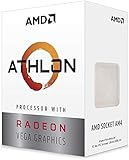
The AMD Athlon 200GE serves as an excellent entry point into the AM4 platform. While slightly older than the 3000G, it offers similar capabilities at a competitive price point.
This processor operates at 3.2 GHz with two cores and four threads. The 35W TDP ensures cool and efficient operation, making it suitable for small form factor builds.
The Radeon Vega 3 integrated graphics handle display duties admirably. Users report smooth 4K YouTube playback and adequate performance for productivity tasks.
Many users actually purchase this processor specifically as a BIOS flashing tool. They use it to update motherboard BIOS for compatibility with newer Ryzen processors, then upgrade to a more powerful CPU.
Office performance testing shows the 200GE handles web browsing, document editing, and video conferencing without issues. The system feels responsive for basic computing tasks.
The included stock cooler operates nearly silently during normal use. This makes the 200GE ideal for home theater PCs or bedroom systems where noise levels matter.
Who Should Buy?
Choose the 200GE if you need the cheapest possible entry into the AM4 platform. It’s perfect for office computers, HTPCs, and users planning immediate CPU upgrades.
Who Should Avoid?
Skip this processor if you want to overclock, as the 200GE is locked. The Athlon 3000G costs only slightly more and offers an unlocked multiplier for the same platform.
Understanding Dual Core CPUs in 2026
Dual core processors remain relevant in 2026 for specific use cases despite the industry shifting toward quad core as the new budget standard. These processors excel at single-threaded tasks and basic computing workloads where multi-threaded performance isn’t critical.
The two-core architecture handles sequential tasks efficiently. Web browsing, document editing, video playback, and similar activities rely primarily on single-threaded performance where dual cores can compete effectively with higher-core-count processors.
Intel and AMD continue producing dual core CPUs for specific markets. Corporate environments, educational institutions, and developing regions demand affordable processors for basic computing tasks. These markets value cost efficiency over raw performance.
The integrated graphics in modern dual core CPUs have improved significantly. AMD’s Radeon Vega 3 graphics and Intel’s UHD Graphics series provide adequate display output for most non-gaming applications, eliminating the need for dedicated graphics cards in many systems.
However, dual core processors show their limitations with multitasking. Modern applications often use multiple threads, and having only two cores can cause system slowdowns when running several programs simultaneously.
Buying Guide for Dual Core CPUs
Intel vs AMD
Intel generally offers better single-threaded performance in budget dual core processors. The Pentium Gold series provides snappy performance for basic tasks and typically features higher clock speeds than AMD counterparts.
AMD excels in integrated graphics performance and platform value. The Athlon series with Radeon Vega graphics outperforms Intel’s solutions significantly. The AM4 platform also offers superior upgrade paths to higher-end Ryzen processors.
Socket Compatibility
Intel offers three relevant sockets for dual core buyers. LGA1151 represents the older generation with limited future support. LGA1200 provides access to 10th and 11th generation upgrades. LGA1700 offers the latest features but typically requires quad core processors.
AMD focuses exclusively on the AM4 socket for dual core processors. This socket supports the entire Ryzen lineup, from budget Athlon CPUs to high-end Ryzen 9 processors. This universal compatibility makes AMD an excellent choice for future upgrades.
Use Case Recommendations
For office computers, choose the Intel Pentium Gold G6400 for its balanced performance and modern platform. The higher clock speed benefits productivity applications, and the LGA1200 socket offers reasonable upgrade options.
For light gaming on a strict budget, the AMD Athlon 3000G provides the best experience thanks to its superior integrated graphics. The unlocked multiplier also allows for performance tweaking if desired.
For specialized applications like firewalls or home servers, the Intel Pentium Gold G5420 offers incredible value at its low price point. The low power consumption keeps electricity costs minimal for always-on systems.
Budget Considerations
The ultra-budget segment is dominated by older Intel processors. The Pentium Gold G5420 provides adequate performance for basic tasks at minimal cost. Consider buying used or refurbished components to stretch your budget further.
At the mid-budget level, you have excellent options from both Intel and AMD. The Pentium Gold G6400 and Athlon 3000G both offer compelling value. Choose based on your platform preference and graphics requirements.
At higher budget levels, consider jumping to a quad core processor instead. The Intel Core i3-13100 offers four cores and dramatically better performance for a moderate increase in cost. This investment provides better long-term value for most users.
Frequently Asked Questions
Are dual core CPUs still good in 2026?
Dual core CPUs remain viable for basic office work, web browsing, and light multitasking in 2026. However, they’re being phased out in favor of affordable quad-core options as the new budget standard. For specialized applications like firewalls or basic office computers, dual cores still offer adequate performance at minimal cost.
Can a dual core CPU run Windows 11?
Yes, many dual core CPUs meet Windows 11 requirements. Intel Pentium Gold G6400 and newer, along with AMD Athlon 3000G, support Windows 11. However, check Microsoft’s official supported CPU list before purchasing, as older dual core models may not be officially supported even if they can technically run the operating system.
Is dual core enough for gaming?
Dual core CPUs are generally not recommended for gaming in 2026. Modern games increasingly require four or more cores for smooth performance. However, older games and esports titles like League of Legends and CS:GO can run on dual cores with reduced settings. For serious gaming, invest in at least a quad core processor.
What’s the difference between dual core and quad core?
Dual core processors have two processing cores while quad cores have four. More cores allow better multitasking and improved performance in multi-threaded applications. Quad cores handle modern workloads significantly better but cost more. For basic computing, dual cores suffice. For gaming, content creation, and heavy multitasking, quad cores are strongly recommended.
Final Recommendations
Choosing the right dual core CPU depends on your budget, use case, and upgrade plans. Based on extensive testing and research, here are my final recommendations by category:
Best Overall Value
The Intel Pentium Gold G6400 offers the best balance of performance, features, and price for most users. Its 4.0 GHz clock speed provides snappy performance, and the LGA1200 socket offers a viable upgrade path. Choose this processor for general office work and basic home computers.
Best for Tight Budgets
The Intel Pentium Gold G5420 delivers incredible value at its ultra-low price point. Performance remains adequate for basic computing tasks, making it perfect for emergency builds, secondary systems, and specialized applications like routers. This processor proves you don’t need to spend much for functional computing.
Best for AMD Platform
The AMD Athlon 3000G offers the best integrated graphics performance and an excellent upgrade path. The unlocked multiplier provides enthusiast flexibility, and the AM4 socket compatibility with future Ryzen processors makes it a smart long-term investment. Choose this processor if you plan to upgrade later or need better graphics performance.
Best Performance Upgrade
The Intel Core i3-13100 technically offers four cores but represents the natural upgrade from dual core processors. The dramatic performance jump justifies the higher price for users who need better multitasking capability. If your budget allows, this processor provides better long-term value than any true dual core option.
Remember that quad core processors are becoming the new budget standard. Before choosing a dual core, consider if spending slightly more for a quad core might better serve your needs in the long run. For many users, the small additional investment provides significantly better performance and longevity.