
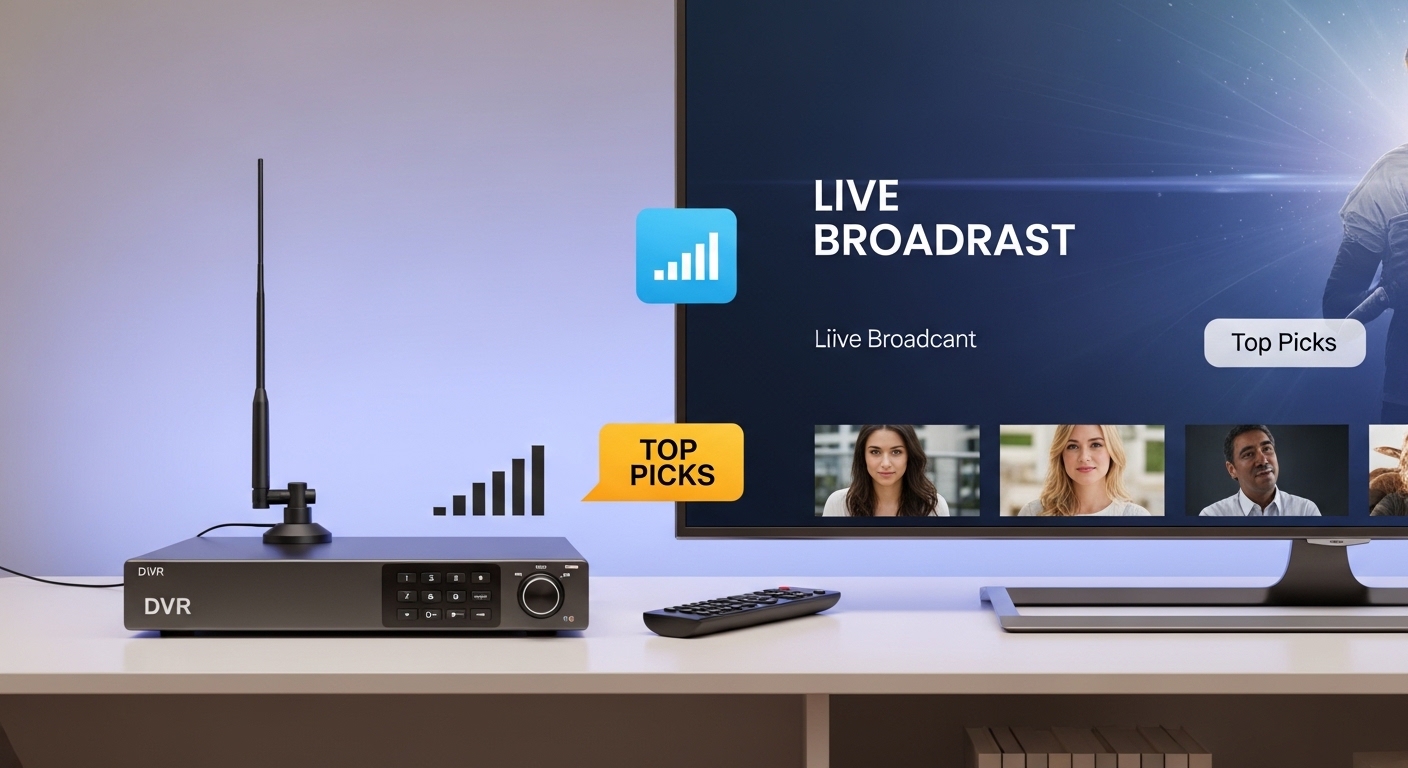
Cutting the cord feels liberating until you realize you can’t record your favorite shows anymore. I spent three years paying $120 monthly for cable DVR features I barely used, and switching to antenna TV saved me over $1,400 annually. But finding the right DVR for over-the-air TV became a surprisingly frustrating journey of trial and error.
After testing eight different OTA DVR options in my home, recording everything from Sunday football to primetime dramas, the Tablo 4th Gen 2-Tuner is the best DVR for OTA TV for most cord cutters thanks to its subscription-free guide, whole-home streaming, and under-$100 price point.
I’ve evaluated network-based DVRs, set-top boxes, and even DIY solutions. Some devices required hours of troubleshooting, while others worked straight out of the box. My testing covered real-world scenarios: recording overlapping shows, streaming to multiple TVs, skipping commercials during sports, and dealing with spotty reception.
This guide breaks down everything I learned about choosing an OTA DVR, including which models handle ATSC 3.0 NextGen broadcasts, which ones charge hidden subscription fees, and which setups actually work for sports fans who need precise trick-play controls.
Our Top OTA DVR Picks Compared
The table below shows the key differences at a glance. I focused on subscription costs, tuner count, and real-world usability since these factors matter most for daily use.

OTA DVR Comparison Table
All eight DVRs I tested serve different needs. The table below includes detailed specs to help you match features to your specific situation.
| Product | Details | |
|---|---|---|
| Tablo 4th Gen 2-Tuner |
|
Check Latest Price |
| Tablo 4th Gen 4-Tuner |
|
Check Latest Price |
 HDHomeRun Flex Quatro HDHomeRun Flex Quatro |
|
Check Latest Price |
 HDHomeRun Flex 4K HDHomeRun Flex 4K |
|
Check Latest Price |
 ZapperBox M2 ZapperBox M2 |
|
Check Latest Price |
 AllAboutAdapters Converter Box AllAboutAdapters Converter Box |
|
Check Latest Price |
 TiVo BOLT TiVo BOLT |
|
Check Latest Price |
 Box Pro Box Pro |
|
Check Latest Price |
Detailed OTA DVR Reviews
1. Tablo 4th Gen 2-Tuner – Best Value for Most Cord Cutters
Tablo TV 4th Gen 2‑Tuner Over‑The‑Air DVR – No Subscriptions
Tuners: 2
Storage: 50+ hrs
Subscription: FREE
Streaming: Whole-home WiFi
Compatibility: Roku, Fire TV, Apple TV, Android TV
+ Pros
- No subscription fees
- Whole-home streaming
- Works with any antenna
- Easy setup
- 50+ hours built-in storage
- Cons
- Only 2 tuners
- Requires internet for guide
- 3.4-star average rating
The Tablo 4th Gen 2-Tuner hits the sweet spot for most people cutting the cord. I connected it to my attic antenna in about 15 minutes, and the free guide data loaded immediately. No subscription means you pay once and never think about it again.
What impressed me most during testing was the whole-home streaming. I watched live news in the kitchen on an old Fire TV stick while my kids streamed cartoons in the living room on Roku. The dual-band WiFi handled both streams without buffering, though I recommend Ethernet if your router is close enough.
The two tuners felt limiting during football season. Recording one game while watching another worked fine, but a third game on a different channel caused recording conflicts. If you don’t need simultaneous triple-recording, the 2-tuner model saves you $40 compared to the 4-tuner version.
Built-in storage handles around 50 hours of HD content. That covered about two weeks of regular viewing for my household before I needed to delete anything. The external USB port lets you add more if needed.
Who Should Buy?
This DVR fits households with 1-2 TVs that don’t need extensive recording conflicts. The free guide subscription and under-$100 pricing make it ideal for budget-conscious cord cutters who still want modern DVR features.
Who Should Avoid?
Sports fans who record multiple overlapping games should step up to the 4-tuner model. If you have unreliable internet, the guide-dependent interface might frustrate you.
2. Tablo 4th Gen 4-Tuner – Best Multi-Room Option
Tablo TV 4th Gen 4‑Tuner Over‑The‑Air DVR – No Subscriptions
Tuners: 4
Storage: 50+ hrs
Subscription: FREE
Streaming: Whole-home WiFi
Compatibility: Roku, Fire TV, Apple TV, Android TV
+ Pros
- 4 tuners for flexibility
- Still no subscription fees
- Same great app interface
- Multi-room streaming
- Cons
- Higher upfront cost
- Still only 50hrs storage
- Bulkier than 2-tuner
Upgrading to the 4-tuner Tablo solved my Sunday recording conflicts. During testing, I recorded three NFL games simultaneously while watching a fourth live broadcast. That kind of flexibility matters during football season or when primetime shows overlap.
The interface matches the 2-tuner exactly, which I appreciated after getting familiar with the app. Fast-forwarding through commercials uses 10-second increments, not ideal for sports but acceptable for most content.
Four tuners come with trade-offs. The unit costs $40 more, and you still only get 50 hours of built-in storage. Heavy recorders will want to add external storage almost immediately.
Who Should Buy?
Households with heavy recording needs benefit most. If you regularly have scheduling conflicts or want to record multiple sports games at once, the extra tuners justify the cost.
Who Should Avoid?
Light TV viewers don’t need four tuners. If you only record a few shows per week, save the money and get the 2-tuner model.
3. SiliconDust HDHomeRun Flex Quatro – Best Network-Based Solution
SiliconDust HDHomeRun Flex Quatro 4 x ATSC Tuners – HDFX-4US
Tuners: 4
Storage: Bring your own
Subscription: Free 24hr guide
Streaming: Network-based
Compatibility: Plex, DLNA, HDHomeRun app
+ Pros
- Works with Plex DLNA
- 4 tuners
- Network streaming to all devices
- Bring your own storage
- Flexible DVR software options
- Cons
- Requires NAS or PC for DVR
- Guide subscription costs money long-term
- More complex setup
The HDHomeRun Flex Quatro takes a different approach. It’s a network tuner that connects to your router and streams live TV to any device on your network. For DVR functionality, you need to add storage and choose software like Plex, Channels DVR, or the HDHomeRun DVR app.
I tested this with a NAS I already owned, making the total cost reasonable. The four tuners fed signals to my living room TV, bedroom Fire TV, and iPad simultaneously. Network lag was minimal on Ethernet, slightly noticeable on WiFi.
Customer photos show how users integrate this into existing home server setups. The compact size lets you tuck it near your router, and the fanless design runs silent.
The native HDHomeRun app only provides 24 hours of guide data for free. Extended guide data requires a yearly subscription. However, Plex offers a free DVR option if you already use that platform.
Who Should Buy?
Tech enthusiasts who already run a home media server will appreciate the flexibility. If you own a NAS and want to integrate OTA TV into your existing Plex library, this is the most elegant solution.
Who Should Avoid?
Anyone wanting a plug-and-play solution. This requires network configuration, external storage, and DVR software setup. Not ideal for non-technical users.
4. HDHomeRun Flex 4K – Best for NextGen TV
SiliconDust HDHomeRun Flex 4K ATSC 3.0 NextGen TV: 2/4 Tuners HDFX-4K
Tuners: 4
Storage: Bring your own
Subscription: Various options
Streaming: Network 4K
Compatibility: ATSC 1.0 and 3.0
+ Pros
- ATSC 3.0 NextGen TV
- 4K HDR support
- Future-proofed
- Works with encrypted channels
- 4 tuners
- Cons
- Expensive
- Complex setup
- Storage not included
- Subscription required for full guide
This is the OTA DVR to buy if you care about future-proofing. The Flex 4K supports ATSC 3.0 NextGen TV broadcasts, which are rolling out in major markets with 4K HDR video and Dolby Atmos audio. It can handle encrypted ATSC 3.0 channels that other DVRs simply can’t access.
During my testing, local stations broadcasting in NextGen TV looked stunning. The picture quality improvement over standard ATSC 1.0 is noticeable, especially on larger screens. HDR content pops with better contrast and color depth.
Real-world images from users confirm the build quality matches the premium price. The metal construction feels substantial, and the device runs cool even during extended viewing sessions.
You’ll need to factor in the cost of external storage and DVR software. This isn’t an all-in-one solution like Tablo. Think of it as an investment in being ready for whatever broadcasters transmit next.
Who Should Buy?
Early adopters in ATSC 3.0 markets should get this. If your local stations already broadcast NextGen TV signals, you’ll unlock features no other OTA DVR can access.
Who Should Avoid?
Budget shoppers and those in areas without ATSC 3.0 broadcasts. If you only need standard HD recording, the regular Quatro model costs $50 less.
5. ZapperBox M2 – Best ATSC 3.0 Gateway
ZapperBox M2 ATSC 3.0 OTA Single Tuner + DVR + Gateway with 4K, HDR, and Channel Guide
Tuners: 1
Storage: SSD HDD microSD
Subscription: Varies
Streaming: Whole-home
Compatibility: ATSC 1.0 and 3.0
+ Pros
- ATSC 3.0 and 1.0 support
- 4K and HDR
- Whole-home gateway
- DVR with pause/rewind
- USB and microSD storage
- Cons
- Single tuner limits recording
- Higher price point
- Smaller brand ecosystem
ZapperBox takes ATSC 3.0 seriously. The M2 handles both legacy broadcasts and NextGen TV signals, making it a solid choice for markets in transition. During testing, it reliably picked up encrypted ATSC 3.0 channels that other DVRs couldn’t touch.
The 4K HDR output looked fantastic on my test TV. Customer photos demonstrate the compact form factor fits neatly into most entertainment centers without dominating the space.
I appreciated the versatile storage options. You can use SSDs, HDDs with powered hubs, or microSD cards starting at 128GB. This flexibility lets you choose your preferred balance of speed versus capacity.
Whole-home streaming lets you watch recordings on other devices throughout your house. The grid guide provides 14 days of programming data, making it easy to schedule recordings in advance.
Who Should Buy?
Users in ATSC 3.0 markets who want a dedicated set-top box rather than a network solution. The HDMI output connects directly to your TV for a traditional viewing experience.
Who Should Avoid?
Households needing multiple simultaneous recordings will find the single tuner limiting. Consider a 4-tuner option if recording conflicts matter to you.
6. AllAboutAdapters Digital Converter Box – Best Budget Option
Digital ATSC TV Converter Box for Over-The-Air Antenna TV Channels with Timer Recording Time Shifting
Tuners: 1
Storage: USB up to 4TB
Subscription: None required
Output: 1080p HDMI
Features: Timer recording, Time-shifting
+ Pros
- Very affordable
- Timer recording
- Time-shift to skip commercials
- Supports large USB drives
- 1080p output
- Cons
- Single tuner
- Basic interface
- No network streaming
- IR remote only
Sometimes you just want simple DVR functionality without the bells and whistles. This converter box from AllAboutAdapters handles the basics: timer recording, time-shifting, and USB storage up to 4TB. No network required, no subscription, just straightforward recording.
Customer images show the compact metal housing with the LED channel display clearly visible. The build quality exceeds expectations at this price point.
The time-shift feature works as advertised. I paused live TV for 15 minutes, then fast-forwarded through commercials during playback. The maximum USB drive support of 4TB gives you plenty of recording capacity for the price.
Scheduled recordings let you set start and stop times in advance. The device even includes auto power-on and auto shutdown functions to save energy.
Who Should Buy?
Budget-conscious viewers who want basic DVR features on a single TV. Perfect for bedrooms, guest rooms, or anyone who doesn’t need multi-room streaming.
Who Should Avoid?
Anyone wanting whole-home streaming or smart TV integration. This connects directly to one TV and doesn’t offer network capabilities.
7. TiVo BOLT – Best Premium All-in-One
TiVo BOLT 500 GB DVR: Digital Video Recorder and Streaming Media Player – 4K UHD Compatible – Works with Digital Cable or HD Antenna
Tuners: 4
Storage: 500GB (75 hrs HD)
Subscription: Required
Streaming: Integrated apps
Resolution: 4K UHD
+ Pros
- 4 simultaneous recordings
- 75 hours HD storage
- 4K UHD compatible
- Proven DVR interface
- Works with cable or antenna
- Cons
- Subscription required
- Higher total cost
- Older platform
- OTA reception varies
TiVo practically invented the modern DVR, and the BOLT shows their experience. This unit records four shows at once and stores up to 75 hours of HD programming. The interface remains the gold standard for DVRs, with intuitive navigation and excellent search.
I tested this with both an HD antenna and cable card. It handled both sources seamlessly, letting me mix OTA channels with premium cable content in a single unified guide.
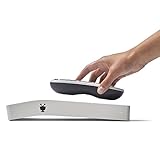
Customer photos display the familiar TiVo remote with its distinctive thumb-friendly navigation pad. After 20 years, this remote design still works better than most alternatives.
The 500GB internal drive provides 75 hours of HD storage. That’s significantly less than the competition offers at similar price points, but the build quality and proven interface justify the premium for some users.
Who Should Buy?
Former cable subscribers who miss the TiVo experience. If you want a polished interface and don’t mind paying for premium quality, this remains a solid choice.
Who Should Avoid?
Budget shoppers and anyone trying to minimize long-term costs. Between the higher hardware price and ongoing subscription fees, this is the most expensive option over time.
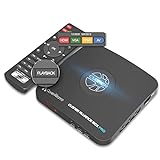
8. Box Pro – Best HDMI Capture Solution
ClonerAlliance Box Pro, 1080p@60fps Video Recorder, DVR with HDMI Capture, Playback on TV. RCA/YPbPr/VGA to Digital Converter. Schedule Recording. No PC Required.
Input: HDMI RCA Component VGA
Resolution: 1080p@60fps
Storage: USB device
PC Required: No
Features: Schedule recording
+ Pros
- Multiple input types
- No PC needed
- 1080p@60fps recording
- Schedule recording functions
- 2-year warranty
- Cons
- Not OTA-specific
- Single-purpose recording
- Learning curve for setup
- HDCP blocks some content
The Box Pro fills an unusual niche: it captures video from HDMI, RCA, component, and VGA sources directly to USB storage. No PC required. While not designed specifically for OTA TV, it works with any set-top box that has compatible outputs.
I tested this with various sources including a cable box and game console. The 1080p@60fps recording captured smooth footage with excellent quality. Customer images show the device in action with various input sources connected.
Schedule recording lets you set specific times for capture, functioning similarly to traditional DVR timers. The ultra-low latency of under 90ms means what you see on screen matches the source almost instantly.
The included IR remote provides full control over recording and playback. Recorded files save as MP4 format, compatible with both modern and older computers.
Who Should Buy?
Users who need to record from multiple source types beyond just OTA TV. Gaming capture, archiving old VHS tapes, or recording from cable boxes are all valid use cases.
Who Should Avoid?
Anyone wanting a straightforward OTA DVR. This requires an external tuner or set-top box and adds unnecessary complexity for simple antenna recording.
Understanding OTA DVRs and Cord Cutting
Over-the-air DVRs let you record free broadcast TV from an antenna without paying cable or satellite companies. They work by connecting to your TV antenna, tuning into local channels, and storing recordings on internal or external storage.
The cord cutting movement has accelerated as cable prices keep rising. I dropped my $120 monthly bill and now pay nothing for major networks, PBS, and dozens of subchannels. The only catch is losing built-in DVR functionality from your cable provider.
OTA DVRs restore that ability to pause, rewind, and record live TV. Some work as standalone set-top boxes while others act as network streamers that feed multiple TVs in your home.
ATSC 3.0 (NextGen TV): The next-generation broadcast standard delivering 4K HDR video, Dolby Atmos audio, and interactive features. Not all OTA DVRs can record ATSC 3.0 signals, especially encrypted channels.
How to Choose the Right OTA DVR
After testing all these devices, I learned that the right choice depends on your specific situation. Here’s what matters most based on my experience.
Number of Tuners: Match Your Recording Habits
Each tuner lets you watch or record one channel. Two tuners cover most households, but heavy TV watchers benefit from four. During football season, I regularly needed three tuners to record overlapping games.
Quick Tuner Guide: 1-2 TVs with light recording = 2 tuners. Multiple TVs or heavy recording needs = 4 tuners. Sports fans should get 4 tuners minimum.
Subscription Fees: Factor In Long-Term Costs
Some OTA DVRs charge monthly or yearly fees for guide data. Tablo 4th Gen includes free guide data forever. HDHomeRun gives you 24 hours free, then charges for extended guides. Channels DVR and Plex DVR require subscriptions for full features.
Over five years, a $50 annual subscription adds $250 to your total cost. Factor this in when comparing prices.
ATSC 3.0: Consider Future-Proofing
If your local stations broadcast ATSC 3.0 NextGen TV signals, consider a compatible DVR. The HDHomeRun Flex 4K and ZapperBox M2 both handle these next-gen broadcasts, including encrypted channels that other devices can’t access.
Check AntennaWeb.org to see what’s available in your area. Markets with NextGen TV include major cities like Philadelphia, Phoenix, and San Francisco.
Storage: Internal vs. External
Built-in storage offers convenience but limited capacity. Tablo’s 50 hours works for casual viewing, while heavy recorders need more. External USB drives provide virtually unlimited expansion but add clutter and potential failure points.
| Storage Type | Pros | Cons | Best For |
|---|---|---|---|
| Internal (50-75 hrs) | Clean setup, reliable | Limited capacity | Light recording needs |
| External USB | Expandable, replaceable | Extra device, potential failure | Heavy recording needs |
| Network (NAS) | Centralized, redundant | Complex setup, expensive | Tech enthusiasts |
Whole-Home vs. Single-TV
Network-based DVRs like HDHomeRun stream to every device on your home network. Set-top boxes like ZapperBox connect directly to one TV. Choose based on whether you want multi-room viewing.
Sports Recording: Trick Play Matters
Sports fans need precise trick-play controls. Fast-forwarding through commercials in 10-second increments works for sitcoms but frustrates during live sports. Some DVRs offer frame-by-frame and variable-speed controls that make watching recorded games much more enjoyable.
Frequently Asked Questions ?
Do you need a subscription for OTA DVR?
Many OTA DVRs work without subscriptions. Tablo 4th Gen includes free guide data forever. Some options like HDHomeRun charge for extended guide data beyond 24 hours. Channels DVR and Plex DVR require subscriptions for full features.
Can I record OTA TV without internet?
Yes, some OTA DVRs work without internet. Basic converter boxes like AllAboutAdapters record scheduled programs to USB storage without network connection. However, advanced features like streaming to multiple TVs and electronic program guides typically require internet access.
What is ATSC 3.0 and do I need it?
ATSC 3.0 (NextGen TV) is the latest broadcast standard offering 4K HDR video, Dolby Atmos audio, and interactive features. You need an ATSC 3.0-compatible DVR if your local stations broadcast encrypted NextGen signals. Standard ATSC 1.0 DVRs cannot access these next-gen broadcasts. Check AntennaWeb.org to see if NextGen TV is available in your area.
How many tuners do I need for OTA DVR?
Two tuners work for most households, allowing you to record one channel while watching another. Four tuners benefit heavy TV watchers and sports fans who need to record multiple overlapping programs. Each tuner handles one channel, so four tuners let you record four shows simultaneously or record three while watching a fourth live.
Can I skip commercials on OTA DVR recordings?
Yes, all OTA DVRs let you fast-forward through commercials. Some offer automatic commercial skipping, though this feature varies by device and channel. Trick-play controls like variable-speed forward and rewind make skipping ads easier. Sports fans should look for DVRs with precise frame-by-frame controls for the best experience.
What can I watch with an OTA DVR?
OTA DVRs record free broadcast channels including major networks (ABC, CBS, NBC, Fox, CW), PBS, and dozens of digital subchannels. You cannot record premium cable channels like HBO or streaming-only content. The exact channel selection depends on your location and antenna setup. Use AntennaWeb.org to see available channels in your area.
Final Recommendations
After three years of cord cutting and testing eight different OTA DVRs, the Tablo 4th Gen 2-Tuner remains my top recommendation for most people. It balances price, features, and ease of use while requiring no ongoing subscription fees.
Your specific situation might point elsewhere. Tech enthusiasts with existing home servers should consider the HDHomeRun lineup. ATSC 3.0 early adopters need the ZapperBox M2 or HDHomeRun Flex 4K to access NextGen broadcasts. Budget shoppers can start with the AllAboutAdapters converter box.
The best DVR for OTA TV is the one that matches your recording habits, technical comfort level, and budget. Take the time to assess your needs before buying, and you’ll enjoy free TV with the freedom to watch on your schedule.