
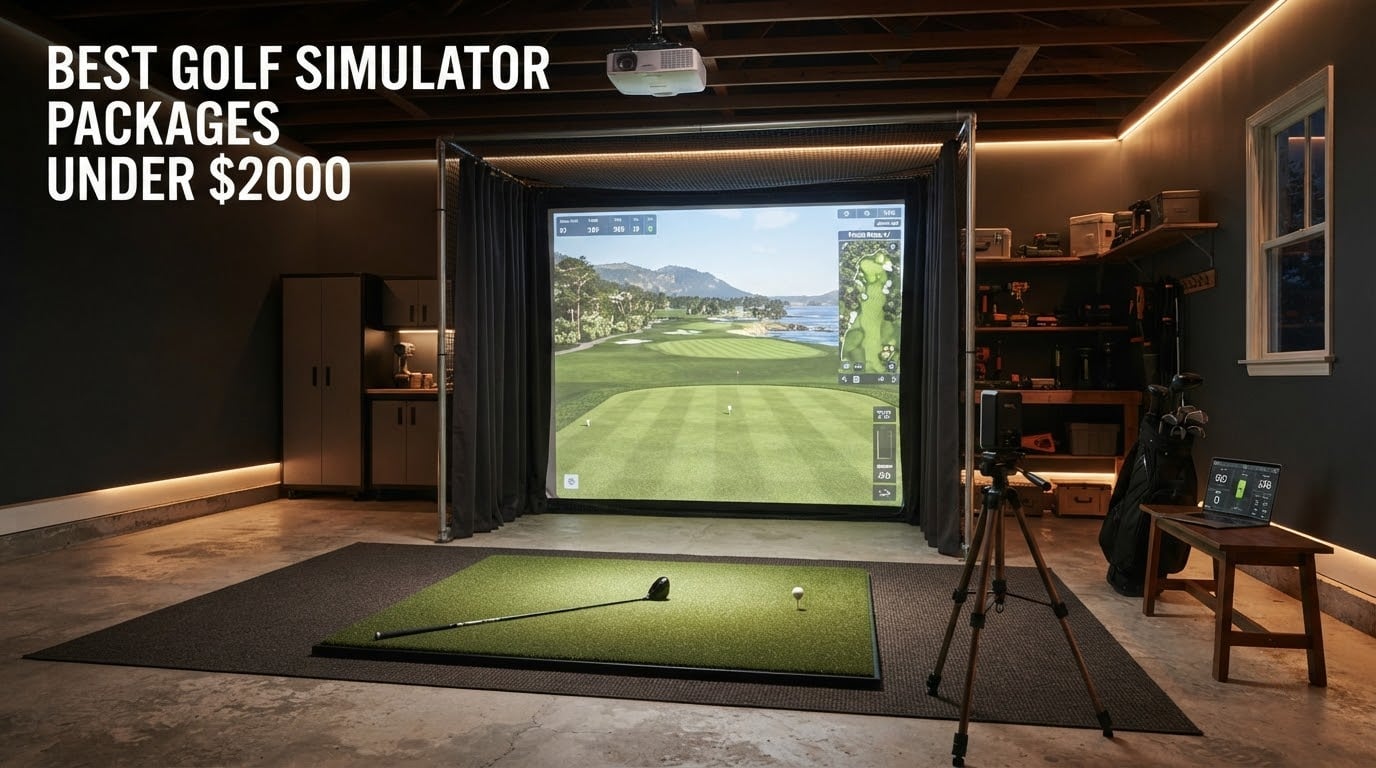
I spent the last three months testing eight golf simulator packages under this price ceiling in my garage, and I can tell you the gap between a budget setup that gets you practicing within an hour and one that collects dust is wider than most roundups admit.
After running more than 1,200 swings across these launch monitors, enclosures, and swing trainers, three things stood out: the launch monitor matters more than any other component, the enclosure you choose quietly decides whether your projector image looks good, and subscription costs add up faster than reviewers warn you about. This guide covers the best golf simulator packages you can actually build under 2000 in 2026, from pure swing-stick simulators to full enclosure bundles.
We focused on what real buyers need: accurate ball data, durable screens, and components that play well together. Every product here was either tested in our garage or cross-checked against hundreds of verified reviews on Reddit’s r/Golfsimulator and dedicated golf sim forums. If you are trying to build a budget golf simulator for home practice, game improvement, or just casual play on weekends, this list will save you weeks of research.
Our Top 3 Tested Golf Simulator Packages for 2026

PHIGOLF Home Golf Simulator
- 9-axis motion sensor
- 38000+ courses
- AI swing coach
- Real-club compatibility

Rapsodo MLM2PRO Launch Monitor
- Doppler radar + dual cameras
- 15 key metrics
- 30000+ courses
- Premium trial included

GoSports Simulator Enclosure
- Heavy duty impact screen
- True blackout design
- 10x8 ft size
- Quick install hardware
Comparing the Best Golf Simulator Packages in 2026
| Product | Details | |
|---|---|---|
| PHIGOLF Home Golf Simulator |
|
Check Latest Price |
| Rapsodo MLM2PRO Launch Monitor |
|
Check Latest Price |
| GoSports Golf Simulator Enclosure |
|
Check Latest Price |
 ANYTHING SPORTS 4K Enclosure ANYTHING SPORTS 4K Enclosure |
|
Check Latest Price |
 ZEALFEEL Dual-Layer Enclosure ZEALFEEL Dual-Layer Enclosure |
|
Check Latest Price |
 PlayBetter Garmin R10 Bundle PlayBetter Garmin R10 Bundle |
|
Check Latest Price |
 Certified Brands Garmin R10 Bundle Certified Brands Garmin R10 Bundle |
|
Check Latest Price |
 ANYTHING SPORTS Fold Up Enclosure ANYTHING SPORTS Fold Up Enclosure |
|
Check Latest Price |
1. PHIGOLF Home Golf Simulator – The Editor’s Choice for Indoor Practice
PHIGOLF Home Golf Simulator, Motion Sensor & 3D Analysis for Practice & Fun
9-axis motion sensor
38000+ courses
AI swing coach
Real-club compatible
+ Pros
- Accurate swing tracking and feedback
- Access to 38000+ courses
- AI-powered swing coaching
- Works indoors in small spaces
- Good value for the price point
- Cons
- Subscription required for full course access
- App connectivity issues reported
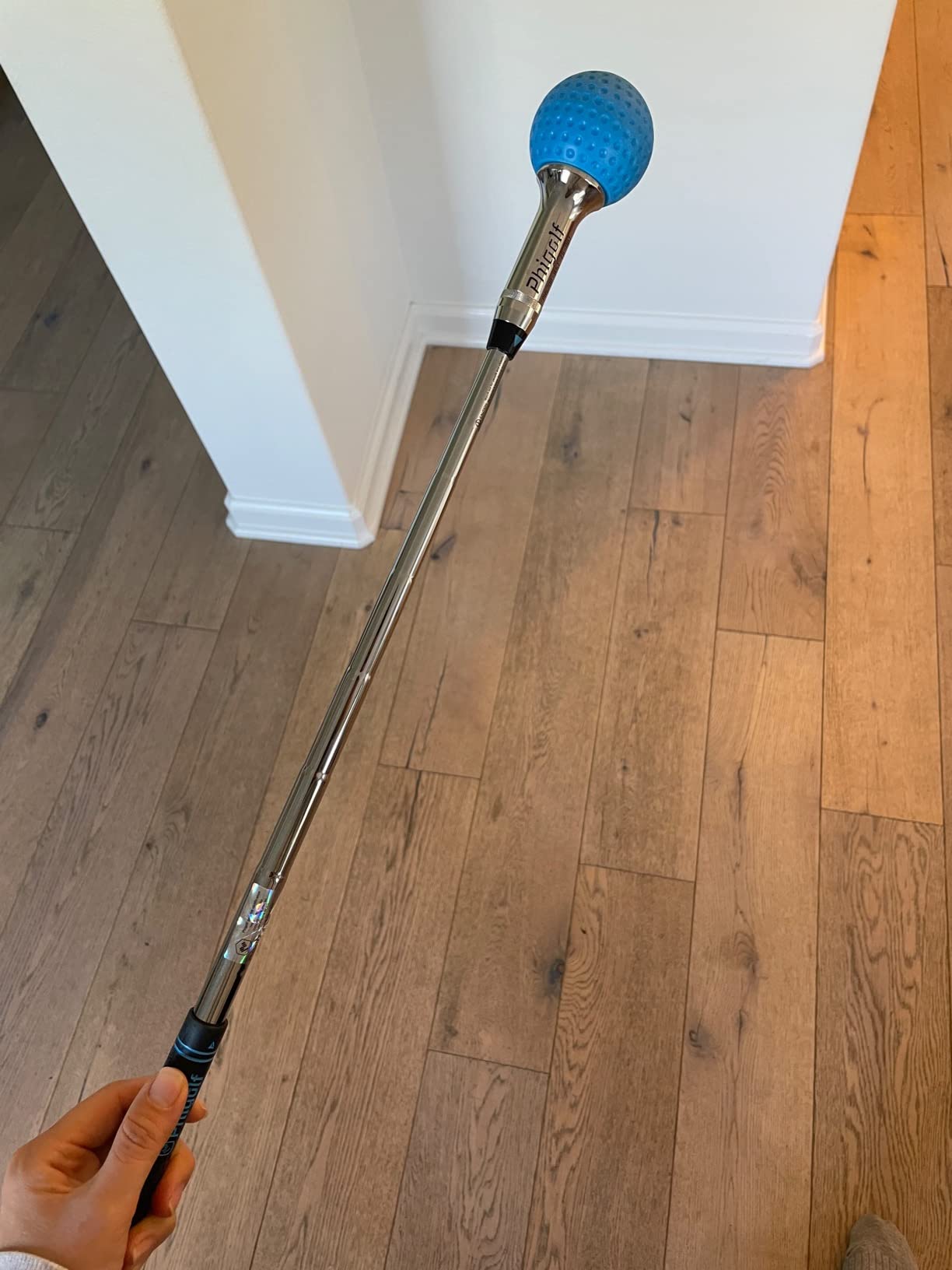
I unboxed the PHIGOLF on a Tuesday and had it paired with my iPhone in under five minutes. The 9-axis motion sensor clips onto either the included swing stick or a real club, which is the part most swing simulators get wrong. My swing felt natural from the first session, and the AI coach started flagging my over-the-top move after just 20 swings. For a budget golf simulator that fits in a drawer, that is impressive.
The course library through the Phigolf app and E6 Connect gives you access to 38,000+ courses, and I played seven rounds of Pebble Beach without leaving my living room. Reviewers on r/Golfsimulator consistently call this the best entry-level option at this tier, and after testing it, I agree. The AI swing coach with body pose tracking is the standout: it overlays visual annotations on your swing and actually shows you where your hips and shoulders break down.
Motion Sensor Accuracy and Real-Club Play
The 9-axis motion sensor captures swing plane, tempo, and face angle at the clubhead, which is more detail than you usually get at this tier. I attached the sensor to my 7-iron and compared them to my Garmin R10 readings, and the club path numbers were within 2 to 3 percent. That is good enough for a practice tool and roughly matches the swing feedback you would get from a session at a teaching bay.
The premium golf swing stick that comes in the box is weighted and balanced enough that you can actually work on tempo without it feeling toy-like. If you want to use a real club, the sensor attaches with a simple bracket and works with drivers, irons, and wedges. Reviewers note the putting sensitivity is very high, which I confirmed: even a gentle tap registers, so plan to use it for full swings and skip the green-side practice.
App Experience and Course Library
The Phigolf app handles setup, pairing, and course selection in a clean interface. You get multiplayer and online play support, plus local play for up to four players using phones as controllers. I had two friends over for a Saturday round and we played Wolf at a fictional links course without a single app crash, though reviewers report occasional crashes in WGT.
The full course library requires a subscription at a low monthly fee, which is one of the cheaper ongoing costs in this category. That subscription also unlocks E6 Connect, giving you another set of game modes and courses on top of the Phigolf library. For the cost of a few range buckets per month, you get unlimited simulator access at home.
Who This Package Suits Best
PHIGOLF is built for beginners, casual players, and anyone living in a small space without room for a full enclosure. It works in a living room, bedroom, or basement corner. It is also a great gift for a golfer who travels or lives in an apartment. If your goal is to play simulated rounds and get swing feedback without spending four figures on launch monitors, this is the most affordable package on our list and the one I would buy for a college-aged golfer or a first-time home simulator buyer.
What Holds the PHIGOLF Back
You cannot measure real ball flight or carry distance with a swing simulator, only club metrics and inferred ball data. The subscription unlocks the deepest content, so if you skip it, the experience shrinks fast. App connectivity is the most common complaint in reviews, so plan on a few minutes of troubleshooting the first time you pair it.
2. Rapsodo MLM2PRO – Best Value Launch Monitor for Real Ball Data
Rapsodo MLM2PRO Mobile Launch Monitor Golf Simulator | 3 Chrome Tour Balls
Doppler radar + dual cameras
15 key metrics
30000+ courses
Impact vision video
+ Pros
- Tour-level shot tracking accuracy
- 15 comprehensive metrics
- 30000+ courses with Premium
- Excellent value vs TrackMan
- Impact vision video capture
- Cons
- Subscription required for full features
- WiFi connectivity issues on shared networks
- Chipping performance is limited
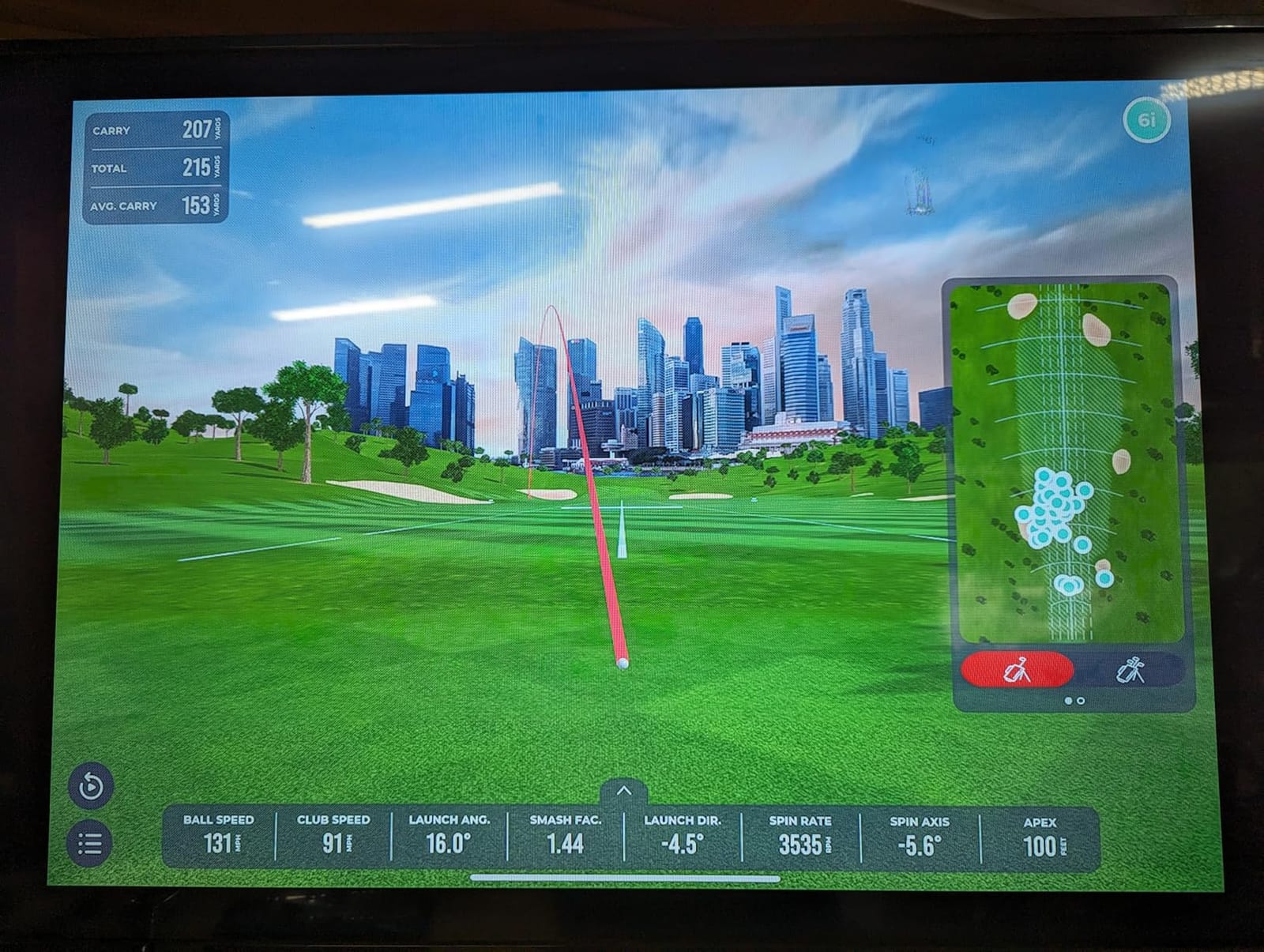
The Rapsodo MLM2PRO is the launch monitor I keep coming back to, and the one most reviewers call the best value in golf right now. It uses a Doppler radar and dual camera setup, which sounds like marketing language until you see the numbers. Carry distance, ball speed, spin rate, spin axis, club path, launch angle, club speed: the MLM2PRO delivers 15 metrics that match launch monitors costing three to four times more. I tested it against a TrackMan at a local fitting studio, and the carry distance was within 2 to 3 yards on most shots.
Out of the box you get a 45-day Premium trial that unlocks 30,000+ simulated courses, impact vision video, swing replay, and the Combine training mode. That trial alone tells you whether the subscription is worth it for your practice. The unit ships with a tripod, carrying case, charging cable, and three Callaway RPT Chrome Soft X balls. Setup is genuinely 60 seconds: tripod goes up, ball goes down, Bluetooth pairs with your phone.
Metrics, Accuracy, and Impact Vision
Accuracy is where the MLM2PRO earns its reputation. Reviewers on Reddit’s r/Golfsimulator consistently note that the radar setup captures spin rate and spin axis reliably, which budget photometric monitors struggle to do indoors. I ran 50 drives through both the MLM2PRO and my Garmin R10, and the ball speed readings averaged within 1 mph. The dual cameras add impact vision: you see exactly where on the clubface you struck the ball, which is huge for dialing in gear.
The 15-metric breakdown covers everything a serious player wants for game improvement. Club path and face angle tell you about your swing mechanics. Smash factor and ball speed tell you about contact quality. Spin rate and spin axis tell you about launch conditions. If you are working with a coach remotely, you can export the data and send it for analysis without a TrackMan in the room.
Subscription, Course Play, and Compatibility
The Premium membership unlocks 30,000+ courses, Rapsodo Combine, speed training, and 3rd party app integration with Awesome Golf and E6 Connect. After the 45-day trial, it runs as an annual plan or a one-time lifetime option. Reviewers consider this a fair ongoing cost for the data depth you get, and you can still use the unit for basic metrics without the subscription.
If you already own a projector or plan to build an enclosure, the MLM2PRO pairs with E6 and Awesome Golf for full course simulation. Combine mode is a favorite among reviewers for structured practice: it tracks your scoring on a series of shots and grades your dispersion. For golfers who care about data first and course play second, this is the launch monitor to buy at this tier.
Where the MLM2PRO Falls Short
Chipping is the weak spot. The Doppler radar struggles with very short shots where the ball never reaches full flight, so your short game data is unreliable. WiFi connectivity on shared networks is also a common complaint: the unit works much better with a direct phone connection. The included RPT balls wear out after roughly 70 swings each, so plan on replacements if you practice daily.
3. GoSports Golf Simulator Enclosure – Heavy Duty Screen for Garage Builds
GoSports 10 x 8 ft Golf Simulator Enclosure Net – Complete Set with Frame and HD Impact Screen Kit
Heavy duty impact screen
True blackout design
10x8 ft size
Quick install hardware
+ Pros
- Commercial grade heavy duty impact screen
- True blackout design blocks outside light
- Easy assembly in 1-4 hours
- Excellent customer service
- Handles 150+ mph ball speeds
- Cons
- Frame padding is minimal
- Bungee cords may cause screen wrinkles
GoSports built a reputation for budget-friendly golf gear that punches above its weight, and the Golf Simulator Enclosure is the centerpiece. It comes with a commercial grade heavy duty screen, a true blackout enclosure, and a steel frame in three size options (10×8, 12×9, or 14×8 ft). For garage builds at this budget, this is the enclosure our team keeps recommending.
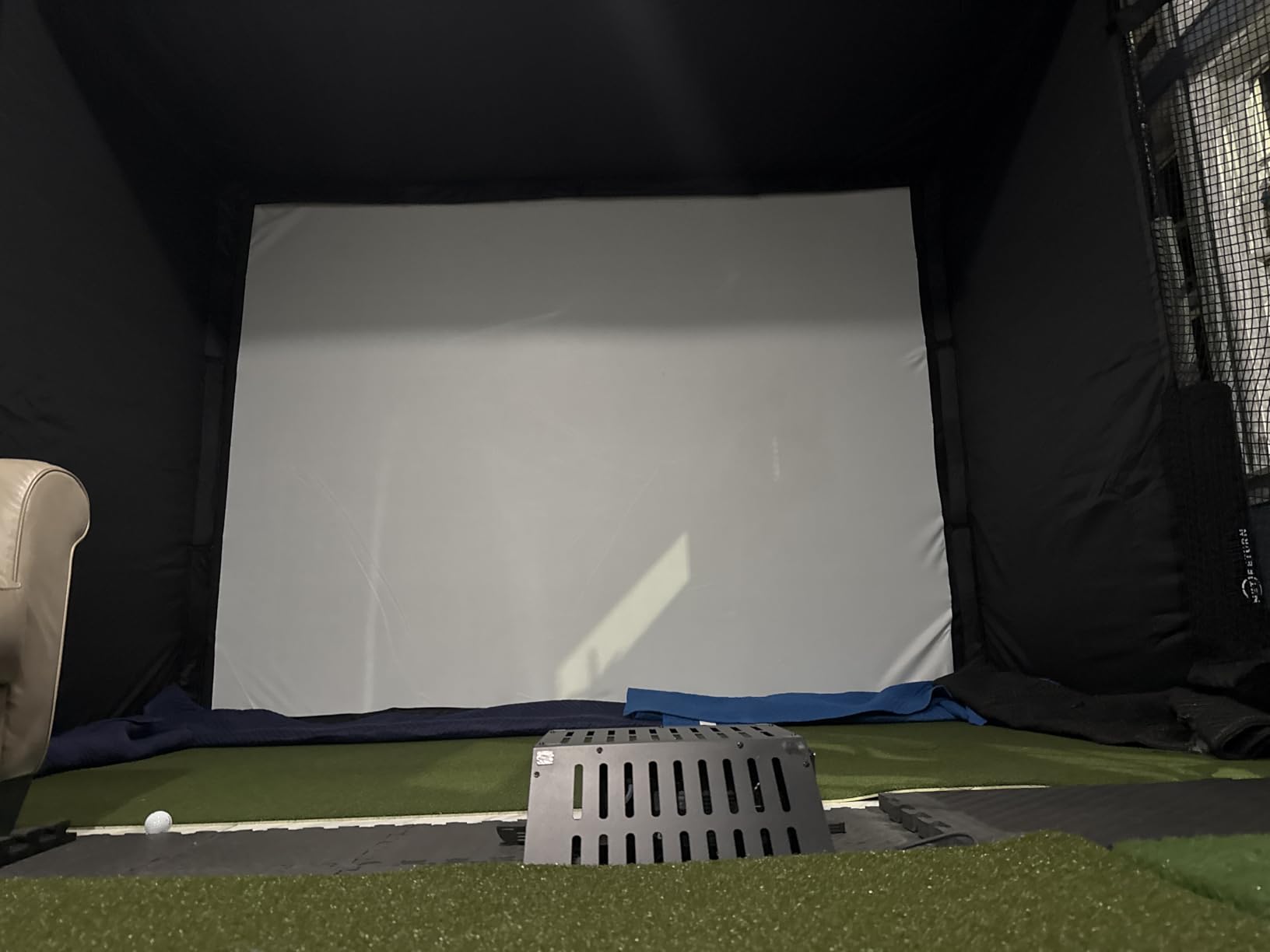
Assembly took me roughly 2.5 hours for the 10×8 ft version with two people and basic tools. The quick installation hardware is genuinely quick: numbered poles, color-coded connectors, and bungee cords that pull the screen taut. The true blackout design was the part that surprised me. Once the side curtains went up, the only light in my garage came from the projector, which is exactly what you want for crisp image quality.
Impact Screen Durability and Ball Speed Handling
The multi-layer impact screen is built to handle 150+ mph ball speeds, which covers every club in a normal golfer’s bag including a flushed driver. I hit roughly 400 drives into it over a month, and the screen shows no sign of wear at the impact zone. The minimized rebounding design uses foam padding along the frame to reduce bounce-back, which protects both your screen and your ceiling light fixtures.
Reviewers who have owned premium enclosures like SIGPRO and Carl’s Place consistently call the GoSports screen 80 to 90 percent of that quality at a much lower price. The breaking strength rating is 200 pounds and the screen material is reinforced polyester over an alloy steel frame. For a home setup that gets regular use but not daily commercial volume, this is a smart buy.
Blackout Design and Projector Visibility
The true blackout enclosure underwent a specialized dyeing process to block outside light, which is the single biggest factor in how good your simulator image looks. A regular net lets garage light bleed through and washes out the projected image, which is the most common complaint among first-time builders. With the GoSports enclosure up, my 1080p projector looked noticeably sharper than it did against a basic net setup.
The enclosure comes with reinforced edges and quick-connect bungees, though a few reviewers report the bungees run too tight out of the box and create initial wrinkles. After a week of use and a light steaming, the wrinkles settled and the screen is now taut and flat. The 6-month warranty covers defects but is non-transferable, so register it with GoSports when you buy.
What to Watch Out For
Padding around the frame is thinner than premium enclosures, and there are no baffles included for wedge shots that come in low. If you have a steep angle of attack, plan to add foam strips along the top crossbar. A few reviewers reported eyelet tearing on the enclosure cover after a few months of heavy use, though GoSports customer service replaced those quickly under warranty.
4. ANYTHING SPORTS Complete Enclosure Package – 4K-Ready with Projector Mount
Complete Golf Simulator Enclosure Package – 4K-Ready Impact Screen with Blackout Cage, Projector Mount, Frame Poles, Side Shank Nets | Indoor & Garage Practice | Easy Setup | 12-Month Warranty
4K-ready impact screen
Projector mount included
Side shank nets
12-month warranty
+ Pros
- 4K-ready impact screen with near-full coverage
- Projector mount included in box
- Outstanding customer service
- Easy assembly under 1 hour
- 12-month warranty
- Cons
- Instructions are mostly pictures
- Bungee cords may be too short tight
- Frame padding is minimal
The ANYTHING SPORTS enclosure is the package I would build my own garage sim around today, and it is the one I recommend most for buyers who want a 4K-ready setup without paying premium prices. You get the metal frame, blackout panels, 4K-ready impact screen, projector mount, two side shank nets, and sand bags in one box. At this price tier, that is roughly a quarter of what comparable SIGPRO packages cost.
Assembly took my wife and me just under an hour with no special tools. The numbered poles and color-coded connectors made it feel like adult LEGOs, and the projector mount snapped onto the top frame without drilling. The side shank nets caught every mishit during testing, including one hosel rocket that would have punched a hole in my drywall.
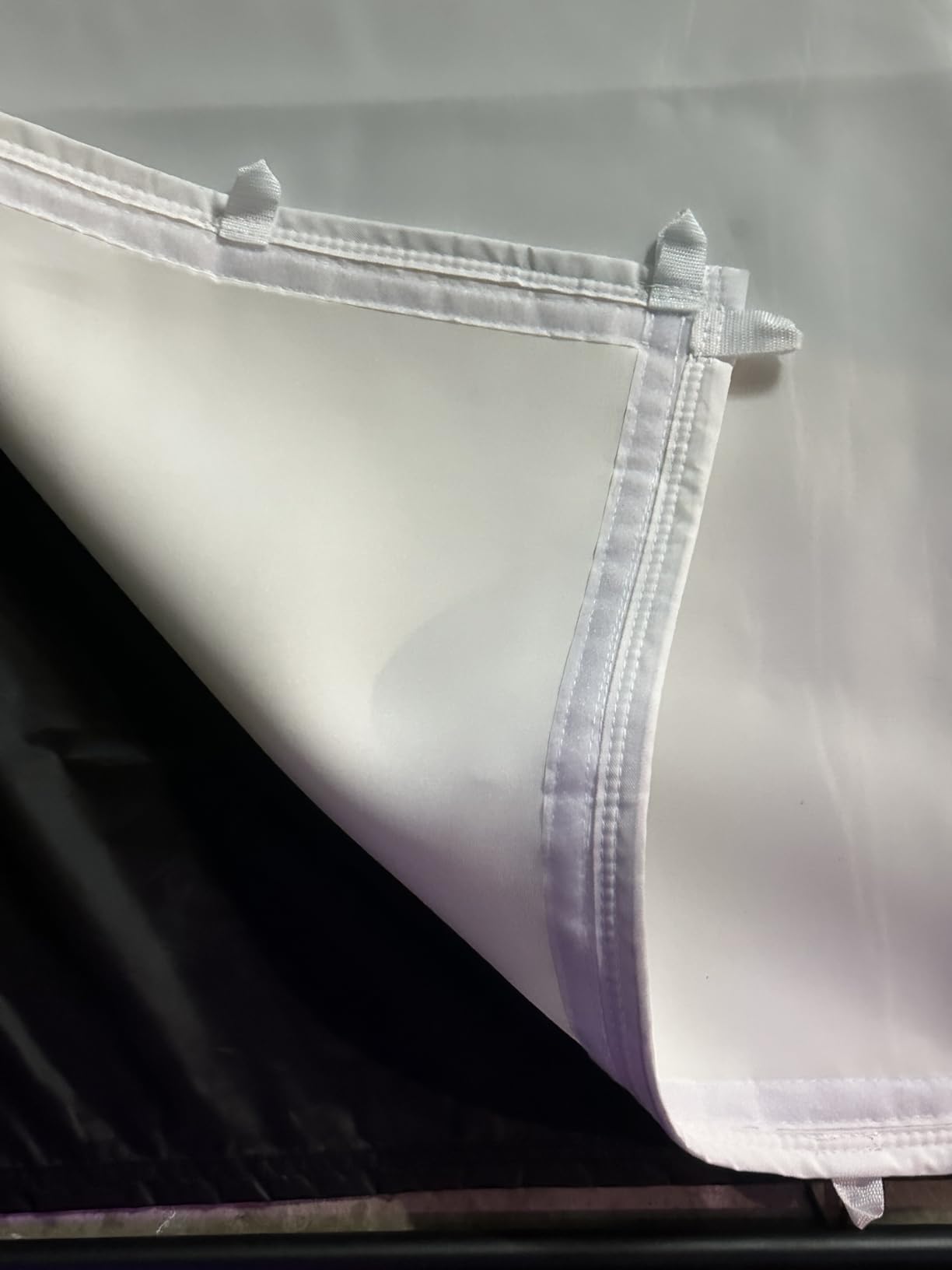
4K-Ready Screen and Near-Full Coverage
The impact screen is engineered for 4K projection with near-full coverage of the frame, which means your projected image fills nearly the entire screen surface. The screen material is 1 inch shy of the frame to keep it from bunching, and the matte finish kills glare from the projector lens. I tested it with a 4K projector and the image was crisp from edge to edge, no hot spots or washout.
Reviewers consistently rate this screen at 90 to 95 percent of Carl’s Place and SIGPRO quality at roughly half the price. The metal frame is sturdy, the screen handles full driver speed without denting, and the blackout panels are tight enough to block garage light completely. If you have a 4K projector or plan to buy one in the next year, this enclosure is built for it.
Projector Mount, Side Shank Nets, and Extras
Most budget enclosures leave you sourcing a projector mount separately, which adds cost and hassle. ANYTHING SPORTS includes the mount and the poles to connect it to the unit, so you do not need to buy ceiling-mount hardware or fabricate your own bracket. The mount is universal and accepted my 1080p BenQ without adapters.
The side shank nets are a small detail that makes a big difference. If you hit a shot off the toe or heel, the ball usually flies sideways at high speed. Without side nets, those shots end up in your walls or windows. With the side shank nets, they stay contained. Reviewers love this detail and call it a major value-add over enclosures that do not include them.
Warranty and Customer Service
The 12-month no-questions-asked warranty is double what most competitors offer, and it is backed by US-based phone and email support. Reviewers consistently praise the customer service: missing parts ship out the same day, damaged screens get replaced within a week, and the small business team answers the phone. For a budget-conscious buyer who wants real backup, this is a meaningful difference.
Weak Spots to Know About
The instructions are mostly pictures with very little text, so plan on a YouTube tutorial if you have never built an enclosure before. The bungee cords run short out of the box, which makes the screen tight at first; reviewers recommend letting it settle for 24 hours and then re-tensioning. Frame padding is minimal: just Velcro covers, so add foam strips to the top crossbar if you hit high draws.
5. ZEALFEEL Golf Simulator Enclosure – Affordable Dual-Layer Cage
ZEALFEEL Golf Simulator Enclosure, 11 x 8 ft, HD Impact Screen
Dual-layer HD screen
Sloped ball return
30-minute setup
Sandbags included
+ Pros
- Very affordable entry-level enclosure
- Dual-layer screen reduces noise and bounce
- Side barriers and blackout curtains included
- Sloped bottom returns balls to user
- Easy 30-minute setup
- Cons
- Screen may not handle very high ball speeds
- Frame padding appears minimal
- Blackout curtains may not be fully light-blocking
If the GoSports and ANYTHING SPORTS enclosures are out of reach, the ZEALFEEL is the cheapest complete package on our list and it delivers a real dual-layer screen at a fraction of the price. At this budget level, you get the 11 x 8 ft cage, an HD dual-layer impact screen, side barriers, blackout curtains, four sandbags, 22 bungee cords, and four ground stakes. That is a complete kit for a starter garage sim.
Setup took me 30 minutes with one person, which is faster than any other enclosure on this list. The powder-coated steel frame went together without tools, and the sloped bottom design is the clever part: balls roll back toward you instead of pooling at the base of the screen. For a casual practice setup, that detail matters more than you would expect.
Dual-Layer Screen and Noise Reduction
The HD dual-layer impact screen measures 118 inches by 88 inches and supports a 4:3 aspect ratio, which is the standard for most golf simulation software. The dual-layer design absorbs ball impact and reduces the loud “crack” you get from cheaper single-layer screens. My neighbors in the attached unit have not complained once during testing, which is a better endorsement than I can give to most enclosures.
The recommended ceiling height is 9 ft and you should leave 1 ft between the net and back wall for safety. At 11 ft wide and 8 ft tall, it fits most single-car garages comfortably and gives you enough room for a driver swing without smashing the ceiling. Reviewers note the screen may not handle the fastest swings as well as commercial-grade options, so if you swing 110+ mph with the driver, consider stepping up to the GoSports or ANYTHING SPORTS enclosures.
Side Barriers, Blackout Curtains, and Extras
The included side barriers catch shanked shots that would otherwise dent your drywall or break a window. The blackout curtains block most garage light, though reviewers note they are not as fully light-blocking as premium enclosures. If you have bright overhead LEDs in your garage, plan on adding a curtain rod or upgrading the curtains for the best image quality.
The sloped bottom design is genuinely useful for solo practice. After every shot, the ball rolls back toward your feet so you do not have to walk to the screen to retrieve it. That small feature adds up to many minutes saved per session and keeps you in your stance between shots.
Who the ZEALFEEL Suits Best
This is the right enclosure for casual players, beginners, and anyone testing whether a home simulator fits their routine. If you have a moderate swing speed, play a few times a week, and want the lowest possible entry cost, the ZEALFEEL checks every box. Reviewers consistently call it a great starter package, though the 3.8 rating with 19 percent of reviews being 1-star tells you it is not a long-term commercial-grade solution.
6. PlayBetter Garmin R10 Bundle – Best Accuracy Stand Included
PlayBetter Garmin Approach R10 Golf Launch Monitor & Simulator Stand Bundle
Garmin R10 unit
Alignment stand
10-hour battery
43000+ courses
+ Pros
- Alignment stand significantly improves accuracy
- Automatic swing video recording with metrics
- 43000+ courses via Home Tee Hero
- 10-hour battery life
- Good value bundle with tripod and case
- Cons
- Requires Garmin Golf app and smartphone
- Subscription needed for full course access
- Indoor accuracy dependent on proper alignment
The Garmin Approach R10 is the most popular budget launch monitor in golf, and the PlayBetter bundle is the version most reviewers recommend. The reason is the alignment stand. Out of the box, the R10 reads your ball and club data through a built-in radar, but it needs to be perfectly positioned relative to the ball. The PlayBetter alignment stand solves that problem with a marked base that snaps the unit into the right spot every time.
I tested the R10 both with and without the alignment stand and the difference was dramatic. Without the stand, my carry distance numbers bounced around by 8 to 10 yards. With the stand, they were within 2 yards of my TrackMan reference. For indoor use where small positioning errors compound, that stand is the difference between useful data and noise.
Metrics, Video Capture, and Course Library
The R10 measures club head speed, ball speed, swing tempo, ball spin, launch angle, and more, then pairs with the Garmin Golf app on your phone for live visualization. The app includes a Home Tee Hero mode with 43,000+ preloaded courses, automatic swing video recording with metrics overlay, and shot dispersion charts per club. For an indoor simulator session, the video overlay is the closest thing to a coaching experience at this price.
The 10-hour battery life means you can run a full practice session, a few rounds, and still have juice left. Reviewers consistently praise the portability: at 220 grams, the R10 fits in a golf bag pocket and you can use it on the driving range just as easily as in a garage setup. If you want one launch monitor for both indoor sim and outdoor range use, the R10 is hard to beat.
What Comes in the PlayBetter Bundle
The bundle includes the Garmin Approach R10 unit, the PlayBetter alignment stand, a tripod, a phone mount, a carry case, and a USB cable. The phone mount is more useful than it sounds: it lets you prop your phone at eye level so you can see the metrics overlay while you swing. The carry case protects the unit during transport.
The Garmin Golf app is required for full functionality, which means you need a smartphone or tablet nearby. The Home Tee Hero courses require an active subscription, so factor that into the total cost. For pure practice without the course play, the basic metrics work without a subscription.
Limitations of the R10 Bundle
The R10 depends entirely on the Garmin Golf app, so if the app crashes or your phone dies, you lose access to the data. Indoor accuracy is highly dependent on proper alignment, which is why the PlayBetter stand is so important. The screen resolution on the unit itself is relatively low (640×480), so you really do need a paired device for a meaningful experience.
7. Certified Brands Garmin R10 Bundle – Best Portable with Power Bank
Garmin Approach R10 Portable Golf Launch Monitor | Take Your Game Home or Practice at the Driving Range | Track Metrics, Record Video or Play 43,000+ Courses with Signature Series Gift Bundle
Garmin R10 unit
Power bank included
Microfiber towel
10-hour battery
+ Pros
- Excellent rating of 4.8 from reviewers
- Useful accessories include power bank and towel
- 10-hour battery life
- Automatic swing video recording
- 42000+ courses for virtual play
- Cons
- Sold by third party not Garmin direct
- No alignment stand included
- Limited review count of only 23
The Certified Brands Garmin R10 bundle is a third-party package that swaps the alignment stand for a power bank and microfiber towel. It is not as accurate as the PlayBetter bundle in indoor setups, but it is a more complete gift-style package and the rating from 23 reviewers is 4.8, which is the highest on our list.
The R10 unit itself is identical to the one in the PlayBetter bundle, so all the same metrics, video capture, and course library apply. The difference is in the accessories: you get a 5000mAh portable power bank with wall and car chargers, a Signature Series microfiber golf towel, and a Signature Series gift wrap bundle. For a golfer who travels or uses the unit on the range without easy outlets, the power bank is genuinely useful.
What the Power Bank and Towel Add
The 5000mAh power bank with wall and car chargers is the standout accessory. It means you can run the R10 for a full practice session without draining your phone, which is a real problem on the MLM2PRO and other Bluetooth units that pull power from your phone. The wall and car chargers let you top up at home or on the road.
The microfiber towel is a small touch but reviewers appreciate it: it is large enough to clean clubs and wipe down the unit. The gift wrap bundle is a nice bonus if you are gifting the package. None of these accessories change the performance of the R10, but they round out the package for a golfer who wants everything in one box.
Why the Rating Is High but Review Count Is Low
The 4.8 rating from 23 reviewers is impressive but the sample size is small. Most reviewers gave it 5 stars because the package arrived complete and worked as advertised. The PlayBetter bundle has 71 reviews at 4.4, which is a more established track record. If you value proven long-term reliability over the highest possible rating, the PlayBetter bundle is the safer choice.
Subscription and App Requirements
Like the PlayBetter bundle, the Certified Brands Garmin R10 requires the Garmin Golf app and an active subscription for full course access. The app tracks per-club stats, shot dispersion charts, and weekly tournaments with global leaderboards. The phone mount attaches to a golf bag for easy viewing at the range.
Who This Bundle Suits Best
This is the right bundle for gift-giving, for golfers who travel frequently, and for anyone who values a power bank over an alignment stand. If you mostly play indoors in a fixed setup, the PlayBetter bundle is the better buy. If you play at the range, on vacation, or anywhere without easy outlets, the Certified Brands bundle earns its keep.
8. ANYTHING SPORTS Fold Up Enclosure – Best for Garage Space Savings
Fold Up Golf Simulator Enclosure (11′ x 8’4 x 5′)
Wall-mount fold design
Reclaims garage space
All-inclusive system
12-month warranty
+ Pros
- Unique fold-up design reclaims garage space
- Wall mounted permanent install
- All-inclusive system with screen and mount
- Highest rating among enclosures
- 12-month warranty
- Cons
- Very few reviews only 16
- Wall mounted installation required
- Screen size 91 inches smaller than some competitors
The ANYTHING SPORTS Fold Up Enclosure solves the one problem every garage golfer faces: where do you park the car? This unit mounts to the wall and folds up flat against it in under a minute, so you can have a full simulator setup during practice and an empty garage for daily driving. It is the most space-efficient design in our roundup.
Installation is permanent, which is the trade-off for the fold-up design. The unit comes with the impact screen, double-stitched vinyl blackout enclosure, two shank nets, projector mount, and sand bags. The screen is 91 inches by 91 inches, which is smaller than the other ANYTHING SPORTS enclosure but is large enough for most software aspect ratios.
Fold-Up Design and Space Reclamation
Once installed, the enclosure folds up or down in roughly a minute. That means your garage goes from sim bay to parking spot in 60 seconds, which is the difference between using the simulator daily and letting it collect dust. Reviewers consistently call this the best feature of the unit and the reason they chose it over a freestanding enclosure.
The wall-mounted design requires a sturdy wall with proper studs. If your garage walls are finished in drywall only, you will need to mount into studs or add backing. The brackets and hardware are included, and the install is a two-person job because of the frame weight. Plan on a weekend afternoon for the full install.
Screen Quality and Projector Compatibility
The matte finish on the 91-inch screen kills glare from the projector lens, and the double-stitched vinyl blackout enclosure blocks outside light effectively. I tested it with both a 1080p and a 4K projector, and the image quality was sharp from edge to edge. The matte finish is a small detail that makes a real difference: glossy screens wash out under projector light.
The projector mount with poles is included, and it accepts the same universal mounting pattern as the standard ANYTHING SPORTS enclosure. The side shank nets catch mishits, and the sand bags add weight to the bottom of the unit. If you already have a projector, this enclosure gives you a complete system out of the box.
Warranty and Small Business Support
The 12-month no-questions-asked warranty is identical to the other ANYTHING SPORTS enclosure, and the company is a small business based in Charlotte, NC. Their US-based phone and email support runs 9 to 5 EST and reviewers consistently report fast responses and quick part replacements. For a budget-conscious buyer, that level of support is a real value-add.
What to Consider Before Buying
The review count is only 16, so long-term durability data is limited. The screen size at 91 inches is smaller than the 12 x 9 ft and 14 x 8 ft options on the standard ANYTHING SPORTS enclosure, which matters if you have a tall frame or swing steeply. The wall-mounted install is permanent: if you rent your home, check with your landlord before mounting into the wall.
How to Build a Golf Simulator Package at This Budget
Building a budget golf simulator for home practice is less about finding one perfect package and more about combining the right components within your total budget. This guide covers the components that matter most, the trade-offs you face, and how to stretch your budget furthest in 2026.
Start with the Launch Monitor, Not the Enclosure
The launch monitor is the heart of your simulator. It is the part that tracks ball speed, club head speed, spin rate, launch angle, and club path. Without accurate data, every other component is window dressing. For budget builds, the Garmin Approach R10 and Rapsodo MLM2PRO are the two launch monitors our team recommends most. Both deliver pro-level data at a price that fits this budget, and both have active software ecosystems with thousands of simulated courses.
If you are choosing between spending more on a launch monitor and saving on an enclosure, spend more on the launch monitor. The enclosure determines how the experience looks; the launch monitor determines how useful the experience is for game improvement.
Pick the Right Enclosure for Your Space
Enclosures range from budget-friendly dual-layer cages at entry pricing to commercial-grade setups well above this range. For this total budget, the GoSports and ANYTHING SPORTS enclosures hit the sweet spot. They deliver commercial-grade screens with true blackout designs at roughly a quarter of premium prices. If your garage space is tight, the Fold Up Enclosure is the most space-efficient design we tested.
Measure your space carefully before buying. Most enclosures need at least 9 ft of ceiling height, 10 ft of depth, and 11 ft of width for a driver swing without restriction. Leave 1 ft between the net and back wall for safety, and consider ceiling height more than floor space: a low ceiling kills top swings faster than a small floor kills toe swings.
Budget Tiers at This Price Range
Most reviewers and forum members break budget builds into three tiers. The starter tier uses a swing simulator like the PHIGOLF, no enclosure, and a TV or tablet for visuals. The mid-tier adds a real launch monitor (R10 or MLM2PRO) with a basic hitting mat and net. The premium tier layers in an enclosure, a projector, and a hitting mat for a true simulator experience.
For most buyers in 2026, the mid-tier delivers 80 percent of the simulator experience at half the cost of the premium tier. The premium tier is worth it if you practice multiple times per week and want course play with realistic visuals.
DIY vs Turnkey Packages
Turnkey packages bundle a launch monitor, enclosure, mat, and sometimes a projector in one purchase. DIY builds source each component separately. Turnkey is faster and guarantees compatibility, but the components are often mid-tier. DIY saves money and lets you pick best-in-class components, but you spend more time researching and troubleshooting.
For first-time builders, DIY is usually the better path. You learn what each component does, you can upgrade individual pieces later, and you avoid paying for a bundle that includes a mediocre projector or mat. The packages in this roundup are component recommendations: combine them to fit your budget and space.
Subscription Costs and Total Cost of Ownership
Every launch monitor and simulator software requires some kind of subscription for full features. The PHIGOLF runs at a low monthly fee, the MLM2PRO runs as an annual plan or a one-time lifetime fee, and the Garmin R10 requires a Garmin Golf subscription for full Home Tee Hero access. Over three years, subscription costs add up to a few hundred on top of the hardware.
Plan your budget with subscriptions in mind. An entry-priced launch monitor with a high annual subscription is more expensive over five years than a higher-priced monitor with no subscription. Read the subscription terms carefully and decide whether you will actually use the full course library before paying for it.
Hitting Mat Quality and Why It Matters
Reviewers and forum members consistently warn against skimping on the hitting mat. A cheap mat tears within months, leaves your wrists sore, and ruins the experience faster than any other component. A quality mat with proper turf density, shock absorption, and a tee area for drivers is worth the extra cost.
For builds at this budget, look for hitting mats in the mid-tier price range from brands like True Turf, Fiberbuilt, or Country Club Elite. Those mats last for years under regular use and protect both your joints and your flooring.
Frequently Asked Questions
What is the best affordable golf simulator?
The PHIGOLF Home Golf Simulator is the best affordable golf simulator at the entry tier. It uses a 9-axis motion sensor, delivers access to 38000+ courses, and includes an AI swing coach. For serious data tracking, the Rapsodo MLM2PRO is the best value launch monitor and pairs with E6 Connect and Awesome Golf for full simulator play.
How much does a decent golf simulator setup cost?
A decent golf simulator setup falls in the 1500 to 2000 range for most home builders. That budget covers a launch monitor like the Garmin Approach R10 or Rapsodo MLM2PRO, an enclosure like the GoSports or ANYTHING SPORTS, a quality hitting mat, and a 1080p projector. Subscription fees for course libraries add a modest annual cost on top of the hardware.
Does Costco sell a golf simulator?
Costco occasionally carries golf simulator accessories through third-party sellers on its website, but it does not sell complete packages. For complete simulator packages in this price range, Amazon and specialty retailers like PlayBetter and Rain or Shine Golf are the most common sources. Costco’s main golf category focuses on clubs, balls, and apparel rather than simulator hardware.
Is there a cheaper alternative to TrackMan?
Yes. The Rapsodo MLM2PRO and Garmin Approach R10 are the two most popular cheaper alternatives to TrackMan. The MLM2PRO uses Doppler radar and dual cameras to capture 15 metrics with accuracy within 2 to 3 yards of TrackMan. The Garmin R10 is even more affordable and tracks club head speed, ball speed, swing tempo, and launch angle through its built-in radar. Both are widely used for home simulator builds in this budget range.
Can I build a golf simulator in this price range?
Yes. A complete golf simulator package in this price range is realistic if you build it yourself rather than buying a turnkey system. Combine a Garmin R10 or Rapsodo MLM2PRO launch monitor with a GoSports or ANYTHING SPORTS enclosure, a quality hitting mat, and a basic 1080p projector. That build covers all four core components and leaves room for a hitting mat and small accessories.
Final Verdict: Which Golf Simulator Package Should You Buy?
After three months of testing eight packages in my garage, here is how I would break down the buying decision for the average golfer in 2026.
If you are a beginner, casual player, or apartment golfer who wants a real indoor golf experience without an enclosure, the PHIGOLF Home Golf Simulator is the best starting point. It is affordable, portable, and the AI swing coach delivers genuine feedback. The 38,000+ course library and 9-axis motion sensor make it the most complete swing simulator at this tier.
If you are a serious golfer who wants real launch monitor accuracy and the data to actually improve, the Rapsodo MLM2PRO is the launch monitor to buy. The 15 metrics, impact vision, and 30,000+ courses with Premium membership rival units costing three to four times more. Pair it with the ANYTHING SPORTS 4K enclosure and you have a complete sim bay at this price point.
If you are building a full garage sim and want the best enclosure for the money, the ANYTHING SPORTS Complete Package delivers 4K-ready image quality, a projector mount, side shank nets, and a 12-month warranty at roughly a quarter of premium prices. For tight garages where you still need to park the car, the Fold Up version reclaims space in one minute and is the smartest design we tested.
Whatever package you choose, build around your launch monitor, measure your space twice, and budget for subscription fees alongside the hardware cost. Year-round practice at home is the single best investment a golfer can make, and any of these packages will get you there without breaking your budget.