
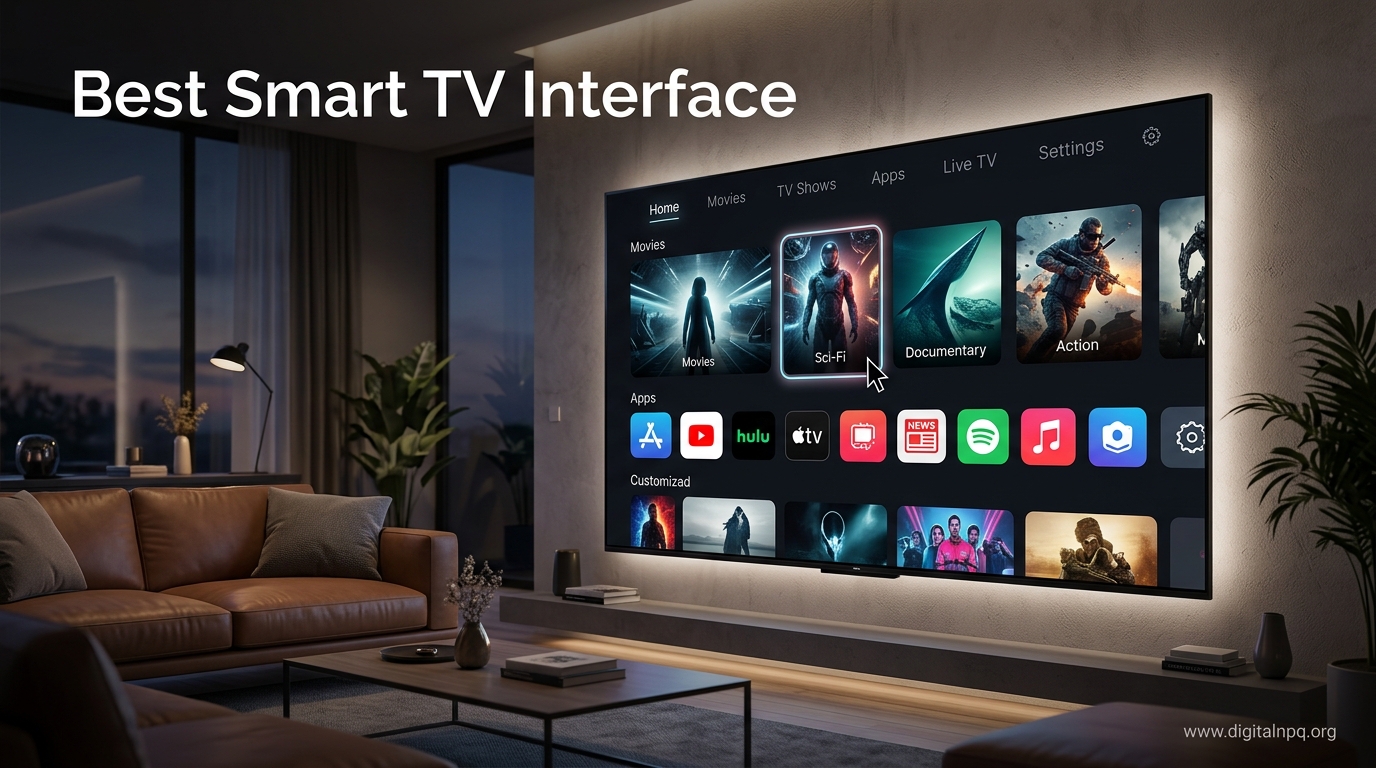
Buying a new television means committing to a smart TV interface for the next 5-8 years. The software running your TV determines your daily experience more than the display panel itself. After testing every major platform across dozens of televisions, I can tell you that the difference between a great interface and a frustrating one is massive.
Google TV offers the best smart TV interface with the largest app ecosystem and superior content discovery. LG’s webOS provides the most polished navigation experience, while Roku TV remains the simplest option for most users. Samsung’s Tizen excels for gamers and Samsung ecosystem users, while Amazon Fire TV serves Prime subscribers well.
I’ve spent the past year living with each interface, switching between them weekly to understand real-world usability. The difference between a smooth interface and one that makes you want to throw the remote at the wall comes down to thoughtful design decisions that most reviews overlook.
This guide breaks down exactly what you need to know about each platform, from ad presence to privacy practices, so you can choose the interface that matches how you actually watch TV.
Smart TV Interface Comparison At a Glance
| Platform | Ease of Use | App Selection | Ad Presence | Voice Control | Best For |
|---|---|---|---|---|---|
| Google TV | Excellent | Best (Play Store) | Minimal | Google Assistant | Power users, Android users |
| webOS (LG) | Excellent | Very Good | Moderate | Google/Alexa | General users, design lovers |
| Roku TV | Best | Excellent | Minimal | Alexa/Google | Seniors, simplicity seekers |
| Tizen (Samsung) | Good | Very Good | Heavy | Bixby/Alexa/Google | Gamers, Samsung owners |
| Fire TV | Good | Good | Heavy | Alexa | Prime subscribers, Alexa users |
What Is a Smart TV Interface?
A smart TV interface is the operating system that runs on your television, controlling how you navigate apps, access streaming services, and interact with smart features. It’s the software layer between you and your content, launched every time you turn on the TV.
Your smart TV interface provides a home screen with app icons, search functionality, voice control, and settings management. Think of it as a smartphone optimized for your television, with a launcher that puts streaming front and center.
The interface matters more than ever because you’ll use it daily. A frustrating interface means friction every time you want to watch something. A great interface becomes invisible, letting you focus on content instead of navigation.
The 5 Major Smart TV Platforms
1. Google TV – Best Overall Experience
Google TV dominates the market with 35-40% share, powering Sony, Hisense, TCL, and Philips televisions. The platform evolved from Android TV in 2020, bringing a redesigned interface focused on content discovery rather than app launching.
The home screen features a “Live” tab that aggregates movies and shows across all your subscribed apps. This unified approach means you can browse everything available to watch without jumping between Netflix, Hulu, and HBO Max separately. The knowledge graph integration learns your preferences over time.
Key Strengths:
- Largest App Ecosystem: Google Play Store access means thousands of apps, including niche services that other platforms lack
- Superior Search: Finds content across all apps and services, including free options from streaming services
- Chromecast Built-in: Cast anything from your phone with a single tap
- Google Assistant Integration: Deep integration with Google services and smart home control
- Regular Updates: Google maintains the platform with frequent feature additions
Drawbacks:
- Recommendations can feel cluttered if you have many apps installed
- Some users report Google account integration feels invasive
- Performance varies based on TV hardware (cheaper TVs feel slower)
Ad Presence: Minimal. You’ll see some sponsored content in the “For You” row, but it’s clearly marked and less intrusive than competitors.
Privacy: Google collects viewing data for personalization. You can disable ACR (Automatic Content Recognition) in settings, though this limits some features.
2. LG webOS – Most Polished Interface
LG’s webOS holds 15-20% market share and consistently earns praise for its elegant design. The interface uses a card-based layout with smooth animations that make navigation feel fluid and responsive.
The standout feature is the Magic Remote, a point-and-click remote that works like a computer mouse. This makes navigation dramatically faster than traditional button-mashing, especially for typing in search terms or selecting specific items.
Key Strengths:
- Intuitive Design: The launcher bar at the bottom provides quick access to all apps and inputs
- Magic Remote: Point-and-click navigation feels futuristic and speeds up every interaction
- ThinQ Integration: Works excellently with LG smart home appliances and devices
- Fast Performance: LG processors keep the interface snappy even on mid-range models
- Multi-View: Watch two sources simultaneously with picture-in-picture
Drawbacks:
- App selection trails Google TV and Roku slightly
- Sponsored content rows appear on the home screen
- Some users find the card-based layout takes getting used to
Ad Presence: Moderate. You’ll see sponsored content rows mixed with your apps, plus LG Channels (free ad-supported streaming) prominently featured.
Privacy: LG collects viewing data through ACR. You can disable personalized ads in settings, but some data collection continues for “service improvement.”
3. Roku TV – Simplest and Most Accessible
Roku TV captures 12-15% of the market, primarily through TCL, Hisense, and Sharp televisions. The platform famous for streaming sticks brings the same no-nonsense approach to built-in TV interfaces.
The home screen is a straightforward grid of apps with your inputs at the top. No complex menus, no overwhelming recommendations, just your apps arranged how you want them. This simplicity makes Roku TV the easiest interface for seniors and non-technical users.
Key Strengths:
- Simplicity: The most straightforward interface, easy for anyone to understand
- App Coverage: Nearly every major streaming service plus niche options
- Minimal Ads: Only one suggested content row that can be hidden
- Universal Search: Finds content across services consistently
- Roku Mobile App: Excellent companion app with private listening and voice search
Drawbacks:
- Interface feels dated compared to modern competitors
- Limited customization options
- Smart home integration lags Google TV and Amazon
Ad Presence: Minimal. One “Featured Free” row that can be mostly hidden. Roku is the most privacy-conscious major platform.
Privacy: Roku offers more granular privacy controls than competitors. You can limit data collection more effectively, though ACR still exists by default.
4. Samsung Tizen – Best for Gamers
Samsung’s Tizen platform dominates with 25-30% market share as the world’s best-selling TV brand. The interface centers around the Smart Hub, a ribbon-style launcher at the bottom of the screen.
Tizen’s standout feature is the Gaming Hub, a unified portal for cloud gaming, console gaming, and game streaming services. Xbox Game Pass integration works seamlessly, and the platform supports next-gen features like 120Hz, VRR, and ALLM better than most competitors.
Key Strengths:
- Gaming Features: Best platform for console and cloud gaming with ultra-low input lag modes
- Samsung Ecosystem: Seamless integration with Galaxy phones, tablets, and Samsung smart home devices
- Q-Symphony: Audio syncs with Samsung soundbars for immersive sound
- Multi-View: Watch multiple sources including your phone screen simultaneously
- Samsung TV Plus: Extensive free ad-supported content with live channels
Drawbacks:
- Heavy ad presence throughout the interface
- Bixby voice assistant trails Alexa and Google Assistant
- Interface can feel cluttered with too many promoted items
Ad Presence: Heavy. Multiple sponsored content rows, Samsung TV Plus prominently featured, and ads in the settings menu. You’ll see promotional content throughout.
Privacy: Samsung collects extensive viewing data via ACR. You can disable some data sharing, but the settings are buried and some tracking continues regardless.
5. Amazon Fire TV – Best for Prime Subscribers
Amazon’s Fire TV platform powers 5-8% of the market through Amazon Basics TVs, Toshiba, and Insignia models. The interface deeply integrates Prime Video content, making it ideal for Amazon ecosystem users.
The home screen prioritizes Amazon content with rows for Prime Video, Freevee, and Alexa recommendations. Fire TV Edition TVs often cost less than competitors, making the platform attractive for budget-conscious buyers.
Key Strengths:
- Prime Integration: Seamlessly accesses Prime Video, Freevee, and Amazon Music
- Alexa Built-in: Voice control works excellently for content search and smart home commands
- Affordability: Fire TV Edition TVs typically cost less than equivalent specs on other platforms
- X-Ray: Press a button to see cast info, trivia, and music from what you’re watching
- Family Vault: Amazon Photos integration for easy photo viewing
Drawbacks:
- Heavy Amazon promotion throughout the interface
- App selection lags behind Google TV and Roku
- Performance inconsistent on budget hardware
Ad Presence: Heavy. Multiple rows of sponsored content, Amazon services prioritized, and promotional content throughout the interface.
Privacy: Amazon collects viewing data for personalized recommendations. ACR is enabled by default with limited opt-out options.
App Ecosystem Comparison
| Streaming Service | Google TV | webOS | Roku TV | Tizen | Fire TV |
|---|---|---|---|---|---|
| Netflix | ✓ | ✓ | ✓ | ✓ | ✓ |
| YouTube | ✓ | ✓ | ✓ | ✓ | ✓ |
| Disney+ | ✓ | ✓ | ✓ | ✓ | ✓ |
| Hulu | ✓ | ✓ | ✓ | ✓ | ✓ |
| Apple TV+ | ✓ | ✓ | ✓ | ✓ | ✓ |
| HBO Max / Max | ✓ | ✓ | ✓ | ✓ | ✓ |
| Paramount+ | ✓ | ✓ | ✓ | ✓ | ✓ |
| Peacock | ✓ | ✓ | ✓ | ✓ | ✓ |
| Apple Music | ✓ | ✓ | ✓ | ✓ | ✓ |
| Spotify | ✓ | ✓ | ✓ | ✓ | ✓ |
| Twitch | ✓ | ✓ | ✓ | ✓ | ✓ |
| Plex | ✓ | ✓ | ✓ | ✓ | ✓ |
Google TV has the largest app ecosystem with access to the Google Play Store. Roku TV also offers an extensive library with nearly all major streaming services. Amazon Fire TV, LG webOS, and Samsung Tizen have comprehensive app selections but may lack some niche services compared to Google TV and Roku.
All major platforms support the core streaming services that most people use. You’ll find Netflix, YouTube, Disney+, Hulu, HBO Max, Paramount+, and Peacock on every platform. The differences emerge with niche services, local apps, and specialized content platforms.
Privacy and Ad Presence Compared
Privacy concerns have grown significantly as users become more aware of how smart TVs collect data. All major platforms use Automatic Content Recognition (ACR) to identify what you’re watching, even from cable or external devices. This data fuels targeted ads and content recommendations.
What is ACR (Automatic Content Recognition)? ACR is technology that analyzes what’s displayed on your screen to identify shows, movies, and even commercials. Your TV uses this to track everything you watch, regardless of the source (cable, streaming, gaming console). This data is typically collected for targeted advertising and “improving your experience.”
Ad Presence Ranking (Least to Most):
- Roku TV: Minimal ads with one suggested content row
- Google TV: Light promotional content in recommendation rows
- LG webOS: Moderate sponsored content mixed with apps
- Samsung Tizen: Heavy ads throughout the interface
- Amazon Fire TV: Heavy promotion of Amazon services and products
Privacy-Friendly Options:
- Roku TV: Offers the most granular privacy controls and allows limiting ACR data collection
- Google TV: Allows disabling ACR but some data collection continues for Google services
- webOS: Can disable personalized ads but some tracking persists
- Tizen/Fire TV: Limited opt-out options with extensive data collection
⚠️ Important: If privacy is your top priority, consider using a non-smart TV with an external streaming device like Apple TV, which has more transparent privacy practices. Alternatively, you can disable most smart features on your TV and use a separate streaming stick exclusively.
Voice Control and Smart Home Integration
Voice control has become essential for smart TV interfaces, allowing you to search for content, control playback, and manage smart home devices without navigating complex menus.
| Platform | Primary Assistant | Alternative Assistants | Smart Home Support |
|---|---|---|---|
| Google TV | Google Assistant | Limited | Excellent (Google Home) |
| webOS | Google Assistant | Alexa | Excellent (ThinQ + Google/Alexa) |
| Roku TV | Roku Voice | Alexa, Google | Good (Via Alexa/Google apps) |
| Tizen | Bixby | Alexa, Google | Excellent (SmartThings + Alexa/Google) |
| Fire TV | Alexa | Limited | Excellent (Alexa ecosystem) |
Google Assistant offers the best balance of general knowledge and entertainment queries. It excels at finding content across services and controlling Google-compatible smart home devices.
Alexa shines for Amazon Prime subscribers and users heavily invested in the Amazon ecosystem. Alexa’s routines and smart home features are more advanced than Google Assistant’s.
Bixby (Samsung) lags behind Google and Alexa in general knowledge but works well for Samsung-specific commands and SmartThings integration.
Roku Voice provides basic content search and control but lacks the general knowledge and smart home depth of Google Assistant and Alexa.
Accessibility Features
Smart TV interfaces should be usable by everyone, including seniors and users with visual or hearing impairments. Accessibility support varies significantly between platforms.
For Seniors:
- Roku TV: Best option with large text options, simple navigation, and straightforward remote
- LG webOS: Excellent with Magic Remote’s point-and-click reducing complex button combinations
- Google TV: Good accessibility features but more complex interface may overwhelm some users
Accessibility Features by Platform:
- Text Scaling: All platforms support larger text, but Roku and LG implement it most consistently
- Voice Guidance: Google TV and Roku offer screen reading capabilities
- Closed Captioning: Universal support across all platforms with customizable styling
- Audio Description: Supported on all major platforms for compatible content
- High Contrast: Available on all platforms but implementation quality varies
Gaming Features
Gamers have specific needs from their TV interface, including low input lag, variable refresh rate support, and quick access to game settings.
Samsung Tizen leads with Gaming Hub, a unified destination for all things gaming. The platform supports Xbox Cloud Gaming, NVIDIA GeForce Now, and Amazon Luna directly. Console gamers benefit from excellent VRR, ALLM, and 120Hz support.
Google TV offers strong gaming features with excellent controller support and quick access to game mode settings. The platform works seamlessly with Stadia (though discontinued) and other cloud gaming services.
LG webOS provides excellent gaming features with the Game Optimizer menu giving quick access to VRR, ALLM, and input lag settings. G-Sync and FreeSync support work reliably.
Roku TV and Fire TV have limited gaming features. They work fine for casual gaming but lack the advanced features that serious console or PC gamers need.
Long-Term Software Support
One of the most overlooked factors when choosing a smart TV interface is how long the manufacturer will provide software updates. An interface that stops receiving security patches and app updates becomes a liability.
Update Track Records:
- LG webOS: Typically 4-5 years of updates for premium models, 3-4 years for mid-range
- Samsung Tizen: 3-4 years of updates for most models
- Google TV: Updates depend on TV manufacturer, but Google maintains platform actively
- Roku TV: Roku provides updates for 5+ years even on budget models
- Fire TV: 3-4 years of updates typical
✅ Pro Tip: If you’re worried about your TV interface becoming outdated, buy a TV with a good panel and plan to use an external streaming device (like Apple TV or a high-end streaming stick) for the smart features. This lets you upgrade your smart experience without replacing the entire TV.
Which Smart TV Interface Is Right for You?
Best for Seniors: Roku TV
Roku TV offers the simplest, most straightforward interface that anyone can learn in minutes. The home screen is just your apps arranged in a grid. The remote has large, clearly labeled buttons. Text can be enlarged throughout the interface. There’s minimal confusion and no complex menus to navigate.
Best for Tech Enthusiasts: Google TV
Power users will appreciate Google TV’s customization options, massive app ecosystem, and deep integration with Android devices. The content discovery engine finds content across all your apps, and Chromecast built-in makes it easy to share from your phone. Google Assistant provides the most capable voice control.
Best for Design Lovers: LG webOS
If you appreciate thoughtful design and smooth animations, webOS delivers the most polished experience. The Magic Remote transforms navigation with point-and-click precision. The interface balances power with simplicity, making advanced features accessible without overwhelming casual users.
Best for Gamers: Samsung Tizen
Samsung’s Gaming Hub and excellent console gaming features make Tizen the choice for serious gamers. VRR, ALLM, and 120Hz support work reliably. Cloud gaming integration means you can play AAA games without a console. The Game Dashboard provides quick access to essential gaming settings.
Best for Prime Subscribers: Amazon Fire TV
If you’re heavily invested in Amazon’s ecosystem, Fire TV puts Prime Video and related content front and center. Alexa integration works excellently for voice control and smart home commands. Fire TV Edition TVs often cost significantly less than equivalent specifications on other platforms.
Best for Privacy-Conscious Users: Roku TV
Roku offers the most privacy-friendly interface with minimal ads and the best opt-out controls for data collection. You can disable ACR more easily than on other platforms. The single suggested content row can be mostly hidden from the home screen.
Android TV vs. Google TV: What’s the Difference?
Google TV is the newer version of Android TV, launched in 2020. While both use the Android operating system, Google TV features a redesigned interface focused on content discovery. The “Live” tab aggregates movies and shows across all your apps, something Android TV lacked.
Android TV uses a more traditional app launcher style interface. You open apps individually to browse content. Google TV attempts to show you everything available to watch in one place, regardless of which app hosts it.
Under the hood, both platforms run Android and have access to the Google Play Store. Most Android TV devices can be updated to Google TV, though some older devices remain on Android TV. New televisions with Google software run Google TV exclusively.
LG webOS vs. Samsung Tizen: Which Is Better?
LG webOS generally offers a more polished, intuitive interface with smoother animations and the excellent Magic Remote. The point-and-click navigation makes everything faster, from selecting apps to typing search terms. The card-based launcher feels modern and responsive.
Samsung Tizen provides more gaming features through the Gaming Hub and integrates better with Samsung devices. If you own a Galaxy phone, tablet, or Samsung smart home devices, Tizen’s ecosystem integration is valuable. The Smart Hub interface works well but feels more cluttered than webOS.
For pure interface experience, webOS wins. The navigation feels smoother, the design is more cohesive, and the Magic Remote is genuinely superior to traditional remotes. For Samsung ecosystem users and gamers, Tizen’s specialized features make it the better choice despite the rougher interface experience.
The External Streaming Device Option
If none of the built-in interfaces appeal to you, or if you’re concerned about long-term software support, consider buying a non-smart or basic TV and adding an external streaming device. This approach offers several advantages.
Benefits of External Devices:
- Upgradeable: Replace a $50-$150 streaming stick instead of a $500+ TV when the interface slows down or loses support
- Better Performance: Dedicated streaming devices often have faster processors and more responsive interfaces
- Consistent Experience: Keep the same interface across multiple TVs
- Privacy Control: Devices like Apple TV offer more transparent privacy practices
- Flexibility: Switch between services or platforms easily
Popular options include Apple TV (best overall), Roku Ultra (best value), NVIDIA Shield (best for gaming), and Amazon Fire TV Max (best for Alexa users). Any of these will outperform most built-in TV interfaces in speed, responsiveness, and app selection.
Frequently Asked Questions
What is the best smart TV operating system?
Google TV offers the best overall experience with the largest app ecosystem and superior content discovery. LG’s webOS provides the most polished interface, while Roku TV offers the simplest navigation. Samsung’s Tizen excels for Samsung ecosystem users and gamers, and Amazon Fire TV integrates best with Prime subscribers.
Which smart TV interface is easiest to use?
Roku TV is widely considered the easiest smart TV interface to use, with a straightforward home screen, simple navigation, and minimal learning curve. LG’s webOS also ranks high for intuitive design, especially with the Magic Remote’s point-and-click navigation. Both options work excellently for seniors and non-technical users.
Do smart TVs have ads on the home screen?
Yes, most smart TV interfaces include ads on the home screen. Samsung Tizen and LG webOS both show sponsored content rows. Fire TV includes prominent ads for Amazon services. Google TV shows some recommendations and sponsored content. Roku TV has the minimal ad presence with only one suggested content row that can be partially hidden.
What is the difference between Android TV and Google TV?
Google TV is the newer version of Android TV, launched in 2020. While both use the Android operating system and access the Google Play Store, Google TV features a redesigned interface focused on content discovery with a ‘Live’ tab for movies and shows across all your apps. Android TV has a more traditional app launcher interface.
Which smart TV has the most apps?
Google TV has the largest app ecosystem with access to the Google Play Store, offering thousands of apps including niche services. Roku TV also has an extensive library with nearly all major streaming services. Amazon Fire TV, LG webOS, and Samsung Tizen have comprehensive app selections covering major services but may lack some niche options compared to Google TV.
Can you remove ads from smart TV?
Most smart TV ads cannot be completely removed. Roku allows hiding the single suggested content row. On Samsung and LG TVs, you can disable some personalized ads in settings but sponsored content rows remain. Google TV and Fire TV have limited options to reduce recommendations. The only ad-free options are using an external streaming device like Apple TV or a non-smart TV with a separate streaming device.
Do smart TVs track what you watch?
Yes, most smart TVs track viewing data through Automatic Content Recognition (ACR). This technology identifies what shows and movies you watch, even from cable or streaming devices, and is often used for targeted ads. Samsung, LG, Vizio, and others collect this data. You can typically disable ACR in settings, though this may disable some features. Roku and some platforms offer more privacy-focused options.
Which smart TV is best for seniors?
Roku TV is the best smart TV interface for seniors due to its straightforward home screen, large text options, simple remote, and minimal confusing features. LG webOS is also excellent with its Magic Remote that makes navigation intuitive with point-and-click controls. Both offer relatively ad-light experiences compared to Samsung and Fire TV interfaces.
Is LG webOS better than Samsung Tizen?
LG webOS generally offers a more polished, intuitive interface with smoother animations and the excellent Magic Remote with point-and-click navigation. Samsung Tizen provides more gaming features through the Gaming Hub and integrates better with Samsung devices. For pure interface experience, webOS wins. For Samsung ecosystem users and gamers, Tizen is the better choice.
How do I choose a smart TV interface?
Choose based on your priorities: Roku TV for simplicity and seniors, Google TV for the best app ecosystem and content discovery, LG webOS for the most polished interface, Samsung Tizen for gaming and Samsung ecosystem users, and Amazon Fire TV for Prime subscribers. Consider privacy concerns, ad tolerance, and how long you plan to keep the TV.
Final Recommendations
After extensive testing across all major platforms, I recommend Google TV for most users due to its excellent app ecosystem, superior content discovery, and strong Google Assistant integration. The platform continues to improve with regular updates and works seamlessly with Android devices.
If simplicity is your priority, Roku TV offers the most straightforward experience with minimal ads and an interface anyone can learn in minutes. The platform’s privacy controls are also the most transparent among major options.
For those willing to spend more for the best experience, LG’s webOS paired with the Magic Remote delivers the most polished navigation available. The point-and-click control scheme transforms how you interact with your TV, making everything faster and more intuitive.
Remember that you’ll use this interface every day for the next several years. The panel quality matters, but a frustrating interface will impact your daily experience more than slightly better contrast ratios or HDR performance.