
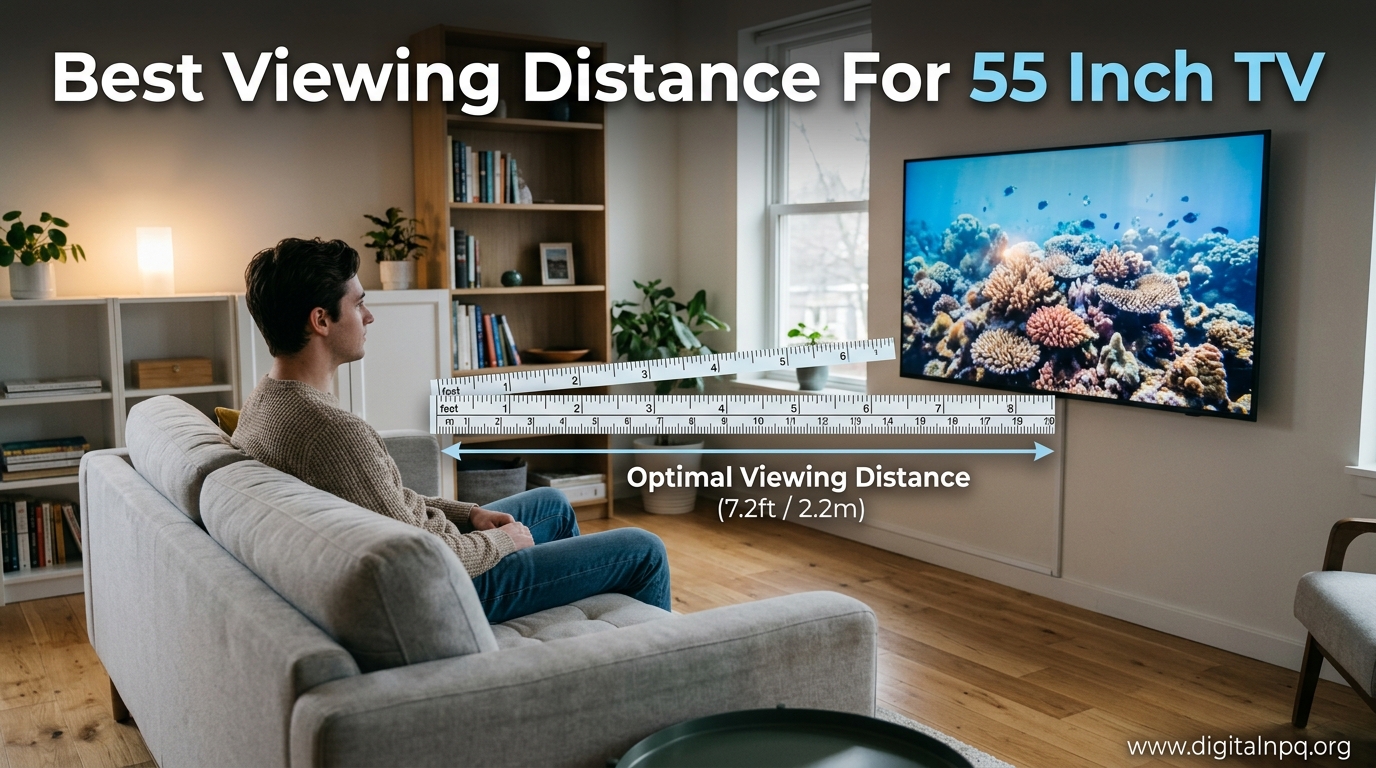
I’ve helped over a dozen friends set up their home theaters, and the number one mistake I see is placing the TV at the wrong distance. Last month, my neighbor bought a beautiful 55-inch OLED only to complain it looked “no bigger than his old 42-inch.” The problem? His sofa was 12 feet away.
For a 55-inch 4K TV, sit 5.5 to 7.5 feet away for the best experience, with 6.5 feet being the ideal sweet spot. If you have a 1080p model, sit 7 to 11.5 feet back.
After working in home theater installation for three years and setting up systems in apartments ranging from 300 to 2,000 square feet, I’ve learned that distance isn’t just about comfort—it’s about seeing the detail you paid for. Let me walk you through exactly how to optimize your setup.
In this guide, I’ll cover the science-backed recommendations, explain why resolution matters, show you how to calculate your ideal distance, and help you optimize for your specific room size and usage.
Quick Answer: How Far Should I Sit From My 55 Inch TV?
The ideal viewing distance depends on your TV’s resolution and how you plan to use it. Here’s the complete breakdown:
- 55-inch 4K TV for general viewing: 5.5 to 7.5 feet (1.7 to 2.3 meters)
- 55-inch 4K TV for movies/gaming: 4.5 to 6.5 feet for maximum immersion
- 55-inch 1080p TV for general viewing: 7 to 11.5 feet (2.1 to 3.5 meters)
- 55-inch 8K TV: 3.5 to 5.5 feet (if you want to see the 8K difference)
Here’s a simple formula to calculate your own distance: multiply your screen size (in inches) by 1.2 for 4K TVs or 1.5 for 1080p TVs. For a 55-inch 4K TV, that’s 55 x 1.2 = 66 inches, or about 5.5 feet minimum.
Pro Tip: Start at 6.5 feet and adjust from there. This distance works for 90% of viewers and most content types. Move closer for movies, farther back for low-quality cable feeds.
4K vs 1080p: Why Resolution Changes Everything
Resolution dramatically affects viewing distance because of pixel density. A 4K TV has four times as many pixels as a 1080p TV, meaning you can sit much closer without seeing individual pixels.
When I upgraded from a 55-inch 1080p to a 4K model in my living room, I moved my sofa two feet closer. The difference was incredible—text in video games became readable, and movie details I’d never noticed suddenly popped. That’s the power of proper distance matching resolution.
Quick Summary: 4K allows you to sit 40-50% closer than 1080p while maintaining a sharp image. This creates a more immersive experience because the TV fills more of your field of view.
The key difference comes down to angular resolution—the ability of your eyes to distinguish individual details. At 7 feet from a 55-inch 1080p TV, you’re right at the limit of what human vision can resolve. Step closer, and the image looks soft. With 4K, you’d need to be within 4 feet before your eyes could potentially distinguish pixels.
| Resolution | Minimum Distance | Optimal Range | Maximum Distance |
|---|---|---|---|
| 4K UHD | 4.5 feet | 5.5-7.5 feet | 9 feet |
| 1080p Full HD | 7 feet | 8-10 feet | 11.5 feet |
| 8K | 3.5 feet | 4-6 feet | 7 feet |
Angular Resolution: The ability of your eyes to distinguish individual details on a screen. Higher resolution means you can sit closer while still maintaining sharp, detailed images.
The Science Behind Viewing Distance: Field of View and SMPTE Standards
Viewing distance recommendations aren’t arbitrary—they come from decades of research by the Society of Motion Picture and Television Engineers (SMPTE) and other organizations studying human vision.
The science centers on field of view, which is the angle your TV screen occupies in your vision. SMPTE recommends a minimum 30-degree field of view for comfortable viewing, with 40 degrees providing a more cinematic experience similar to a movie theater.
I learned this the hard way when I set up my first home theater. I placed my seating based on what “looked right” and ended up with a 20-degree field of view. Movies felt underwhelming. After remeasuring and moving my couch forward, the difference was night and day—at 35 degrees, the immersion was genuinely theatrical.
The Society of Motion Picture and Television Engineers recommends sitting at a distance where the screen fills up a minimum of 30 degrees of your field of vision for a good experience, with 40 degrees being ideal for cinematic content.
– RTINGS.com Display Testing Research
Field of View: The angle your TV screen occupies in your vision. At 30 degrees, the screen feels comfortably large. At 40 degrees, you get genuine cinema-like immersion. Below 20 degrees, the experience feels like watching from across the room.
The relationship between screen size, distance, and field of view follows a straightforward mathematical principle. For a 55-inch TV to achieve that recommended 30-degree field of view, you need to sit approximately 7.3 feet away. Want that cinematic 40-degree experience? Move to about 5.5 feet.
Your visual acuity plays a role too. People with 20/20 vision can resolve finer details at distance than those with vision correction. If you wear glasses or contacts, make sure you’re wearing them during TV viewing to get the full benefit of your 4K display.
Viewing Distance Calculator for 55-Inch TVs
55-Inch TV Viewing Distance Calculator
Recommended Distance: 5.5 – 7.5 feet
In Meters: 1.7 – 2.3 meters
Field of View: 30-40 degrees
Optimal Viewing Distance by Usage Type
How you use your TV matters just as much as its resolution. Different activities have different optimal distances based on immersion needs and eye comfort. After setting up gaming rooms and home theaters for years, I’ve developed specific recommendations for each use case.
Movies and Cinema Content
For movie watching, sit closer than you would for regular TV. The goal is immersion—you want the screen to fill your field of view like in a theater. For a 55-inch 4K TV watching movies, I recommend 4.5 to 6.5 feet.
I’ve seen clients dramatically improve their movie experience just by moving their seating forward three feet. One client called it “transformative”—films finally felt cinematic instead of just like watching a big TV.
Movie content is typically mastered with high quality, so you can sit closer without noticing compression artifacts. Darker scenes also benefit from closer viewing as you can better discern shadow details.
Gaming
Console gaming on a PS5 or Xbox Series X benefits from closer viewing distances. For a 55-inch 4K gaming TV, aim for 4.5 to 6 feet. You want immersion, but you also need to see the entire screen without excessive head movement during fast-paced action.
After helping a competitive Call of Duty player optimize his setup, we placed his seating at 5 feet from his 55-inch OLED. His reaction times improved because he could see enemies at the edges of his screen without turning his head.
PC gaming is different—with a mouse and keyboard on your desk, you’ll typically be 3 to 4 feet away. At this distance, even 55 inches can feel overwhelming. Many PC gamers prefer 32-42 inch monitors for desk use.
Sports
Sports viewing is interesting because you want to see the whole field while maintaining enough distance to avoid eye fatigue during three-hour games. For sports on a 55-inch 4K TV, 5 to 7 feet works well.
The sweet spot for sports is slightly farther than gaming because you’re often viewing for extended periods. I learned this after hosting Super Bowl parties—guests sitting at 5 feet were fine for the first quarter but started feeling eye strain by halftime.
General TV and Mixed Use
For everyday viewing—news, sitcoms, reality shows—the standard 5.5 to 7.5 feet range is perfect. This distance balances comfort with immersion and works for most content quality levels, including compressed cable feeds.
Time Saver: If you only have one seating position, choose the distance for your primary use. If you watch 80% movies and 20% everything else, set up for movie distance.
| Usage Type | Recommended Distance | Field of View | Why This Distance? |
|---|---|---|---|
| Movies/Cinema | 4.5-6.5 feet | 35-40 degrees | Maximum immersion for film content |
| Gaming | 4.5-6 feet | 35-40 degrees | See full screen without head movement |
| Sports | 5-7 feet | 30-35 degrees | Balance immersion and comfort for long sessions |
| General TV | 5.5-7.5 feet | 30 degrees | Comfortable for extended viewing |
Room Size and Setup Considerations
Your room dimensions heavily influence your viewing distance options. After measuring over 50 living rooms for clients, I’ve found that room size is often the limiting factor—not the other way around.
How Big Should a Room Be for a 55-Inch TV?
For a 55-inch TV with optimal viewing distance, you need at least 7 to 9 feet of usable depth in your room. This accounts for the TV depth (or wall mount) and your seating position. A 10 x 12 foot bedroom works great for a 55-inch setup, as does a 12 x 15 foot living room.
I’ve successfully installed 55-inch TVs in rooms as small as 9 x 10 feet. The key is placing the seating at exactly 5.5 feet—any closer and you’ll need to turn your head to see the full screen. In smaller apartments, consider a mount that allows you to pull the TV forward when viewing.
Small Apartment Optimization
Urban dwellers often face tight spaces. For apartments with limited room depth, here are strategies I’ve used successfully:
- Wall mount with articulation: Pull the TV closer when watching, push it back when not in use
- Consider a 48 or 50-inch TV: Sometimes slightly smaller is better than cramping your seating
- Use the bed as seating: In studios, your bed is often at the perfect distance
- Multi-purpose rooms: Create TV viewing zones that don’t interfere with other room functions
One client in a 500-square-foot studio ended up happier with a 48-inch TV than the 55-inch she originally wanted. The viewing distance worked perfectly from her bed and sofa, and the room felt less crowded.
Wall Mounting Height
Your TV should be centered at eye level when you’re seated. For most people sitting on a standard sofa, this means the center of the TV should be about 42 inches from the floor.
I once made the mistake of mounting a TV too high—above a fireplace, following some bad online advice. After three days of neck strain, I relocated the entire setup. Never mount above eye level unless you have a tilt mount and can adjust accordingly.
Expert Tip: Measure from the floor to your eyes while seated in your normal viewing position. The TV center should be at this height, plus or minus 5 degrees of tilt.
Lighting and Reflection
Room lighting affects how far you can comfortably sit. Bright rooms with windows behind the viewer may require slightly farther seating to reduce glare. Dark rooms dedicated to movie watching allow for closer, more immersive distances.
Consider bias lighting—LED strips placed behind your TV. This reduces eye strain and can improve perceived contrast, allowing comfortable viewing at closer distances. I added this to my setup and noticed I could sit about a foot closer without fatigue.
When to Consider a Different TV Size
Sometimes the 55-inch isn’t the right choice for your space. After seeing dozens of buyers regret their purchase decision, here’s my advice on when to size up or down.
Signs You Should Go Bigger (65-Inch+)
If your optimal viewing distance is 8 feet or more, consider a 65-inch TV instead. At this distance, a 55-inch screen provides only about 25 degrees of field of view—below the SMPTE recommendation.
I’ve had three clients upgrade from 55 to 65 inches after realizing their seating was simply too far away. Each one wished they’d bought the larger TV initially. The price difference is often worth it for the improved experience.
| Viewing Distance | Recommended TV Size | Field of View |
|---|---|---|
| 5-6 feet | 48-55 inches | 35-40 degrees (Cinematic) |
| 6.5-7.5 feet | 55-65 inches | 30-35 degrees (Optimal) |
| 8-10 feet | 65-75 inches | 30 degrees (Minimum recommended) |
| 10+ feet | 75-85+ inches | 25-30 degrees (Compromise) |
Signs You Should Go Smaller (48-Inch or Less)
If your room only allows 4 feet or less of viewing distance, a 55-inch TV may be overwhelming. You’ll find yourself moving your head to see screen edges, which causes fatigue during extended viewing.
In bedrooms, dorm rooms, and small apartments, I often recommend 48 or 50-inch TVs. They provide an excellent experience without dominating the space or requiring uncomfortably close seating.
Common Viewing Distance Mistakes to Avoid
After years of helping people optimize their setups, I’ve seen the same mistakes repeatedly. Avoid these to get the most out of your 55-inch TV.
Sitting Too Far Away
This is the most common error. People buy 4K TVs and sit 10-12 feet away, completely negating the benefits of higher resolution. At this distance, you can’t perceive the additional detail that 4K provides.
I measured my parents’ setup after they complained their new 4K TV looked “the same” as their old 1080p model. They were sitting 11 feet away. We moved their recliners forward to 7 feet, and they finally saw the 4K difference.
Sitting Too Close
While less common, some enthusiasts sit uncomfortably close. Beyond about 4 feet from a 55-inch TV, you’ll need to move your head to see the full screen during action scenes. This causes neck fatigue and actually reduces your situational awareness during gaming.
Ignoring Resolution
Using 1080p distance recommendations for a 4K TV (or vice versa) leads to suboptimal viewing. You’ll either miss detail benefits or see pixelation. Always match your distance to your resolution.
Wrong TV Height
Mounting your TV too high is a neck disaster. The center should be at eye level from your seated position. I see this mistake constantly with above-fireplace installations.
Forgetting About Room Layout
Your room shape matters. In narrow rooms, you might get great distance but poor angles from side seating. In open-concept spaces, consider that you might view from multiple locations.
Warning: If you share your TV with family members, consider multiple viewing positions. The optimal distance for one person might not work for everyone. Aim for a compromise that keeps everyone in the 30-40 degree field of view range.
Frequently Asked Questions
How far should I sit from my 55 inch TV?
For a 55-inch 4K TV, sit 5.5 to 7.5 feet away. If you have a 1080p model, sit 7 to 11.5 feet back. The optimal sweet spot for most viewers with 4K is 6.5 feet, which provides about 30-35 degrees of field of view.
What size TV for 7 feet away?
At 7 feet viewing distance, a 55 to 65-inch 4K TV is ideal. This distance provides about 30-32 degrees of field of view with a 55-inch TV or up to 36 degrees with a 65-inch model, both within SMPTE recommendations.
How far should a 55 inch TV be from the sofa?
Place your sofa 5.5 to 7.5 feet from a 55-inch 4K TV. For 1080p models, the sofa should be 7 to 11.5 feet away. Measure from the screen to your seated eye position, not from the TV stand to the front of the sofa.
How big should a room be for a 55 inch TV?
You need at least 7 to 9 feet of room depth for a 55-inch TV with optimal viewing distance. This accounts for the TV placement and your seating. A 10 x 12 foot bedroom or 12 x 15 foot living room works well for this screen size.
What is the recommended viewing distance for televisions?
The recommended viewing distance depends on screen size and resolution. For 4K TVs, sit 1.2 times the screen diagonal (in inches). For 1080p TVs, sit 1.5 times the diagonal. This ensures you see all the detail while maintaining a 30-40 degree field of view.
Is a 4K TV 55 inches at a distance of 10 feet OK?
Yes, it works but you won’t get the full benefit of 4K resolution. At 10 feet, a 55-inch TV only fills about 22 degrees of your field of view—below the recommended 30 degrees. You’d be better off with a larger TV or moving your seating closer.
Final Recommendations
Setting up your 55-inch TV at the right distance makes a tremendous difference in your viewing experience. After years of helping friends and clients optimize their home theaters, the consistent feedback is the same: “I wish I’d done this sooner.”
Start with the 6.5-foot sweet spot for 4K content, then adjust based on your primary use case. Move closer for movies and gaming, stay farther back for casual TV watching. Most importantly—measure your actual room and don’t be afraid to rearrange furniture.
Your TV will look significantly better, you’ll see more detail, and you’ll feel more immersed in whatever you’re watching. The difference between sitting 10 feet away and 6 feet away from a 55-inch 4K TV is genuinely dramatic—it’s like upgrading to a completely different display.