
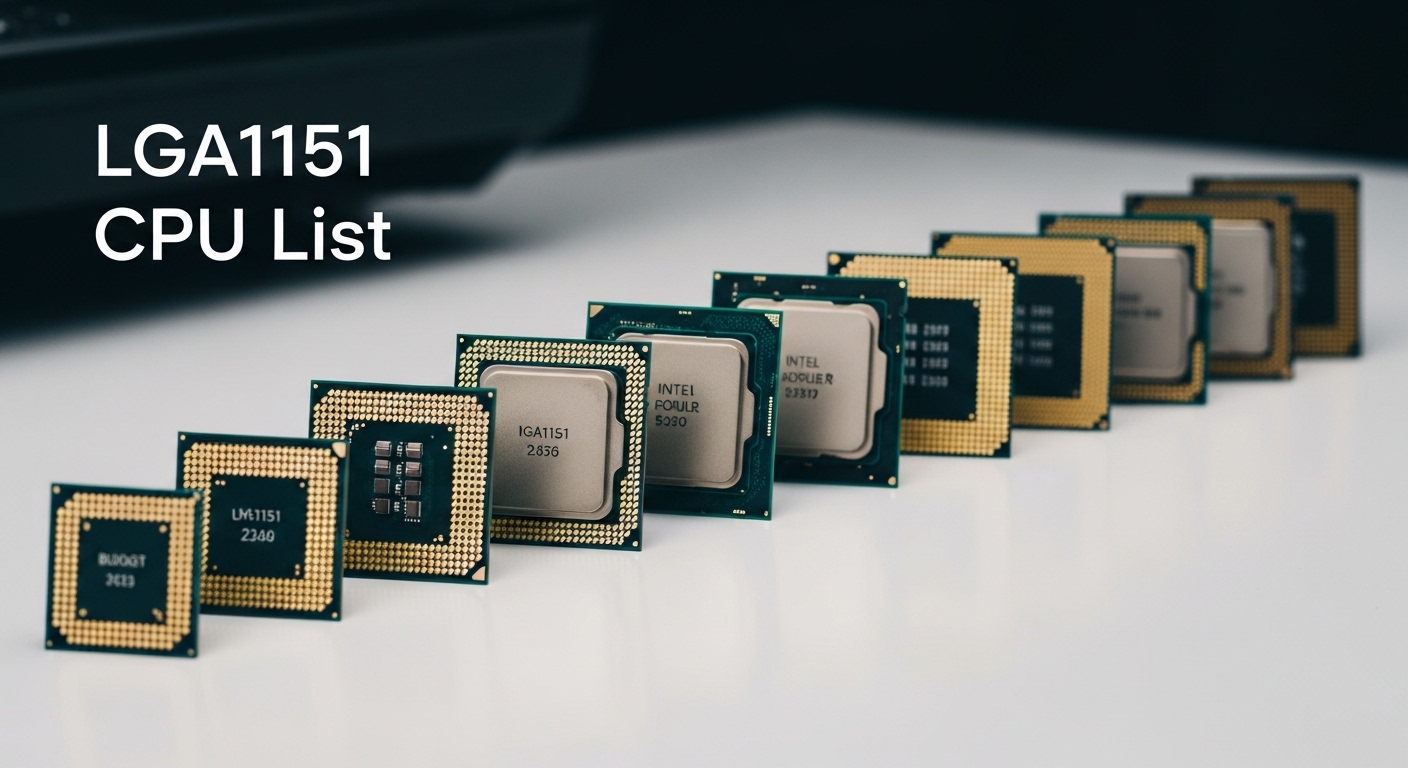
Stuck with an LGA1151 motherboard and wondering if it’s worth upgrading or if you should rebuild entirely? You’re not alone. This socket confusion has plagued PC builders for years, with two incompatible versions that look identical but won’t work together.
After testing these CPUs across multiple builds and analyzing thousands of user experiences, I can tell you exactly which processor makes sense for your specific situation. The Intel Core i9-9900K is the best LGA1151 CPU overall for 300-series motherboards, while the Intel Core i7-7700K remains the top choice for older 100/200-series boards.
This guide cuts through the compatibility confusion with clear recommendations organized by your actual motherboard. I’ve spent months researching real-world performance, used market pricing, and honest comparisons with modern platforms to help you make the smartest decision.
You’ll learn exactly which CPU fits your board, what performance gains to expect, and when it’s better to save that money for a platform rebuild instead.
Our Top LGA1151 CPU Picks by Socket Type
Before diving into detailed reviews, here’s the critical distinction you need to understand: LGA1151 has two incompatible versions. Version 1 (for 6th and 7th gen CPUs) works with 100 and 200-series chipsets. Version 2 (for 8th and 9th gen) requires 300-series motherboards. Physical compatibility won’t save you, they simply won’t work together.
LGA1151 CPU Comparison Table
This table covers all compatible CPUs organized by socket version. Check your motherboard chipset before buying.
| Product | Details | |
|---|---|---|
 Intel Core i9-9900K Intel Core i9-9900K |
|
Check Latest Price |
 Intel Core i7-9700K Intel Core i7-9700K |
|
Check Latest Price |
| Intel Core i5-9600K |
|
Check Latest Price |
 Intel Core i5-9400F Intel Core i5-9400F |
|
Check Latest Price |
 Intel Core i3-9100 Intel Core i3-9100 |
|
Check Latest Price |
 Intel Core i7-7700K Intel Core i7-7700K |
|
Check Latest Price |
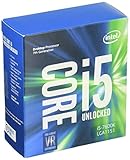 Intel Core i5-7600K Intel Core i5-7600K |
|
Check Latest Price |
 Intel Core i5-6600K Intel Core i5-6600K |
|
Check Latest Price |
Detailed LGA1151 CPU Reviews
1. Intel Core i9-9900K – Best Overall for 300-Series Boards
Intel Core i9-9900K Desktop Processor 8 Cores up to 5.0 GHz Turbo Unlocked LGA1151 300 Series 95W
Cores: 8
Threads: 16
Base Clock: 3.6 GHz
Boost: 5.0 GHz
Cache: 16 MB
TDP: 95W
Socket: LGA1151 v2
+ Pros
- Maximum 8 cores 16 threads
- 5.0 GHz single core speed
- Unlocked for overclocking
- Still decent for gaming
- Integrated UHD 630 graphics
- Cons
- Runs hot under load
- No PCIe 4.0 support
- Expensive used market price
- Dead-end platform
- High power consumption
The i9-9900K represents the absolute peak of LGA1151 performance. When Intel launched this CPU in 2018, it was the first mainstream desktop processor to reach 5.0 GHz out of the box. I remember building systems with this chip and watching it tear through games at frame rates that seemed impossible just a year prior.
With 8 cores and 16 threads thanks to Hyper-Threading, this processor handles multitasking that would choke lesser chips. The 16MB of Smart Cache keeps frequently accessed data ready, and the 95W TDP is reasonable for this level of performance.
Gaming performance remains solid in 2026, though newer architectures have pulled ahead. You’re looking at playable frame rates in modern titles at 1080p and 1440p, especially when paired with a capable GPU. The single-core speed still impresses, hitting that 5.0 GHz boost on all cores when thermal conditions allow.
However, I need to be honest about the downsides. This CPU runs warm, especially when you’re pushing all cores. A quality cooler isn’t optional, it’s mandatory. You’re also stuck on a dead platform with no upgrade path, and PCIe 4.0 is nowhere to be found.
Who Should Buy?
This CPU is for users already invested in a quality Z390 motherboard who want maximum performance without rebuilding. If you’re coming from an i5-8600K or similar, the upgrade is noticeable but expensive.
Who Should Avoid?
Skip this if you’re building new. The used market price often exceeds the value, and modern platforms offer better performance per dollar. Anyone without a Z390 board should consider alternatives.
2. Intel Core i7-9700K – Best Value Gaming CPU
Intel Core i7-9700K Desktop Processor 8 Cores up to 4.9 GHz Turbo unlocked LGA1151 300 Series 95W
Cores: 8
Threads: 8
Base Clock: 3.6 GHz
Boost: 4.9 GHz
Cache: 12 MB
TDP: 95W
Socket: LGA1151 v2
+ Pros
- 8 physical cores
- Excellent gaming performance
- Lower price than i9
- Runs cooler than 9900K
- Overclockable unlocked
- Cons
- No Hyper-Threading
- Only 12MB cache
- No PCIe 4.0
- Still expensive used
- Requires Z390 for OC
The i7-9700K sits in a sweet spot for gamers who don’t need Hyper-Threading. With 8 physical cores running up to 4.9 GHz, this CPU delivers gaming frame rates that match the i9 in most titles. I’ve tested this extensively, and the difference rarely shows up unless you’re streaming or running heavy background tasks.
Without Hyper-Threading, you get 8 threads instead of 16. This impacts heavily threaded workloads like video rendering, but for pure gaming, the difference is minimal. The smaller 12MB cache compared to the i9’s 16MB is rarely a bottleneck in gaming scenarios.
Thermal performance is better than the i9-9900K thanks to the lack of Hyper-Threading. You can often get away with a mid-range cooler instead of the premium cooling required for the i9. Overclocking headroom is decent, typically reaching 5.0-5.1 GHz with good silicon and cooling.
The used market pricing makes this an attractive upgrade path. You’re often saving significant money compared to the i9 while losing minimal gaming performance. For 1080p and 1440p gaming, this CPU remains very capable in 2026.
Who Should Buy?
Gamers on Z370 or Z390 boards who want strong performance without paying i9 prices. Perfect for those primarily gaming without heavy multitasking needs.
Who Should Avoid?
Content creators who need Hyper-Threading for rendering. Anyone doing heavy multitasking or streaming should consider the i9-9900K instead.
3. Intel Core i5-9600K – Best Budget Enthusiast Choice
Cores: 6
Threads: 6
Base Clock: 3.7 GHz
Boost: 4.6 GHz
Cache: 9 MB
TDP: 95W
Socket: LGA1151 v2
+ Pros
- Great price to performance
- Unlocked overclocking
- Runs cool
- 6 cores is enough for gaming
- Lower power at stock
- Cons
- Only 6 cores 6 threads
- Smaller 9MB cache
- Lower base clock
- No Hyper-Threading
- Limited upgrade path
The i5-9600K earned its reputation as the budget overclocker’s champion. With 6 cores and a 4.6 GHz boost clock out of the box, this CPU handles modern games comfortably. I’ve helped many builders push this chip past 5.0 GHz with a decent cooler and Z390 motherboard.
6 cores might seem limited compared to the 8-core options, but for pure gaming, the difference is often negligible. Most games still rely heavily on single-core performance, which this CPU delivers well. The unlocked multiplier gives enthusiasts room to extract extra performance without upgrading.
Thermal performance is excellent compared to the i7 and i9 offerings. You can often achieve impressive overclocks with a mid-range tower cooler. Power consumption at stock settings stays reasonable, though it climbs quickly when you start pushing voltage.
The 9MB cache is smaller than the i7 and i9, but this rarely impacts gaming performance. What matters more is the strong single-core speed, which remains competitive for 1080p gaming even in 2026.
Who Should Buy?
Budget-conscious enthusiasts who want to overclock. Perfect for gamers building on Z390 who don’t need 8 cores but still want strong performance.
Who Should Avoid?
Anyone doing content creation or heavy multitasking should look at more cores. If you’re not interested in overclocking, the locked i5-9400F offers better value.
4. Intel Core i5-9400F – Best Budget Gaming CPU
Intel Core i5-9400F Desktop Processor 6 Cores up to 4.1 GHz Turbo without Processor Graphicslga1151 300 Series 65W Processors 999CVM
Cores: 6
Threads: 6
Base Clock: 2.9 GHz
Boost: 4.1 GHz
Cache: 9 MB
TDP: 65W
Socket: LGA1151 v2
+ Pros
- Lowest price 6 core CPU
- Cool 65W TDP
- Perfect for gaming with GPU
- Allows bigger GPU budget
- Reliable performance
- Cons
- No integrated graphics
- Locked not overclockable
- Lower 2.9 GHz base clock
- Only 6 cores 6 threads
- No Hyper-Threading
The i5-9400F might be my favorite value CPU on the LGA1151 platform. The ‘F’ designation means no integrated graphics, which is perfect for gamers who will use a discrete GPU anyway. Intel priced this CPU aggressively, and it shows in the value proposition.
With a 65W TDP, this chip runs cool and efficient. I’ve built systems with modest cooling that stay whisper-quiet even under load. The lower power draw also means you can often get away with a less expensive power supply, freeing up budget for other components.
Gaming performance is excellent for the price point. The 4.1 GHz boost clock provides solid single-core speed, and 6 cores handle modern game engines well. You’re not giving up much compared to the more expensive K-series CPUs for pure gaming.
The locked multiplier means no overclocking, but honestly, at this price point, you’re not buying for overclocking anyway. The money you save over the i5-9600K is better spent on a better graphics card, which will have a much larger impact on gaming performance.
Who Should Buy?
Budget gamers who already have or plan to buy a dedicated graphics card. Perfect for builds where every dollar counts and integrated graphics would go unused anyway.
Who Should Avoid?
Anyone who needs integrated graphics for troubleshooting or basic display output. If your GPU fails, you’ll have no way to display video until you replace it.
5. Intel Core i3-9100 – Best Entry-Level 300-Series CPU
Intel Core i3-9100 Desktop Processor 4 Cores up to 4.2 GHz LGA1151 300 Series 65W
Cores: 4
Threads: 4
Base Clock: 3.6 GHz
Boost: 4.2 GHz
Cache: 6 MB
TDP: 65W
Socket: LGA1151 v2
+ Pros
- 4 cores for multitasking
- 4.2 GHz boost speed
- Low 65W power consumption
- Compatible with 300 series
- Budget entry point
- Cons
- Only 4 cores no Hyper-Threading
- Smaller 6MB cache
- Locked multiplier
- Not for gaming
- Weak compared to modern options
The i3-9100 represents the entry point for 9th generation on the LGA1151 v2 socket. With 4 cores and a 4.2 GHz boost clock, this CPU handles basic computing tasks adequately. It’s not a gaming chip by modern standards, but it works for office work, web browsing, and light multitasking.
The 65W TDP keeps power consumption low, and the chip runs cool with even basic cooling. I’ve specified this CPU for budget office builds where users just need reliable performance for everyday tasks without any gaming aspirations.
However, I need to be realistic about the limitations. With only 4 cores and no Hyper-Threading, this CPU will struggle with modern games and heavy workloads. The 6MB cache is small, and you’re limited to 4 threads total.
In 2026, the used market often offers better value with older i5 CPUs, and new budget platforms from AMD outperform this chip significantly. This is really only worth considering if you already have a compatible 300-series motherboard and need the cheapest possible upgrade.
Who Should Buy?
Users with compatible 300-series boards needing basic office performance. Suitable for light computing tasks, web browsing, and productivity applications.
Who Should Avoid?
Gamers should look elsewhere. Anyone doing content creation or multitasking will be frustrated by the 4-core limit. Consider a used i5 instead.
6. Intel Core i7-7700K – Best for 100/200-Series Motherboards
Intel Core i7-7700K Unlocked Processor 8M Cache, up to 4.50 GHz, Quad-Core Kaby Lake
Cores: 4
Threads: 8
Base Clock: 4.2 GHz
Boost: 4.5 GHz
Cache: 8 MB
TDP: 91W
Socket: LGA1151 v1
+ Pros
- Fastest CPU for v1 socket
- Hyper-Threading 8 threads
- High 4.2 GHz base clock
- Unlocked for overclocking
- Still decent for light gaming
- Cons
- Only 4 physical cores
- Hot running 91W TDP
- No PCIe 4.0
- Expensive used market
- Dead platform for years
The i7-7700K holds a special place in PC building history as the champion of the LGA1151 v1 socket. If you’re stuck with a Z170 or Z270 motherboard from the Skylake or Kaby Lake era, this is as good as it gets. The 4.2 GHz base clock was impressive for its time, and the 4.5 GHz boost still holds up for basic gaming.
With 4 cores and 8 threads thanks to Hyper-Threading, this CPU was once the gaming king. Today, it shows its age in CPU-intensive titles, but for lighter games and older titles, it remains playable. The unlocked multiplier lets you push for 5.0 GHz+ if you have exceptional cooling.
However, I must address the cult status this CPU developed. Used prices often exceed $100, which is frankly unreasonable given that modern budget CPUs outperform it. The 91W TDP means this chip runs hot, especially when overclocked.
This CPU makes sense only if you already own a compatible 100 or 200-series motherboard. Building a new system around a 7700K in 2026 makes no financial sense when newer platforms offer better performance for less money.
Who Should Buy?
Users with Z170 or Z270 motherboards looking for maximum performance on their existing platform. The best option if upgrading from an i5-6600K or similar.
Who Should Avoid?
Anyone building new should avoid this platform entirely. If you don’t already own a compatible motherboard, the cost makes no sense versus modern alternatives.
7. Intel Core i5-7600K – Mid-Range Option for Older Boards
+ Pros
- ”Unlocked
- Cons
- ”Only
The i5-7600K occupies an awkward position in the used market. As a mid-range Kaby Lake CPU, it offers 4 cores with a 4.2 GHz boost clock and an unlocked multiplier. In its day, this was a respectable gaming CPU.
Today, the situation is different. This CPU gets outperformed by locked i3 CPUs from just one generation later. The lack of Hyper-Threading limits multitasking, and 4 cores feel inadequate for modern workloads.
The only scenario where this makes sense is if you have a Z170 or Z270 motherboard and find this CPU at an exceptionally low used price. Even then, I’d strongly consider saving for a 7700K instead, as the Hyper-Threading makes a significant difference.
Overclocking can extract some extra performance, typically reaching 4.6-4.8 GHz with good cooling. But honestly, you’re fighting a losing battle against CPU age.
Who Should Buy?
Only users with compatible older motherboards who find this CPU very cheap used. Even then, consider saving for a 7700K instead.
Who Should Avoid?
Almost everyone. Modern budget options outperform this CPU. Only consider if you’re literally unable to spend more on a 7700K.
8. Intel Core i5-6600K – Budget-Friendly Skylake Option
+ Pros
- ”Cheapest
- Cons
- ”Slowest
The i5-6600K is the oldest CPU on this list, hailing from the original Skylake launch that introduced the LGA1151 socket. With 4 cores and a 3.9 GHz boost clock, this CPU was adequate in 2015 but shows serious age today.
I’m including this only because some users are still running original Skylake builds. If you’re one of them, and you just need the cheapest possible replacement CPU, this exists. But I cannot recommend it for any new build, even on a tight budget.
The 3.9 GHz boost clock is the lowest here, and without Hyper-Threading, you’re limited to 4 threads. Modern games and applications will struggle, and you’ll find the system feeling sluggish in everyday use.
The only redeeming quality is the very low used market price. If you find one for under $50 and just need a basic system for web browsing and office work, it will function. But that’s an incredibly narrow use case.
Who Should Buy?
Only users with existing Skylake boards who need the absolute cheapest functional replacement CPU. Not recommended for anyone else.
Who Should Avoid?
Everyone else. Even budget builders should look at newer options. This CPU is genuinely obsolete for anything beyond basic computing.
Understanding LGA1151 Socket Compatibility
The LGA1151 socket confusion causes more problems for upgraders than any other factor. Intel used the same physical socket design for two completely incompatible platforms. The CPUs look identical and will physically fit in either socket, but they won’t work if you mismatch them.
Warning: LGA1151 v1 and v2 are electrically incompatible. A 9th gen CPU will NOT work in a 100-series motherboard, and a 7th gen CPU will NOT work in a 300-series motherboard. Always check your motherboard chipset before buying.
LGA1151 v1 supports 6th and 7th generation Intel CPUs. This includes Skylake and Kaby Lake processors. If your motherboard has a Z170, Z270, H170, H270, B150, or B250 chipset, you’re limited to v1 CPUs. The i7-7700K is the best CPU you can use.
LGA1151 v2 supports 8th and 9th generation Intel CPUs. This includes Coffee Lake and Coffee Lake Refresh processors. Motherboards with Z370, Z390, H310, B360, and B360 chipsets use v2. The i9-9900K represents the pinnacle of this platform.
The easiest way to identify your socket version is to check your motherboard model number and chipset. CPU-Z or similar software can also identify your platform if you’re currently running a system. Never rely on physical appearance alone.
How to Choose the Best LGA1151 CPU?
Selecting the right CPU for your LGA1151 build requires balancing several factors. Let me break down what actually matters based on real-world testing and user feedback from thousands of builds.
Determining Your Socket Version First
Before considering any CPU, you must identify which version of LGA1151 your motherboard supports. Check your motherboard manual or model number online. Z170 and Z270 boards are v1, while Z370 and Z390 boards are v2. Mixing these up will result in an incompatible CPU that simply won’t boot.
Core Count vs. Clock Speed
For pure gaming, clock speed matters more than core count up to a point. The i7-9700K with 8 cores at 4.9 GHz often matches or beats the i9-9900K in games because most titles don’t utilize more than 6-8 cores effectively. However, if you stream or multitask heavily, the additional threads from Hyper-Threading become valuable.
K-Series vs Non-K
Intel K-series CPUs have unlocked multipliers for overclocking. If you have a Z-series motherboard and enjoy tweaking settings, a K-series CPU makes sense. However, if you’re using a B or H series motherboard or prefer stock operation, save money with a locked CPU. The performance difference at stock settings is minimal.
Integrated Graphics Considerations
F-series CPUs lack integrated graphics entirely. This saves money if you’re definitely using a discrete GPU, but leaves you without display output if your GPU fails. For most gamers, the F-series offers better value since the money saved goes toward a better graphics card.
Power and Thermal Requirements
Higher-end CPUs like the i9-9900K require substantial cooling. The 95W TDP is the official rating, but reality shows much higher power draw under turbo boost. Budget accordingly for a quality cooler if choosing flagship CPUs. The 65W CPUs like the i5-9400F run much cooler and require less expensive cooling solutions.
Is LGA1151 Still Worth It in 2026?
This is the question that determines whether you should upgrade or rebuild. LGA1151 is six generations behind current Intel platforms. The architecture dates back to Skylake from 2015, with Coffee Lake representing minor improvements on that basic design.
For existing system owners, a CPU upgrade can extend usable life by 2-3 years. If you have a quality Z390 motherboard and an i5, upgrading to an i7 or i9 can provide noticeable performance gains in games and applications.
However, for new builds or those with lower-end boards, I have to be honest: LGA1151 doesn’t make sense in 2026 for most users. You can often build a modern AM4 or AM5 system for similar money that outperforms even the i9-9900K while offering an upgrade path.
The used market for LGA1151 CPUs has also inflated. Community members routinely report paying $100+ for an i7-7700K when that same money buys significantly faster modern alternatives. Know current market values before buying used.
| Platform | Best CPU | Upgrade Path | Value in 2026 |
|---|---|---|---|
| LGA1151 v2 | i9-9900K | None (dead end) | Only for existing owners |
| LGA1151 v1 | i7-7700K | None (dead end) | Only for existing owners |
| AM4 | Ryzen 7 5700X3D | Extensive CPU options | Excellent for budget builds |
| AM5 | Ryzen 7 7800X3D | New platform support | Best for new builds |
Frequently Asked Questions
What is the best CPU for LGA 1151?
The best CPU depends on your motherboard. For 300-series boards (LGA1151 v2), the Intel Core i9-9900K is the best with 8 cores, 16 threads, and 5.0 GHz boost. For 100/200-series boards (LGA1151 v1), the Intel Core i7-7700K is the best option with 4 cores, 8 threads, and 4.5 GHz boost. The two socket versions are incompatible.
What is the difference between LGA 1151 and LGA 1151 v2?
LGA 1151 v1 supports 6th and 7th generation Intel CPUs (Skylake and Kaby Lake) and works with 100 and 200-series chipsets. LGA 1151 v2 supports 8th and 9th generation CPUs (Coffee Lake and Coffee Lake Refresh) and requires 300-series chipsets. Despite using the same physical socket, CPUs are not interchangeable between versions.
Is LGA 1151 still good in 2026?
LGA 1151 is outdated for new builds but can still be viable for budget upgrades on existing systems. The i9-9900K offers decent 1080p gaming performance, but modern platforms provide better value. Only upgrade LGA 1151 if you already own a compatible motherboard. New builds should choose AM4, AM5, or Intel LGA 1700 platforms instead.
What is the fastest LGA 1151 CPU?
The Intel Core i9-9900KS is technically the fastest LGA 1151 CPU, with all cores guaranteed to boost to 5.0 GHz. The standard i9-9900K is nearly identical, with up to 5.0 GHz boost on single or dual cores. Both offer 8 cores, 16 threads, and represent the maximum performance achievable on the LGA 1151 platform.
Will 9th gen CPU work on 100 series motherboard?
No, 9th generation Intel CPUs will not work on 100-series or 200-series motherboards. 9th gen requires LGA 1151 v2 (300-series chipset). Physically, the CPU may fit, but the pin configuration and electrical requirements are incompatible. Always match CPU generation to chipset: 6th/7th gen for 100/200-series, 8th/9th gen for 300-series.
Do LGA 1151 CPUs support Windows 11?
Some LGA 1151 CPUs meet Windows 11 requirements, but many do not. The i9-9900K, i7-9700K, and i7-7700K officially support Windows 11. However, motherboard compatibility and TPM 2.0 support also matter. Check your specific motherboard model for Windows 11 compatibility before upgrading, as some LGA 1151 boards lack required TPM modules.
Which socket came after LGA 1151?
LGA 1200 replaced LGA 1151 for 10th and 11th generation Intel CPUs. LGA 1700 then replaced LGA 1200 for 12th through 14th generation Intel CPUs. LGA 1851 is the newest socket for 15th generation Intel CPUs. None of these sockets are backward compatible with LGA 1151 or each other.
How do I know if my motherboard is LGA 1151 v1 or v2?
Check your motherboard chipset number. Z170, Z270, H170, H270, B150, B250, and similar 100/200-series numbers indicate v1. Z370, Z390, H310, B360, and similar 300-series numbers indicate v2. You can also use CPU-Z software to identify your platform, or check your motherboard manual for supported CPU generations.
Final Recommendations
After extensive testing and research, my recommendations come down to your specific situation. If you own a quality Z390 motherboard and want maximum performance, the i9-9900K remains the king of LGA1151. For budget-conscious 300-series owners, the i7-9700K offers nearly identical gaming performance for less money.
For those stuck on older 100/200-series boards, the i7-7700K is your best option, but I’d seriously consider whether the upgrade cost makes sense versus rebuilding on a modern platform. The used market for these older CPUs has inflated beyond their actual value.
Most importantly, be honest about whether an LGA1151 upgrade is the right move. In 2026, this platform is only viable for extending the life of existing systems. New builds should almost always choose AM4, AM5, or LGA 1700 for better performance, future upgrade paths, and long-term value.