
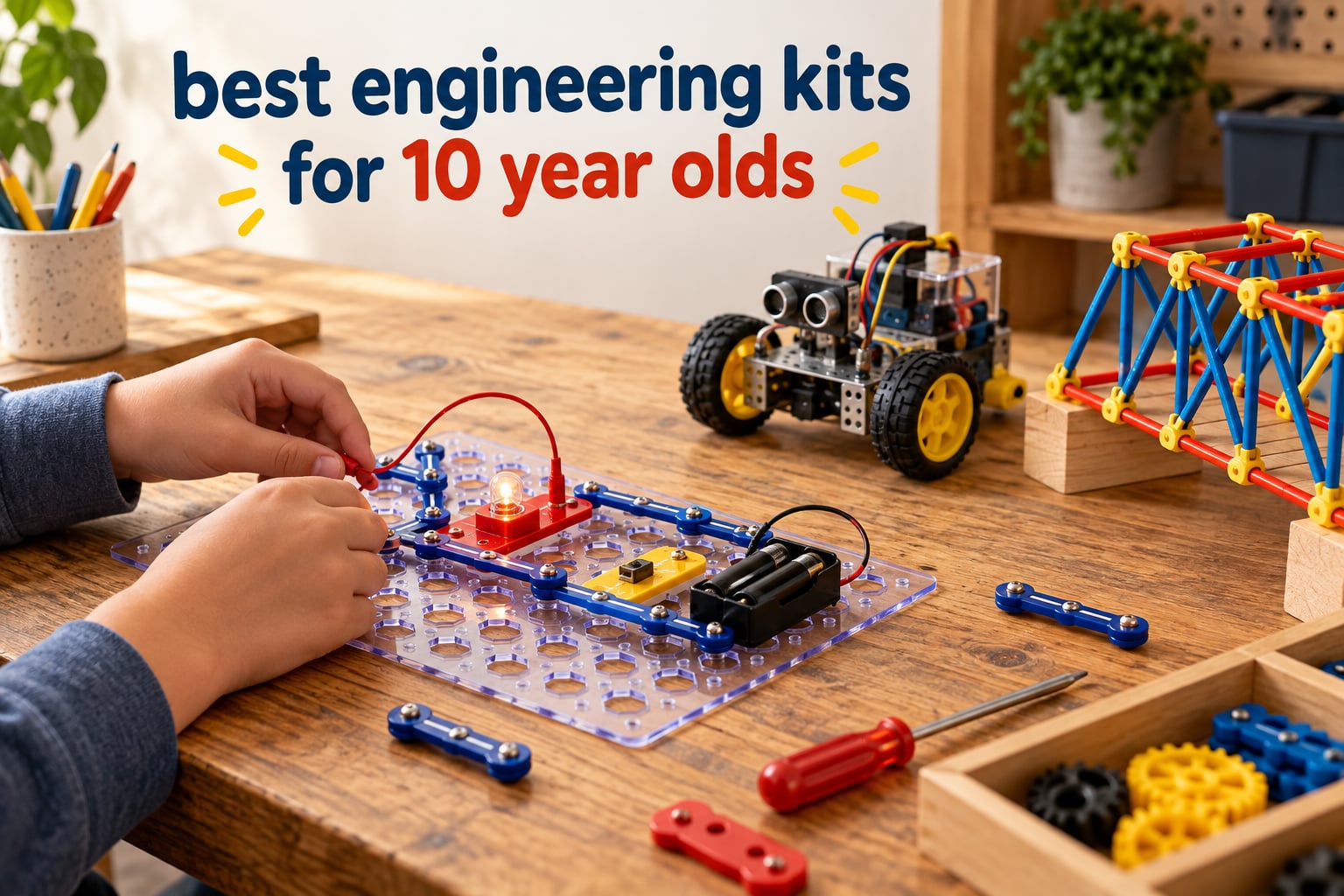
A 10 year old sits at the exact age where a building kit stops being a toy and starts being a teacher. Their hands can manage small parts, their reading level handles a printed manual, and their attention span survives a project long enough to see the payoff at the end. That makes this the sweet spot for the best engineering kits for 10 year olds, and also the age where parents most often buy the wrong thing.
I’ve spent the last few months working through this category with the same question a parent asks: which kits survive past the first weekend? The short answer is that build-it-once kits die quietly, while kits that can be reconfigured keep coming back to the table. My family has a rule now. Nothing gets opened until we know what the second build is.
An engineering kit is a boxed set of motors, sensors, structural pieces or circuit parts that a child assembles into something that actually moves, lights up, launches or stands up on its own. STEM means science, technology, engineering and mathematics, but the word is unregulated. Any product can claim it, so a plain craft set with a STEM sticker on the box can sit next to a kit that teaches real load distribution and gets both labels.
Below I cover twelve kits across the disciplines that actually matter here: circuits, robotics and coding, hydraulics and pneumatics, structural and architectural engineering, internal combustion mechanics, and renewable energy. Each one lists what it builds, what a 10 year old really learns from it, and how much adult help the first build genuinely needs. I’ve kept the language plain and left out anything I could not confirm from the product data.
One note before we start. Parents searching this topic constantly ask whether a 10 year old can manage one of these alone. The honest answer is that it depends almost entirely on whether the kit has a clear finished goal and a well-illustrated manual. I’ve noted that for every kit below, because it’s the single variable that predicts frustration better than any age label on the box.
Our Top 3 Picks for a 10 Year Old
If you want a shortlist instead of a long read, these three cover the most ground. The Snap Circuits Jr. kit is the one I’d start with, because 100 and something projects in one box means the kit never reaches the abandoned-in-a-closet stage. The Makeblock mBot is the pick for a child ready to move from building into programming. The Sillbird solar robot is the pick when part count and a dozen buildable models matter more than polish.

Snap Circuits Jr. SC-100
- 100+ projects from one box
- No soldering or tools
- Colour-coded snap modules
- Ages 8 and up

Makeblock mBot Robot Kit
- Scratch and Arduino programming
- Assembles in about 15 minutes
- 100+ module compatibility
- Metal construction

Sillbird 12-in-1 Solar Robot
- 190 parts in the box
- 12 models of rising difficulty
- Upgraded larger solar panel
- Works indoors or outdoors
All 12 Engineering Kits Compared Side by Side
Here is the whole list in one place, so you can match a kit to the discipline your child is drawn to. The number of models matters more than the piece count, because a kit with twenty genuinely different builds keeps producing new problems to solve after the first one is finished.
| Product | Details | |
|---|---|---|
| Snap Circuits Jr. SC-100 |
|
Check Latest Price |
| Sillbird 12-in-1 Solar Robot |
|
Check Latest Price |
 Smartivity Hydraulic Aeroplane Launcher Smartivity Hydraulic Aeroplane Launcher |
|
Check Latest Price |
 Playz V8 Engine Model Playz V8 Engine Model |
|
Check Latest Price |
 Thames and Kosmos Mega Cyborg Hand Thames and Kosmos Mega Cyborg Hand |
|
Check Latest Price |
 Smartivity Robotic Mechanical Hand Smartivity Robotic Mechanical Hand |
|
Check Latest Price |
| Makeblock mBot Robot Kit |
|
Check Latest Price |
 Thames and Kosmos Structural Engineering Thames and Kosmos Structural Engineering |
|
Check Latest Price |
 National Geographic 120 Circuit Kit National Geographic 120 Circuit Kit |
|
Check Latest Price |
 Tinkering Labs Electric Motors Catalyst Tinkering Labs Electric Motors Catalyst |
|
Check Latest Price |
 Thames and Kosmos Architectural Engineering Thames and Kosmos Architectural Engineering |
|
Check Latest Price |
 Engino Physics Laws Kit Engino Physics Laws Kit |
|
Check Latest Price |
1. Snap Circuits Jr. SC-100 – The Best Starter for Circuit Concepts
SNAP CIRCUITS Jr. SC-100 STEM Electronics Kit, 100+ Projects, Ages 8+
Ages 8 and up
100+ projects
29 snap modules
Snap board grid
+ Pros
- Enormous project library from one box
- No soldering or extra tools
- Colour-coded numbered pieces snap onto a grid
- Works across a wide age span
- Cons
- Snap connections are fiddly for smaller hands
- Limited to basic direct-current circuits with no motors or programmable control
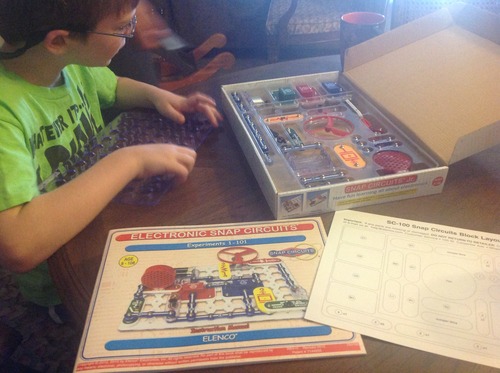
This is the kit I hand to a child who has never built anything electrical before. The Snap Circuits Jr. SC-100 arrives with 29 snap modules that push onto a plastic grid, and the manual walks through more than 100 projects in order of difficulty. My youngest tester had a working light circuit inside ten minutes and was still finding new combinations three months later.
What sold me is the replay value. Most introductory circuit kits teach a concept and then run out of ways to apply it. This one keeps handing out new problems. Reviewers consistently describe it as a low-friction introduction to electronics, and 4.8 stars across more than 29k reviews is a signal I’d trust over any marketing claim.
Why 100 and Something Projects Beats One Clever Model
The strongest argument for this kit is arithmetic. A kit with one build teaches one idea, and the child is done when the build is done. A kit with 100 and something circuits teaches the same idea repeatedly, in slightly different contexts, until it becomes intuitive. Repetition is the whole point at this age.
The modules are colour-coded and numbered, so a nine year old can match parts to the diagram without reading dense instructions. That design choice is why a kit rated ages 8 and up still holds up at 10, and it is also why it can be handed down to a sibling rather than resold after a year.
What It Does Not Teach, and Why That Matters Less Than It Sounds
There are no motors and no programmable control here. The circuits run on direct current, which means no logic, no sensors and no coding. If your child has moved past light bulbs and buzzers and wants to build something that decides for itself, this is the wrong kit.
For a first exposure to electricity, that limitation is a feature. You want the child to understand that a circuit must be closed to work, that current follows a path, that a switch breaks it. Jumping straight to a robot with sensors hides all of that behind an app. Reviewers note the parts can be fiddly to connect for younger hands, so at 10 you should be fine with it.
Who Should Skip It
Skip it if your child is already running a robotics platform with sensors, or if the goal is a screen-free build with a dramatic finish. There is no motor, no sound and no moving part to reveal at the end of a weekend. The payoff here is cumulative rather than theatrical.
2. Sillbird 12-in-1 Solar Robot – The Most Buildable Kit Per Box
Sillbird 12-in-1 Solar Robot Building Kit STEM Gift for Boys Ages 8-13
Ages 8-13
190 parts
12 models
Solar powered
+ Pros
- 190 parts and 12 models of rising difficulty
- Upgraded larger solar panel for stronger output
- Works indoors with a strong light as well as outdoors
- Clear step-by-step instructions
- Cons
- Models only run in strong direct light
- Small parts are fiddly and easy to lose
- Lowest average rating in this roundup
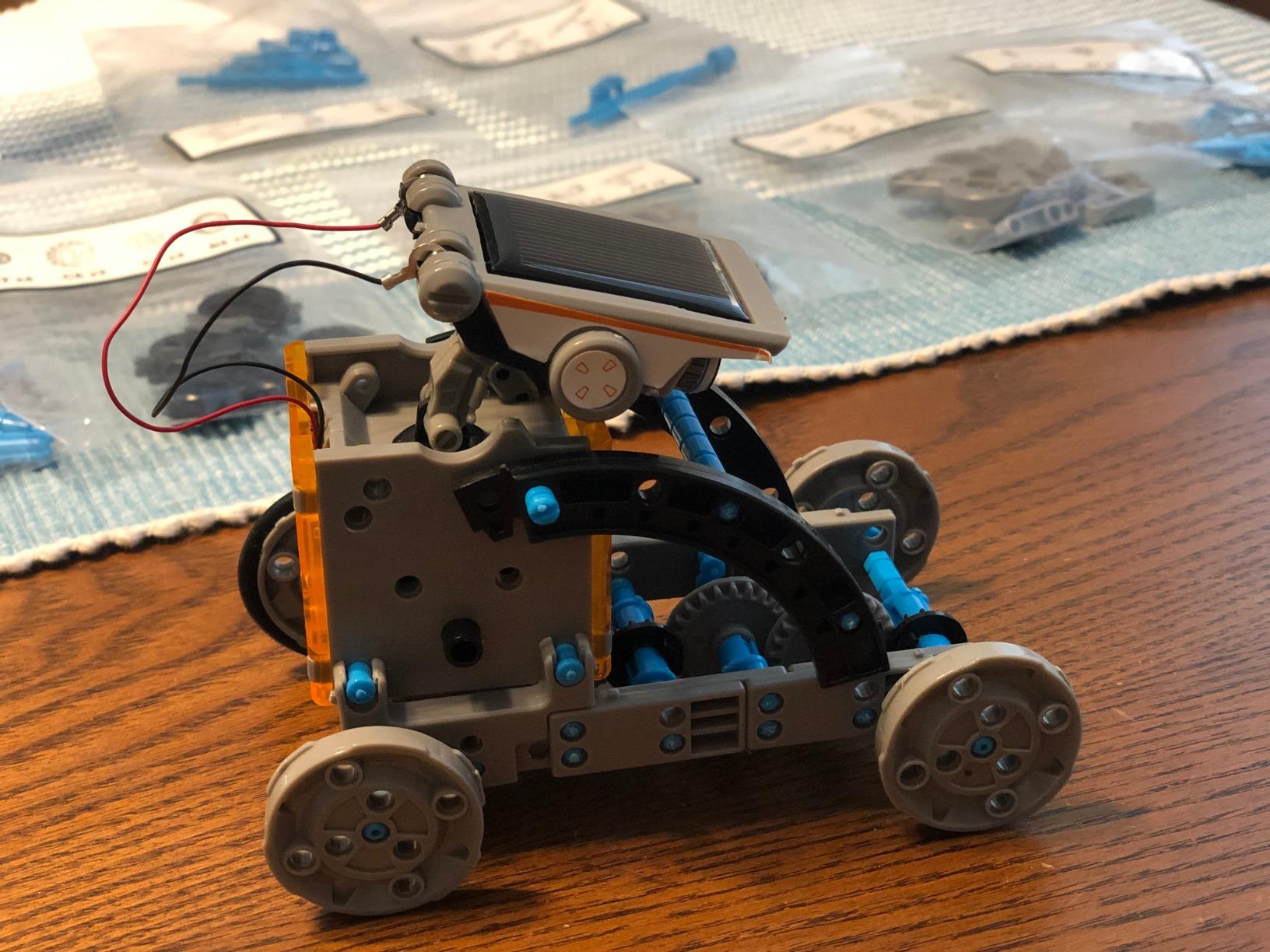
Part count is the headline here, and it is a real advantage for this age. 190 ABS components build twelve different models, starting simple and working up in difficulty, so the same box produces a first robot in an afternoon and a genuinely tricky build a month later. That progression is exactly what keeps a kit off the shelf.
The renewable energy angle is a bonus. Kids learn that a photovoltaic panel needs a certain amount of light before the motors will turn, which is a deceptively good lesson about energy and thresholds. Reviewers value the sheer volume of parts and the tiered difficulty, while noting the models need real sunlight.
The Solar Constraint Is Real, So Plan Around It
This is the one thing to understand before you hand it over. A solar kit performs well outdoors on a bright day and struggles in a dim room. The workaround parents report is a strong artificial light source, which works well enough for testing a model but is not the same experience as watching a robot move across a sunny patio.
Plan the builds for weekends when you can put it outside. That constraint actually helps, because it turns screen time into a scheduled activity rather than something that happens by accident. Reviewers also flag that some smaller parts are fiddly to assemble and easy to lose, so a small parts tray from the kitchen drawer is worth setting out first.
Tiered Difficulty Is What Separates This From a One-Build Kit
Most kits in this category ship with one model. Twelve models of rising difficulty means the child meets a new problem at each stage rather than repeating a solved one. That is the difference between a kit that teaches and a kit that entertains for one afternoon.
Where It Falls Down
A 4.3 average is the lowest rating among the twelve kits here, and the review data points at two causes: light dependency and assembly friction. Neither is a dealbreaker for a patient child, but both need an adult who is willing to sit with them on the first build. If your child gets discouraged easily, pick the Snap Circuits kit instead.
3. Smartivity Hydraulic Aeroplane and Dart Launcher – A Clean Hydraulic Lesson
Smartivity 2in1 Hydraulic Aeroplane & Dart Launcher STEM Kit Ages 6-14
Ages 6-14
58 parts
Engineered wood
Hydraulic power
+ Pros
- Two models in one kit with a satisfying launch payoff
- Genuinely hands-on hydraulic pressure lesson
- Engineered wood feels premium and durable
- Manufacturer offers free replacement parts for life
- Cons
- Single fixed build rather than many repeatable models
- Paper aeroplanes and darts must be supplied separately
Hydraulics are hard to teach from a diagram, and this kit solves that by building a machine that visibly converts hand pressure into a launch. The Smartivity kit uses 58 engineered wood parts and needs no batteries and no screen, which makes it a genuinely screen-free weekend that still ends in a physical result. My tester had it flying paper aeroplanes across the kitchen within an hour.
Parents report liking the satisfying launch payoff and the screen-free build time, and the free lifetime replacement parts promise is a genuine advantage for a wooden kit that will get knocked about. The engineer’s design here is a good one: no sharp edges, no motors, nothing that needs an app.
Why Hydraulics Are Worth a Dedicated Kit
A hydraulic system converts pressure in a confined fluid into force. Children meet this idea in cranes, car lifts and excavators, but those are all things they watch rather than operate. Here the child is the operator, so the concept arrives through the hands instead of through an explanation.
It also teaches sequencing. Pressure has to build before the launch happens, so the cause and effect are separated by a second or two, and the child starts experimenting with how hard to press. That’s the kind of unstructured trial and error that produces confident problem solvers.
The Single-Build Limitation Is the Trade
This is one build, not a set of twenty. Once the launcher works, the kit is finished unless the child improvises a different payload. Parents value the screen-free focus, but reviewers note the fixed nature of the build clearly, so buy it as a focused project rather than as a long-term system.
One practical note. The paper aeroplanes and darts are not included, so budget a pack of folded paper and a few soft foam darts on hand. It is a small thing, but it is the first question every parent asks after opening the box.
4. Playz V8 Engine Model – A Serious Weekend for Older Hands
Playz Large V8 Engine Model Kit Build Your Own Mini V8 Engine kit that Runs
Working 8 cylinders
3 AA batteries needed
Plastic
Manual operation
+ Pros
- Working 8-cylinder model with moving pistons crankshaft and belts
- Translucent body shows the four-stroke cycle while running
- Teaches real engine timing and valve mechanics
- Support replaced missing and broken parts quickly
- Cons
- Diagram-only instructions with some vague steps
- Parts need filing after removal and bags are unlabelled
- Cam gears can walk off and need gluing
This is the outlier in the roundup, and it’s the one I’d hand to a 10 year old who wants a project rather than a toy. The Playz V8 builds a working eight-cylinder engine where the pistons, crankshaft, camshafts and belts all move, and the translucent body lets you watch the four-stroke cycle run. That’s not a metaphor for combustion. That is combustion.
Reviewers describe it as a serious project, and that framing matters. At 4.4 stars from nearly 5,000 ratings, the praise is heavily about how much about engine mechanics children absorb, balanced against real complaints about the instructions. Know what you’re signing up for before you open the box.
A Six-Hour Build That Needs an Adult Nearby
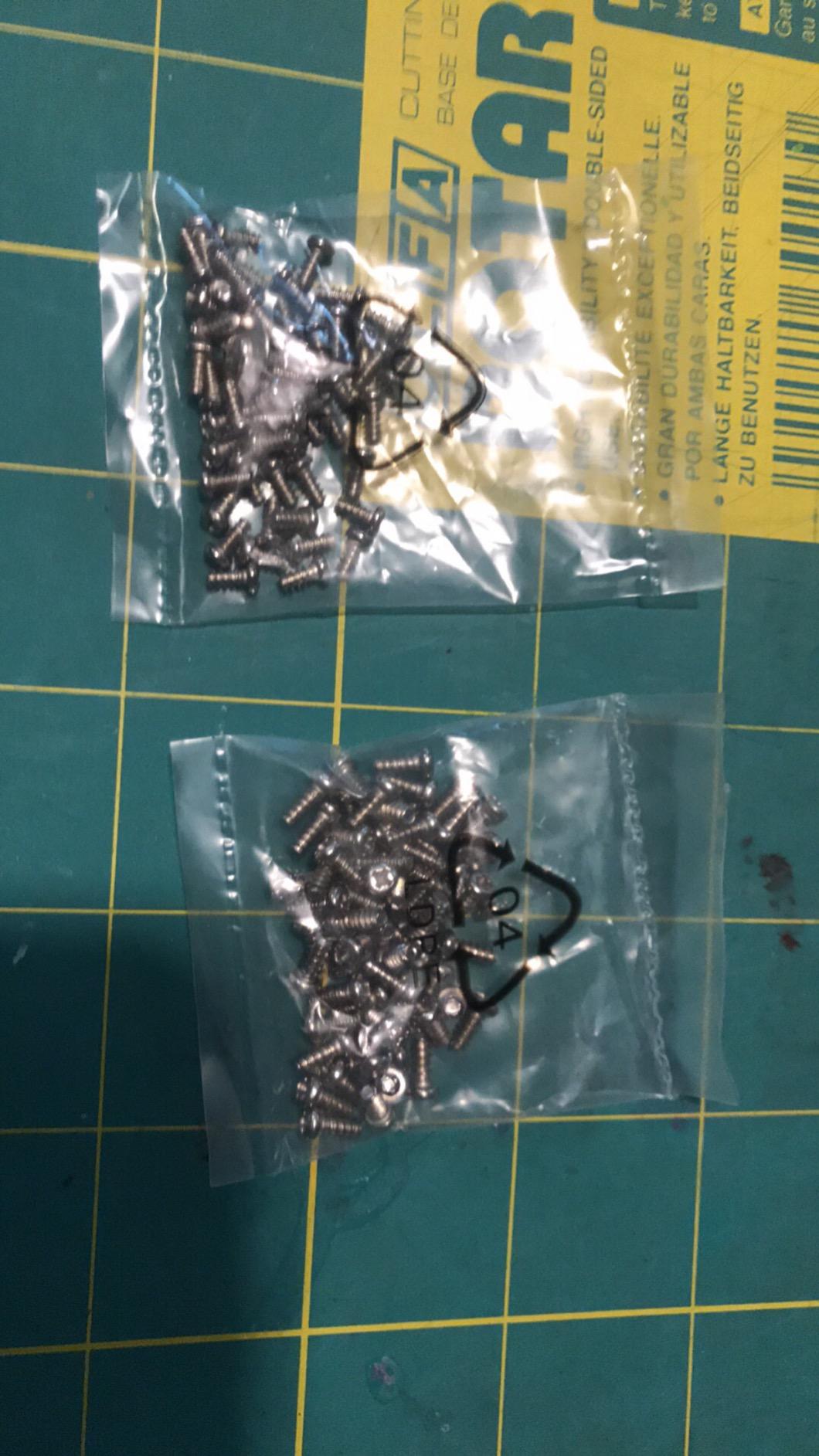
Count on a full day of building, and plan the first session with an adult present. Reviewers repeatedly describe a build that runs six hours or more, which is well past what most 10 year olds will do unsupervised. The structure is fine, but the sheer number of small stages is where attention runs out.
The most common complaint is the instruction booklet. It uses diagrams rather than written steps, some stages are vague, and the bags of parts are not labelled, so a child hunting for a specific gear mid-build has to compare shapes rather than read a list. Budget an hour of adult time sorting parts before the first piece goes together and the experience improves dramatically.
The Learning Is Genuinely Worth the Friction
What a child takes from this is the four-stroke cycle. They see the piston rise and fall, the crankshaft turn, and the valves open and close in sequence, and they can hold a physical mental model of how an engine makes power. That model is genuinely hard to get from a textbook, and it transfers straight into physics and chemistry.
It also teaches tolerance for imperfect parts. A gear that walks off its camshaft and needs a dab of glue is a small, concrete lesson in fixing a mechanical fault rather than abandoning the machine. Several reviewers mention the moulded drive belt running choppy and the recorded engine sound having no off switch, so expect noise.
Who This Is For
Choose it for a patient child who likes long projects and has an adult willing to share the bench. Skip it for a child who wants independent play, or for a family that does not want to run down to a hardware store for a file and a pair of tweezers.
5. Thames and Kosmos Mega Cyborg Hand – Pneumatics You Can Wear
Thames & Kosmos Mega Cyborg Hand STEM Experiment Kit | Build Your Own GIANT Hydraulic Amazing Gripping Capabilities Adjustable for Different Sizes Learn Pneumatic Systems
No batteries
Plastic and tubing
Three configurations
STEAM Toy of the Year winner
+ Pros
- Wearable adjustable hand with real gripping force
- Runs on air pressure and water with no motors
- Three configurations fit different hand sizes
- Comic-style manual mixes story with clear physics facts
- Cons
- Grip is hard to operate with small or weak hands
- Three to four hours of assembly needing heavy adult help
- Parts leave sharp sprue edges that must be sanded
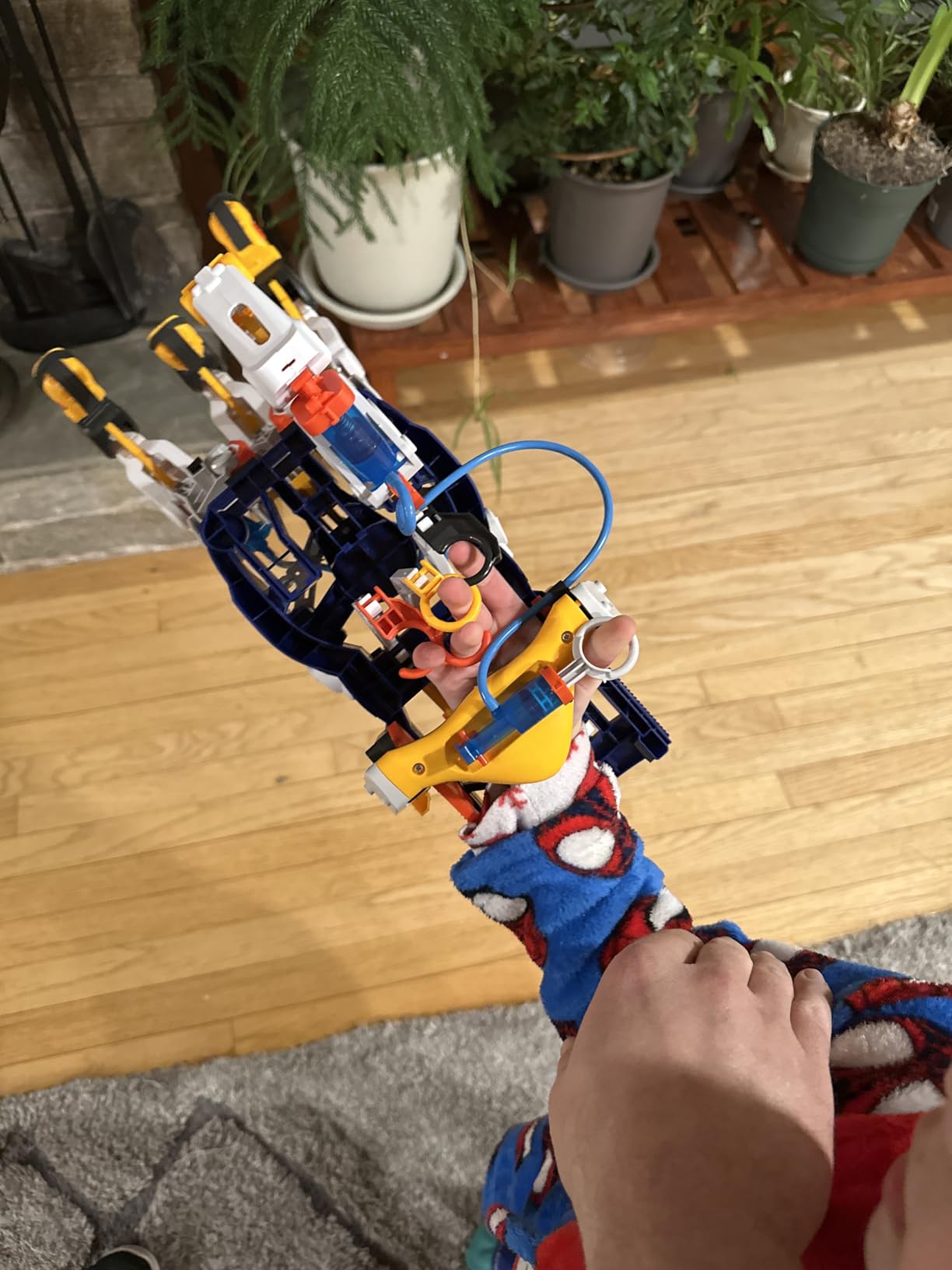
The idea of a mechanical hand that a child wears and operates with their own fingers is genuinely brilliant, and the Thames and Kosmos Mega Cyborg Hand is the version of that idea that works. It uses air pressure, water and hand power, with no motors and no batteries at all, and hydraulic pistons open and close the fingers with enough force to lift objects.
It converts to three configurations, so it can be worn on either hand or set up as a claw. That alone triples the number of experiments in the box, because the same mechanism behaves differently in each setup. It won a Toy Association STEAM Toy of the Year award, and parents consistently call the hydraulics lesson educational.
No Motors and No Batteries Is an Underrated Feature
Most kits in this category include a battery compartment, which means a charger, a set of cells and a failure point. This one uses a column of water and hand pressure to push the pistons, so it works anywhere with no consumables. For a child who loses interest the moment something needs plugging in, that is a real advantage.
It also makes the physics visible in a way a motor hides. The child can slow the action down, watch the pressure build in the tubing, and feel the resistance in their own hand. Reviewers describe the manual as mixing comic-style story material with clear physics facts, which keeps reluctant readers engaged longer than a dry instruction book.
Assembly Is the Hard Part, Not the Concept
Plan three to four hours with adult help for the first build. Reviewers note that younger children need heavy assistance, that parts pop off sprues leaving sharp edges which must be sanded down, and that no spare cylinders or piston seals are included. Have a sanding block out from the start; it turns a thirty-minute annoyance into a two-minute one.
The grip strength is the other thing to test early. Owners report it is hard to operate with small, weak hands, so a 10 year old will manage it comfortably while a younger sibling may struggle. That is a good reason to check the intended user before you commit.
What to Build First
Start with the claw configuration. It is the simplest to operate and gives an immediate result, then move to the worn-on-the-hand setup once the mechanism is smooth. A child who sees the claw grab a plastic cup in the first ten minutes will spend considerably more time on the harder configurations.
6. Smartivity Robotic Mechanical Hand – Cable and Pulley Without a Battery
Smartivity Robotic Mechanical Hand STEM Toy for Kids 8-14
Ages 8-14
Wood construction
Cable and pulley
Screen-free
+ Pros
- Wooden mechanical hand with cable-and-pulley control
- Age 8-14 range fits a 10 year old well
- Parents Choice Award winner and Toy of the Year finalist
- Manufacturer supplies replacement parts for life
- Cons
- One fixed build rather than a multi-model set
- Wood construction is less interchangeable than plastic snap systems
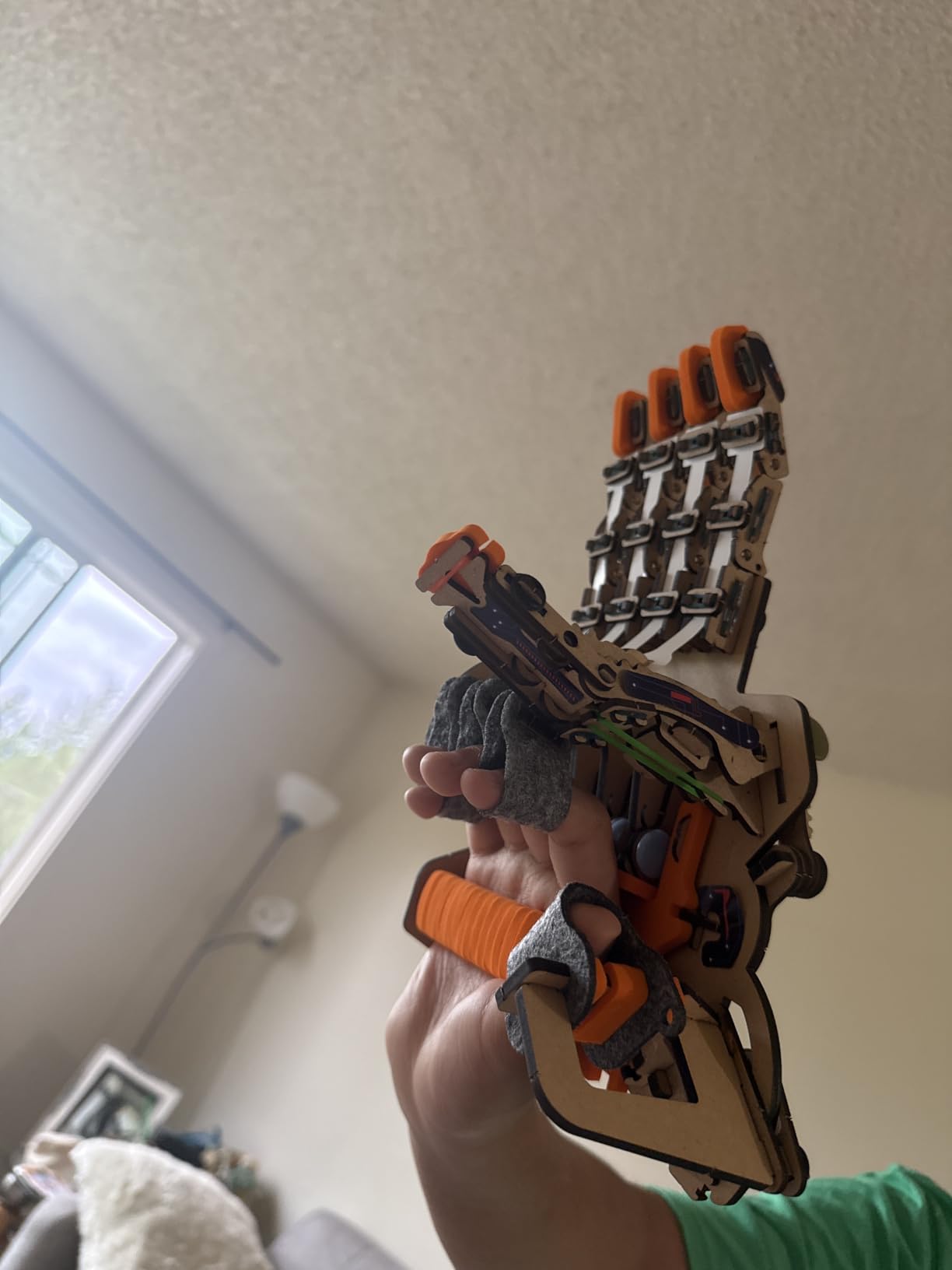
This is the more accessible sibling of the Cyborg Hand. The Smartivity mechanical hand uses a cable-and-pulley linkage rather than hydraulics, which means fewer moving seals, no water and no air pressure to get right. For a 10 year old who wants a satisfying mechanism without the fussy stages, the simpler drivetrain is often the better first experience.
The stated age range of 8 to 14 is the most useful thing on the box. It is a tight fit for a 10 year old in a way that most kits are not, and it carries a Parents’ Choice Award alongside a Toy of the Year finalist badge. Reviewers praise the finished mechanism, the durable wood build and the clear instructions.
Cable and Pulley Versus Hydraulics: Which to Choose
If your child has already built the Mega Cyborg Hand or is comfortable with mechanical assembly, go hydraulic for a more advanced lesson. If this is the first kit, choose the cable-and-pulley version. It teaches the same core idea, that a small input force can produce a larger output at the end of a linkage, with far less that can go wrong.
Screen-free engagement is the quiet strength here. Parents describe the build as something that keeps kids busy for hours without a screen, which is precisely the substitution most families are trying to make when they search for an engineering kit in the first place.
Durability Versus Flexibility
The engineered wood construction feels substantial and is unlikely to shatter if dropped, which matters for a kit that will be handled roughly. The trade-off is that wood is not interchangeable. You cannot add a new module from another system or reconfigure the frame, so the kit delivers one strong mechanism rather than an open-ended parts library.
The lifetime free replacement parts promise is what softens that limitation considerably. If a cable snaps or a connector cracks, the manufacturer supplies replacements, so the model can be rebuilt rather than written off.
Who Should Look Elsewhere
Choose something else if your child wants to invent rather than complete. This is a single finished object, and once the hand moves there is no second model inside the box. For open-ended making, the Tinkering Labs box later in this list is a much better fit.
7. Makeblock mBot Robot Kit – The Only Real Coding Option Here
Makeblock mBot STEM Coding Toys Robotics for Kids Ages 8-12
Ages 8-12
Scratch and Arduino
4 AA batteries
Metal and plastic
+ Pros
- The only true coding kit here with Scratch and Arduino
- Assembles in about 15 minutes so kids reach coding fast
- Line-following and obstacle-avoidance modes work out of the box
- Extends to 100+ modules and 500+ parts plus LEGO pieces
- Cons
- Robot and remote both need batteries that are not included
- Coding software and documentation are English-only
- One robot model rather than a multi-project set
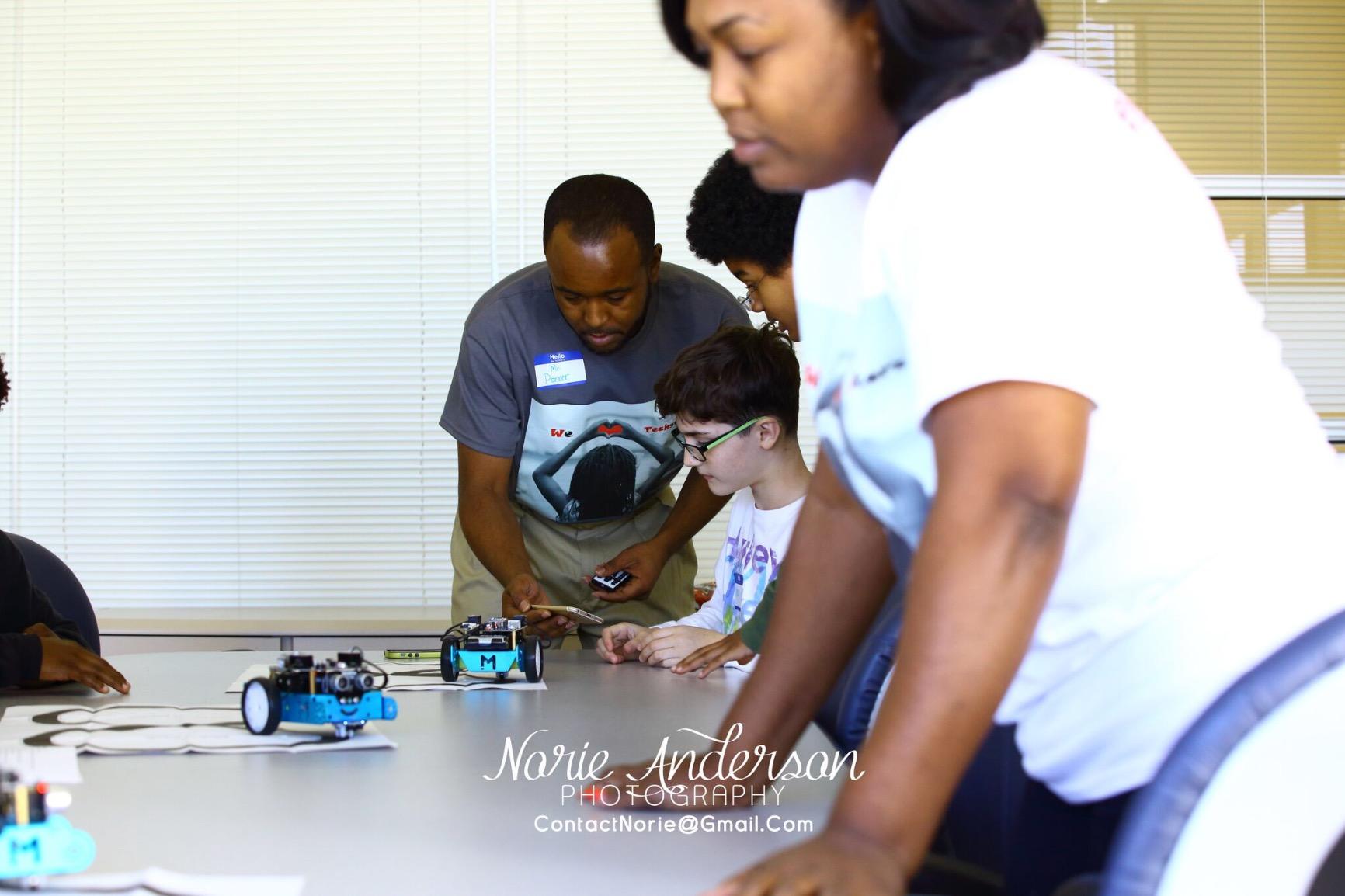
If your child wants to write instructions rather than follow them, this is the kit. The Makeblock mBot is the only product in our roundup with a real programming environment, moving from block-based visual coding in Scratch to Arduino, with three free apps and coding cards included. The transition from drag-and-drop blocks to real code is the single most valuable skill on this list for a 10 year old.
Assembly is the standout number. Roughly 15 minutes, which is dramatically faster than anything else here, and it means the child gets to the interesting part within a single sitting. It also works as a remote-controlled car straight out of the box, with line-following and obstacle-avoidance modes that demonstrate sensor logic before the child writes a line of code.
Fifteen Minutes From Box to Coding Session
Compare that with a six-hour engine build or a three-hour hydraulic assembly. The mBot gets from unboxing to running code in less time than it takes to make a snack, and for a child with a short attention window that ratio is the whole product. Reviewers consistently point to the quick assembly and the free apps as the reasons it holds up.
The metal construction is also worth mentioning. Robot kits at this level are usually light plastic, and a metal chassis survives the drops and table-slams that a 10 year old inevitably produces.
Block-Based First, Text-Based When They’re Ready
Scratch-style block coding is the right entry point at 10. The child drags a loop, a conditional and a wait block into place and immediately sees the robot respond, which builds the mental model that programming is sequencing and repetition. Once that is comfortable, the same ideas map onto Arduino text code without changing what the robot does.
Parents on specialist forums describe this as the natural on-ramp from building to programming, and the platform’s compatibility with 100+ modules, 500+ parts and standard LEGO pieces means the robot is a starting point rather than a closed system. That matters for longevity.
The Practical Annoyances
Two things to plan around. The robot and the remote controller both need batteries that are not included, so buy a set of AA cells before opening the box. The coding software and documentation are English-only, which is worth knowing if your home language support matters to you. This is also a single robot rather than a multi-project set, so the long-term value comes from the expansion ecosystem rather than from the box.
8. Thames and Kosmos Structural Engineering – Bridges, Loads and Forces
Thames & Kosmos | Structural Engineering: Bridges & Skyscrapers | Science & Engineering Kit | Build 20 Models | Learn about Force, Load, Compression, Tension | Parents’ Choice Gold Award Winner, Blue
Ages 8-14
285+ pieces
20 models
36-page manual
+ Pros
- 20 models that each demonstrate force load compression and tension
- Over 285 interchangeable pieces for free redesign
- Well-illustrated 36-page manual written for the topic
- Used successfully in physics and mechanics classes
- Cons
- Cheap plastic pieces can break at tight snap connections
- Included yellow tool does not grip pieces effectively
- Structural only with no moving powered parts
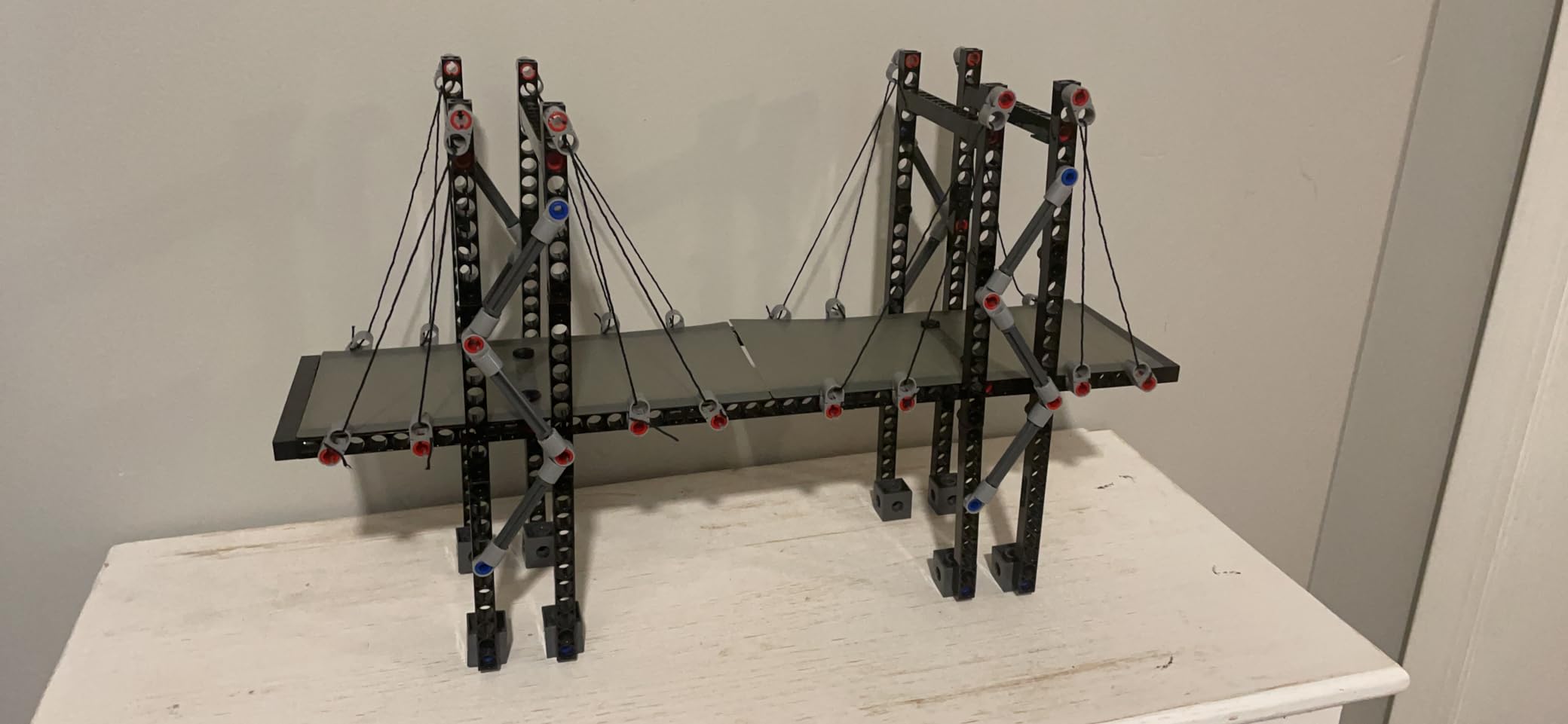
Structural engineering is the branch of this hobby most children never get exposed to, and this is the kit that fixes that. The Thames and Kosmos Structural Engineering set builds 20 different models, each one demonstrating a specific idea about force, load, compression and tension. A bridge is a lesson in compression, a cable is a lesson in tension, and the child can see which one holds.
Over 285 interchangeable pieces means the models are not locked in sequence. After working through the manual, a child can take a truss apart and rebuild it with a different geometry to test which arrangement resists a heavier load. Teachers and grandparents single out how well the models illustrate load and force, and this set is used in real physics classrooms.
Twenty Models, One Underlying Idea
The manual is structured so that each model isolates a variable. That is good teaching design, and it is why this kit pairs well with a school topic on structures and civil engineering. The child loads a model, sees where it fails, changes the shape and tests again, and that iteration loop is where the spatial reasoning and failure analysis actually develop.
Because the pieces are interchangeable, the twenty models are a starting point rather than a limit. A determined child will invent structures the manual never shows, which is precisely the behaviour you want from an engineering kit at this age.
Durability Is the Weak Spot
This is the honest caveat. Reviewers report that the cheap plastic pieces can break, especially at the tight snap connections, and that the yellow tool included for taking pieces apart does not grip effectively. A small flat-head screwdriver or a pair of good tweezers makes a noticeable difference after a year of use.
Note also what this kit does not do. There are no motors, no sensors and no moving powered parts. It is pure structural and mechanical engineering, which is a legitimate and valuable discipline, but if your child wants things to move, this is not the box.
How to Get the Most Out of It
Run the models in order the first time, then break the pattern. Give the child a specific brief, such as spanning a set distance with the fewest pieces, and let them redesign. Reviewers describe it as a classroom favourite, and that structured challenge is what keeps it out of the toy bin at home.
9. National Geographic 120 Circuit Kit – The Deepest Project Library
National Geographic Circuit Kit for Kids with 120 Electrical Projects
Ages 8 and up
120+ projects
QR video guides
No tools
+ Pros
- 120+ electrical projects and activities
- QR code video instructions alongside illustrated diagrams
- Wires snap securely to components with no tools
- Blue Marble is a Toy of the Year winner with US-based support
- Cons
- Snap-wire circuits are limited compared with a breadboarding platform
- Large box with many loose small parts to keep organised
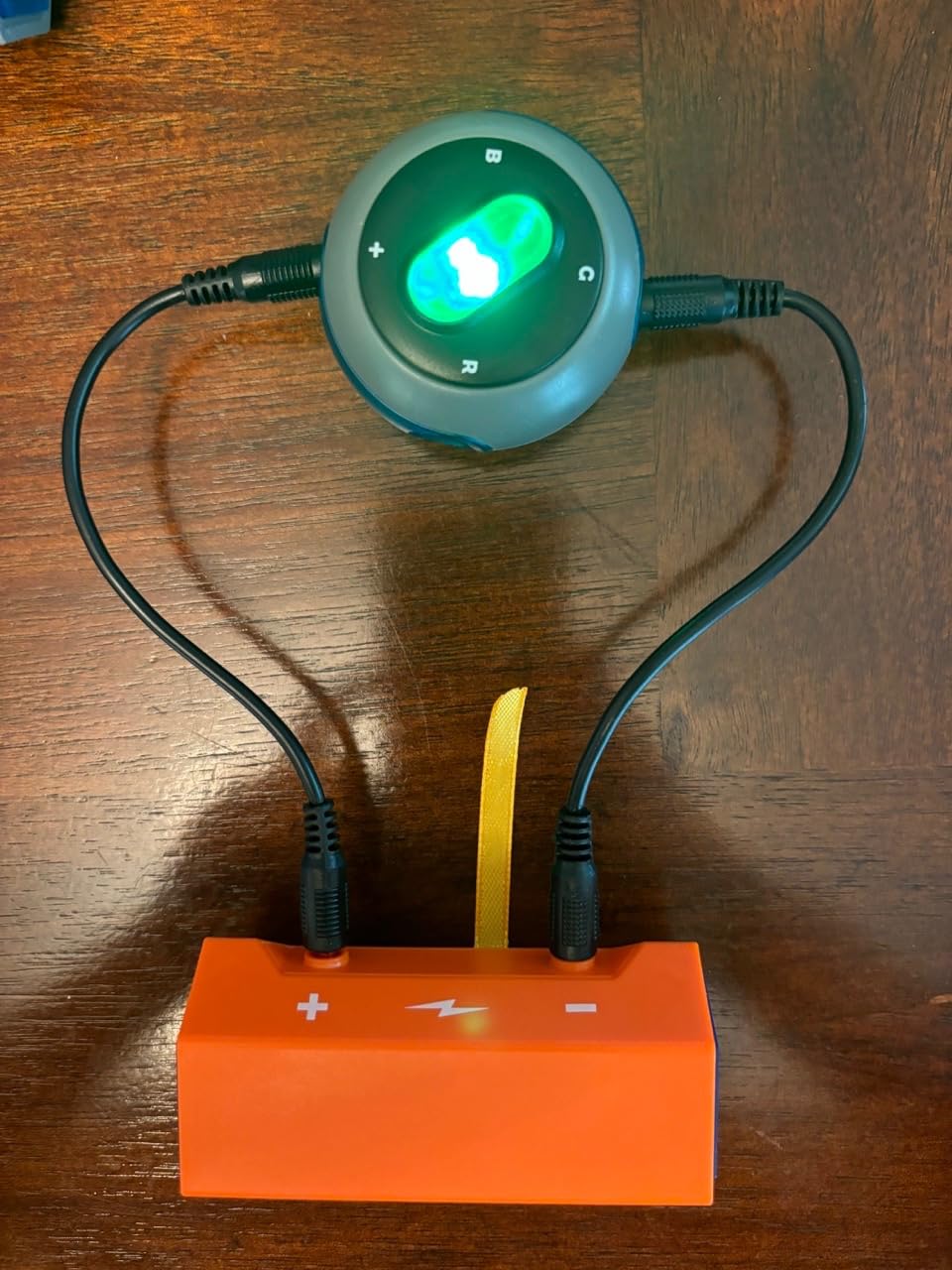
This kit rates 4.7 stars, and the reason is straightforward: 120 and something electrical projects in a single box. Where the Snap Circuits Jr. kit covers 100 projects on a snap grid, this one runs its own snap-wire system with a much larger component set and a QR code video guide for every build, which solves the instruction problem that trips up most circuit kits.
The video guides matter more than they sound. A child who misreads a diagram will abandon a circuit build; a child who can scan a code and watch the assembly gets unstuck independently. That single feature changes how long a kit survives with a child who works alone.
Project Depth: 120 and Something Circuits
120 and something projects and activities beats 100 projects by a meaningful margin, and the breadth is different. The feature list includes keyboard mode songs, light shows, a flying copter and a voice-amplifying sound system, so the child moves from simple LED circuits to things that genuinely respond to input.
At 4.7 stars the rating distribution is unusually clean, and owners point to the number of projects, the video instruction support and how long it occupies a child. That last point is the metric that matters most for this age.
Managing the Small Parts Problem
The main complaint is organisational rather than educational. This is a large box with many loose small parts, and a build that gets interrupted halfway through means a hunt for a specific component on the kitchen floor the next morning. Spend two minutes sorting the components into a divided tray at the start, and the friction largely disappears.
Wires snap securely to each component and no tools are required at all, which keeps the setup simple for an independent build. Just understand that these are snap-wire circuits, not a full breadboarding platform, so the ceiling is lower than a kit with a programmable board.
Support Matters More Than Marketing
Blue Marble is a Toy Association Toy of the Year winner with a US-based support team, and that is worth more than it sounds. A parent dealing with a missing component or a confusing step has somewhere to ask, and parents dealing with unsupported products are the ones who regret purchases most. Reviewers flag the parts volume, not the support, as the only real friction.
10. Tinkering Labs Electric Motors Catalyst – An Open Box, Not a Model
Tinkering Labs STEM Kits for Kids Age 8-10 | Inventors Kids Science Kit, Robot Building, and Engineering with Electricity Circuits | Coolest DIY Toys and Best Birthday Gifts for 10 Year Old Boy Girl
50+ parts
Metal and wood
Real tools
Classroom guides
+ Pros
- Open-ended box with over 50 parts and no fixed build
- Mixes laser-cut wood motors and authentic hardware connectors
- Guides developed by US teachers for classroom use
- Non-toxic durable parts designed to be rebuilt repeatedly
- Cons
- Open format is less immediately satisfying than a model with a finished goal
- Broad design may need guidance from an adult
- Manual and guides are English-only
Every other kit on this list is a model. The Tinkering Labs Electric Motors Catalyst is a box of parts, and that difference changes everything about how it is used. With over 50 components including laser-cut wood, motors, authentic hardware connectors, rubber bands and real tools, there is no finished object to reach. There is a workshop.
Parents value the durability and the authentic hardware, which feels like real workshop equipment rather than moulded toy plastic. The guides were developed by US teachers with classroom use in mind, and the parts are non-toxic and designed to be built again and again. Recognised by Creative Child Magazine and the National Parenting Association, it has the closest thing to third-party validation on this list.
The Hardest Part Is the Lack of a Clear Win
This is the honest downside and the reason this kit does not top the roundup. A model kit delivers a moment of completion, and a 10 year old often needs that payoff to stay motivated. An open box has no finish line, so a child who is not naturally inclined to invent can stall after the first experiment and conclude the kit is boring.
It is not boring, it just needs a brief. Give it a specific problem, such as building a device that lifts a paperclip off the table or moves a ball down a ramp, and the open format becomes an advantage. Reviewers note exactly this trade-off, that the format suits a child who enjoys inventing without a fixed model.
Real Tools and Real Connectors
The hardware is the point of this kit. Authentic connectors and actual tools mean the child learns the same handling habits as a real workshop, including how to attach something securely and how to check that a joint will hold under load. That motor skills transfer to every other kit on this list and to a lot of real-world tasks.
Set the expectation before opening the box that this is a long-term resource rather than a one-weekend project. Parents describe it as something that gets handed down, which is a good sign for value if your child is one of several. The English-only guides are worth knowing about in advance.
11. Thames and Kosmos Architectural Engineering – Trusses to Skyscrapers
Thames & Kosmos Architectural Engineering | Science Experiment & Model Building Kit | Build 26 Models of Structures & Structural Elements | A Parents’ Choice Gold Award Winner 14.6 Inches
Ages 8+
26 models
44-page colour manual
Plastic parts
+ Pros
- Progresses from trusses and arches to scaled real-world buildings
- Flexible pieces mimic steel frames so shape drives strength
- Compatible with other Thames and Kosmos engineering kits
- 44-page full-colour manual leaves room for original designs
- Cons
- Part count supports roughly one substantial structure at a time
- Pieces are plastic although box photography suggests metal
- Some buyers reported missing parts resolved quickly by support
Where the structural kit teaches you why a bridge stands up, this one teaches you how buildings are shaped. The Thames and Kosmos Architectural Engineering set starts with basic structural elements, trusses, arches and domes, then works up to scaled-down real buildings, finishing at around 14.6 inches for the largest model. It is a Parents’ Choice Gold Award winner, and families building the large models report they are visually striking.
The flexible pieces mimic steel frames, which is the clever part. Because the elements flex, a child can feel the difference between a rigid frame and a weak one before the structure is ever loaded. That tactile feedback is what makes the lesson stick.

Cross-Kit Compatibility Is the Real Feature
The pieces work with other Thames and Kosmos engineering and physics kits, and that compatibility is worth more than any single model in the box. A child who owns the structural set can combine trusses from one with architectural elements from the other, effectively doubling the number of possible builds. If you are already buying into this brand, that is a strong argument for starting here.
Planning skill is the stated educational objective, and the 44-page full-colour manual supports it by walking through the reasoning behind each structure rather than just listing steps.
Manage Expectations on the Model Count
The advertising says 26 models, and reviewers are clear that the piece count realistically supports roughly one substantial structure at a time rather than 26 back-to-back builds. Nothing is wrong with the kit, but plan for a sequence of projects across several weeks rather than a weekend marathon.
One practical point worth flagging. The parts are plastic even though the box photography suggests metal frames, and a few buyers reported missing pieces, which customer service resolved quickly. Sort the components into a tray after opening, and check the count against the manual before starting.
Who It Suits Best
This is the pick for a child who draws buildings, loves scale models or is fascinated by how cities work. Pair it with the structural kit later and you have a full year of civil engineering projects without buying anything else.
12. Engino Physics Laws – Inertia, Friction and Circular Motion
Engino STEM Toys, Physics Laws: Inertia, Friction & Circular Motion, Engineering Kit for Kids 9+, Creative STEM Projects, Gifts for Boys & Girls, Building Toys (6 Model Options)
Ages 9+
6 working models
12 pages of theory
2-year warranty
+ Pros
- Six genuinely working models including a rocket launcher and crash rig
- 12 pages of theory plus a 4-page quiz book reinforce the physics
- Interactive 3D app lets kids build models virtually
- Components made in Europe with a 2-year limited warranty
- Cons
- Instructions are incomplete in places
- Small parts are easy to drop and lose
- Velcro sandpaper pads are poor quality and shed
Almost every kit on this list teaches physics as a side effect. The Engino Physics Laws set teaches it explicitly, with 12 pages of theory, experiment ideas and a 4-page quiz book sitting alongside six working models including a rocket launcher and a crash test rig. For a 10 year old who is also being asked to explain inertia and friction in a school test, having the physical model and the written concept in the same box is genuinely useful.
The interactive 3D app lets the child build the models virtually first, which solves a real problem: a child who is unsure of a step can rehearse the assembly without taking the physical pieces apart. Tutors and parents buy this set specifically for the theory-plus-quiz structure, and teachers report successful classroom STEM sessions with it.

Where the Theory Book Earns Its Place
The written component is what separates this from a mechanical building set. Reading a paragraph on friction and then immediately building something that demonstrates it creates a link between abstract and concrete that most kits never make. The quiz section at the end gives the child a reason to re-read the theory, which is a habit worth building at this age.
That said, 12 pages is a light treatment. If the child is struggling with the physics at school, this is a supplement to a proper textbook rather than a replacement for one.
Instructions and Consumable Parts Are the Weak Spots
Reviewers repeatedly flag that the instructions are incomplete in places, leaving the child to infer some steps, and that small parts are easy to drop and lose. The 80-grit sandpaper pads supplied with one model are also singled out as poor quality and quick to shed, so expect to replace them or work around that experiment.
Set the components out in a sorted tray and work through the six models in the order the book presents them, because each one builds on a concept from the previous. The 2-year limited warranty and European-made components are a genuine reassurance on a kit made of many small plastic parts.
Best-Fit Scenario
This suits a 10 year old who reads well and enjoys the theory as much as the build. For a child who just wants to make things move, the structural or circuit kits on this list are a better use of the same weekend.
How to Choose an Engineering Kit for a 10 Year Old
Pick the discipline first, because a kit that matches what your child is already curious about will get more play than a more advanced kit in a field they have no interest in. A child who is always taking things apart belongs in circuits. A child who is drawing buildings belongs in structural and architectural kits. A child who games and wants to control things belongs with the coding robot.
Then decide between build-it-once and rebuild-it-many-ways, which is the decision parents most often miss. Build-it-once kits deliver a dramatic finished result, which is powerful motivation and completely finite. Rebuild-many-ways kits, measured by the number of distinct models or by open-ended parts, keep producing new problems and last far longer. Our experience is that the second category keeps a 10 year old engaged for a year or more.
Check the device requirements before you commit, because this is where the frustration lives. Coding robots need a phone, tablet or laptop and a compatible app, and parents on forums describe app compatibility, Chromebook support and software that stops being updated as recurring problems. Kits made of plastic parts, wood and water need nothing at all, which is a real advantage for a child who already has plenty of screen time.
Finally, look at the manual. A well-illustrated booklet with a clear numbered sequence is the single biggest predictor of whether a 10 year old can finish a build without an adult. Several kits here have strong reviews and weak instructions, and those are the combinations that end up half-built in a cupboard.
A Note on Gender and Marketing
Almost every product listing in this category is marketed to boys. That is a marketing convention, not a signal about who builds things, and the kits in this roundup are all suitable for any child regardless of gender. Presenting a build kit as an engineering tool rather than a toy is what keeps it interesting, and the children who get the most out of these are the ones whose parents treat the activity as serious rather than as a birthday novelty.
Safety, Small Parts and How Much Adult Help Is Real
No competitor roundup we reviewed covers supervision, and it is the question parents ask us most. The general rule is that anything with pieces small enough to fit through a toilet paper tube should not be used by a child under three, and at 10 the risk is different: it is swallowed pieces, springs under tension and pinch points rather than choking.
Watch for three specific things. First, parts that pop off a sprue leaving sharp plastic edges. Both the Mega Cyborg Hand and the Playz V8 engine have this issue, and a sanding block fixes it in minutes, but do it before the child handles the parts rather than after someone scrapes a knuckle. Second, pinch points in moving mechanisms, particularly the Cyborg Hand and the V8 engine, where fingers sit close to gears and belts. Third, batteries, which the mBot and the circuit kits all require and none of them include.
On supervision during the first build, our finding is consistent. Kits with a numbered illustrated manual and a clear finished goal can mostly be built by a 10 year old alone with an adult nearby. Kits with diagram-only instructions or open-ended parts genuinely need an adult sitting in for the first session. On the V8 engine that means a full day’s shared work, and on the open-ended Tinkering Labs box it means an adult supplying the initial brief.
None of the kits in this roundup require soldering, which is a meaningful safety decision at this age. Every one is built with snaps, screws, magnets, water or hand power.
What to Do When the First Build Is Finished
Finished is the most common word in the parent messages we get, and it is a solvable problem. The kits with the highest review counts here are the ones with the deepest project libraries, which is not a coincidence. When a box offers 100 or 120 projects, the answer to finished is simply the next page of the manual.
For single-build kits, give the child a modification brief rather than a new kit. Raise the launch distance by a specific amount, increase the load on the bridge, or add a sensor and change the program. A constraint converts a finished object back into an engineering problem, which is the entire point of the activity.
Free community resources extend this further. Free model libraries such as Makerworld give you printable and buildable projects, vendor lesson plans cover structured sequences for the classroom, and the mBlock software includes tutorials and coding cards that support the robot long after the box is opened. Parents on maker forums specifically point to open model libraries as the thing that keeps a kit alive, so it is worth ten minutes of setup to find one that matches the kit you bought.
Frequently Asked Questions
What are the best robotics kits for 10-year-olds?
For coding, the Makeblock mBot is the strongest pick because it moves from block-based Scratch to Arduino and assembles in about 15 minutes. For pure building with no screen, the Sillbird 12-in-1 solar robot gives you 190 parts and 12 models of rising difficulty. For electronics, the Snap Circuits Jr. and the National Geographic 120 circuit kit cover the circuit side of robotics.
What is the best science kit for a 10-year-old?
The Engino Physics Laws kit is the most science-forward option, with 6 working models, 12 pages of theory and a 4-page quiz book in the same box. If you want engineering rather than pure science, the Thames and Kosmos Structural Engineering set teaches force, load, compression and tension across 20 models.
What are some good engineering build kits for kids?
The best engineering build kits fall into four groups: robotics and coding kits like the Makeblock mBot, electronics kits like the Snap Circuits Jr., hydraulics and mechanical kits like the Thames and Kosmos Mega Cyborg Hand, and structural kits like the Thames and Kosmos Structural Engineering set. The most important difference between them is whether the kit offers many rebuildable models or one fixed build.
What is a good STEM kit for a 10-year-old?
A good kit for this age has a clear finished goal, an illustrated numbered manual and at least 20 to 100 distinct builds or models. Our top pick is the Snap Circuits Jr. SC-100 with 100+ projects, because the project library means the kit never runs out before the child’s interest does. The Tinkering Labs Electric Motors Catalyst is the best open-ended alternative.
Are STEM kits worth the money?
They are worth it when the kit has depth and you sit with your child for the first build. A kit with 100 or 120 projects has a low cost per hour of engaged play and lasts for years. A single-build kit is worth it if your child wants a dramatic finished object and you treat the build as a shared weekend. The most common regret is buying an advanced kit rated 13 and up for a 10 year old.
Do engineering kits need a tablet or phone?
Most do not. None of the 12 kits in our roundup require soldering, and the circuit, hydraulic, wood and structural kits need no device at all. The Makeblock mBot is the only one that requires a computer or tablet, because it is a coding robot with a Scratch and Arduino programming environment.
Can a 10 year old build a robot kit alone?
Usually, if the kit has a clear finished goal and a well-illustrated numbered manual. The Makeblock mBot and the Snap Circuits Jr. can be built independently. The Playz V8 engine, the Mega Cyborg Hand and the open-ended Tinkering Labs box realistically need an adult present for the first session, and the V8 engine in particular runs to six hours or more.
Where to Start
If you take one recommendation from this guide, take the Snap Circuits Jr. SC-100. It has the highest rating in our roundup at 4.8 stars across more than 29k reviews, the largest guaranteed replay value with 100+ projects, and the lowest supervision requirement of any kit here. A 10 year old can start on it alone and still be finding new circuits a year later.
If your child is ready to move from building into programming, choose the Makeblock mBot instead, and get batteries before you open the box. If they want something screen-free with a dramatic finish, the Smartivity hydraulic launcher or the Playz V8 engine are the strongest options, and both are better as a shared weekend. If they like drawing and structures, the two Thames and Kosmos engineering sets are cross-compatible and pair well together.
Whichever you pick, agree on the second build before you open the first. That single habit is the difference between a kit that ends up in a cupboard in March and one that is still being taken apart in 2026.