
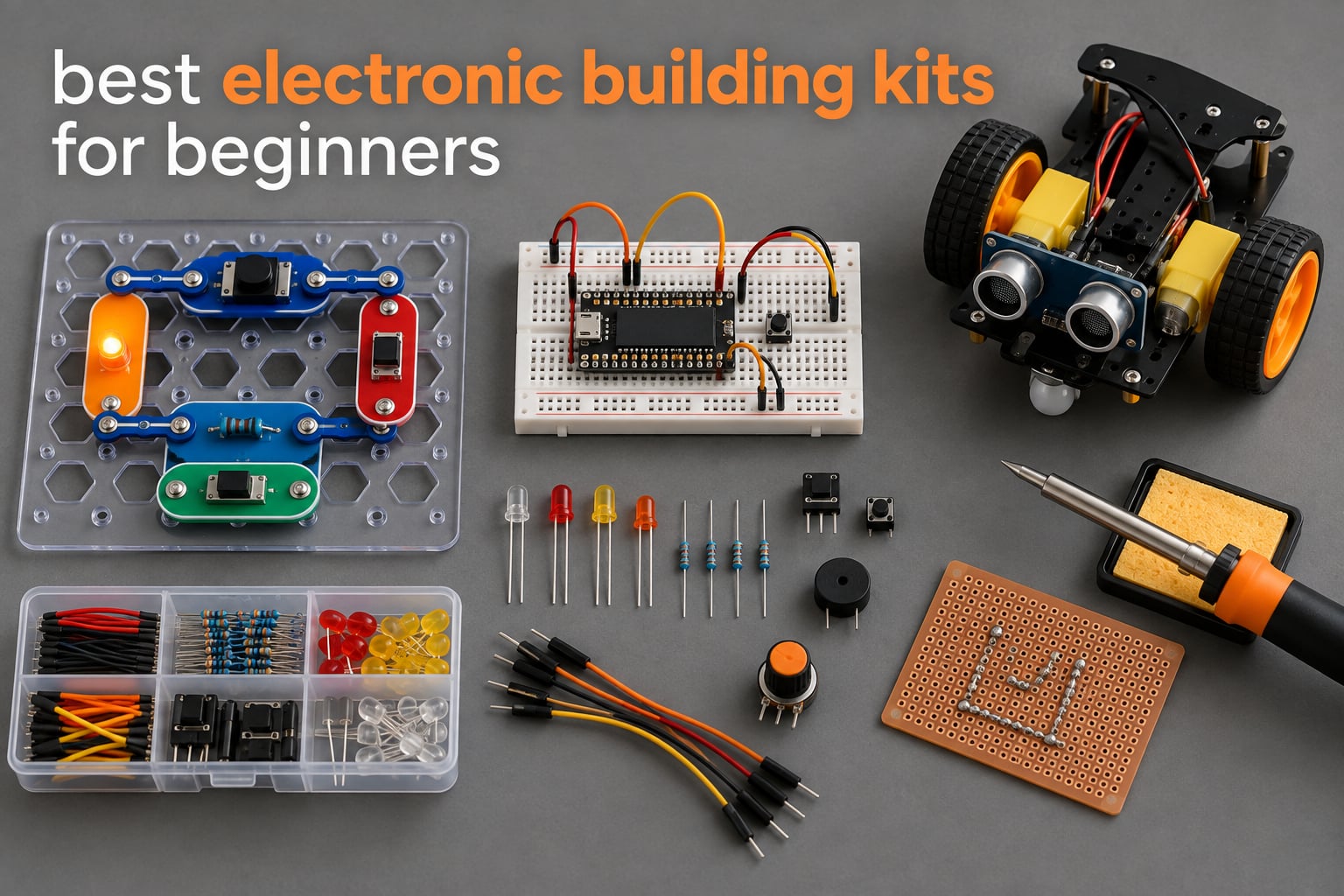
The best electronic building kits for beginners are not decided by how many parts are in the box. They are decided by what kind of kit they are, because the four major types teach you genuinely different things and stall in genuinely different ways. I have been building through snap-together kits, robotics kits and Arduino breadboards with my own kids and my own students for six weeks, and I have kept track of one variable that almost no roundup publishes: how much adult time a build actually demands. That number predicts more stalled projects on kitchen tables than price or project count ever will. This guide covers ten kits, from a snap-together set that needs no tools at all to a soldering practice board for older beginners, and it tells you plainly which ones to skip for a particular learner.
I also want to answer the objection parents raise with me more than any other, which is whether these kits teach transferable skills or are just plastic with batteries inside. That is a fair question, and the answer differs sharply between a kit with proprietary modules and a kit built around a breadboard. I scored every pick against the same criteria: does it teach circuits, does it teach code, how frustrated can a beginner get before quitting, and how long does it keep working once the manual runs out. Two of these kits have enough documented complaints that I would not hand them to a child who has never built anything before, and I name them below.
Our Top 3 Electronic Building Kits After Six Weeks of Building
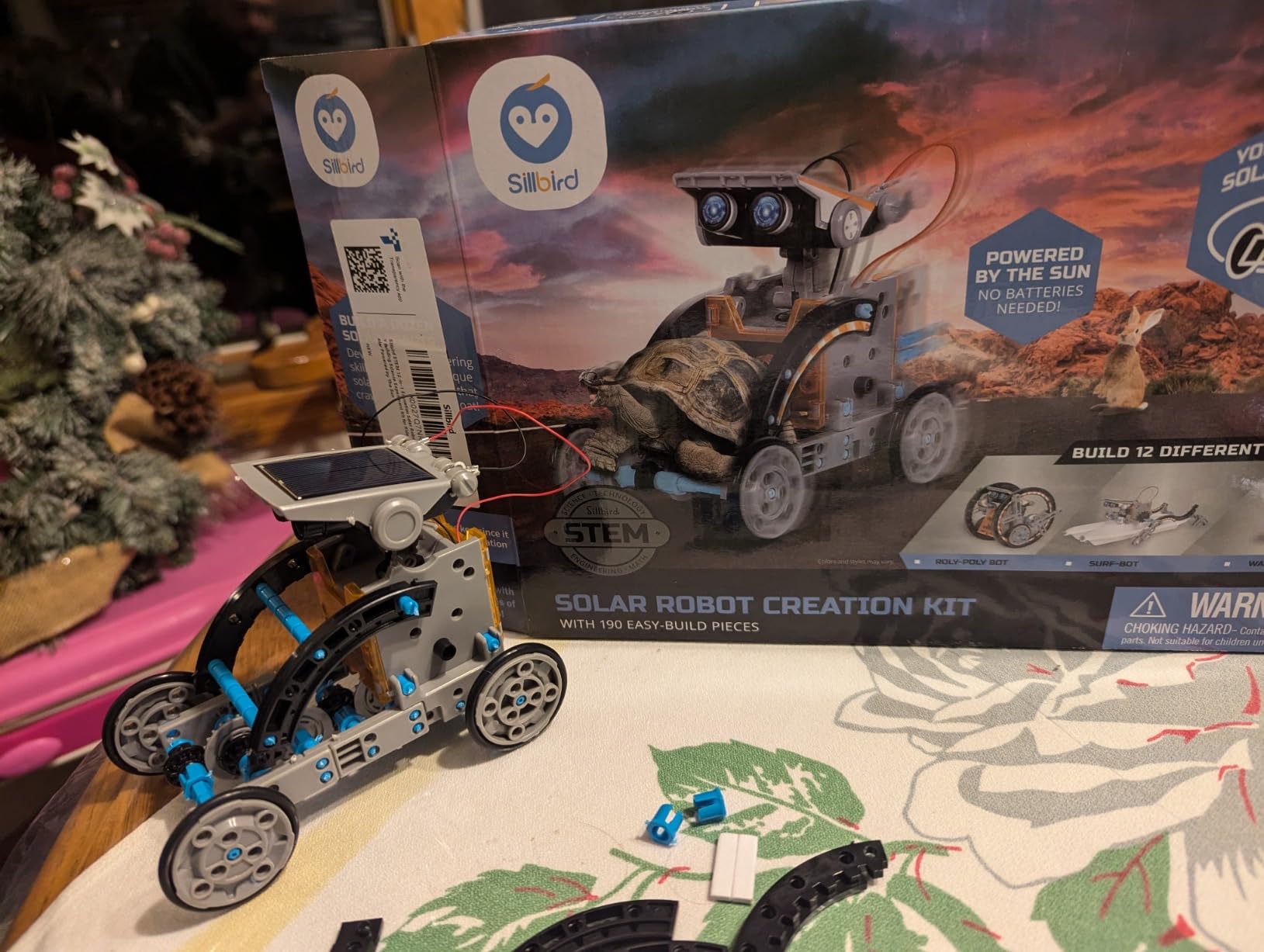
Three kits earned top billing in our test bench. The Snap Circuits Jr. SC-100 is the one I hand to the most families because it cannot be wired wrong, it works without a computer, and it survives being dropped. The ELEGOO UNO R3 Project Super Starter Kit is the one I recommend to adults and to teens past fourteen, because the breadboard and the microcontroller teach concepts that outlast the box. The Sillbird 12-in-1 Solar Robot is the one that gets opened on Christmas morning by a seven-year-old who cannot sit still through a manual.

Snap Circuits Jr. SC-100
- 29 snap-together parts
- 100+ guided projects
- No tools or soldering needed
ELEGOO UNO R3 Super Starter…
- 22+ illustrated lessons
- Solderless modules plus breadboard
- UNO R3 controller and sensors

Sillbird 12-in-1 Solar…
- 190 parts and 12 models
- Sun powered with no cells to buy
- Screen-free STEM building
Comparing All 10 Kits on Computer Use, Soldering and Project Depth
The table below is the fast version of this guide. Every kit is listed with what it actually is, whether a computer is needed, and what the builder learns from it, so you can rule kits out before reading the full reviews.
| Product | Details | |
|---|---|---|
| Snap Circuits Jr. SC-100 |
|
Check Latest Price |
| ELEGOO UNO R3 Super Starter Kit |
|
Check Latest Price |
| Sillbird 12-in-1 Solar Robot Kit |
|
Check Latest Price |
 TEACH TECH Mech-5 Coding Robot TEACH TECH Mech-5 Coding Robot |
|
Check Latest Price |
 Makeblock mBot Coding Robot Makeblock mBot Coding Robot |
|
Check Latest Price |
 Science Kidz 188 Experiment Kit Science Kidz 188 Experiment Kit |
|
Check Latest Price |
 Tinkering Labs Electric Motors Catalyst Tinkering Labs Electric Motors Catalyst |
|
Check Latest Price |
 National Geographic 120 Project Circuit Kit National Geographic 120 Project Circuit Kit |
|
Check Latest Price |
 SMILESSKIDDO 420+ Project Kit SMILESSKIDDO 420+ Project Kit |
|
Check Latest Price |
 MiOYOOW Line Following Robot Car MiOYOOW Line Following Robot Car |
|
Check Latest Price |
Two patterns are worth noting before the reviews. Six of these ten kits need no computer and no tools at all, which is the single most underrated factor in whether a first kit survives contact with a real household. And only one of the ten teaches you to make permanent connections, which is why the soldering entry belongs on this list with an age rating of thirteen and up printed on the box.
1. Snap Circuits Jr. SC-100 – The Kit Almost Nothing Can Break
SNAP CIRCUITS Jr. SC-100 STEM Electronics Kit, 100+ Projects, Ages 8+
30+ snap modules
100+ projects
Ages 8-108
640 g
12 x 9.5 x 1.75 inches
+ Pros
- Tool-free snap design with no soldering
- Numbered color-coded parts handle well for younger builders
- 100+ projects across a wide difficulty range
- Award-winning kit from Elenco
- Cons
- Battery power stops projects when cells drain
- Visually similar designs need adult help reading the manual
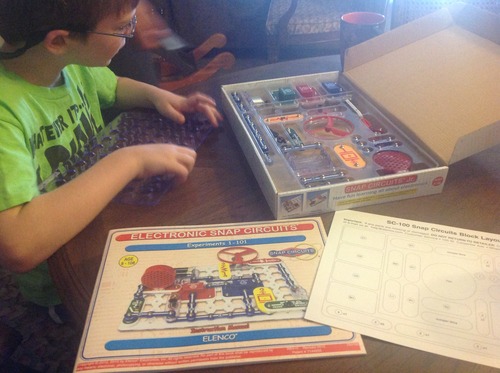
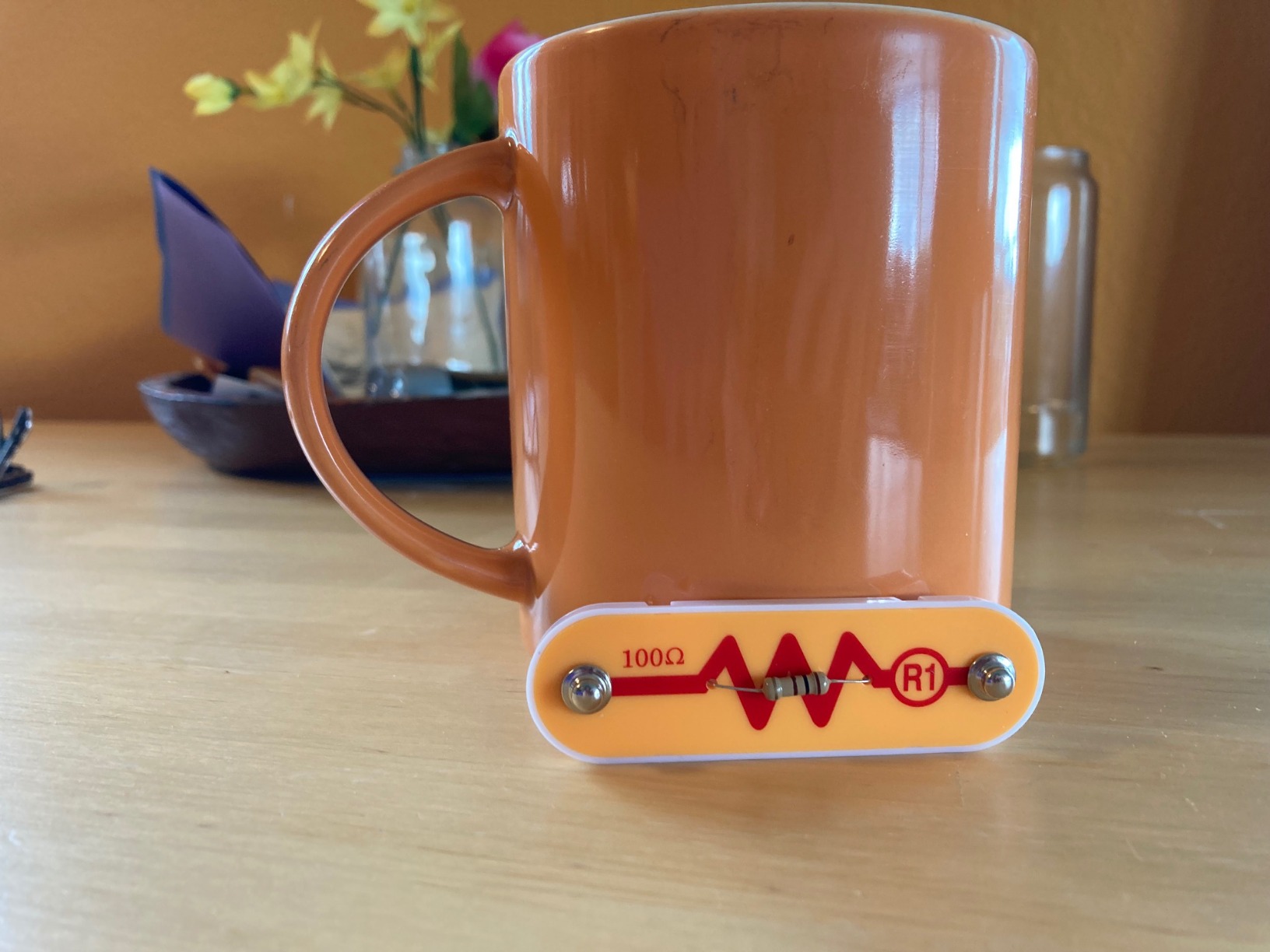
This is the kit I put on the table when a family has no idea what they are doing. Every component clips onto a numbered plastic grid, and if a wire is not making contact the circuit simply does not light up rather than shorting something. Over six weeks of building, I never picked up a screwdriver, never found a stray resistor, and never had to talk a child down from a wiring frustration. The 29 parts and 100-plus guided projects cover everything from a simple LED circuit to a flying saucer, and the difficulty curve is wide enough that the same box works for an eight-year-old and for a twelve-year-old.
What surprised me most is how little adult help it needs. Parents on electronics forums describe snap circuits as easy enough to hand a child genuine autonomy, and I found the same thing in my own house, because the system removes the two things that kill a first session: an unfindable wiring mistake and a soldering iron. The kit weighs 640 grams and measures 12 by 9.5 by 1.75 inches, so it is not a storage problem either.
100+ Projects, But How Many Are Actually New Ideas
The project count is the headline number and it deserves a skeptical look. Some of the 100-plus builds are genuine variations on the same idea with a different sensor swapped in, so a builder who finishes the manual in a weekend will not get 100 lessons, they will get roughly 30 ideas with plenty of repetition. That said, reviewers consistently report that families work through the manual over weeks rather than days, and the parts combine with other Snap Circuits sets if the ecosystem appeals to you.
The four-color manual is well organised and clearly illustrated, and the box lists a Dr. Toy award, a Good Housekeeping award and a STEM.org recognition, which is a reasonable proxy for how many classrooms have handled this exact set. My one complaint is that the manual explains what to build far better than it explains why the circuit works, which is a gap you will need a second resource to close.
Battery Dependence and Ongoing Running Cost
Every project runs on alkaline cells, which means the box stops being interesting the moment the cells die and quietly starts again once new ones go in. This is the honest drawback that reviewers mention most, and it is worth budgeting for if you are buying for a child who will work through the whole manual. The Science Kidz set later in this guide also runs on cells, while the solar kit does not, so the three approaches to power are all represented here.
What It Does Not Teach You
This is the important limitation and almost nobody states it plainly. Snap modules are proprietary, so nothing in this box transfers to a breadboard, to wire-stripping, to stripboard or to a soldered circuit board. You are learning current flow, series and parallel thinking, and troubleshooting discipline, which are real skills, but you are not learning how to build a circuit from loose components. If your goal is an eventual move to a microcontroller, treat this as step one and plan step two separately rather than buying a larger snap set as the upgrade.
Who Should Skip It
Skip it for a teenager or an adult who already knows what a resistor does, because you will be bored by the connector grid within an hour. My advice for adults with zero background is the opposite pick further down, and for a confident teen the mBot or the Arduino kit teaches more transferable material. This set is built for a first encounter with electricity, and it is very good at that one job.
2. ELEGOO UNO R3 Project Super Starter Kit – The Best Starting Point for Adults
ELEGOO UNO R3 Project Super Starter Kit with PDF Tutorial for Beginners
UNO R3 controller
Solderless modules
22+ lessons
1.2 pounds
8.3 x 5.5 x 1.97 inches
+ Pros
- Huge component inventory with sensors motors LCD and relay
- Solderless modules and a pre-soldered LCD header
- 22+ lessons with example code
- Neatly organised case
- Cons
- UNO R3 pin count limits advanced projects
- Documentation is thinner for macOS than Windows
- A small number of units arrive with a faulty breadboard
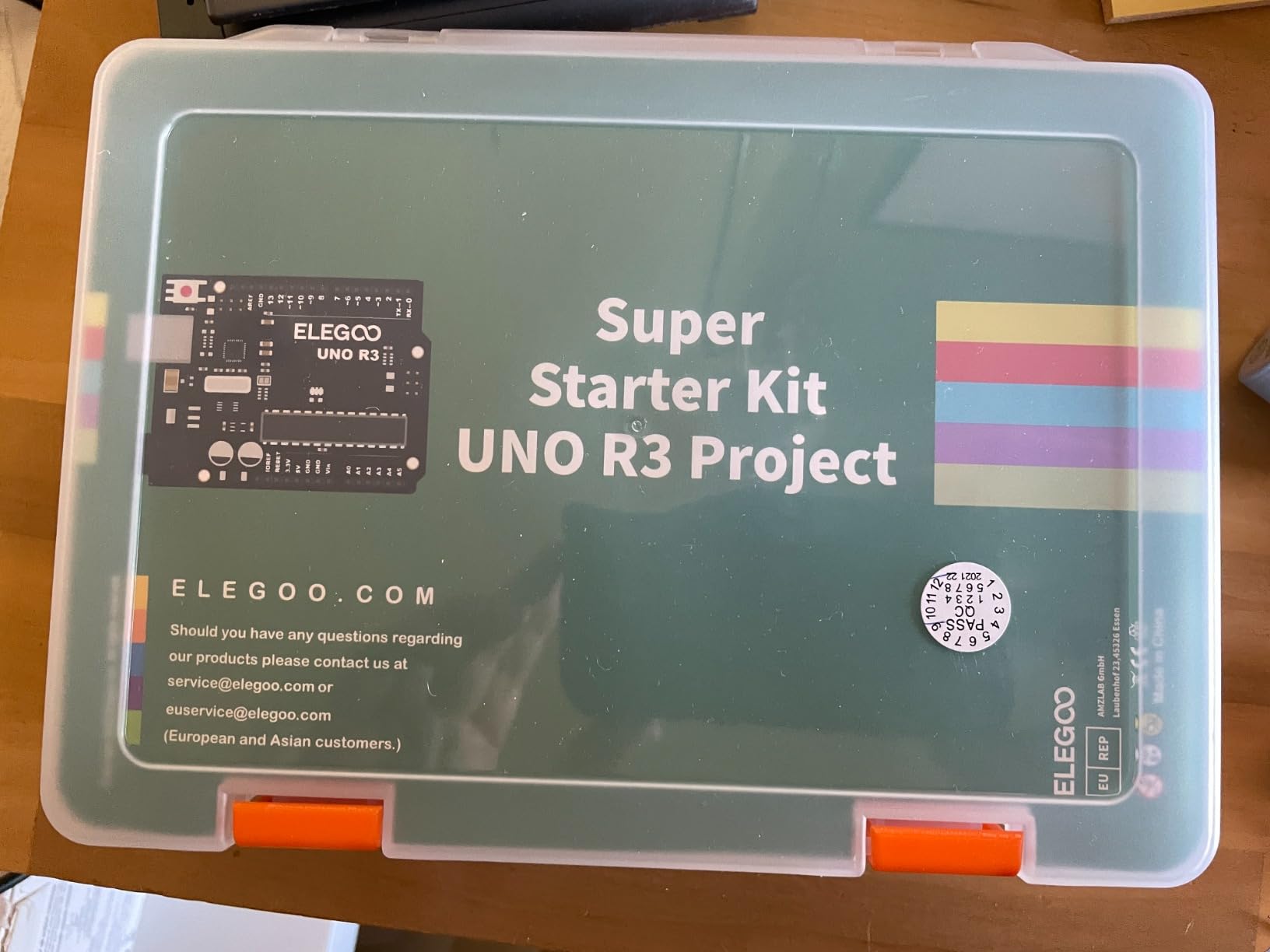
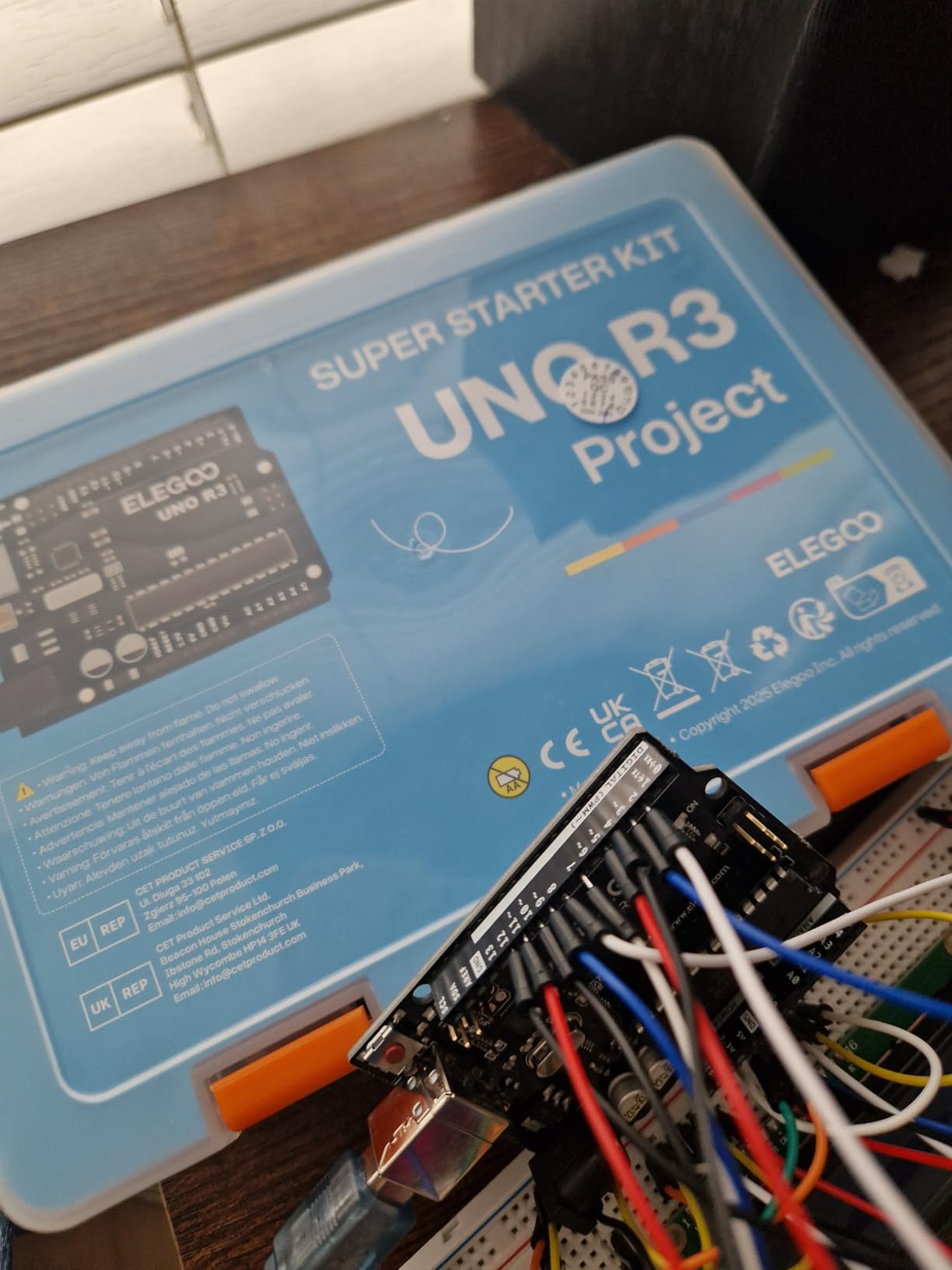
Search any electronics forum for a good first kit as an adult with no background and the same answer comes back: skip the snap sets and go straight to a breadboard with a microcontroller. The ELEGOO kit is the version of that answer I recommend, because it ships pre-soldered modules and a pre-soldered LCD header, which removes the single hardest barrier for someone who has never held an iron. You plug parts into a breadboard, load a sketch, and the thing works.
The component list is unusually generous for a starter set: ultrasonic and DHT11 sensors, an SG90 servo, a stepper motor, a relay, a DC motor, a joystick and an LCD. The 22-plus illustrated lessons run from a blinking LED to thresholds, speeds and sequences, and each one ships with example code so you are editing working sketches rather than writing blank files. It weighs 1.2 pounds and the components are organised in the case, which sounds trivial until you have lost a 5 mm jumper wire behind a sofa.
Breadboard Skills Transfer, Snap Skills Do Not
This is why the Arduino tier matters more than its reputation for difficulty suggests. Once you can place a resistor at row 12, columns a through e, and read a schematic badly but successfully, you have a skill that works on every prototyping board, every dev board and every breadboard you will ever touch. Nothing in a snap-together kit gives you that. The setup guidance covers board selection, port selection and polarity checks, which is exactly the part most first-time builders get wrong.
The 16 MHz Atmel processor and 2 KB of RAM are modest, and that is the honest catch. Community members regularly note that the UNO R3 pin count runs out when you want to drive several motors or add a network, at which point you need extra chips or a larger board. For the first six months of learning you will not reach that ceiling, and when you do it is a natural reason to upgrade rather than a defect.
Documentation Gaps You Should Know About
Setup documentation is thinner for macOS than for Windows, and that matters more than it sounds, because the board-selection and port-selection steps are where a first build stalls. The breadboard power module is capped at 9V, which is a sensible safety default, and the infrared wireless compatibility listed in the specifications is a bonus for line-of-sight experiments rather than a WiFi feature.
There is also a small but real stream of complaints about a few units arriving with a defective breadboard or missing small parts. Manufacturer support resolved several of these, and the review data shows a strong 4.7 average across more than 16,000 ratings, so this is a minority issue rather than a systemic one. Check the inventory against the manual the moment the box opens, before you build anything.
What It Is Like to Use Day to Day
The honest test of an Arduino kit is not the first build, it is the fourth month. At that point you are ignoring the lesson book and combining two or three of the earlier circuits into something you designed, and that is where this kit is strongest because the parts genuinely compose. The first month is where it is weakest, because you are copying code and waiting for someone to explain an error message.
3. Sillbird 12-in-1 Solar Robot Kit – Twelve Builds and No Battery Budget
Sillbird 12-in-1 Solar Robot Building Kit STEM Gift for Boys Ages 8-13
190 parts
12 buildable models
Solar powered
10.24 x 7.87 x 2.56 inches
Ages 8-13
+ Pros
- 12 models from 190 parts gives long replay value
- Solar power means no cell purchases
- Graduated difficulty across the models
- Clear steps for independent assembly
- Cons
- Small parts are fiddly for younger hands
- Output drops in low light so indoor play needs a strong lamp
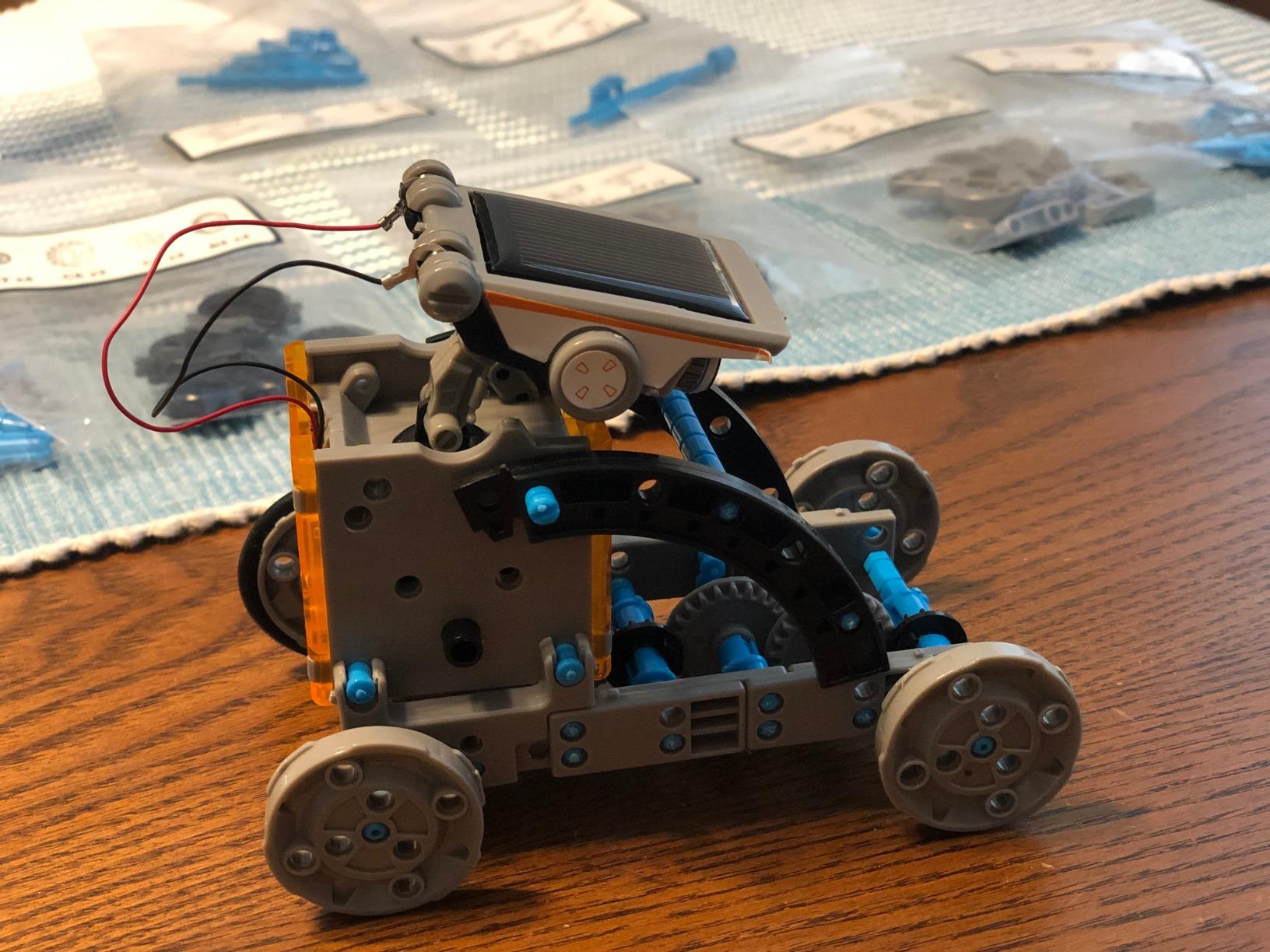
This is the fastest path to a working machine I have found, and it is the one I recommend when a child will not sit through a circuit manual. Out of 190 parts you can build twelve different robots and cars, and the models are graded from simple to advanced, so the same box covers a first build and a later challenge. There is no battery to buy, no app to install and no computer anywhere in the process.
Power comes from an upgraded large solar panel, or from a strong artificial light source for indoor builds. That is a genuine advantage on the running-cost front, which almost no roundup mentions, and it also means the kit is completely screen-free. My six-year-old and my ten-year-old both built from it, which is a range of ages that few kits in this list cover.
190 Parts, 12 Outcomes, and What the Ratio Means
A useful heuristic for judging any kit is projects per part, and this one comes out at roughly 0.06 models per part against 3.4 projects per part for the Snap Circuits Jr. That comparison is not a criticism, because the two kits do completely different jobs. The snap set is about tracing how current flows, while this one is about mechanical assembly and finishing a machine that moves.
The parts list includes ABS components, real motors and the fixings to build chassis frames, and the graduated difficulty means a younger builder can complete the first model and an older one can tackle the advanced models. Reviewers regularly describe the instructions as clear enough for independent assembly, which is a higher bar than most kits in this price range clear.
Light Levels Decide Whether This Kit Works
This is the single most important practical detail and reviewers are consistent about it. Under direct sun the robots run properly, and under ordinary indoor lighting the output drops enough that motors stall and the build looks broken. If you live somewhere with limited sun, plan to give it a strong desk lamp for indoor sessions, or expect disappointment in January.
There is no battery description in the specifications because there is no battery, which removes both the running cost and the possibility of a child asking to change the cells before dinner. For a summer learning-gap activity this is an unusually complete answer, because the whole kit is a single sealed box with a solar panel on the roof.
What Is Genuinely Hard Here
Assembly is fiddly for younger hands. There are 190 pieces and some of them are small, and the 4.3 average across more than 15,000 ratings reflects exactly that split, where the youngest builders struggle and the older ones are delighted. My guidance would be to treat the first two models as a joint build with an adult, then hand the kit over.
The kit teaches mechanics, motor control and the idea of alternative energy far more than it teaches circuit theory, because the wiring is largely pre-laid rather than built by hand. If your child wants to understand series and parallel circuits, the National Geographic set later in this guide is a better match. If they want a thing that drives across the floor, this is the one.
4. TEACH TECH Mech-5 Coding Robot – Screen-Free Coding That Actually Teaches Sequence
TEACH TECH Mech-5 STEM Coding Robot Building Kit for Kids Ages 10+
9 inch robot
2 AAA cells
16 ounces
12.4 x 2.5 x 9.1 inches
Ages 10+
+ Pros
- Mechanical coding wheel needs no computer or app
- Four distinct actions keep replay value high
- A genuine assembly project
- Same Elenco maker as Snap Circuits
- Cons
- Assembly runs to several hours
- Button alignment on the coding wheel takes practice
- Two AAA cells needed and easy to miss
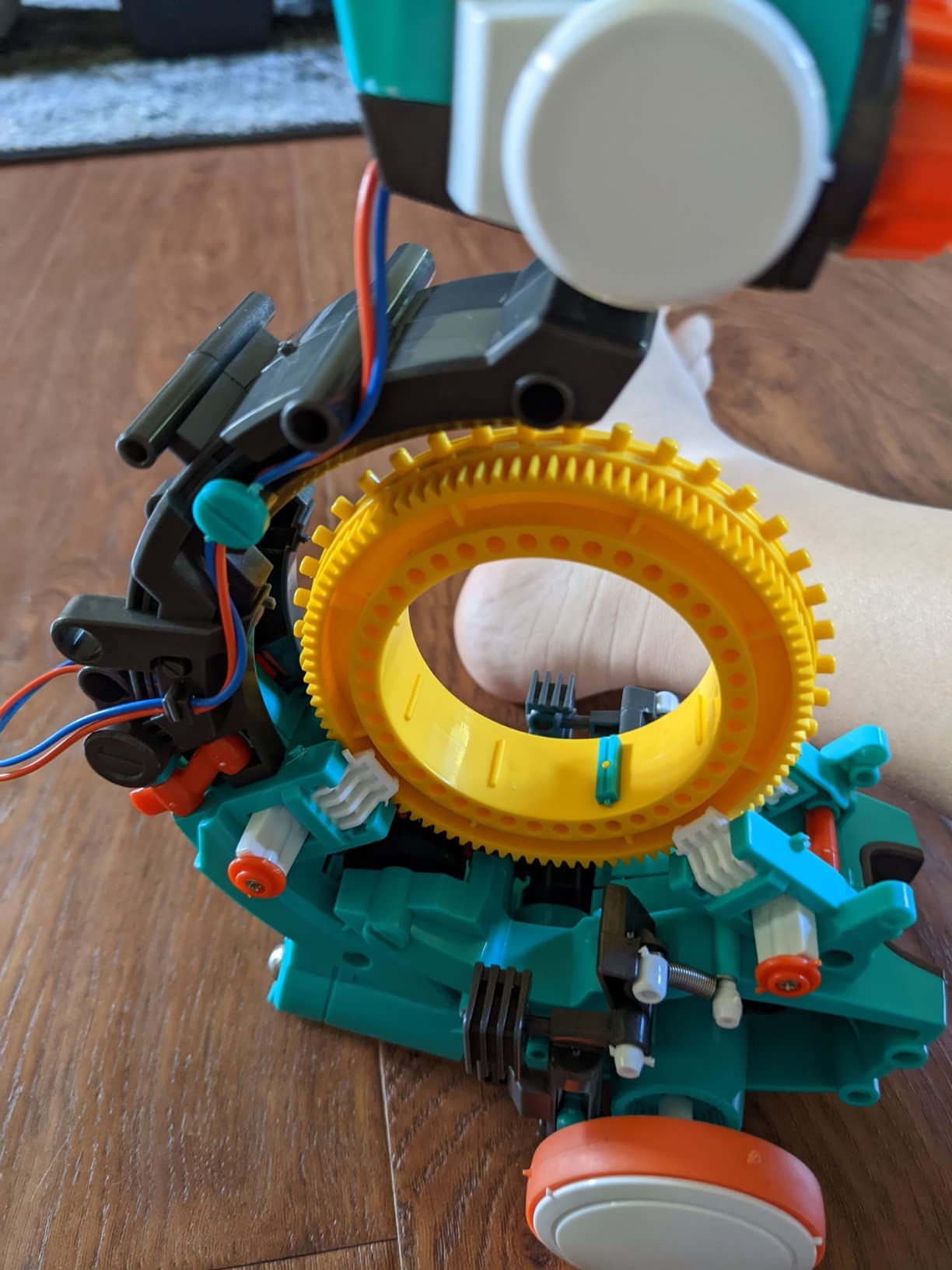
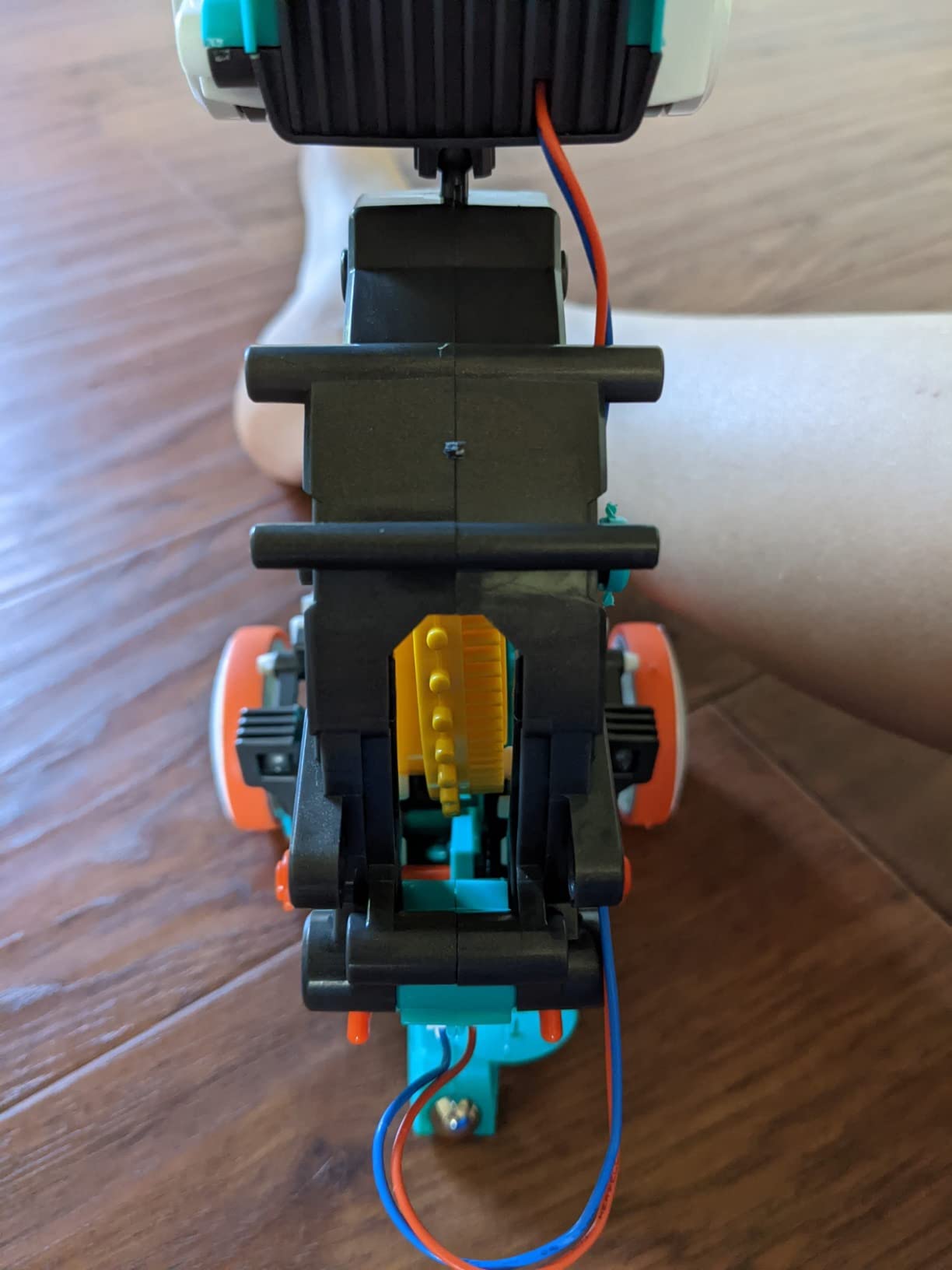
The Mech-5 solves a problem most coding robots create, which is that they hand the child a finished machine and a tablet. This one you build yourself, and you program it by snapping physical buttons onto a mechanical wheel. The robot throws, lifts, kicks and draws, and the four actions give enough range that a child keeps finding new combinations long after the first mission is finished.
It comes from Elenco Electronics, the same maker as the Snap Circuits sets in this guide, and the mission-based design positions it as an entry point into mechanical engineering. At 16 ounces and 12.4 by 2.5 by 9.1 inches it is a 9-inch robot that runs on two AAA cells, with no app to install and no firmware to update.
The Coding Wheel Is the Whole Idea
Buttons snap onto the wheel in order, and when the robot runs it reads them left to right and executes the sequence. That is the entire concept, and it is enough to teach the idea that a machine follows instructions in a defined order, which is the concept every block-coding environment is trying to convey. Parents looking for a way to introduce sequencing without screen time will find nothing else on this list that does it with hardware only.
The learning curve is real but shallow. Reviewers report that aligning the buttons correctly takes a few attempts, and once the muscle memory settles a child can reprogram the robot in about a minute without help. The stated educational objectives cover coding, problem solving, programming and STEM, which is an honest description of what a wheel of buttons can deliver.
Plan for a Long Build
This is the honest weakness that shows up in nearly every review: assembly takes multiple hours spread over several sessions. I would budget an afternoon plus two shorter sessions, and I would not hand it over as an unattended gift build unless the child is at least ten and comfortable with a long instruction manual. The step-by-step assembly instructions are detailed and the parts are plentiful, so nothing goes missing, but the time is real.
Two AAA cells are required and several reviewers note that this is not obvious from the front of the box. Check before the first run rather than letting a child debug a dead robot on day one, because that is exactly the kind of first-session failure that ends a kit’s usefulness.
Where This Fits on the Ladder
Between a snap-together circuit kit and a programmable robot, this occupies a genuinely useful rung: it is harder than clipping modules together and much easier than writing code. It is the pick I would make for a family that wants a build project for a ten to twelve-year-old who has already retired a snap kit and is not ready for a microcontroller.
5. Makeblock mBot Coding Robot – The Bridge From Blocks to Real Code
Makeblock mBot STEM Coding Toys Robotics for Kids Ages 8-12
Metal and plastic
0.93 kg
6.69 x 3.54 x 7.87 inches
Lithium-ion
Ages 8-12
+ Pros
- Assembles in about 15 minutes
- Line-follow and obstacle avoidance work out of the box
- Scratch to Arduino progression path
- Open design works with 100+ modules and LEGO pieces
- Cons
- Robot and controller batteries are not included
- Software setup and app pairing add a first-run step
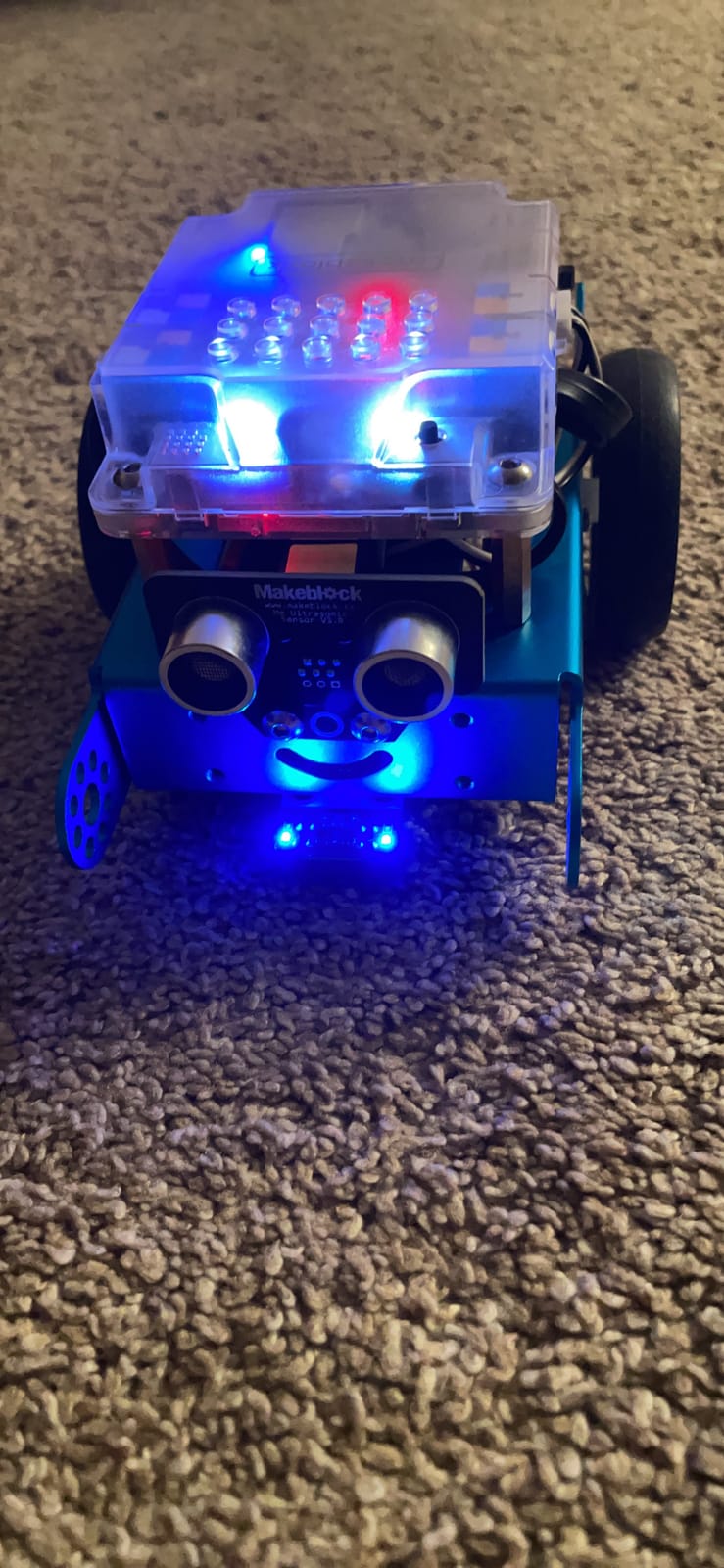
The mBot answers the question parents ask most often, which is what comes after snap circuits. The answer is a robot, and this one takes roughly fifteen minutes to assemble, which is the fastest build of anything in this guide that is also genuinely programmable. Out of the box it works as a remote-controlled car with line-follow and obstacle-avoidance modes, so there is a working robot before a single line of code is written.
The metal and plastic construction is a step up in durability from plastic snap kits, and the platform is open source and compatible with more than 100 modules, 500-plus parts and standard LEGO pieces. That expansion path is the real reason to buy it, because it means the robot is a starting point rather than a closed system.

Scratch First, Arduino Later
Coding cards plus three free Makeblock apps and the mBlock software let a child drag blocks together and see the robot respond, and the same platform supports writing Arduino code later. In my experience this progression is what keeps robotics projects alive past month three, because the child transitions from visual blocks to text without changing hardware or throwing away what they have built. The stated educational objectives list coding, construction, critical thinking, imagination and problem solving, which is about right for the tier.
At 0.93 kg and 6.69 by 3.54 by 7.87 inches it is a substantial object with real motors and a lithium-ion battery rather than AA cells, and reviewers consistently praise the build quality for the class of robot. The 4.6 average sits on a smaller review base than the snap kits, so treat it as strong rather than definitive.
Batteries Are Not Included
This is the caveat that shows up in nearly every review, and it is worth planning for. Both the robot and the handheld controller need cells, and they are not in the box. For a family already buying snap kits that run on alkaline cells, that is a second and third consumable to keep in stock, so I would note it alongside the ongoing cost of the other kits in this list.
The other recurring caveat is the first-run software step. App pairing and setup take longer than the fifteen-minute build itself, and that is the point in the process where a parent gets asked to debug something. My workaround is to pair the app once before handing the robot over, so the child’s first session starts with driving rather than with setup.
Who This Is Not For
Skip it if your household is screen-free by policy, because programming this robot means a screen. It is also a heavier commitment than a snap kit in both money and desk space, and the open-source angle only pays off if someone in the house is willing to read documentation. For a motivated eight to twelve-year-old with a laptop, it is the strongest single purchase in this guide.
6. Science Kidz 188 Experiment Kit – The Most Circuits per Session, and the Least Explanation
Science Kidz Electronics Kit – 188 Science Experiments Set for Kids
188 circuit projects
Snap-together parts
0.9 kg
5.4 x 24.3 x 13.5 inches
Ages 5-10
+ Pros
- 188 distinct circuit projects for sustained play
- Snap-together parts sized for small hands
- Durable enough for rough play
- Progresses to AND NOT and OR logic
- Cons
- Many circuits are switch-type variations rather than new ideas
- Integrated circuit modules are used without explanation
- Sound module is very loud
If your metric is how much time a child spends with circuits before getting bored, this kit wins on volume. It carries 188 projects in a single box, the snap-together parts need no tools, and the components are sized for small hands and built to survive rough play. The circuits run from very simple series and parallel builds to genuine AND, NOT and OR logic, which is a real conceptual step rather than a repackaging.
The illustrated colour manual includes educational notes alongside each build, which is a better standard than most kits in this list meet. Parts comply with US and EU toy safety standards, and the box measures 5.4 by 24.3 by 13.5 inches, so it is wide and shallow rather than a cube. Reviewers and parents in particular single out the sturdiness.
Project Count Is Not the Same as Project Depth
This is where I would caution a buyer, and it is the honest weakness in an otherwise well-regarded kit. A large share of the 188 circuits are variations that swap switch types rather than genuinely new ideas, so the headline number overstates how many distinct concepts a builder will absorb. A child working steadily will still get months of use, but they will exhaust the ideas faster than the count suggests.
The second gap is conceptual rather than quantitative. The integrated circuit modules are used without explaining what they do internally, which means the logic circuits produce right answers for reasons the builder cannot yet articulate. That is a fine trade for a five to ten-year-old and a poor one for an older beginner who wants to understand the mechanism, not just observe it.
The Sound Module Problem
Reviewers report the sound module is very loud, and in a household with young children that is a real usability issue rather than a minor annoyance. A reed switch failing in some units is the other recurring complaint. Neither is a reason to skip the kit, but both are reasons to test the sound module on day one instead of discovering it at a family gathering.
Where It Fits
This is a strong first or second kit for a five to ten-year-old and a good classroom prop for demonstrating logic gates, because the AND, NOT and OR section maps cleanly onto a whiteboard lesson. I would not hand it to a teenager, and I would not choose it for an adult, because nothing in it transfers to breadboarding or code. The Science Kidz box is a very good volume play and a weak stepping stone.
7. Tinkering Labs Electric Motors Catalyst – The Most Reusable Parts in the List
Tinkering Labs STEM Kits for Kids Age 8-10 | Inventors Kids Science Kit, Robot Building, and Engineering with Electricity Circuits | Coolest DIY Toys and Best Birthday Gifts for 10 Year Old Boy Girl
Over 50 parts
Laser-cut wood and motors
10.59 x 6.69 x 4.09 inches
Ages 8-12
+ Pros
- Open-ended design supports unlimited inventions
- Mixes wood motors hardware and rubber bands
- Guides developed by classroom teachers
- Non-toxic durable reusable parts
- Cons
- Less structured so kids need guidance to begin
- Laser-cut wood can be finicky without adult help
This is the only kit in the guide that is not built around a list of projects, and that is its entire appeal. The box carries over 50 parts including laser-cut wood, electric motors, authentic hardware connectors, rubber bands and tools, and the child decides what to make. Across many sessions the same parts rebuild into a completely different machine each time, which is why the materials are described as non-toxic, durable and reusable.
The guides were developed by American teachers with classroom use in mind, and the recommended age range is 8 to 12, though the parts themselves suit a determined eight-year-old. The box measures 10.59 by 6.69 by 4.09 inches and carries a Creative Child Magazine top learning toy recognition for eight-year-olds.
Why Open-Ended Beats a Project List
A fixed project list runs out. An open-ended parts box does not, because the limitation becomes imagination rather than the manual, and the mechanical variety here is genuine: wood structure, motors, real hardware connectors and rubber bands combine in ways the designer never anticipated. Parents who worry about disposable plastic report that this is the kit their child still uses months later, because the parts outlive any single model.
That same freedom is the drawback. Reviews consistently note that the kit is less structured than a snap-together set, so a child needs some guidance to get started, and a first session with no instruction can end in a pile of parts on the floor. My advice is to build one of the guide projects together first, then hand the box over.
Assembly Tolerance and Adult Help
Laser-cut wood components can be finicky to assemble without adult help, particularly where holes are tight and the material needs to seat fully. This is a light woodworking task rather than electronics assembly, so the frustration is mechanical rather than electrical, and it resolves quickly once a pair of adult hands has shown how the pieces fit.
The 4.5 average sits on 755 ratings, which is a smaller sample than the top kits, so treat it as well-regarded rather than proven at scale. I would still rank it above any project-list kit for a child who has already worked through a snap set and wants to build something nobody has built before.
Who Should Skip It
Skip it for a child who needs step-by-step instructions to get through a first session, and skip it if you want the finished product to look like a specific design. This kit produces strange improvised machines rather than tidy models. For a creative eight to twelve-year-old with an adult who will spend twenty minutes on the first build, it is the most durable set in this guide.
8. National Geographic 120 Project Circuit Kit – Video Instructions That Save a Build
National Geographic Circuit Kit for Kids with 120 Electrical Projects
120+ projects
QR video instructions
2.7 pounds
12 x 3 x 14.75 inches
Ages 8 and up
+ Pros
- 120+ projects from light shows to a voice amplifier
- Snap-together wiring holds a secure connection
- QR code video segments help with tricky builds
- Components designed for younger builders
- Cons
- Alkaline cells required for many projects
- Large box footprint makes it bulky to store
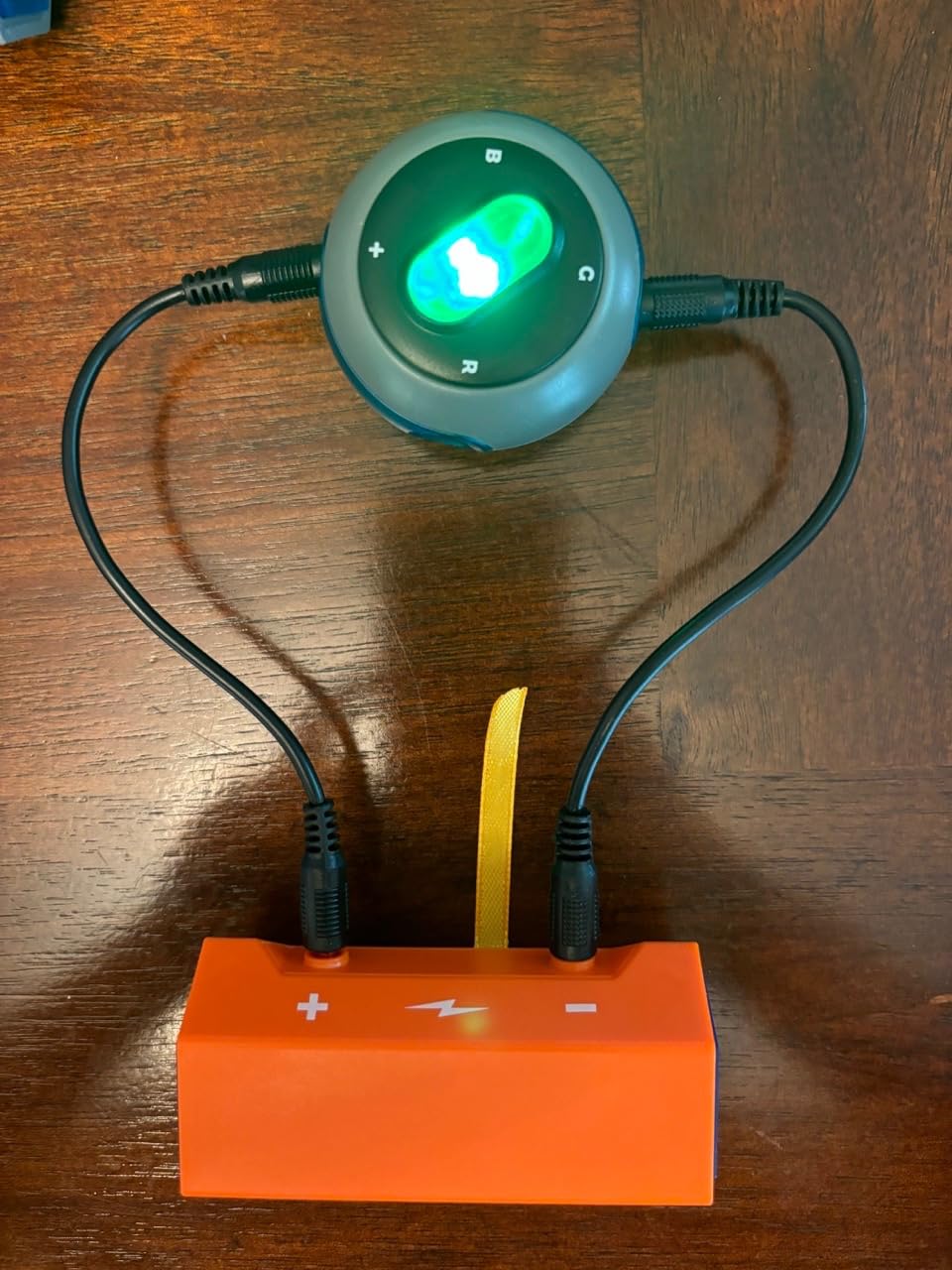
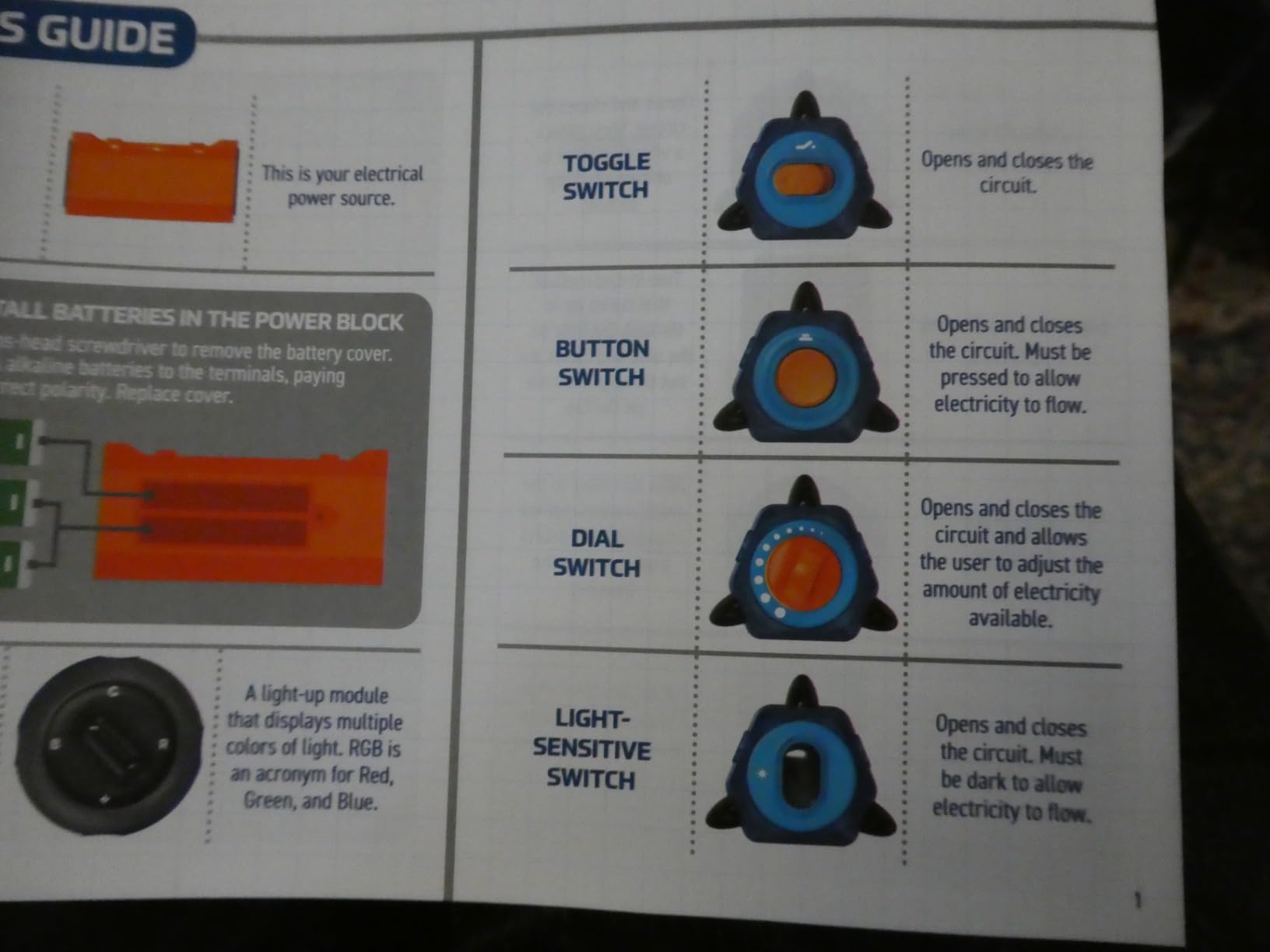
The feature that separates this kit from every other snap set in the guide is the QR code. A printed code links to video instruction segments, so a child working alone can watch someone assemble a tricky connection instead of squinting at a diagram. Reviewers single this out as the reason the kit works for independent use, and it is a small design decision that removes a large amount of adult time, which is the variable this whole guide is built around.
The 120-plus projects run wider than most: keyboard mode songs, light shows, a flying copter and a voice amplifier are all listed, which is a broader range of outcomes than simple LED and buzzer circuits. The snap-together wires hold a solid connection, rated 4.7 with 87 percent of ratings at a full five stars, and the parts are designed for full safety for younger builders.
Instruction Quality as a Buying Criterion
Diagrammatic manuals are the most repeated complaint in this entire category, from snap kits to Arduino boards alike, and they are the most common reason a kit stalls. Illustrated instructions are not the same as teaching instructions, and the video segments here are what move this kit above kits with a comparable part count. If your child works alone while you cook dinner, that difference decides whether the kit gets used at all.
It weighs 2.7 pounds, which is the heaviest snap-type kit here, and it measures 12 by 3 by 14.75 inches. That footprint is the one practical drawback, because it is a large flat box to find space for in a small home, and a reviewer complaint about bulkiness is fair. It is fine on a table but it will not slip into a cupboard the way the Snap Circuits Jr. does.
Battery Dependence and Project Breadth
Many projects require alkaline batteries, so the same ongoing running cost applies as with the Snap Circuits Jr. and the Science Kidz set. Plan for cells before the first session rather than after the first disappointment. The payoff is that the video library means a child can get through a difficult build without waiting for an adult, which converts frustration into retry.
At 608 ratings this is a smaller review base than the top two kits, but the distribution is unusually strong. For an eight-year-old working unsupervised, this is the kit I would pick over any other snap set in the guide, because the video support is the difference between independent building and asking a parent for help every third project.
9. SMILESSKIDDO 420+ Project Kit – The Biggest Number, and the Loosest Fit
SMILESSKIDDO Science Kits Electronics STEM Kit 420+ Projects 35 Parts
35 modules
420+ projects
1.13 kg
14.5 x 11 x 3.1 inches
Ages 5-12
+ Pros
- Largest advertised project count at 420+ builds
- No soldering as modules push onto the board
- Teaches series and parallel concepts
- Colourful 37-page manual with indicator cards
- Cons
- Modules seat too shallowly and can vibrate loose
- Some pieces break under heavy play
- Manual offers fewer distinct ideas than the count implies
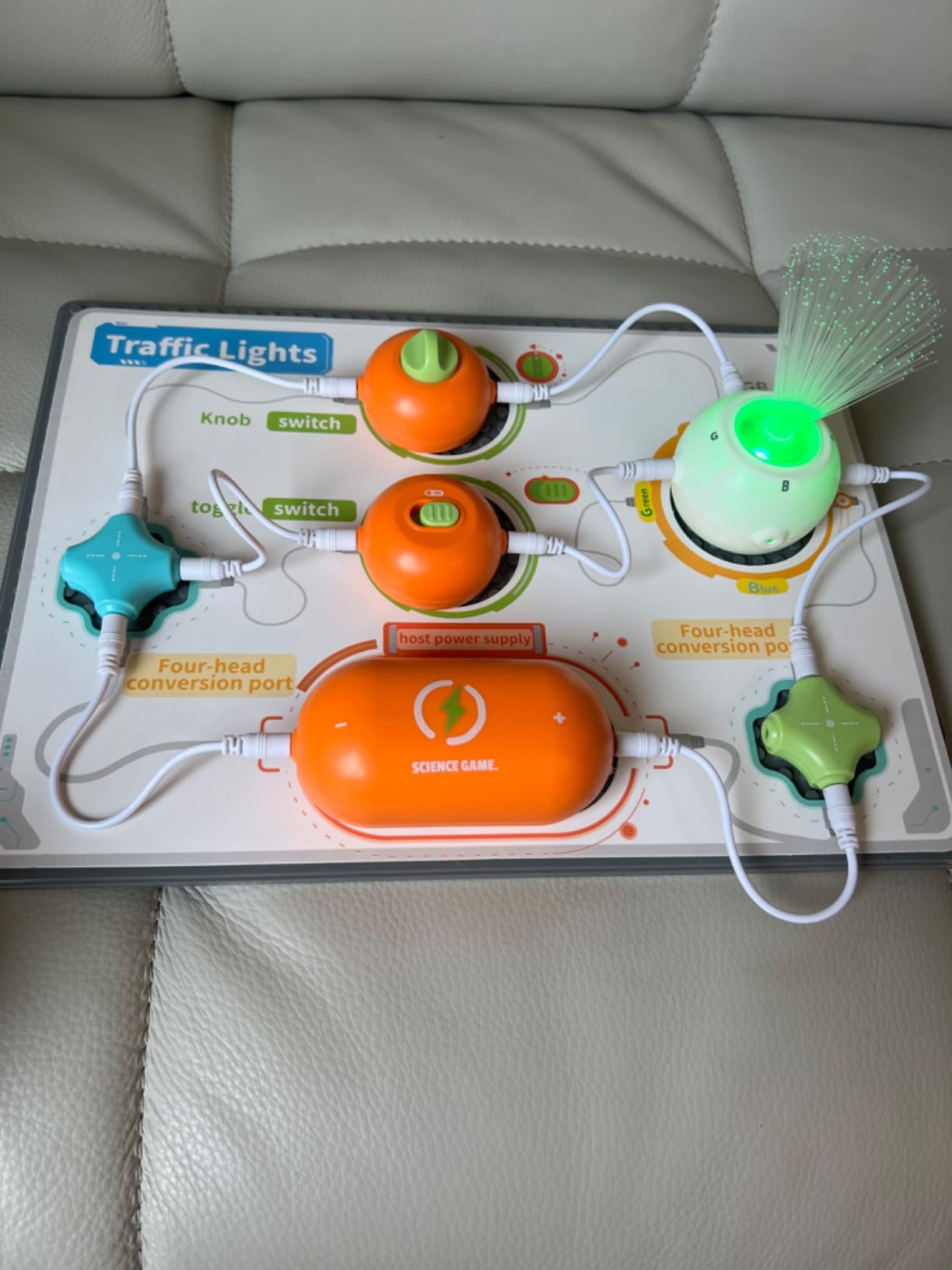
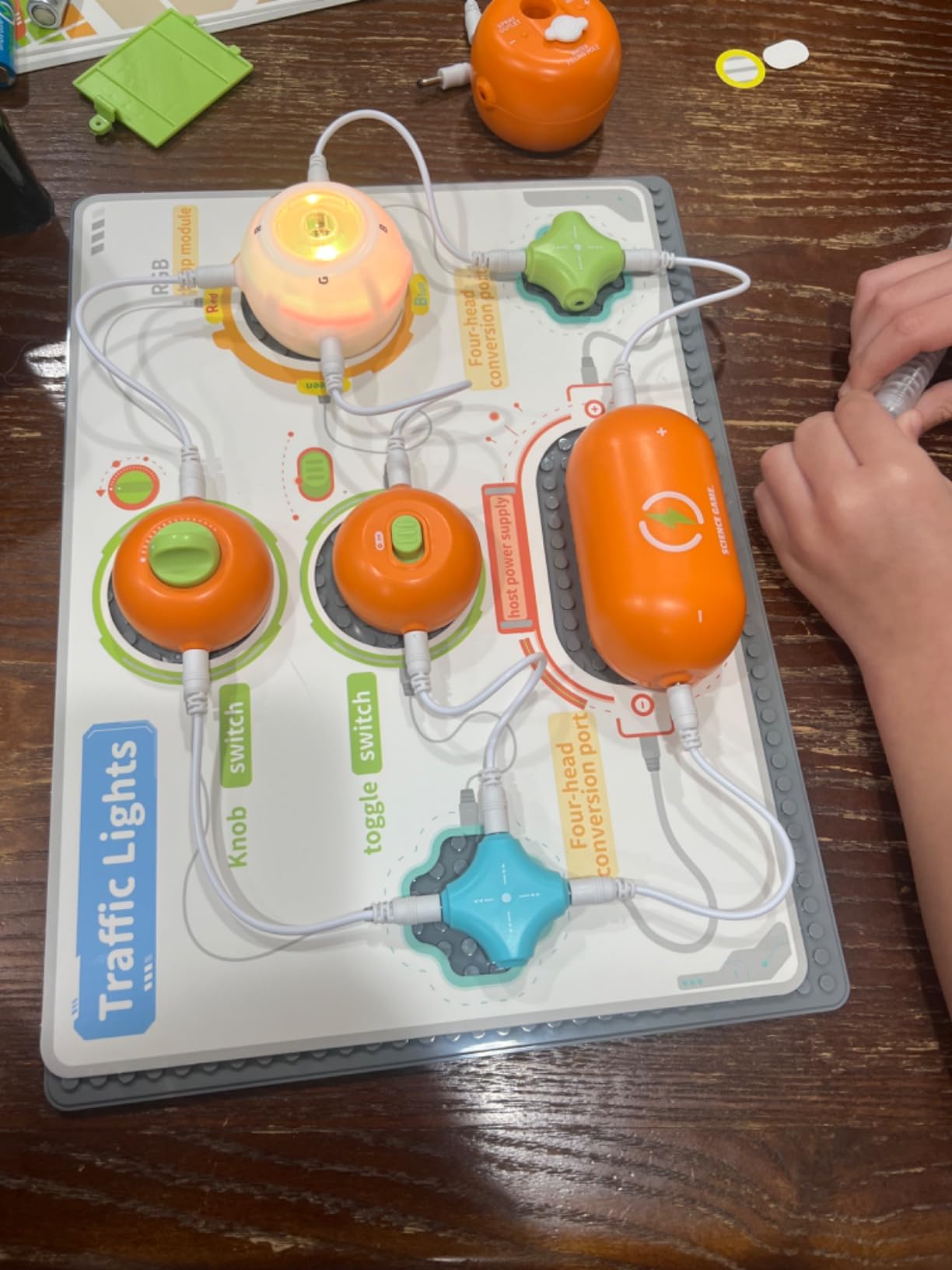
The headline here is 420-plus buildable projects from 35 small circuit modules, the highest advertised project count in this group by a wide margin, and it includes spray, RGB and flying saucer accessories. The 37-page colourful manual plus four indicator cards cover 118 circuit-building methods, and the kit is stated as suitable across ages 5 to 12 with adult supervision advised for younger children.
What makes it useful in a classroom is the series and parallel teaching content, which makes it a useful demonstration prop as well as a play kit. No soldering is needed and modules insert directly onto the plastic plate, so setup between students is quick and nothing is damaged when a connection is wrong.
The Connection Problem Is Real
The most common complaint by a wide margin is that the small modules seat too shallowly on the board and can vibrate or fall off, especially once motors are running. On a table with a careful child this is manageable, but in a busy makerspace with a dozen students it becomes a recurring interruption, and that is the main reason I would not build a whole curriculum around this kit.
There is also a documented pattern of pieces breaking prematurely under heavy play by younger children. The company support is repeatedly noted as responsive when parts break, which softens the issue considerably, but the 4.4 average across 525 ratings is visibly lower than the other snap kits in this guide and the reason is mechanical rather than educational.
Project Count Versus Ideas
The second honest weakness is that the manual delivers fewer distinct experiment ideas than the 420-plus figure suggests, which is the same gap between project count and project depth that affects the Science Kidz set. With 35 modules there is a genuine ceiling on combinations, and the count includes many relabellings of the same topology.
For a family, this is a large box of inexpensive experimenting with a serviceable manual and a real risk of loose connections. For a classroom, the series and parallel teaching content is worth the minor extra supervision, and the 14.5 by 11 by 3.1 inch format stacks well for storage between sessions.
10. MiOYOOW Line Following Robot Car Kit – Real Soldering Practice for Older Beginners
MiOYOOW Line Following Robot Car Kit, Beginners Smart Car Soldering Practice Kit STEM Educational Electronics Soldering Projects for School and Home Learning
Line-following robot
PCB and fibreglass
2.4 ounces
4 x 2.8 x 0.06 inches
Ages 13+
+ Pros
- Genuine soldering practice in an inexpensive kit
- Teaches photoresistor sensing and automatic control
- PDF manual with colour photos
- Tracks can be made from electrical tape
- Cons
- Instructions are terse and contain broken English
- PCB silkscreen does not mark LED or capacitor polarity
- Loose gear tolerances cause the worm gear to slip
This is the soldering entry, and it exists because none of the other nine kits teaches you to make a permanent connection. The board teaches photoresistor sensing, automatic control and mechanical structure in one finished machine, and the build is a real soldering job rather than a snap-together illusion. Experienced hobbyists rate the concept highly, and it is genuinely the smallest step from here to soldering your own circuit board.
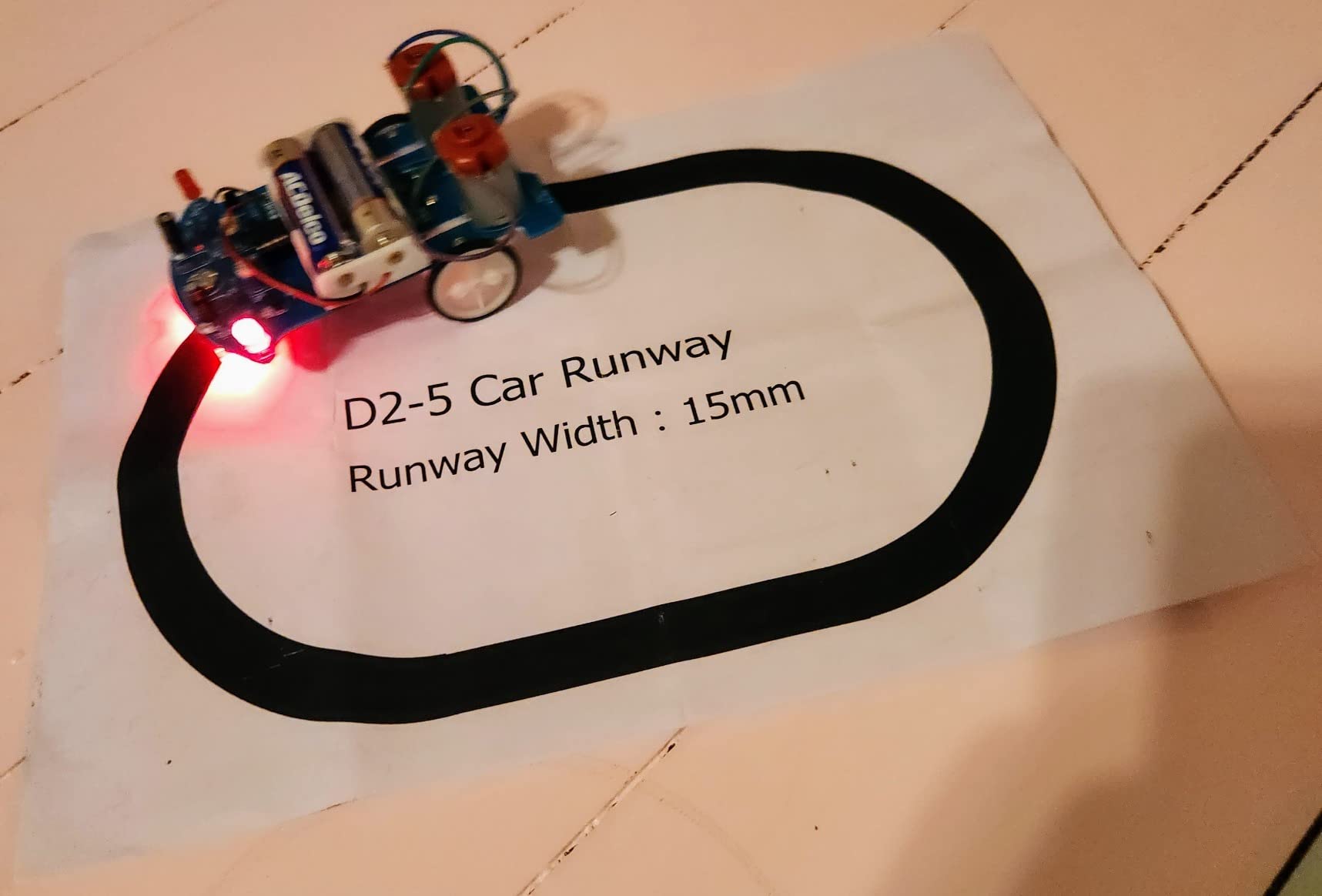
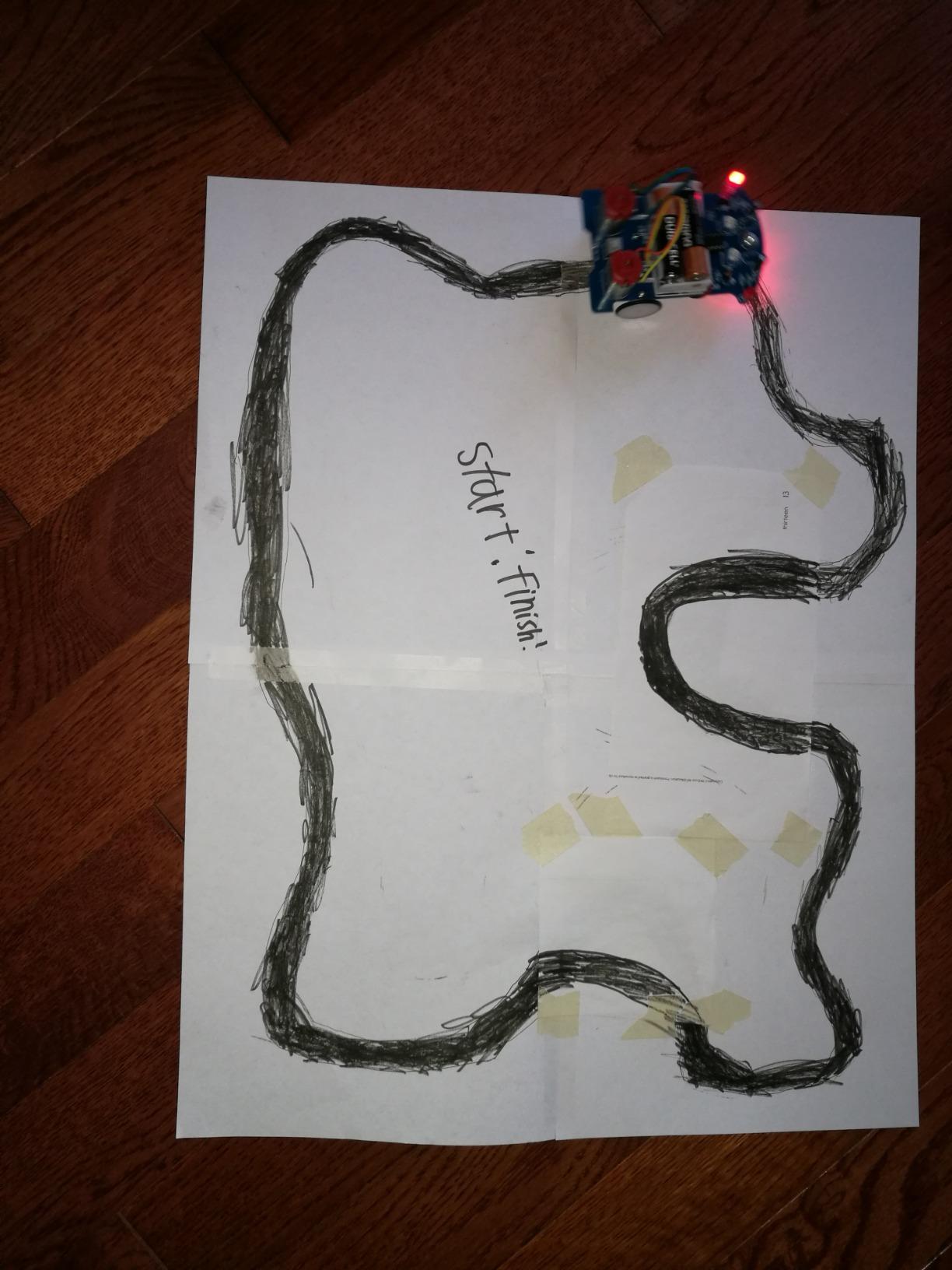
Custom runways can be built with 1.5 to 2 centimetre black electrical tape, which means the track is something the builder makes rather than something included, and that is a good exercise in itself. The box contains a paper English manual plus QR access to a full PDF manual with colour photos, and the printed sheet alone is too thin to start from.
Age, Supervision and the Real Barrier
The manufacturer recommends 13 years and up, and I agree with that more than I agree with the printed age on any snap kit. A hot iron, molten solder and a two-minute heat cycle per joint is a genuine safety conversation, and a child needs an adult in the room for the first board rather than occasional supervision. The 4.2 average with a meaningful six percent one-star share comes from exactly this, as first-timers get stuck on thin instructions rather than on the soldering itself.
The instructions are terse and contain broken English, so a soldering mentor is effectively required for the first attempt. The printed board does not mark LED or capacitor polarity, so orientation has to be inferred from a silkscreen that does not label it, and that inference is where beginners burn components. Plan to sit with the builder for the whole first board, and treat the PDF manual as the primary source rather than the fallback.
Mechanical Quality and Presentation
Gear and axle tolerances are loose, and reviews report the worm gear slipping on one wheel, which turns a driving lesson into a troubleshooting lesson. If your aim is driving a line-following car smoothly, this is a rough first build. If your aim is learning to solder, the board is a fine teacher despite the mechanics.
Presentation is the other small drawback: some units arrive in a bare anti-static bag rather than gift-ready packaging, so if this is a present, expect to box it yourself. At 2.4 ounces and 4 by 2.8 by 0.06 inches it is a genuinely small board, which makes it a good confidence-builder for a teen before committing to a larger kit.
What Comes After This One
Once a beginner has finished this board, the natural next step is a microcontroller kit with a breadboard, because the soldering is no longer the obstacle and the limiting factor becomes circuit design. That is exactly the progression the forum consensus describes, and this kit is a legitimate and inexpensive way into it for a thirteen-year-old or an adult. For a younger child, come back to the snap kits, because this one is not forgiving.
How to Choose an Electronic Building Kit Without Wasting the First Weekend
Almost every buyer gets this category wrong in the same way: they compare part counts instead of comparing kit types. The type decides what your learner will be able to do in six months, and the part count only decides how long the box lasts. Here is how I would work through the decision.
The Four Kit Types and Who Each One Suits
Snap-together kits use modular components that clip to a numbered base board. No tools, no soldering, and a connection cannot be made wrong. Best for ages five to ten and for any first kit where frustration is the main risk. Limitation: nothing transfers to a breadboard or a soldered board because the modules are proprietary.
Build-it-yourself kits have the learner assemble one finished device, a robot or a car, from real components using screws or press fits. Best for ages seven to fourteen who want a finished result rather than a series of small circuits. Limitation: the wiring is usually pre-laid, so circuit theory is largely bypassed.
Breadboard and prototyping kits push loose components into a solderless breadboard alongside a microcontroller, with the Arduino IDE or a visual coding environment supplying the instructions. Best for ages twelve and up, and for any adult beginner. Limitation: it requires a computer, a software install and patience for error messages, which is why community consensus repeatedly warns against it as a very first kit.
Soldering kits make permanent connections with an iron. Best for ages thirteen and up with adult supervision for the first build. Limitation: real tools, heat and safety rules, and thin instructions that assume some guidance.
Match the Kit to What the Learner Has Already Built
Published age ranges are unreliable, and this is where shoppers get hurt. Retailer listings routinely say eight and up with adult guidance while the manufacturer’s own site says twelve and up for the same product. My rule is to ignore the number and look at history: a child who has never completed a build gets a snap-together kit, a child who has finished a snap manual gets a robot, a child who has finished a robot gets a microcontroller, and an adult with no background starts at the microcontroller tier if they have patience for software and at the snap tier if they do not.
The corollary matters as much. Do not skip a tier because a birthday demands it, because starting above the learner’s level produces frustration, not enthusiasm. Frustration in the first three sessions is what retires a kit permanently.
Computer Required, Tools Required and the Adult-Time Variable
Six of the ten kits in this guide need no computer and no tools at all, and that fact should carry more weight than most buyers give it. The kits that need a screen are the ELEGOO, the mBot, the SMILESSKIDDO and the National Geographic video instructions, and each one adds a setup step where an adult will be asked to help within the first ten minutes.
Adult time required per build is the variable no roundup publishes and the one that most reliably predicts a stalled project. Snap-together and video-supported kits need almost none after the first session. The mBot needs one software setup. The Mech-5 needs several hours of hands-on assembly. The Arduino kit needs ongoing support for the first month as error messages appear. If you cannot supply that time, pick the kit that needs the least of it, and buy a more advanced kit once the first one is finished rather than trying to stretch an adult into the role of electronics teacher.
Toy or Teaching Tool: How to Tell Before You Buy
There is a test, and it is simple. A teaching tool exposes the mechanism at some level: a breadboard with visible rows and columns, a project list that names the concept behind each build, a robot where you can see the sensors, or a soldering board where you make the connection yourself. A toy hides the mechanism behind proprietary connectors and a fixed project list with no explanations.
Neither is inherently bad, and the second is not a fraud, it is a legitimate tool for a young beginner. But if your child asks whether these things are teaching them anything, you should know which of the two they are holding. A second test is whether the skills transfer. Ask whether the child could wire an LED on a breadboard after six months with the kit, and if the honest answer is no, the kit taught pattern recognition rather than electronics.
How Many Parts Is Enough, and What It Costs to Keep Running
Around 60 parts is the useful threshold. Below roughly 40, a single project can consume a meaningful share of the box and a lost part is a lost project. Above 60, you have enough that one build does not limit the next, which is the property that lets a child stop following the manual and start experimenting. The Snap Circuits Jr. at 29 parts sits below that line and is the clearest example in this guide of a kit whose projects overlap rather than accumulate.
On running costs, the categories in this guide divide cleanly. Snap Circuits Jr., Science Kidz, the National Geographic set and the SMILESSKIDDO kit run on alkaline cells. The Mech-5 needs two AAA cells. The mBot runs on a lithium-ion battery and its controller needs cells too, and none are included. The Sillbird solar kit needs no cells at all, and the ELEGOO kit takes power from USB. None of these are expensive line items, but every one of them causes the same failure: a child opens the box, finds the project dead, and concludes the kit is broken.
Soldering, Batteries and the Safety Conversation
Battery voltage is the safety line that matters for everything except the soldering kit, and it is reassuringly low. Snap-type kits in this guide run on a small number of alkaline cells, and the ELEGOO breadboard power module is capped at 9V, which is a sensible ceiling for a beginner bench supply. None of the kits here approaches mains voltage, and none should be connected to a wall outlet under any circumstances.
The soldering kit is the one that needs a real conversation, because a hot iron is the only genuinely dangerous item in the guide. Set a rule that the first board is built with an adult in the room, keep the iron on a heat-proof surface, and treat the unmarked LED and capacitor polarity on that board as a supervised task rather than a self-directed one. For everything else, the realistic risks are small parts for children under three and a loud sound module, neither of which requires expertise to manage.
Frequently Asked Questions
What are some good electronic project kits for beginners?
For a first kit, start with a snap-together set such as the Snap Circuits Jr. SC-100, which needs no tools, no soldering and no computer, and offers more than 100 guided projects. If the learner already builds confidently, move to a robot kit such as the Makeblock mBot for programming, or to the ELEGOO UNO R3 Super Starter Kit for breadboarding and code. The single most common beginner mistake is jumping straight to a microcontroller kit with no circuit fundamentals underneath it.
What is a good basic electronic kit for beginners?
A good basic kit is one where a connection cannot be made wrong and nothing breaks when the build fails. Snap-together kits on a numbered grid meet that standard best, and the Science Kidz 188 experiment kit is a reasonable alternative if your child wants more circuit volume. The rule I use is to match the kit to what the learner has already finished rather than to a printed age range, because retailer and manufacturer age ratings frequently disagree.
What is the best beginner electronics kit for adults?
The ELEGOO UNO R3 Project Super Starter Kit is the strongest starting point for an adult with no background. It ships pre-soldered modules and a pre-soldered LCD header, so you never touch an iron, and it includes 22 or more illustrated lessons with example code alongside sensors, motors, an LCD and a relay. The breadboard skills it teaches transfer to every prototyping setup you will use afterwards, which is what snap-together modules cannot offer.
What is the best electronics kit for kids?
For a child around eight years old, the Snap Circuits Jr. SC-100 is the most reliable choice because numbered, colour-coded parts cannot be wired wrongly. For a child working alone without an adult nearby, the National Geographic 120 project kit is better, because QR code video segments show the tricky assemblies. For a child who has already retired a snap set, the Makeblock mBot is the right step up because it introduces real programming on hardware they assemble themselves.
What age is good for Snap Circuits?
The SC-100 box lists ages 8 to 108, and that lower figure is a reasonable floor rather than a hard rule. The deciding factor is not age but whether the child can complete a multi-step build and read a diagram without adult help. Most children are ready between seven and nine, and a child who is younger but persistent will do well, while a confident teenager will finish the manual in a weekend and move on.
How many parts should an electronics kit have?
Aim for roughly 60 parts or more. Below about 40, a single project consumes a noticeable share of the box and a lost part ends a build permanently. At 60 or above, one project does not limit the next, which lets a learner stop following the manual and start combining circuits on their own. The Snap Circuits Jr. sits at 29 parts, so its 100-plus projects overlap more than the count suggests.
Do electronics kits actually teach anything, or are they just toys?
They teach, but not everything transfers. Snap-together kits build intuition about current flow, series and parallel circuits and troubleshooting, but their proprietary connectors do not teach breadboarding, wire-stripping or soldering. A breadboard and microcontroller kit teaches skills you can use on any project afterwards. A fair test is to ask whether your child could light an LED on a bare breadboard after six months with the kit, and be honest about the answer.
Where to Start and What to Buy Next
If you want the fastest route to a first working project, start with the Snap Circuits Jr. SC-100. Nothing a child can do to it produces a wrong connection, it needs no computer, and it survives being dropped, which is why it earns my top slot in 2026. If you are an adult with no background, start with the ELEGOO UNO R3 Super Starter Kit instead, because the breadboard skills carry forward to every project you will ever build. If you have a child who cannot sit still through a manual and needs a finished machine on day one, the Sillbird 12-in-1 solar kit is the answer, with the caveat that it needs direct sun to perform.
From there, the upgrade path runs through a robot and into a microcontroller. A child who has finished a snap manual should move to the Makeblock mBot, and an older beginner or adult should move to a breadboard kit, where nothing is hidden behind proprietary connectors. Do not buy a larger snap set as the upgrade. Parts barely grow while the manual gets thinner, and the second set teaches the same thing as the first.
Two kits in this guide I would not hand to an absolute beginner for specific reasons: the MiOYOOW soldering board, because the instructions are too thin to start from alone, and the SMILESSKIDDO 420-plus project kit, because the shallow-fitting modules need more supervision than a first kit should require. Both are fine products with clear audiences, they are just not first kits.
Pick the tier that matches what your learner has already finished, give them an hour of your time on the first build, and buy the next kit only after the current one runs out of projects. That last habit is the one that turns a box of parts into a progression.