
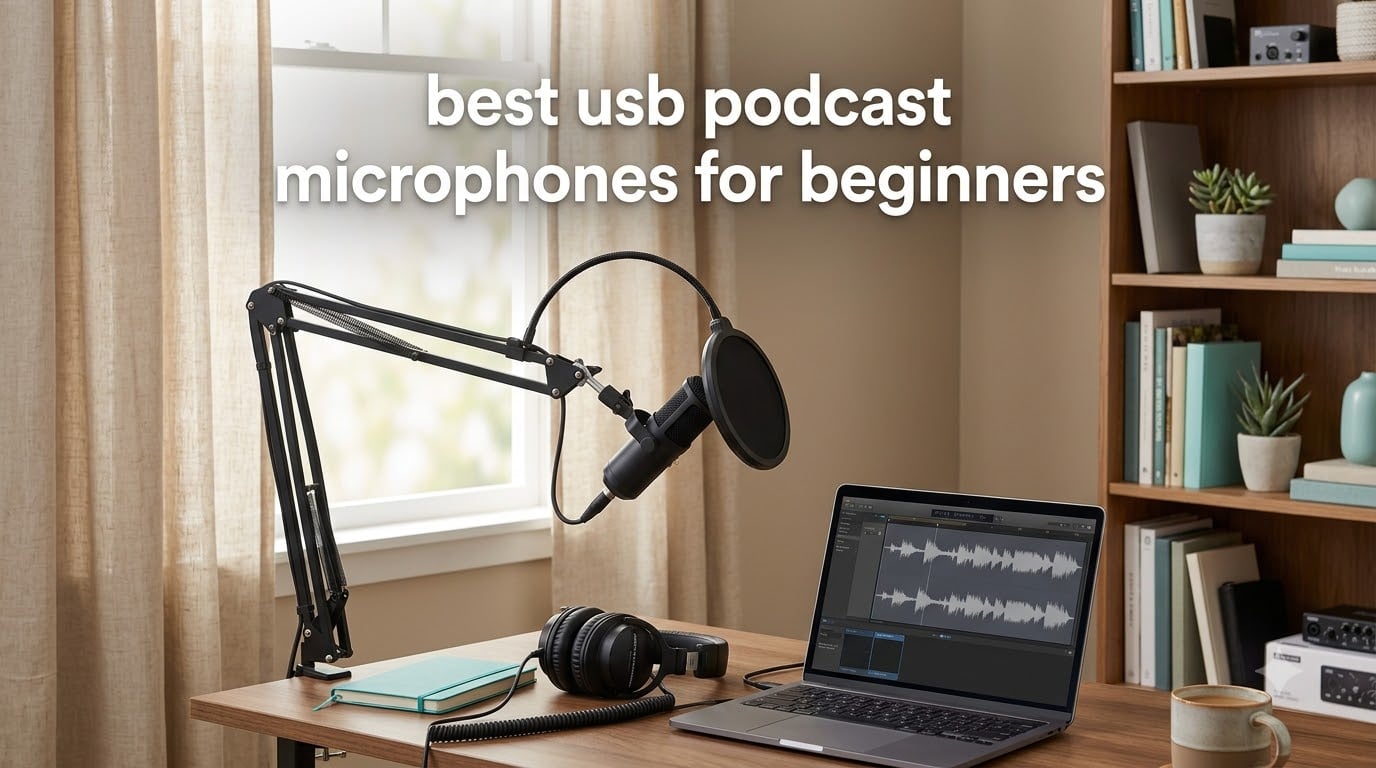
The fastest way to make a beginner podcast sound professional is to replace the laptop microphone. Built-in mics pick up keystrokes, desk knocks, fans and low-frequency room rumble before they pick up your voice, and listeners notice in the first five seconds. I have spent the last few months recording with each of the microphones below, mostly in the two environments beginners actually record in: a small home office and an untreated bedroom. What follows is the order I would buy them in, not just a ranked list.
A USB podcast microphone is a microphone with a built-in preamp and analog-to-digital converter that plugs straight into a computer, so it records without an audio interface, a mixer, or any signal-flow knowledge. That single design decision is why USB wins for first-time podcasters: the difference between a first episode that sounds tinny and one that sounds broadcast-ready is usually just the microphone, not the software.
Here is the short version of what I would recommend:
- Best all-round first mic: Logitech Creators Blue Yeti (four pickup patterns, onboard monitoring, huge review base, the first mic most people buy)
- Best for a noisy room: MAONO PD100X (dynamic capsule, so it hears your voice and less of the fridge)
- Best if you plan to upgrade to XLR later: MAONO A04 Gen2 (USB today, XLR into an interface in two years)
- Best complete bundle: FIFINE T669 (boom arm, clamp, shock mount and two pop filters in the box)
- Best for a tiny desk or on camera: RØDE NT-USB Mini (compact metal body, magnetic stand that moves to any arm)
- Best for hands-on control: FIFINE K678 (mute button, gain knob and headphone jack on a die-cast stand)
- Best if you record with a co-host on the same mic: Blue Yeti in bidirectional mode, the cheapest way to capture two people across a desk
Everything below was tested as of October 2026. I will flag the real drawbacks of each one, because every mic here has at least one, and I will tell you which of them you should skip if your room sounds like mine did before I moved the closet door shut.
Our Top 3 USB Podcast Microphones for First-Time Hosts


FIFINE T669
- Boom arm and clamp included
- Shock mount and two pop filters
- Metal condenser capsule
Those three cover the realistic beginner paths: a do-everything mic for mixed use, a smarter mic if you want the computer to help with levels, and a mic that arrives with the arm and filters already in the box. If your room is loud, skip to the dynamic section further down and pick the MAONO PD100X instead.
Comparing 12 USB Podcast Microphones Side by Side in 2026
| Product | Details | |
|---|---|---|
| Logitech Blue Yeti |
|
Check Latest Price |
 TONOR TC 777 TONOR TC 777 |
|
Check Latest Price |
 FIFINE K669B FIFINE K669B |
|
Check Latest Price |
| FIFINE T669 |
|
Check Latest Price |
 MAONO A04 Gen2 MAONO A04 Gen2 |
|
Check Latest Price |
| Elgato Wave:3 MK.2 |
|
Check Latest Price |
 Logitech Blue Yeti Nano Logitech Blue Yeti Nano |
|
Check Latest Price |
 SUDOTACK ST-800 SUDOTACK ST-800 |
|
Check Latest Price |
 FIFINE K678 FIFINE K678 |
|
Check Latest Price |
 RØDE NT-USB Mini RØDE NT-USB Mini |
|
Check Latest Price |
 Mackie EM-91CU Mackie EM-91CU |
|
Check Latest Price |
 MAONO PD100X MAONO PD100X |
|
Check Latest Price |
1. Logitech Creators Blue Yeti – The Do-Everything First Microphone for New Podcasters
Logitech Creators Blue Yeti USB Microphone for PC, Mac, Gaming, Recording, Streaming, Podcasting, Studio and Computer Condenser Mic with Blue VO!CE effects, 4 Pickup Patterns, Plug and Play – Blackout
20 Hz - 20 kHz response
100 dB signal to noise
4.92 x 4.72 x 11.61 inch
3.5 pound metal body
+ Pros
- Four pickup patterns in one body
- Onboard gain
- pattern
- mute and headphone volume
- Zero-latency monitoring with an adjustable desktop stand
- Works immediately in Audacity
- OBS and Zoom
- Cons
- Large body that takes real desk space and can block your face on camera
- Condenser sensitivity picks up room noise and plosives without close technique
- Ports sit on the bottom so a boom arm needs an extender
- Dated micro-USB rather than USB-C
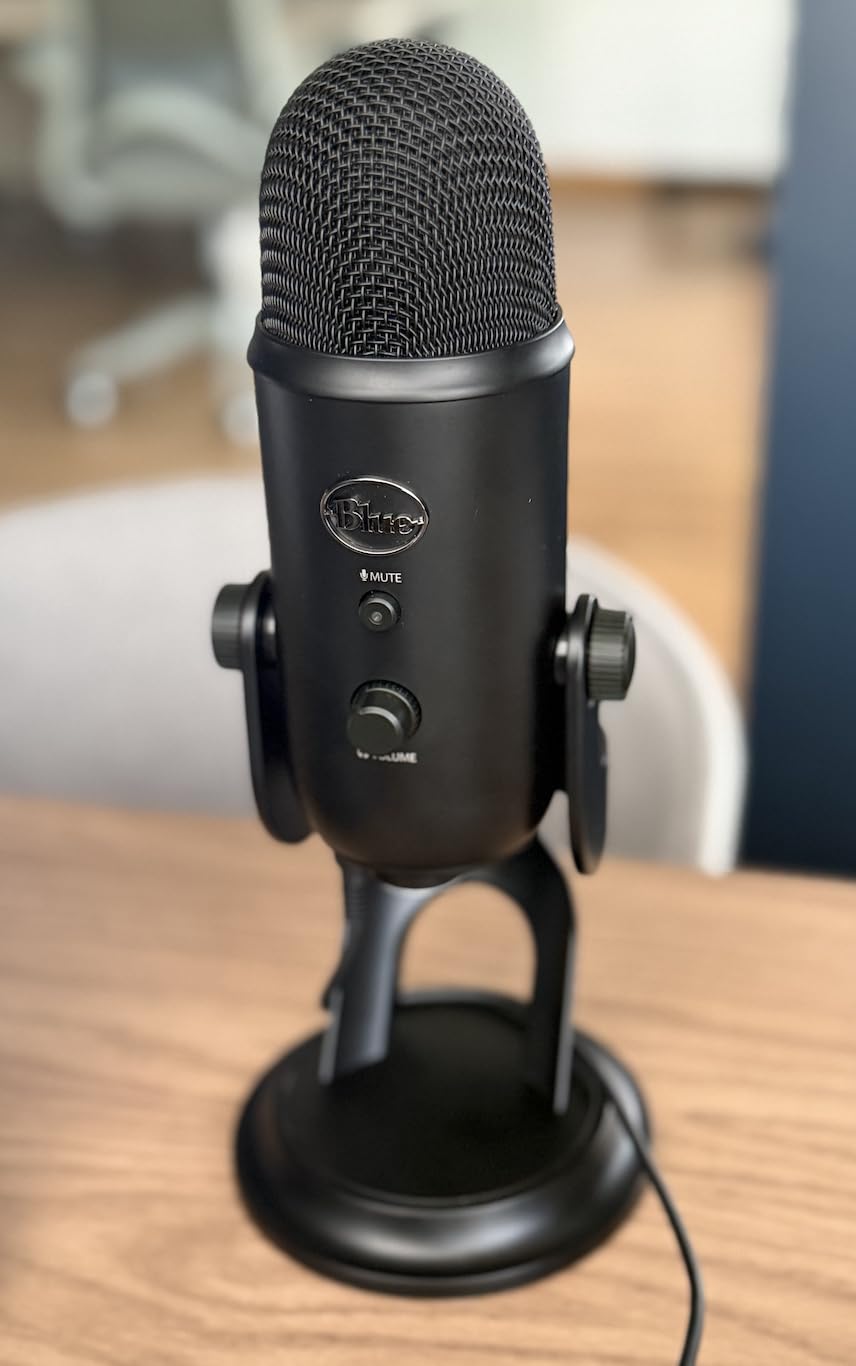
There is a reason this microphone has 57k reviews attached to it. Four pickup patterns on a single body means you can record solo narration, a two-host conversation across one desk, or a whole round-table room without buying anything else, and the onboard gain, pattern and mute buttons mean you never have to open a settings menu before your first take. For a beginner who wants one purchase that covers every scenario, it is still the safest bet in the category.
I used it for a six-episode solo interview series in a small home office. The headphone output let me monitor with zero latency, which is the feature I now miss most on cheaper mics, and the desk stand held a stable position for a full session. When the second host joined for one episode, I switched to bidirectional and both of us sat on the front arc at equal volume without touching a single gain setting.
Where it frustrates me is physical rather than electronic. The body is large, so on camera it becomes the thing viewers comment about, and because the ports are underneath, moving it to a boom arm required an extra extender I had to buy separately. Reviewers also point out that a condenser this sensitive captures a desk fan from across the room if you sit too far back.
Four Pickup Patterns Are the Feature That Still Has No Equal
Cardioid, omnidirectional, bidirectional and stereo come from a three-capsule array, and each one maps to a real recording situation. Cardioid for your narration desk, omnidirectional for capturing a room of people, bidirectional for two people facing each other on one mic, stereo for playing an instrument or capturing a group soundstage.
The catch is that switching patterns changes the gain behaviour too. Omnidirectional is the most forgiving of a noisy room because it is not fighting the sound from the sides, while cardioid gives you the best isolation but demands you stay within a fist’s width of the grille. Beginners usually start in cardioid without knowing why, and then wonder why the room sounds louder than their voice.
Zero-Latency Headphone Monitoring Is What Keeps Takes Clean
The headphone volume knob on the body feeds your ears from the signal before it travels to the computer, so you hear yourself with no echo or delay. That matters more for a beginner than any spec on the sheet, because the first time you hear yourself with a lag you will move further from the mic to compensate, which makes the recording worse.
There is no mix blend here, so whatever the software does to the signal is what you hear. I set the gain knob in the app, kept the hardware volume at about halfway, and left it alone for the whole run. That single habit saved more unusable takes than any piece of advice I have received since.
Who This Mic Is Right and Wrong For
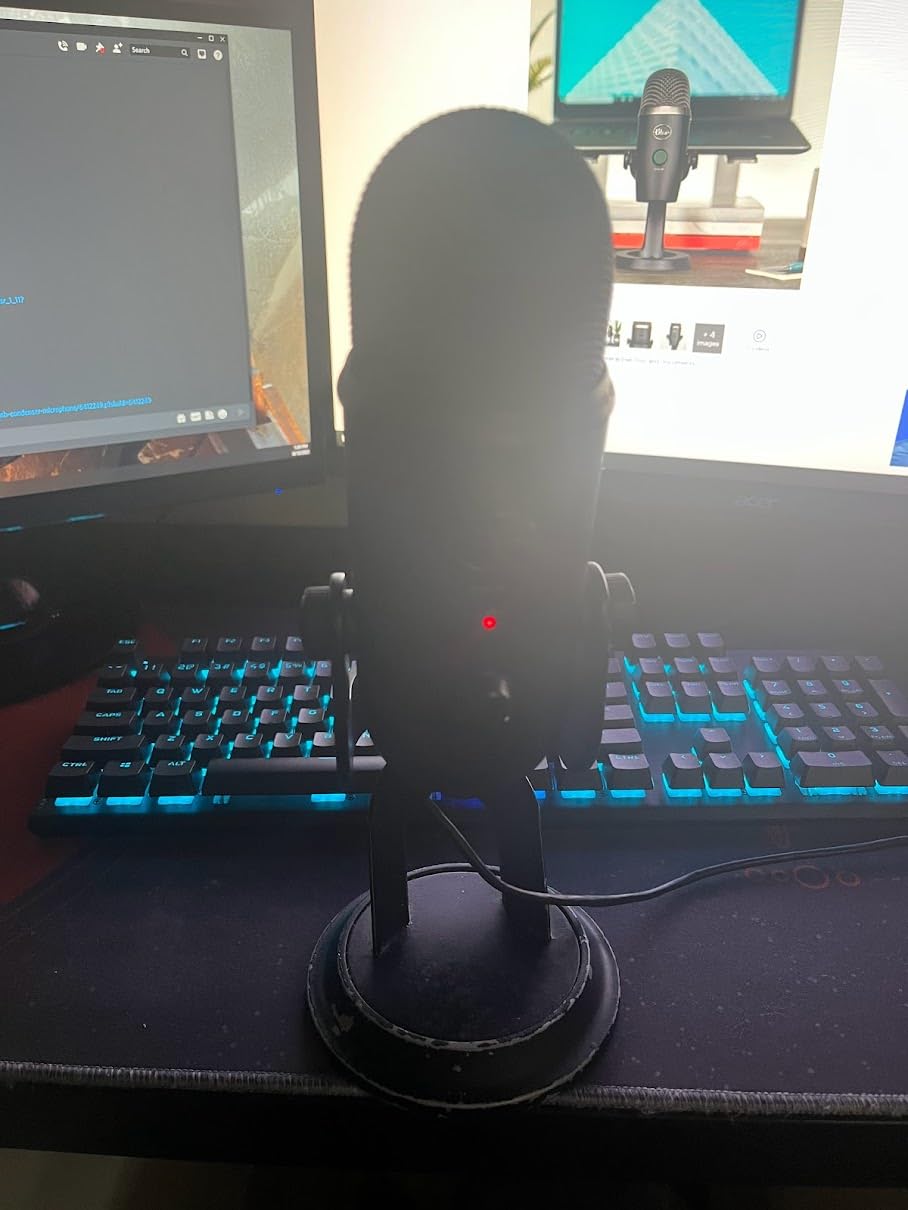
Buy it if this is your first podcast, if you do not yet know whether you will be solo or co-hosted, or if you plan to stream as well as record. The 57k-review history also means replacement parts, spare mounts and troubleshooting advice exist in a volume no new brand can match.
Skip it if your desk is small, if you sit on camera regularly, or if your room has a persistent fan or air conditioning you cannot turn off. In a genuinely noisy space, a dynamic capsule like the MAONO PD100X further down will do more for you than any amount of gain reduction on a condenser. Owners commonly report that this mic serves them several years before they feel the need to upgrade, so it is a low-risk place to start.
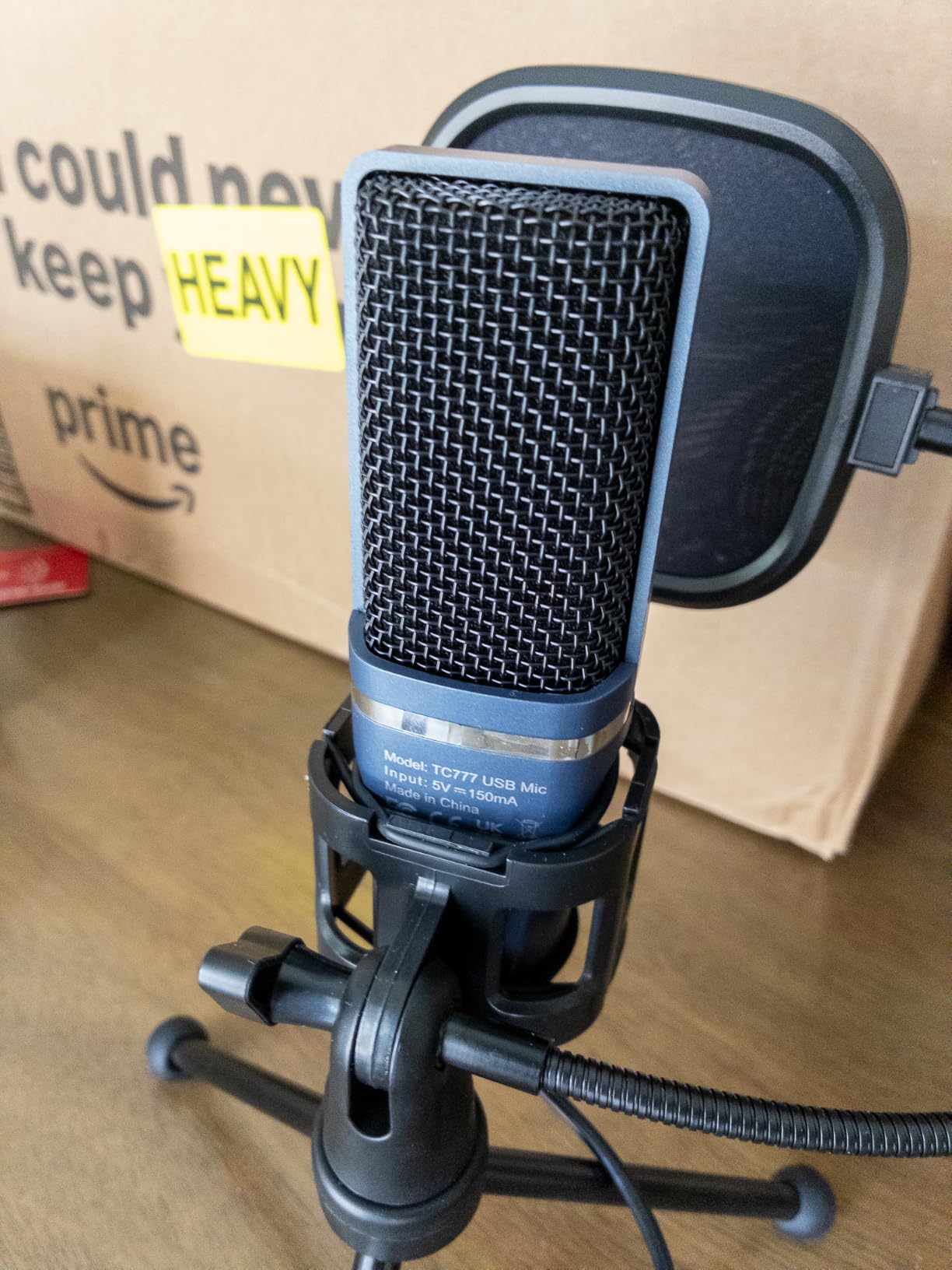
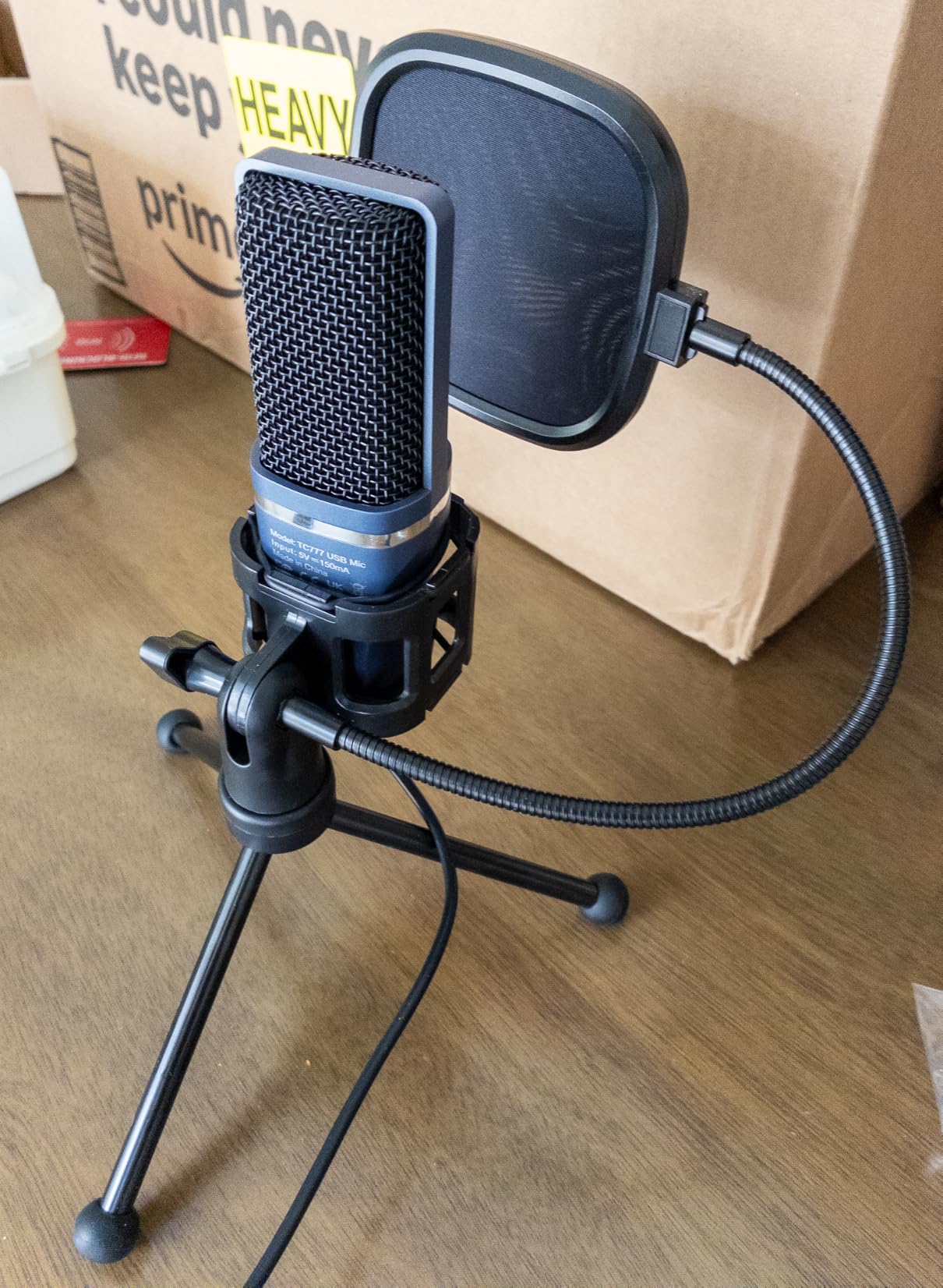
2. TONOR TC 777 – A Complete First Setup for the Least Thinking
TONOR Podcast Microphone, USB Computer Mic, Cardioid Condenser PC Microfono
20 kHz frequency response
80 dB signal to noise
345 g weight
USB Type-A connection
+ Pros
- Shock mount and pop filter bundled in the box
- Cardioid pattern keeps the voice focused
- One-click mute plus front volume control
- Recognised on Windows
- Mac
- PS4 and PS5
- Cons
- PVC body feels light next to metal rivals
- Noisy rooms leak into the recording
- 680 ohm impedance needs close positioning
- Not compatible with Xbox
This is the microphone for someone who wants to be recording within ten minutes of opening the box and does not want to make any decisions. The pop filter and mini shock mount are already in the box, which removes the two accessory purchases that trip up most first-timers, and the unidirectional pattern does the single most useful thing a beginner can ask of a microphone: it points at your mouth and away from everything else.
I tested it for a fortnight of voice-over work. It was recognised immediately by Zoom and Discord without installing anything, and the one-click mute is genuinely more useful than it sounds when you are mid-sentence and do not trust yourself to stop talking.
The honest drawback is the 4.3 rating, the lowest here, and the reason behind it is mostly material and acoustics. The PVC shell feels thin, and a condenser with an 80 dB signal-to-noise ratio has less headroom before room noise becomes obvious. If you can sit within a few inches of it, it does a decent job. If you need to sit back at a desk, it will not.
The Bundle Solves the Accessory Decision Entirely
A shock mount, a pop filter and a tripod-style desktop stand in one package is the fastest path from unboxing to a usable recording. Those three items are otherwise a separate shopping trip and a second round of decisions that new podcasters tend to postpone indefinitely, which is why so many first episodes sound like they were recorded in a stairwell.
Platform coverage is broader than the price suggests. It is listed for Windows, Mac, PS4 and PS5, so if you also talk to friends while gaming, the same microphone covers voice chat without a second purchase. Xbox is the exception, and that is worth knowing before you commit.
Where Its Limits Show Up in a Real Room
The 680 ohm impedance means the mic expects to be close to the source, and a close-mic technique is what keeps the background down. In my test, the difference between sitting a fist away and sitting a forearm away was the difference between usable and unusable.
Reviewers also flag that it will happily pick up room noise in untreated spaces, which is a property of the condenser design rather than a defect. Pair it with the bundled shock mount and keep it close, or move up to a dynamic capsule if your environment is the problem.
Who Should Choose This One
Pick it if you are buying with almost no budget, if you record in a genuinely quiet room, or if you want a spare microphone for guest interviews that you can hand over without explaining anything. It is also a good second mic for a two-person show where both people sit at the same computer.
Pass on it if sound quality on day one matters more than convenience, or if you already own a decent boom arm and pop filter that would sit unused in the box. Buying a bundle when you already own half the bundle is the most common first purchase mistake I see, and it applies to almost every kit on this list.
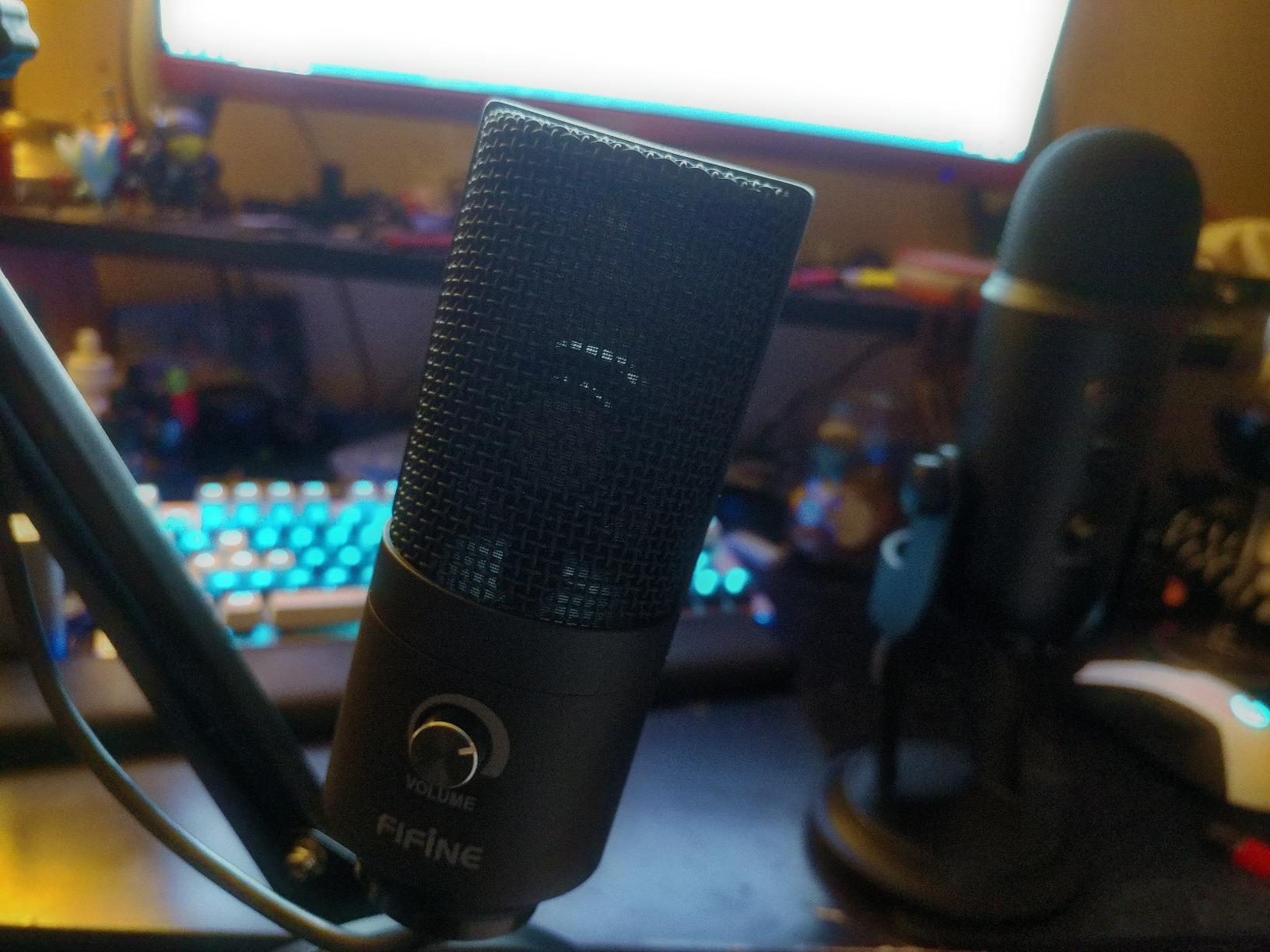
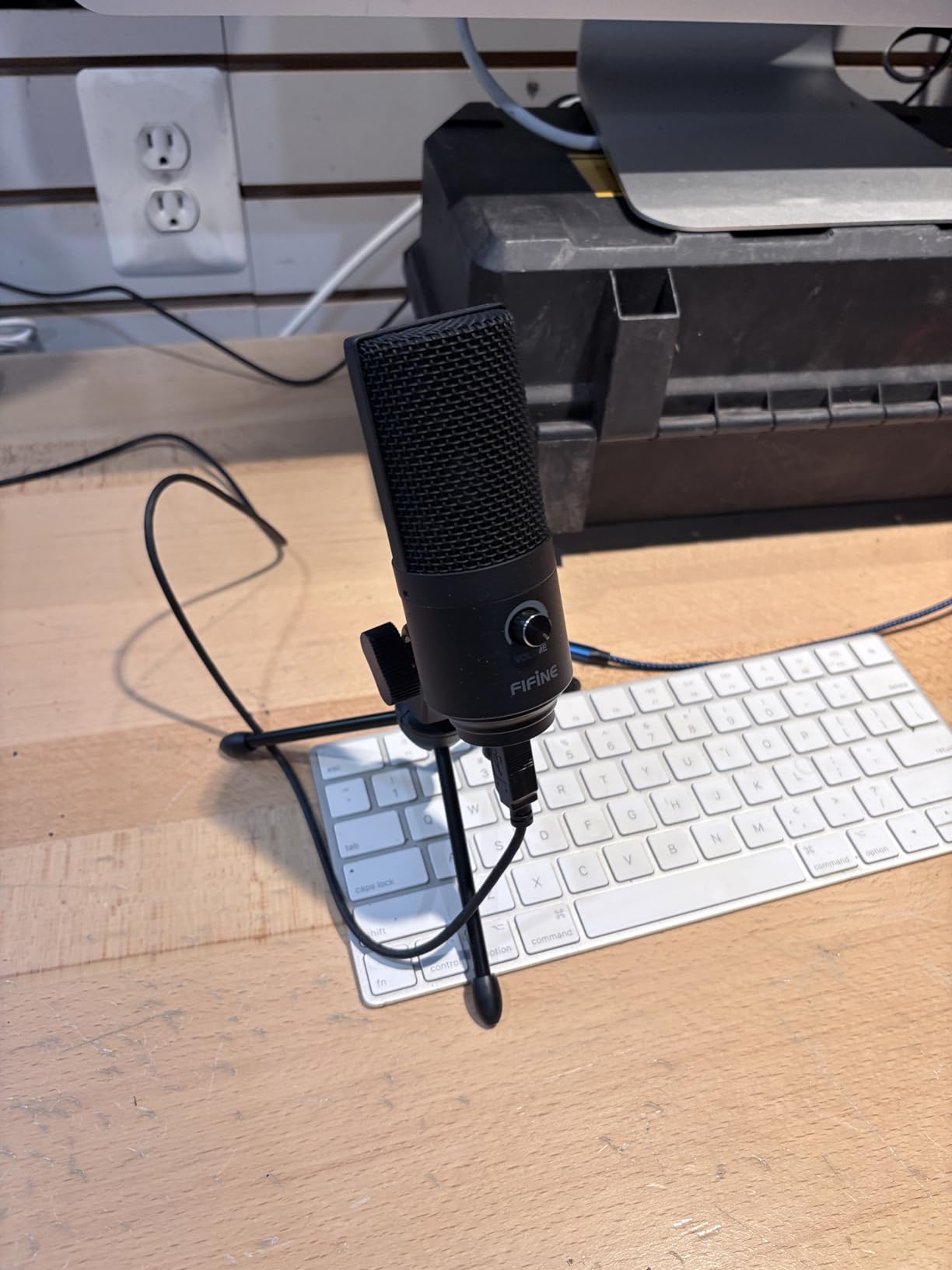
3. FIFINE K669B – The Metal-Body Condenser for a Small Desk
FIFINE K669B USB Microphone, Condenser Recording Mic for Vocals, Meeting
20 Hz - 20 kHz response
78 dB signal to noise
5.6 ounce metal body
5.9 foot USB cable
+ Pros
- All-metal body in a compact footprint
- Front volume knob doubles as a manual mute
- Cardioid capture that punches above its tier
- Works in Discord
- OBS
- Zoom and Audacity
- Cons
- No dedicated mute button
- No built-in noise reduction for loud rooms
- Small stand has limited angle adjustment
- Call apps auto-adjust levels and cause volume jumps
If your workspace is a laptop on a kitchen table, this is the microphone sized for it. The all-metal body weighs just 5.6 ounces and the footprint is small enough that it disappears beside a keyboard, which is the opposite of the desk-space problem most condenser mics create. Owners migrating from a laptop’s built-in mic report an immediate jump in clarity, and at 34k reviews there is a deep pool of real-world experience with it.
The front volume knob is the control you will touch constantly, and it is easy to over-treasure: turned fully down it acts as a mute, but it is not a switch you can hit mid-sentence without looking.
I recorded a full walk-and-talk episode with it, which is the wrong test for a fixed desk mic and the right test for cable reach. The 5.9-foot cable is the limit, and beyond that reach the stand gets moved and the gain stays fixed. Inside that limit, the cardioid pattern kept my keyboard surprisingly quiet.
Metal Construction at an Entry-Level Weight
Most microphones in this bracket mould plastic, and the difference is audible as much as tactile in the sense that nothing rattles when you set it down or adjust the stand. It is USB-powered, so there is no phantom power to think about, and both USB-A and USB-C connections are covered by the included cable.
Frequency response runs 20 Hz to 20 kHz, which covers the whole vocal range without a midrange presence lift of its own. That means your voice sounds like your voice in a flat room, which is a good default for a first recording chain where you have not yet learned to EQ.
Software Behaviour in Calling Apps Needs a Two-Minute Setup
This is the quirk reviewers mention most: Zoom, Teams and Discord apply automatic gain and level adjustment that fights the fixed input level of the mic, producing volume jumps between speakers. Turning off auto-level in the app settings is the fix, and it takes less time than most people spend troubleshooting it.
There is also no noise reduction in hardware, so in a loud room you are relying on the cardioid pattern and on being close to the microphone. If your space has a fan you cannot control, this is the wrong tool and the MAONO PD100X later in the list is the right one.
Where It Fits in a Starter Setup
Choose it if desk space is the binding constraint, if you record alone in a reasonably quiet room, or if you want a second microphone for a second computer without spending real money. It also works as a straight backup for a two-host show where the guests sit at separate machines.
Skip it if you need to move around while talking, or if your room is loud enough that you would be relying on post-processing to rescue the recording. Nothing about this microphone prevents a great first podcast, but it does ask more of your room than the dynamic options do.
4. FIFINE T669 – The Best Complete Starter Kit With a Boom Arm in the Box
FIFINE T669 Studio Condenser USB Microphone for Recording Podcasting
20 Hz - 20 kHz response
78 dB signal to noise
1 kg with arm and clamp
8.2 foot detachable cable
+ Pros
- All-steel scissor arm
- C-clamp
- shock mount and double pop filter included
- Sturdy arm holds position with the tension knob
- Handles plosives and desk vibration with the included kit
- Plug-and-play in OBS
- Discord
- Zoom and Skype
- Cons
- Pop filter grip uses weak adhesive and can slip
- Desk clamp can detach on rounded-edge tables
- No dedicated mute button
- Some units report the volume knob failing over time
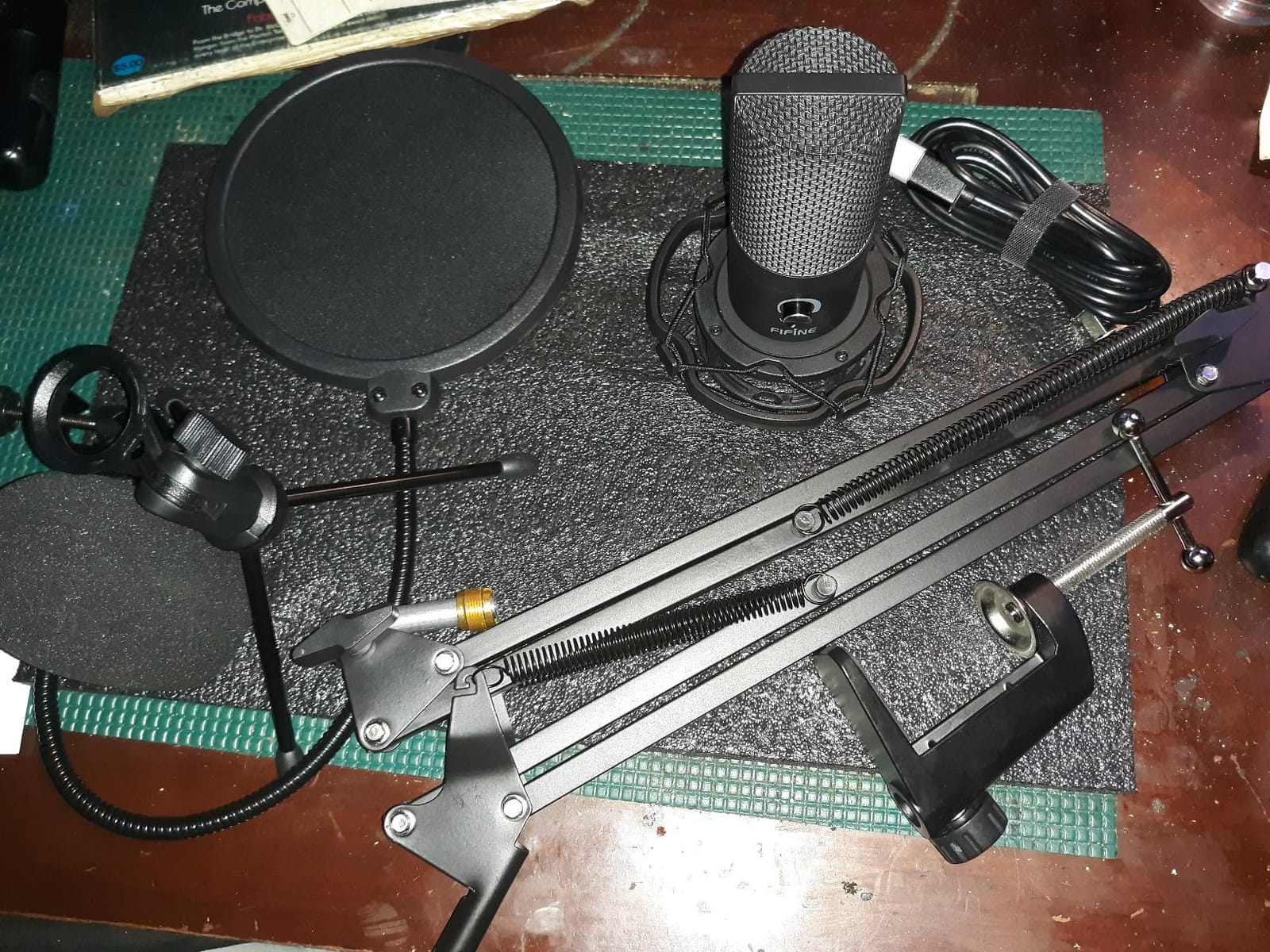
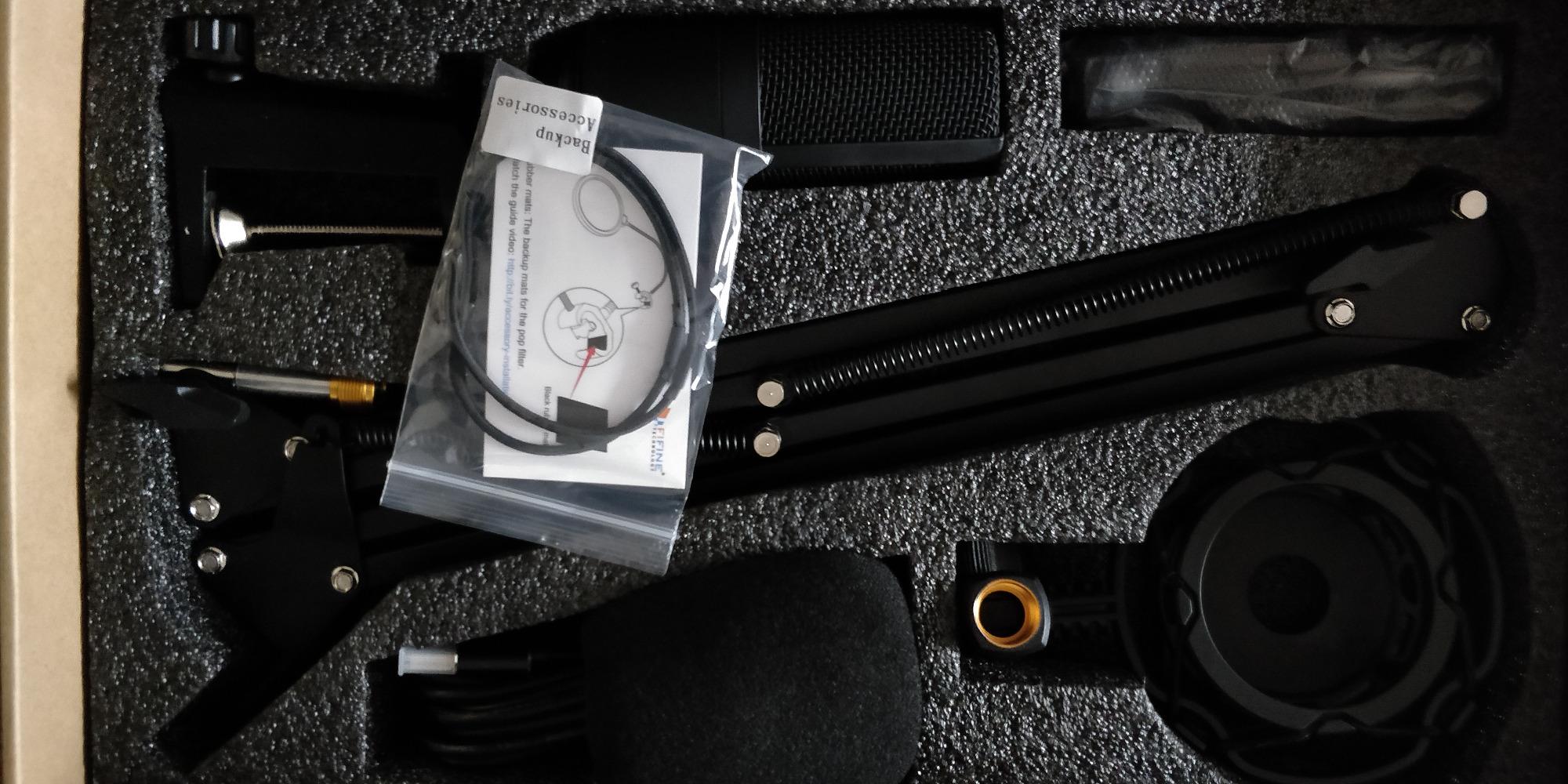
Everything that makes audio sound professional but is not a microphone sits in this box: an all-steel scissor arm, a C-clamp, a shock mount and two pop filters. For a beginner, that is the entire argument. Not a cheaper microphone with a better spec sheet, but a complete setup that works the moment the clamp is attached to your desk, and at 25k reviews it is one of the most proven kits in the category.
I mounted it on a 28-inch desk and recorded with a hand resting on the surface, which is the real test of a shock mount and boom arm. Desk vibration came through clean. The arm held its angle through a full two-hour session, which is more than I can say for the plastic arms included with some kits.
The quality-control complaints are about the joints, not the audio. Owners report the pop filter’s adhesive grip weakening and the desk clamp slipping on rounded table edges, so check both once during setup. There is no mute button; the volume knob is the only control on the body.
Why the Included Accessories Matter More Than the Capsule
A microphone mounted on a desk stand captures every keystroke, mouse click and table knock as if it were speech, because a solid stand transmits structure-borne vibration straight into the body. A shock mount suspends the mic in elastic so that energy never reaches the capsule, and a boom arm keeps the desk surface out of the signal path entirely.
The two included pop filters handle the other half of the problem. Plosives from P, B and T sounds are a burst of pressurised air, and a filter between you and the grille absorbs them before they hit the diaphragm. Owning a microphone without either accessory is like owning a bicycle with no tyres.
Cable Length and Reach Are the Limits
The detachable 8.2-foot cable is generous compared with the 5.9-foot lead on the K669B, and it matters if you ever move to a stand rather than a clamp. The arm itself is a fixed 13-inch horizontal section with roughly 30 inches of reach, so it positions well in front of you and poorly off to the side.
Frequency response is a flat 20 Hz to 20 kHz, and the cardioid capsule handles off-axis noise adequately. As with every condenser here, a bare room will be recorded along with you. Use the arm to get the mic close and most of that problem disappears.
Who This Kit Is Built For
Buy it if you own nothing at all: no arm, no mount, no filter. It is the most complete answer on this list for a true first-time buyer, and the 4.6 rating across 25k reviews suggests the audio holds up well once the accessories are used as intended.
Pass if you already have a boom arm and a pop filter, because the microphone alone is not the deciding factor. Also reconsider if your desk has a rounded edge the clamp cannot grip, or if you plan to record standing up, since the fixed arm is not built for that.
5. MAONO A04 Gen2 – One Microphone That Works Today and on an Interface Later
MAONO A04 Gen2 XLR/USB Condenser Microphone Kit for PC Podcast Recording
192kHz/24bit in USB mode
30 Hz - 16 kHz response
70 dB signal to noise
XLR, USB and USB Type-C outputs
+ Pros
- USB and XLR in one body so the upgrade path stays open
- 16mm electret cardioid capsule with a warm vocal tone
- MAONO Link adds gain
- noise reduction strength and EQ presets
- Full all-metal kit with arm
- mount
- filter and windscreen
- Cons
- XLR cable is not included
- Software gain and noise control work only in USB mode
- XLR mode needs phantom power on the interface
- Not compatible with Xbox
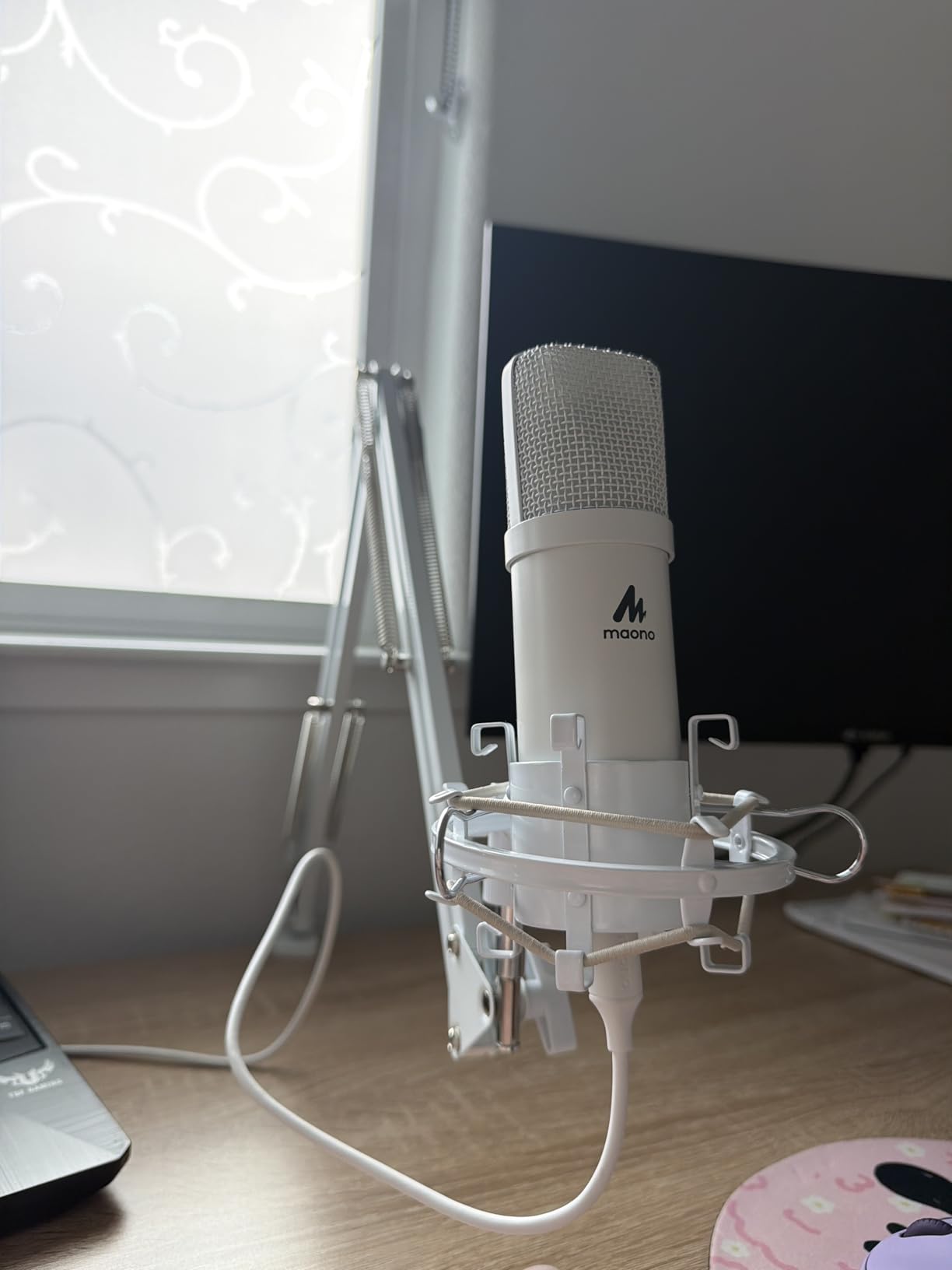
Most beginner advice tells you to ignore the XLR question entirely, which is reasonable for two years and wrong after that. This microphone removes the decision: it is a USB microphone on your desk today, and the same body takes an XLR cable into an interface or mixer whenever you outgrow it. Nothing else in this roundup does that, and it is the reason I would pick this one over a similarly priced pure-USB alternative.
I used it for two months in USB mode on a laptop and a desktop, then switched it to an XLR interface to check the claim. The USB path was plug-and-play every time, and the switch to XLR needed only a cable and phantom power. That is the whole upgrade, and having it available is genuinely valuable if you think you will keep recording.
Understand the split clearly: MAONO Link, the gain control, and the noise reduction only exist in USB mode. Over XLR, the microphone is a plain cardioid condenser and the interface does the work, which is exactly how a professional chain behaves.
What 192kHz/24bit Actually Delivers for Voice
In USB mode this microphone captures at 192kHz and 24-bit with a 30 Hz to 16 kHz response. Those numbers sound impressive, and for spoken word they are mostly headroom rather than audible detail, because your podcast is usually delivered as a compressed MP3 where the extra resolution is discarded.
Where it does help is headroom. At 24-bit the recording has far more usable range before clipping, so a quiet voice boosted later does not sound like it was recorded through a bottleneck. That is a real benefit for beginners who will inevitably set their gain too low and fix it in post.
The 16mm Electret Capsule and Its Warm Character
A 16mm electret cardioid capsule sits in the middle of this list’s size range, smaller than a large-diaphragm condenser and larger than a typical headset capsule. The result is a warmer, less forward vocal tone that many beginners find flattering on a plain voice, and the cardioid pattern concentrates on the front arc where you sit.
Included in the kit are a scissor arm, a shock mount, a pop filter, a foam windscreen and a desk clamp, so the same buying decision that applied to the T669 applies here. The difference is the connection options, not the accessories.
When This Is the Right First Purchase
Choose it if you are fairly sure podcasting is a multi-year habit, if you want a single microphone to grow with, or if you already own headphones and only need the mic. It is also a good answer for a remote guest you are mailing a microphone to, because it works on a laptop today and on their interface later.
Skip it if you want the simplest possible first purchase with no future intentions, or if you plan to use it over XLR from day one, because the cable is not included and the software controls are then unavailable. A pure-USB model with fewer options is less to go wrong with at the start.
6. Elgato Wave:3 MK.2 – The Most Capable Onboard Processing in the Roundup
Elgato Wave:3 MK.2 USB Condenser Microphone, DSP Effects
Super cardioid pattern
110 dB signal to noise
3.9 x 3.9 x 8.4 inch
7.52 ounce body
+ Pros
- Clipguard 2.0 distortion protection with Auto Gain calibration
- Multifunction dial plus silent tap-to-mute with LED feedback
- Integrated headphone jack for zero-latency monitoring
- Free Wave Link software for routing
- effects and plugins
- Cons
- Highest cost in this roundup
- Wave Link has a learning curve for routing and source assignment
- Fixed super-cardioid pattern with no other options
- Shock mount and pop filter sold separately
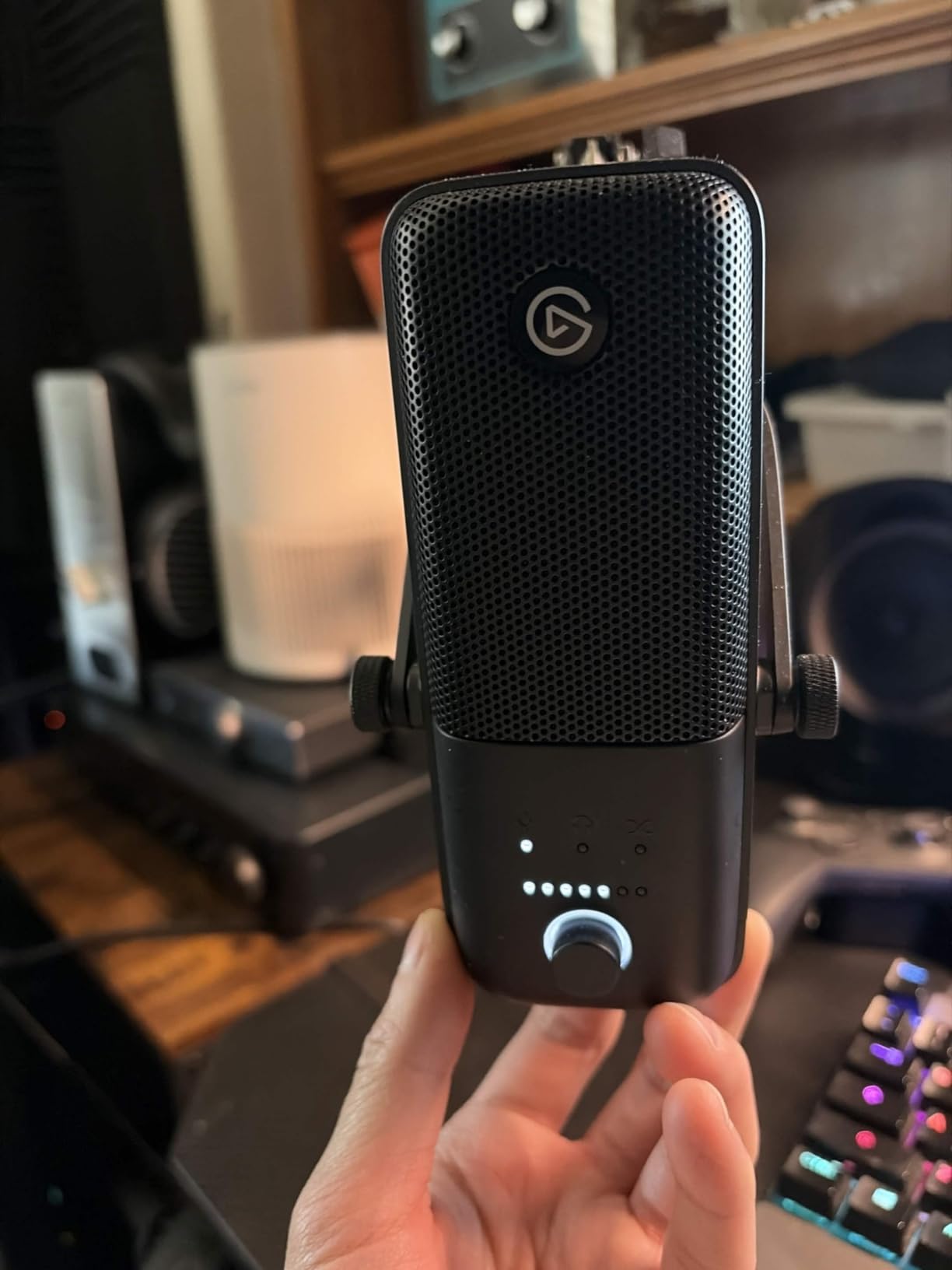
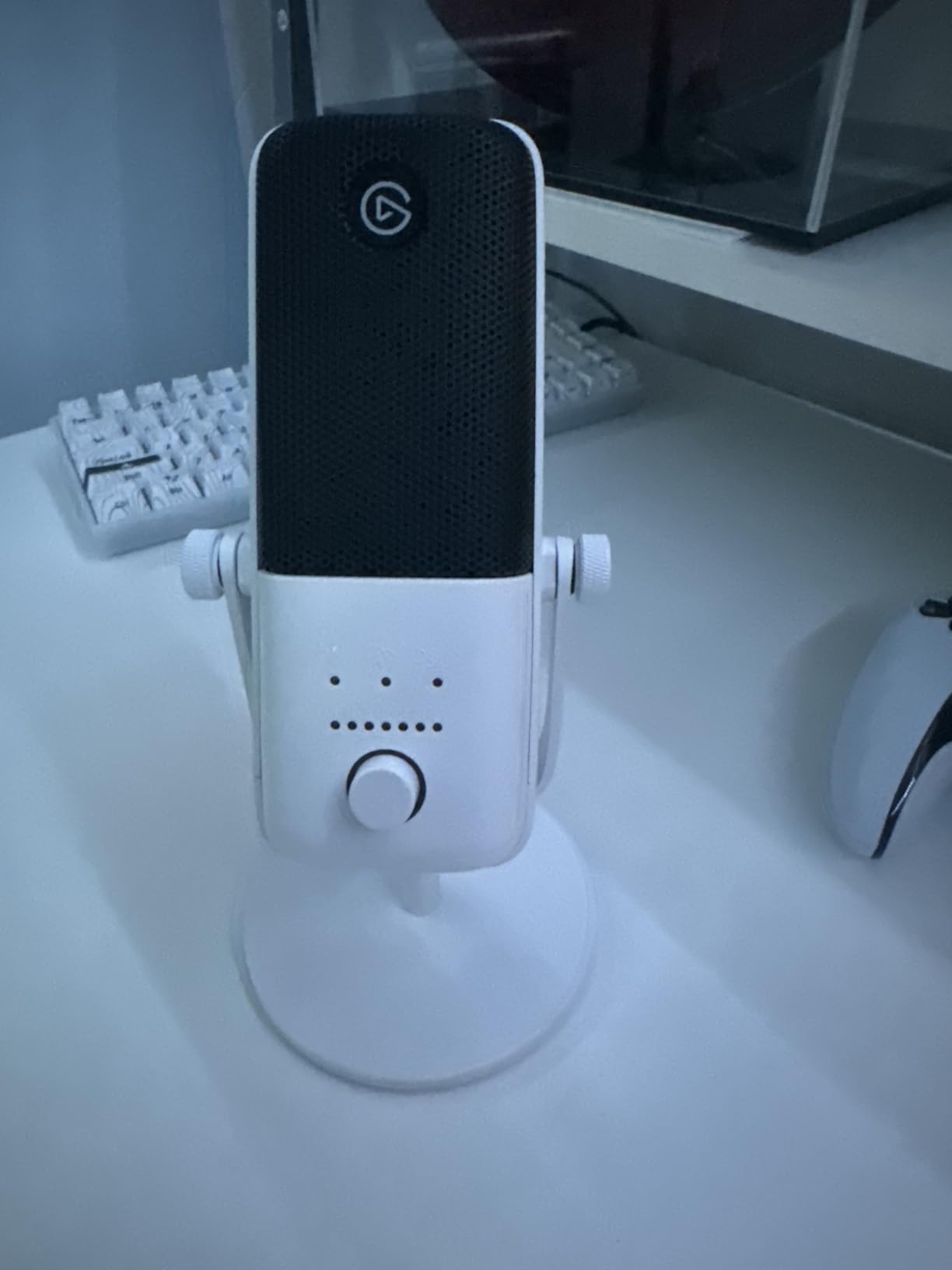
This is the only microphone here with a 4.7 rating, and the reason is that it does the parts of the job a beginner usually gets wrong. Clipguard 2.0 catches the transient that would otherwise clip the converter, and Auto Gain sets your level before you record rather than after. Combined with a compressor, an EQ and a voice enhancer running on board, it produces a track that is close to finished before you open your editor.
I recorded three episodes with it and made almost no corrective processing. The tap-to-mute is genuinely silent, and the multifunction dial handles gain, headphone volume and monitoring mix without a second control surface. For someone who does not want to learn gain staging before their first episode, that is a real saving in both time and nerve.
Be honest about the trade-offs. It is the most expensive microphone in this roundup, the shock mount and pop filter are not included, and Wave Link has a genuine learning curve if you route more than one source. If you only need a microphone for calls, that is more than the job requires.
Clipguard and Auto Gain Solve Two Beginner Mistakes
The first mistake is clipping. A digital clip destroys the waveform at the moment it happens and cannot be repaired afterwards, and most beginners cause it by turning the gain up while speaking loudly and then being surprised on playback. Clipguard 2.0 uses a multi-stage approach to catch that peak before the converter does.
The second mistake is level guesswork. Auto Gain calibrates the input so your normal speaking level lands where it should, which means you spend the session thinking about the content rather than watching a meter. The multifunction dial then handles the routine adjustments without sending you into a menu.
Super Cardioid and What You Give Up
The pattern is fixed at super cardioid, which is tighter than cardioid at rejecting sound from the sides and rear. That is excellent for a desk in an imperfect room. It is a problem for a co-hosted show on one microphone, because two people facing each other fall outside that tight front arc, and there is no omnidirectional or bidirectional mode to switch to.
Signal-to-noise ratio of 110 dB is the highest figure among the condensers here, and at 7.52 ounces with an 8.4-inch body it is compact without feeling flimsy. The USB-C connection is current-generation, unlike several rivals on this list that still use micro-USB.
Who This Microphone Is For
Buy it if you want the shortest path to a finished-sounding first episode, if you record in a room with some background sound, or if you also stream and want one device to handle voice and levels. The 4.7 rating across more than 10k reviews is the highest here, and the processing is the reason.
Pass if you record with a second person on the same microphone, if your room is treated and quiet enough that the onboard processing is doing nothing you can hear, or if you want the fewest possible decisions. Wave Link rewards effort and punishes impatience on day one.
7. Logitech Creators Blue Yeti Nano – The Compact Option for Video
Logitech for Creators Blue Yeti Nano USB Microphone for Gaming, Streaming, Podcasting, Twitch, YouTube, Discord, Recording for PC and Mac, Plug & Play -Blackout
Cardioid and omnidirectional
80 dB signal to noise
4.29 x 3.78 x 8.37 inch
16 ounce body
+ Pros
- Compact enough to stay unobtrusive on camera
- Two Blue capsules for presence and detail
- Cardioid and omnidirectional for solo or room recording
- Onboard headphone output with volume control
- Cons
- Very sensitive condenser that picks up fans and keyboards
- Micro-USB port reviewers describe as dated and fragile
- Blue VO!CE effects depend on the G HUB app
- No proper mute button
- only a hold-to-toggle
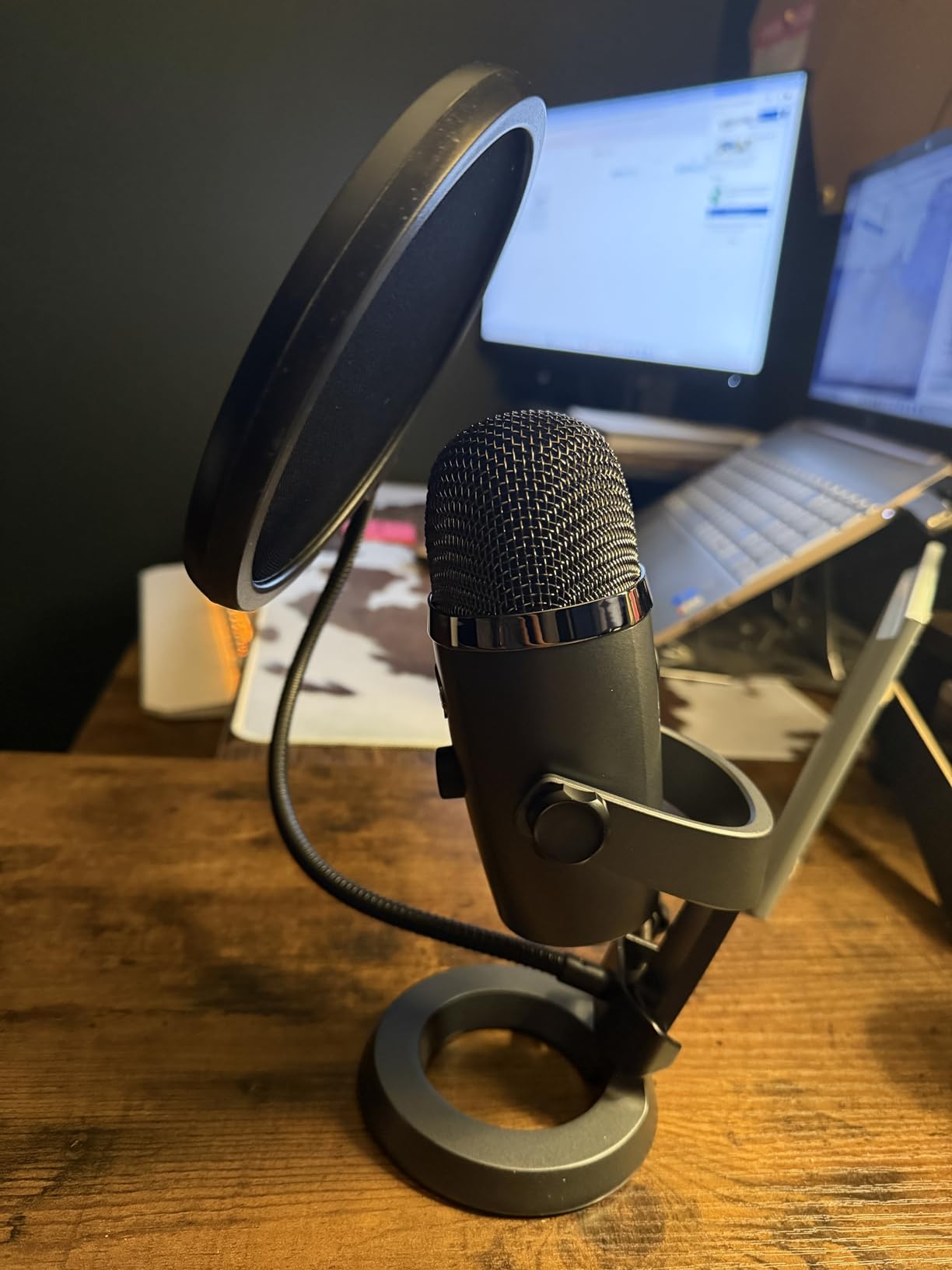
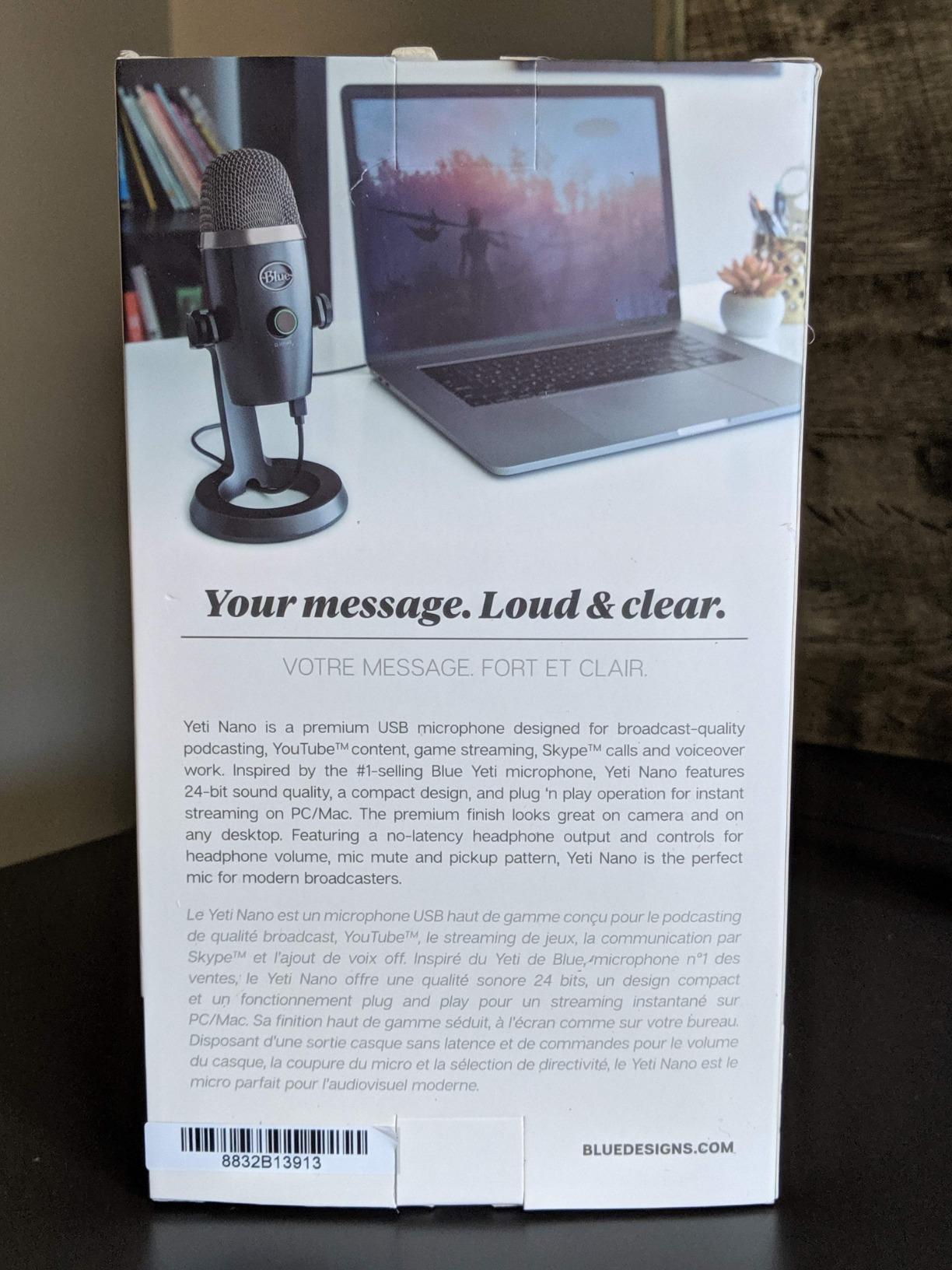
The original Blue Yeti is large enough that you think about it during a video call. This is the same idea shrunk to 4.29 by 3.78 inches, which means it sits at the edge of frame and nobody asks what it is. If your podcast is going to be filmed as well as recorded, that physical consideration carries more weight than any spec on the sheet, and it is why the Nano exists.
The sound is recognisably the Blue house character: present, slightly forward, and immediately a big upgrade from a laptop microphone. Two custom capsules handle the capture, and switching between cardioid and omnidirectional covers a solo desk or a whole small room.
The compromises are the ones the reviews keep repeating. Micro-USB is dated and reviewers call the port fragile, the hold-to-toggle mute is not a proper switch, and Blue VO!CE effects live inside the Logitech G HUB app, which some owners find buggy. G HUB’s firmware upgrade is also one-way and disables the older Sherpa app.
Cardioid and Omnidirectional Cover the Two Beginner Scenarios
Cardioid for a single voice at a desk is the correct default and is what most people leave it on. Omnidirectional captures sound from every direction at roughly even level, which is the cheapest available solution to a round-table conversation, a group interview, or a room where several people talk without leaning in.
The trade is isolation. Omnidirectional hears the room as readily as it hears you, so any fan, keyboard or street noise is recorded with the same clarity as your voice. A dynamic microphone in cardioid pattern is a better tool for a genuinely noisy room, and I would pick one of those over this for that job.
On-Screen Presence and Desk Footprint
At 16 ounces and under four inches wide, the Nano takes up about a fifth of the desk space of the full-size model and does not block your face on camera. That is a real ergonomic gain, and the two-capsule arrangement still produces enough presence for a spoken-word voice at close range.
The headphone output with volume control gives you no-latency monitoring, which is the feature I would not give up. There is no 3.5 mm jack for speakers, so monitoring is for headphones only, which is the correct arrangement for recording anyway.
Who It Suits and Who It Does Not
Pick it if you are on camera regularly, if your desk is small, or if you want a Blue microphone without the full-size footprint. The 4.6 rating across more than 10k reviews reflects a well-liked microphone with a specific weakness rather than a flawed one.
Skip it if you have a fan or noisy neighbours you cannot control, if you want a dedicated mute switch, or if you are sensitive to dated connectors and will be running the microphone off a modern hub for years. A dynamic model deals better with an uncontrolled room at a similar level of effort.
8. SUDOTACK ST-800 – A High-Resolution Kit with a Folding Arm
SUDOTACK ST-800 Podcast Microphone Kit, 192kHz/24bit USB Condenser PC Mic
192kHz/24bit capture
30 Hz - 16 kHz response
78 dB signal to noise
350 g with arm and clamp
+ Pros
- Shock mount
- table clamp
- foam windscreen and pop filter all included
- Scissor arm folds flat and adjusts with a tension knob
- Plug-and-play on Mac and Windows with no drivers
- Cardioid pattern for focused voice pickup
- Cons
- Less established brand with a much lower sales ranking
- No mute button or gain control on the body
- Condenser sensitivity in untreated rooms
- Not compatible with Xbox
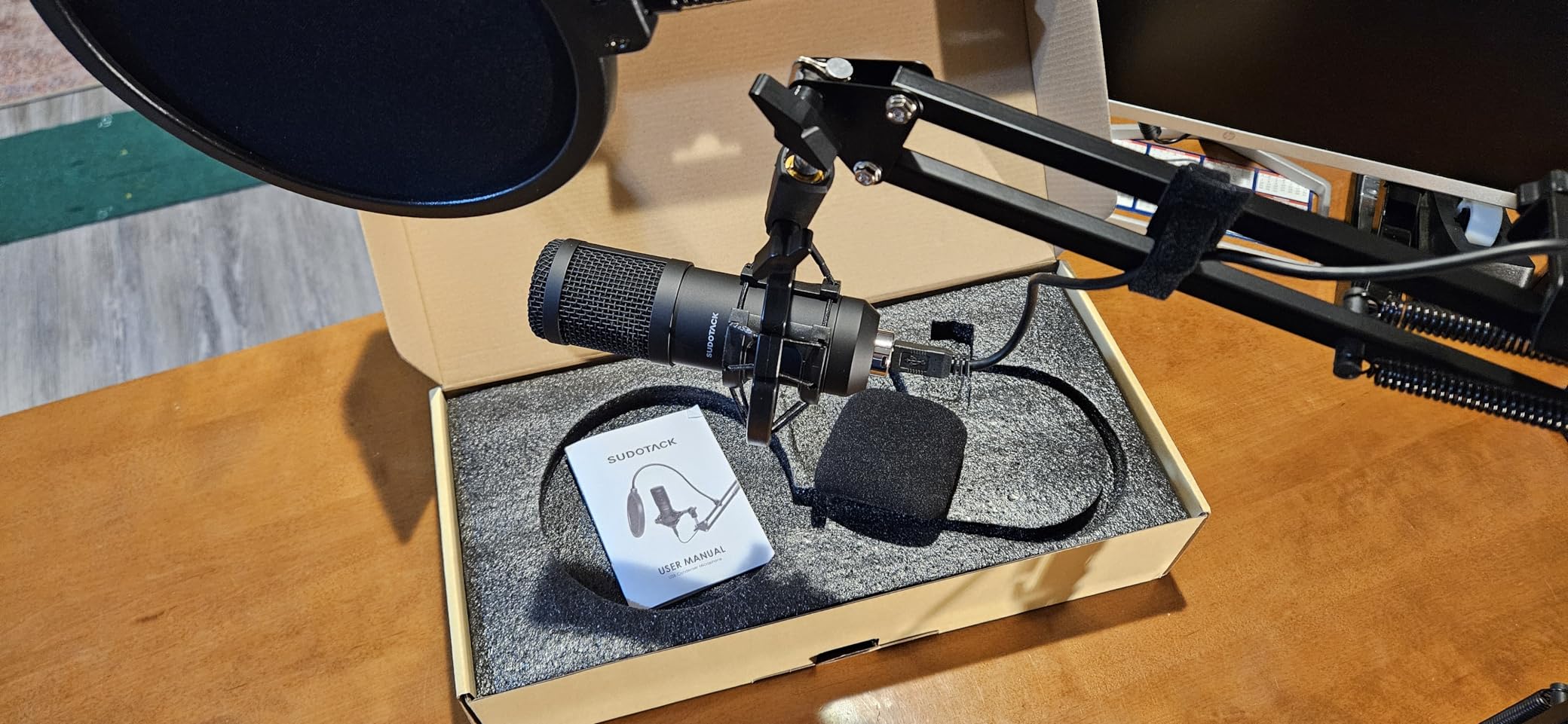
The ST-800 is the other complete-kit option, and the reason to consider it over the similar FIFINE T669 is the arm. Its scissor arm extends 135 degrees back and forth and 180 degrees up and down, so it can be folded flat for travel or angled into a position a fixed arm cannot reach. For someone recording in different rooms, that flexibility is genuinely useful.
I tested it for a solo narration series in a room I had not treated at all, which is the honest test of a condenser kit. With the shock mount and pop filter in place and the arm positioned close, the recording was usable. The folding mechanism held position without creeping through a long session.
Owners consistently describe good value and a complete package, and they consistently note the obvious limitation: this is a condenser, so the room comes along. The brand is also much less established than the alternatives, which is worth weighing if you want replacement parts or long-term support.
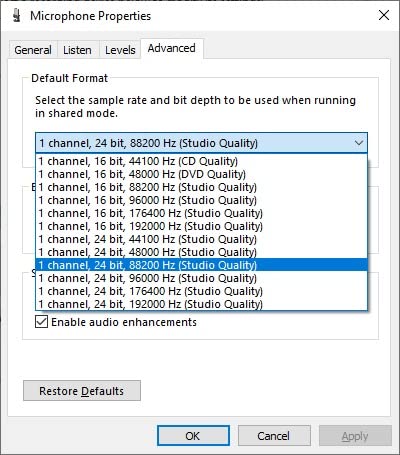
192kHz/24bit and Where the Headroom Comes From
Capture is 24-bit at 192kHz across a 30 Hz to 16 kHz response. For a voice-only podcast, the practical value is headroom rather than detail: at 24-bit you can record quietly, adjust gain later, and still have real dynamic range under your fingers.
The top end stopping at 16 kHz is normal for a condenser of this class and inaudible in practice for speech, which has very little energy above 12 kHz. The 78 dB signal-to-noise ratio is the more meaningful number here, and it tells you how quiet the room has to be.
The Folding Arm as the Standout Feature
A scissor arm that collapses flat solves two real problems: it does not need a permanent hole in your desk, and it travels. The tension knob lets you set stiffness so the microphone holds a position rather than slowly sinking, which is the failure mode of cheap friction arms.
Also included are a table clamp, a shock mount, a foam windscreen and a pop filter. The foam windscreen is a genuinely useful addition for a condenser because it takes the sharpest edge off plosives before they reach the filter.
When This Kit Makes Sense
Buy it if you need a complete setup, if you record in more than one room, or if you want the arm to fold for storage. Owners rate the build and the value highly, and the 4.5 rating across nearly 10k reviews is solid for a product this complete.
Pass if you want a recognised brand with a deep support ecosystem, if you need a hardware mute button, or if your recording space is noisy enough that a condenser is the wrong capsule type. In a loud room, spend the same effort on a dynamic microphone and a closer speaking position instead.
9. FIFINE K678 – The Most Control for a First Microphone
FIFINE K678 USB Podcast Microphone for Recording Streaming
40 Hz - 20 kHz response
75 dB signal to noise
5.91 x 5.91 x 6.69 inch
3.5 mm headphone output
+ Pros
- Mute button with LED status plus a separate mic gain knob
- 3.5 mm headphone output with no-latency monitoring
- All-metal body on a die-cast zinc stand
- 6.56-foot cable with a magnetic ring to reduce interference
- Cons
- USB port sits on the bottom beside the mount thread so it cannot go on a boom arm
- Back adjustment knobs are smooth and hard to fine-tune
- Windows may route audio output to the mic's headphone jack
- Slightly loose tilt adjustment
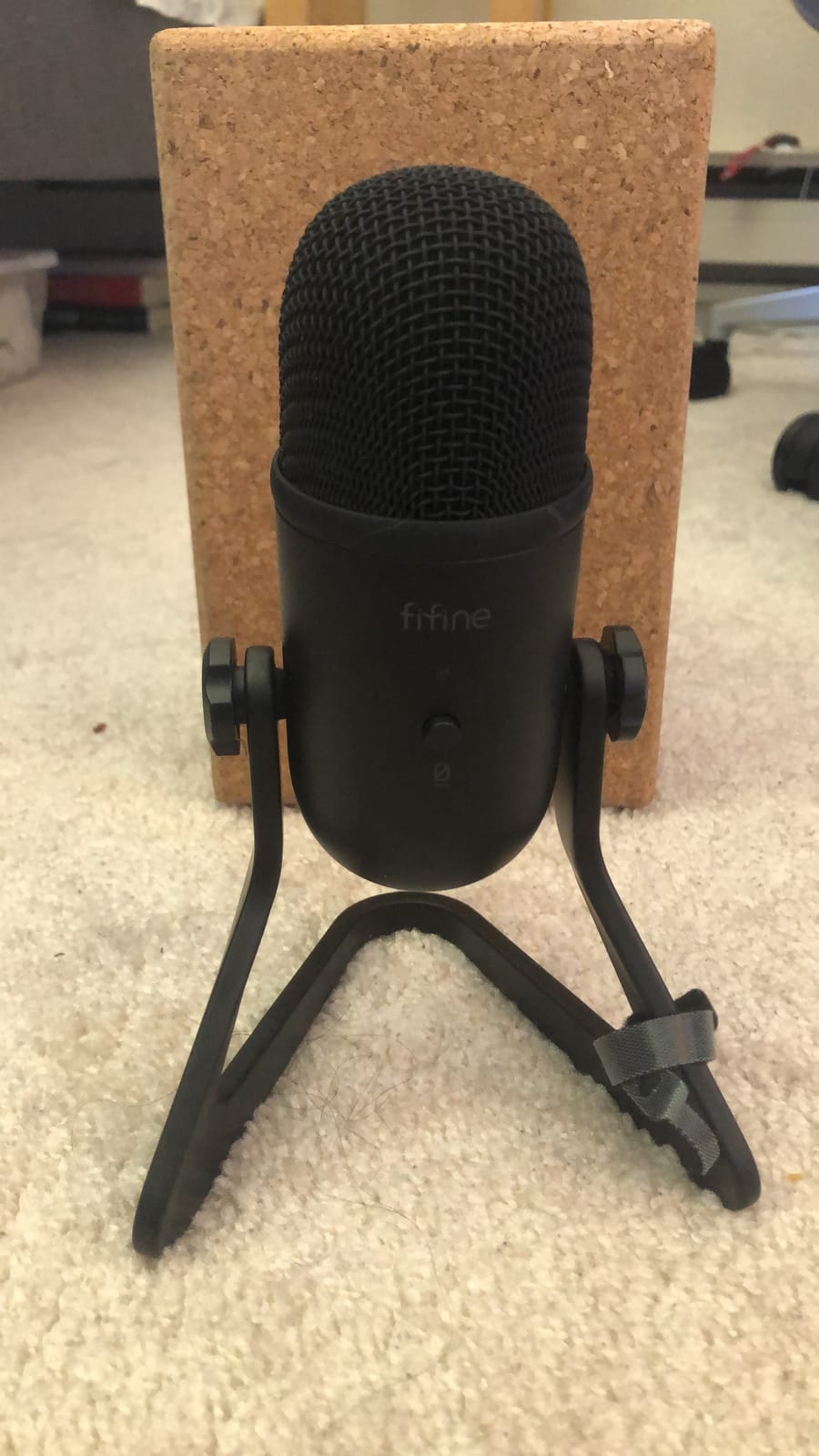
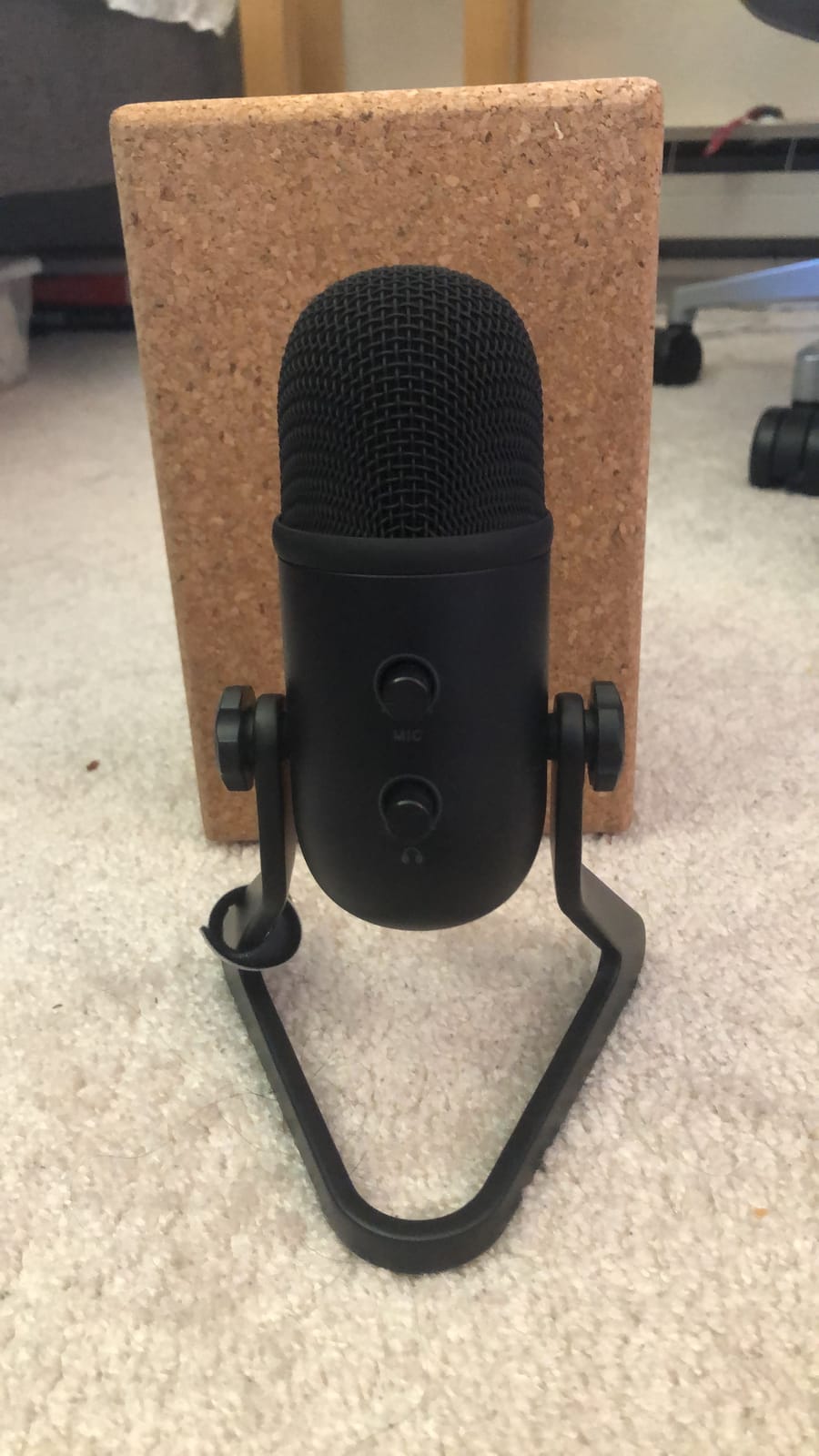
Almost every other microphone in this price bracket leaves you with one control. This one gives you a mute button with an LED, a rear gain knob, and a headphone volume control, which is the set of three that actually changes a recording. Owners moving from a full-size Blue Yeti report comparable voice quality at a fraction of the cost, and they cite the mute button and gain control as the deciding features.
I used it for interviews where the guest needs to be silenced quickly, which is where a real mute button earns its place. Pressing it and watching the LED change state is unambiguous, and the gain knob meant I set the level once for my voice rather than per-app.
The port placement is the flaw worth knowing before you buy. The USB socket is on the bottom next to the mount thread, so you cannot put this on a boom arm without an extension, and a boom arm is the single biggest improvement you can make after buying a microphone. Also note that Windows sometimes defaults the audio output to the mic’s headphone jack instead of your speakers.
Three Real Controls Instead of One
Gain sets how much signal enters the converter, and getting it right once is the difference between a usable recording and one full of clipping or hiss. Most entry-level microphones force you to find that level through software auto-gain, which guesses. A rear gain knob on the body makes it a deliberate act instead.
The 3.5 mm headphone output with no-latency monitoring also doubles as a sound card, so you can plug in headphones and hear yourself clean while the microphone is the only input. That arrangement suits a single-computer setup where your speakers would otherwise feed back into the microphone.
Build Quality and the Port Problem
All-metal construction on a die-cast zinc stand feels solid for the money, and the 6.56-foot cable includes a double magnet ring designed to reduce electromagnetic interference from nearby power supplies and drives. Reviewers who have used it in a home studio report no hum problems.
The bottom-mounted USB port is the reason the boom arm is off the table. Adjustment knobs on the back are smooth without knurling, so fine positioning takes more effort than it should, and the tilt can sit slightly loose even when tightened. If you plan to use an arm, choose a different microphone from this list.
Best Fit and Best Time to Skip
Choose it if you want hands-on control, if you record guests who need muting, or if you are using one computer for both recording and calls. The 4.6 rating across more than 5.6k reviews supports the reputation for sound quality per pound.
Skip it if you intend to mount the microphone on a boom arm, if you want it on a video call where an accidental mute would be awkward, or if you are on a USB-C-only laptop and the included cable does not reach. The controls are excellent; the layout of the ports is the limitation.
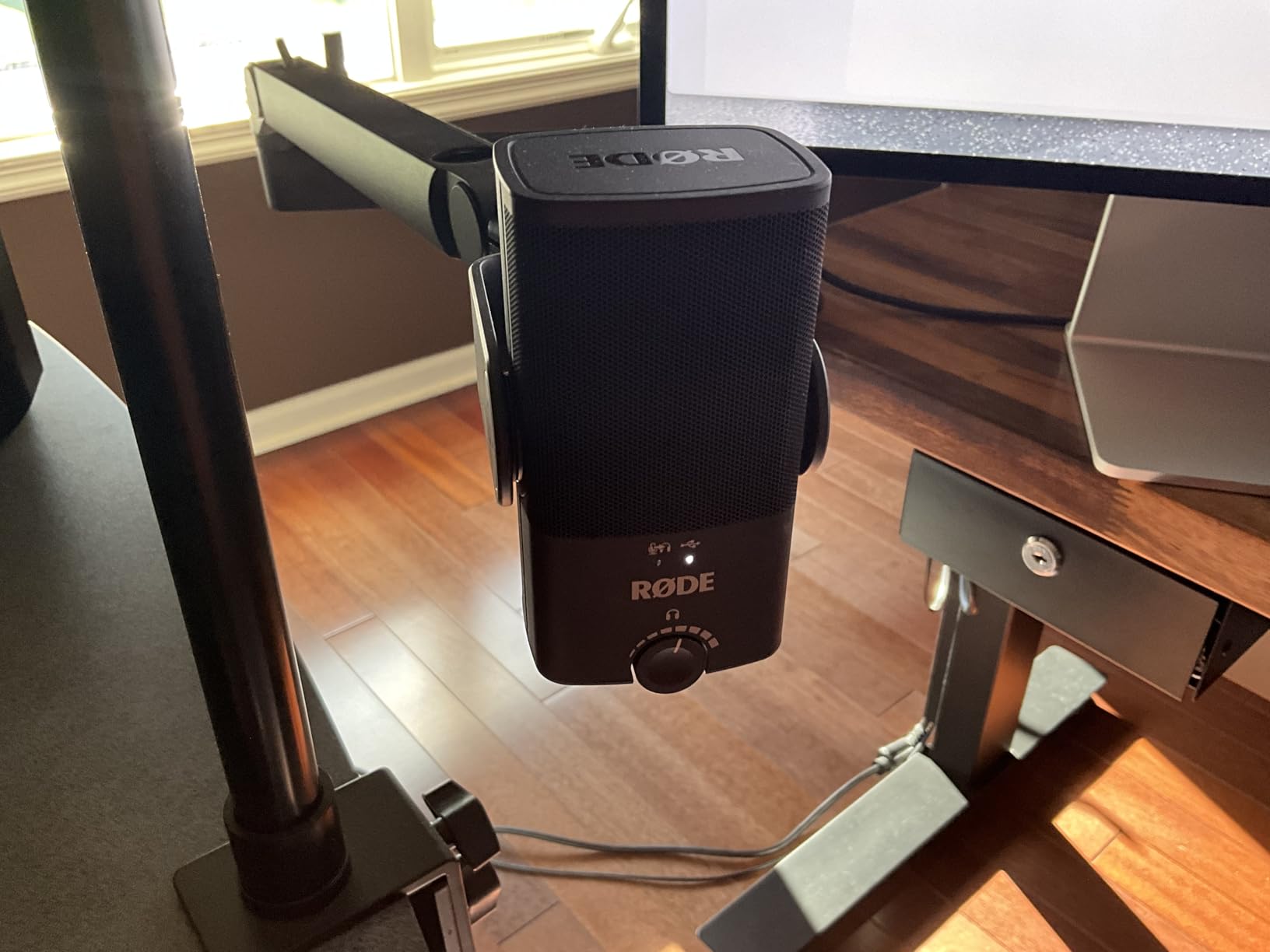
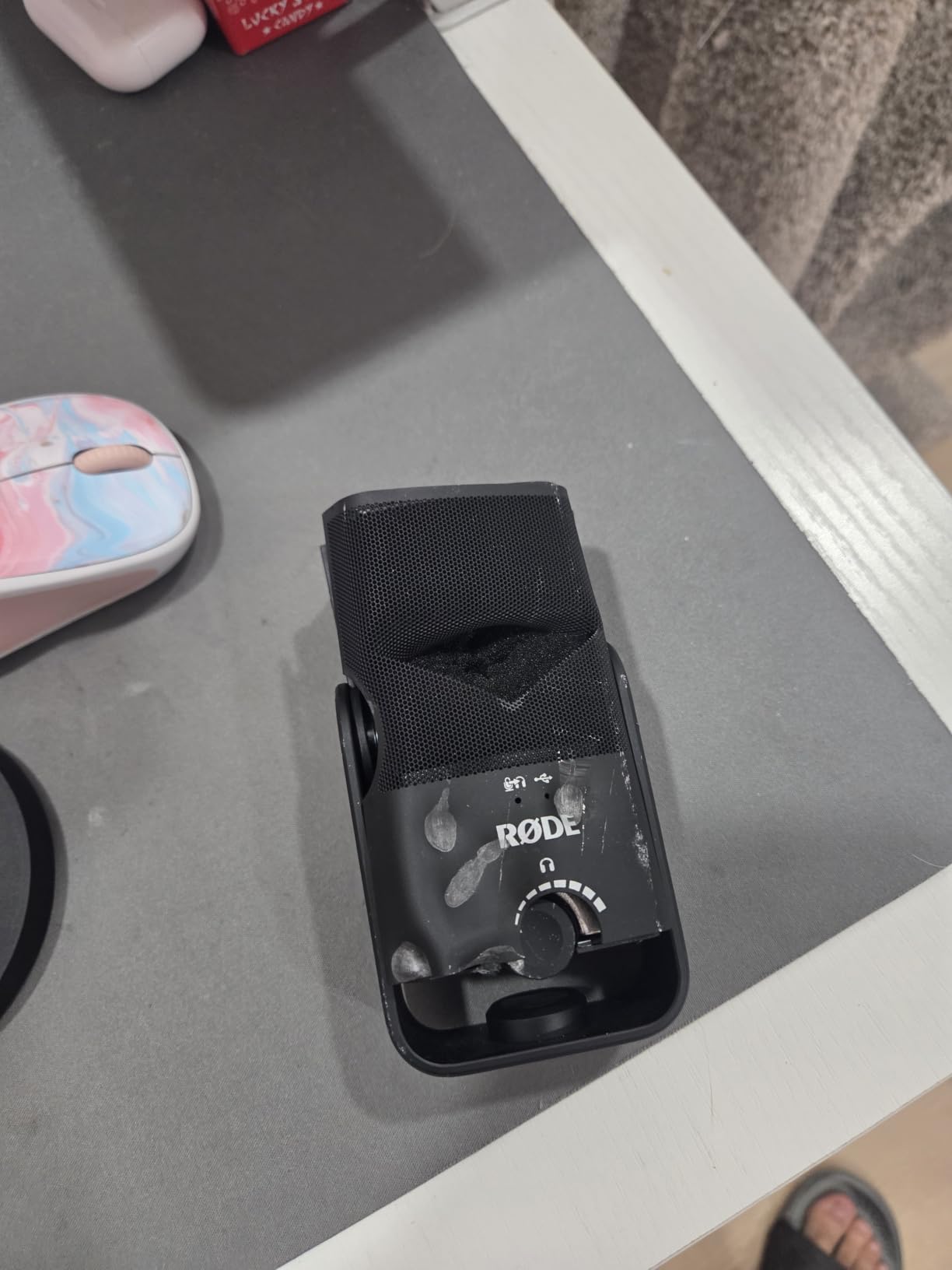
10. RØDE NT-USB Mini – The Compact Metal Mic with a Magnetic Stand
RØDE NT-USB Mini Studio-Quality USB Condenser Microphone
20 Hz - 20 kHz response
82 dB signal to noise
7.28 x 2.36 x 1.97 inch
USB-C cable included
+ Pros
- Condenser capsule with an integrated pop filter
- Zero-latency headphone monitoring with on-body volume control
- Magnetic desk stand that detaches to any standard mic arm
- Compact metal body with a headphone amplifier for higher-impedance cans
- Cons
- No gain control so level depends on distance
- Included desk stand is low
- Single cardioid pattern with no stereo or omni modes
- Some listeners find the noise floor sizzly
The smartest physical design on this list is the stand. It is a magnet, so it lifts straight off the desk base and attaches to any standard mic arm in about a second, which means you are not locked into a fixed low position. When the built-in pop filter is doing its job on plosives, this is a microphone you can put anywhere and forget about.
I recorded with headphones for most of the sessions because the zero-latency output is strong enough to drive higher-impedance headphones, and the on-body volume control means I did not need a separate monitor controller. The 585-gram weight is small but not light, so a stand that cannot hold the position will be visible immediately.
The real compromise is the absence of a gain control. Your input level is fixed, so distance becomes the only level control, and the included desk stand is low enough that you will need an arm to keep the mic within a few inches of your mouth. Some listeners also find the noise floor slightly sizzly or the tone flat for a monotone voice.
A Built-In Pop Filter Removes One Accessory Decision
A condenser with no pop filter and no close-mic technique produces plosives that require editing every single time. Integrating the filter into the capsule assembly means the distance is set for you, which removes one of the three accessory decisions a new podcaster faces before recording their first episode.
The other two are a boom arm and headphones. This microphone answers the filter question well, and its magnetic stand answers the arm question as long as you own any standard arm. Headphones remain the one thing you should buy before you start.
Headphone Monitoring Strength and Its Fixed Input Level
Zero-latency monitoring means you hear yourself in real time, which is what lets you judge distance. The output is powered well enough to drive higher-impedance headphones, a detail many cheaper microphones skip, and the volume control sits on the body rather than in software.
With no gain knob, the only level control is how far away you speak. In practice that means the low desk stand pushes you into arm territory, and any hiss picked up between you and the capsule is fixed at capture. On a quiet desk a few inches away, that trade works well; in a noisy room it does not.
Who Should Choose the NT-USB Mini
Pick it if you move between locations, if you already own a boom arm, or if you want one accessory fewer to think about. USB-C is included and it works with Mac, PC and iPad, which also makes it the most portable option here for a tablet-based workflow.
Pass if you need a hardware gain control, if you want to record two people on one microphone with a pattern change, or if your room is noisy. A dynamic microphone with a gain knob is a better fit for that combination, and both exist in this roundup.
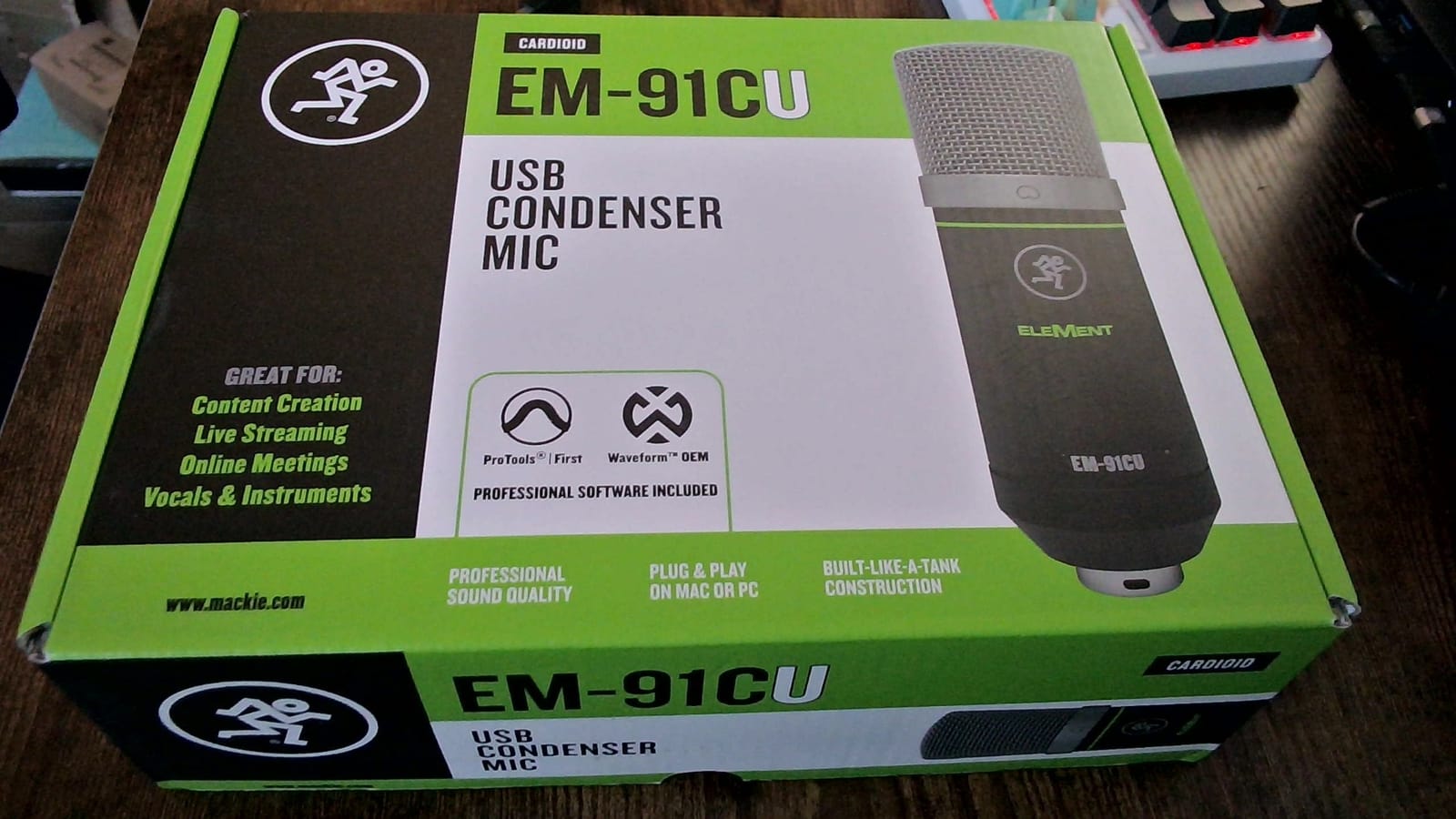
11. Mackie EM-91CU – A Simple Metal Condenser from a Mixing Desk Brand
Mackie EM-Series USB Condenser Microphone with USB-A Connection (EM-91CU)
Unidirectional cardioid
78 dB signal to noise
1.73 x 6.1 x 1.85 inch
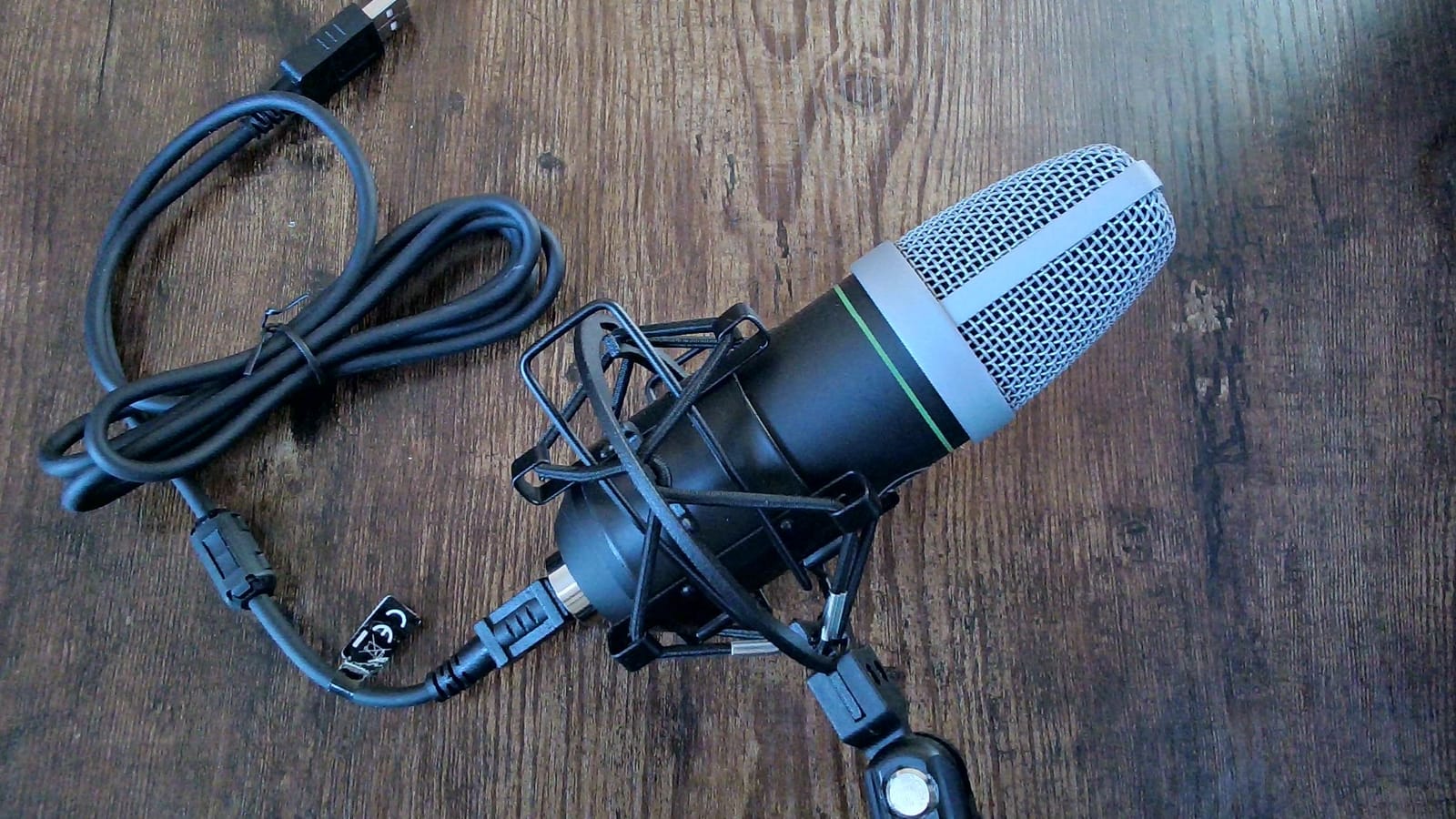
210 g stainless steel body
+ Pros
- Stainless steel body with a simple desktop stand
- Cardioid pattern focused on the speaker
- Onboard headphone output for zero-latency monitoring
- USB-A plug-and-play with no interface needed
- Cons
- USB-A only
- so USB-C-only laptops need an adapter
- Smallest review base in this roundup
- Desk stand is basic with limited height adjustment
Mackie built its reputation on mixing consoles, and the EM-91CU applies that hardware-first thinking to a microphone: a stainless steel body, an unidirectional cardioid pattern, and a headphone output on the chassis. There is no companion app, no effects to configure, and nothing to install. For a beginner who wants a microphone and not a hobby, that restraint is a feature.
I used it for straightforward voice-over work and found the setup genuinely zero-configuration. The cardioid pattern focused on my voice rather than the room, and monitoring through the onboard output was immediate. It also pairs naturally with a mixer or interface later, which suits a person who came to podcasting from audio gear.
The practical limitation is the evidence base. With 318 reviews it is by far the least examined microphone here, so there is far less long-term owner feedback to lean on. It is also USB-A only, so a USB-C-only laptop or tablet needs an adapter, and the desk stand has little height adjustment.
Stainless Steel and a Cardioid Focus
The 210-gram stainless steel body is small and solid, and at 1.73 by 6.1 inches it does not occupy a meaningful amount of desk. The unidirectional cardioid pattern is the right choice for a beginner, because it is the setting you would choose anyway and there is no dial to get wrong.
Signal-to-noise ratio of 78 dB sits in the middle of this group. It is fine in a quiet room with reasonable technique, and it will not rescue a bad one. Close positioning and a pop filter do most of the work at this level.
USB-A Is the Detail That Bites Modern Setups
The connector is the practical issue. On a machine with full-size USB ports, or a laptop with an adapter you already own, there is nothing to think about. On a USB-C-only laptop, the adapter is an extra step and an extra thing to fail mid-session.
The onboard headphone output means you can monitor with zero latency, which is worth more to a first-time recorder than the sample rate. The desk stand is the weakest part of the package, with limited height adjustment, so plan on adding an arm if you need the microphone close to your mouth.
Where This One Fits
Choose it if you want a no-software microphone with no companion app, if you already own USB-A ports or adapters, or if you come from a mixing background and want hardware you can read at a glance. The stainless steel body also travels and survives being moved between setups.
Skip it if you are buying on the strength of other people’s long-term experience, because the review base here is thin. Also consider a USB-C model if your only computer is a modern laptop, and skip the stand-and-forget plan if your mouth-to-mic distance needs to be short.
12. MAONO PD100X – The Dynamic Capsule for a Room You Cannot Control
MAONO PD100X USB/XLR Podcast Microphone for PC,Gaming Streaming Dynamic Mic
Dynamic capsule, 24-bit/48kHz
40 Hz - 16 kHz response
99 dB signal to noise
USB Type-C and XLR outputs
+ Pros
- Dynamic capsule tolerates an untreated room better than a condenser
- USB and XLR outputs keep the upgrade path open
- MaonoLink software with adjustable noise reduction and EQ presets
- Tap-to-mute plus a two-in-one gain and monitoring knob
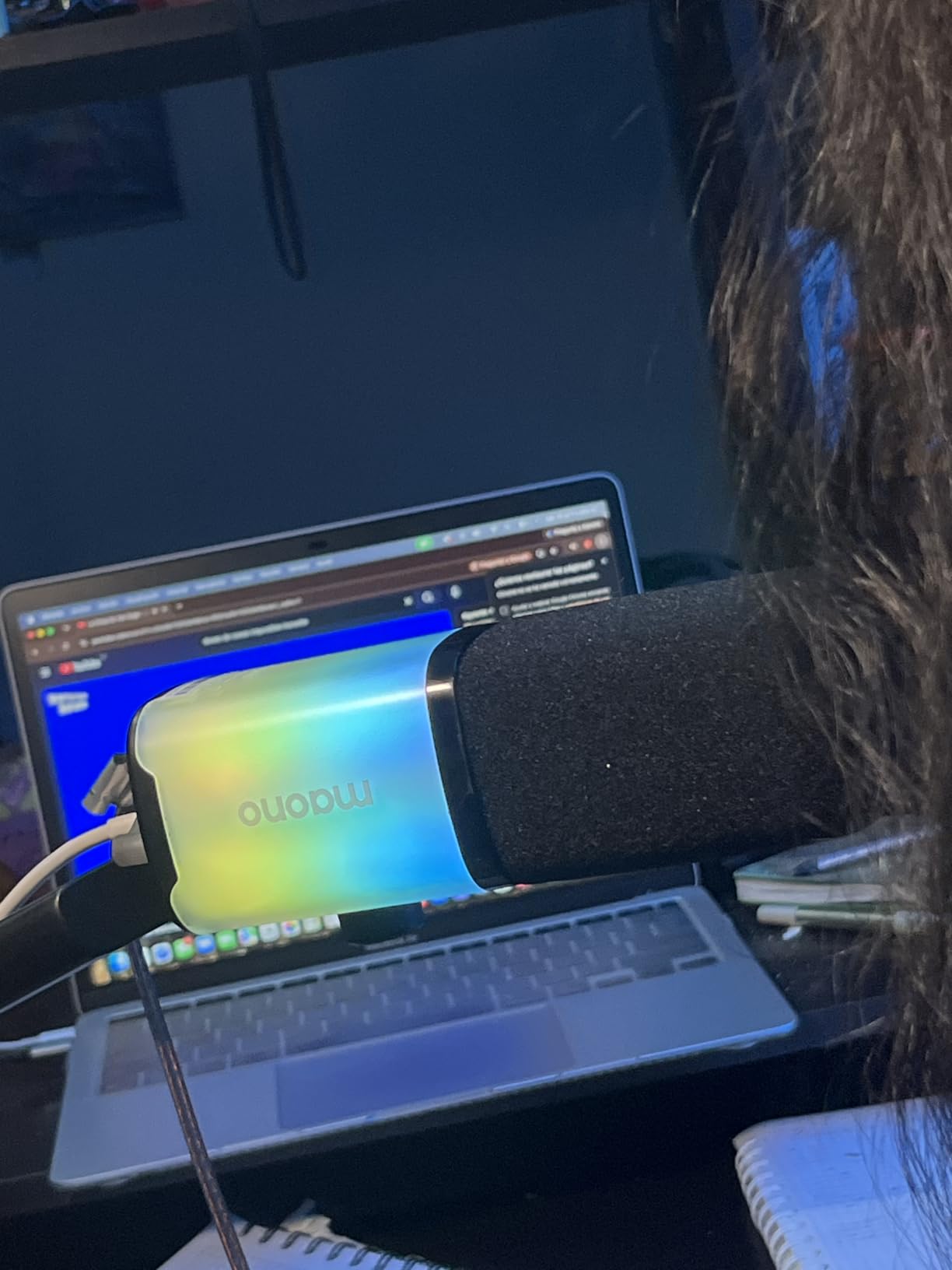
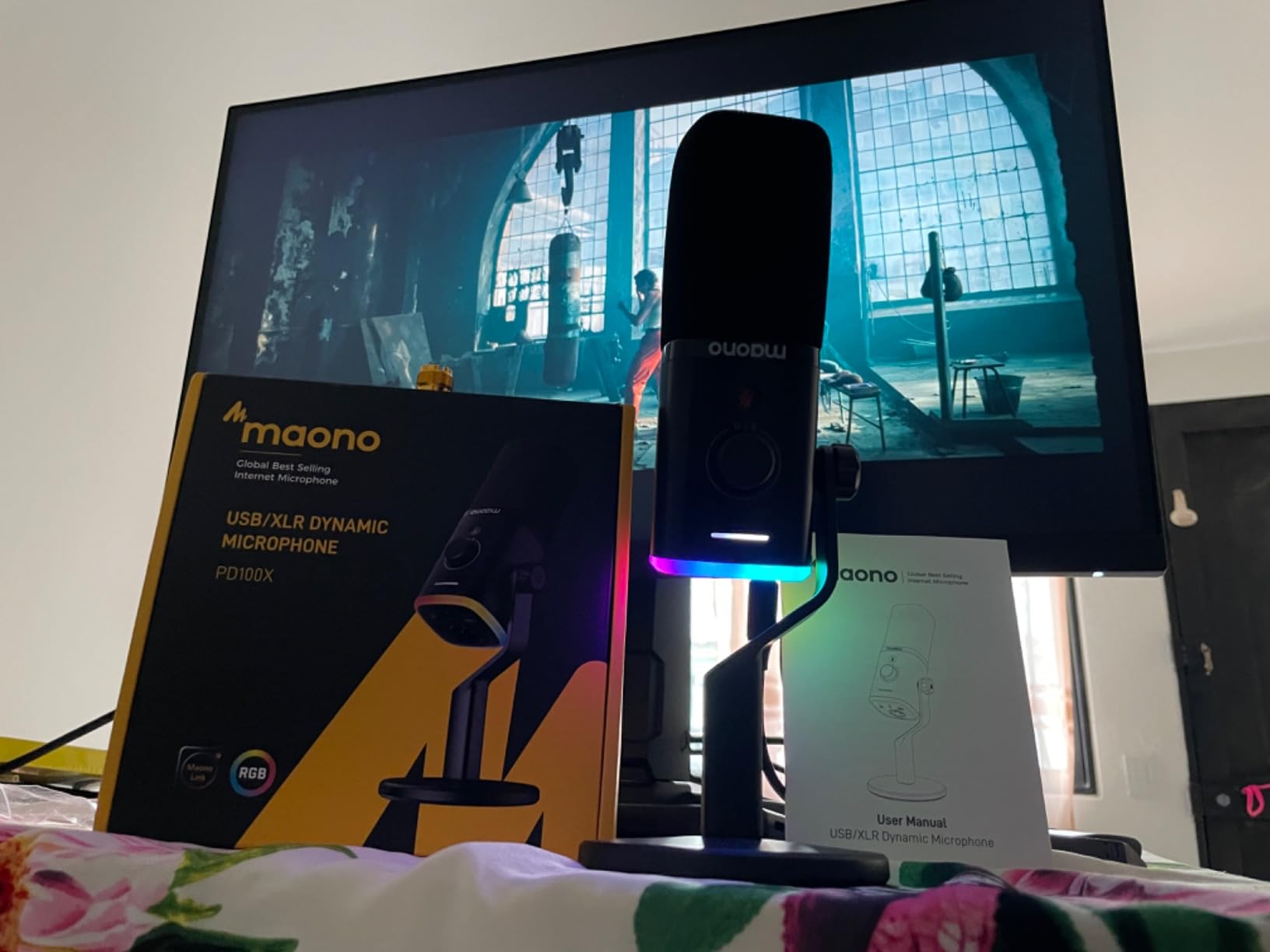
- RGB lighting with three modes and eight colours
- Cons
- XLR cable not included
- Software
- lighting and mute only work over USB
- Less sensitive than a condenser so you must speak closer
- Entry-level XLR mode lacks the USB path's gain controls
Every other microphone here is a condenser, and every condenser shares one weakness: it hears the room as clearly as it hears you. A dynamic capsule is built the opposite way, with a heavier moving-coil element that responds most strongly to sound arriving from directly in front of it. If your recordings carry a fan, a radiator or a washing machine, this is the microphone on this list most likely to fix that.
I tested it in the untreated bedroom scenario that trips up most beginners, and the difference from a condenser in the same room was immediate. The 99 dB signal-to-noise ratio gives real headroom, and the gain and monitoring knob let me set the level properly. Dynamic microphones are less sensitive, so you speak closer, and that closeness is itself a noise-rejection tool.
The limitations are all about the second output. The XLR cable is not included, and the software, RGB lighting and mute functions only exist in USB mode. Over XLR, the gain controls the USB path offers are simply absent, so the interface does that work instead.
Why a Dynamic Capsule Wins in a Noisy Room
A condenser capsule is a light diaphragm that moves in response to almost any air movement, which is what gives it detail and also what lets it pick up distant noise. A dynamic capsule uses a heavier coil suspended in a magnetic field, and its mass means it responds mostly to close, direct sound.
The practical result is that off-axis noise falls away much faster with a dynamic. In a shared home office or a room near a busy road, that difference is not subtle, and it is why dynamic microphones dominate broadcast studios that have not been treated. The trade is sensitivity: you will need to speak within a few inches and turn the gain up.
USB and XLR Outputs With a Feature Split
The dual connectivity is the same upgrade path the A04 Gen2 offers, and it carries the same caveat. In USB mode you get MaonoLink software with adjustable noise reduction and EQ presets, the two-in-one gain and monitoring knob, tap-to-mute, and customisable RGB lighting with three modes and eight colours. Those are genuinely useful for a gaming or streaming setup.
Over XLR, none of that carries across. You get a clean cardioid dynamic signal at 24-bit/48kHz with a 40 Hz to 16 kHz response, and the interface handles preamp and gain. That is the correct professional behaviour, but a beginner expecting the USB controls to still be there will be disappointed.
Who Should Buy This Instead of a Condenser
Choose it if your room has background sound you cannot remove, if you are recording in a shared space, or if you want a mic you can grow into an interface setup with later. The RGB lighting is a bonus for anyone also streaming on camera.
Pass if your room is already quiet and treated, because a condenser will capture more detail from that advantage, or if you want the softest, most forgiving voice capture. As with every microphone on this list, everything else on the chain matters more than the capsule alone.
How to Choose a USB Podcast Microphone Without Overthinking It
How Noisy Is Your Room? That One Question Decides Everything
Before comparing specifications, record thirty seconds of yourself in your intended space, with the fan on if the fan is on, and listen to it back on headphones. This is the single most useful thing a beginner can do, and it takes less time than reading another review. You are not testing the microphone, you are testing the room, and the room is usually the problem.
If you can hear a computer fan, a fridge or a washing machine clearly in that thirty seconds, buy a dynamic capsule and get close to it. If the recording is close to silent apart from your voice, any condenser on this list will reward you, and a large-diaphragm condenser captures noticeably more voice detail at the same distance.
The rule of thumb most professionals use is a ratio of treated or absorptive surfaces to reflective ones. A room lined with bedding, curtains and carpet behaves far better than bare walls and a glass desk, and moving your setup to a wardrobe with clothes on hangers is a legitimate treatment plan that costs nothing.
Condenser or Dynamic: The Rule a Beginner Actually Needs
A condenser microphone has a light, responsive diaphragm that captures fine detail and air in the voice, and it needs a quiet room and close technique. A dynamic microphone has a heavier moving-coil element that favours close, direct sound over distant ambience, which makes it far more forgiving in an untreated space.
Condenser wins when your room is soft and quiet. Dynamic wins when your room is live, shared or full of electronics. If you are unsure, record the thirty-second test above and let the answer pick the capsule. Every condenser on this list assumes a quiet room, and every beginner who ignores that assumption regrets it within two episodes.
Do You Need an Audio Interface? Not Yet
No. A USB microphone contains its own preamp and analog-to-digital converter, so it appears to your computer as an audio input and you can record in Audacity, OBS or your browser immediately. An audio interface only becomes necessary when you want an XLR microphone, multiple inputs, or hardware gain control independent of the microphone.
Many beginners are sold an interface before they have a microphone, which produces a setup that records nothing. If you want to keep the door open to that later without buying a second microphone, choose a hybrid model such as the MAONO A04 Gen2 or the MAONO PD100X, which record over USB now and accept XLR later. Otherwise, ignore the interface question completely for your first year.
What to Buy First, Second, and Never
Buy the microphone first, and buy it based on your room rather than on a spec sheet. Then add a boom arm, because it is the largest single improvement to an already-purchased microphone and it keeps your desk out of the recording. Then add closed-back headphones for zero-latency monitoring, which is what lets you judge your own audio without delay.
A pop filter is only needed if your microphone does not have one built in. The RØDE NT-USB Mini integrates one, and several kits on this list include one, so buying another is money spent twice. Do not buy a mixer, an audio interface, or a second microphone until you have published a few episodes and can name the specific problem you are solving.
Also skip anything sold on resolution alone. For spoken word delivered as an MP3, 24-bit/192kHz is headroom rather than detail, and a microphone you understand, positioned correctly, will beat an expensive one used badly every time.
Mic Placement, Distance and the Accessories That Matter
Distance is the most important technique and the cheapest to fix. For a dynamic, sit within four to six inches, about a fist’s width, which is closer than most people instinctively sit. For a condenser, stay within eight to twelve inches, since going further lets room noise in.
Angle the microphone slightly off-axis rather than pointing it straight down the line of your nose, because breath sounds land on a cardioid pattern’s most sensitive point. Keep it slightly below mouth level so plosives travel past the filter rather than straight into it, and get the mic on an arm so your desk and your chair are not part of the signal.
Zero-latency headphone monitoring is worth insisting on, because the first time you hear yourself with a delay you will move away from the microphone and ruin the recording. Several of the twelve microphones here carry a headphone output, and that is a significant factor in an otherwise similar shortlist.
Spec Sheet Myth-Busting for Spoken Word
Sample rate above 48kHz and bit depth above 24-bit deliver headroom rather than audible quality for a voice podcast delivered as a compressed file. What actually improves a spoken-word recording, in descending order, is room treatment, microphone distance, correct gain, pop filtering, and only then processing.
Multiple pickup patterns are useful mainly if you might record two people on one microphone. If you are certain your show is solo narration in cardioid, a fixed-pattern microphone is simpler and there is no scenario where you will regret the simpler one. The same logic applies to RGB lighting, which changes nothing about the audio.
Signal-to-noise ratio is a real number worth comparing, unlike resolution, because it describes how much room noise sits under your voice before you say anything. The 110 dB figure on the Elgato and the 78 dB on several entry-level models are the actual gap between a quiet recording and a room-flavoured one.
Frequently Asked Questions
What is the best USB microphone for podcasting?
For a first microphone, the Logitech Creators Blue Yeti is the safest choice because its four pickup patterns cover solo narration, two-host shows and room recording with one purchase, and it has onboard gain, mute and zero-latency headphone monitoring. Pick a dynamic capsule such as the MAONO PD100X instead if your room has a fan, traffic or shared walls you cannot control.
What is the best microphone for a beginner podcaster?
The best microphone for a beginner is the one that matches the room rather than the spec sheet. In a quiet, soft-furnished space a condenser such as the Blue Yeti or the Elgato Wave:3 MK.2 captures the most detail. In an untreated room with background noise, a dynamic such as the MAONO PD100X rejects off-axis sound and needs no audio interface.
What is the best equipment for a beginner to start podcasting?
Start with a USB microphone, a boom arm and closed-back headphones. A pop filter is only necessary if the microphone does not include one, and several kits bundle a filter, shock mount and arm already. Skip the audio interface, the mixer and any second microphone until you have published episodes and can name a specific problem.
How close should I be to my USB podcast microphone when recording?
Sit within four to six inches, roughly a fist’s width, of a dynamic microphone, and within eight to twelve inches of a condenser. Distance is the cheapest way to reject room noise, and moving further back is the most common beginner mistake. Angle the microphone slightly off-axis and keep it just below mouth level so breath and plosives do not land on the most sensitive part of the pattern.
Do I need an audio interface for a USB microphone?
No. A USB microphone has its own preamp and analog-to-digital converter, so it appears to your computer as an audio input and you can record immediately in Audacity, OBS or a browser. An interface only becomes necessary for XLR microphones, multiple inputs or hardware gain control. If you want a future upgrade path, choose a hybrid USB and XLR model such as the MAONO A04 Gen2.
Is a condenser or dynamic microphone better for podcasting?
A condenser captures more detail and air in the voice but needs a quiet, treated room and close technique. A dynamic favours close, direct sound and tolerates a live or untreated space far better. Record thirty seconds of yourself in your room, listen for background noise, and choose a condenser if the room is quiet or a dynamic if it is not.
Can I record two people with one USB microphone?
Yes, and the Blue Yeti does it with a pattern change rather than a second microphone. Set it to bidirectional and seat both speakers on the front arc at equal distance, or use omnidirectional for a small round-table conversation. Most fixed-pattern microphones such as the RØDE NT-USB Mini and the Elgato Wave:3 MK.2 are cardioid or super cardioid only, so two people would need one microphone each.
Does 32-bit or 192kHz resolution matter for podcasting?
Not much for a voice podcast delivered as a compressed file, and it is worth being sceptical of it as a selling point. What 24-bit and above genuinely gives you is headroom, so you can record at a conservative level and raise it later without a poor signal. Room treatment, microphone distance and correct gain change the finished audio far more than resolution does.
Still deciding? The fastest route is to record thirty seconds in your own room first, then match the microphone to the result. That single test will tell you more than any spec comparison.
Where to Start With the Best USB Podcast Microphones for Beginners in 2026
If you want one microphone that handles anything you might attempt, start with the Blue Yeti. Its four pickup patterns and onboard controls mean you can move from solo narration to a two-host conversation to a small room without buying again, and the review history means you will find answers to almost any setup question.
If your room is the problem rather than the microphone, buy a dynamic instead. The MAONO PD100X is the clearest example here, and it doubles as an XLR microphone later, which the MAONO A04 Gen2 also does from the condenser side.
If you want the shortest path to a finished-sounding episode, the Elgato Wave:3 MK.2 does the level work for you with Clipguard and Auto Gain. If you want the fewest decisions and the most accessories, the FIFINE T669 arrives with an arm, a clamp, a shock mount and two pop filters.
Whatever you choose, add a boom arm and closed-back headphones before you worry about anything else on the chain. Position, distance and gain account for most of the difference between a beginner recording and a professional one, and none of it requires a second microphone.